-
January 31, 2023
YuJa Panorama for Digital Accessibility – Minor Update RC20230131 Released to US, CAN, and EU Zones
We have successfully pushed an update to all YuJa Panorama for Digital Accessibility instances residing in the United States, Canada, and the European Union. This minor update provides our users with improvements to our new LTI app and standalone Panorama Portal, released in December. Users can expect enhanced responsiveness in the Panorama Portal, custom role mapping in D2L Brightspace, improved text and language support, and downloadable XLSX reports across the Panorama platform.- Increased Responsiveness of the Panorama Portal
Users will notice instant UI improvements across the Panorama Portal, which will now automatically fit any screen size and can be manually resized to provide users with a seamless experience.
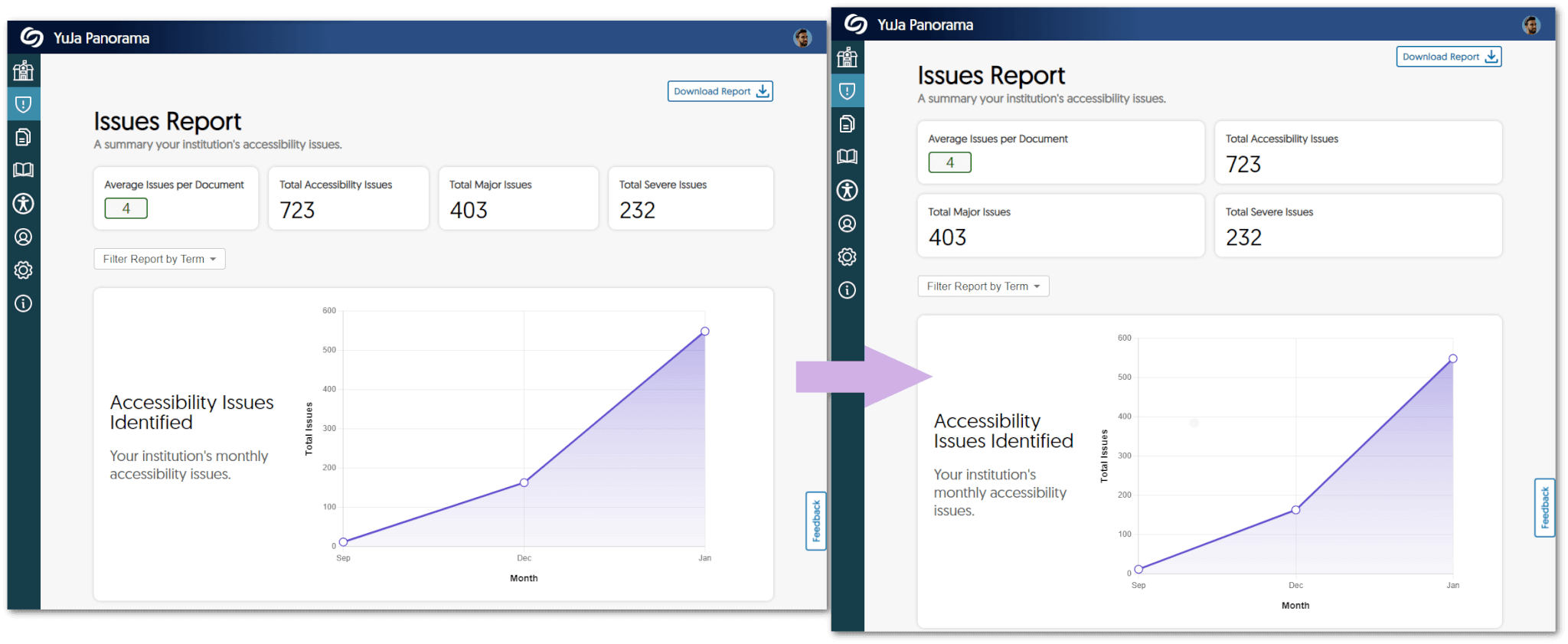
- Custom Role Mapping Available For D2L Brightspace
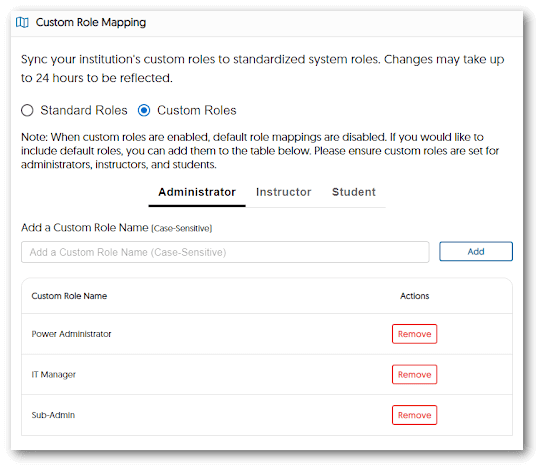
Institutions using D2L Brightspace can now add their custom role list for administrators, instructors, and students to standardized system roles. Please note that when custom roles are enabled, default roles are disabled, and changes may take up to 24 hours to be reflected.
- New Accessible Layout for Institution Settings
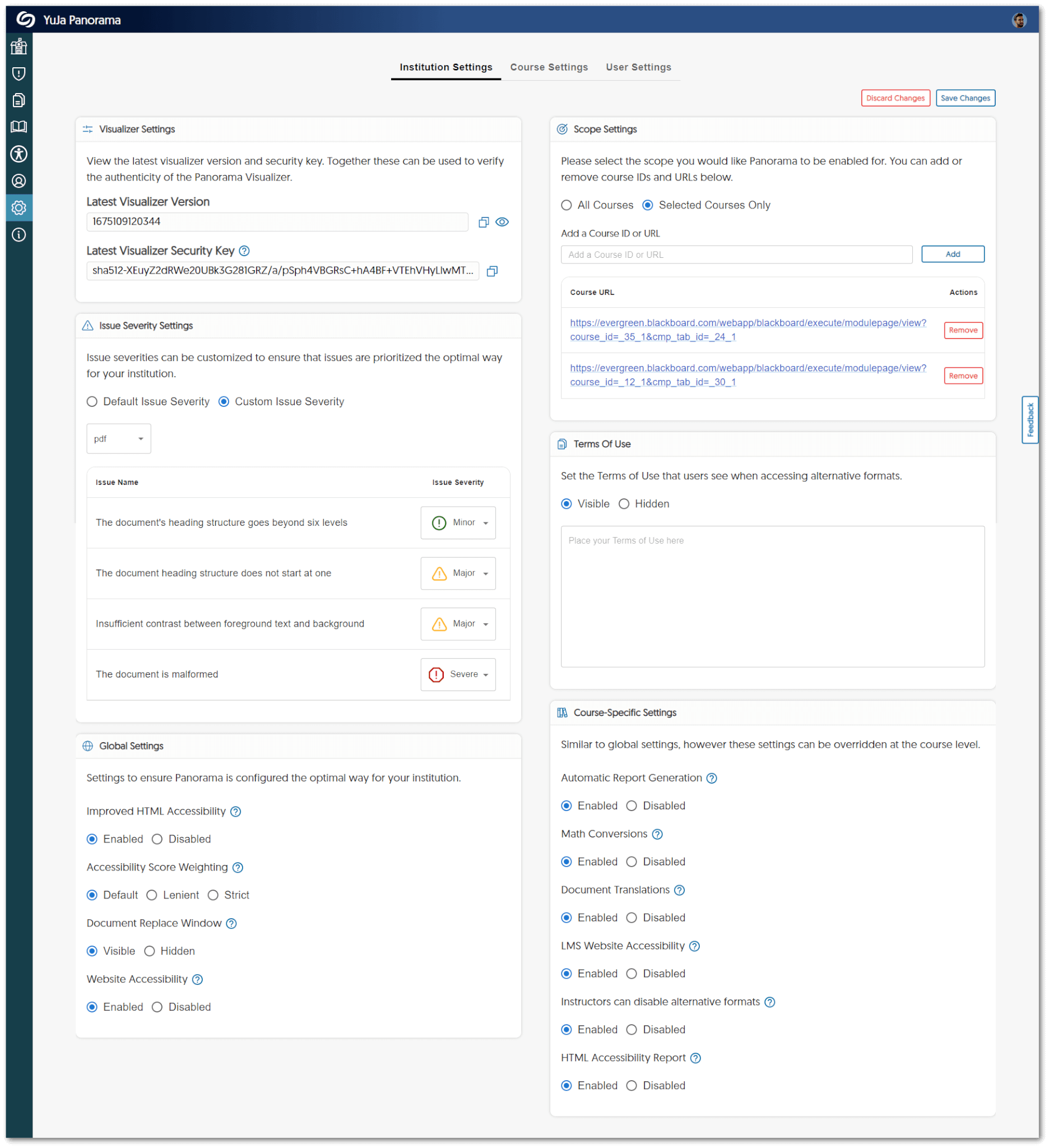
We have updated the panels for Institution Settings to provide a two-column view for admins to access quickly.
- Improved UI Text
We have standardized all text across the LTI app and the Panorama Portal to provide users with clear information about their institution and courses.
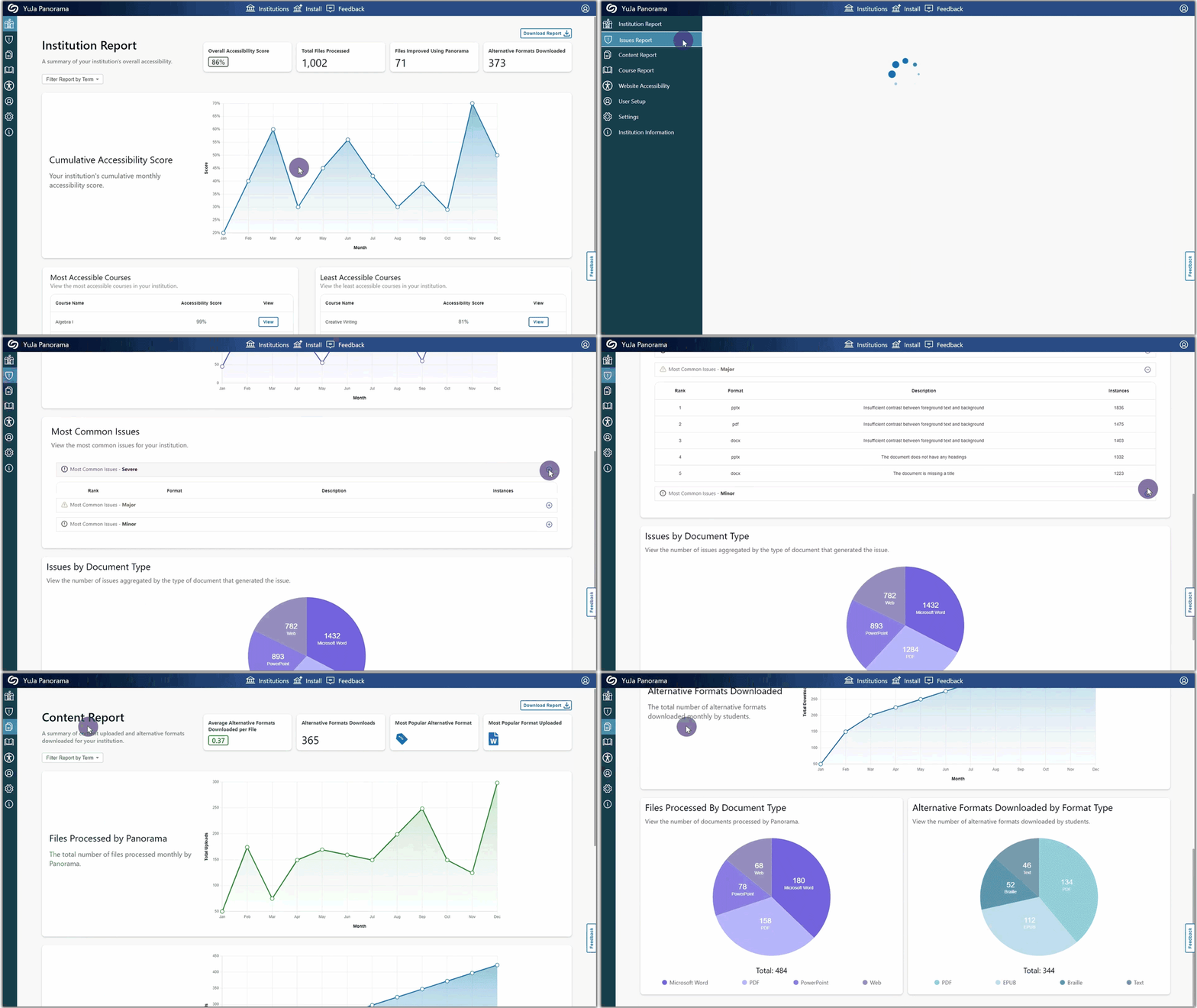
- Download Content Report Data Admins can now download a summary of their Content Report from the Panorama Portal.
- All Downloadable Reports are Available in XLSX All reports will be available to download as XLSX files to help admins and instructors identify trends and organize data.
- Spanish and French Language Support for the Panorama Portal The entirety of the Panorama Portal now has language support for Spanish and French.
- Increased Responsiveness of the Panorama Portal
Users will notice instant UI improvements across the Panorama Portal, which will now automatically fit any screen size and can be manually resized to provide users with a seamless experience.
-
January 25, 2023
YuJa Verity for Test Proctoring – Update RC20230126 Released to US, CAN, and EU Zones
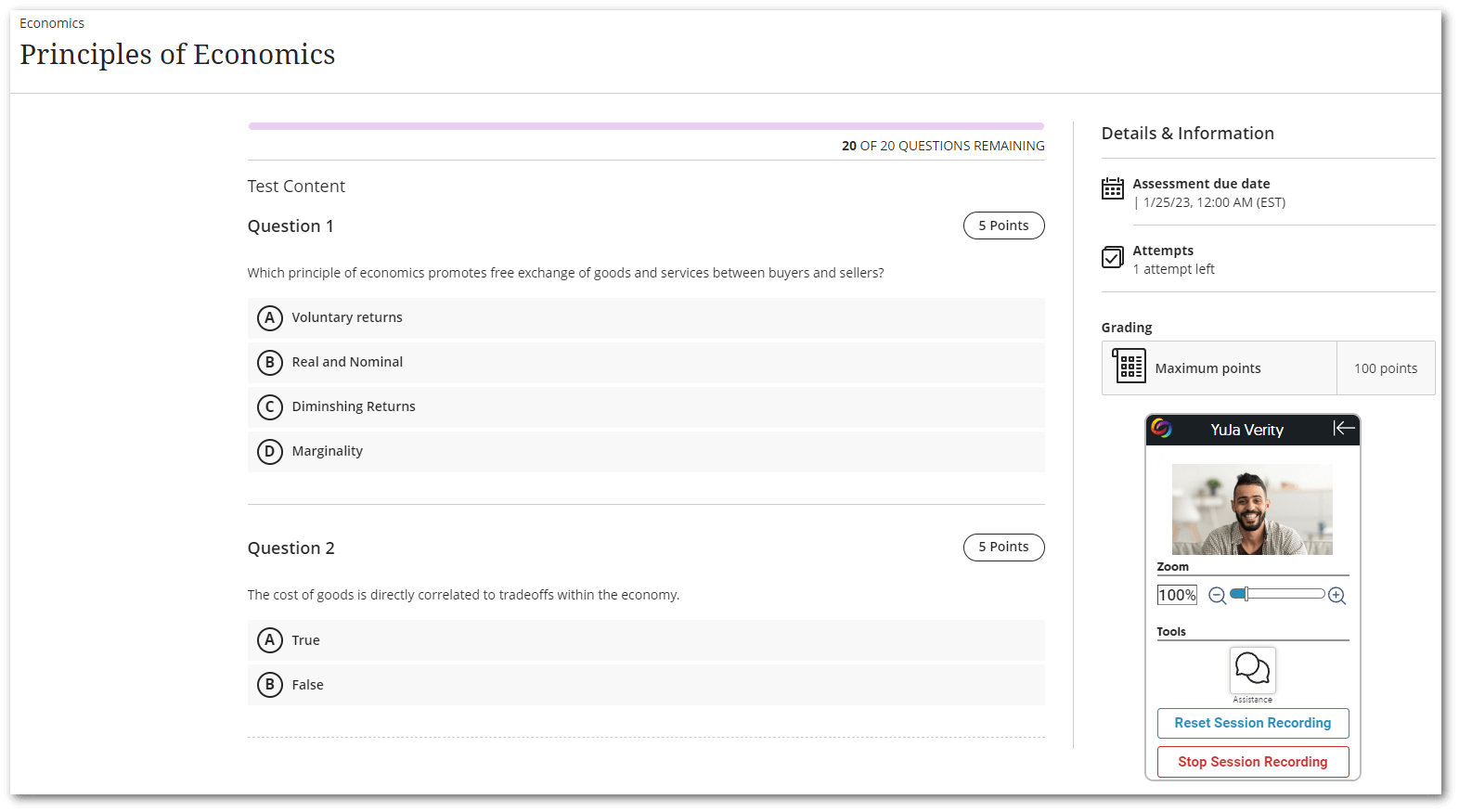
We have successfully pushed an update to all YuJa Verity for Test Proctoring instances residing in the US, Canada, and the European Union. This update includes integration for Blackboard Learn Ultra, the ability to exempt students from using YuJa Verity, support for External Tool in Canvas, the option to disable Stop/Reset Recording for the YuJa Verity Recording Panel, and several bug fixes and optimizations.- Support for Blackboard Learn Ultra Now Available
To ensure exam integrity with test proctoring for our Blackboard users, YuJa Verity is now available for Blackboard Learn Ultra. Instructors can set specific restrictions on individual quizzes, view recordings of testing sessions, detailed reports of suspicious activities, and entire detailed reports for their courses. To learn how to integrate YuJa Verity with your Blackboard Learn Ultra instance, please visit our guide on Integrating YuJa Verity for Test Proctoring into Blackboard Learn Ultra.
- Exempt Students from Using YuJa Verity
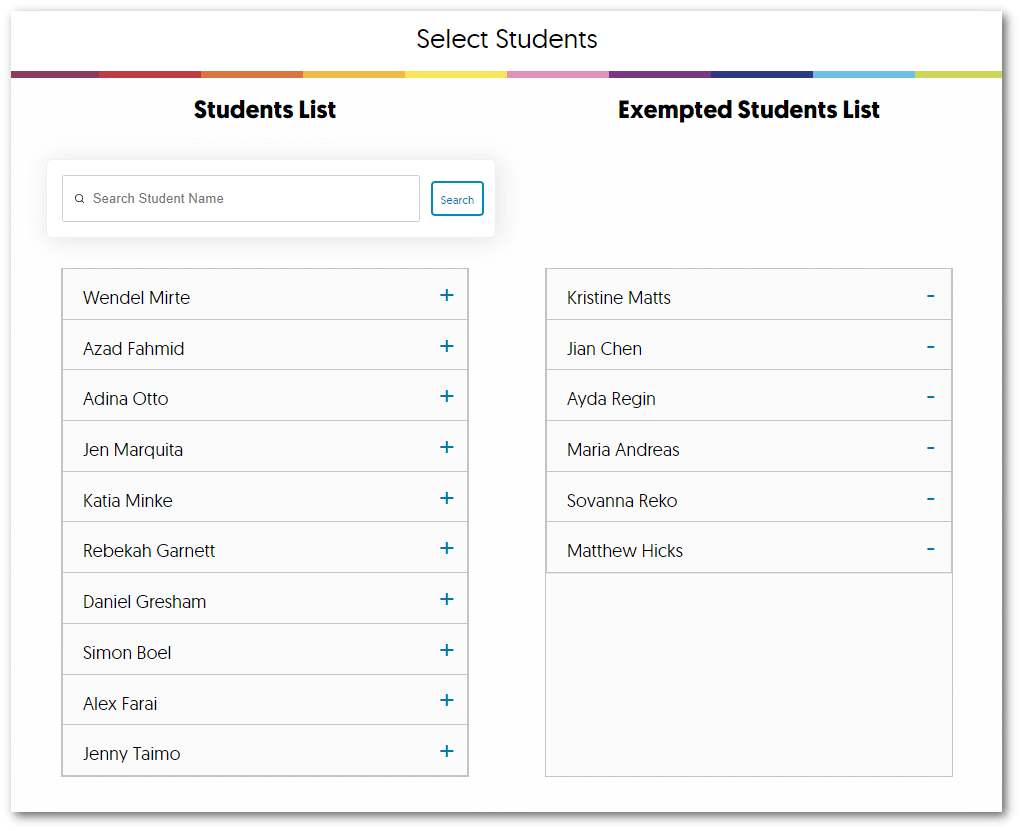
Moodle and Canvas instructors can disable YuJa Verity for individual students by accessing the YuJa Verity setting for their quizzes. Future updates will also allow Blackboard instructors to utilize this feature.
- Disabled Stop Sessions Recording for the YuJa Verity Recording Panel
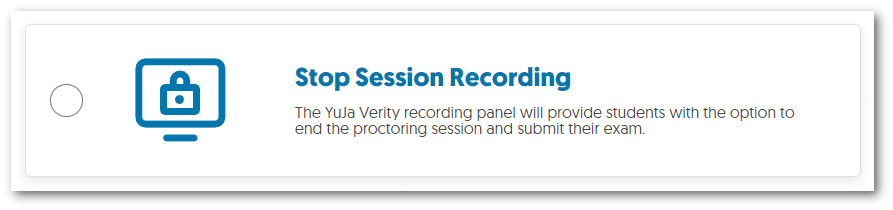
The Stop Session recording feature will no longer be enabled by default for Moodle and Canvas students. Instructors who wish to enable the option may do so by accessing the YuJa Verity settings for their quiz. Future updates will also allow Blackboard instructors to utilize this option.
- Bug Fixes and Optimizations
We have optimized the performance of YuJa Verity and made several bug fixes to improve the user experience. Highlighting some of these optimizations and fixes are:
- Resuming a Quiz will track to the same Verity attempt.
- Improved recordings when retaking a proctored quiz.
- Proctored results can be organized alphabetically.
- Support for Blackboard Learn Ultra Now Available
To ensure exam integrity with test proctoring for our Blackboard users, YuJa Verity is now available for Blackboard Learn Ultra. Instructors can set specific restrictions on individual quizzes, view recordings of testing sessions, detailed reports of suspicious activities, and entire detailed reports for their courses. To learn how to integrate YuJa Verity with your Blackboard Learn Ultra instance, please visit our guide on Integrating YuJa Verity for Test Proctoring into Blackboard Learn Ultra.
-
January 25, 2023
Enterprise Video Platform – RC20232501 Hotfix
At approximately 10pm Eastern Time, we noticed unusual CPU spikes across many US-based Video Platform instances. Our first attempt to mitigate this by manually scaling the sub-system did not resolve the issue. Further investigation identified a code defect in a particular database query. A hotfix was implemented and deployed about 45 minutes late which has mitigated the issue. All instances are currently stable and we believe we have fully mitigated the situation. We will continue to monitor the situation. -
January 24, 2023
YuJa Engage Student Response System – Update RC20230120 to US, CAN, and EU Zones
We have successfully pushed an update to all YuJa Engage Student Response System instances residing in the United States, Canada, and the European Union. This release provides our users with Canvas LTI 1.3 integration, a dashboard for poll Creators, a clickable-image question type, improved performance for our PowerPoint add-in, and overall improvements to the platform.- Canvas LTI 1.3 Integration of Student Response Platform
Similar to our LTI integration for Blackboard Learn, Canvas admins may integrate YuJa Engage for their institution to allow polls and surveys to be created and published directly to desired courses. Students may then access the LTI link and participate in polls and surveys within the Canvas LMS. To learn more about our Canvas integration, please visit our support guide on Integrating the YuJa Engage Platform for Canvas LTI 1.3.
- New Dashboard “Homepage” for Poll Creators with Improved Navigation
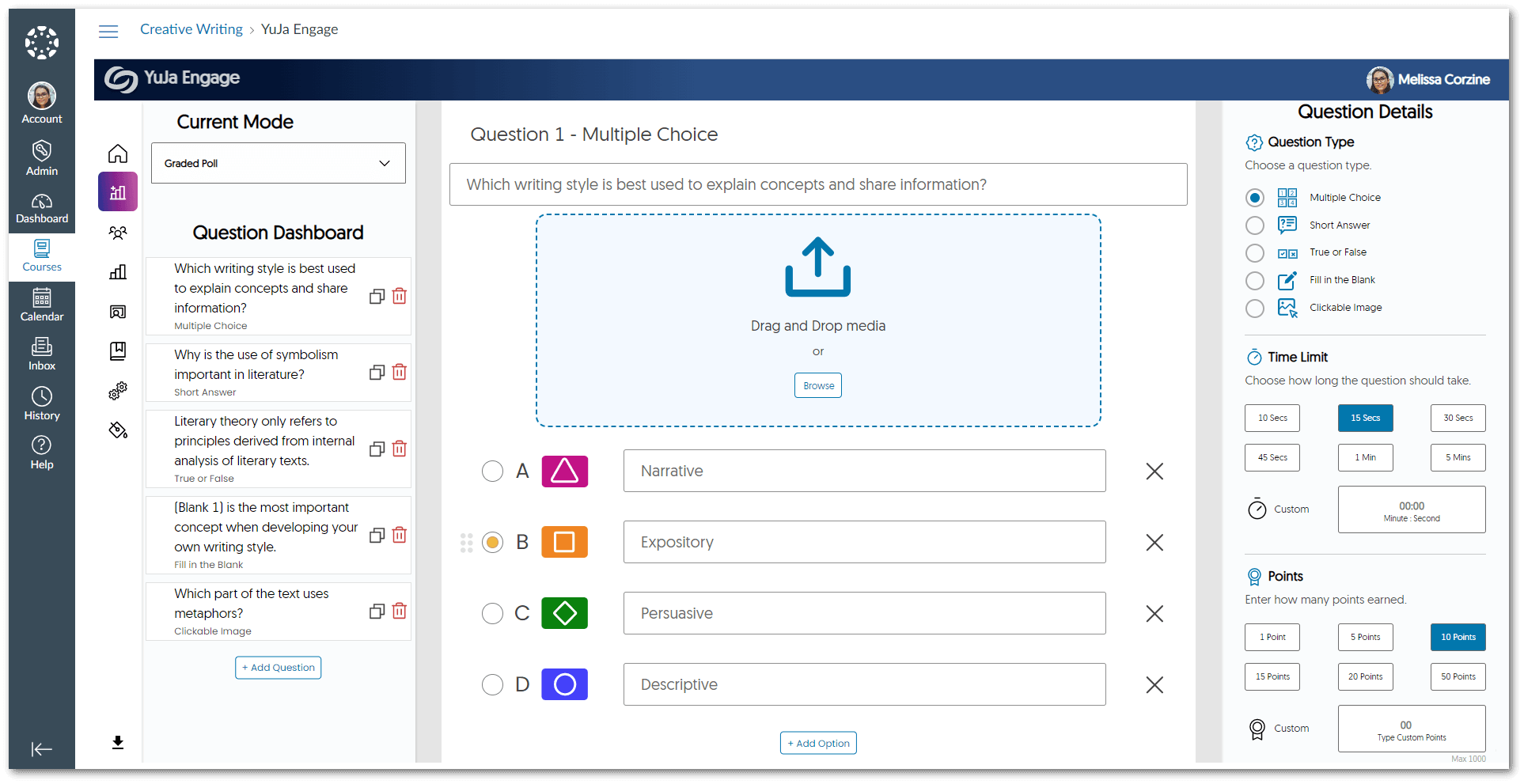
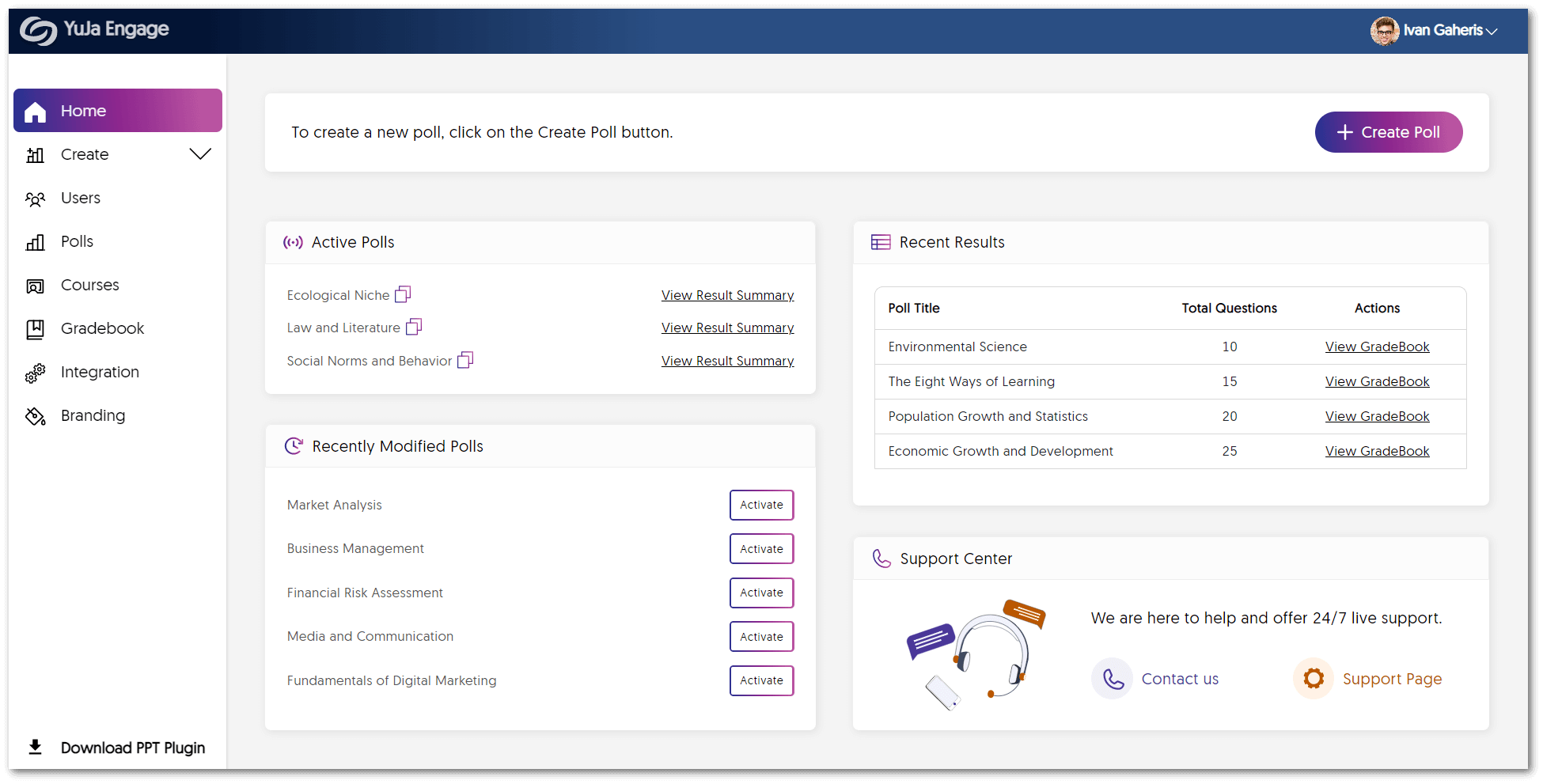
We’re pleased to provide an overview for Creators to manage polls through our new Dashboard. The Dashboard offers instant viewing of active polls in real-time, access to view grade book results for recent polls, and the ability to publish recently modified polls.
- Clickable Image Question Type
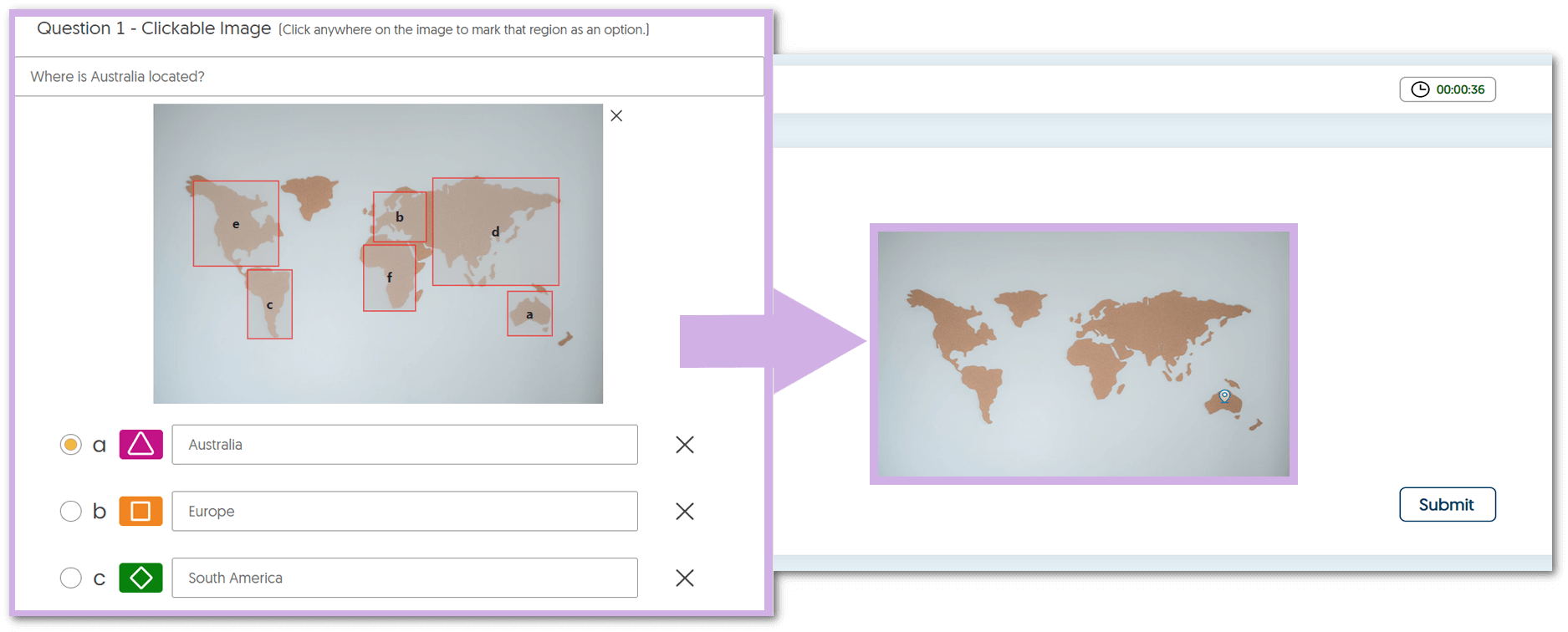
To expand upon our question types for polls and surveys, clickable images will allow Creators to select regions on an image and award points based on the correct region chosen by poll participants.
- Improved Performance for the Microsoft PowerPoint Ribbon Add-in We have improved the performance of our PowerPoint poll integration to provide instructors with quick access to their institution from the sign-in panel and faster processing speeds for inserting poll questions into their slides.
- Canvas LTI 1.3 Integration of Student Response Platform
Similar to our LTI integration for Blackboard Learn, Canvas admins may integrate YuJa Engage for their institution to allow polls and surveys to be created and published directly to desired courses. Students may then access the LTI link and participate in polls and surveys within the Canvas LMS. To learn more about our Canvas integration, please visit our support guide on Integrating the YuJa Engage Platform for Canvas LTI 1.3.
-
January 6, 2023
YuJa Panorama for Digital Accessibility – Minor Update RC20230106 Released to US, CAN, and EU Zones
We have successfully pushed an update to all YuJa Panorama for Digital Accessibility instances residing in the United States, Canada, and the European Union. This minor update provides our users with access to Alternative Formats and Accessibility Reports from the LTI app, optimizations to the Feedback form, improved sign-up for the Panorama Management Platform, faster HTML to PDF processing speeds, and several minor UI improvements to the LTI app.- Access Full Alternative Formats and Accessibility Reports from the LTI App
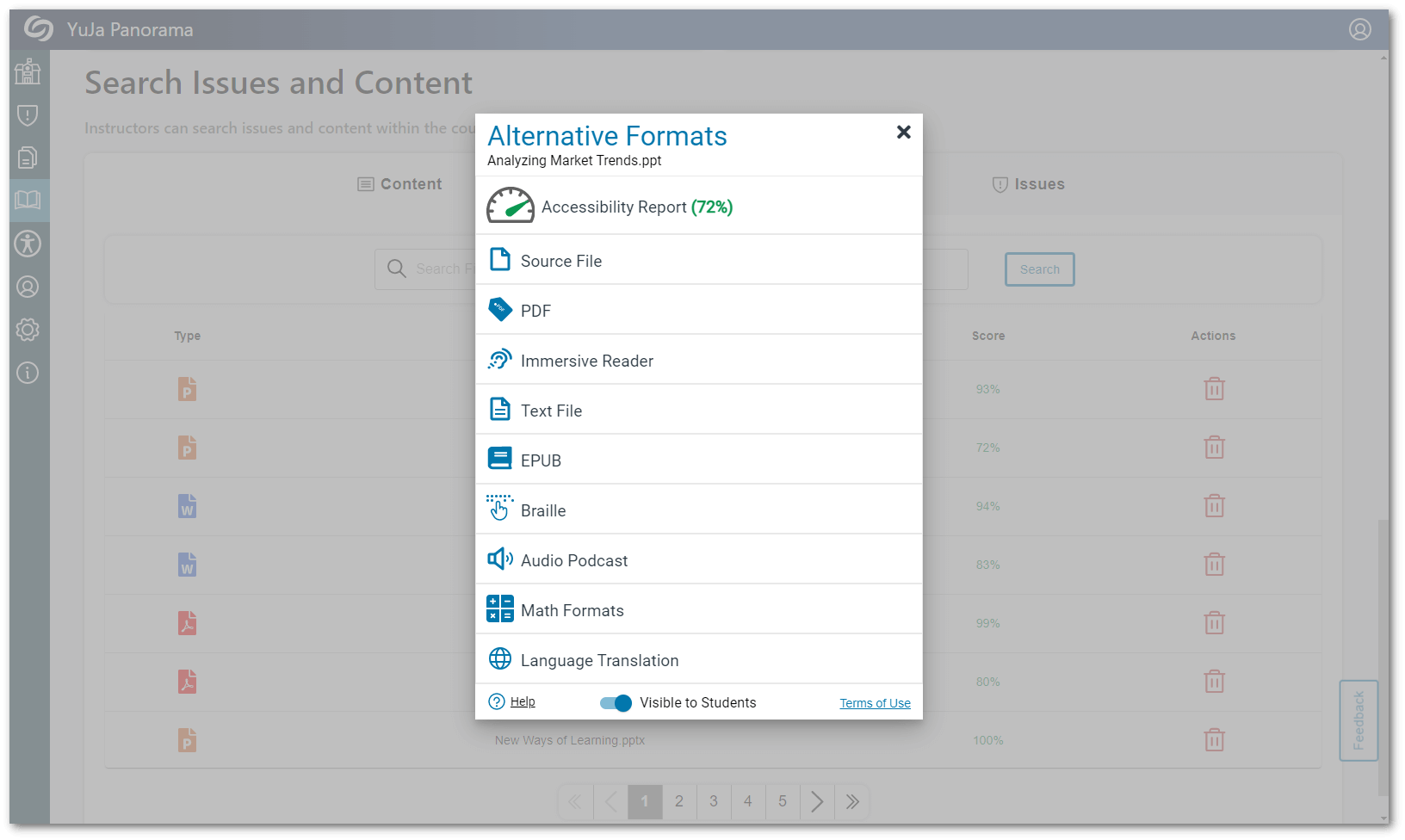
We have improved our LTI app to allow administrators and instructors to view Alternative Formats and Accessibility Reports from the content menu within their Course Report. In addition to viewing Alternative Formats, admins and instructors may also download and reprocess their documents.
- Optimized Submission Forms for Feedback
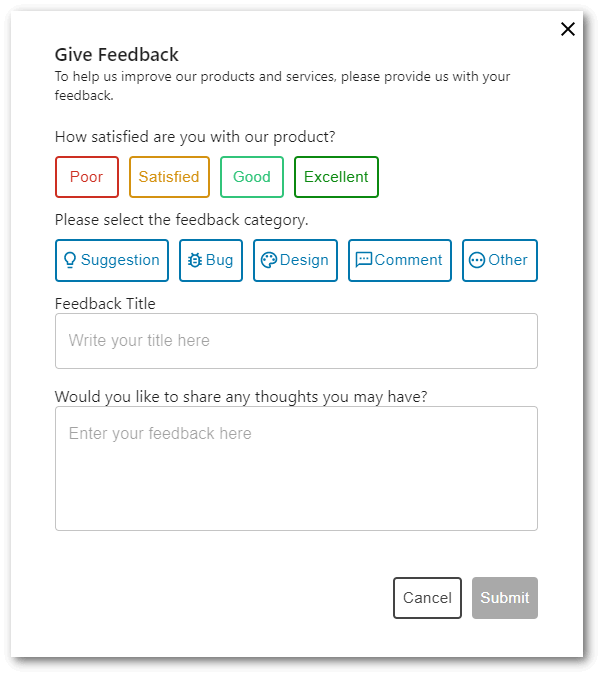
As Panorama continues to grow, we’d like to have your input on new suggestions, designs, and other comments you may have to enhance your overall experience when using Panorama. To help facilitate transparent communication on feedback, submitted forms will receive timely responses to requests.
- Enhanced Sign-up for the Panorama Management Platform
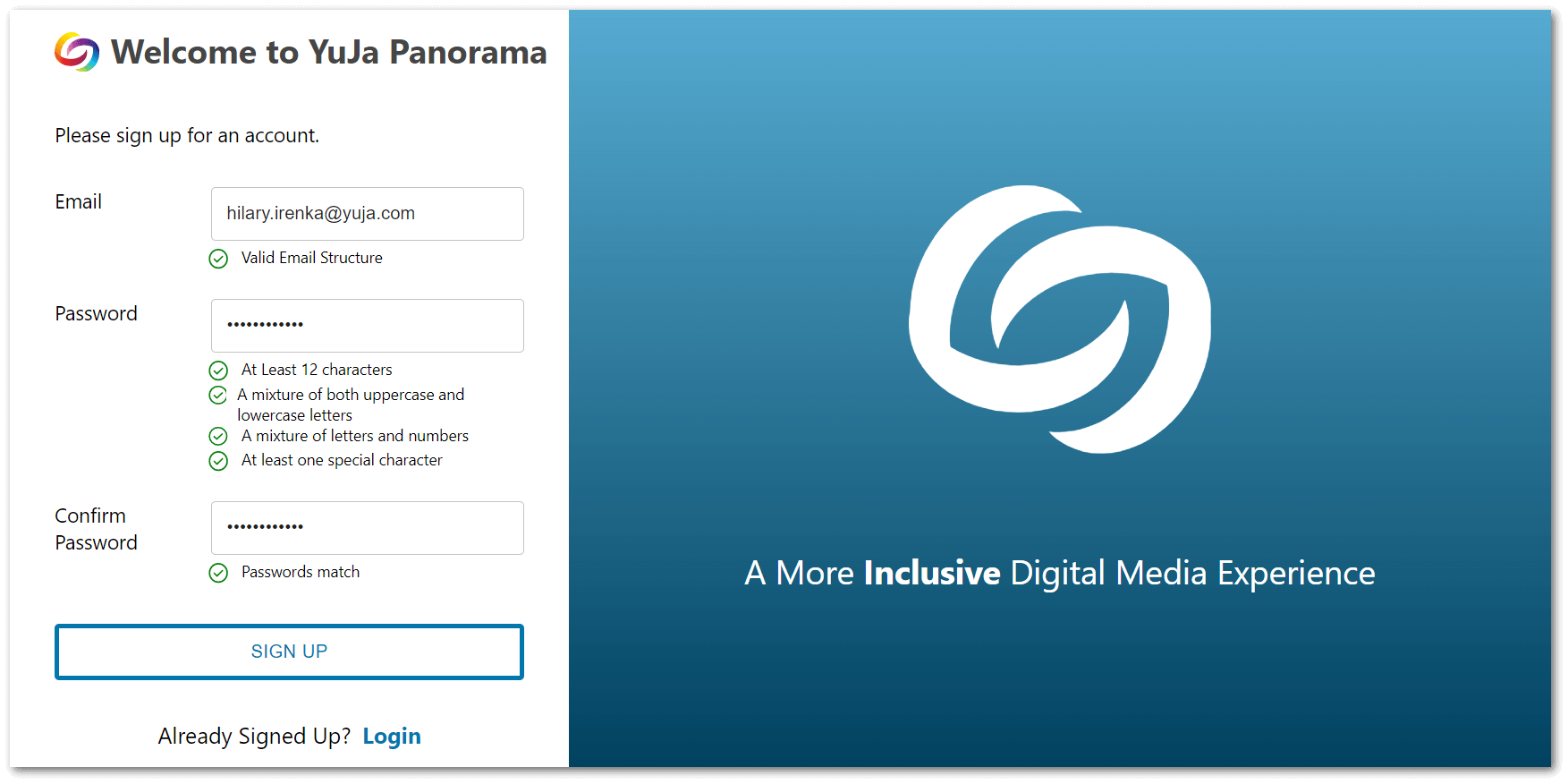
Users will no longer be required to sign up using an access token. Simply navigate to the User Setup page on the LTI app, and click Create Account to sign up for the Panorama Platform. For more information on how to sign up for the Platform, please visit our guide on Signing Up for the Panorama Management Platform.
- Optimized HTML to PDF Conversion We have optimized our HTML to PDF conversion rates for faster processing speeds.
- UI Enhancements for the LTI App As Panorama has recently migrated to a new LTI App, we’ve touched up some finer details with our UI. Expect more of these enhancements in future releases.
- Access Full Alternative Formats and Accessibility Reports from the LTI App
We have improved our LTI app to allow administrators and instructors to view Alternative Formats and Accessibility Reports from the content menu within their Course Report. In addition to viewing Alternative Formats, admins and instructors may also download and reprocess their documents.