We have successfully pushed an update to all YuJa AccessNotes Note-Taking Platform instances residing in the US, Canada, Australia, Singapore, the Middle East, and the European Union. This update includes sharing audio recordings, supporting external audio devices, importing images from a web search, and embedding articles in tags to describe complex concepts.
-
Add Descriptions to Your Tags to Understand Complex Terms
When you’re unsure about a complex topic or concept and would like further clarification, adding descriptions allows you to search for and embed articles in your tags. By entering a few keywords, you can browse a catalog of search results to find the one that best clarifies the topic you’re struggling with.

-
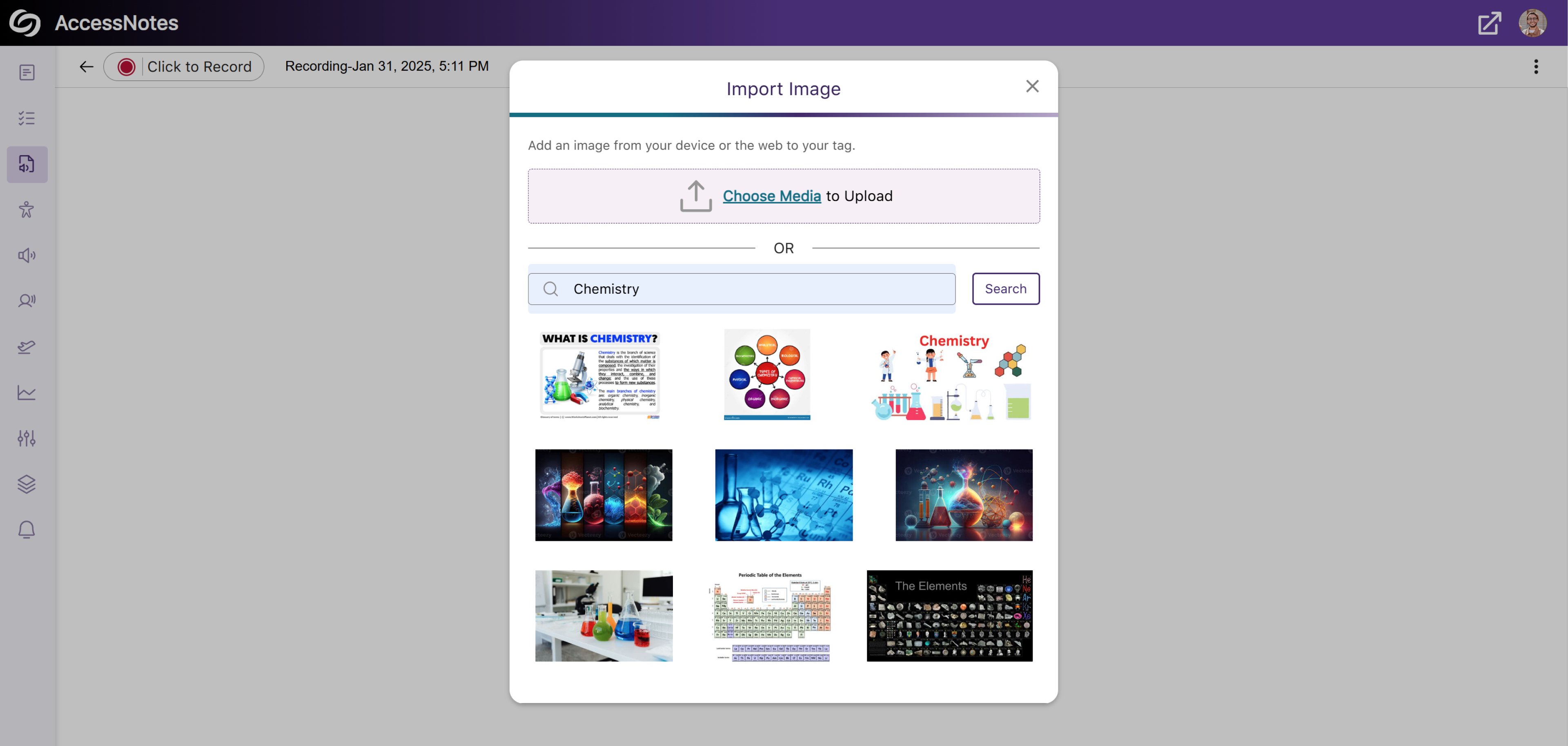
Import Images to Tags Through the Built-In Web Search
In addition to embedding images from your device to a tag, AccessNotes now supports direct image import from the web through the built-in search engine. This allows instant embedding of visuals or illustrations without the need to download images. Simply search for an image, choose the one you like, and add it to the tag.
-
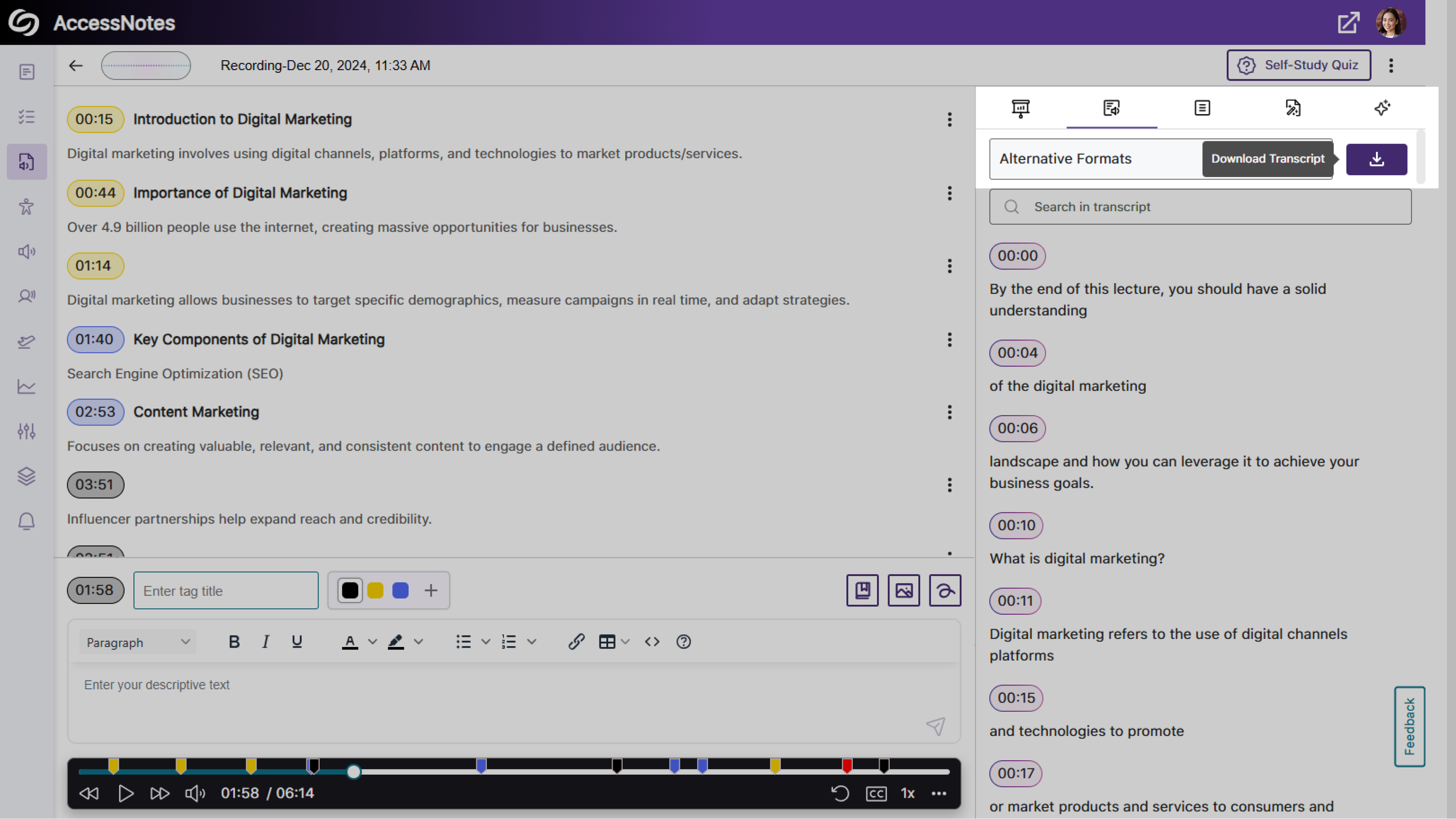
Dedicated Option to Download Audio Transcripts as a TXT File
We’ve updated AccessNotes to include a Download button in the Transcript panel, offering easier access to the audio transcripts in a TXT format.
-
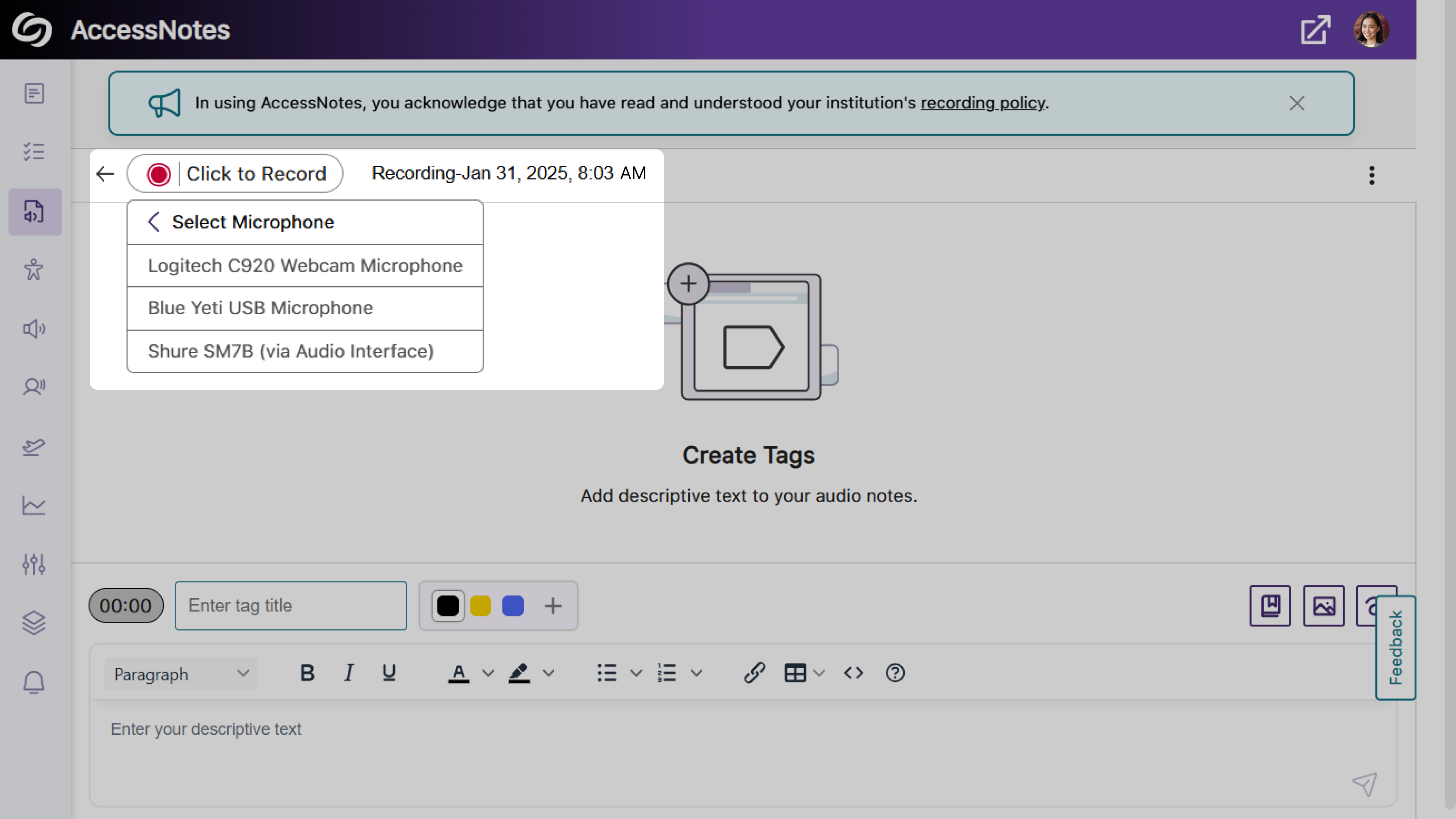
Expanded Audio Source Options for Note Recording
Previously, audio notes could only be recorded using your device’s built-in audio source. With this update, AccessNotes detects and displays all external audio sources connected to your device, allowing you to select the source that best meets your recording preferences.
-
Share Your Audio Recordings with Anyone
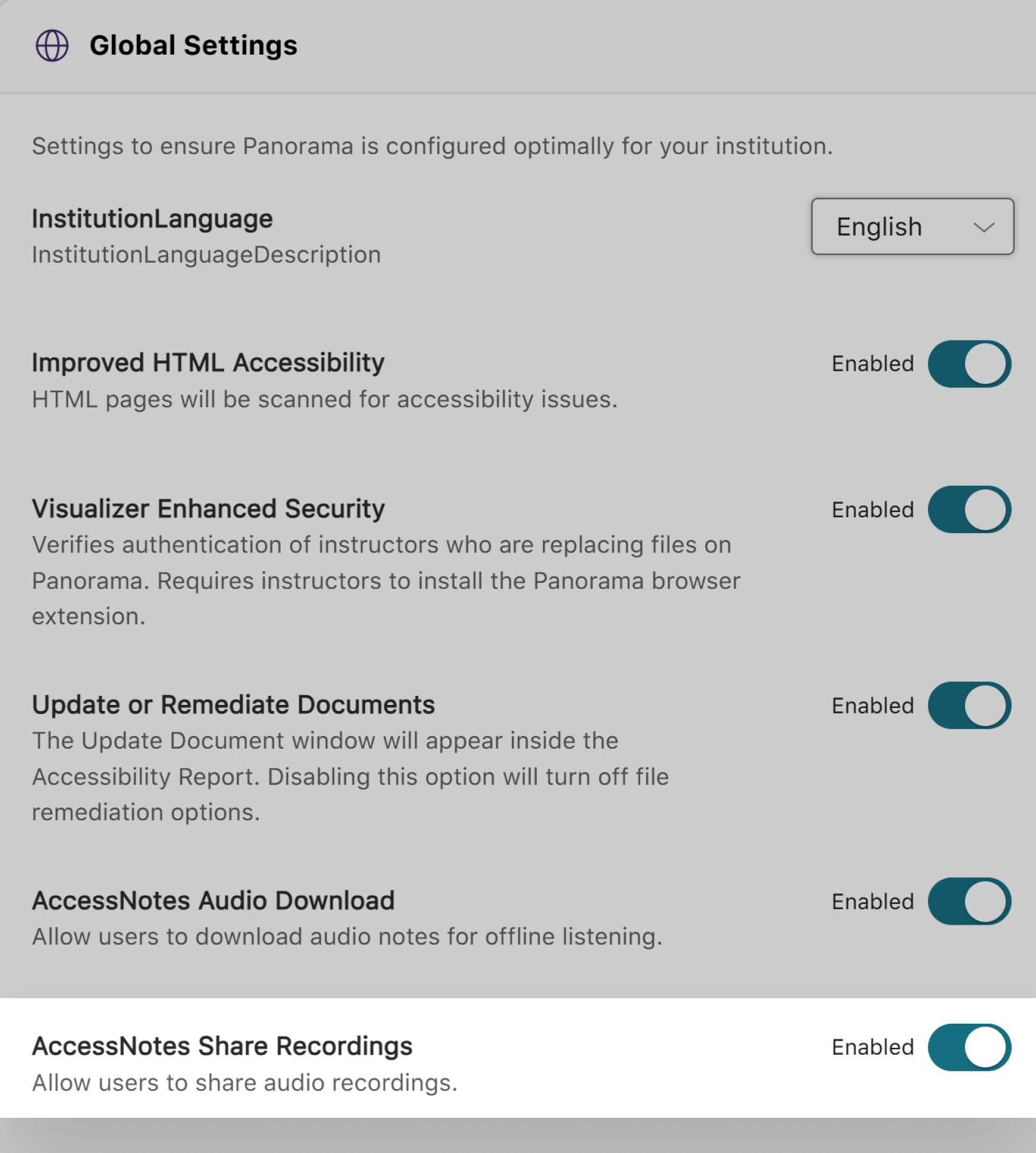
AccessNotes now supports audio note sharing through email, allowing materials to be easily distributed amongst peers or colleagues. Once an audio note is shared, recipients can download the shared note without requiring an AccessNotes login. You can enable this feature as an administrator by navigating to Configurations > General Settings > Institution Settings.