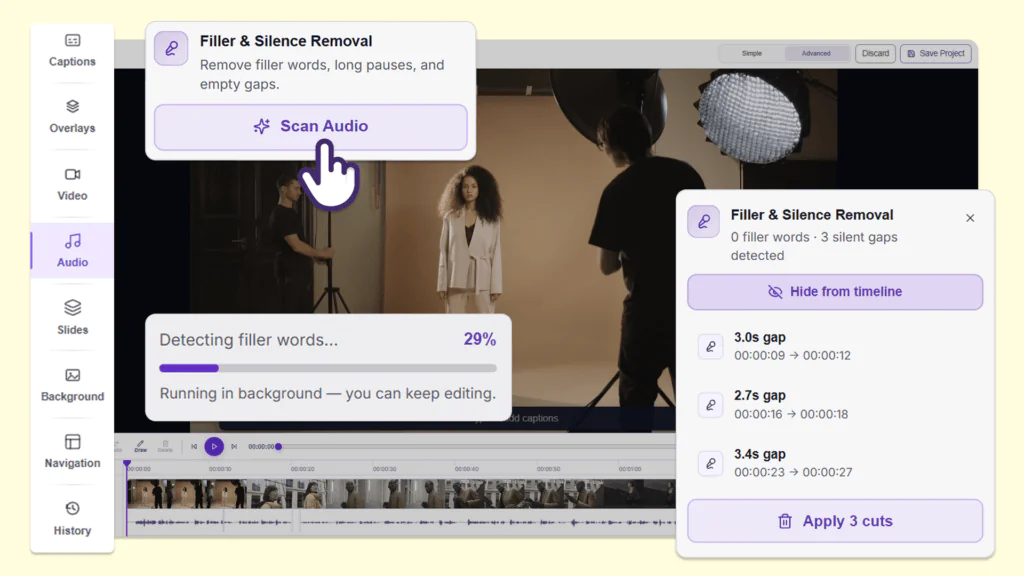
YuJa Panorama v26.6.0
Over the next few weeks, YuJa Panorama will be adding enhancements to the PDF remediation engine, a new Admin Accessibility Dashboard, remediation options for Google Workspace documents, and so much more.
-
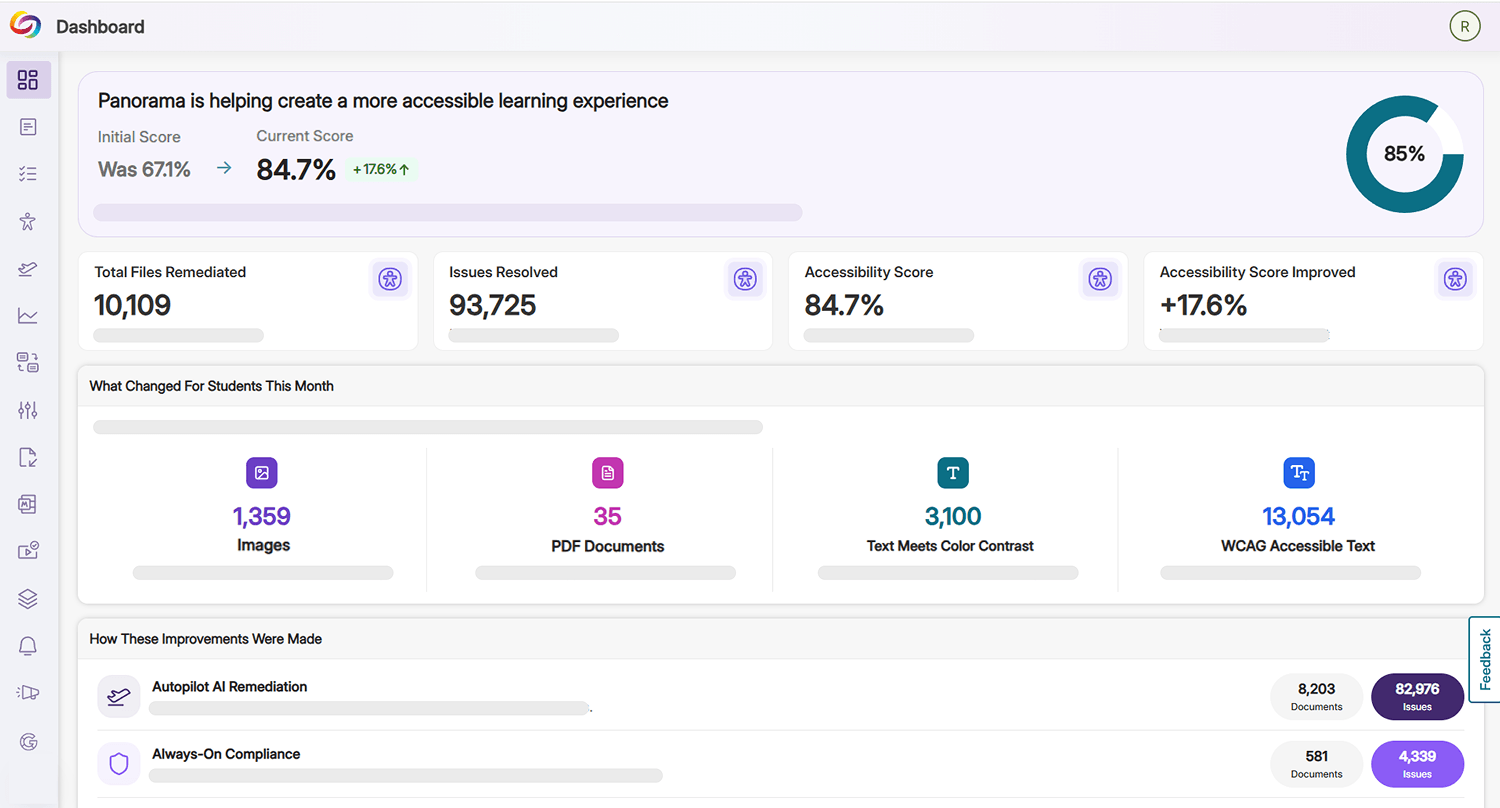
Discover How YuJa Panorama is Helping Your Institution Improve Accessibility Using the New Admin Accessibility Dashboard
Administrators now have access to a new Admin Accessibility Dashboard in YuJa Panorama that shows them how YuJa Panorama has helped them improve the accessibility of their LMS content. By leveraging data like accessibility score improvements from the previous year, enhancements made to various LMS assets, and the type of remediation workflow utilized, administrators can immediately identify pain points for their students and staff and curate targeted efforts to fix gaps in their workflows.
-
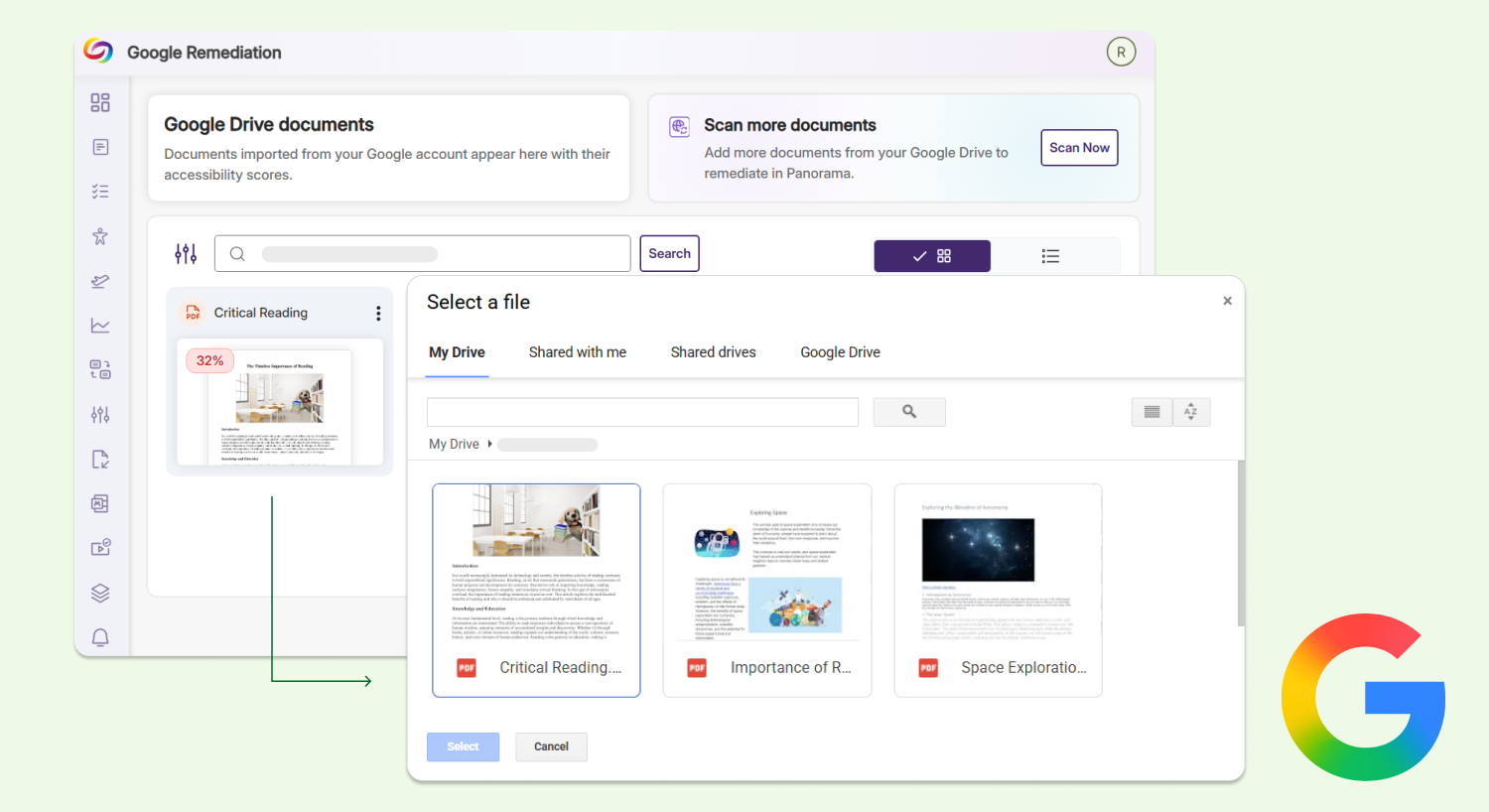
Scan and Remediate Your Google Workspace Documents Directly in YuJa Panorama
Users can now scan and remediate any documents from their Google Workspace, including Google Docs, Slides, and Sheets, directly in YuJa Panorama. Users can choose from a range of automated and manual remediation options, and YuJa Panorama will automatically replace the document file with the remediated version in their Google Workspace without needing any manual re-uploads. Note: This is an add-on module at an additional cost to YuJa Panorama.
-
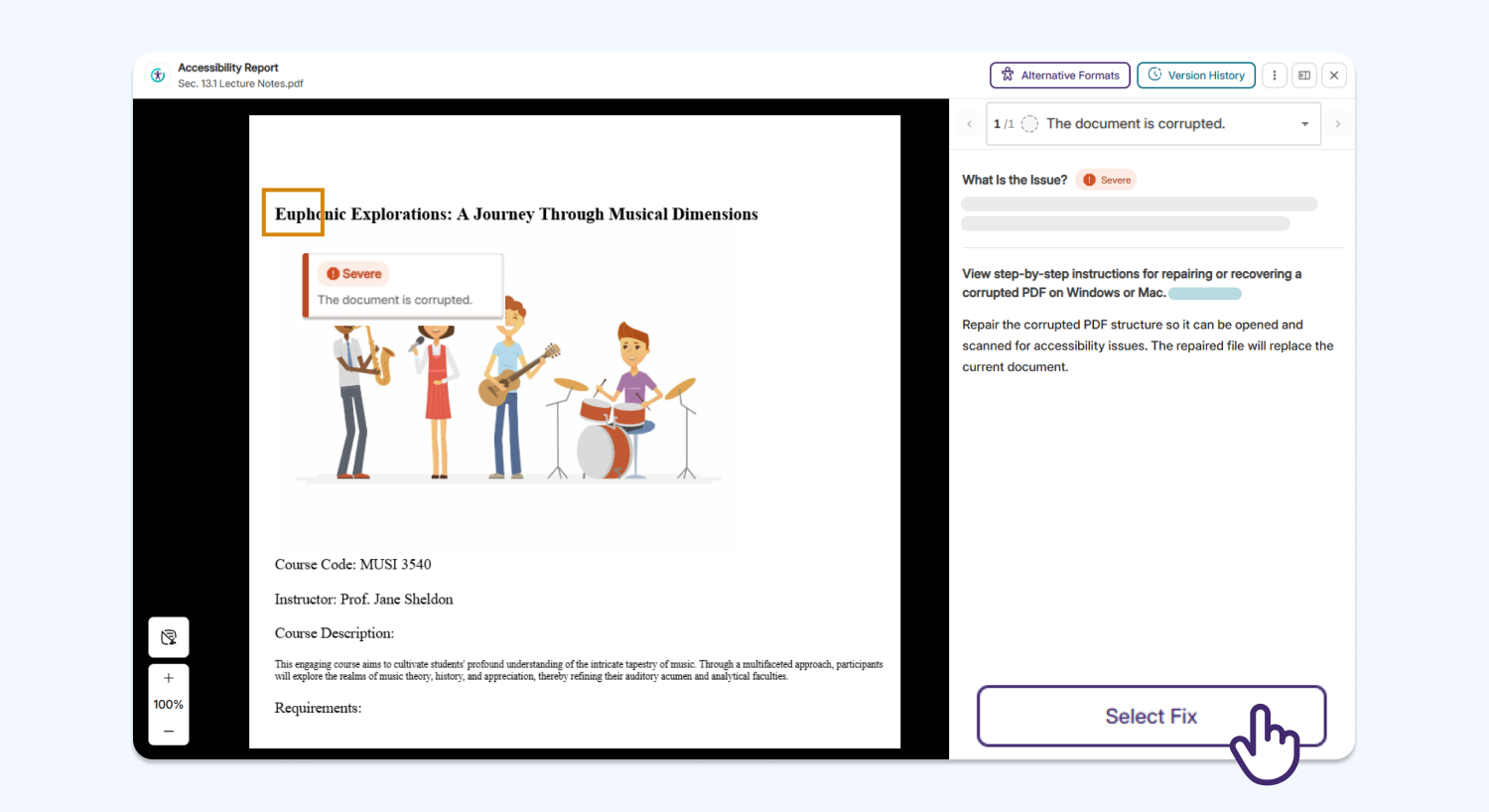
Fix Accessibility Issues in Corrupted PDFs Quickly with Automated Remediation
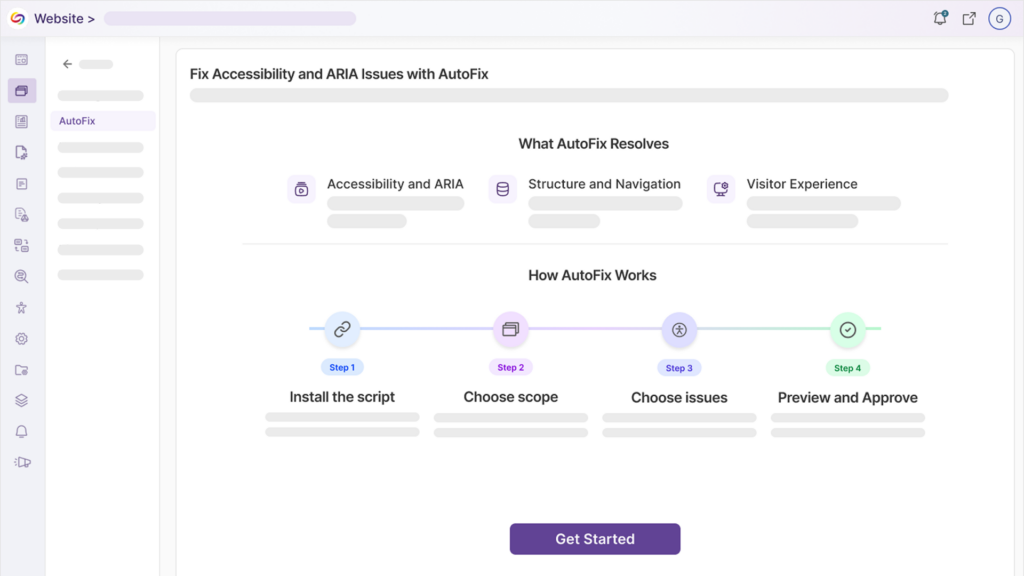
YuJa Panorama now supports automated remediation for some corrupted PDFs using YuJa AutoPilot, helping users repair a corrupted PDF before they can use YuJa Panorama’s Remediation Engine to address any additional accessibility concerns. Please note that if the PDF is fundamentally broken or invalid, it cannot be repaired.
-
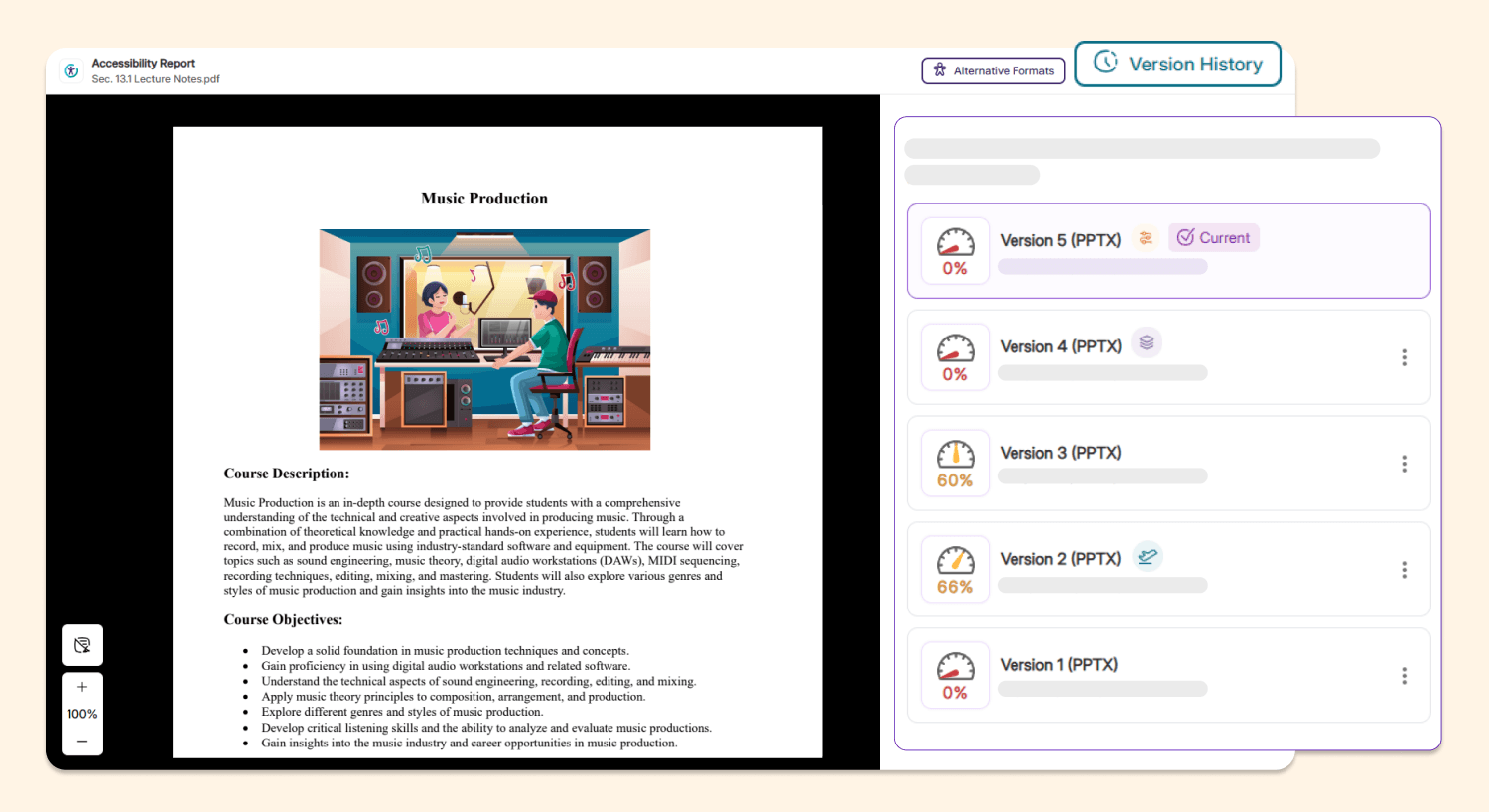
New Icons in Version History Help Instructors Identify All Remediation Methods Applied to Their Documents
The Accessibility Report version history now features a new set of icons that clearly indicates whether a specific document version was created through YuJa AutoPilot, guided remediation, or other manual remediation workflows. This helps instructors quickly distinguish whether remediation changes were generated automatically or edited manually, helping them identify any pain points and prioritizations that would streamline their remediation processes.
-
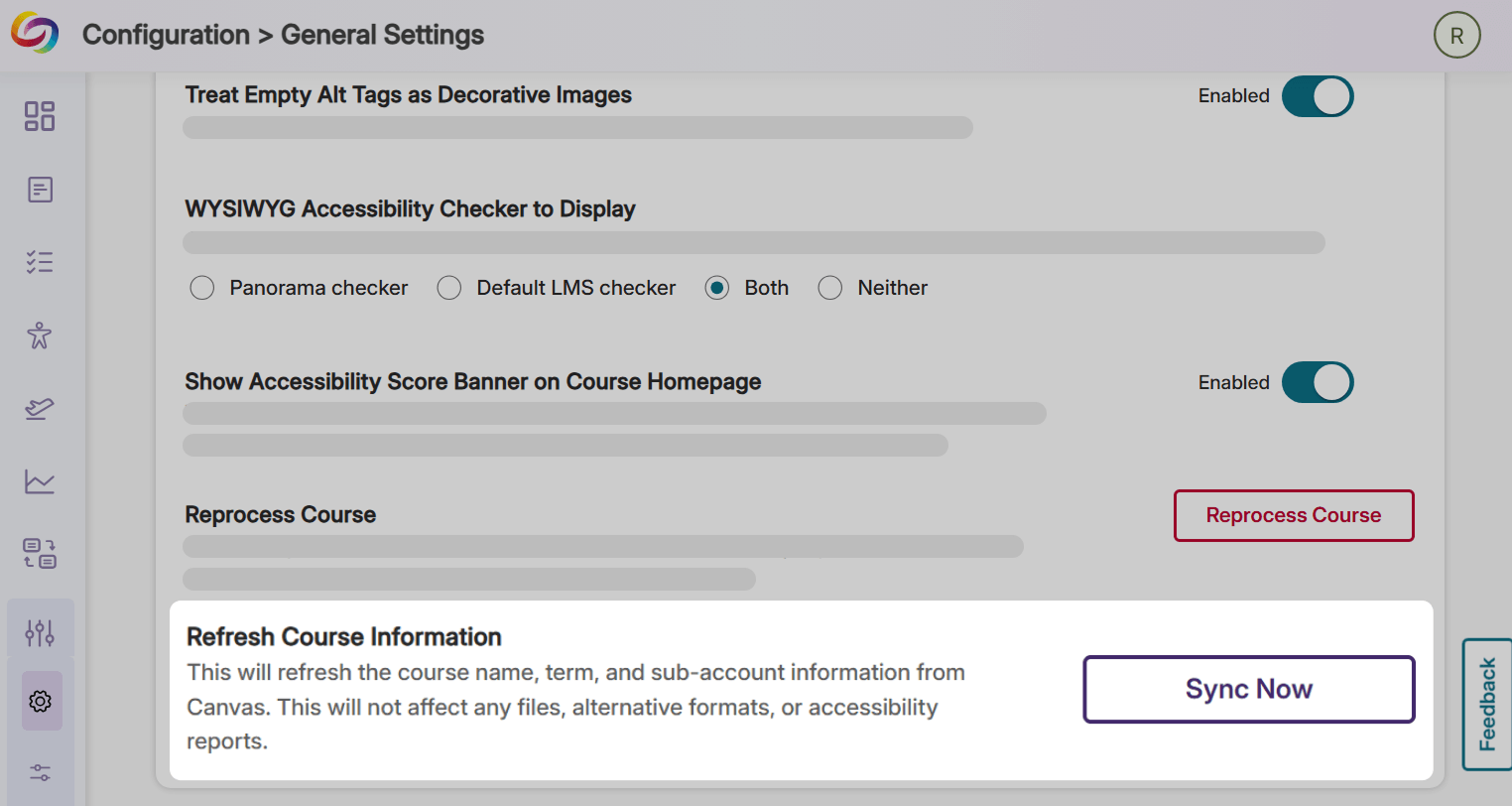
Refresh Course Information at Any Time Using the New Sync Now Button
Instructors can now use the Sync Now button located in their Course Settings to automatically sync their course name, term, and sub-account information with their LMS at any time, without waiting for YuJa Panorama’s automatic daily syncs. This will speed up the synchronization process, and allow any changes to be reflected immediately in the YuJa Panorama portal.
-
Evaluate Institutional Accessibility Compliance More Accurately Using More Precise Accessibility Scores
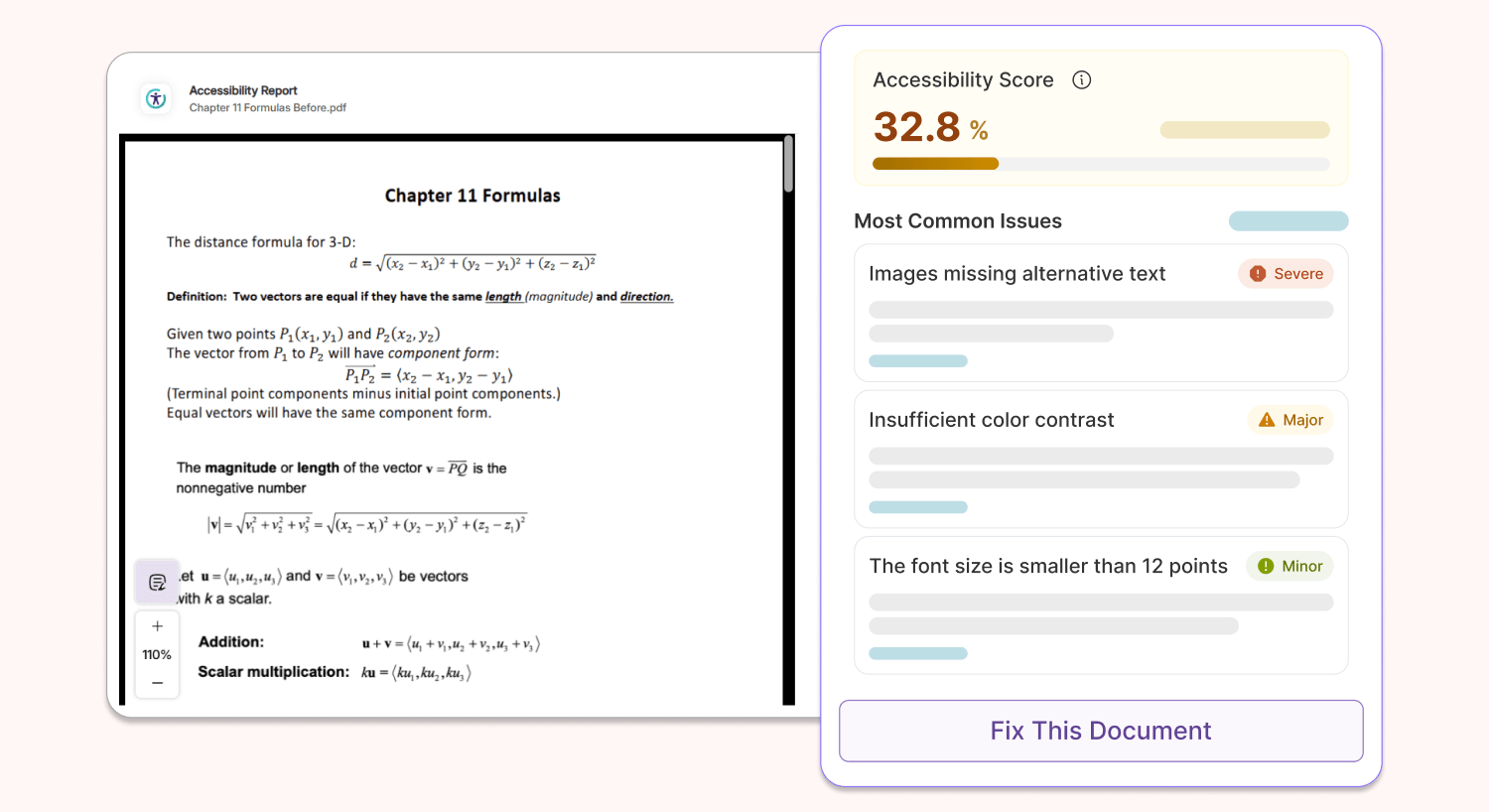
All accessibility scores in YuJa Panorama have been enhanced to display one rounded decimal point instead of a whole number, helping faculty gain a more accurate reflection of the accessibility compliance of their documents.
-
New PDF Issue Checkers Now Available in YuJa Panorama’s Accessibility Report
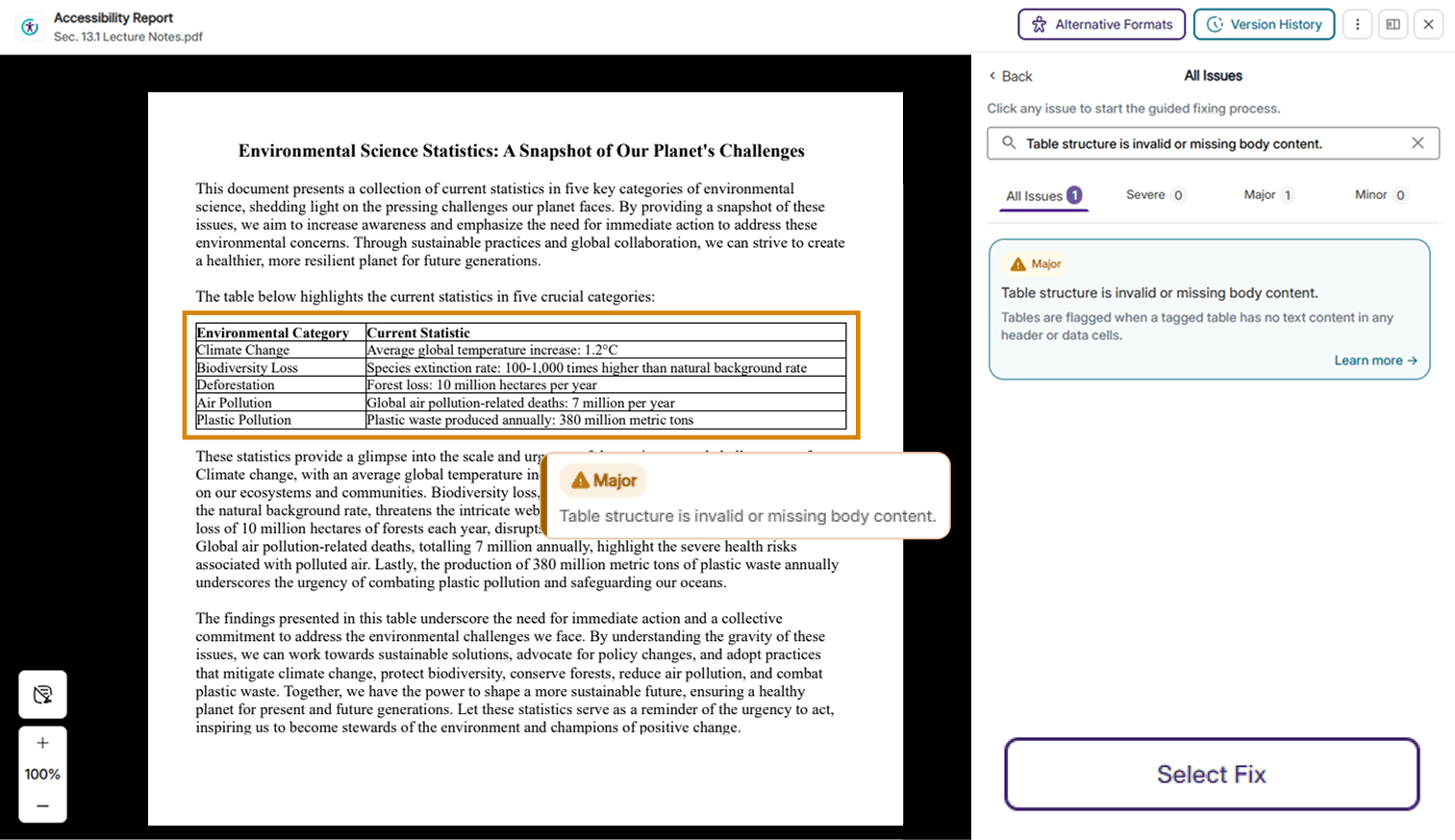
Several new checkers for PDF issues have been added to the YuJa Panorama Accessibility Report, helping users identify a larger number of accessibility concerns. Please note that users must have YuJa Structural Remediation in order to remediate the following issues. New updates include:
-
Form fields missing text descriptions: Form fields without any tooltips or explicit labels will be flagged.
-
Missing table content issue: Tables without any body content or have the wrong structure will be flagged.
-
PDF titles from XMP metadata: YuJa Panorama will no longer flag PDFs that store title attributes in XMP metadata and will mark them as compliant when title attributes are discovered.
-
-
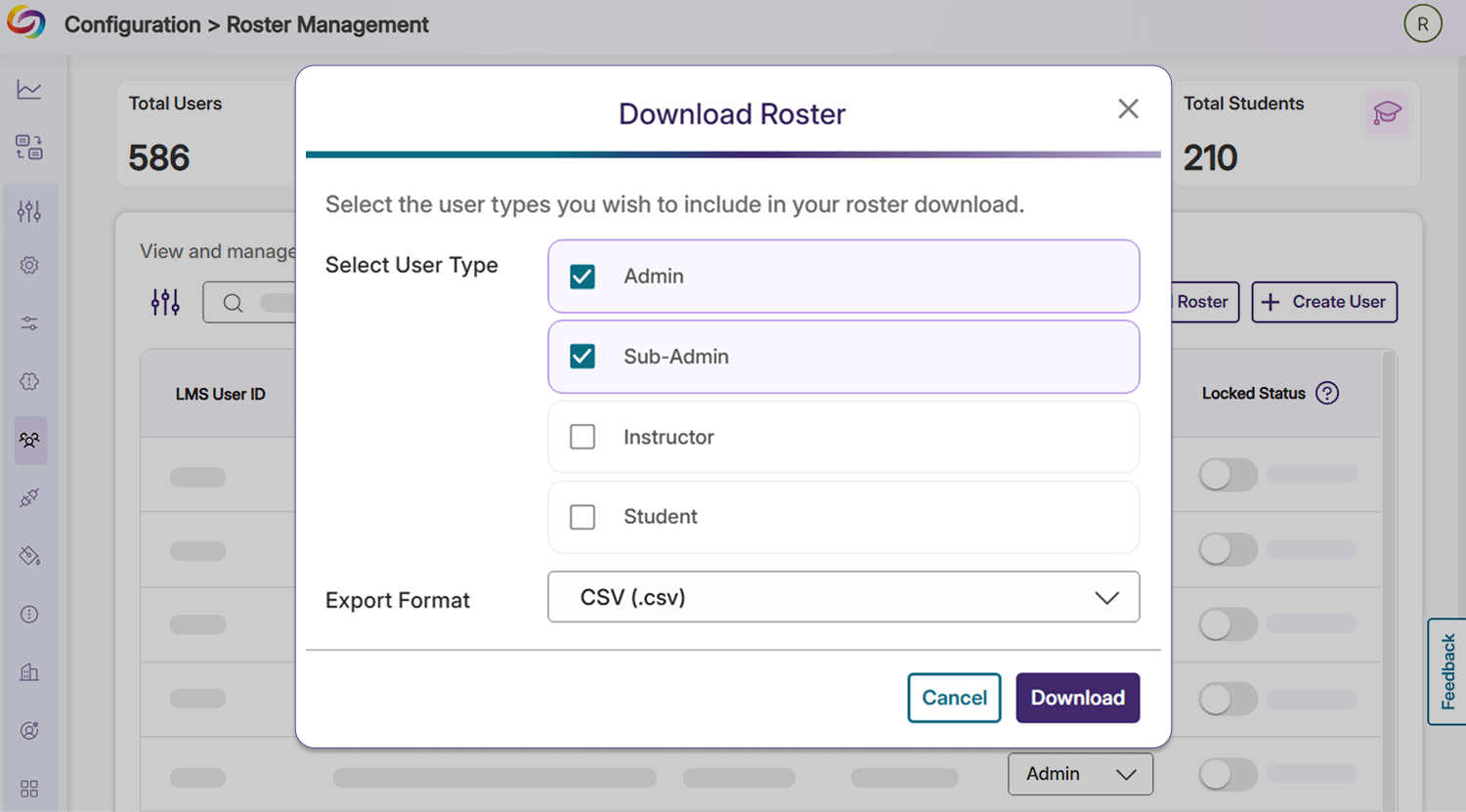
Download Roster Data as Spreadsheets for Documentation or Further Analysis
Users can now export their roster into CSV or Excel formats. This can be easily done by clicking the Download Roster button in the user’s Roster Management tab under Configuration.
-
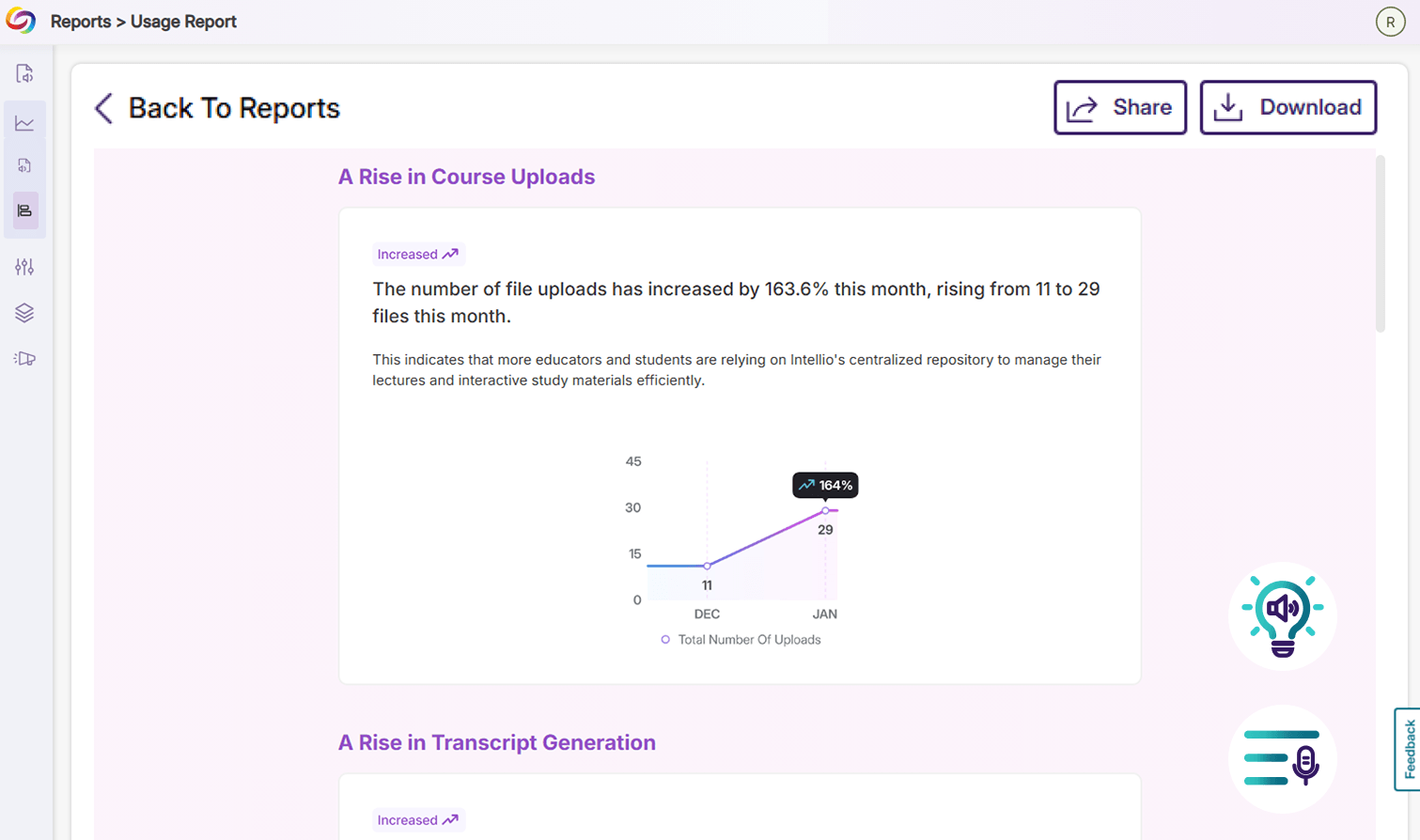
Gain Monthly Usage Insights for YuJa Intellio and YuJa SmartSpeaker
Users using YuJa Intellio and YuJa SmartSpeaker will now be receiving monthly reports that highlight platform usage, key insights, and important metrics across their institution. Users can review their report at any time in their YuJa Panorama portal, and can also export the report with a simple button.
-
Sync File Deletions with Your Course Report Without Using the Reprocess Course Button
Going forward, users no longer need to click the Reprocess Course button in their Course Report to visually validate that their course files have been removed from the LMS, significantly reducing any anxiety or confusion around the workflow. All file deletions in the LMS will be automatically reflected live in the Course Report immediately after the action is completed. To sync other course data, users can still use the Reprocess Course button, which has been relocated to the Settings page.
-
Upload Documents to DocHub Faster Via API
Administrators can now upload documents to the DocHub libraries of users in their roster more easily using API calls. This will help users upload files to their DocHub outside of the LMS using their own custom workflows.