We have successfully pushed an update to all YuJa Engage Student Response System instances residing in the United States, Canada, Australia, and the European Union. This release provides our users with a new mobile app for Engage, a dashboard for students, a redesigned Instructor View for sharing Polls, and overall improvements to the platform.
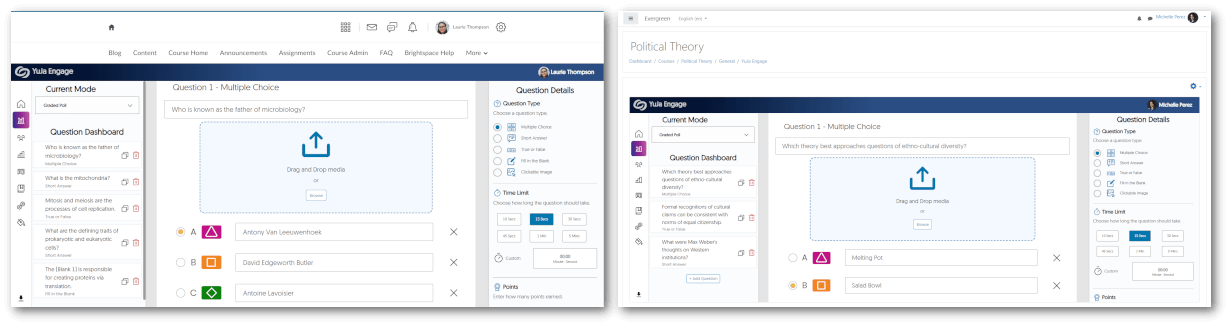
- D2L Brightspace and Moodle LTI 1.3 Integration for Student Response System
D2L and Moodle admins may integrate YuJa Engage for their institution to allow polls and surveys to be created and published directly to desired courses. Students may then access YuJa Engage, participate in polls and surveys, and have their grades synced to the LMS Gradebook. To learn more about the integrations, please visit our support guide on integrating the YuJa Engage platform for D2L Brightspace or Moodle.
- Mobile IOS App for Students
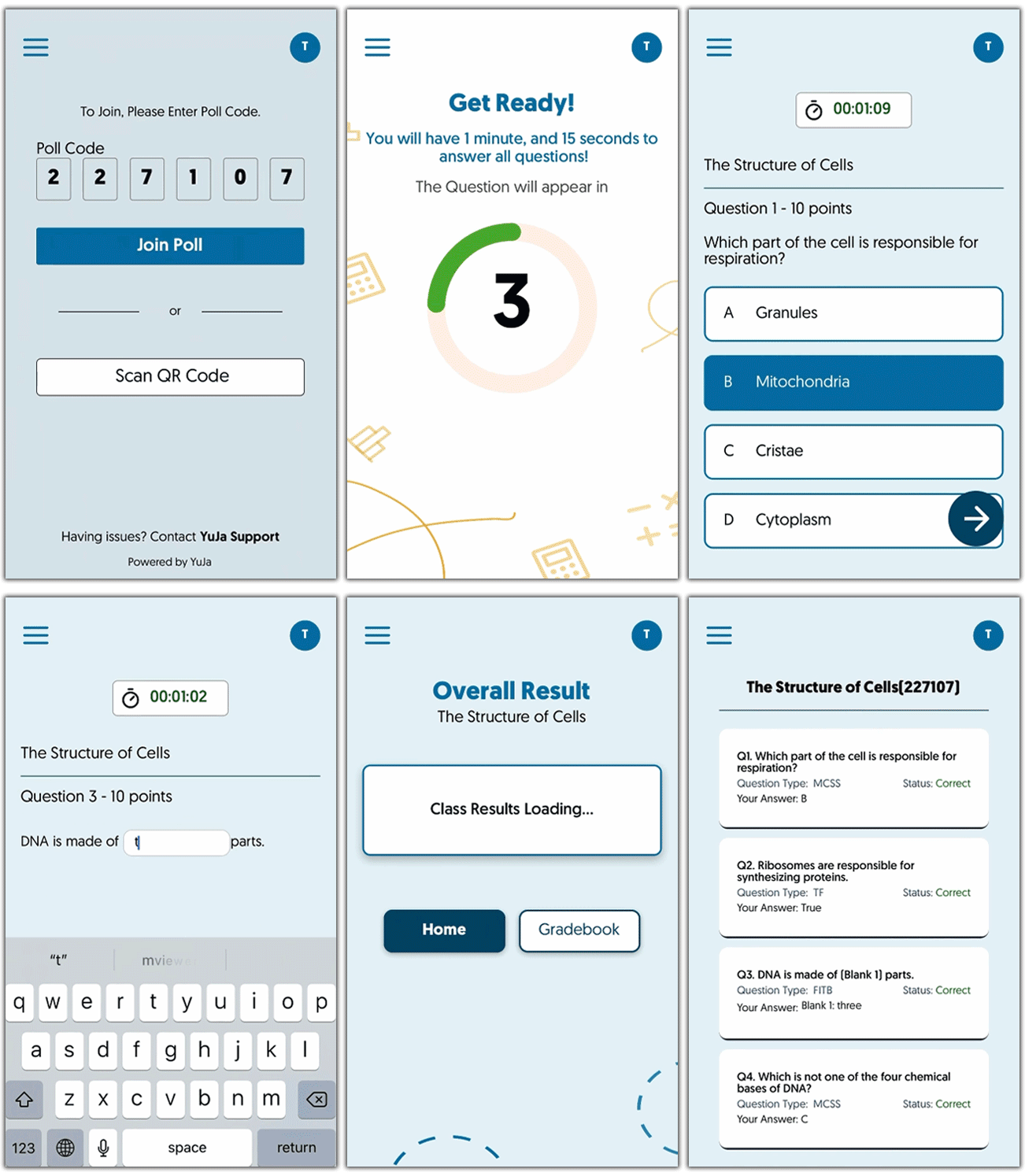
To provide students with on-the-go access to Polls and results, we have released the highly anticipated iOS app for YuJa Engage. Download the app through the App Store to join polls and view results directly from your smartphone. Future updates will provide an Android app for students to download and access Polls.
- New Dashboard Homepage for Students
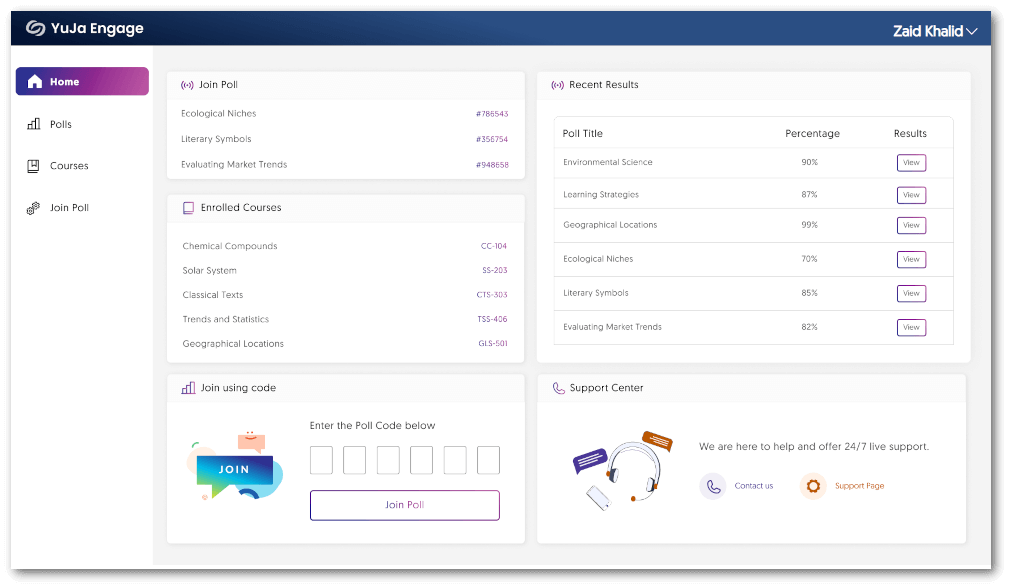
Students can stay up to date with recent Polls and results through the new dashboard for their homepage. By offering instant viewing of active and past Polls in real-time and the ability to join Polls using codes, students can access everything they need from a single, easy-to-use location.
- New Poll Activation Dashboard for Instructors
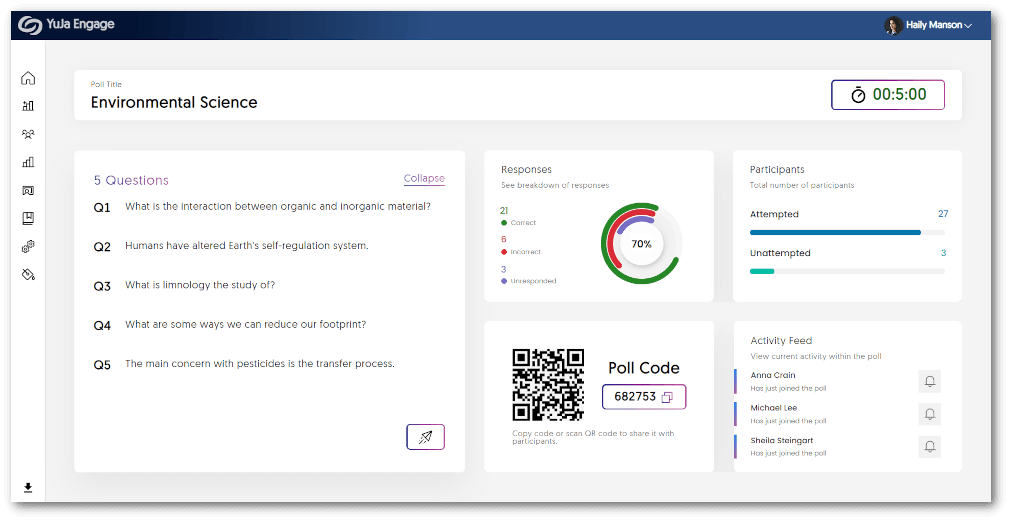
We have updated the UI to provide a fresh new look for instructors to view the results of their live Polls. Instructors can see responses to questions as they are completed, a breakdown of attempts, and an Activity Feed of participants in the Poll.
- Bug Fixes and Optimizations
We have optimized the performance of YuJa Engage and made several bug fixes to improve the user experience. Highlighting some of these optimizations and fixes are:- Joining a Poll after it has ended will direct the participant to the results page.
- More responsive UI when participating in Polls from a smartphone.
- Faster response time when viewing past Poll results.