Over the next few weeks, the YuJa EqualGround Accessibility Governance Platform will be adding new features that alert users of accessibility issues as they are developing the website, allow users to exclude certain webpages from being scanned, and so much more. This release will also feature several interface updates and consolidations that simplify the user experience and provide better readability and usability for users.
-
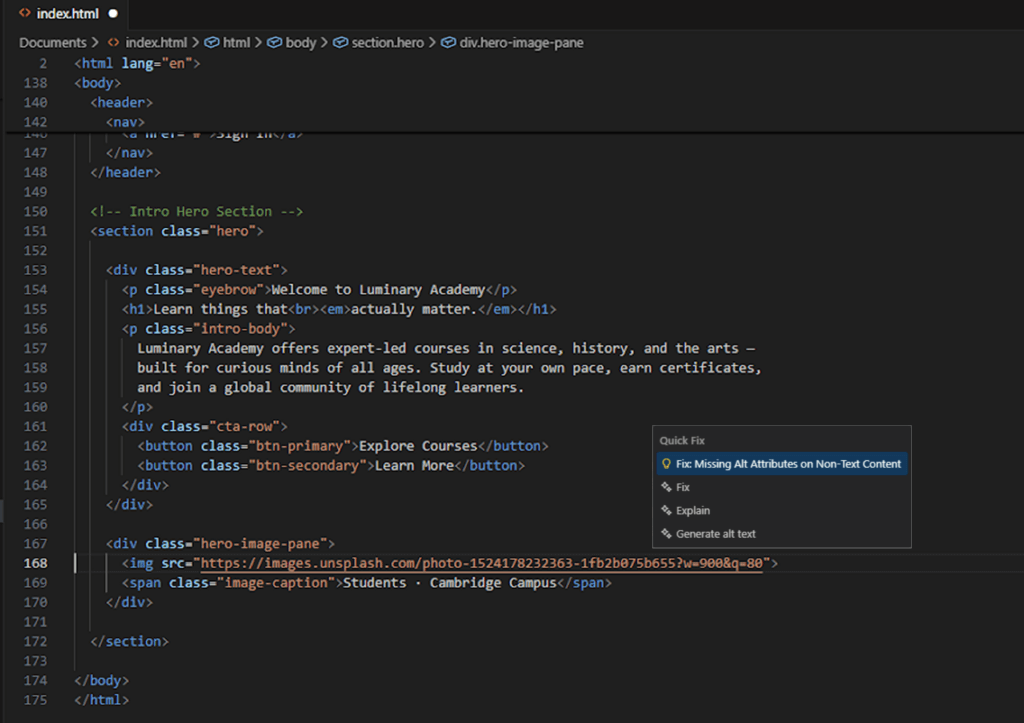
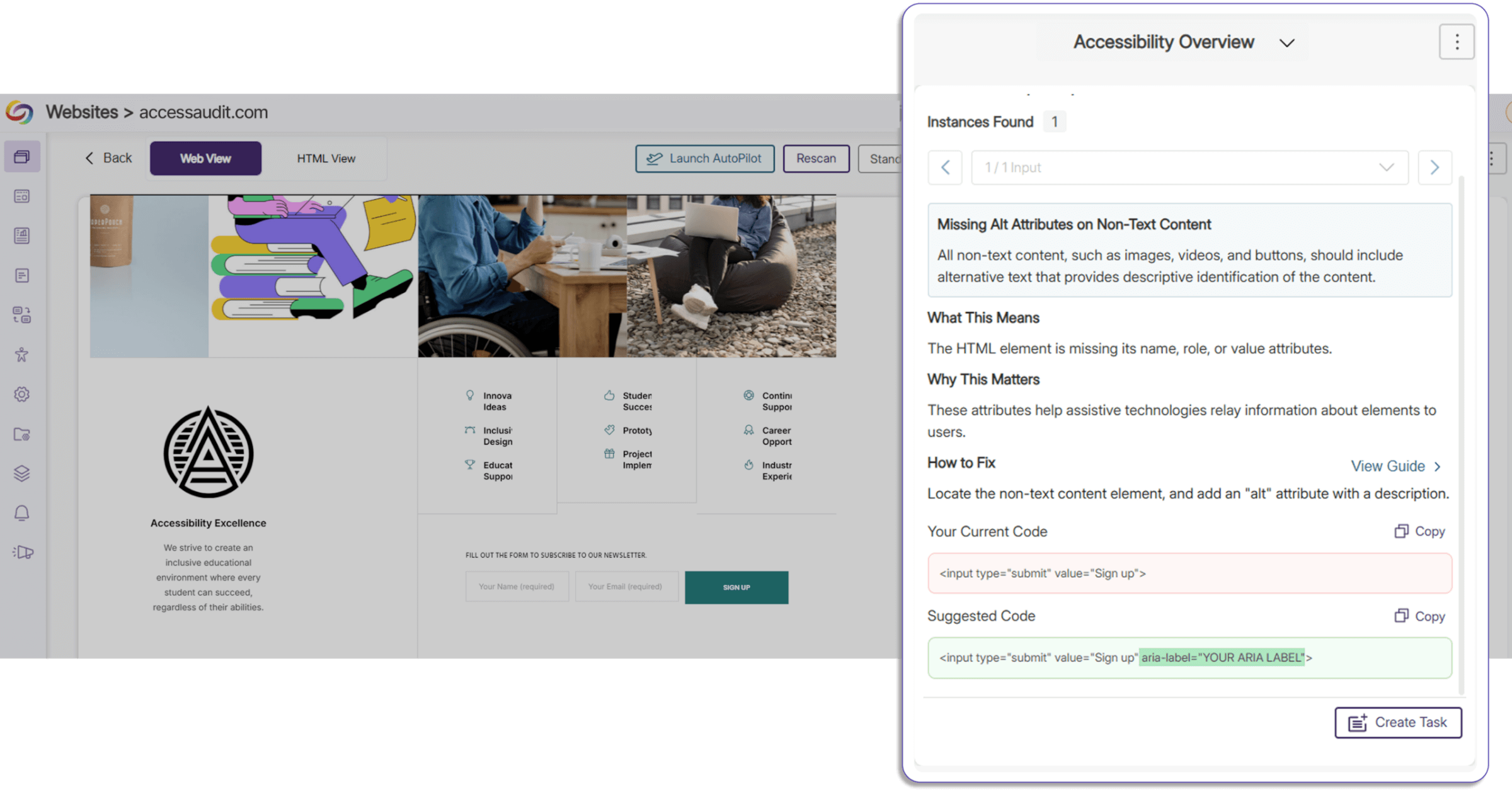
Implement Code Best Practices Using Proposed Fixes
Proposed fixes for improper code structure, incorrect code elements, and accessibility issues have been added to the Accessibility Report. Users now have a clear overview of improper code segments and the option to directly copy and paste proposed fixes, saving time on manual remediation while ensuring that your website has correct semantic structure and best practices.
-
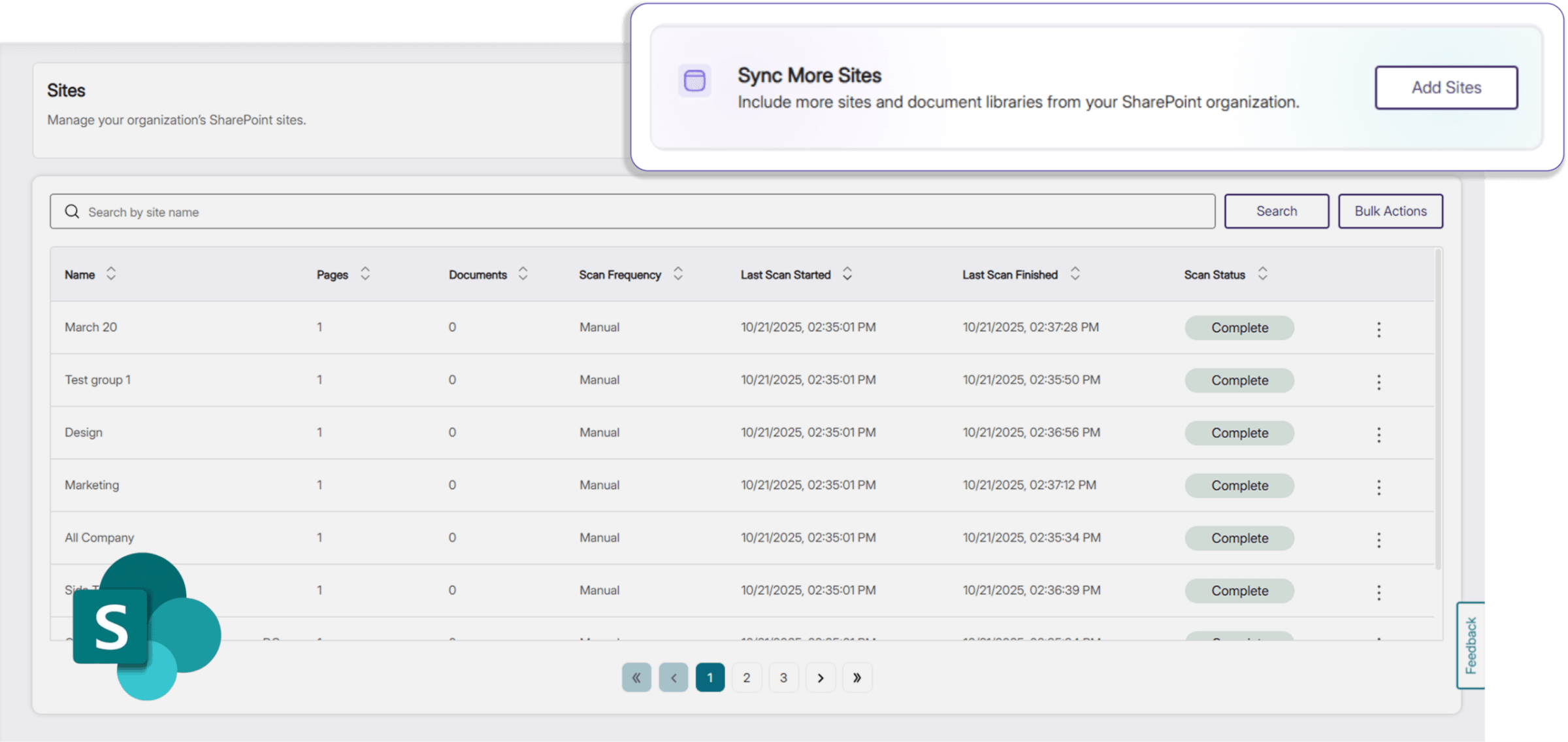
Add Sites in Bulk from SharePoint Directly in YuJa EqualGround
Users can now add and sync additional sites and documents from their SharePoint organization in EqualGround. In addition to a simplified workflow, SharePoint sites are now differentiated from the rest of the user’s sites in their website overview, introducing better visibility and management of their integrations.
-
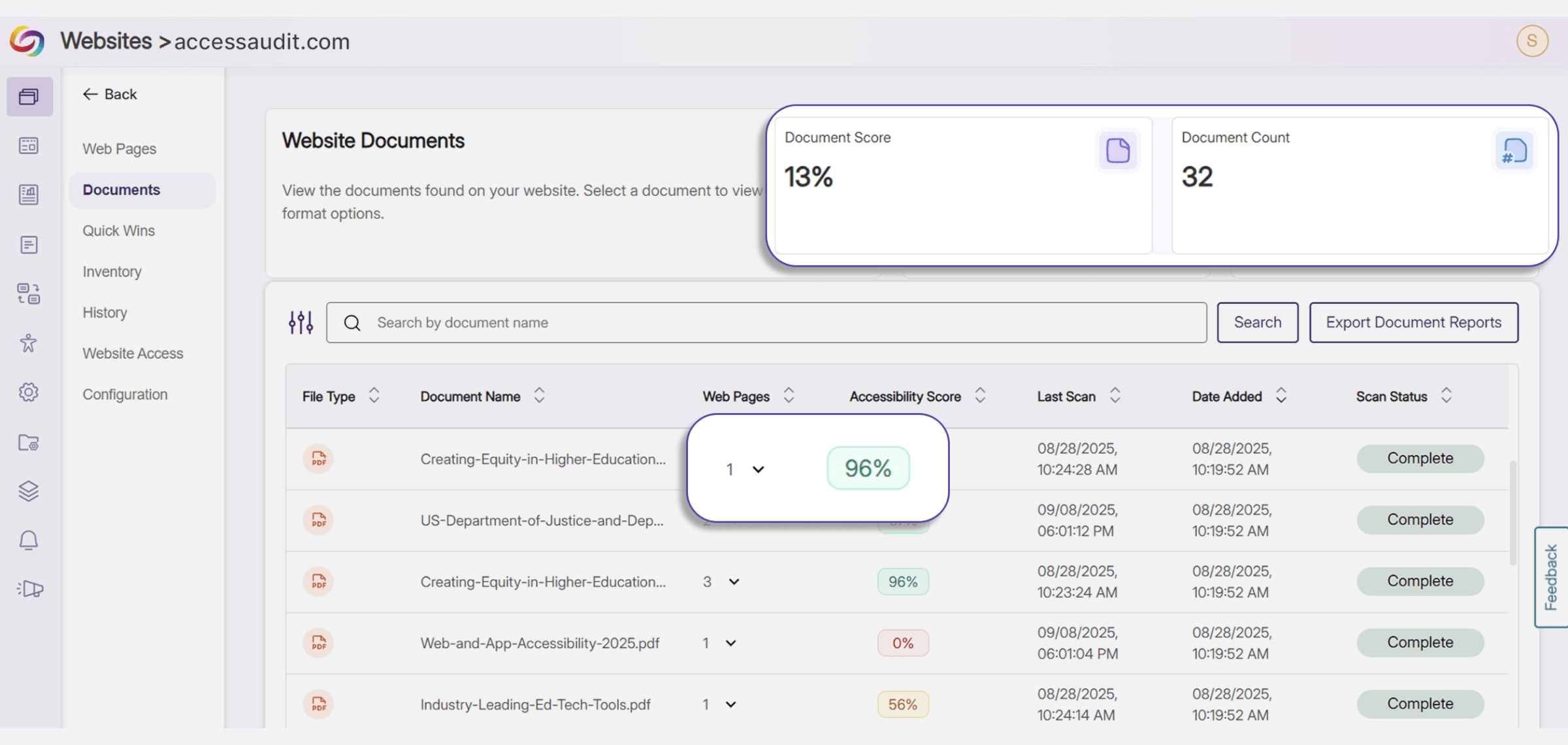
Track Document Deployment Across Web Pages
In the Document Tab, users can now see the total number of instances that a certain document is embedded in all their websites, and the particular website URLs that currently display the document. This provides more visibility for users to better manage and keep track of their documents, and allows them to have a reference of how the accessibility of their documents impacts the overall accessibility score of the webpage that they are embedded on.
-
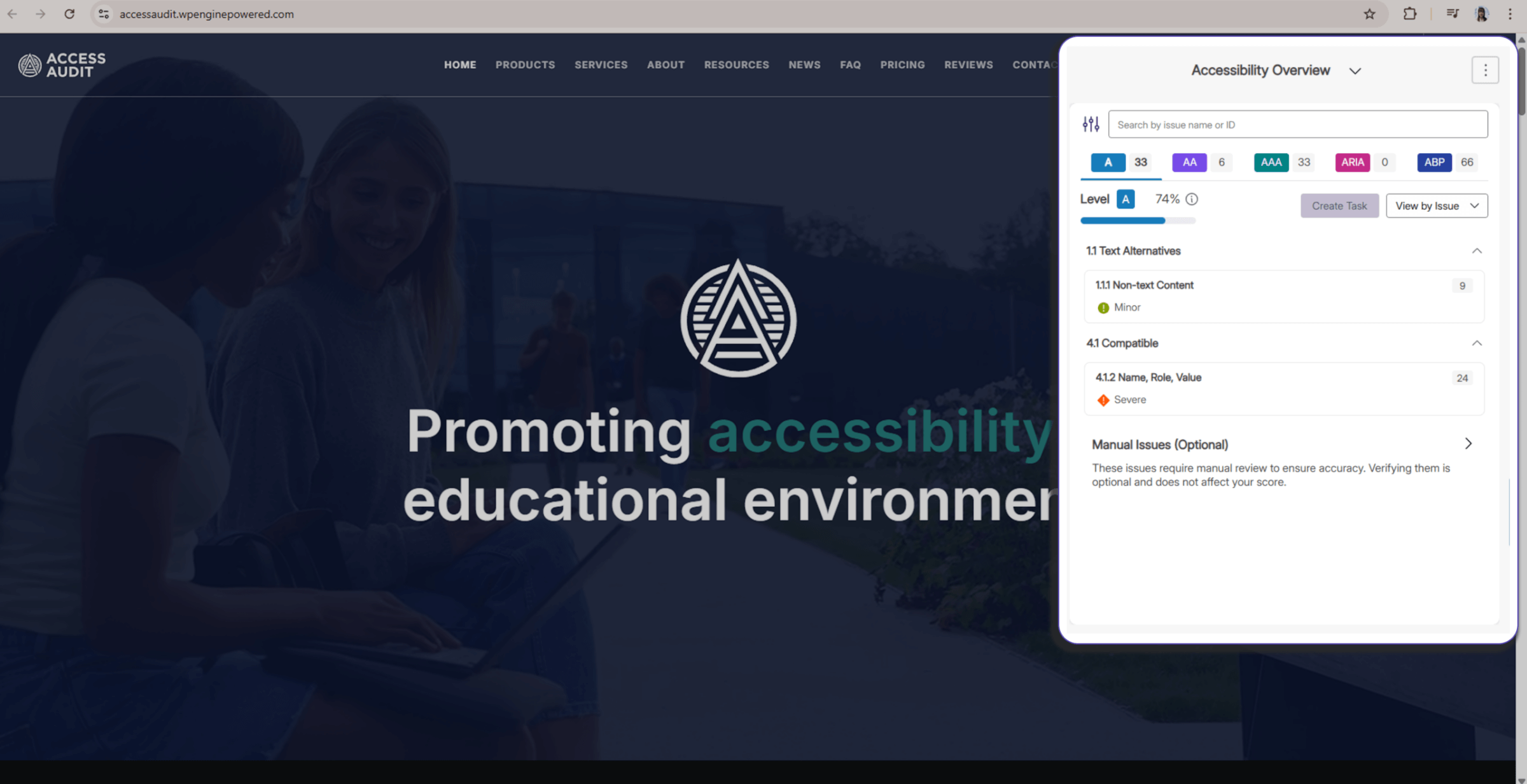
Improved Accessibility Report Experience Across EqualGround Portal and Web Extension
The EqualGround Accessibility Report UI is now consistent between the YuJa EqualGround portal and the YuJa EqualGround browser extension, providing users with a uniform workflow, better readability, and improved usability across web interfaces. The browser extension widget is also collapsible, allowing users to see highlighted elements on their page to make any adjustments with ease.
-
Experiment with EqualGround Capabilities for Free
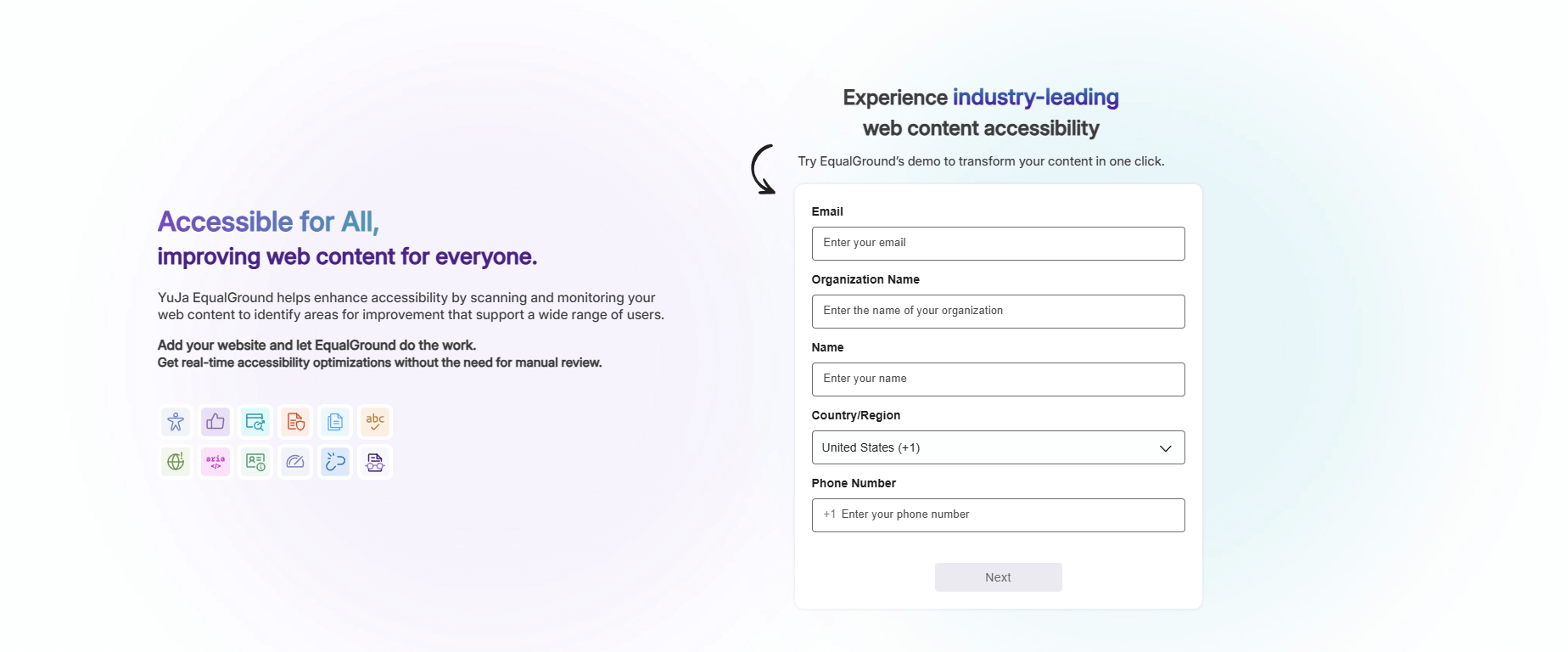
A free trial of YuJa EqualGround is now available on the YuJa website. Users can test EqualGround’s wide range of scanning and remediation capabilities on their website, helping them select the right YuJa product for their own organizational needs and policies.
-
Assess Real-Time Accessibility Improvements Using the YuJa EqualGround Accessibility Widget
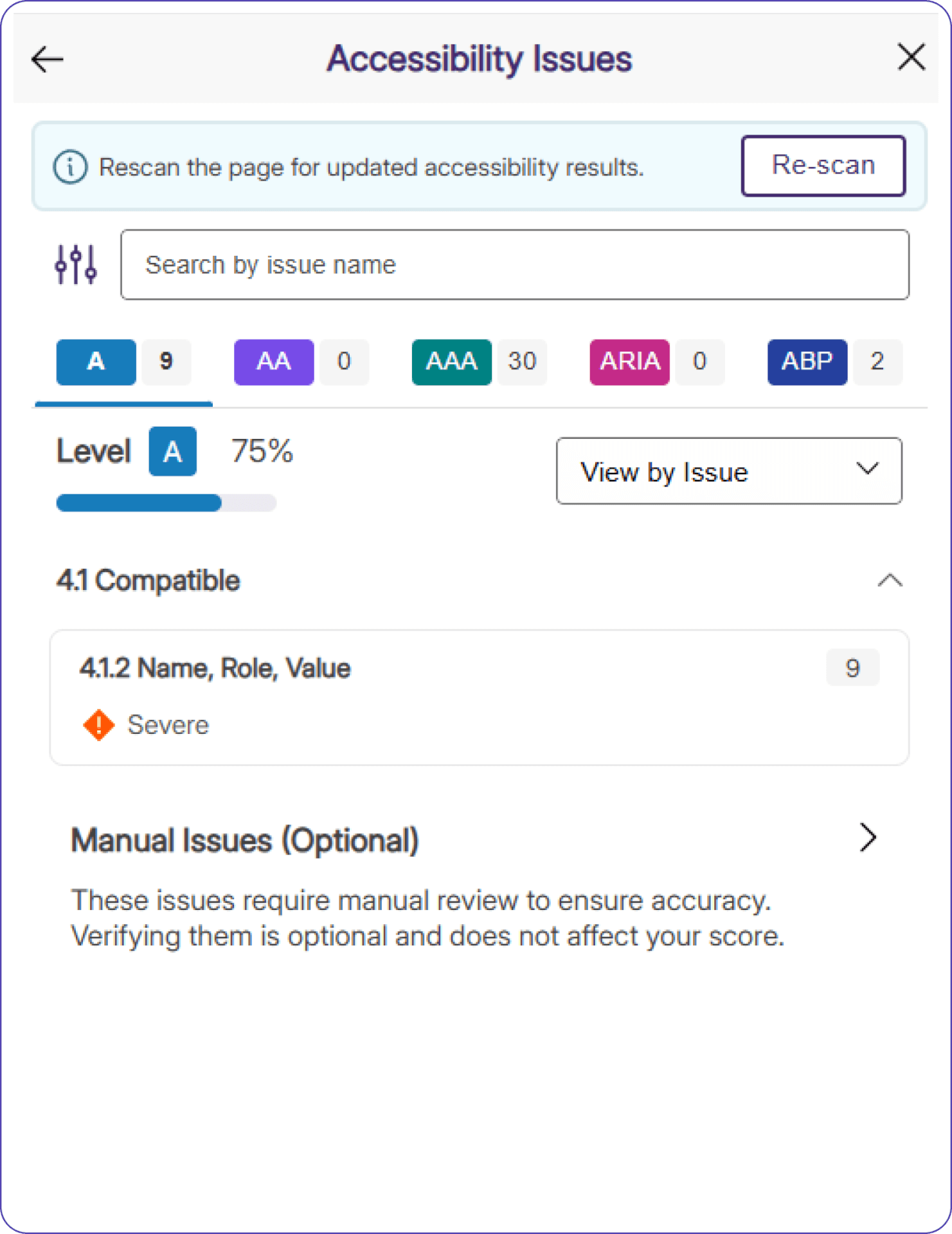
A Re-Scan button has been added to the YuJa EqualGround Accessibility Widget, allowing users to see updated results immediately after they make changes to their website using Element Inspector. Users no longer need to refresh the page to see updated accessibility scores, and can directly assess how their changes impact the accessibility of their webpage in real-time.
-
Export Policy Matches to Excel and Email
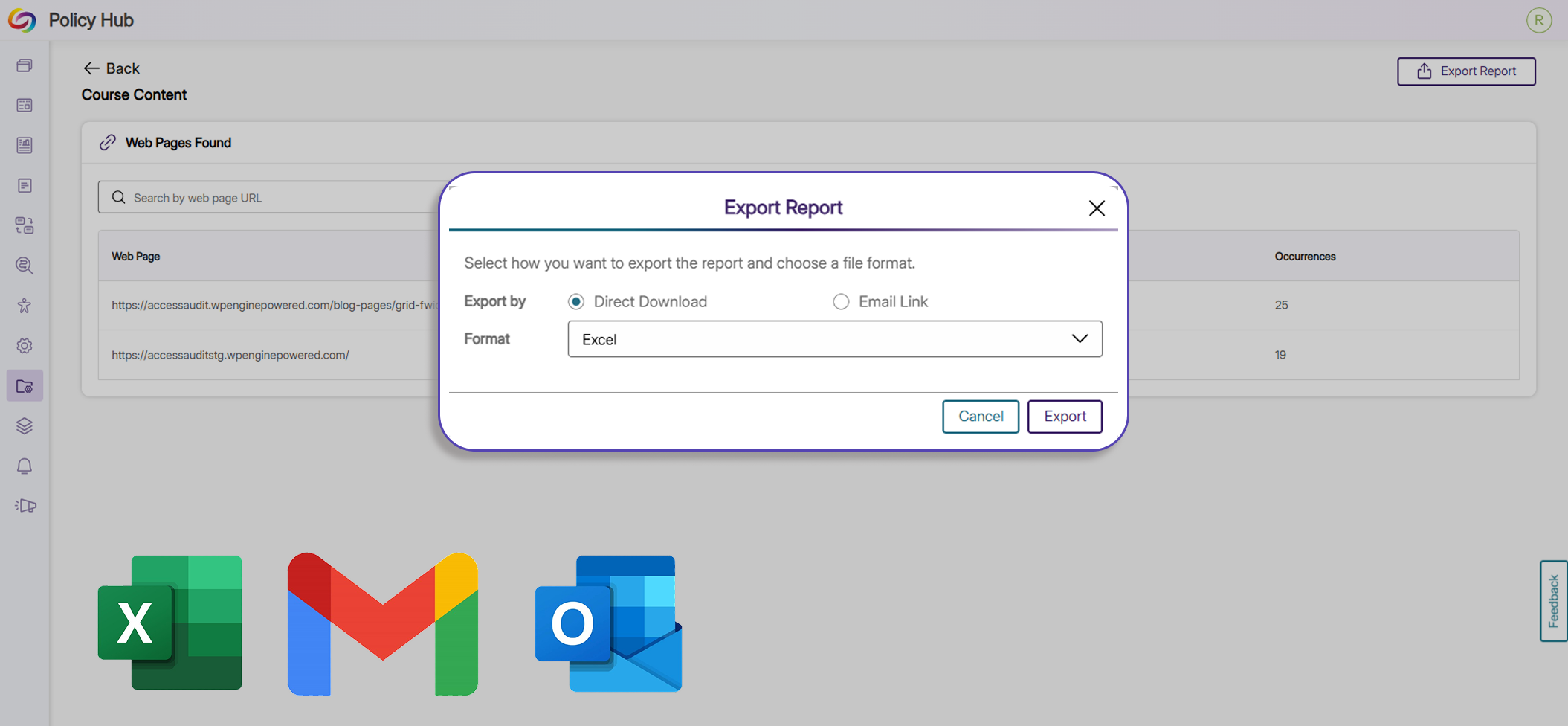
Users can now export reports for policy matches to XLSX and email for data analysis, future reporting, and record keeping. With this added functionality, users have more flexibility, governance, and control over their data and policies.
-
Browse All Modules In a Consolidated Marketplace Menu
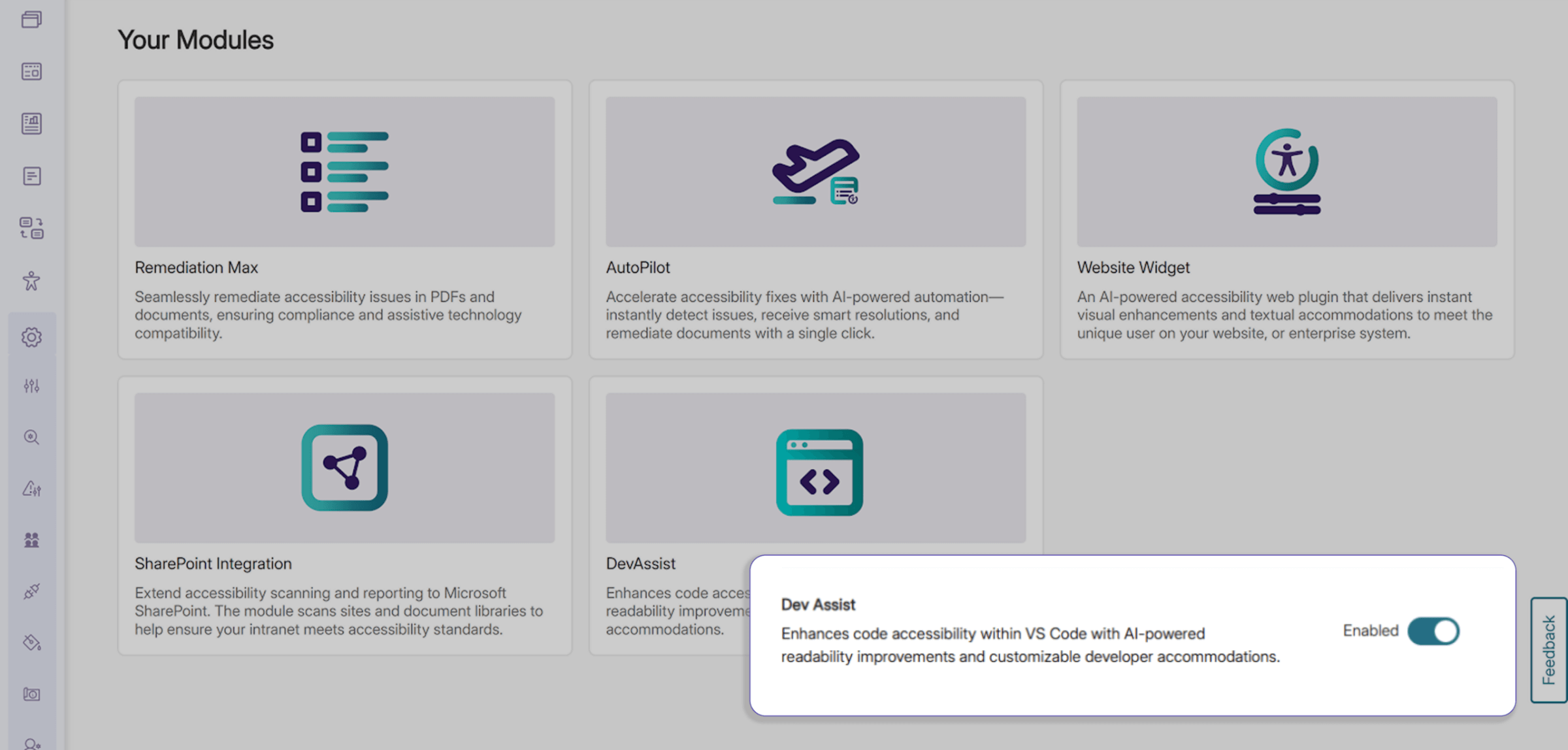
Explore available and enabled add-on modules in EqualGround using a new consolidated menu in the Modules tab. Users can browse a wide range of optional features directly from this upgraded Marketplace without extra navigation away from or within the platform.
-
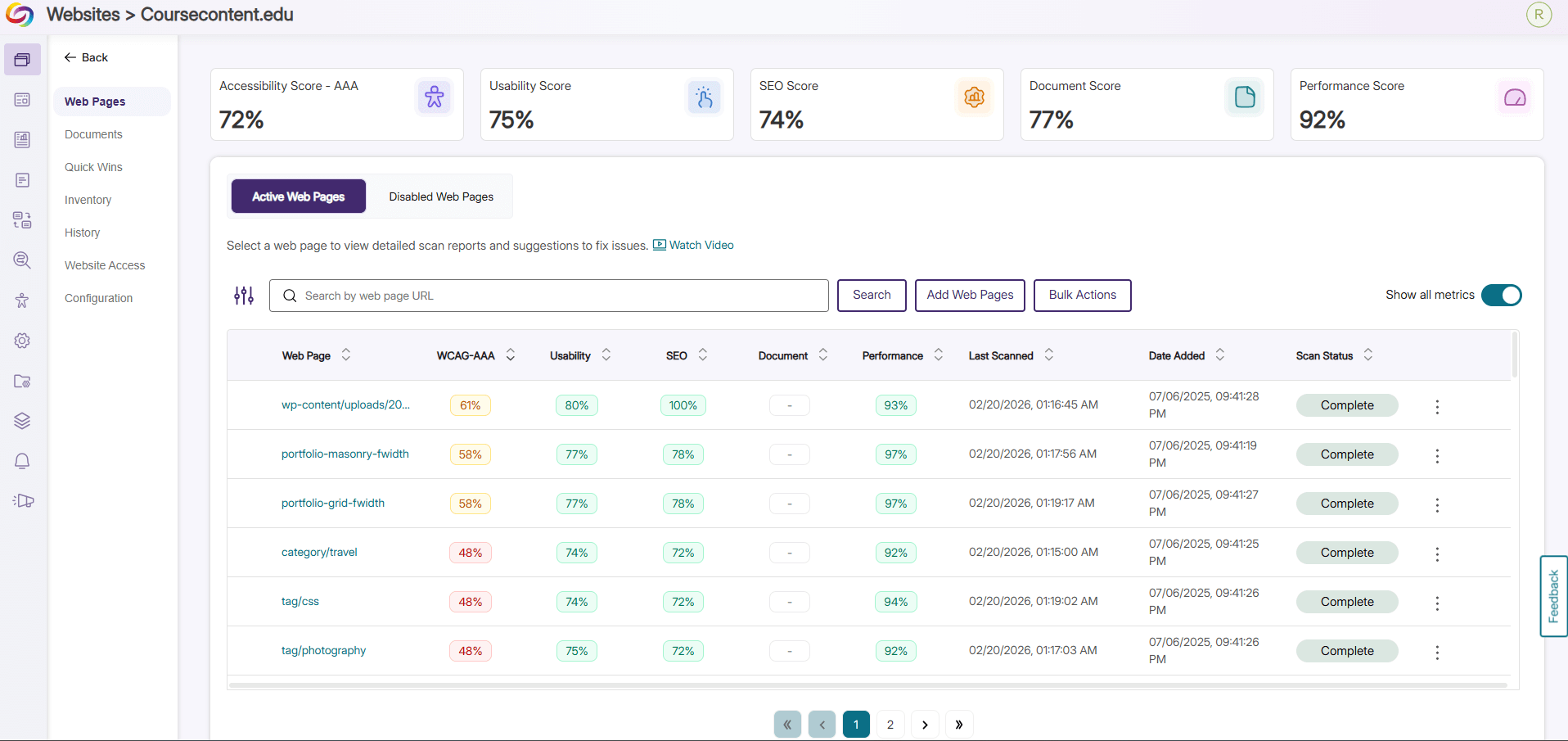
Get Instant Insight on Website Performance with New Color-Coded Percentage Analytics
The Web Pages tab has been revamped with a fresh, consolidated look, letting users see percentages of the accessibility compliance, SEO optimization, usability, and general performance of all their websites. Websites requiring attention are visually communicated to the user with color coded statistics so issues can be addressed directly and promptly.
-
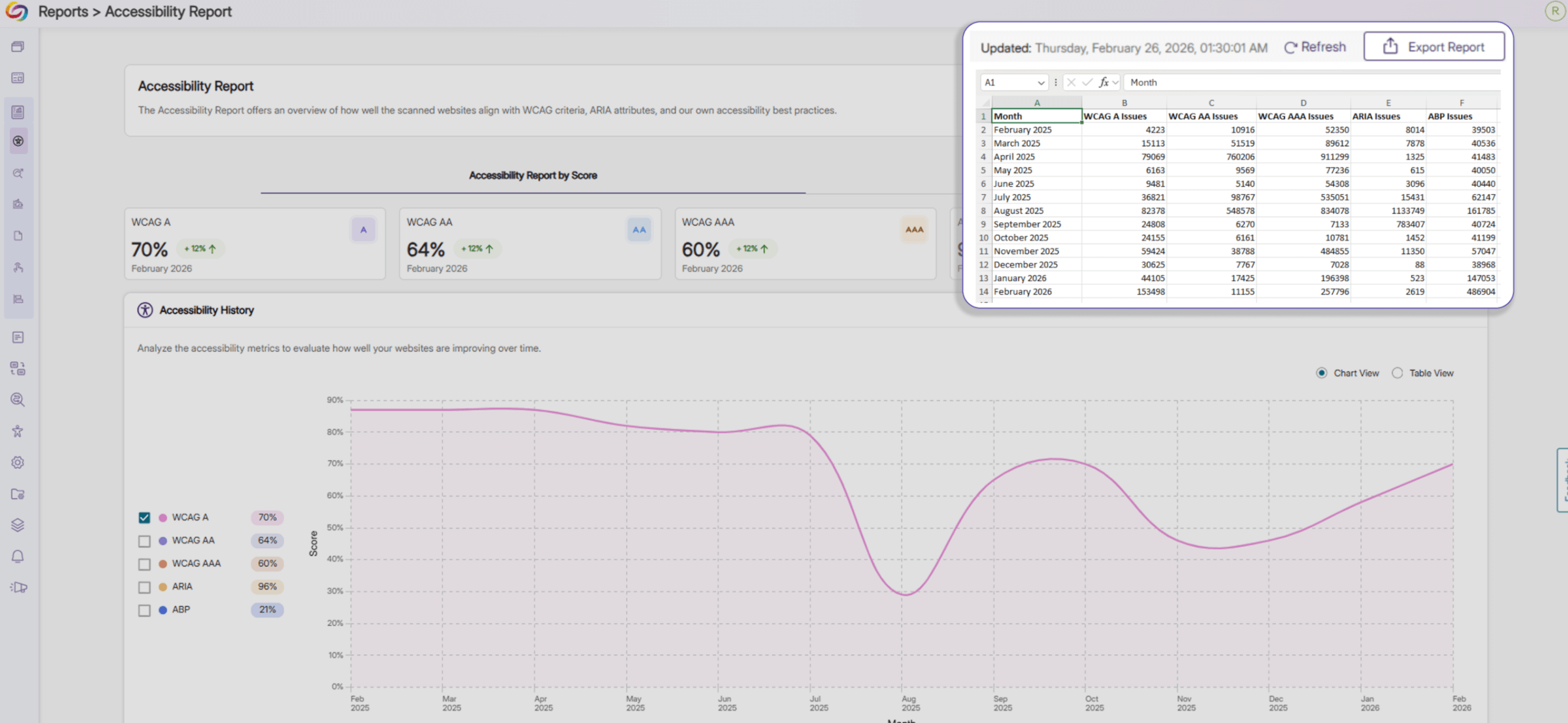
Analyze Your Webpage Using Expanded Insights in Exported Reports
Exported Accessibility Reports now include additional insights into the overall accessibility of your webpages. On top of providing an accessibility score for each accessibility compliance standard, the report now shows the total number of issues associated with each standard across your webpages in Excel, JSON, and CSV formats, helping you prioritize remediation efforts.