YuJa EqualGround v26.6.0 Release
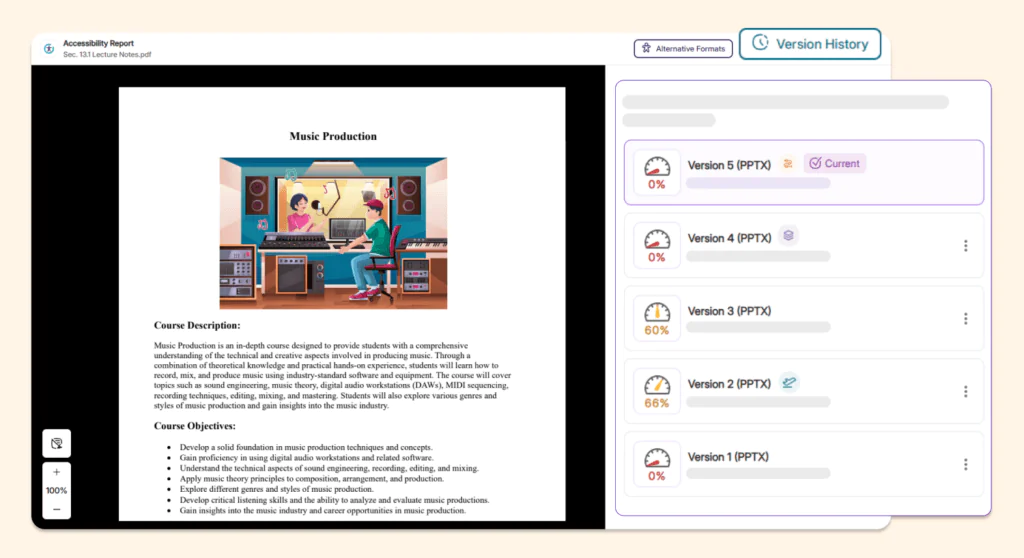
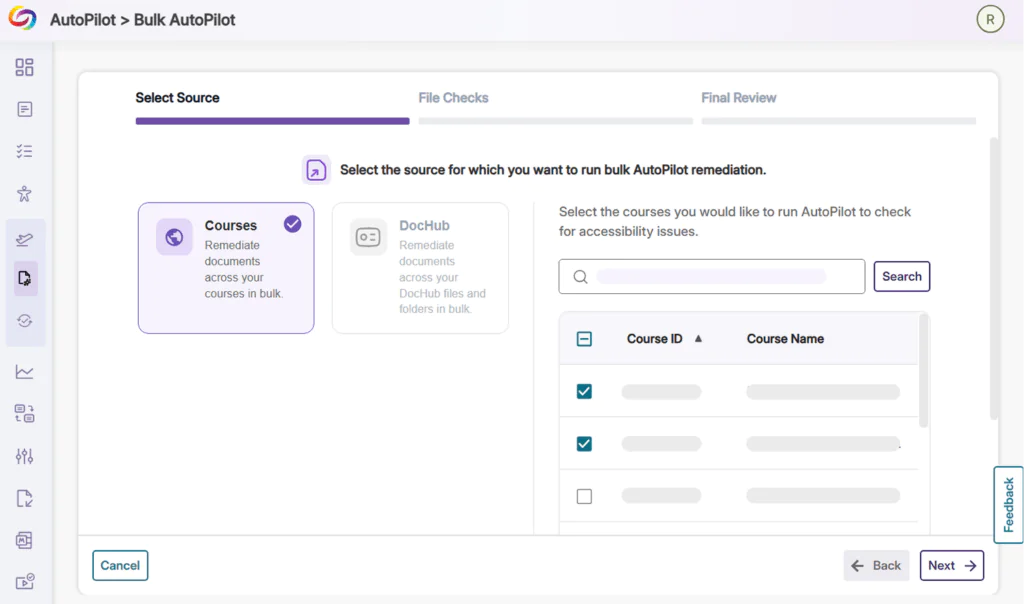
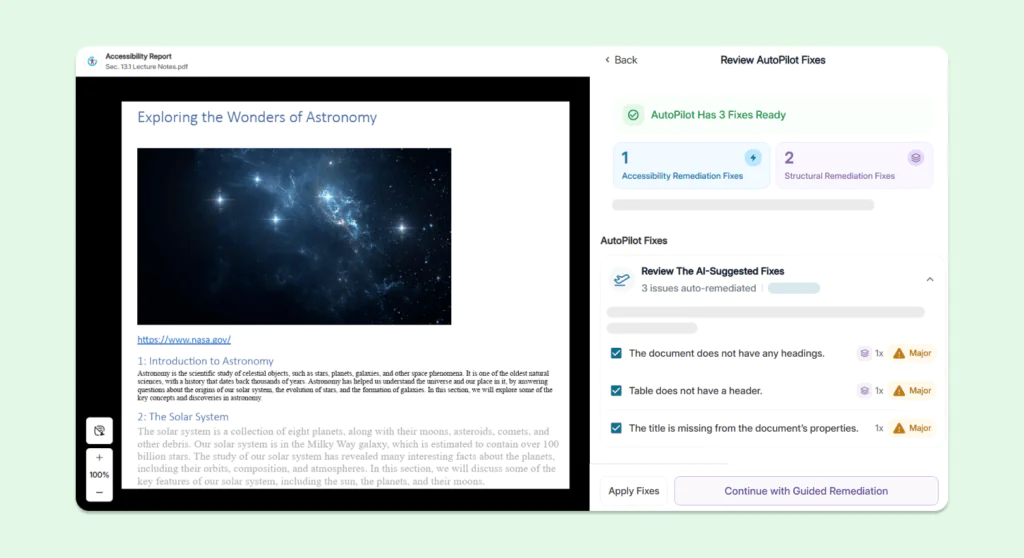
Over the next few weeks, YuJa EqualGround will be adding several features to improve user experience, including new AI content generation for ARIA compliance, Quick Wins emails to help users stay on top of accessibility issues, and more.
-
Streamline Remediation Process With Automatic Writeback for Documents and Pages in Drupal and SharePoint CMS
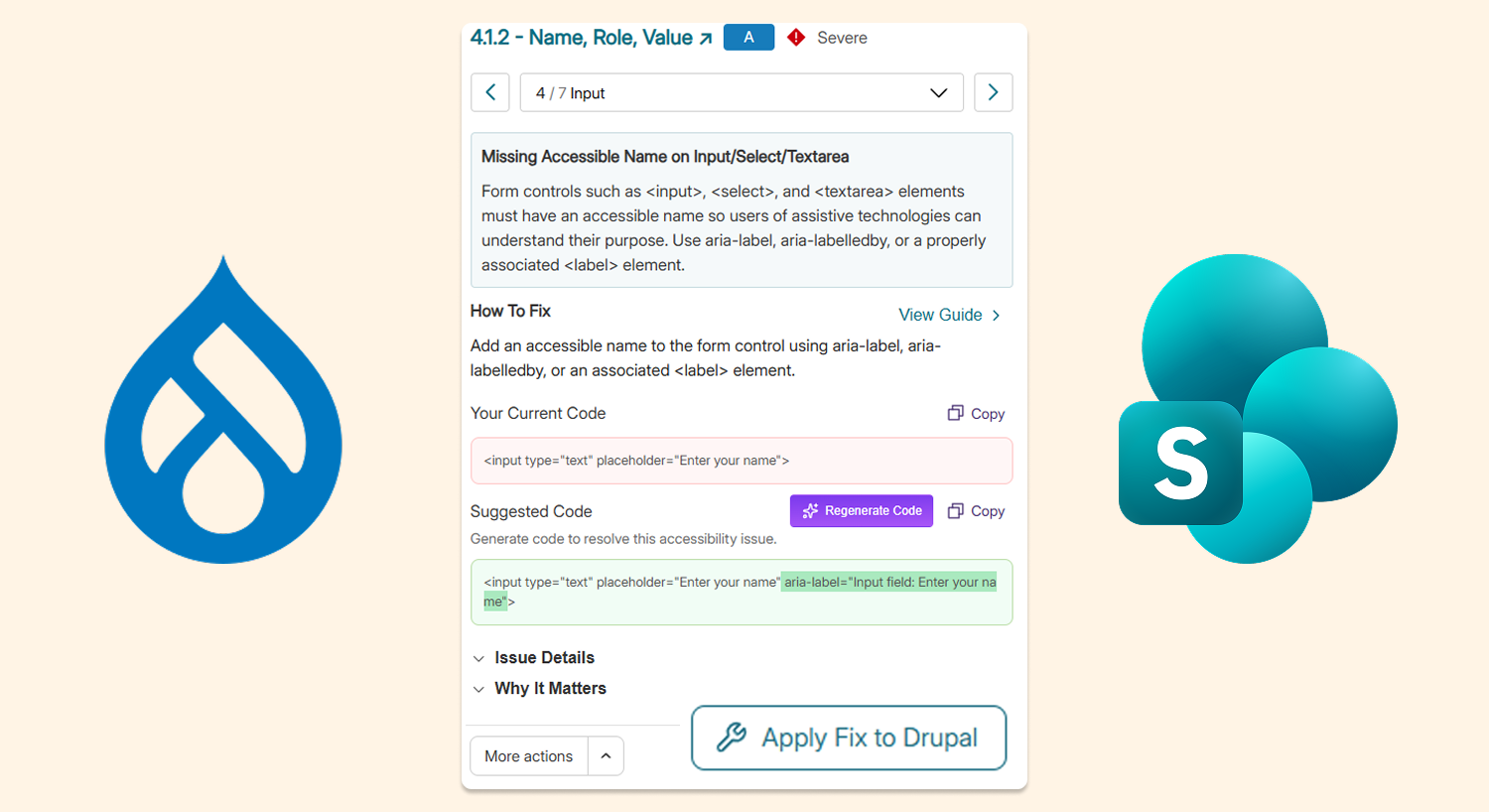
Using the updated API integration with Drupal and SharePoint, users can now remediate accessibility issues that YuJa EqualGround identifies, with automatic writeback directly in their documents and web pages in the CMS. This eliminates the need for users to switch between different platforms to validate their changes.
Users can:
-
Remediate documents: Users can open the Accessibility Issues panel and click the Fix Issue button in SharePoint, or the Apply Fix to Drupal button in Drupal, to directly apply their remediation fixes, which will automatically be written back in the CMS. If they need to create an alternative format, they can do so through the Alternative Formats menu.
-
Remediate web pages: Users can open the Accessibility Issues panel and click the Fix Issue button in SharePoint, or the Apply Fix to Drupal button in Drupal, to automatically apply the fix in the CMS. Clicking Rescan will confirm that the fix has been applied to the page.
-
-
Stay in Sync With WordPress CMS Through Automatic Rescans After Content Updates
YuJa EqualGround will now automatically rescan documents and web pages when an update is detected in WordPress, eliminating the need for users to click Rescan.
Here’s how it works:
-
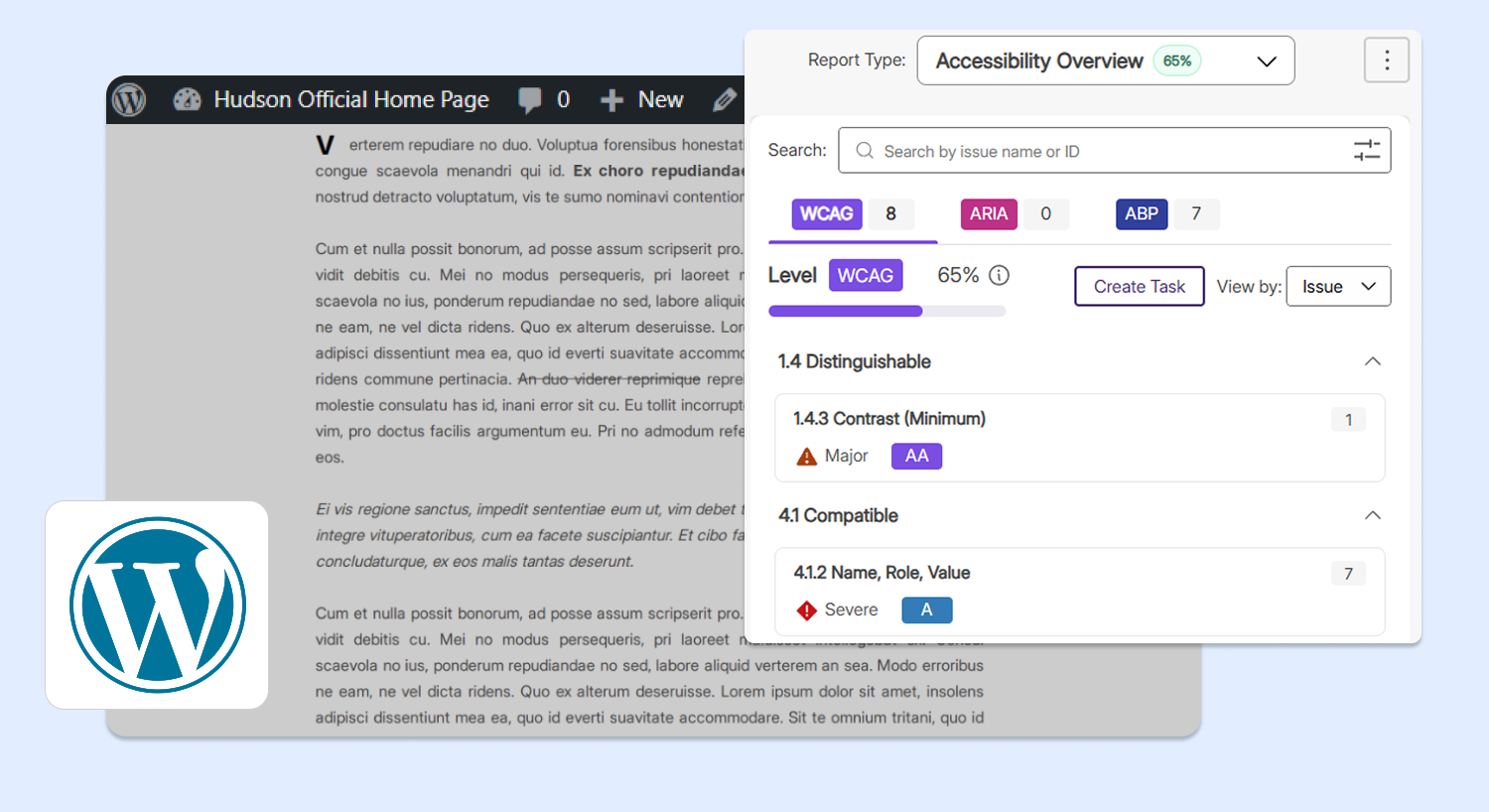
Automatically activate document scan: When an already-scanned document is replaced using the Enable Media Replace plugin, the document is automatically rescanned, and the updated accessibility score and issues will appear in the Documents tab without needing to click Rescan.
-
Automatically activate page scan: When an already-published page is updated, the page is automatically rescanned, and its accessibility score and issues will be updated to reflect the changes.
-
-
AI Assistance for Readability and Spell Check, Bulk Dictionary Upload for Organization-Defined Terms
Users can now leverage AI-powered engines to improve readability and spelling throughout their web pages and documents:
-
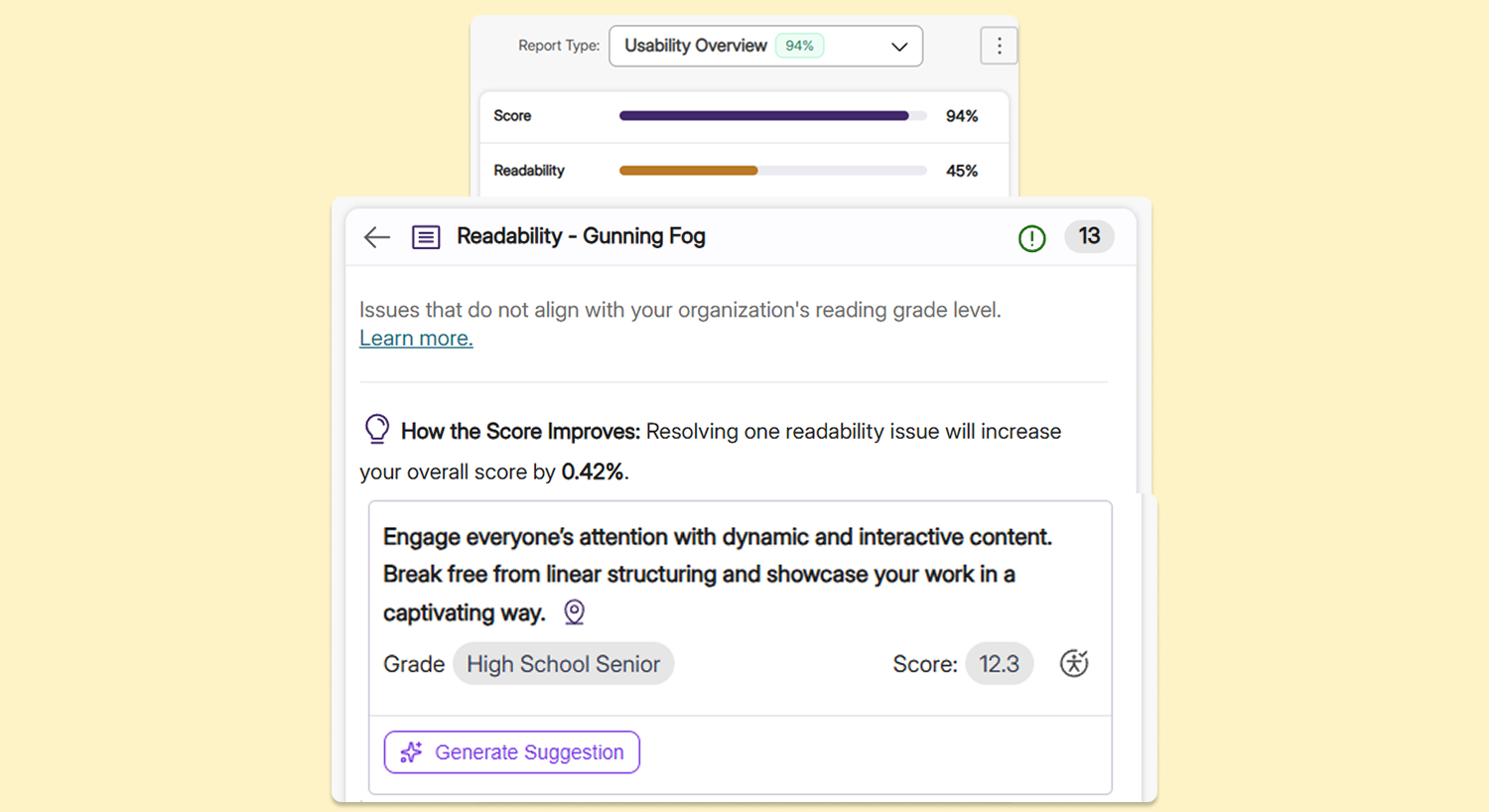
Readability check: For readability issues, AI will generate a clearer rewrite of flagged sentences, quickly making content more digestible and reducing the amount of manual work for administrators.
-
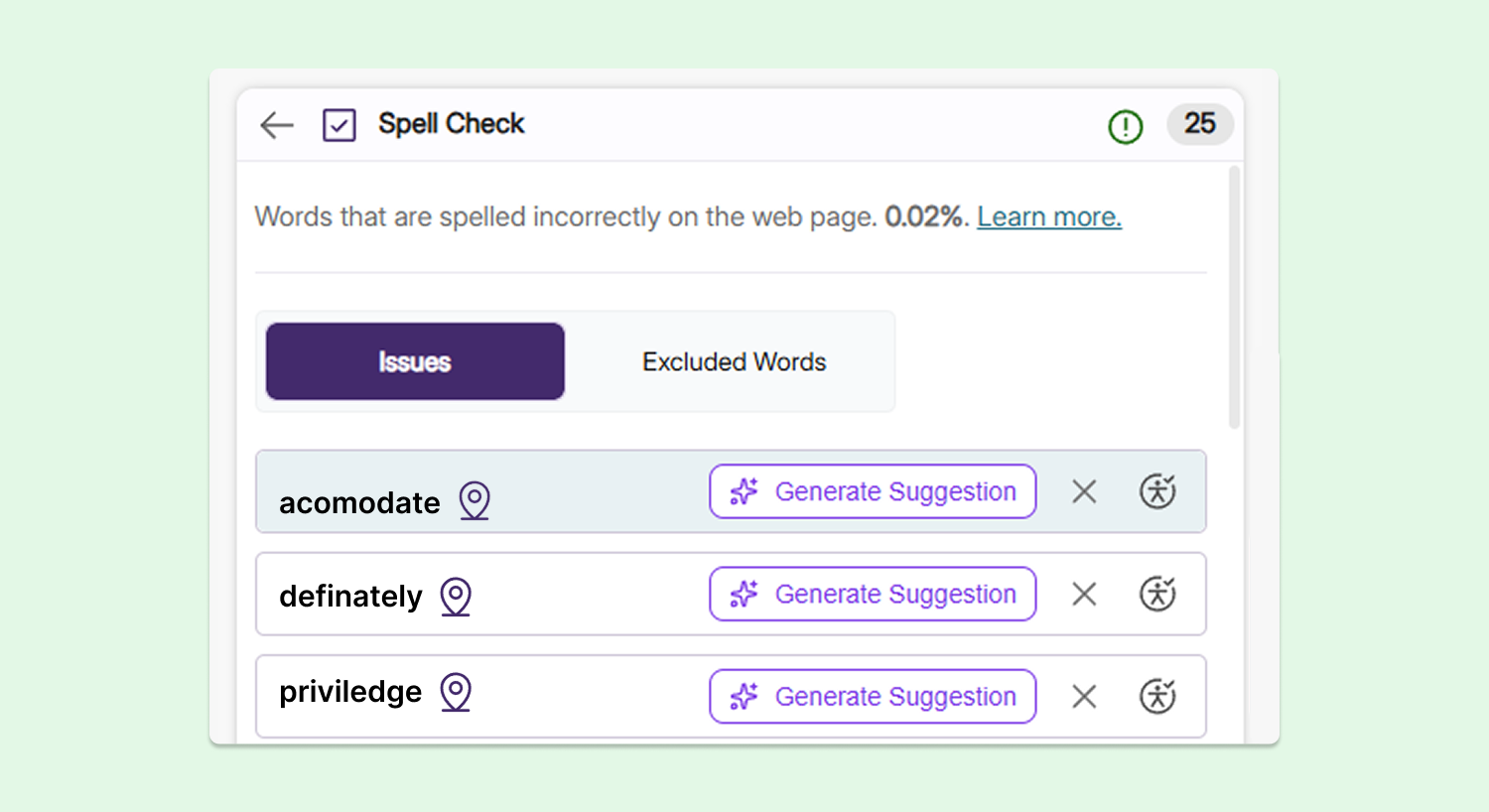
Spell check: Clicking the Generate Suggestion button will correct the spelling of a flagged word.
-
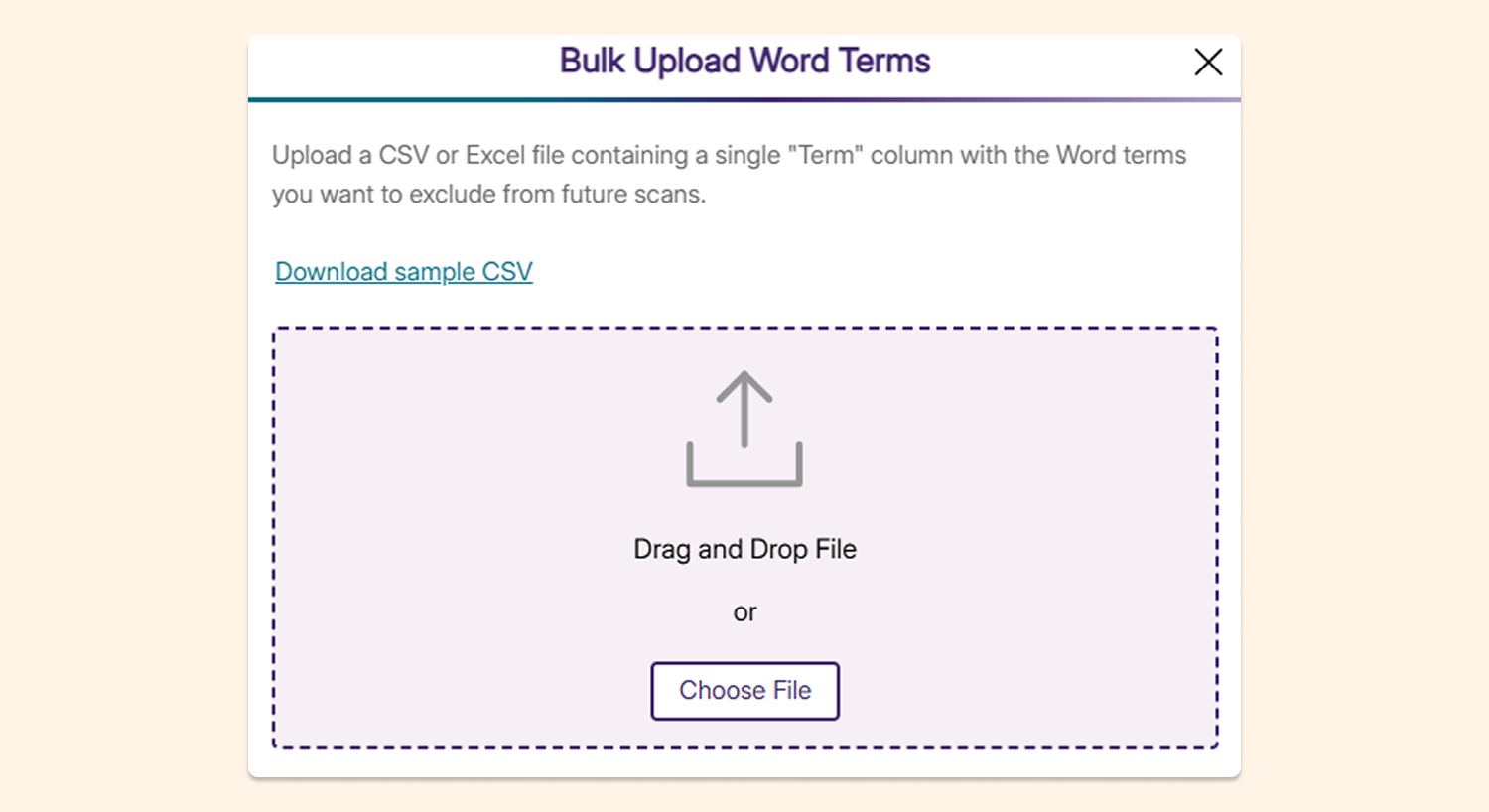
Bulk dictionary upload: Administrators can now upload a list of terms to be exempt from spell check to the YuJa EqualGround dictionary in bulk, directly from a spreadsheet or XML file. With this feature, organizations can continue using their own defined terms without having them flagged each time.
-
-
Expanded AI Remediation Coverage and AI Generation for ARIA Compliance
YuJa EqualGround is expanding its AI remediation and generation capabilities to enhance accessibility compliance. This update ensures that features across each institution’s web pages and documents are fully accessible and will be properly interpreted by screen readers and braille displays.
Our latest model now supports key ARIA accessibility features such as:
-
AI generation to add ARIA roles for UI components
-
Adding descriptive labels for alert dialogs
-
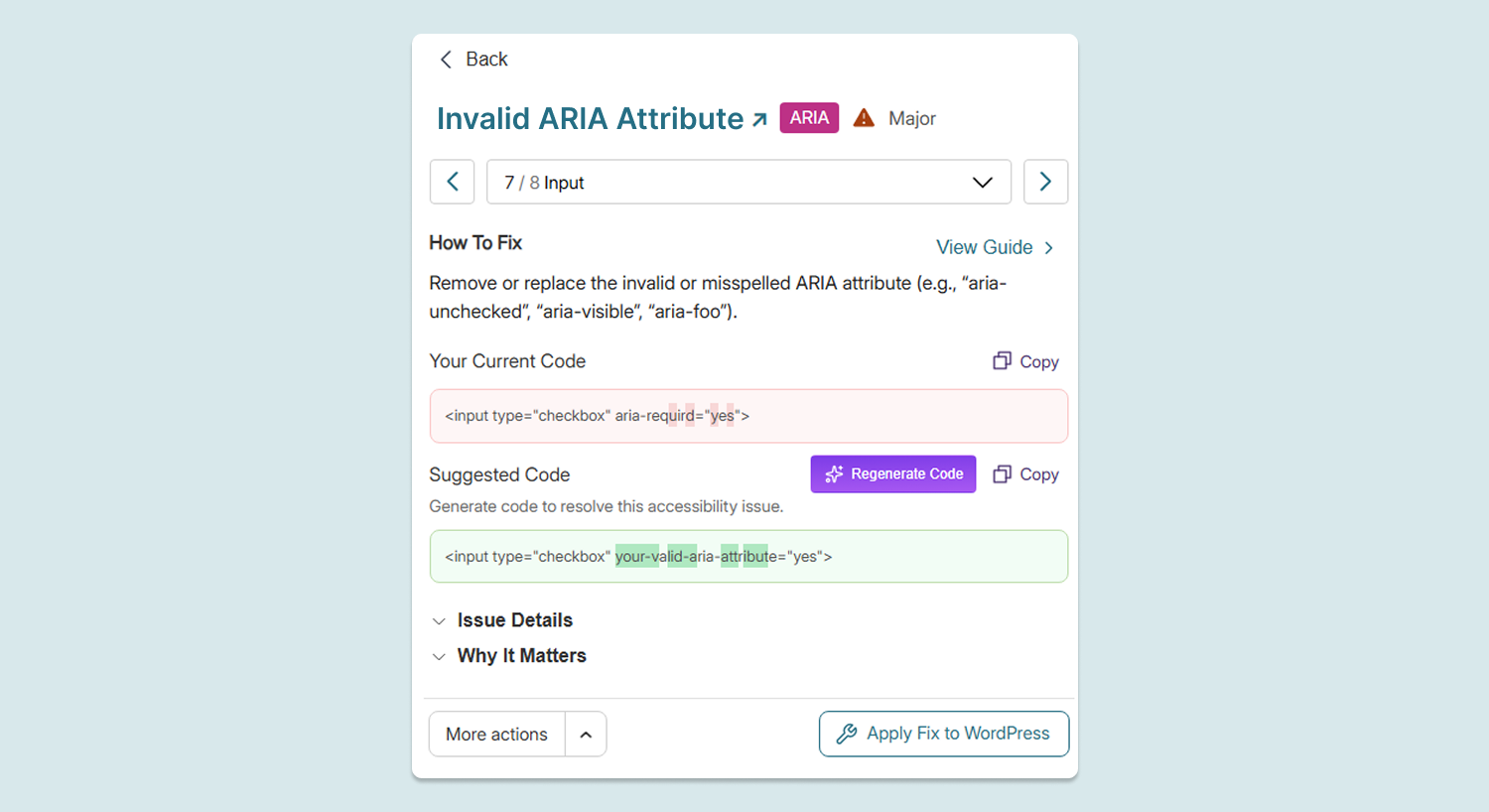
Correcting any invalid ARIA attribute names
-
-
Stay on Top of Accessibility Needs with Monthly or Quarterly Quick Wins Emails
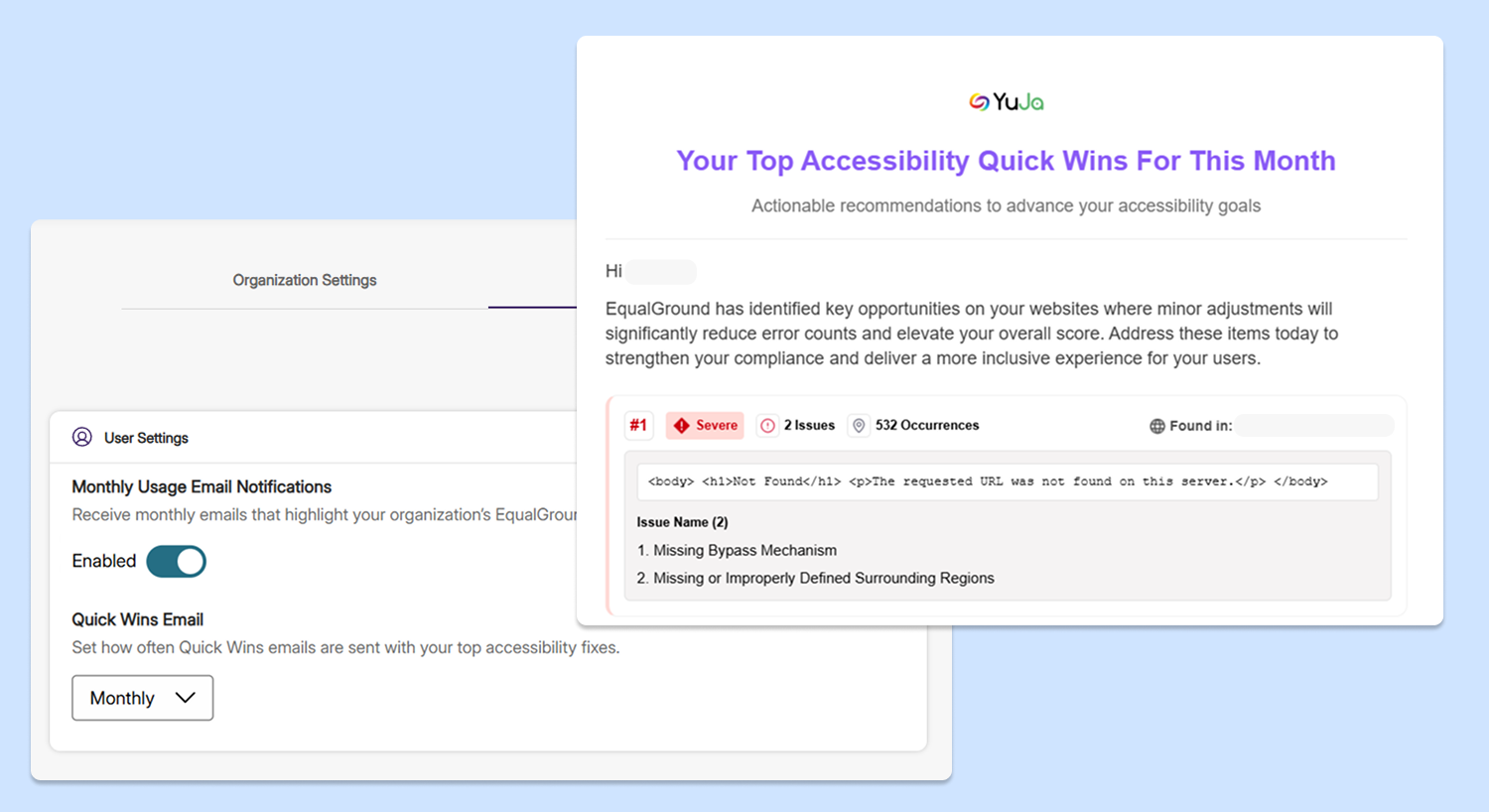
Users can now choose to receive Quick Wins emails that inform them of their top accessibility fixes on a monthly or quarterly basis. These emails contain data about key fixes that can significantly reduce issues and elevate the overall accessibility score of web assets.
-
Monitor Progress on Human-Assisted Remediation Projects Done by YuJa’s Accessibility Experts
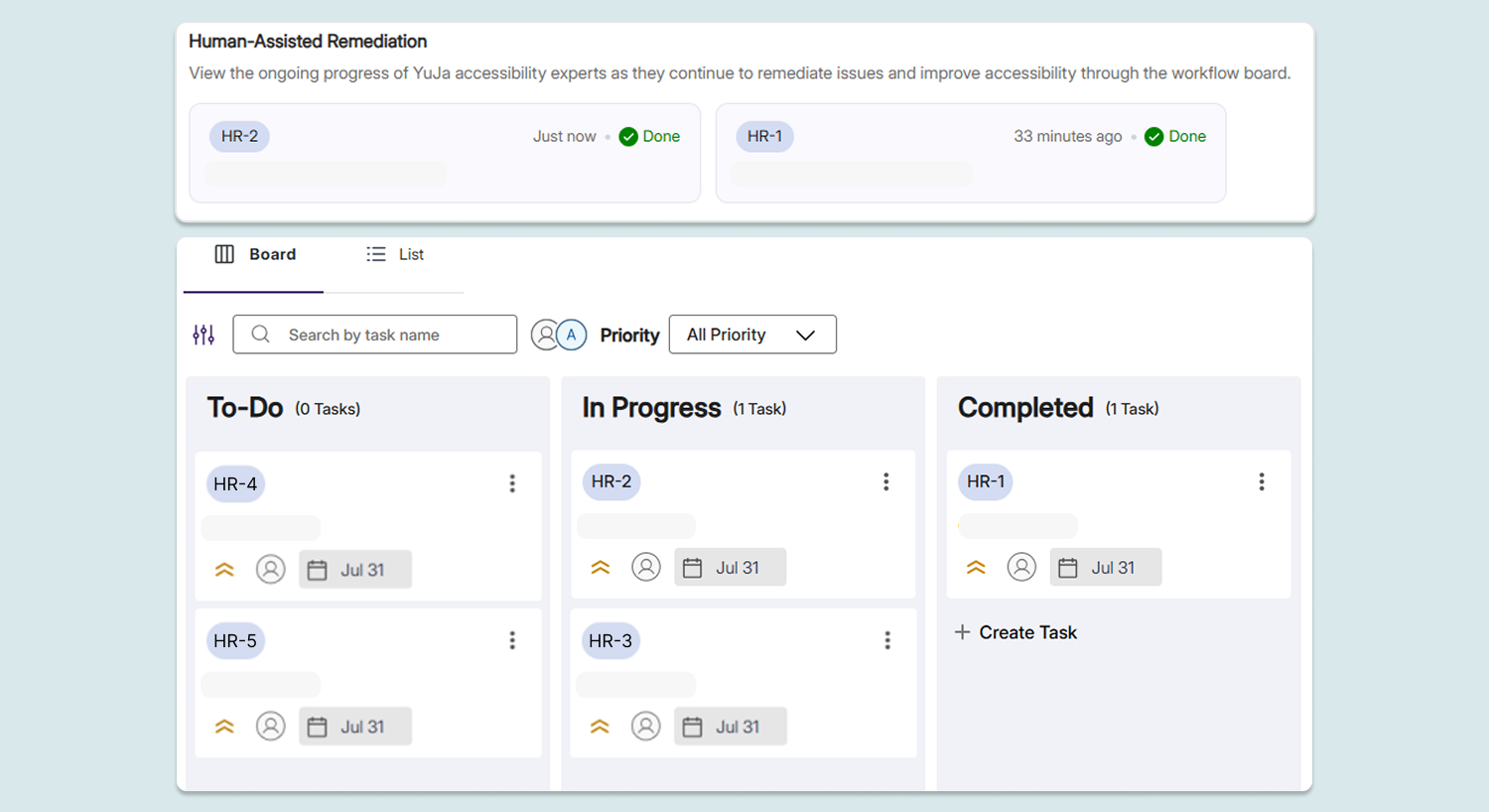
Administrators can now track the progress of Human-Assisted Remediation Projects assigned to YuJa’s Accessibility Experts using an intuitive ticketing system. They will be notified via email once the project has been completed, helping them track all manual remediation assistance received from YuJa’s experts.
-
Ensure Documents Are Found During Web Page Scan By Selecting Options to Automatically Discover New Items
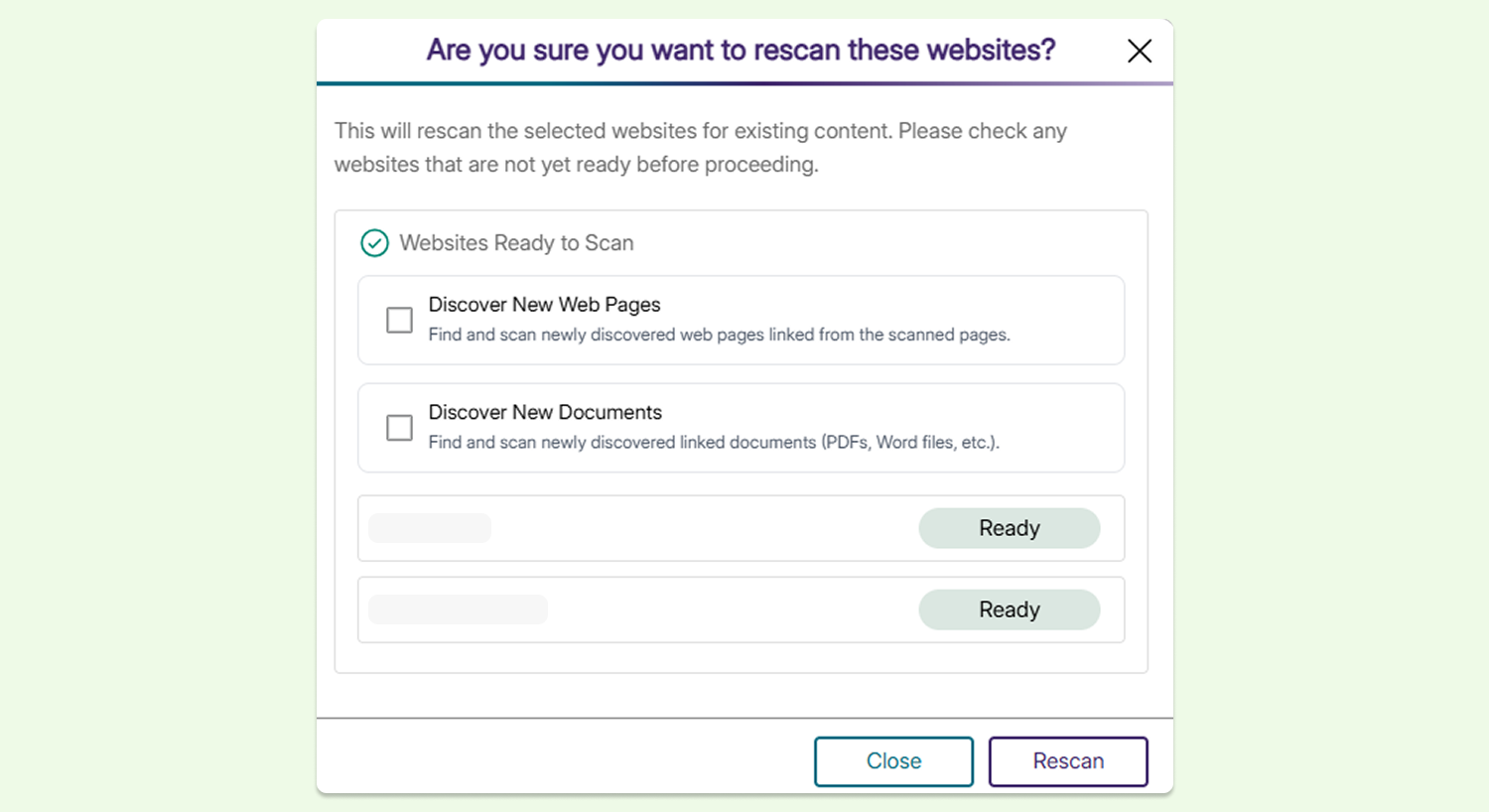
Options for Discover New Web Pages and Discover New Documents have been added to the workflow for adding, scanning, and rescanning a web page or website to speed up the scanning process. When users scan or rescan a web page, checking these boxes will ensure that all documents and web pages linked to the site are immediately found and scanned. This enables users to find and scan all new documents and relevant linked pages immediately, without any extra steps.
-
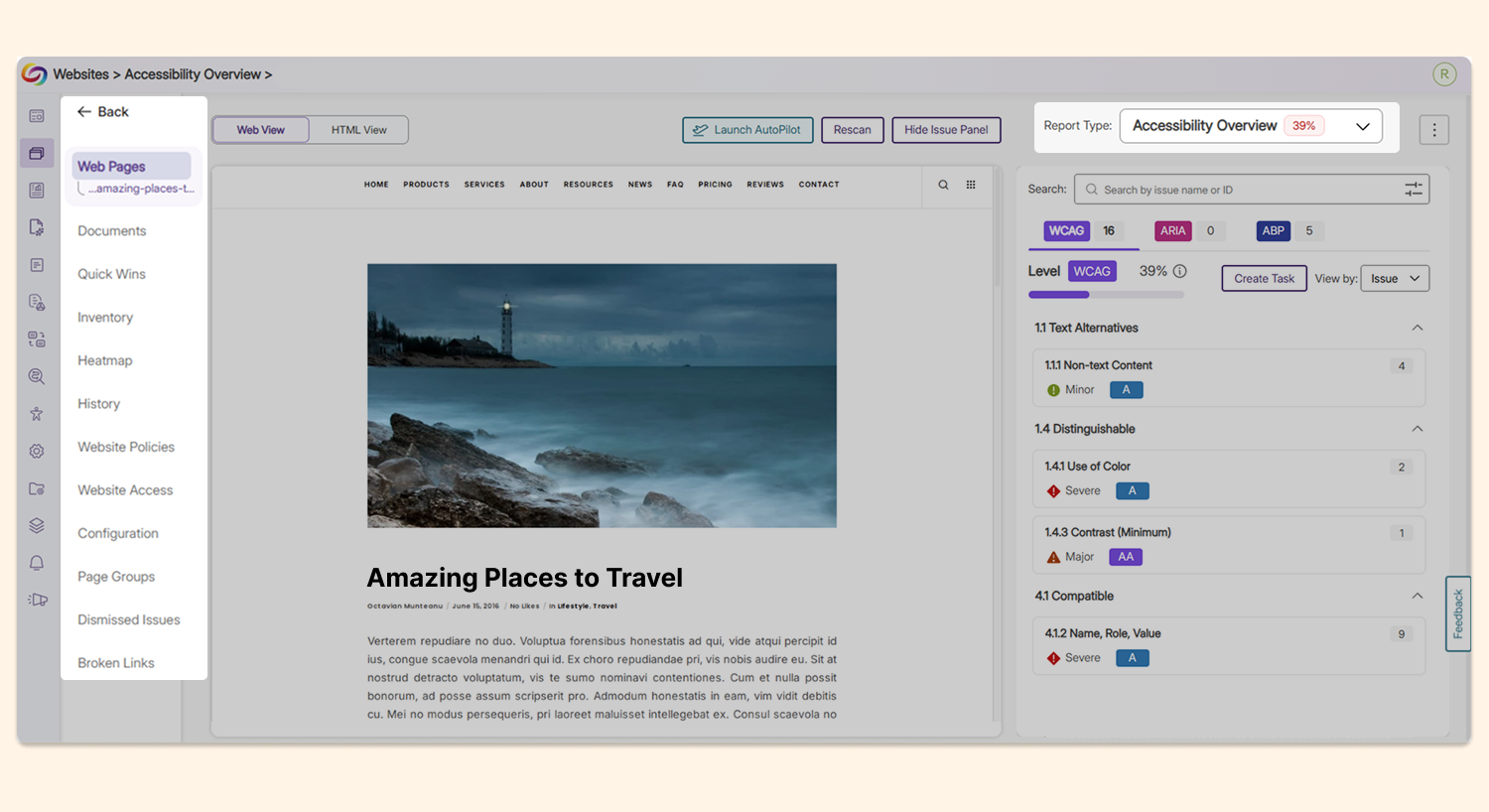
Easier Navigation Between Site Pages with New Redesigned Workflow
The workflow to remediate accessibility issues for web pages has been redesigned to introduce a smoother, more convenient navigation experience. When users navigate to the Accessibility Issues panel to access a web page, the sidebar remains up, allowing them to easily navigate between site pages without having to return to the homepage.
-
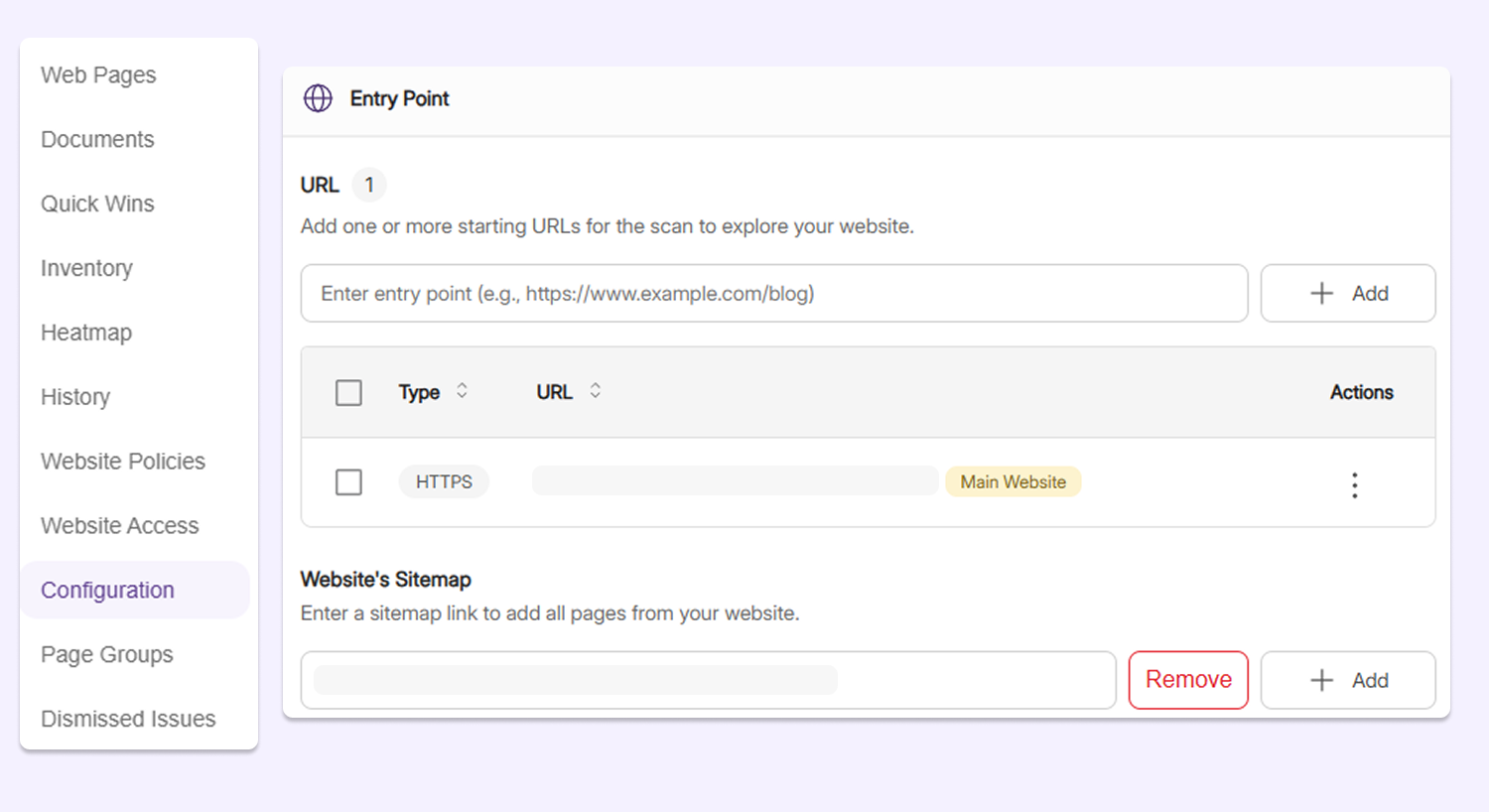
Use Website Sitemaps as Entry Points for Web Page Discovery
In addition to using a starting URL, administrators can now select a website sitemap for YuJa EqualGround to crawl and cover web pages that may not be easily discoverable through navigation from the website’s homepage. All pages listed in an organization’s sitemap will be captured by YuJa EqualGround, ensuring complete coverage of their assets.
-
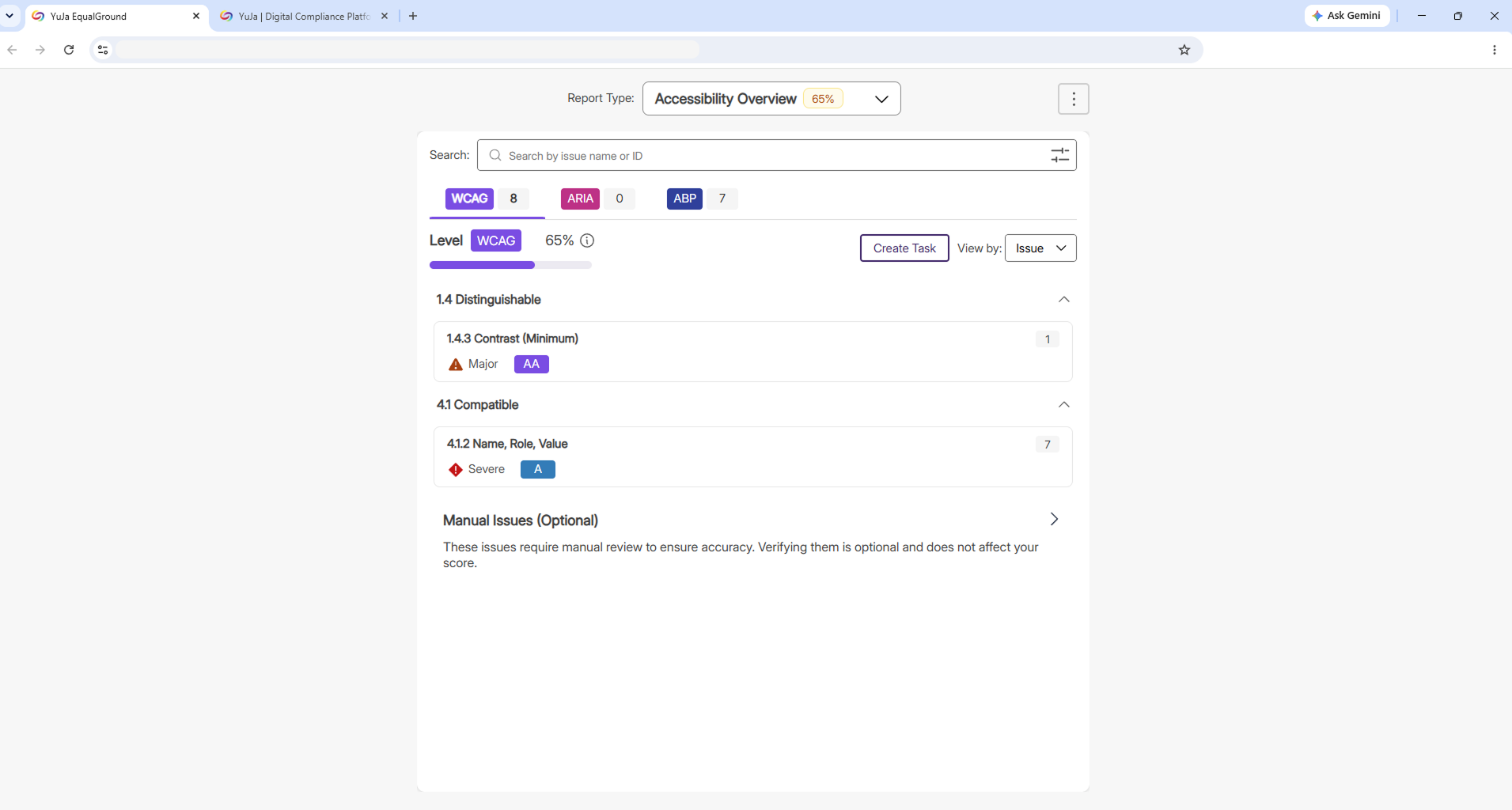
Open the Accessibility Report in an External Tab for Easier Viewing
The Accessibility Report now provides an Open in External Tab button, allowing users to view the entire report in a separate window. This provides more room for users to review and remediate accessibility issues, particularly for larger pages that contain several issues.
-
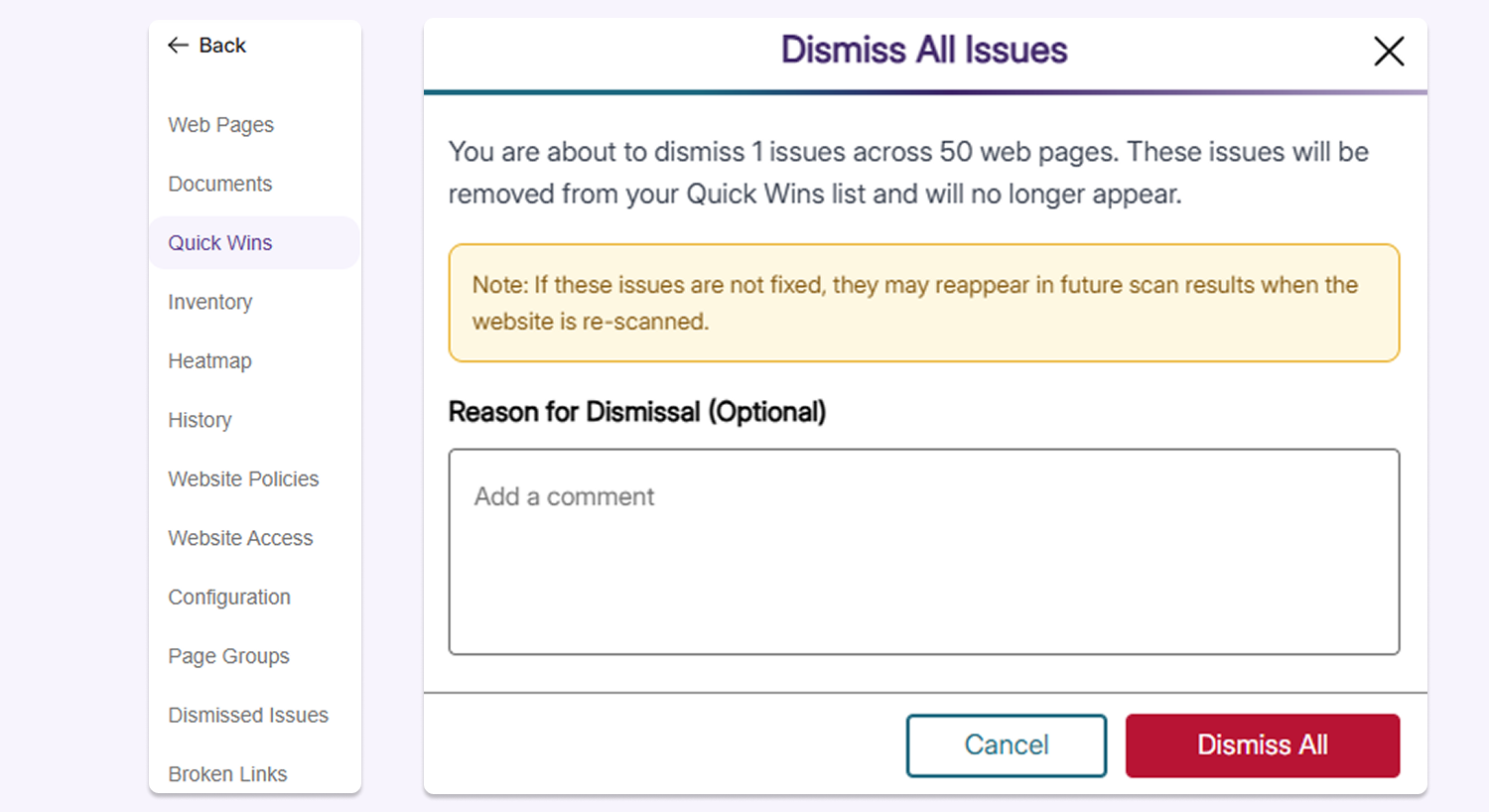
Dismiss Issues in Quick Wins Tab When Manual Verification Is Completed
To streamline prioritization of Quick Win issues, users can now easily dismiss all instances of an issue using the Dismiss All button, helping remove issues related to external tools that are unresolvable and require manual verification. Users can also provide a reason for dismissal to help them and other users understand why the issue was dismissed.
-
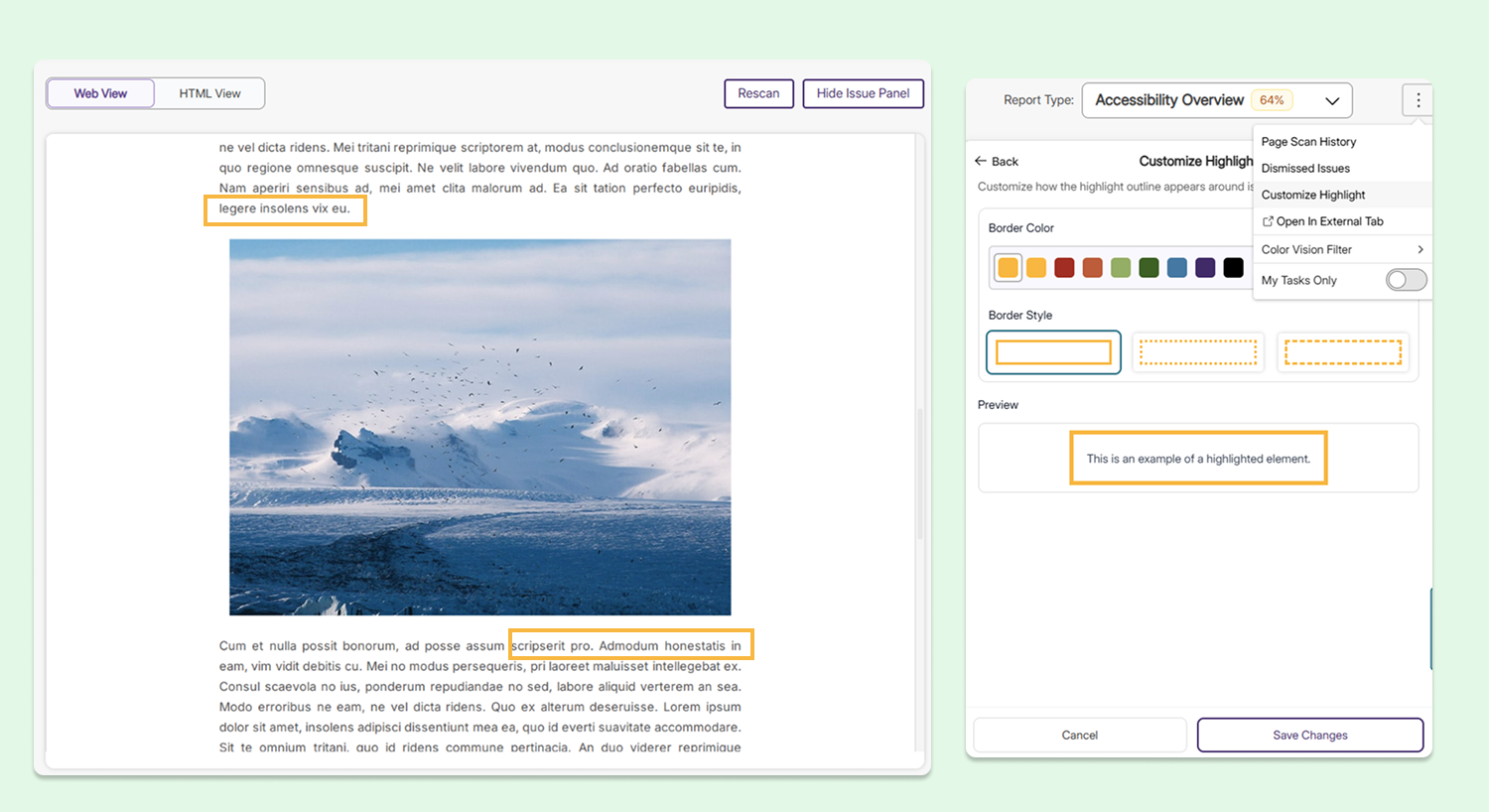
Make Flagged Elements Stand Out with Customizable Issue-Highlight Indicator
The highlight style, including the border color and border style, around a flagged element can now be customized, helping ensure that the accessibility issue indicator will be easily noticeable, regardless of the website’s native background colors.
-
Enable Multi-Factor Authentication Options to Improve the Security of Web and User Assets
Multi-factor authentication has been added to YuJa EqualGround to enhance the security of the platform and its users.
Users can now:
-
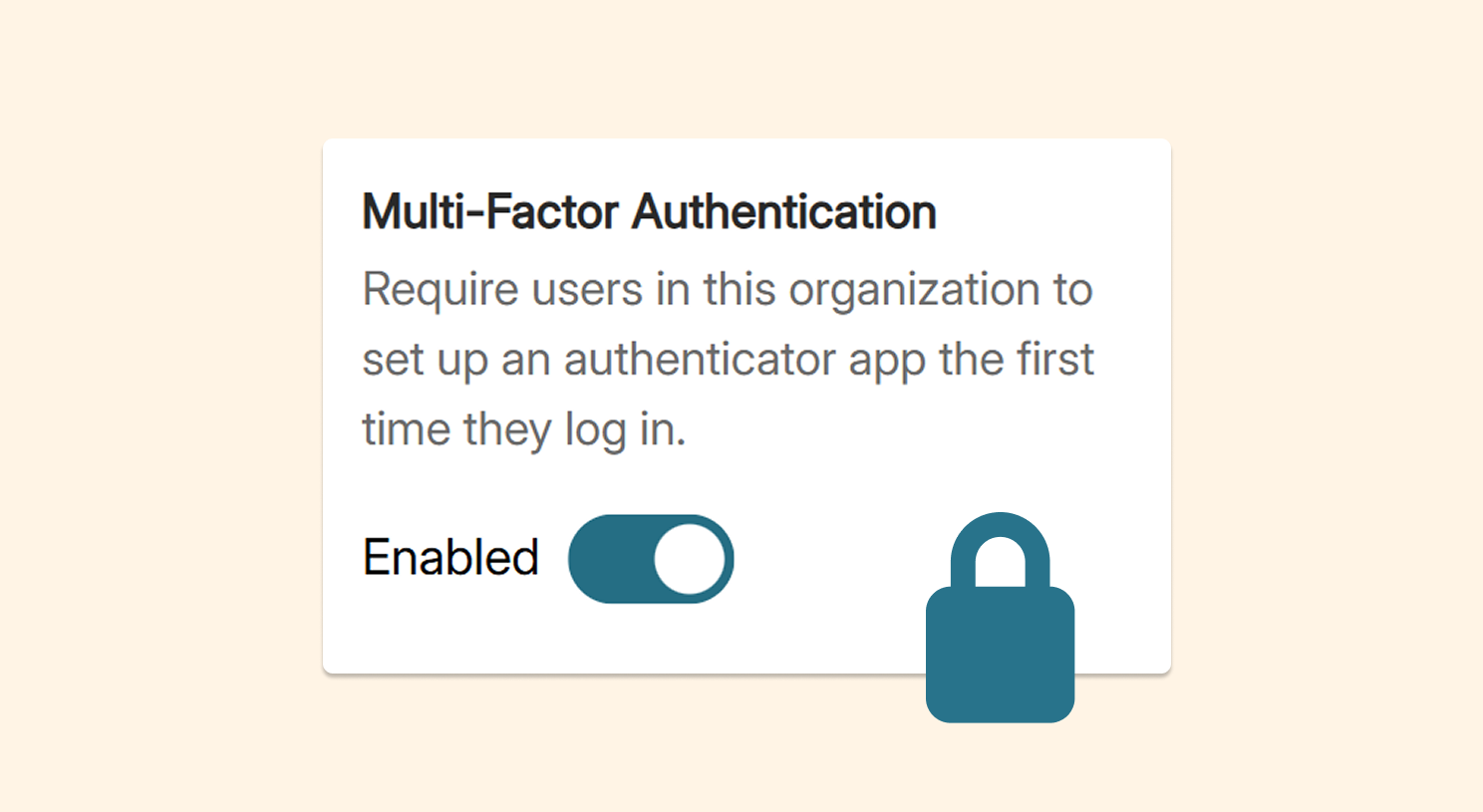
Set up mandatory MFA: Administrators can now require all users in their organization to set up MFA the first time they log in, improving the security of all user accounts.
-
Receive MFA codes via email: Administrators can require all MFA login codes to be sent by email instead of an authenticator app in case of an emergency, ensuring your organization remains flexible.
-
Bypass MFA for administrators: Credentialed accounts can receive a QR code in YuJa EqualGround to store a multi-factor authentication token, allowing them to bypass MFA. This will make signing in faster and easier for credentialed users.
-
-
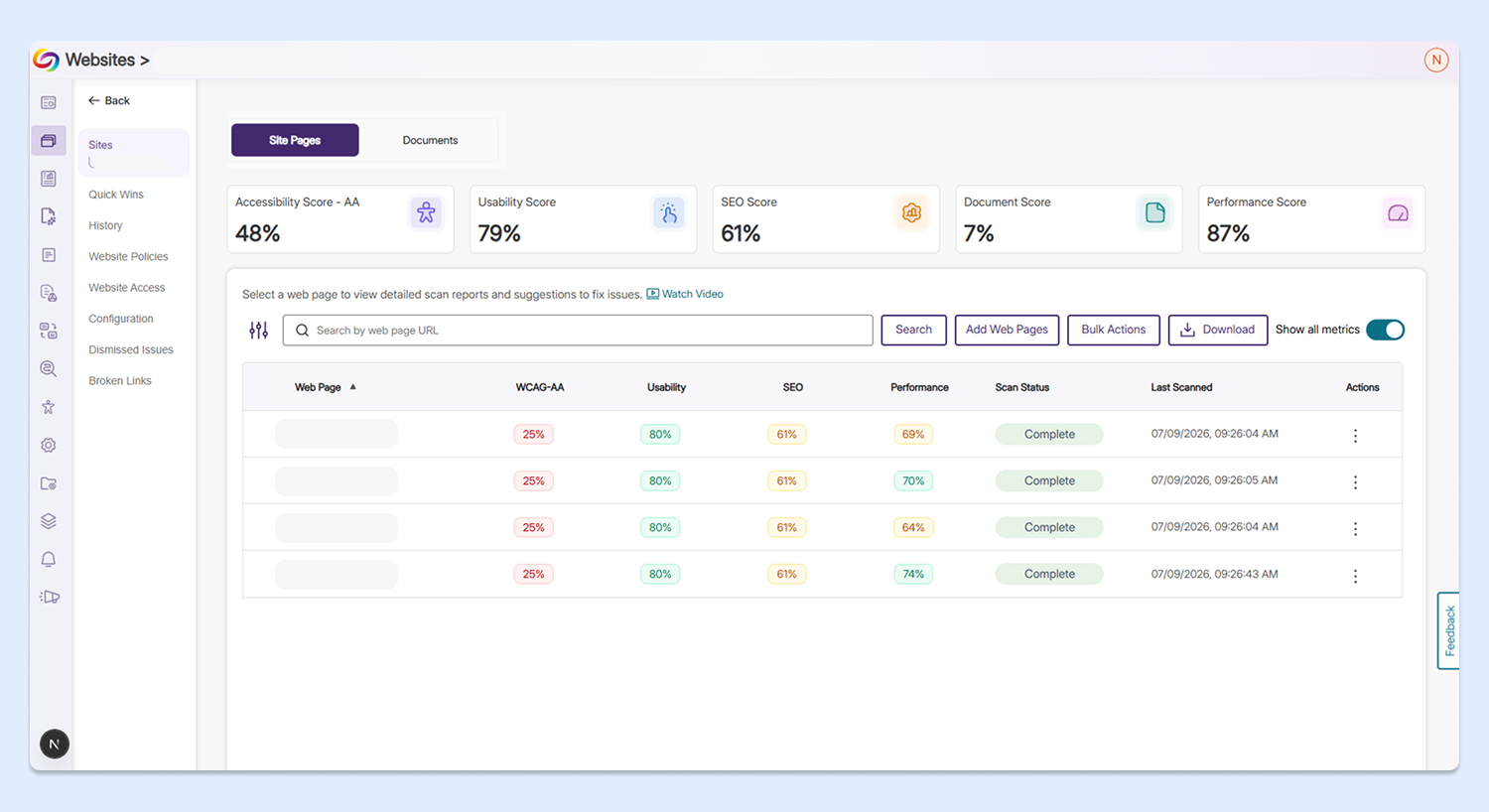
Site Pages Are Displayed Hierarchically for SharePoint Websites to Improve Organization and Usability
Site pages are now displayed hierarchically beneath their corresponding SharePoint site to improve organization and usability. Administrators can seamlessly navigate between pages on their respective websites, making the user experience much more organized and intuitive. Additionally, document libraries have been condensed into one table, allowing users to easily locate their documents in the appropriate places.
-
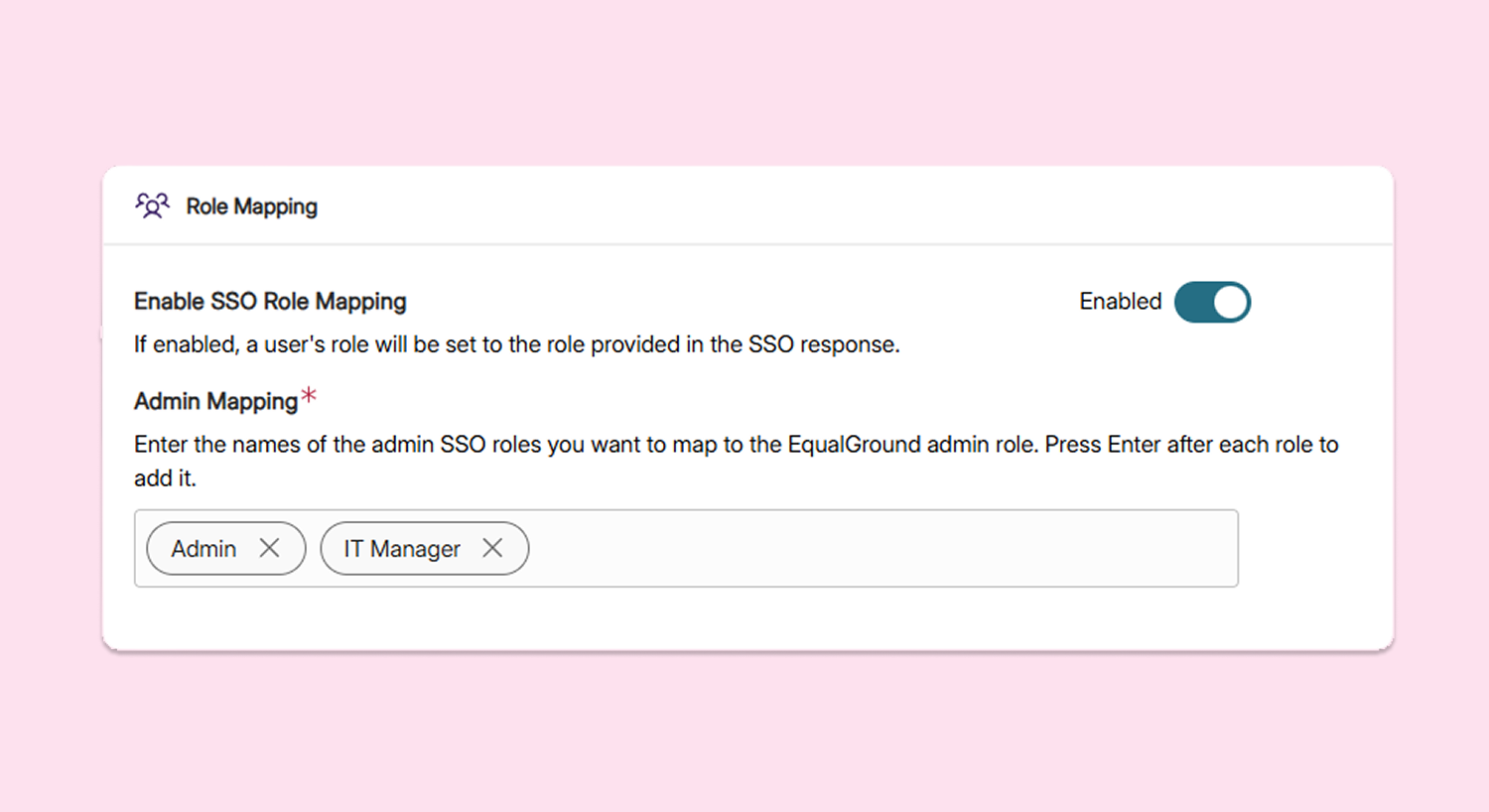
Fully Capture Administrator Duties By Mapping Multiple SSO Roles to YuJa EqualGround Admins
YuJa EqualGround now allows users to map multiple SSO roles to an administrator, helping them better align their user setup to their existing roles.
-
Ensure Profiles Are Up to Date By Automatically Syncing Profile Images From SSO
Profile images from SSO logins in YuJa EqualGround will now save as default user profile images across the site, including the navbar, roster management, and website access. Users will be identified with an existing image that they use from other services, rather than needing to upload an image again.