This week, we’ll be updating YuJa EqualGround with new features and capabilities. Key updates include a new Microsoft SharePoint integration Add-in, custom schedules for scans, a new guide experience for first-time users, add web pages to website scans, the ability to disable specific web pages, bulk scan web pages, a new filter to view desired web pages, and export the documents found on your websites to an Excel file.
-
New SharePoint Add-In for Deeper Site and Document Library Integration
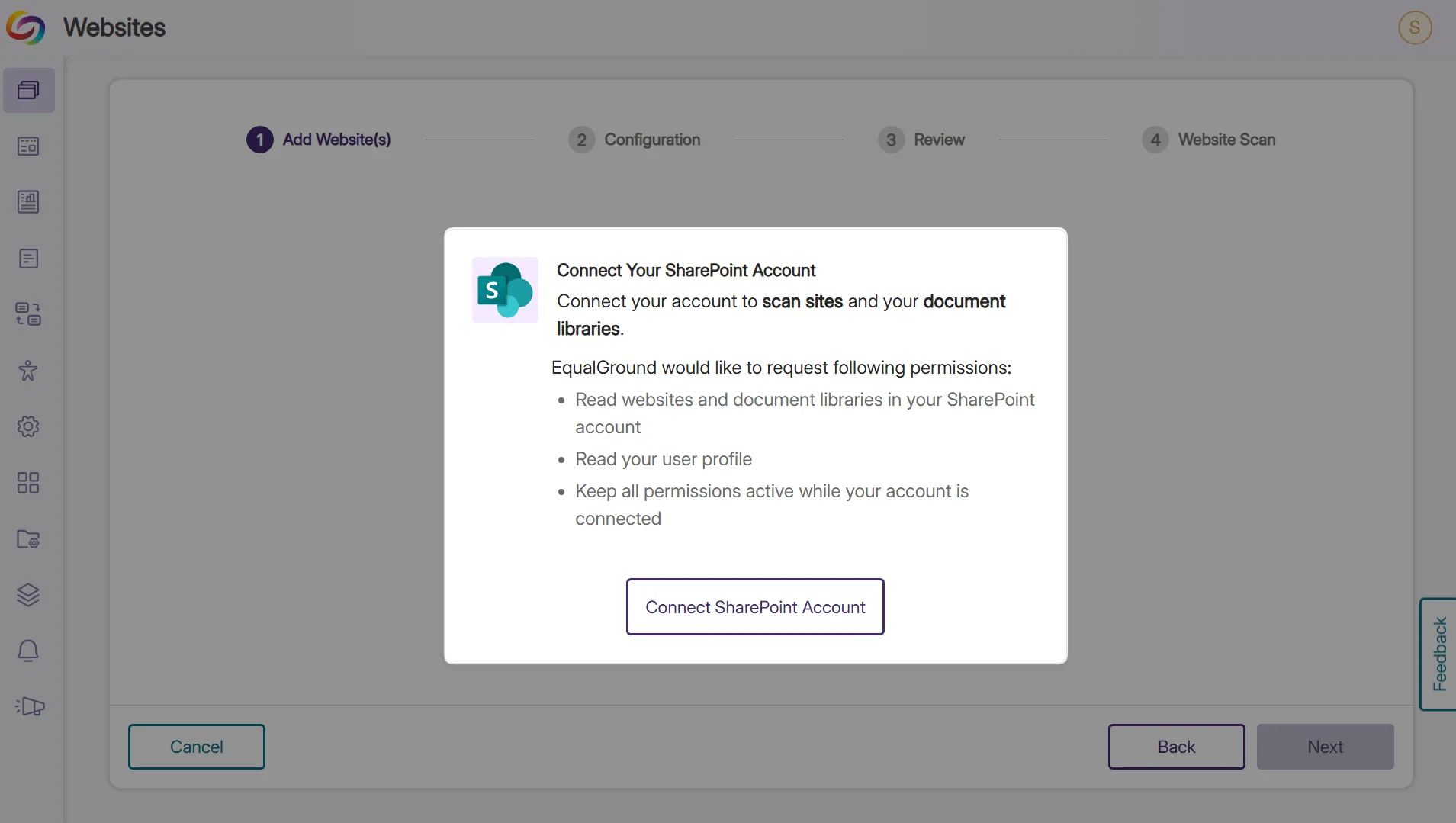
The new Microsoft SharePoint integration enables faster, simpler, and more efficient scanning and management of your SharePoint sites and document libraries. You will be able to focus more on accessibility fixes instead of administrative tasks. Key features include:
-
Time-Saving Full Access: Once you grant EqualGround one-time permission to scan all your SharePoint sites and document libraries, you no longer need to approve each one individually before scanning.
-
Simplified Management: You can add multiple SharePoint sites and document libraries under the same Microsoft account for faster setup and to keep everything organized in one place.
-
Automatic Syncing: Once enabled, any new page you add to your SharePoint will be automatically included in your next scan without any extra setup.
-
-
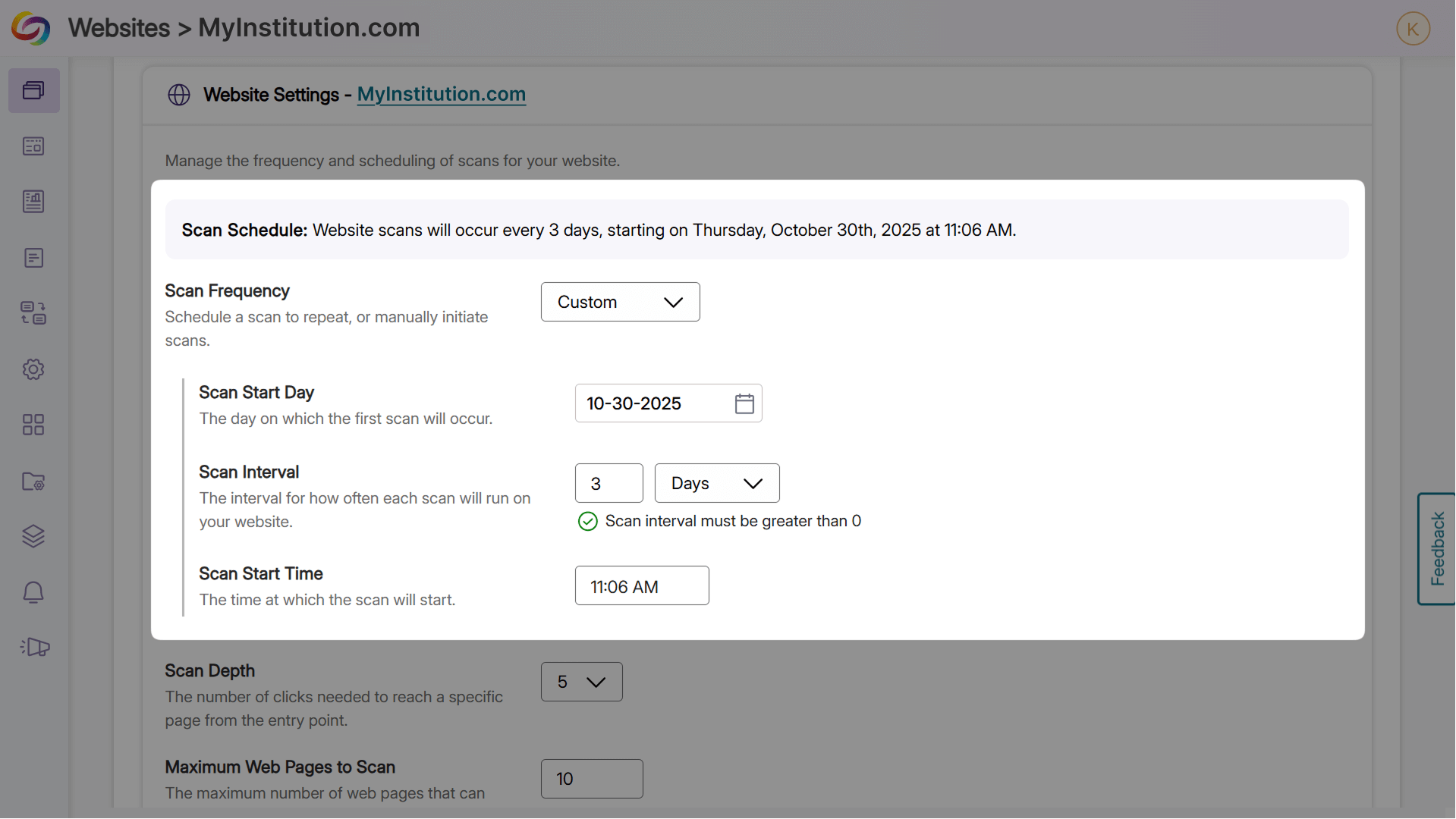
Custom Scan Scheduling for Websites and Page Groups
You can now schedule scans with much more flexibility, such as every 3 days, 5 days, or any number of days, weeks, months, or years, for specific page groups or entire websites. Automating your scan schedule to match how often you update your content ensures new content is automatically checked for accessibility issues, instead of having to manually initiate scans after each update.
-
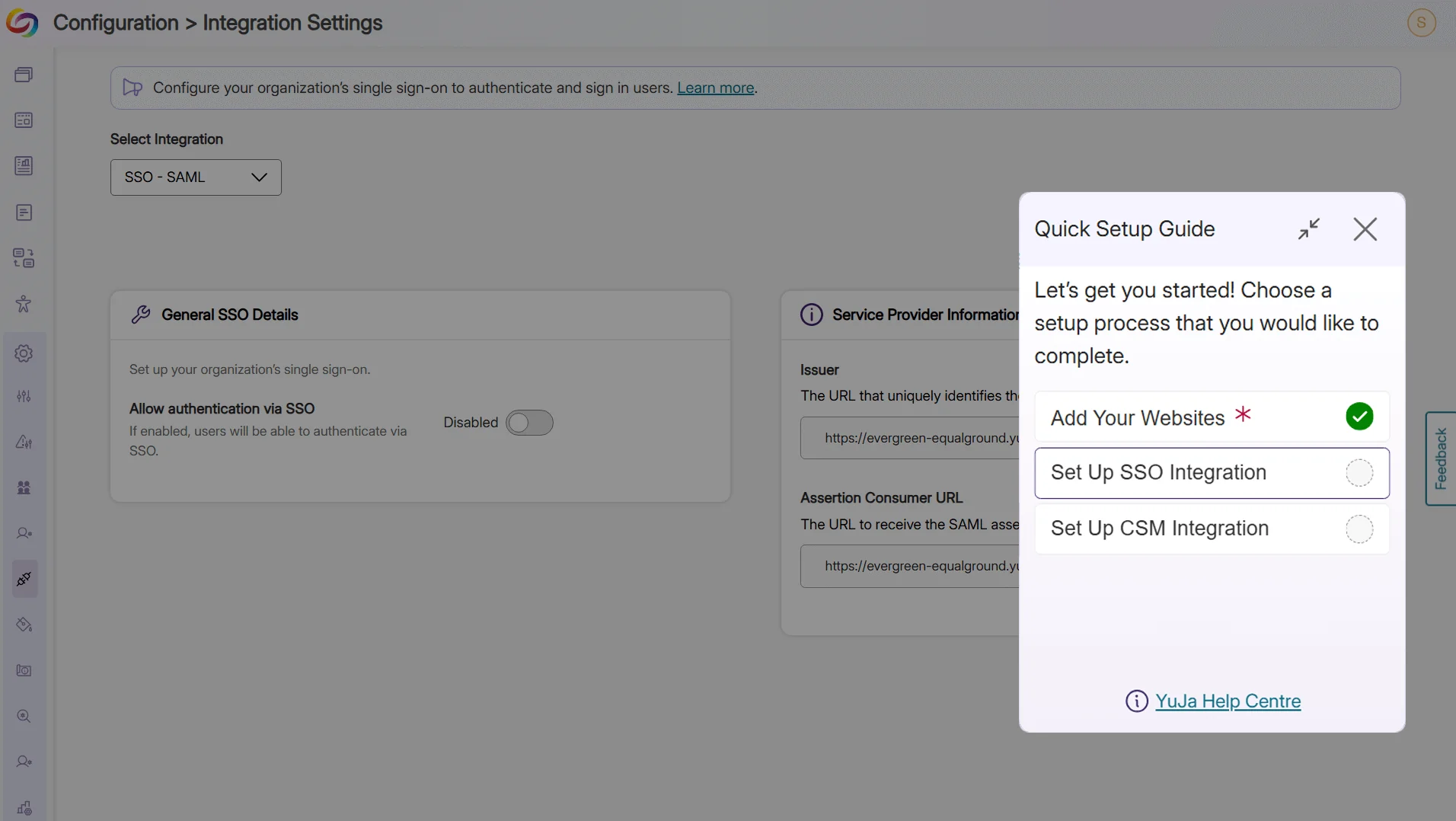
A New Guided Experience for Setting Up Your EqualGround Platform
As a first-time user, you can now start with our Quick Setup Guide, which walks you through the essential steps to ensure your EqualGround Platform is set up correctly. The guide shows you how to add websites and ensure your integrations are up and running. Any user new to EqualGround can quickly set up and start scanning pages and documents with confidence. You can access the Quick Setup Guide anytime from your profile icon.
-
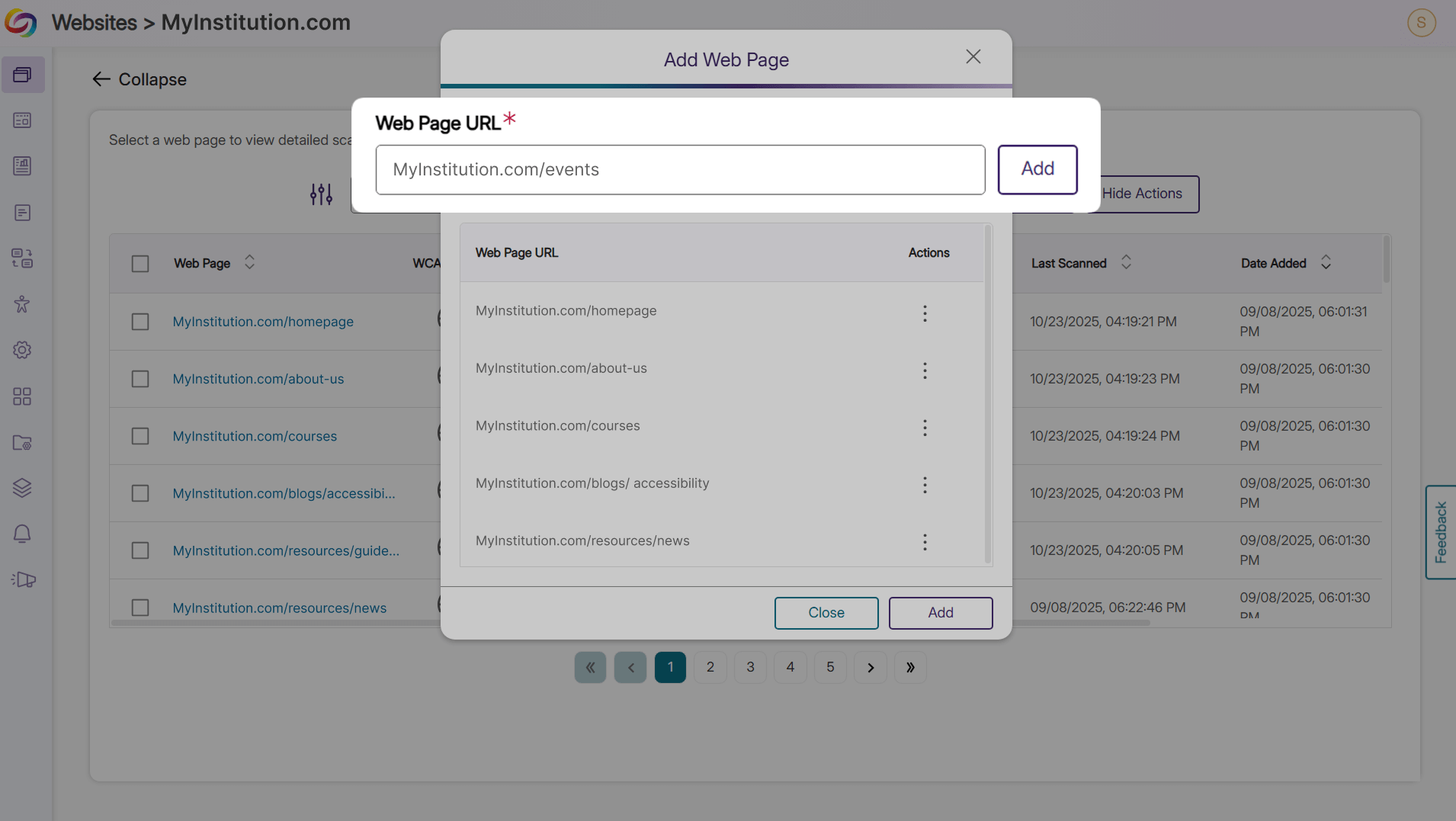
Add Specific Web Pages to Your Website Scans
Add specific web pages on demand to improve scan coverage across your websites. This allows you to include web pages that aren’t in your navigation or sitemap, such as launch pages, campaign content, and microsites, ensuring EqualGround can generate more accurate reports for your websites. Additionally, these web pages can also be scanned independently of your website, allowing you to focus on areas that need attention.
-
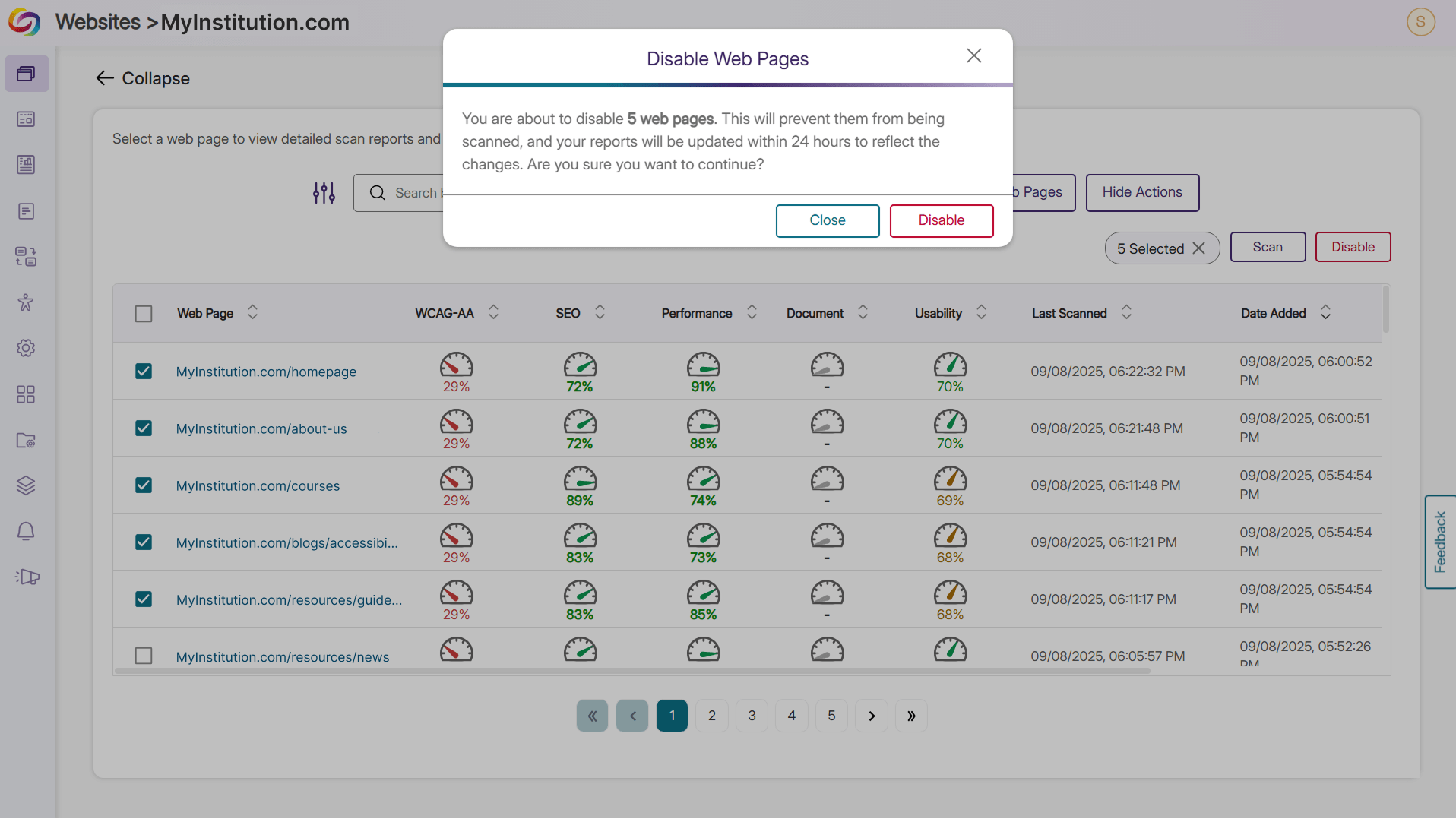
Disable Web Page Scans as Needed
Disable scans for low-priority web pages to focus on what matters. Skip routine checks for content that rarely changes, like policies, archived sections, or duplicate templates, so you can prioritize high-impact web pages and keep reports cleaner and more actionable.
-
Bulk Scan Multiple Web Pages at Once
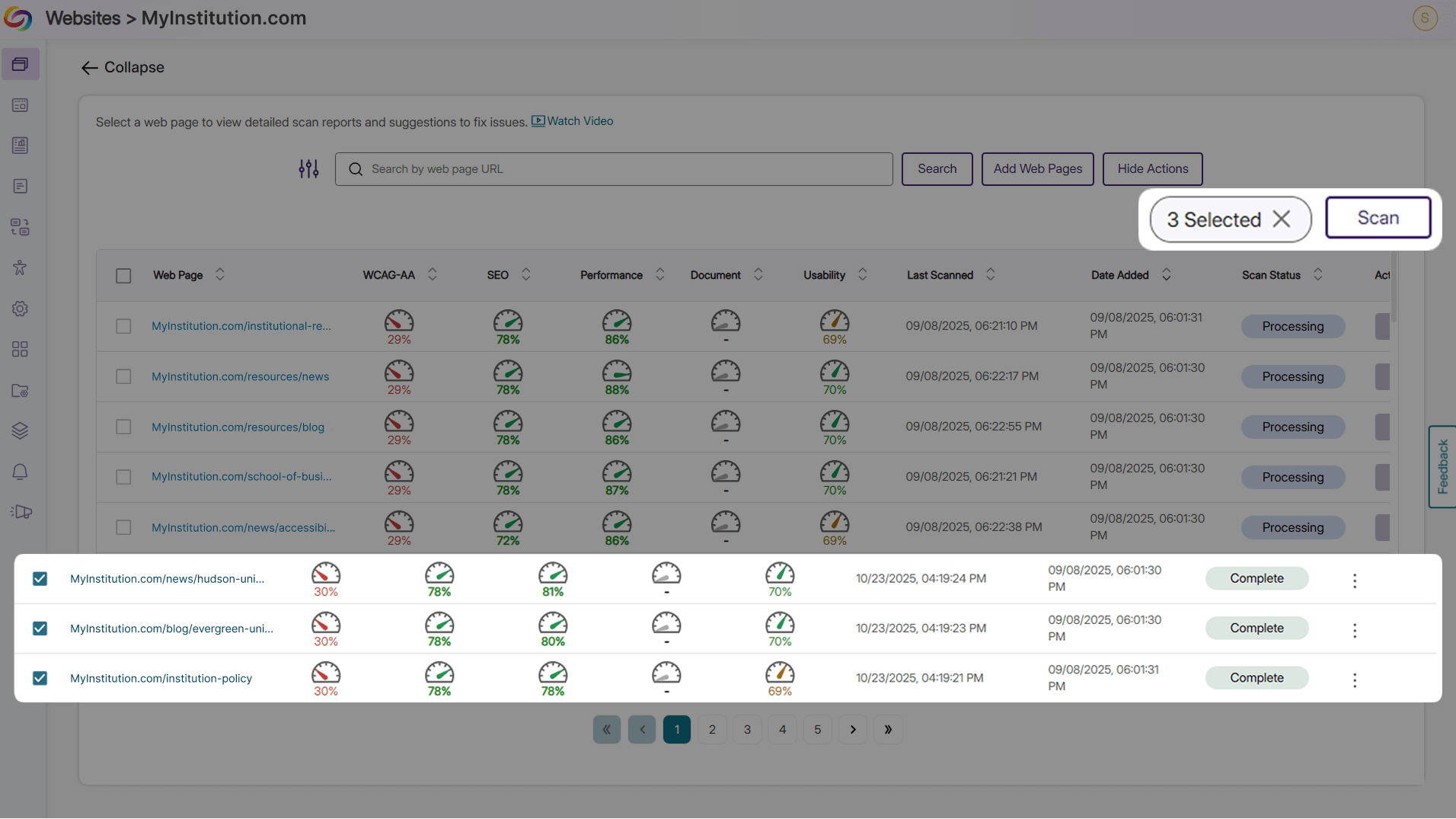
Managing large websites with hundreds of pages is now easier. Building on our existing bulk website scanning feature, you can now select and scan multiple web pages at once to save time and optimize accessibility audits for large websites. Instead of manually selecting each web page you want to scan, you can complete one scan for all the web pages at once.
-
Enhanced Filtering Options for Web Pages
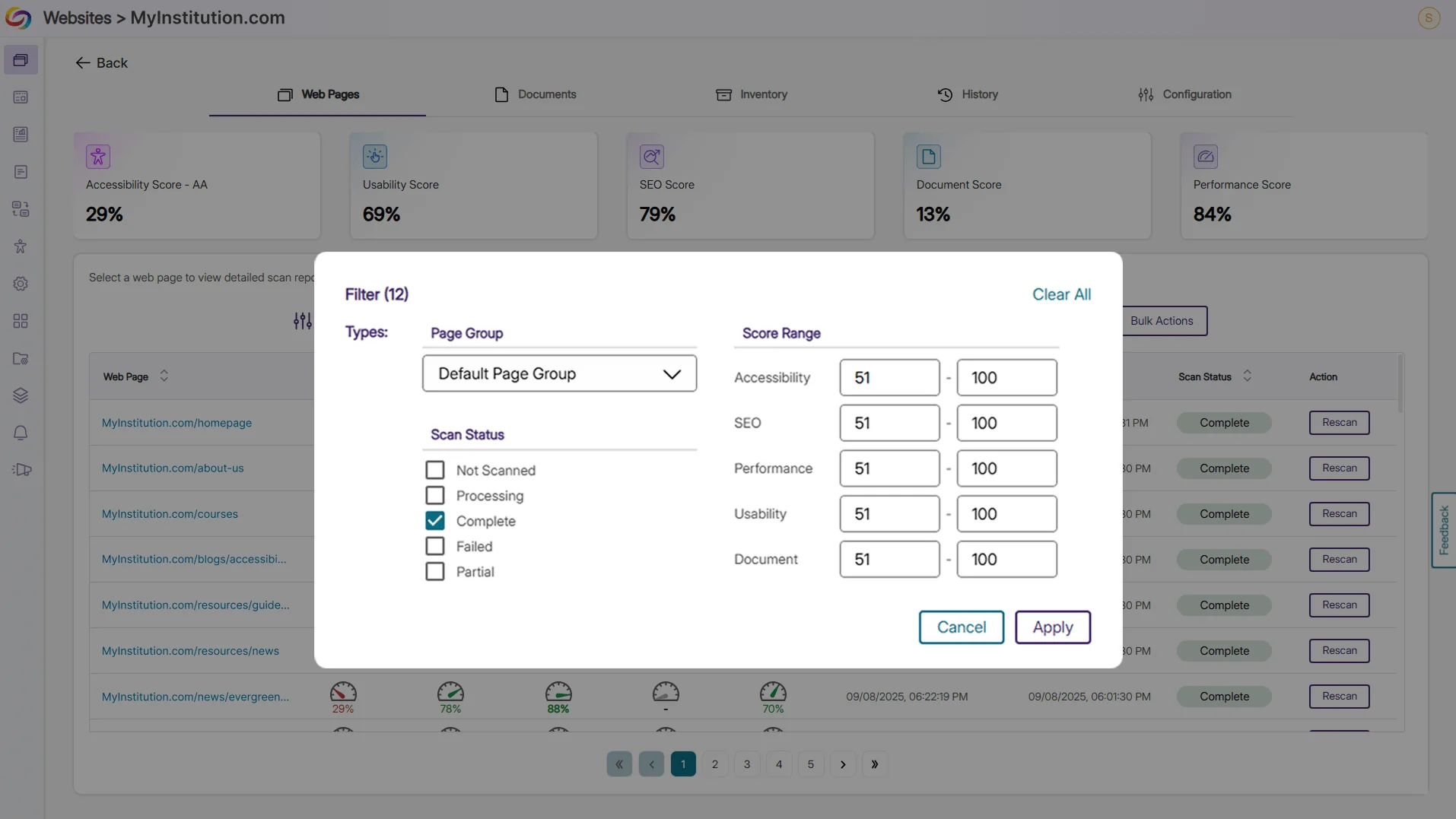
You can now filter web pages by accessibility, SEO, performance, usability, and document scores, showing only those that are in the specified range. You can also filter web pages by their scan status, such as showing only pages with completed scans. With these filters, you can spend less time searching for the web pages you want and more time improving your web page issues and review process.
-
Export a Report of Documents Found on Your Websites
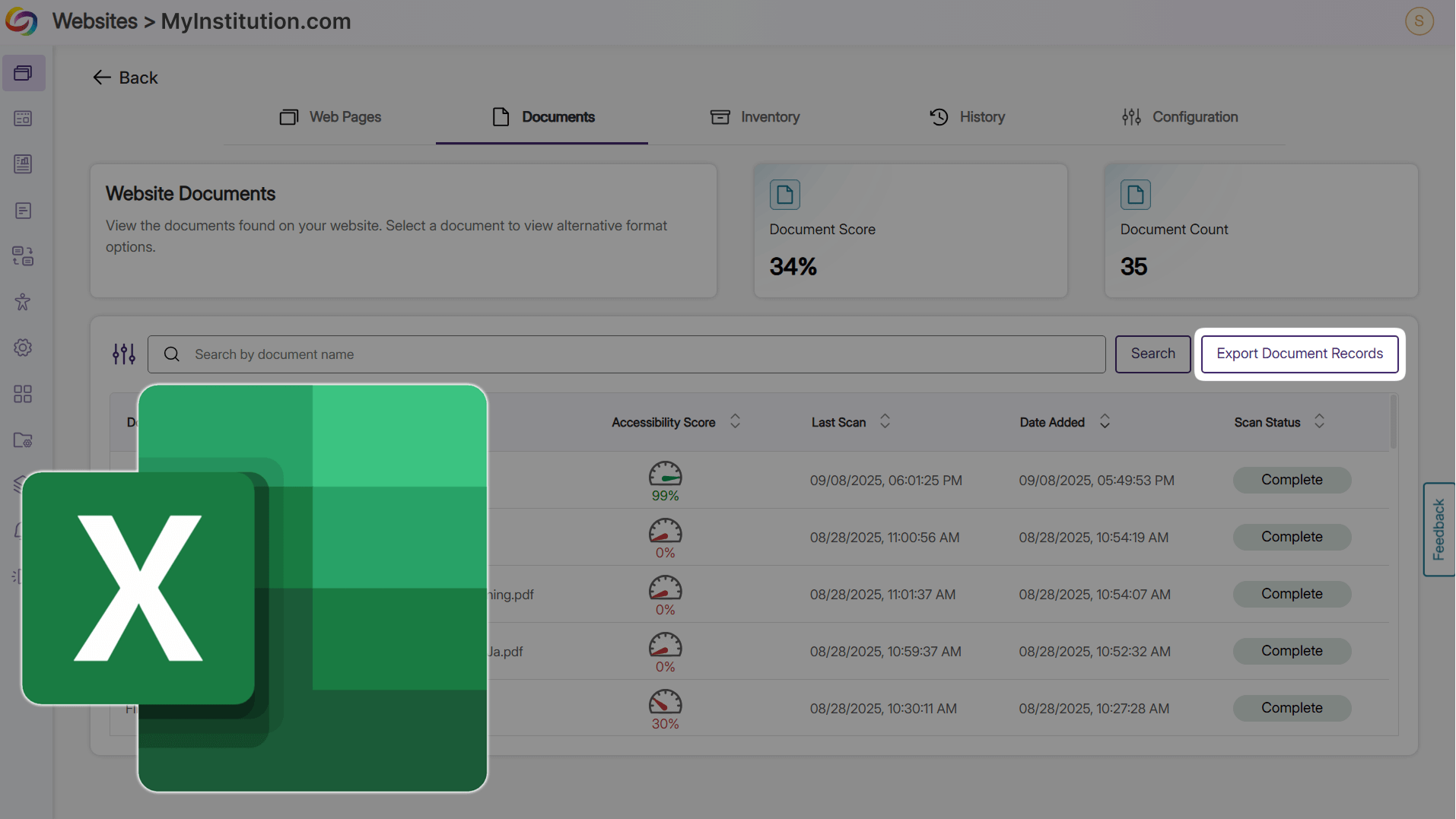
Export an Excel report of your scanned website documents to take on the go for offline viewing. See accessibility scores and issue counts at a glance to spot patterns, prioritize fixes, and share improvements with external users.
-
Explore the Latest Product Updates
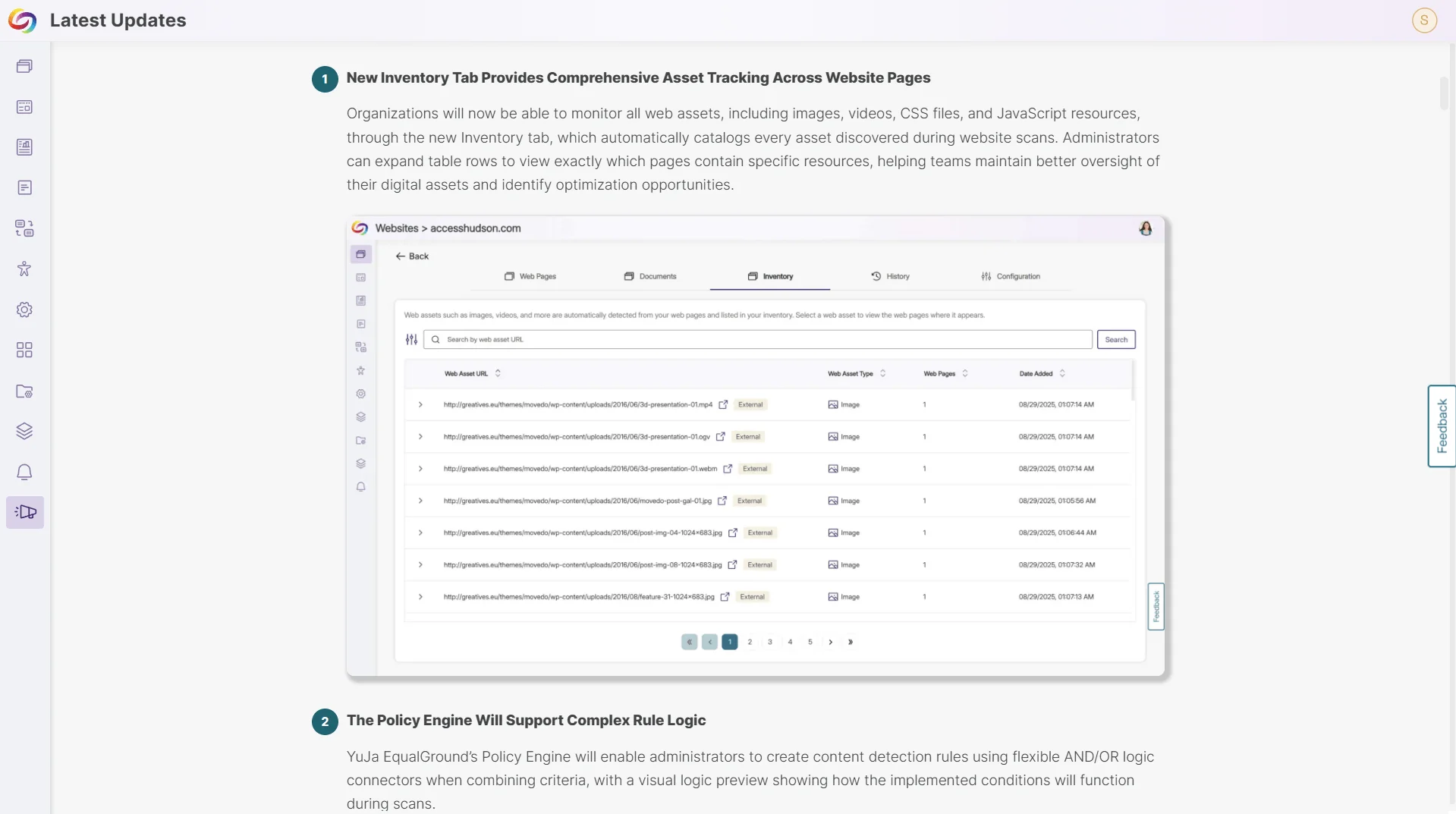
Get a preview of upcoming EqualGround features and explore our other products directly within the Platform.
-
See EqualGround Updates: Visit the new “Latest Updates” section to see the features we have added in recent releases, and what’s coming next.
-
View Updates for Other Products: Explore updates for our other products directly through the Marketplace, making it easy to discover new features and products that interest you.
-