Over the next few weeks, YuJa Structural Remediation will introduce a new design and workflow to improve remediation processes for PDFs.
-
Remediate PDFs faster with YuJa Structural Remediation’s refreshed design
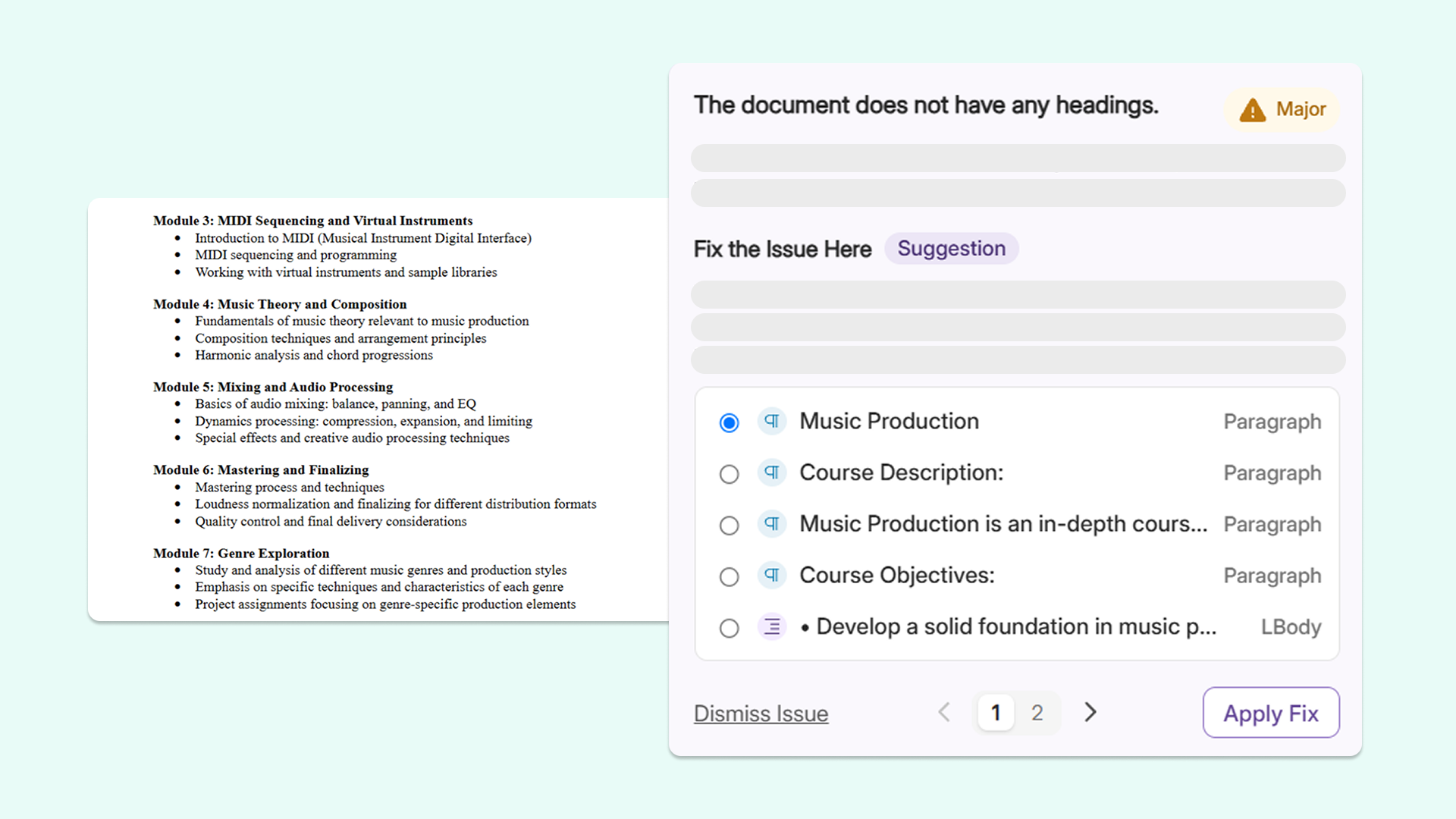
YuJa Structural Remediation’s user interface has received a sleek new revamp that makes fixing PDF accessibility issues quicker and easier.
Key features include:
-
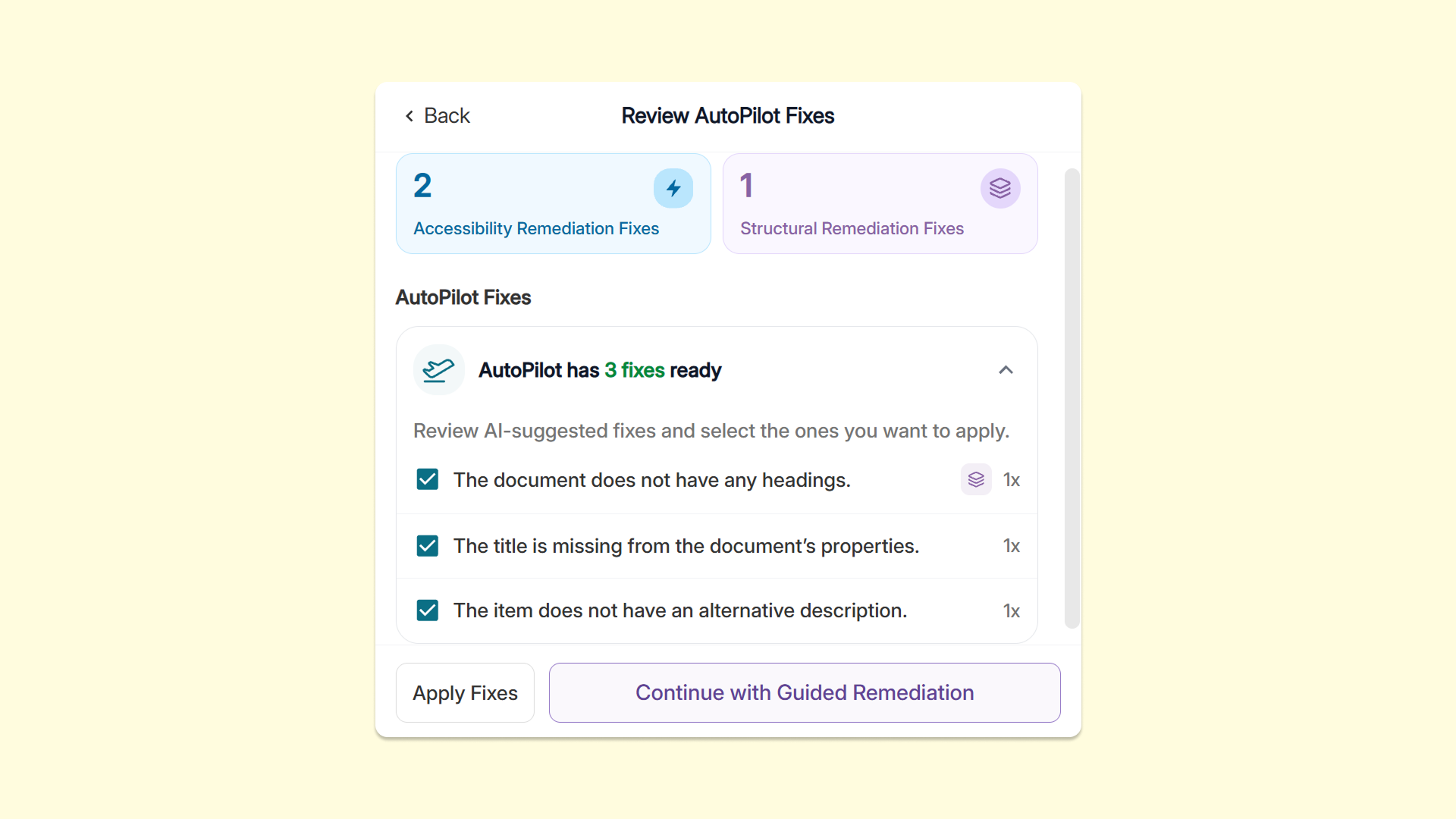
Automatic suggested fixes: Users can now launch Structural Remediation directly from an issue in the Accessibility Report, where suggested fixes can be applied or dismissed in bulk for more efficient remediation.
-
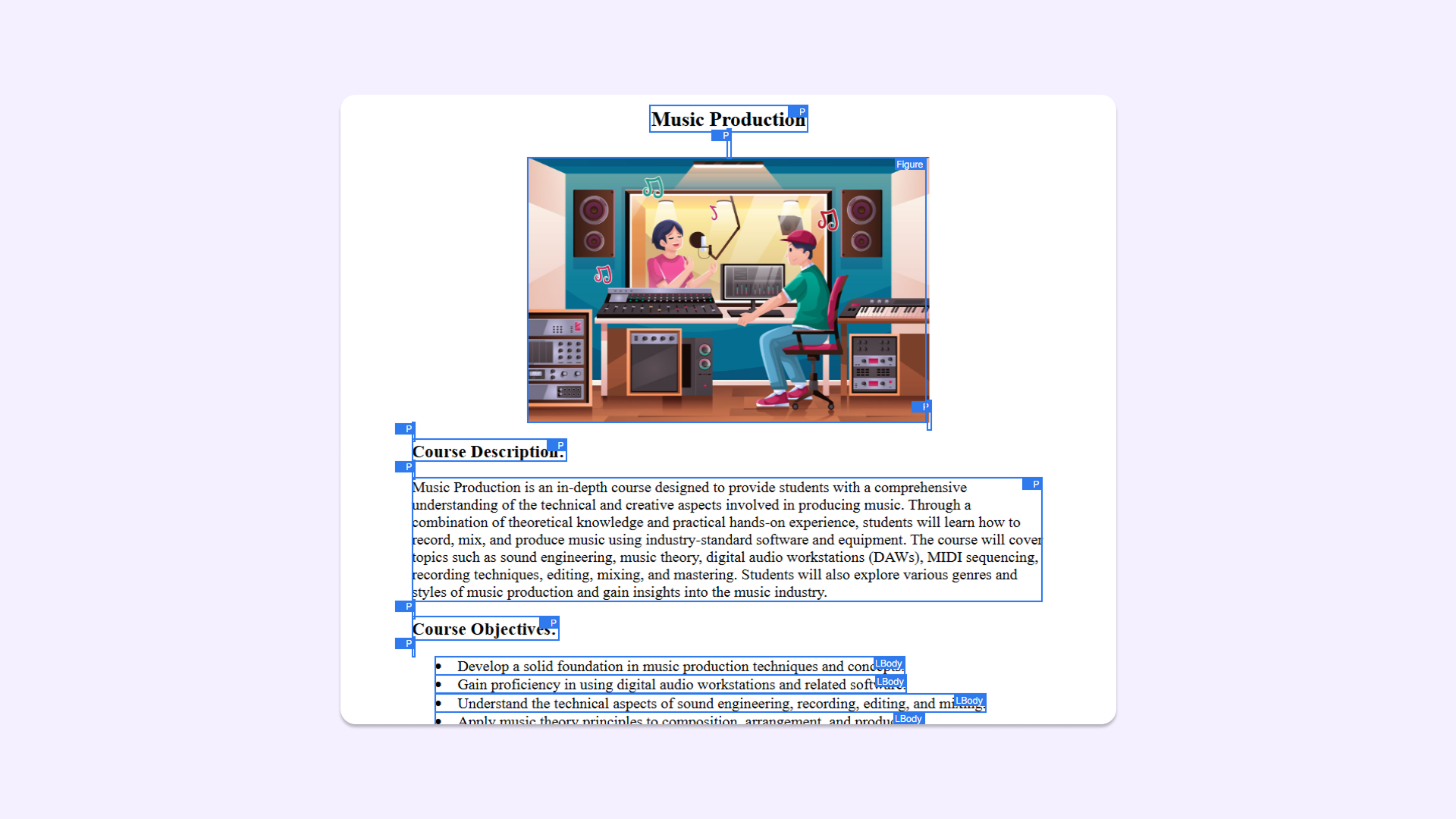
Page view highlights: Users have access to an upgraded page view with highlights for precise issue locating.
-
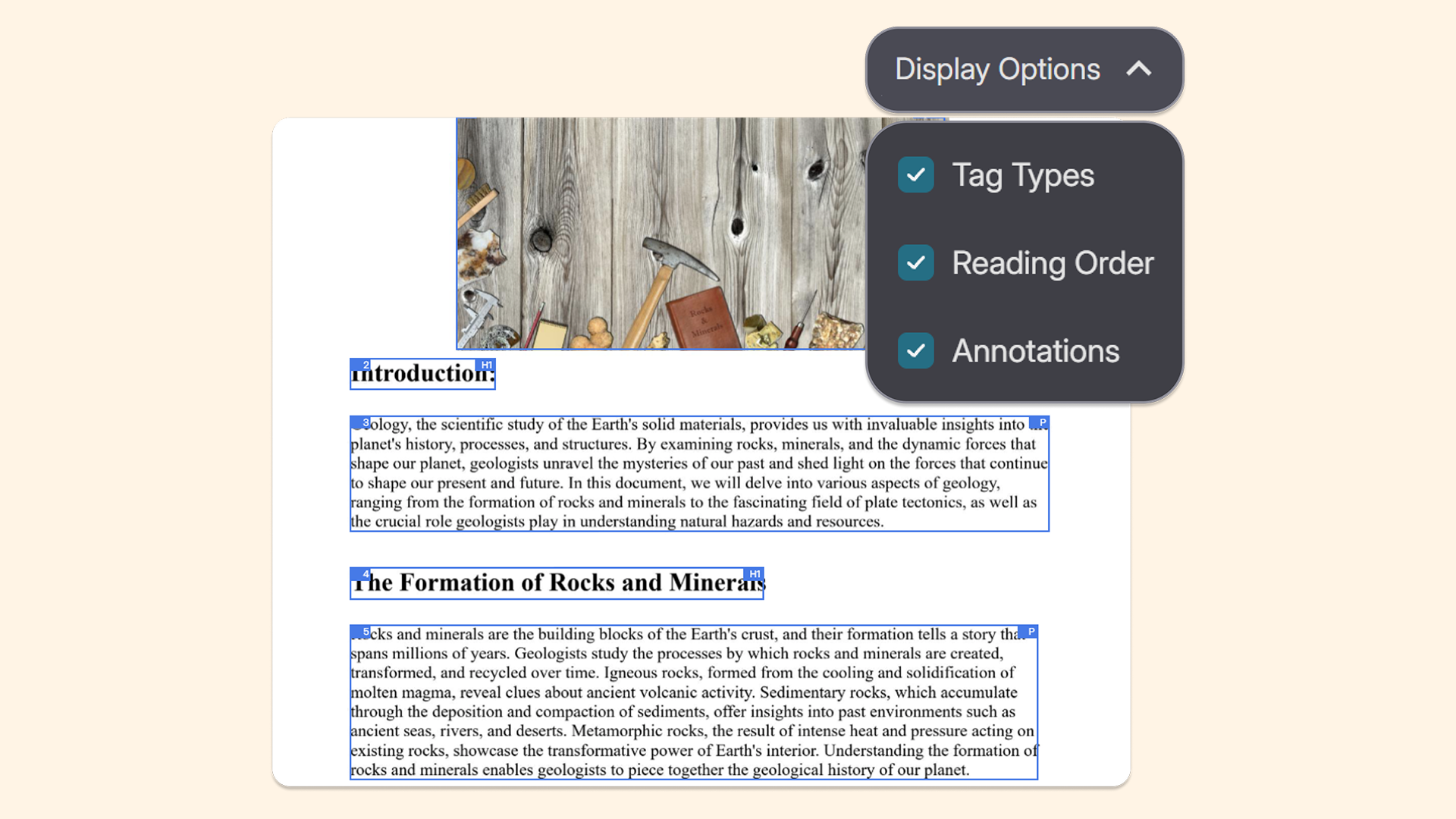
Improved display options: Users now have easy access to Tag Types, Reading Order, and Annotation display options to see how screen readers will interpret documents.
-
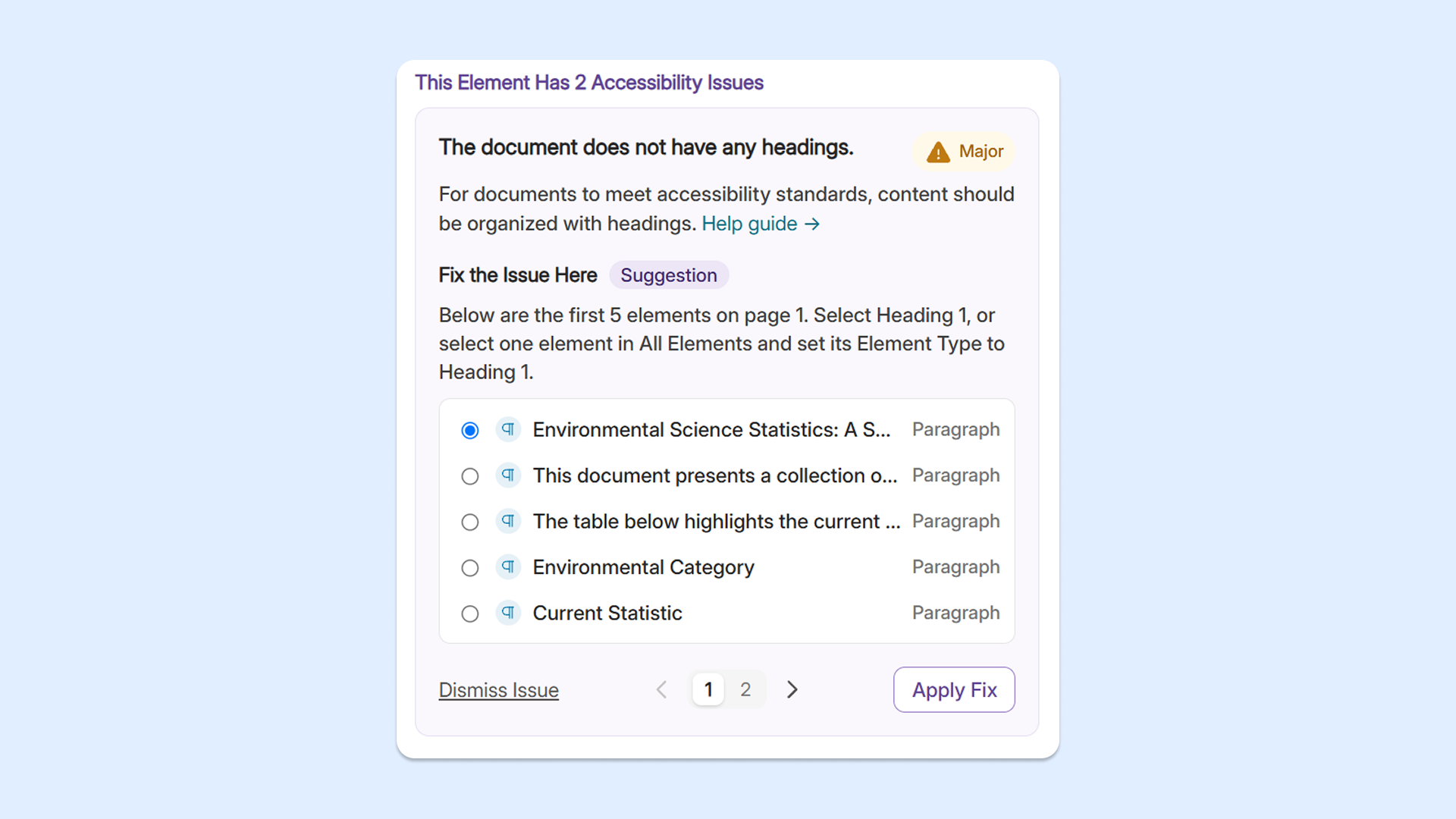
All issues under one tag: Users can now view all suggested fixes under a single tag within the Accessibility Report to eliminate manual searching.
-
-
Return to your page and scrolling position instantly with page preservation in YuJa Structural Remediation
YuJa Structural Remediation now preserves the precise spot and scrolling position that users are currently working on after fixing an issue. This feature helps users maintain a streamlined and uninterrupted workflow when remediating documents within the Accessibility Report.