Over the next few weeks, we’ll be introducing new features in YuJa Verity version 26.6.0 to improve assessment integrity using AI-infused detection, gain clearer insights using upgraded analytics, manage configurations and roster settings, streamline existing workflows, and so much more.
-
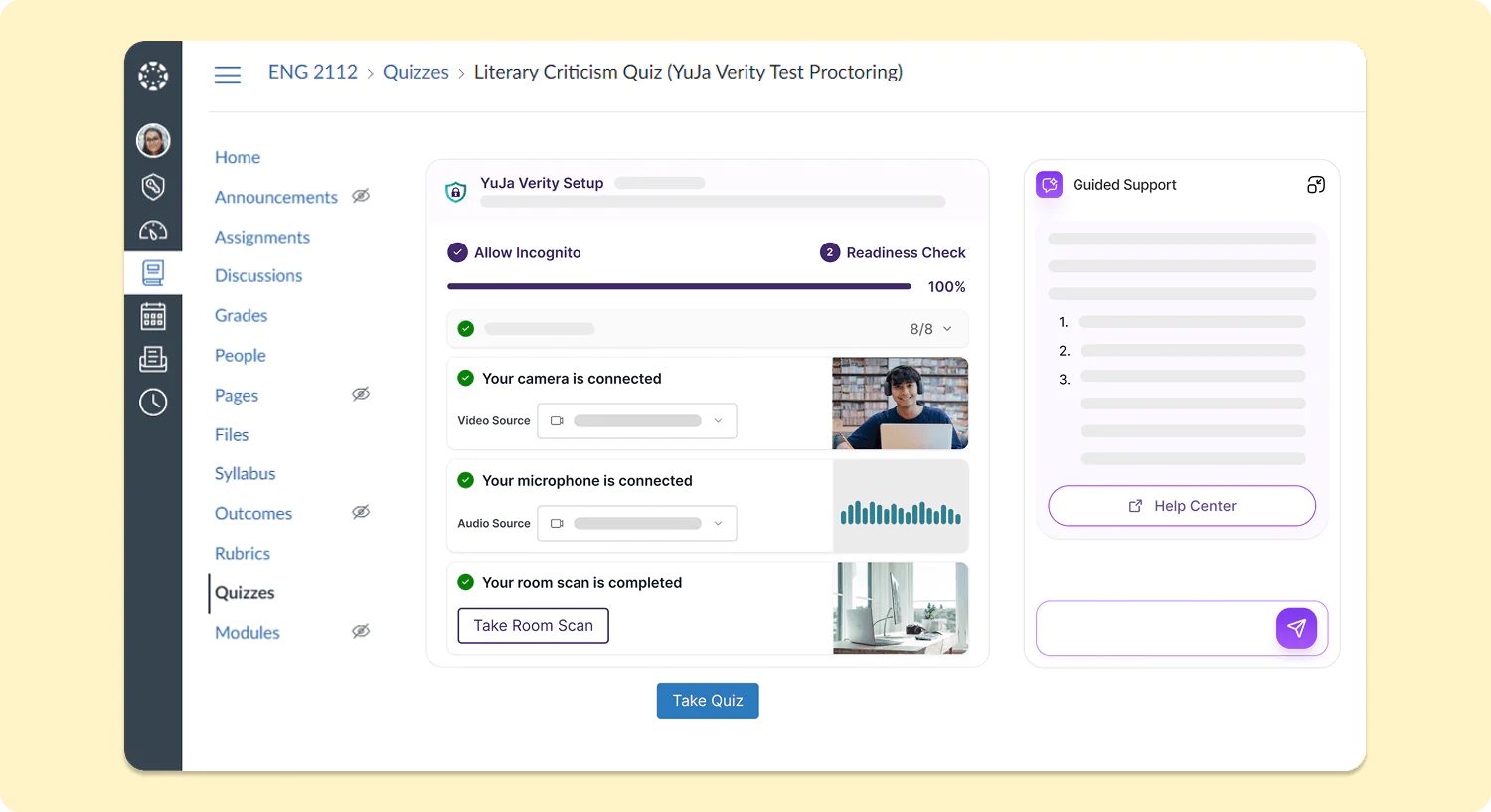
New Assessment Launch Experience for Students Simplifies Pre-Assessment Setup
The workflow for test-takers starting a proctored assessment in all major LMSs will be upgraded to significantly reduce the number of steps required before starting their assessments. With the new inline assessment launch experience embedded within the existing LMS workflow, test-takers will be able to access their assessments with greater ease across every LMS, both for the YuJa Verity browser extension and the YuJa Verity Lockdown App.
-
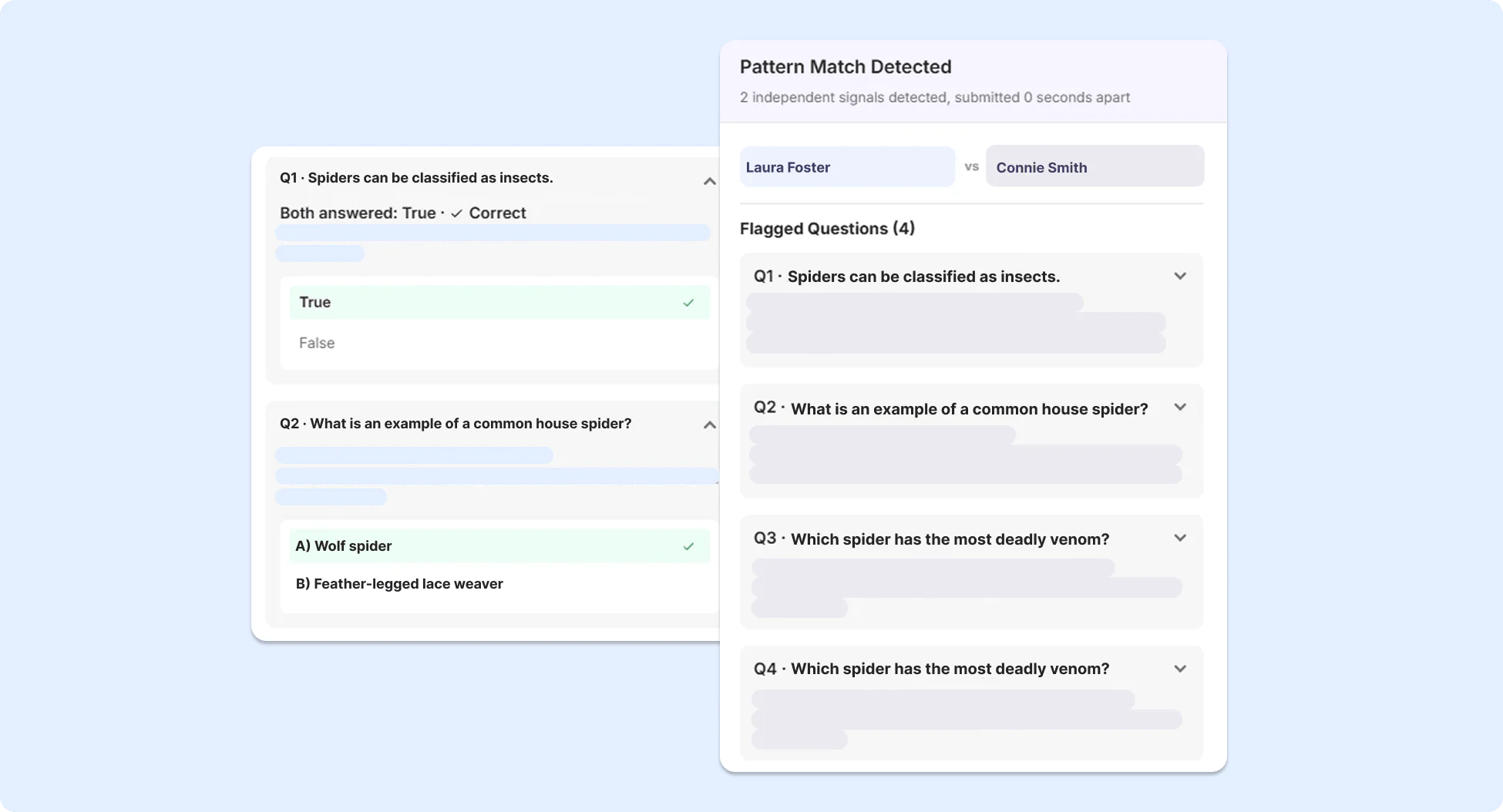
Recognize Academic Integrity Violations with AI-Based Pattern Analysis for YuJa Verity Assessments
To detect potential unauthorized collaboration between students for proctored assessments, advanced AI-based pattern analysis has been added to YuJa Verity to identify patterns indicative of potential academic misconduct, using information such as submission timing, IP address, location data, and response similarity across participants.
-
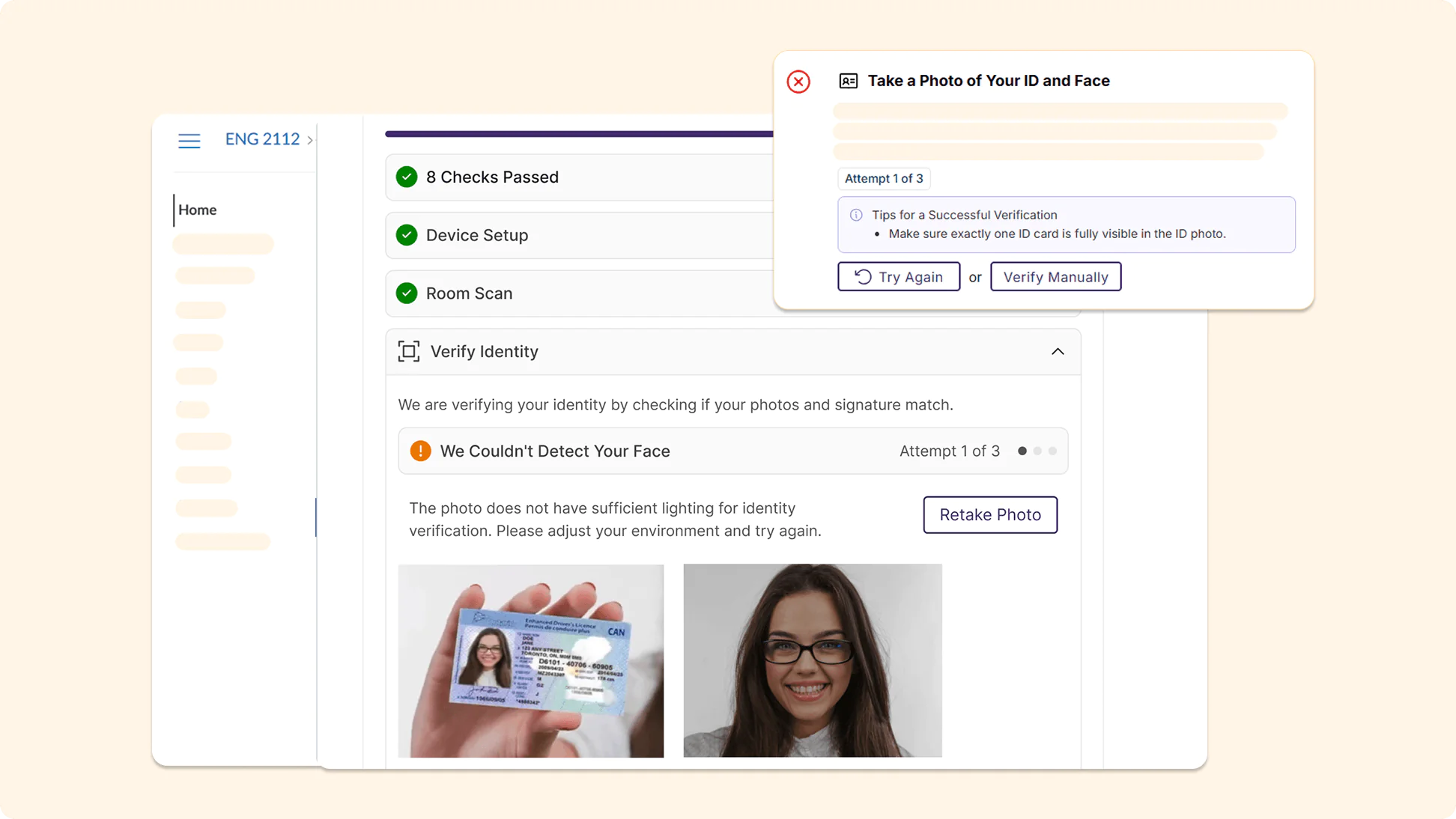
Prevent Unauthorized Access to Assessments with Smarter, More Accurate AI ID Verification
AI ID verification in YuJa Verity has been significantly upgraded, providing more accurate identity checks to prevent unauthorized individuals from accessing assessments. More guidance is provided to test-takers when verification fails, helping them resolve any potential issues during their Pre-Assessment Check.
-
Measure Institutional Academic Integrity Performance with the New AI-Infused Integrity Report
Reports in YuJa Verity have been refreshed as a new, modernized Integrity Report that helps instructors understand the performance of test-takers across both courses and their institution at a glance. The Post-Assessment Results page in YuJa Verity has been upgraded with a new modernized look to help instructors better understand and interpret test-taker performance.
-
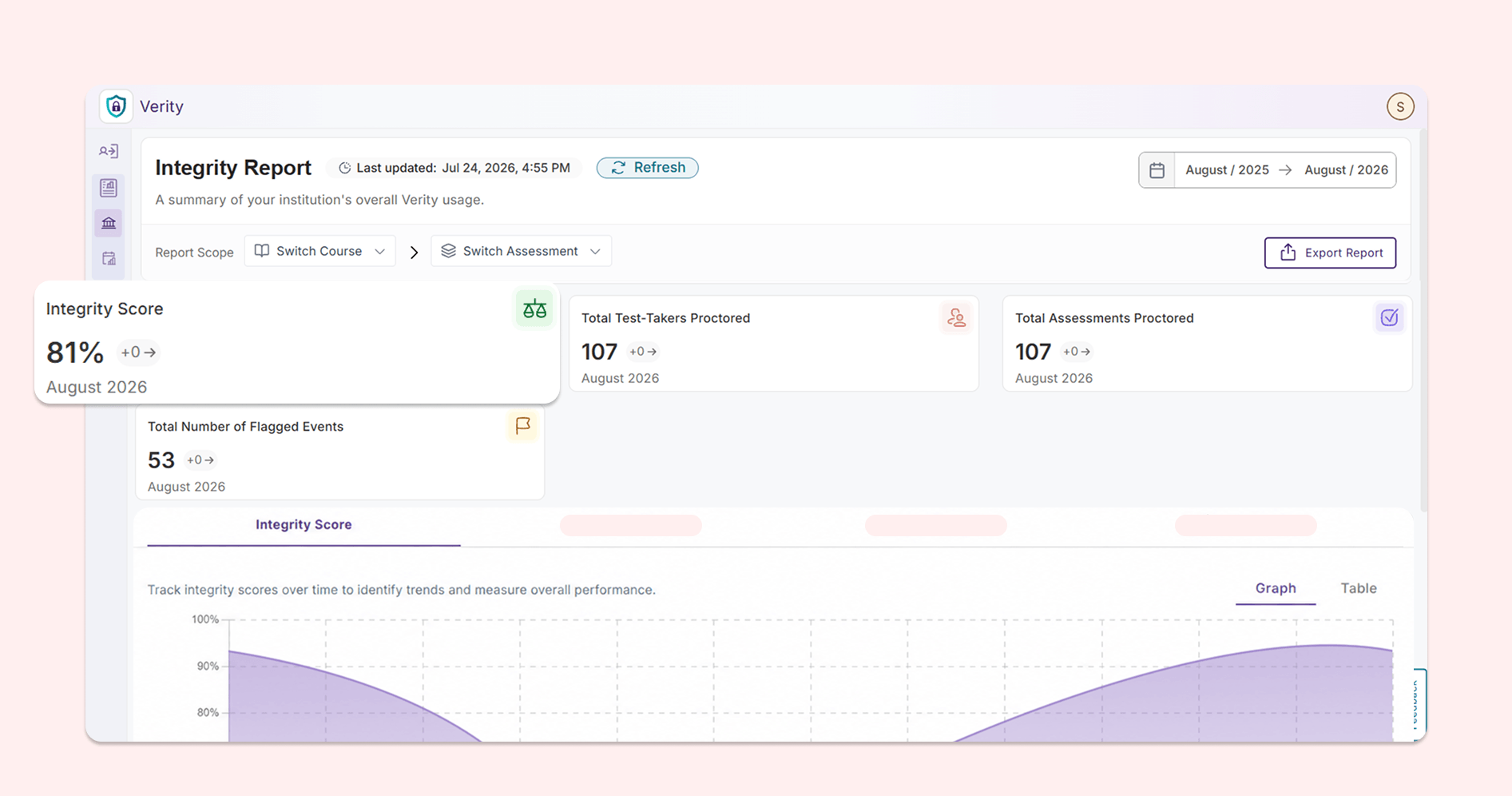
Integrity Score: Users can track the overall performance of the institution over time, helping them quickly distinguish any areas of concern.
-
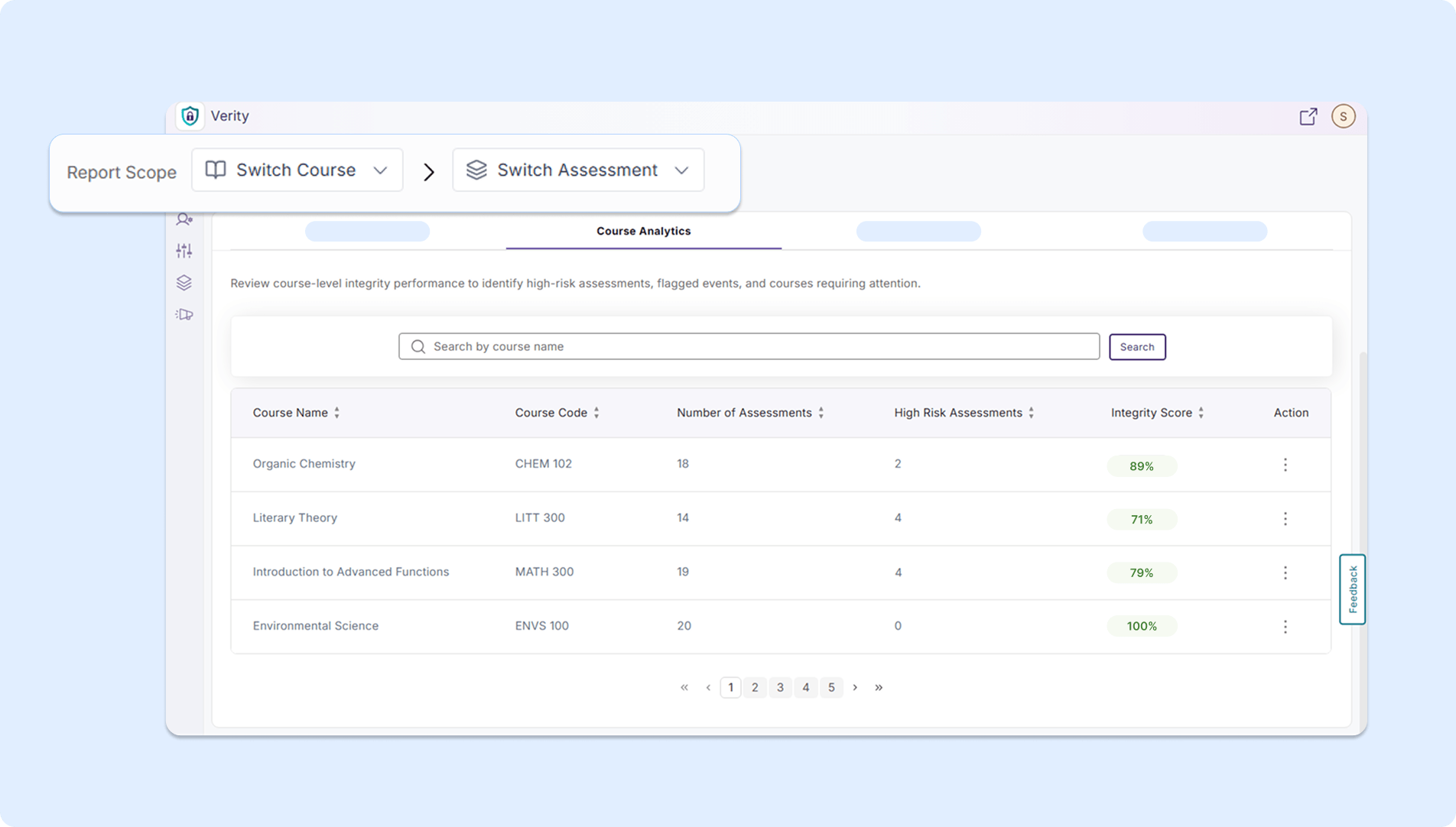
Course Analytics: Users can review integrity scores at the course level and identify any high-risk assessments.
-
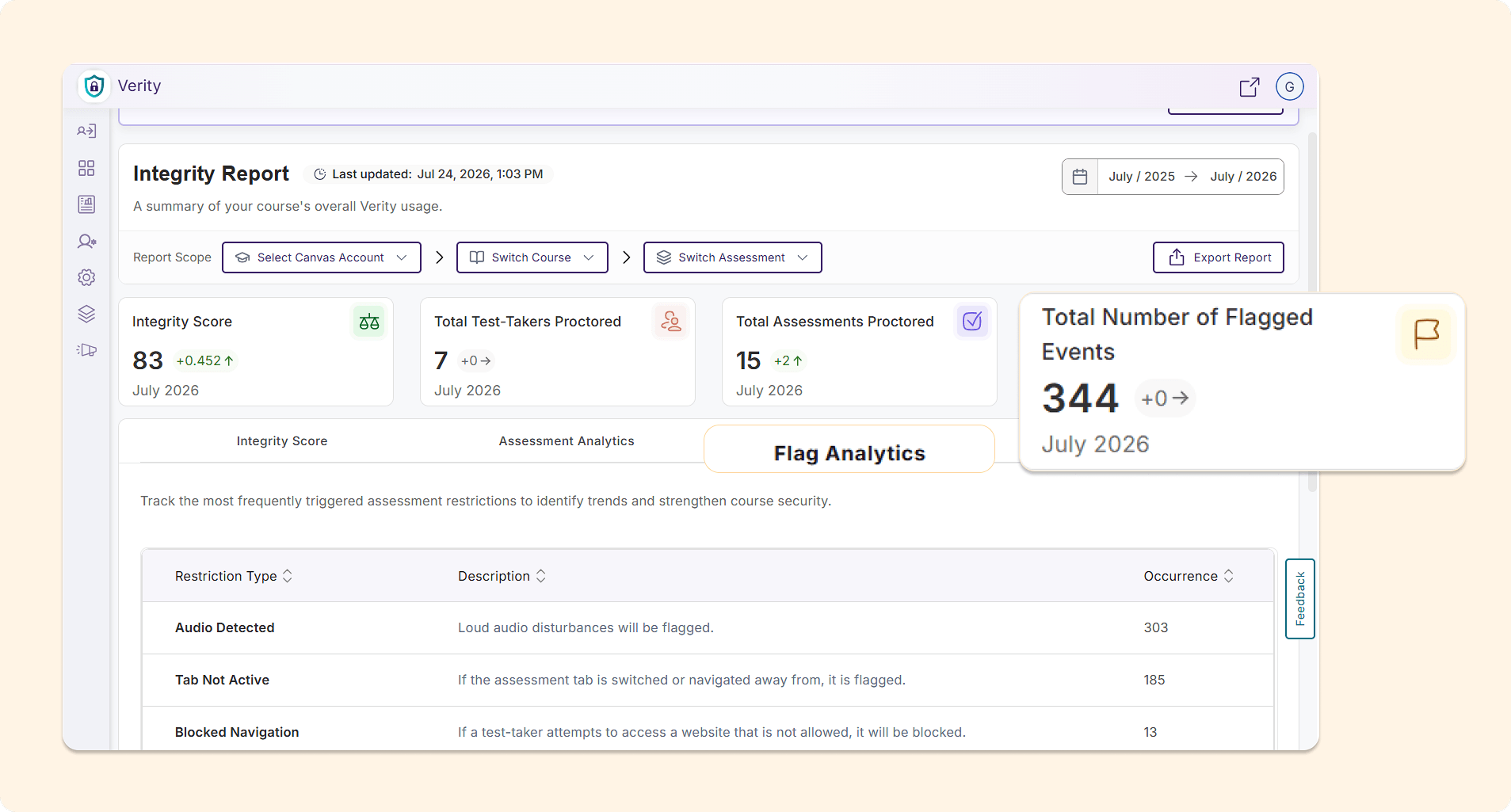
Flag Analytics: Users can track the proctoring restrictions that are most frequently violated in their institution to develop strategies to strengthen the security of their assessments.
-
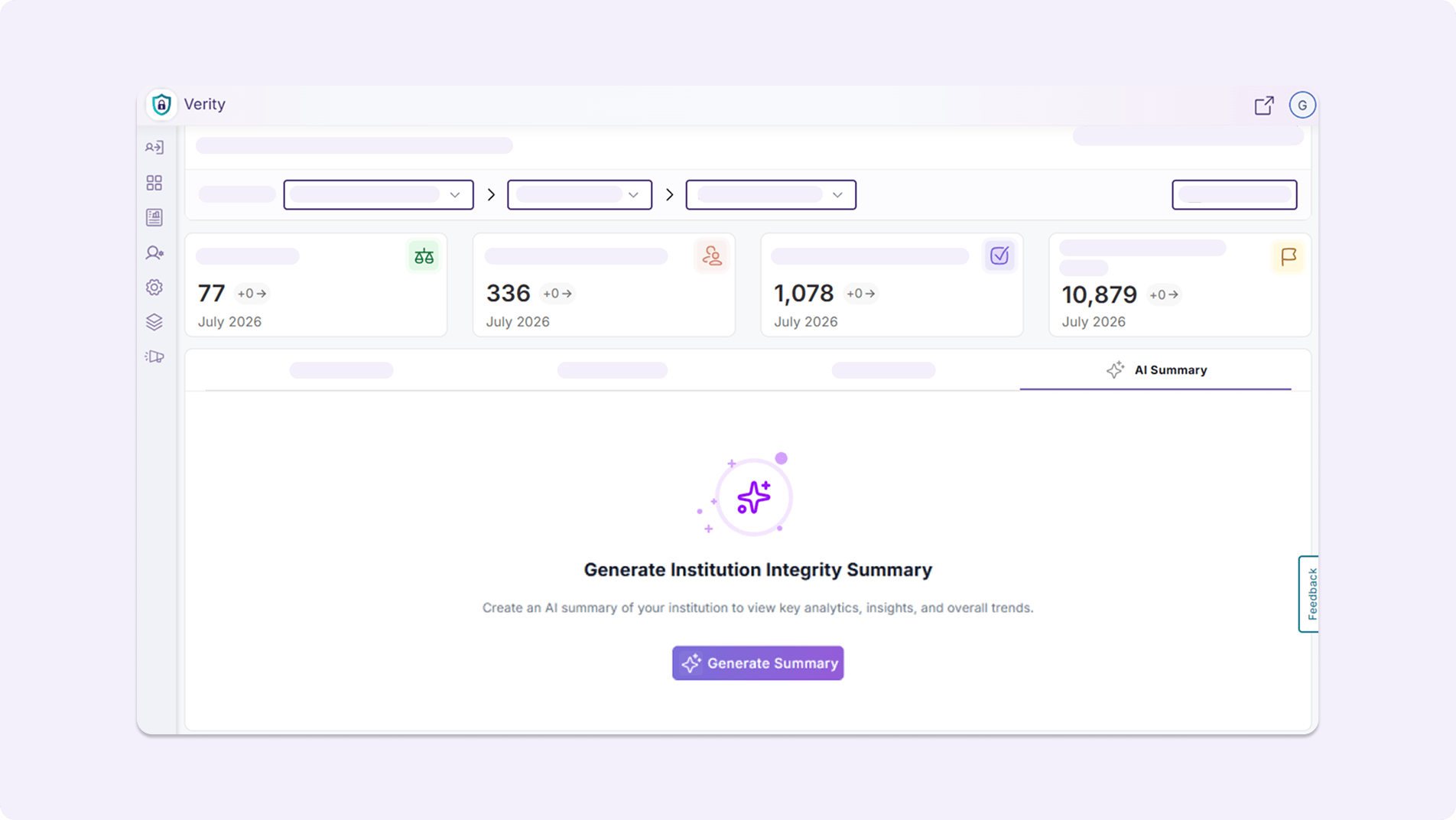
AI Summary: Users can generate AI-powered summary analytics, helping them quickly identify courses for improvement, key trends and integrity observations, and possible next steps.
-
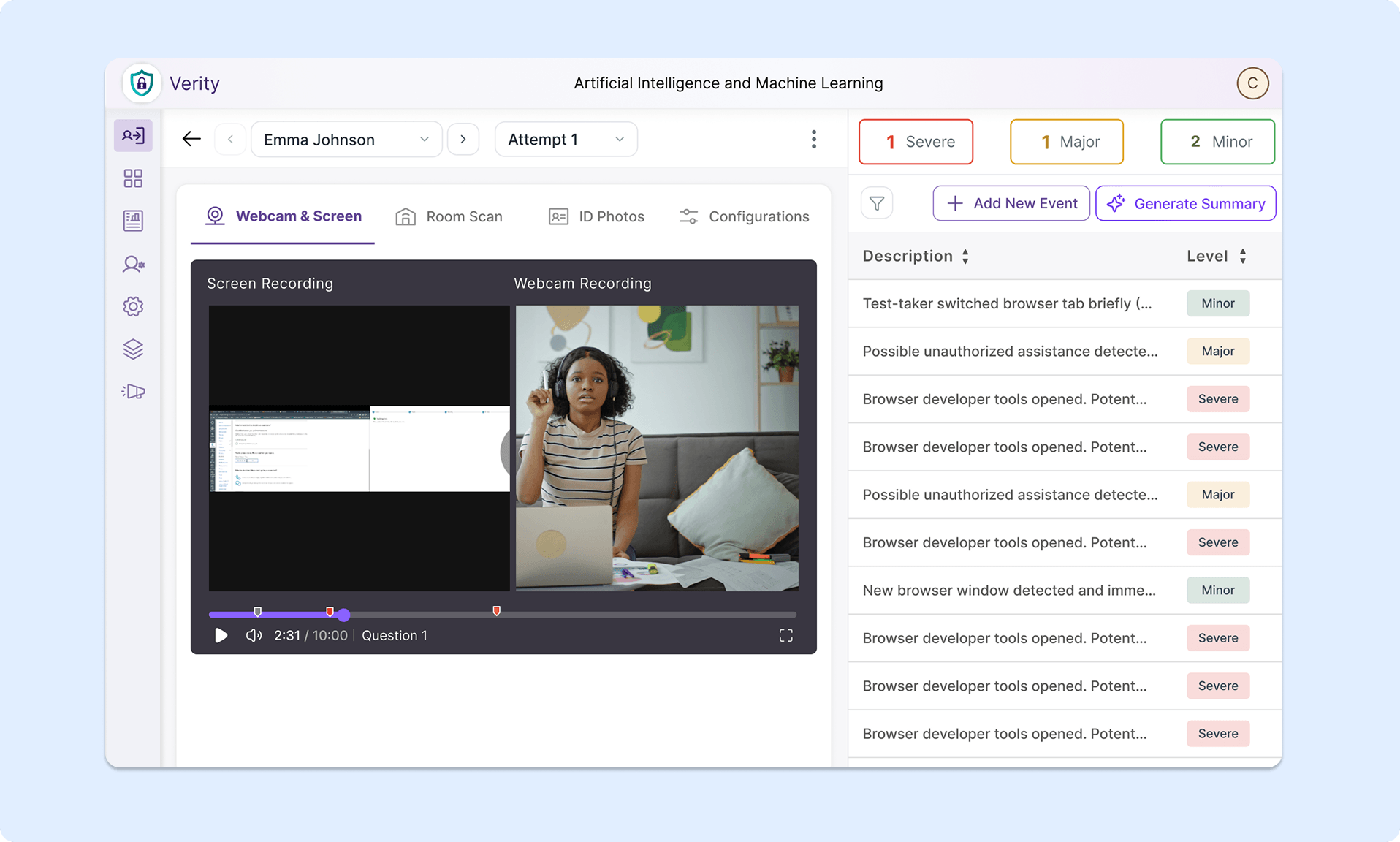
Assessment Results Page: The Assessment Results Page now has a fresh look and improved usability.
-
-
Manage Proctoring Profiles Directly From Settings Menu
Administrators can now manage proctoring profiles at the institution, sub-account, course, and individual levels, all from the Settings menu.
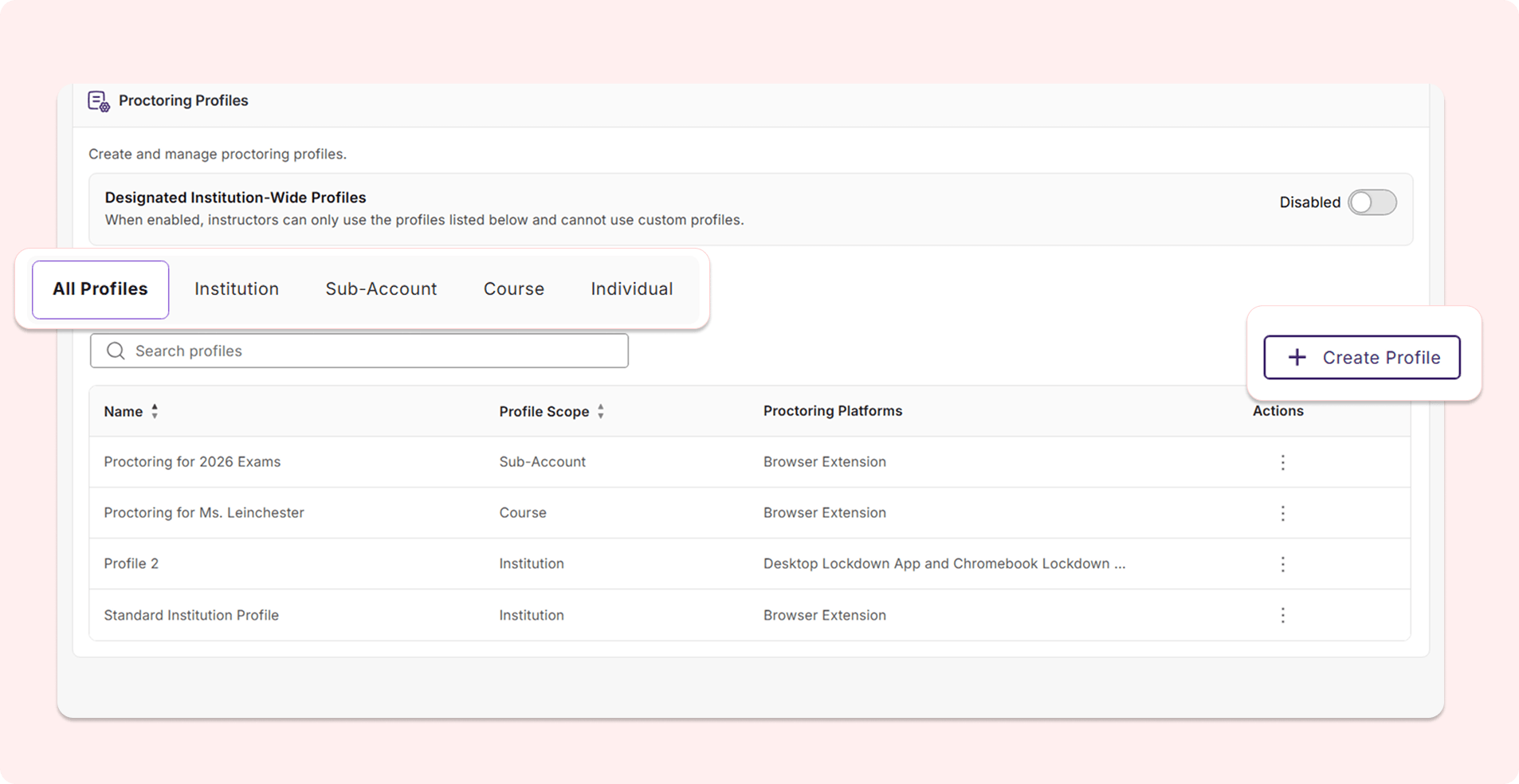
Users can:
-
View existing profiles: Users can see which proctoring profiles have been created at each level and review the specific proctoring configurations that have been selected.
-
Create new profiles: Users can directly create a new proctoring profile for each level from the interface without needing to open a new assessment workflow. Users can also now create proctoring profiles for sub-accounts associated with their LMS role, offering additional granular role-based controls that match their existing workflows.
-
Designate institution-wide profiles: Users can enable institution-wide profiles using a toggle to ensure that instructors are only permitted to use the proctoring profiles listed on this page instead of their own custom profiles. This new toggle eliminates the need for users to navigate to the general Settings page to choose an institution-wide profile.
-
-
New Interactive Setup Guide Introduces Administrators to YuJa Verity
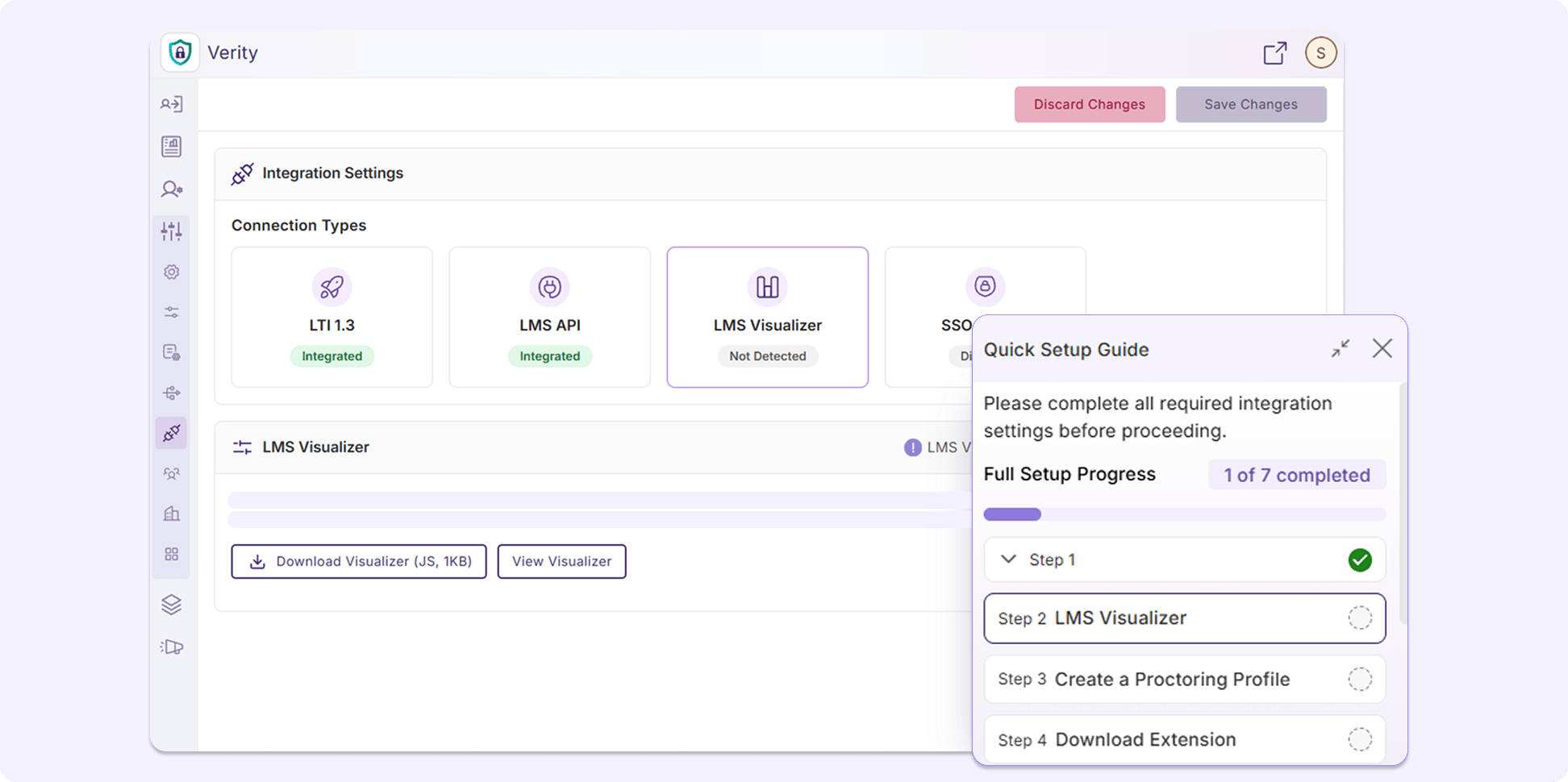
YuJa Verity now provides an interactive Setup Guide that takes administrators through setting up their integration via LTI 1.3 and API, setting up the LMS Visualizer, and taking and reviewing quizzes, allowing first-time institutions to gain a better understanding of YuJa Verity’s features and workflows prior to their first assessment.
-
New Question Types Added to the YuJa Verity Assessment Builder For Expanded Flexibility
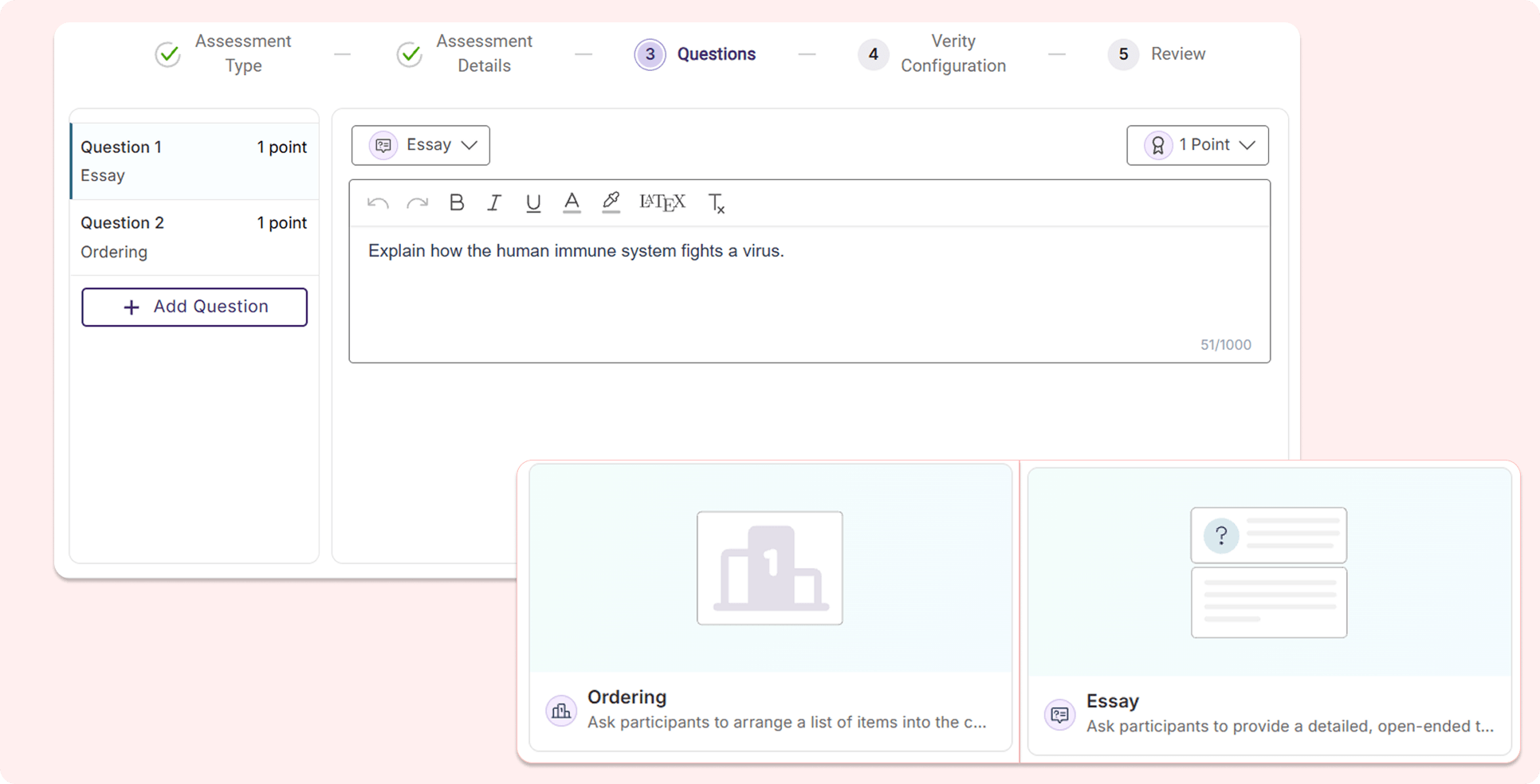
The YuJa Verity Assessment Builder is introducing two new question types: Ordering and Essay, allowing instructors to have more flexibility when building their assessments.
-
Ordering: Test-takers will be required to order the answer options in the correct sequence.
-
Essay: Instructors can add essay questions to assessments, prompting test-takers to respond with open-ended written answers.
-
-
Chaptered Playback Recording By Question Number to Accelerate Evaluation Processes
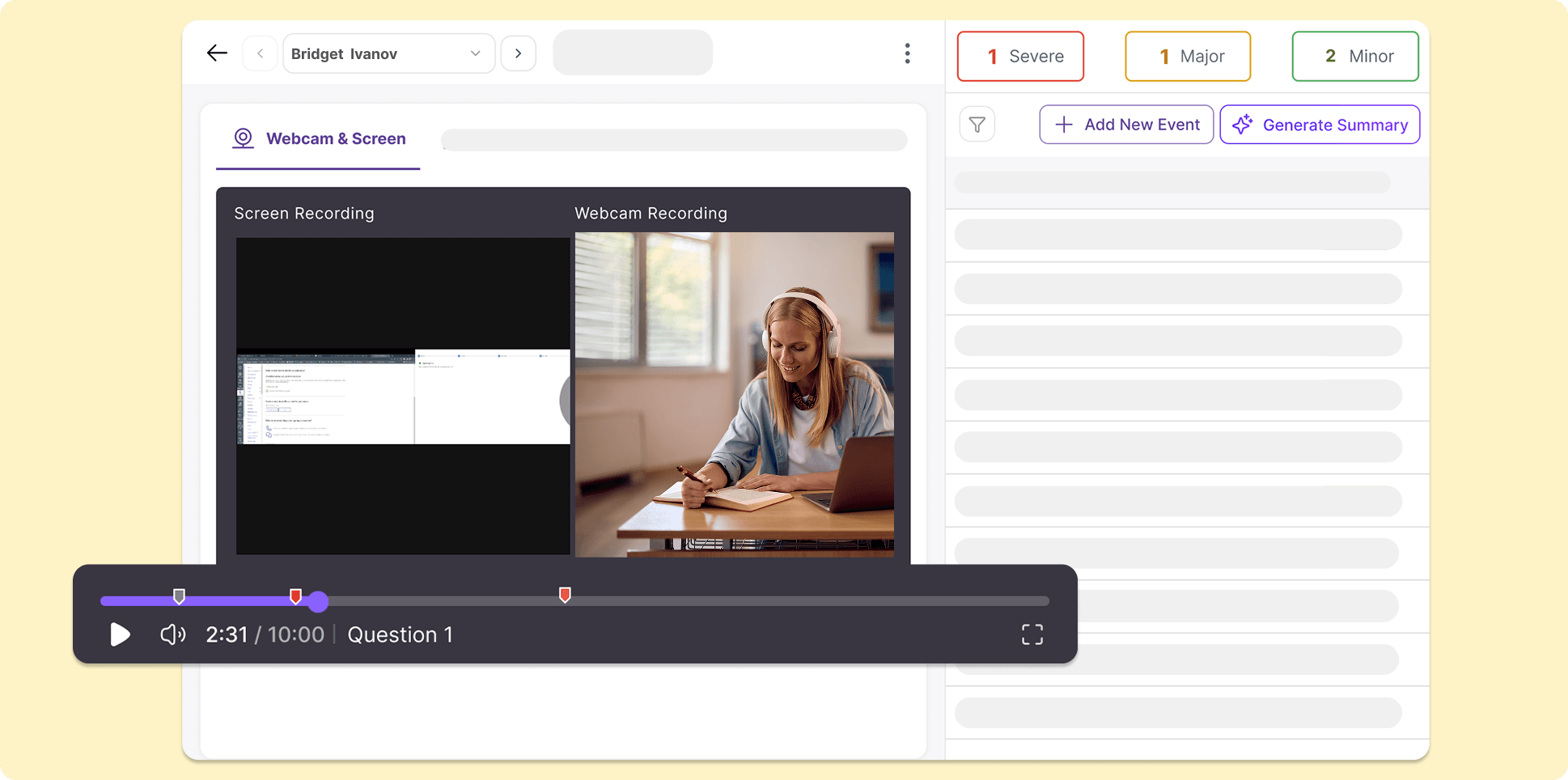
The YuJa Verity Assessment Builder now tracks when each question is answered in the playback recording using visual timestamps with the question number. The playback progress bar will automatically divide into sections based on when a test-taker attempts to answer a new question, helping instructors quickly navigate through the recording to evaluate test-taker performance for specific questions.
-
Streamline the Post-Assessment Review Process with Improved Reference Material Workflow
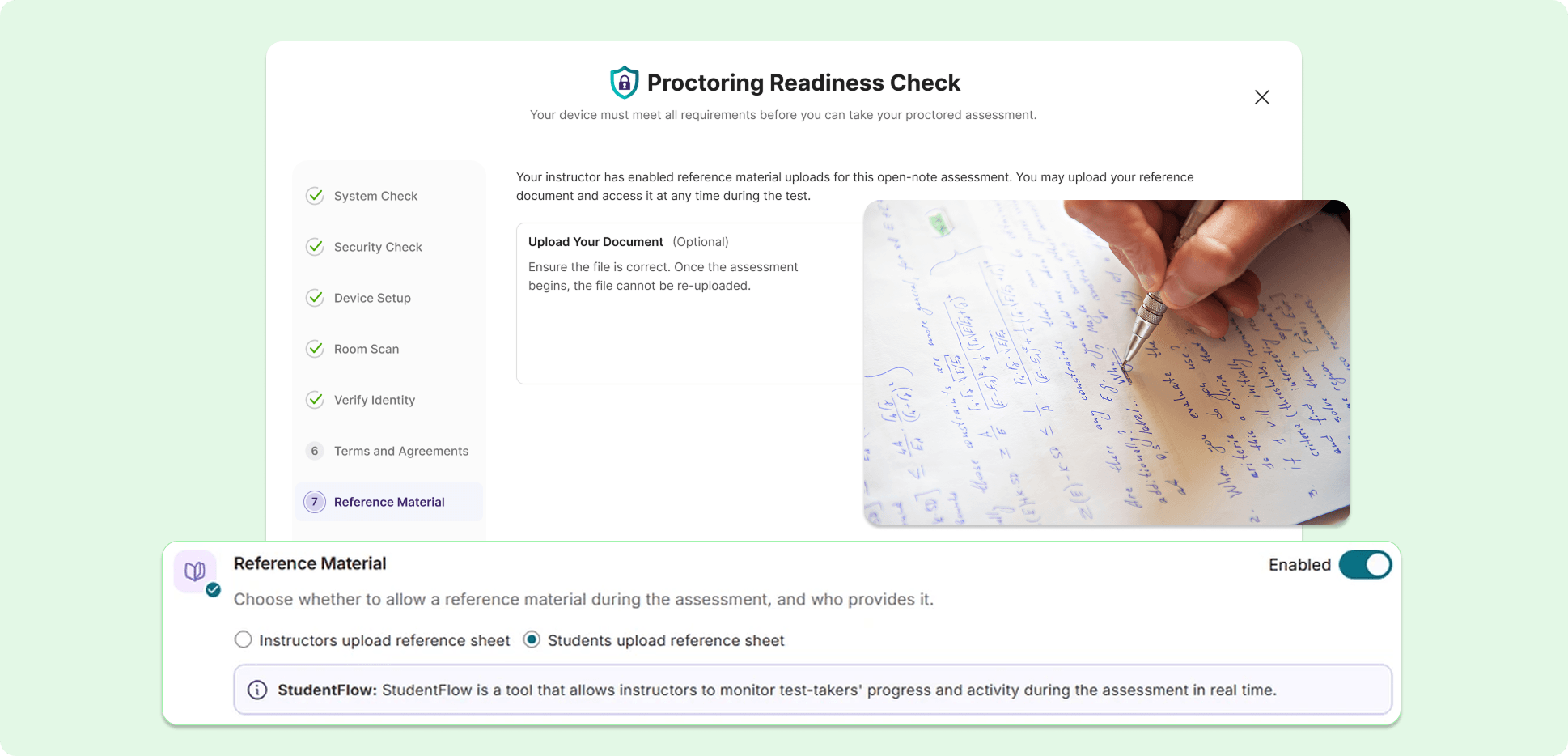
The workflow for test-takers to use reference material during a proctored assessment has been improved to provide more transparency and efficiency for both test-takers and instructors evaluating the assessment.
Key features include:
-
Permit reference material uploads: From the Proctoring Setup page, instructors can choose to upload reference material or allow test-takers to upload their own.
-
New submission process for test-takers: Test-takers can now submit their reference material during their Pre-Assessment Check for instructors to review, helping establish more transparency and security for proctored assessments.
-
Review submitted reference material: Reference material submitted and used by test-takers during an assessment will be displayed in their Post-Assessment Report page, helping instructors quickly cross-reference information to streamline their evaluation process.
-
-
Introducing a New, Organized Audit Log for Administrators
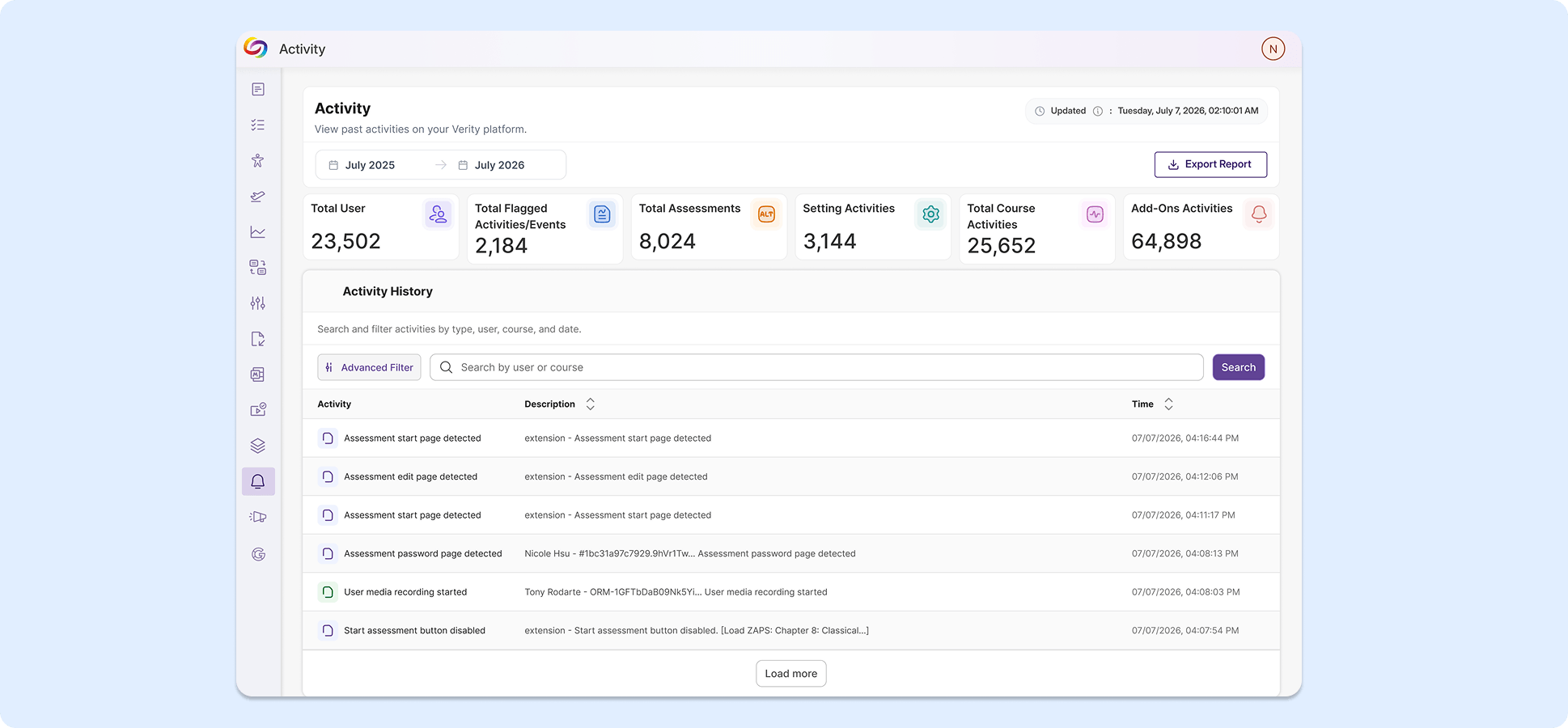
We’re introducing an administrator-specific audit log for tracking institution-wide actions and events in the platform. User activities are placed in a clean table with symbols for each event type detected, reducing visual clutter. Administrators can also use the advanced filter to search for specific events.
-
Administrative Settings Pages Now Have a New Look for Smoother Navigation and Improved Consistency
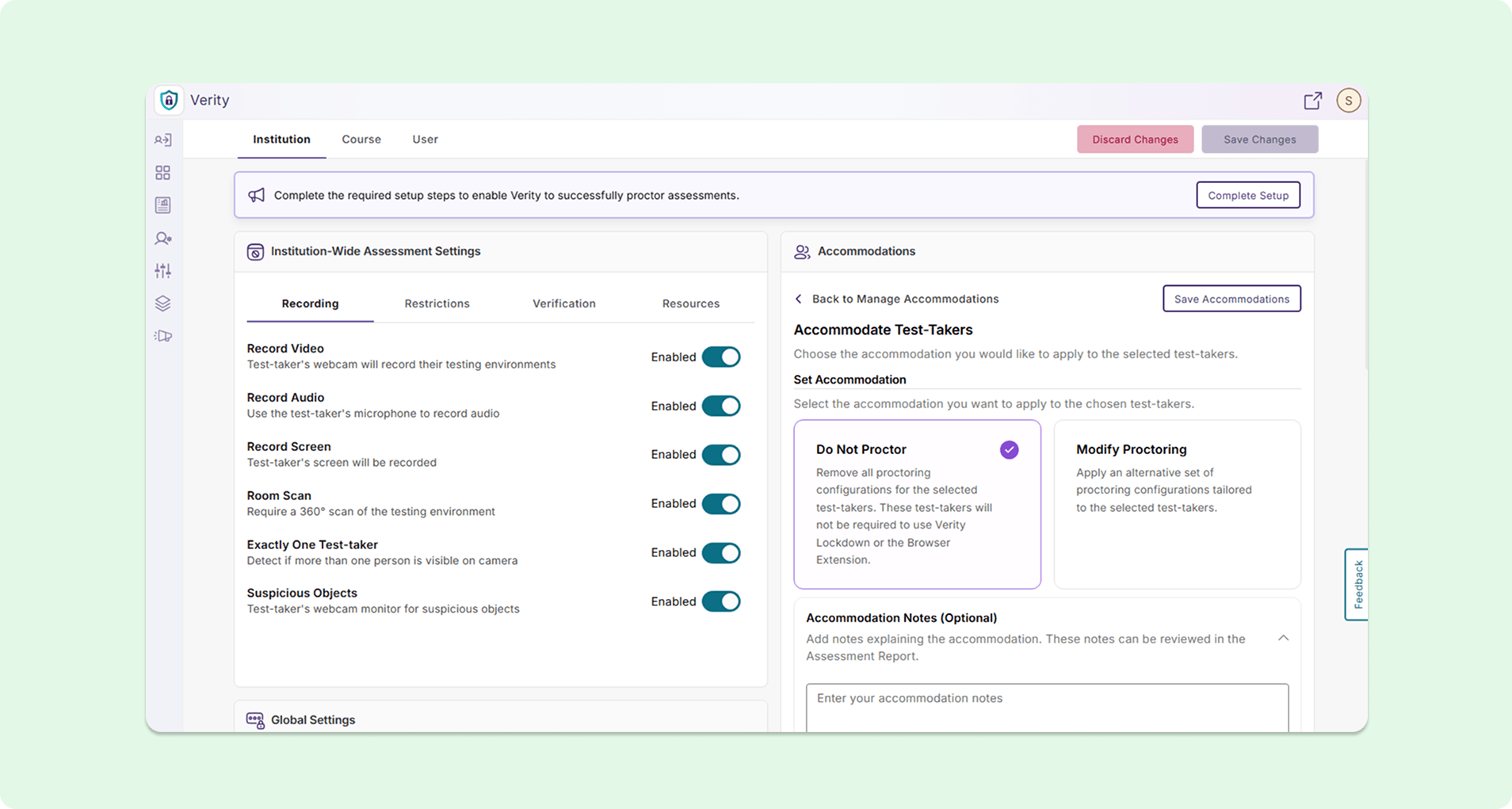
Multiple administration pages now have modernized designs to introduce more succinct descriptions, simplified layouts, and better consistency across the overall user experience. Pages with refreshed UI include the Admin Panel, Configurations, Course Settings, and Institution Settings.
-
Start Recording After Assessments Begin to Limit Unnecessary Footage During Post-Assessment Review
Administrators can now enable a “Start Recording After Assessment Begins” option in the Institution Settings page, effectively disabling recording of any kind during the System Check process. Instructors can review recordings and evaluate test-takers faster without needing to watch through the system setup process prior to the assessment.
-
Assign Students to LMS Courses Directly in YuJa Verity
Instructors can now assign students to LMS courses directly using Roster Management on the Settings page without needing to configure course settings in their LMS, eliminating the need to navigate between different platforms.