YuJa Panorama v26.7.0 Release
Over the next few weeks, YuJa Panorama will be adding several new features to make remediation faster and easier for administrators, including the ability to exclude files from being scanned, helpful alert messages to resolve document replacement errors, and much more.
-
Exclude or block files for more control over what is scanned by YuJa Panorama
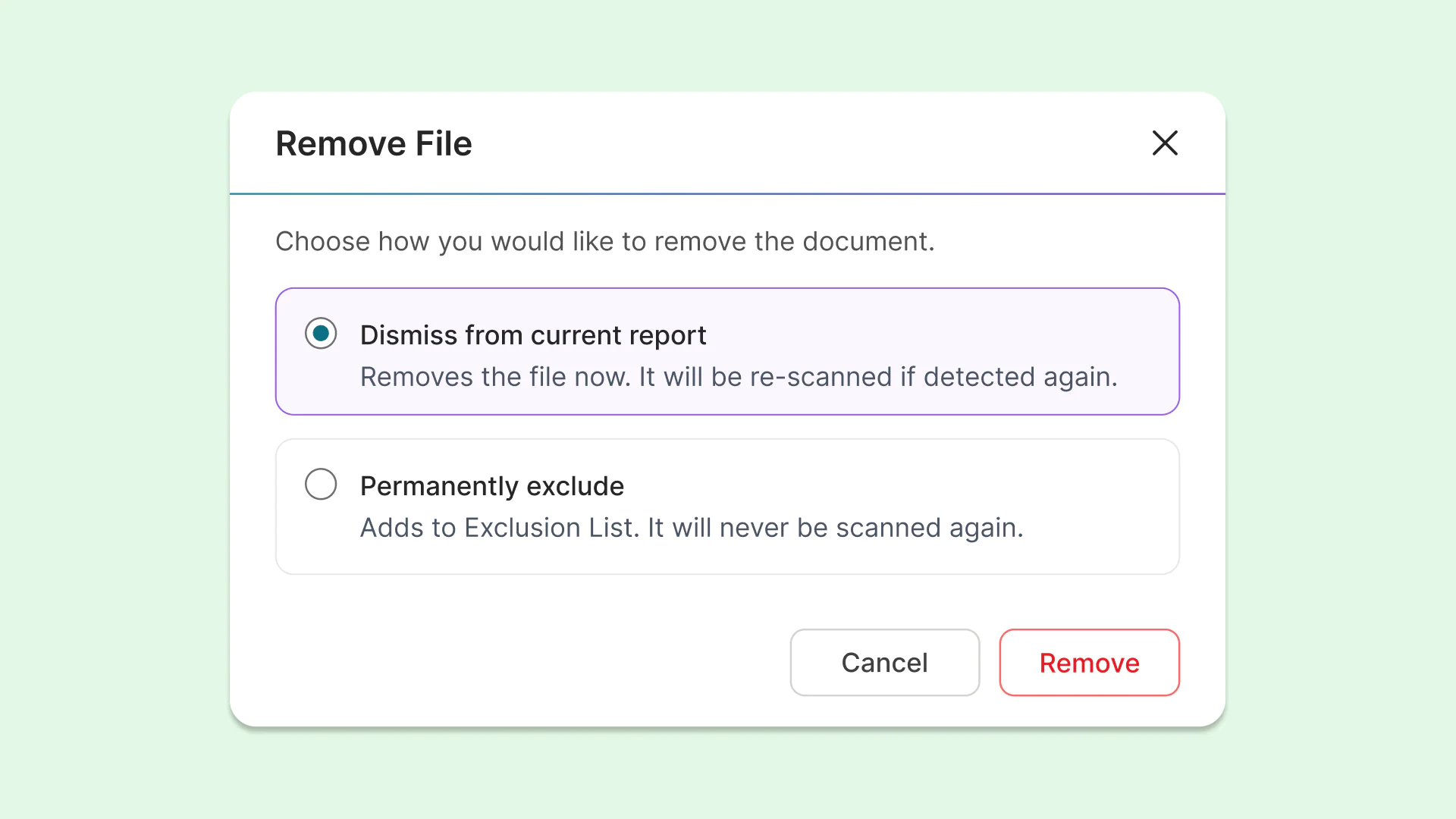
Instructors and administrators can now dismiss or permanently remove files from being scanned or re-scanned by YuJa Panorama, allowing them to have more control over how their course accessibility is calculated. This protects overall course scores when certain files should be excluded.
The options for removing files include:
-
Dismiss from current report: Removes the file for the current report, but it will be re-scanned if detected again during a future scan.
-
Permanently exclude: Adds the file to an exclusion list, ensuring it will never be scanned again. These files will display a unique icon for quick and easy identification in the future.
-
-
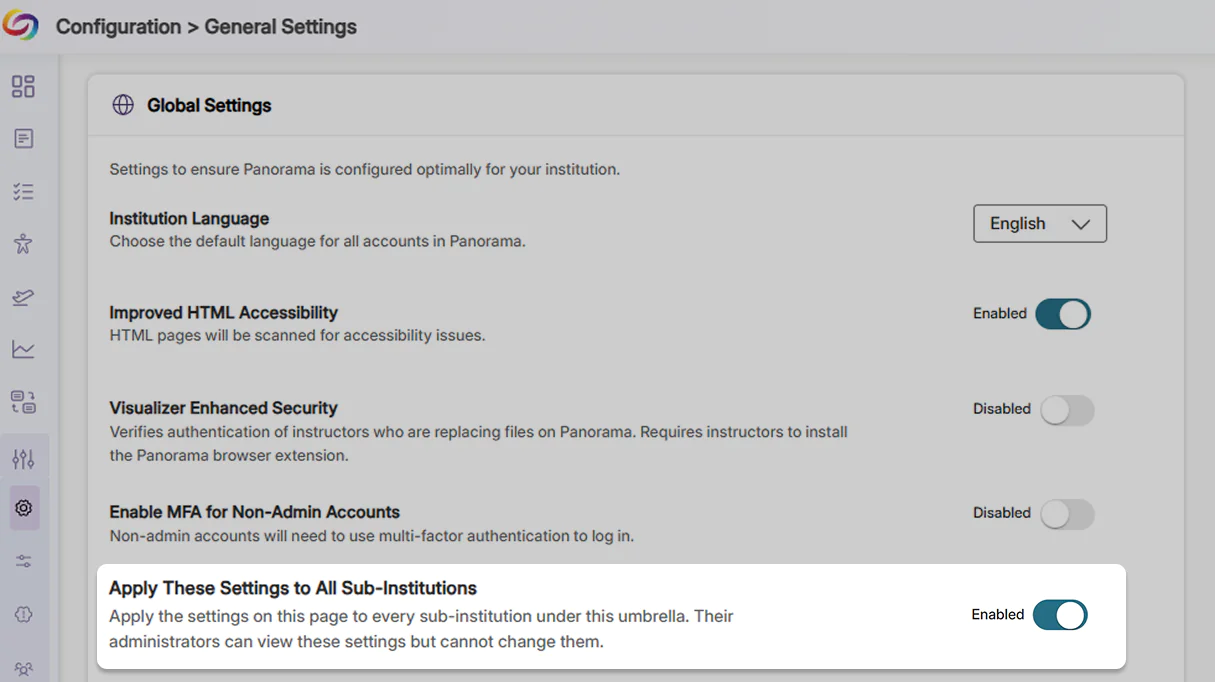
Establish consistency for umbrella institutions by automatically applying settings to sub-institutions
Institutions with multiple LMSs can now apply and control institution-wide settings, configurations, and access protocols for all their member institutions. These settings cannot be altered by sub-institutions, helping eliminate redundant setup work, maintain compliance consistency, and ensure that any necessary updates are automatically applied and enforced across the entire institution.
-
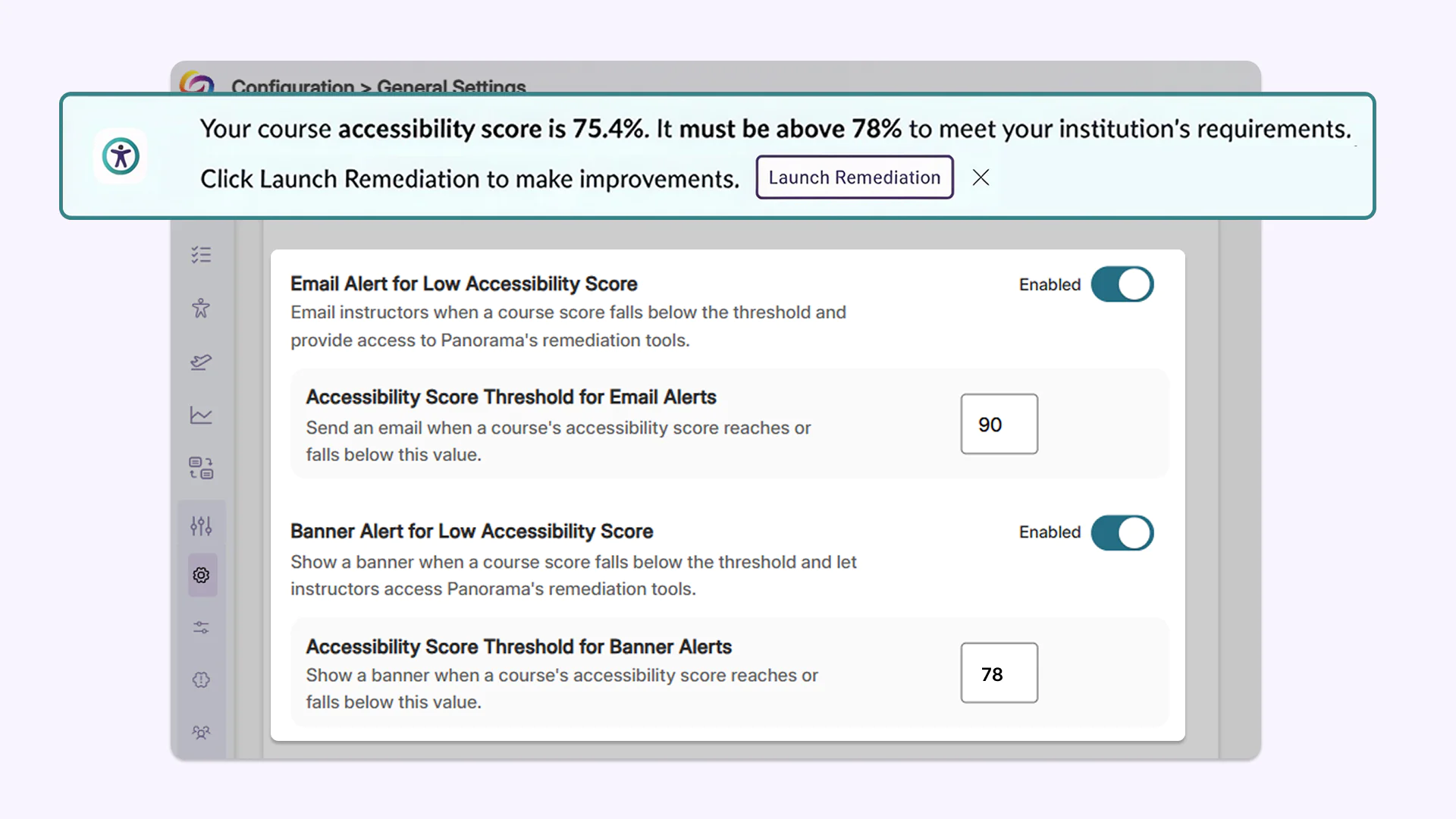
Admins now have more granular control over when instructors get notified about required course remediation
Administrators can now define accessibility score thresholds to trigger quick remediation banner alerts and notification emails when course scores fall below target levels. These thresholds can be set institution-wide or customized and overridden at the individual course level, ensuring instructors are automatically notified when remediation is required.
-
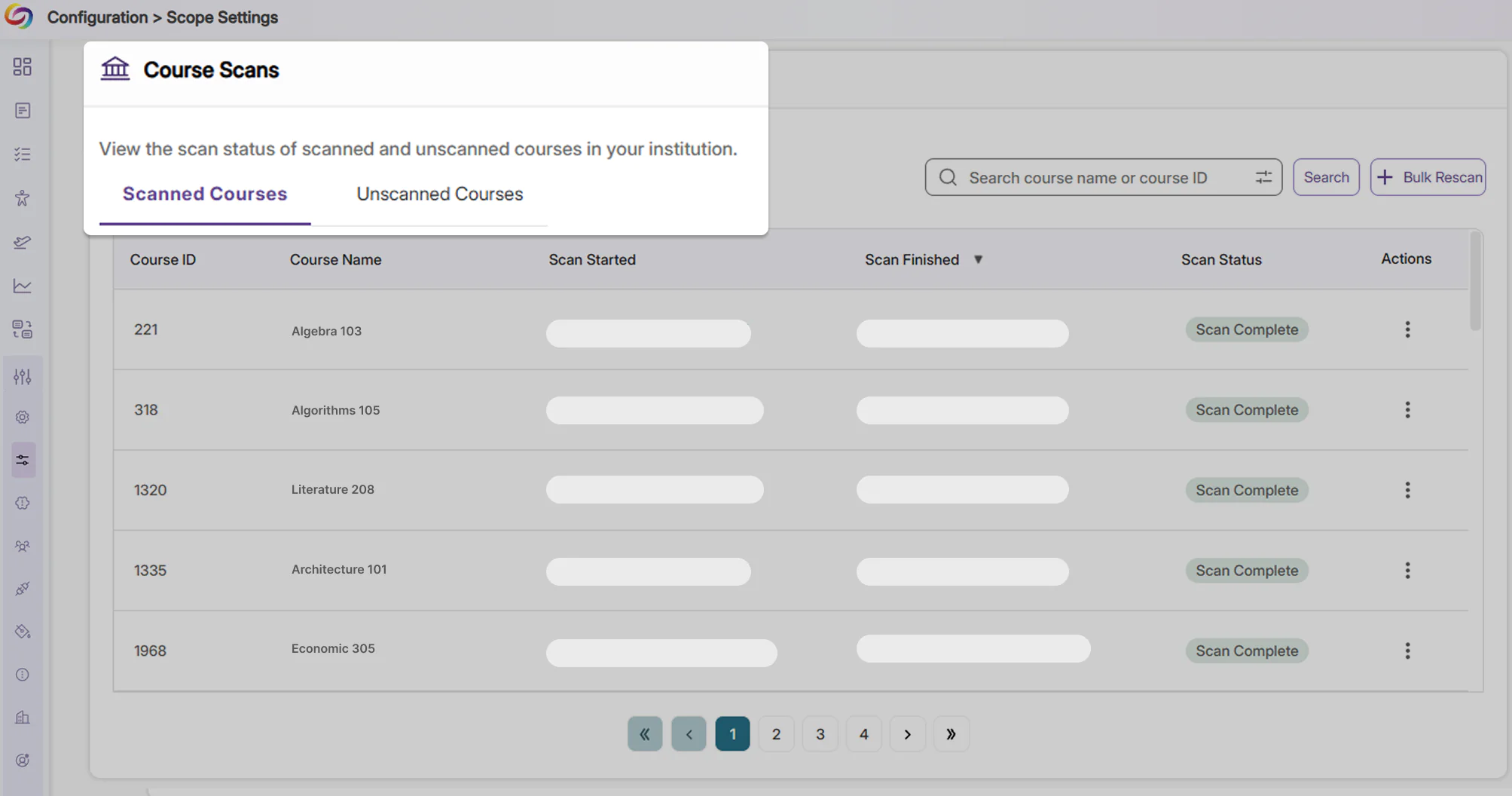
Clarity over course scan status using new dedicated tabs
Courses are now separated into tabs indicating whether they have been scanned, clearly outlining courses that have not been scanned due to inactivity. This helps eliminate confusion for administrators regarding courses that have not yet been processed.
-
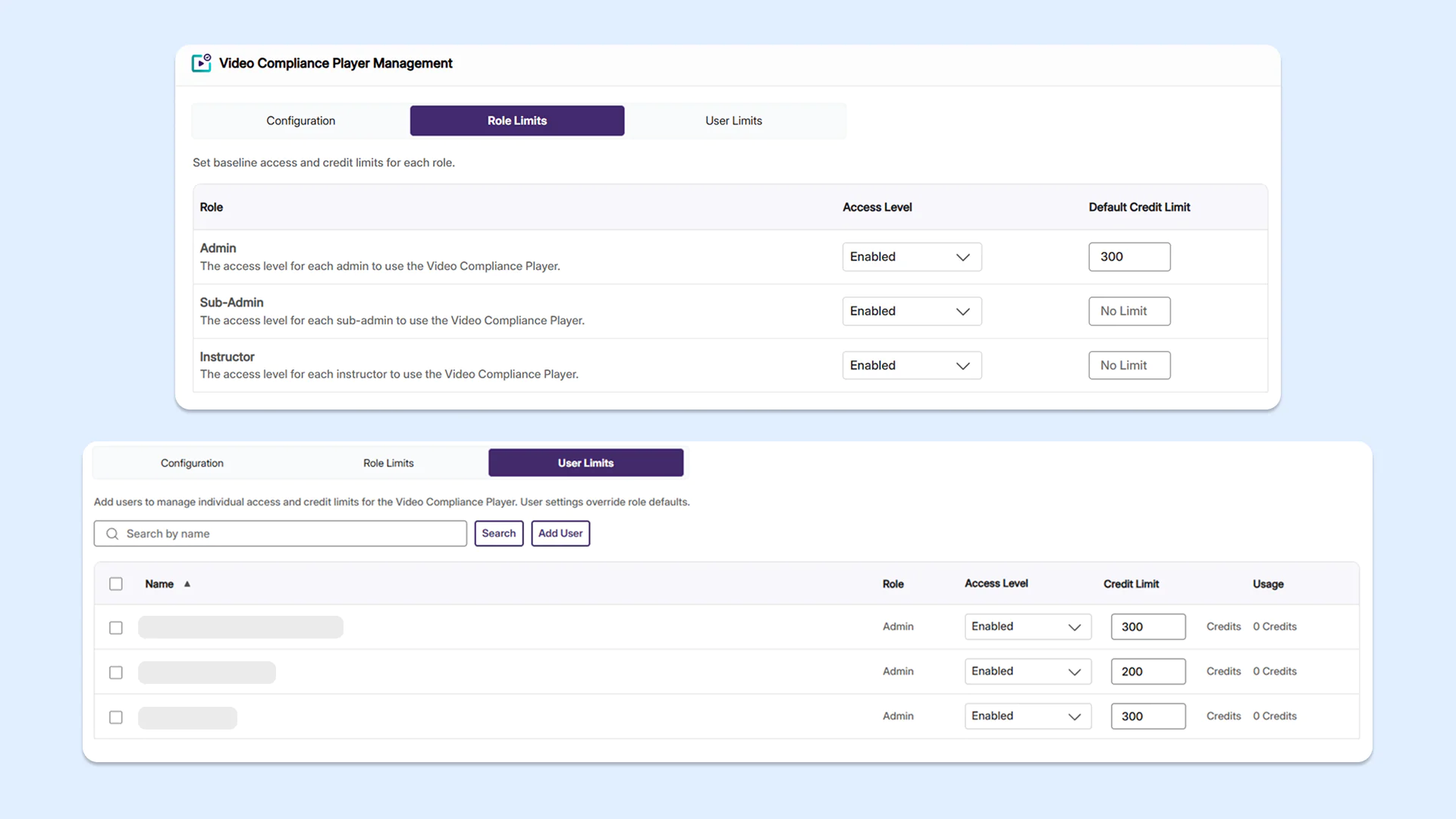
Enhanced user management and credit tracking in the Video Compliance Player
Administrators can now set role-based and user-level access limits for YuJa Panorama’s Video Compliance Player, helping them better manage platform credits and tool usage across their institution.
-
New document issue checkers now available to identify more accessibility concerns
Several new checkers for accessibility issues have been added to YuJa Panorama, helping users identify a larger number of accessibility concerns.
New updates include:
-
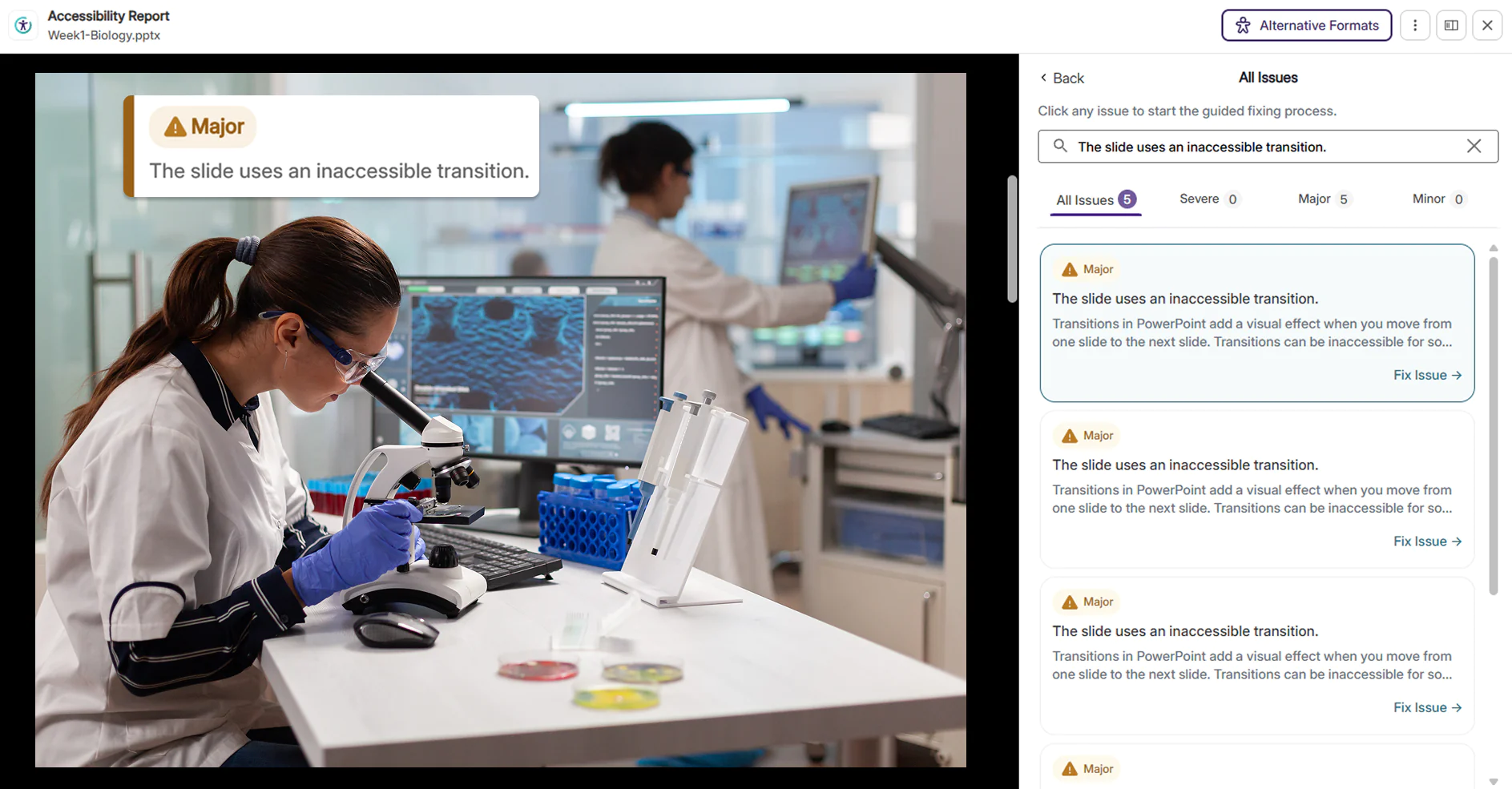
Inaccessible PowerPoint transitions: Rapid flashing, strobe effects, and aggressive or high-motion slide transitions in PowerPoint presentations are now detected, helping instructors make their presentations accessible and safe to watch for all viewers, including those with visual or cognitive sensitivities.
-
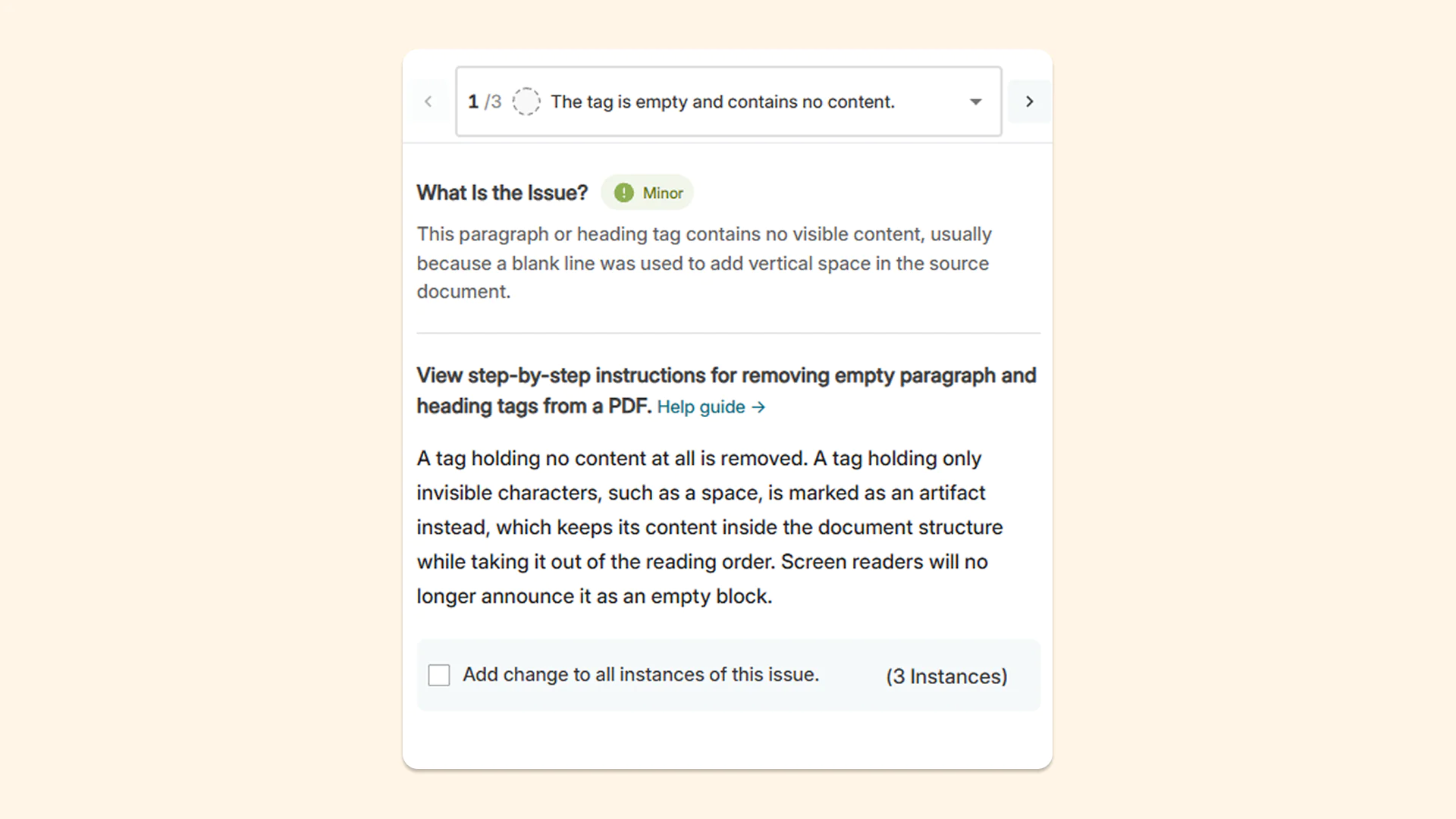
Empty tags and blank content containers: Empty paragraph tags and blank content containers are now flagged so users can manually remove them from the tag tree. This reduces confusion for users who use assistive technologies, as screen readers will announce empty blocks if empty paragraph tags are left on a page.
-
-
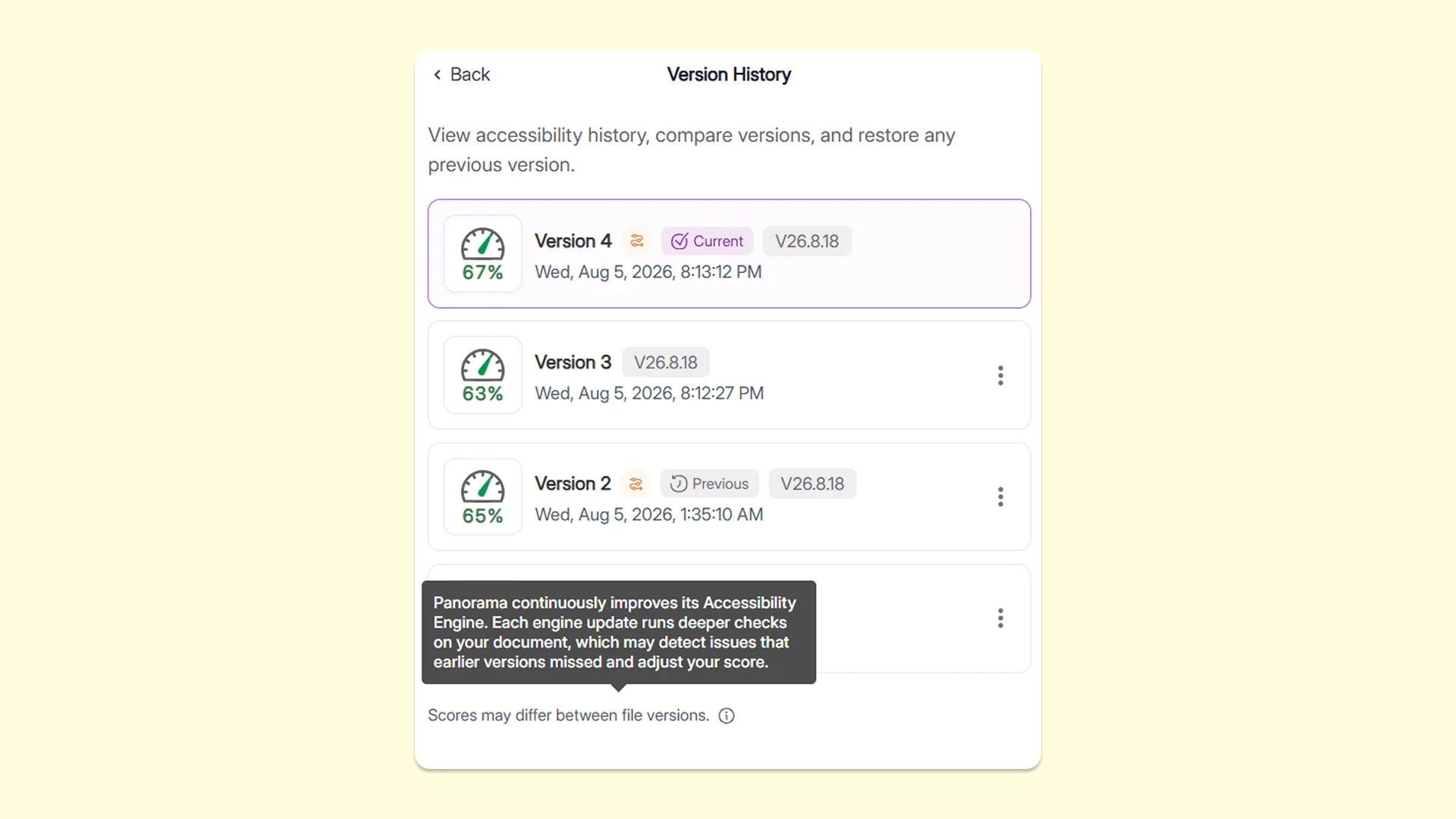
Get insights into how updates may affect accessibility scores with YuJa Panorama’s engine-version history in the Accessibility Report
The Version History tab now shows which version of YuJa Panorama’s reporting engine was used for each remediation effort applied to the document, along with information about how updates may affect accessibility scores. This gives users greater visibility into why a document’s score may change over time, making it easier to understand score differences, track improvements, and confidently monitor accessibility progress.
-
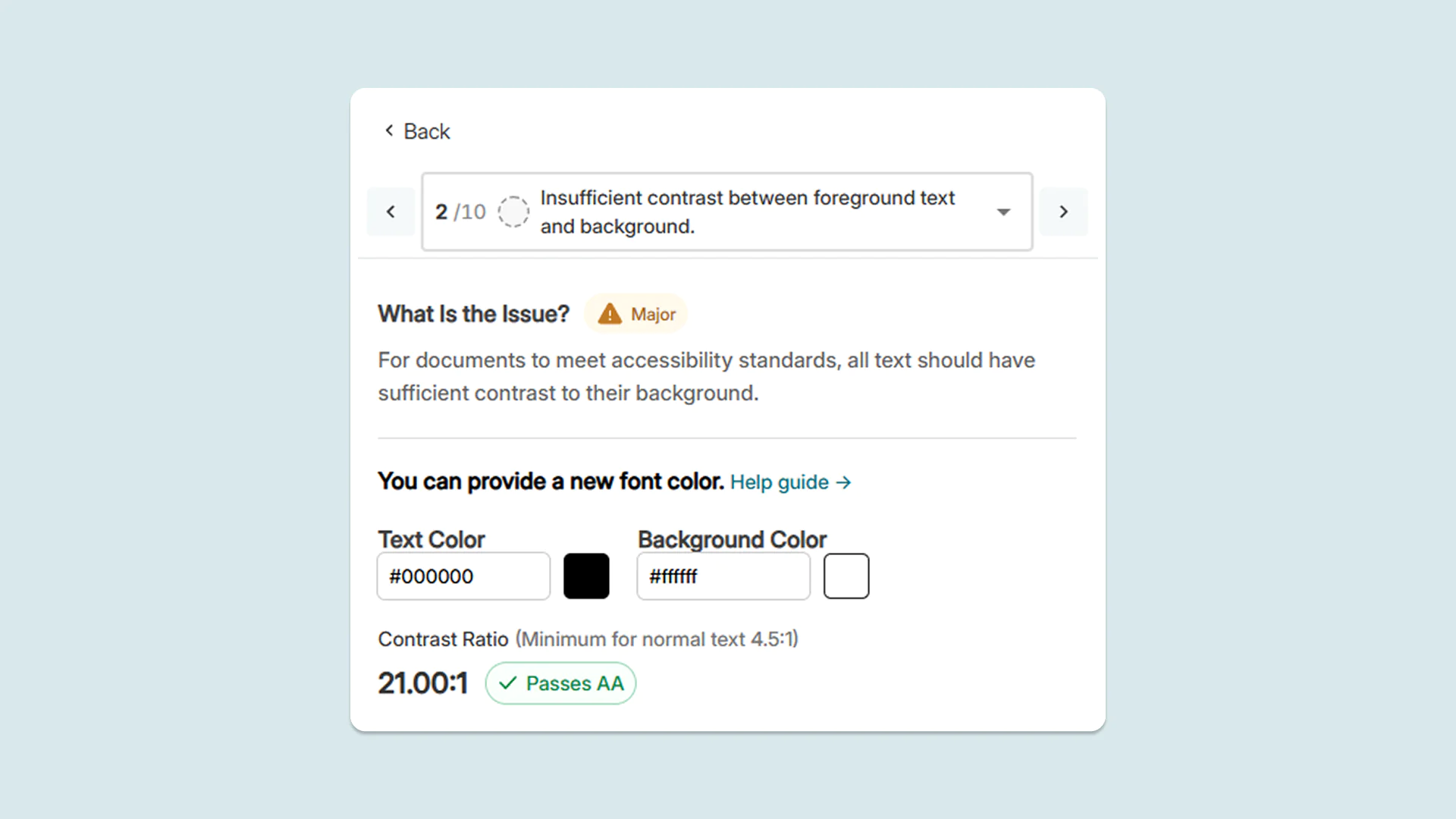
New target ratio label in the Accessibility Report to make poor color contrast easier to fix
When remediating color contrast issues in the Accessibility Report, users can now see a clear target ratio for color contrast required to pass accessibility checks. To adjust colors, faculty now have a precise benchmark to work toward, making it easier to fix contrast issues.
-
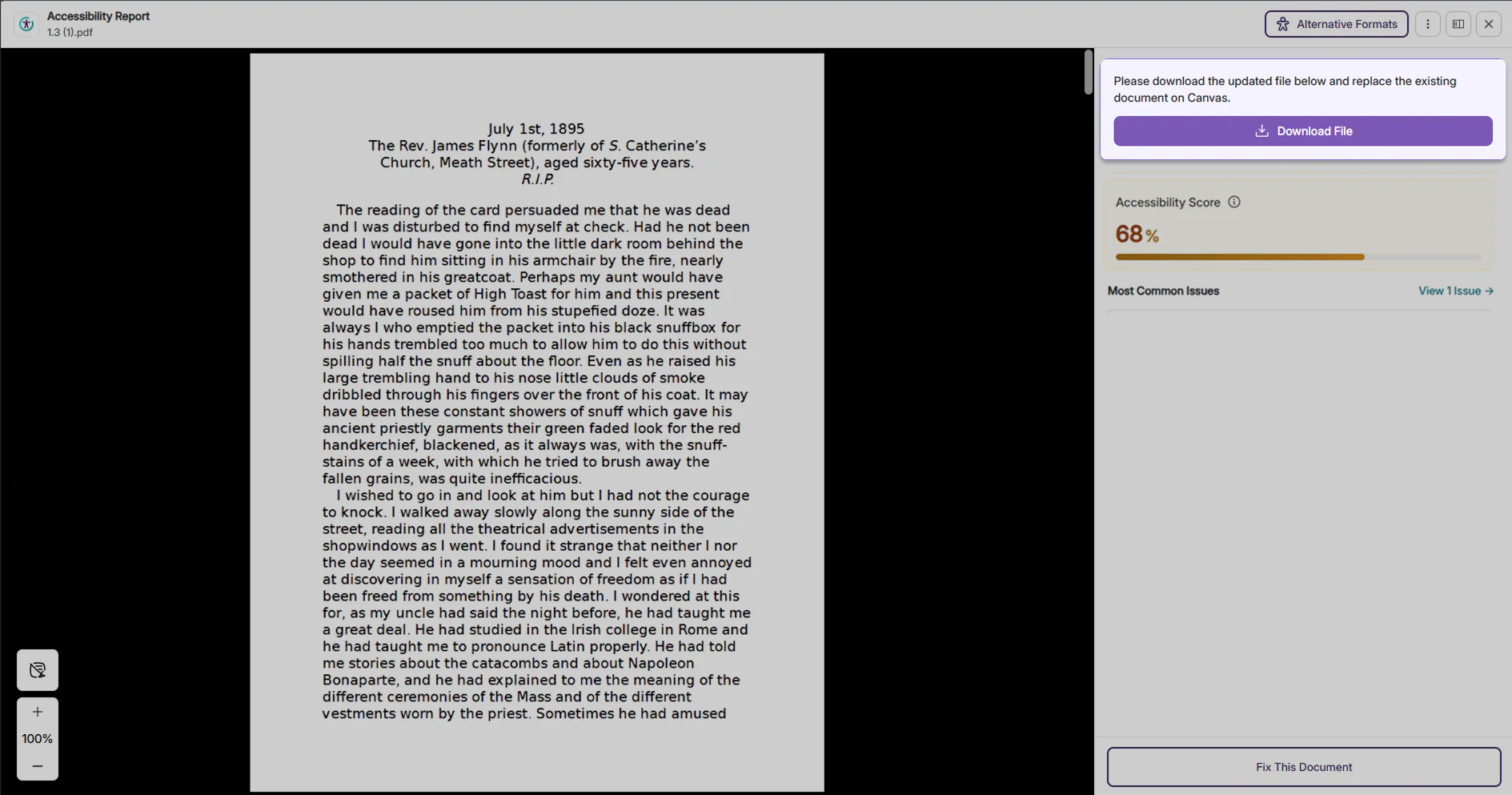
Alerts for guidance about next steps to help users resolve document replacement
When replacing a document in the LMS fails, users now receive a prominent, highly visible alert message that guides them step-by-step on what to do next. It specifically instructs them to download the document and replace it directly on the LMS, saving time and removing guesswork for instructors.
-
Save time on manual re-entry with preserved alt text for tables after PDF retagging
When retagging PDF documents, YuJa Panorama now automatically restores existing alt text and accessibility descriptions for tables after the PDF is reprocessed. This eliminates the need to manually re-enter information for table elements, saving administrators time while helping ensure important accessibility information is preserved after rounds of editing.