Over the next few weeks, we’ll update YuJa EqualGround with new features and capabilities. Key updates include the launch of our brand-new YuJa EqualGround SharePoint Integration Module, the ability to upload sitemaps or CSV files to organize and scan specific web pages, automatically assign users to groups using Azure Entra ID and SSO, and so much more.
-
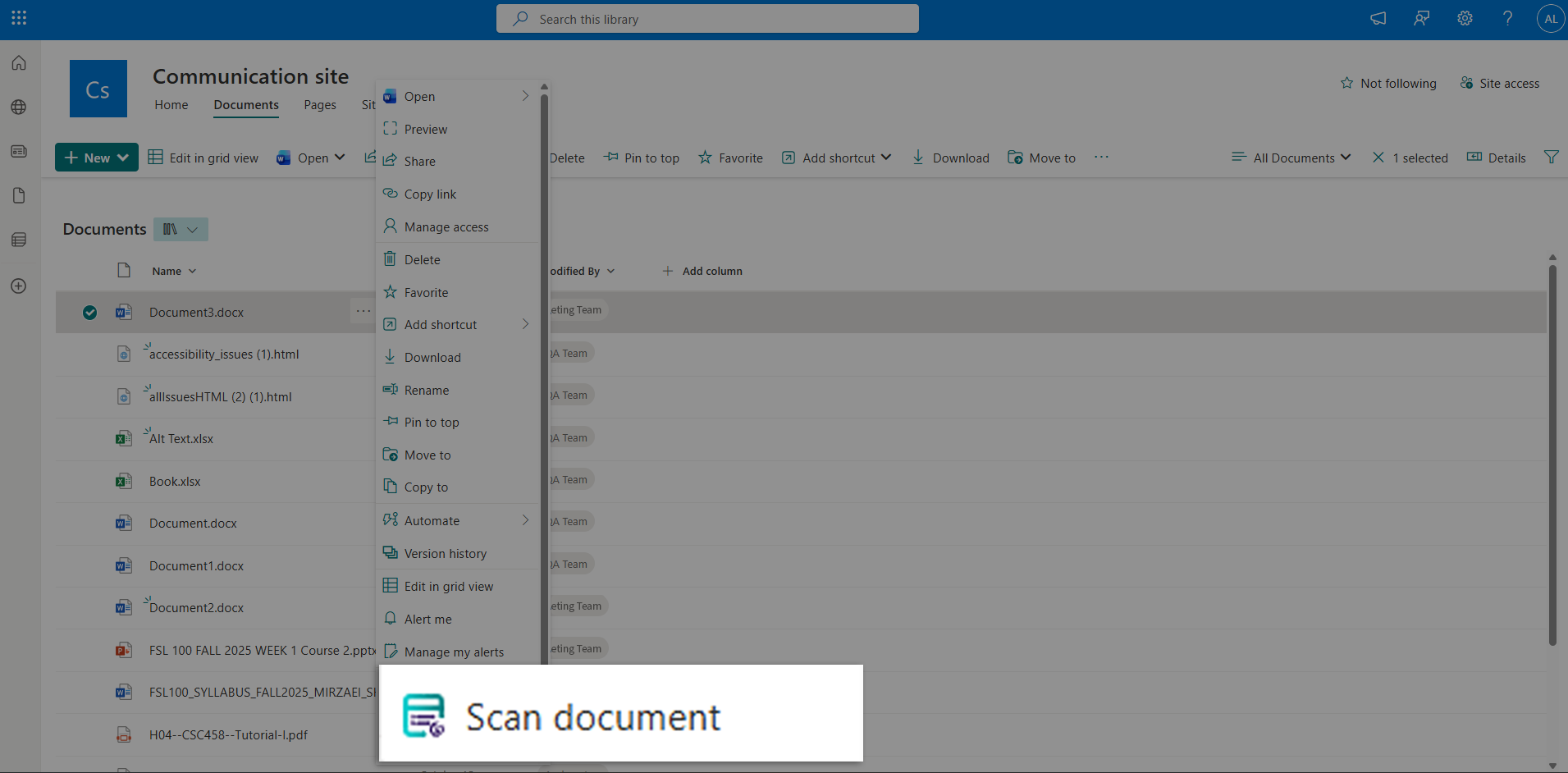
Introducing the YuJa EqualGround SharePoint Integration Module!
Accessibility is now built directly into your SharePoint workflow. With YuJa EqualGround’s new SharePoint Integration Module, you can now bring accessibility scanning to where your content already lives, without the need to switch platforms. This module gives you the power to scan your sites and document libraries directly from within SharePoint. With on-demand and Bulk Sync support for full library scanning, and Accessibility Reports to track remediation, you’ll now have full control over your sites and content, helping you ensure compliance while saving time.
-
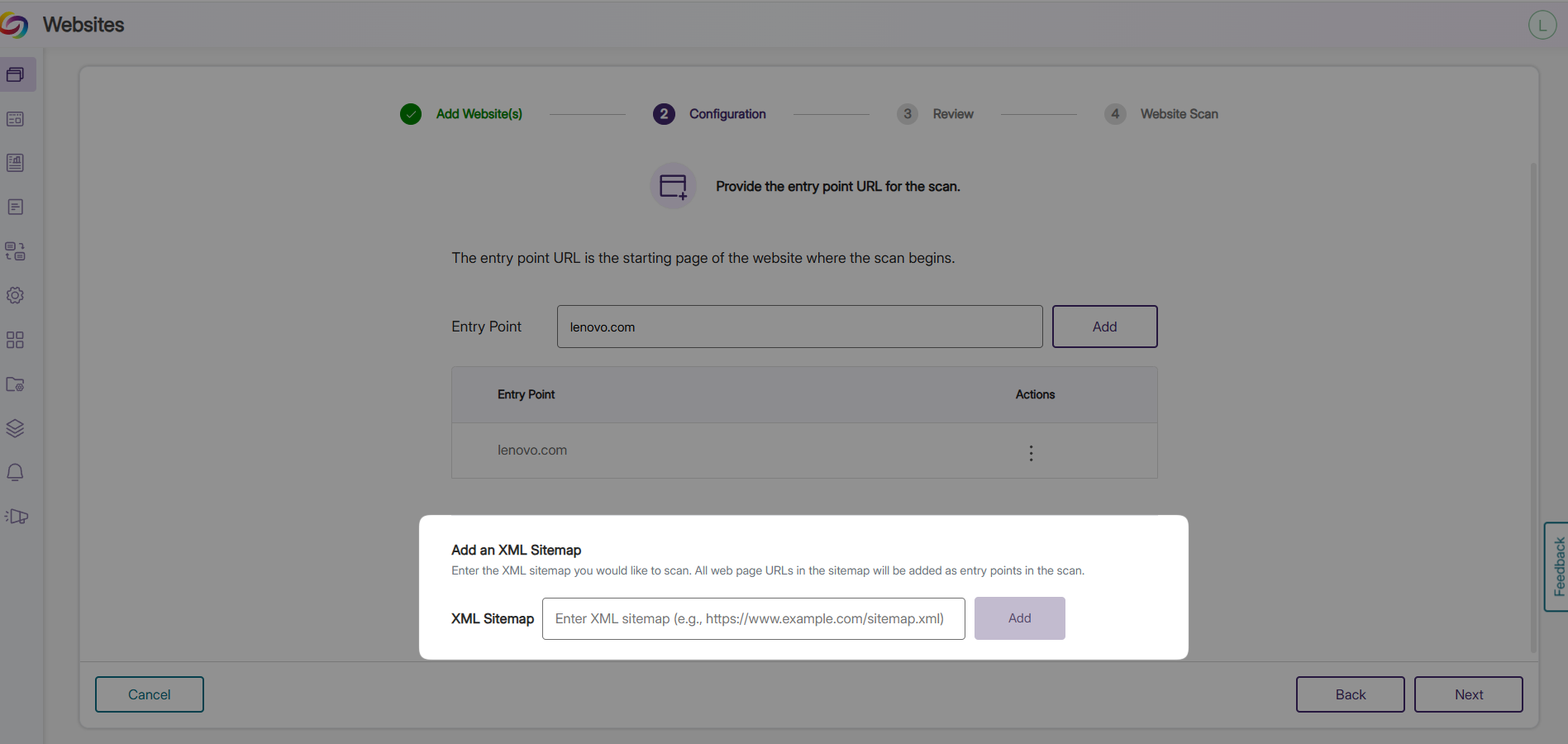
Upload Sitemaps or CSV Files to Organize and Scan Specific Web Pages
You can now upload an XML sitemap or CSV file, and EqualGround will use it to find and scan the specified web pages. Instead of adding a website and automatically scanning all the pages, you can now organize and define exactly which pages to include. This makes it easy to organize the web pages you want scanned, focus on the important content, and keep track of your scans more efficiently.
-
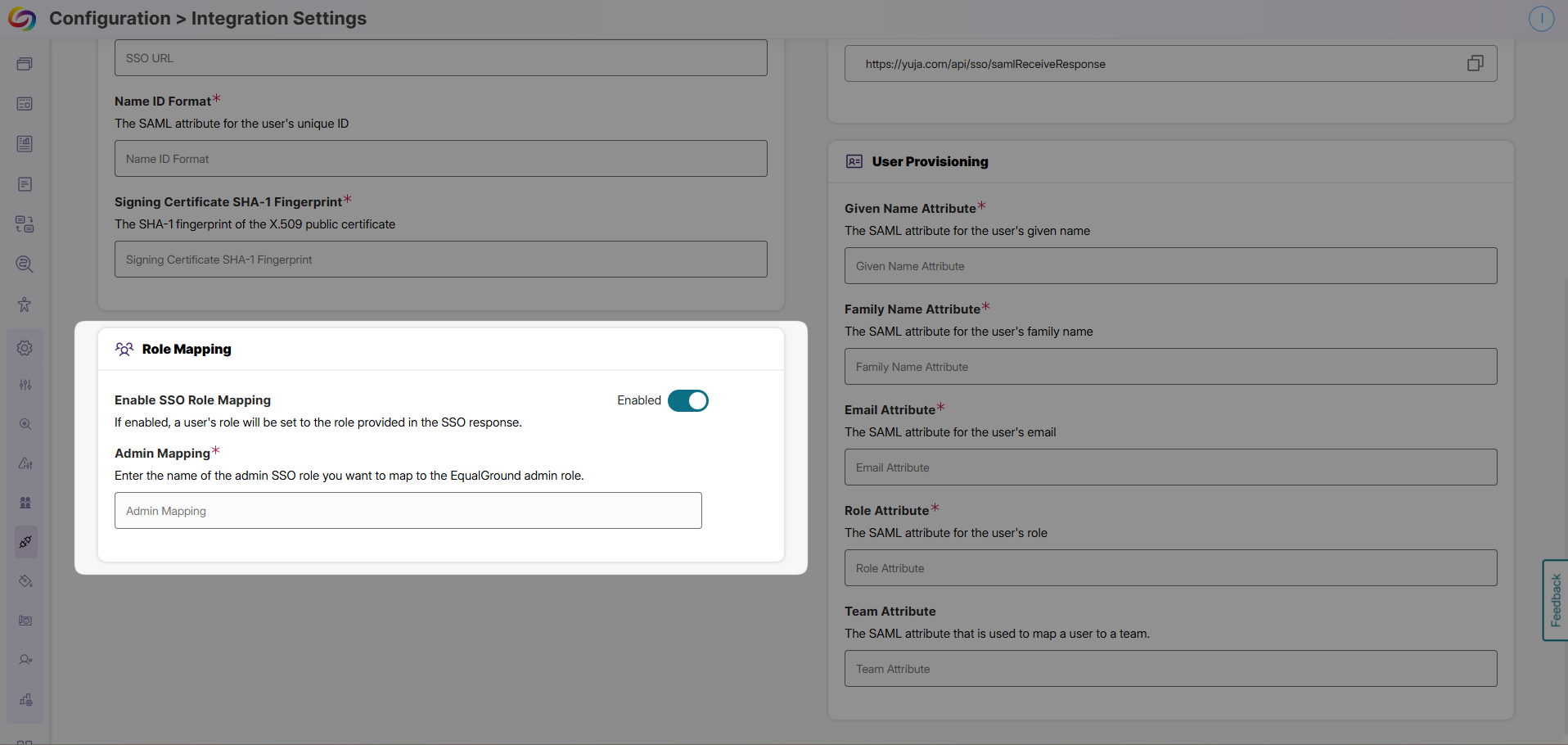
Automatically Assign Users to Groups using Azure Entra ID and SSO
New users can now be automatically placed into the right groups based on their roles or department when they log in through your single sign-on (SSO) system with Azure Entra ID and SCIM integration. For example, all new marketing team members from your organization can be instantly added to the EqualGround Marketing group, while the instructors join the EqualGround Instructors group. This feature gets new users organized into EqualGround right away, speeds up onboarding, and frees administrators from time-consuming manual tasks.
-
Redesigned Issues Panel for Faster Accessibility Reviews
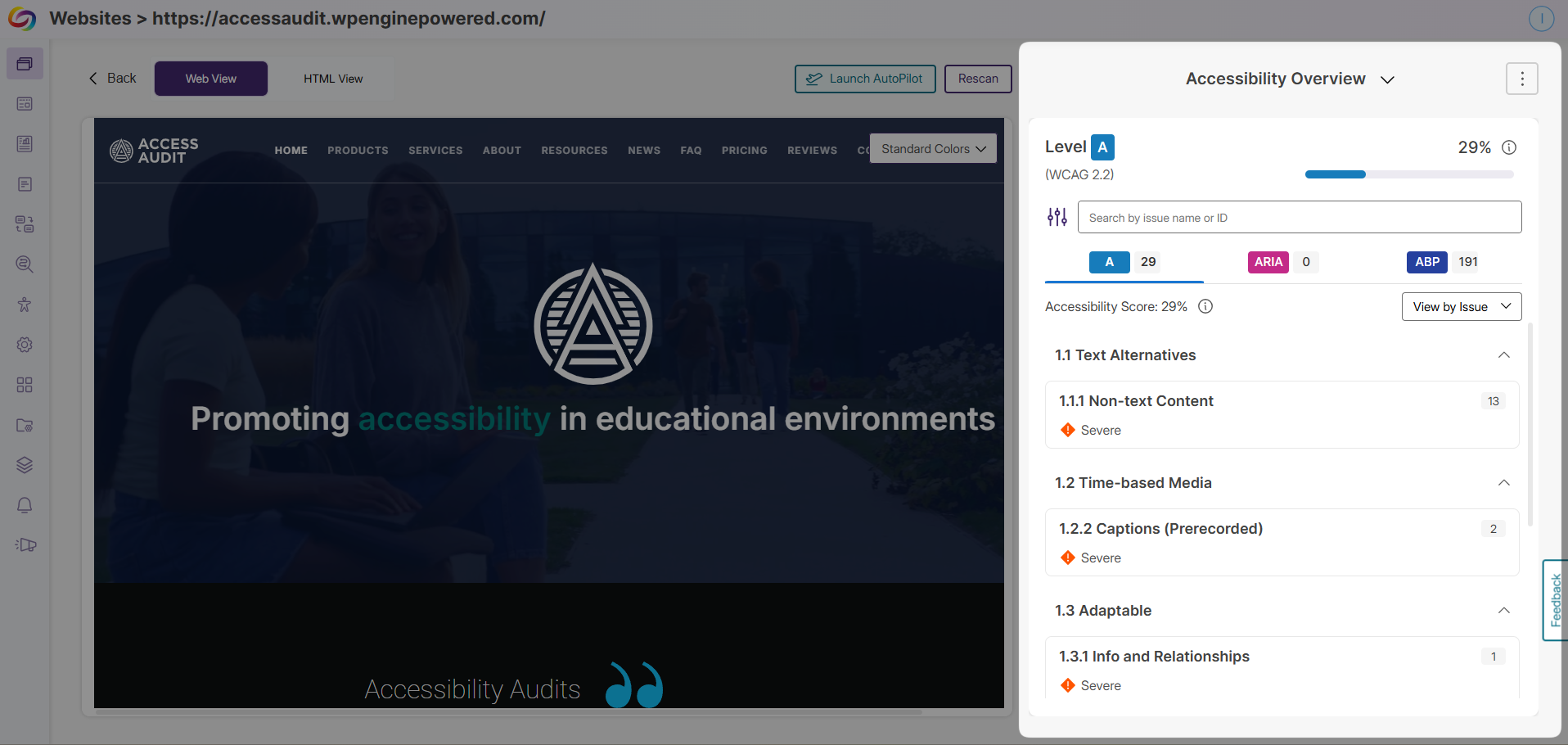
The EqualGround Issues Panel has been redesigned to help you review and solve accessibility issues more quickly and efficiently. You can now move through issue instances using simple arrow buttons while still viewing each issue directly on the web page, so you never lose context. All key information is presented in one place, including Issue Details, Why This Matters, and How to Fix, helping you understand your issues and take action faster. You also have a direct link to the YuJa Accessibility Guide, jumping directly to the section that explains each issue.
-
Improved Role and Team Management Experience
EqualGround now offers an improved Role Management experience designed to make organizing your users and teams more intuitive. The enhanced workflow lets you easily create roles, build teams, add users, and assign the right access to each group. This new workflow gives you clear control over who can access specific websites and creates a faster, more efficient onboarding experience. We have also refreshed the team invitation email, making it more user-friendly so new users can join your EqualGround teams more effortlessly.
-
“New” Badge Highlights Recently Added Web Pages
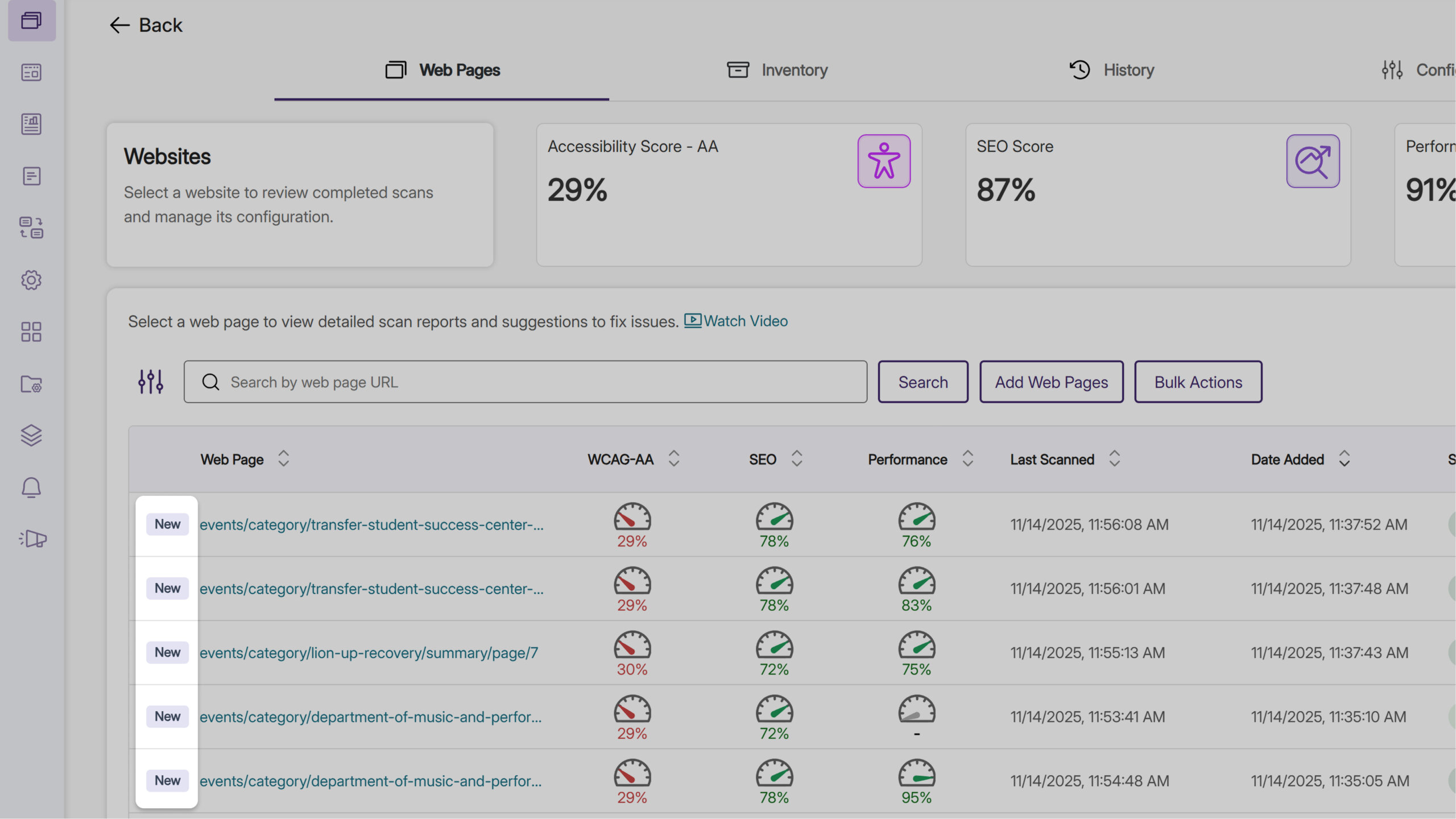
When reviewing web pages in EqualGround, you can now quickly spot the most recently added web pages highlighted with a “New” badge. The badge appears for three days after a new web page is added to EqualGround, or whenever newer pages are added, helping you easily identify newly added content so you can prioritize what to scan next.
-
Quickly Add Multiple Team Members with CSV Upload
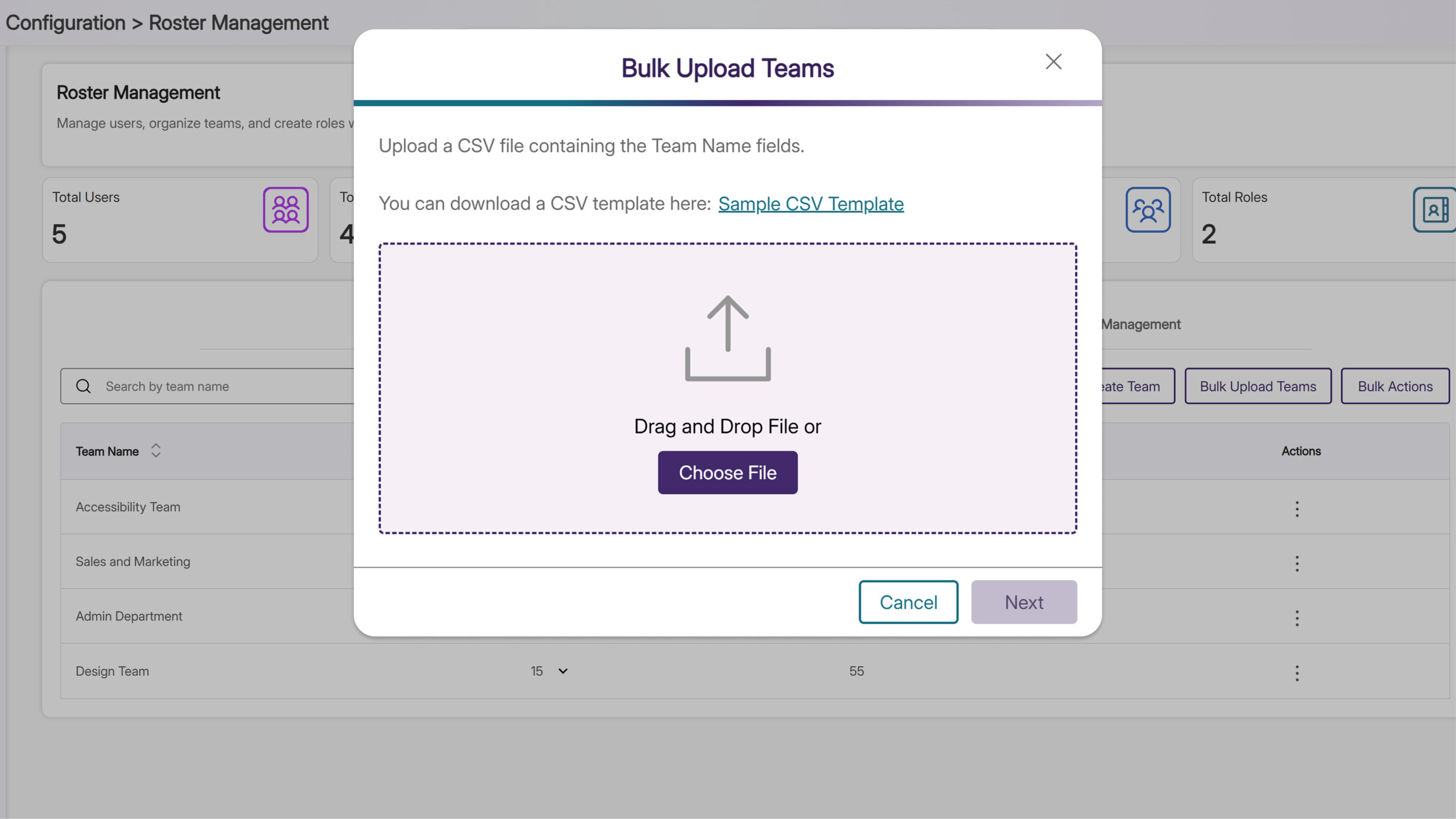
You can now add multiple team members at once through CSV file upload. When adding a new group of users, you can quickly add everyone to the right EqualGround team without entering each user manually. Once the team is set up, you can immediately assign website access and roles to all or selected team members, saving time and ensuring your teams are fully organized and ready to start.
-
Enhanced Text Search with Regex
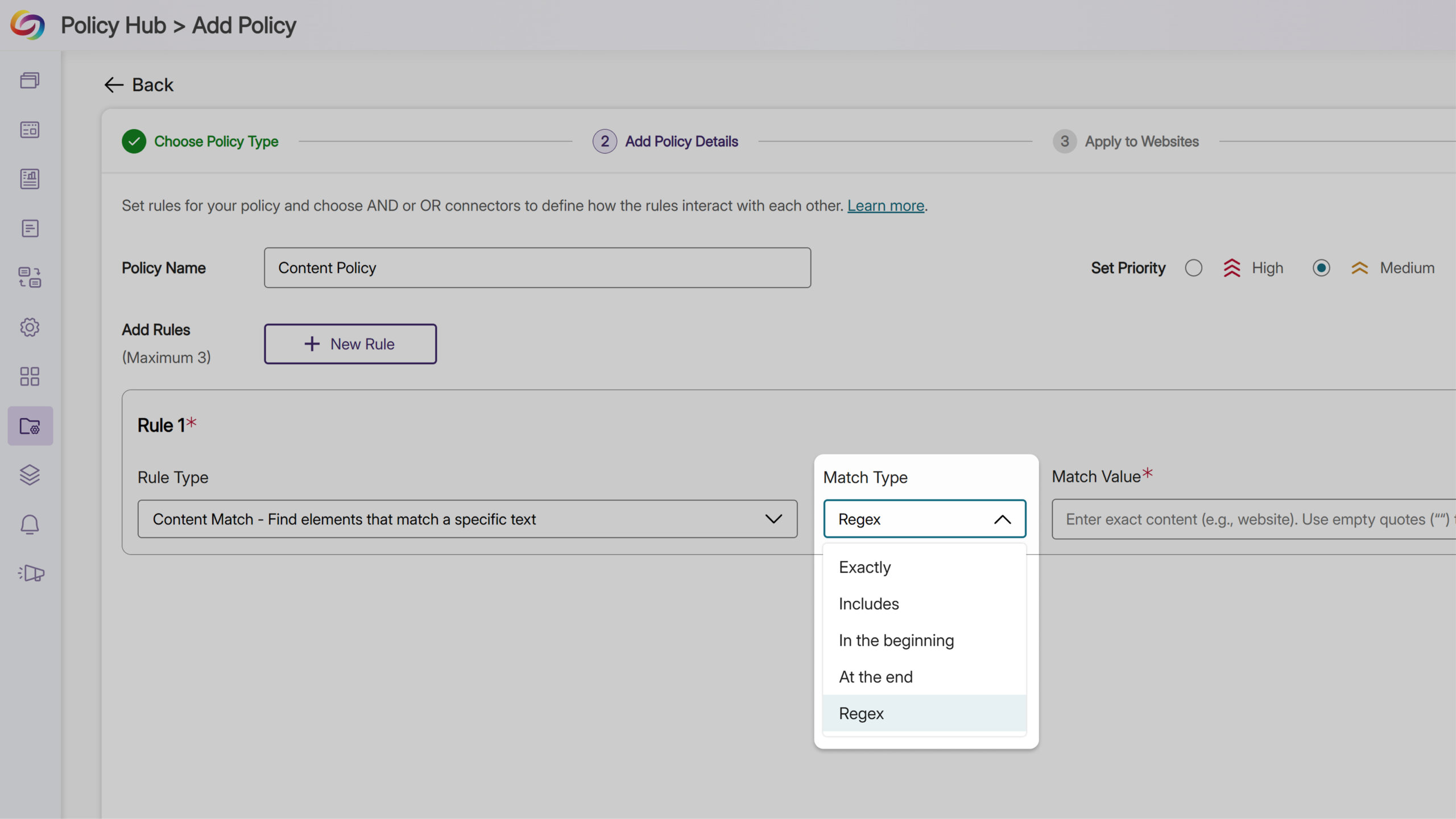
You can use regex options when creating a policy rule. Previously, EqualGround could find specific content, media, or documents based on elements, file type, and other criteria for websites. With the new regex capability, the EqualGround search engine can now find specific sequences of letters and symbols when making text related policies, giving you more flexibility and precision in your website searches.
-
Discover Important Announcements and Insights With New Event Banners
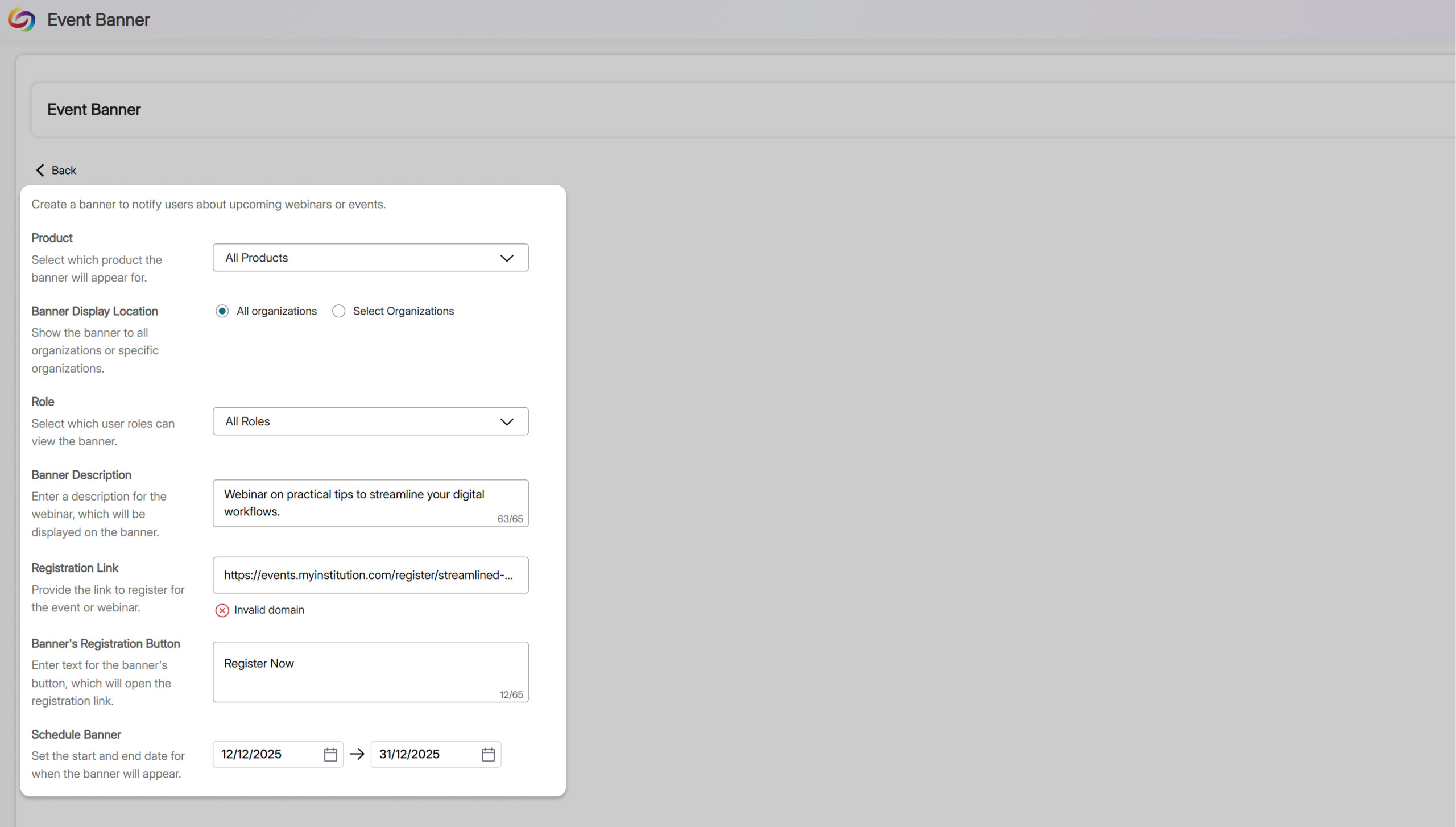
Administrators can now view event banners directly within EqualGround, keeping your team informed about important announcements and upcoming webinar opportunities. Designed with your workflow in mind, these banners help you discover new features, learn shortcuts to boost efficiency, and stay ahead of industry trends. You can navigate between banners using the arrow buttons or dismiss them for the current session. All of this can be done without leaving the page, giving you useful updates without interrupting your work.
-
Personalize Your DocHub Experience
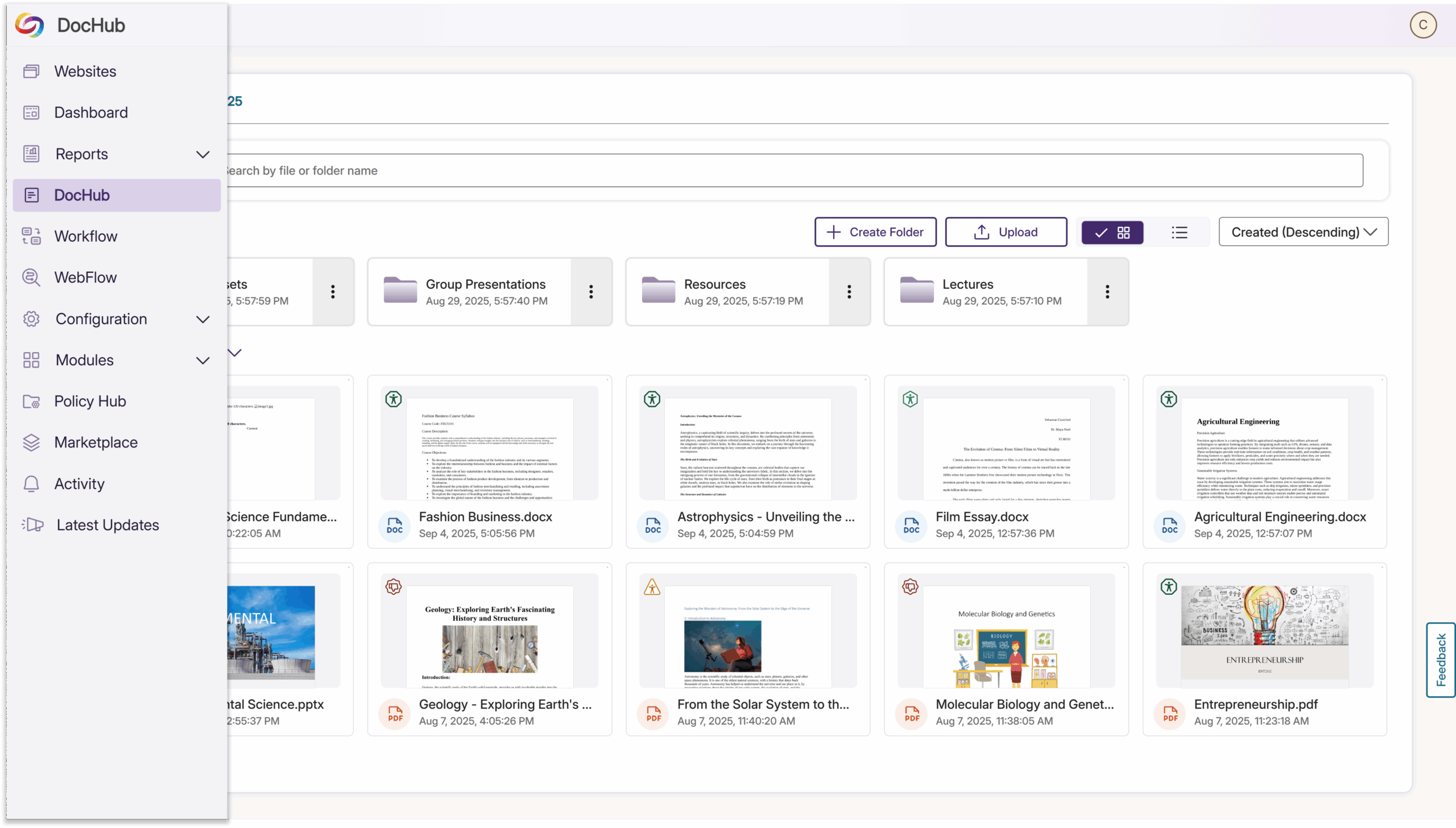
EqualGround has upgraded DocHub to make managing your files and accessibility reports easier than ever. You can now customize the DocHub name in the sidebar to match your branding or make it clearer for your team. This simple change makes a big difference, helping you quickly find and access DocHub while keeping your workspace aligned with your organization’s needs.
-
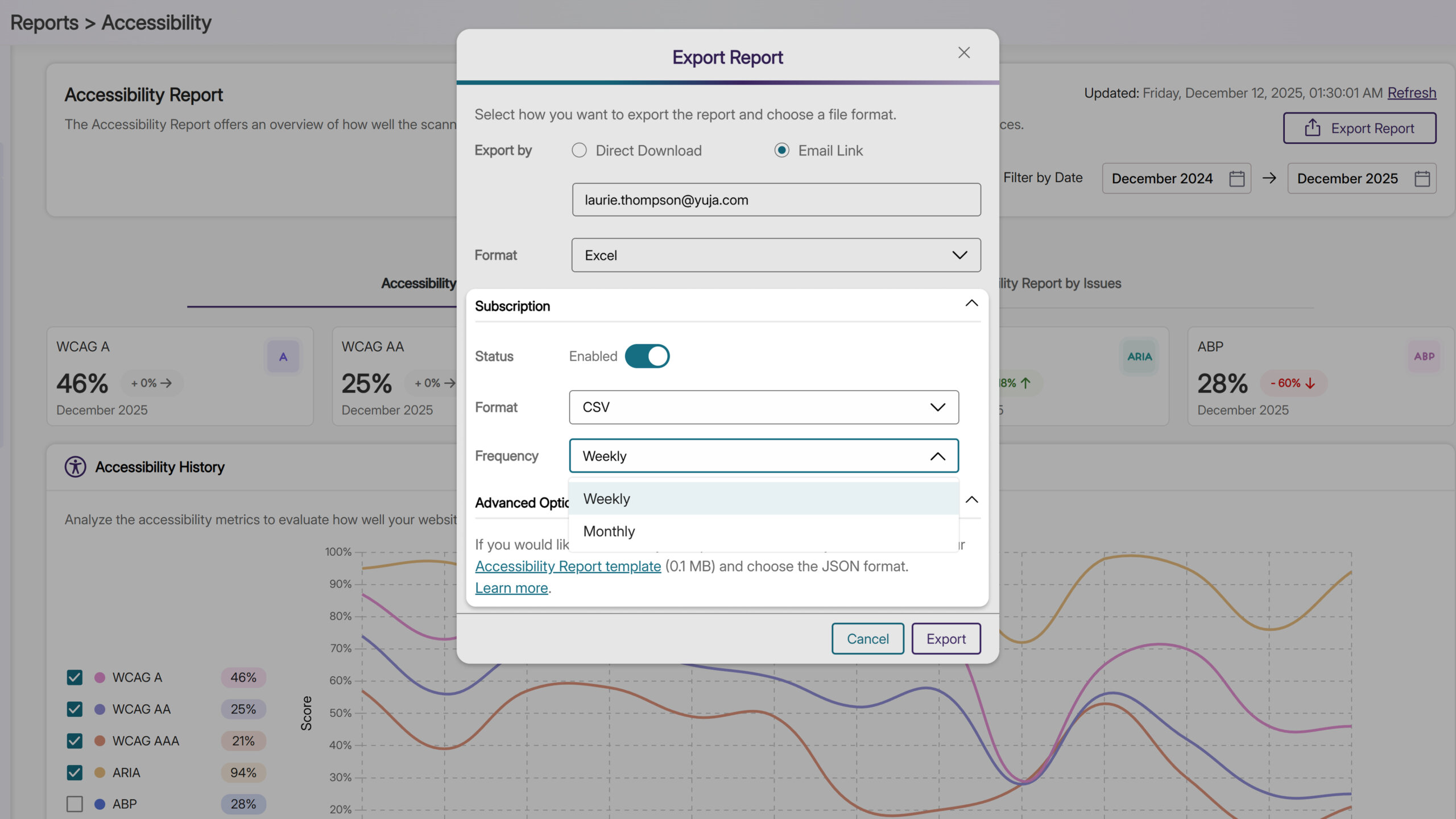
Subscribe to Scheduled Scan Reports to Stay on Top of Key Insights
You can now subscribe to receive daily, weekly, or monthly reports for accessibility, SEO, documents, performance, or usability. Once subscribed, the reports are delivered straight to your inbox on your chosen schedule, without having to manually check each report page. This way, you can save time while staying on top of important insights and trends in your scans.