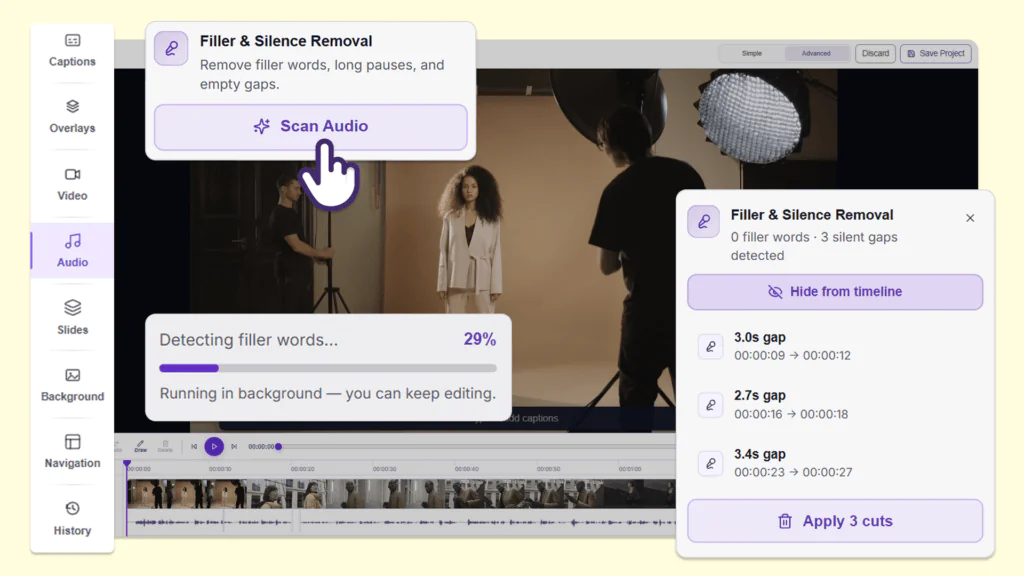
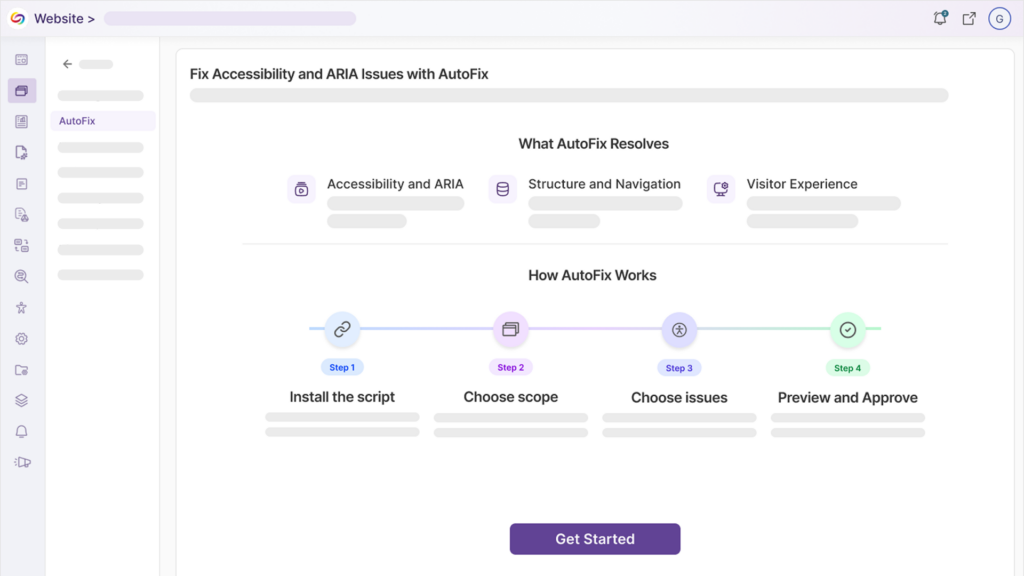
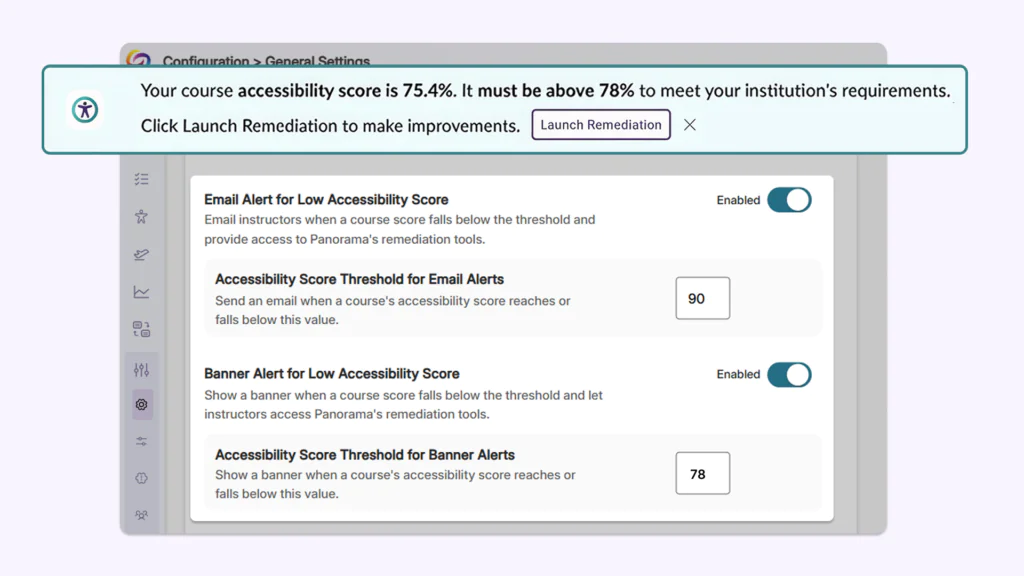
Over the next few weeks, the YuJa EqualGround Accessibility Governance Platform will be expanding capabilities to include heatmap analytics, new integration with Cascade CMS, additional support for SharePoint, and much more.
-
CMS Plugin Support Extended to Cascade CMS
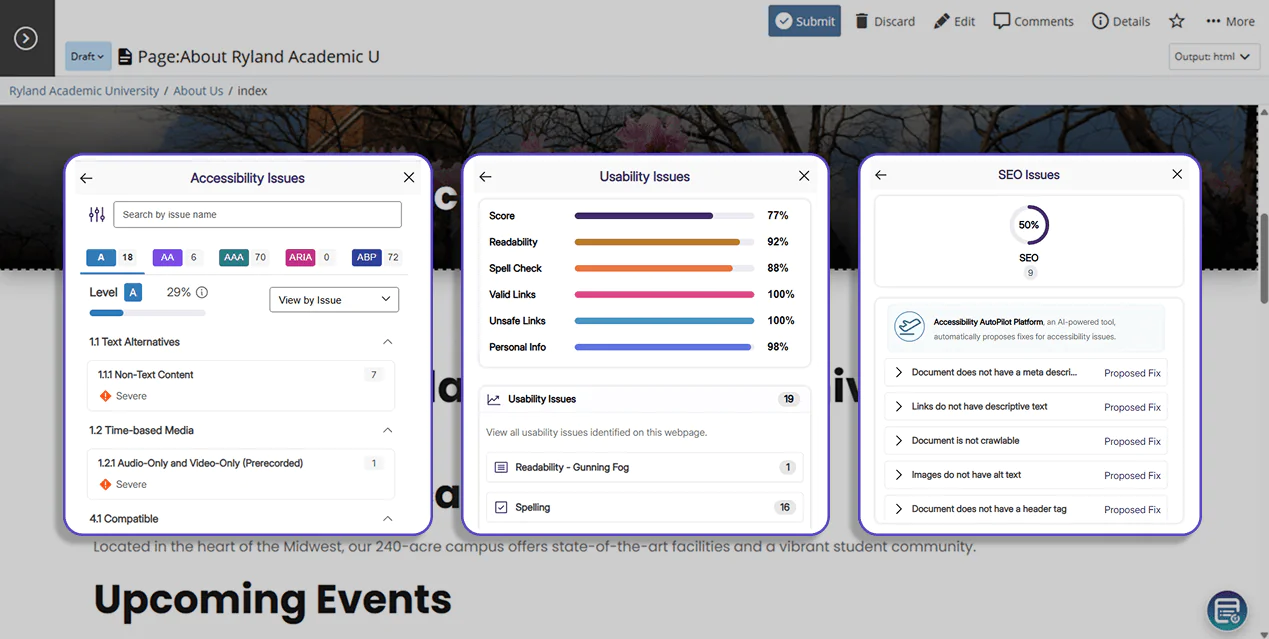
EqualGround’s CMS integration is expanding to Cascade CMS, allowing users to detect, assess, and remediate issues directly in the Cascade interface as pages are edited. Key features include:
-
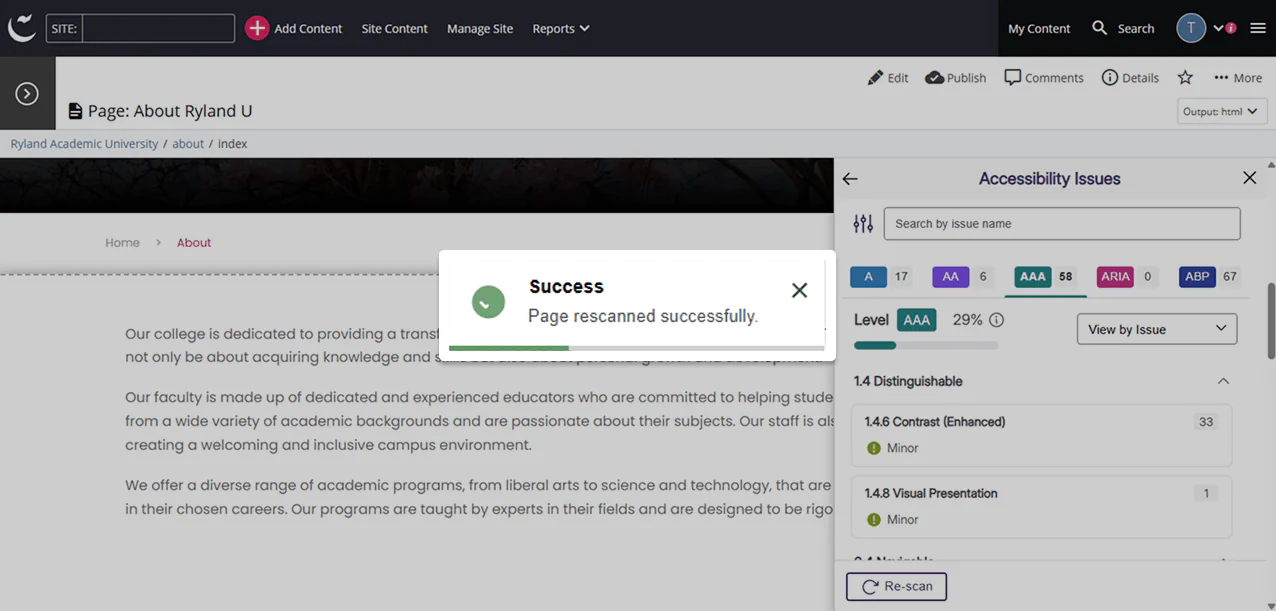
Track Conformance Using Comprehensive Scores: A set of scores are displayed on pages based on analysis from the Accessibility, SEO, and Usability engine.
-
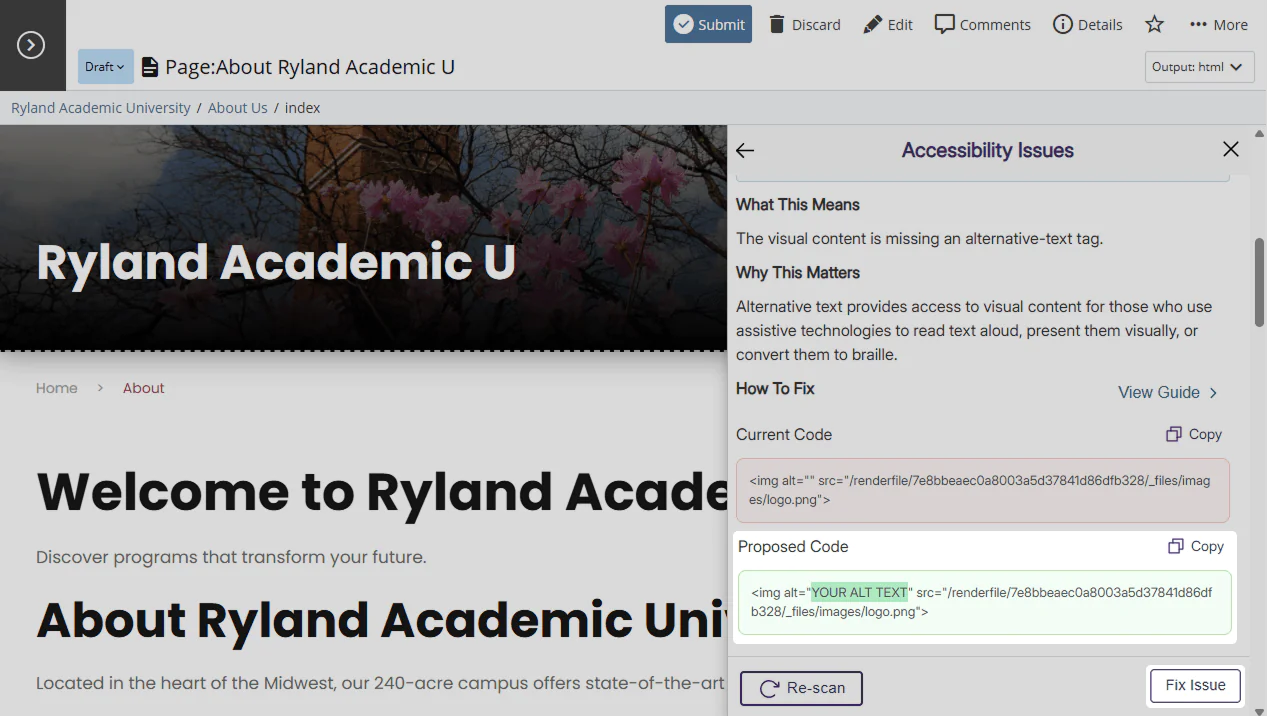
Automatically Apply Proposed Fixes: Users can click “Fix Issue” in the Issues Panel to automatically apply EqualGround’s proposed changes directly to the page. Changes will be reflected in the live page and the code base, saving time needed for manual remediation.
-
Review Dynamic Changes in Real-Time: Users can activate a re-scan at any time to review how their changes impact the overall score of their page.
-
-
Boost Website Engagement Using Visual Heatmaps
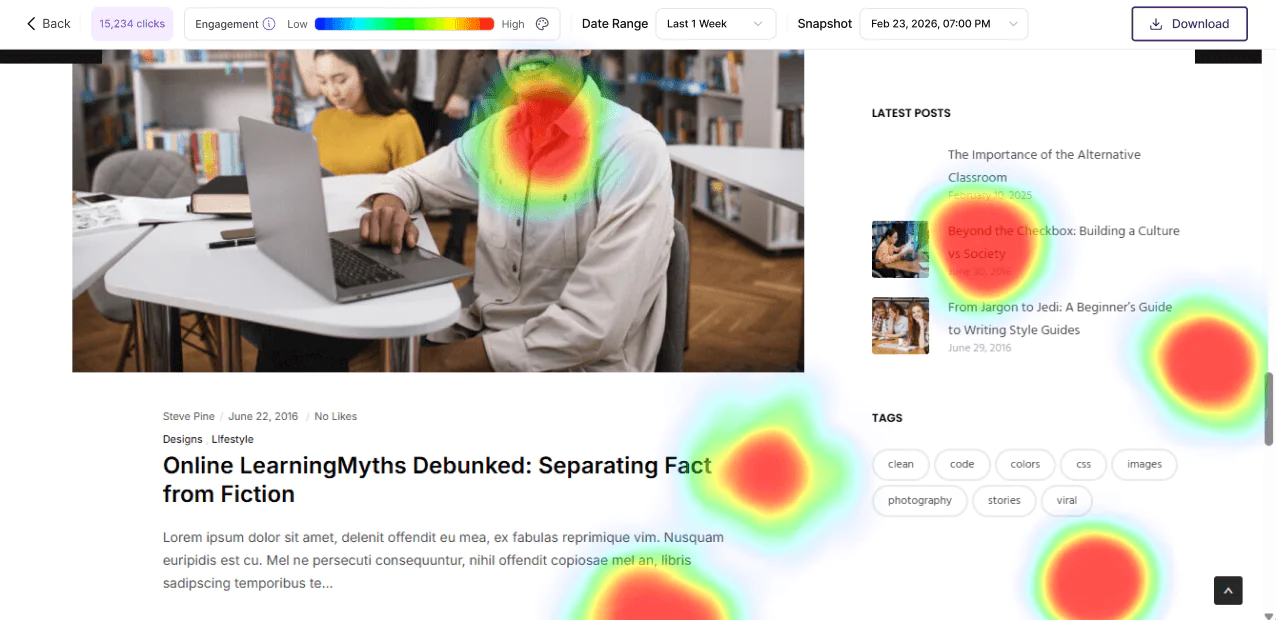
Analytics and reporting in YuJa EqualGround now include heatmap tracking, offering users insights and visualizations of user interaction on their webpage. Heatmap statistics will help you monitor user traffic, optimize the user experience, and drive growth over time.
-
Expanded Accessibility Checkers Increase Site-Wide Conformance
New accessibility checkers and suggested fixes have been added to EqualGround to improve website accessibility conformance. The following checkers were added:
-
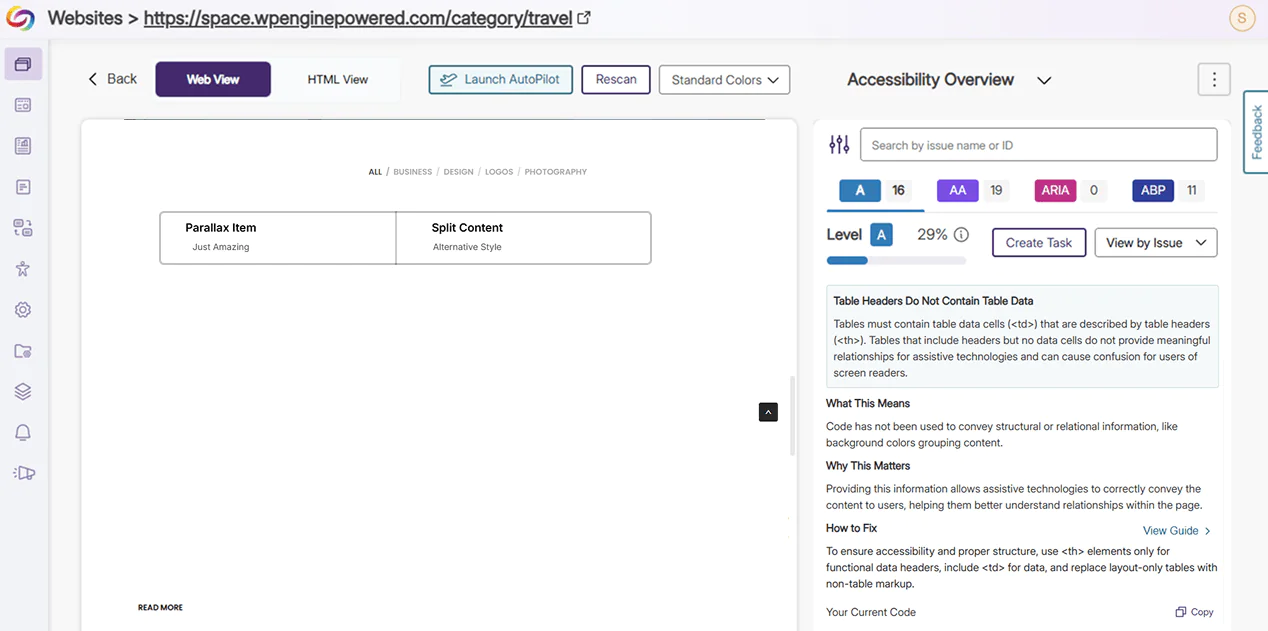
Table Headers Do Not Contain Table Data: Tables that do not contain table data cells (<td>) do not provide meaningful information or relationships for assistive technologies. Users will be prompted to fill tables with data using the <td> tag, and to replace layout-only tables with non-table HTML markup.
-
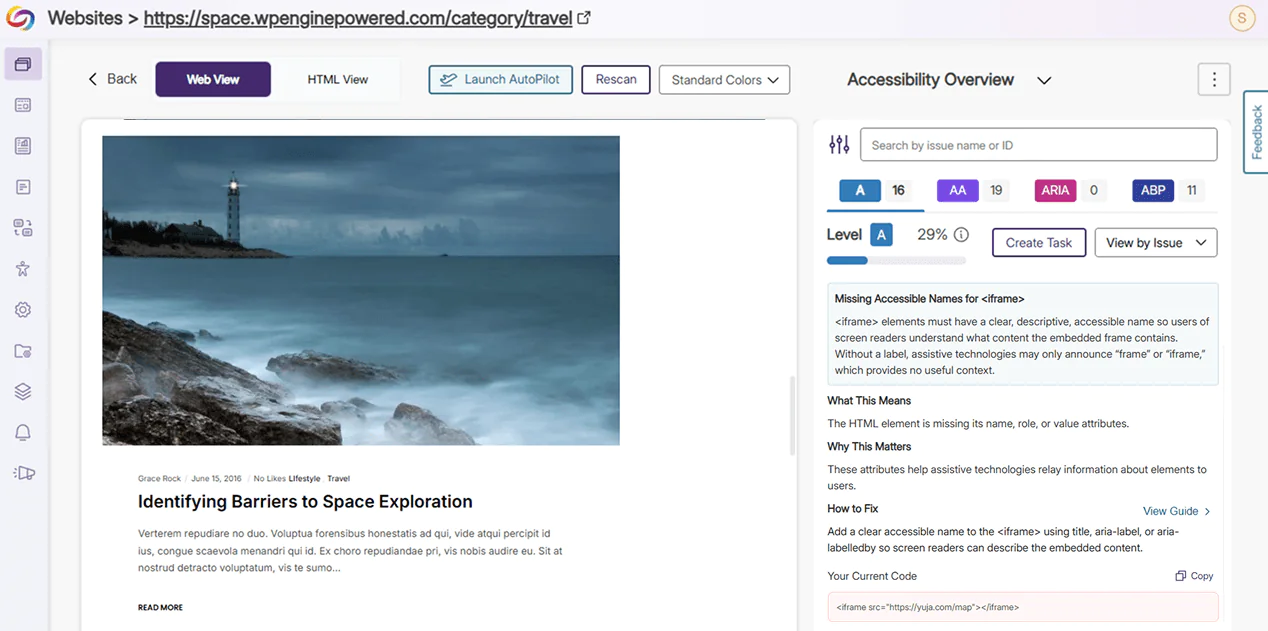
Missing Accessible Names for <iframe>: <iframe> elements must include a descriptive and accessible name using “aria-label”, “title”, or “aria-labelledby” for assistive technologies to understand the embedded frame content.
-
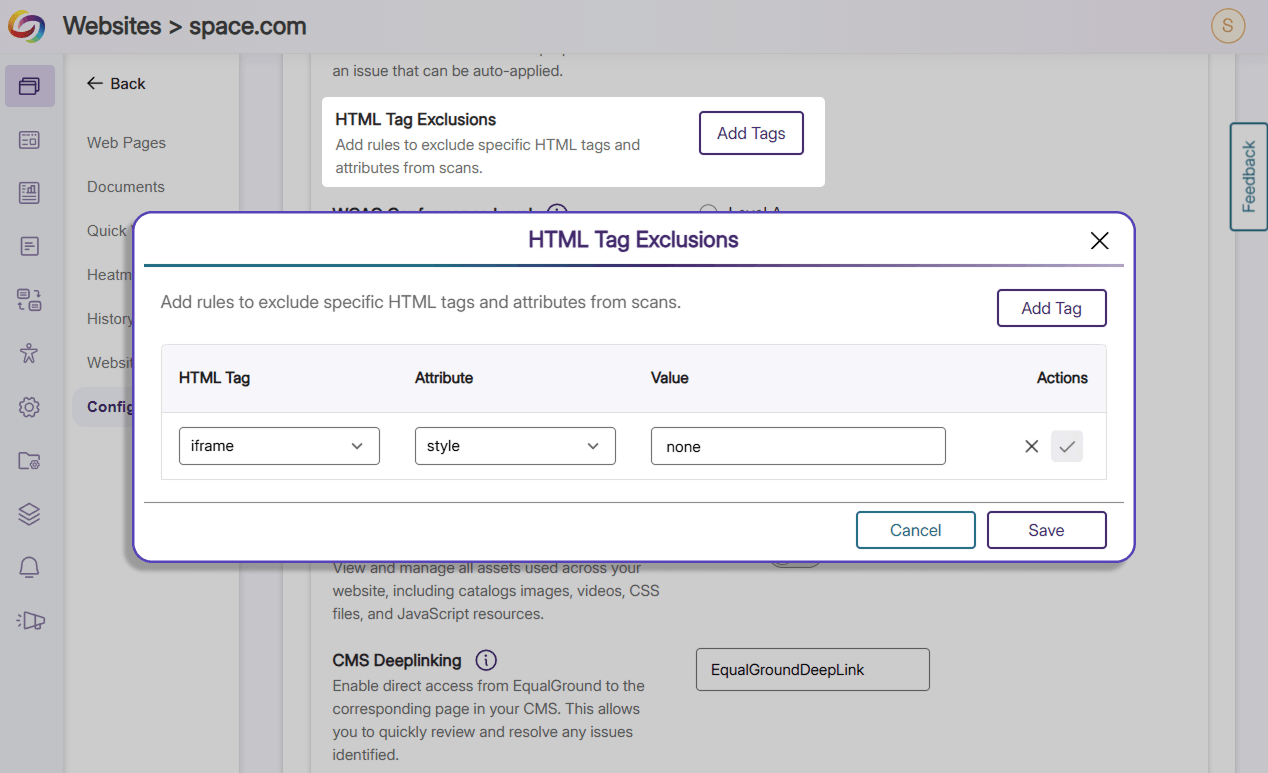
Custom Decorative Tag: Users can enter a list of HTML tags to be whitelisted and excluded from future scans.
-
-
Optimize SharePoint Scanning Frequencies With Customizable Configurations
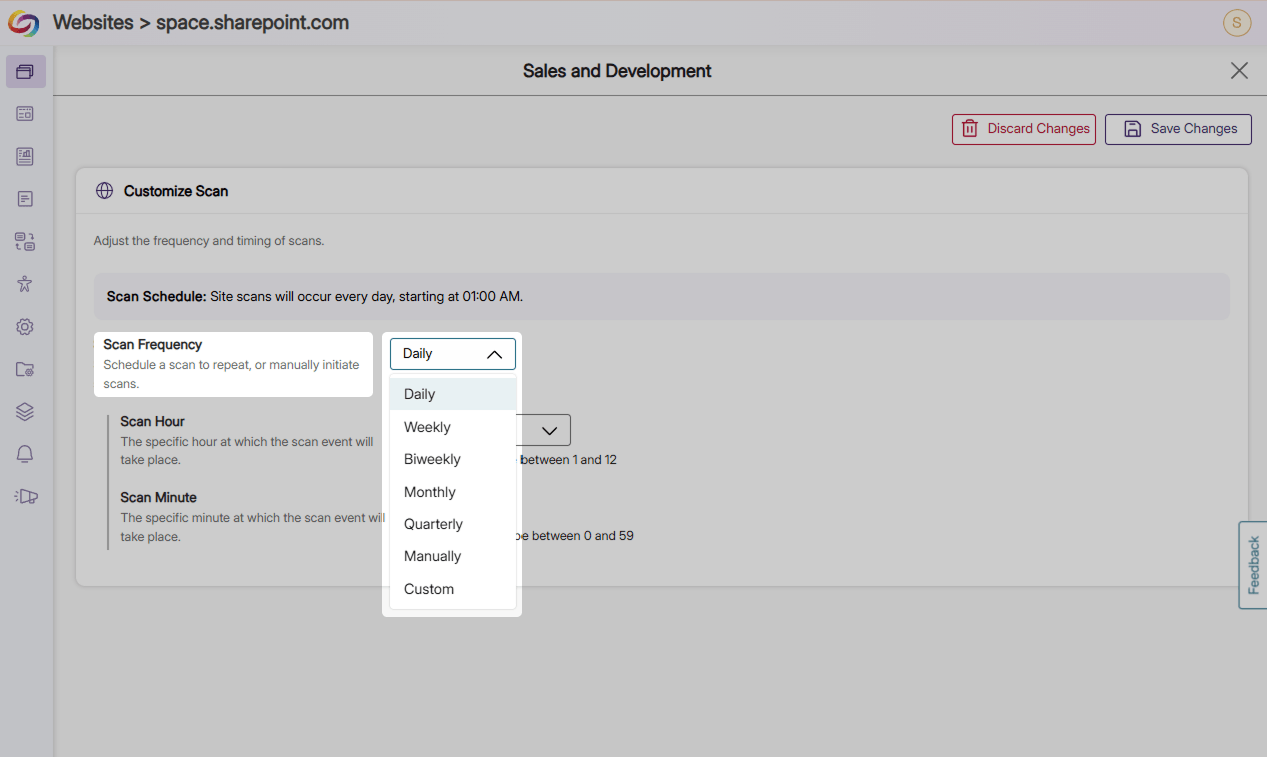
Users can now directly configure scan frequencies for newly added SharePoint sites, effectively having granular control over individual sites without additional, retroactive steps or overwriting settings for their page groups.
-
Improve Accessibility Conformance Instantaneously With Filterable Quick Wins
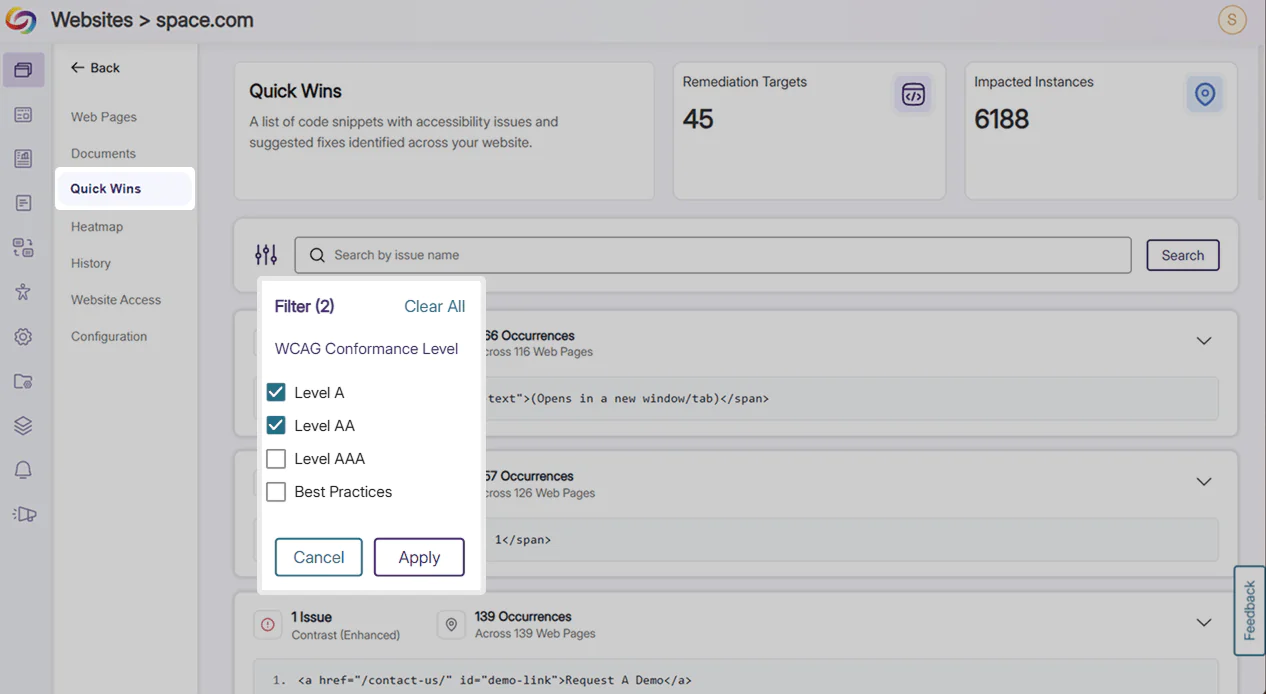
Users can now filter Quick Wins by conformance level and be redirected to the location of the issues to leverage automated Best Practices to improve site-wide accessibility. This grants users more granular control and allows them to remediate multiple issues in a few simple clicks.
-
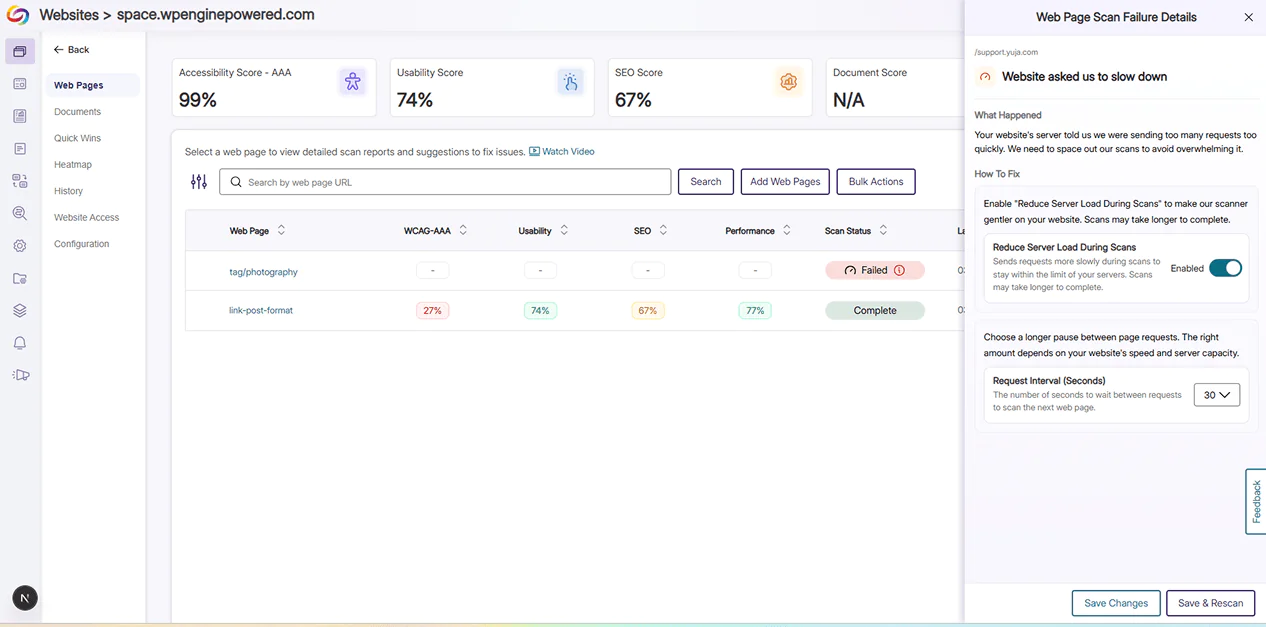
Identify and Implement Web Scan Configuration Changes with Immediate Guidance
A new status badge and details panel providing users with comprehensive insights of their web page scan and quick options to optimize scanning performance has been added. This offers continuous guidance for users should they change configuration settings for website scans in the future.
-
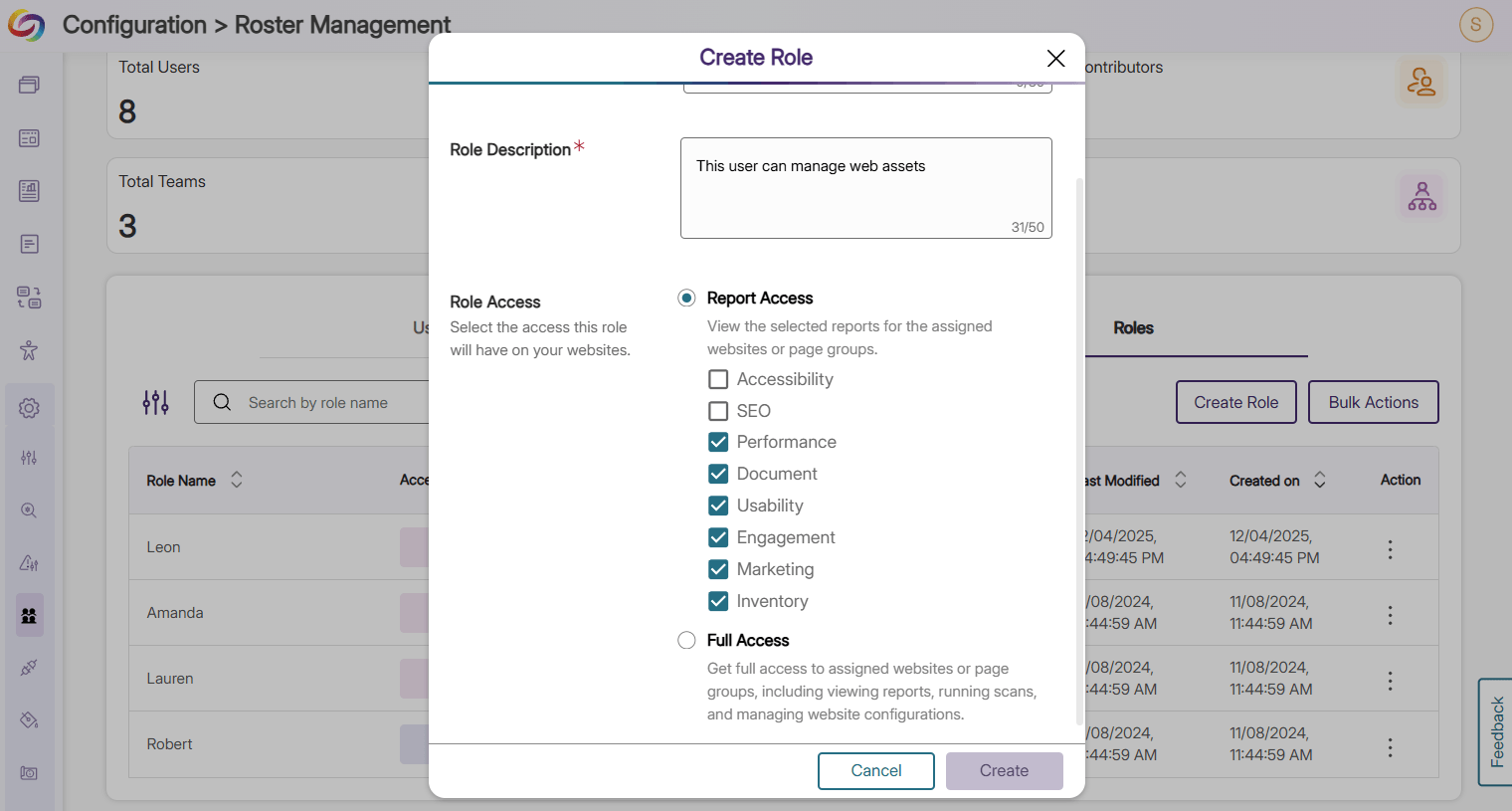
Manage Web Assets Effectively with Role-Based Access
Administrators can now assign Inventory roles to specific users to grant access to website assets including images, videos, CSS files, and more, and streamline asset management operations.
-
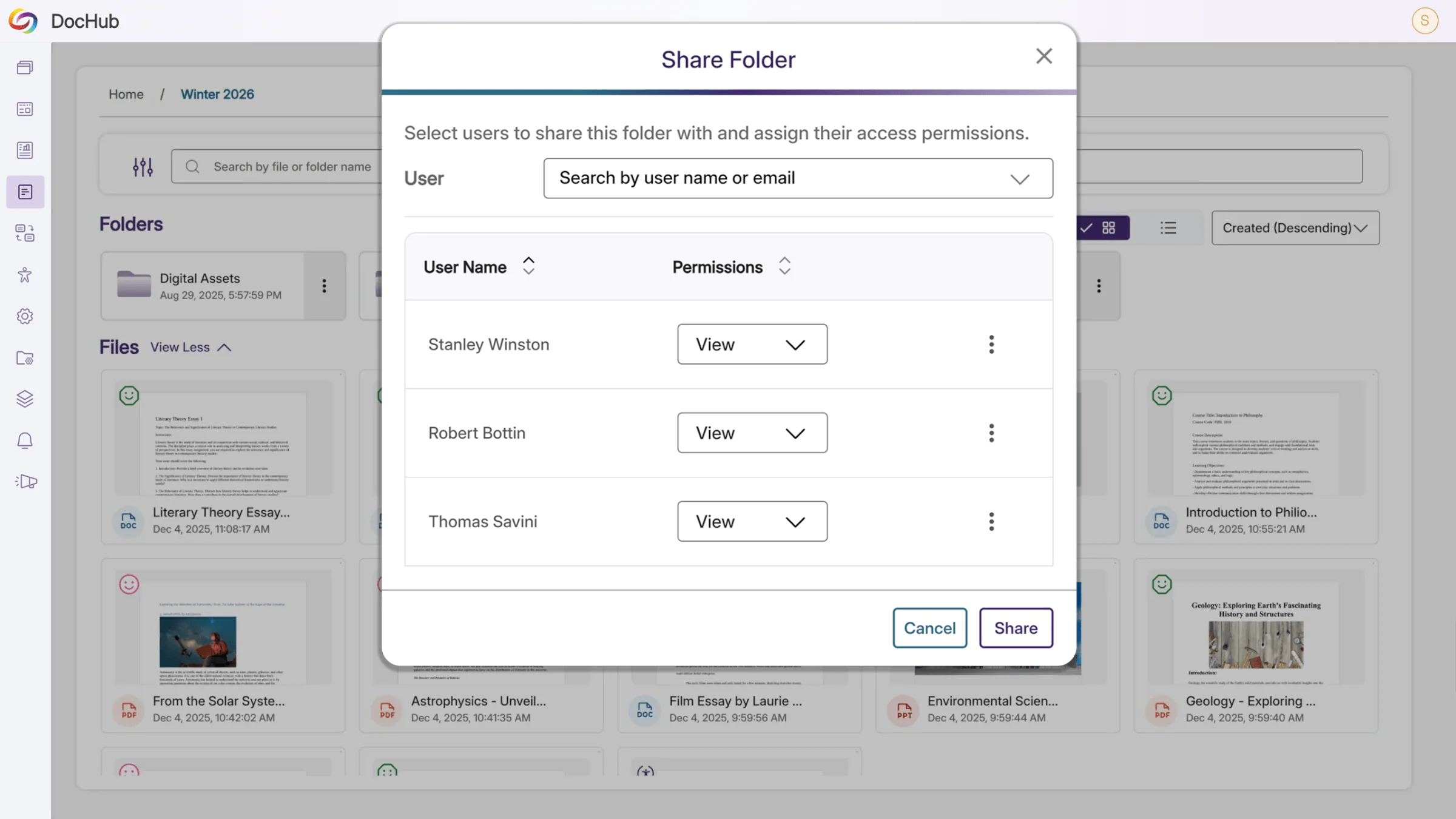
Enhance Collaboration with Shared DocHub Folders
Users can now collaborate on documents in DocHub using shared folders, effectively improving inter- and cross-team communication, efficiency, and productivity.
-
Expanded Support for Core Features
New guides have been added for core features, integrations, and modules in EqualGround, providing users with comprehensive support for new and existing capabilities.