Over the next few weeks, the YuJa EqualGround Accessibility Governance Platform is rolling out a major wave of updates, including a reimagined reporting experience, a brand new Quick Wins dashboard, expanded CMS remediation support, bulk AutoPilot remediation, and much more.
-
Automatic Write Back Functionality Eliminates Repetitive Manual Workflows for Your CMS and Google Workspace Integrations
You can now fix a range of accessibility issues in the pages and documents hosted in Cascade CMS, Google Workspace, SharePoint, and WordPress, all without leaving the YuJa EqualGround interface.
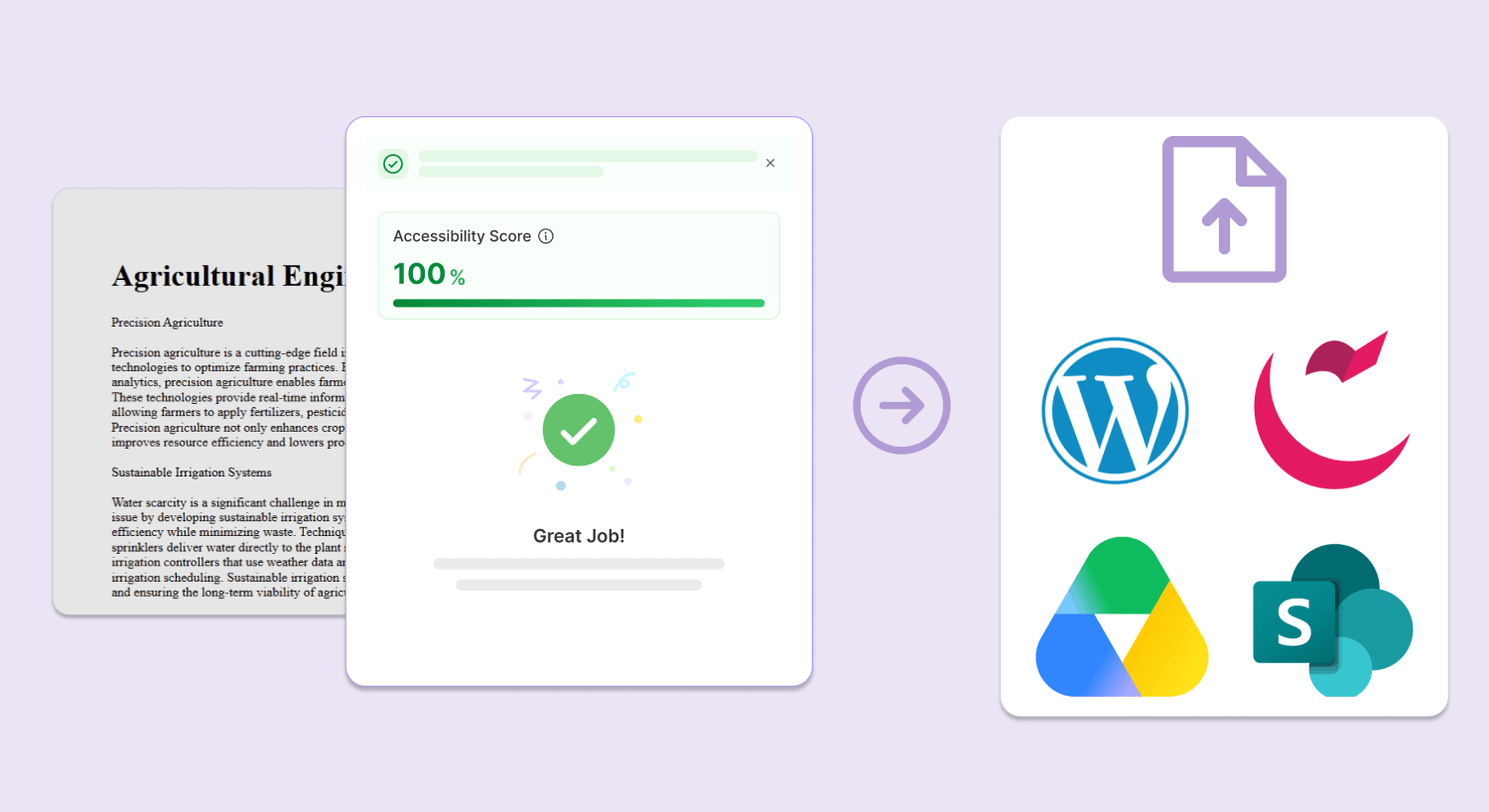
Key features include:
-
Automatic CMS write back for your documents: Any changes made to documents embedded in your CMS or Google Workspace using the Accessibility Report in YuJa EqualGround will be automatically applied to your original source file, eliminating the need for any manual reuploads.
-
Automatically apply changes to your CMS pages: Any structural and HTML changes made to your page in YuJa EqualGround will be automatically reflected in your CMS so you don’t have to copy and paste any code changes. You can also see how your changes affect the accessibility score of the page in real time using the Rescan button.
-
-
Instantly Improve Site-Wide Accessibility Using Targeted Quick Wins
YuJa EqualGround is introducing the Quick Wins Dashboard, which allows users to immediately identify the biggest accessibility barriers on their websites and fix issues across their web assets.
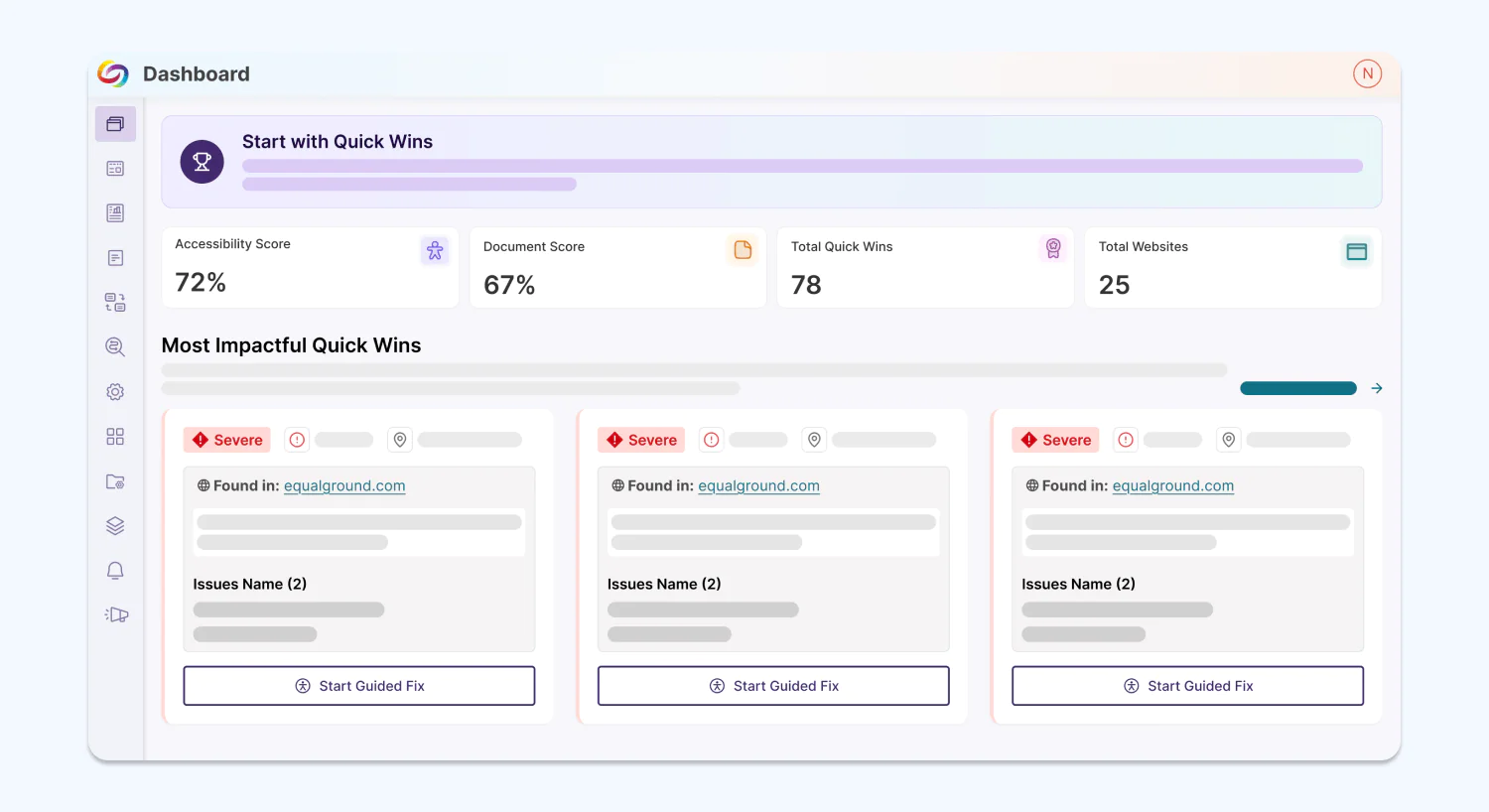
From the dashboard, users can:
-
Start remediating with Guided Fixes: Users can copy and paste YuJa EqualGround’s suggested fixes for each issue and see details like the total number of affected pages and the violated WCAG criteria.
-
Verify that changes are live: The dashboard allows users to quickly rescan all pages affected by the issue to see if the change has been applied.
-
See all Quick Wins: The dashboard will show up to the top 100 most impactful Quick Wins. To see more, users can click a button to be directed to all Quick Wins.
-
-
Automatically Remediate Documents at Once with Bulk AutoPilot
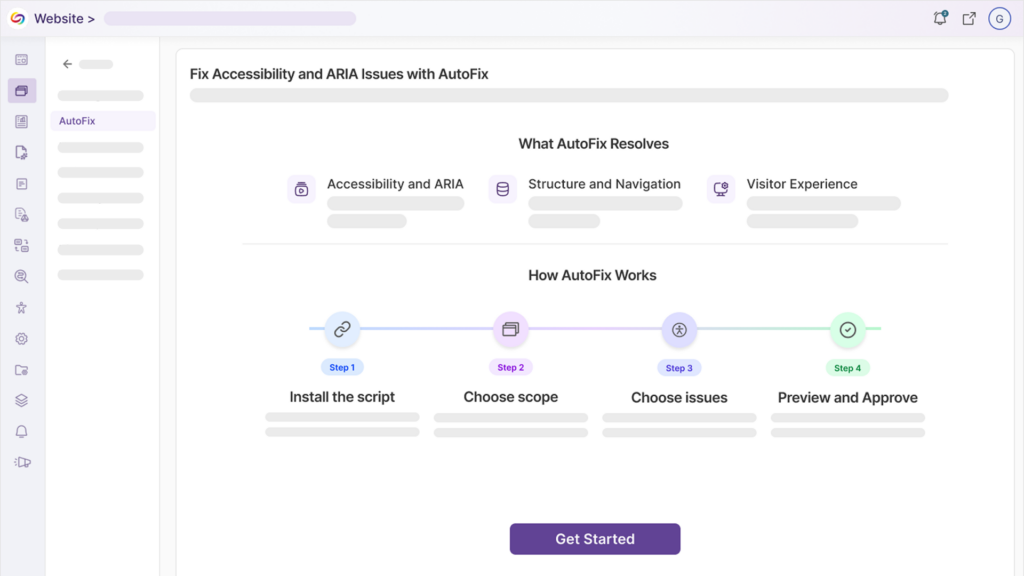
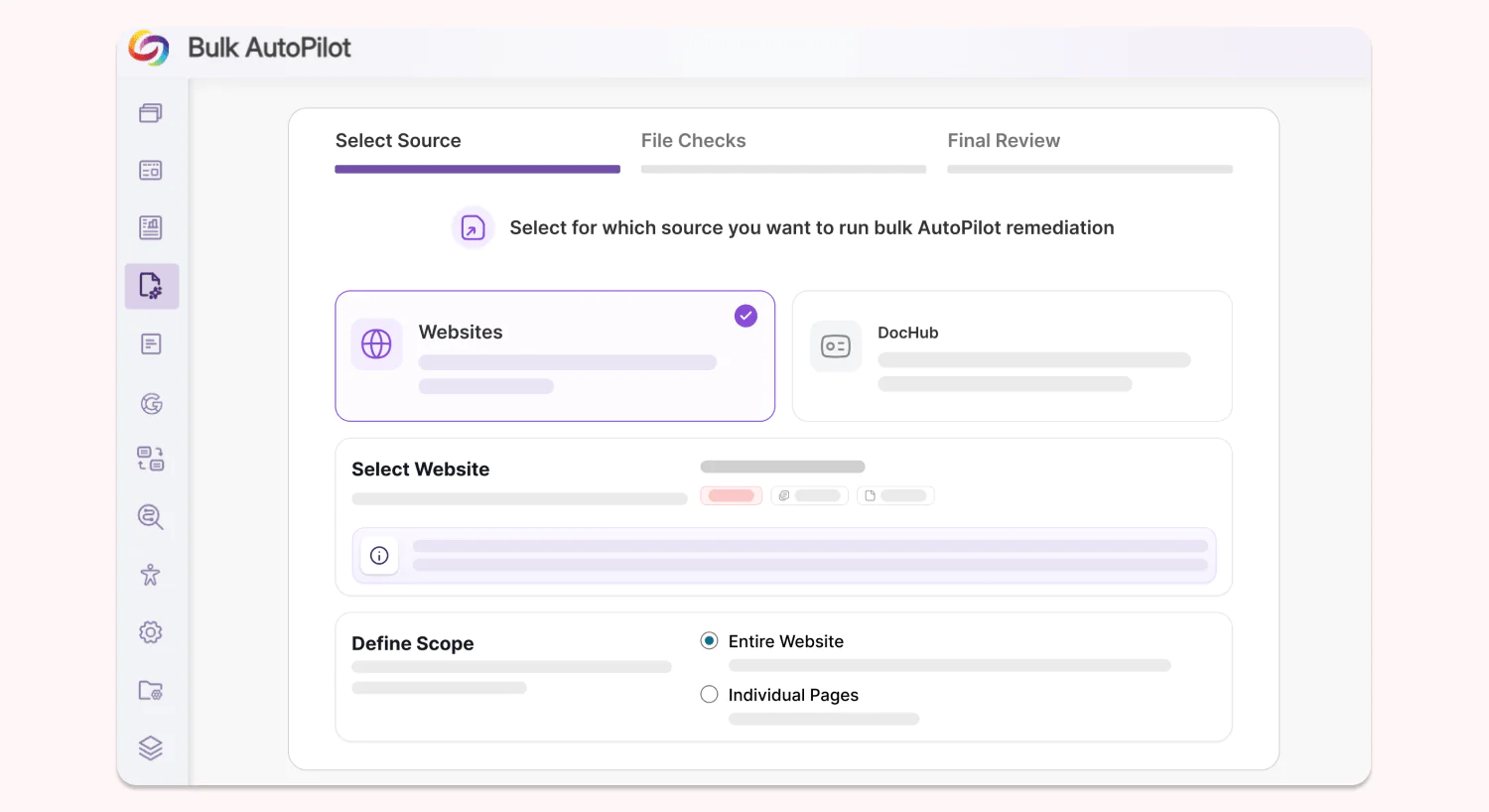
Institutions can now automate multiple document remediations across websites, SharePoint sites, and DocHub libraries in a single batch using Bulk AutoPilot. Users can remediate the whole site/library, individual pages/folders, and choose the type of issue that they want to target, having full control over their AutoPilot remediation workflows.
-
Get Better Insights from an Upgraded Reporting Interface, Now with AI-Powered Analysis
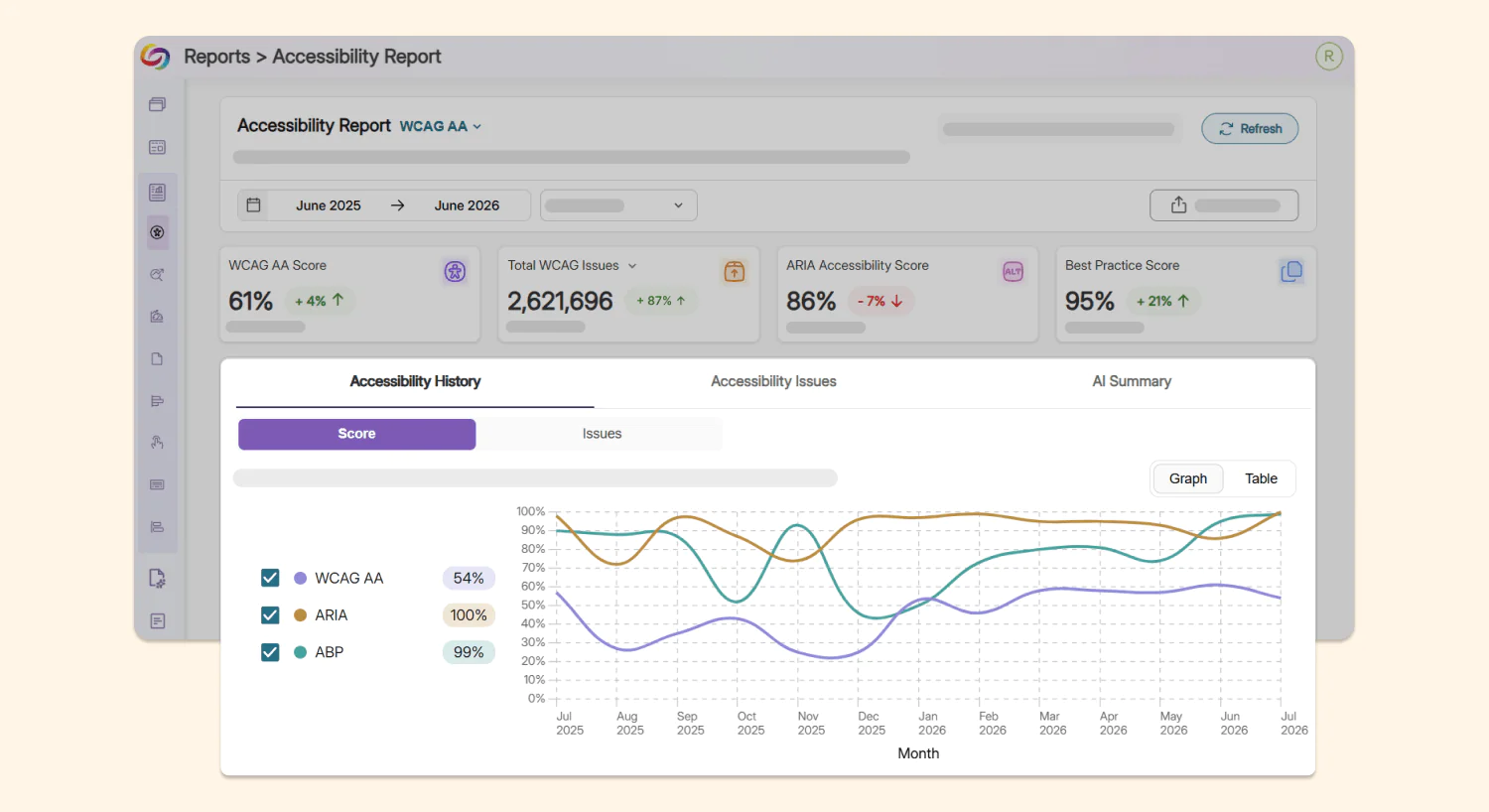
YuJa EqualGround’s reports have been redesigned across all five report types: Accessibility, SEO, Performance, Usability, and Document for a cleaner, more consistent and practical user experience. Each report now contains:
-
Historical trends: Users can see the historical trends of their compliance level via score and via issues in visual graphs, allowing them to easily curate their compliance strategy.
-
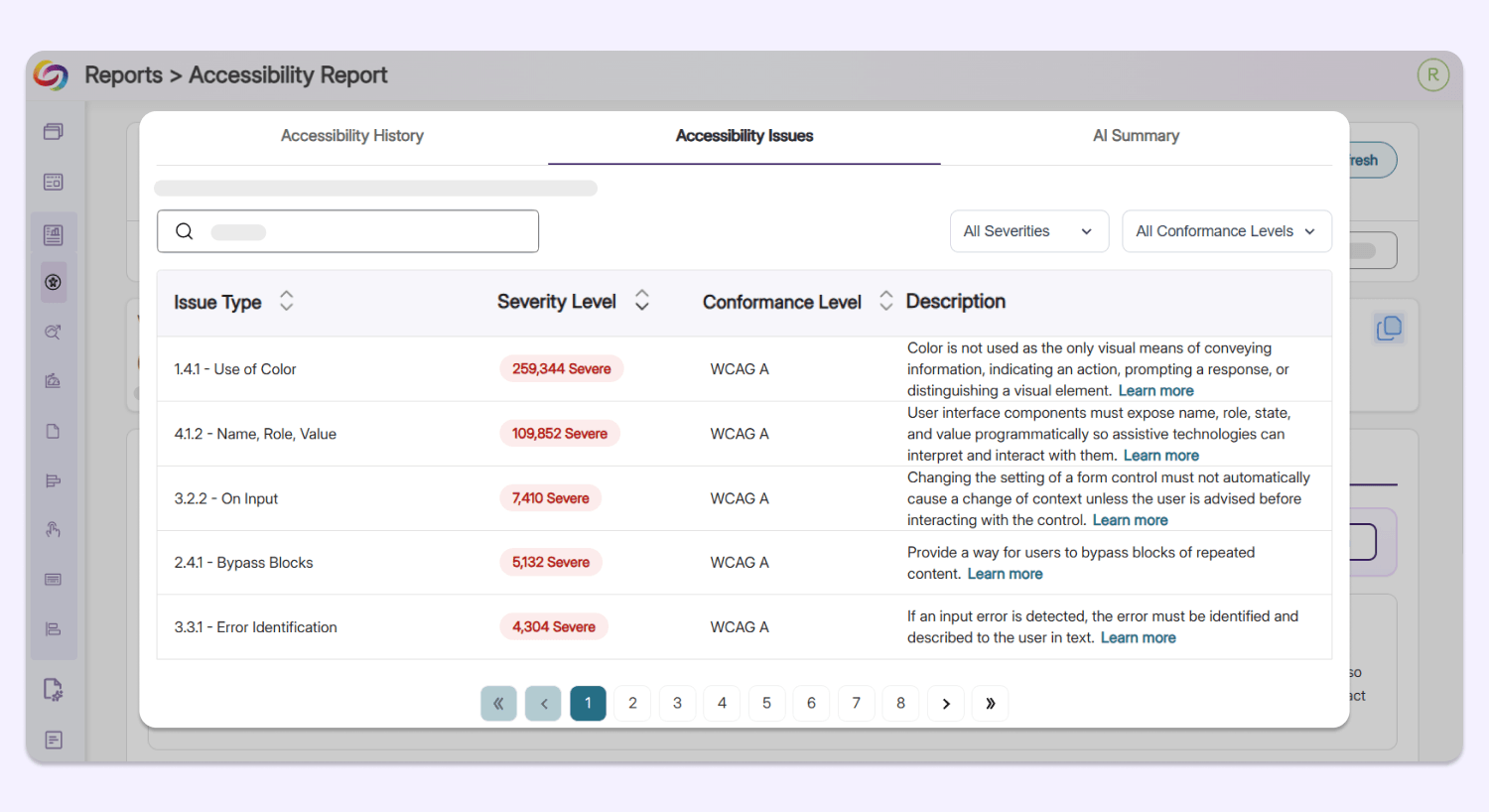
Issues breakdown: Organized in a neat table view, YuJa EqualGround shows the issue type, the severity level, the conformance level, and a short description of each issue identified on the user’s web assets, allowing users to identify major barriers instantly.
-
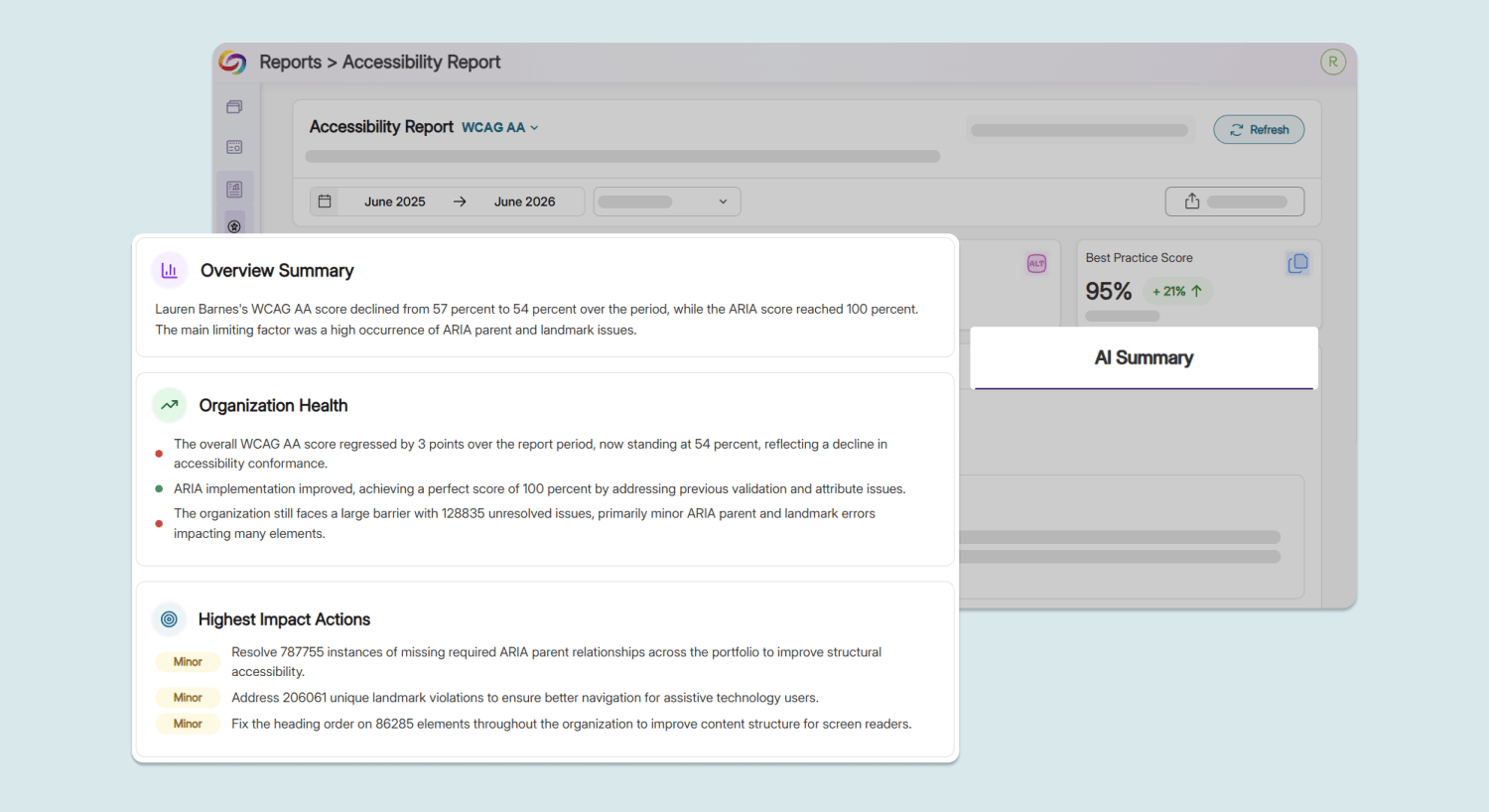
AI-powered summary: A brand new AI Summary tab will automatically analyze and explain the overall accessibility health of the user’s website, highlighting the higher priority issues to address so users spend less time interpreting data and more time acting on it.
-
-
New Integration with ScholarWorks Empowers Accessibility Remediation for Academic Documents
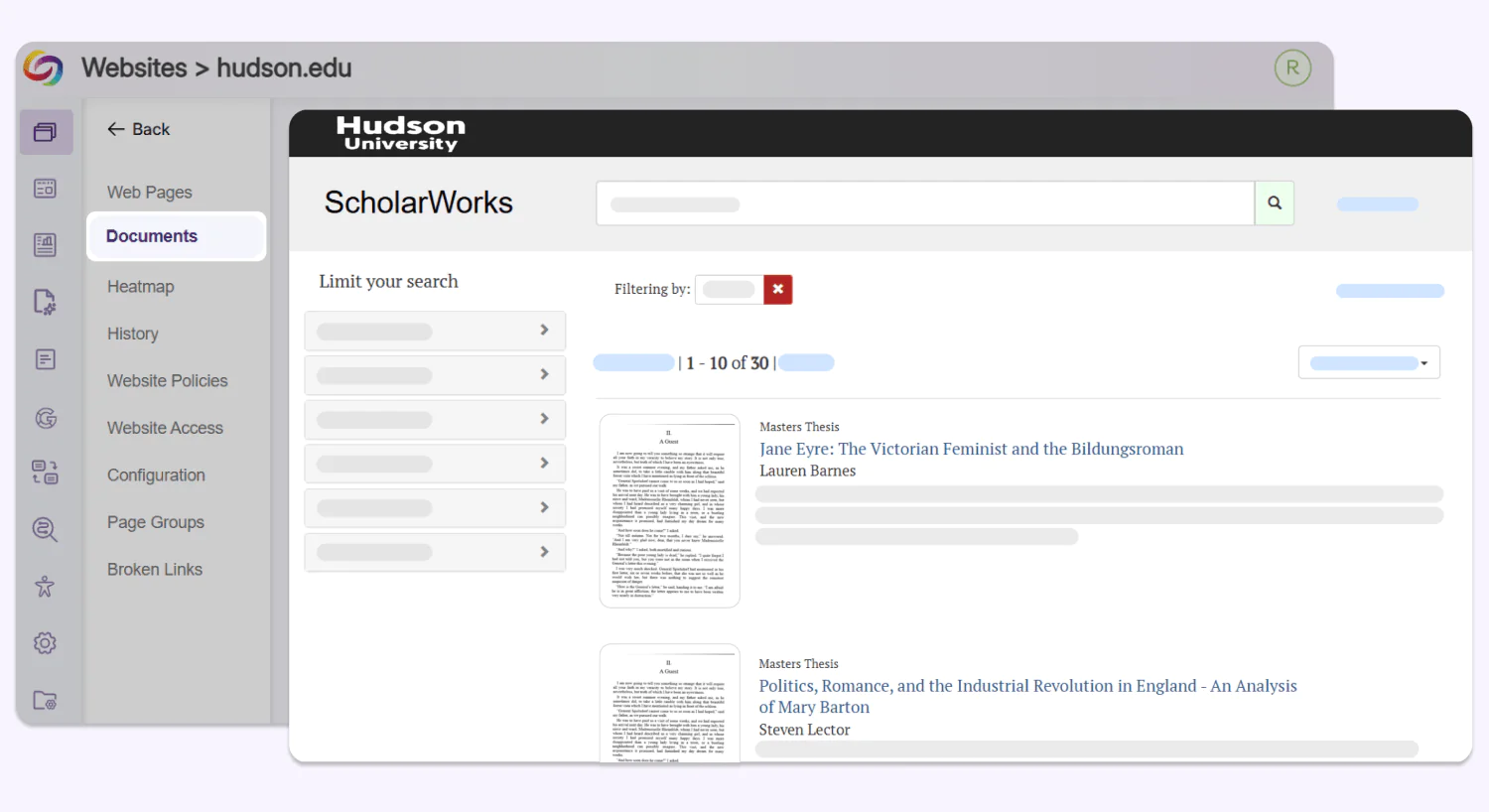
Institutions can now connect YuJa EqualGround with ScholarWorks via API to scan academic papers, theses, and other scholarly content in their academic repository. Setup takes minutes, and newly found documents show up right in the Documents tab, ready for remediation.
-
Remediate Assets Faster with AI Content Generation, Now in the Browser Extension, WordPress, and Drupal
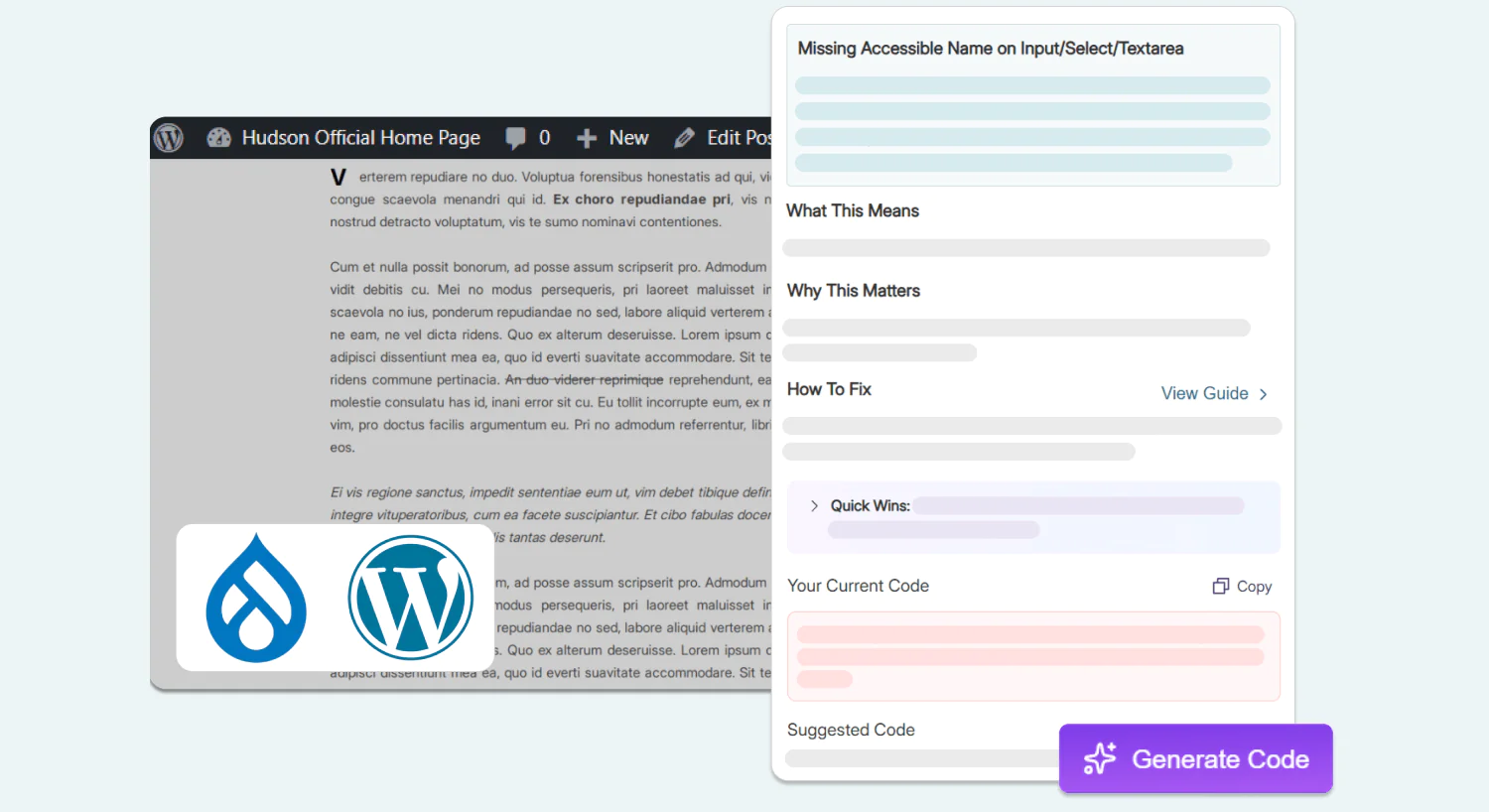
AI-powered content-generation support has been extended to the YuJa EqualGround browser extension, WordPress, and Drupal, helping users improve the accessibility of their site by automatically adding descriptions like alt text and ARIA labels on the spot.
-
Upgraded Performance Report Facilitates a Painless and Transparent User Experience For All Audiences
The Performance Report in YuJa EqualGround has been expanded to provide more context, usability, and guidance for users to improve their website. The report now includes:
-
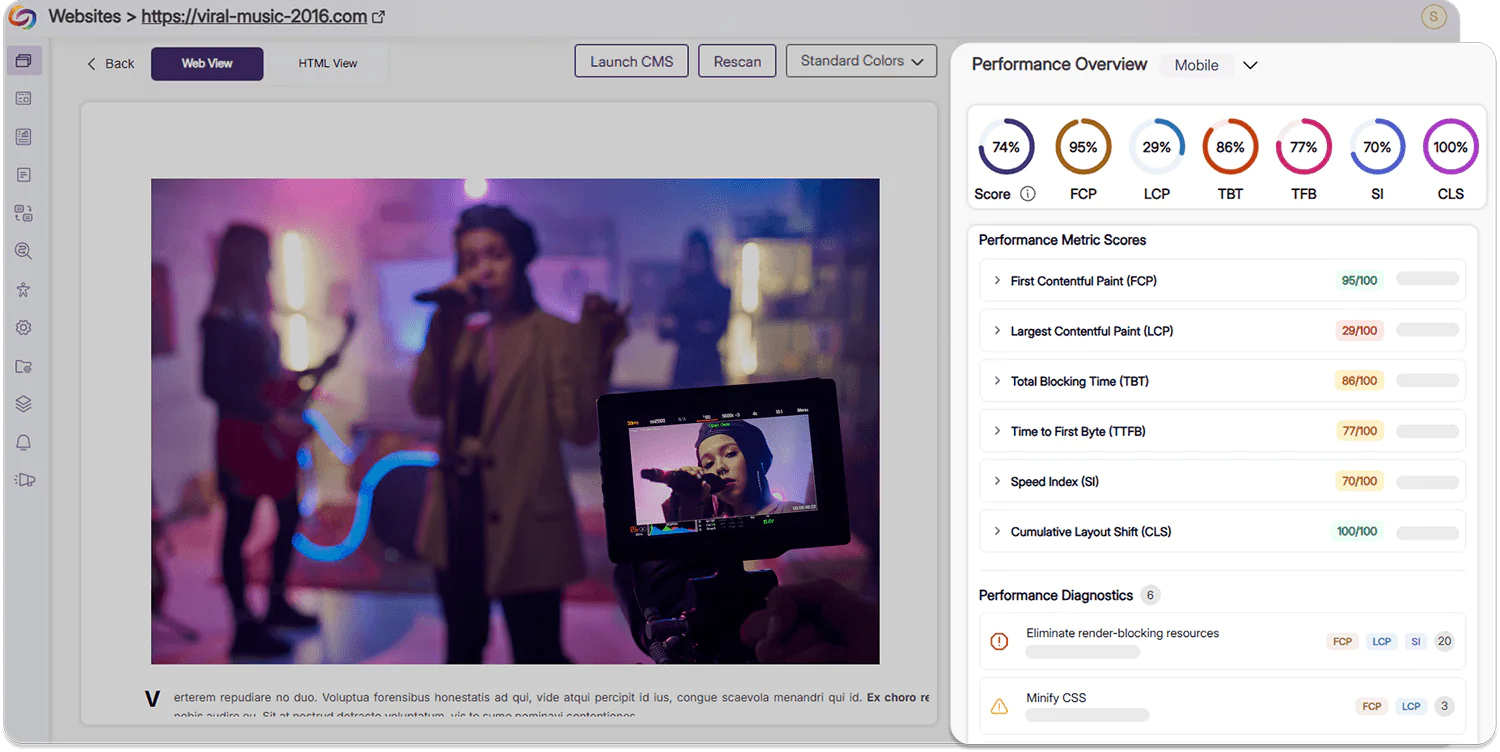
New support for mobile performance: Users can now see advanced performance metric scores and diagnostic statistics for both desktop and mobile experiences. With this addition, users can ensure that their website can be easily accessed by a broader selection of audiences using diverse platforms.
-
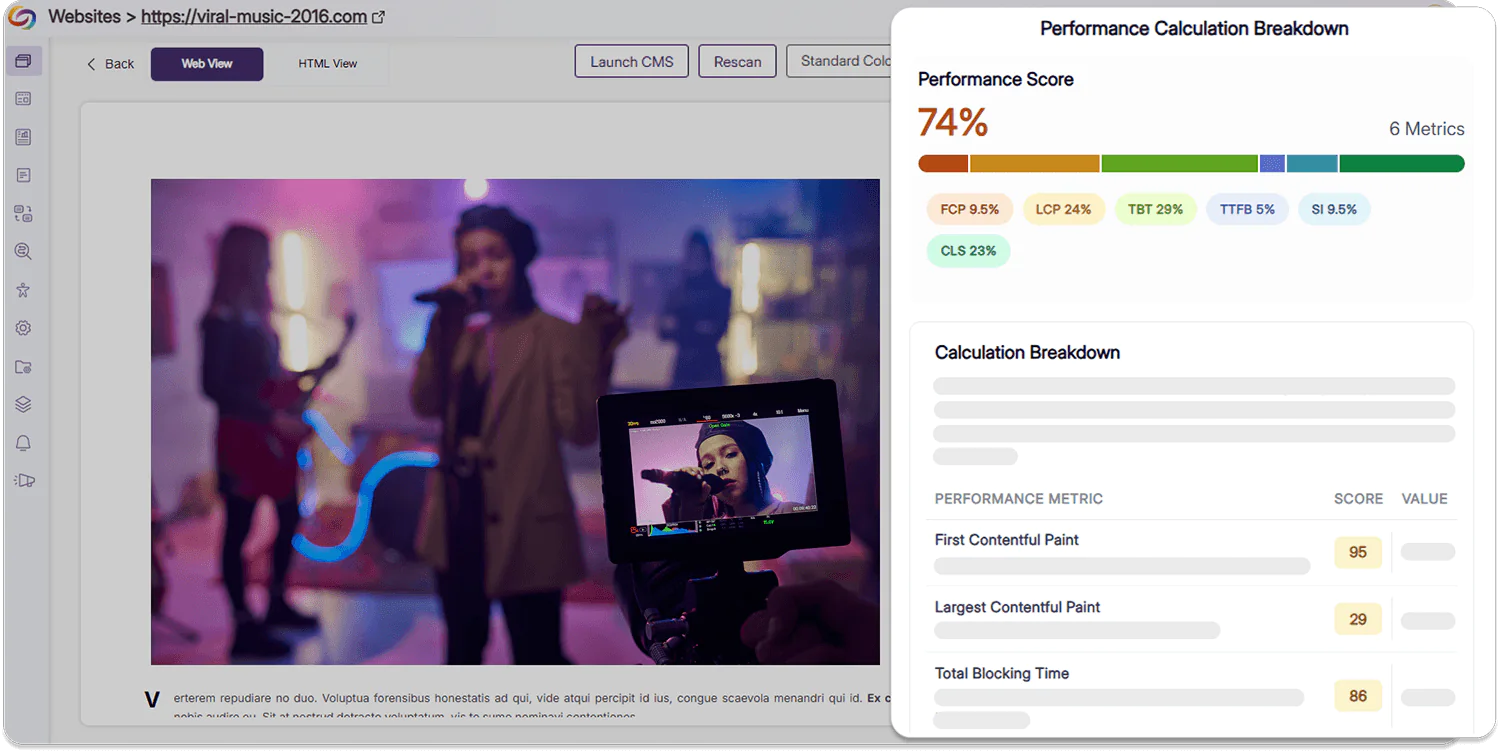
Clear breakdowns of your performance score: Users can now view a color-coded visualization of their performance score and an exact breakdown of how their score is calculated using various metrics in order to make targeted improvements.
-
-
A Smoother, Easier Workflow to Add and Configure Your Web Assets
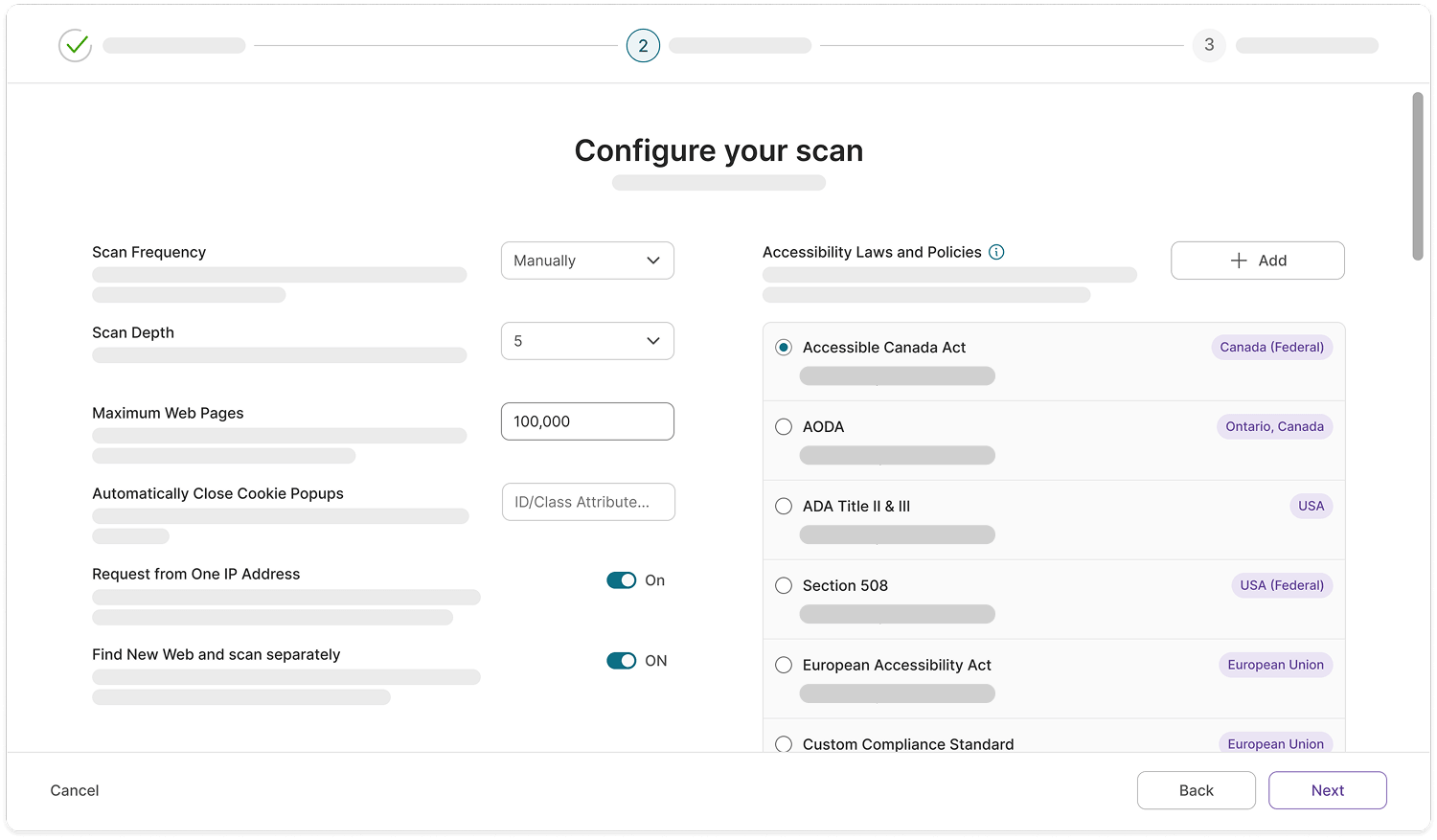
A redesigned layout will be added to the Configuration tab, making website settings easier to locate, navigate, and adjust. The workflow for adding new websites in YuJa EqualGround has also been upgraded to introduce additional clarity into setting up configurations such as required log in credentials, accessibility conformance levels, and IP address requests.
-
Track Both Accessibility Compliance and Engagement in One Centralized Location While Remediating Your Page
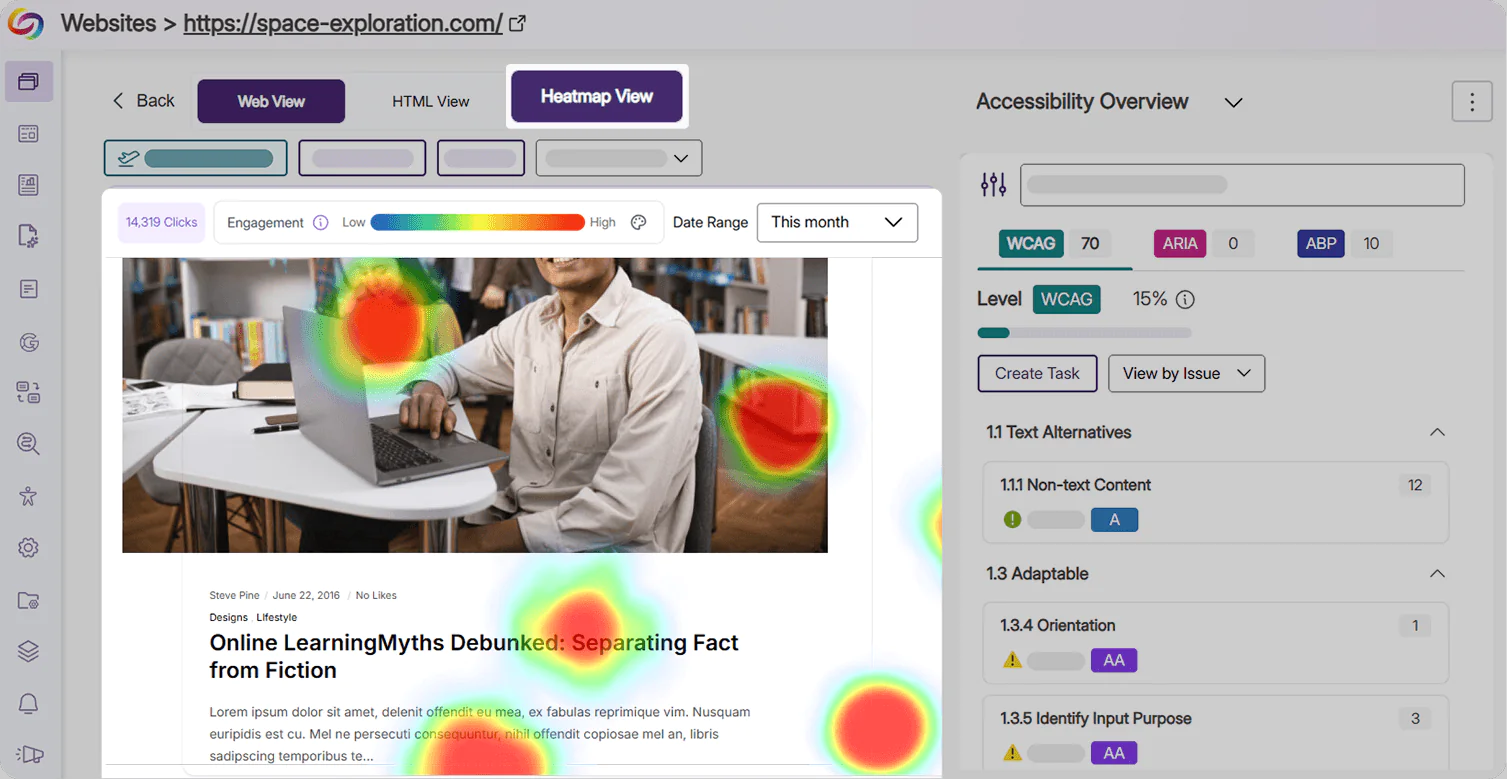
Users can now easily track heatmap statistics and review how external users are engaging with their website directly in the Issues Panel. Users can now also add heatmap tracking to their page from this workflow, eliminating the need to configure any scripts.
-
A Simplified View for All WCAG Accessibility Standards
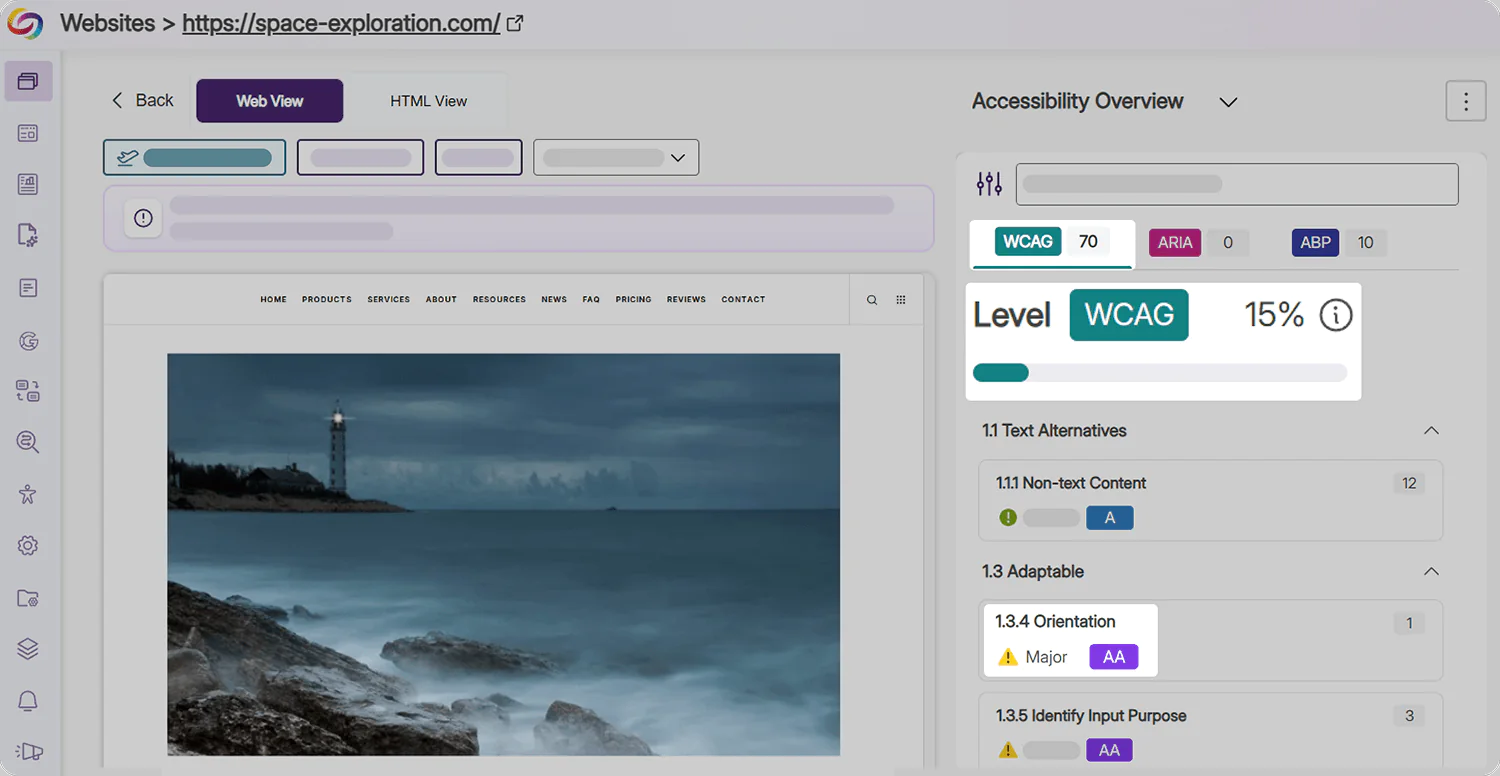
All WCAG issues (Levels A, AA, and AAA) are now displayed together in a single view in the Issues Panel with badges for each issue type to indicate the severity level. With a single percentage denoting their accessibility compliance, users have a clearer understanding of where their website stands, and barriers that they should target first.
-
Export Accessibility Reports in Excel Format for Cross-Platform Analysis
Accessibility Reports can now be exported directly to a spreadsheet in Microsoft Excel or Google Sheets, making it easy to share clear, readable findings with colleagues who have both technical and non-technical skills. Exports are available at the organization and website level, and provide quick summaries, issue, and score breakdowns for your assets.
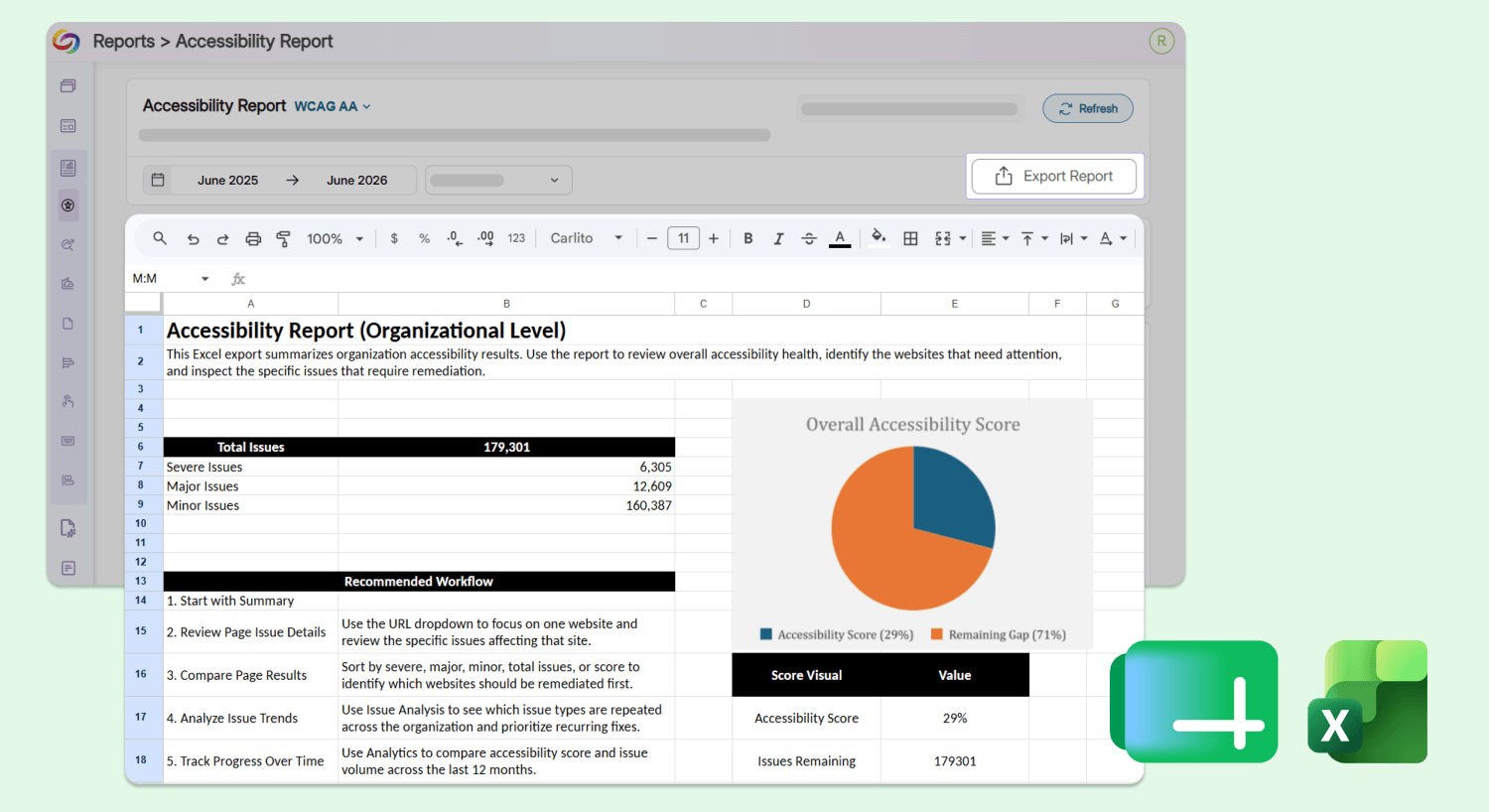
The report contains the following tabs:
-
Accessibility report summary: Users can view their organization’s accessibility statistics, including the total number of issues ranked by severity and a suggested workflow for remediation.
-
Issue breakdown: Users can view a breakdown of all issues found on a website that require remediation, including their severity level, type, description, associated WCAG principle, and the number of occurrences.
-
Score breakdown: Users can track the historical trend of their website’s accessibility score over the specified number of previous months.
-
Issues count: Users can track the total number of accessibility issues identified each month over the last few months.
-
-
Scan and Remediate Documents from External Subdomains Using an Improved Document Discovery Workflow
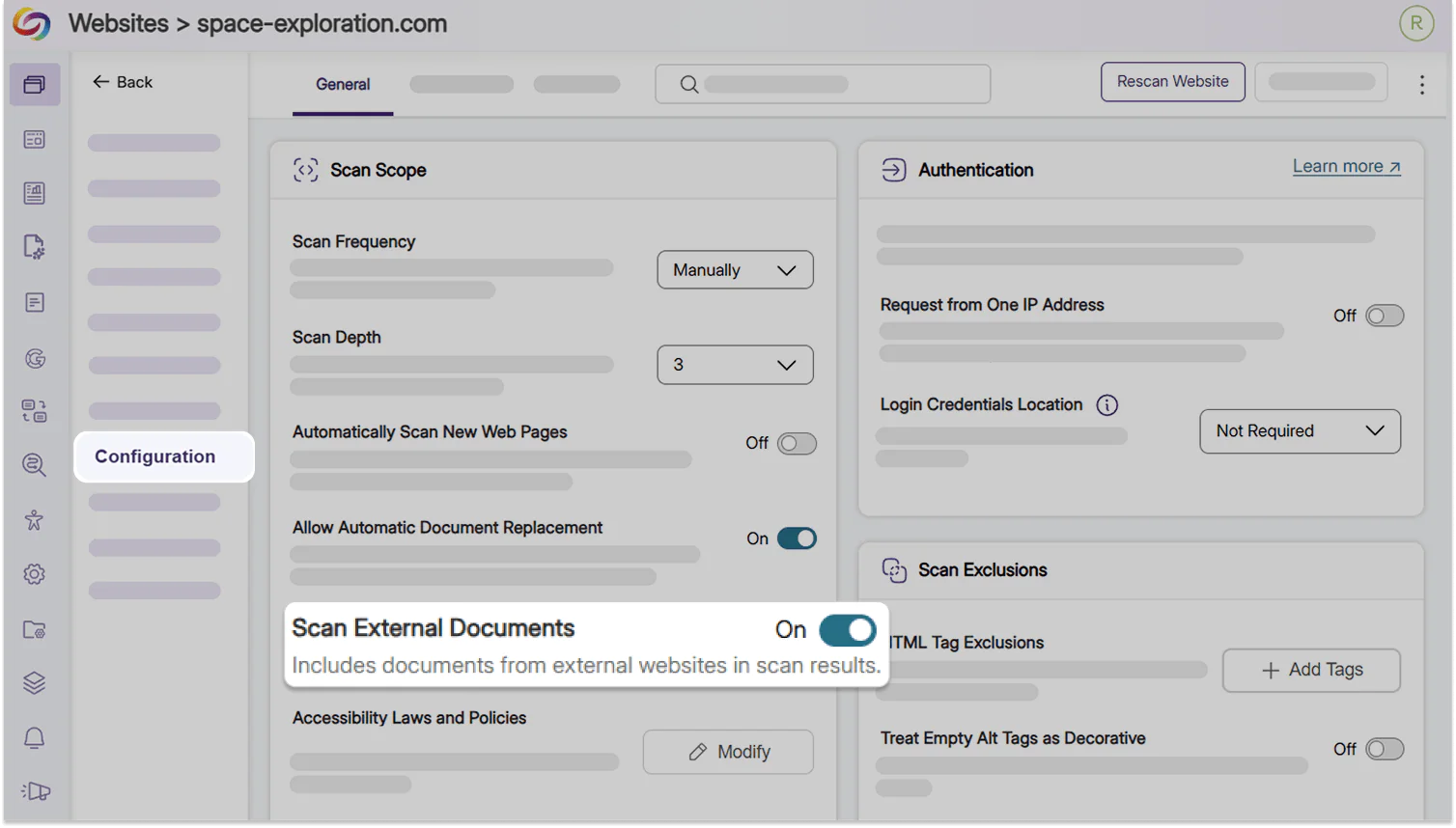
YuJa EqualGround can now discover and scan documents hosted on related subdomains and entry points when documents are hosted outside of the primary website, so institutions get a complete, accurate picture of their accessibility progress and ensure that all of their documents are remediated.
-
Find and Fix Unclear Link Text in One Click
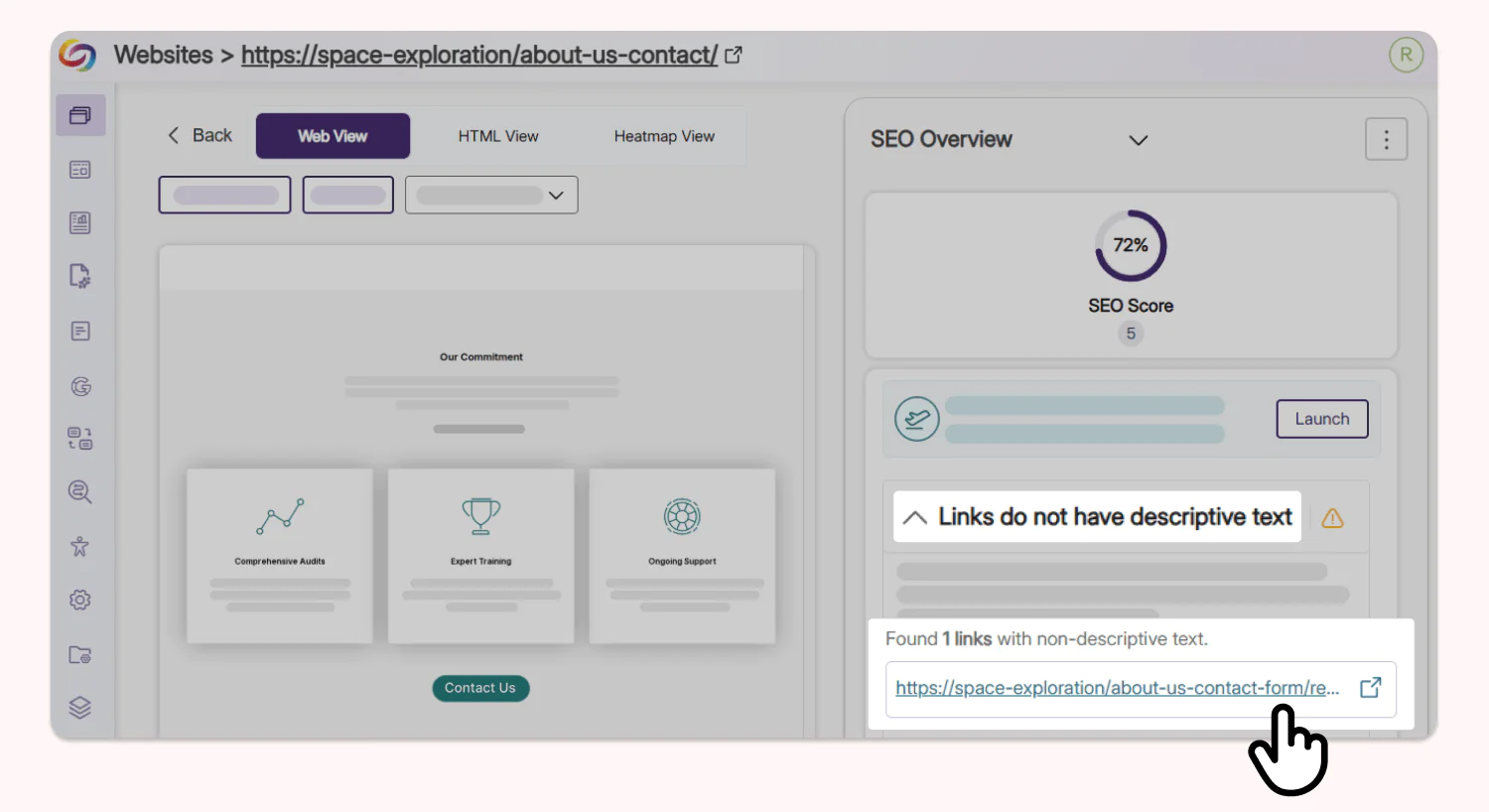
Undescriptive links flagged by the YuJa EqualGround SEO Report are now clickable, directing users to the target landing page immediately so users can quickly add an effective description to remediate the issue without needing to search their codebase.