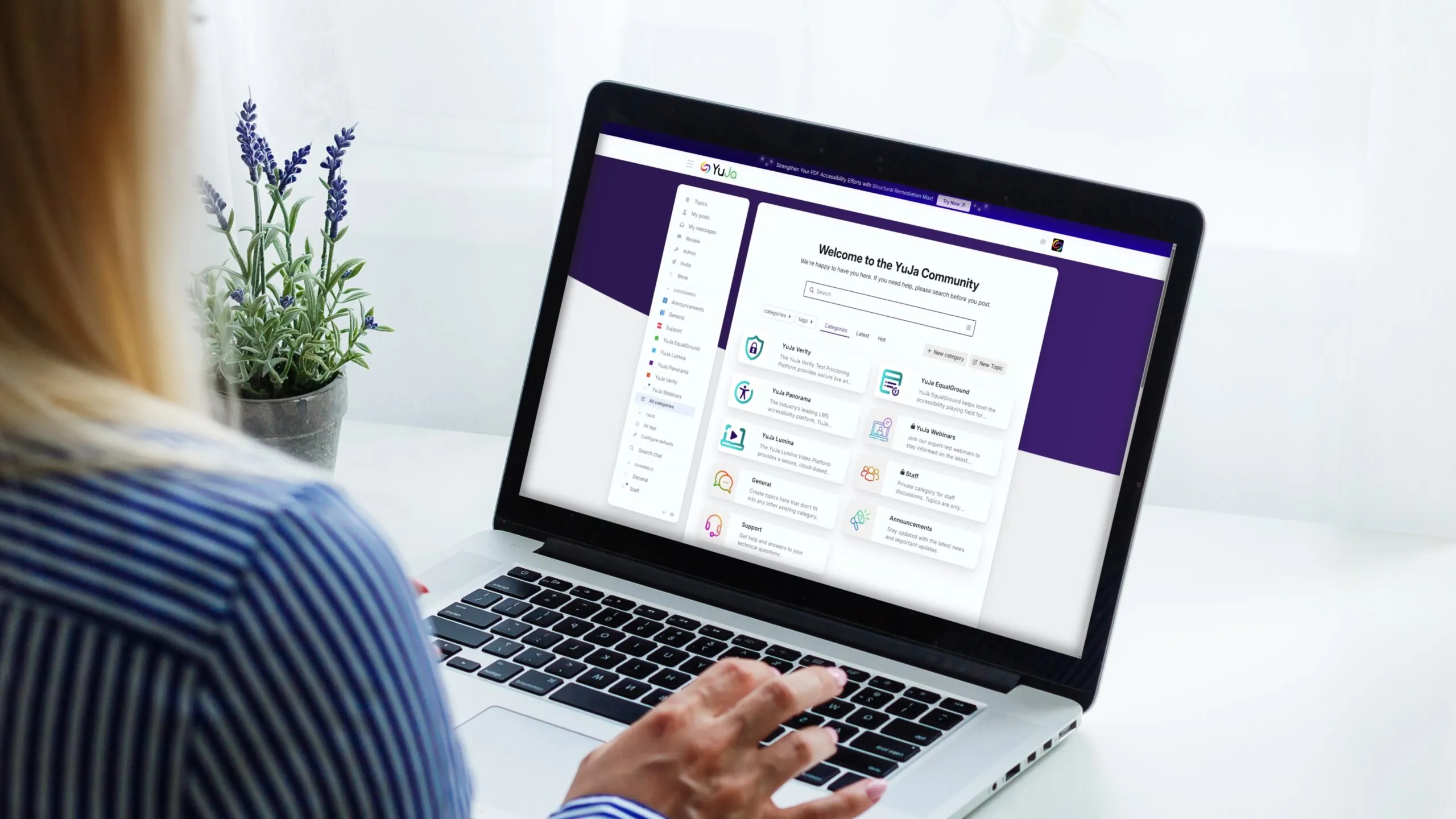
The YuJa Community has a new home! 🎉 We’re excited to announce that the YuJa Community has moved to a brand-new space designed to make connecting, learning, and sharing easier than ever. You can connect with peers, collaborate and exchange ideas, get the latest product updates, release notes, and feature announcements, watch exclusive content, and get support—all in one centralized hub! Join the YuJa Community today!
Over the next few days, we’ll be adding several YuJa Lumina Video Platform updates to make reviewing, analyzing, and managing content easier and more efficient. New enhancements include a new workflow that reimagines the course experience to streamline course creation, free and automatic application of Enhanced Audio Descriptions to your 3 most popular videos monthly, the ability to edit quizzes without making a copy, and so much more.
-
A New Workflow Reimagines the Course Experience
The YuJa Lumina course workflow has been reimagined to streamline course creation, enrollment, organization, and management to deliver a clearer, more engaging experience for both instructors and students. Key highlights include:
-
Create Courses Faster: Instructors can now use the new Course Creation Widget to set up a course quickly. Invitations are automatically sent to all added users, so you can get your course up and running right away.
-
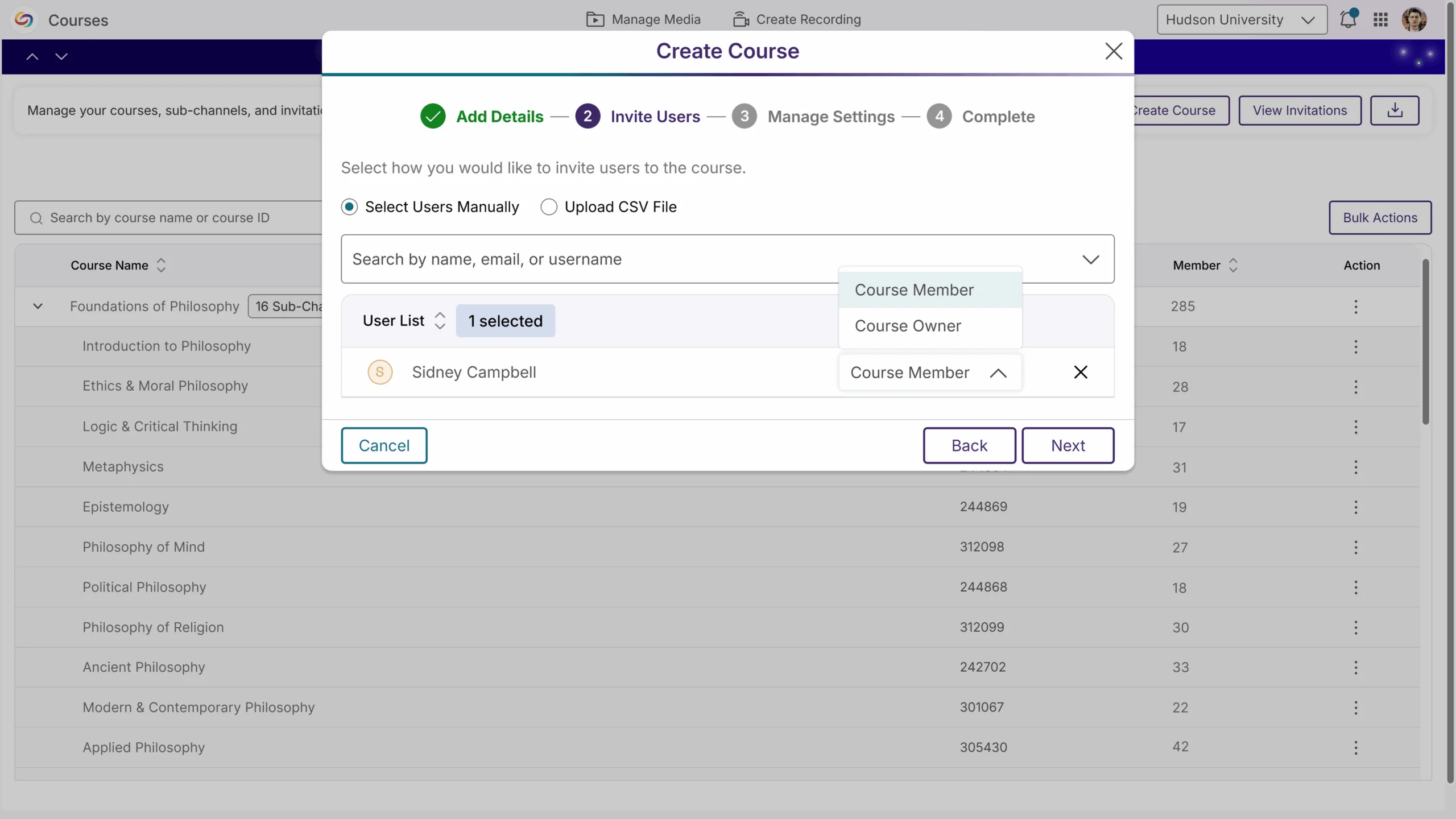
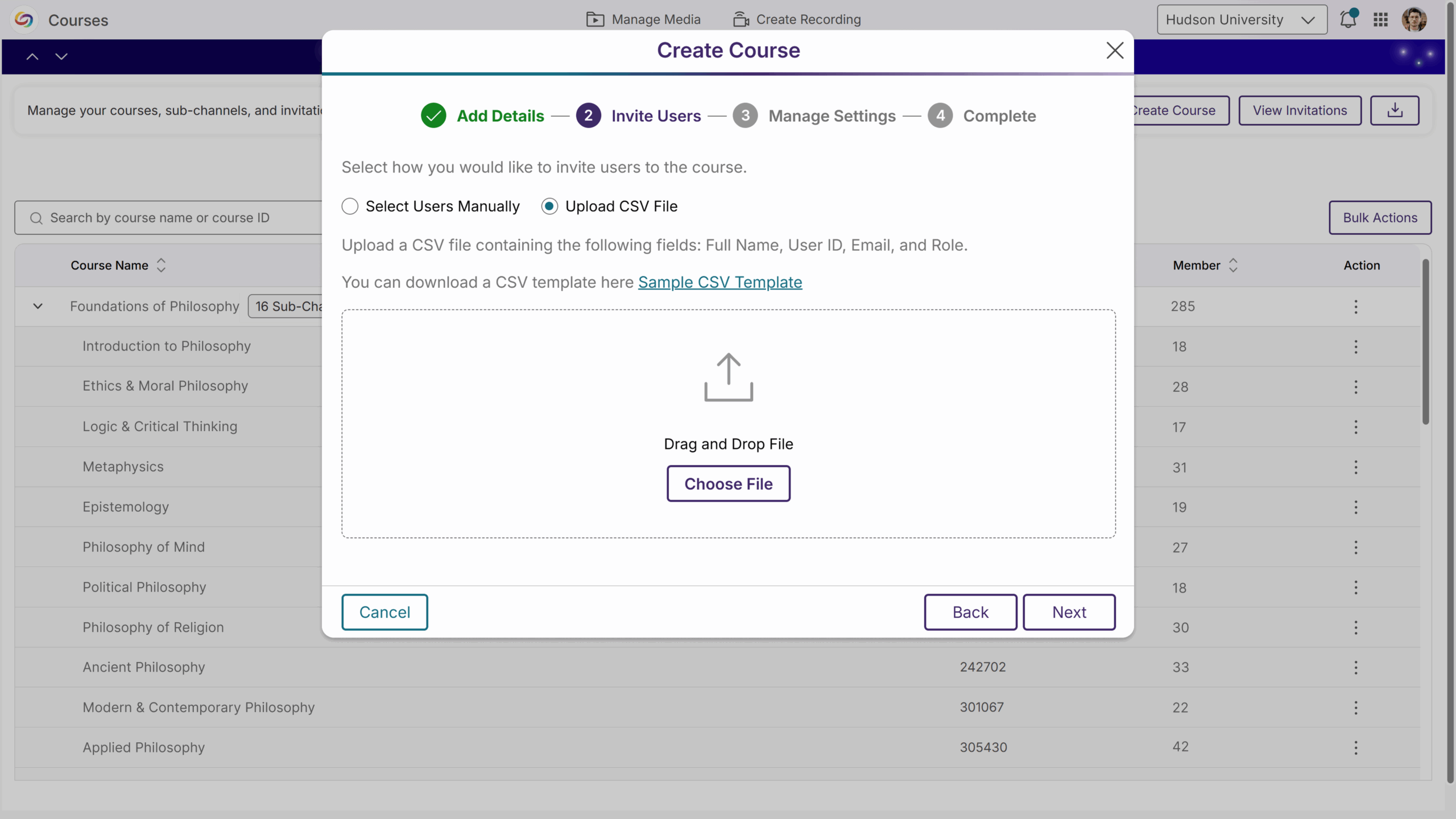
Flexible Invitations: Invite students to your course by adding them manually or uploading a CSV file. The refreshed, user-friendly email ensures users can join quickly and seamlessly. You can also resend invitations whenever you need.
-
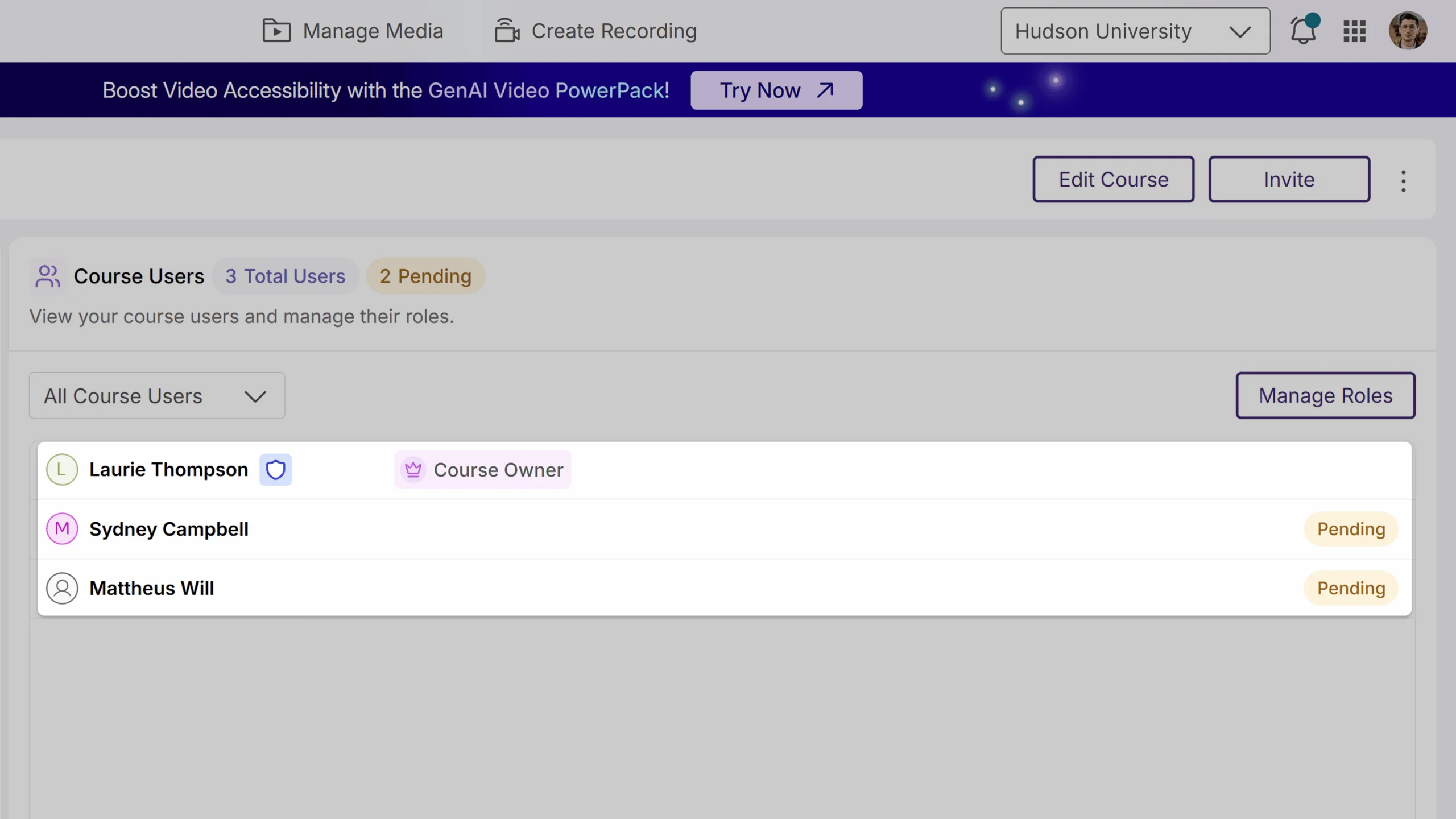
Clear Role Management: Badges now appear next to each person’s name, so you can quickly see whether they are a course owner, member, or pending member. You can easily change roles or lock them to prevent LMS updates from overriding your settings.
-
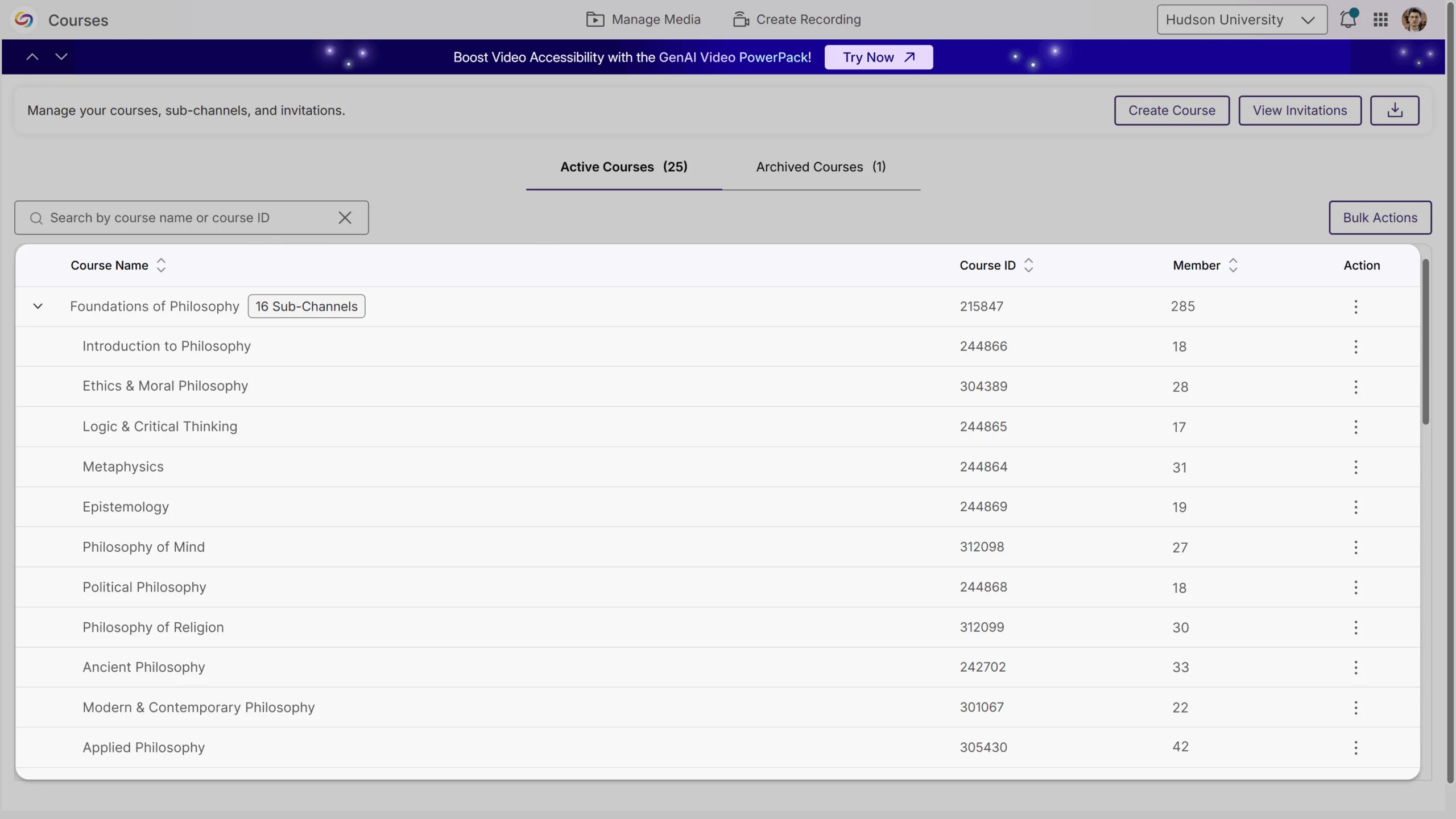
Organize with Sub-Channels: Instructors can break the course into sub-channels to keep content, discussions, and members more organized.
-
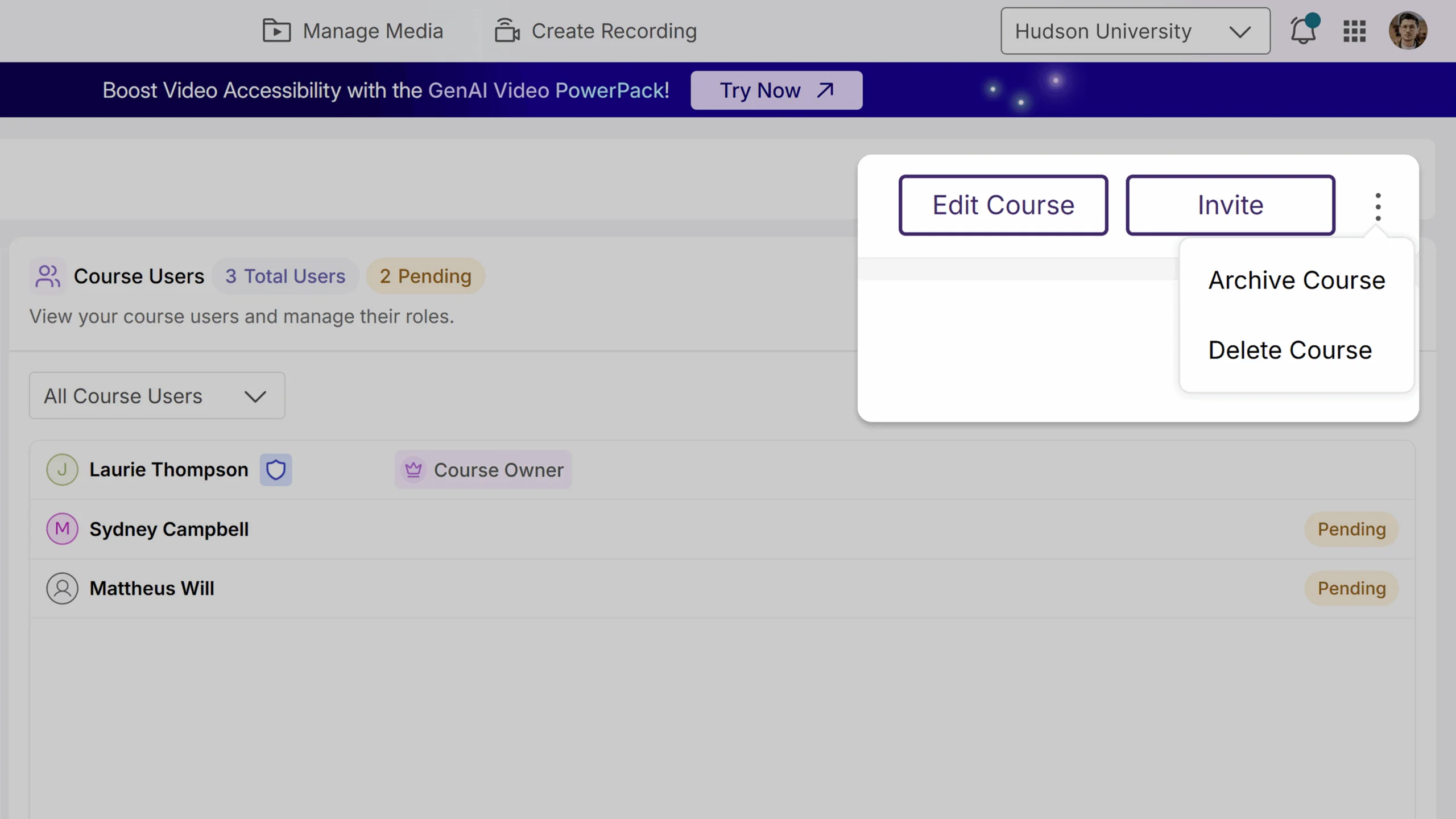
Easier Course Settings: Your course settings are now organized into tabs, and common actions like archive and delete are available in the kebab menu, making course management more simple and intuitive.
-
-
AlwaysOn Audio Descriptions for Video Accessibility Now Included at No Cost
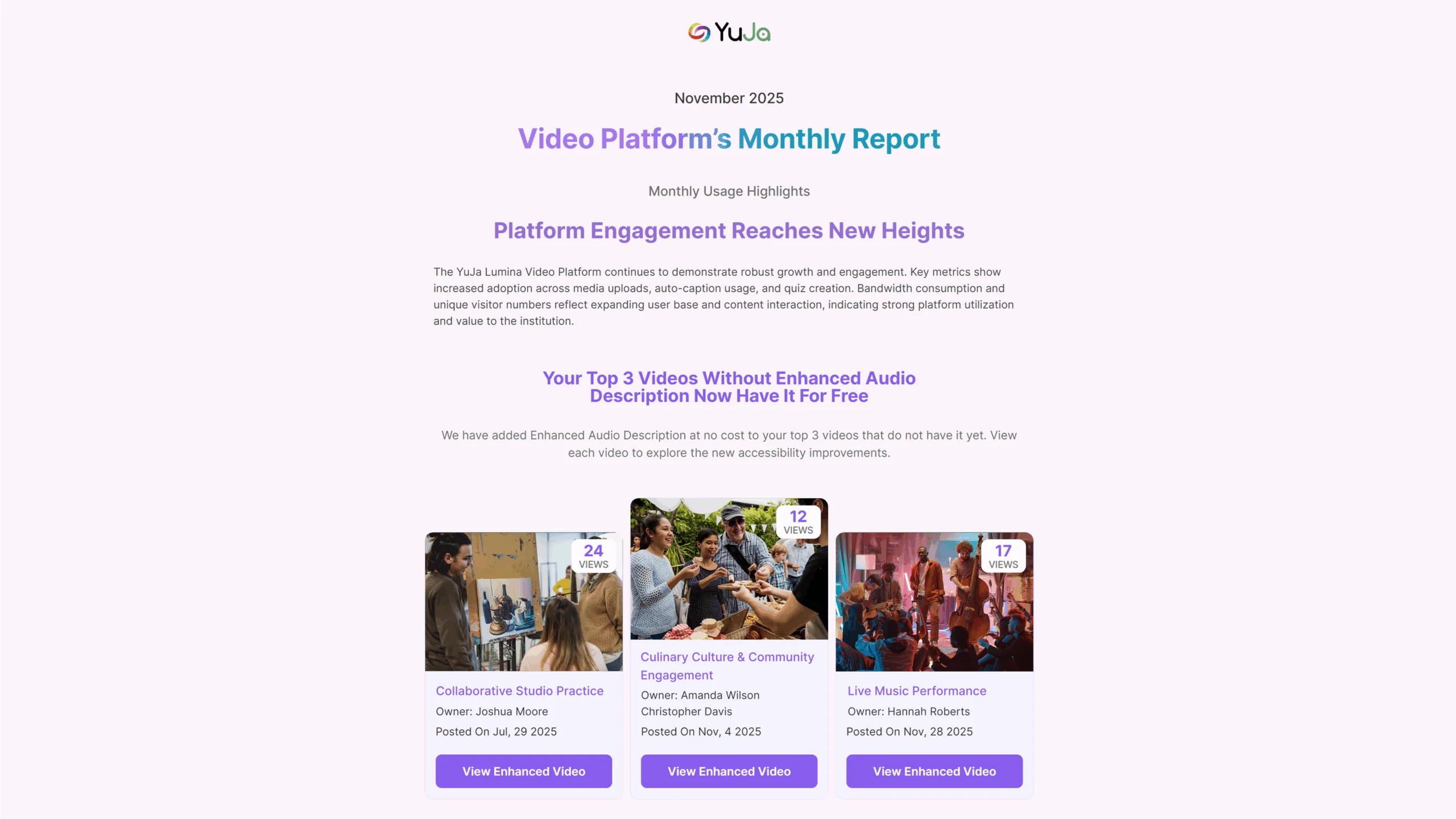
We’re introducing AlwaysOn Audio Descriptions, an automated accessibility enhancement for YuJa Lumina at no additional cost. Each month, Enhanced Audio Descriptions will be automatically applied to your top three most-viewed videos, ensuring high-impact content is accessible without any manual effort. When Audio Descriptions are applied, you’ll receive a notification email, and the updates will also be reflected in your Monthly Usage Report. This automated approach helps institutions maintain accessible video content by default, while keeping you informed and in control.
-
Edit Quizzes Without Making a New Copy
You now have more control and flexibility over your video quizzes. You can update video quiz titles, adjust question wording, or tweak quiz settings, such as disabling fast-forwarding or allowing unlimited attempts, without creating a new copy of the video quiz. A clear warning will appear if a change could affect existing data, giving you the choice to edit the current quiz or create a new one. These video quiz improvements help keep your quizzes accurate and up to date.
-
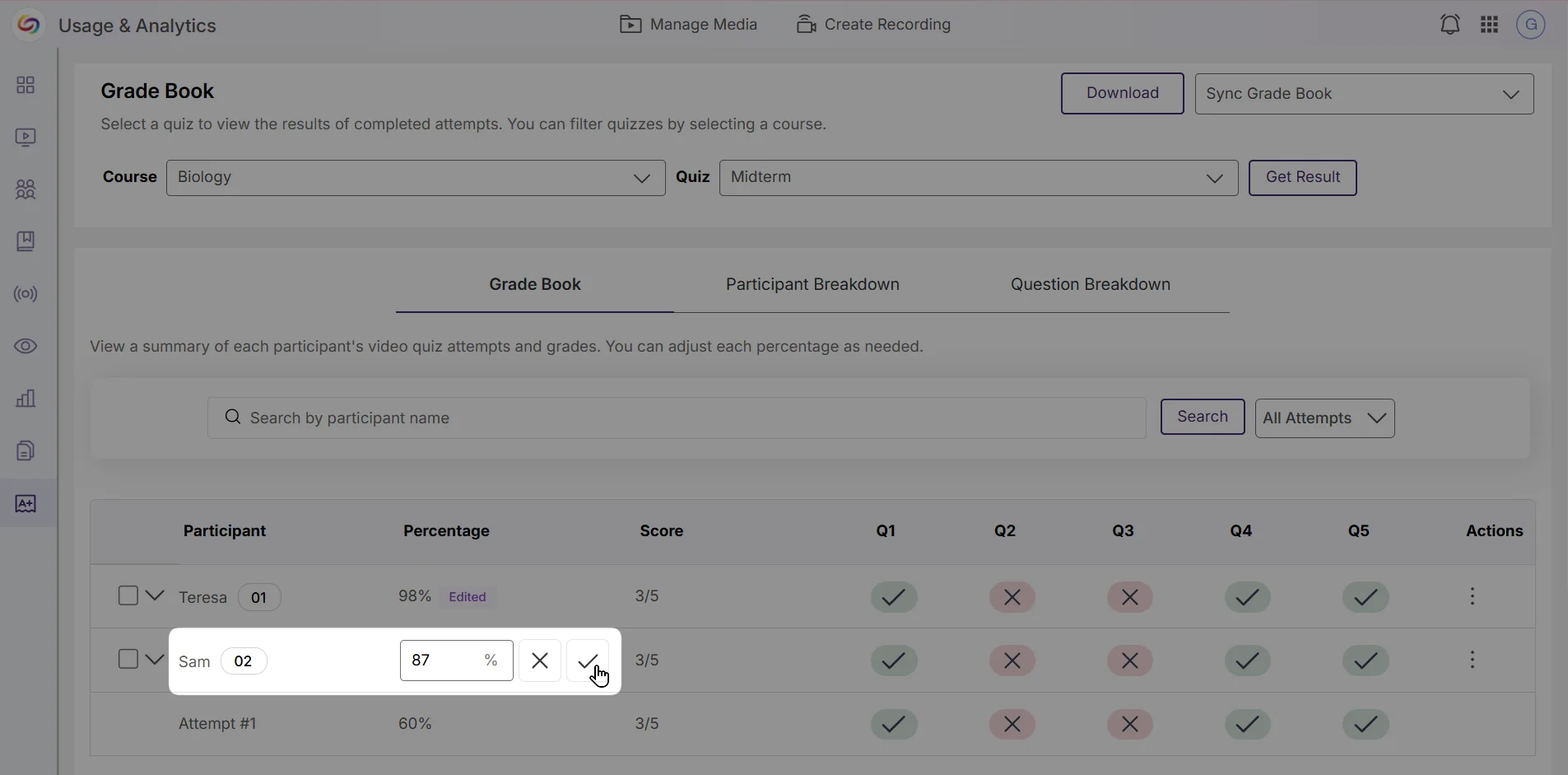
Easily Review, Adjust, and Sync to Grades to the Grade Book
You can now review each student’s video quiz grades and answers in one place, giving you the ability to make adjustments and ensure that every grade is accurate. All grade adjustments will automatically sync to the grade book, saving you time and making grading a smoother process.
-
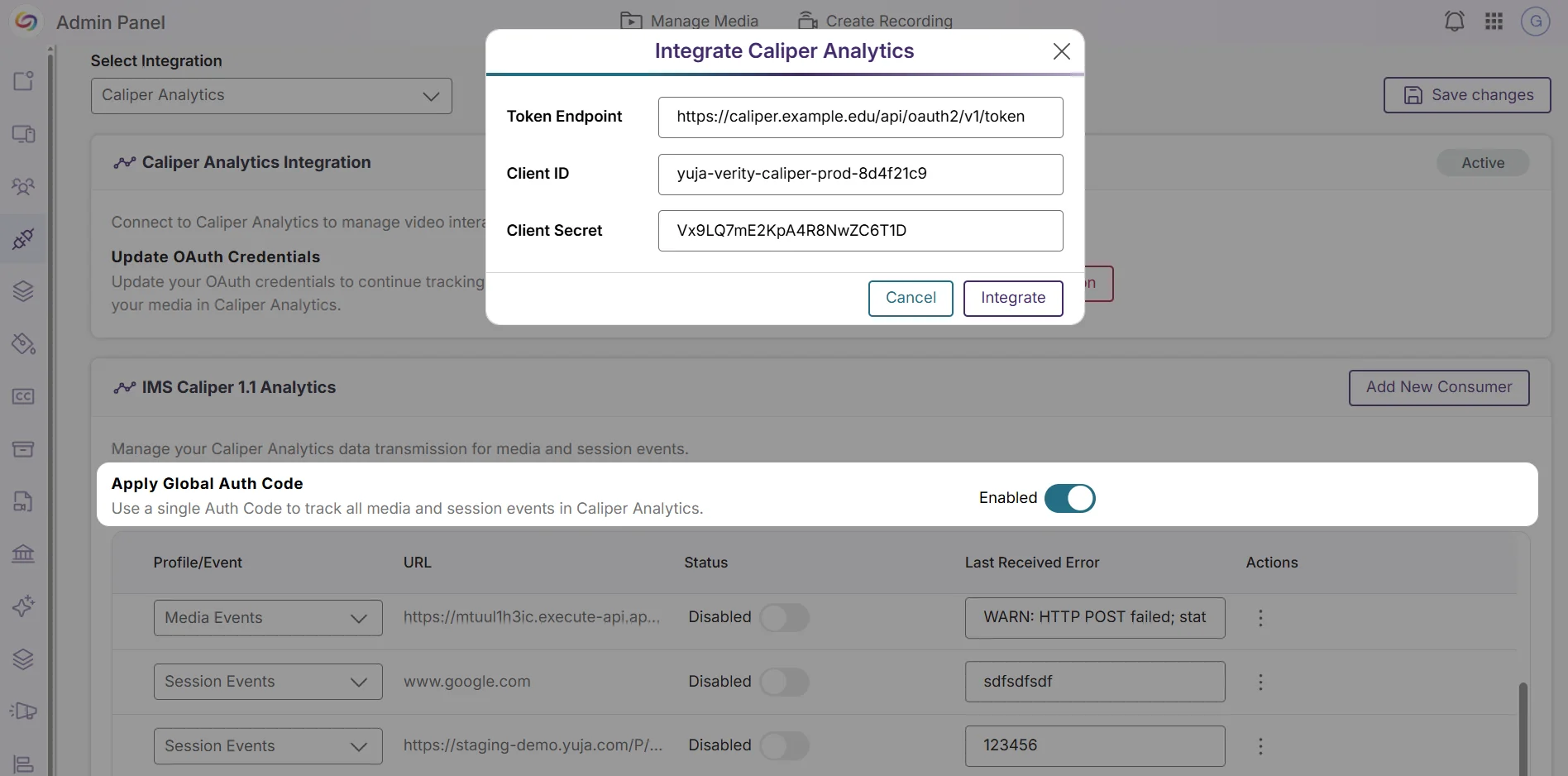
New Caliper Analytics Integration to Track Video Interaction Data
You can now connect YuJa Lumina with Caliper Analytics to manage and track video interaction data more efficiently. Once you add your OAuth credentials, Caliper Analytics will automatically capture detailed interaction data for all your videos in the background. You can also choose to use a single global authorization code to track all media and session events at once, eliminating the need to set up tracking for each video individually. With this new integration, it is now easier to see how students are engaging with your video content, helping you identify which parts are most effective and where adjustments may be needed to improve learning outcomes.