Over the next few weeks, the YuJa Lumina Video Platform will be adding new features that allow users to review side-by-side captions for easier translation review, view folder-level activity logging for greater transparency, view video playback after quizzes are submitted, and more.
-
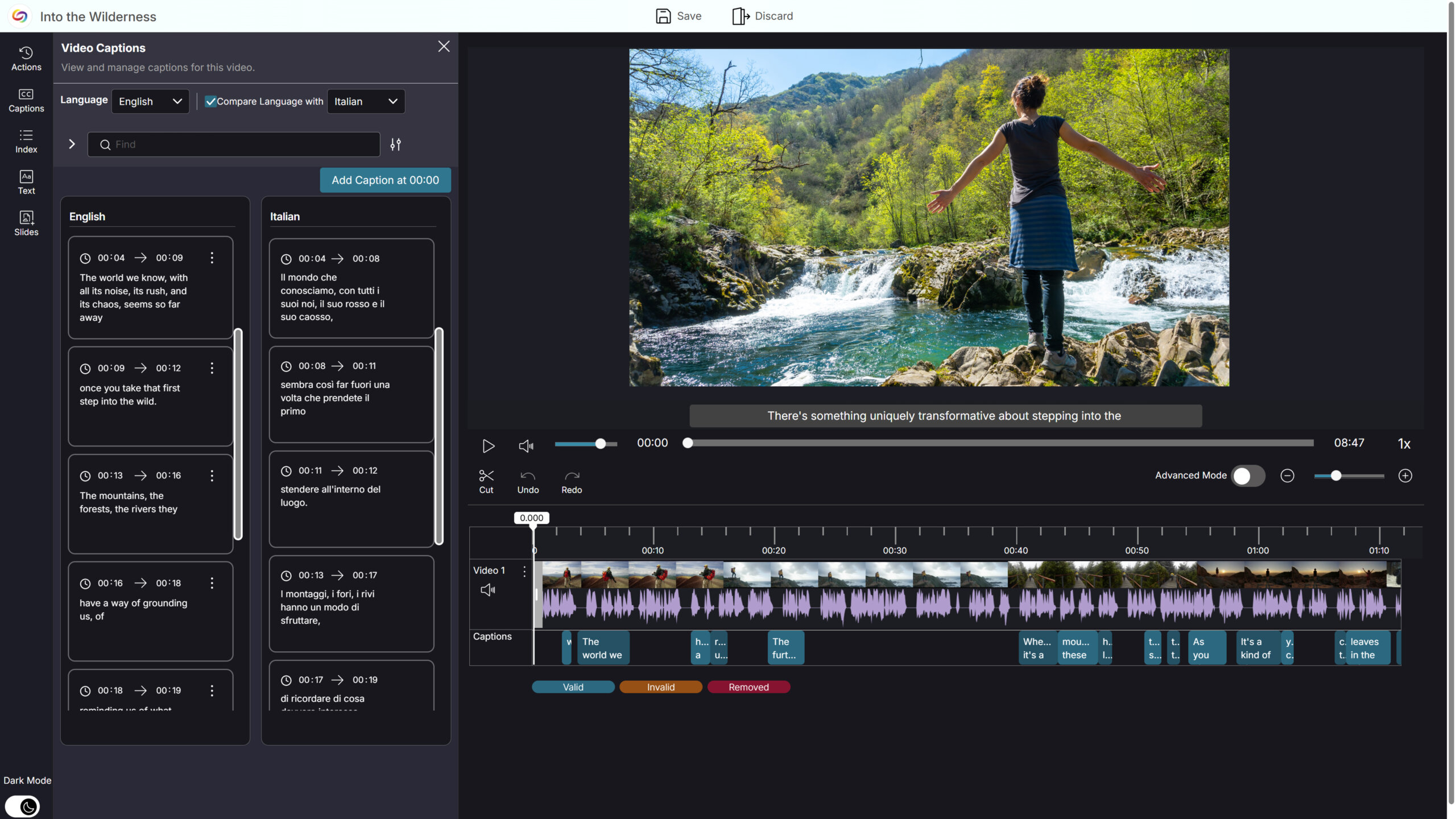
Side-by-Side Caption Comparison for Easier Translation Review in the YuJa Video Editor
The YuJa Video Editor now supports side-by-side caption comparison, making it easier to review, validate, and refine translated captions. When a video includes multiple caption languages, users can select a primary language to edit and a secondary language to view alongside it, allowing for quick comparison without switching views. This enhanced workflow simplifies translation verification, reduces friction when working across languages, and improves overall efficiency when managing multilingual captions.
-
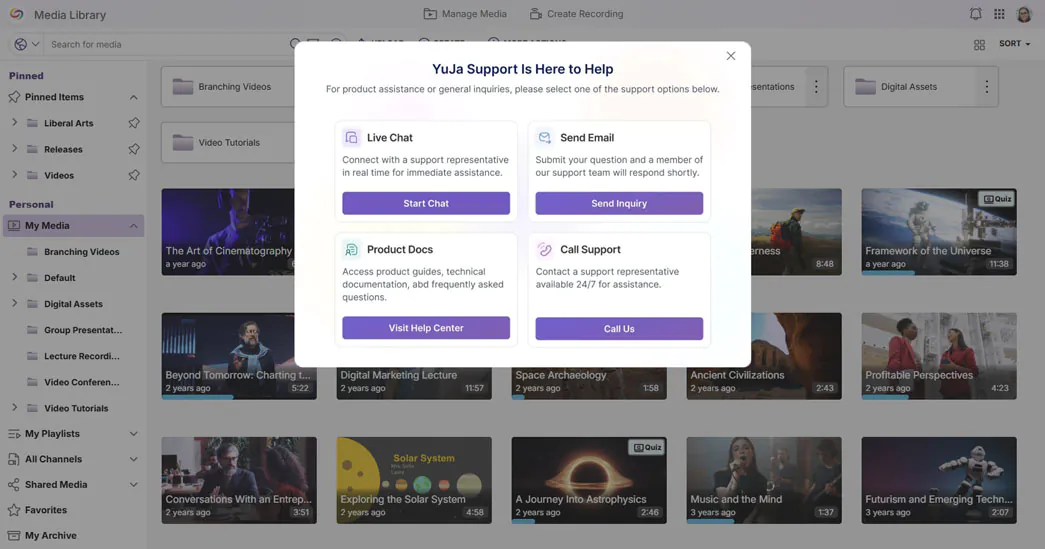
Get Help Faster with Integrated Live Chat and Support Options
The support experience has been redesigned to make getting help faster and more intuitive. Live Chat is now fully integrated, opening instantly from the Support modal for real-time assistance without navigating away from the platform. By centralizing all support options in one modal, instructors and admins can quickly find the help they need and resolve issues more efficiently.
-
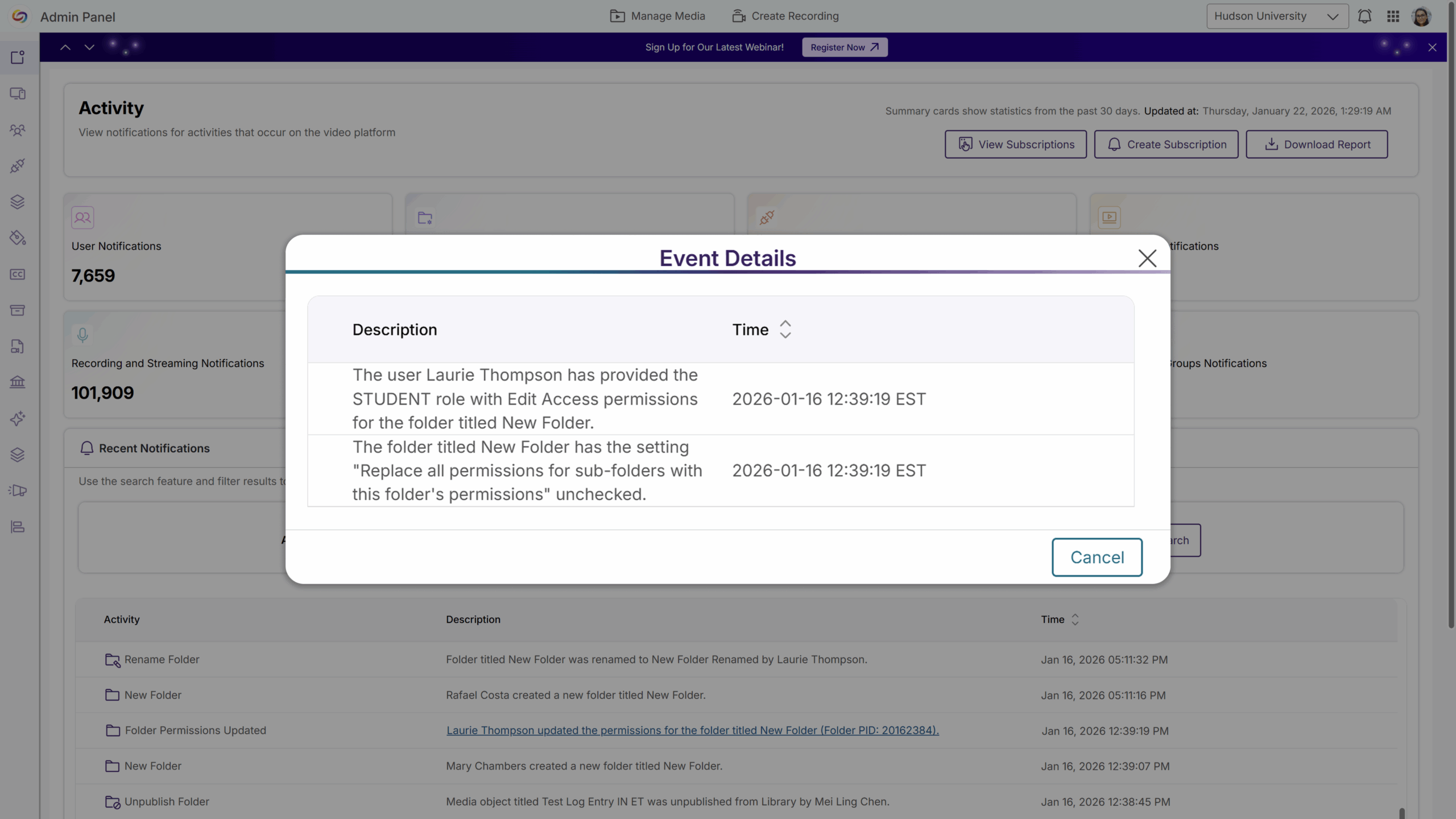
Folder-Level Activity Logging for Greater Transparency
Folder-level activity logging is now available, giving admins clear visibility into changes such as permission updates, user or group access changes, folder renaming, and folder moves. Each action is recorded with the timestamp, the user who made the change, the affected folder, and before-and-after details where applicable, making it easier to diagnose access issues and maintain auditability across shared and departmental folders.
-
Ensure Videos Remain a Learning Resource After Quizzes Are Submitted
Instructors can now allow students to watch the underlying video after completing all allowed quiz attempts, without waiting for a quiz’s close date. Once students submit the quiz, they can continue accessing the video content without reopening the quiz, creating new attempts, or affecting grades. This improves learner access to instructional content while preserving assessment integrity.
-
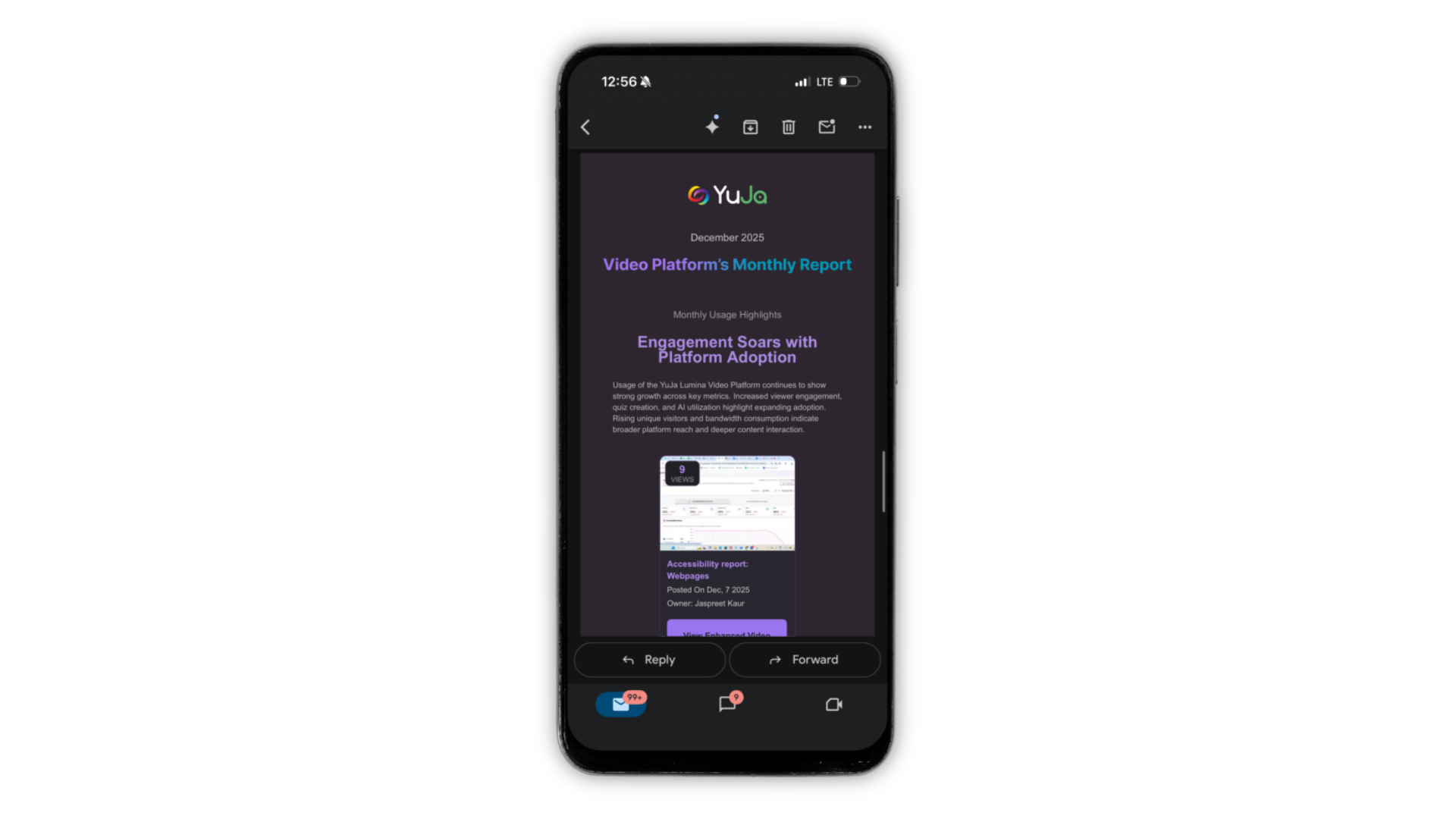
Refreshed Email Experience with Dark Mode Support
All Lumina emails have been refreshed with an updated look, including Dark Mode support for iOS and Android, making messages easier to read and visually consistent across the platform. This update ensures that all communications are clear, polished, and accessible for users utilizing Dark Mode.