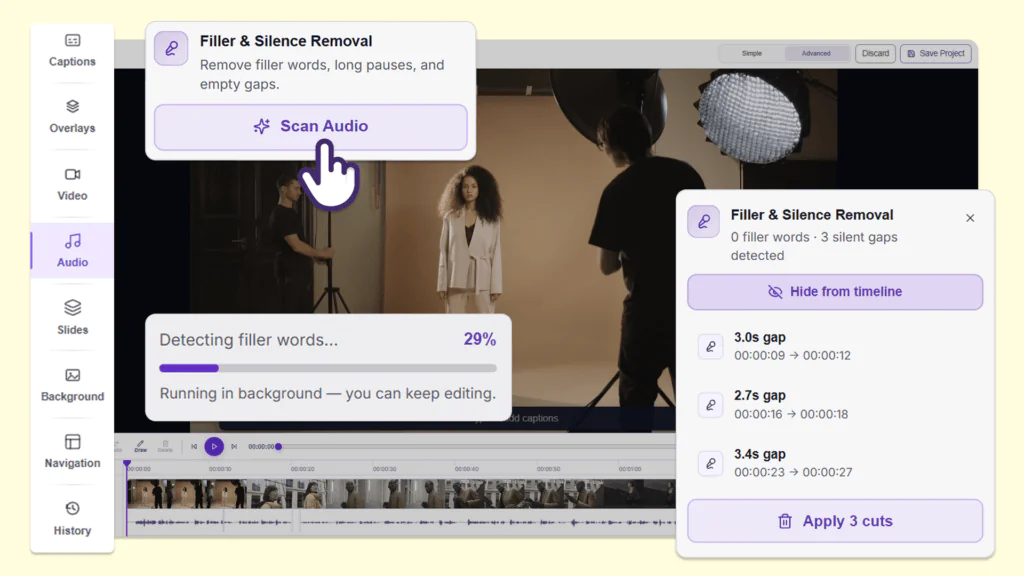
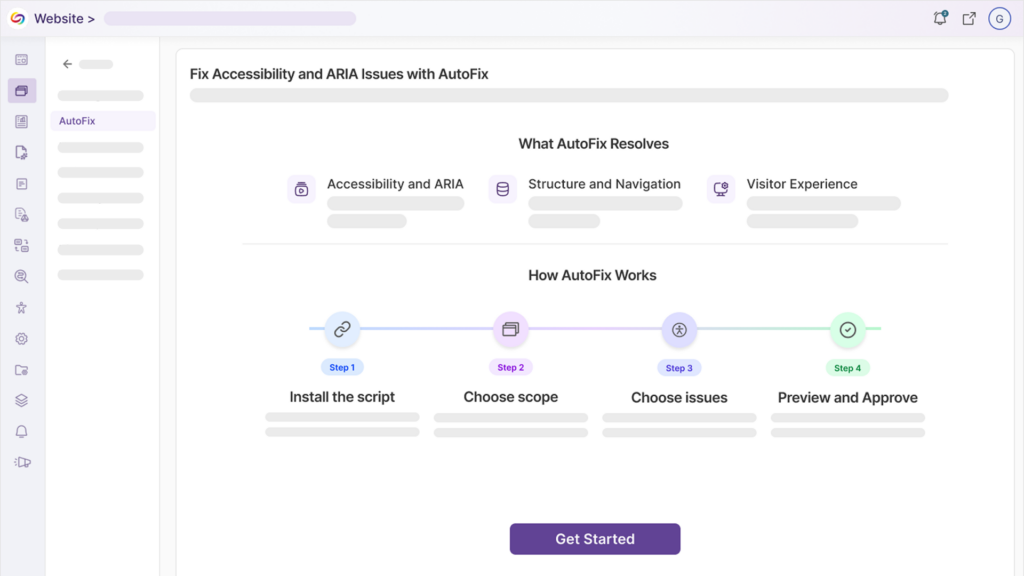
Over the next few weeks, the YuJa Lumina Video Platform will be adding features such as a Video Compliance Report, improved auto-caption accuracy, manual video chapter creation, and much more.
-
Stay Ahead of Accessibility Risk with New Video Compliance Reporting
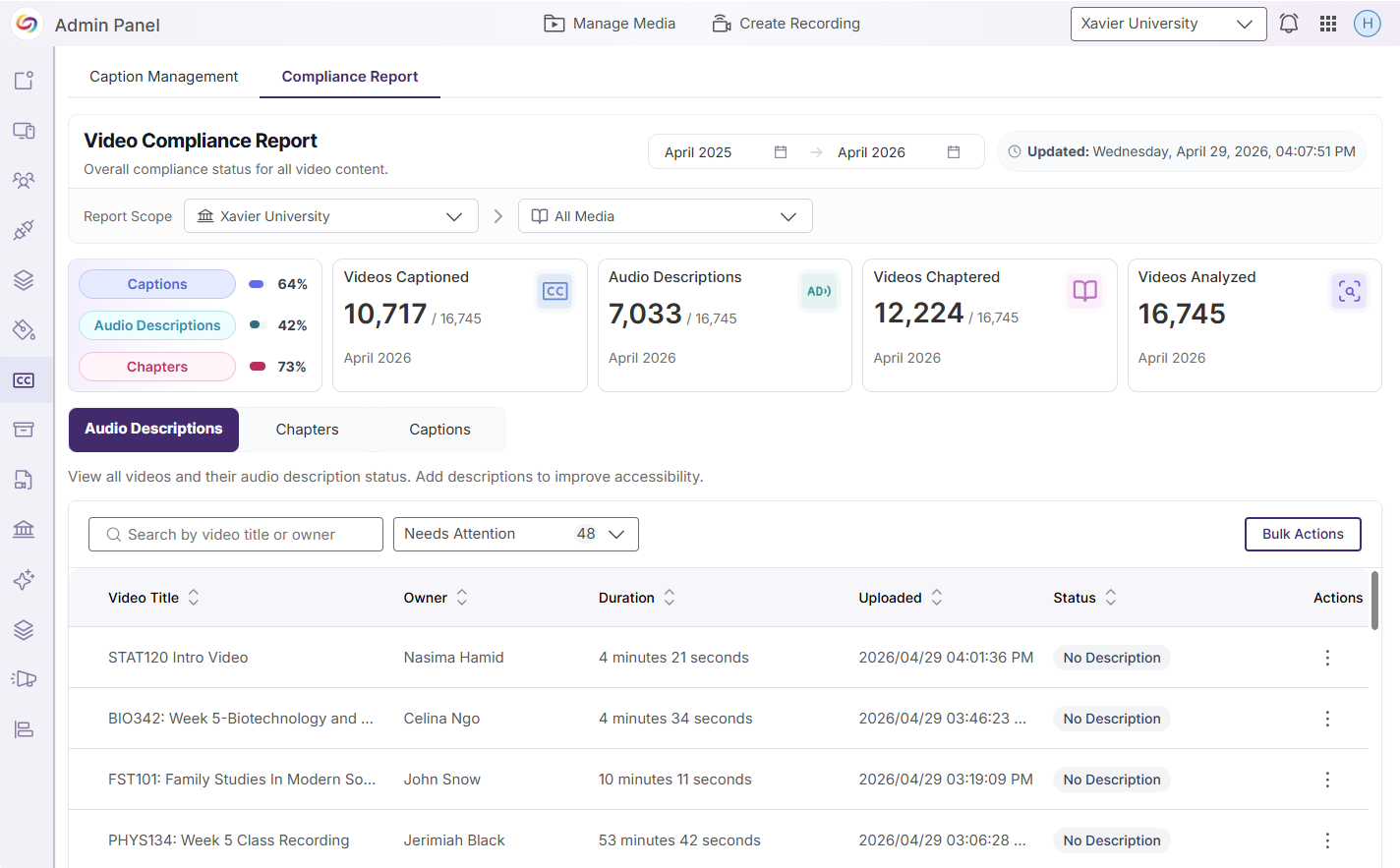
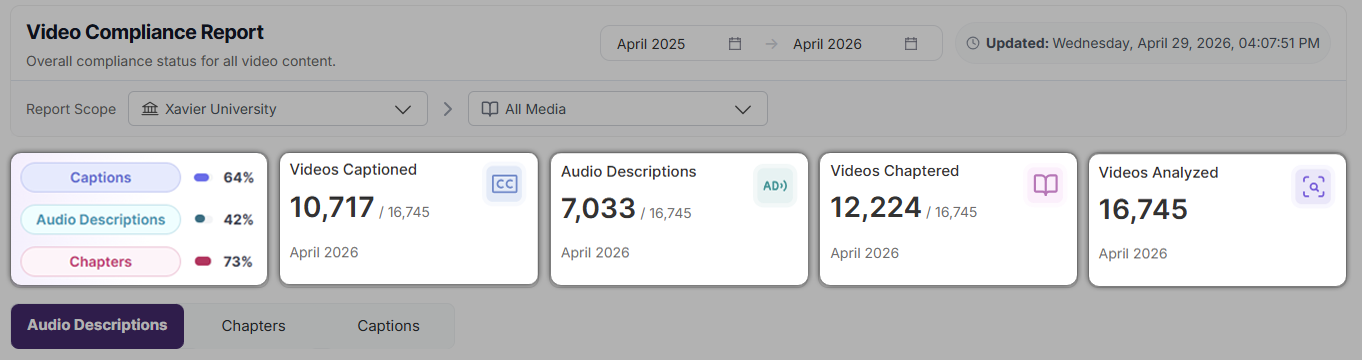
Admins can now access a comprehensive Video Compliance Report that consolidates key accessibility elements – including captions (and their quality scores), audio descriptions, and chapters – along with quality indicators to deliver a clear, audit-ready view of overall video compliance. With configurable institutional scopes, instant compliance summaries, and built-in remediation workflows, this feature transforms Lumina into a centralized hub for managing and improving video accessibility at scale.
Key features include:
-
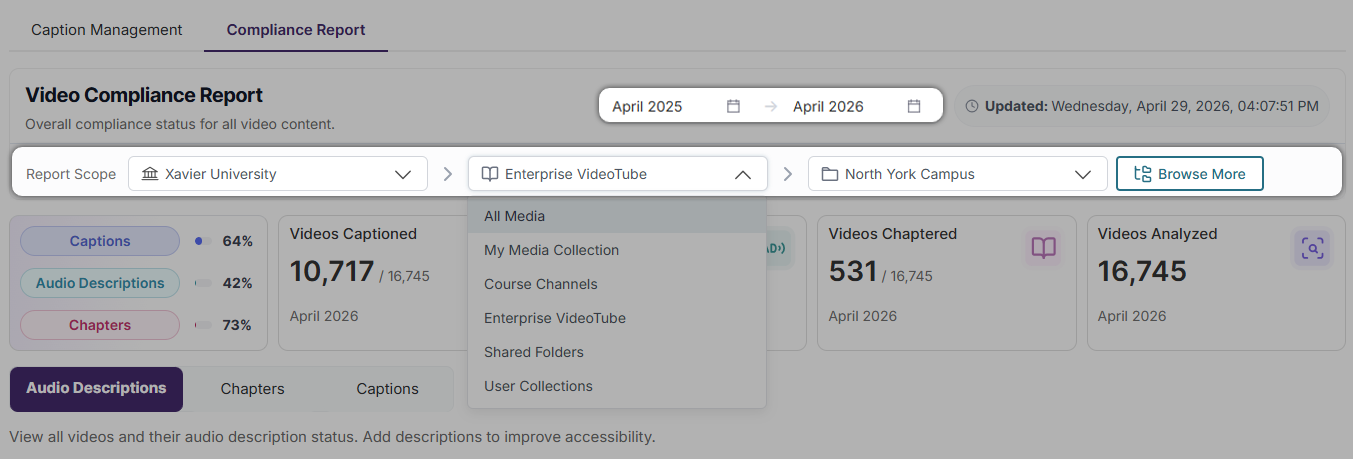
Tracking accessibility concerns by department: Filter your report by date, institution, collection, channel, Enterprise VideoTube, folder, and subfolder to ensure only the most relevant information is included in your report.
-
Accessibility scorecards: Gain instant insight into the status of captions, audio descriptions, chapters, and total videos analyzed for your defined scope.
-
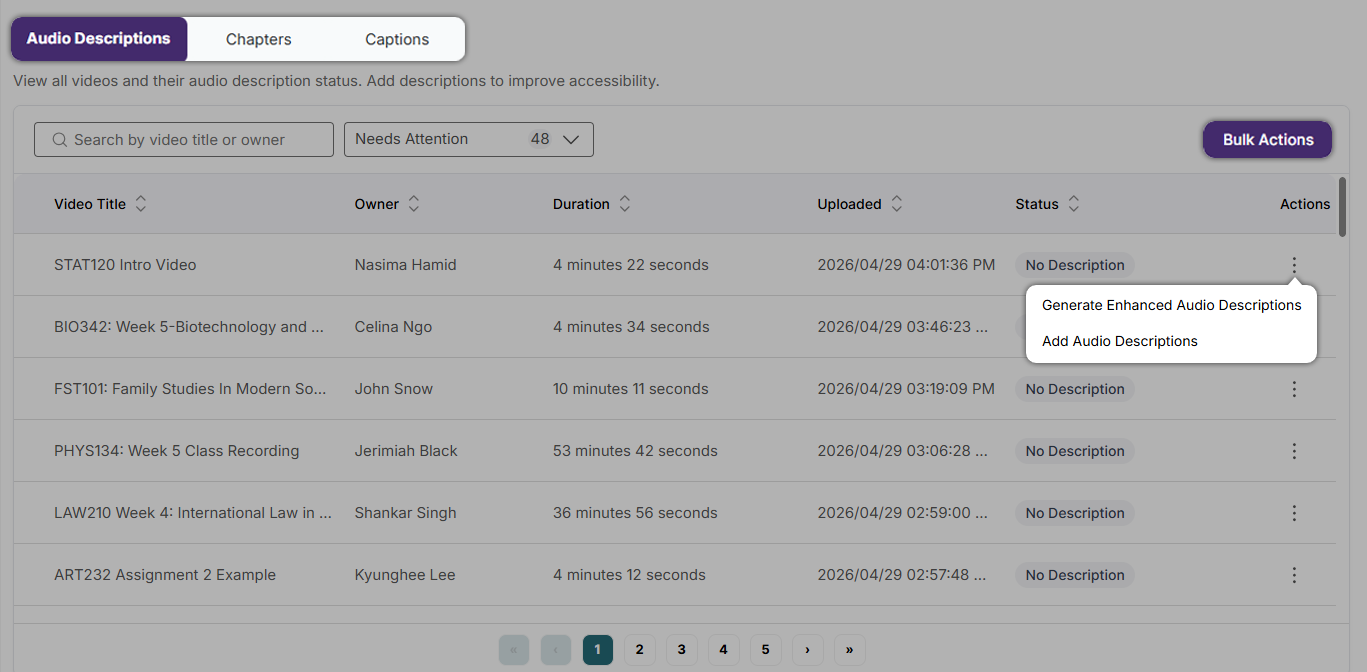
Actions for remediation: View videos based on their captions, audio description, or chapters status. Use the Actions menu to see possible remediation actions for a specific video, or use Bulk Actions to perform remediation activities across multiple videos. Remediation actions can be performed manually, requested, or generated using GenAI PowerPack credits.
-
-
Improved Auto-Captioning Accuracy Through Upgraded AI Models
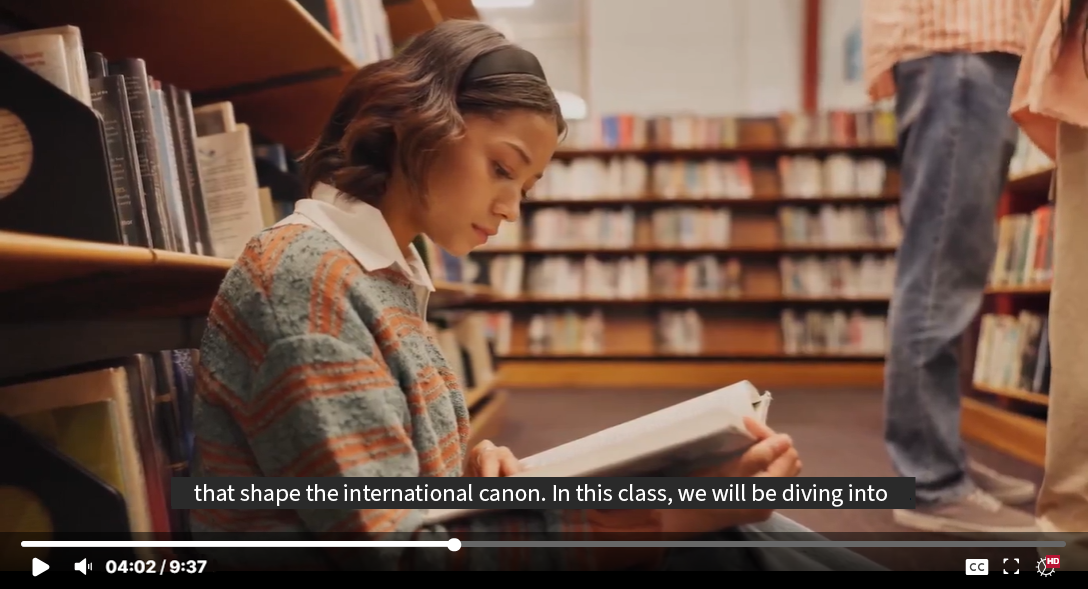
We have enhanced the underlying AI models powering the Media Player’s auto-captioning engine to deliver significantly improved caption accuracy. These model upgrades produce more reliable and context-aware captions that more faithfully reflect spoken content, reducing the need for manual edits and streamlining the captioning workflow for content creators while strengthening accessibility compliance across video content.
-
Enhanced Audio Description (EAD) Playback Controls
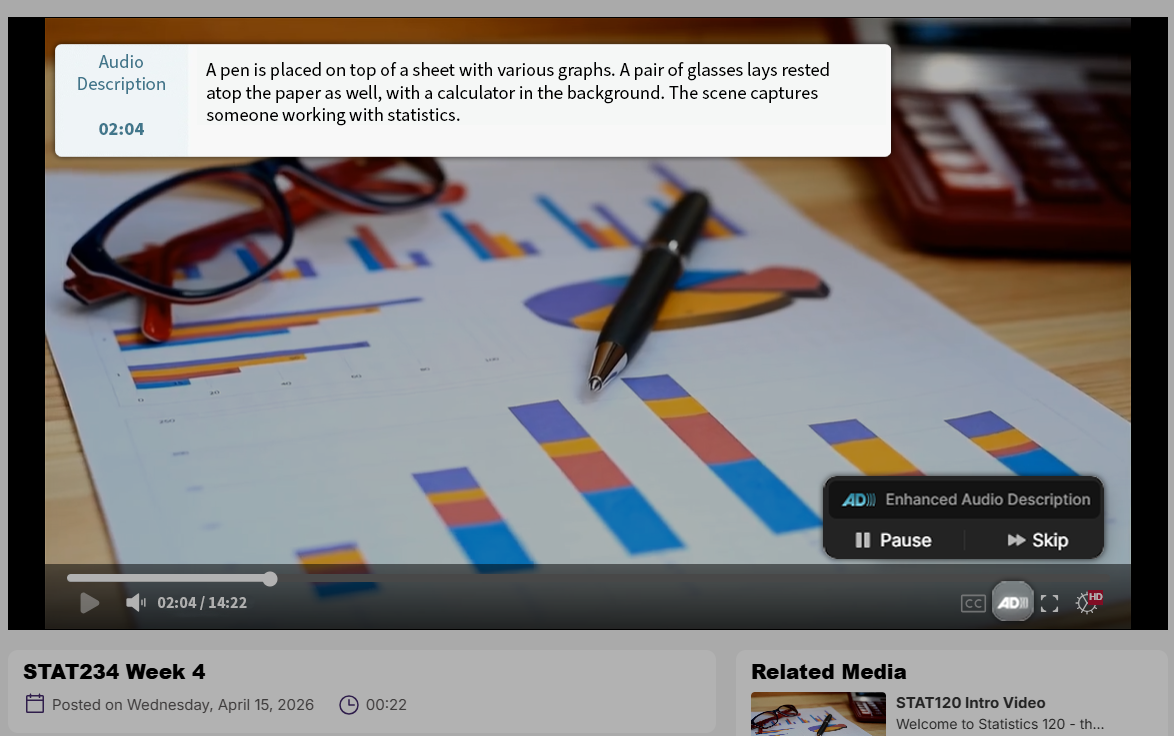
Users can now seamlessly toggle Enhanced Audio Description (EAD) directly within the media player using a keyboard shortcut or toolbar control, enabling a smoother and more intuitive playback experience. With the added ability to pause EAD independently to maintain synchronization with video content, this update enhances accessibility for viewers with visual or cognitive disabilities.
-
Turn Multi-Stream Livestreams Into A Single Synchronized Video That Offers Custom View Layouts
Users can change the playback experience for multi-stream livestreams by using a beta feature that combines multiple livestream video sources into one synchronized media asset with customizable layout options. By stitching multi-stream livestreams together into one video, issues with synchronization will be eliminated, and content will be downloaded as one cohesive video. This beta feature is off by default and can be enabled by going to Platform Settings within the Admin Panel.
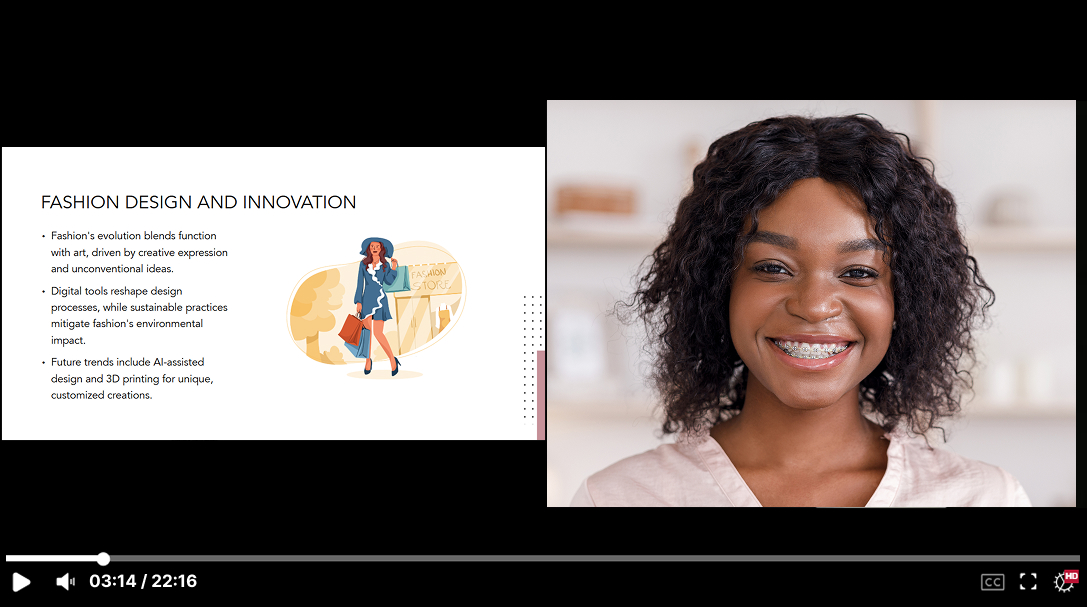
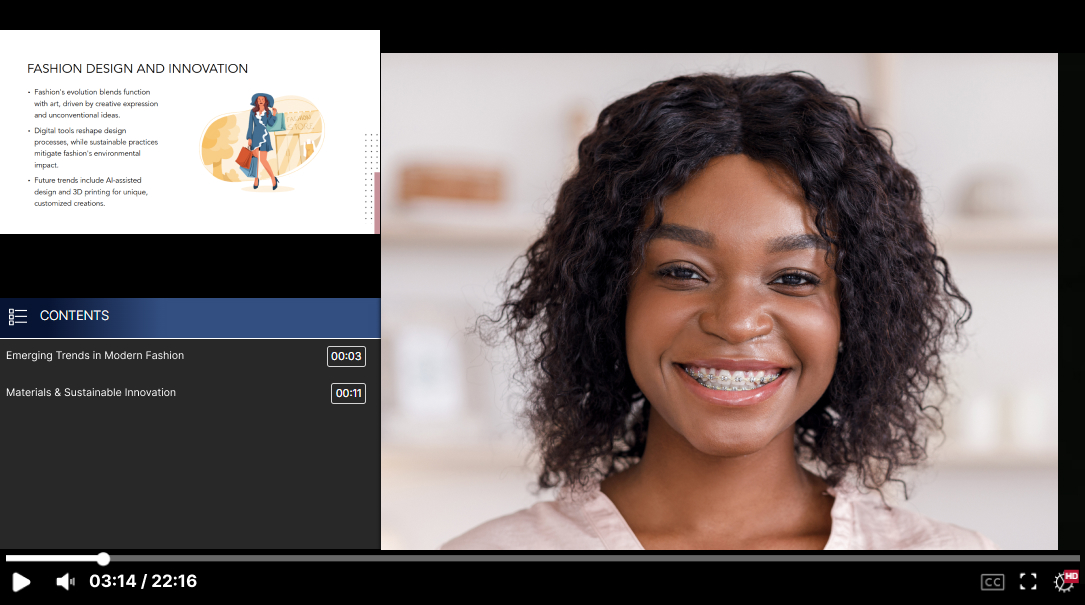
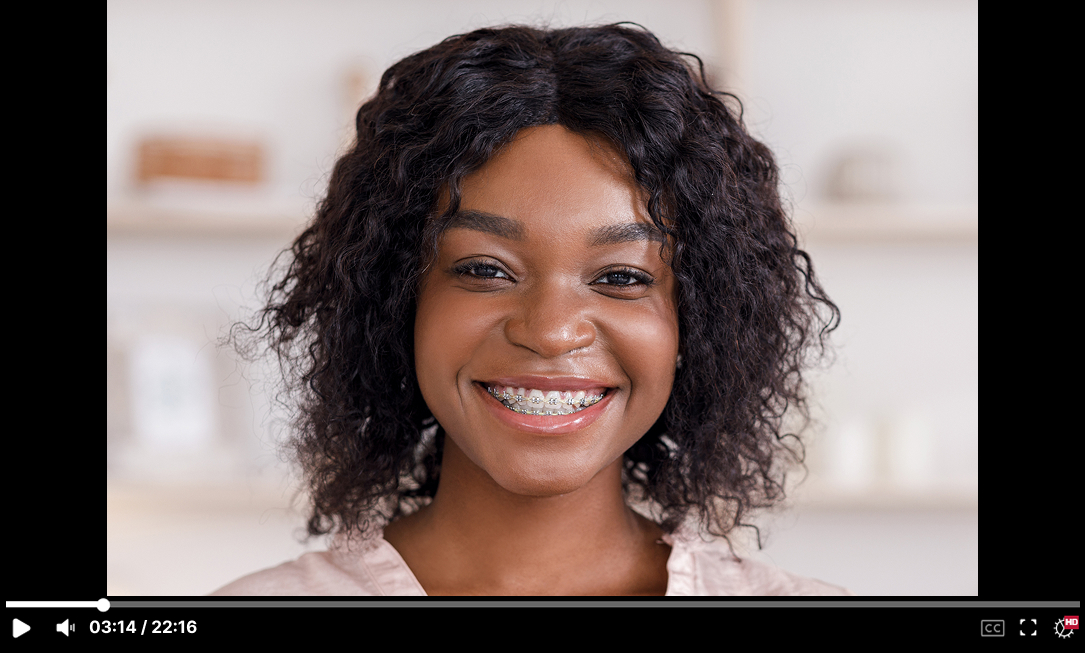
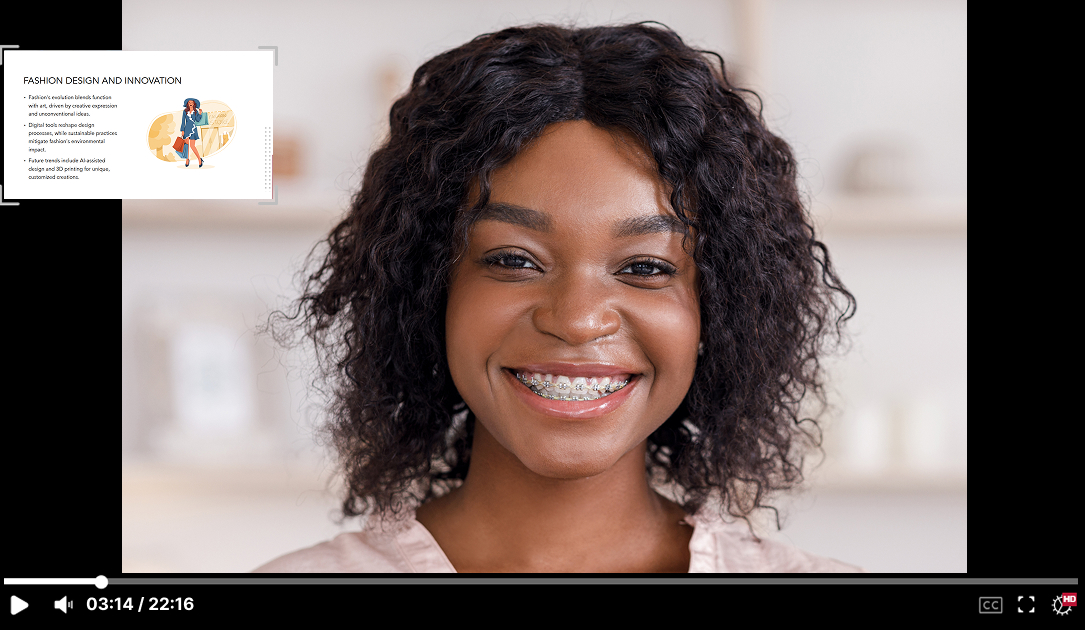
End users will be able to select the following layout options for the video streams:
-
Gallery
-
Presenter
-
Single stream
-
Picture-in-Picture
-
-
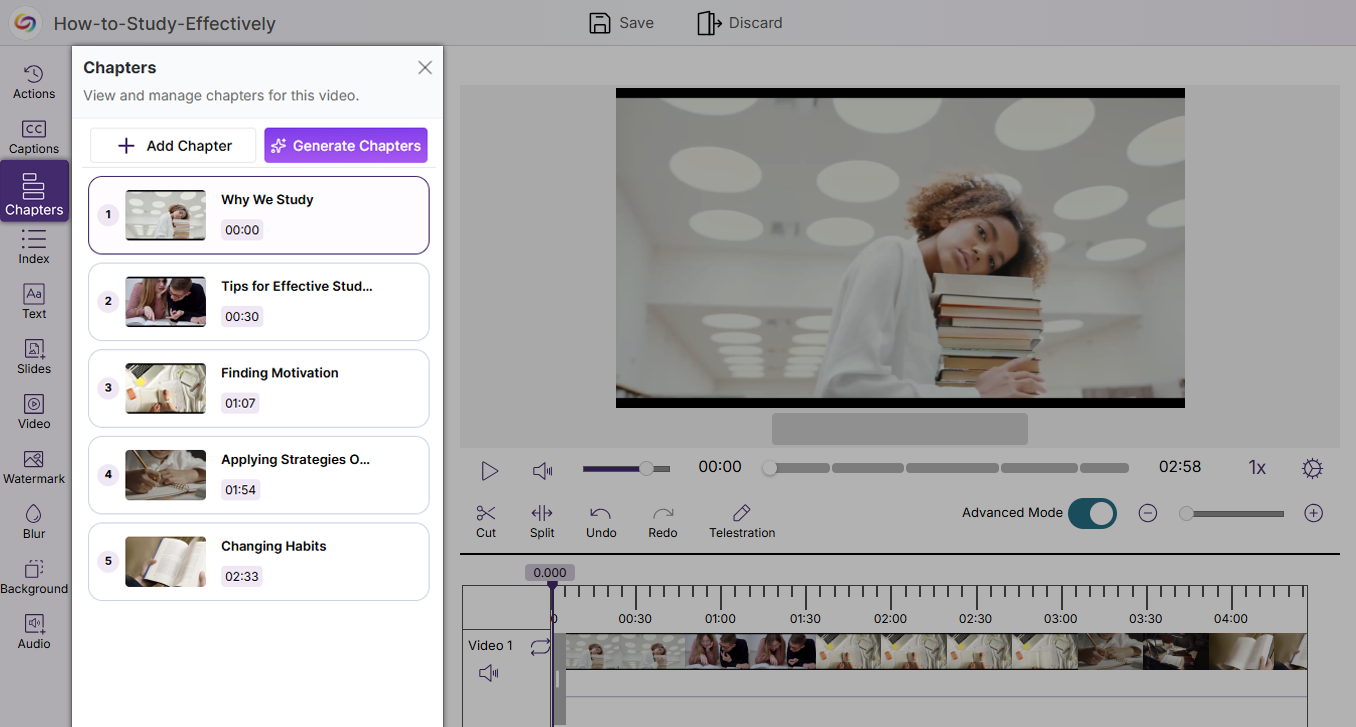
Ability to Manually Add Video Chapters to Improve Video Usability and Accessibility
The YuJa Video Editor now includes a new Chapters tab that enables users to manually add and manage chapters within videos. This enhancement allows long-form content to be broken into clear, navigable segments, improving both usability and searchability while also supporting stronger accessibility compliance across video content.
-
Improved Performance for Browser Capture Recording When Multitasking
Browser Capture has been optimized to ensure it operates without performance issues when multiple activities are being performed on a device. These system improvements increase the reliability and usability of Browser Capture by reducing the platform’s CPU usage, creating an overall smoother experience when recording.
-
Faster Video Processing with Instant Thumbnails and Background Playback
Video uploads to the Lumina Media Library now generate thumbnails instantly, while enabling users to play the raw video file in the background during processing. These improvements streamline media handling by allowing immediate interaction with uploaded content, creating a faster, more seamless, and more productive upload workflow.