YuJa Lumina v26.6.0 Release
Over the next few weeks, YuJa Lumina will be adding several new features to improve user experience, including proctored video quizzes with a YuJa Verity integration, and so much more.
-
New YuJa Verity integration for a secure, proctored video quizzing experience
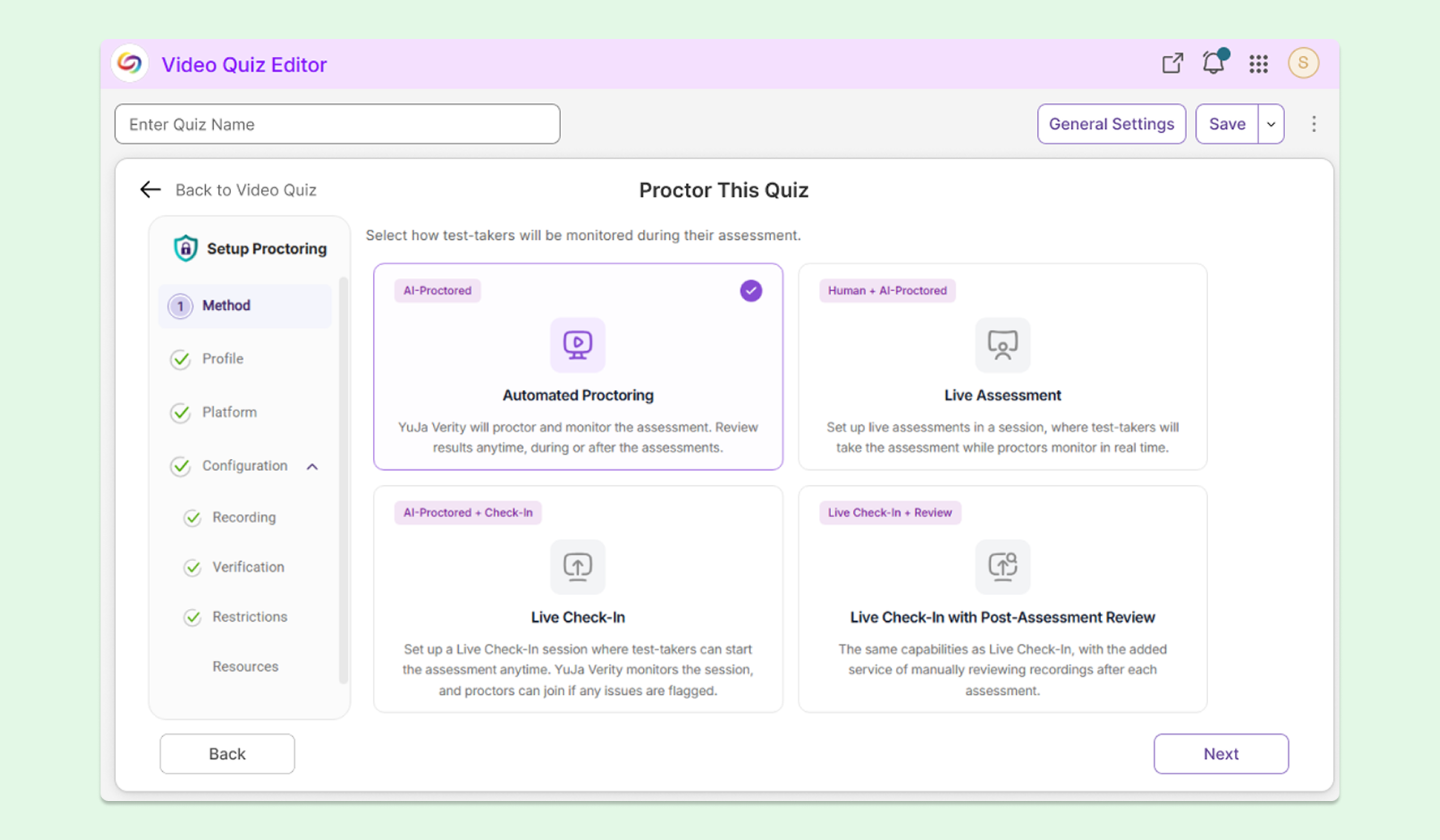
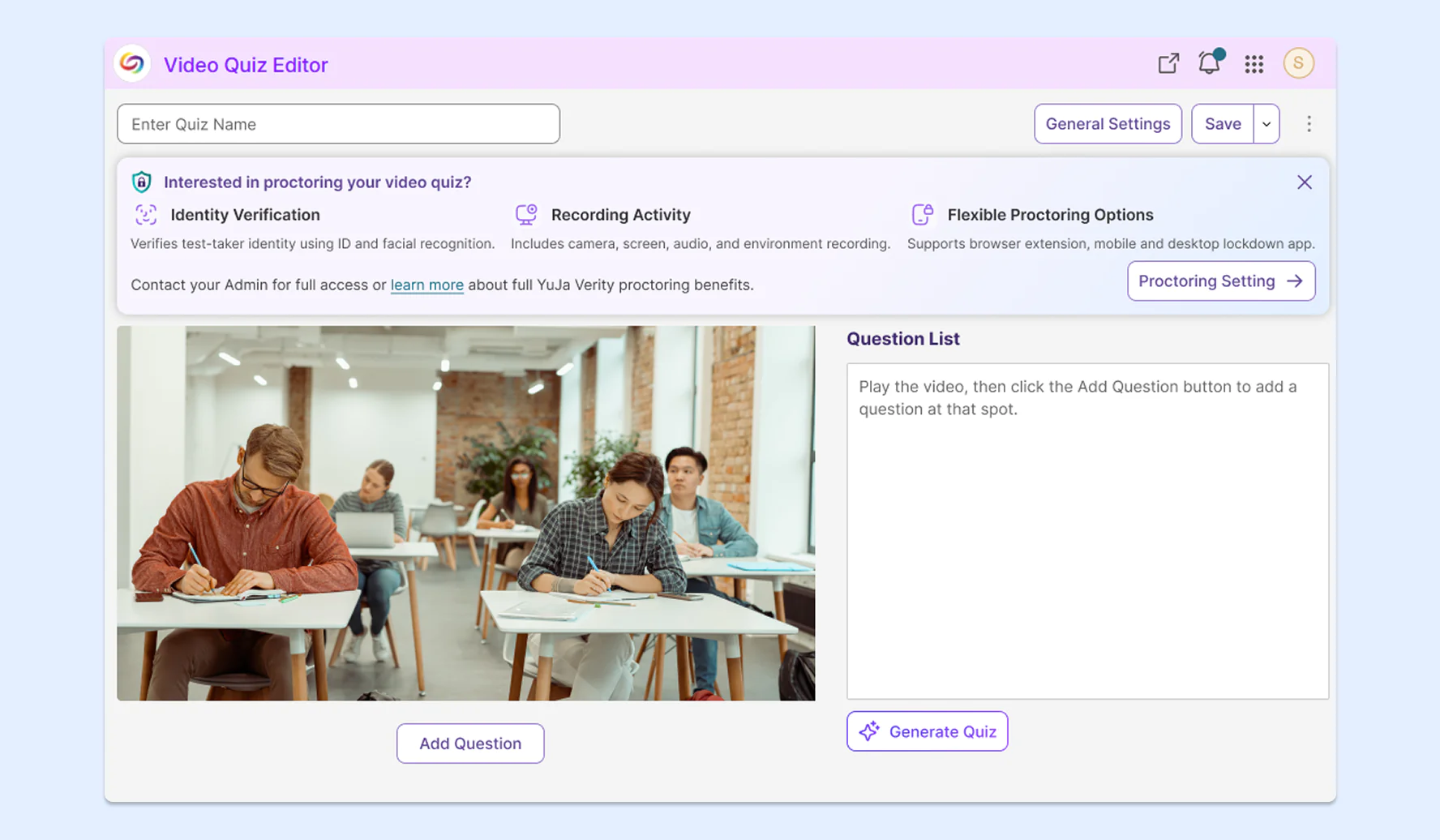
Faculty can now enable proctoring for video quizzes using a new YuJa Verity integration directly within YuJa Lumina’s Video Quiz Editor for a seamless, consolidated workflow. This will enable instructors to facilitate secure video-based assessments directly in YuJa Lumina, without needing to navigate to other solutions. The new workflow features:
-
Multiple proctoring methods: Browse various proctoring methods including Automated Proctoring, Live Assessment, and Live Check-In, before choosing one to proceed with. Note: For institutions that don’t have YuJa Verity, only Automated Proctoring will be available.
-
An inline experience: Instructors can stay within the Video Quiz Editor without needing to navigate to a separate application to administer a proctored video quiz.
-
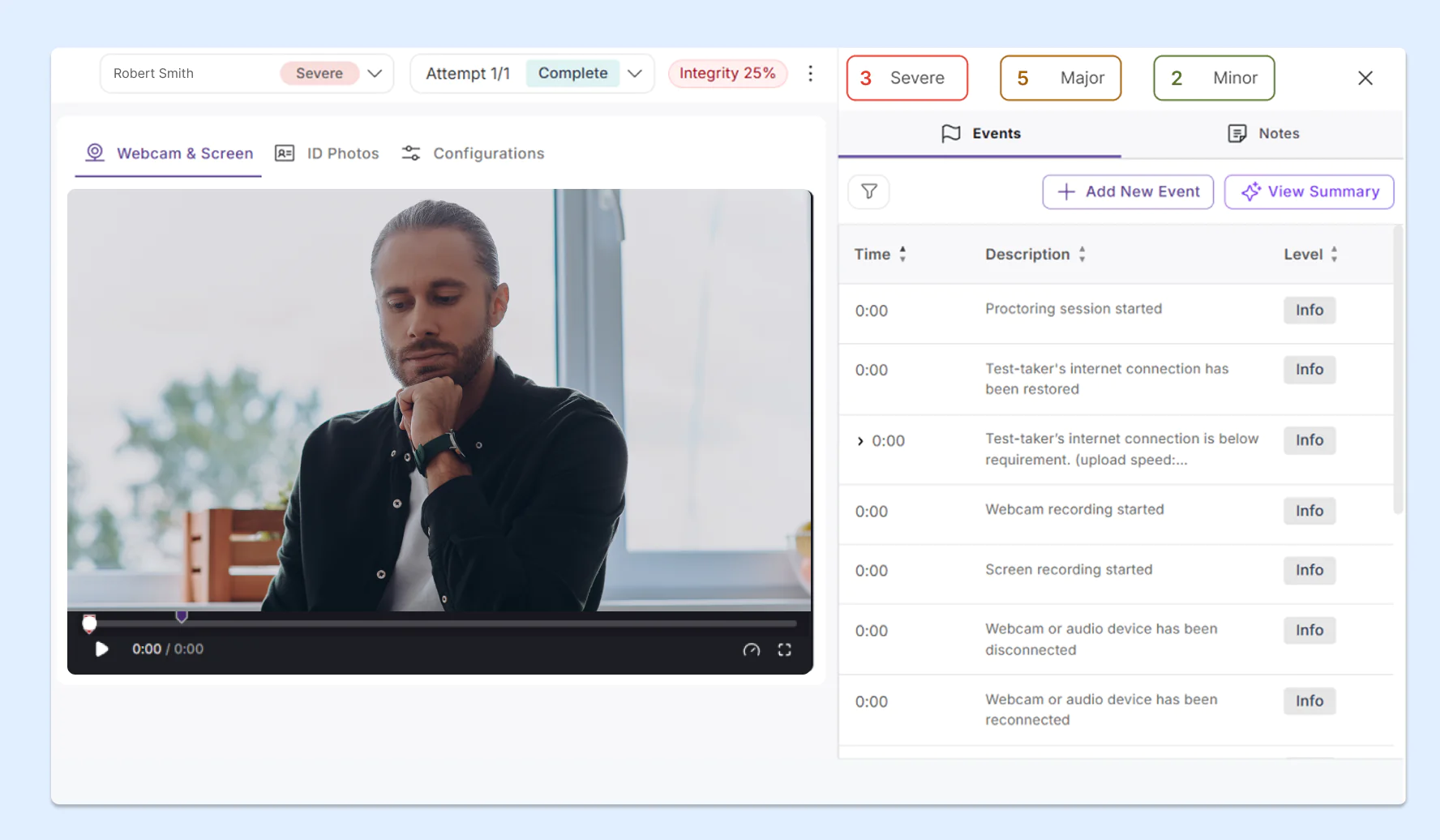
Proctoring results with video recording: Instructors can see a detailed report that includes the student’s video recording, raised flags, and summary analytics.
-
-
Instant results for video quizzes to offer test-takers immediate feedback
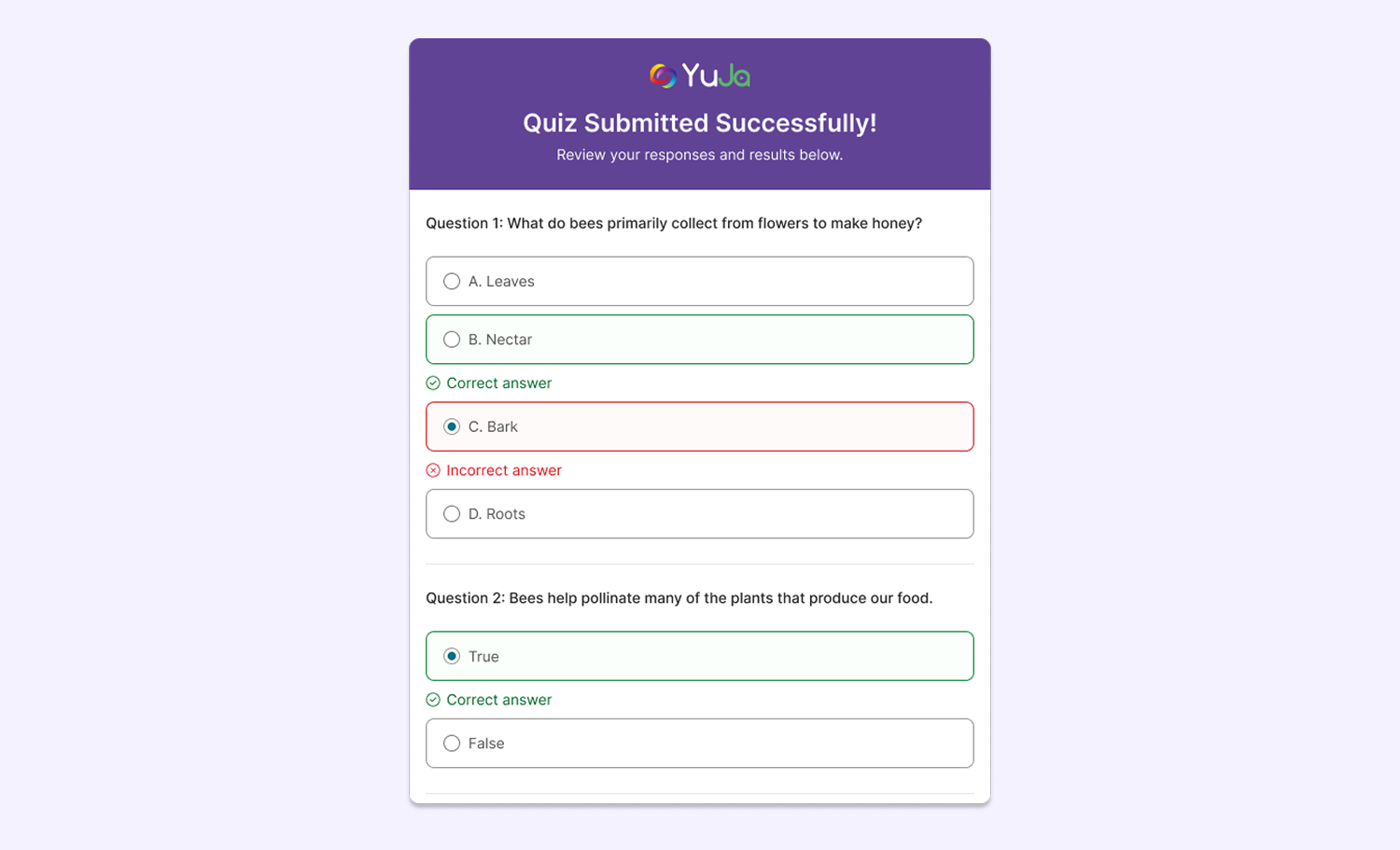
To give students quick feedback on their video assessments, YuJa Lumina now provides a quiz summary that displays test-takers’ results for each question, allowing them to see where they succeeded and where they went wrong upon submission. Instructors can also configure quizzes to show the correct answer immediately after each question is submitted.
-
Embed YuJa Lumina videos directly in Drupal CMS to reuse videos across the CMS library
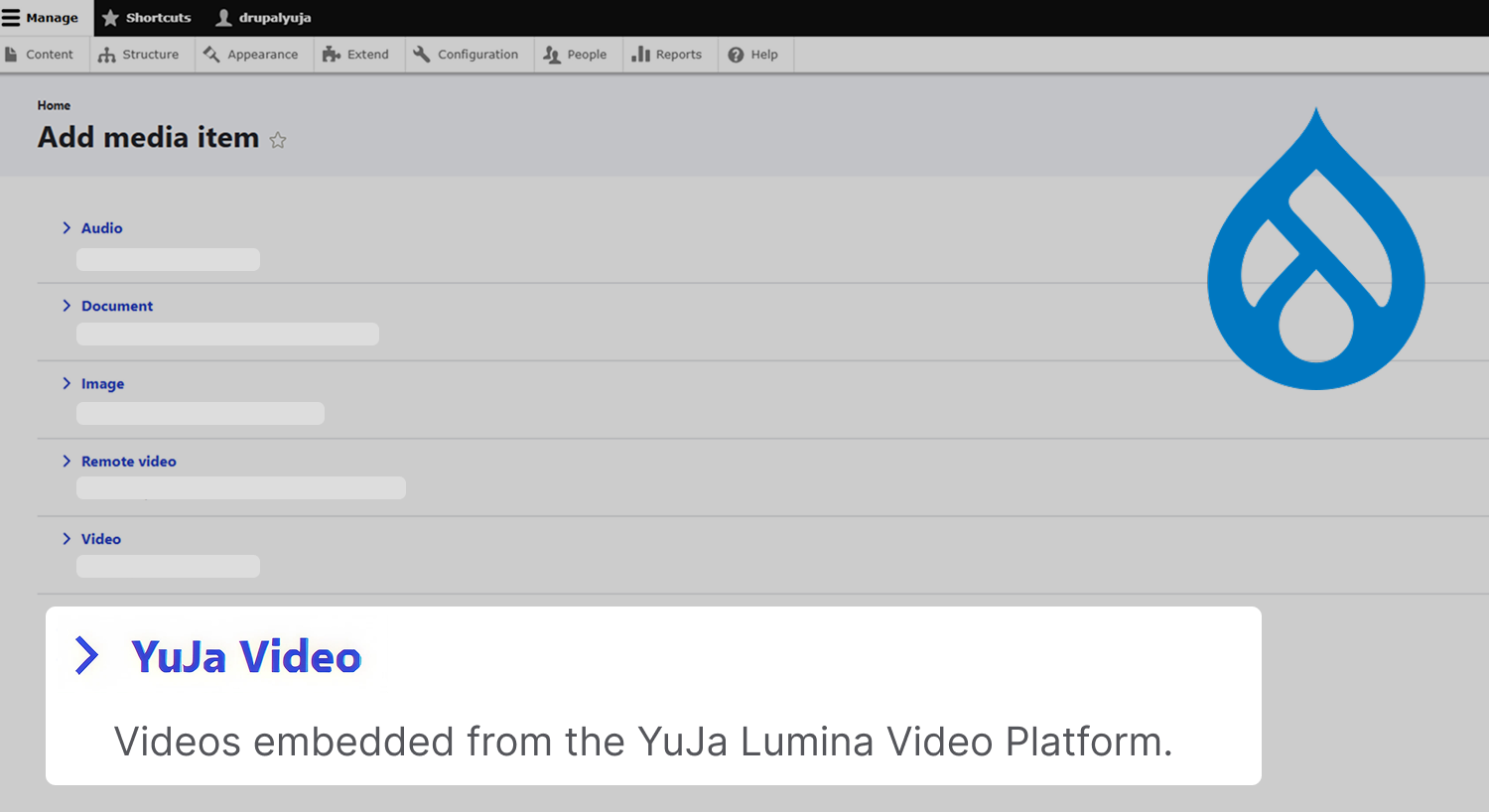
For institutions that use Drupal CMS, administrators can generate one access token to allow users across their institution to embed videos from YuJa Lumina directly in Drupal as a media item. This lets them reuse YuJa Lumina videos across their Drupal libraries without repeatedly selecting them from the YuJa Lumina Media Chooser.
-
New API endpoint to view the percentage of students who watch each video for more granular reporting
Administrators can now retrieve the percentage of students who have viewed a particular video via API, allowing administrators and instructors to better understand which videos are generating the most student engagement using their own custom workflows.
-
Improved handling of unstable sources to prevent loss of files during large video uploads to the Hardware Hub
To prevent files from an unreliable source connected to a capture card from failing to upload or being corrupted, YuJa Lumina has improved its handling of unstable sources when connected to the YuJa Hardware Hub. Users will now be alerted if they reach a rate limit, helping them resolve potential issues related to their uploads.
-
Improved detection of HDCP signals for Hardware Hub capture
Devices protected by an HDCP signal, such as DVD players, will now be detected more accurately when users connect them to the YuJa Hardware Hub. Users will receive email notifications if the Hardware Hub fails to capture a signal because of HDCP protection, making it clear why the capture failed to start.