Over the next few weeks, exciting features such as added proctoring flags, new response submission formats, and real-time guided support will be introduced to the YuJa Verity Test Proctoring Platform to provide more flexibility, security, and simplicity to online assessments.
-
New Capability to Create Assessments Directly Using the Verity Interface
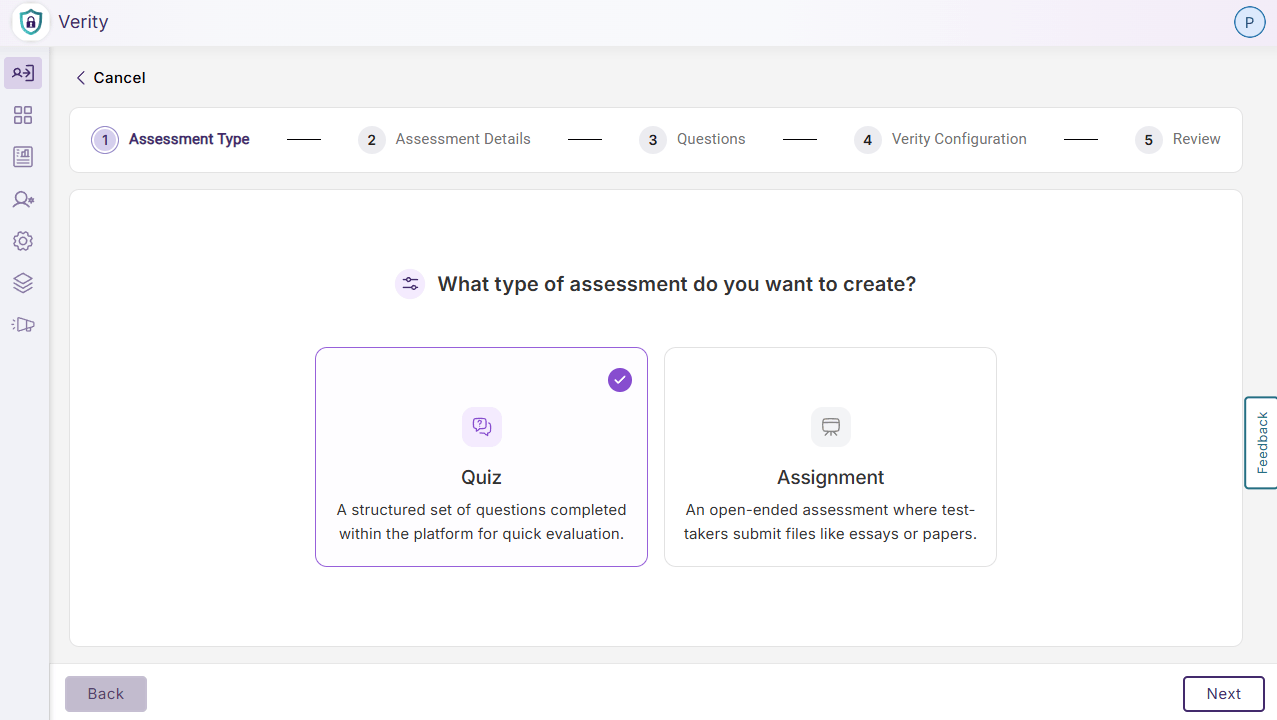
YuJa Verity now supports assessment creation directly from the platform interface, allowing faculty to build and configure proctoring settings for quizzes and assignments in a singular flow directly in Verity without needing to first create the assessment in their LMS.
Key features include:
-
Consolidated Quiz or Assignment Set Up: Instructors can choose to create a new quiz or a new assignment, mimicking the assignment set up flow in their LMS, while configuring Verity proctoring settings in one continuous workflow without leaving Verity.
-
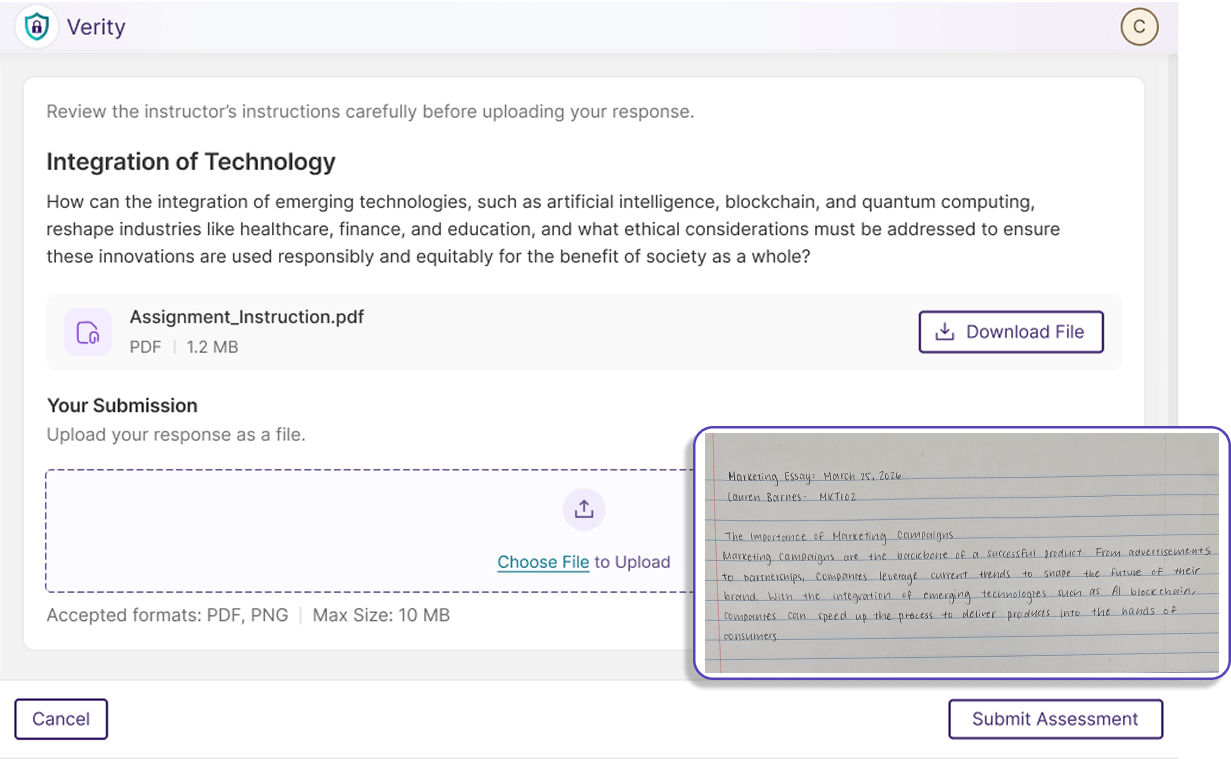
Choose Upload Formats: Instructors can select the type of file formats accepted for assessment responses, expanding the flexibility of online assessments by accepting both digital and traditional paper submission formats.
-
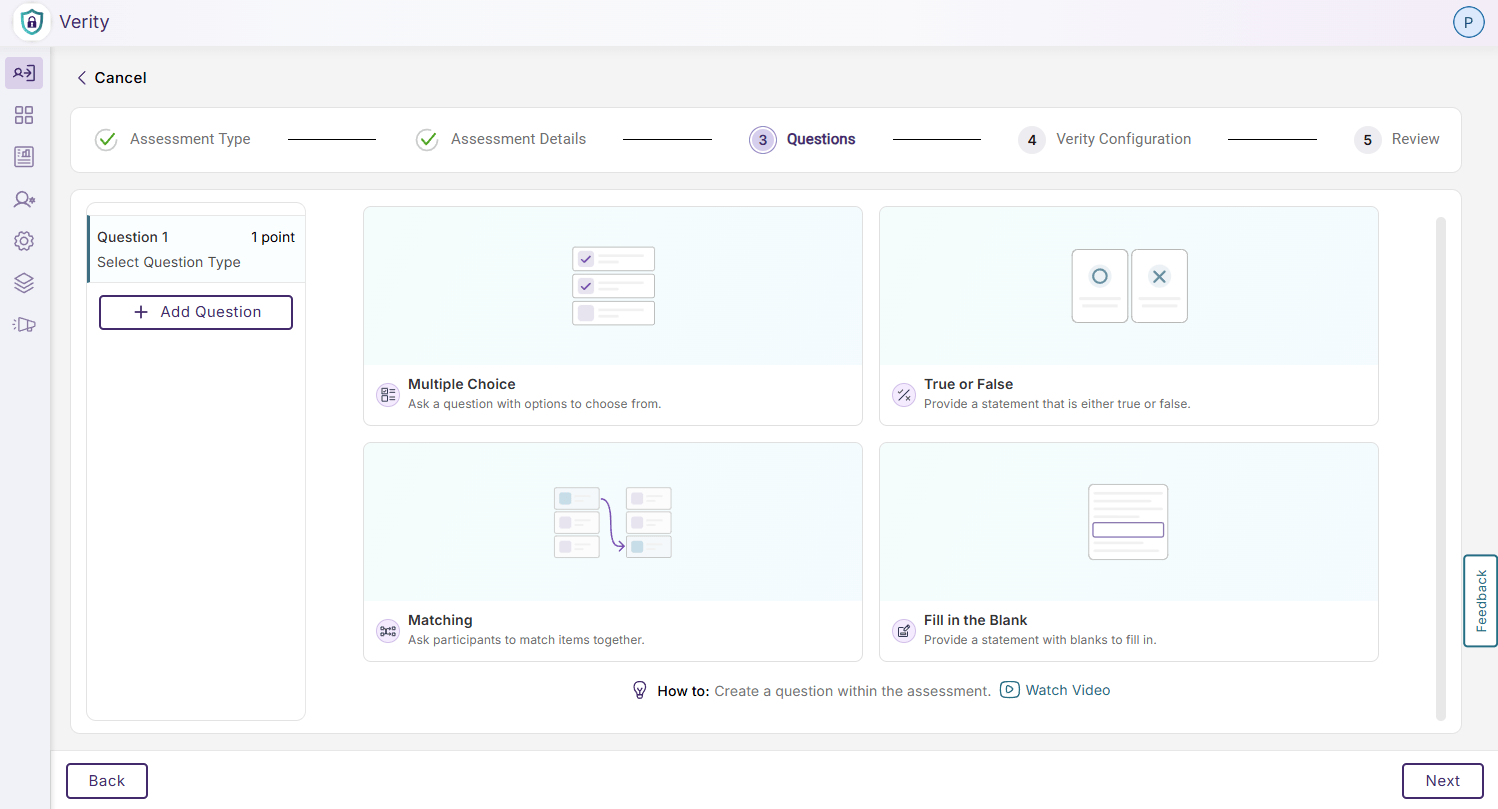
Multiple Quiz Types: Instructors can choose from multiple choice, true or false, matching, and fill-in-the-blank for a Verity quiz, providing flexibility and matching native LMS capabilities.
-
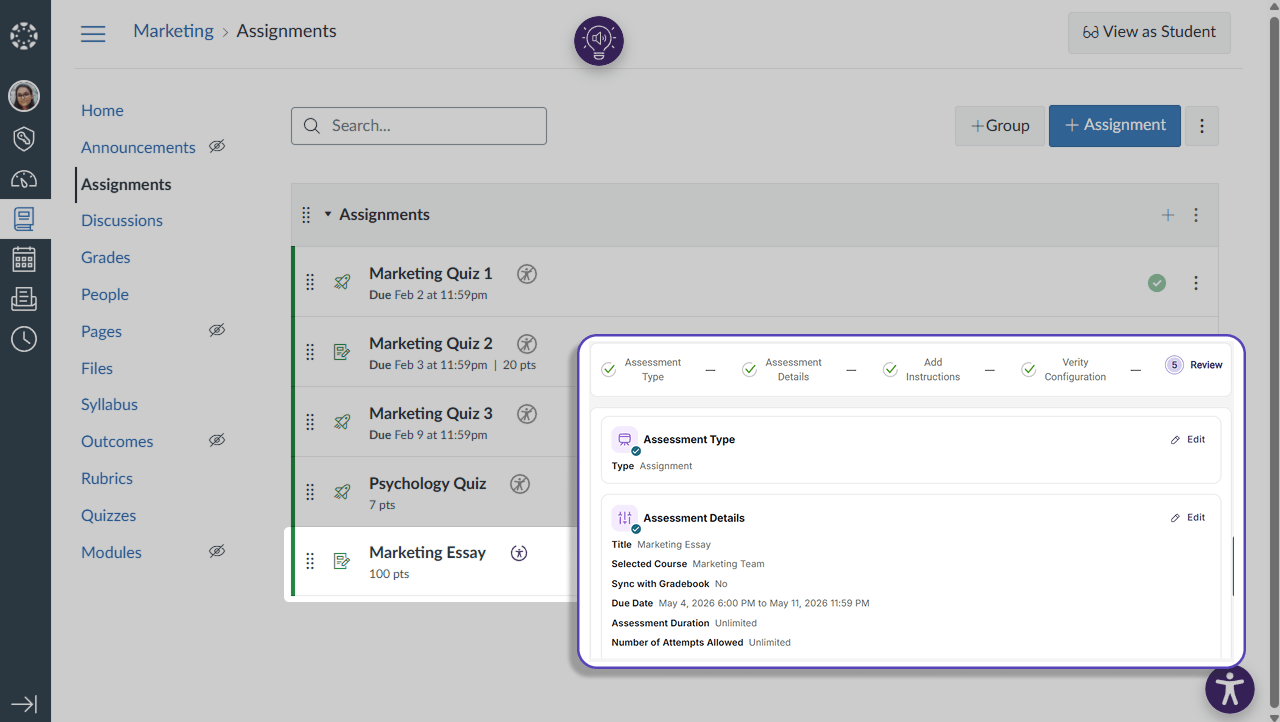
Automatic LMS Publishing: Assessments configured in Verity will be automatically published to Canvas, eliminating the need to configure an assessment in two different interfaces.
-
LMS Gradebook Sync: Instructors can enable gradebook sync during assessment set up, allowing grades to be automatically imported into their LMS without additional configurations. Instructors will also be directed to flagged events from this interface to easily verify academic integrity.
-
-
Increased Security for Mobile Assessments with Continuous AI-Proctoring Support
AI-powered face and object detection has been added to Verity assessments for mobile devices, drastically improving the security for mobile assessments by flagging suspicious activity detected using the front camera.
Key features include:
-
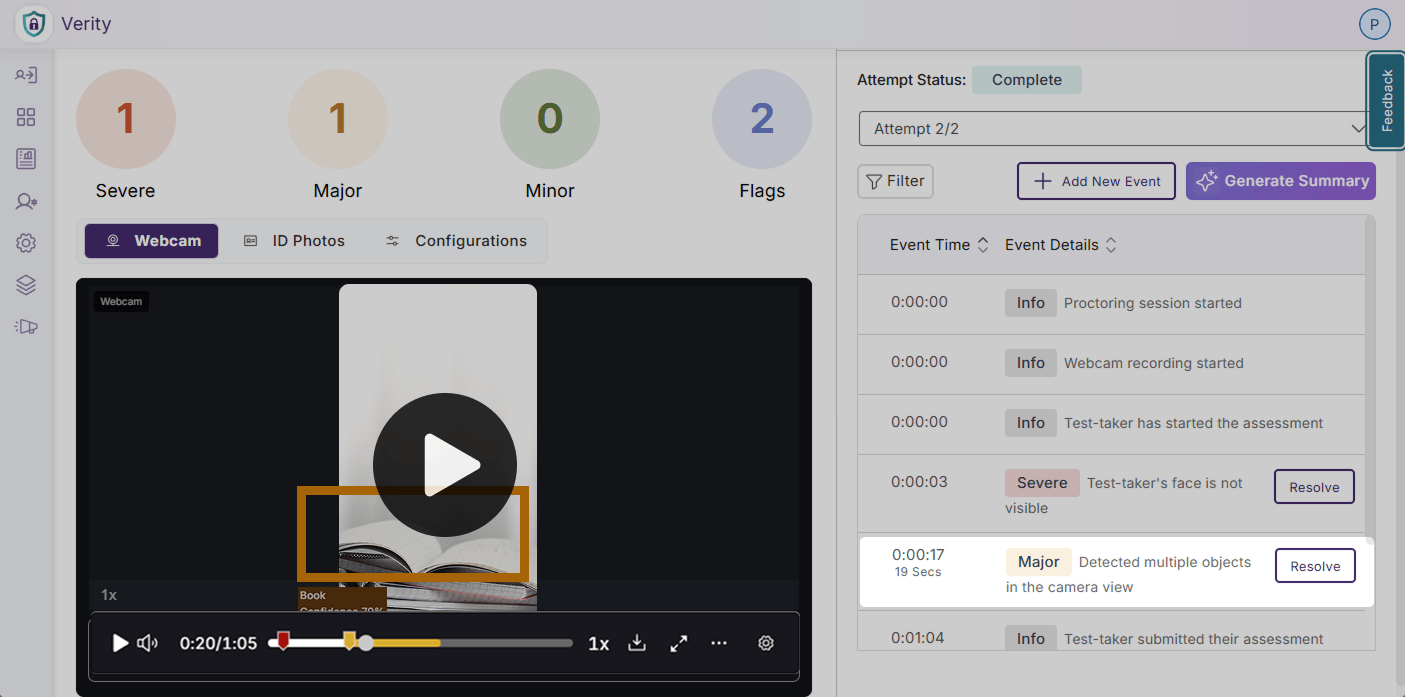
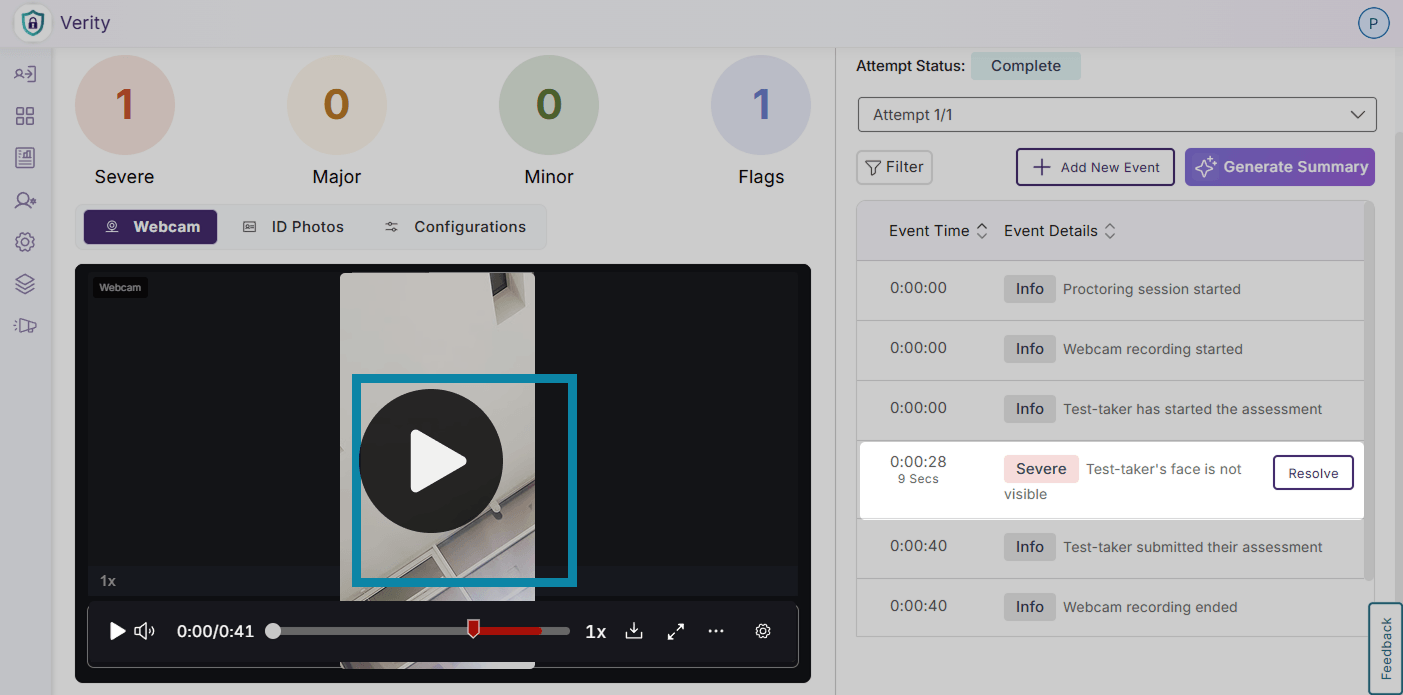
Detect Suspicious Objects: Verity will flag suspicious items such as phones, devices, monitors, and books in view of the test-taker’s webcam.
-
Detect Multiple Faces: Verity will monitor the test-taker’s face to verify that it is detectable, and will flag additional faces or when the test-taker’s face is not observable from the webcam.
-
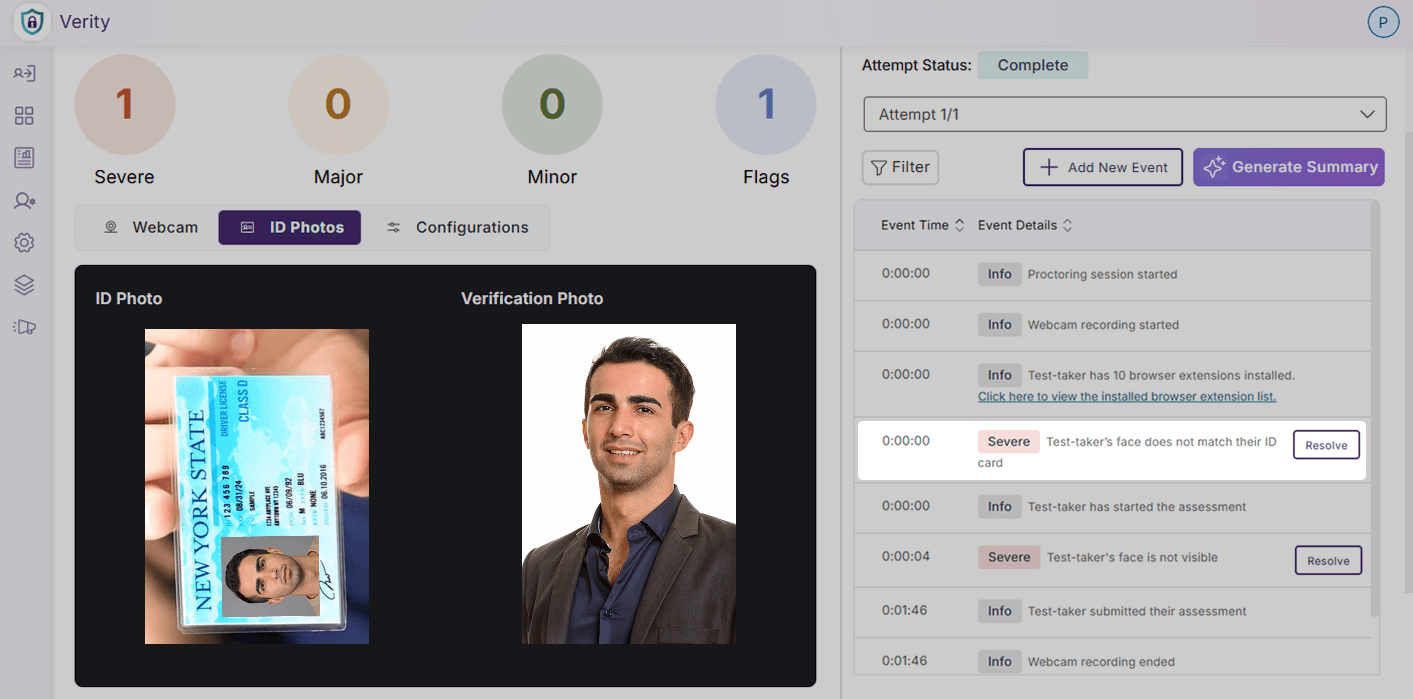
AI ID Verification: Verity will verify the test-taker’s identity by matching their face to a provided piece of valid identification automatically.
-
-
New Post-Assessment Report Item Tracks All Browser Extensions to Protect Assessment Transparency
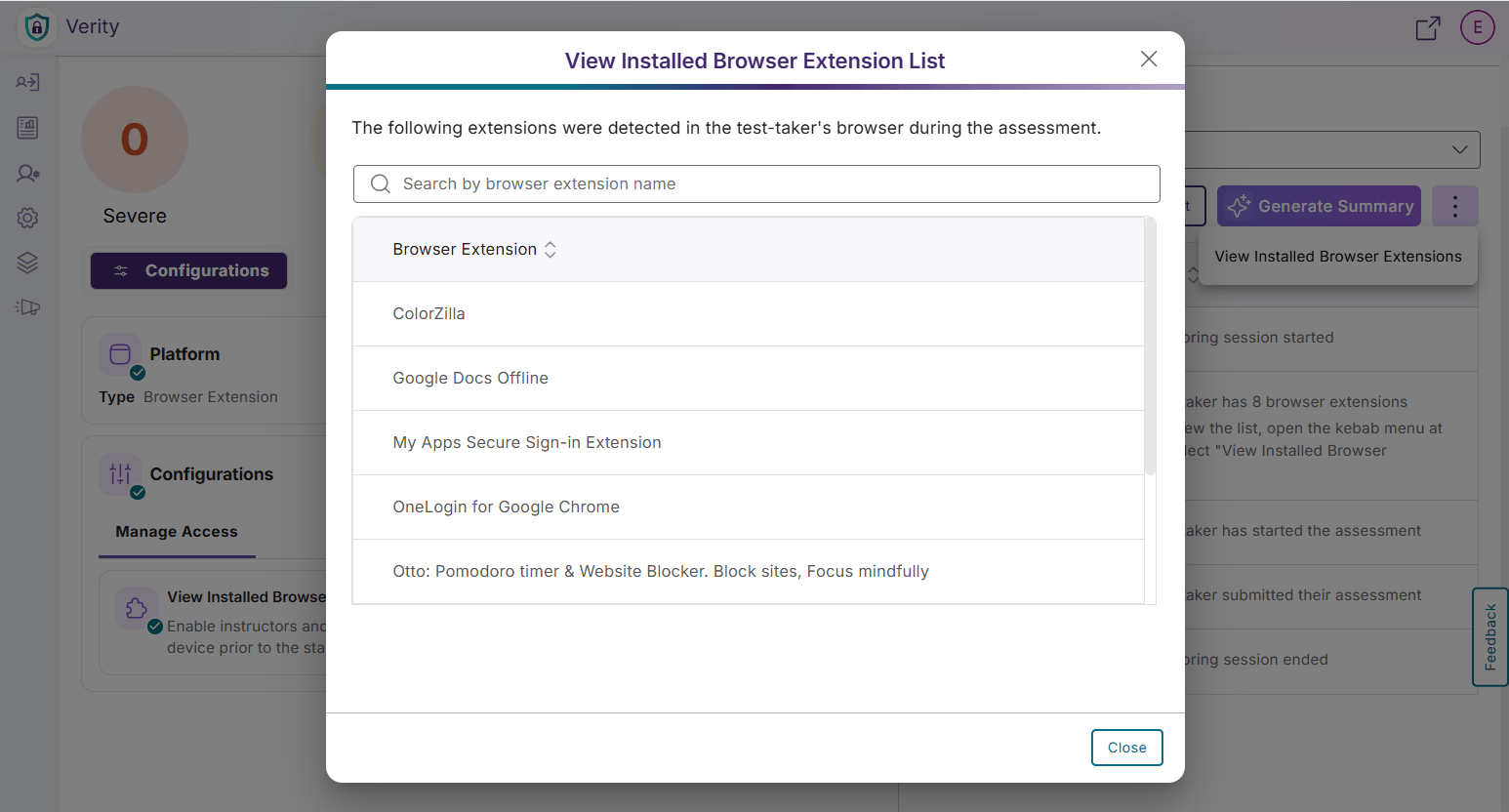
In addition to restricting and whitelisting browser extensions, a flag has been added for faculty to view all installed browser extensions on a test-taker’s device before a proctored assessment, preventing instructors from needing to whitelist previously installed browser extensions that do not impact the security of an assessment.
-
Real-Time Guided Chat Support Clarifies Confusion During System Check and Pre-Assessment Set Up
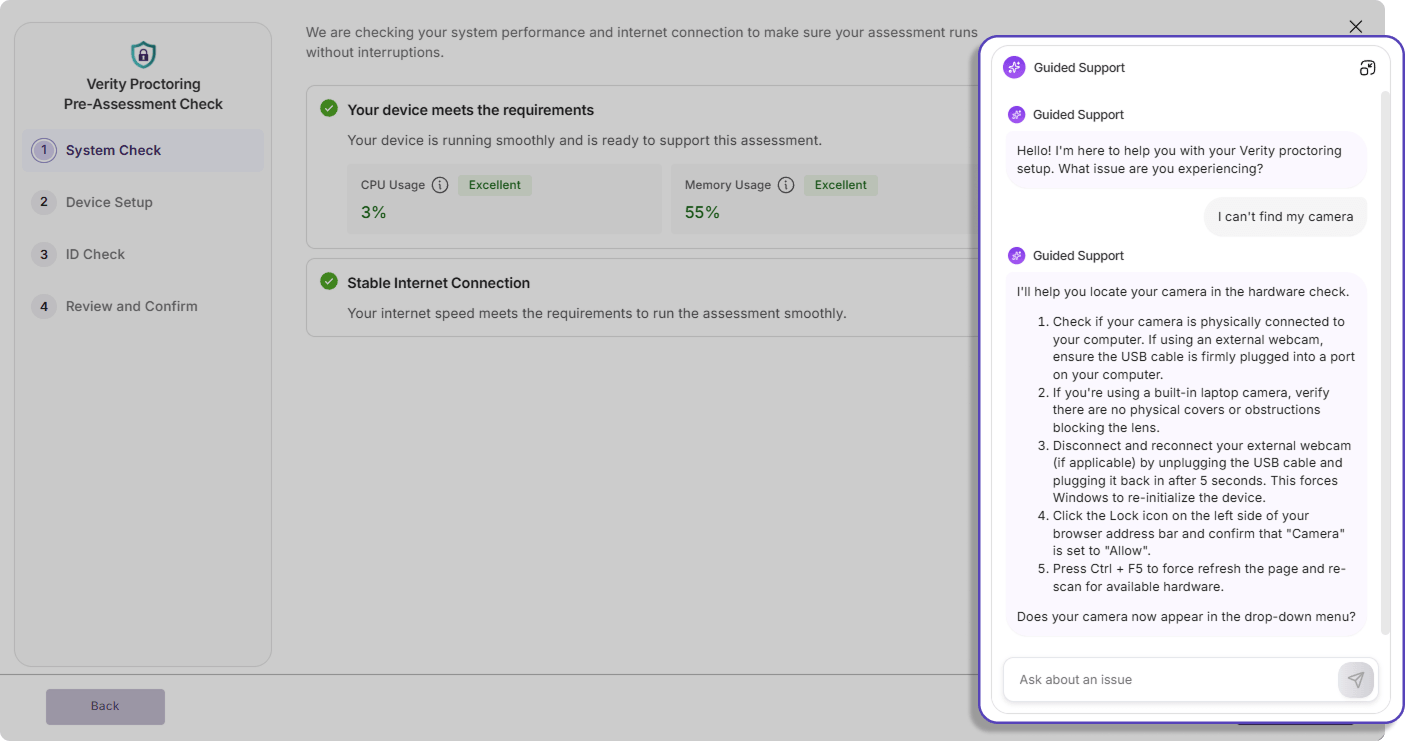
Additional chat support is now available in Verity to provide real-time guidance for common system setup issues such as camera and microphone access issues, browser compatibility, and network checks to help facilitate a smoother, uninterrupted system check process for test-takers.
-
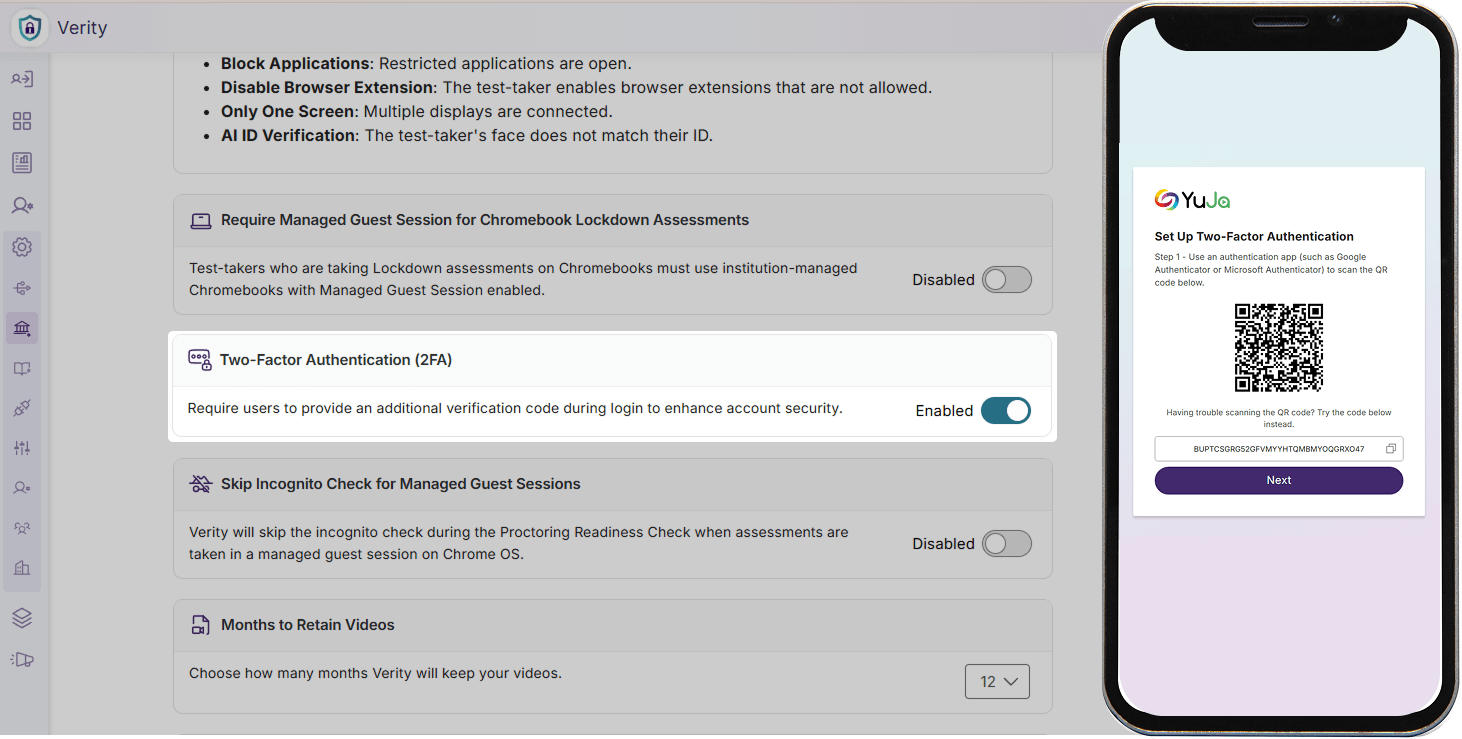
Multi-Factor Authentication Support for Manual Logins Strengthens User Security and Privacy
Administrators can now enable multi-factor authentication for all manual logins for their institution to prevent unauthorized access, protect private data, and enhance the overall security of their platform.