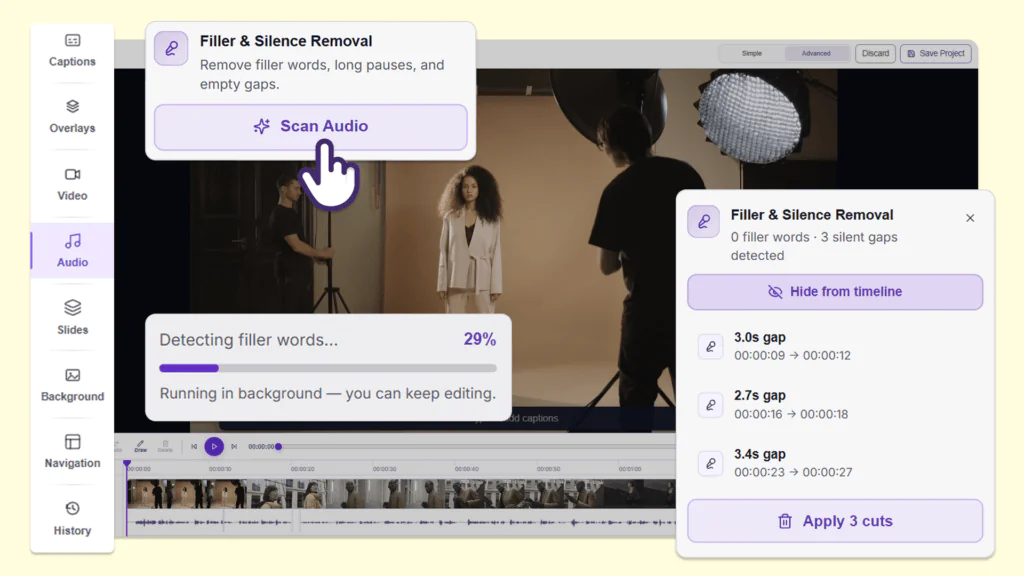
Over the next few weeks, the YuJa EqualGround Accessibility Governance Platform is adding new accessibility checkers, customizable scanning success criteria, and upgrades to remediation workflows such as bulk dismissal, automatic document write back, broken links report, and much more.
-
Minimize Manual Uploads with Automatic Document Replacement in SharePoint
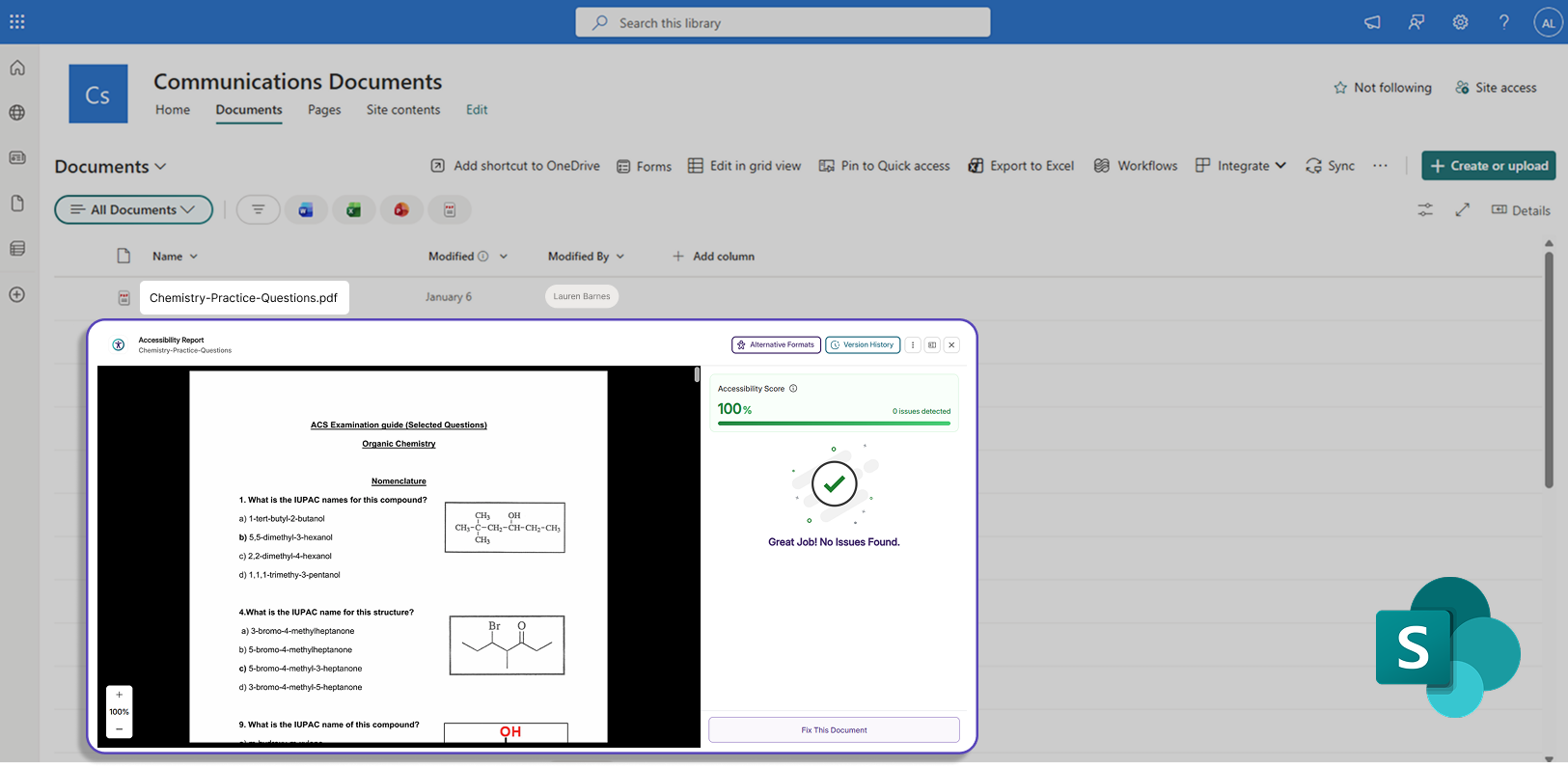
Documents remediated in the YuJa EqualGround interface can now automatically replace the existing document in the user’s SharePoint repository if the user chooses to activate the toggle on the Configurations page. This eliminates the need for users to manually save the remediated document and re-upload it to their CMS site. In upcoming releases, this functionality will be supported in other CMSs including Drupal, Cascade, and TYPO3, and TerminalFour.
-
Automatic Document Replacement for WordPress Repositories Streamlines Document Remediation Workflows
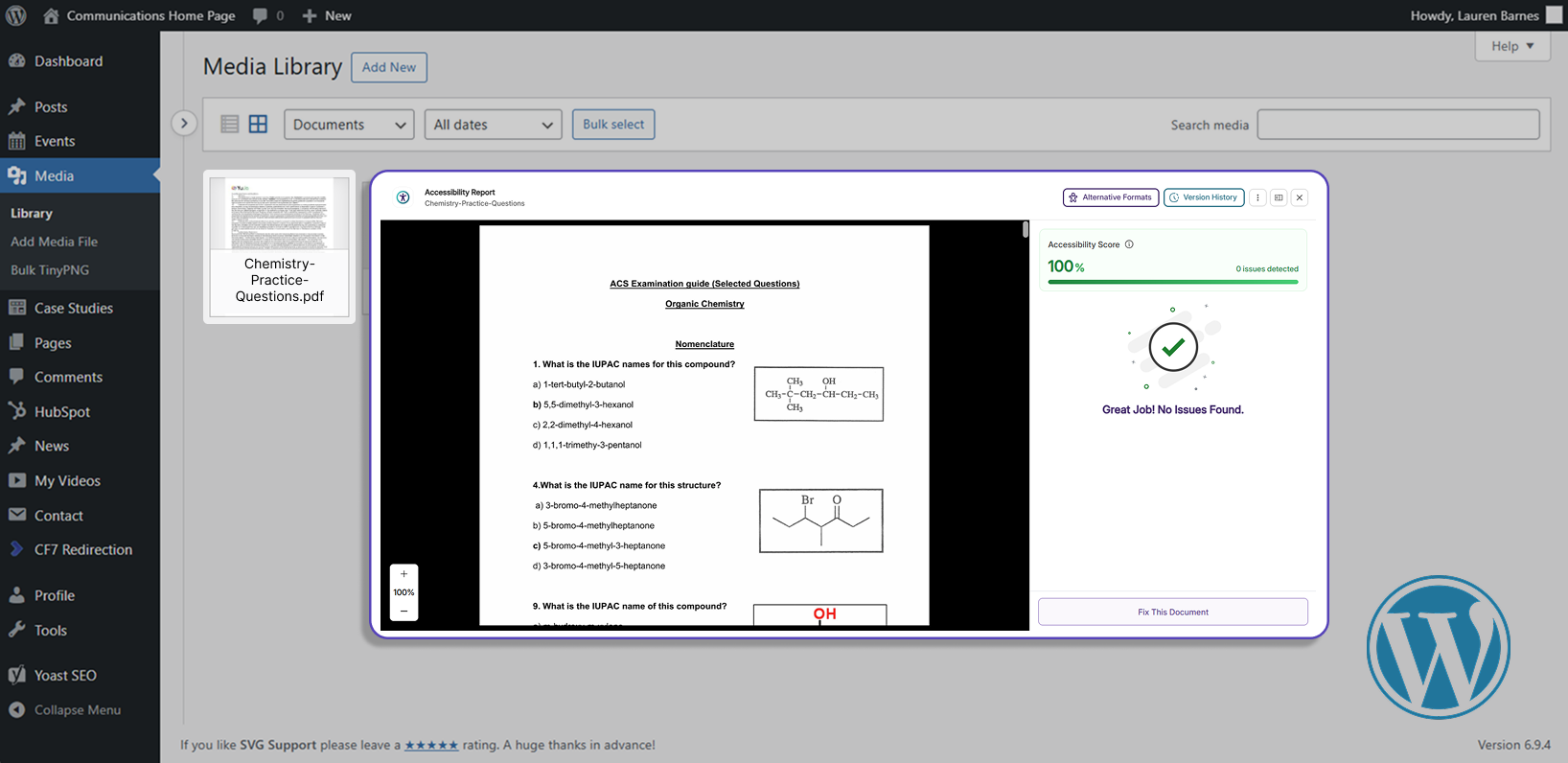
Automatic document replacement has been added to WordPress, saving users time and effort otherwise needed to replace the document in their WordPress repository with a remediated version after using YuJa EqualGround’s accessibility report. In upcoming releases, this functionality will be supported in other CMSs including Drupal, Cascade, and TYPO3, and TerminalFour.
-
Reach Compliance Faster with AI-Powered Content Generation
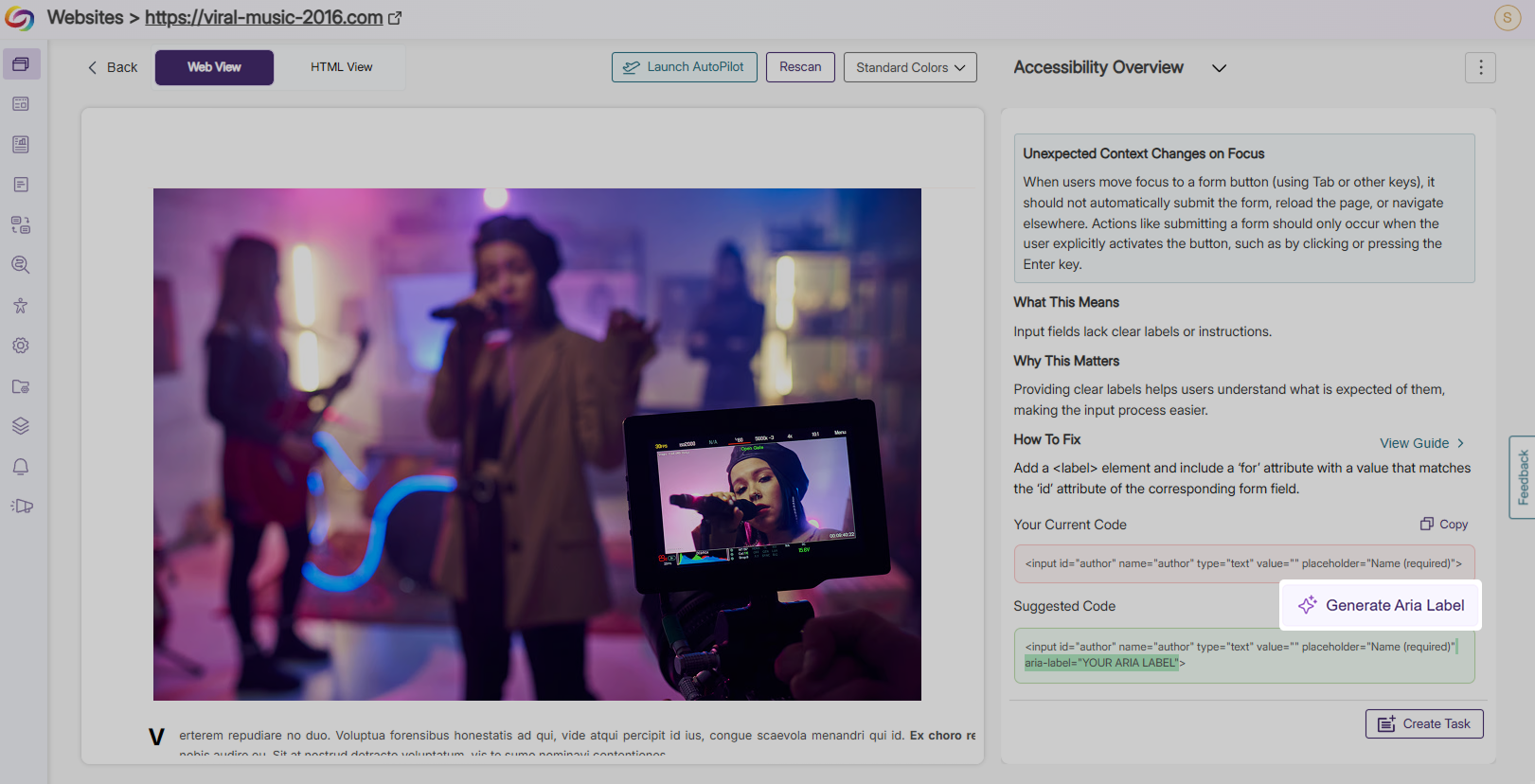
YuJa EqualGround now provides the option to automatically generate accessible and descriptive attribute content to help users reach compliance, eliminating the need for manual remediation and any technical HTML knowledge.
-
Alt Text: Users can generate proper alt text for images and image buttons that do not have alt text, or have been flagged for non-descriptive and duplicate alt text.
-
ARIA Label: Users can generate ARIA labels for elements that have inaccessible, placeholder, or no ARIA labels. Elements supported include interactive elements, form inputs, text inputs, and buttons.
-
Link Purpose: Users can generate descriptive text for links with no specified purpose or ambiguous descriptions.
-
Title Attribute: Users can generate a title attribute for any input element that does not have a title.
-
iframe Title: Users can generate an iframe title for iframes without a title or ARIA label.
Key features include:
-
-
Improved Remediation Workflow with New Bulk Dismissal Functionality
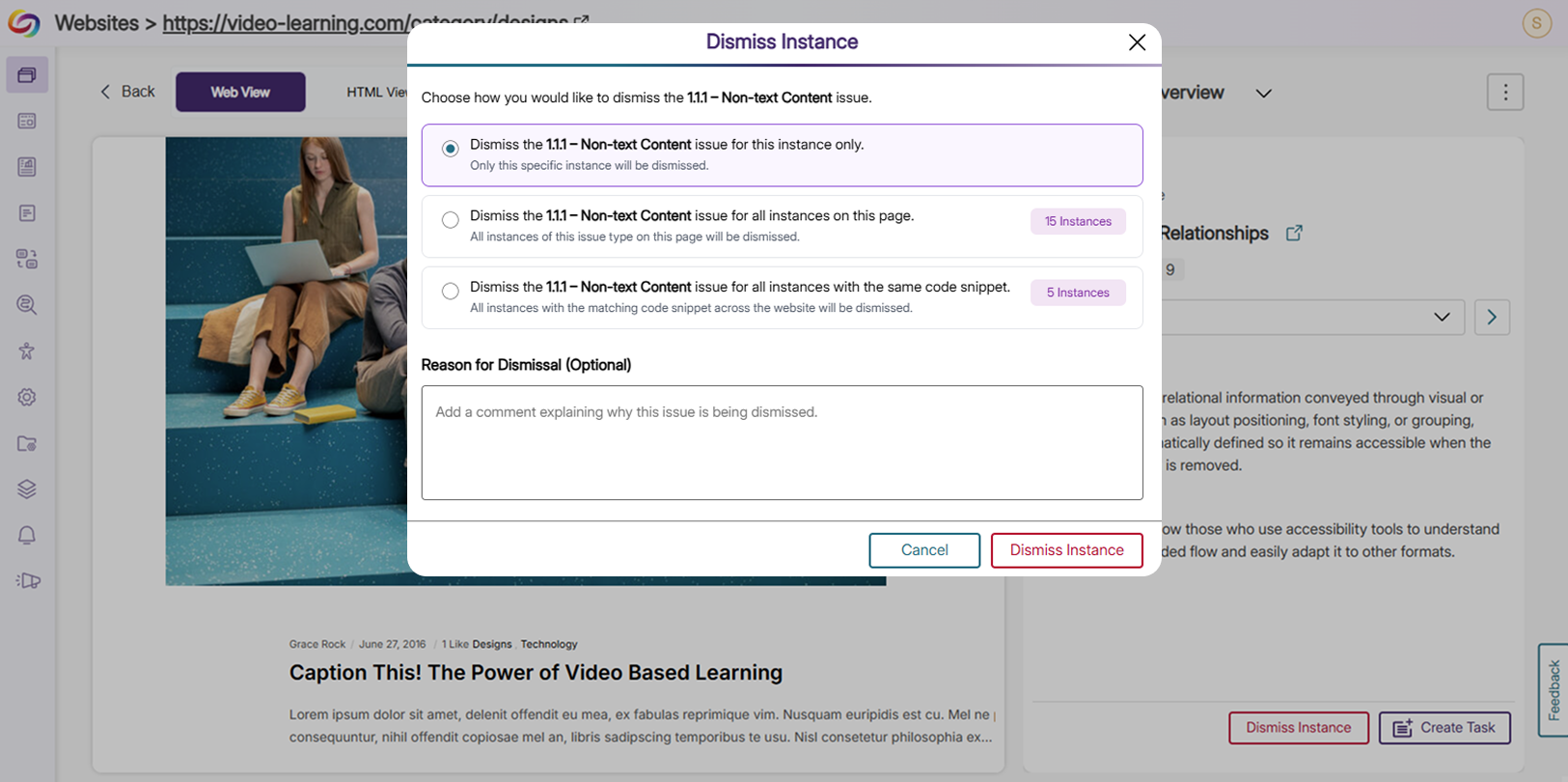
The Accessibility Issues Report now allows users to bulk dismiss issues flagged by the Accessibility Engine instead of manually dismissing each issue. Users can:
-
Dismiss for this instance only: Only the selected issue will be dismissed.
-
Dismiss for all instances on this page: All instances of the same issue type on the current page will be dismissed.
-
Dismiss for all instances with the same code snippet: All instances of the same issue type across the website will be dismissed.
The following new features are also available:
-
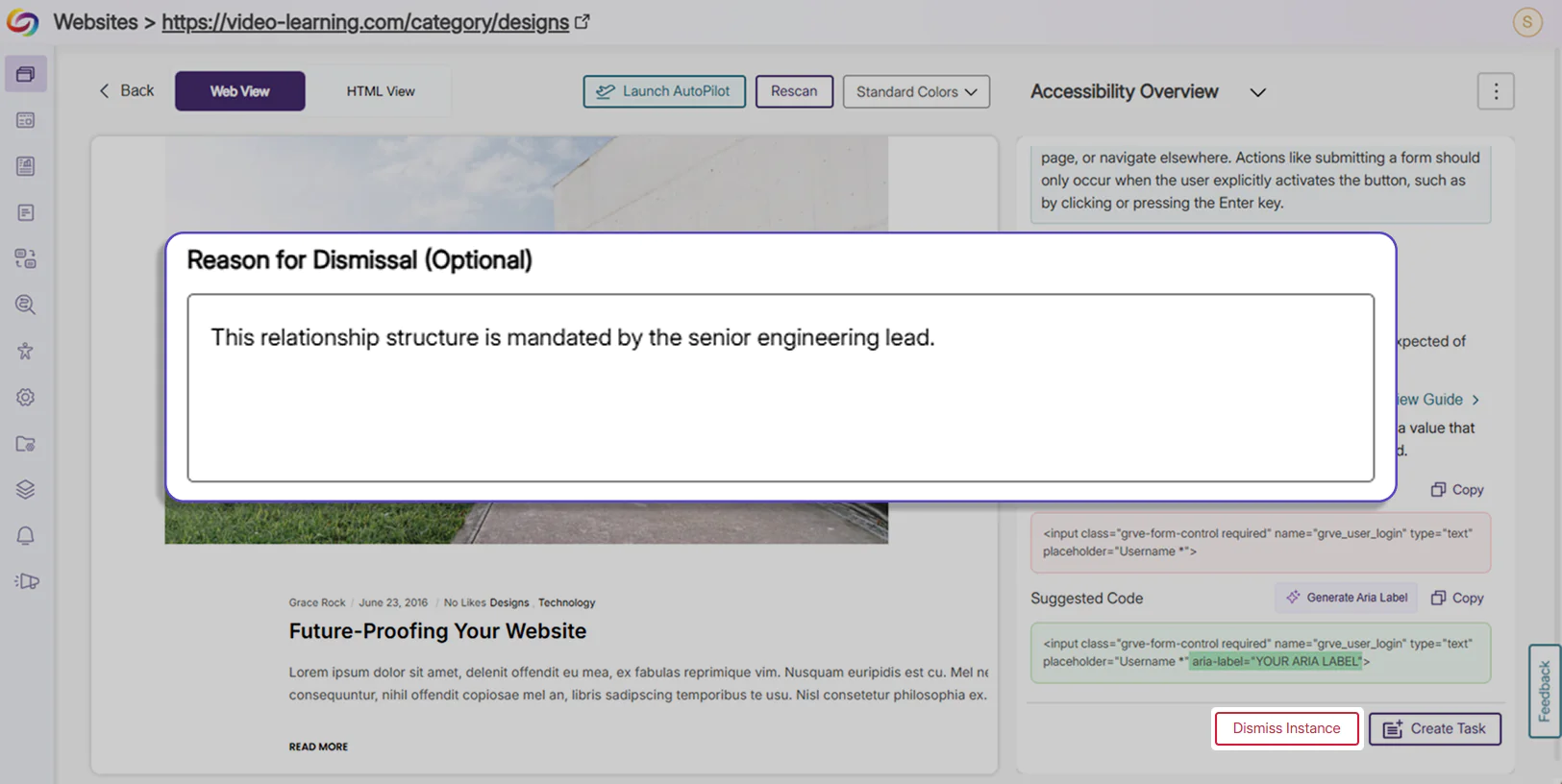
Dismiss with comments: When users dismiss an issue, they can leave a comment explaining the reason for the dismissal for future or inter-team reference.
-
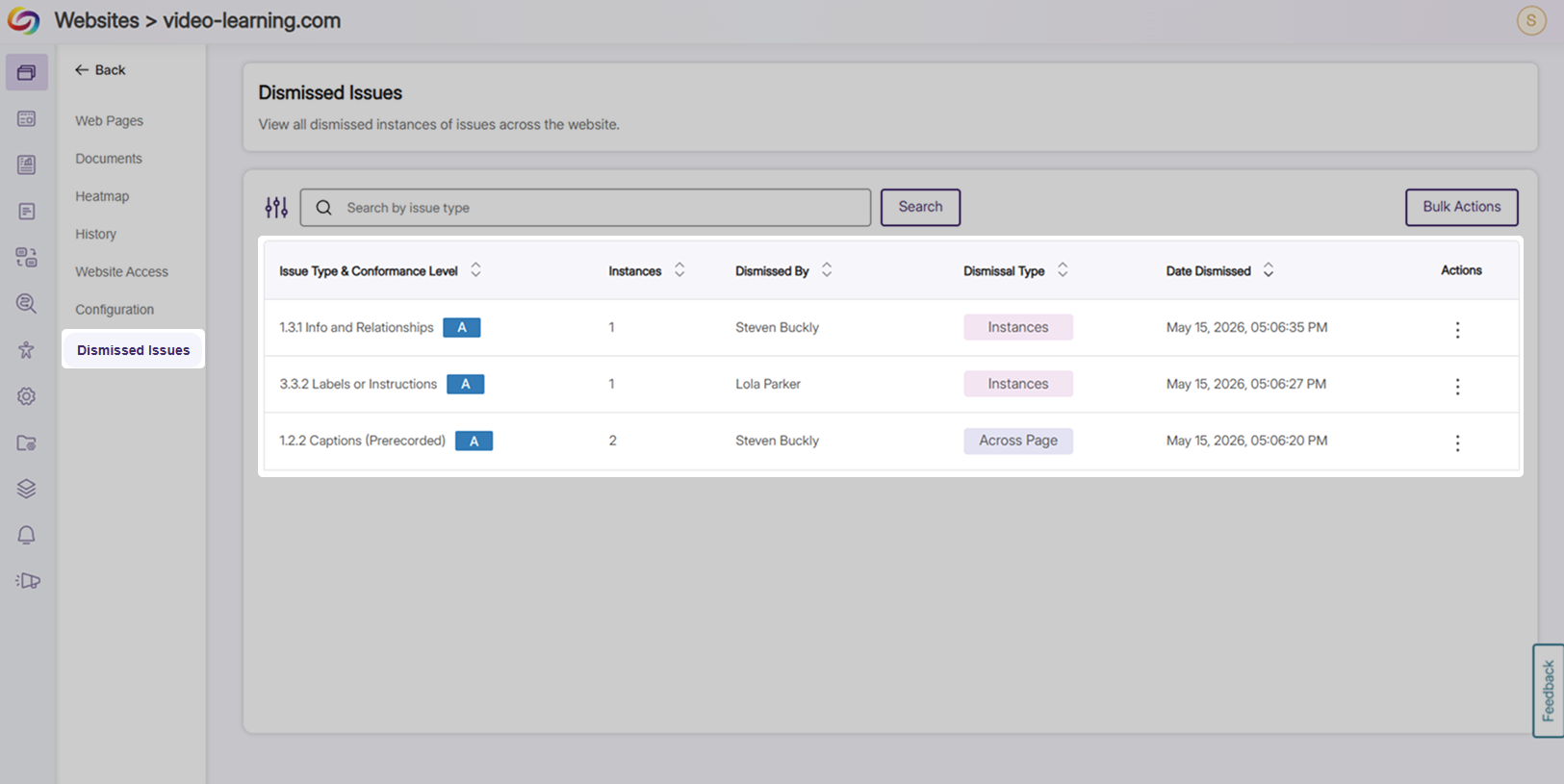
View all dismissed issues: A tab has been added under websites for users to view the entire history of all previous dismissals, tracking remediation actions performed by users on the platform.
-
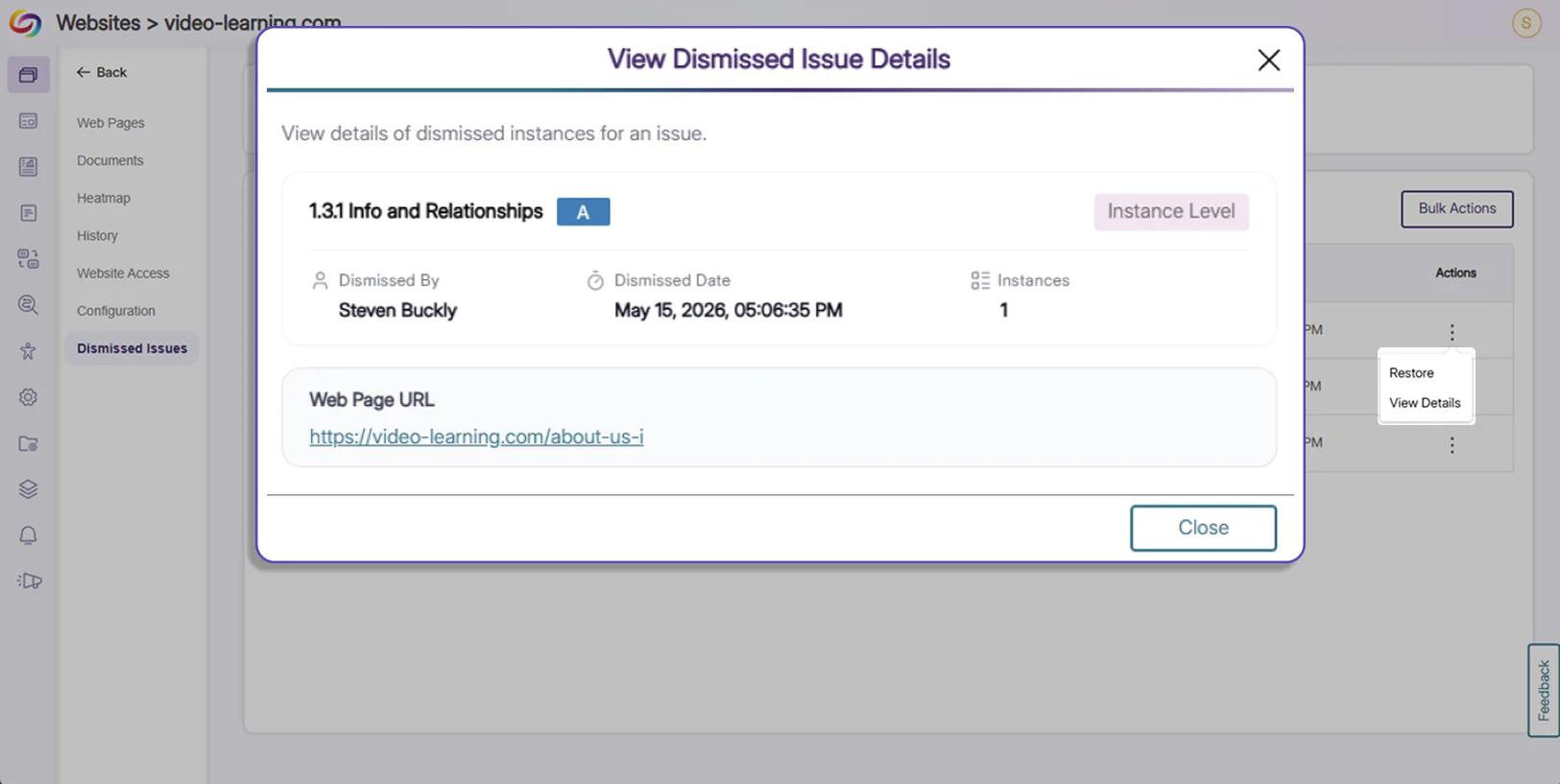
View dismissed issue details: For each dismissal action, users with the correct permissions can view the type of issue that was dismissed, the number of instances dismissed, the user who performed the action, the date of the dismissal, the affected web page URL, and any available comments.
-
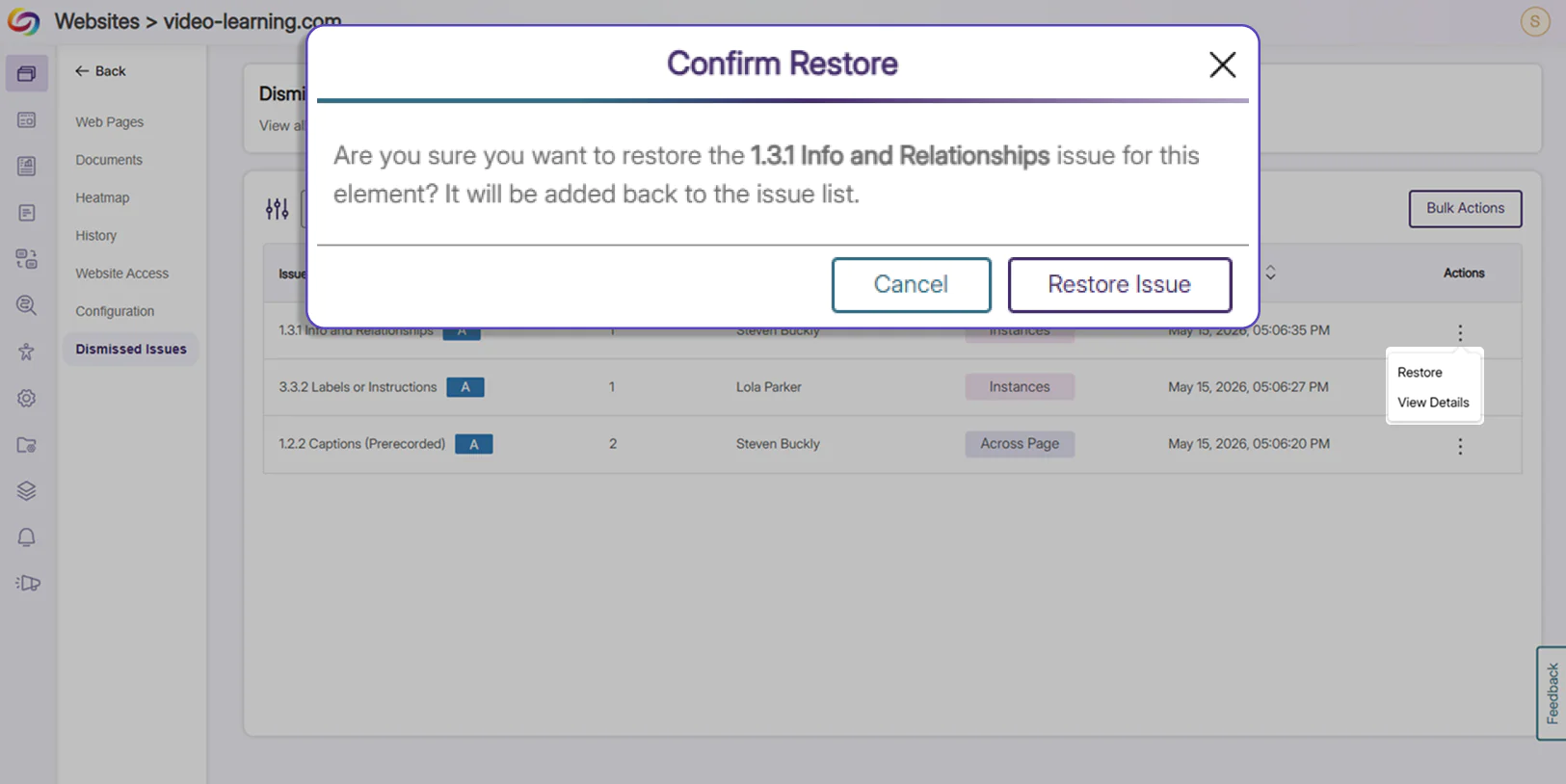
Restore changes: Version control capabilities have been added to allow users to restore any dismissals at any time, ensuring that all changes are reversible.
-
-
Upgraded Usability Report Provides Transparency into All Broken Links
Improved usability has been added to YuJa EqualGround for users to remediate broken links faster and more efficiently across their web assets. The following features were added:
-
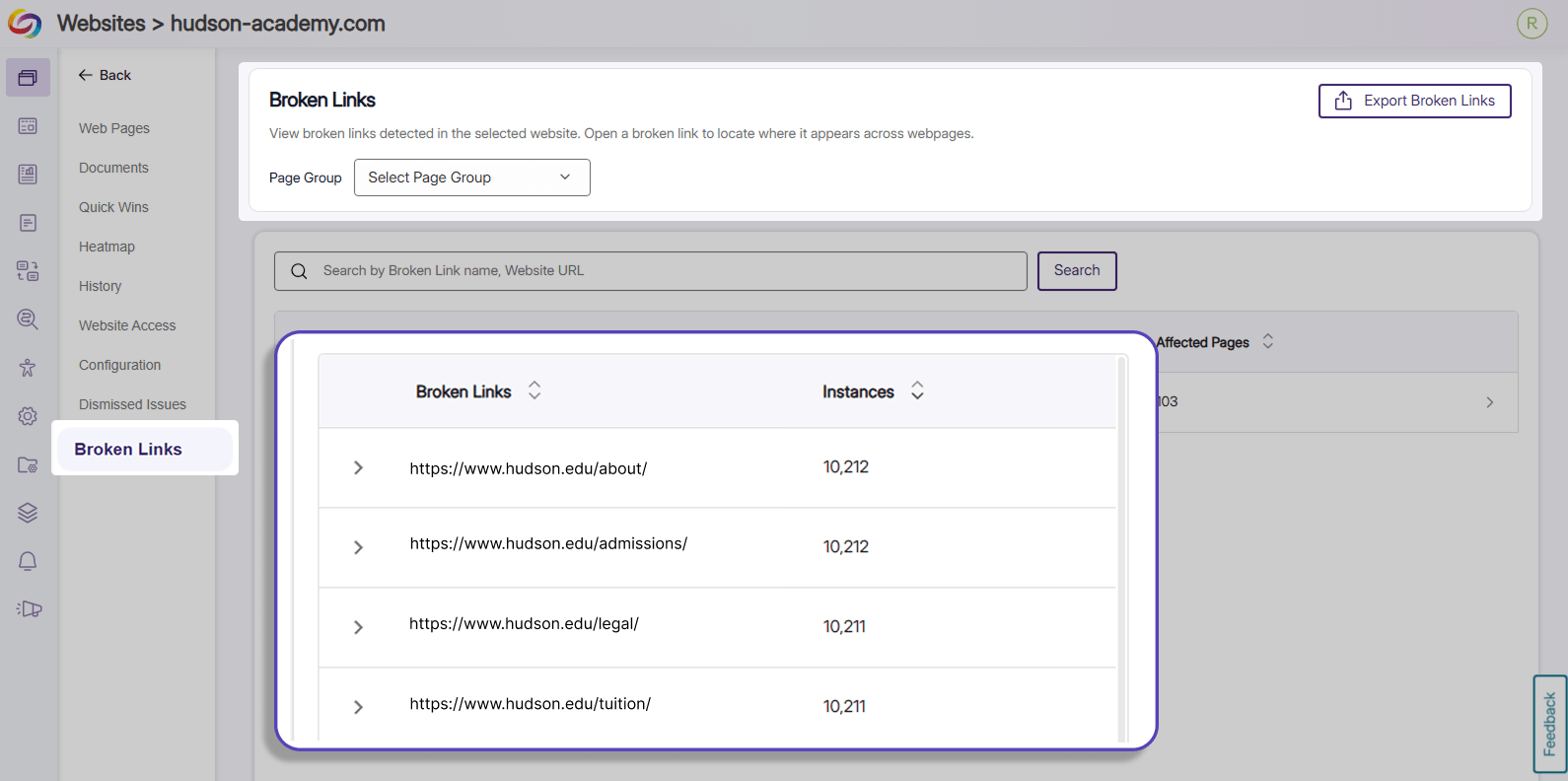
Broken Links Report: The Usability Report now includes a separate Broken Links Report that displays all broken link URLs, all webpages that contain the selected broken link, and instant navigation capabilities that direct the user to the affected pages for remediation.
-
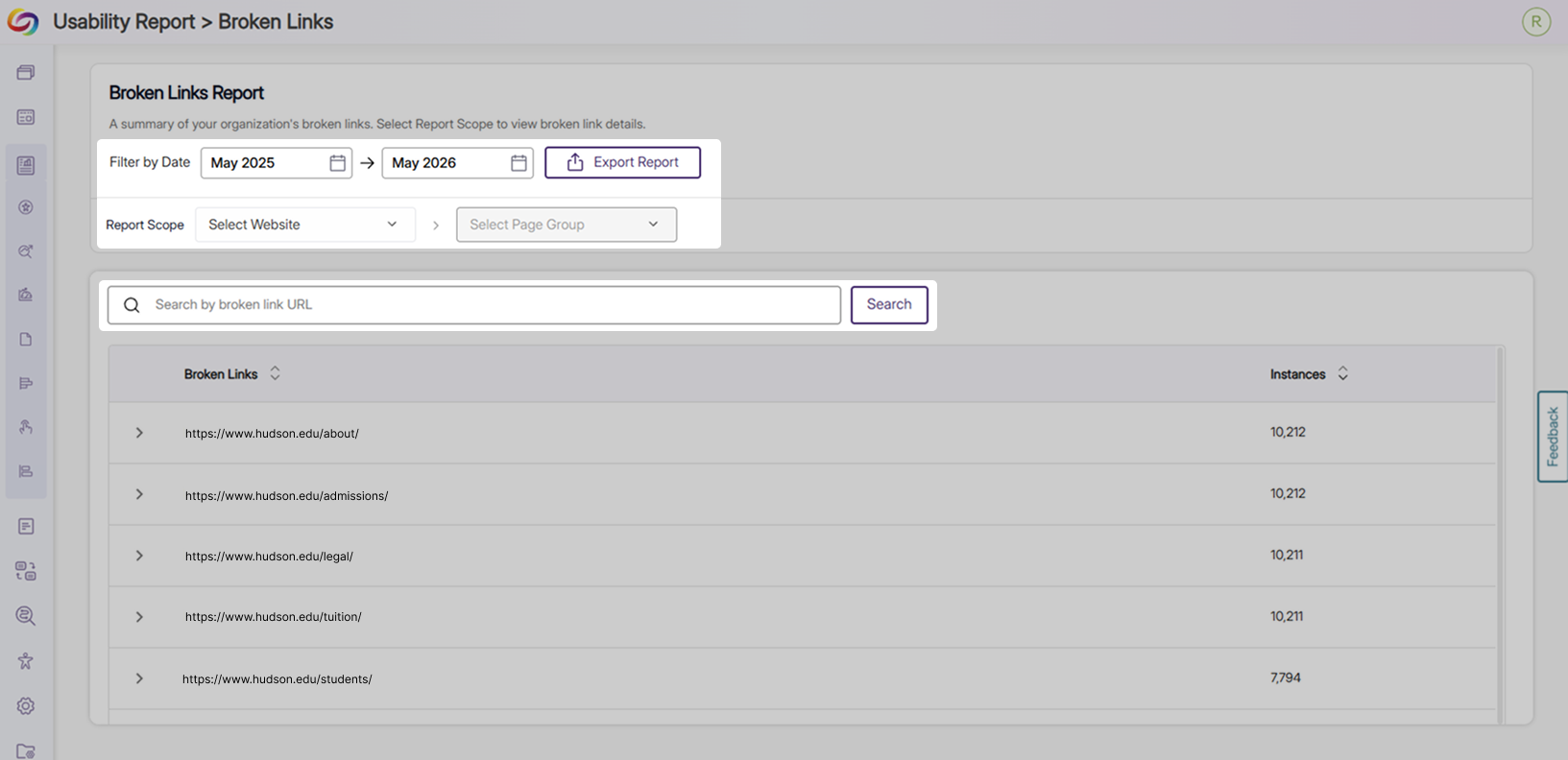
Data Filtering: The Broken Links Report includes data filters, scope dropdowns, a search bar, and a table displaying all broken links for the user to analyze and locate broken links they wish to prioritize.
-
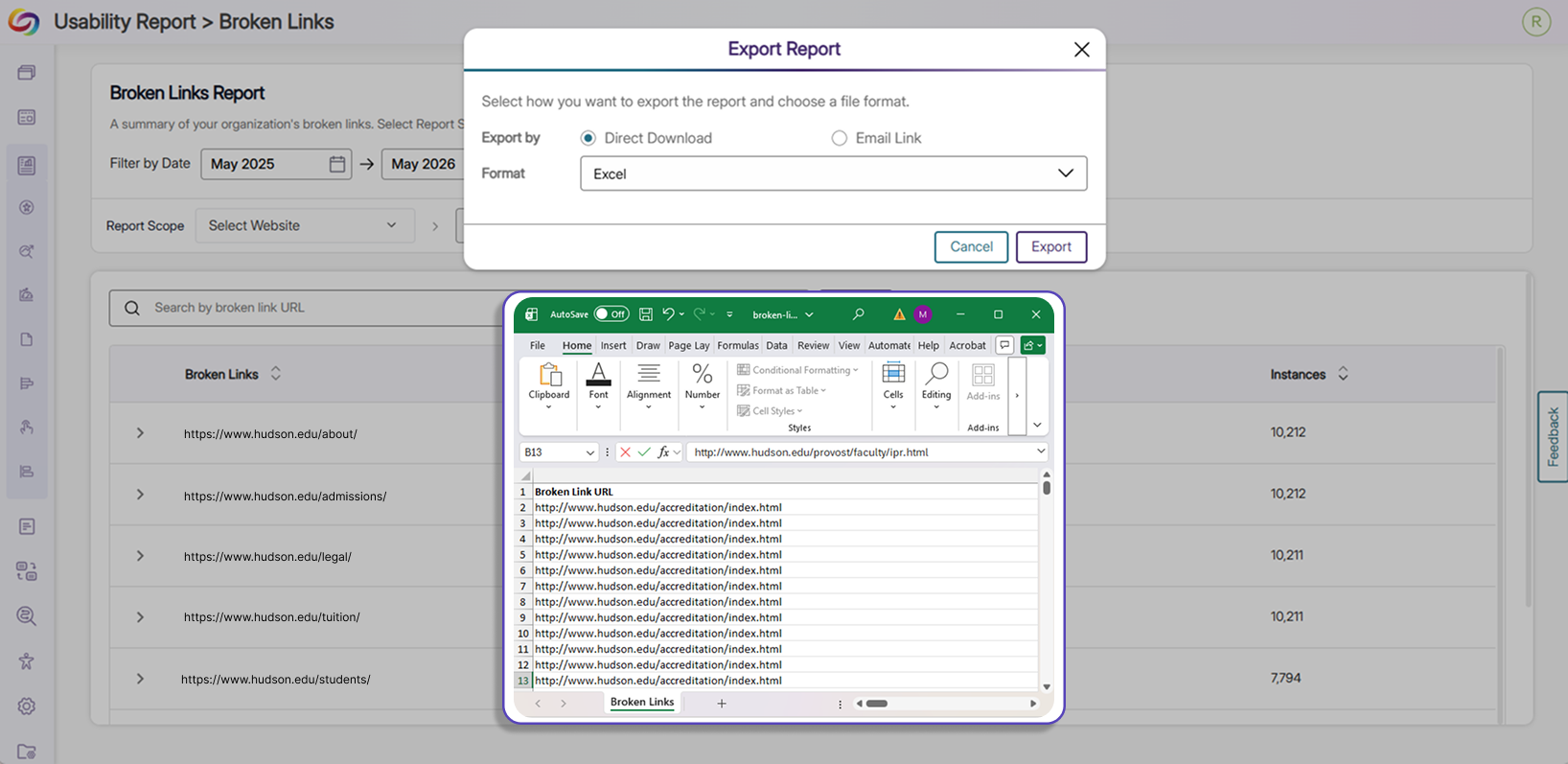
Data Exporting: The Broken Links Report can be exported in Excel, CSV, and JSON file formats, and contain columns for the broken link URL, the web page URL in which the link can be found, and the number of instances of the broken link.
-
-
Align with Specific Organizational Needs With Customizable Accessibility Conformance Standards
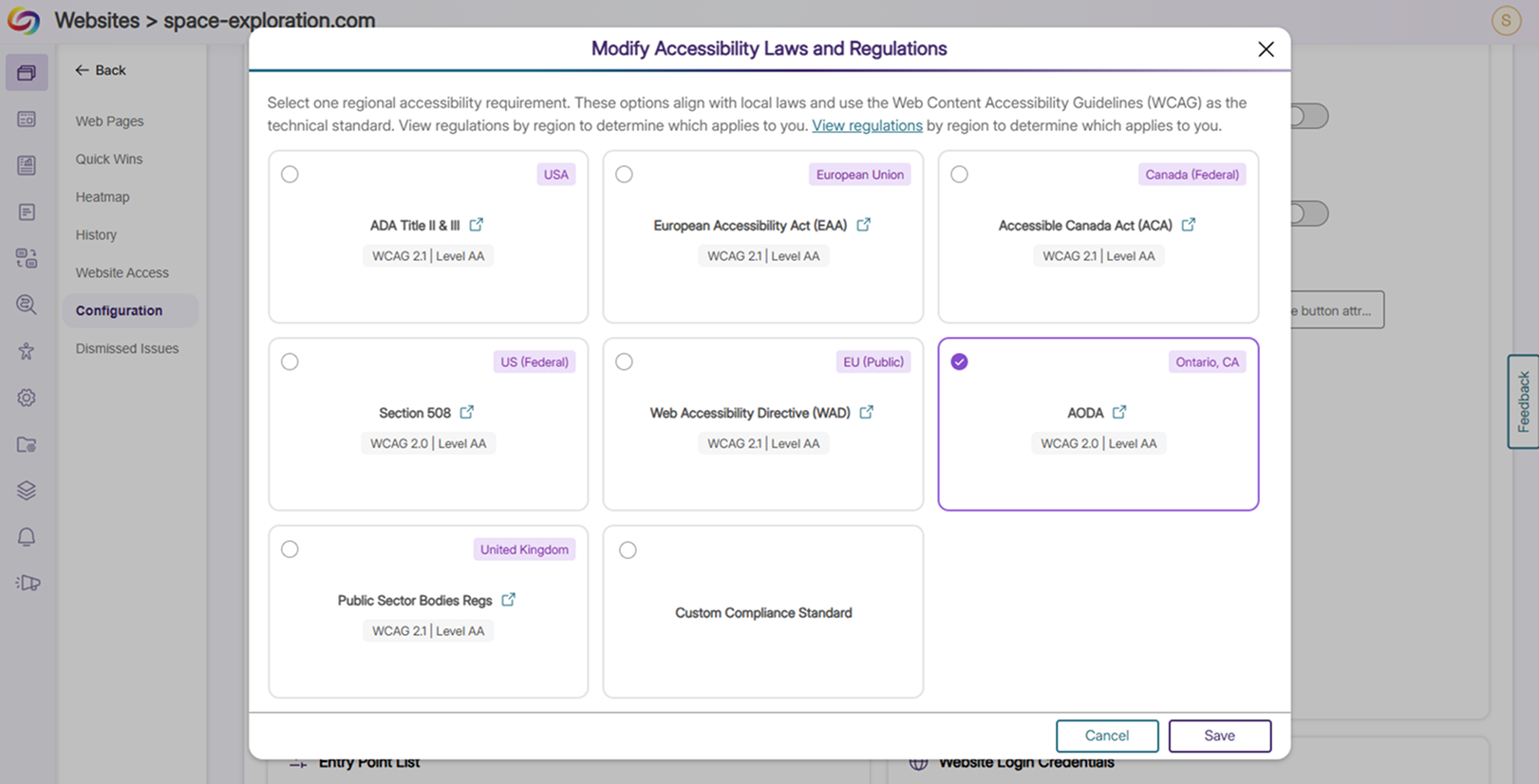
In addition to WCAG success criteria, YuJa EqualGround now supports conformance with other regulatory and policy frameworks such as Section 508, ADA, AODA, and other regional, global, or industry standards. Users can also set up their own custom compliance standard, effectively aligning their website to their own organizational needs.
-
Easily Copy URLs to Embedded Documents for Faster Navigation
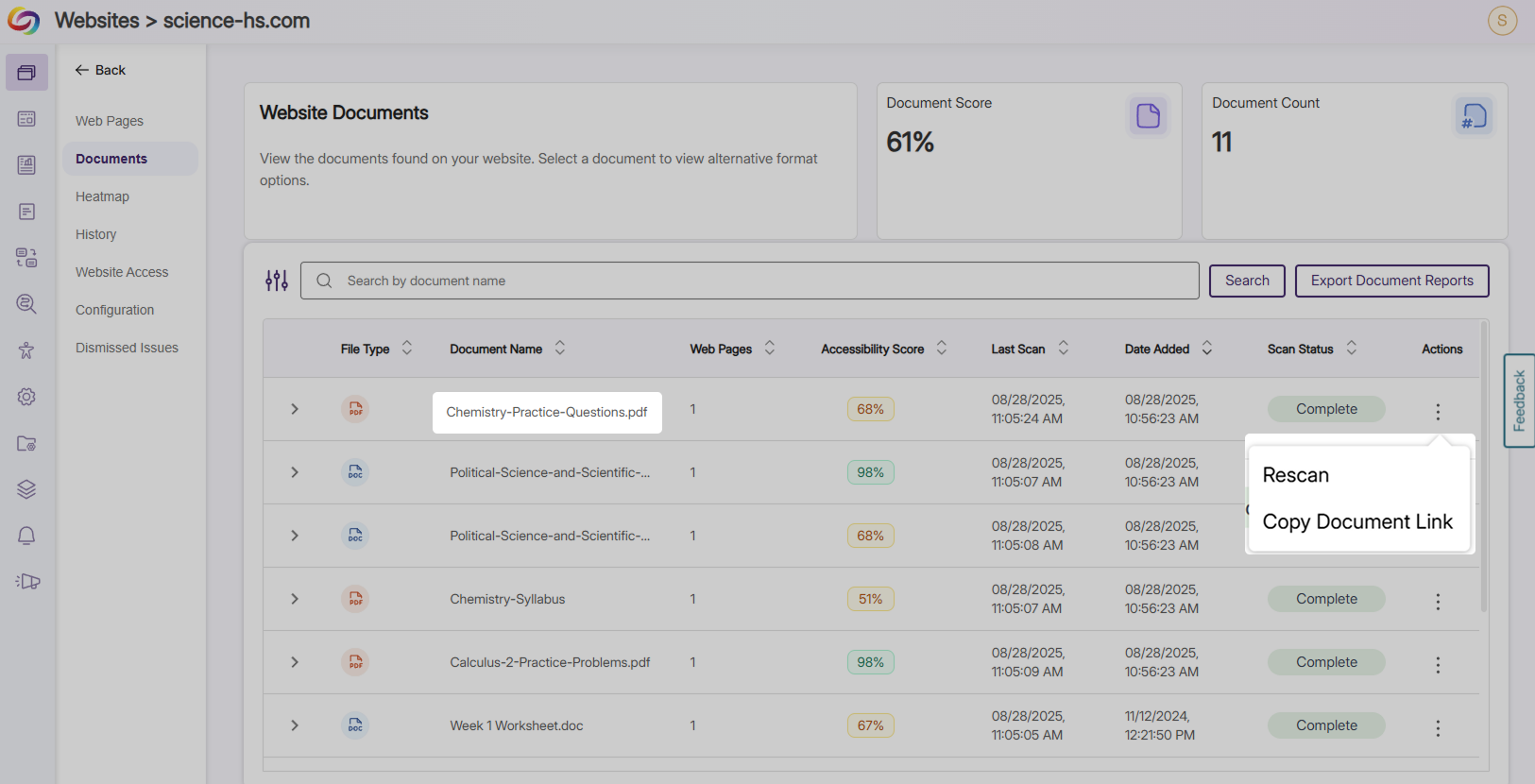
Full URLs to embedded documents are now automatically copied to the user’s clipboard with the click of a button. This allows the users to quickly navigate to the document for review from the documents table without manually investigating its location.
-
New Accessibility Checkers Track and Help Remediate Site-Wide Issues
New accessibility checkers and suggested fixes have been added to YuJa EqualGround to improve website accessibility conformance. The following checkers were added:
-
Missing Accessible Name for <textarea>: <textarea> elements must include a descriptive and accessible name using “aria-label”, “title”, or “aria-labelledby” for assistive technologies to understand the content.
-
Missing Submit Button: Forms without any submit buttons will be flagged to ensure that form content is sent back to the server and processed.
-
Missing Language Attribute: Elements using a “lang” or “xml:lang” attribute must have a specified language subtag such as “en”, “eng”, or “fr” to help assistive technologies interpret, pronounce, and translate content correctly.
-
Insufficient Color Contrast for Links: Links that appear in a block of text need to have a color contrast ratio of at least 3:1 compared to its surrounding text to help users with visual and color impairments identify the link. If contrast is not reached, users will be prompted to add an underline to better distinguish the link.
-
Missing Attribute <autocomplete>: Form fields collecting personal information such as name, address, and birthday should include <autocomplete> to automatically populate the field with the user’s information.
-
Improper ARIA Grouping: All radio or checkbox inputs in a group with more than 1 item must be wrapped in a container element with proper attributes and naming conventions.
-
Improper <title> Attribute for Decorative Images: Decorative images with empty alt-text attributes should not have a <title> attribute as they should be ignored by screen readers.
-
Insufficient Space Around Interactive Elements: Interactive elements such as buttons, links, icons, and checkboxes need to be wrapped in an element that is at least 24px by 24px to prevent accidental overlapping with surrounding and other clickable elements.
-