Over the next several weeks, we’re rolling out updates across all YuJa Panorama LMS Accessibility Platform instances. This release will introduce AI-powered alternative text suggestions for documents, enhanced PDF remediation, expanded accessibility checks for PDFs, automatic course scanning for Blackboard, and more.
-
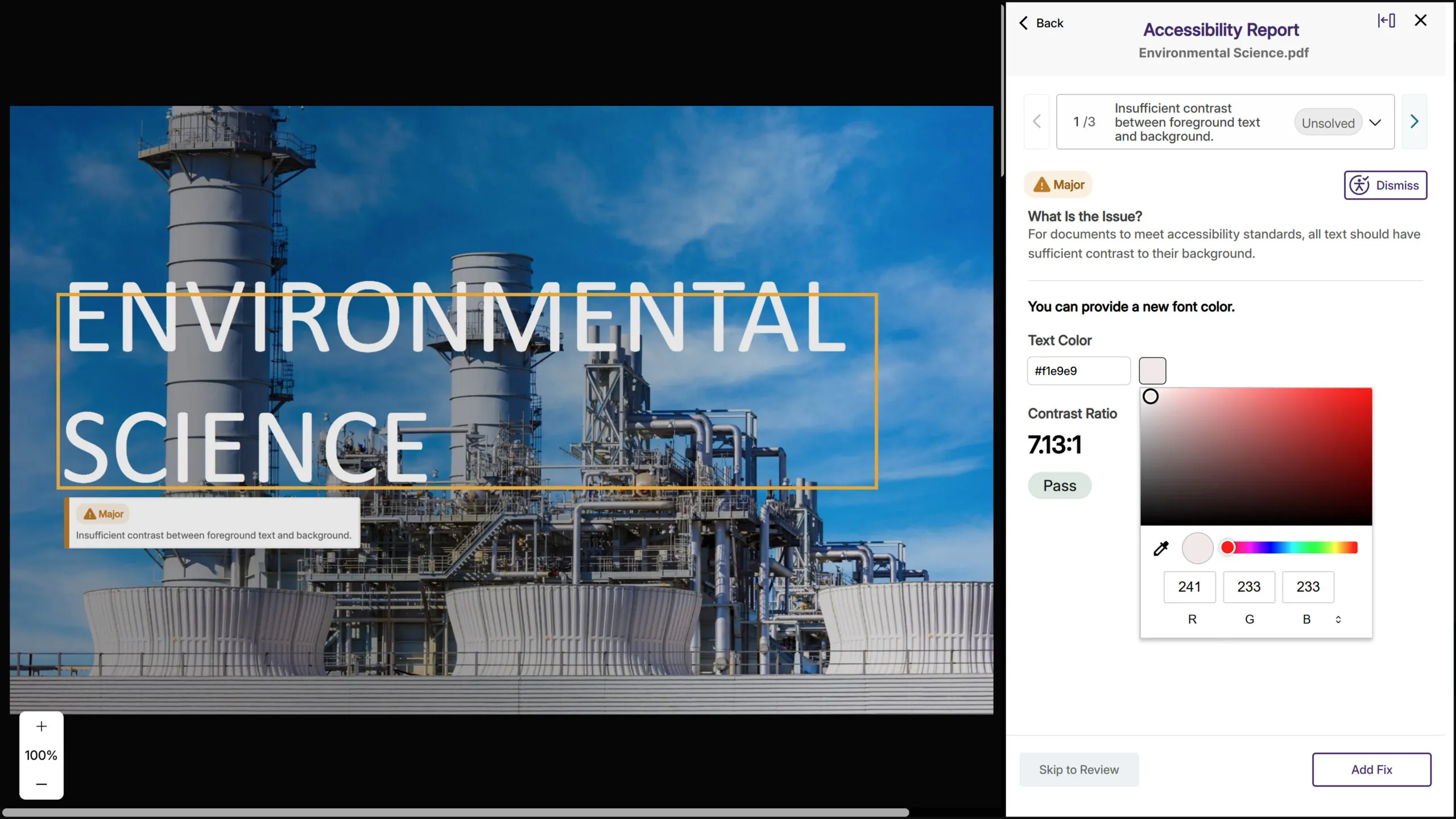
AI-Based Color Contract Issue Remediation for PDFs While Maintaining Layout and Structural Fidelity
Following significant advancements during its beta period, YuJa Panorama now provides fully supported and highly reliable color contrast remediation directly inside PDF files. The upgraded engine can intelligently adjust colors within the PDF content itself, while maintaining layout, typography, and structural fidelity. This allows YuJa Panorama to correct contrast issues at the source without disrupting formatting or requiring any external editing tools. The result is a smoother, more automated, and consistently accurate remediation experience across nearly every PDF scenario.
-
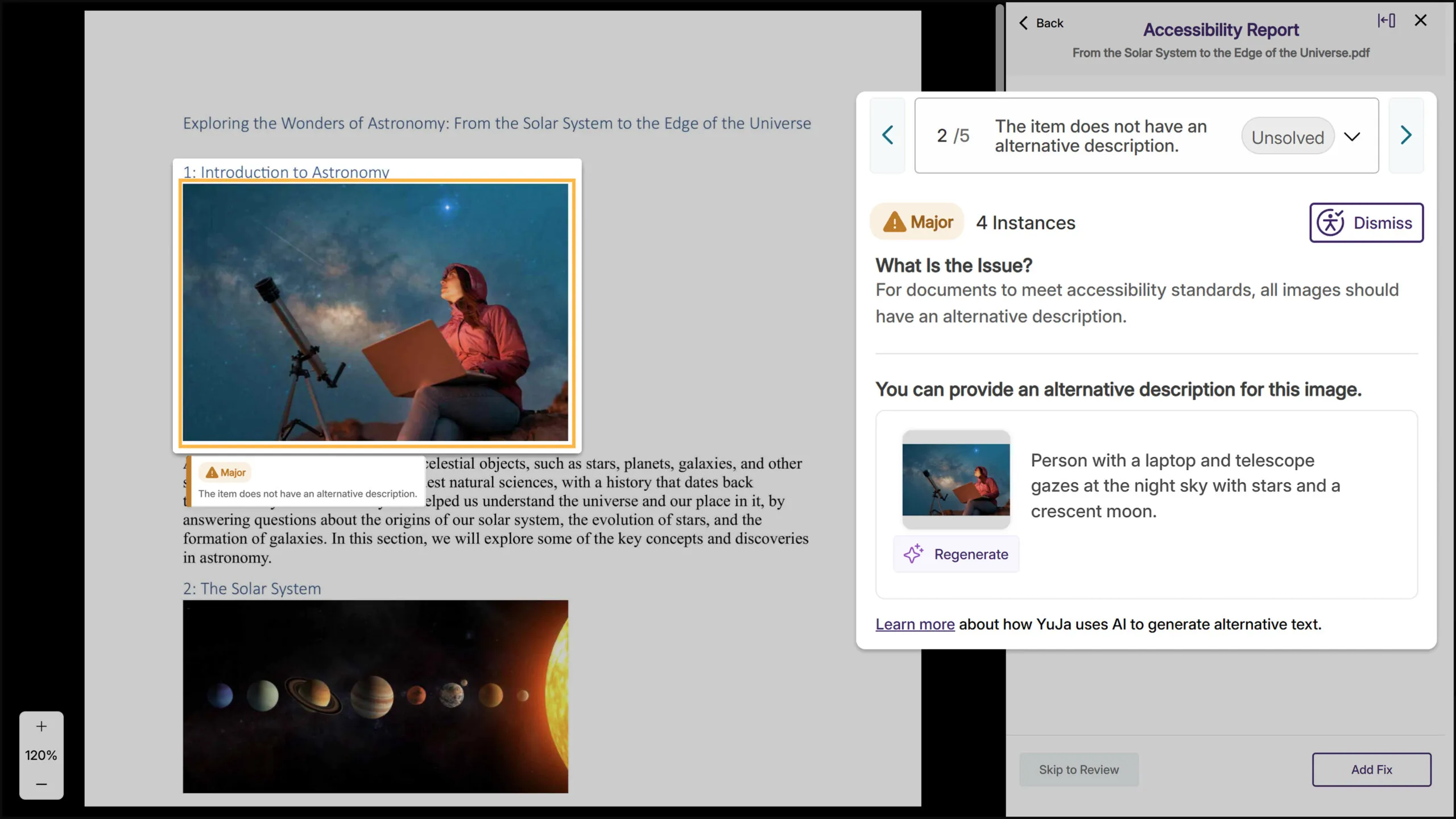
AI-Generated Alt Text Suggestions Speed Up Image Remediation Across All Major Document Formats
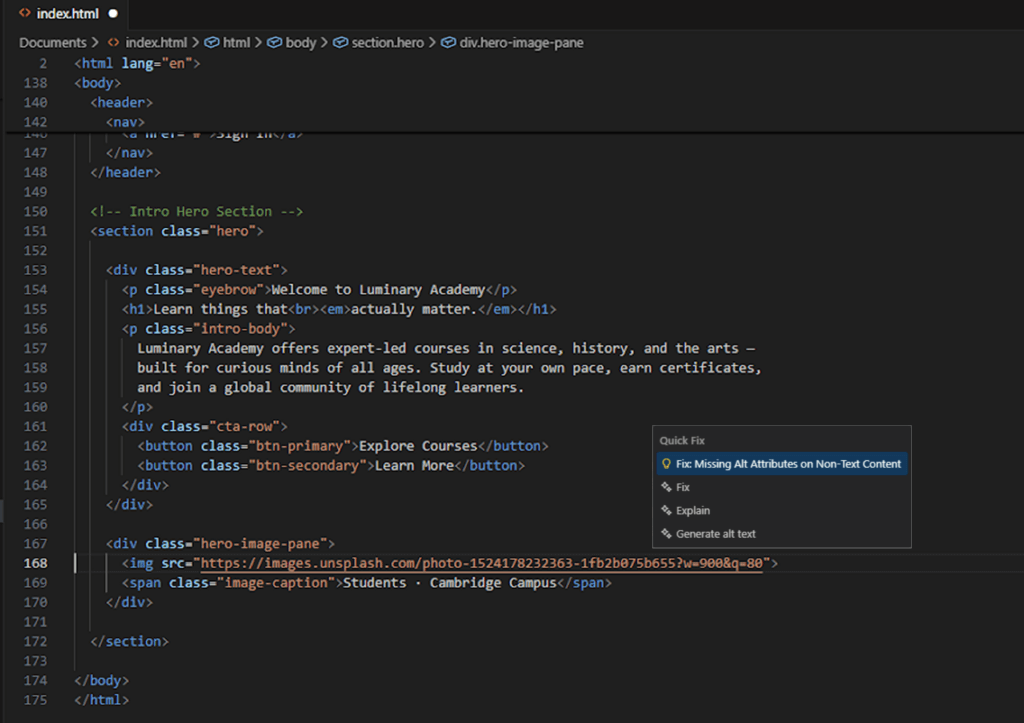
YuJa Panorama will now generate alternative text suggestions for images across all document types, including PDF, Word, PowerPoint, Excel, and HTML. When you encounter a missing image description, click “Suggest Alternative Text” to get an AI-powered starting point, then refine it as needed. This reduces the time spent writing alt text from scratch while keeping instructors in control of the final description.
-
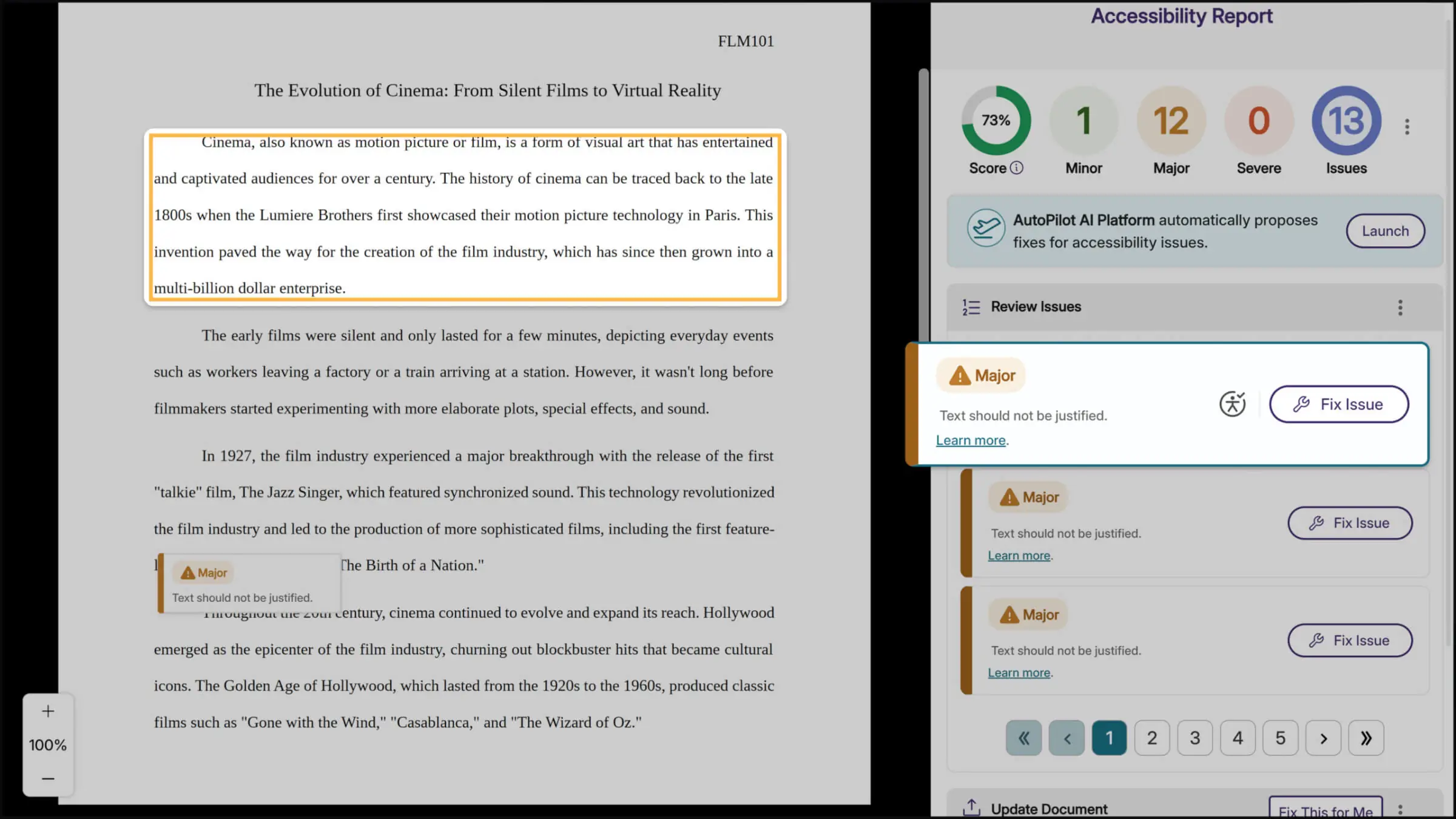
Improved, Context-Aware Highlighting of Accessibility Issues Directly on the Document
Accessibility previews now benefit from a more advanced matching approach that interprets document structure with greater resilience to format changes. The upgraded system aligns visual regions in a more context-aware way, producing bounding boxes that track the true location of issues far more reliably. As a result, accessibility problems are easier to pinpoint even in documents that undergo heavy format transformations.
-
Faster Accessibility Report Loading for Large PDFs
Large PDF files will load significantly faster in the accessibility report, reducing wait times when reviewing documents with extensive content or numerous accessibility issues. This performance improvement will help you work more efficiently without affecting alternative format generation or issue remediation.
-
Expanded Dismissal Options for Accessibility Issues
Instructors will now be able to dismiss a broader range of accessibility issues directly from the report for greater control over the remediation process. Previously, only certain issues could be dismissed, whereas now, nearly all issues will include the dismissal option, making it easier to skip remediation when an issue doesn’t apply to specific content.

-
Automatic Course Scanning for Blackboard
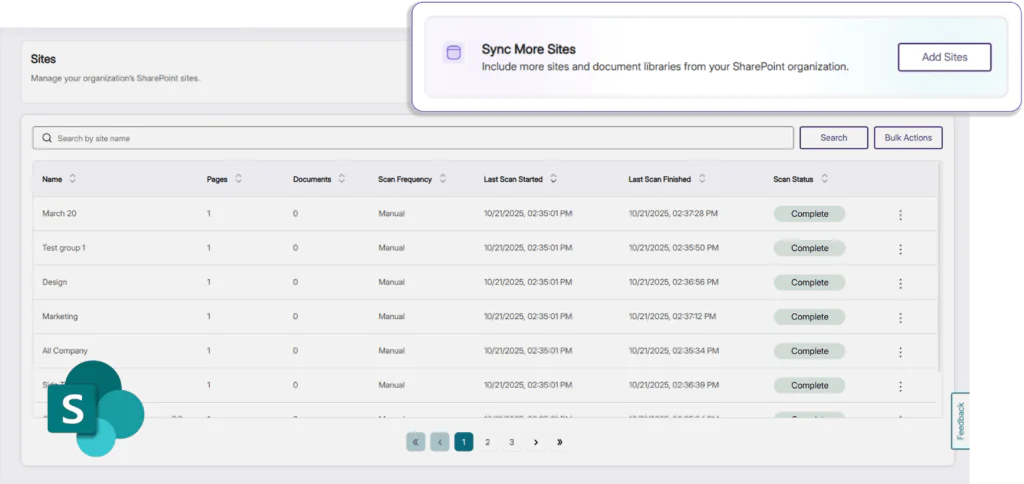
Blackboard administrators can now enable automatic scanning for new courses, eliminating the previous requirement for users to manually visit each course with the browser extension before YuJa Panorama could analyze it. This configurable feature will ensure comprehensive accessibility coverage across your institution by automatically detecting and scanning new courses, so you won’t miss courses that instructors or students haven’t yet accessed.
-
AutoPilot Metrics Added to Monthly Reports
Monthly usage reports will now include dedicated metrics for AutoPilot and Structural Remediation when these features are enabled at your institution. These new sections will help administrators track adoption and measure the impact of these remediation tools, while providing clearer visibility into how automated accessibility improvements support your compliance goals.

-
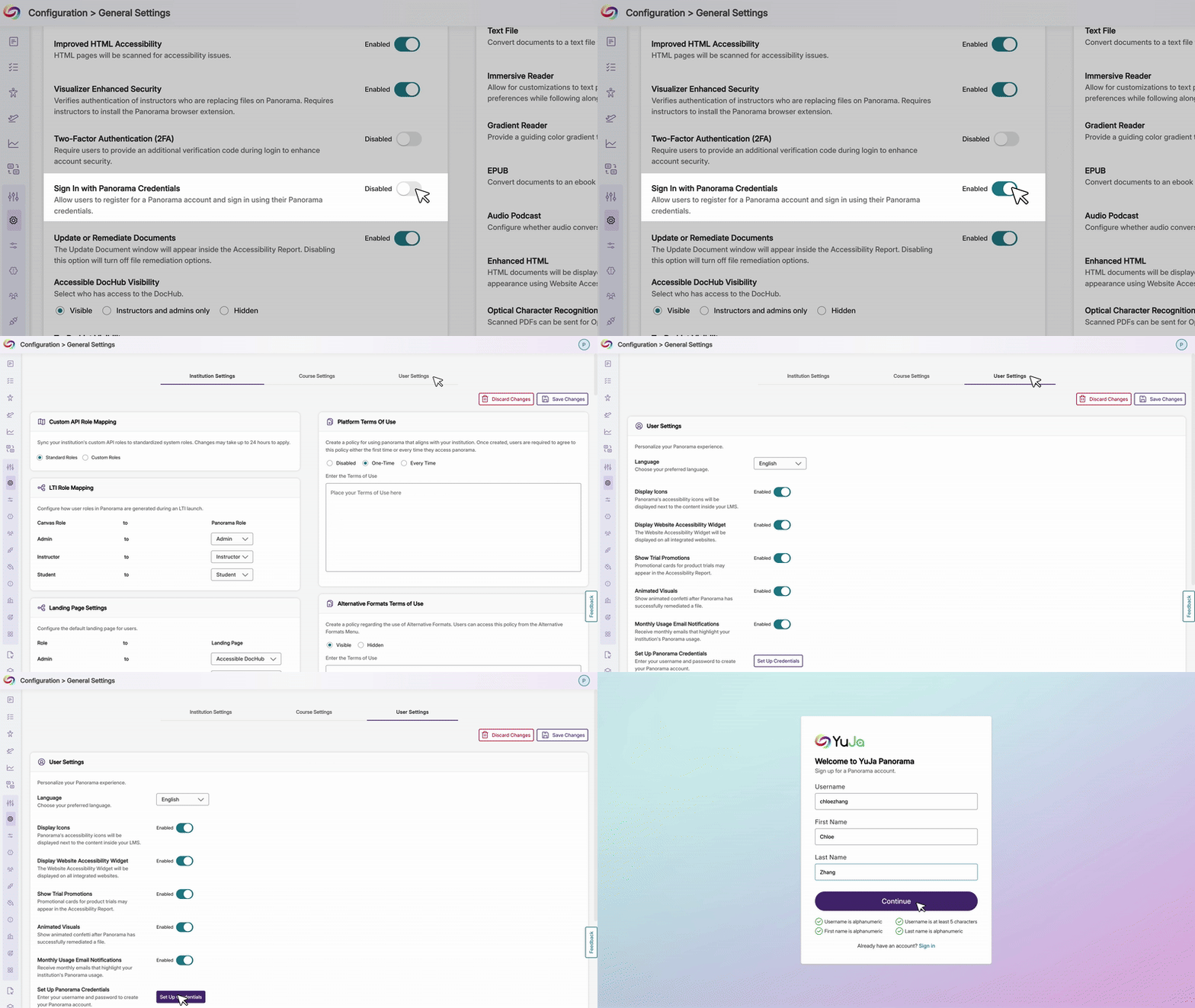
Enable Manual Login Credentials for LTI and SSO Users
Users who originally joined through LTI or SSO can now add manual YuJa Panorama credentials to their existing accounts when administrators allow it. Previously, manual credentials were limited to new account creation. With this enhancement, users gain greater flexibility to sign in directly through the Panorama portal outside the LMS or SSO flow, while administrators retain full control through the option to enable or disable manual credential setup.
-
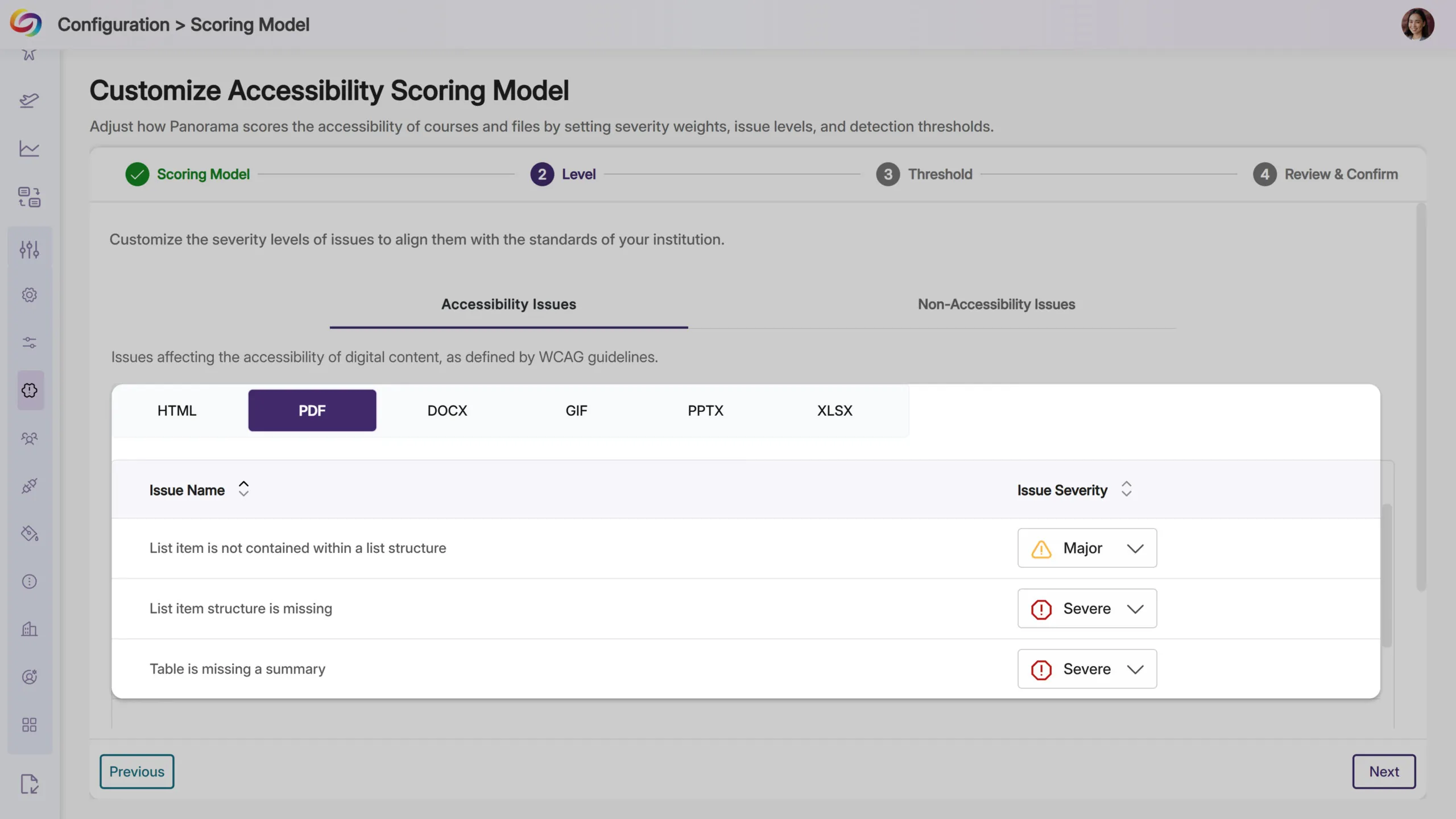
New PDF Accessibility Checks Detect Table and List Structure Issues
YuJa Panorama will now identify additional accessibility issues in PDF documents, including missing table summaries, list items outside proper list structures, and missing list item structure. These checks will help ensure PDF content meets accessibility standards for data tables and lists, making documents more navigable for screen reader users.
-
Link Text Accessibility Checks Will Be Expanded to PDF Files
YuJa Panorama will now detect link text issues in PDF documents, including empty links and non-descriptive hyperlink text, such as “click here” or “read more.” These checks help ensure all links provide meaningful context for screen reader users, extending accessibility coverage that was previously available only for other document types.

-
Refreshed Email Design Provides a Modernized Experience
All emails from Panorama, including registration, monthly usage reports, trial notifications, and course remediation updates, will now feature a modernized design that’s easier to read and navigate.

-
NPS Survey Timing Improved
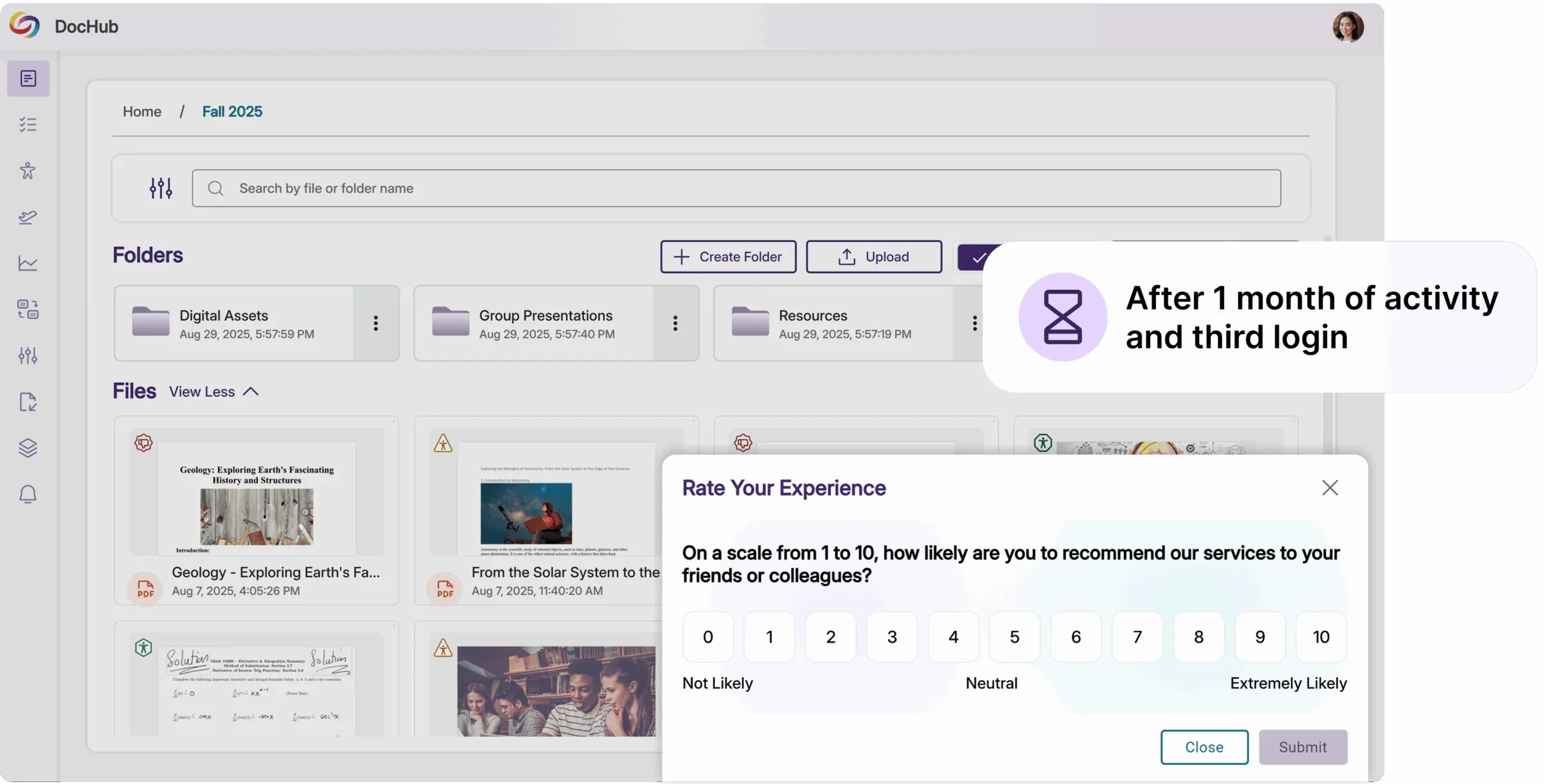
NPS surveys now appear after a user’s third login and one month of activity, ensuring feedback is based on meaningful platform experience rather than first impressions.