We’re rolling out updates to YuJa Panorama’s Structural Remediation capabilities over the next few weeks. This release will expand the Microsoft Word add-in to Mac and Office Online with full remediation and visual issue highlighting, introduce comprehensive usage reporting that tracks PDF tagging activity and calculates time saved, and add dedicated Structural Remediation and AutoPilot metrics to monthly usage reports.
-
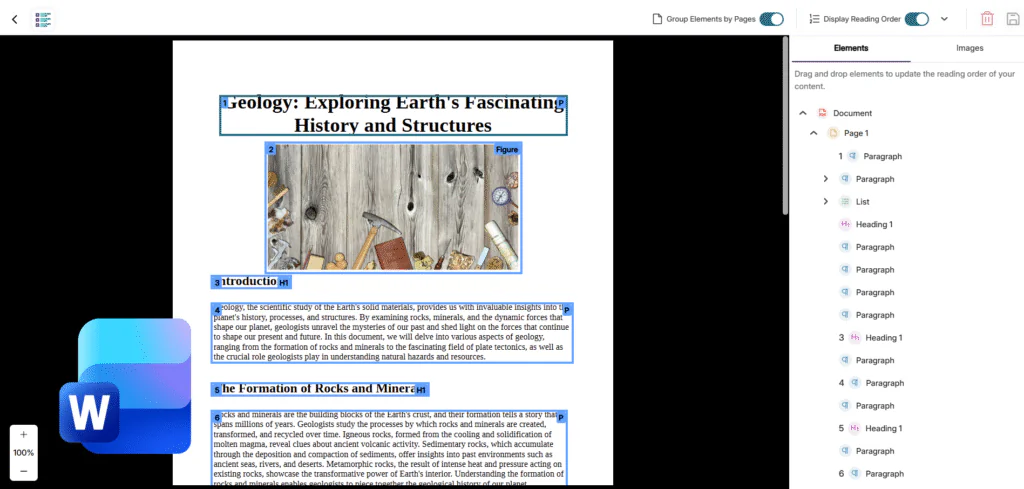
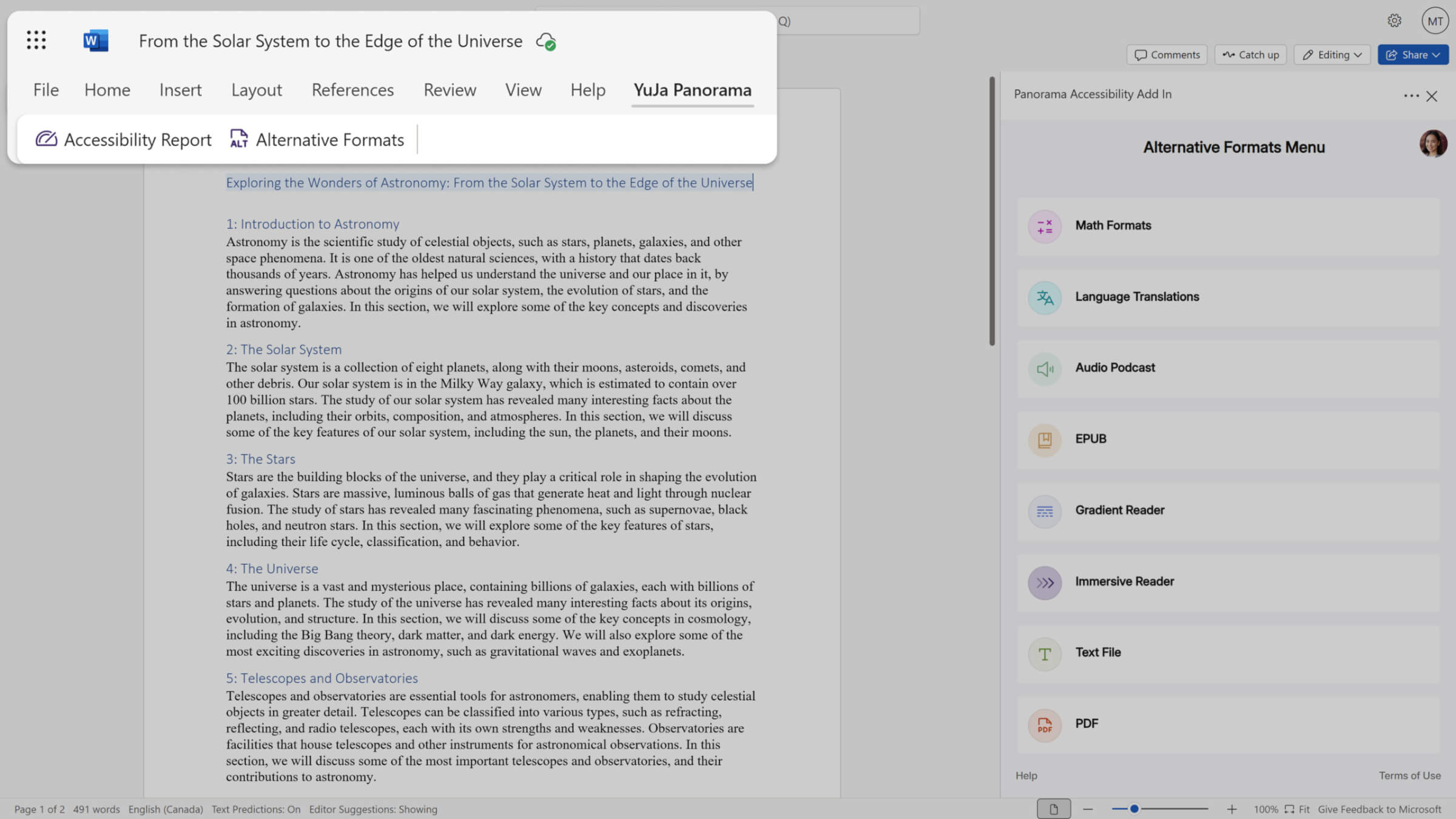
Word Add-in Expands to Mac and Office Online with Full Remediation
The Structural Remediation Microsoft Word add-in now offers complete remediation capabilities across all platforms:
-
Mac and Office Online support: Use the add-in on Mac devices and Microsoft Office Online, not just Windows.
-
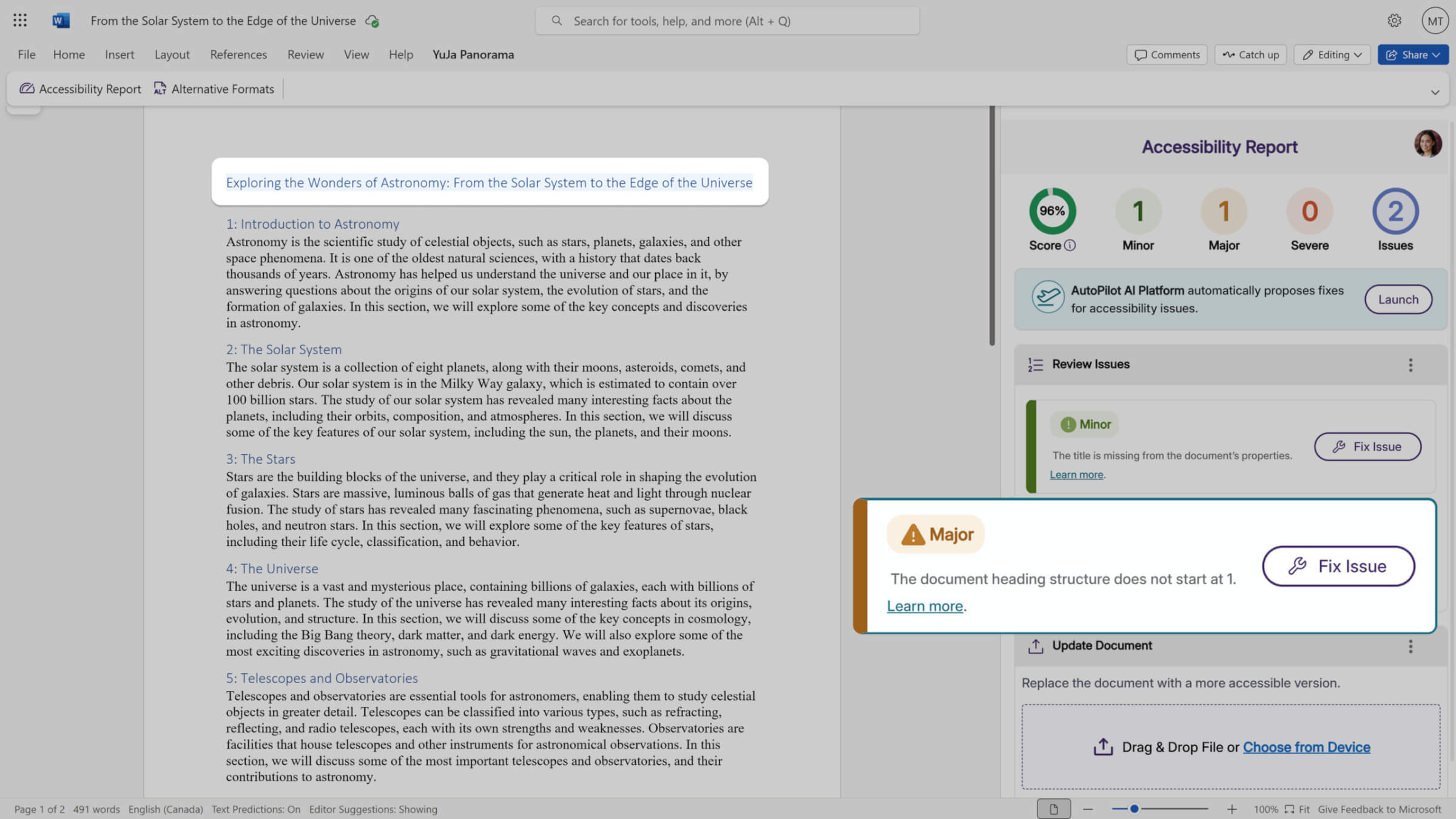
Visual issue highlighting: Accessibility issues are now highlighted directly in your Word document as they’re detected.
-
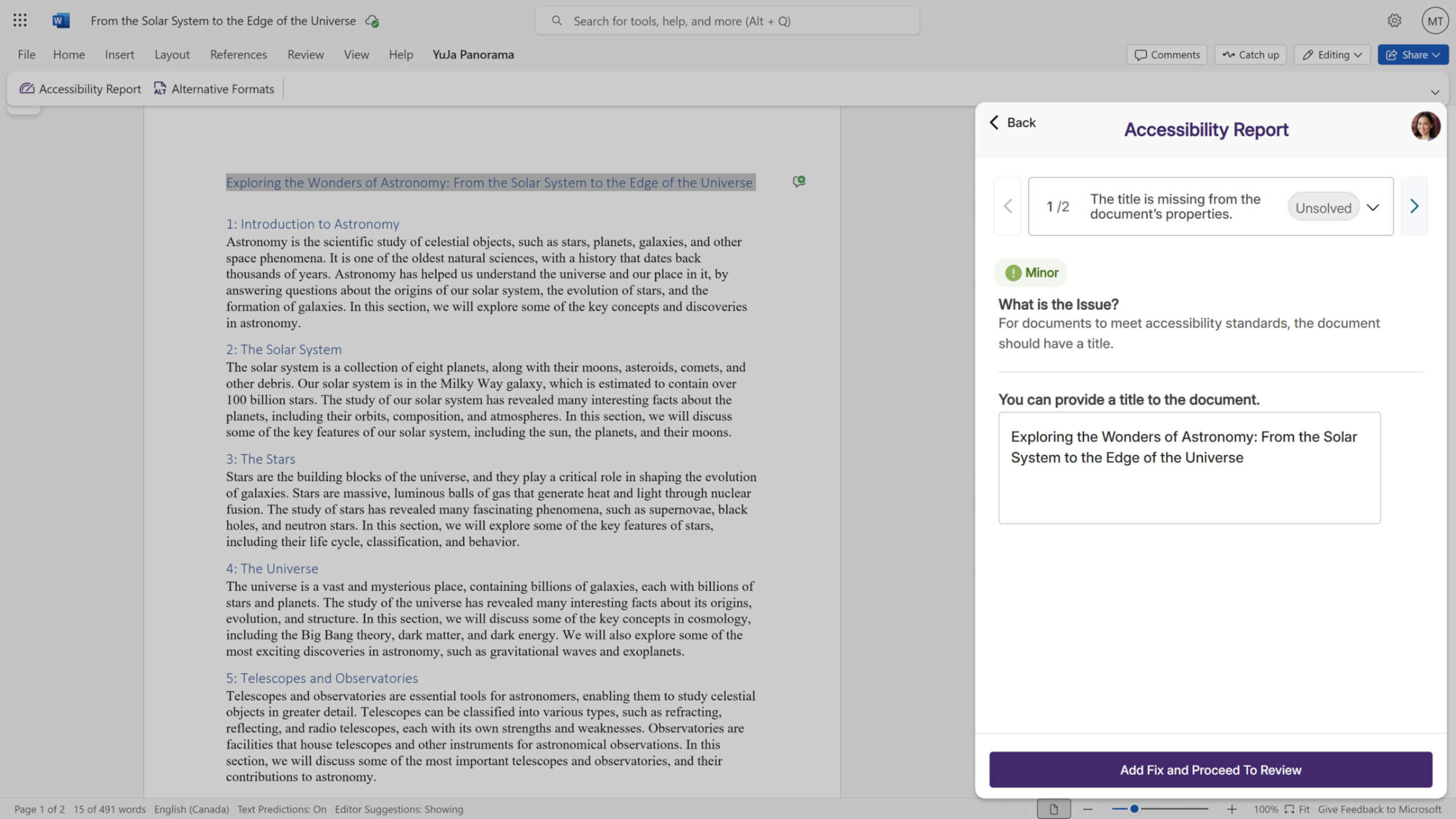
In-document remediation: Fix issues without leaving Microsoft Word. YuJa Panorama remediates the document and replaces it with the improved version automatically.
-
-
Structural Remediation Metrics Added to Monthly Reports
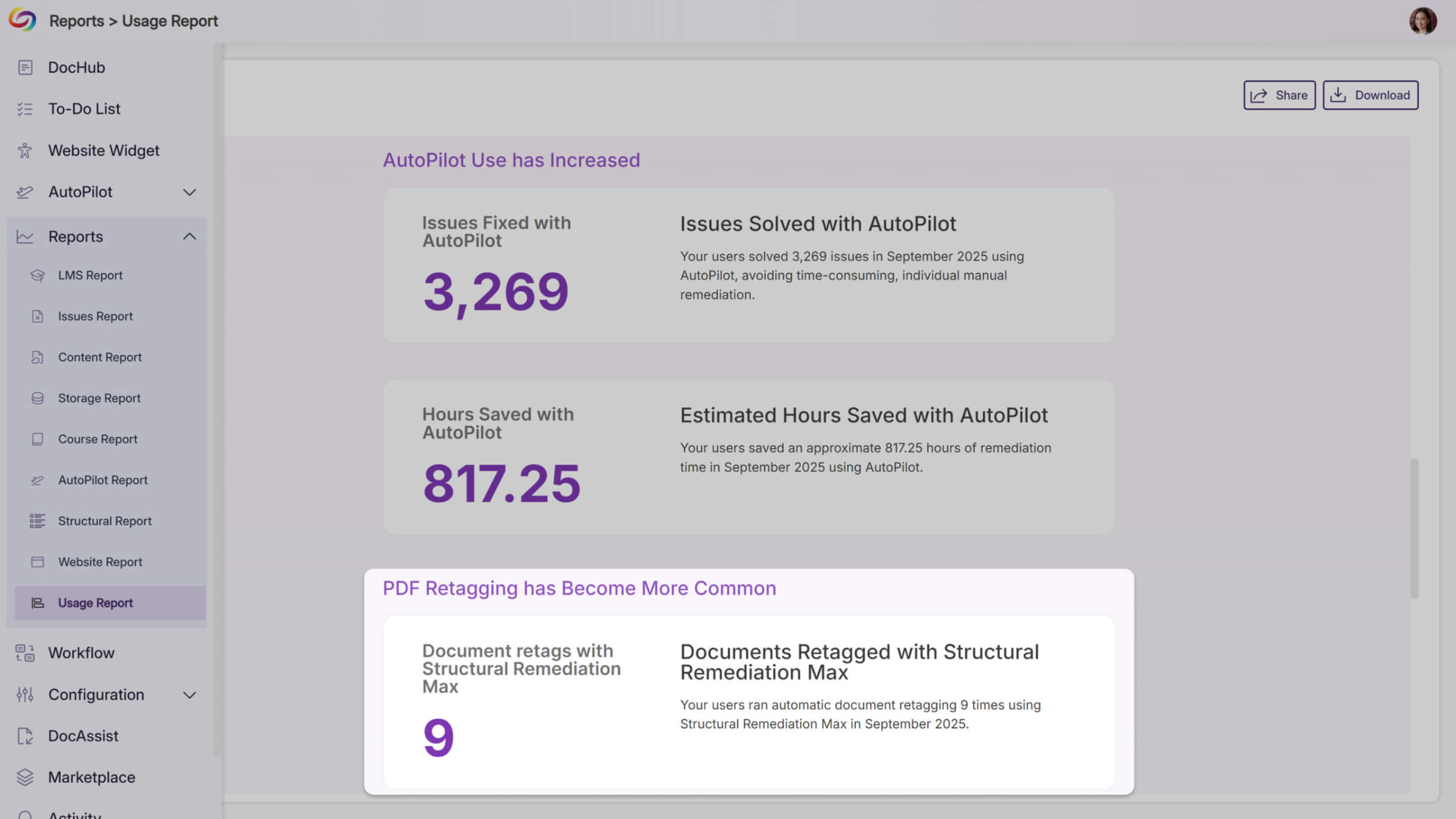
Monthly usage reports will now include dedicated metrics for AutoPilot and Structural Remediation when these features are enabled at your institution. These new sections will help administrators track adoption and measure the impact of these remediation tools, while providing clearer visibility into how automated accessibility improvements support your compliance goals.
-
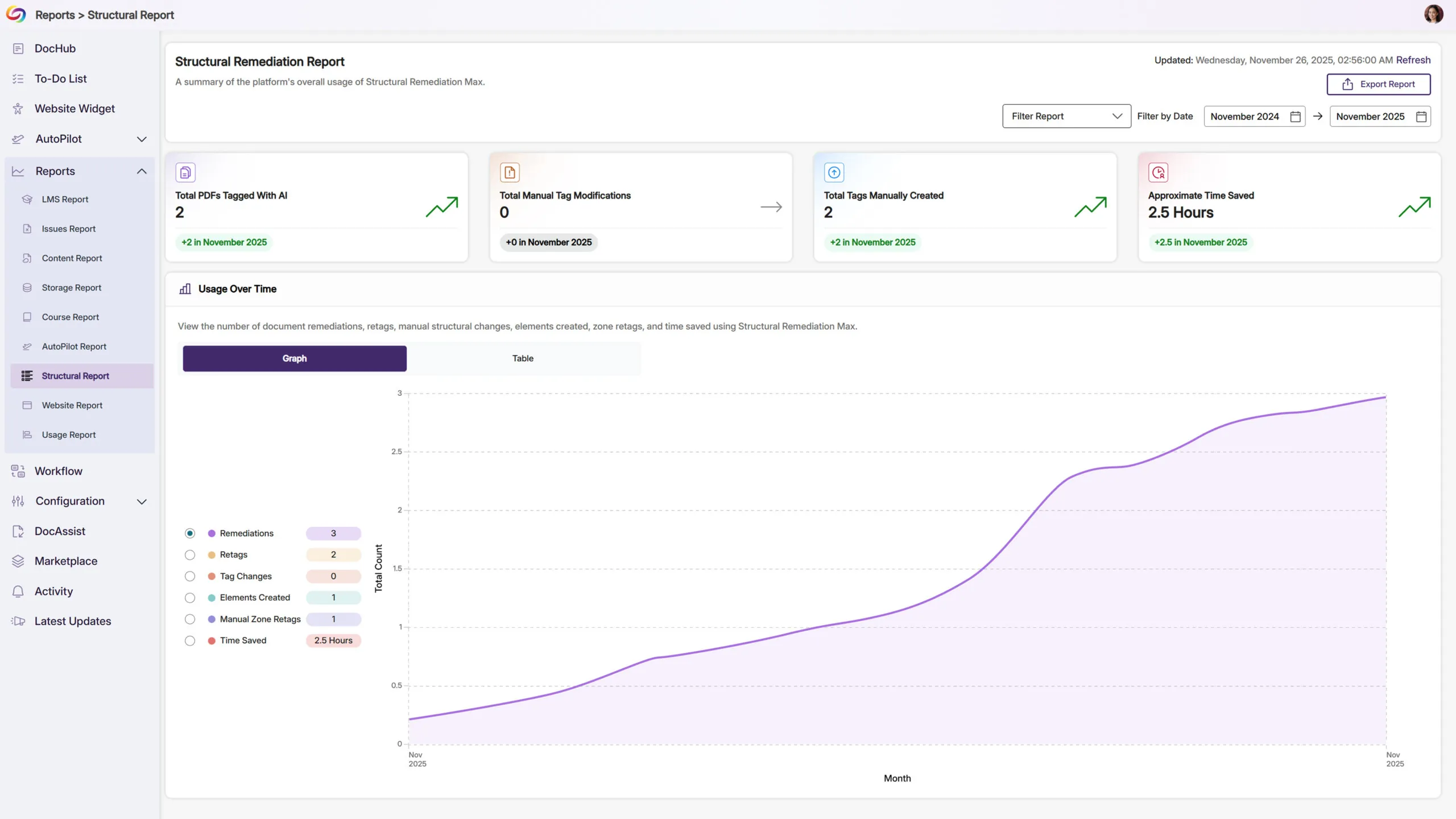
New Structural Remediation Reports Track Usage and Efficiency
A new Structural Remediation section in the reporting sidebar will show detailed metrics on PDF tagging activity, including AI-powered document retags, manual tag changes, added elements, and zone retags. The report also calculates estimated hours saved based on your team’s remediation work, helping you demonstrate the efficiency gains from using Structural Remediation Max.