Over the next few weeks, YuJa Structural Remediation will be adding new features that allow users to use Structural Remediation in Microsoft Word and PowerPoint, reprocess low-quality OCR PDF’s, and run OCR when using Add Elements.
-
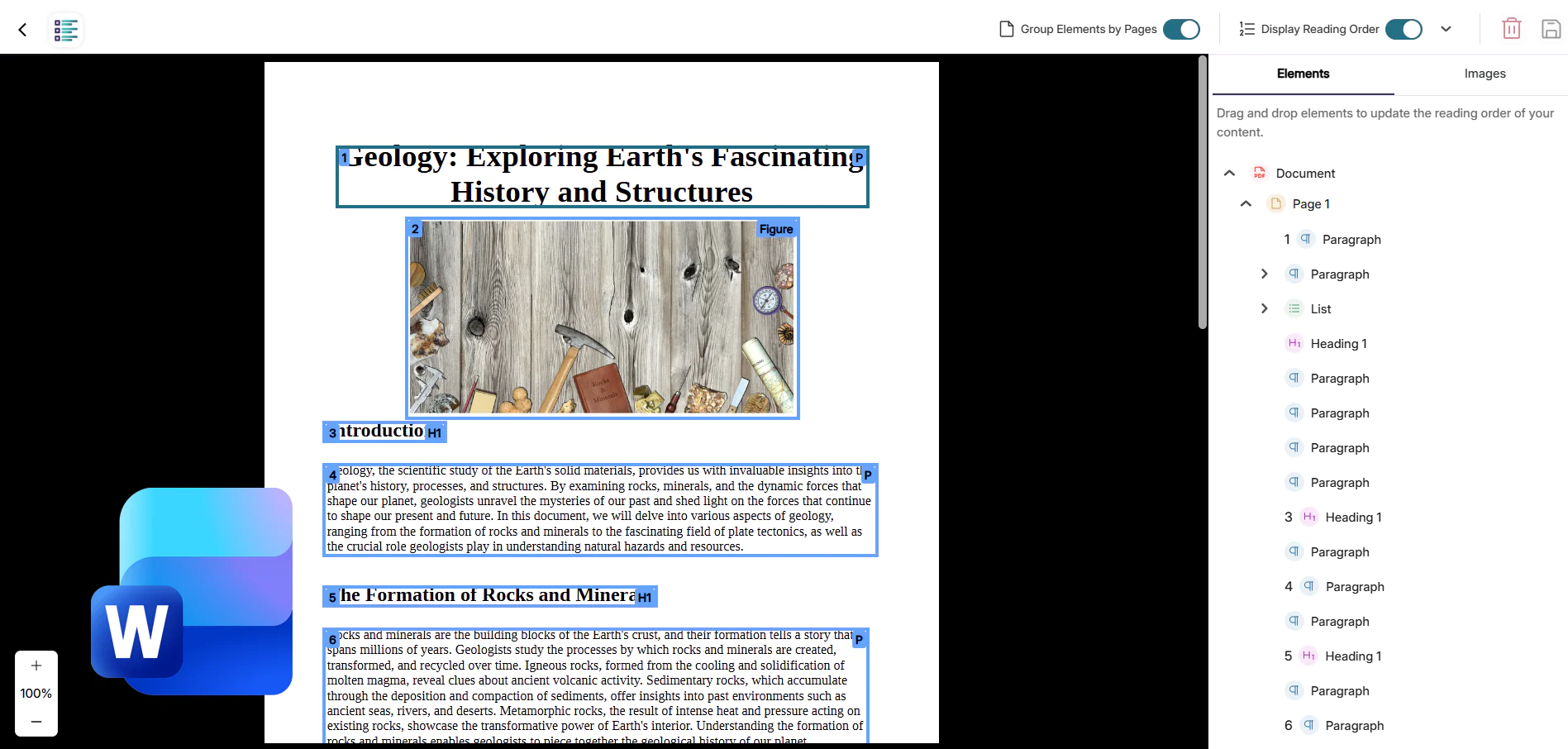
New Structural Remediation Support for Microsoft Word Documents
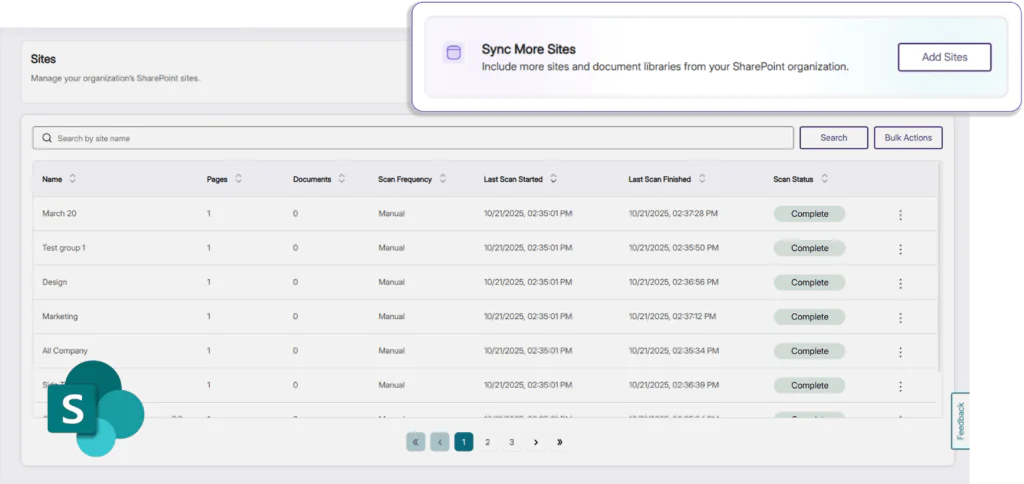
Structural Remediation is expanding its capabilities to support Microsoft Word, allowing all existing users to transform page elements directly in the LMS. Users will now be able to effortlessly adjust and add properties to elements on a page using the YuJa Structural Remediation Max Engine, improving overall usability for anyone using assistive technologies and saving valuable time for instructors.
-
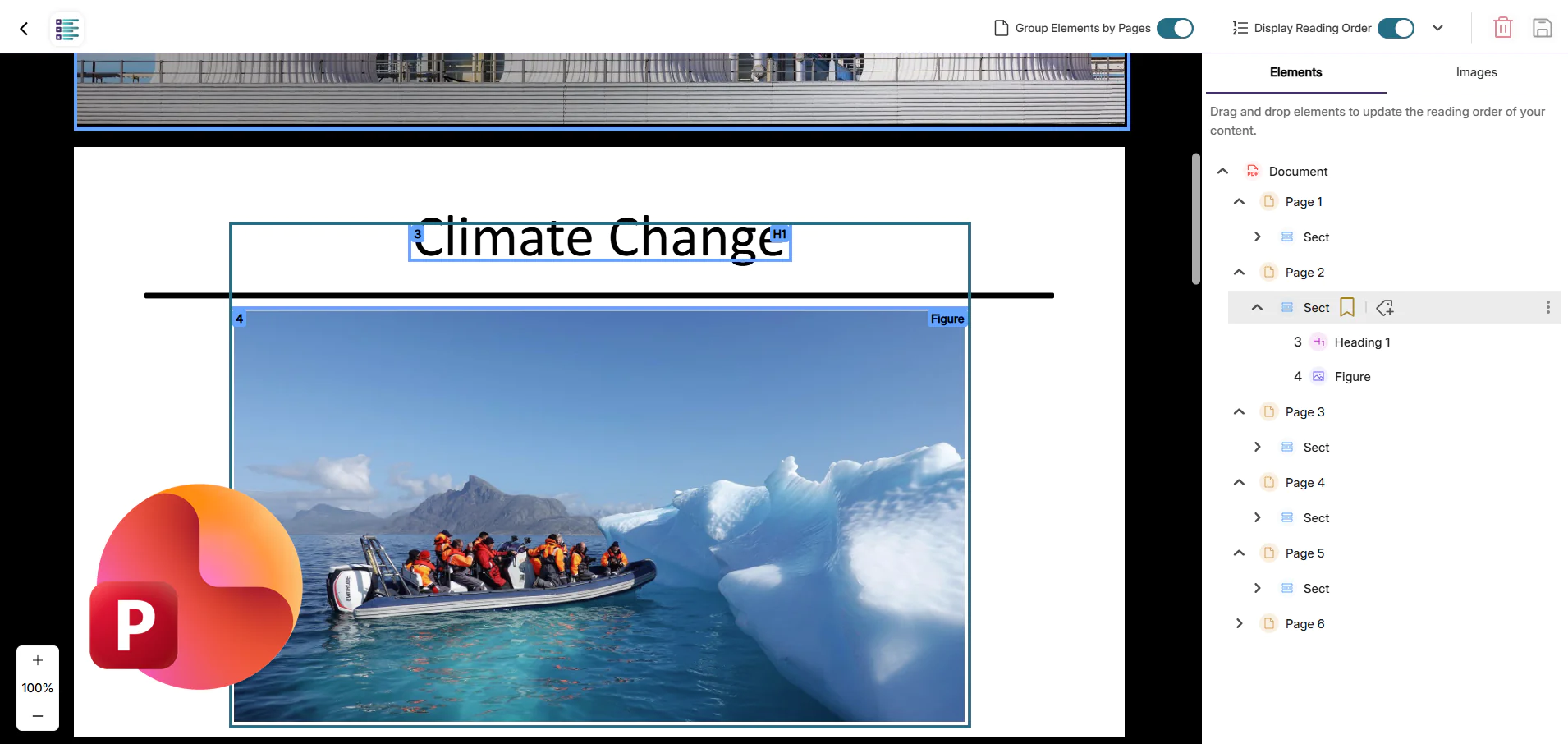
New Structural Remediation Capabilities in Microsoft PowerPoint
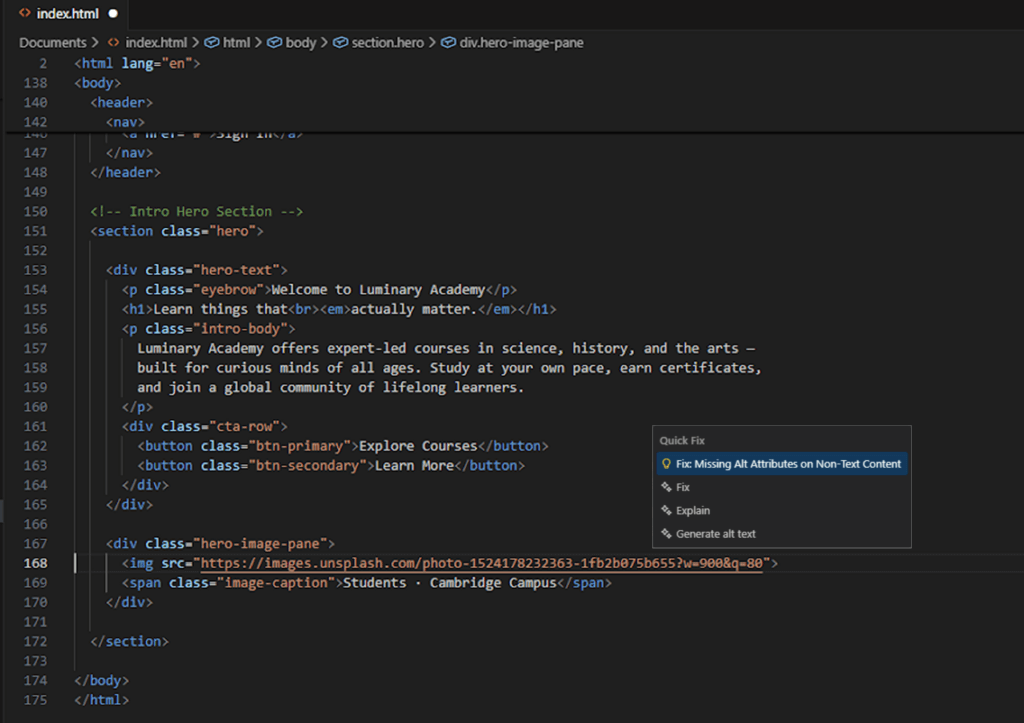
Structural Remediation now allows existing users to select elements in Microsoft PowerPoint documents to make changes such as adding alt text, altering structure, changing colors, and more, all without leaving the interface. Changes made by the user will be directly saved within the file, ensuring the file has proper semantic structure, reading order, and accessible elements. This update will help instructors assemble presentations that are both visually appealing and structurally accurate, allowing students who rely on assistive technology to have a seamless learning experience as well.
-
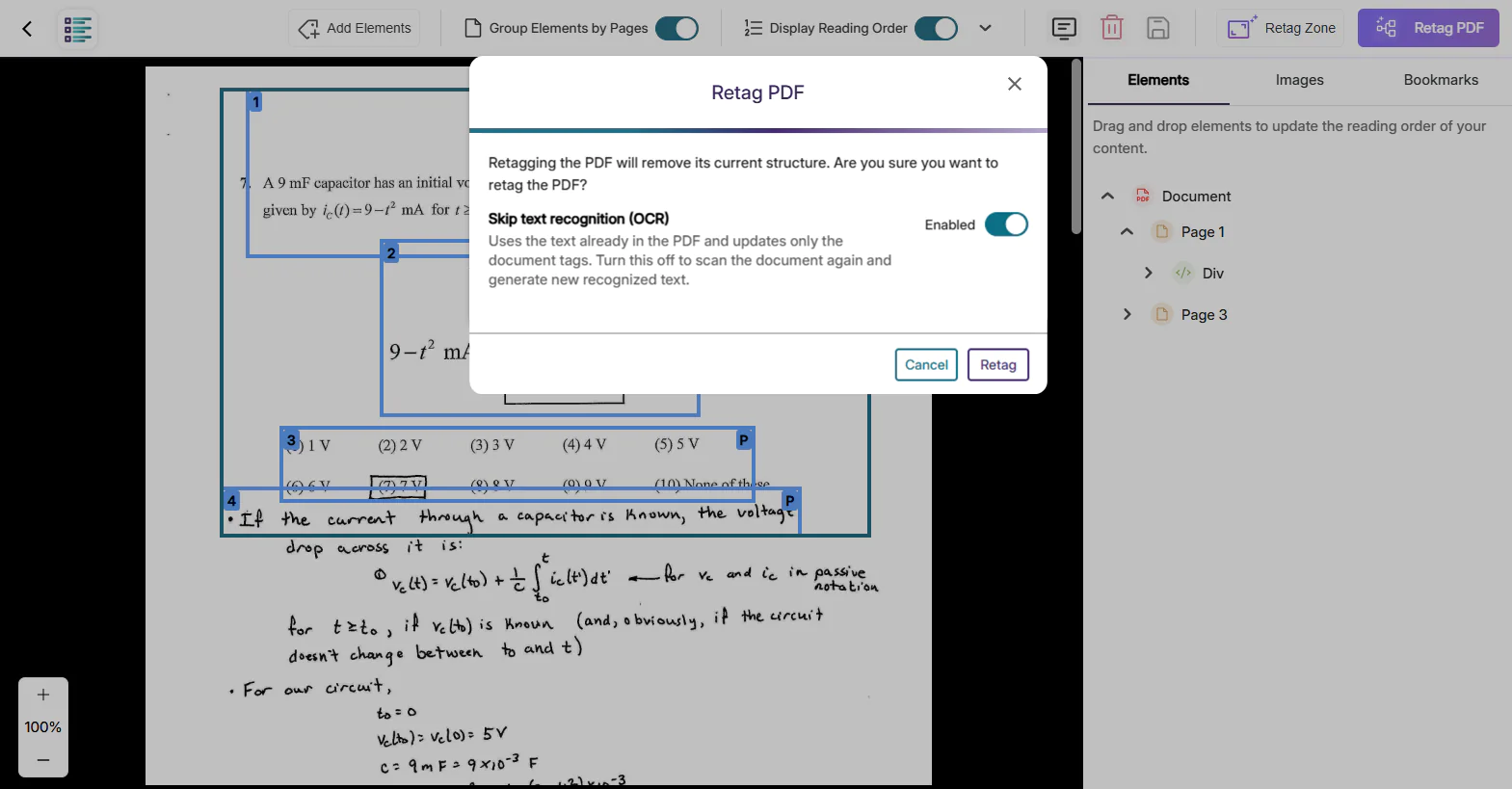
Enhanced OCR Reprocessing for Previously Tagged PDFs
Panorama now enables users to re-run optical character recognition on PDFs that were previously processed with lower-quality OCR by other vendors. When retagging a document, users can choose to perform a fresh OCR pass using Panorama’s advanced engine, ensuring that image-based and handwritten content is accurately captured. After reprocessing the text layer, Structural Remediation can quickly analyze and correct complex accessibility issues. This streamlined workflow transforms poorly recognized PDFs into highly accessible, standards-compliant documents while reducing manual effort for faculty and improving usability for all users.
-
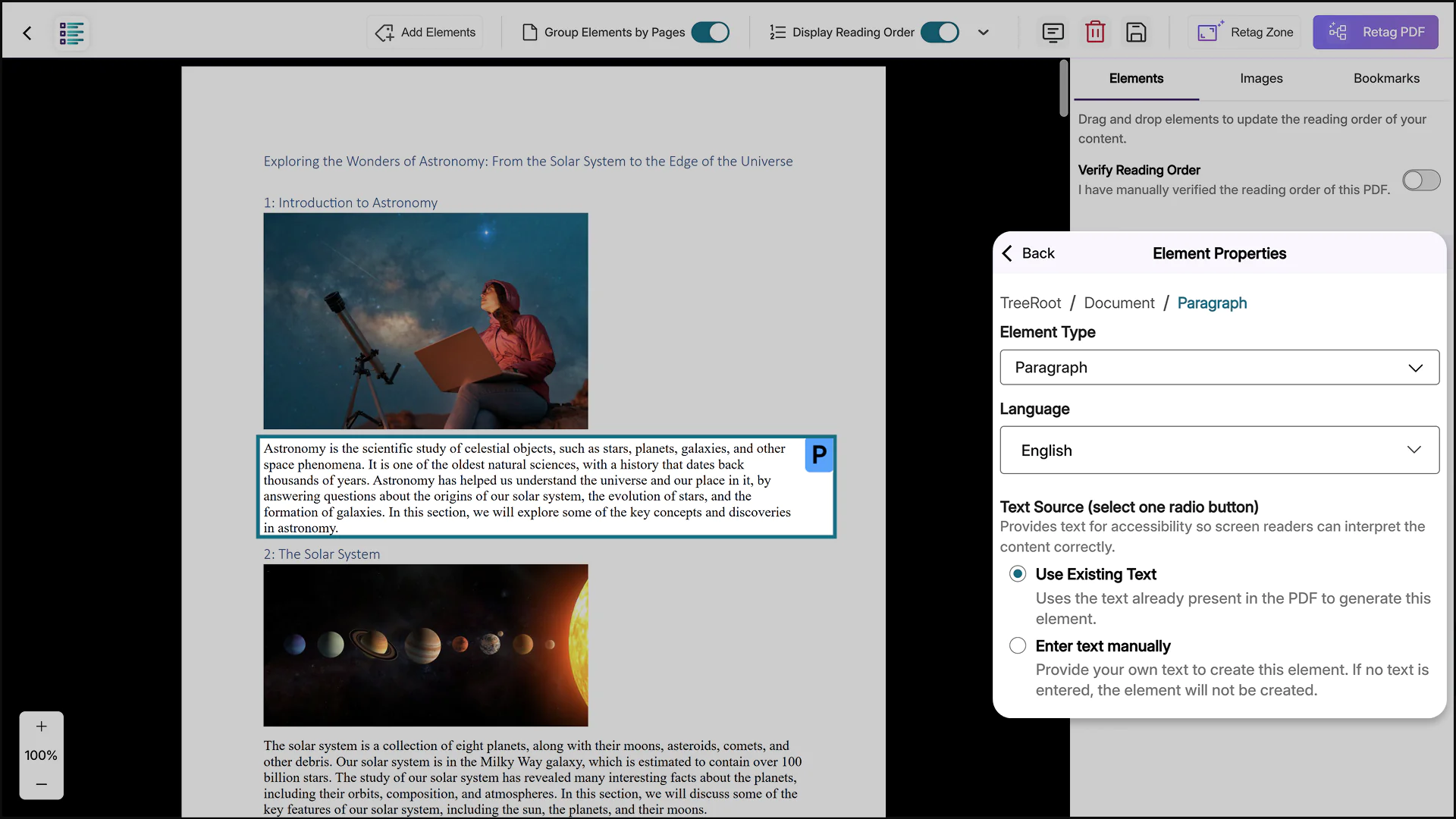
Run OCR when Adding Elements for Precise Document Remediation
Structural Remediation now runs OCR when using the Add Elements feature. When selecting a target section for Add Elements, users will be given the option to use OCR on the existing text layer or manually enter text as the text source. By applying OCR where it’s needed, this update speeds up PDF remediation, reduces unnecessary processing, and gives users precise control over document accessibility improvements.