We’re rolling out enhancements over the next few weeks that allow instructors to insert activities directly into PowerPoint presentations on Mac devices and improve LMS integration for embedding activities into courses. These updates make it simpler to present activities on Mac and give participants an easier way to join activities within their LMS.
-
Insert Activities into PowerPoint Presentations on Mac Devices
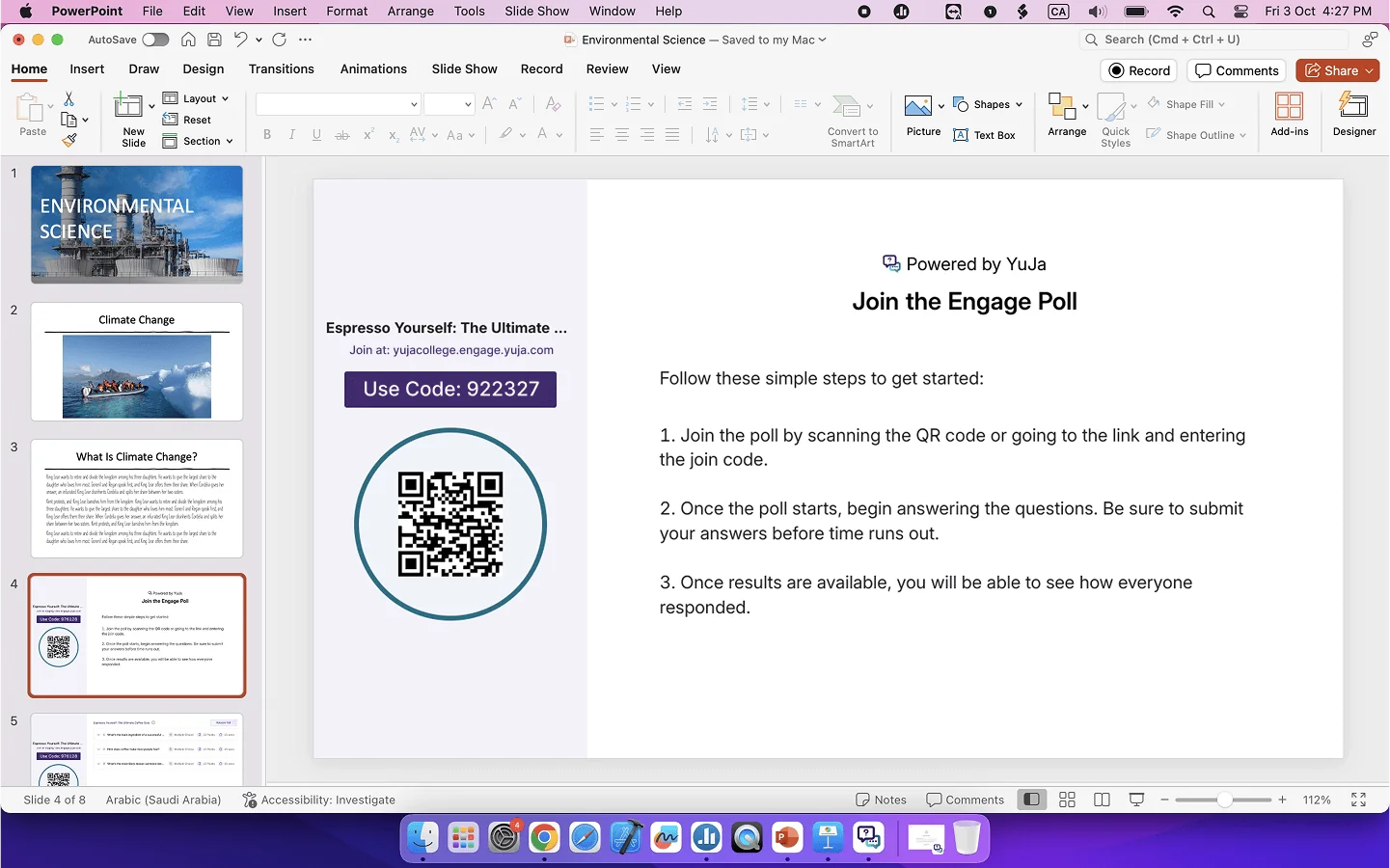
With the recent changes in streamlining how activities are inserted into presentations, you can now add activities in PowerPoint on Mac devices. This will allow you to use your preferred presentation app without having to learn a new workflow.
-
Enhanced LMS Integration for Inserting Activities into Courses
We have streamlined how you add activities to your Canvas, Blackboard, or D2L Brightspace courses. Simply select your course and let Engage automatically create an assignment for the activity with grade book sync. Students will then have direct access to the activity through the QR Code or Join Code, allowing them to start immediately.