Over the coming weeks, the YuJa Panorama LMS Accessibility Platform will introduce a series of new enhancements designed to further streamline document remediation workflows, expand platform interoperability through PowerSchool LMS integration, provide unlimited usage for select Panorama modules, and deliver additional capabilities that strengthen accessibility management and compliance initiatives.
-
Experience Streamlined Remediation Workflows Using the Redesigned Accessibility Report
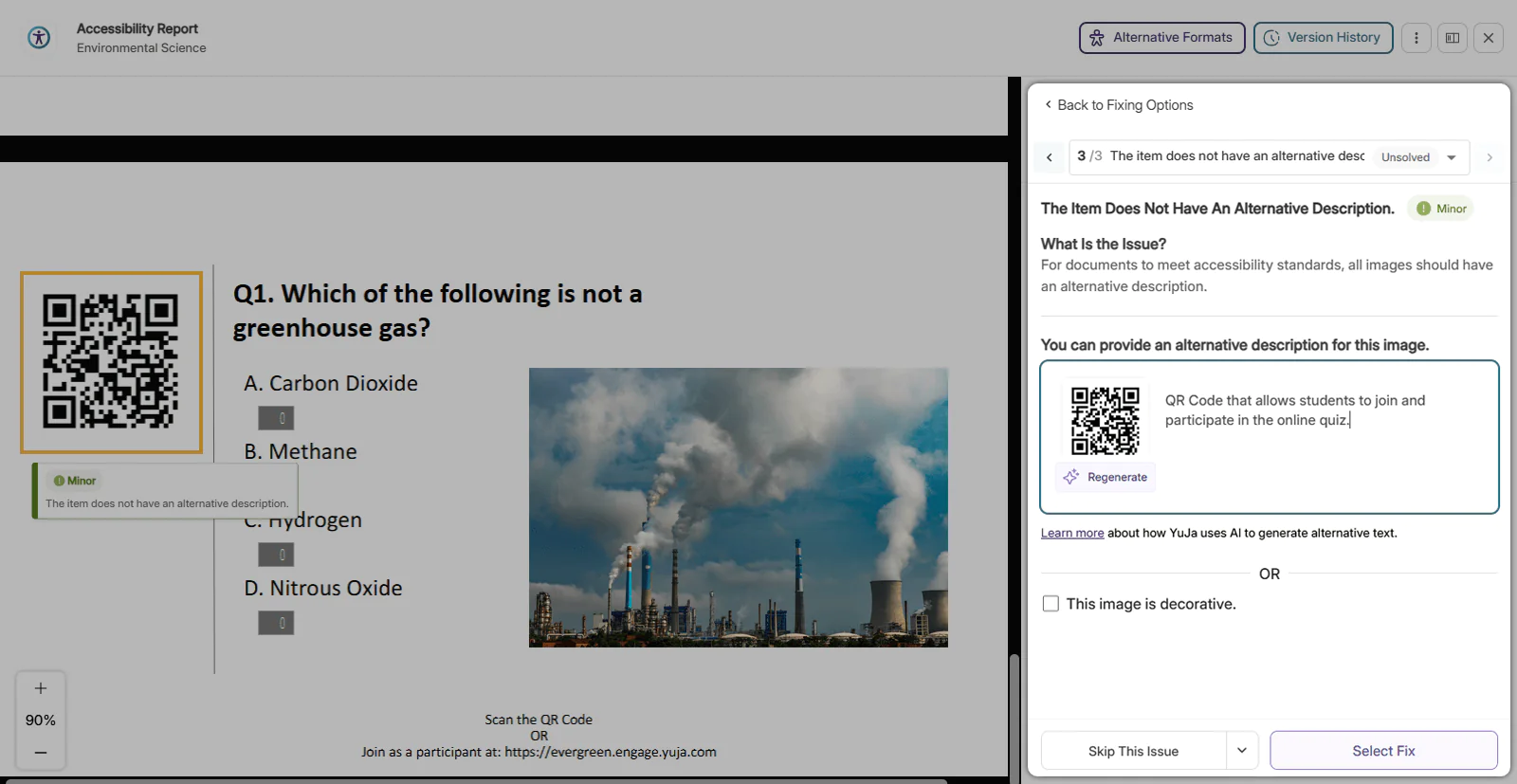
The Accessibility Report now features a streamlined interface that provides users with more intuitive access to key remediation options, including AutoPilot AI-powered fix suggestions, escalation to YuJa Accessibility Experts for complex documents, and advanced modifications through the Structural Remediation Max module. With its new minimalist design, the Accessibility Report helps users quickly identify and prioritize the most critical accessibility issues within their documents. The redesigned Accessibility Report features:
The redesigned Accessibility Report features:
-
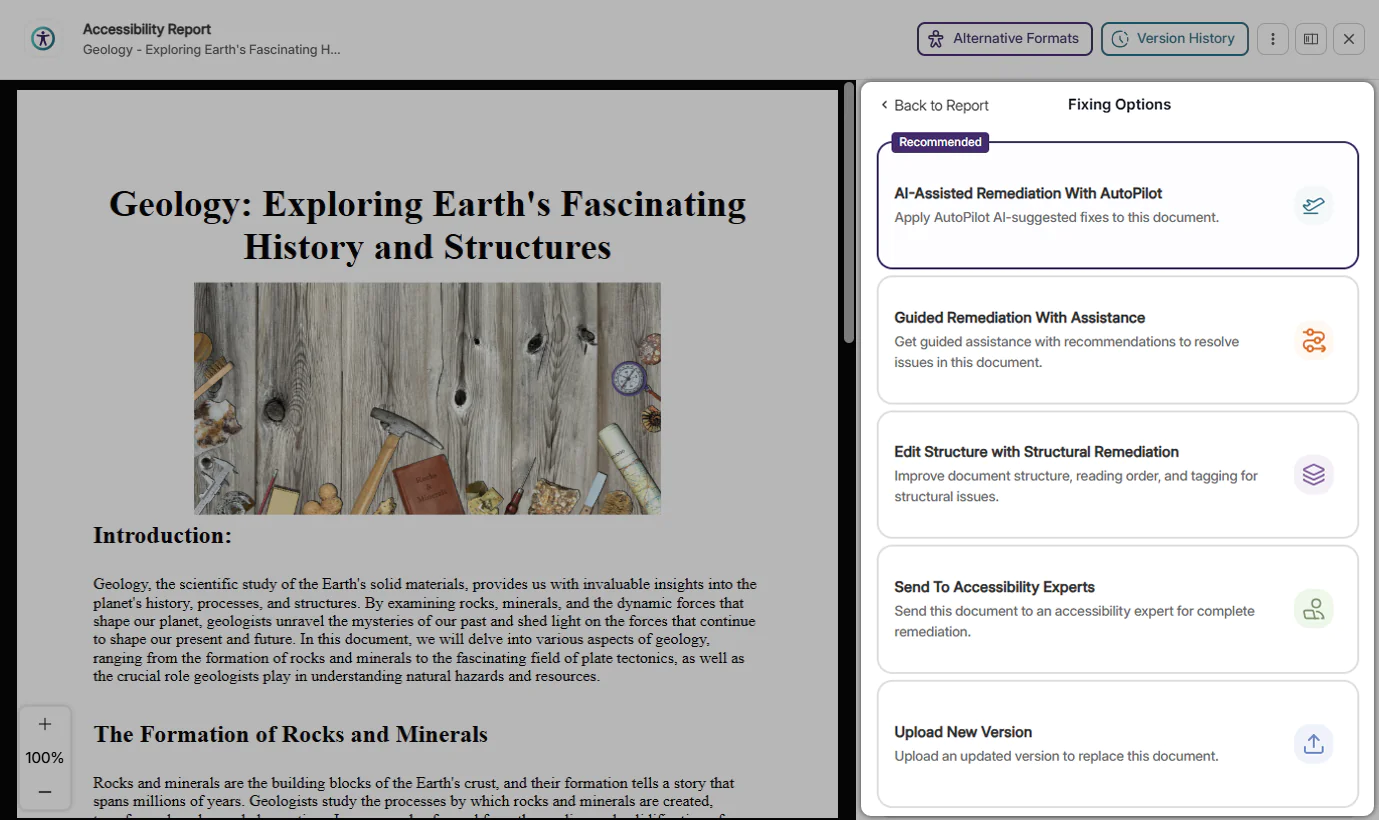
Optimized Issue Remediation Workflows: All available remediation workflows offered by YuJa Panorama, including Full-Circle Inline Remediation, AutoPilot AI Remediation, Structural Remediation, and DocAssist Remediation, are now consolidated into one menu where users can select the most appropriate workflow for their document.
-
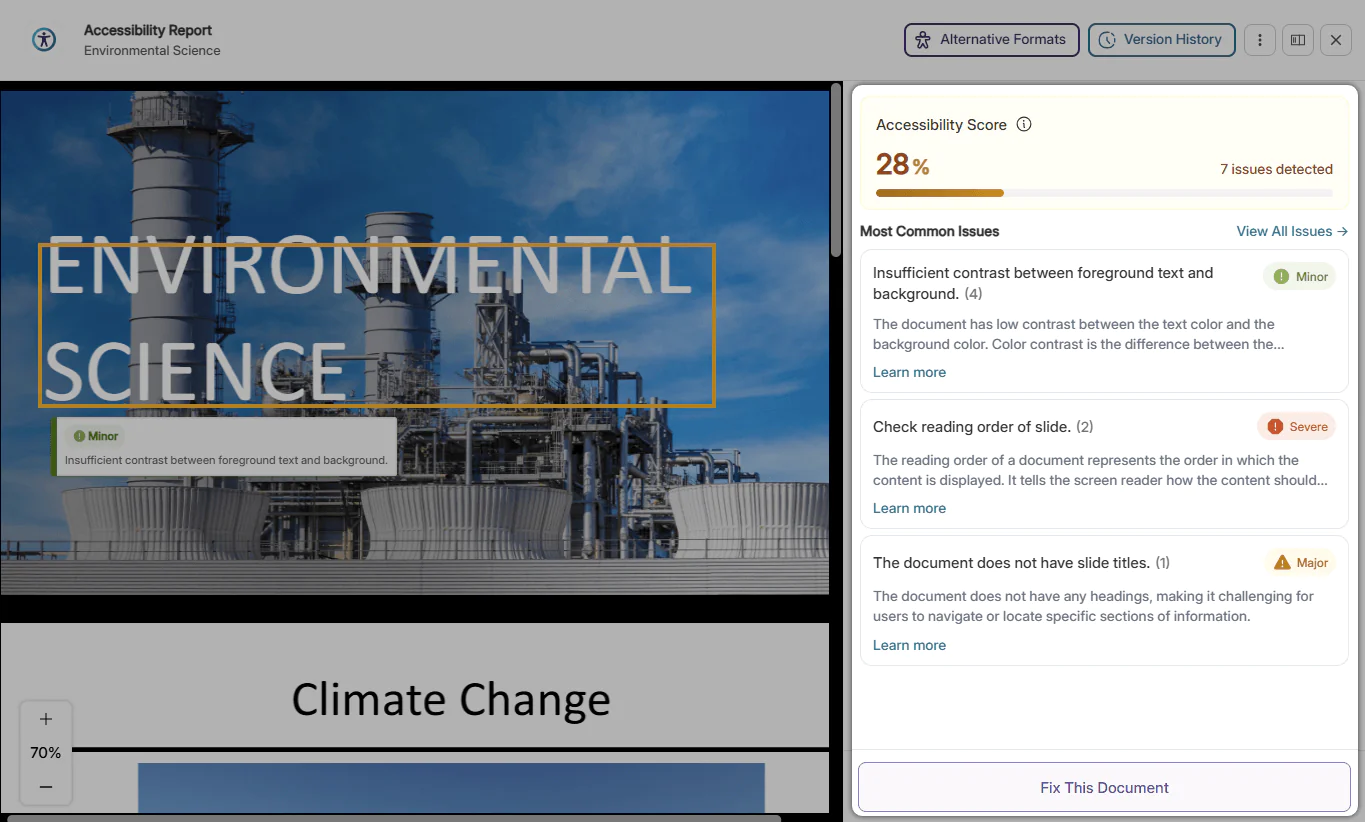
At-a-Glance Prioritized Issues: When opening the Accessibility Report, the Issues panel will automatically show the most common issues in the document so that users can instantly understand which accessibility issues are most pressing.
-
Comprehensive Guided Remediation: Easily remediate common accessibility issues with the Accessibility Report’s guided remediation suggestions. Understand the issue and take simple steps to resolve it in seconds, significantly speeding up the remediation workflow.
-
-
YuJa Panorama Now Integrates with the PowerSchool LMS
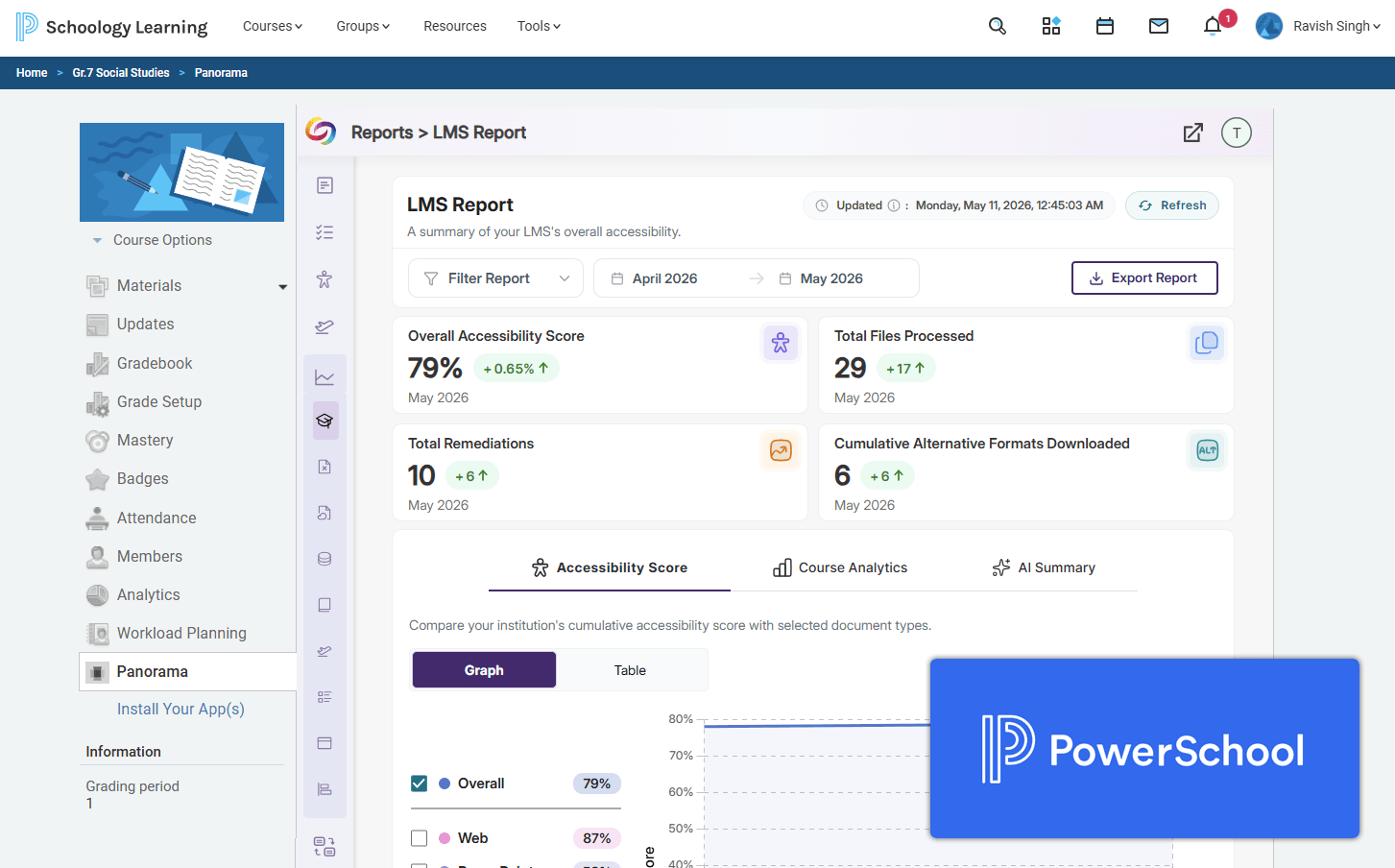
YuJa Panorama now integrates seamlessly with the PowerSchool Learning Management System (LMS), providing K-12 institutions with enhanced accessibility and digital compliance capabilities directly within their learning environment. Through the integration, PowerSchool users can access Panorama’s core accessibility tools, including Accessibility Reports, Alternative Formats, and Full-Circle Inline Remediation, while also leveraging advanced modules such as Structural Remediation and AutoPilot AI-powered remediation to streamline accessibility workflows.
-
Scale Accessibility Remediation with Unlimited AI-Powered Workflows in YuJa Panorama
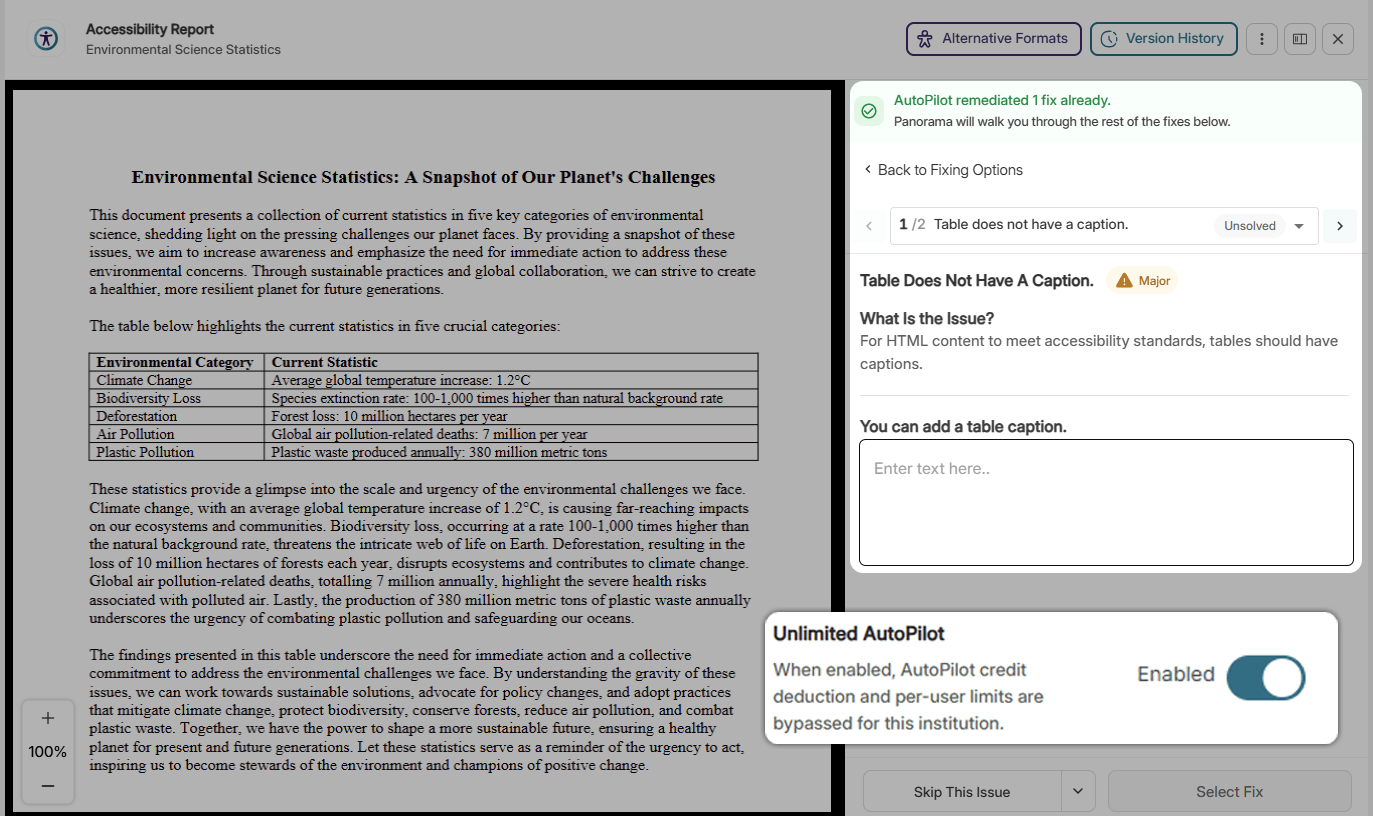
Institutions can now scale accessibility remediation efforts more efficiently with new unlimited usage options for YuJa Panorama’s AutoPilot, Structural Remediation, and SmartSpeaker modules. The upgraded licensing model removes traditional credit limits and user restrictions, enabling institutions to expand AI-powered remediation workflows across significantly larger volumes of content without interruption or incremental credit consumption. Please note that Course AutoPilot credits are not included as part of Unlimited AutoPilot access.
-
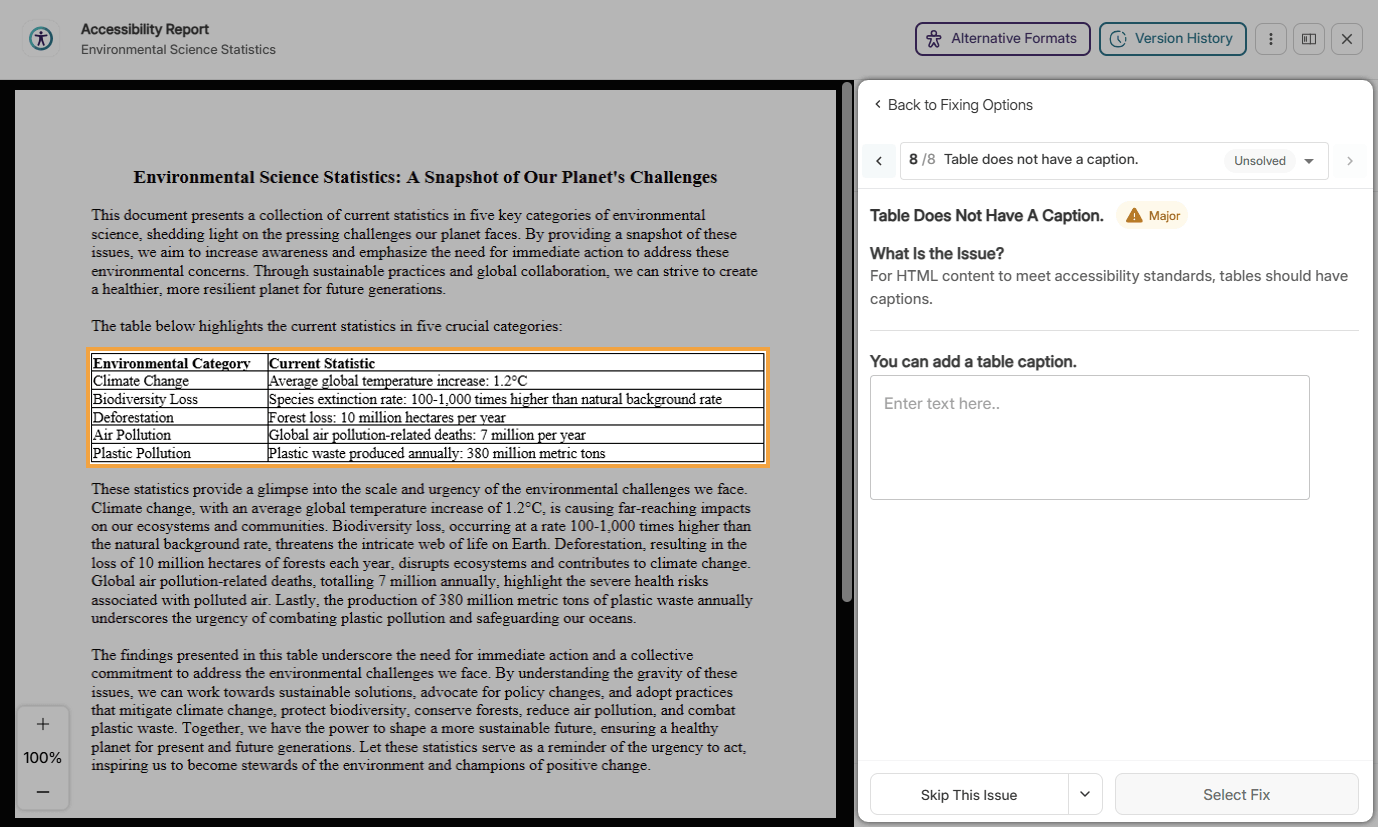
Improved Support for Remediating Table Issues in DOCX
Users of YuJa Panorama can now use Full-Circle Inline Remediation to add captions to tables. With this new remediation workflow, users will be able to provide captions that can help users with assistive technologies find, navigate, and understand tables.
-
Instantly View the Total Number of Files Remediated in Course Reports
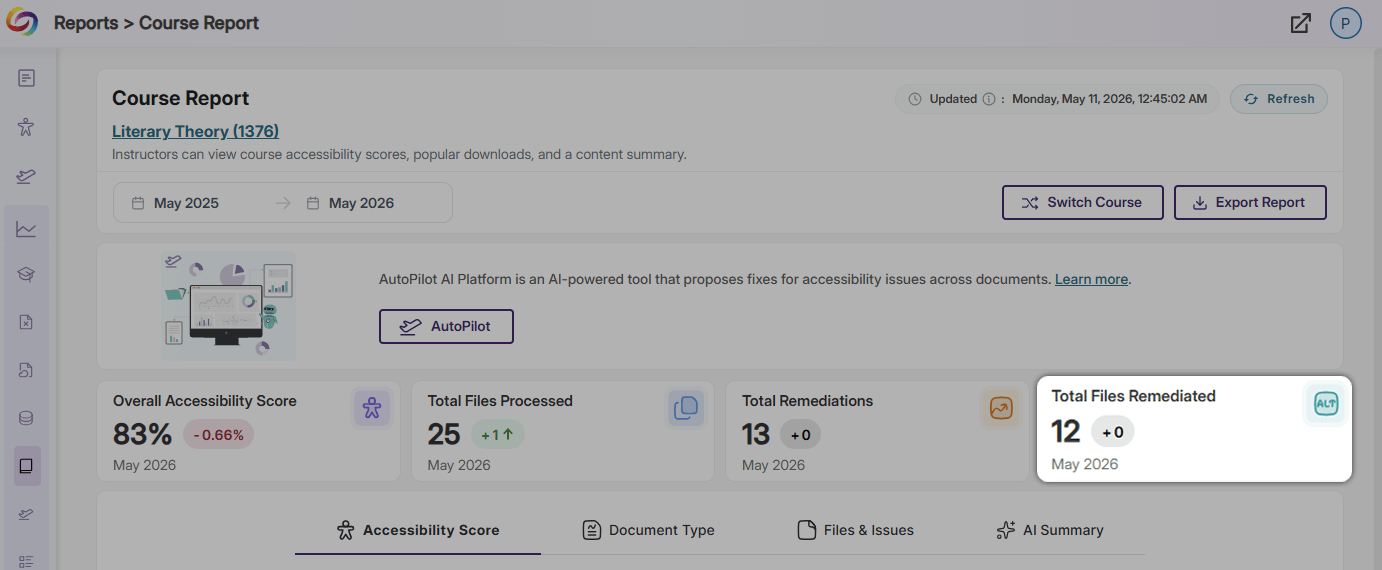
Course Reports now contain an extra data card that displays the total number of files remediated in the course. This data card saves instructors from manually calculating the number of files remediated, reducing the risk of miscalculation and offering information at first sight instead.
-
Audit Logs Now Track The Success of Document Substitutions
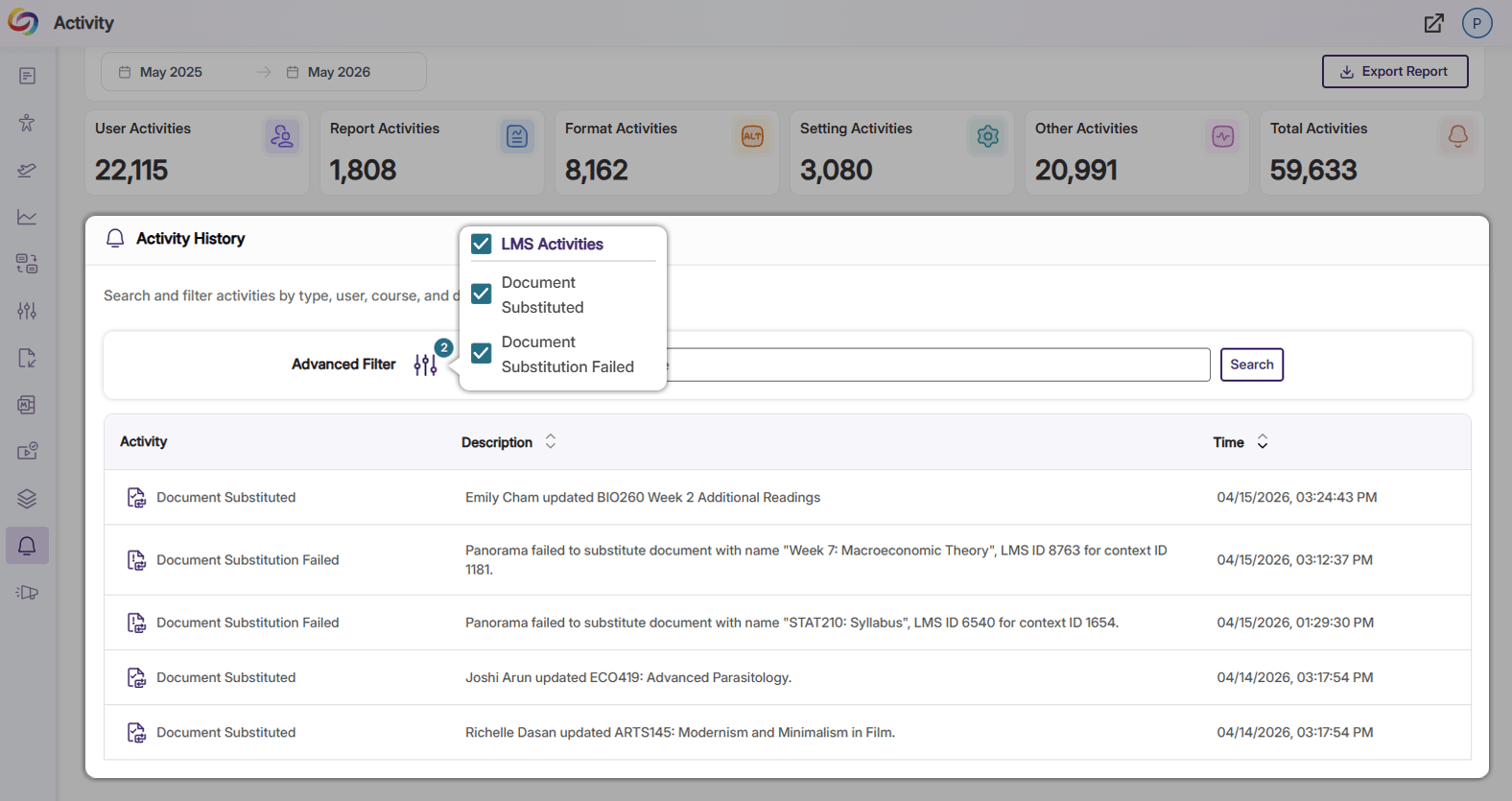
The capability to log information on the success and failure of document substitutions has been added to Panorama’s audit logs. In the Activity History panel, instructors and administrators can now easily confirm whether a file replacement was successful and gain insight into how often files are being replaced within their LMS.
-
Improved Accuracy for Inline Remediation in Microsoft PowerPoint Documents
Enhancements to YuJa Panorama’s Remediation Engines have improved the identification and resolution of issues within PPTX documents. With these engine improvements, the Accessibility Report will provide more precise flagging and increased accuracy when performing fixes.