Over the coming weeks, YuJa Verity will roll out a range of new features that monitor assessments to ensure academic integrity, including an AI assistant that answers your questions about test-taker sessions, richer reporting, and stronger safeguards for remote exams.
-
Get quick insights and specific details about your assessments by asking the new AI assistant
YuJa Verity is introducing an AI assistant that enables proctors to ask and receive answers to natural language questions about specific assessment sessions. Located in the Assessment Report for any given quiz, the AI assistant features four different menus to help streamline assessment review:
-
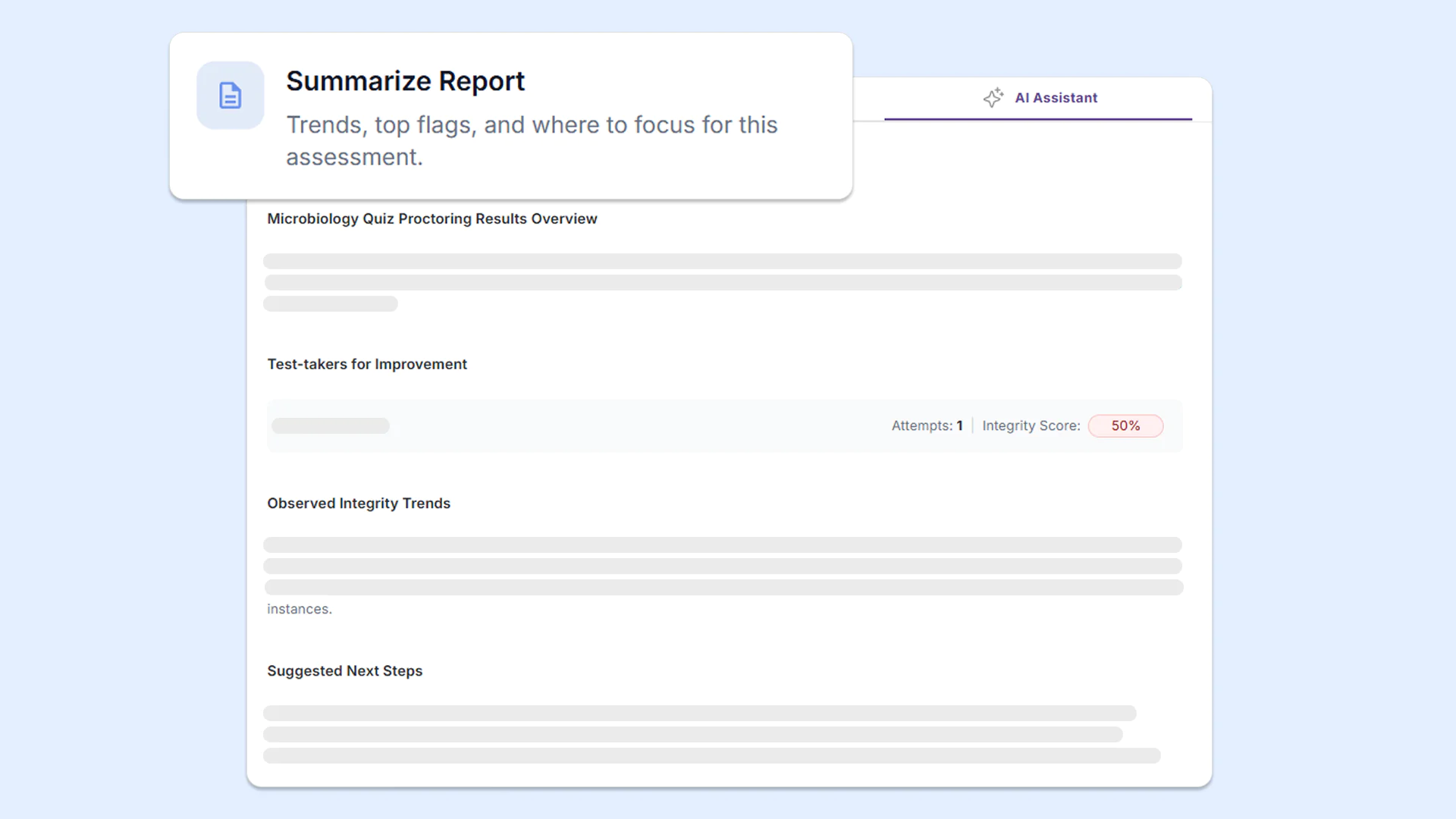
Summarize Report: Provides a summary of the assessment session, identifying trends, top flags, and risks to help instructors investigate issues.
-
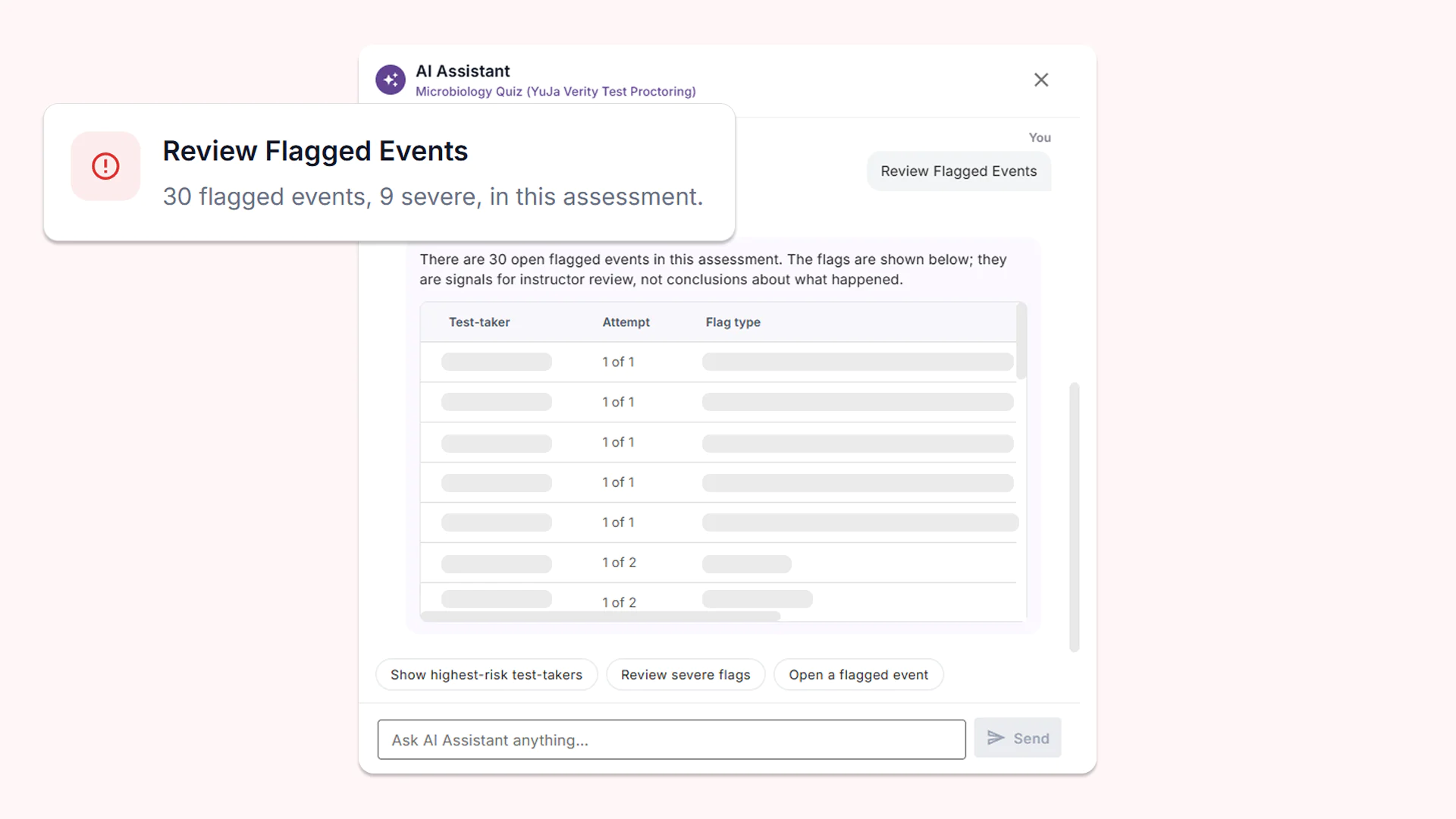
Review Flagged Events: Provides a list of open flagged events, with the test-taker and flag type, for your review.
-
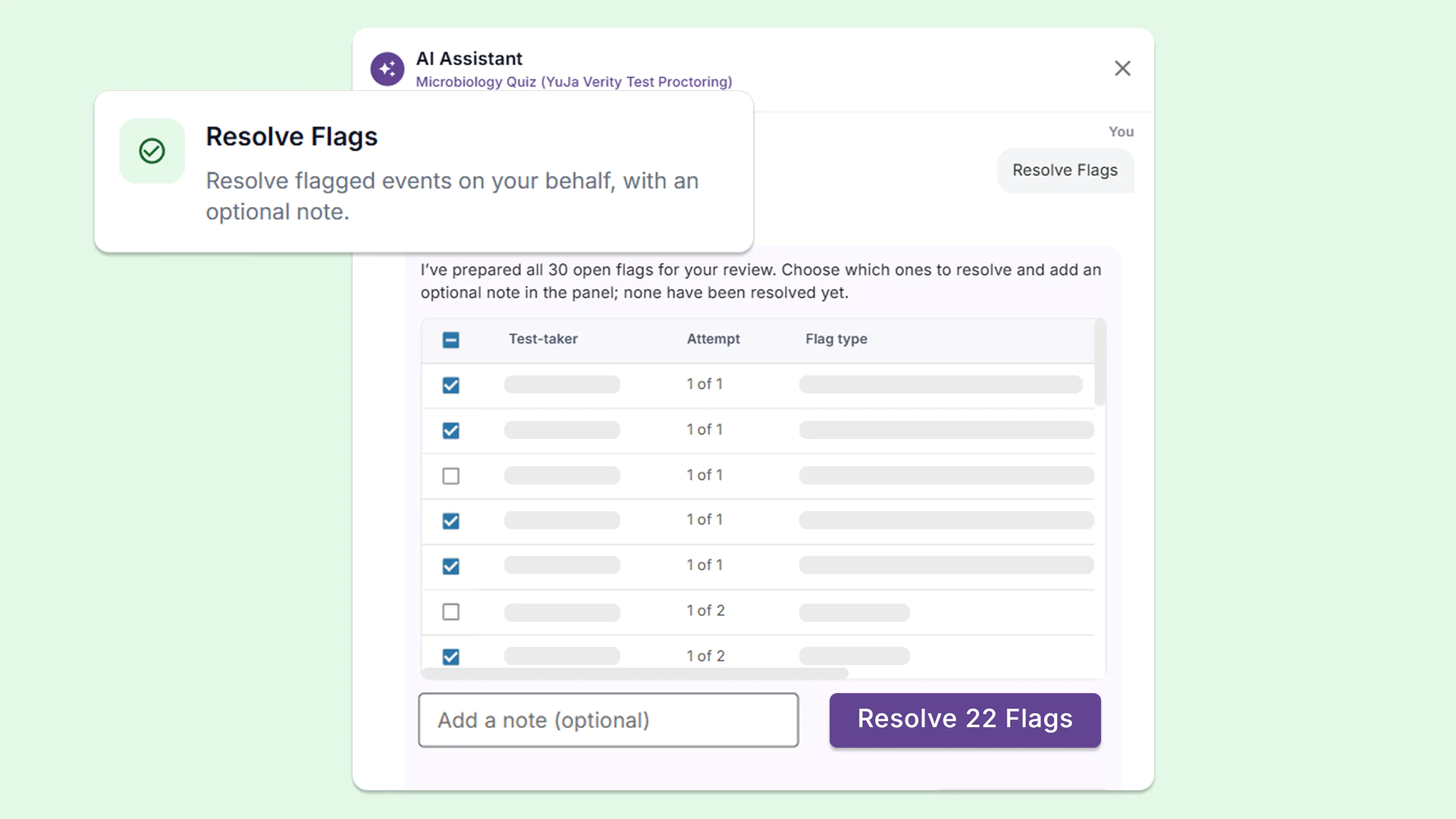
Resolve Flags: Resolves flagged events on your behalf, with the option for instructors to add a note with any relevant information that provides context.
-
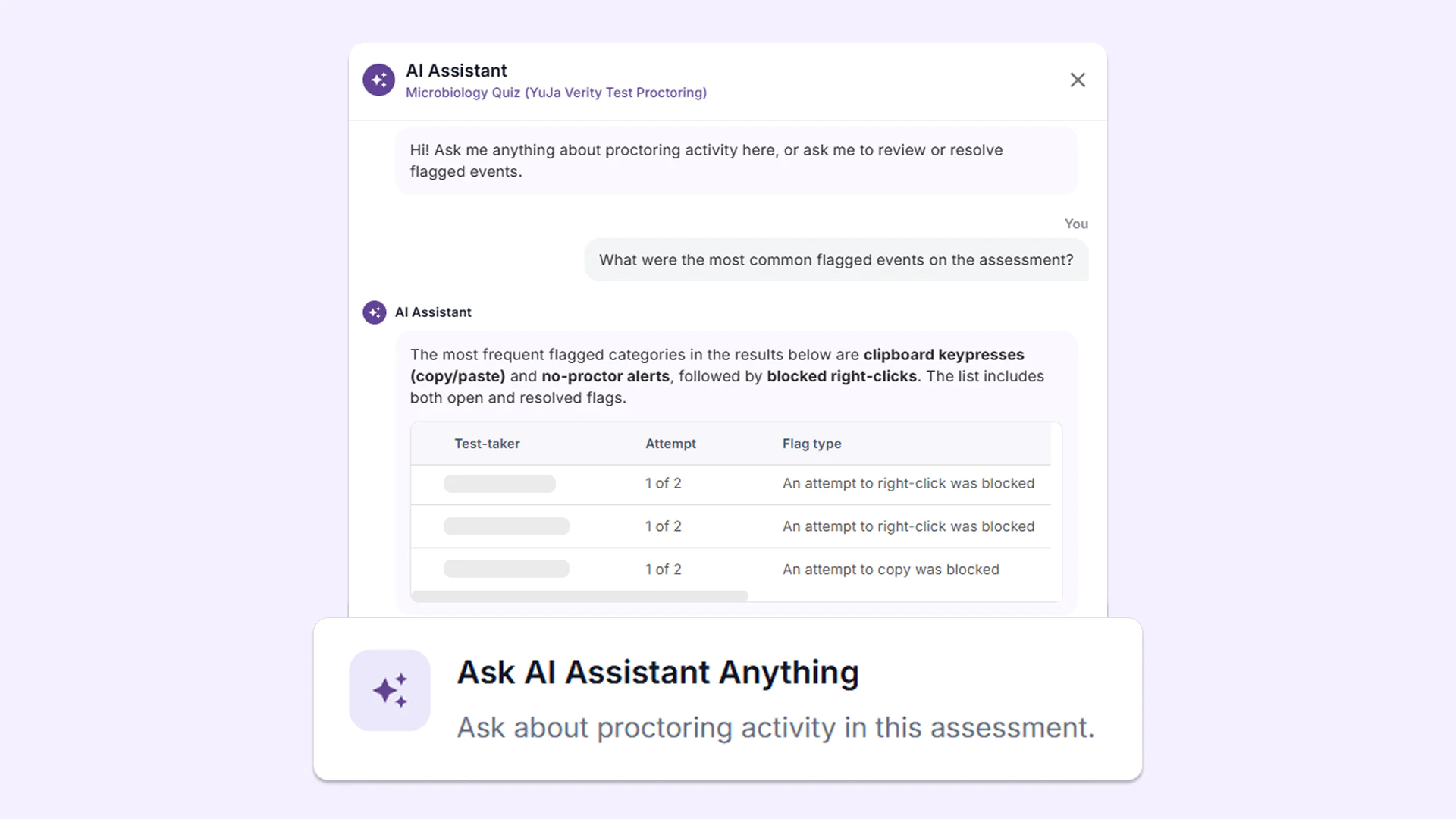
Ask AI Assistant Anything: Allows instructors to ask the AI Assistant any additional questions related to the assessment, such as which flagged events occurred most often.
-
-
See the full picture of academic integrity with new centralized dashboard and monthly email summaries
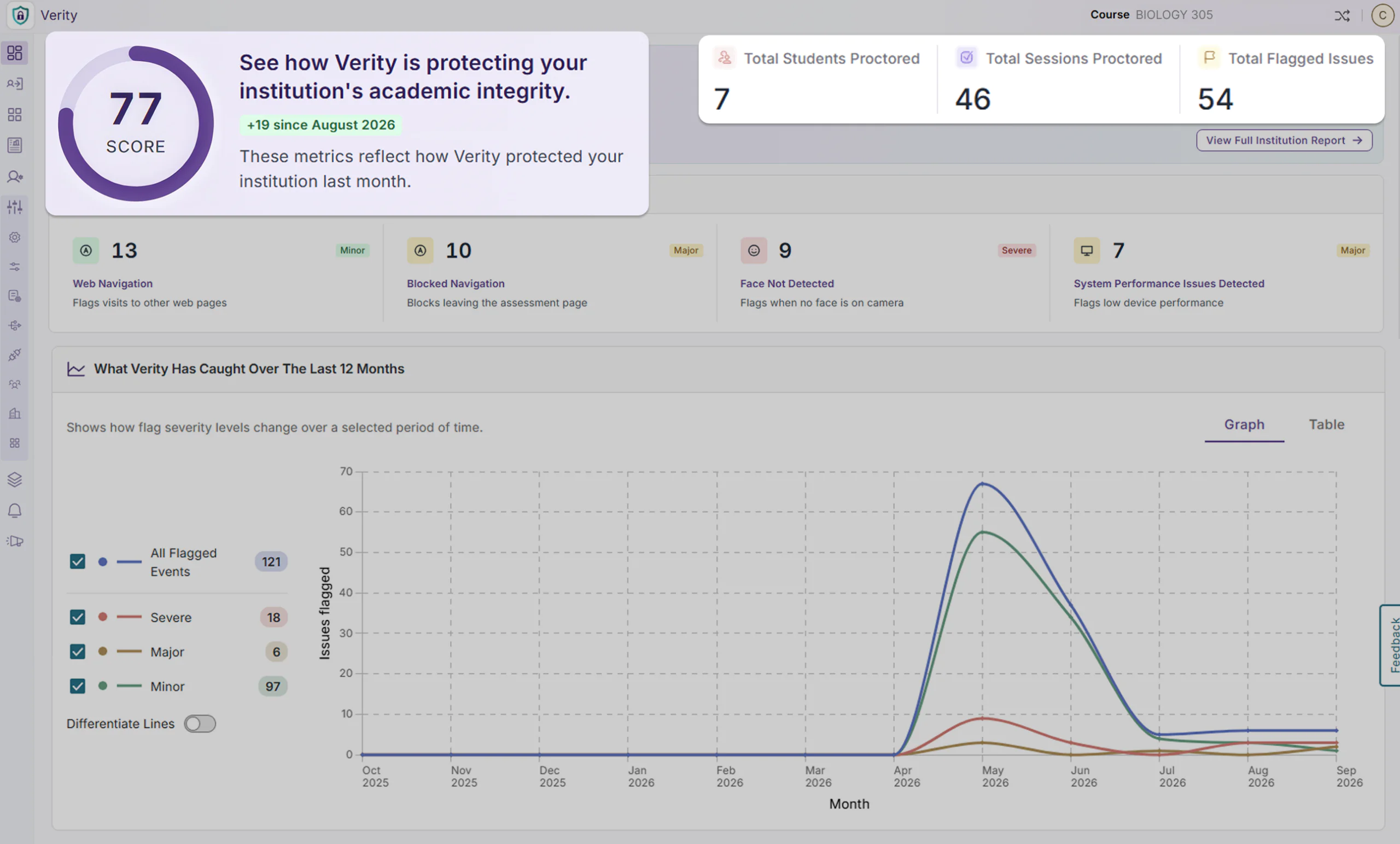
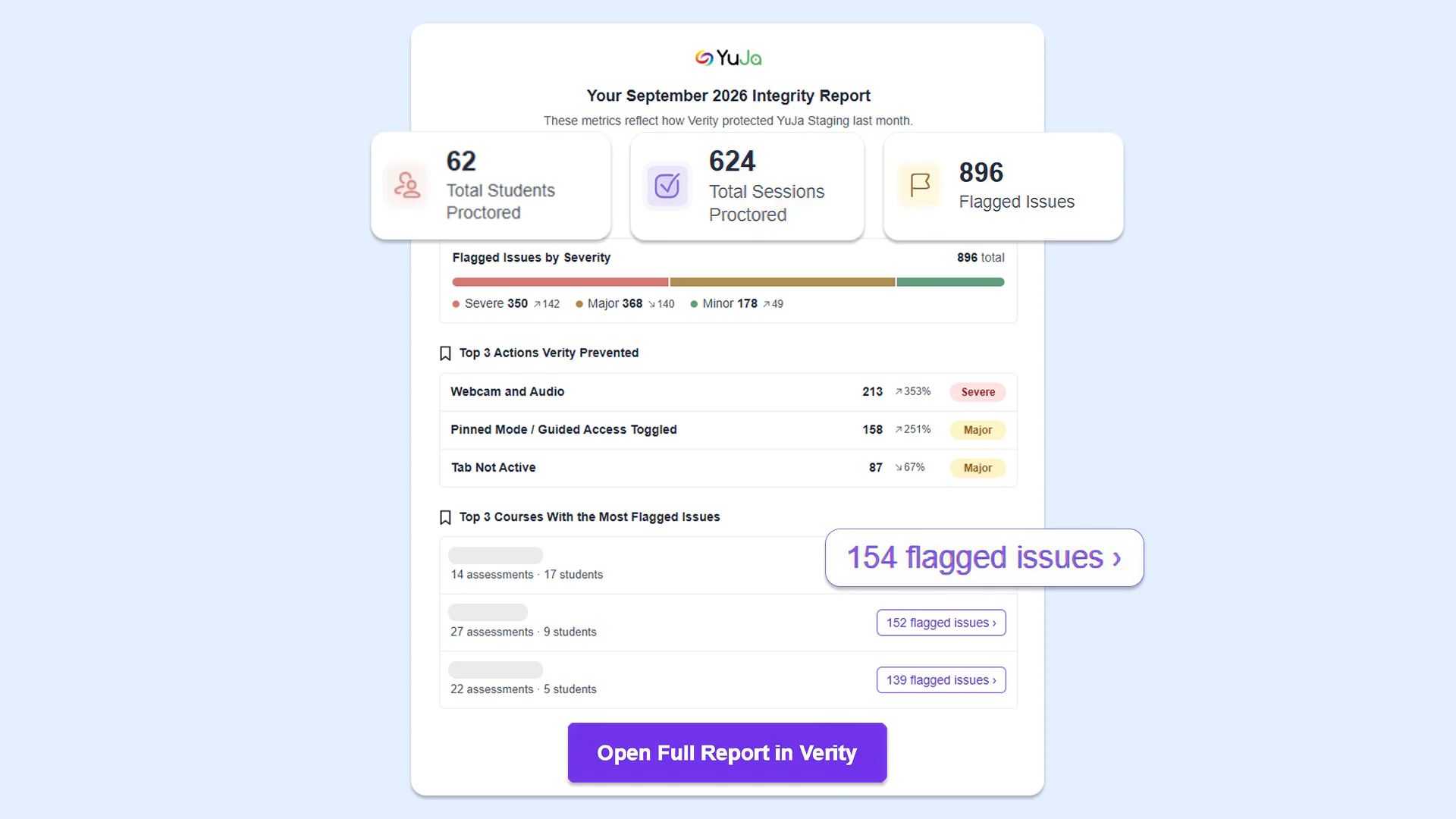
YuJa Verity is adding a new centralized dashboard for administrators and monthly instructor notifications to provide greater visibility into academic integrity activity and system interventions. These expanded insights help administrators and instructors better understand assessment activity and the impact of monitoring tools.
New features include:
-
Centralized dashboard: Get high-level insights into your institution’s usage of YuJa Verity with the new centralized dashboard. View the total number of flagged integrity issues, breakdowns by issue type, and counts of actions that YuJa Verity prevented. Period-over-period comparisons may also help instructors and administrators identify changes in activity over time.
-
Enhanced monthly emails: Receive more detailed monthly notification emails for academic integrity insights, which provide the total number of flagged issues for the month, sorted by severity type. Email reports also include a breakdown of issue types and the number of violations that YuJa Verity prevented (e.g., an attempt to copy and paste), helping instructors better understand assessment activity and the impact of integrity-monitoring tools.
-
-
Deeper AI analysis of room scans and continuous workspace monitoring with better verification of secondary cameras
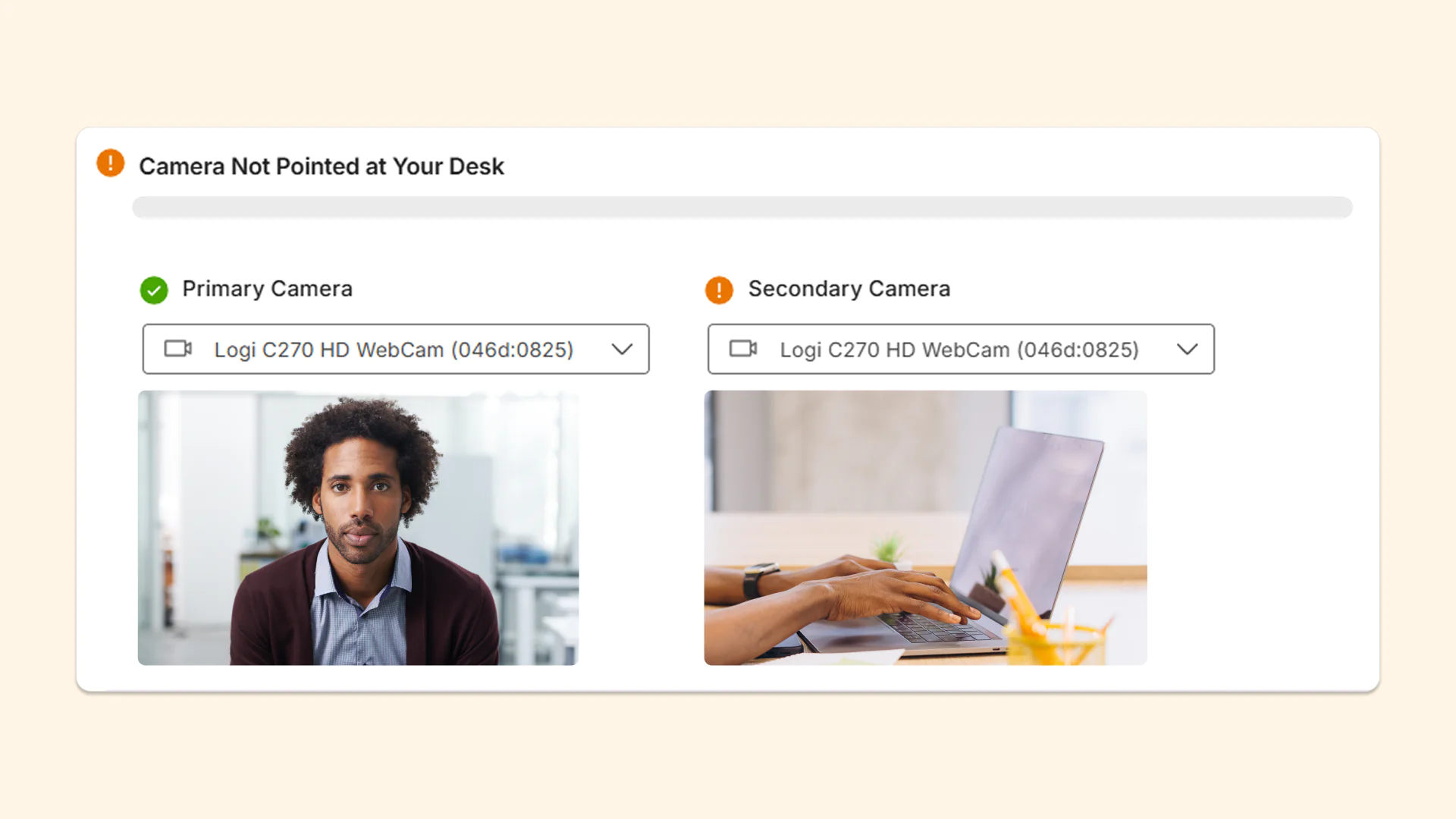
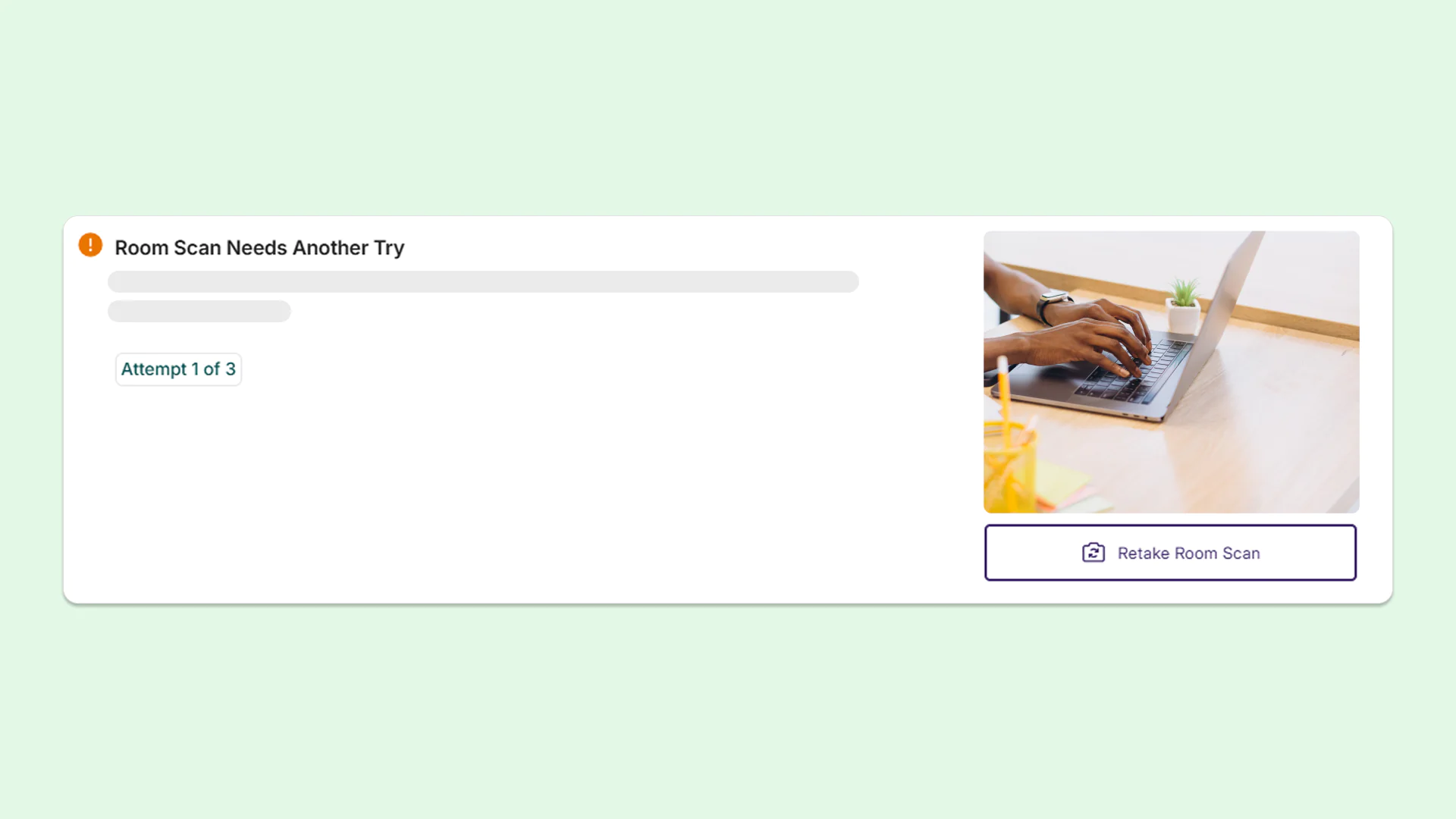
YuJa Verity is adding the ability to specify and verify secondary camera recordings and room scans:
-
AI secondary camera verification: AI secondary camera verification: AI analyzes the secondary camera and ensures that it is pointed in the right place.
-
AI room scan verification: AI analyzes the contents of the room scan to detect whether or not test-takers scanned the entire room. YuJa Verity will flag the room scan if it’s invalid or does not show the entire 360-degree view of the room, ensuring instructors are aware if a test-taker doesn’t conduct the room scan properly.
-
-
Schedule when assessments open and when test-takers get notified
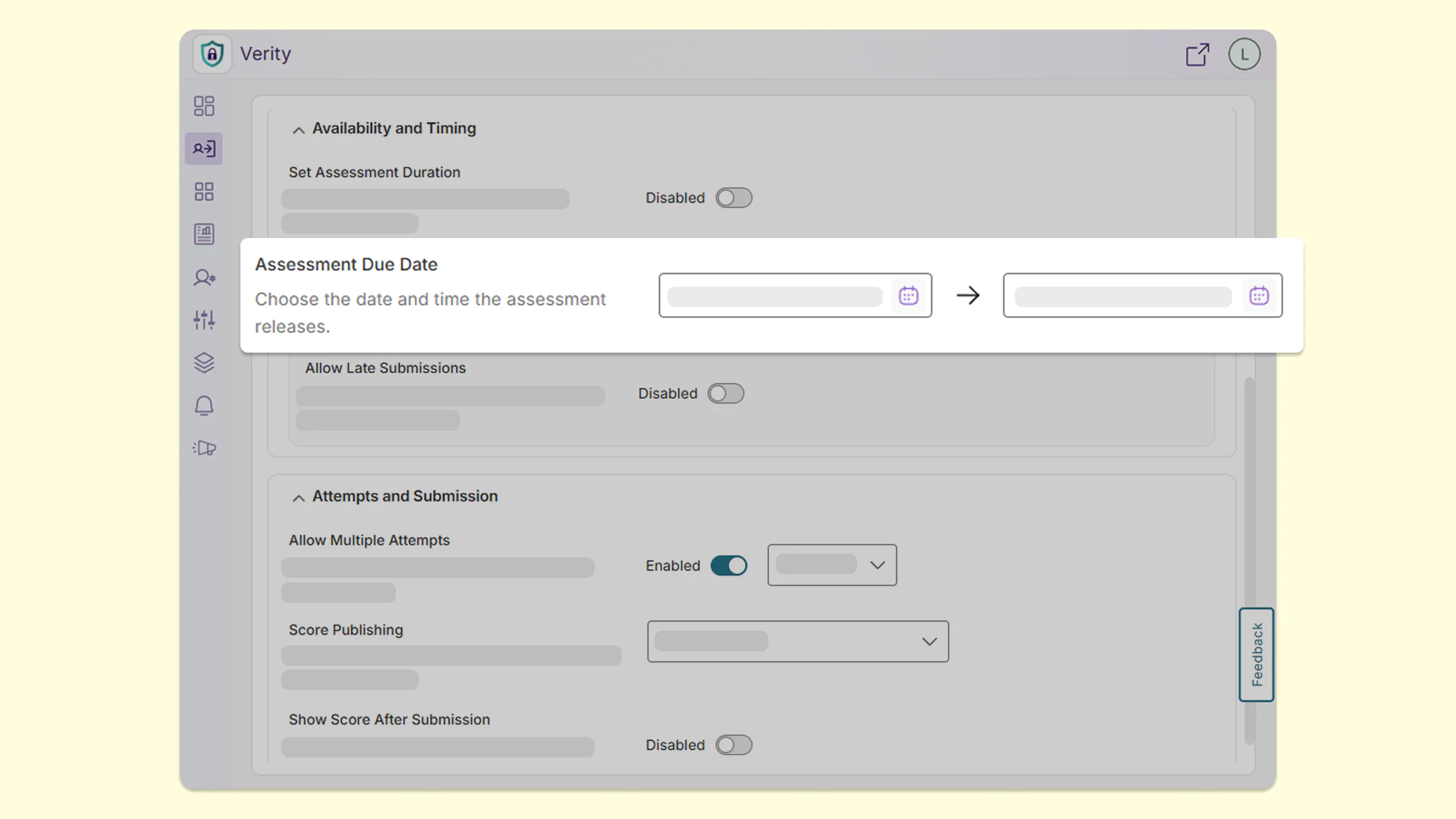
YuJa Verity is adding the ability for instructors to configure an assessment’s start time, giving them greater flexibility when scheduling assessments. Instructors will also be able to choose when test-taker notification emails are sent, helping ensure test-takers are informed when the assessment becomes available.
-
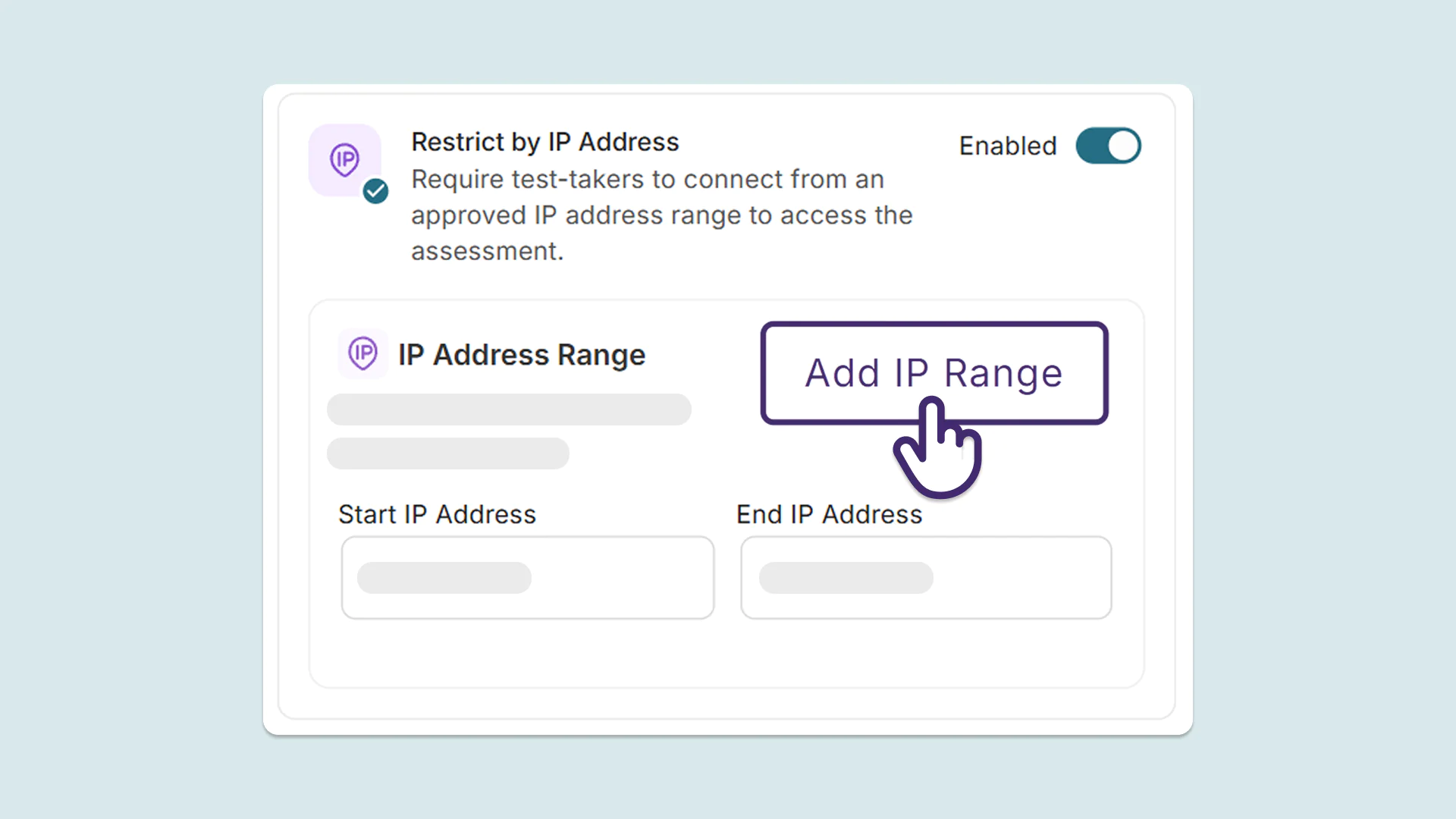
Restrict exams to approved locations based on IP address so test-takers can’t take them from just anywhere
Administrators can now restrict an exam to specific networks during the proctoring setup process using an IP-address range, allowing institutions to control assessment access in YuJa Verity. This gives admins extra confidence in the testing environment without requiring stricter proctoring for every exam.
-
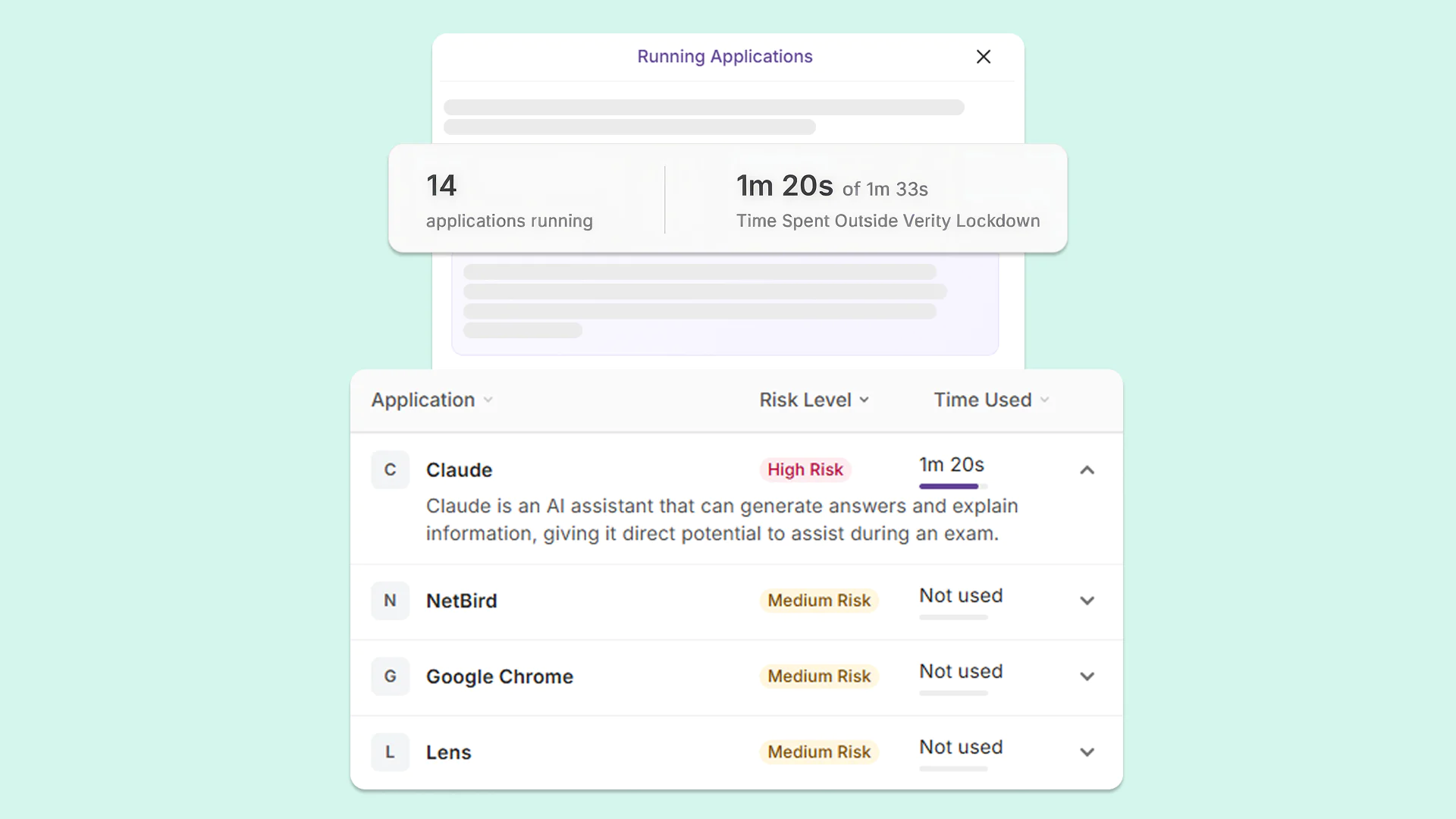
Improved AI analysis to catch suspicious apps you didn’t block
YuJa Verity is enhancing its AI-powered analysis to examine open applications for signs of potential cheating, including when the option to block all applications is disabled. Even if proctoring configurations allow certain applications, AI now reviews open applications on each test-taker’s computer and flags tools that could be used to cheat, including Claude, NetBird, Chrome, and more. This gives instructors an additional layer of insight into potential academic integrity concerns.
-
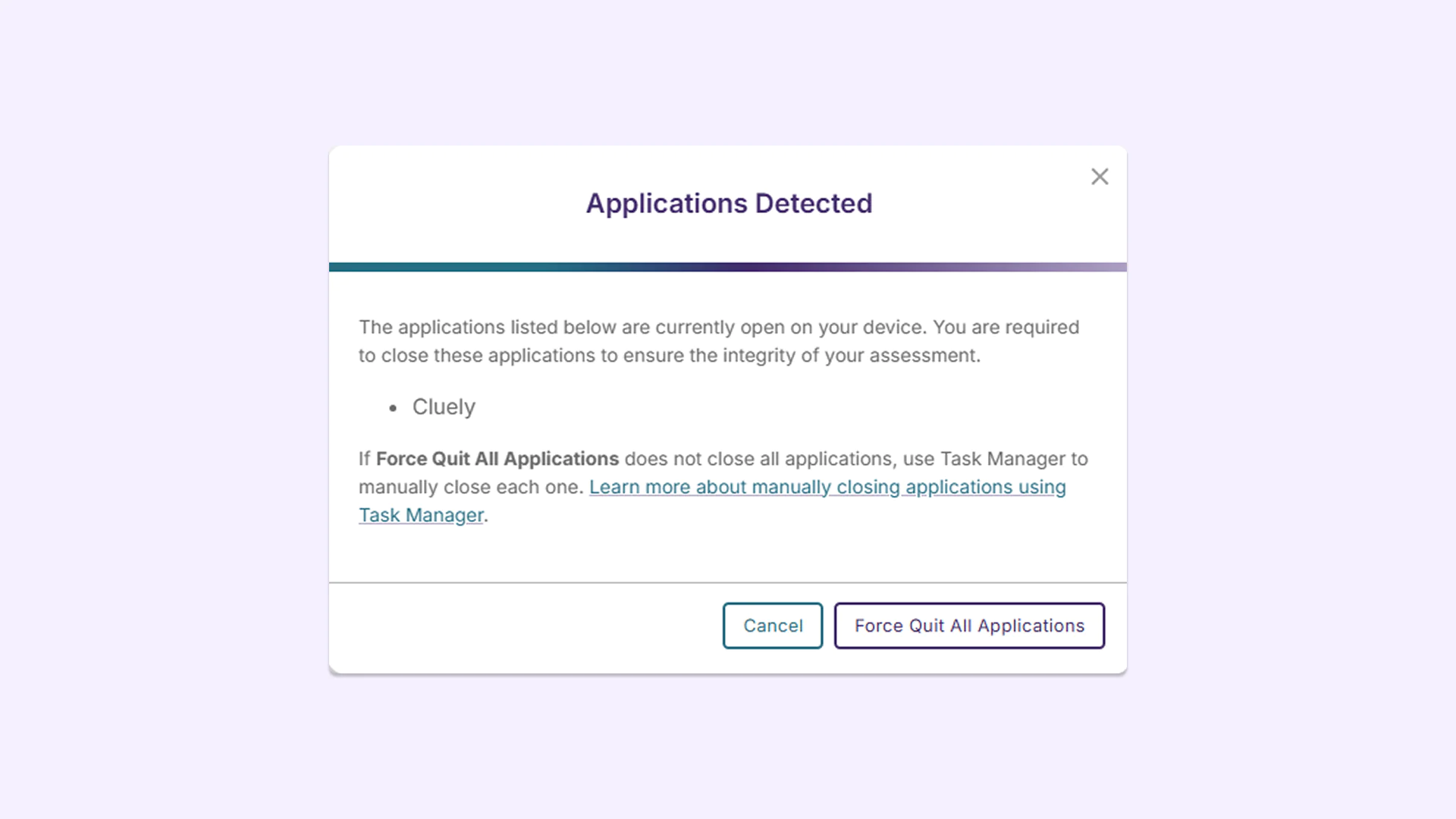
Block AI cheating apps that hide on screen and disguise their names
Some AI cheating tools, such as Cluely and Interview Coder, are built to go unnoticed. They can show answers in a hidden window on top of the exam that the test-taker can see but screen recordings can’t. Some also disguise themselves by using the name of an ordinary, harmless program. YuJa Verity now recognizes a wider range of these tools, even when they’re hidden or disguised, and flags or blocks them during proctored assessments. This helps ensure test-takers’ answers reflect their own knowledge, rather than hidden AI help.
-
Better microphone detection to ensure YuJa Verity connects to the test-taker’s correct microphone
YuJa Verity is introducing better microphone detection to help verify that the appropriate microphone is being used during an assessment. This enhancement adds another check to the microphone setup process to help ensure the intended audio device is used.
-
Set up LMS integrations faster with autofilled fields and error checks
YuJa Verity has made the LMS integration process easier to help administrators complete setup with fewer errors. Integration fields can be filled in automatically to reduce manual entry, while validation checks help identify potentially misplaced Client ID and Deployment ID values and detect unwanted spaces in configuration fields.
This feature is available in:
-
API integrations: Configuration fields are prepopulated and every field is automatically checked for unwanted spaces that could cause the connection to fail.
-
LTI integrations: Values such as the Client ID, Deployment ID, and JWKS URL are autofilled where possible. YuJa Verity also alerts users if the Client ID and Deployment ID appear to be entered in each other’s fields, and flags any unwanted spaces in configuration fields.
-
LMS Visualizer integrations: When connecting YuJa Verity to Canvas so test-takers without the Verity Browser Extension can still see the Verity interface, configuration fields are automatically filled in and checked for unwanted spaces.
-
-
Prevent obstructed footage with alerts when a test-taker’s webcam video turns blurry
YuJa Verity now flags moments when a test-taker’s webcam image becomes blurry, whether from a technical issue or a covered or obstructed lens. Instead of discovering unusable footage after assessment completion, instructors will catch this issue immediately, making reviews faster for instructors and more fair for test-takers.