


Bring accessibility to your Google Workspace content
The YuJa EqualGround Google Workspace Accessibility Module scans your Google Workspace, including Google Drive, Google Docs, Google Sheets, and Google Slides, for accessibility issues, and easily converts them into alternative formats, such as PDF, Braille, and more, to help ensure your content is accessible to every audience.
Scrolling logos of YuJa’s clients such as SUNY Corning, University of Cambridge and University of Calgary, etc.








The fastest way to remediate Google Workspace accessibility issues
The YuJa EqualGround Google Workspace Accessibility Module connects you to powerful scanning technology built for compliance. Scan your Google Workspace, including Google Drive, Google Docs, Google Sheets, and Google Slides to identify accessibility issues aligned with WCAG 2.1 AA standards, so you can fix them faster and publish with confidence.
Improve accessibility across Google Workspace content
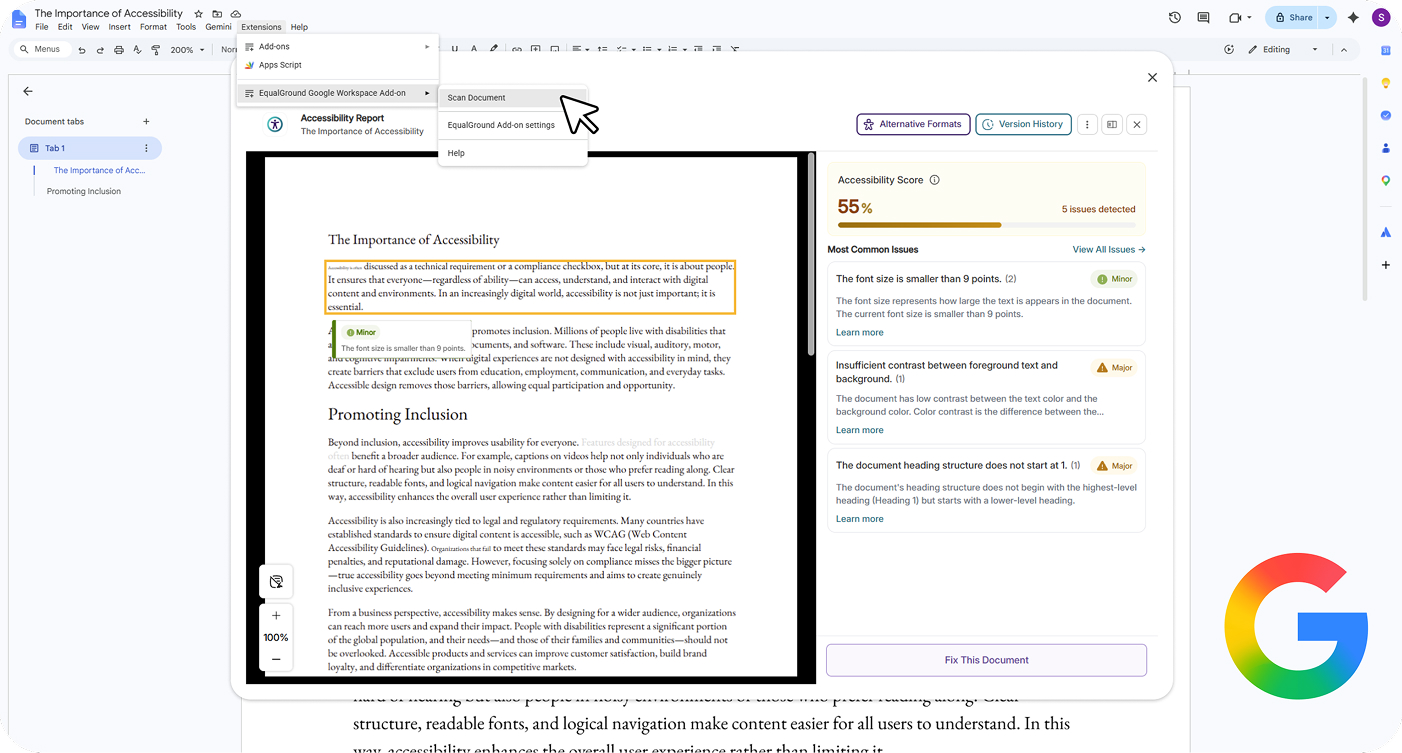
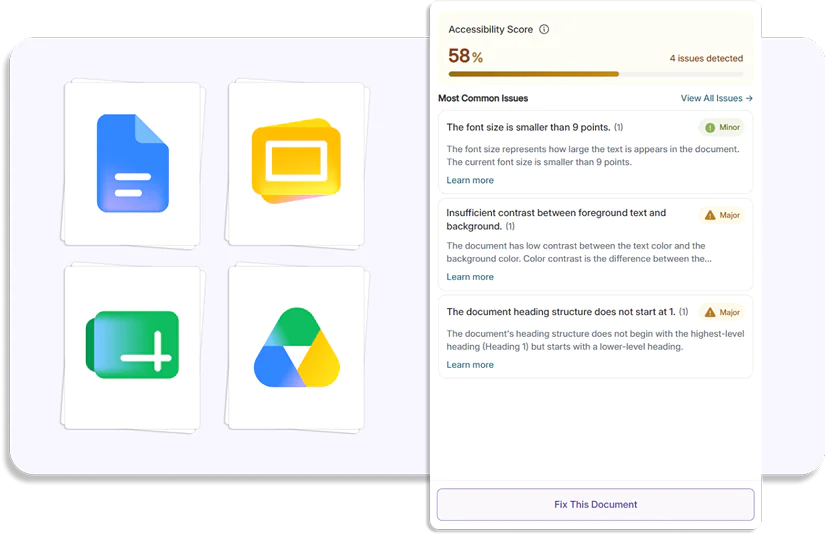
Scan Google Docs, Google Sheets, and Google Slides in real-time for accessibility issues such as missing alt text, insufficient contrast, font-size, and more, to help you create inclusive content more efficiently and apply fixes to all instances of the issue found in your document.
Create accessible formats from Google Workspace files
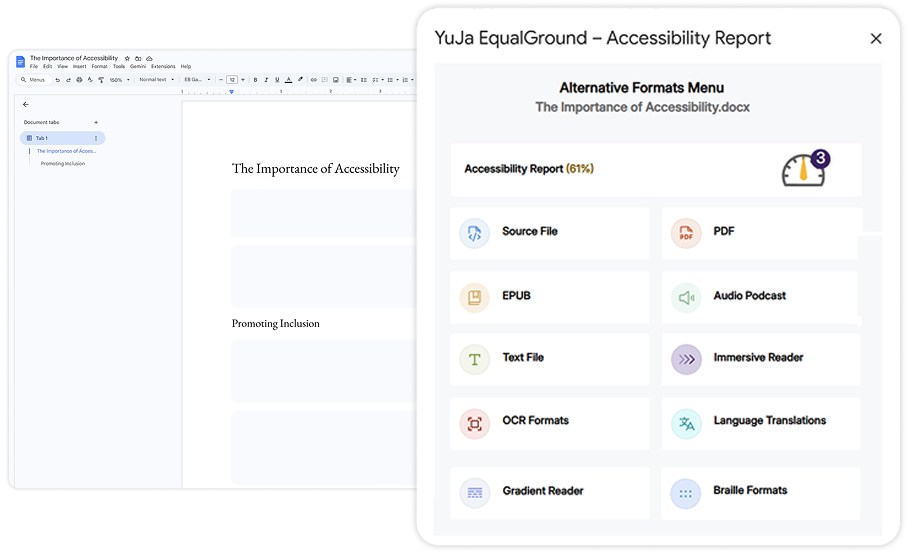
With a few clicks, you can access Google Workspace content in formats that best suits your accessibility needs, whether that’s ePub, audio, Braille, or Immersive Reader. If you’re using assistive technologies, studying on the go, or seeking a mobile-friendly experience, the Alternative Formats Report lets you to engage with content your way.
What we support in the YuJa EqualGround Google Workspace accessibility module
YuJa EqualGround’s Google Workspace Accessibility Module’s supports diverse learning needs with accessible content in multiple formats, fostering an inclusive learning experience.
-

Immersive reader
Allows customizations to text preferences, grammar options, and reading preferences with audio playback to enhance accessibility for diverse learning needs.
-

Enhanced HTML
Displays HTML documents in a new tab with customizable appearance using the Website Accessibility Widget to improve accessibility.
-

Language translations
Translates documents from over 100 languages for both Alternative Formats and Immersive Reader to break down language barriers.
-

Source file
Enables the viewing of documents in their original format to maintain document integrity and native functionality.
-

PDF
Converts documents to a PDF format to ensure consistent styling across devices while protecting content integrity during sharing or printing.
-

EPUB
Converts documents to e-book format to provide flexible, mobile-optimized reading experiences.
-

Text file
Converts documents to plain text without formatting styles to ensure maximum compatibility with assistive technologies.
-

Audio podcast
Configures audio conversions to support auditory learners and provide hands-free content consumption.
-

Math formats
Converts documents containing mathematical content into various accessible formats to ensure proper rendering for STEM learners.
-

Braille BRF, UEB
Converts documents to Braille format to provide tactile reading access for users with visual impairments.
-

Gradient reader
Provides guiding color gradients to help with word recognition and improve reading flow and comprehension.
-

OCR
Provides optical character recognition to convert images and scanned documents into searchable, accessible text.
-

Word document
Convert scanned and untagged PDF documents into accessible Microsoft Word DOCX documents to directly make edits from the previous uneditable format.
Get step-by-step fixes inside Google Workspace
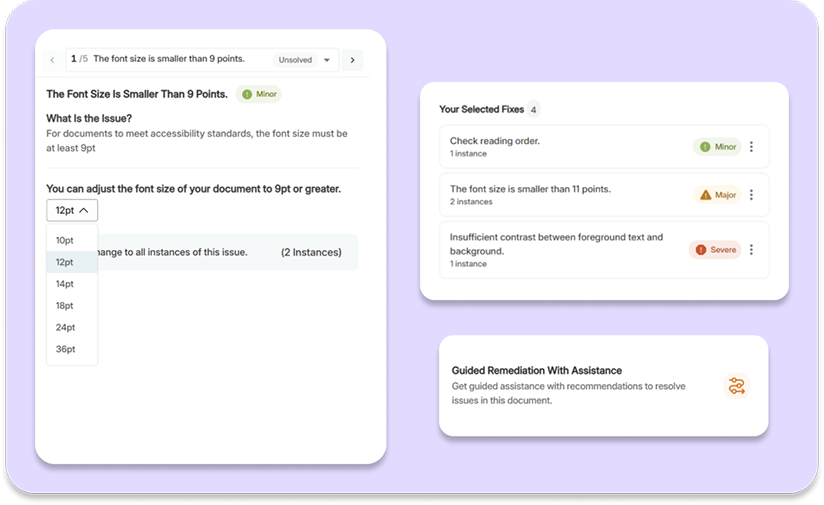
Don’t just find accessibility issues, fix them. YuJa EqualGround provides guided remediation directly within your Google Workspace, offering clear, actionable suggestions to help you resolve WCAG 2.1 AA issues quickly and accurately.

Entire North Dakota University System Relies on YuJa to Deliver Top-Notch Educational Experiences
With YuJa, each institution of the NDUS has the toolset and flexibility to brand and create its own unique space according to need. Since adoption and particularly after the pandemic struck in early 2020, YuJa has become an integral part of teaching and learning across the NDUS.
Read the case studyJoin the 1,000+ Organizations Deploying High-Impact Solutions