Product Updates
Get the latest platform updates, features, and announcements—all in one place.
Boost Video Accessibility with the GenAI Video PowerPack!
Try Now
Supercharge Your Compliance Efforts with AutoPilot Remediation Max!
Try Now
Strengthen Your PDF Accessibility Efforts with Structural Remediation Max!
Try Now
Don't Miss Any of Our Upcoming Webinars—Save Your Spot!
Register
The YuJa Community is here! Connect, get updates, and access exclusive content.
Join Now

Get the latest platform updates, features, and announcements—all in one place.
We’re rolling out enhancements over the next few weeks that allow instructors to insert activities directly into PowerPoint presentations on Mac devices and improve LMS integration for embedding activities into courses. These updates make it simpler to present activities on Mac and give participants an easier way to join activities within their LMS.
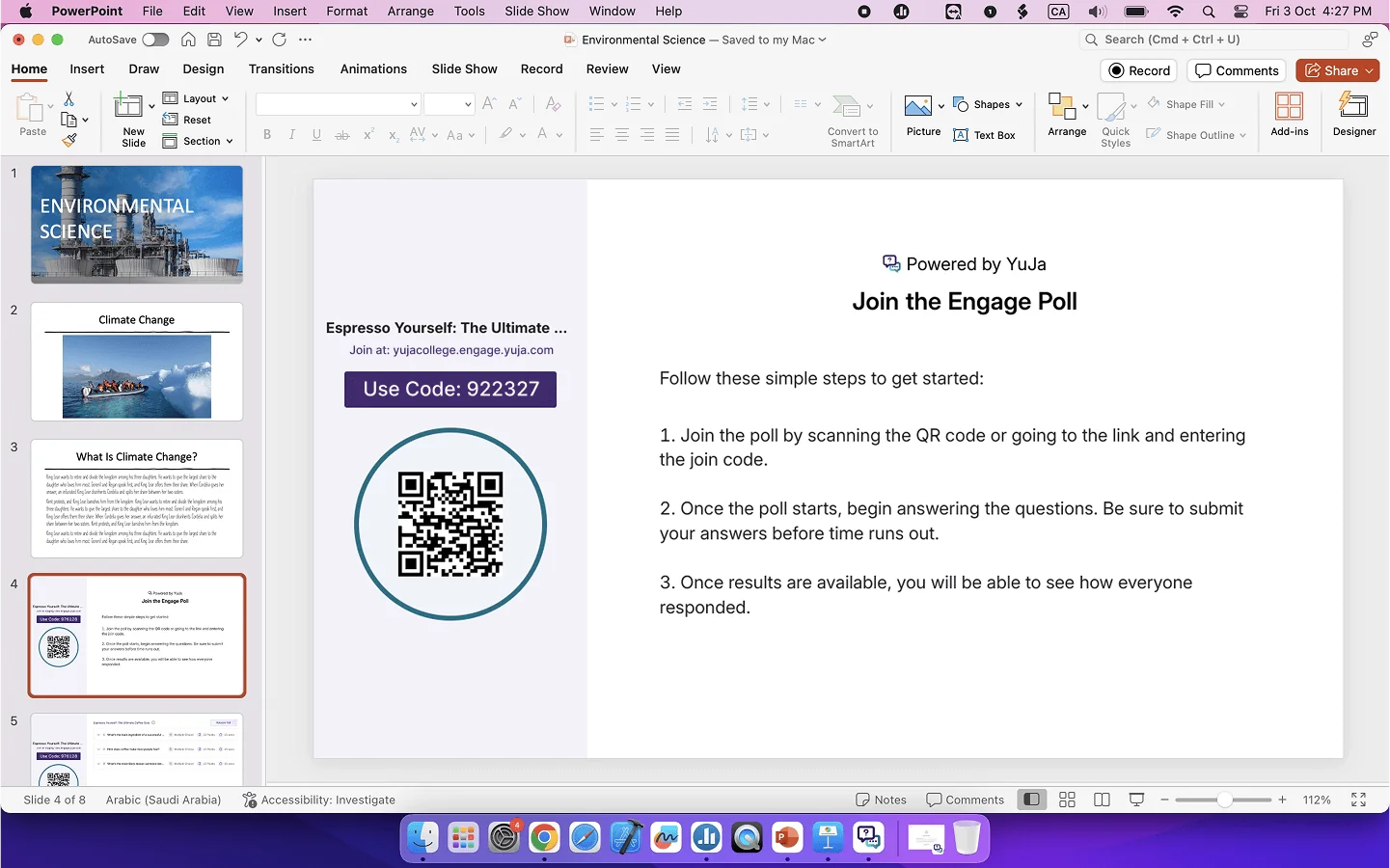
Insert Activities into PowerPoint Presentations on Mac Devices
With the recent changes in streamlining how activities are inserted into presentations, you can now add activities in PowerPoint on Mac devices. This will allow you to use your preferred presentation app without having to learn a new workflow.
Enhanced LMS Integration for Inserting Activities into Courses
We have streamlined how you add activities to your Canvas, Blackboard, or D2L Brightspace courses. Simply select your course and let Engage automatically create an assignment for the activity with grade book sync. Students will then have direct access to the activity through the QR Code or Join Code, allowing them to start immediately.

This release enhances the PowerPoint integration experience with streamlined workflows and improved presenter controls and introduces automated monthly usage reports that deliver key platform insights directly to administrators via email.
Enhanced PowerPoint and Keynote Integration Streamlines Presentation Workflows
Both PowerPoint and Keynote plugins deliver significant workflow improvements and enhanced user control:
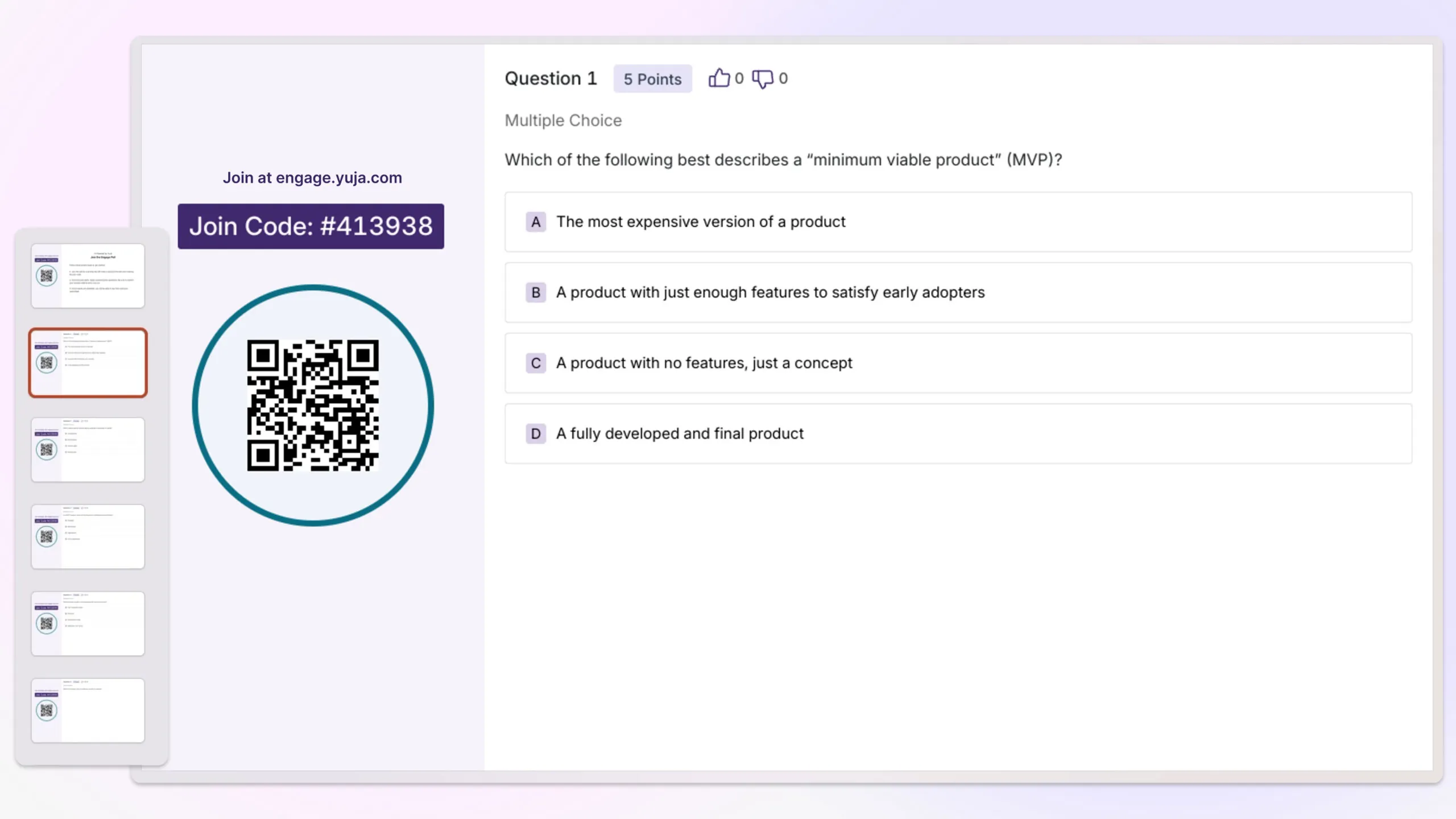
Improved UI Experience: Expanded from simple question title slides to full-width screenshot slides that capture complete question and activity details.
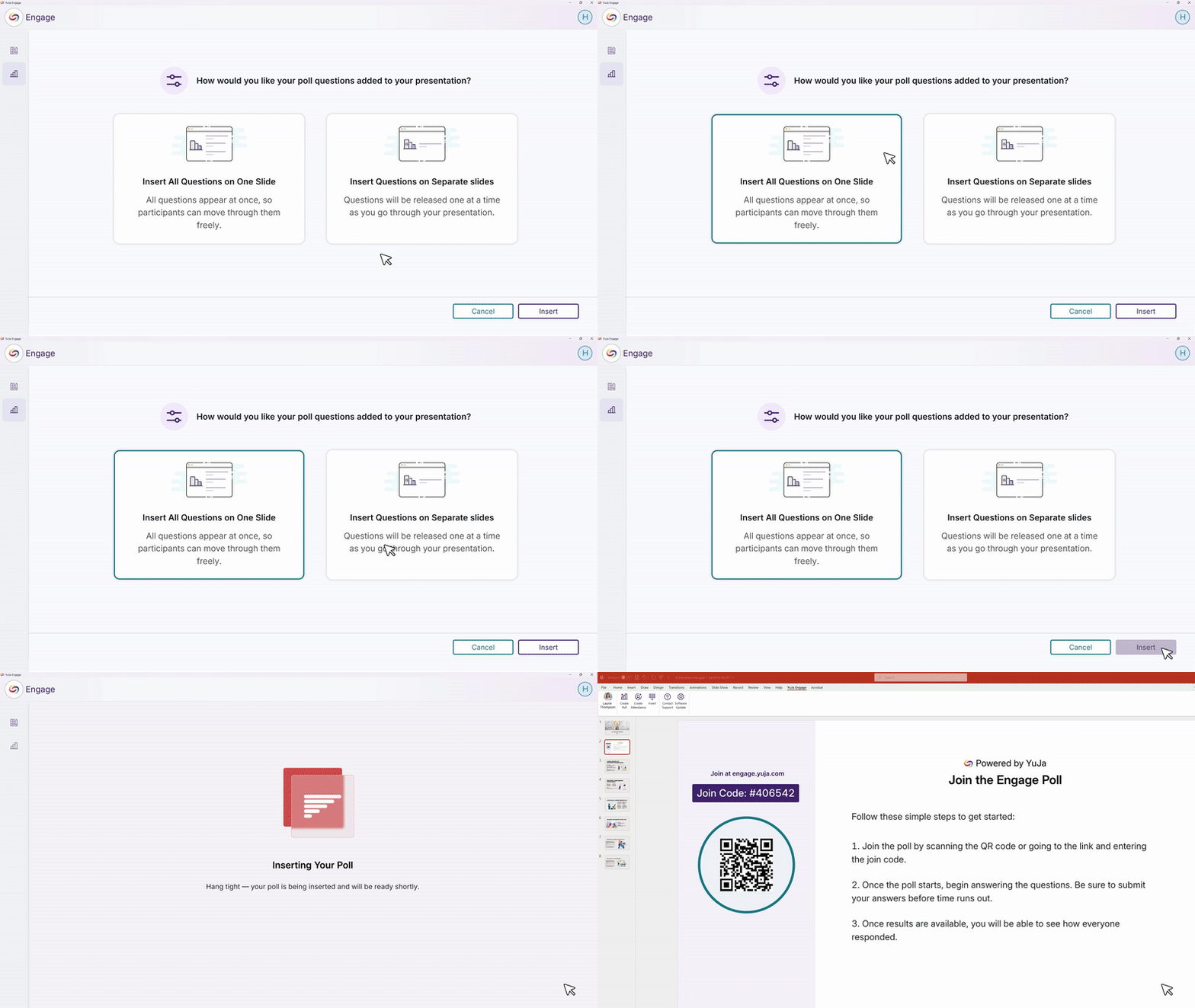
New Workflow Option: In addition to inserting individual question slides, users can now insert all questions into a single slide. The Release button then publishes all questions at once for streamlined activity management.
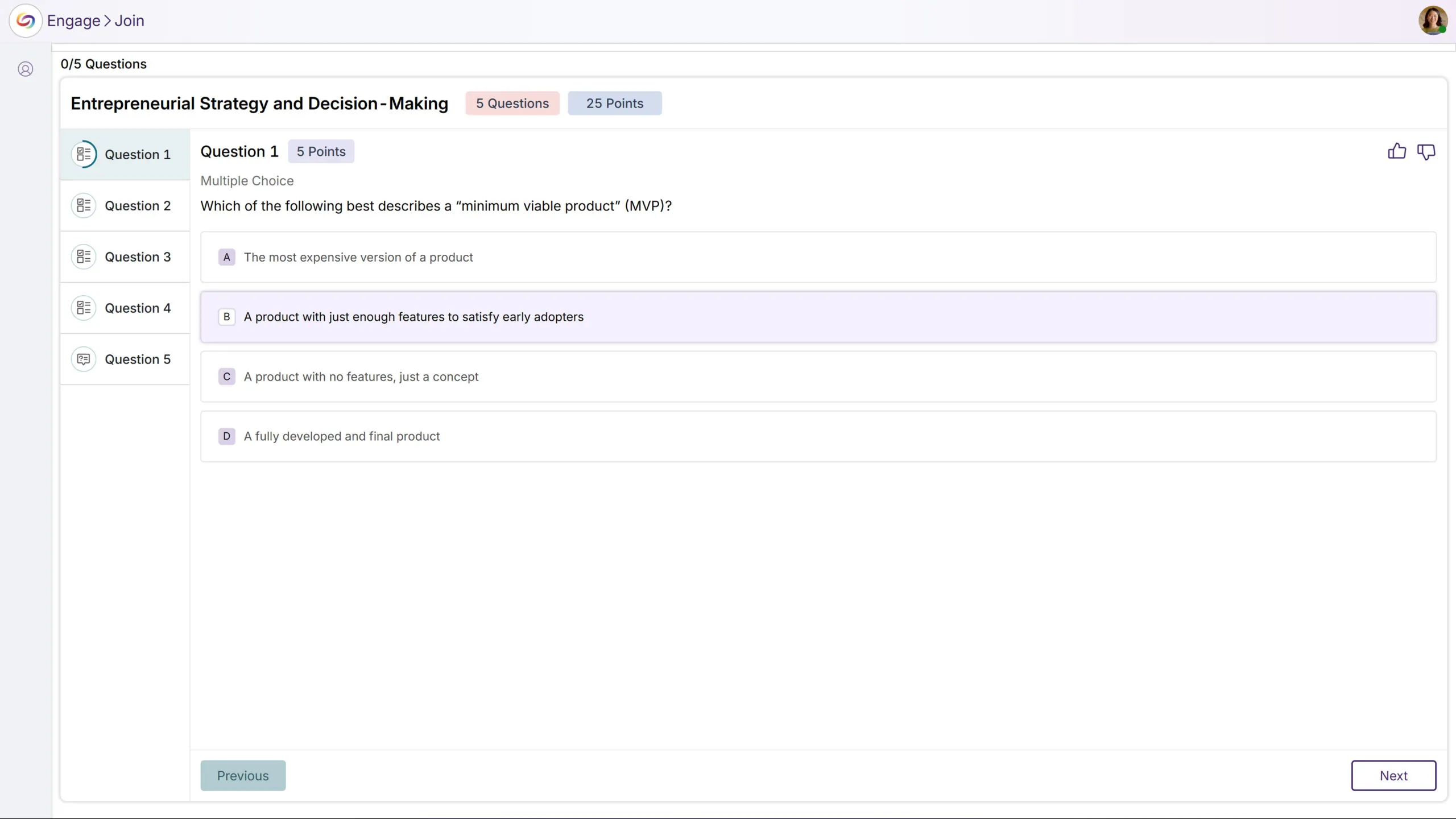
Presentation Page Redesign: Enhanced the in-presentation experience to match the web application’s design style, providing a consistent and modern interface.
Controlled Question Sharing: Previously, questions were shared automatically when presenting slides. Now, presenters have full control to decide when to share or stop sharing questions and activities.
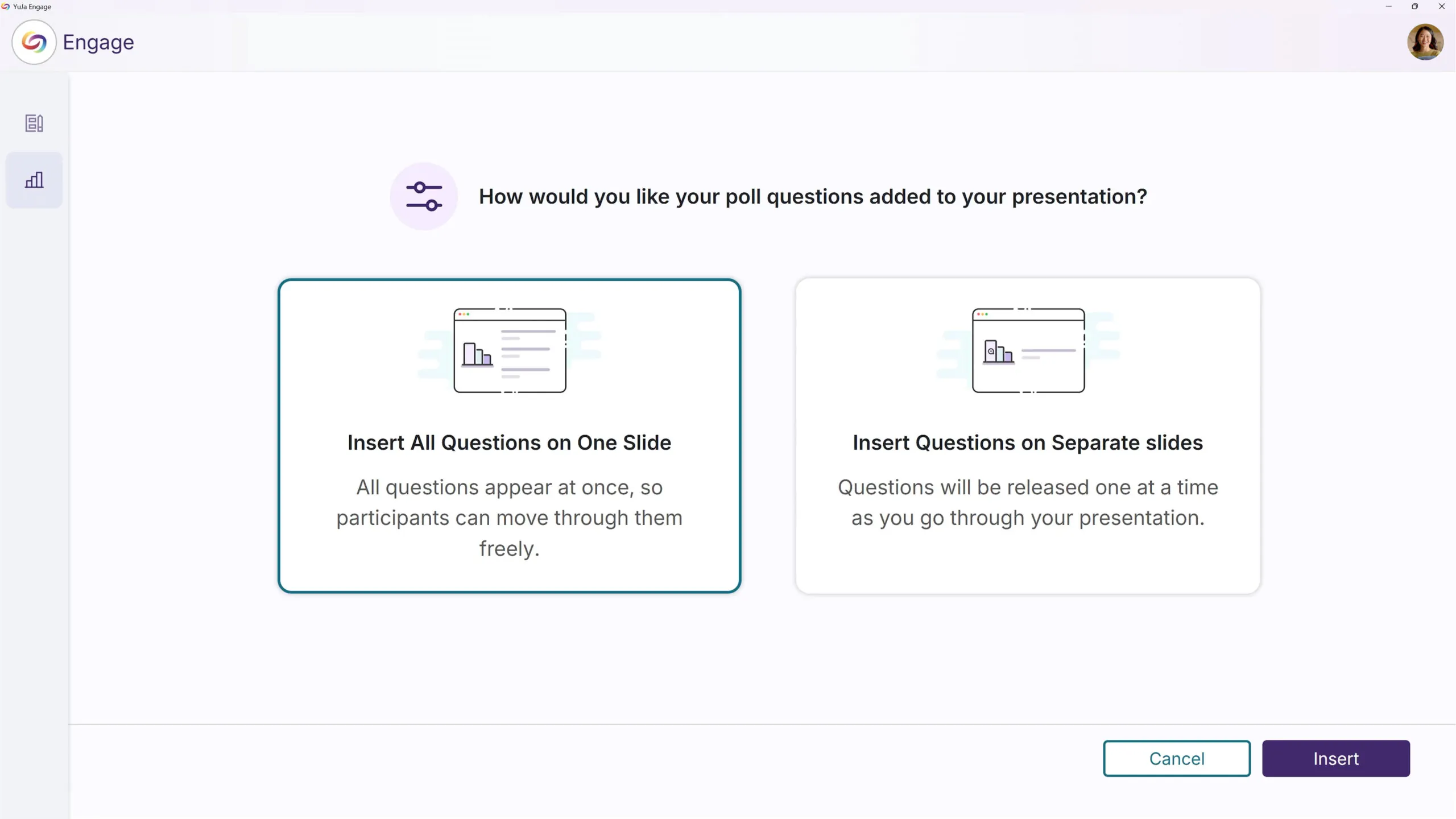
Additional PowerPoint Plugins updates include:
Enhanced User Guide: Added tutorial videos and intuitive visuals to make installation and updates easier to follow.
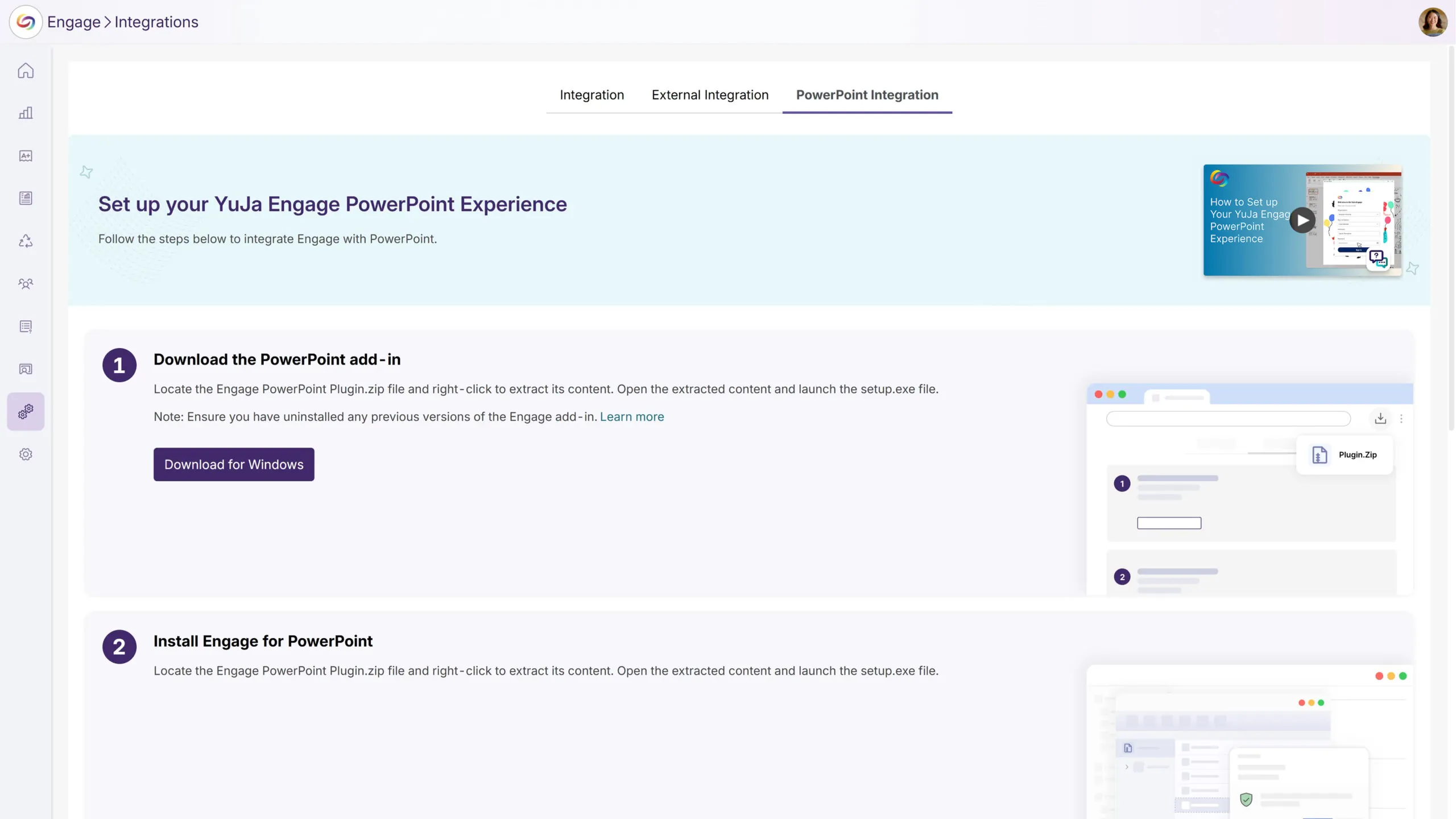
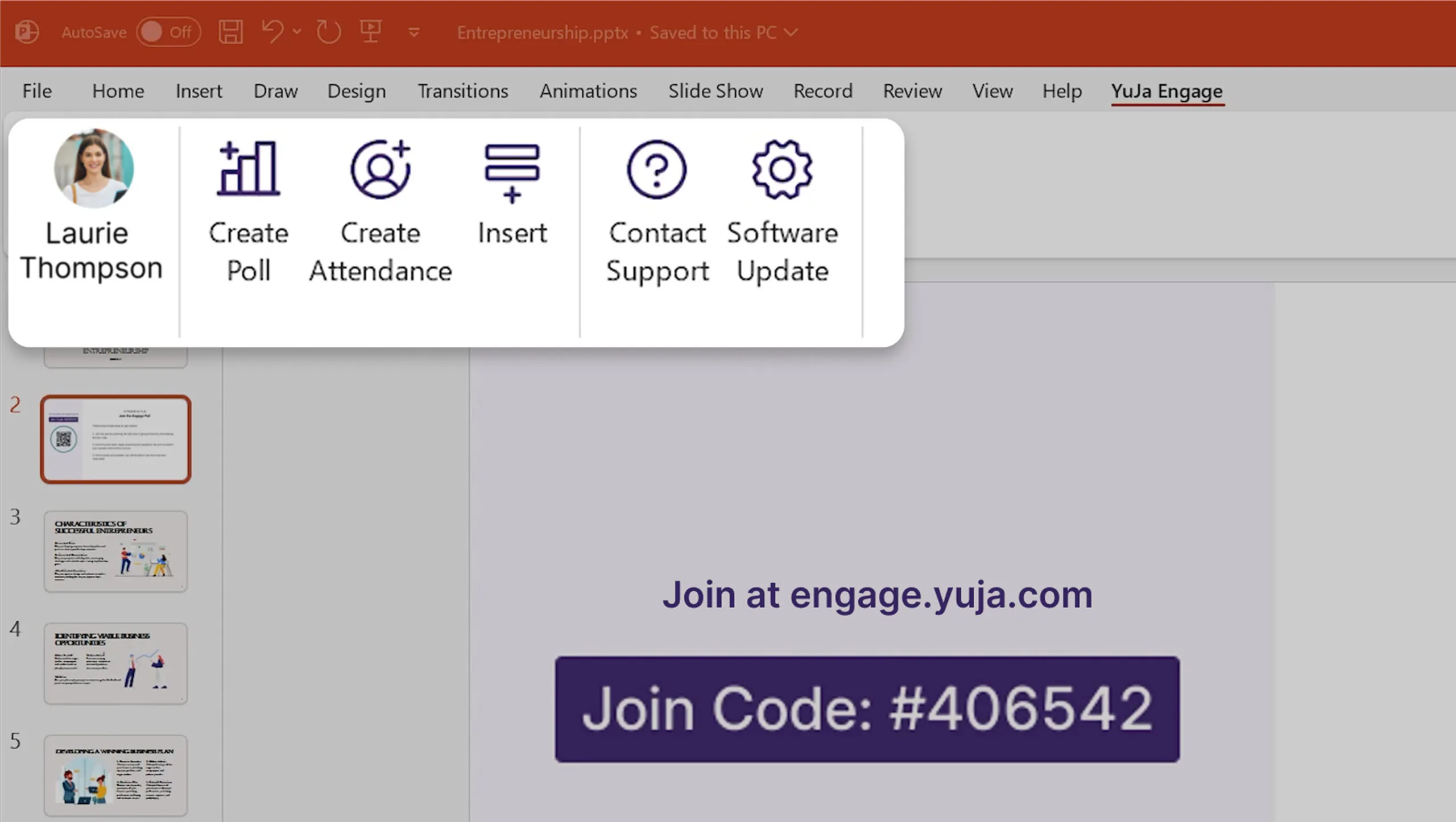
Refined Menu Design: Updated menu icons to align with the company design system, and removed ribbon menus to minimize confusion and create a cleaner interface.
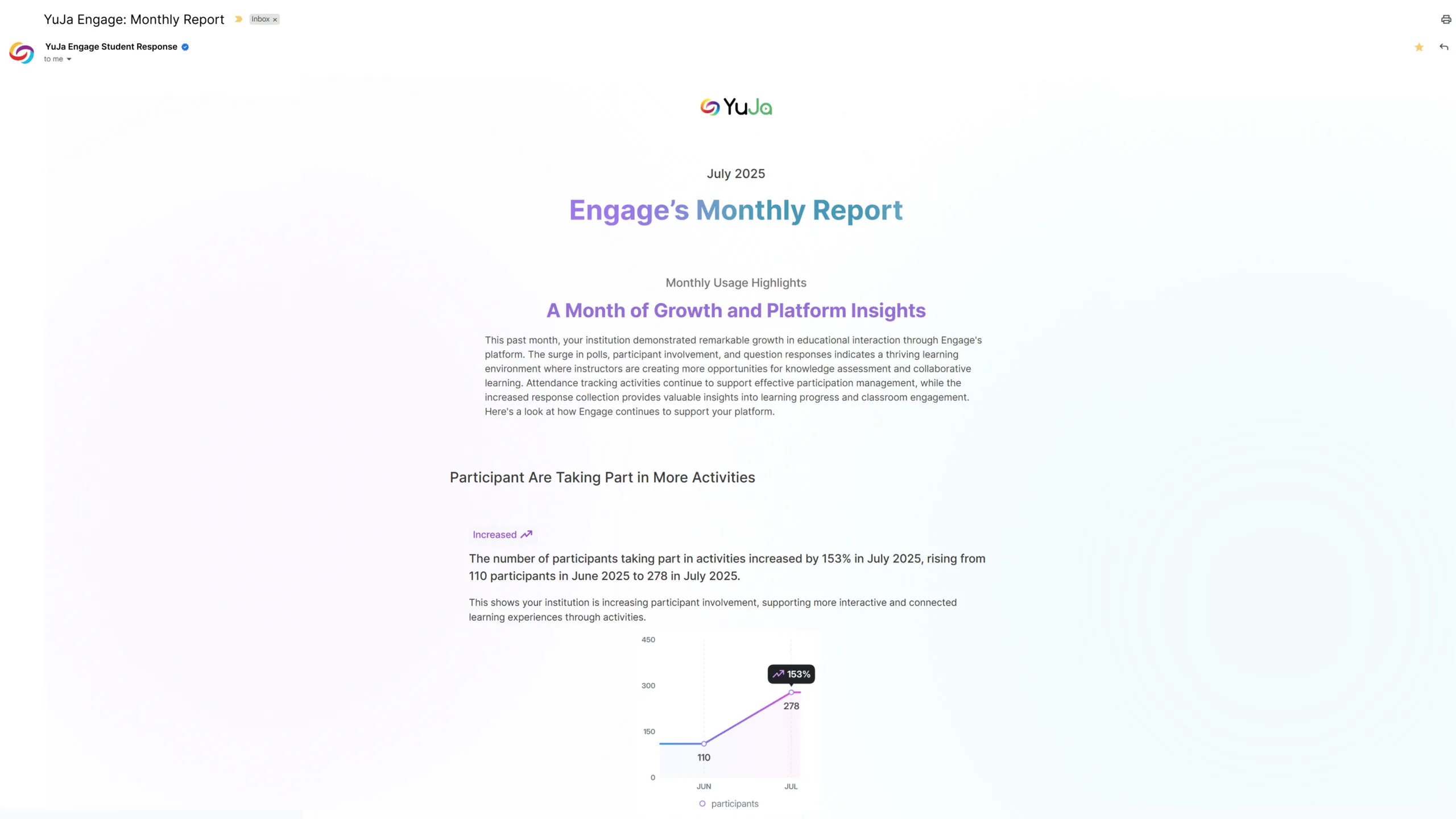
Monthly Usage Reports Will Be Automatically Emailed to Platform Administrators
Administrators will receive automated monthly email reports highlighting platform usage and trends. Emails will provide administrators with at-a-glance insights into platform performance and user engagement.
We’re rolling out enhancements over the next few weeks that streamline poll configuration, simplify poll management, and introduce quarterly administrator surveys to gather feedback for continuous platform improvements. These updates reduce repetitive tasks and make it easier for instructors to create and launch engaging activities.
Simplified Poll Access and Release Process
Poll management will be more intuitive with:
Improved Poll Creation Workflow: A new configuration step has been introduced during poll creation that allows instructors to easily configure all poll settings in one place, reducing setup time and minimizing errors.
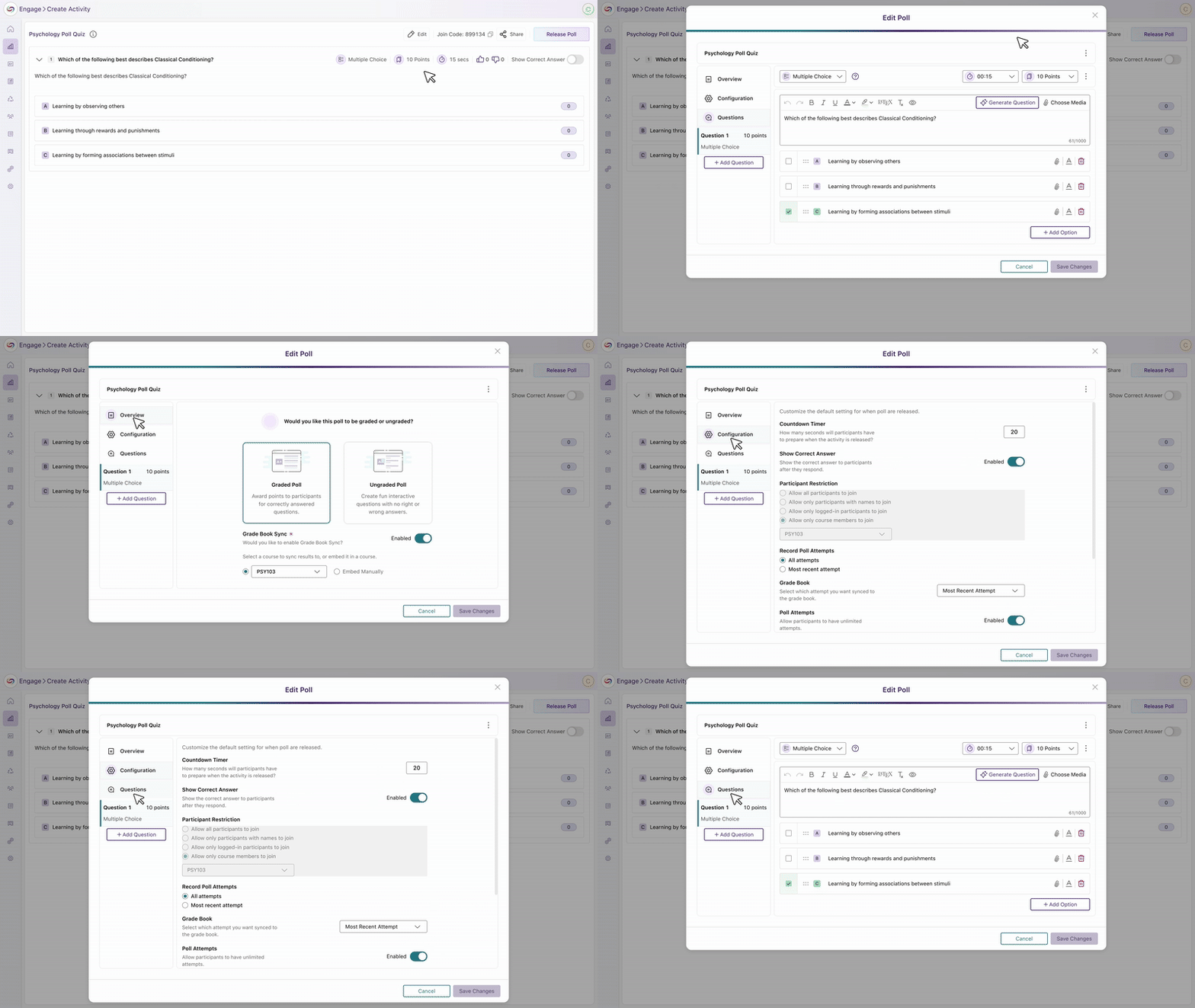
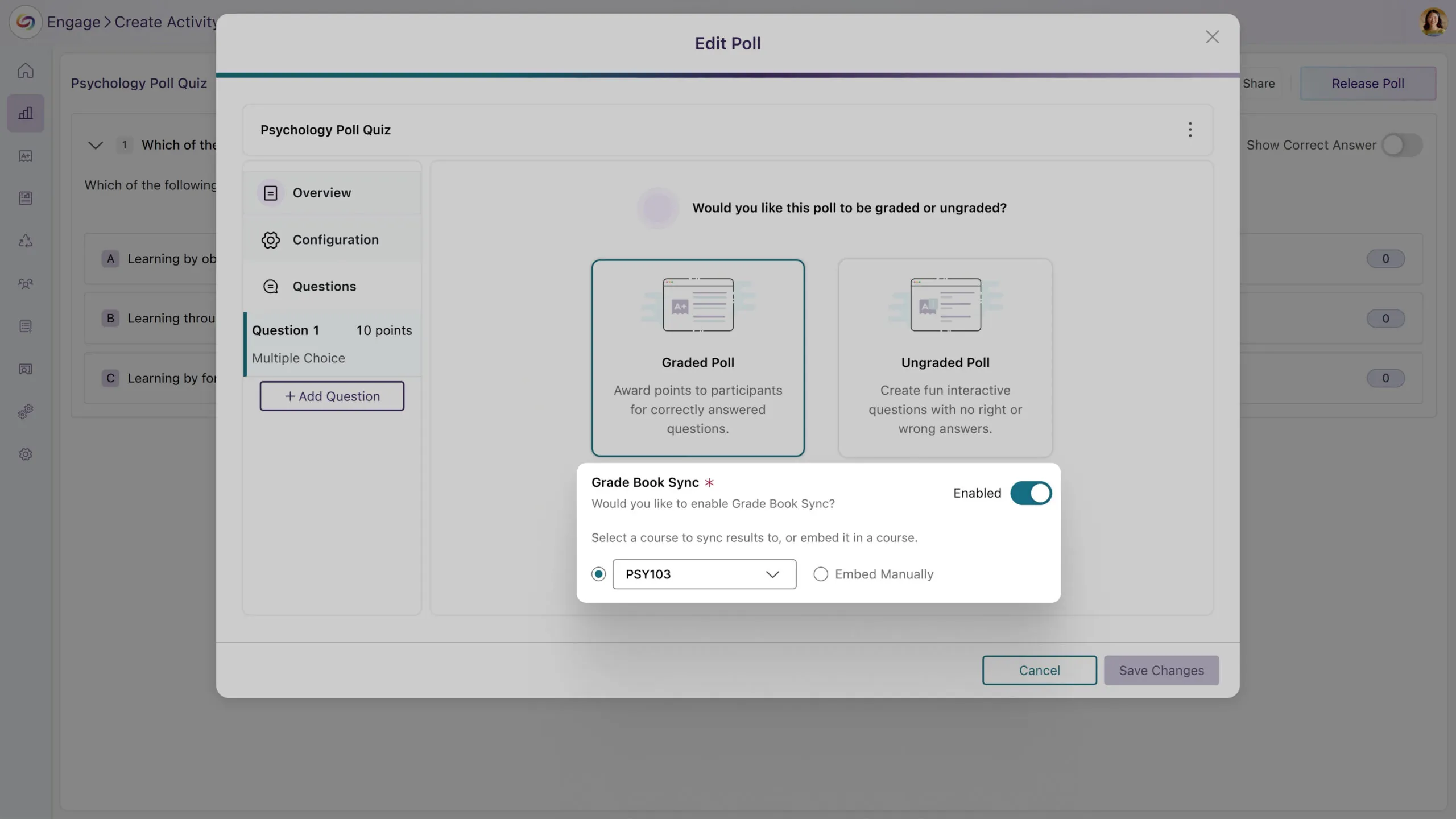
Enhanced Grading and Embedding Options: Instructors can now decide whether a poll should be graded and whether it should be embedded in the LMS, all within the poll creation flow, helping eliminate confusion around gradebook synchronization and improves overall workflow clarity.
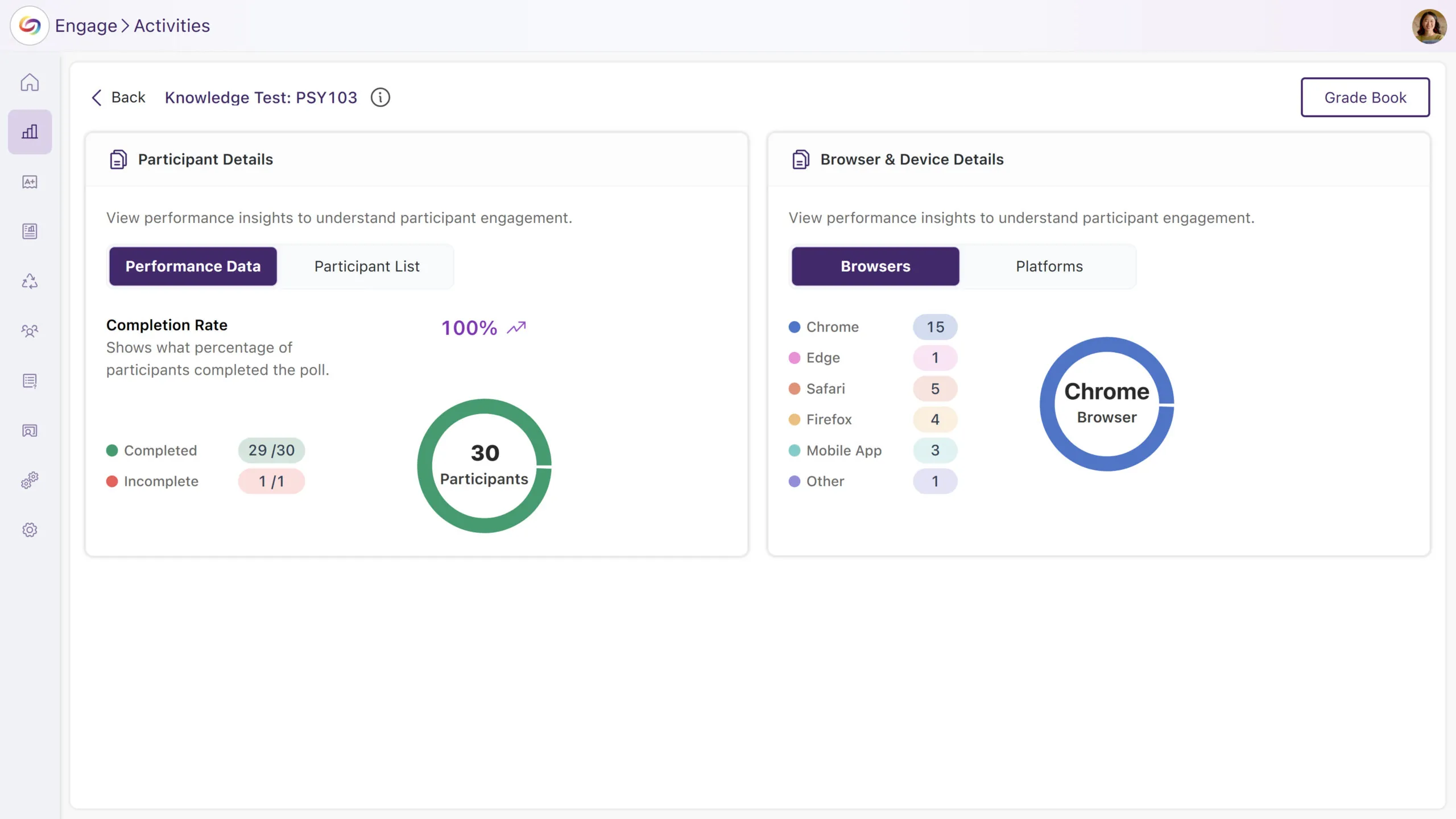
An All-New Metrics Dashboard: After a poll concludes, instructors can now access a dedicated Metrics page that consolidates all poll results and analytics into a single, easy-to-navigate view.
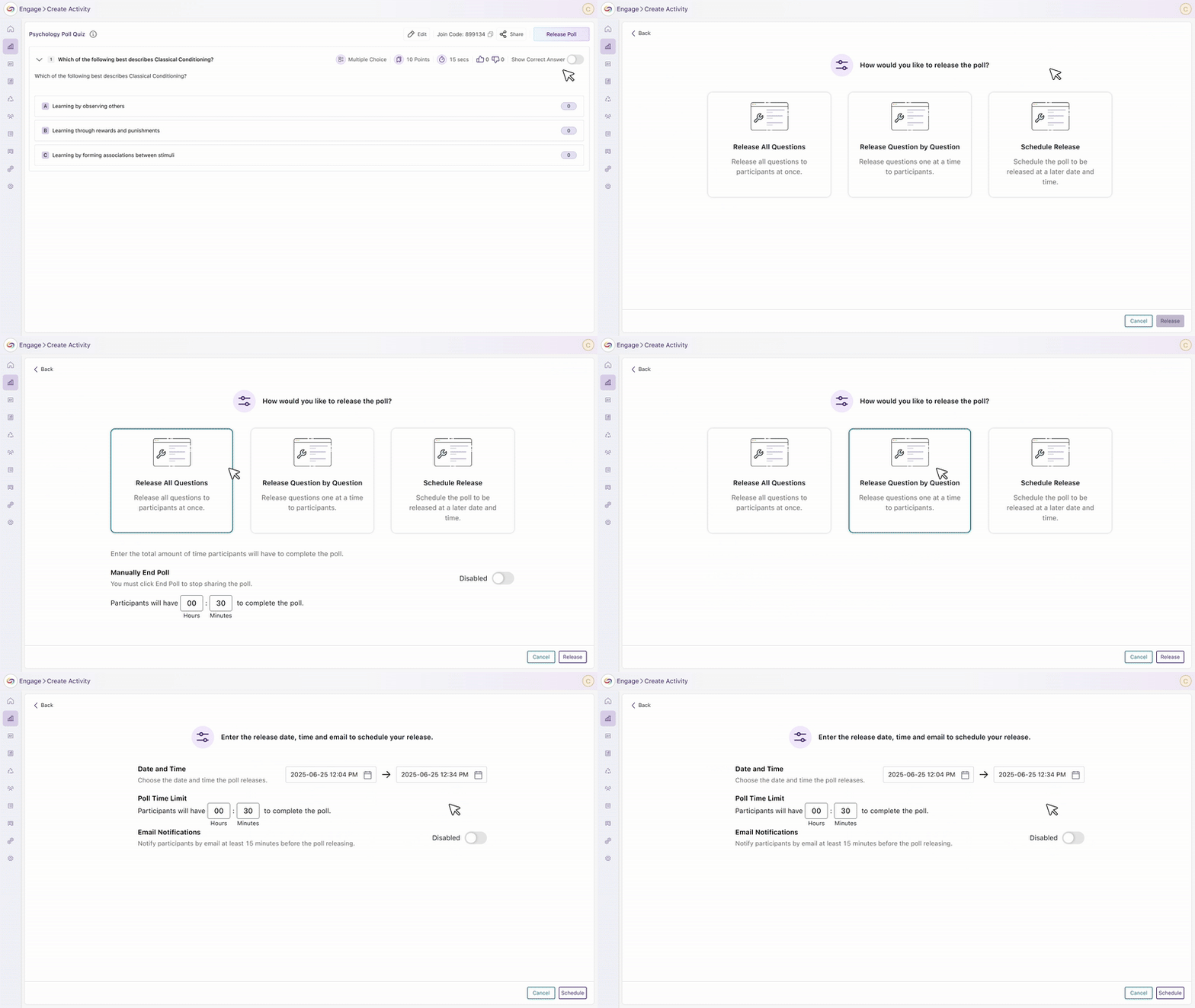
Streamlined Poll Release Flow: The updated Release Poll screen allows instructors to release, edit, and manage questions directly from one interface. Instructors can also view real-time metrics, making the process more efficient and centralized.
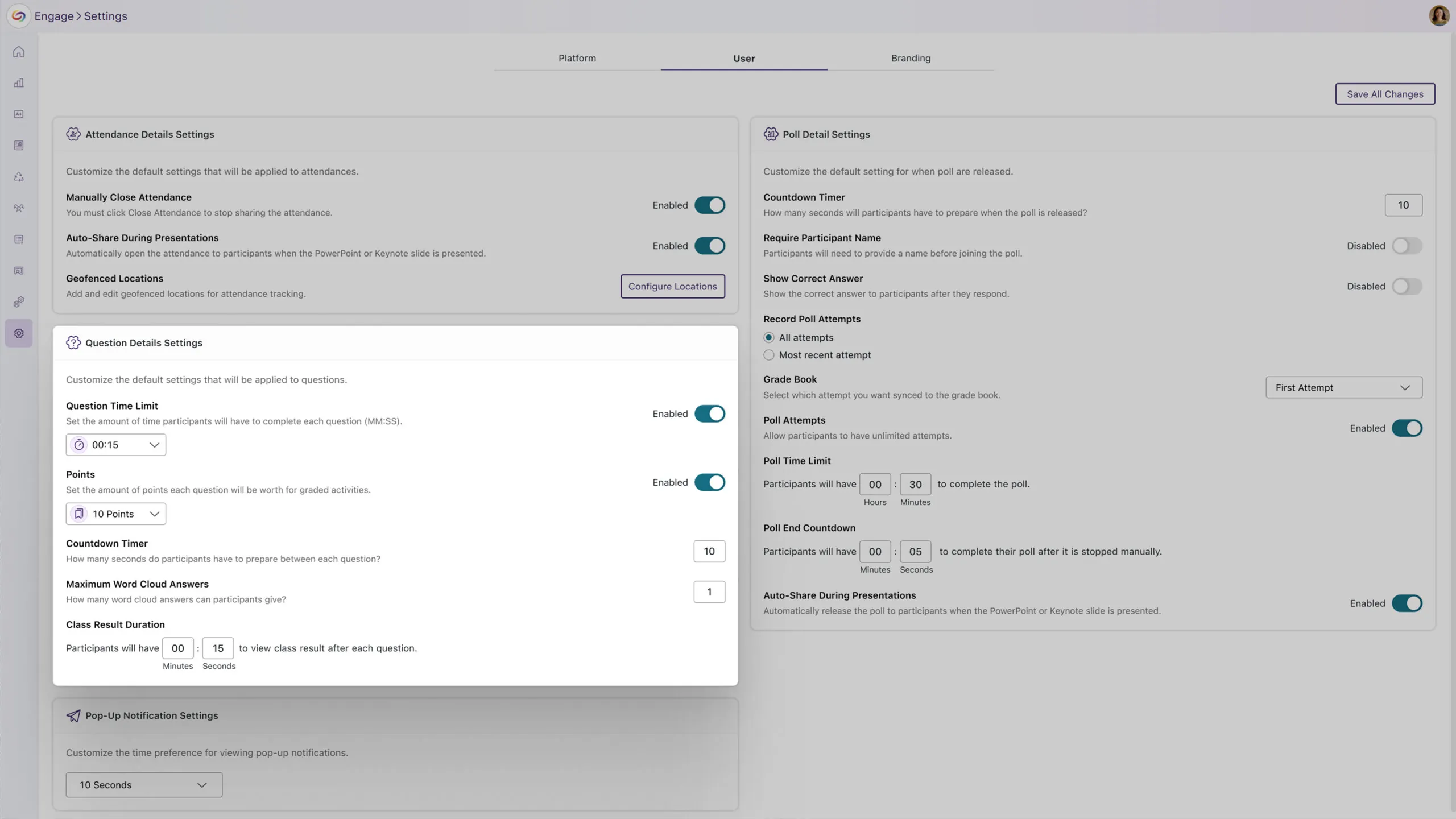
Enhanced User Settings Page with Streamlined Poll Configuration
The user settings page will now include dropdowns for setting default question time limits and points. These personalized default settings will automatically apply to new polls, streamlining the configuration steps for activities.
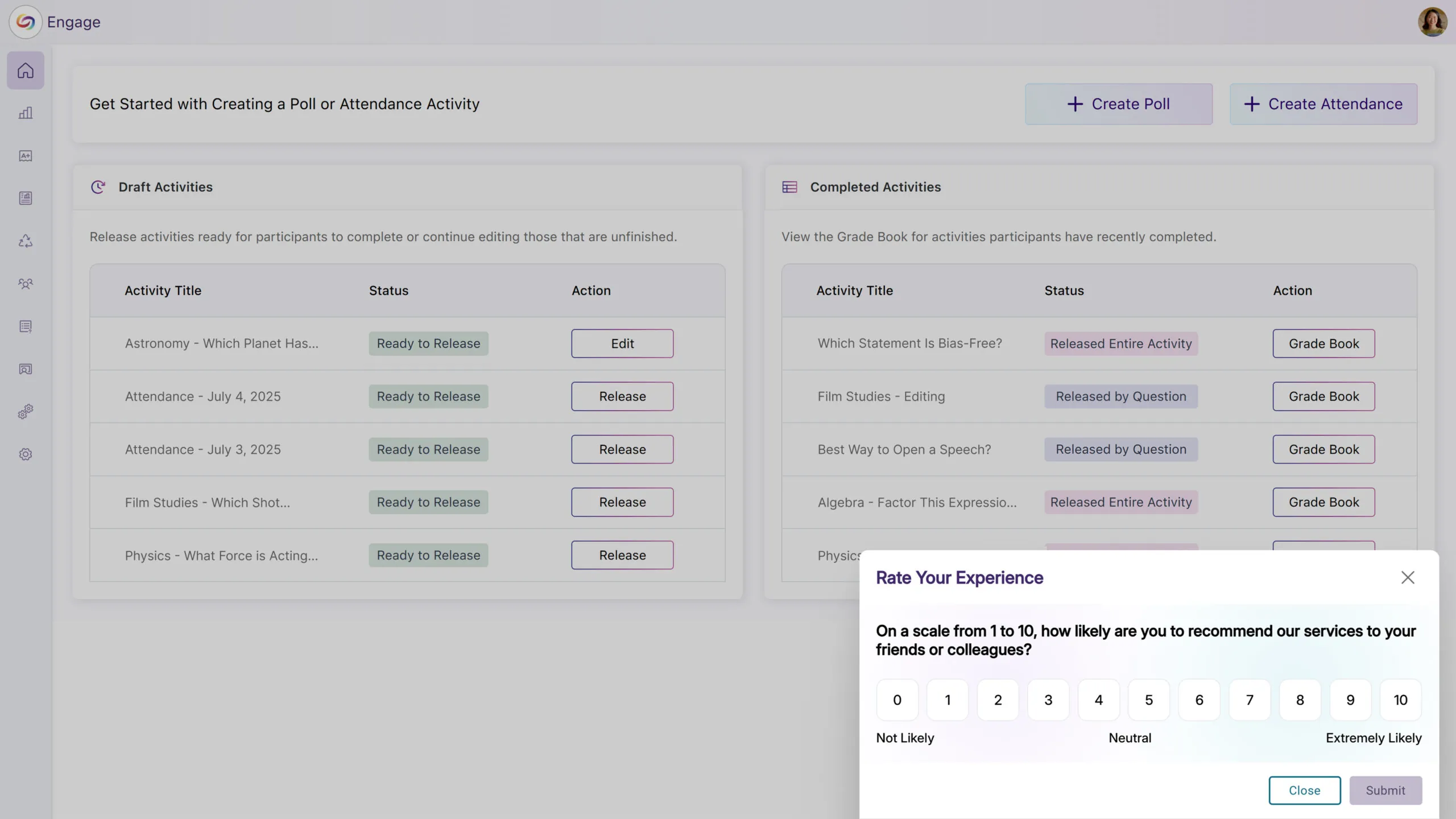
Quarterly NPS Survey Will Collect Administrator Feedback
Administrators will receive a quarterly Net Promoter Score (NPS) survey to gather feedback on platform satisfaction and administrative experience. This will help improve YuJa Engage based on direct administrator input.
We’ve introduced AI-powered question generation from video content, redesigned the activity creation workflow with upfront type selection, and reorganized the homepage with clearer status-based activity cards. These enhancements streamline the instructor experience from content creation to activity management, making it easier to create engaging polls and track their progress.
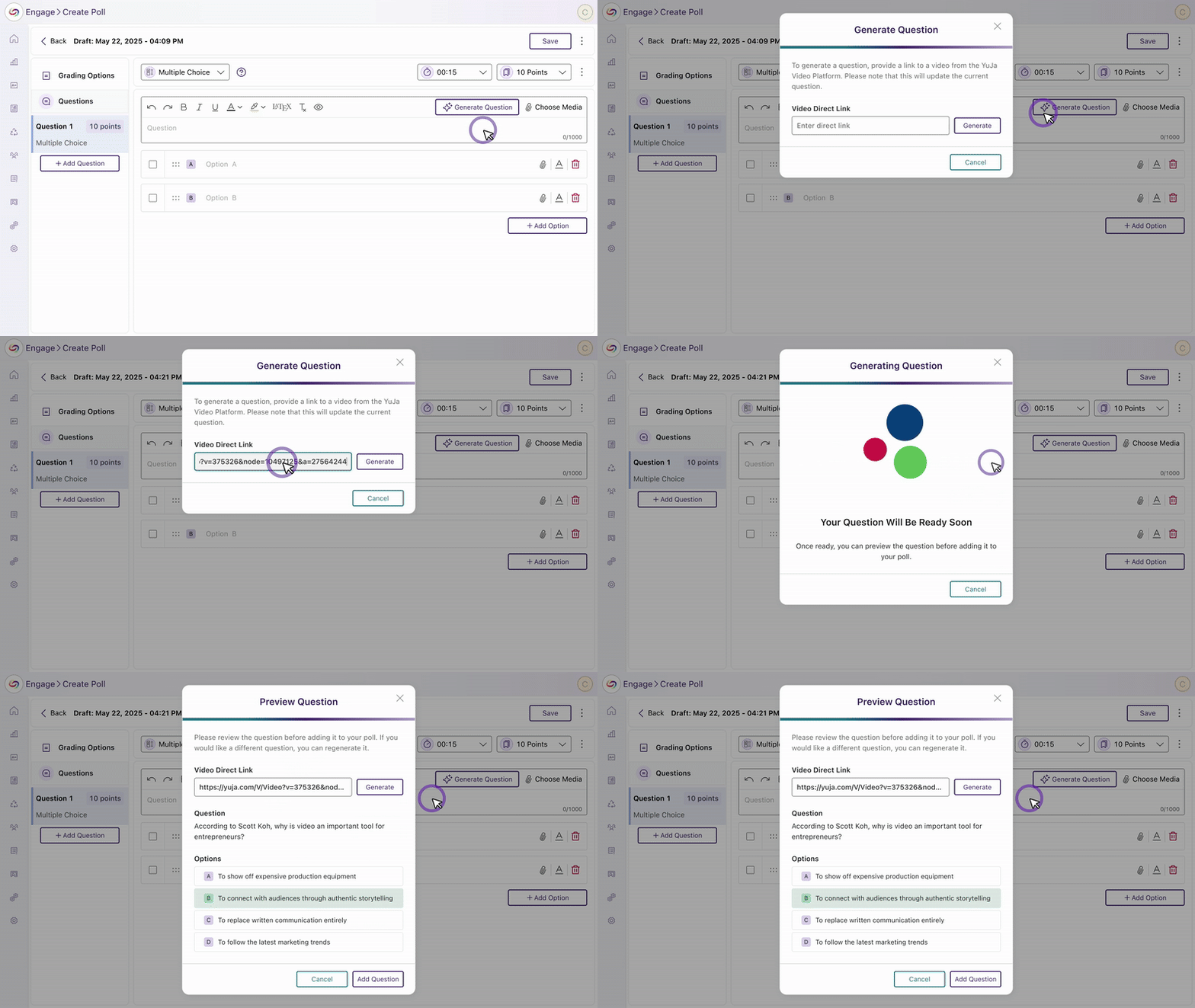
New AI-Powered Question Generation from Video Platform Videos
Instructors can now automatically generate questions from YuJa Video Platform content using a new AI integration. Upload a captioned YuJa Enterprise Video Platform video link during poll creation, preview the AI-generated questions, and choose to use them or generate alternatives. The video will be automatically attached to the activity to create a seamless experience.
Redesigned Activity Creation Experience
We’ve streamlined the activity creation process with a new interface that lets you select activity types, graded or ungraded, and question types upfront. The workflow includes improved question bank integration and simplified navigation to make it easier to create engaging activities for your students.
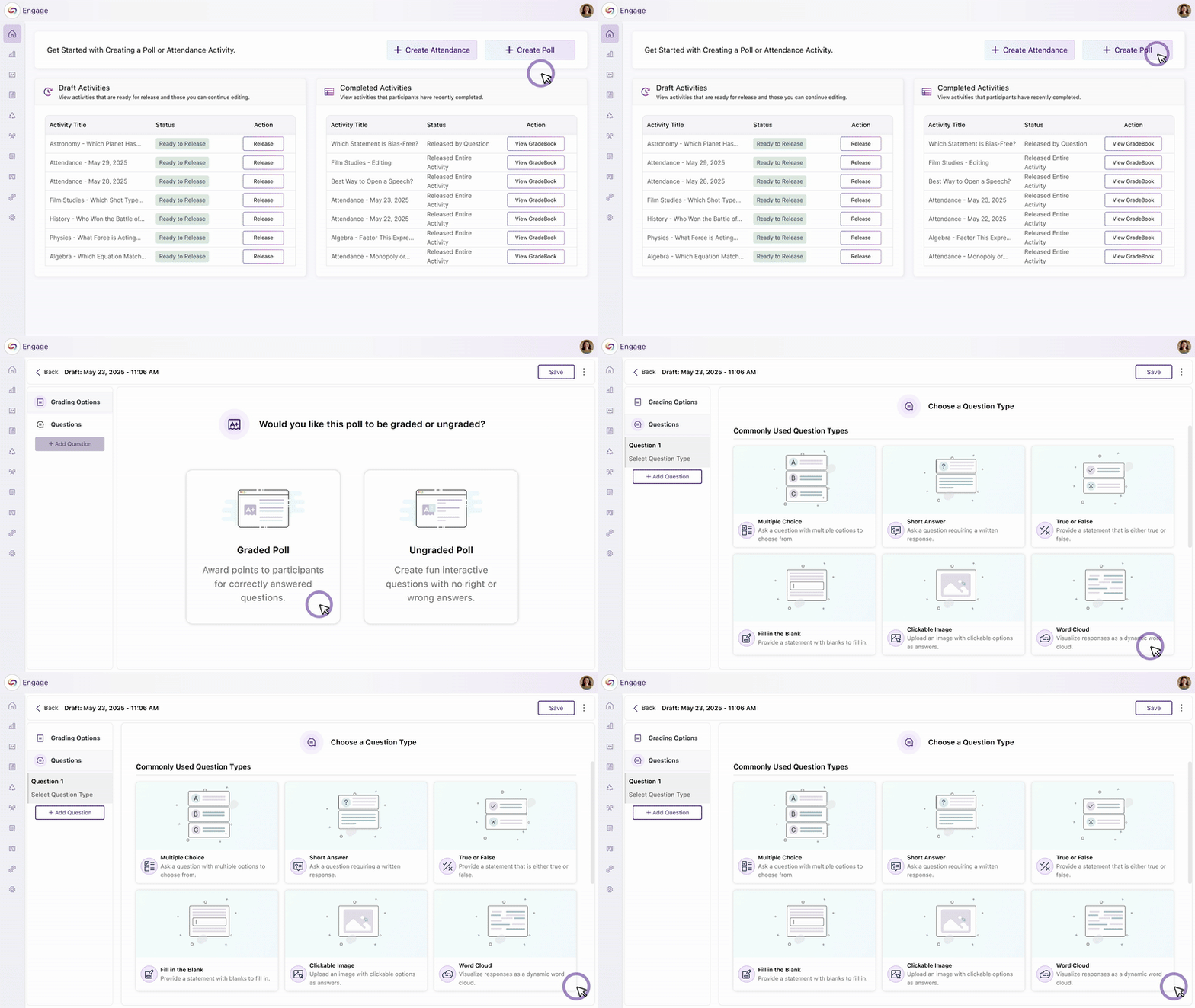
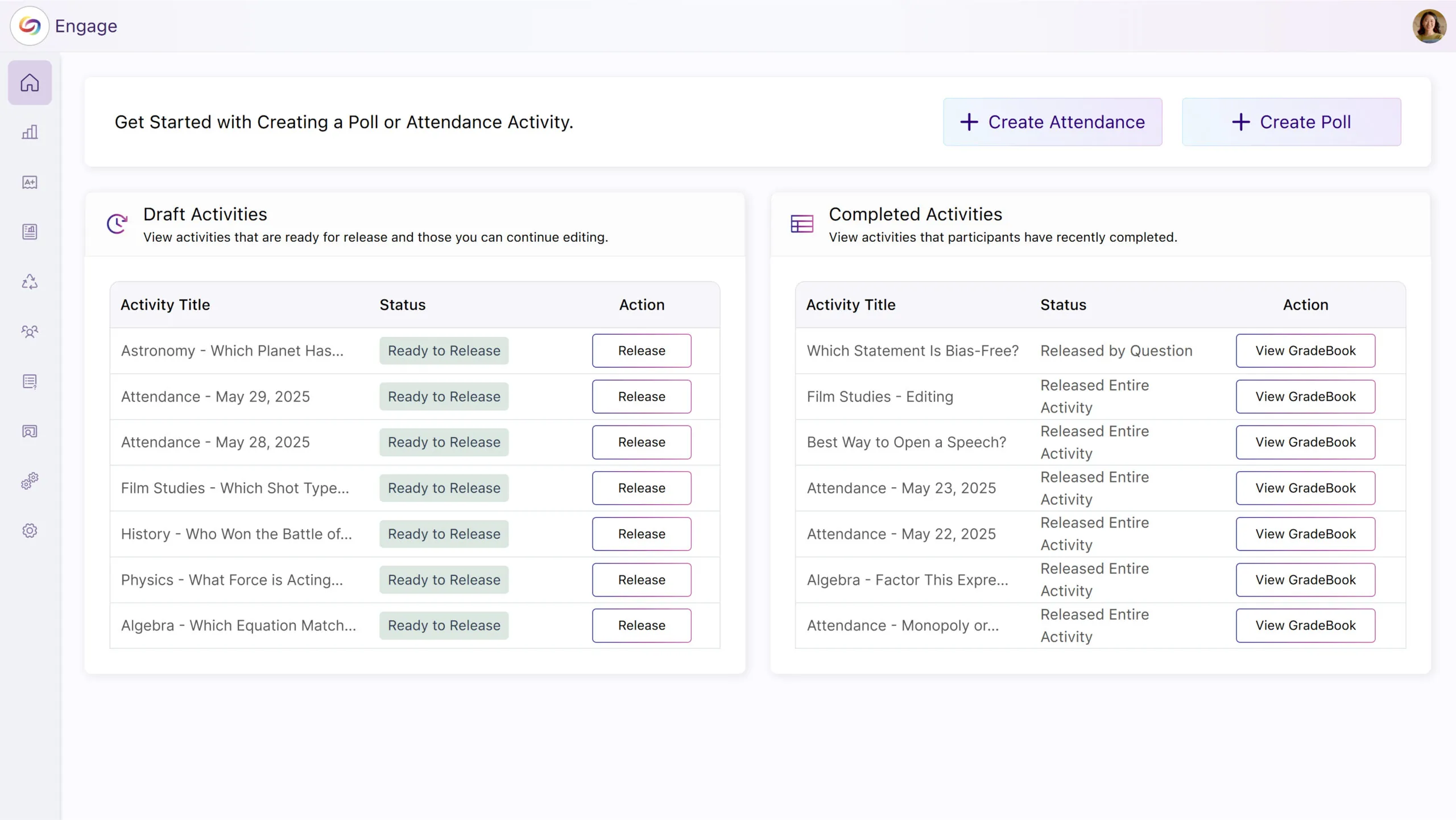
Homepage Management Improved with a New Layout
The YuJa Engage homepage has been updated with clearer activity cards organized by status: Live Activities, Draft Activities, and Completed Activities. This improved organization eliminates confusion between recent and active polls while making it easier to find and manage activities.
We have successfully pushed an update to all YuJa Engage Student Response System instances. This release includes a new profanity filter to prevent offensive language in responses, an option to visually display mathematical equations with a LaTeX editor, and the option release polls with unlimited response time.
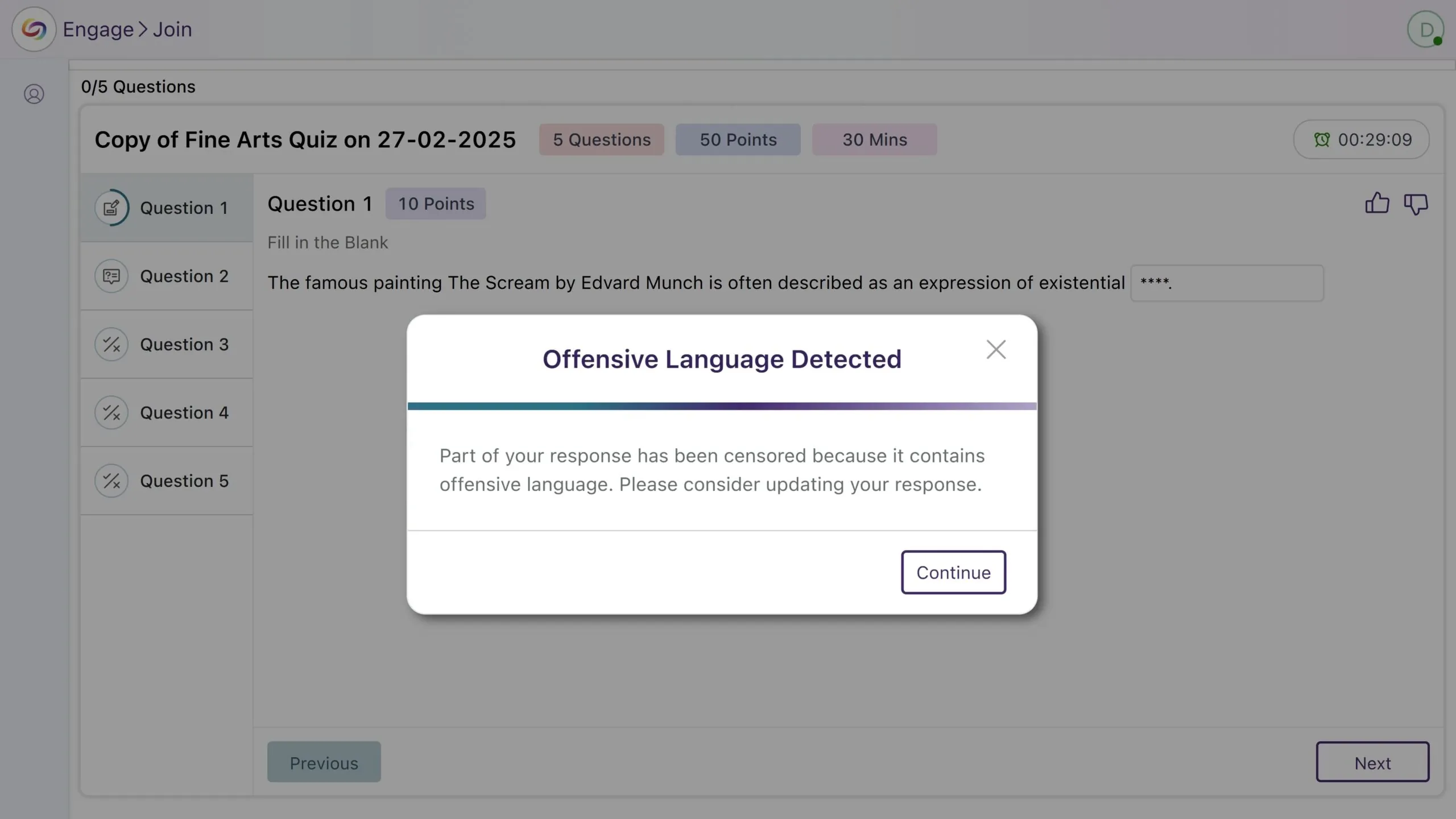
New Profanity Filter to Prevent Offensive Language in Responses
YuJa Engage now includes a profanity filter that detects offensive words in activities, providing a more respectful and inclusive environment when responses are given.
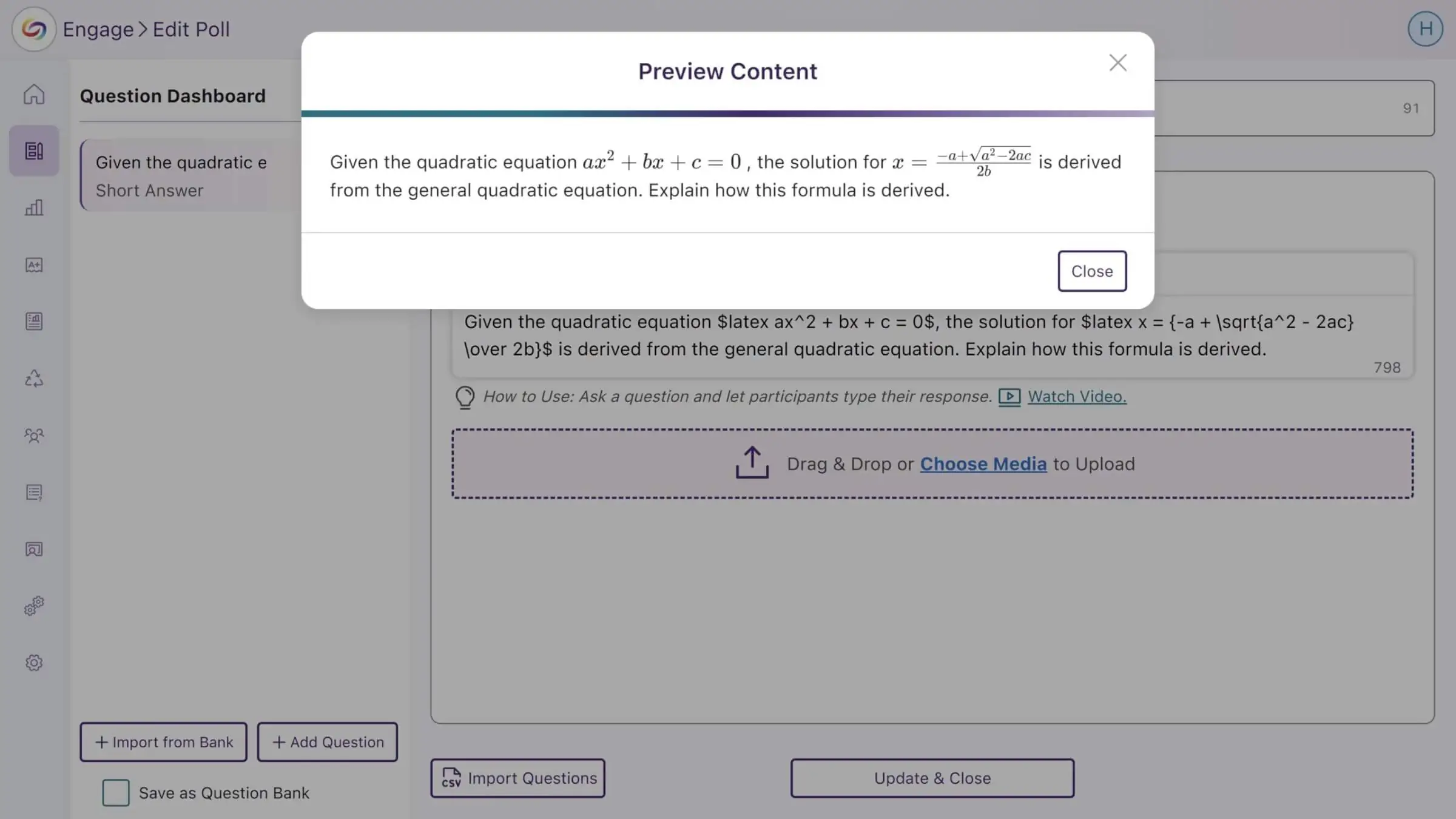
Visually Display Mathematical Equations in Activities Using the LaTeX Editor
To help accurately display how mathematical equations should look in your activities, YuJa Engage now supports using the LaTeX editor to write them. You can then preview your content to ensure it looks as intended.
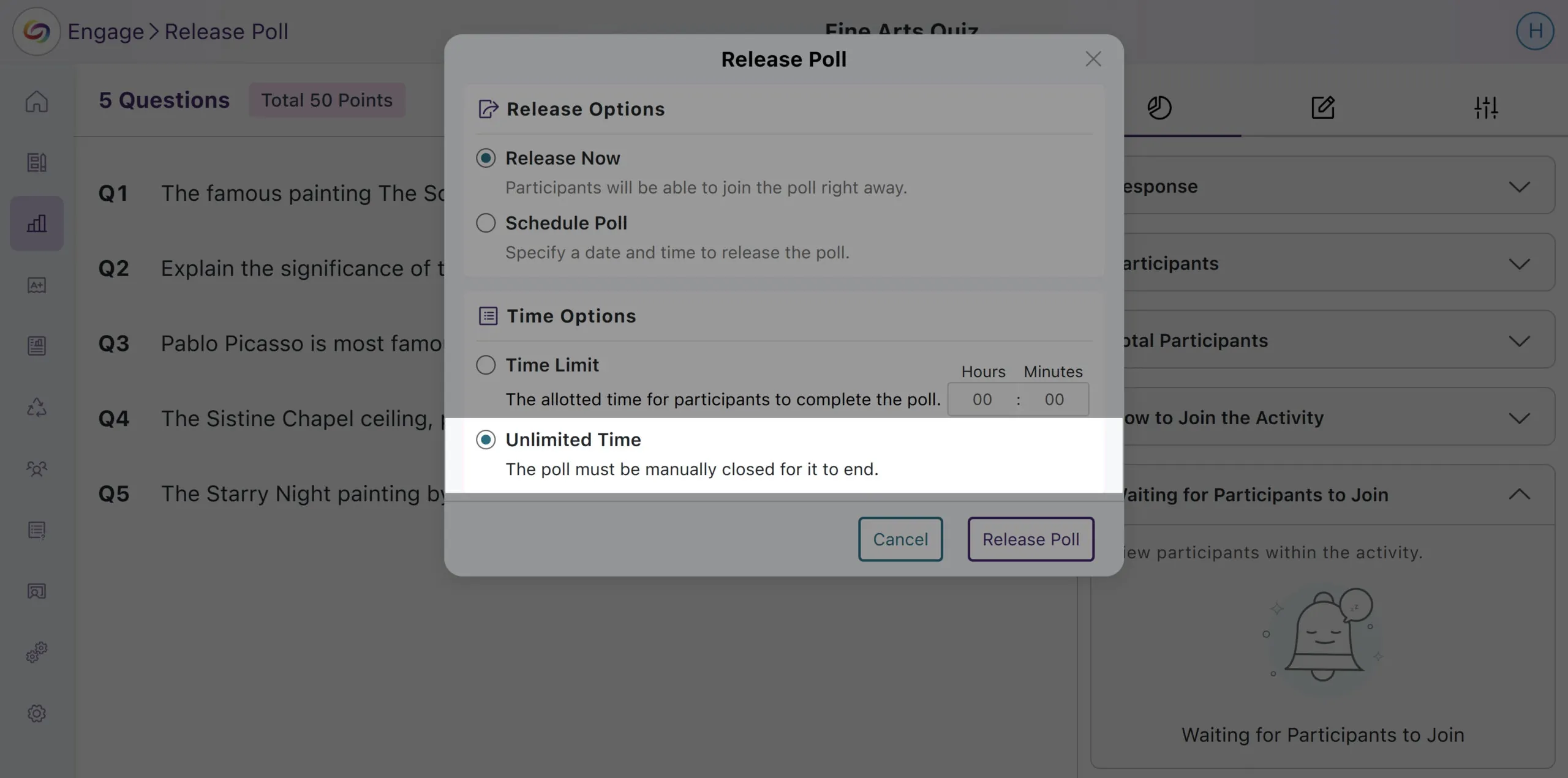
New Option to Release Polls with Unlimited Response Time
Polls can now be released without a time limit, allowing participants to respond at their own pace until it is manually closed.
Join the 1,000+ Organizations Deploying High-Impact Solutions