Product Updates
Get the latest platform updates, features, and announcements—all in one place.
Boost Video Accessibility with the GenAI Video PowerPack!
Try Now
Supercharge Your Compliance Efforts with AutoPilot Remediation Max!
Try Now
Strengthen Your PDF Accessibility Efforts with Structural Remediation Max!
Try Now
Don't Miss Any of Our Upcoming Webinars—Save Your Spot!
Register
The YuJa Community is here! Connect, get updates, and access exclusive content.
Join Now

Get the latest platform updates, features, and announcements—all in one place.
YuJa Panorama v26.7.0 Release
Over the next few weeks, YuJa Panorama will be adding several new features to make remediation faster and easier for administrators, including the ability to exclude files from being scanned, helpful alert messages to resolve document replacement errors, and much more.
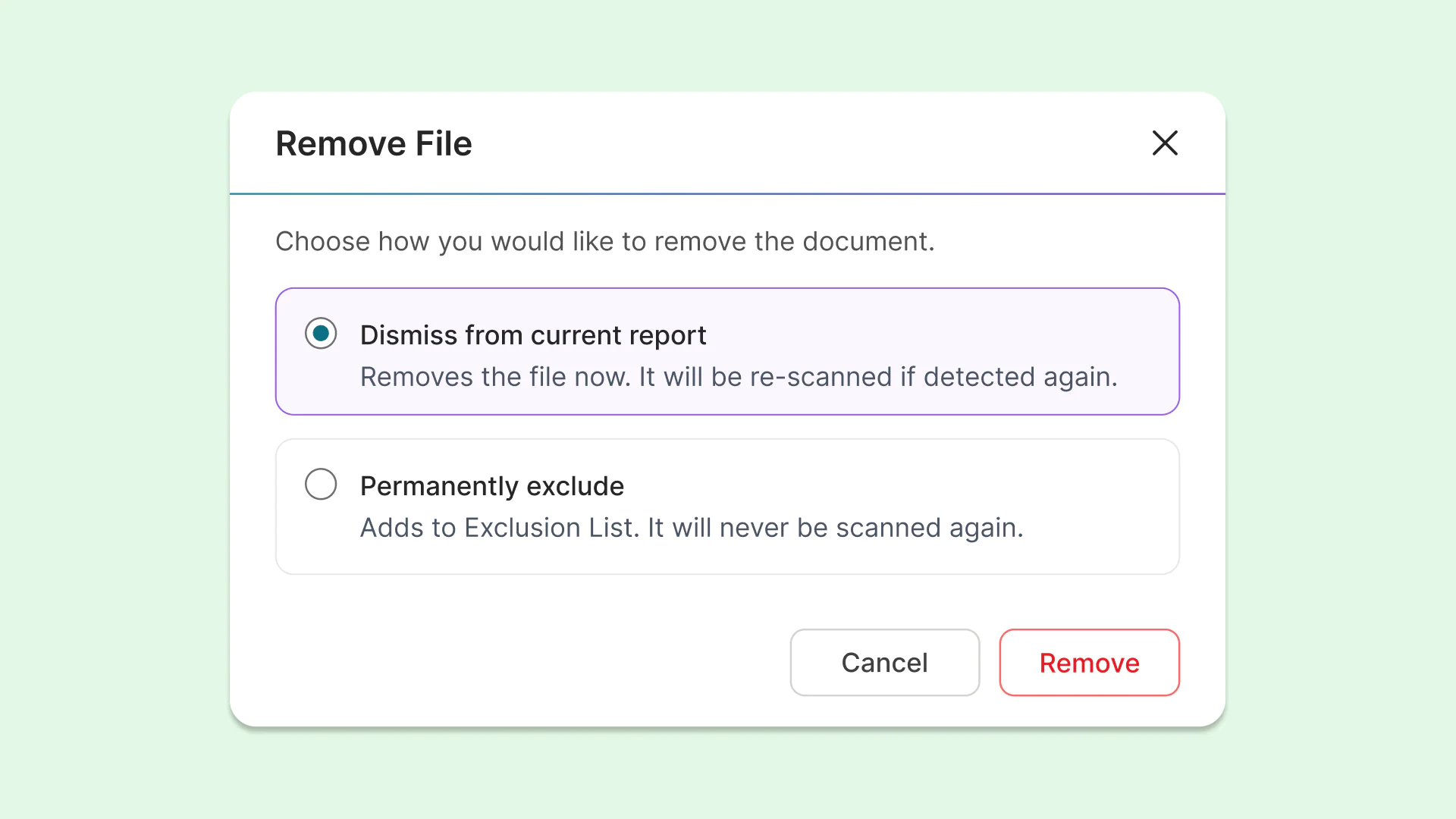
Exclude or block files for more control over what is scanned by YuJa Panorama
Instructors and administrators can now dismiss or permanently remove files from being scanned or re-scanned by YuJa Panorama, allowing them to have more control over how their course accessibility is calculated. This protects overall course scores when certain files should be excluded.
The options for removing files include:
Dismiss from current report: Removes the file for the current report, but it will be re-scanned if detected again during a future scan.
Permanently exclude: Adds the file to an exclusion list, ensuring it will never be scanned again. These files will display a unique icon for quick and easy identification in the future.
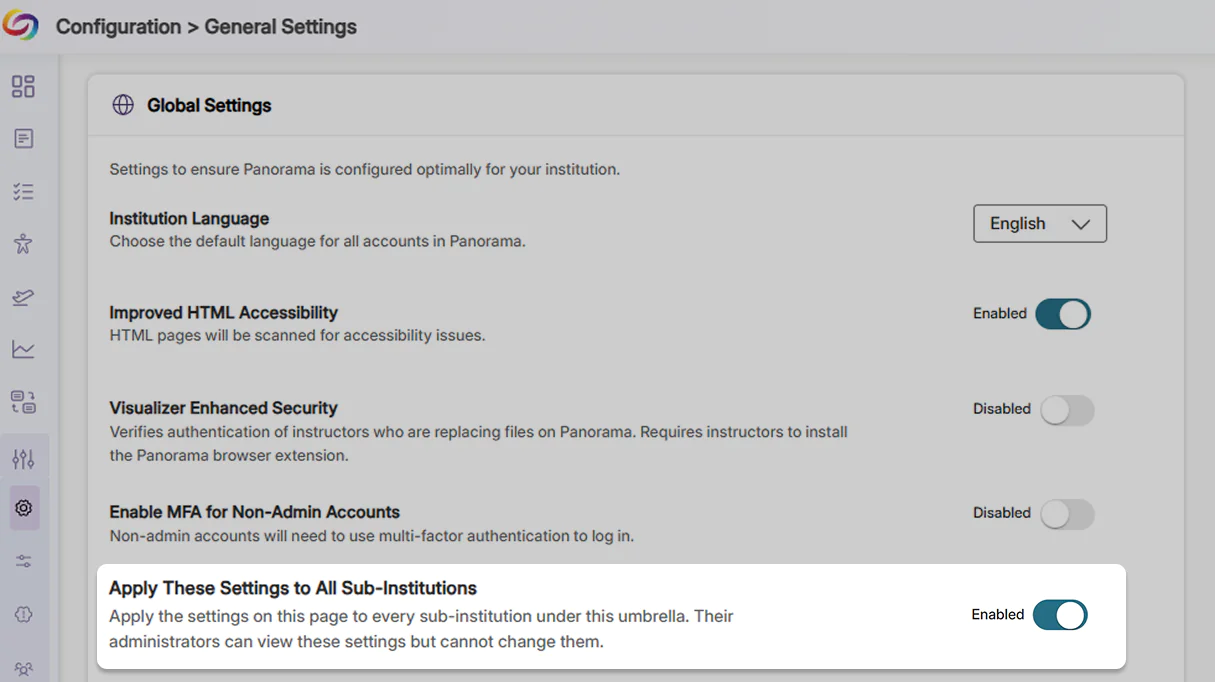
Establish consistency for umbrella institutions by automatically applying settings to sub-institutions
Institutions with multiple LMSs can now apply and control institution-wide settings, configurations, and access protocols for all their member institutions. These settings cannot be altered by sub-institutions, helping eliminate redundant setup work, maintain compliance consistency, and ensure that any necessary updates are automatically applied and enforced across the entire institution.
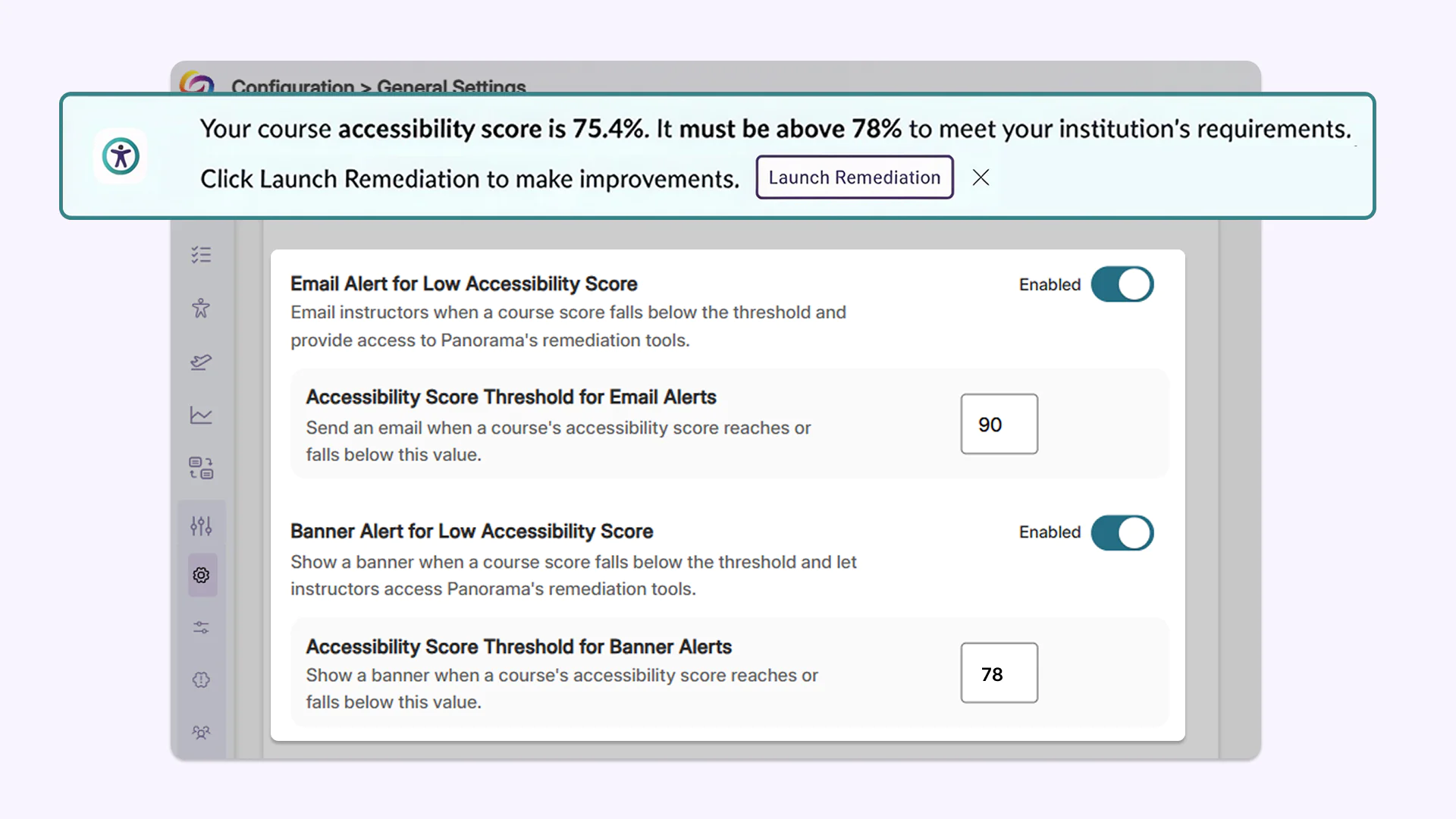
Admins now have more granular control over when instructors get notified about required course remediation
Administrators can now define accessibility score thresholds to trigger quick remediation banner alerts and notification emails when course scores fall below target levels. These thresholds can be set institution-wide or customized and overridden at the individual course level, ensuring instructors are automatically notified when remediation is required.
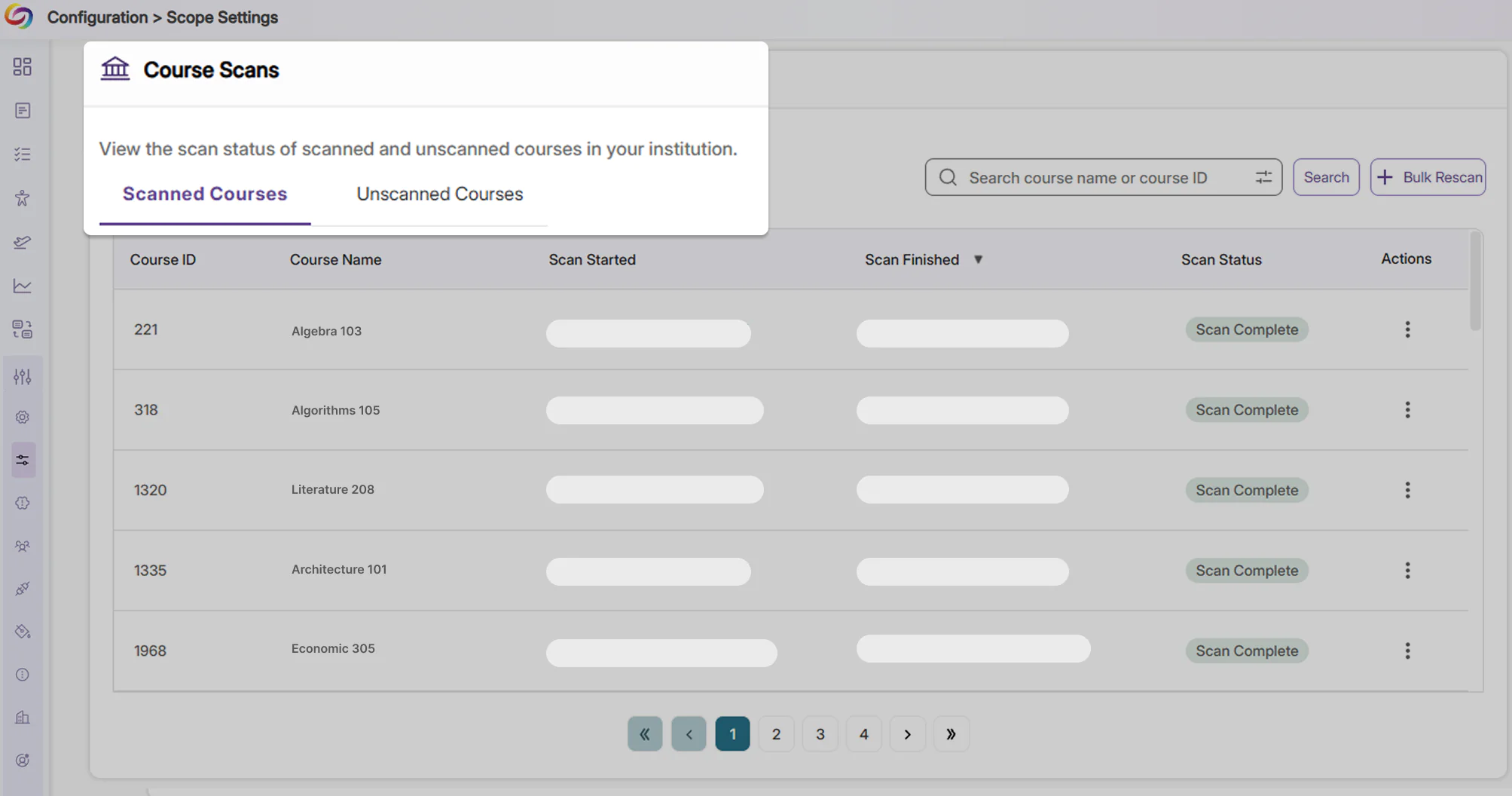
Clarity over course scan status using new dedicated tabs
Courses are now separated into tabs indicating whether they have been scanned, clearly outlining courses that have not been scanned due to inactivity. This helps eliminate confusion for administrators regarding courses that have not yet been processed.
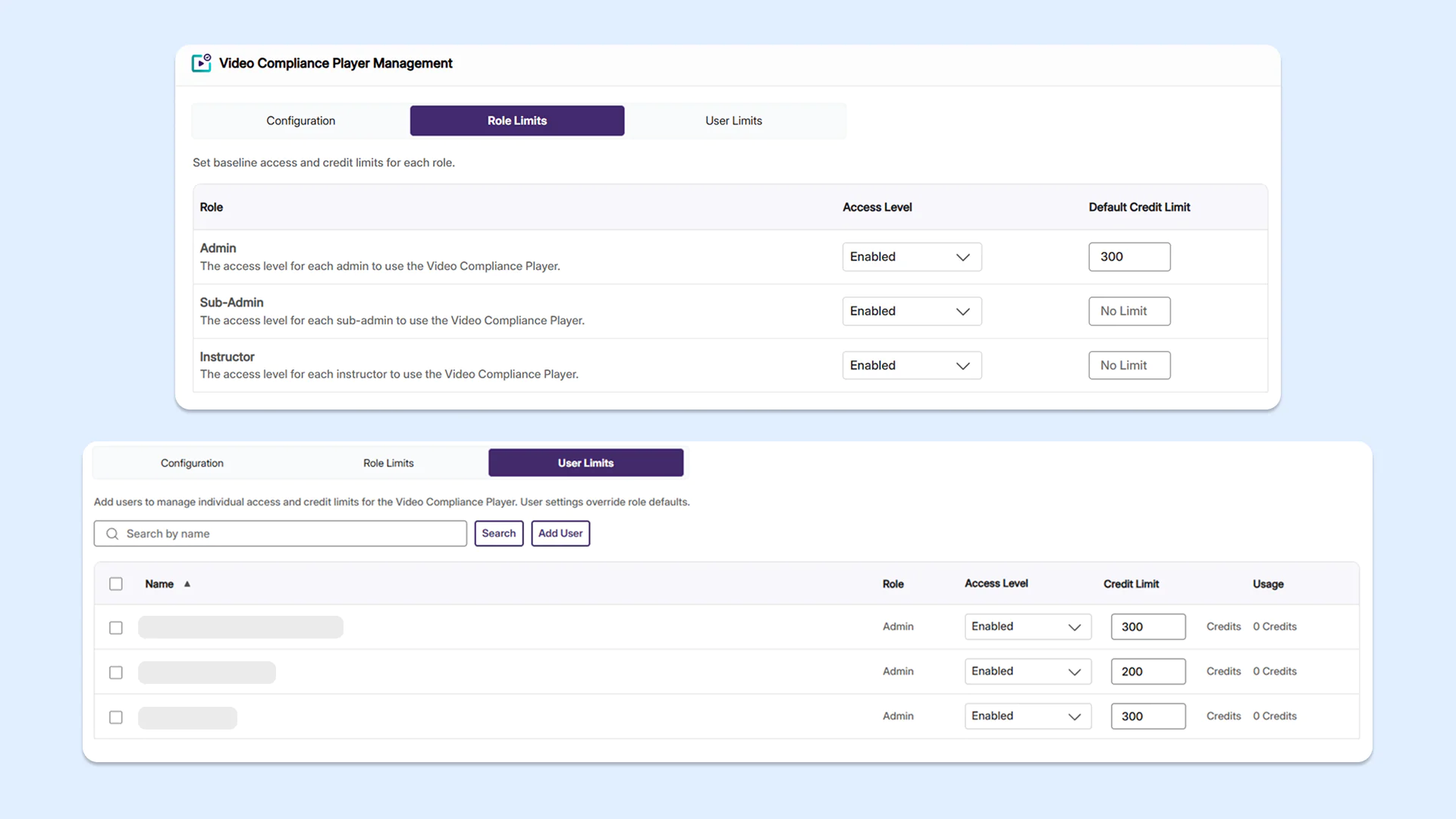
Enhanced user management and credit tracking in the Video Compliance Player
Administrators can now set role-based and user-level access limits for YuJa Panorama’s Video Compliance Player, helping them better manage platform credits and tool usage across their institution.
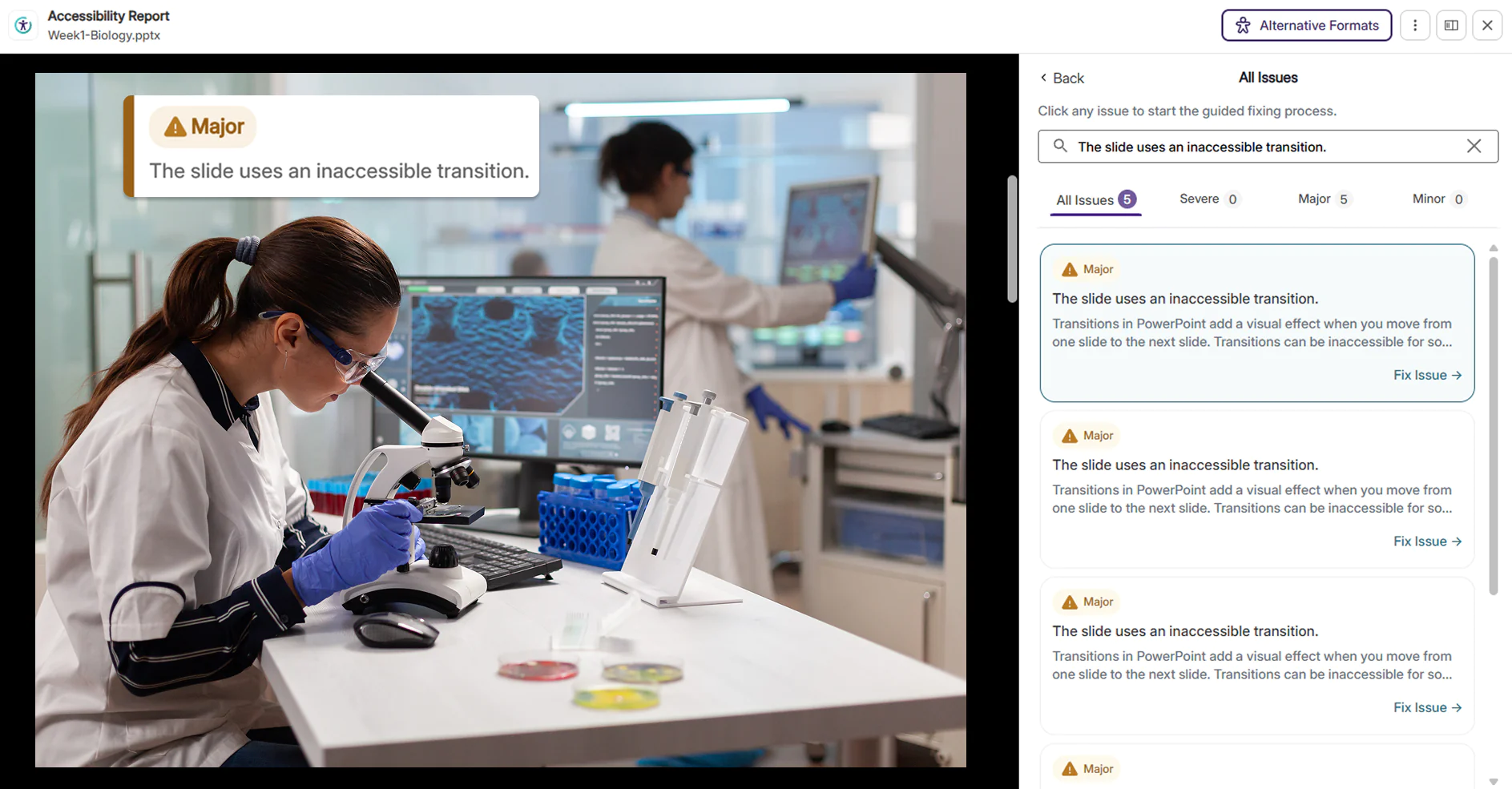
New document issue checkers now available to identify more accessibility concerns
Several new checkers for accessibility issues have been added to YuJa Panorama, helping users identify a larger number of accessibility concerns.
New updates include:
Inaccessible PowerPoint transitions: Rapid flashing, strobe effects, and aggressive or high-motion slide transitions in PowerPoint presentations are now detected, helping instructors make their presentations accessible and safe to watch for all viewers, including those with visual or cognitive sensitivities.
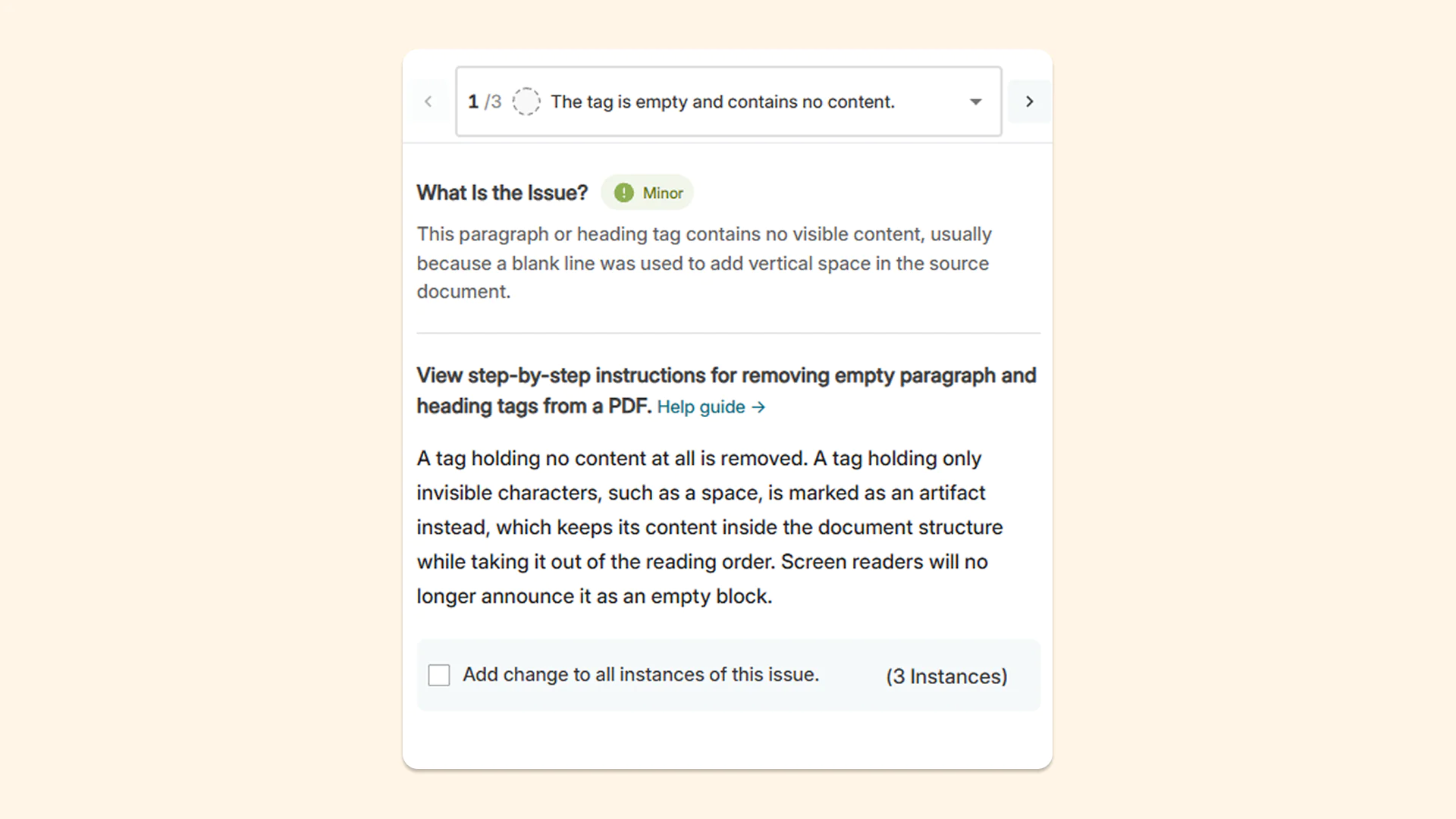
Empty tags and blank content containers: Empty paragraph tags and blank content containers are now flagged so users can manually remove them from the tag tree. This reduces confusion for users who use assistive technologies, as screen readers will announce empty blocks if empty paragraph tags are left on a page.
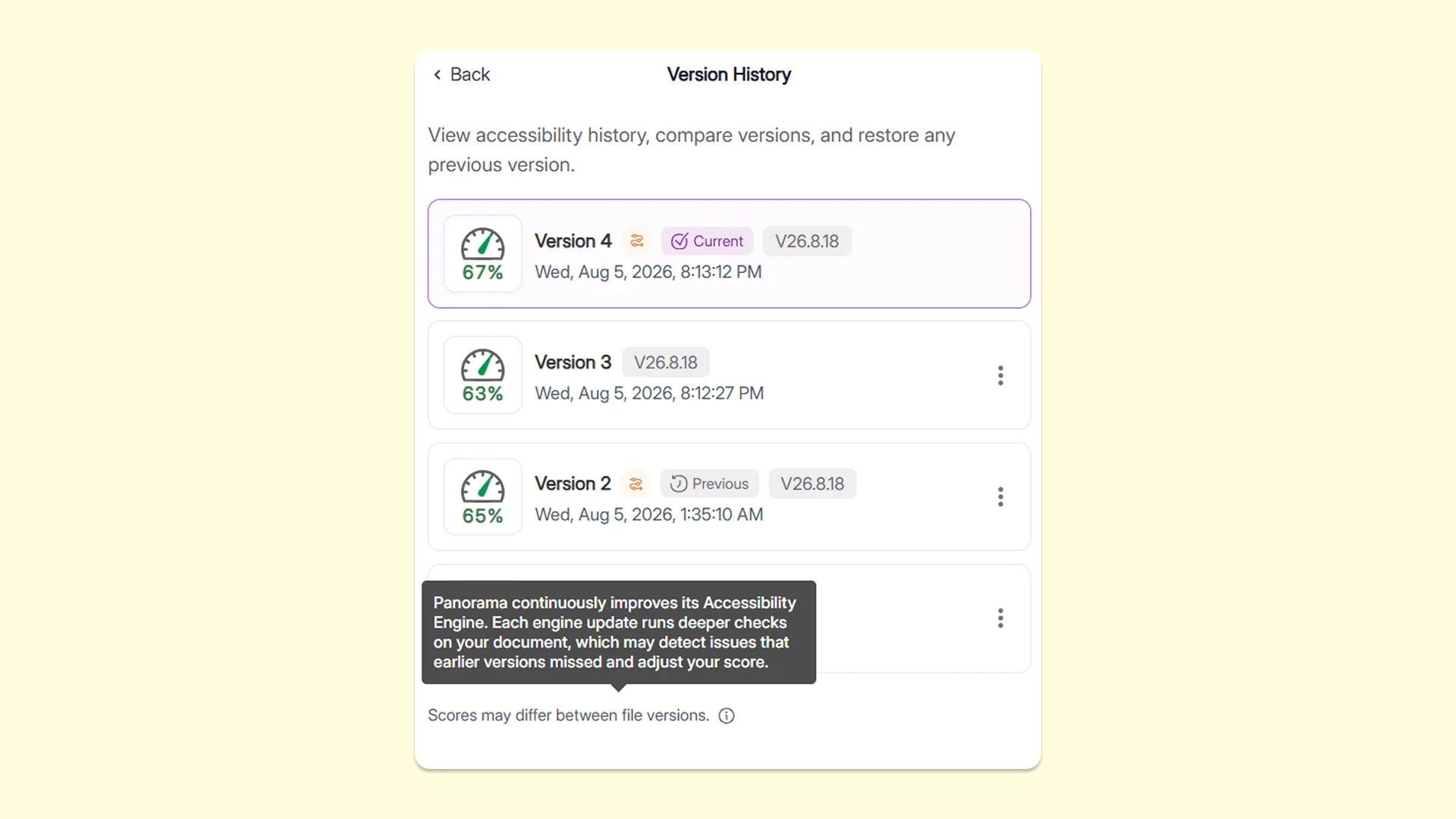
Get insights into how updates may affect accessibility scores with YuJa Panorama’s engine-version history in the Accessibility Report
The Version History tab now shows which version of YuJa Panorama’s reporting engine was used for each remediation effort applied to the document, along with information about how updates may affect accessibility scores. This gives users greater visibility into why a document’s score may change over time, making it easier to understand score differences, track improvements, and confidently monitor accessibility progress.
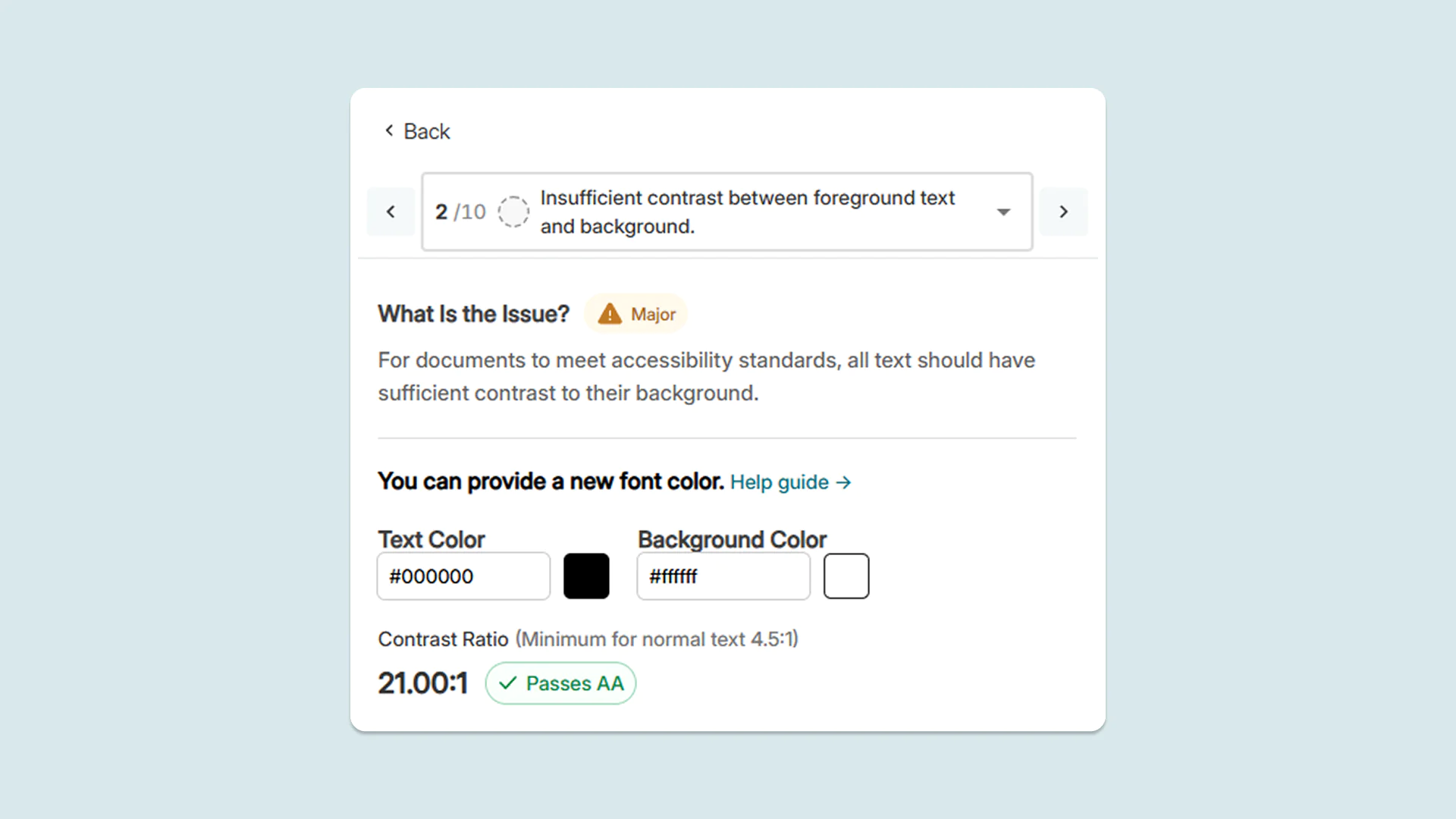
New target ratio label in the Accessibility Report to make poor color contrast easier to fix
When remediating color contrast issues in the Accessibility Report, users can now see a clear target ratio for color contrast required to pass accessibility checks. To adjust colors, faculty now have a precise benchmark to work toward, making it easier to fix contrast issues.
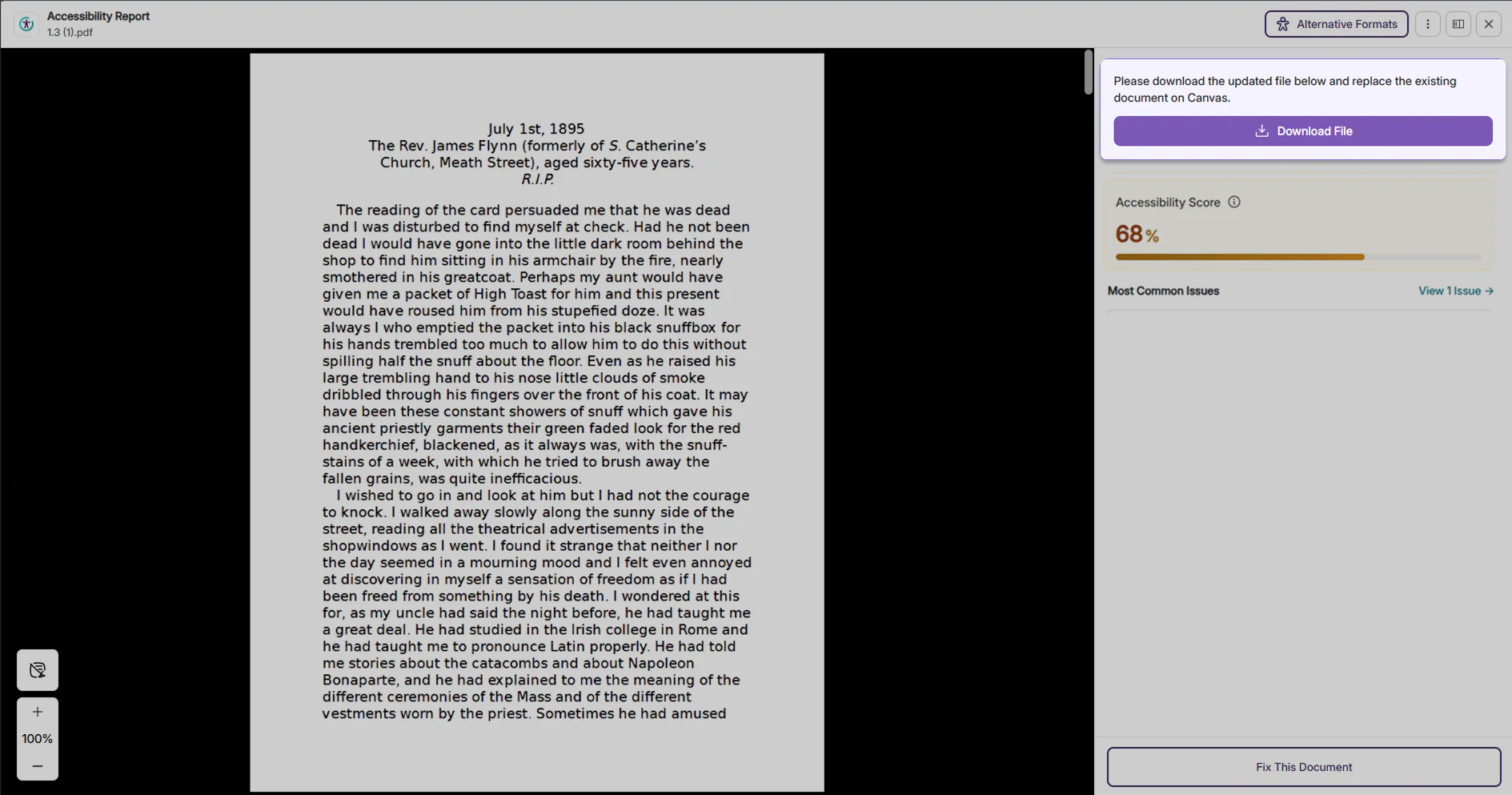
Alerts for guidance about next steps to help users resolve document replacement
When replacing a document in the LMS fails, users now receive a prominent, highly visible alert message that guides them step-by-step on what to do next. It specifically instructs them to download the document and replace it directly on the LMS, saving time and removing guesswork for instructors.
Save time on manual re-entry with preserved alt text for tables after PDF retagging
When retagging PDF documents, YuJa Panorama now automatically restores existing alt text and accessibility descriptions for tables after the PDF is reprocessed. This eliminates the need to manually re-enter information for table elements, saving administrators time while helping ensure important accessibility information is preserved after rounds of editing.
YuJa Panorama v26.6.0
Over the next few weeks, YuJa Panorama will be adding enhancements to the PDF remediation engine, a new Admin Accessibility Dashboard, remediation options for Google Workspace documents, and so much more.
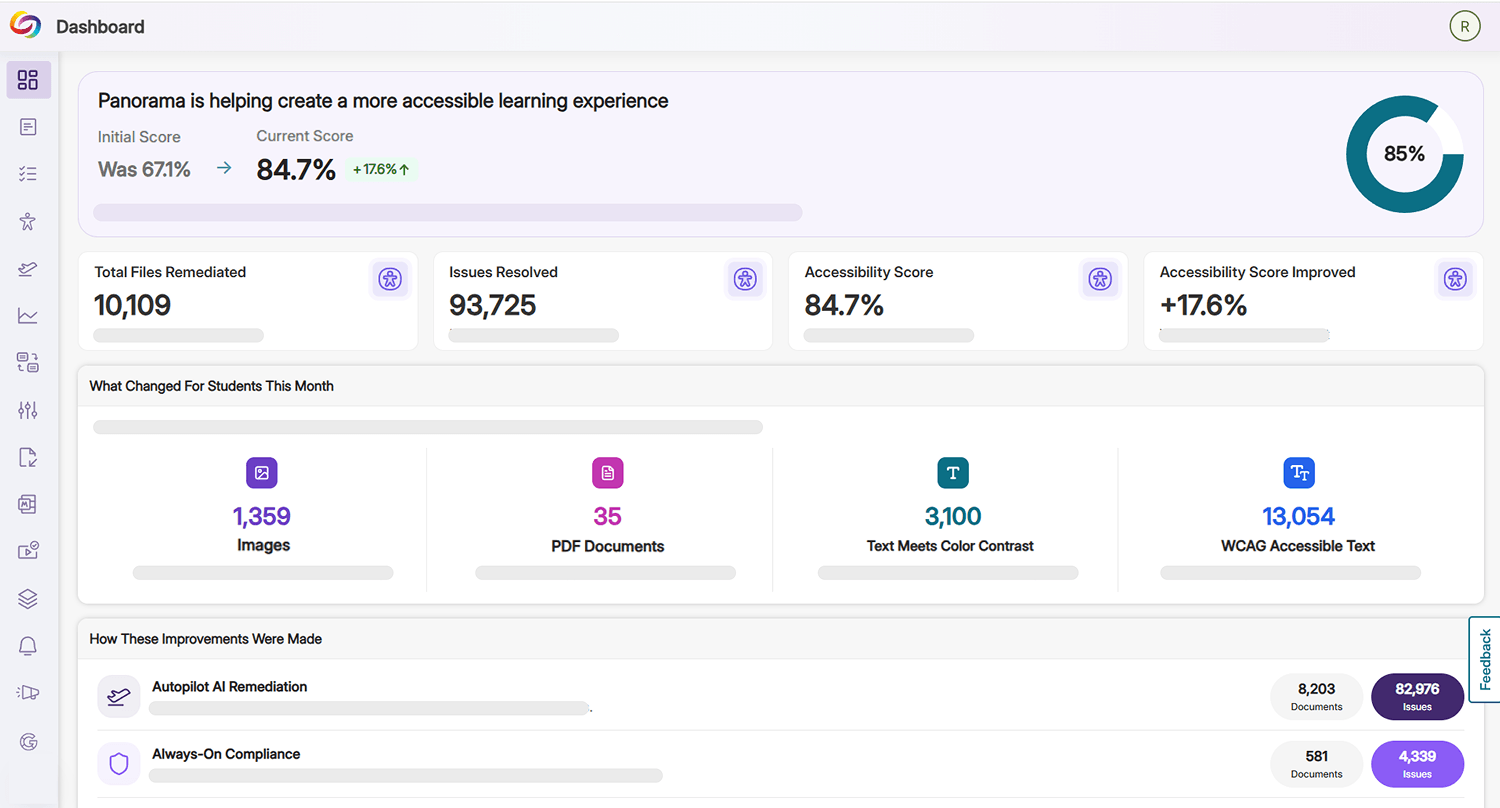
Discover How YuJa Panorama is Helping Your Institution Improve Accessibility Using the New Admin Accessibility Dashboard
Administrators now have access to a new Admin Accessibility Dashboard in YuJa Panorama that shows them how YuJa Panorama has helped them improve the accessibility of their LMS content. By leveraging data like accessibility score improvements from the previous year, enhancements made to various LMS assets, and the type of remediation workflow utilized, administrators can immediately identify pain points for their students and staff and curate targeted efforts to fix gaps in their workflows.
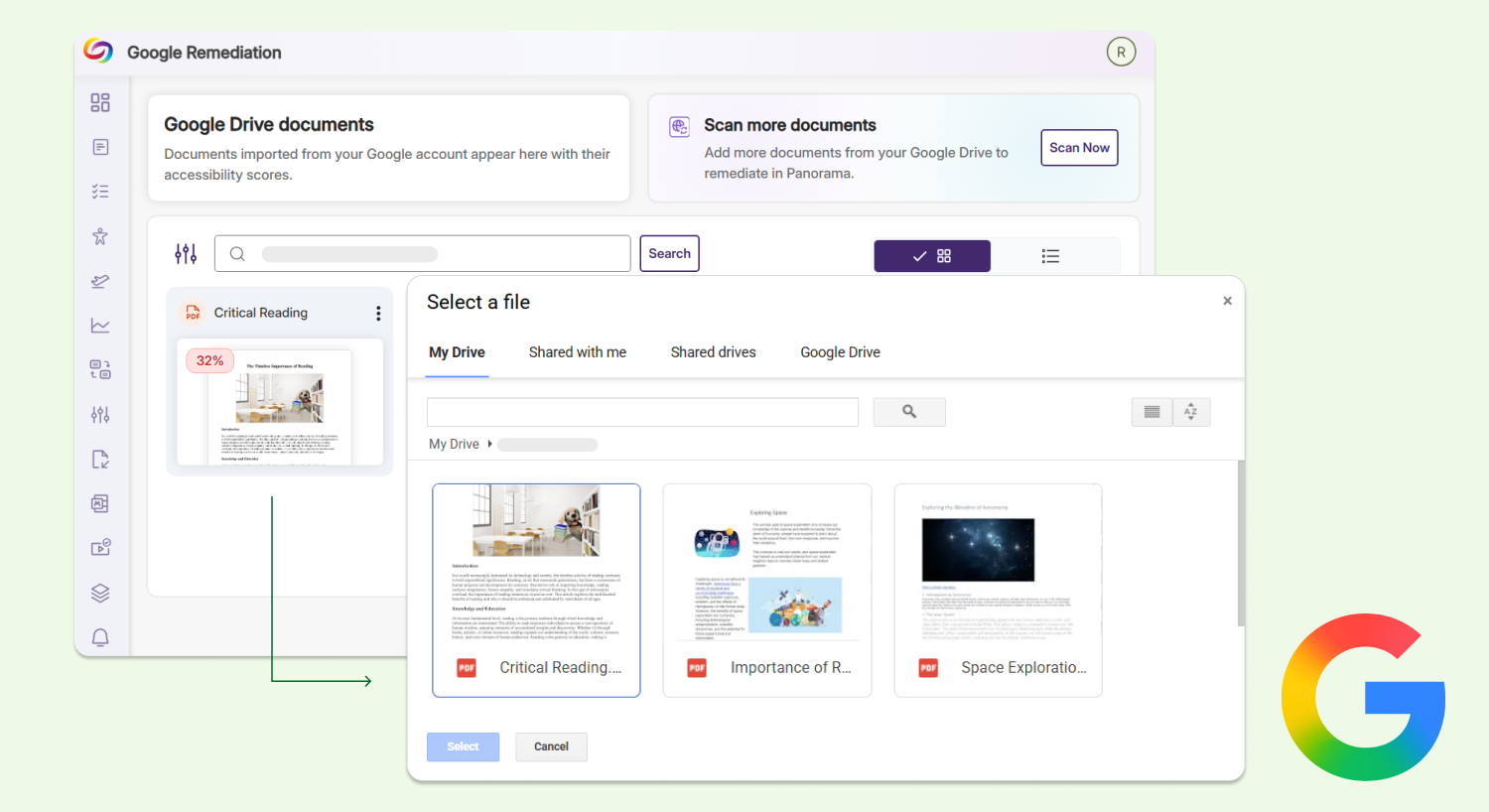
Scan and Remediate Your Google Workspace Documents Directly in YuJa Panorama
Users can now scan and remediate any documents from their Google Workspace, including Google Docs, Slides, and Sheets, directly in YuJa Panorama. Users can choose from a range of automated and manual remediation options, and YuJa Panorama will automatically replace the document file with the remediated version in their Google Workspace without needing any manual re-uploads. Note: This is an add-on module at an additional cost to YuJa Panorama.
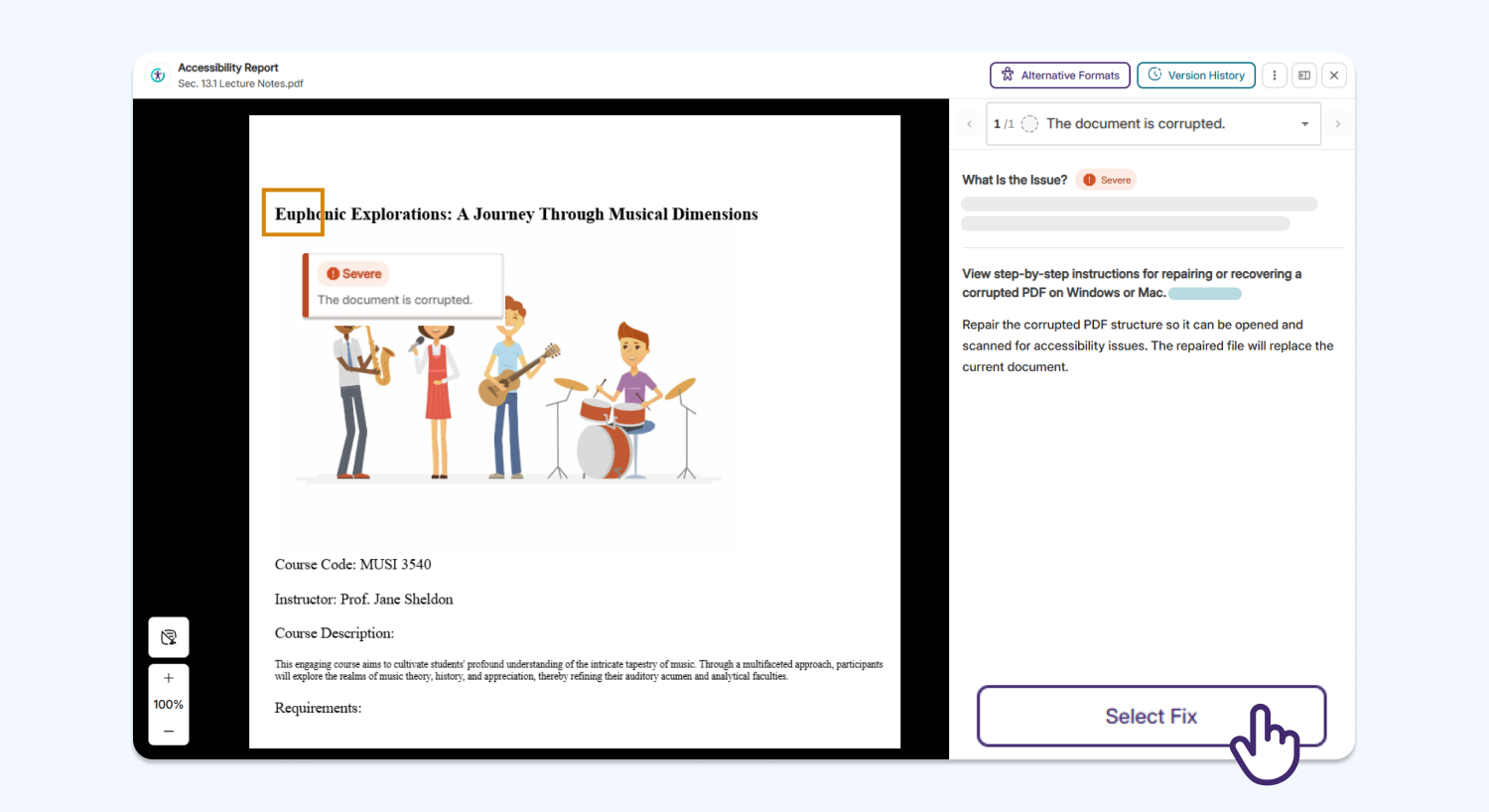
Fix Accessibility Issues in Corrupted PDFs Quickly with Automated Remediation
YuJa Panorama now supports automated remediation for some corrupted PDFs using YuJa AutoPilot, helping users repair a corrupted PDF before they can use YuJa Panorama’s Remediation Engine to address any additional accessibility concerns. Please note that if the PDF is fundamentally broken or invalid, it cannot be repaired.
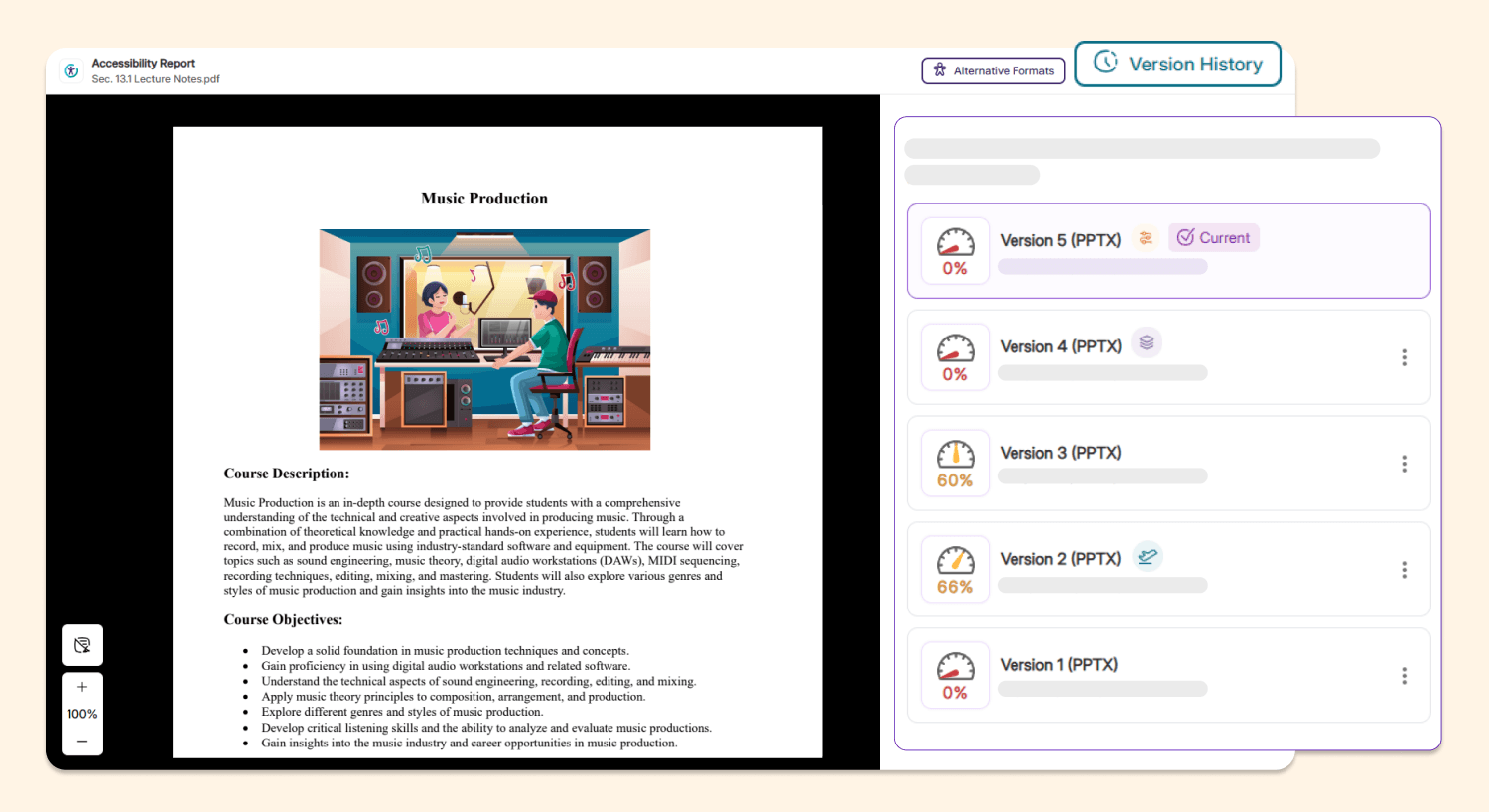
New Icons in Version History Help Instructors Identify All Remediation Methods Applied to Their Documents
The Accessibility Report version history now features a new set of icons that clearly indicates whether a specific document version was created through YuJa AutoPilot, guided remediation, or other manual remediation workflows. This helps instructors quickly distinguish whether remediation changes were generated automatically or edited manually, helping them identify any pain points and prioritizations that would streamline their remediation processes.
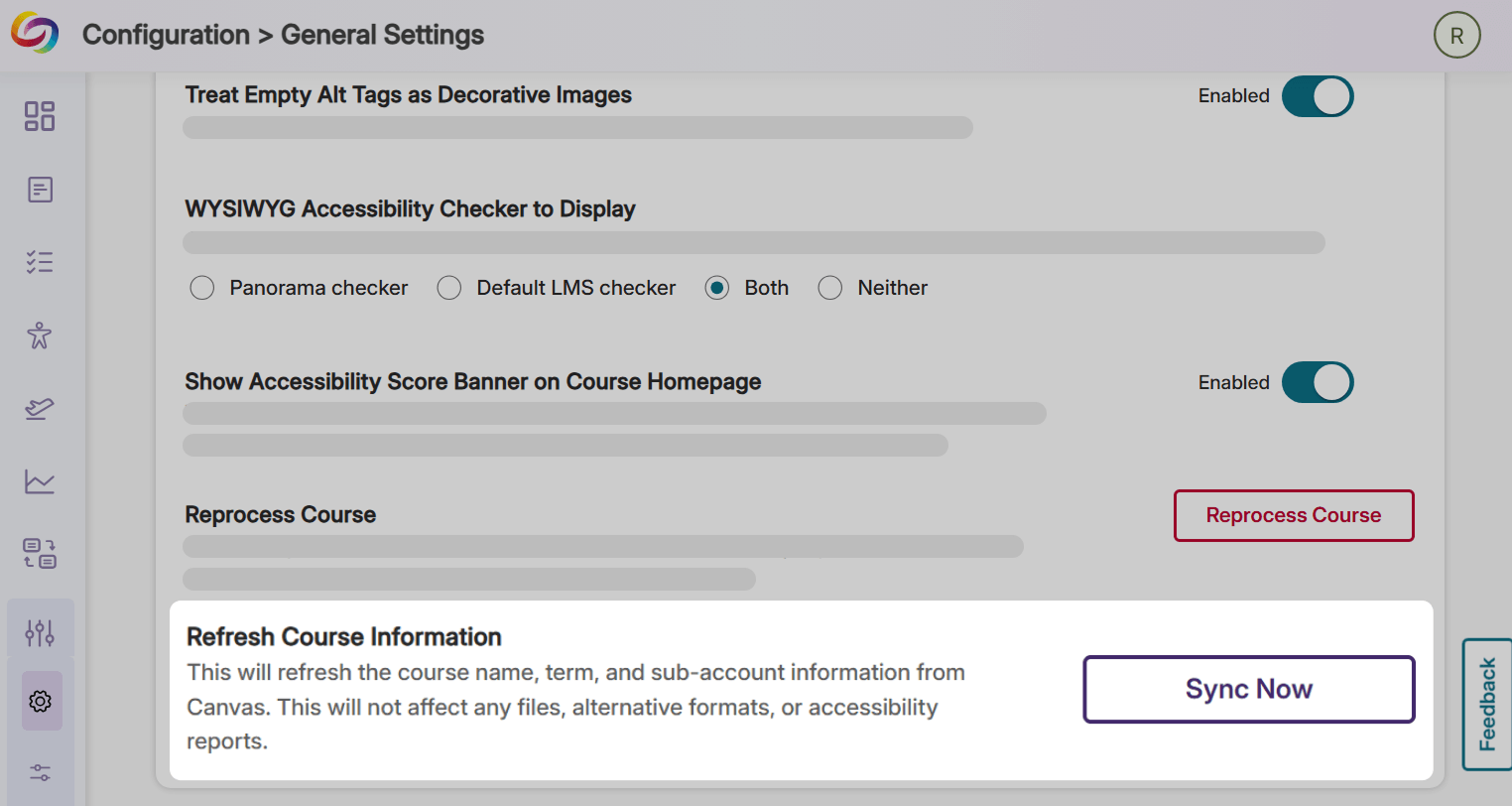
Refresh Course Information at Any Time Using the New Sync Now Button
Instructors can now use the Sync Now button located in their Course Settings to automatically sync their course name, term, and sub-account information with their LMS at any time, without waiting for YuJa Panorama’s automatic daily syncs. This will speed up the synchronization process, and allow any changes to be reflected immediately in the YuJa Panorama portal.
Evaluate Institutional Accessibility Compliance More Accurately Using More Precise Accessibility Scores
All accessibility scores in YuJa Panorama have been enhanced to display one rounded decimal point instead of a whole number, helping faculty gain a more accurate reflection of the accessibility compliance of their documents.
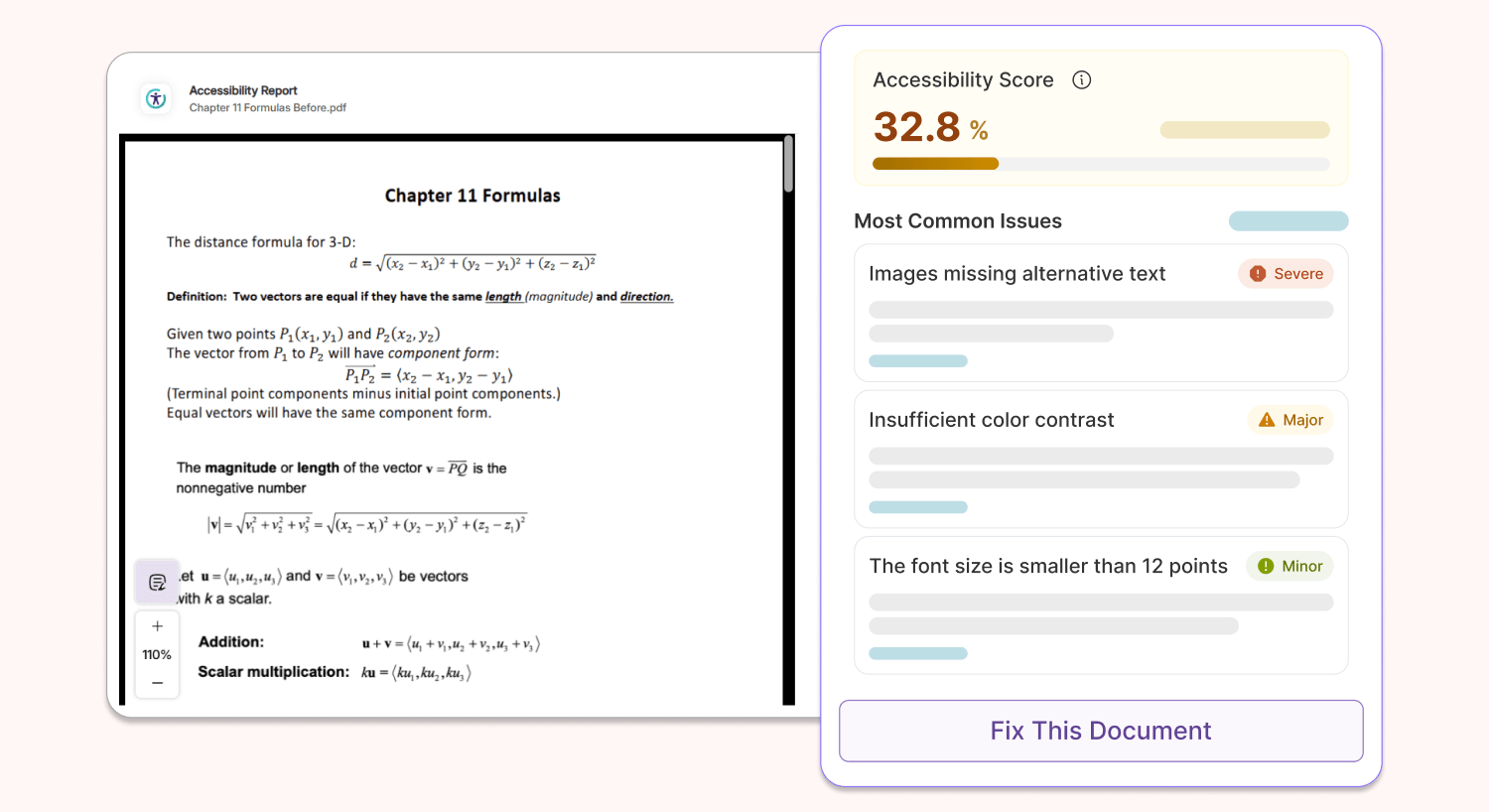
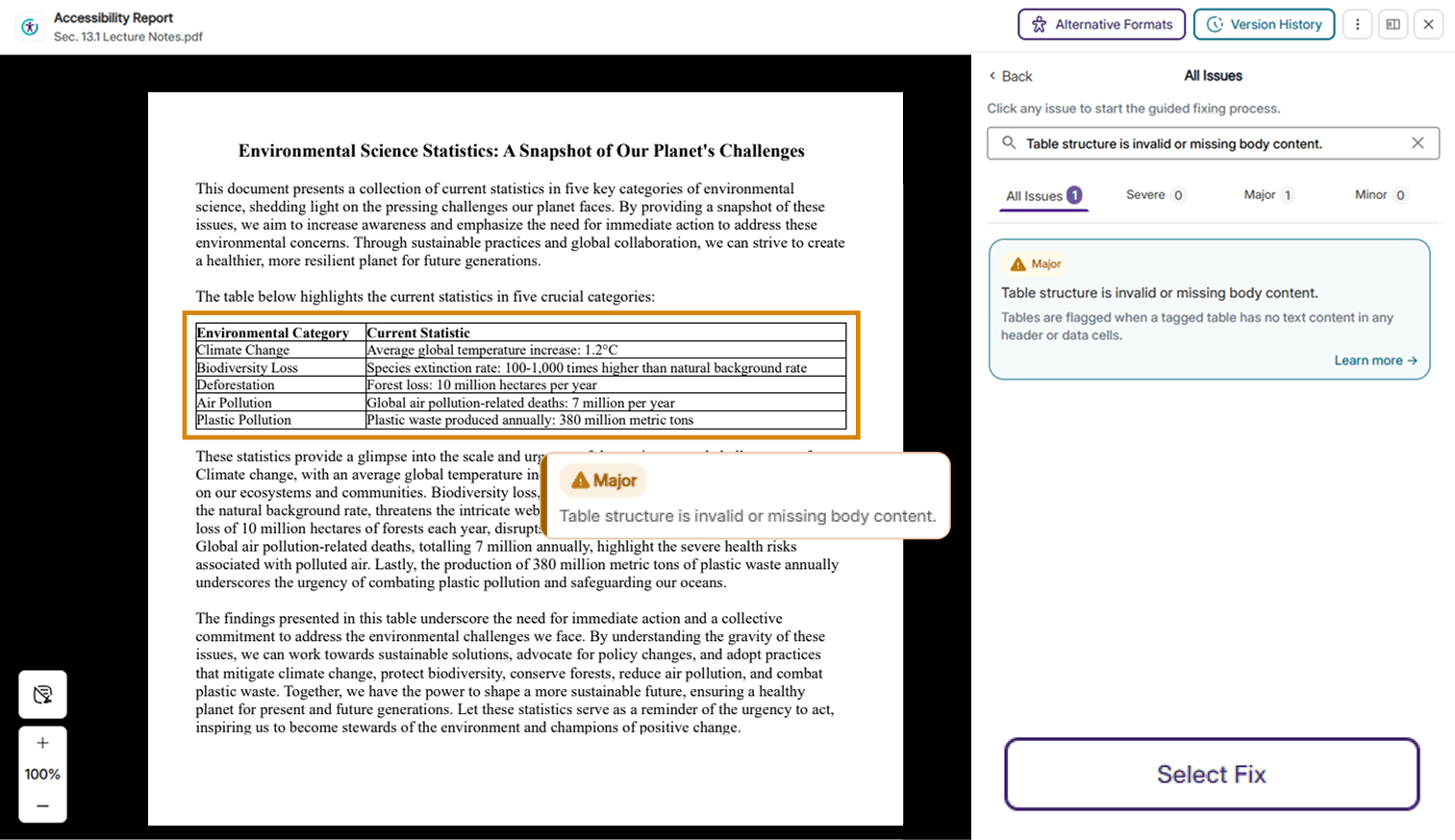
New PDF Issue Checkers Now Available in YuJa Panorama’s Accessibility Report
Several new checkers for PDF issues have been added to the YuJa Panorama Accessibility Report, helping users identify a larger number of accessibility concerns. Please note that users must have YuJa Structural Remediation in order to remediate the following issues. New updates include:
Form fields missing text descriptions: Form fields without any tooltips or explicit labels will be flagged.
Missing table content issue: Tables without any body content or have the wrong structure will be flagged.
PDF titles from XMP metadata: YuJa Panorama will no longer flag PDFs that store title attributes in XMP metadata and will mark them as compliant when title attributes are discovered.
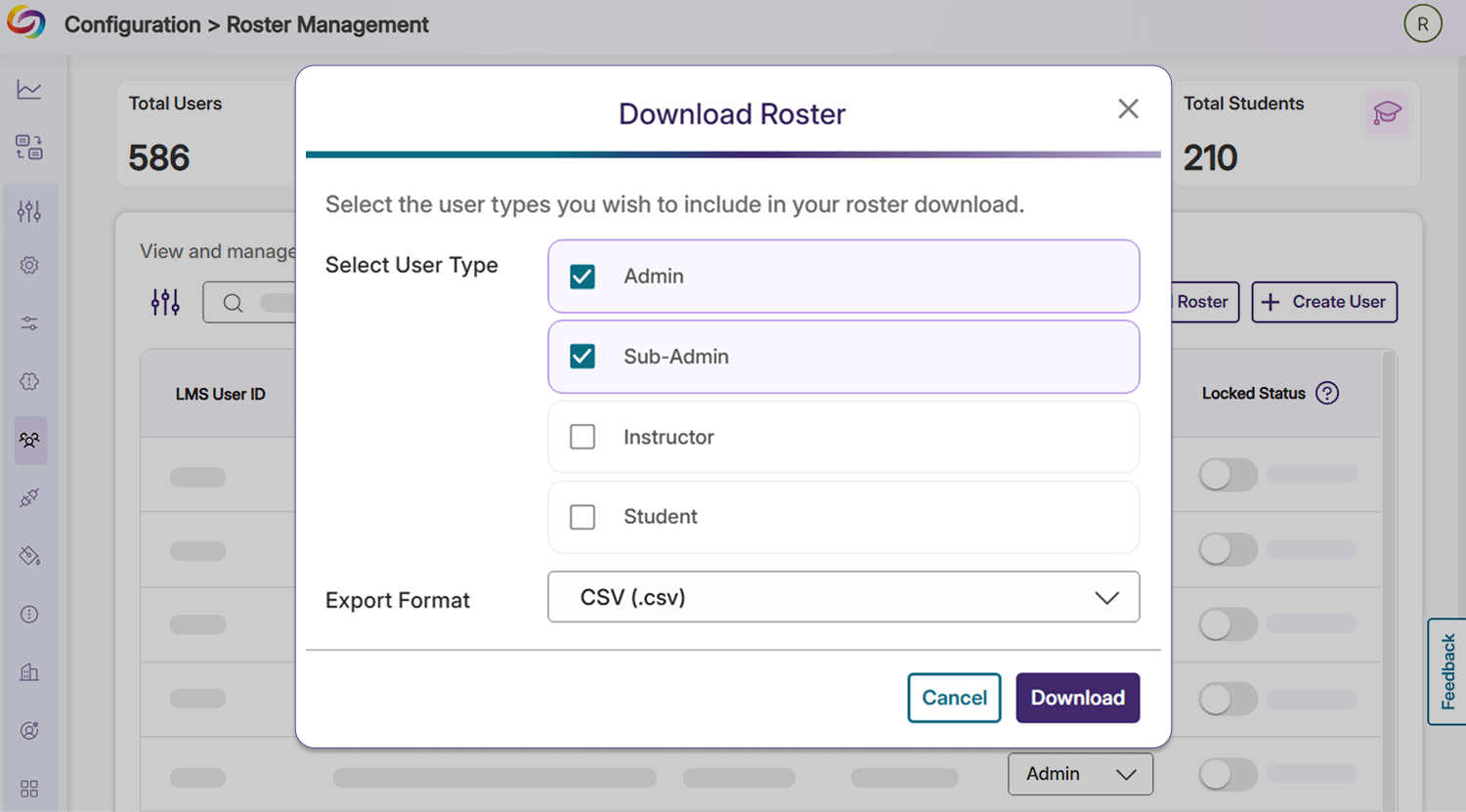
Download Roster Data as Spreadsheets for Documentation or Further Analysis
Users can now export their roster into CSV or Excel formats. This can be easily done by clicking the Download Roster button in the user’s Roster Management tab under Configuration.
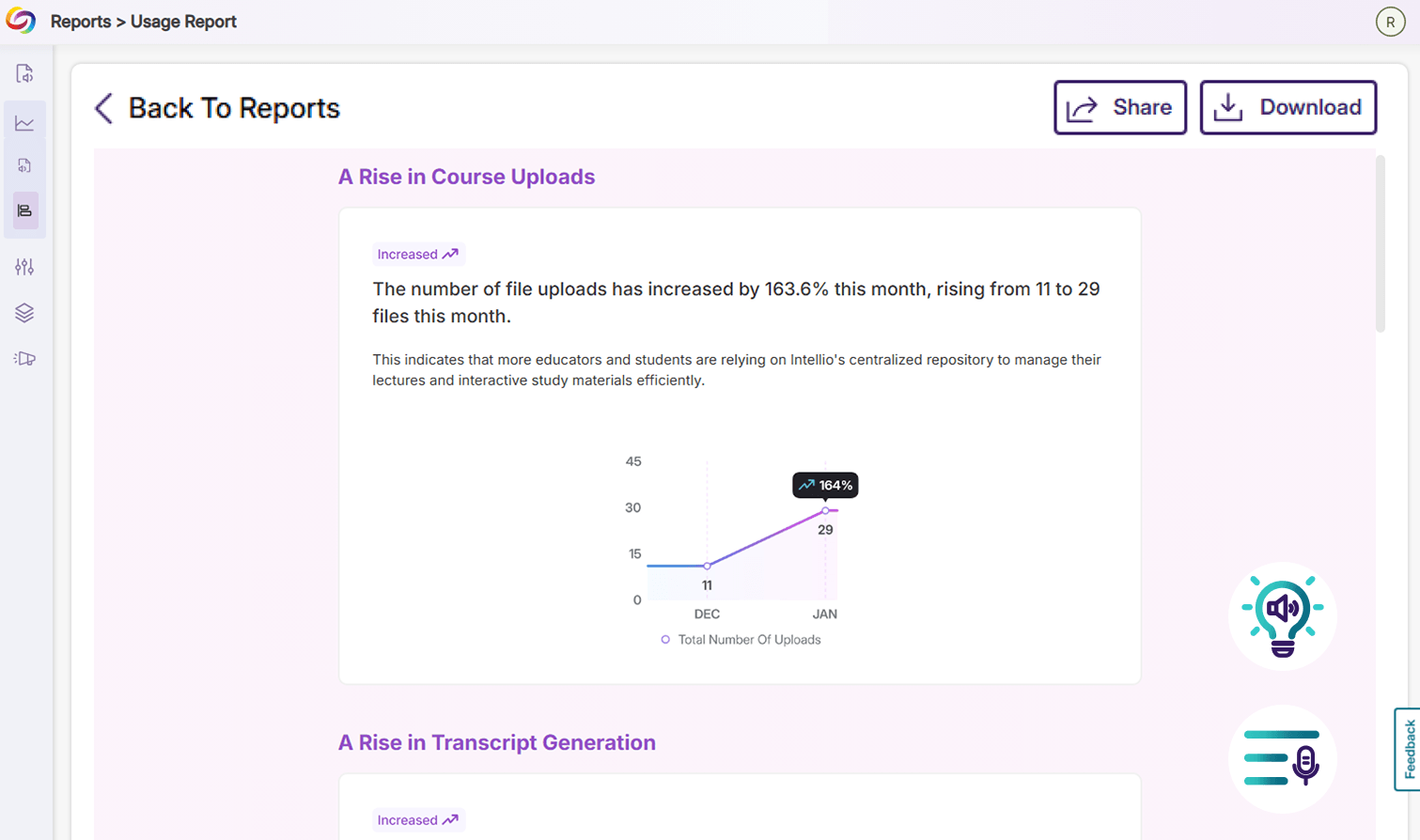
Gain Monthly Usage Insights for YuJa Intellio and YuJa SmartSpeaker
Users using YuJa Intellio and YuJa SmartSpeaker will now be receiving monthly reports that highlight platform usage, key insights, and important metrics across their institution. Users can review their report at any time in their YuJa Panorama portal, and can also export the report with a simple button.
Sync File Deletions with Your Course Report Without Using the Reprocess Course Button
Going forward, users no longer need to click the Reprocess Course button in their Course Report to visually validate that their course files have been removed from the LMS, significantly reducing any anxiety or confusion around the workflow. All file deletions in the LMS will be automatically reflected live in the Course Report immediately after the action is completed. To sync other course data, users can still use the Reprocess Course button, which has been relocated to the Settings page.
Upload Documents to DocHub Faster Via API
Administrators can now upload documents to the DocHub libraries of users in their roster more easily using API calls. This will help users upload files to their DocHub outside of the LMS using their own custom workflows.
In the coming weeks, the YuJa Panorama LMS Accessibility Platform will release a new DocHub Report, optimized workflows for issue remediation in Microsoft Word and PowerPoint, the ability to exclude terms from LMS Reports, and additional enhancements that simplify the management of LMS accessibility.
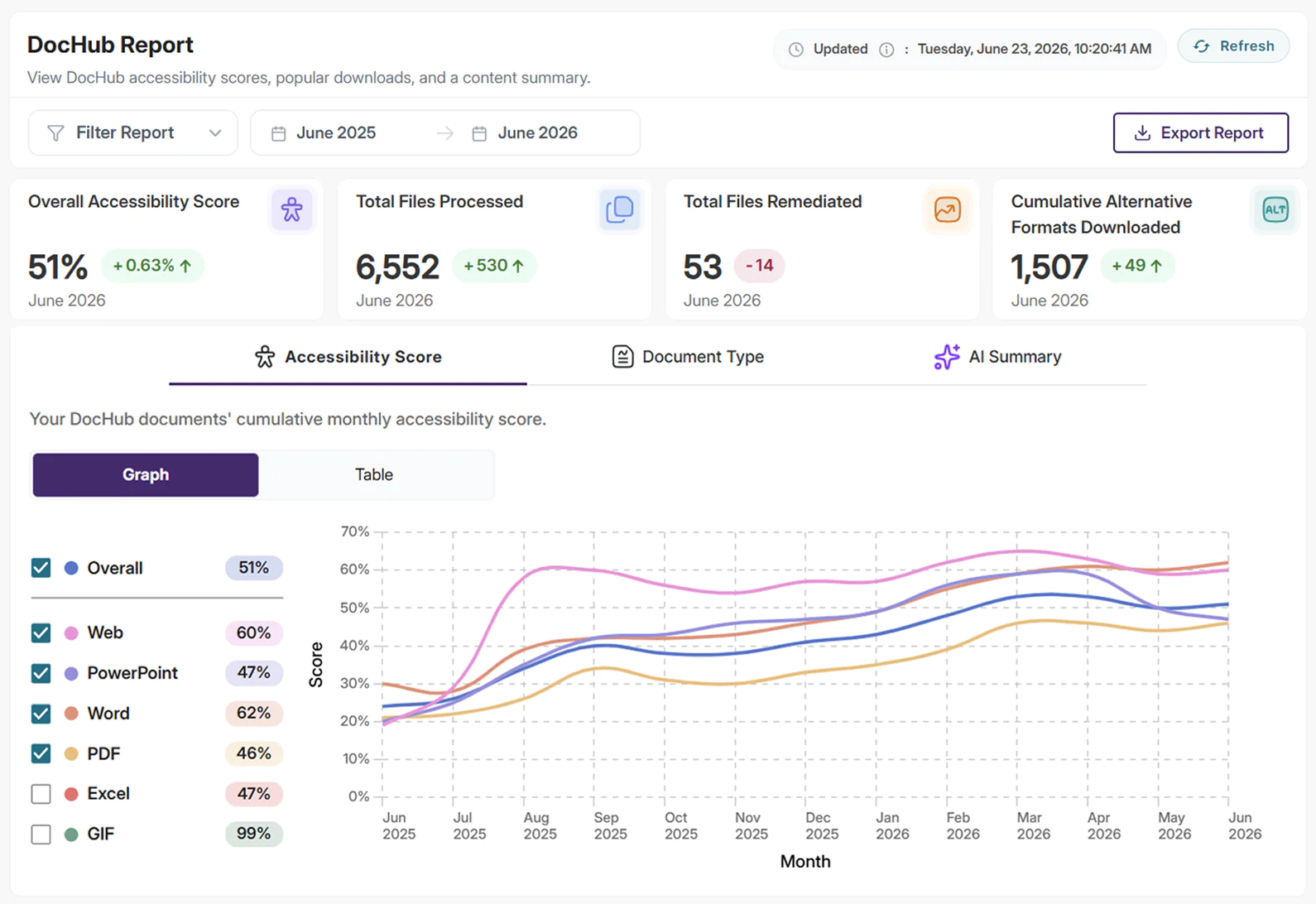
Leverage the New DocHub Report to Gain Accessibility Insights on Your DocHub Files
YuJa Panorama will now generate a new DocHub Report that details the overall accessibility score of a user’s DocHub library and their most popular downloads. The report provides date and account filters, allowing users to narrow the report scope to reflect the information they need most. Admins can also view each user’s DocHub usage within the report to help get a sense of storage usage across their organization.
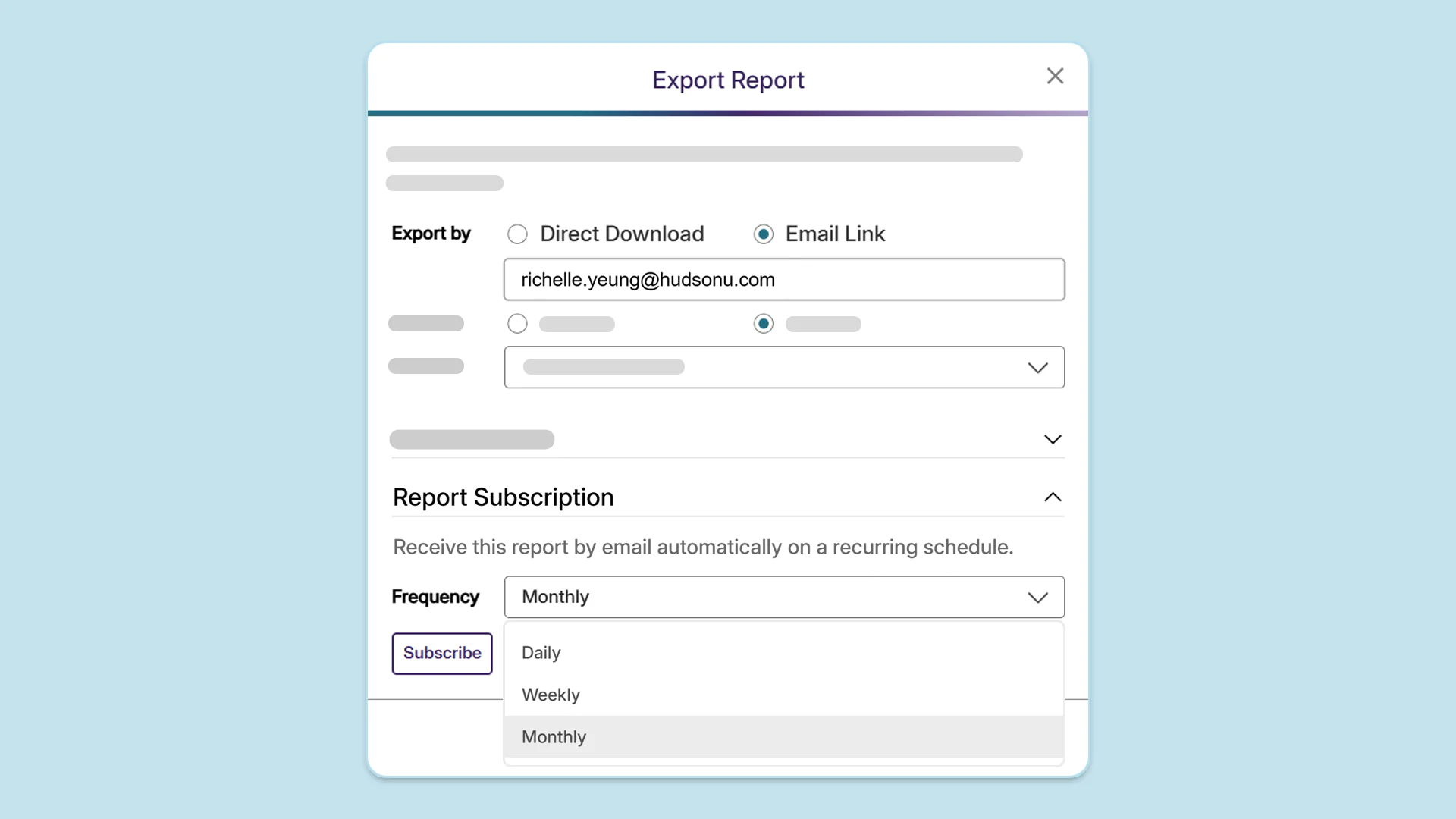
View How Your Institution’s Accessibility Is Improving, Directly From Your Inbox
Users can now sign up to receive periodic emails summarizing all the YuJa Panorama Reports they’ve exported in a given period, removing the need to navigate between multiple emails. Users can choose to receive emails automatically on a recurring schedule:
Daily: A default RTMP stream session is now automatically added in YuJa Lumina when an institution has no existing streams, allowing instructors to start a session directly without needing to create a new stream.
Weekly: An email will be sent every Monday, covering the exported reports from the start of the month to the current day.
Monthly: An email will be sent on the first day of the month, covering the exported reports from the previous month.
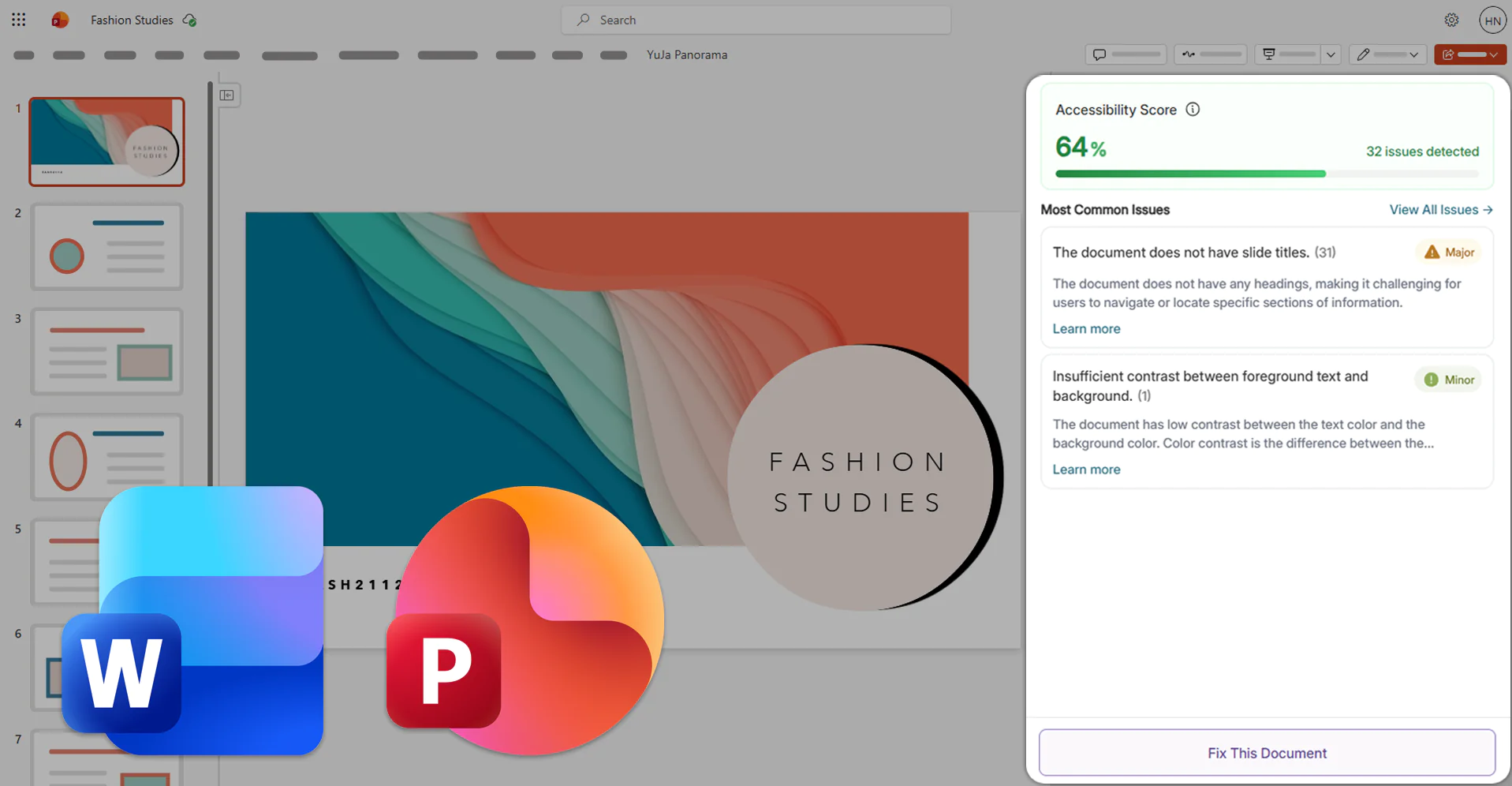
Optimize Issue Remediation in Microsoft Word, PowerPoint, and LMS WYSIWYG Editors Using the Redesigned Accessibility Report
The Microsoft Office 365 Add-in and LMS WYSIWYG Editor will update their Accessibility Report to feature a streamlined interface that offers intuitive access to essential remediation workflows, such as guided remediation with suggestions and AI-powered YuJa AutoPilot suggestions. With its sleek new interface, the Accessibility Report helps users quickly identify and prioritize the most critical accessibility issues within their documents.
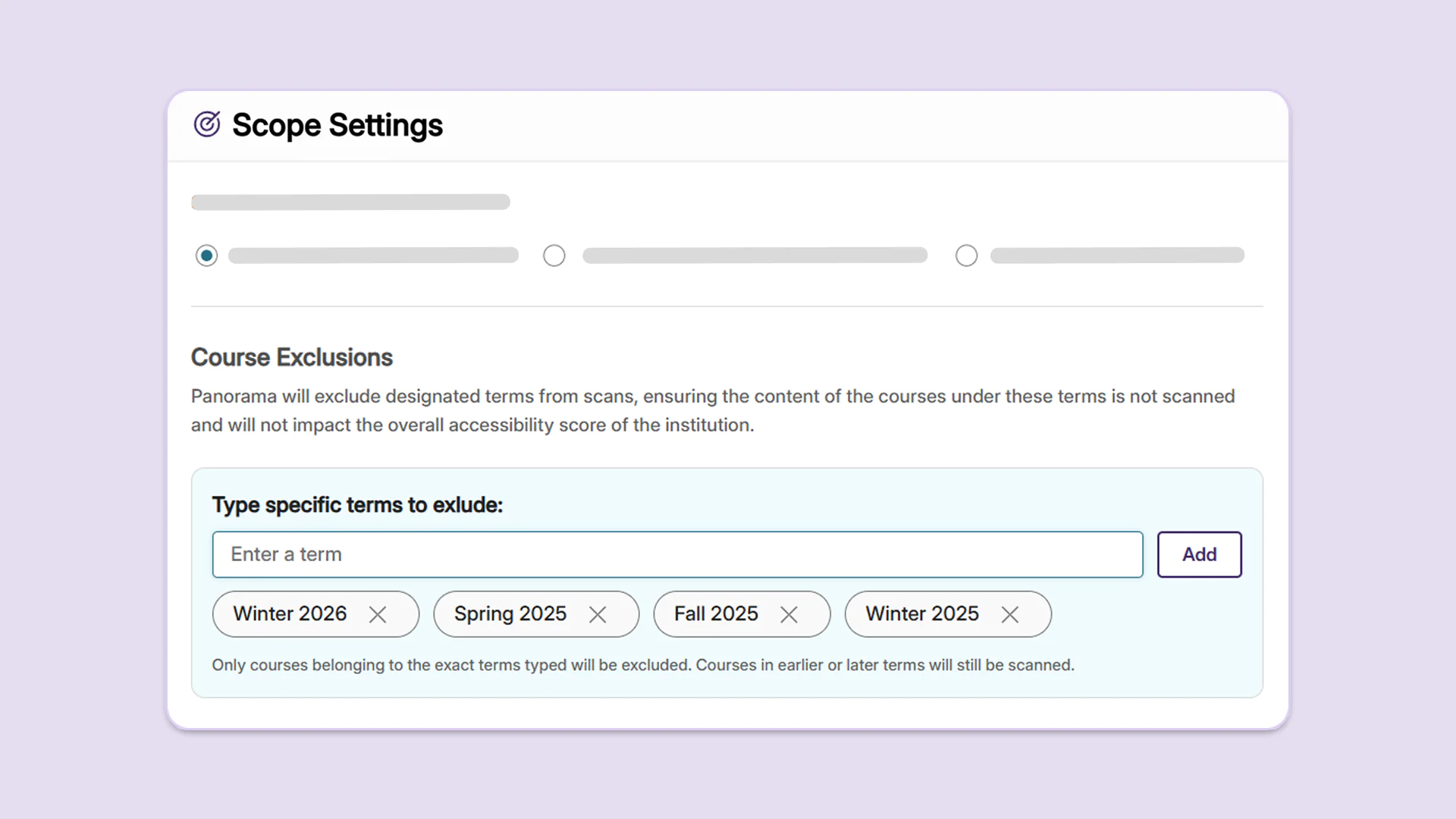
Ensure Your Institution’s Accessibility Score Is Up-to-Date by Excluding Previous and Prospective Terms from Scans
Administrators can now choose to omit previous and future terms from their scope settings to prevent courses in these terms from impacting the overall accessibility score of the institution. By excluding specific terms, administrators can ensure that their accessibility scores accurately reflect the current state of their institutions’ LMS content.
Track Accessibility Improvements Through a Document’s Complete Version History
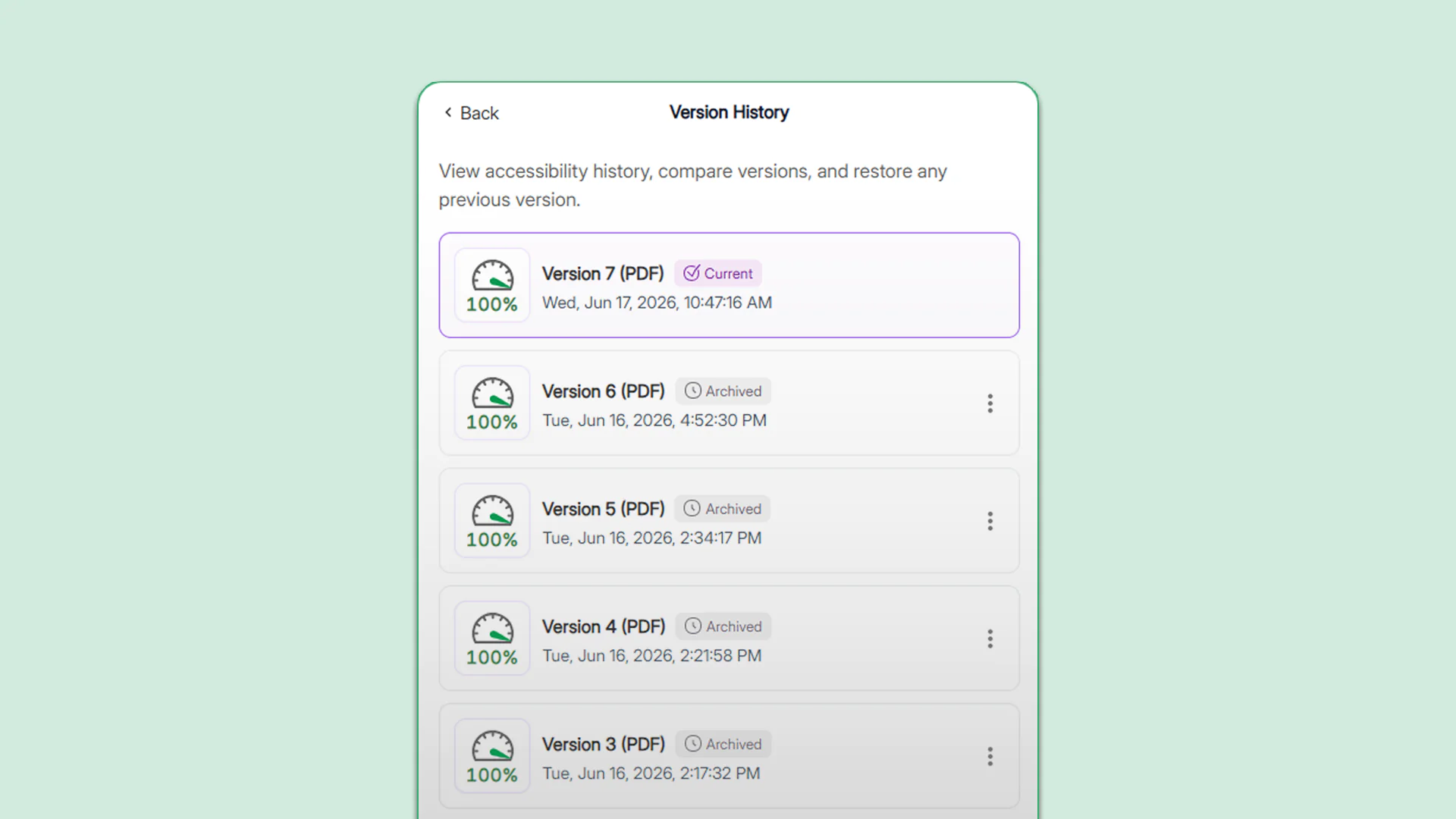
Users will now retain full access to their document’s version history, even after reprocessing a course, allowing them to track historic changes in document accessibility and restore previous versions. In the Version History panel, users will see their most up-to-date document marked as “Current” and previous versions included in prior course processing marked as “Archived” with precise timestamps to help identify the version.
Improve the Alignment of YuJa Panorama’s Issue Flags with Your Institution’s Compliance Goals
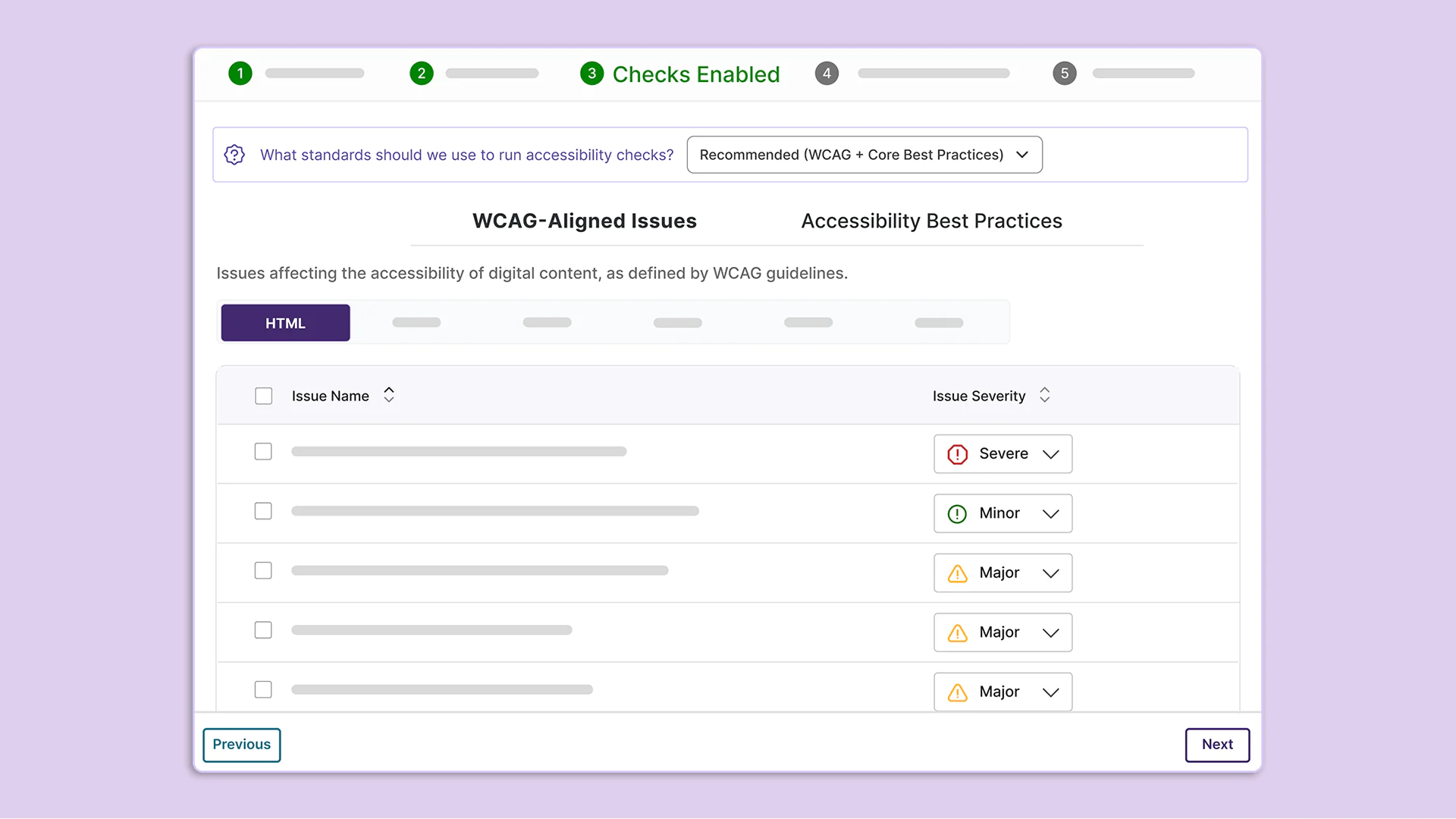
When an institution configures its Scoring Model, users will now be able to select what standards the platform should use to run accessibility checks. For institutions focusing on achieving WCAG compliance, this breakdown will help clearly delineate which issue flags should be prioritized. This breakdown can also be used to create customized issue severity levels that more accurately reflect an institution’s accessibility goals.
Institutions will be able to choose from the following three standards:
Essential: Includes checks that only align with WCAG guidelines.
Recommended: Includes all checks that align with WCAG guidelines and core accessibility best practices.
Comprehensive: Includes all checks that align with WCAG guidelines and all accessibility best practices.
Over the coming weeks, the YuJa Panorama LMS Accessibility Platform will introduce a series of new enhancements designed to further streamline document remediation workflows, expand platform interoperability through PowerSchool LMS integration, provide unlimited usage for select Panorama modules, and deliver additional capabilities that strengthen accessibility management and compliance initiatives.
Experience Streamlined Remediation Workflows Using the Redesigned Accessibility Report
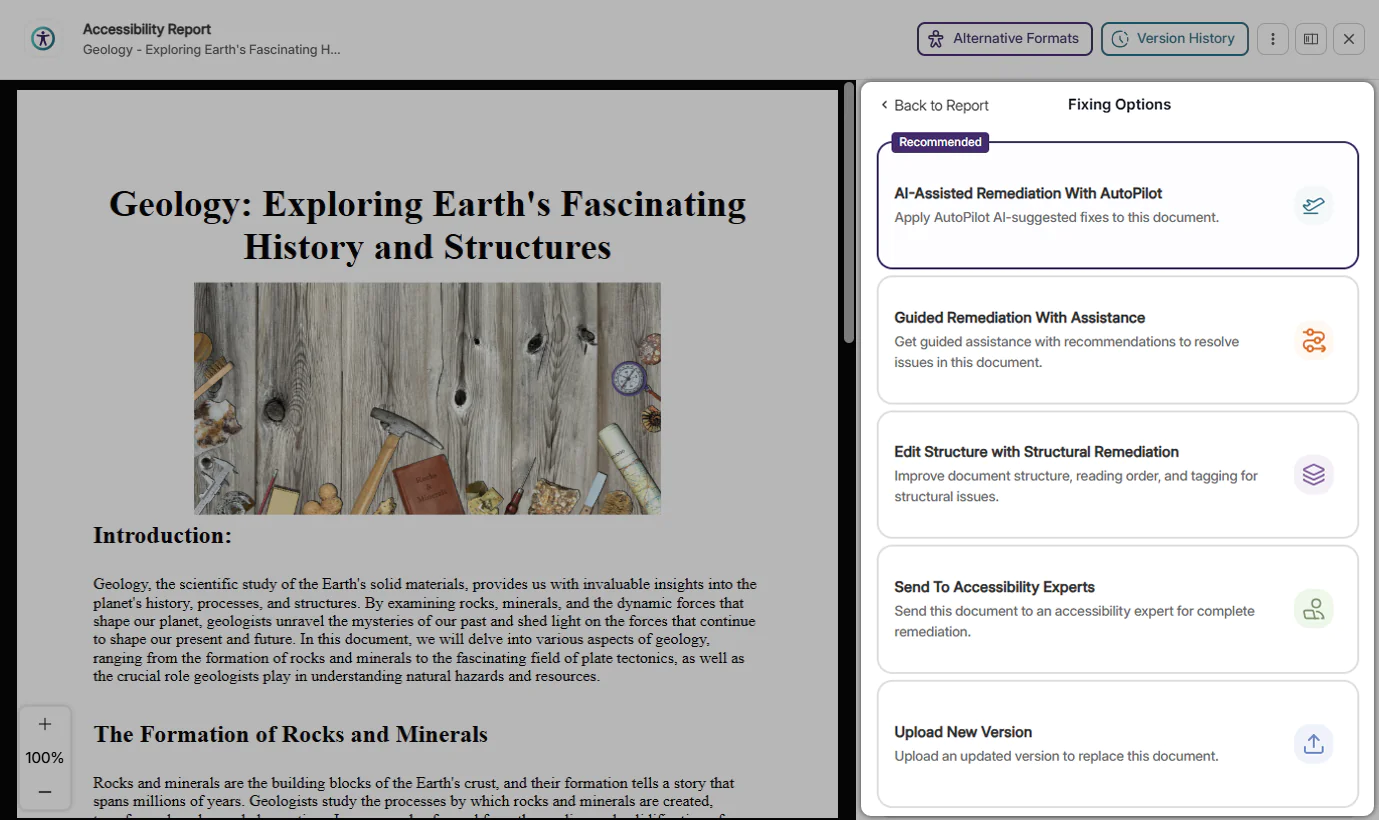
The Accessibility Report now features a streamlined interface that provides users with more intuitive access to key remediation options, including AutoPilot AI-powered fix suggestions, escalation to YuJa Accessibility Experts for complex documents, and advanced modifications through the Structural Remediation Max module. With its new minimalist design, the Accessibility Report helps users quickly identify and prioritize the most critical accessibility issues within their documents. The redesigned Accessibility Report features:
The redesigned Accessibility Report features:
Optimized Issue Remediation Workflows: All available remediation workflows offered by YuJa Panorama, including Full-Circle Inline Remediation, AutoPilot AI Remediation, Structural Remediation, and DocAssist Remediation, are now consolidated into one menu where users can select the most appropriate workflow for their document.
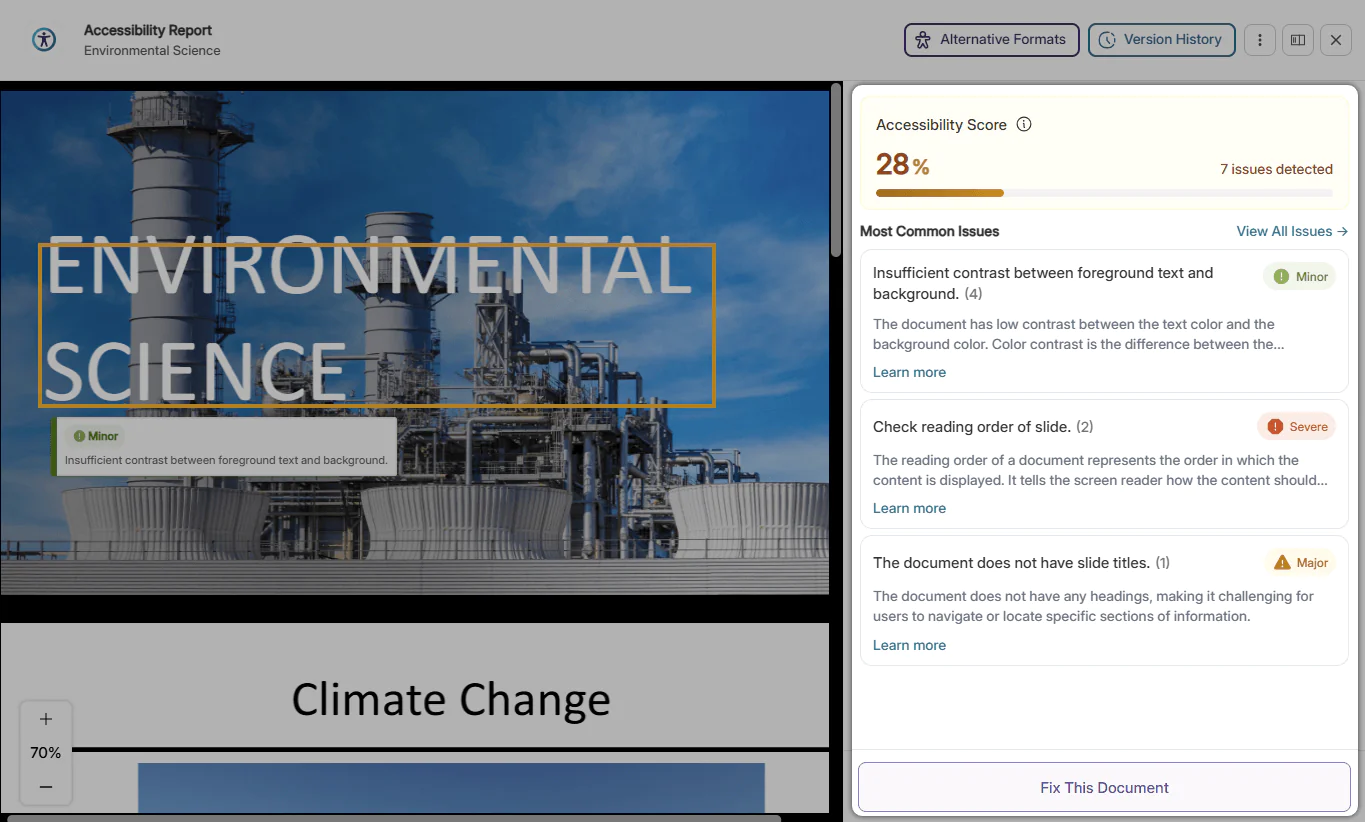
At-a-Glance Prioritized Issues: When opening the Accessibility Report, the Issues panel will automatically show the most common issues in the document so that users can instantly understand which accessibility issues are most pressing.
Comprehensive Guided Remediation: Easily remediate common accessibility issues with the Accessibility Report’s guided remediation suggestions. Understand the issue and take simple steps to resolve it in seconds, significantly speeding up the remediation workflow.
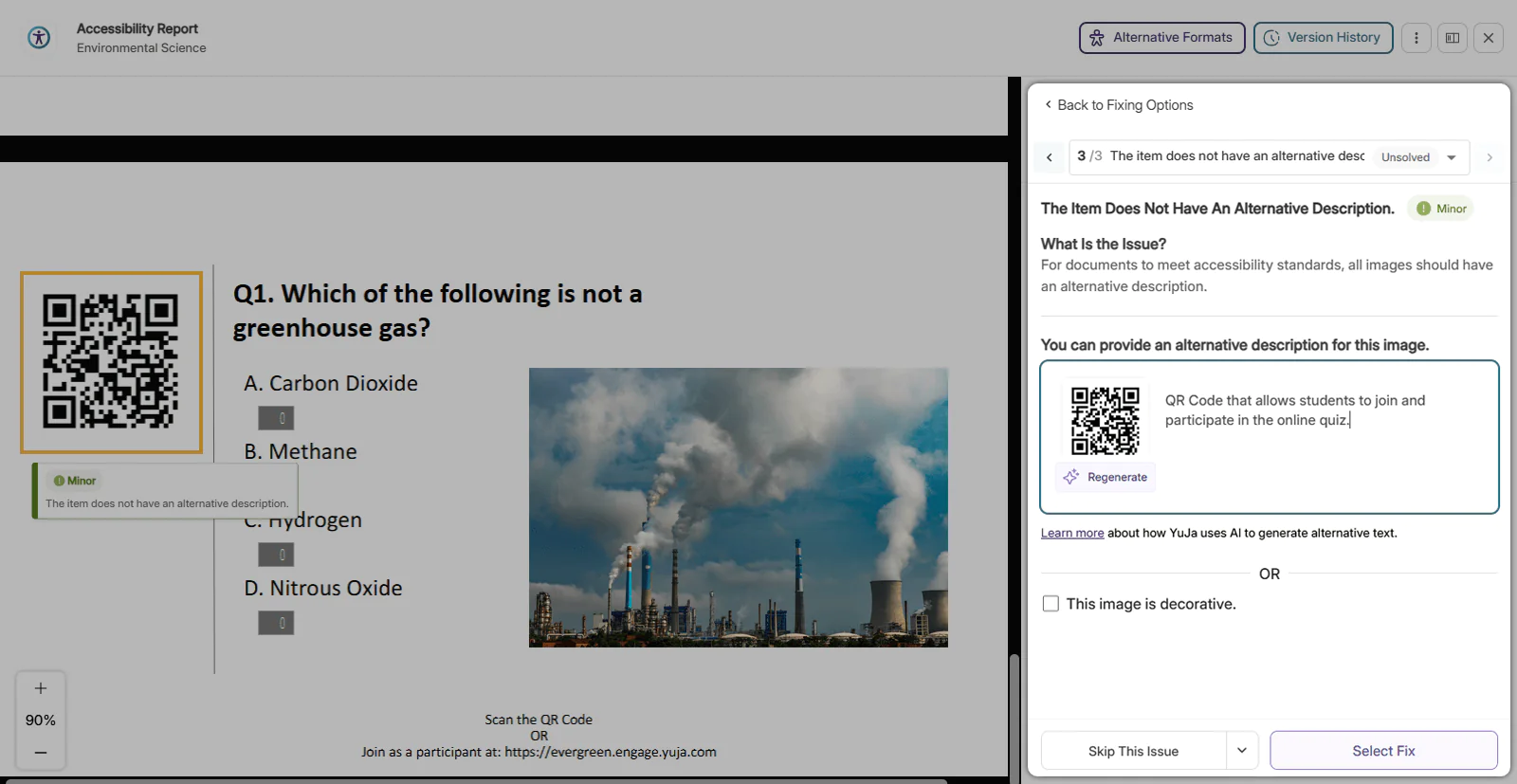
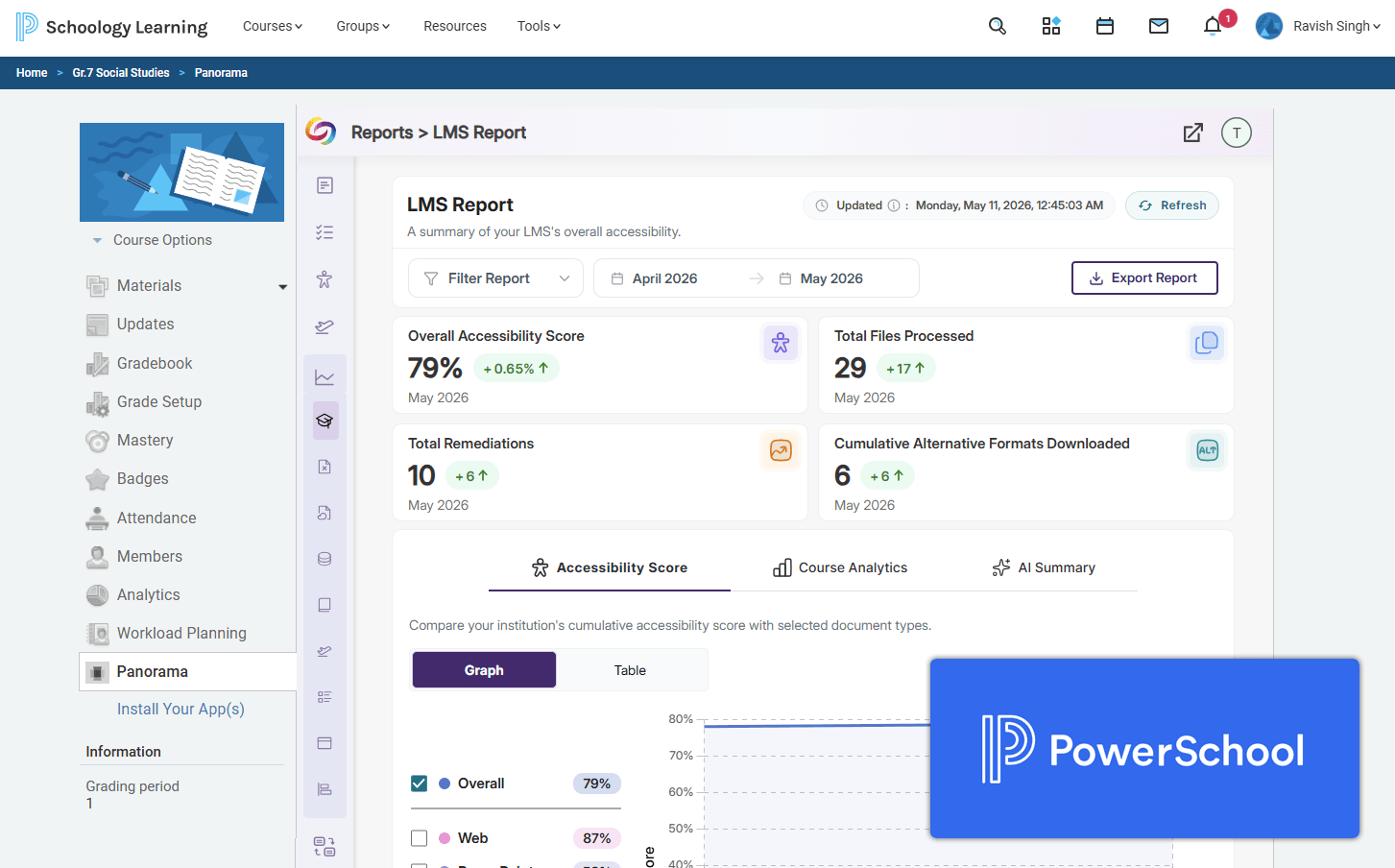
YuJa Panorama Now Integrates with the PowerSchool LMS
YuJa Panorama now integrates seamlessly with the PowerSchool Learning Management System (LMS), providing K-12 institutions with enhanced accessibility and digital compliance capabilities directly within their learning environment. Through the integration, PowerSchool users can access Panorama’s core accessibility tools, including Accessibility Reports, Alternative Formats, and Full-Circle Inline Remediation, while also leveraging advanced modules such as Structural Remediation and AutoPilot AI-powered remediation to streamline accessibility workflows.
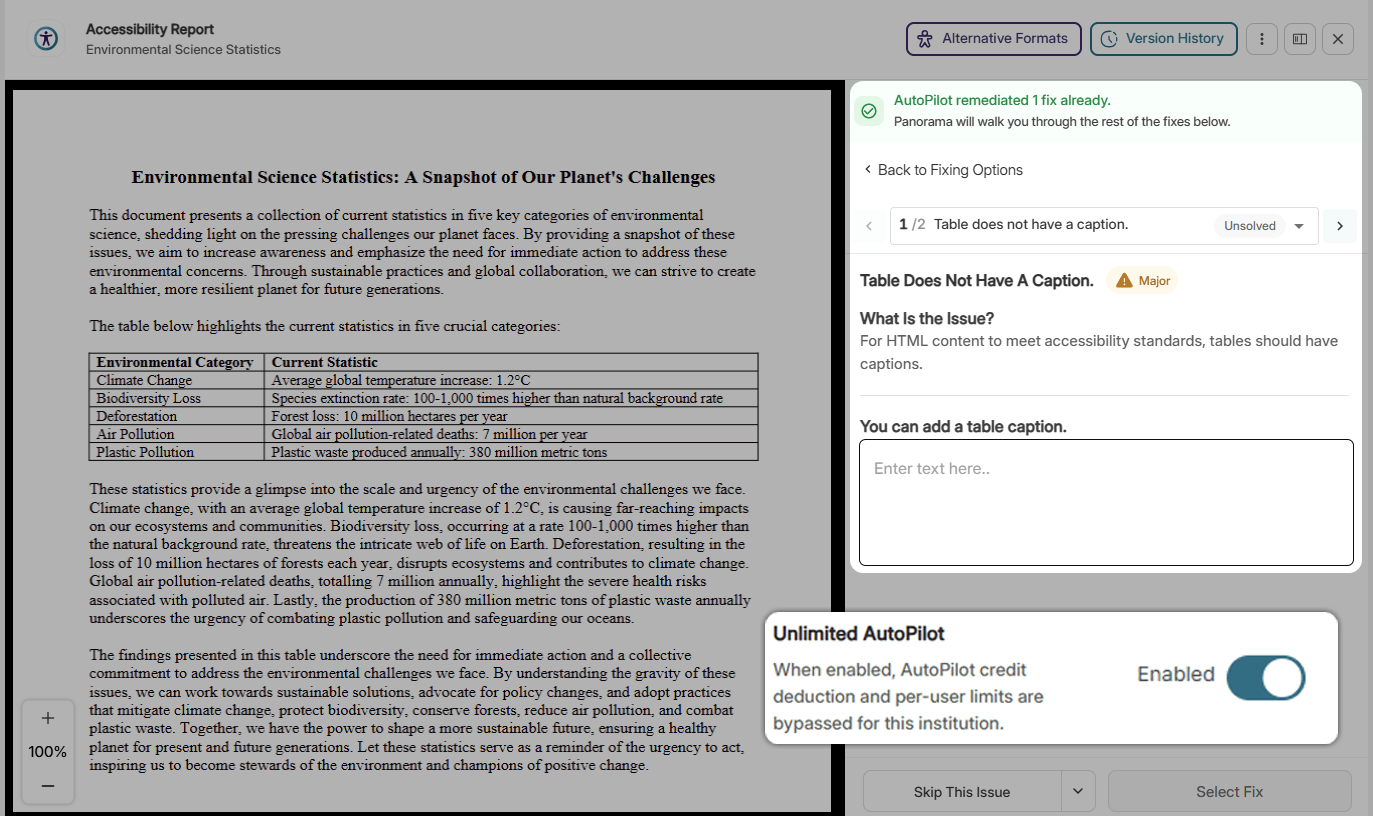
Scale Accessibility Remediation with Unlimited AI-Powered Workflows in YuJa Panorama
Institutions can now scale accessibility remediation efforts more efficiently with new unlimited usage options for YuJa Panorama’s AutoPilot, Structural Remediation, and SmartSpeaker modules. The upgraded licensing model removes traditional credit limits and user restrictions, enabling institutions to expand AI-powered remediation workflows across significantly larger volumes of content without interruption or incremental credit consumption. Please note that Course AutoPilot credits are not included as part of Unlimited AutoPilot access.
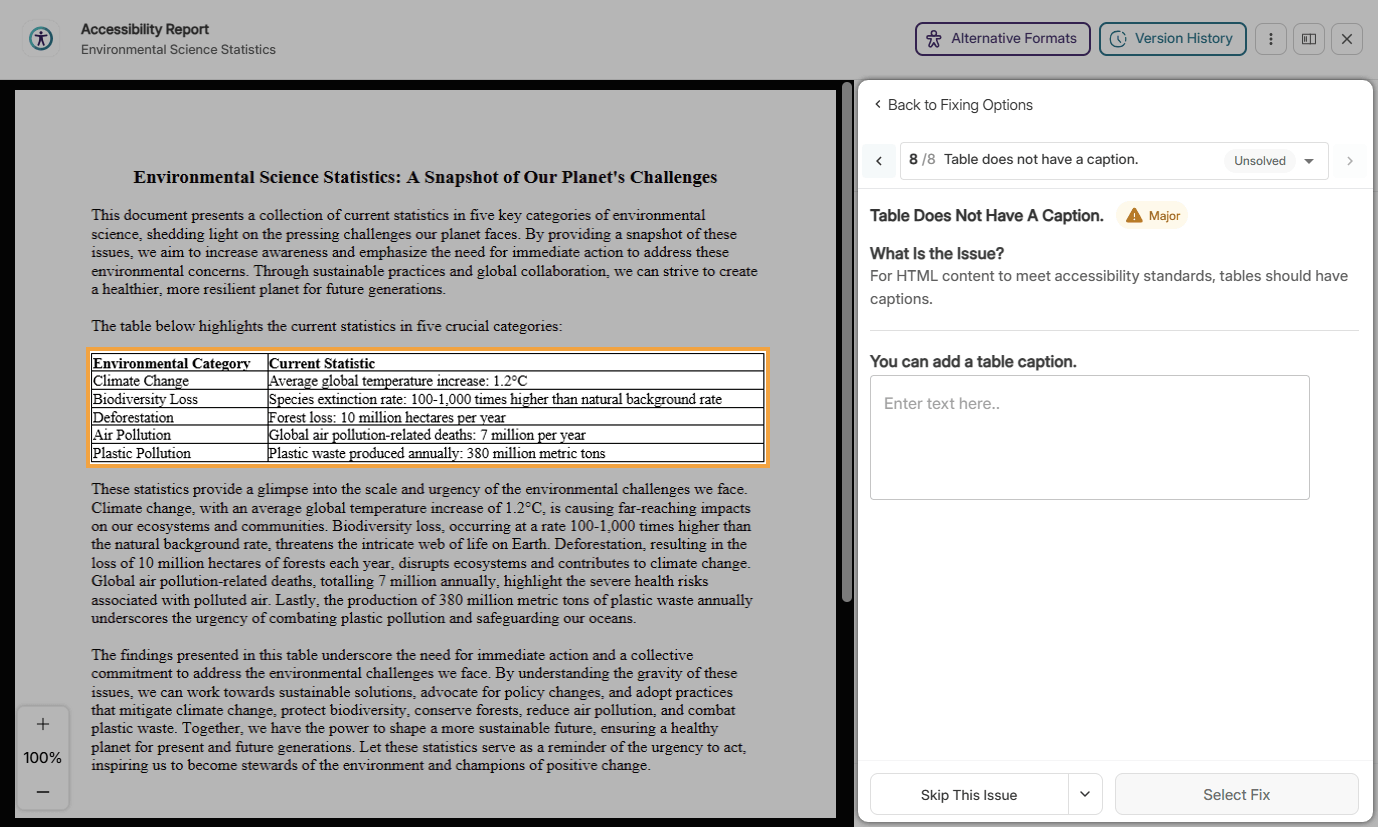
Improved Support for Remediating Table Issues in DOCX
Users of YuJa Panorama can now use Full-Circle Inline Remediation to add captions to tables. With this new remediation workflow, users will be able to provide captions that can help users with assistive technologies find, navigate, and understand tables.
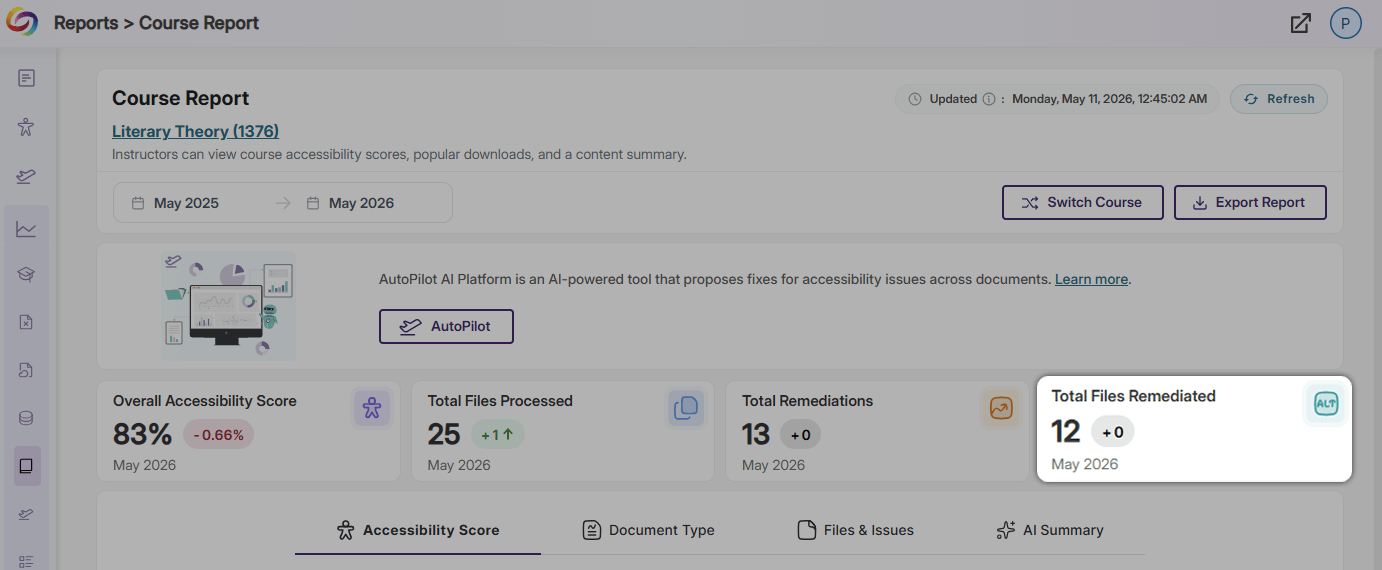
Instantly View the Total Number of Files Remediated in Course Reports
Course Reports now contain an extra data card that displays the total number of files remediated in the course. This data card saves instructors from manually calculating the number of files remediated, reducing the risk of miscalculation and offering information at first sight instead.
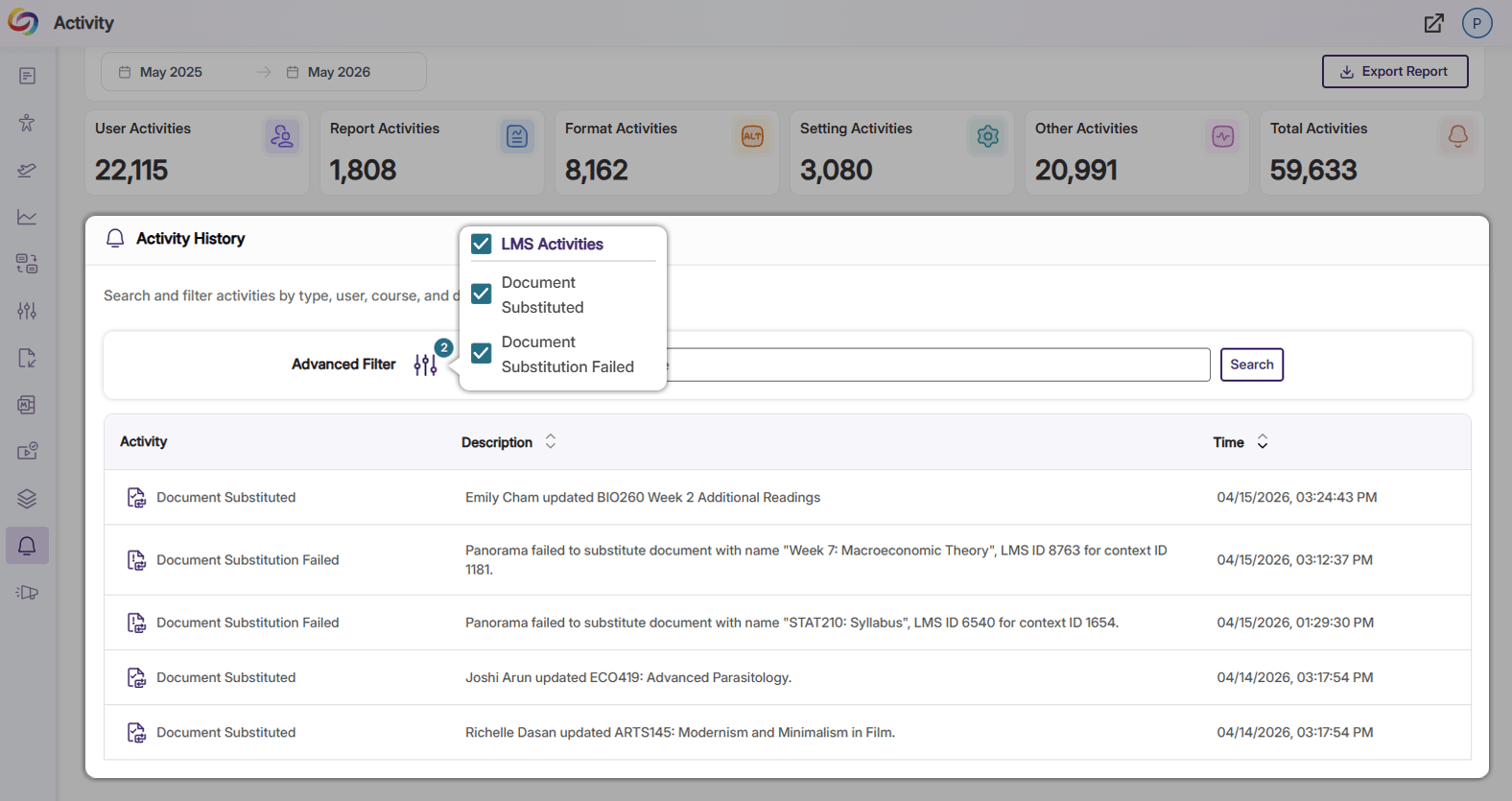
Audit Logs Now Track The Success of Document Substitutions
The capability to log information on the success and failure of document substitutions has been added to Panorama’s audit logs. In the Activity History panel, instructors and administrators can now easily confirm whether a file replacement was successful and gain insight into how often files are being replaced within their LMS.
Improved Accuracy for Inline Remediation in Microsoft PowerPoint Documents
Enhancements to YuJa Panorama’s Remediation Engines have improved the identification and resolution of issues within PPTX documents. With these engine improvements, the Accessibility Report will provide more precise flagging and increased accuracy when performing fixes.
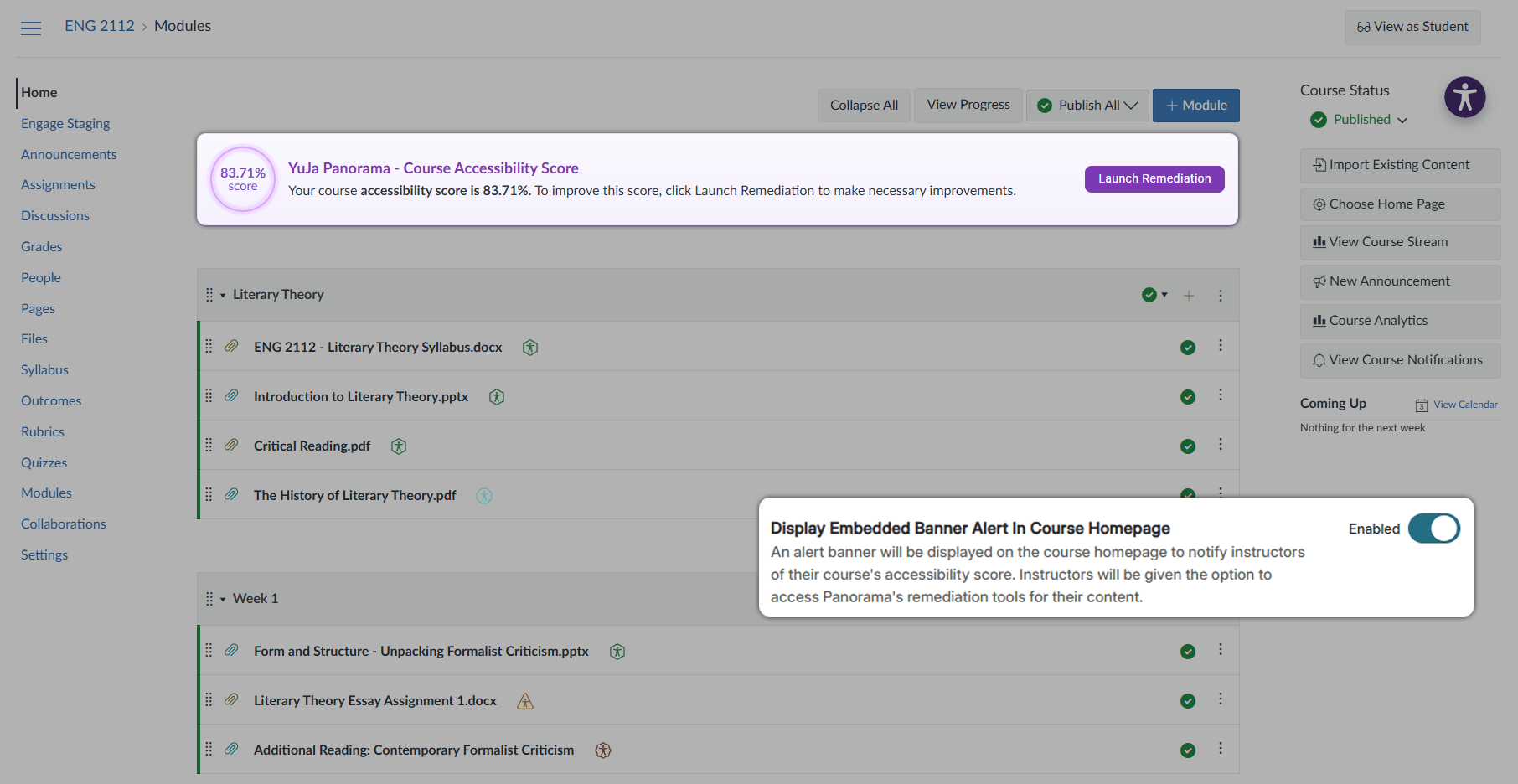
Over the next few weeks, YuJa Panorama LMS Accessibility Platform will be releasing a new layout for course reports, embedded accessibility status banners on your course homepage, the ability to upload custom accessibility icons, and more.
Institutions can now enable an Embedded Banner for their course homepage, which will provide instructors with an overall accessibility score for the course and allow them to launch quick remediation. These new, optional banners allow instructors to gain an instant overview of how accessible their courses are and simplifies the course remediation process by providing users with faster, easier access to Panorama’s remediation tools.
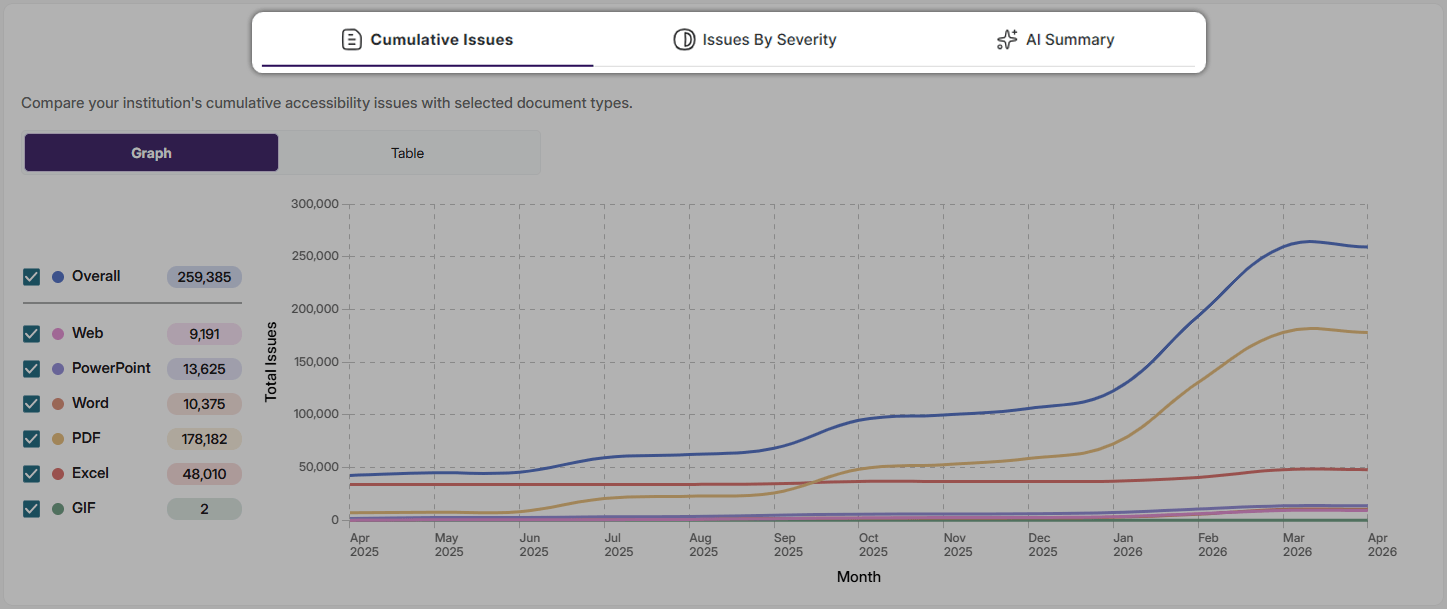
All of Panorama’s Reports have been redesigned with a new tab structure to make navigating between data easier. The new report design reduces the amount of scrolling needed to view the full scope of information and allows users to quickly switch between viewing different sections. With YuJa Panorama’s new report structure, obtaining critical data has never been easier.
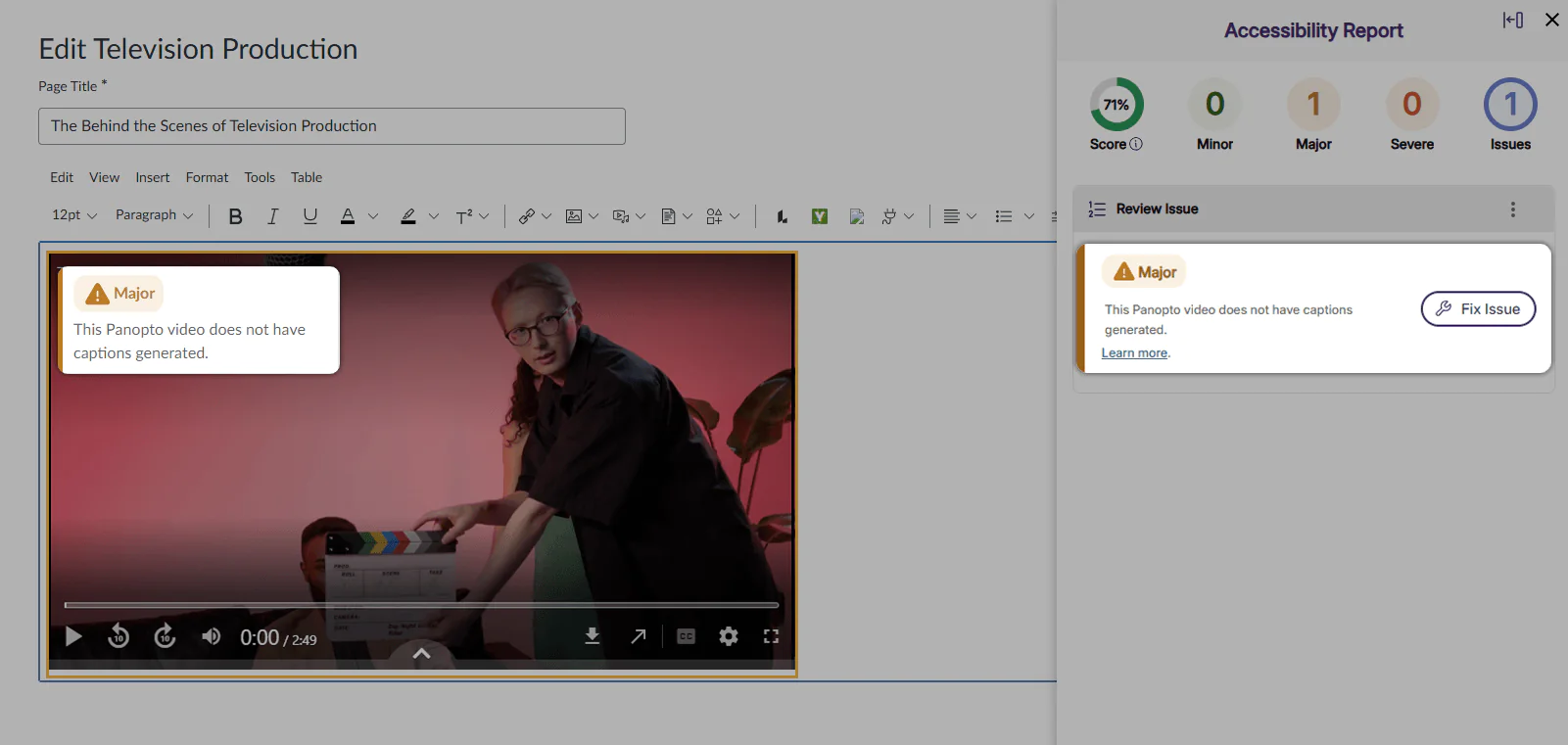
YuJa Panorama can now identify inaccessible content found in external videos hosted by Panopto via our new Panopto Video Integration. Once the integration is enabled, the platform will be able to identify and flag any Panopto Videos in the WYSIWYG editor that are missing captions. By flagging videos without captions, YuJa Panorama helps instructors maintain accessibility standards and ensure all students have equal access to course content. All trademarks are the property of their respective owners.
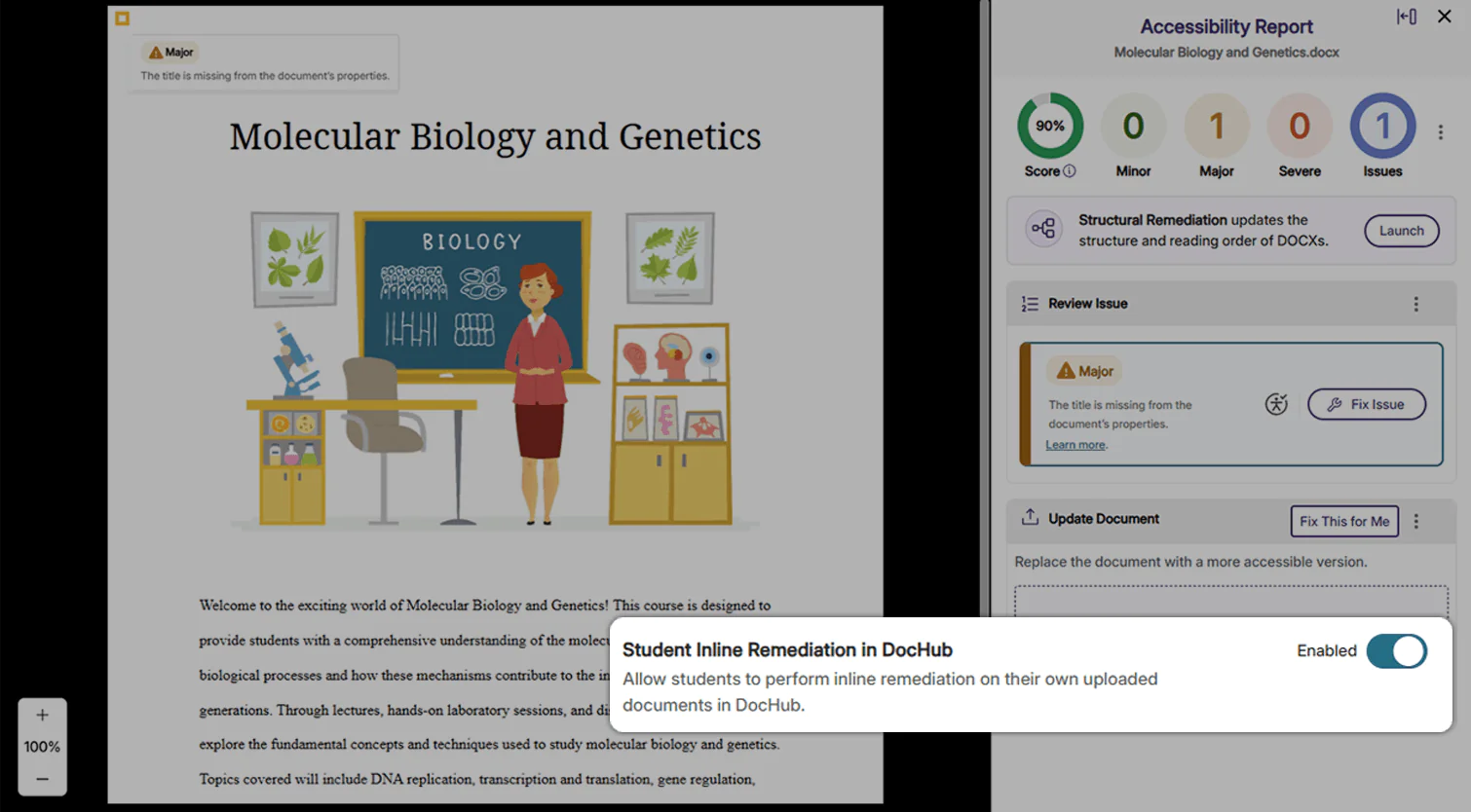
Administrators can now enable permissions for students to perform inline remediation on their own documents in DocHub. When enabled in Global Settings, students in DocHub will be able to open accessibility reports and perform inline remediation in their documents. By allowing students to perform inline remediation for accessibility issues, students can get into the practice of creating fully accessible documents that reflect their institution’s accessibility standards and goals.
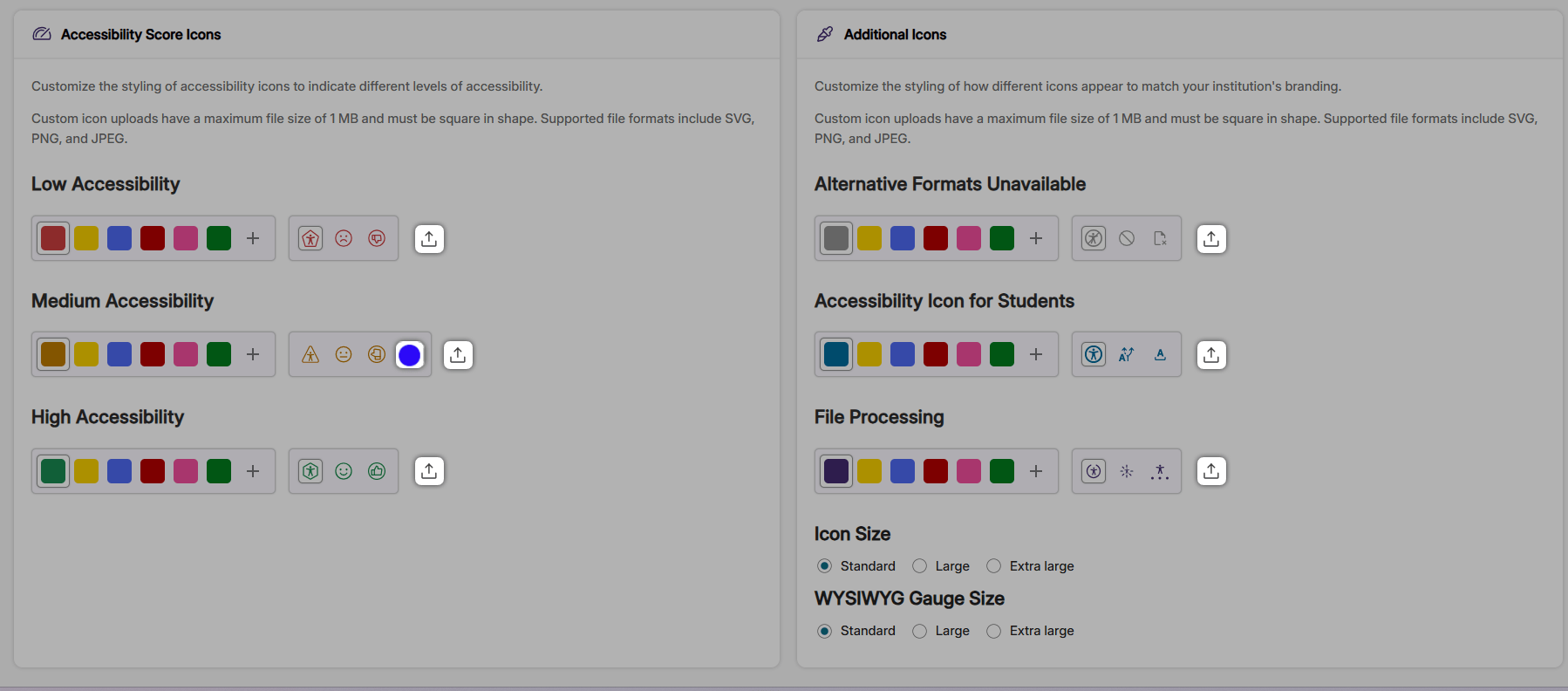
Administrators can now upload custom icons for Accessibility Scores, Alternative Formats, and File Processing icons. With these expanded Branding Settings, administrators will have greater flexibility in customizing icons to match their institution’s preferences.
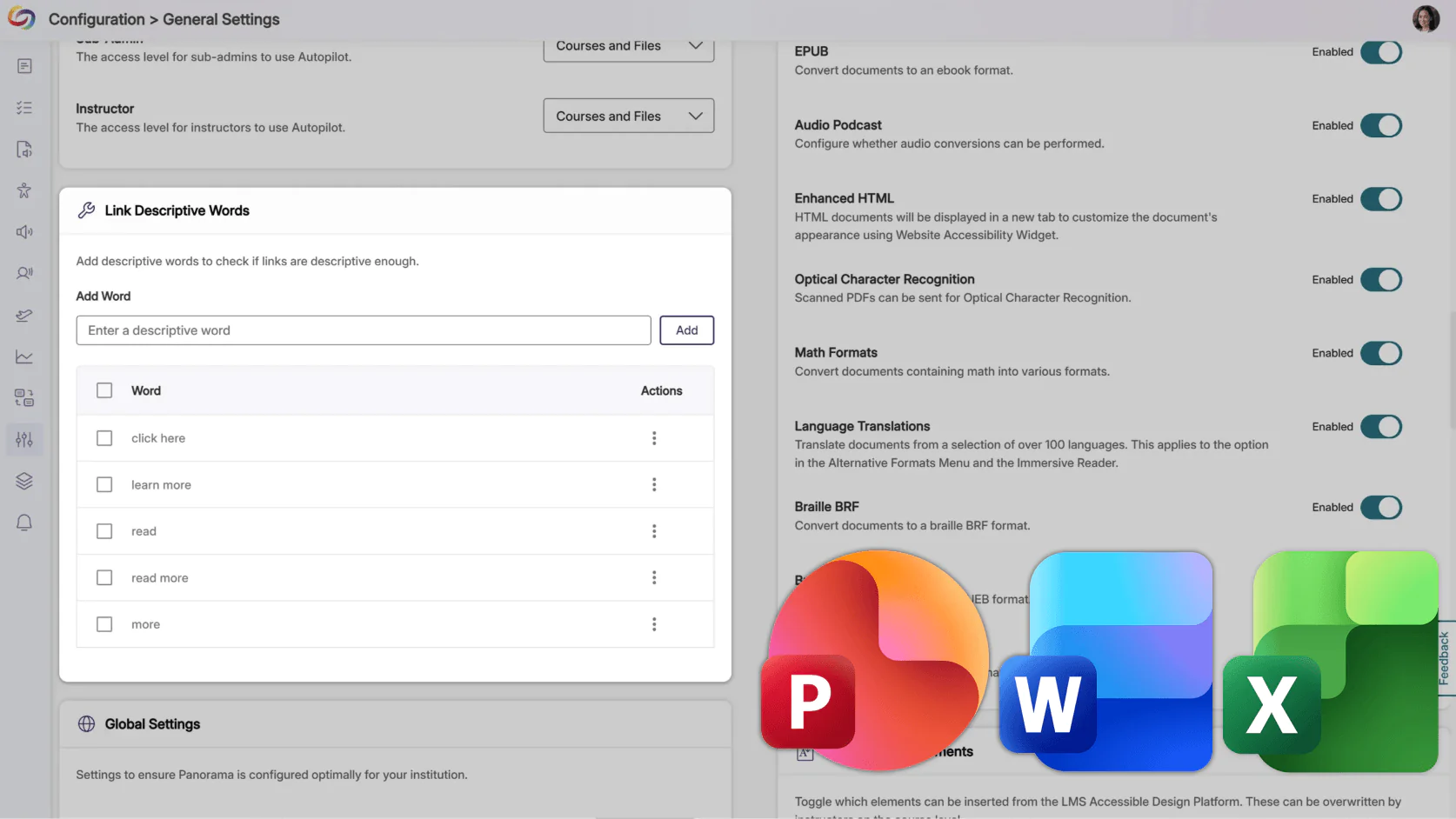
YuJa Panorama will now detect custom non-descriptive text issues in PPTX, DOCX, and XLSX documents, such as “for more information, click here” or “read more.” These checks help ensure that all links provide meaningful context for screen reader users, extending accessibility check coverage previously available only for other document types.
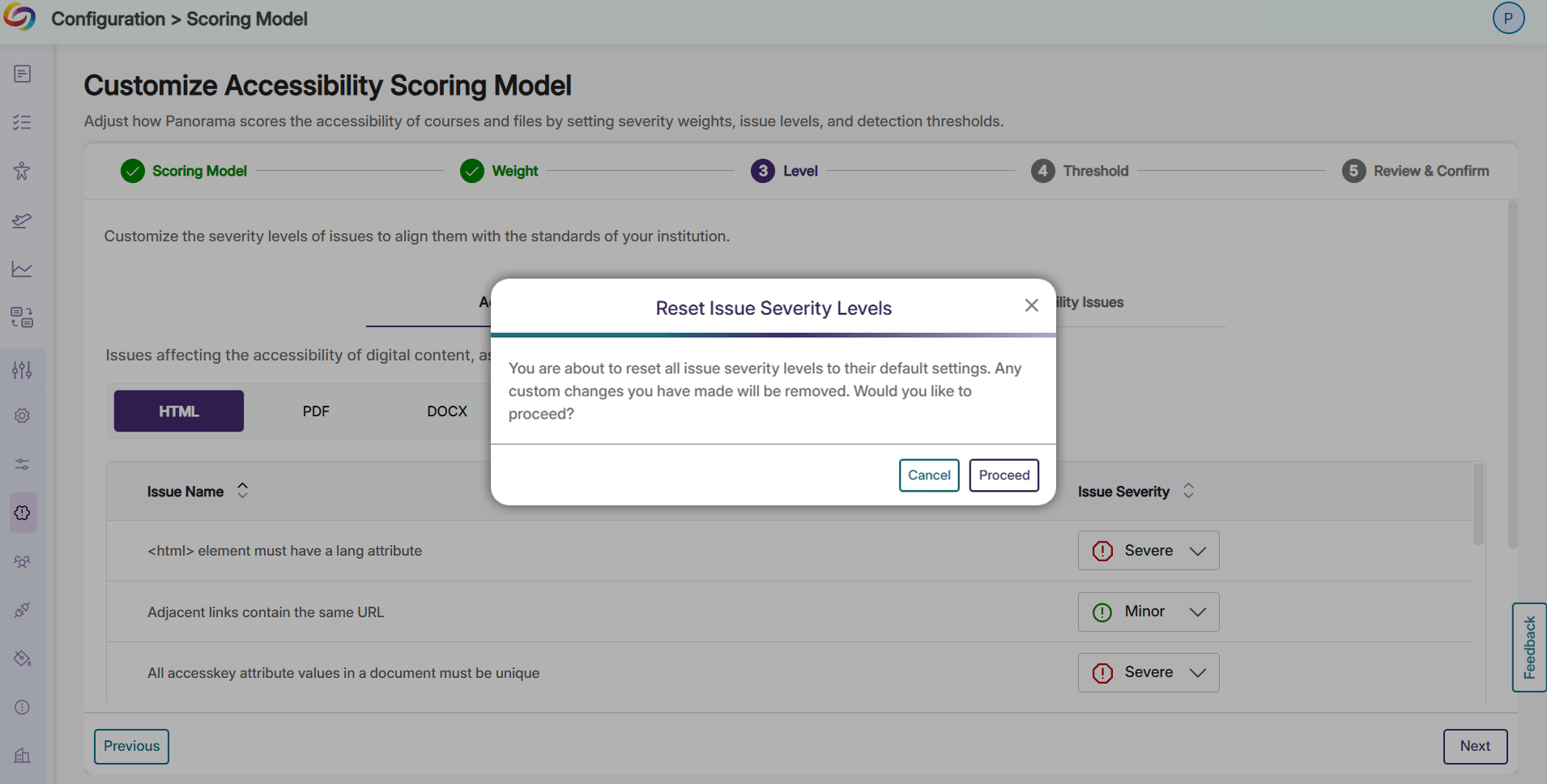
Users can now easily reset their customized issue severity levels back to Panorama’s WCAG-aligned default scoring. Whether it’s the start of a new term or your institution has decided to change the way accessibility issues are flagged, resetting the severity flags for issues can now be completed in seconds, with one click.
Institutions can now map the Content Developer role to the Panorama Instructor role. This lets designers improve course accessibility just like instructors, without granting access to admin reports or institution-level settings, and eliminates the need to enroll them as teachers in hundreds of courses. The result is a streamlined workflow, secure role management, and faster accessibility improvements across courses.
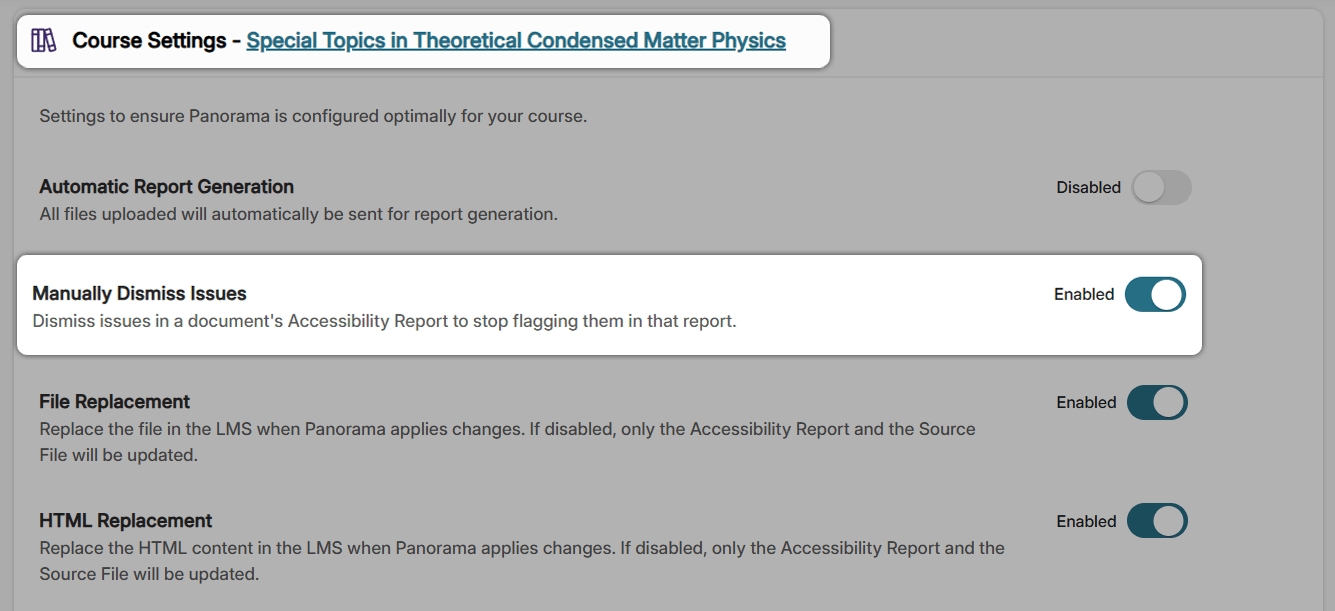
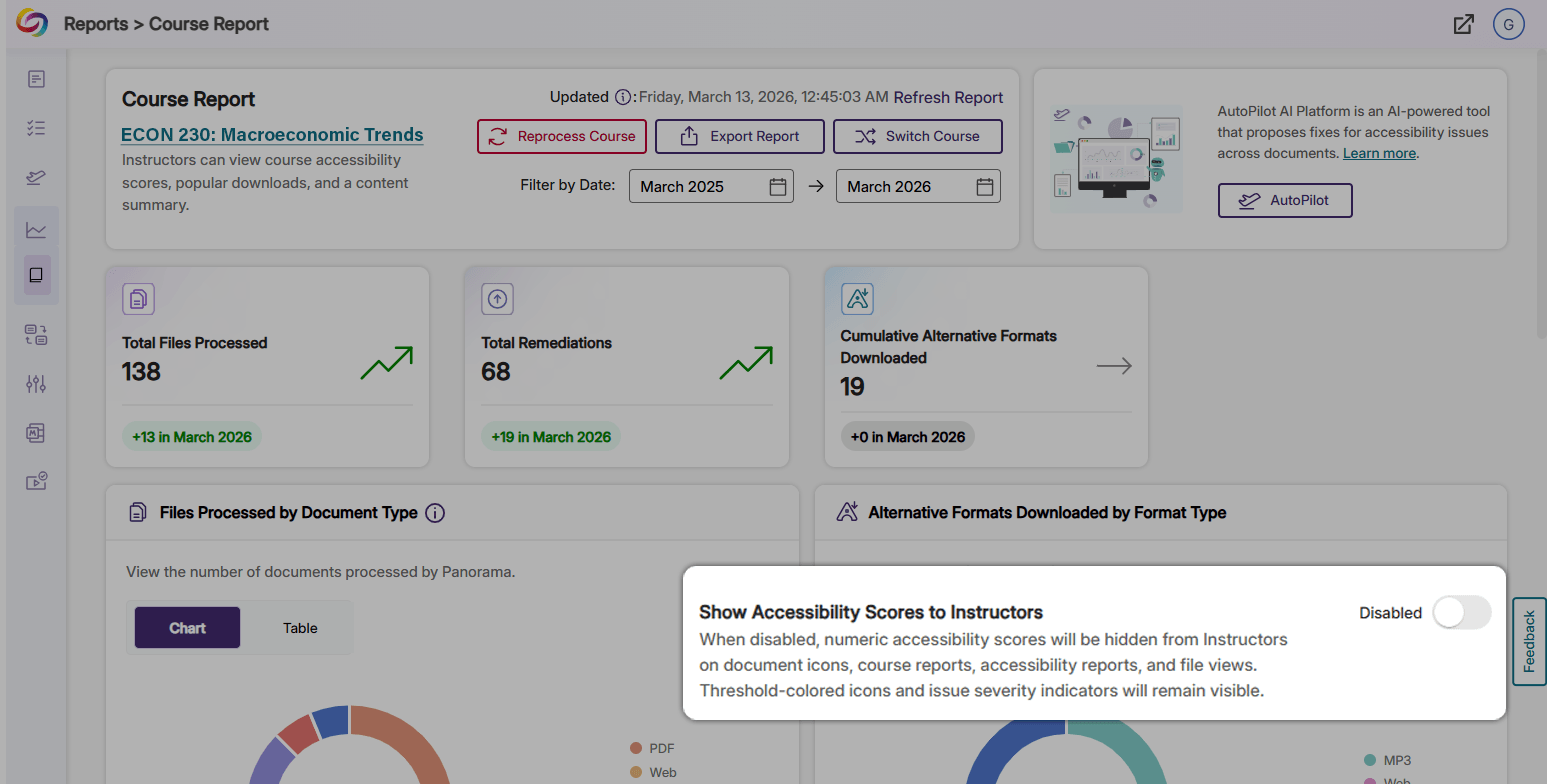
Administrators can now hide Accessibility Scores from Course Reports and document Accessibility Scores from instructors to ensure that only administrators have access to Accessibility Score data. This will allow instructors to focus on accessibility issues rather than on numerical scores. When the Show Accessibility Scores to Instructors setting is disabled, instructors retain full access to Accessibility Reports and remediation tools, but cannot view any accessibility scores.
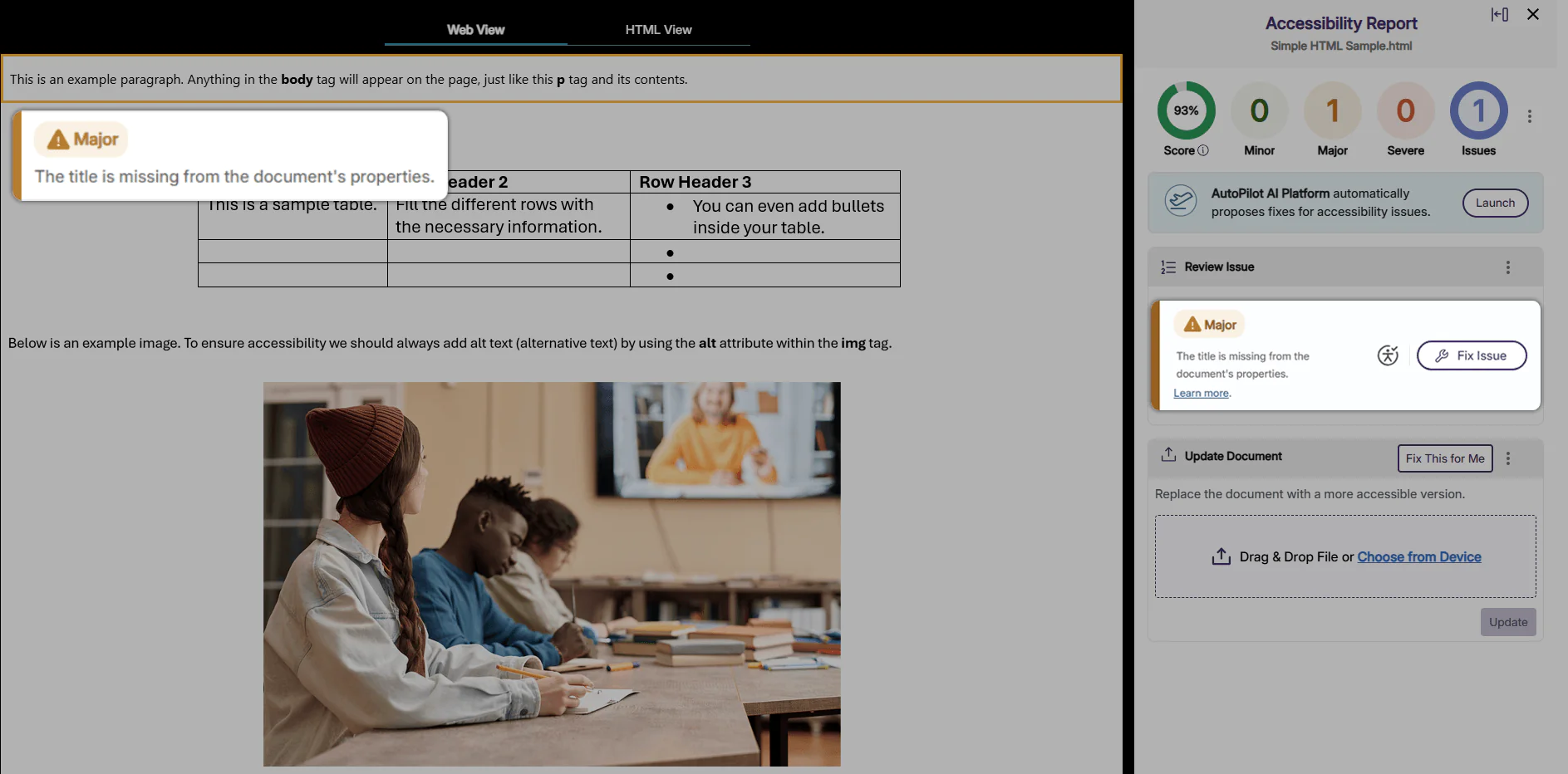
Users can now enable Panorama to flag missing title issues in HTML files and provides suggested fixes for inline remediation. By accurately flagging Missing Title issues in HTML files, Panorama helps ensure that HTML files are fully screen-readable.
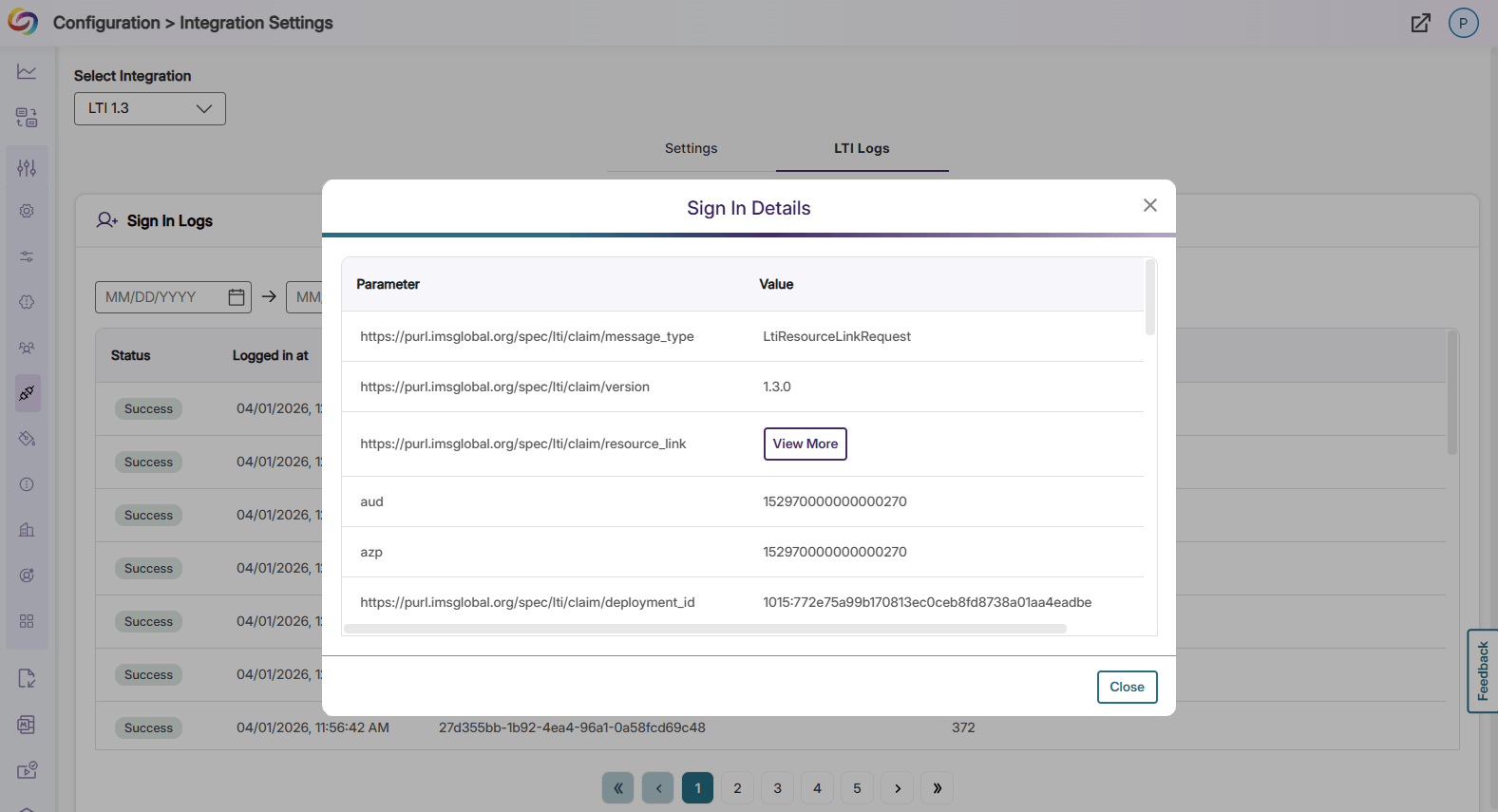
Panorama will now log LTI activity in Integration Settings for better visibility into successful and failed LTI launches. Each log item can be expanded for full sign-in details, providing administrators and IT personnel with in-depth debugging information.
Join the 1,000+ Organizations Deploying High-Impact Solutions