

Product Updates
Get the latest platform updates, features, and announcements—all in one place.
Boost Video Accessibility with the GenAI Video PowerPack!
Try Now
Supercharge Your Compliance Efforts with AutoPilot Remediation Max!
Try Now
Strengthen Your PDF Accessibility Efforts with Structural Remediation Max!
Try Now
Don't Miss Any of Our Upcoming Webinars—Save Your Spot!
Register
The YuJa Community is here! Connect, get updates, and access exclusive content.
Join Now

Get the latest platform updates, features, and announcements—all in one place.
Over the next few weeks, YuJa Lumina will be adding exciting new features, including automatic LMS relink improvements, AI-powered silence removal, enhancements to the video editing management workflow, and much more.
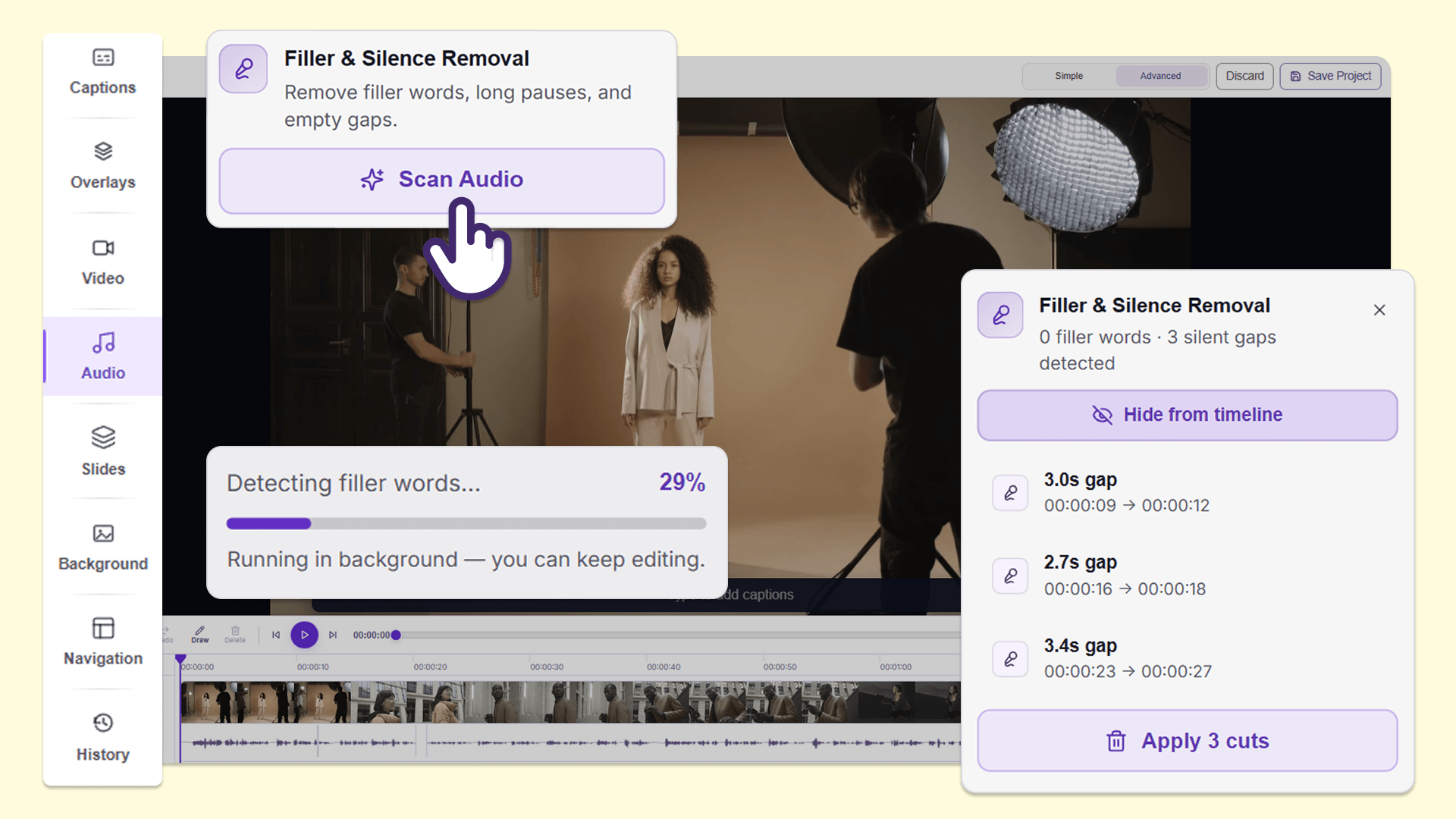
Create a smooth and engaging video experience for audiences with AI-powered filler-word and silence removal
Instructors can now use Filler & Silence Removal in the audio panel of the YuJa Lumina Video Editor to find and remove filler words, such as “um,” and extended silent pauses from recordings without manually reviewing and editing the video. This makes it faster to clean up long lectures and presentations before sharing them with students, helping them stay focused and engaged with content that is more polished and concise.
Users can:
Remove filler words: Detect and remove filler words such as “um,” “uh,” and “like” to improve viewer comprehension and make lectures and presentations more professional.
Remove silences: Detect and remove long silent pauses to make lectures and presentations more engaging and concise.
Make multiple edits at once: Remove multiple instances of filler words and silences in a single action without manually deleting each instance.
Edit in several languages: Filler & Silence Removal is available for videos in more than 20 languages, helping instructors clean up recordings in the languages they use for teaching.
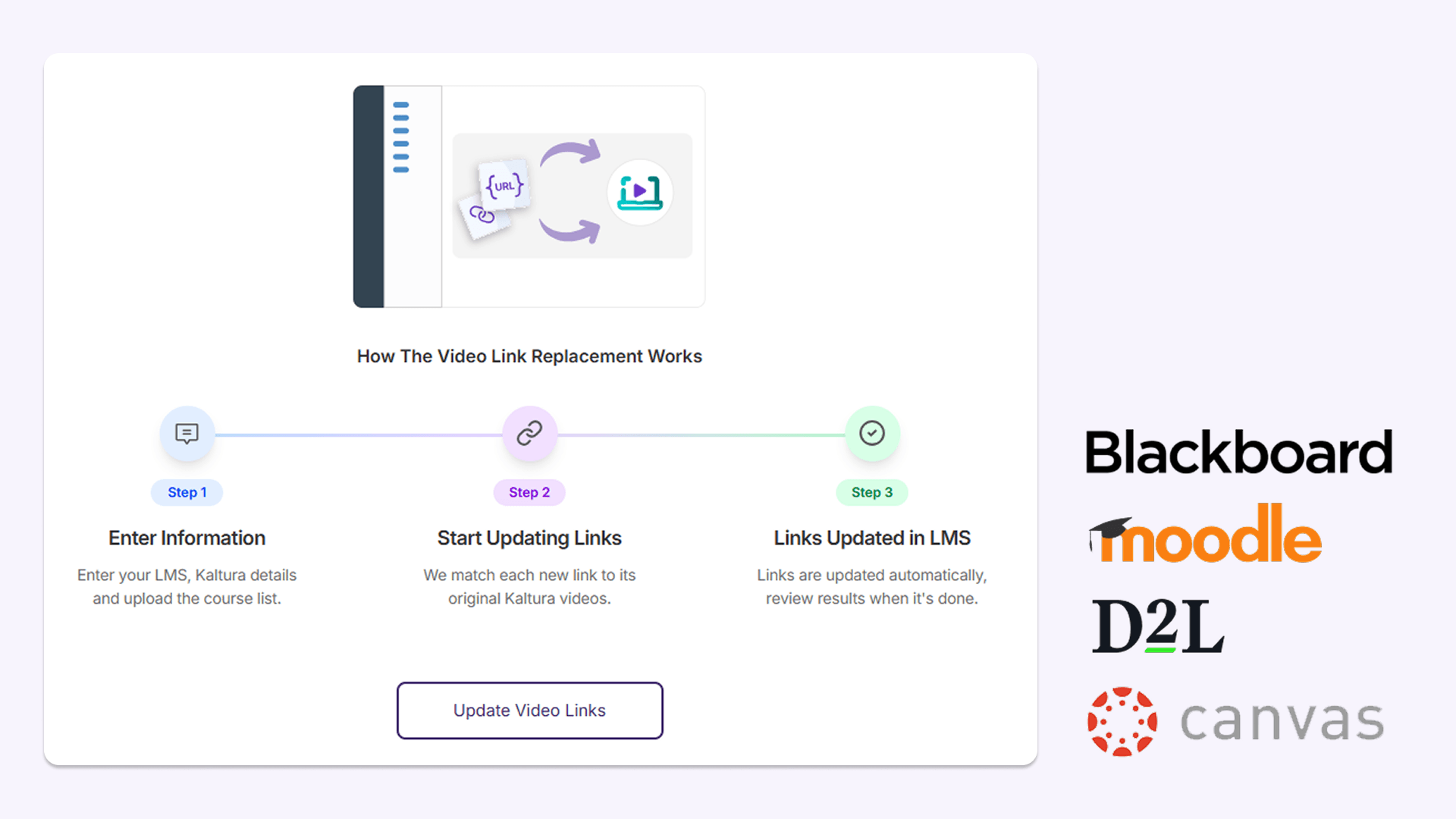
Seamlessly run automated video link replacement in less than 24 hours after migration
After migration to YuJa Lumina, administrators can now run automated video link updates, allowing them to update links and embeds pointing to existing video content in the learning management system (LMS). After this modification, links will automatically be replaced with the migrated video hosted in YuJa Lumina within 24 hours. Video links and inline videos are quickly updated with correct titles in the LMS, improving the workflow for administrators and helping students maintain access to course videos with limited disruptions.
This feature is available in:
Blackboard: YuJa Lumina updates video links and embedded video content across course content and announcements, including content contained within folders.
Moodle: YuJa Lumina updates video links and embedded video content across pages, assignments, lessons, and other course activities.
D2L Brightspace: YuJa Lumina updates video links and embedded video content across course announcements, assignments, discussions, and supported LTI links.
Canvas: YuJa Lumina updates video links and embedded video content across announcements, discussions, assignments, and pages.
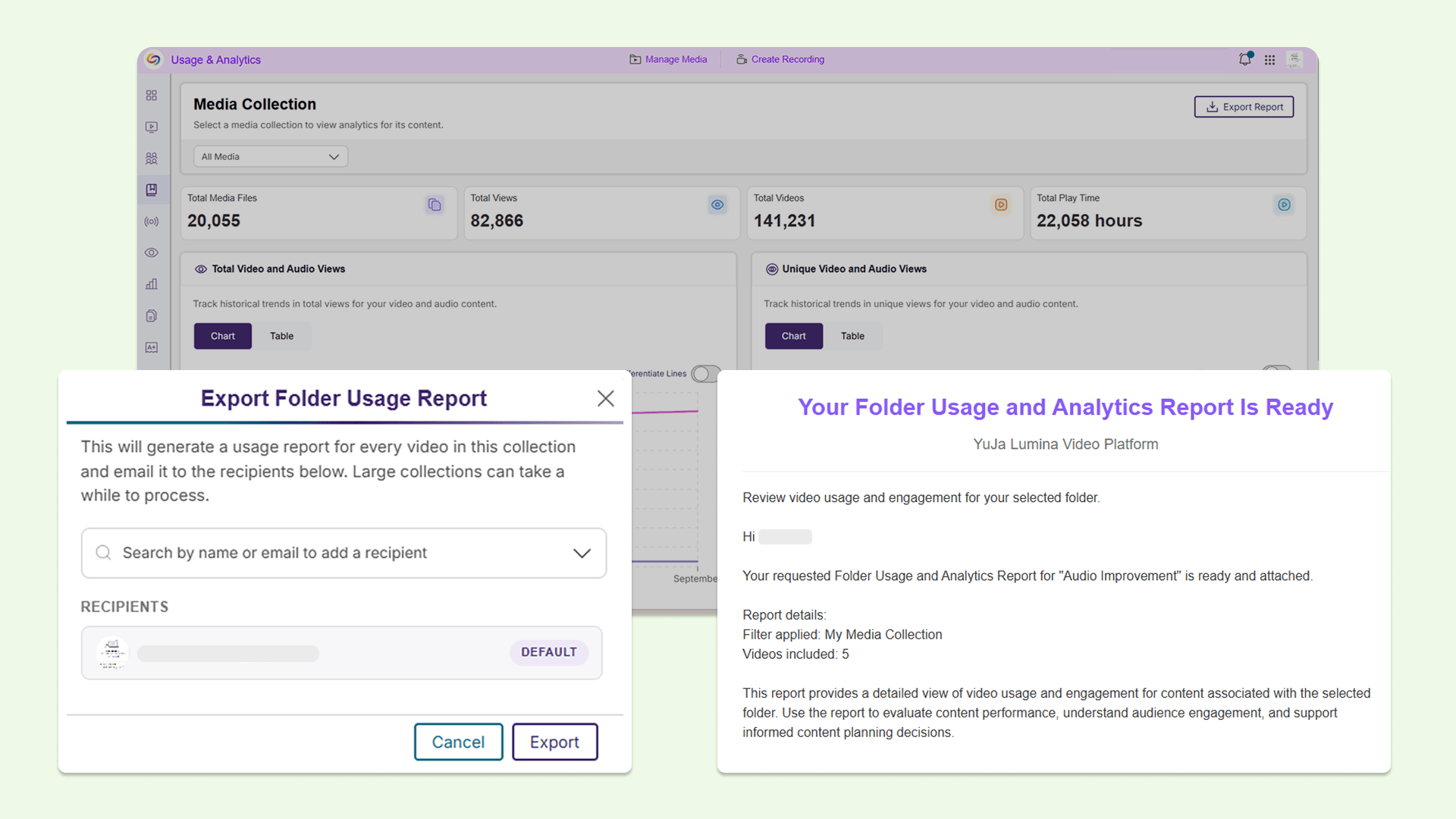
Get more insight into video usage for any folder in the YuJa Lumina media library with an expanded Media Collections report
Instructors and administrators can now download a Folder Usage and Analytics Report for different types of folders, including Media Collections, Course Channels, and institution-wide content from the Media Collections report inside the Admin Panel. These reports provide video-level usage information, such as unique viewers, unique student viewers, average watch completion, and recent activity, making it easier to see which videos students are watching, identify content that may be underused, and understand how video content is being used in one Excel sheet without manually gathering the data.
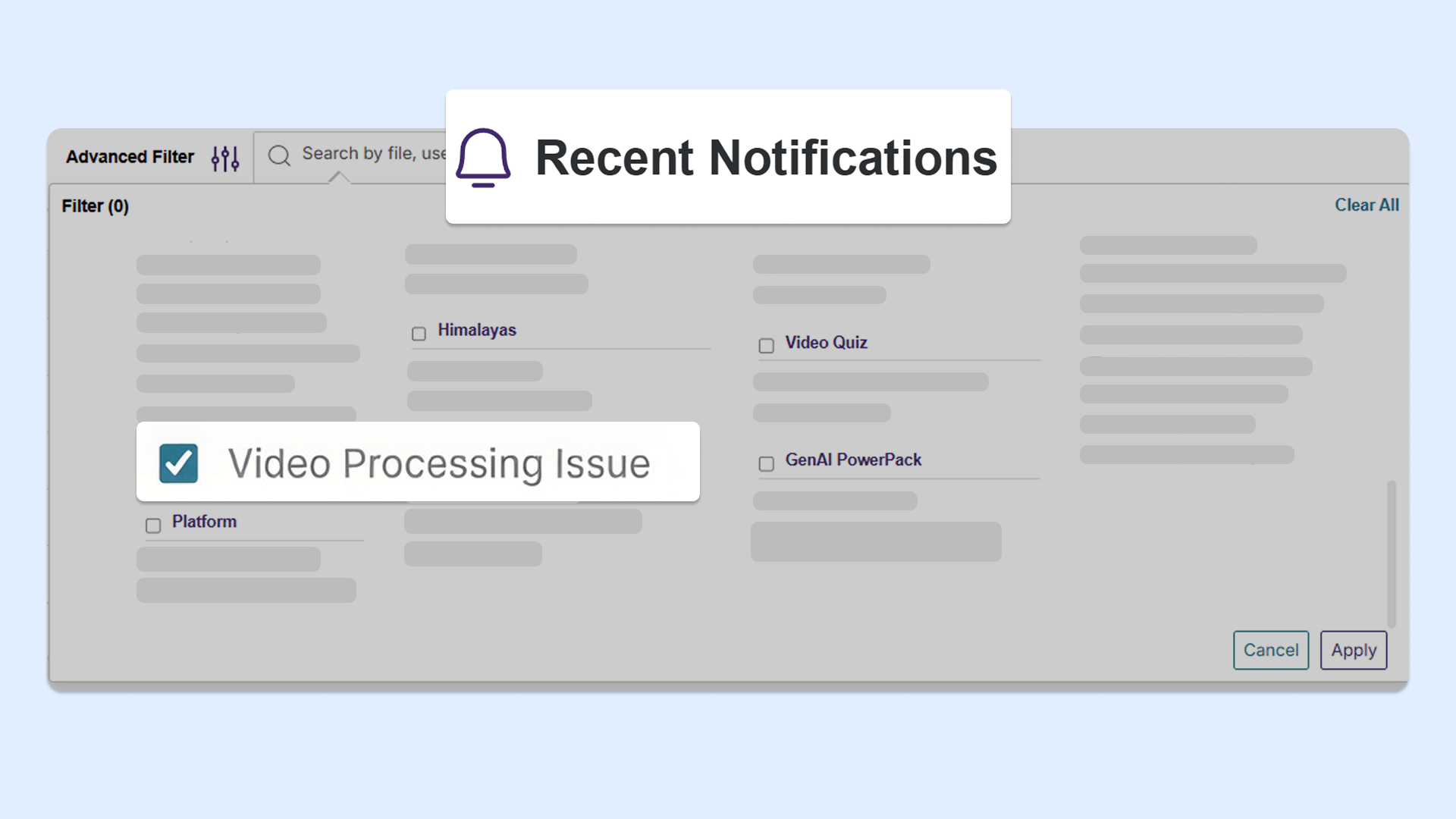
Quickly find recordings that need to be reuploaded with new filter in the Recent Notifications panel
Instructors and administrators can now use a new filter to find recordings that did not successfully upload or process, in the Recent Notifications panel. This makes it easier to identify recordings that need to be reuploaded or reprocessed without needing to manually search through all recordings to identify individual issues.
Simplified the workflow for adding new video clips in the YuJa Lumina Video Editor
We’ve simplified the process of adding new video clips to the timeline, allowing users to speed up workflows with more precise video editing. When adding a video clip to the timeline, the improved Insert Video window now displays the thumbnail, title, and length of the clip that’s been selected. Clearer options are also available to customize the video insertion, including which track to place the clip on, and where to insert the clip on the timeline.
YuJa Lumina v26.6.0 Release
Over the next few weeks, YuJa Lumina will be adding several new features to improve user experience, including proctored video quizzes with a YuJa Verity integration, and so much more.
New YuJa Verity integration for a secure, proctored video quizzing experience
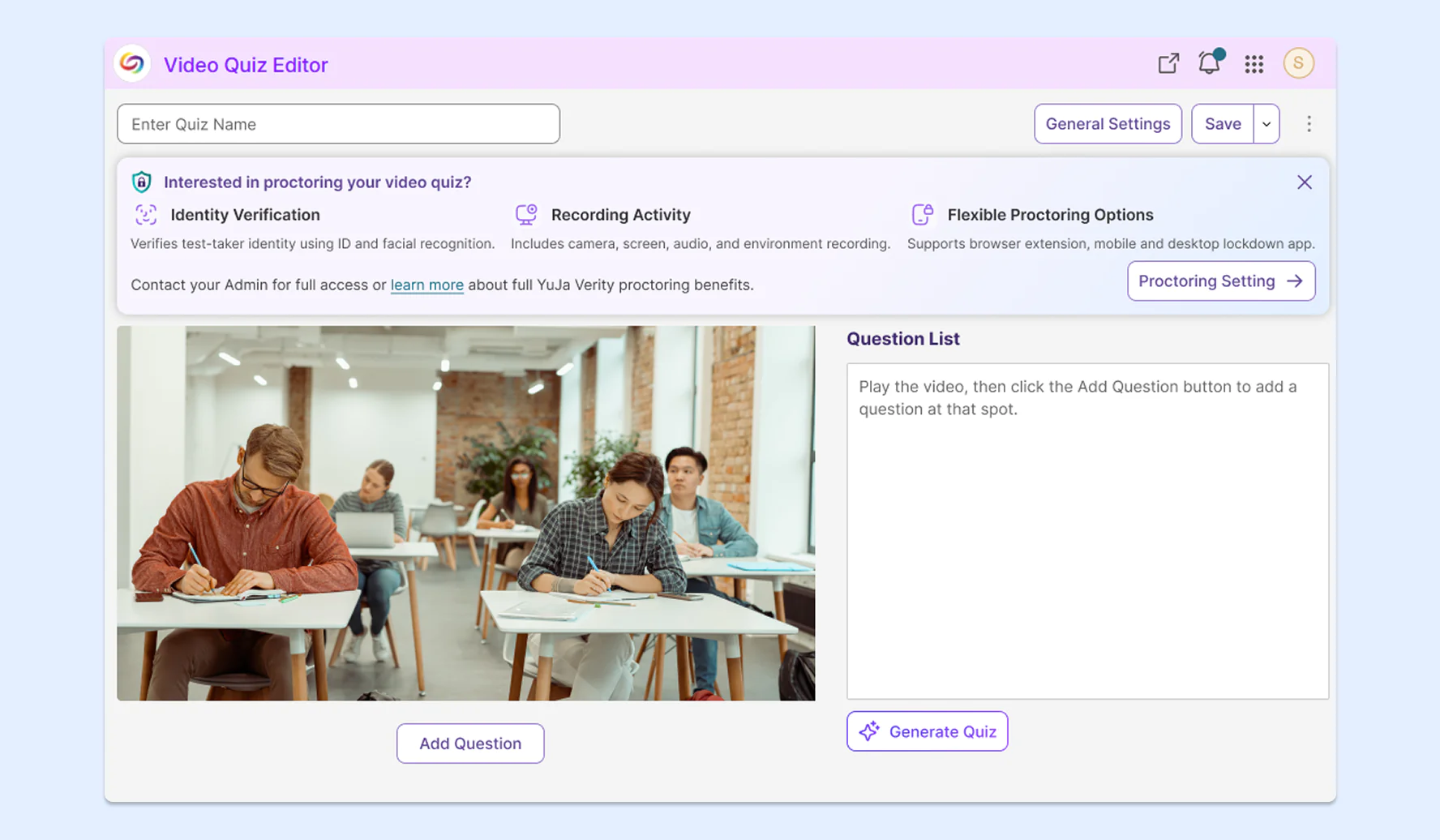
Faculty can now enable proctoring for video quizzes using a new YuJa Verity integration directly within YuJa Lumina’s Video Quiz Editor for a seamless, consolidated workflow. This will enable instructors to facilitate secure video-based assessments directly in YuJa Lumina, without needing to navigate to other solutions. The new workflow features:
Multiple proctoring methods: Browse various proctoring methods including Automated Proctoring, Live Assessment, and Live Check-In, before choosing one to proceed with. Note: For institutions that don’t have YuJa Verity, only Automated Proctoring will be available.
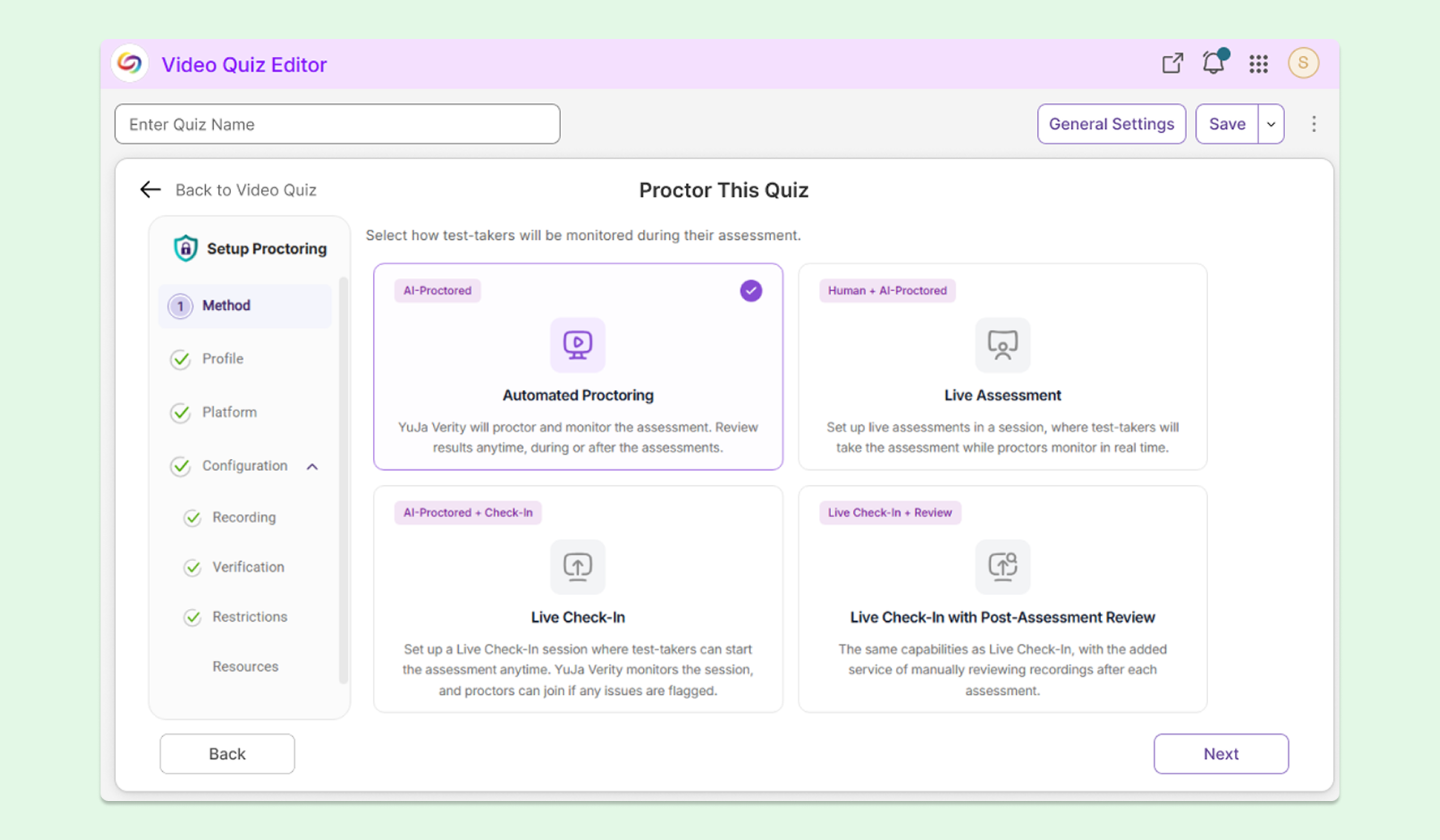
An inline experience: Instructors can stay within the Video Quiz Editor without needing to navigate to a separate application to administer a proctored video quiz.
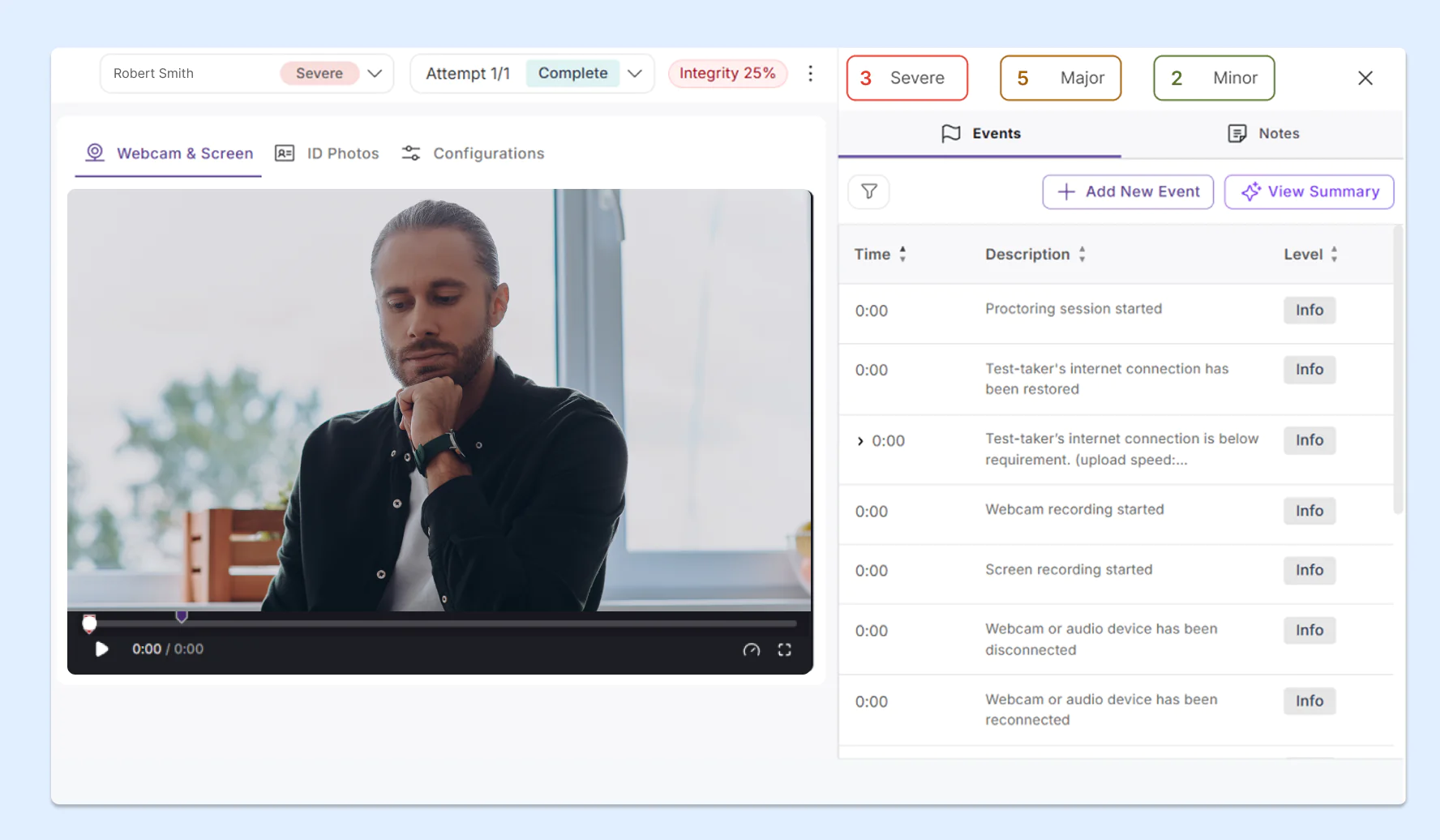
Proctoring results with video recording: Instructors can see a detailed report that includes the student’s video recording, raised flags, and summary analytics.
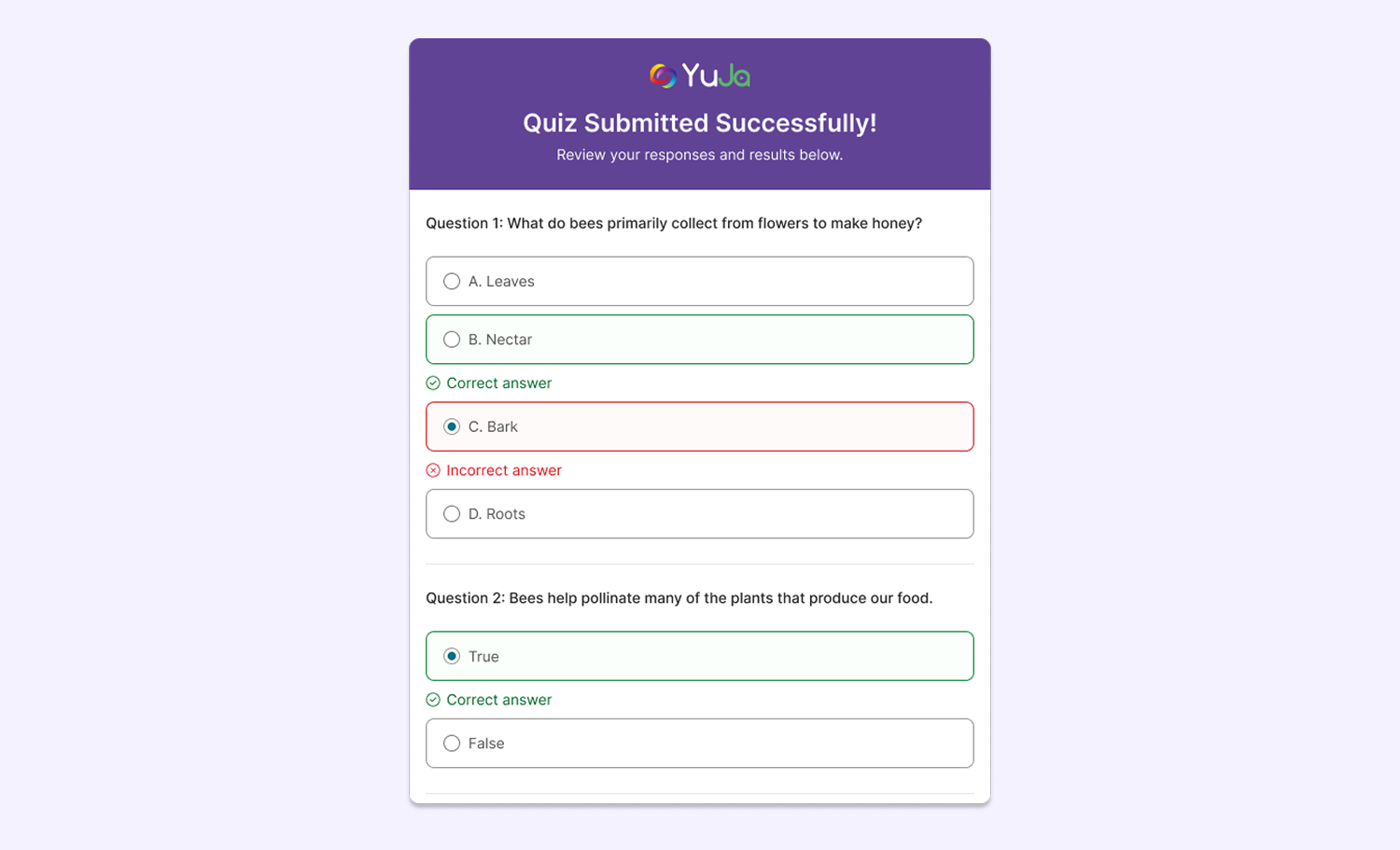
Instant results for video quizzes to offer test-takers immediate feedback
To give students quick feedback on their video assessments, YuJa Lumina now provides a quiz summary that displays test-takers’ results for each question, allowing them to see where they succeeded and where they went wrong upon submission. Instructors can also configure quizzes to show the correct answer immediately after each question is submitted.
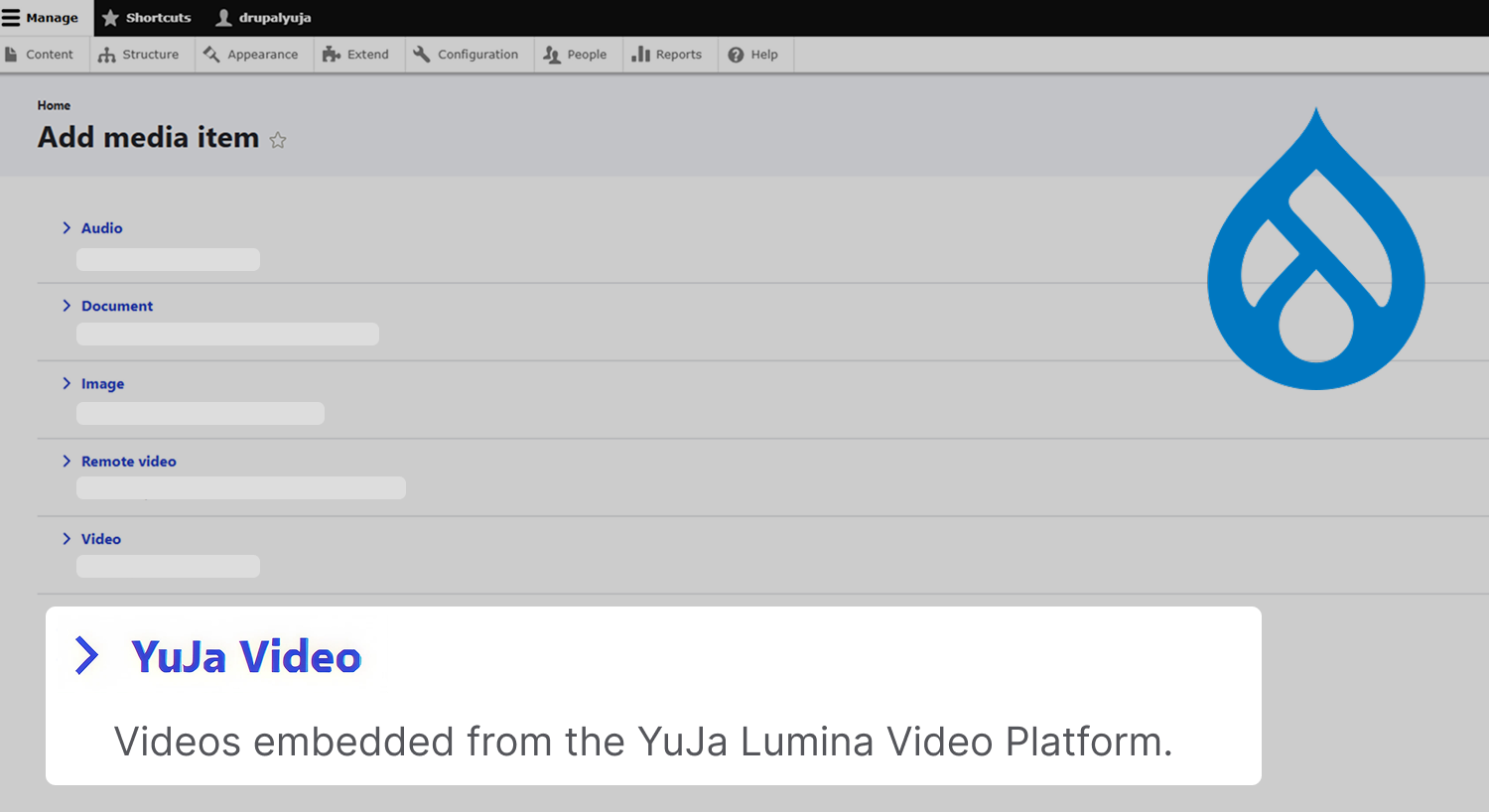
Embed YuJa Lumina videos directly in Drupal CMS to reuse videos across the CMS library
For institutions that use Drupal CMS, administrators can generate one access token to allow users across their institution to embed videos from YuJa Lumina directly in Drupal as a media item. This lets them reuse YuJa Lumina videos across their Drupal libraries without repeatedly selecting them from the YuJa Lumina Media Chooser.
New API endpoint to view the percentage of students who watch each video for more granular reporting
Administrators can now retrieve the percentage of students who have viewed a particular video via API, allowing administrators and instructors to better understand which videos are generating the most student engagement using their own custom workflows.
Improved handling of unstable sources to prevent loss of files during large video uploads to the Hardware Hub
To prevent files from an unreliable source connected to a capture card from failing to upload or being corrupted, YuJa Lumina has improved its handling of unstable sources when connected to the YuJa Hardware Hub. Users will now be alerted if they reach a rate limit, helping them resolve potential issues related to their uploads.
Improved detection of HDCP signals for Hardware Hub capture
Devices protected by an HDCP signal, such as DVD players, will now be detected more accurately when users connect them to the YuJa Hardware Hub. Users will receive email notifications if the Hardware Hub fails to capture a signal because of HDCP protection, making it clear why the capture failed to start.
Over the next few weeks, the YuJa Lumina Video Platform will be rolling out several new updates, including a brand new Video Editor, a deeper integration with YuJa Panorama, additional languages for auto-captioning, and several UI enhancements.
An Upgraded Video Editor for Smoother, Easier Editing and All Your Video Accessibility Needs
YuJa Lumina’s Video Editor has received a major upgrade with a brand-new design that incorporates improved video editing and video accessibility workflows, all in one consolidated and intuitive interface. Key features include:
Simple editing mode: Users can access basic video and audio editing tools to split, trim, annotate, add, and remove clips, allowing them to make quick and easy edits for day-to-day editing needs. Users can also edit captions for their videos.
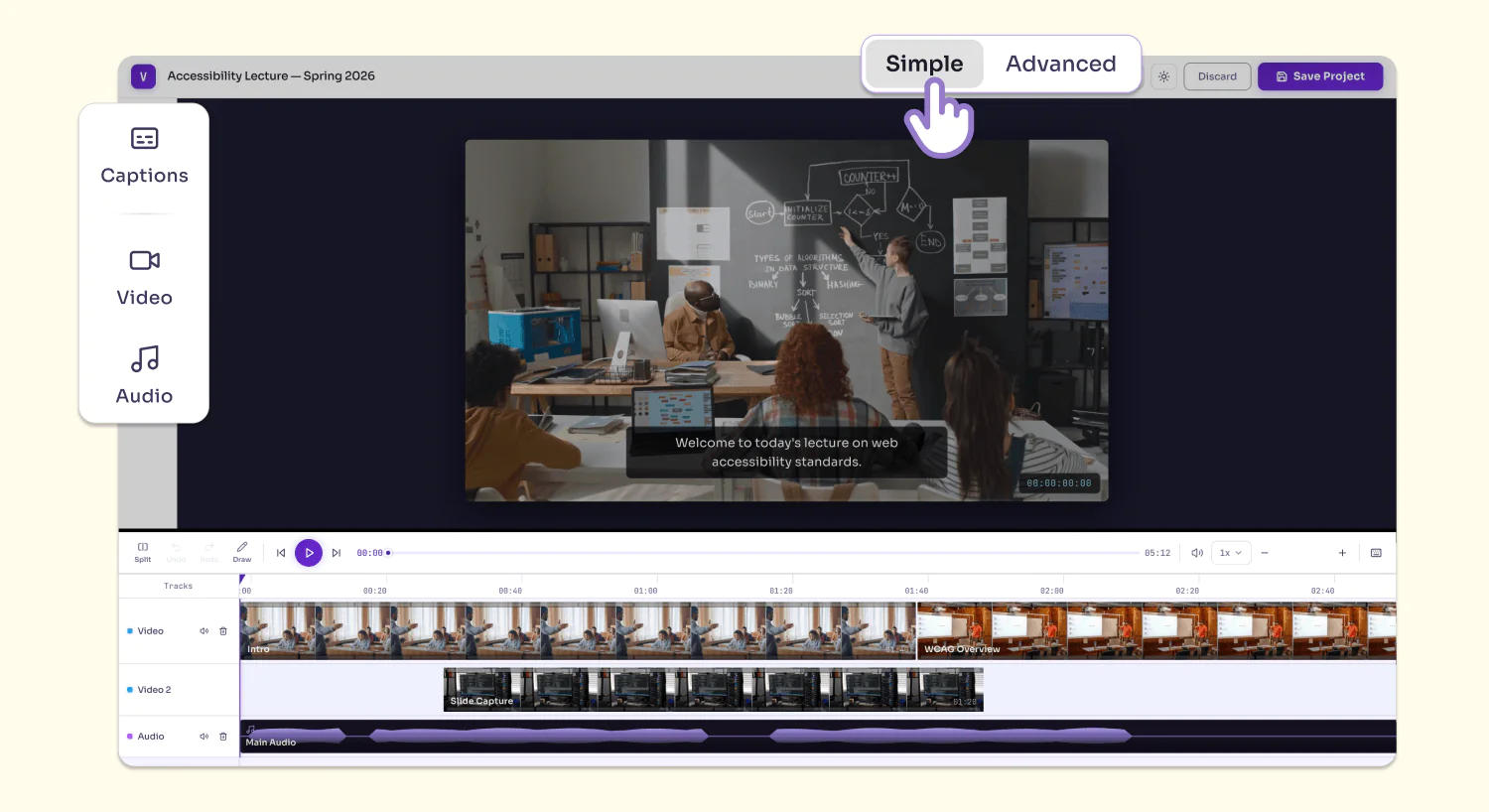
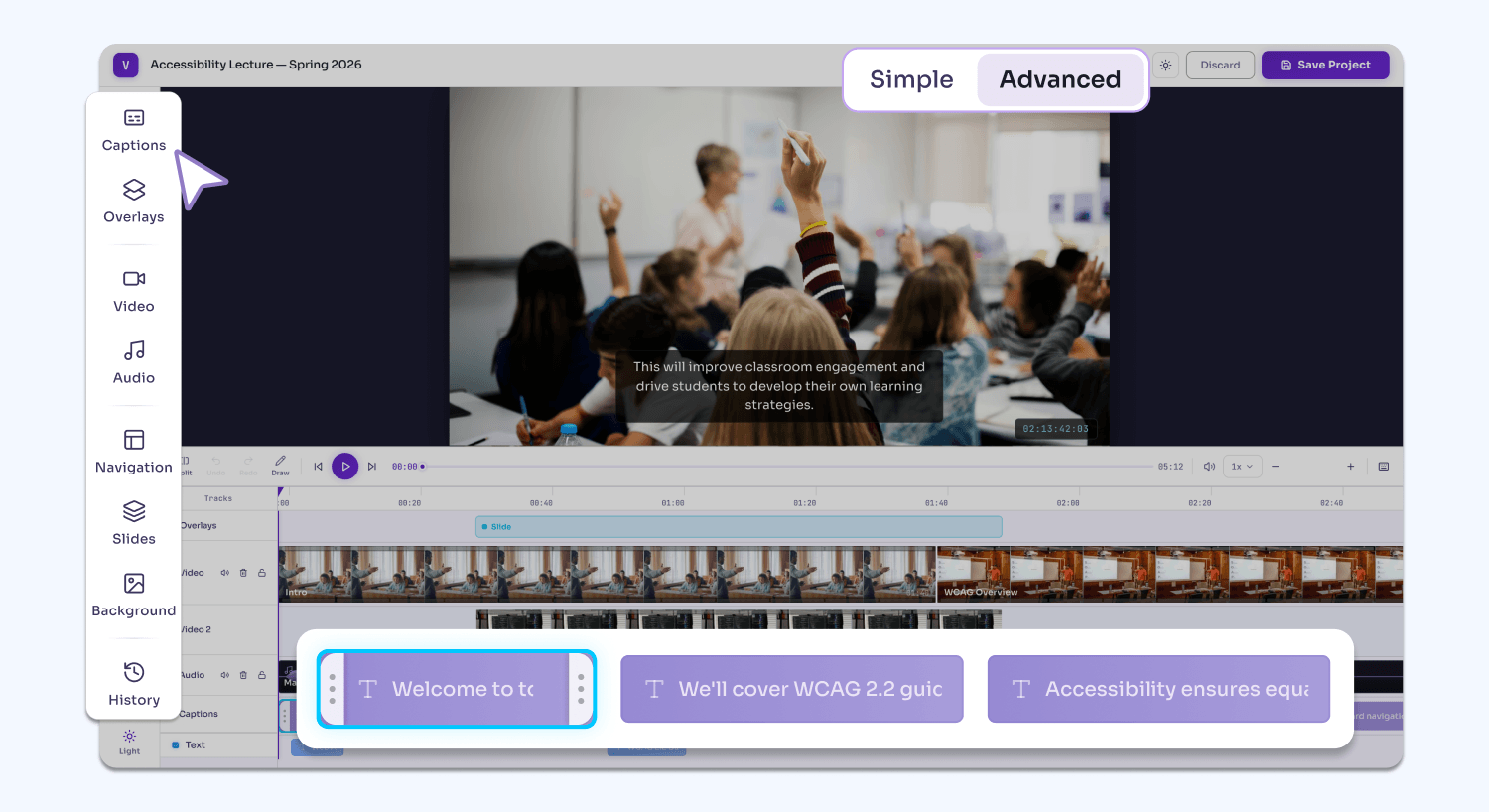
Advanced editing mode: On top of all the features available in Simple mode, users can use the Video Editor’s extended list of features in Advanced mode, including adding text overlays, watermarks, backgrounds, slideshows, and blurs to their video. They can also leverage advanced AI-engines to automatically generate chapters/indexes while still maintaining full control over manual edits.
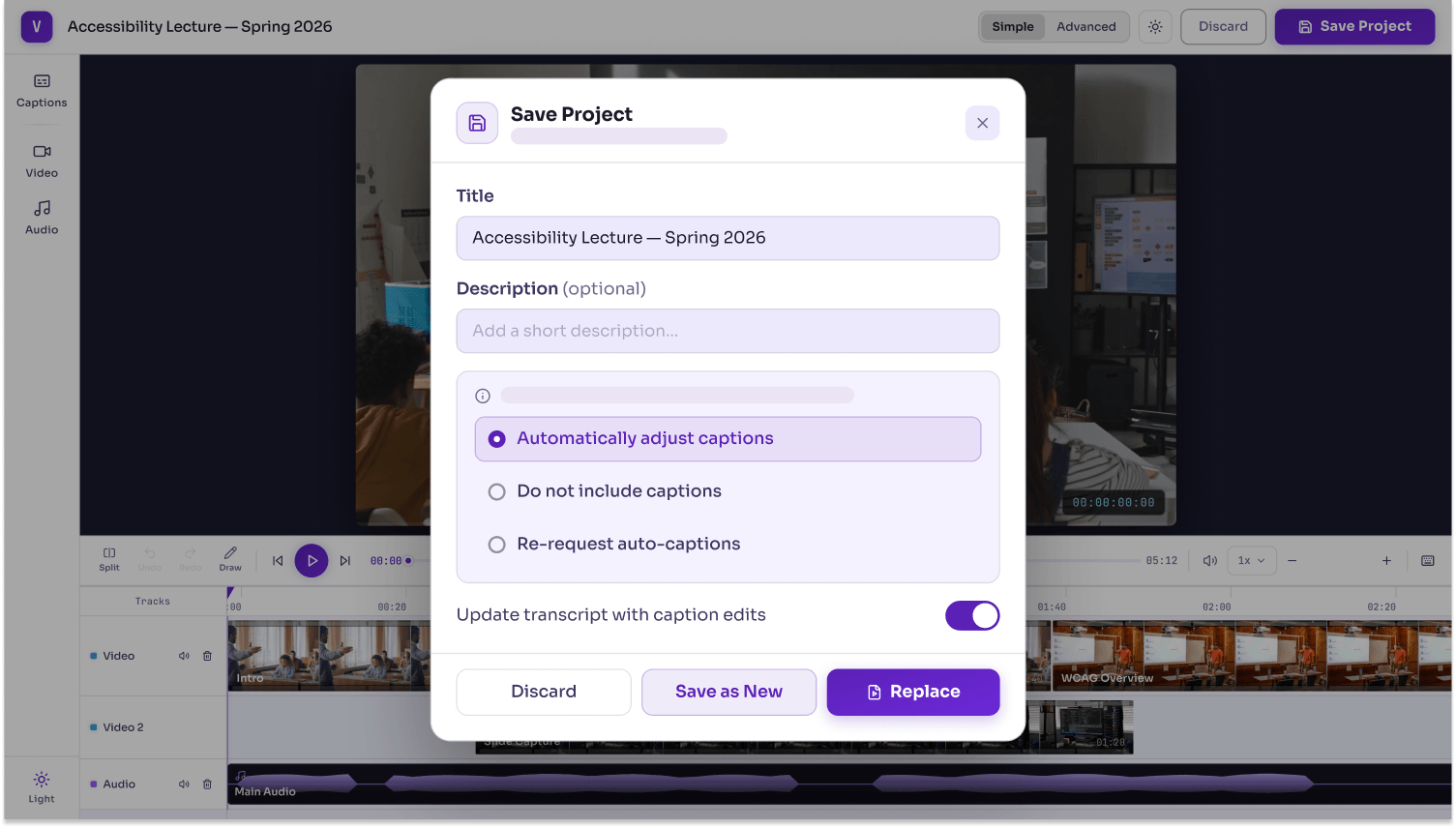
Automatic transcript updates: When the video is exported, users have the option to automatically update the video transcript with their new chapters.
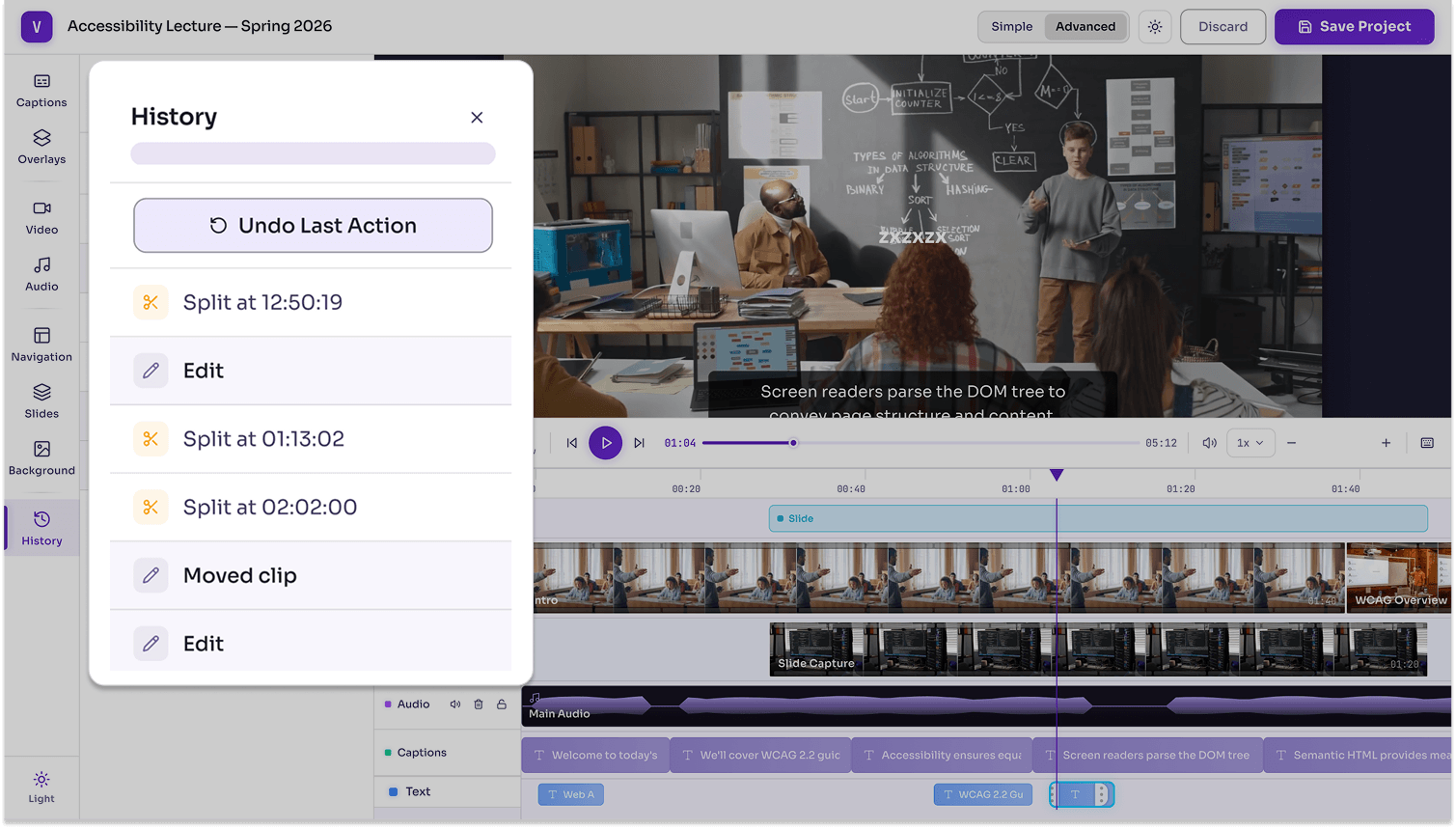
Version history: Users can easily revert their actions and return to previous versions of their project, ensuring that each action is properly saved for potential restoration.
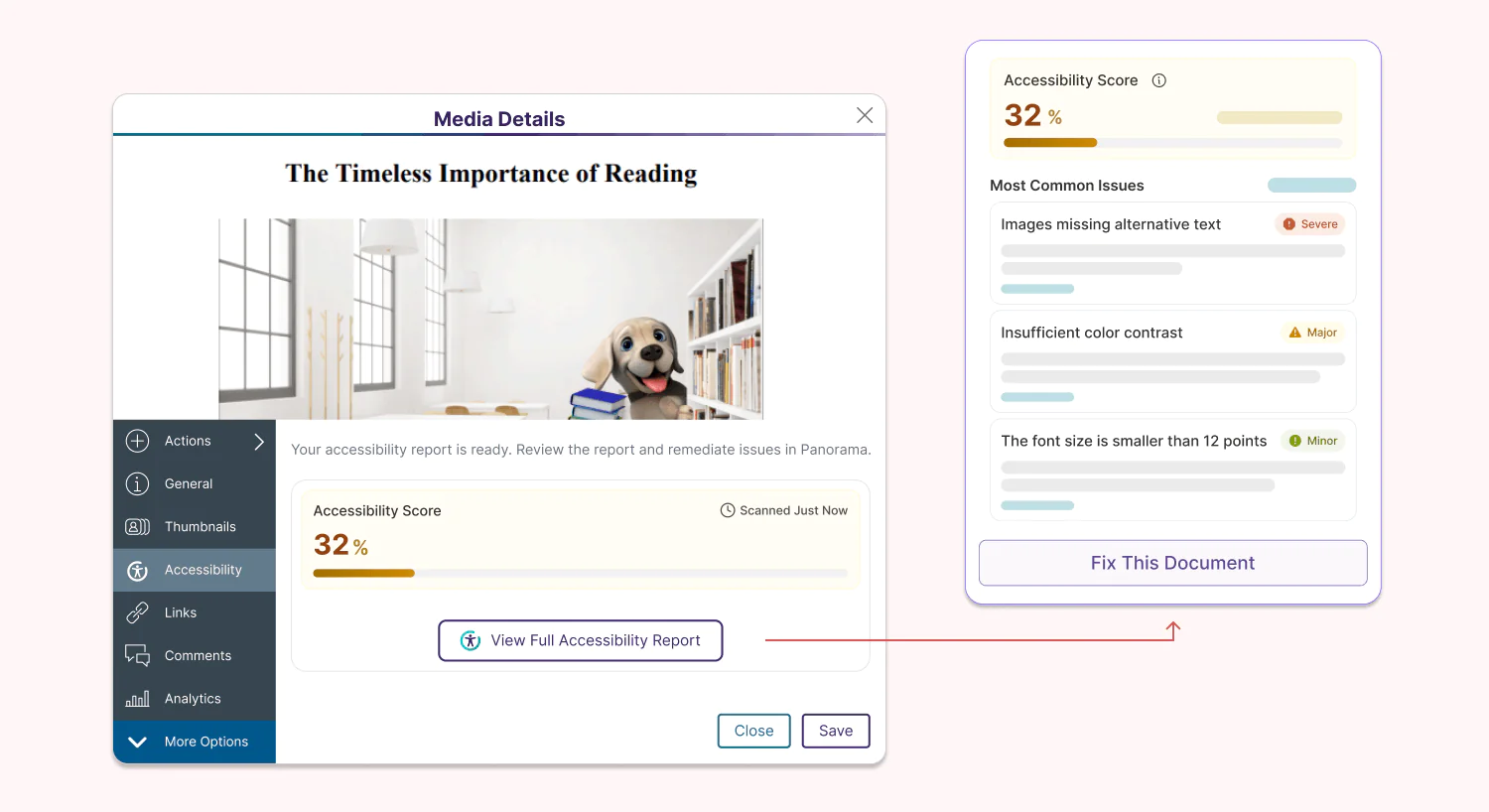
Reach Compliance Faster at No Cost with YuJa Panorama’s Document Remediation in Your Media Library
Administrators can now enable YuJa Panorama’s Accessibility Report for up to 10 documents uploaded in their YuJa Lumina Media Library for free, helping them reach the accessibility compliance initiatives of their institution, regardless of whether it is video-based or document-based content. For institutions that have YuJa Panorama, usage will be tied to their credit limit in YuJa Panorama, and they will also be able to leverage automation to fulfill and enhance their remediation workflows using YuJa AutoPilot and YuJa Structural Remediation.
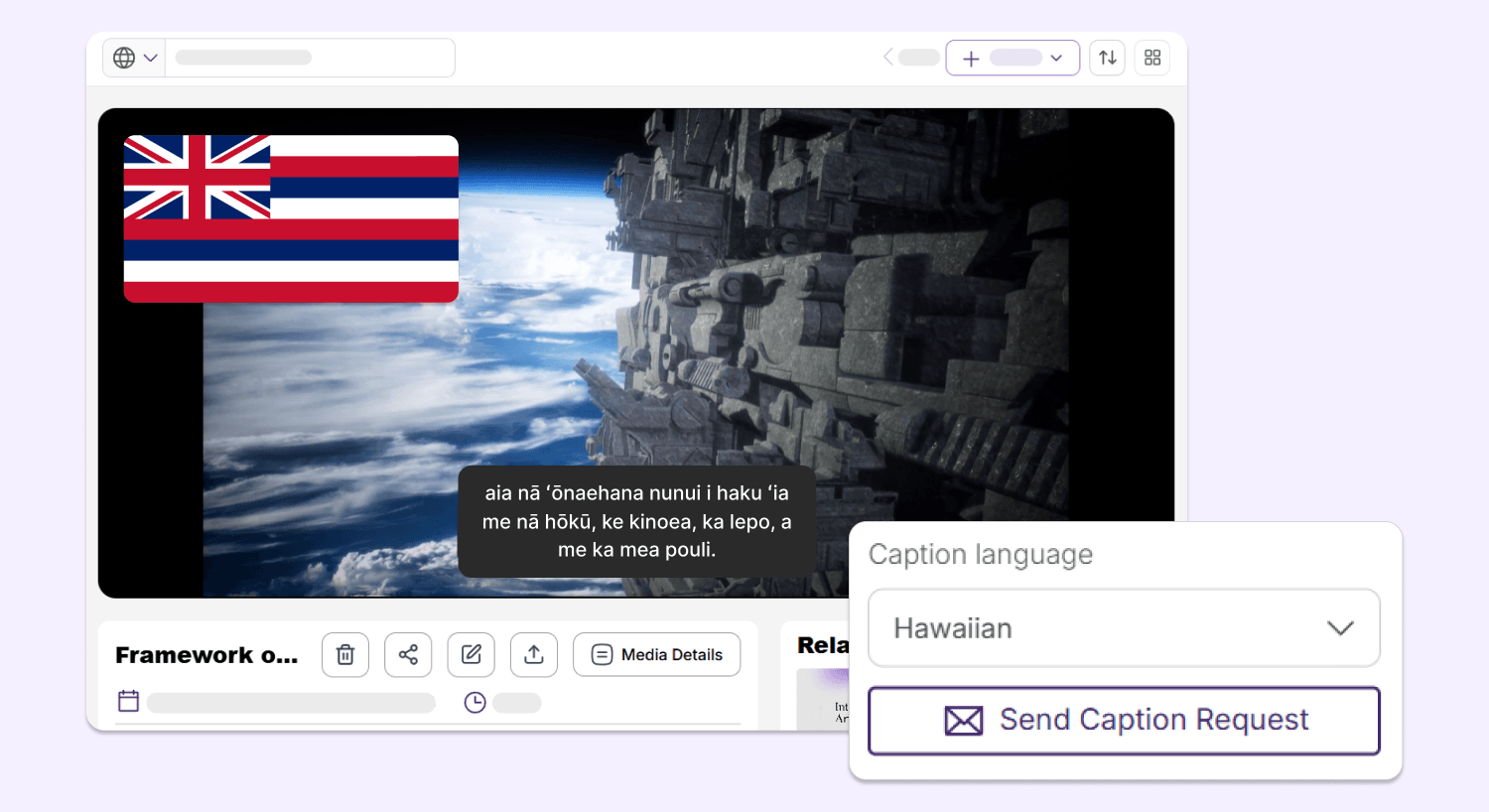
Support More Audiences with New Hawaiian Caption Generation for Your Videos
YuJa Lumina can now generate video captions in Hawaiian, helping users from diverse backgrounds better understand their video-based content while meeting accessibility needs.
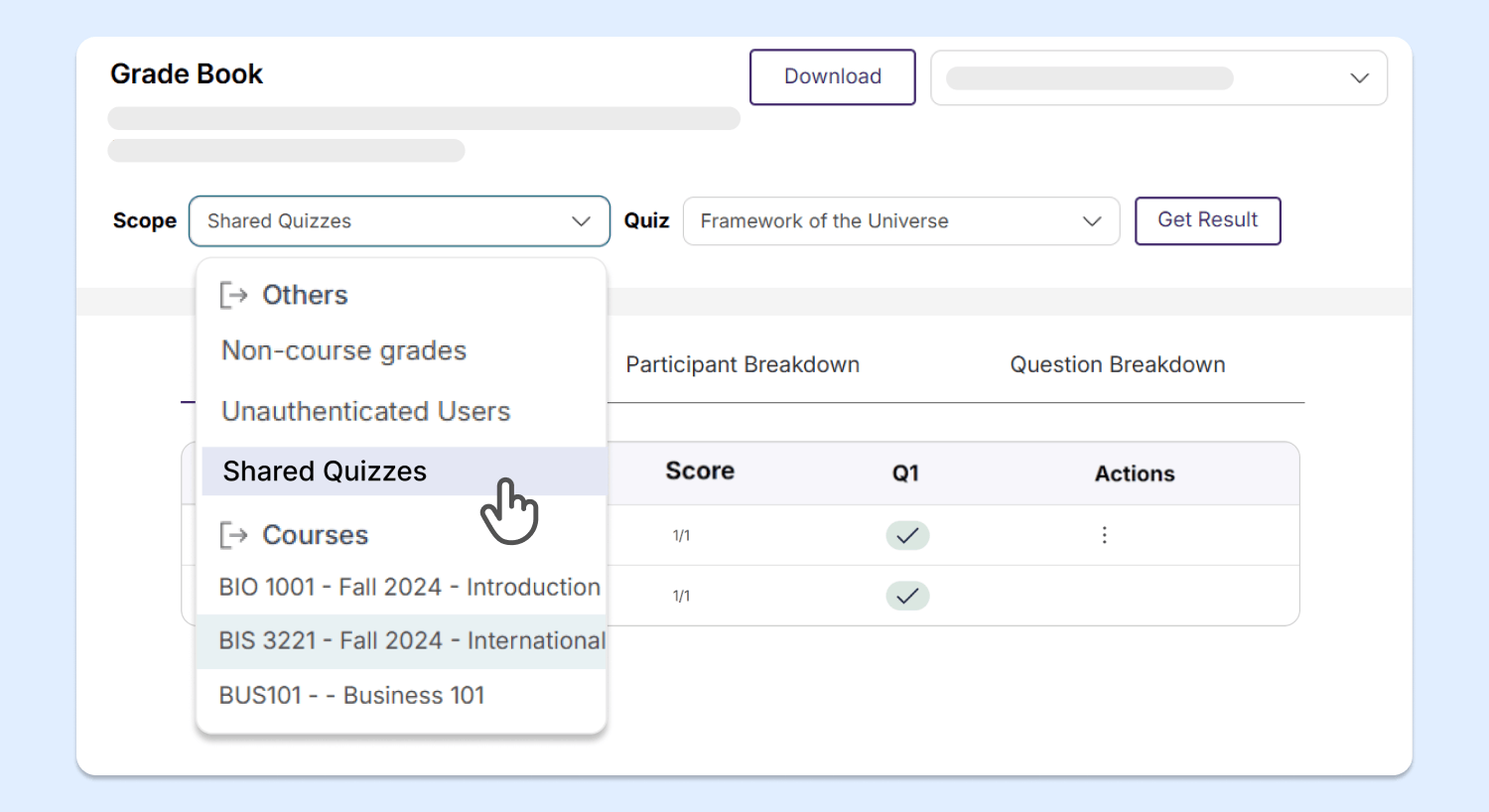
Enhanced Gradebook Sharing Enables Access to Video Quiz Results for Both Unenrolled and Enrolled Students
With YuJa Lumina’s new and improved gradebook structure, users can now easily access the results of video quizzes that are shared with them from courses that they are not enrolled in, saving instructors time and effort from needing to manually add users to those courses.
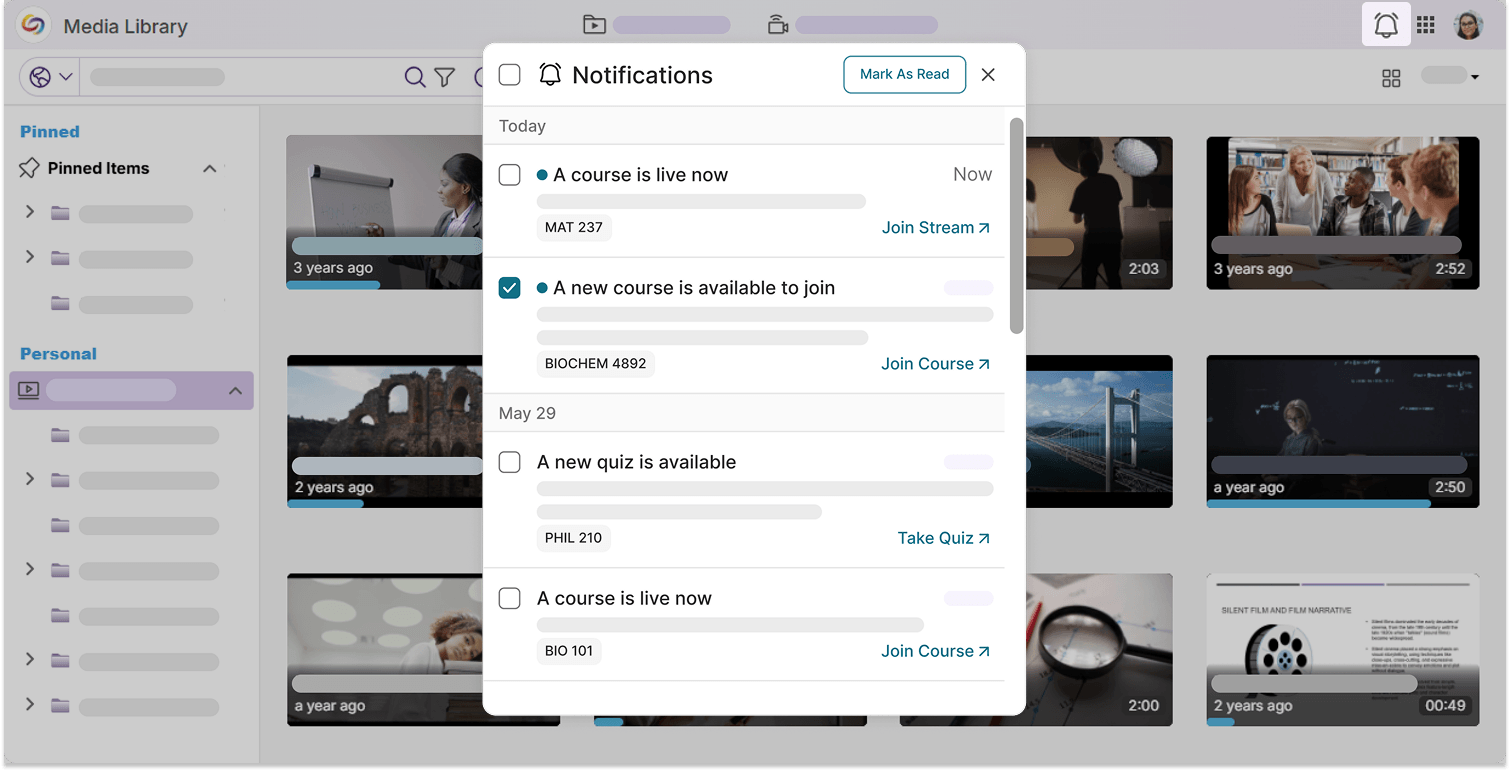
Upgraded Notifications Panel Helps You Keep Up with All Your Upcoming Events
Notifications in YuJa Lumina have been organized into a neater, more modernized layout. With embedded redirect links, you can check out your upcoming video quizzes, course enrollments, and live streams right away from the notifications panel.
Enhanced Menu Designs Provide a More Consistent User Experience
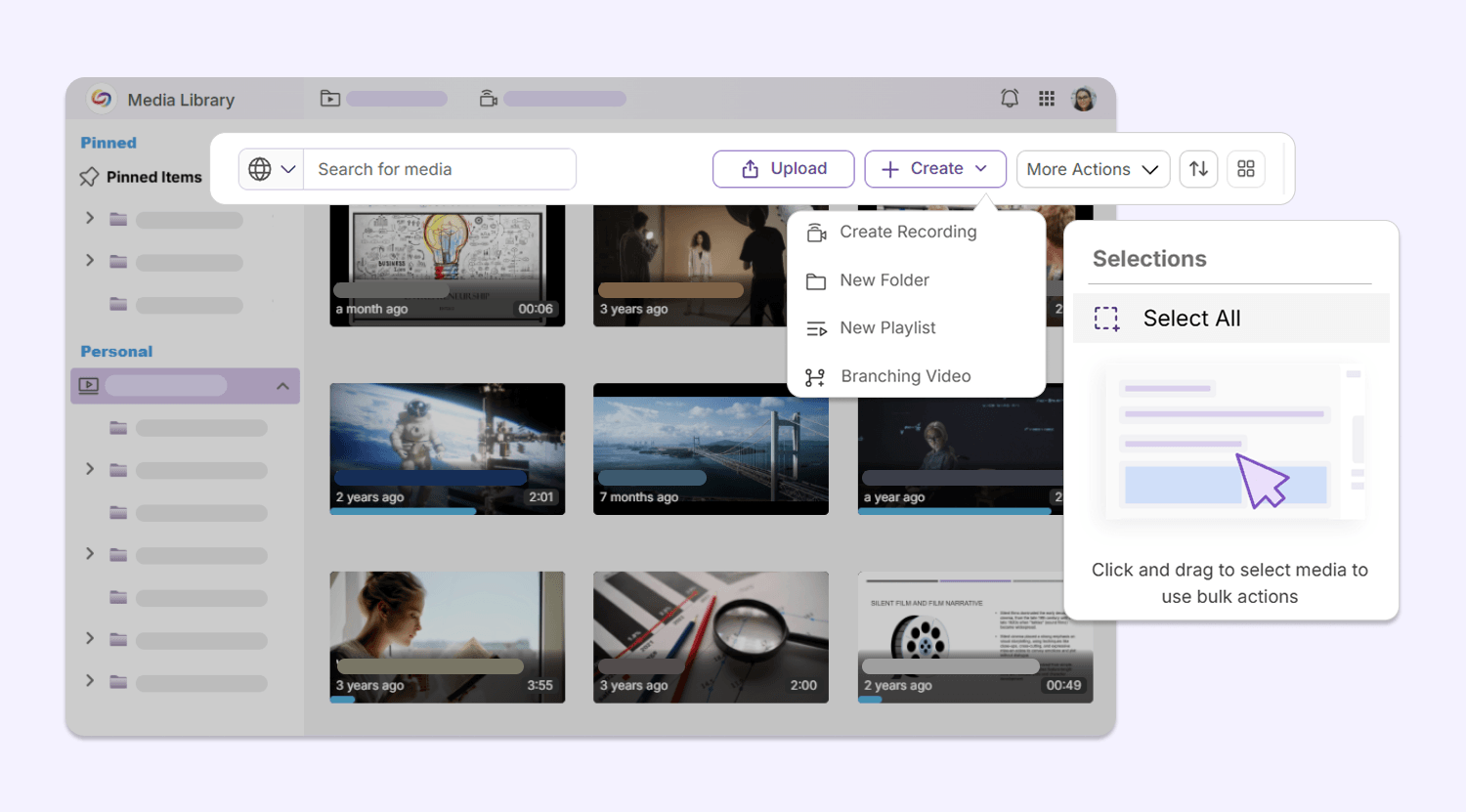
Multiple menu interfaces throughout YuJa Lumina have been upgraded to a sleek, modern design, including:
Media Library secondary menu bar: The secondary menu bar in the Media Library has been upgraded with a set of new icons, helping users navigate their library, upload new content, and conduct bulk actions with ease.
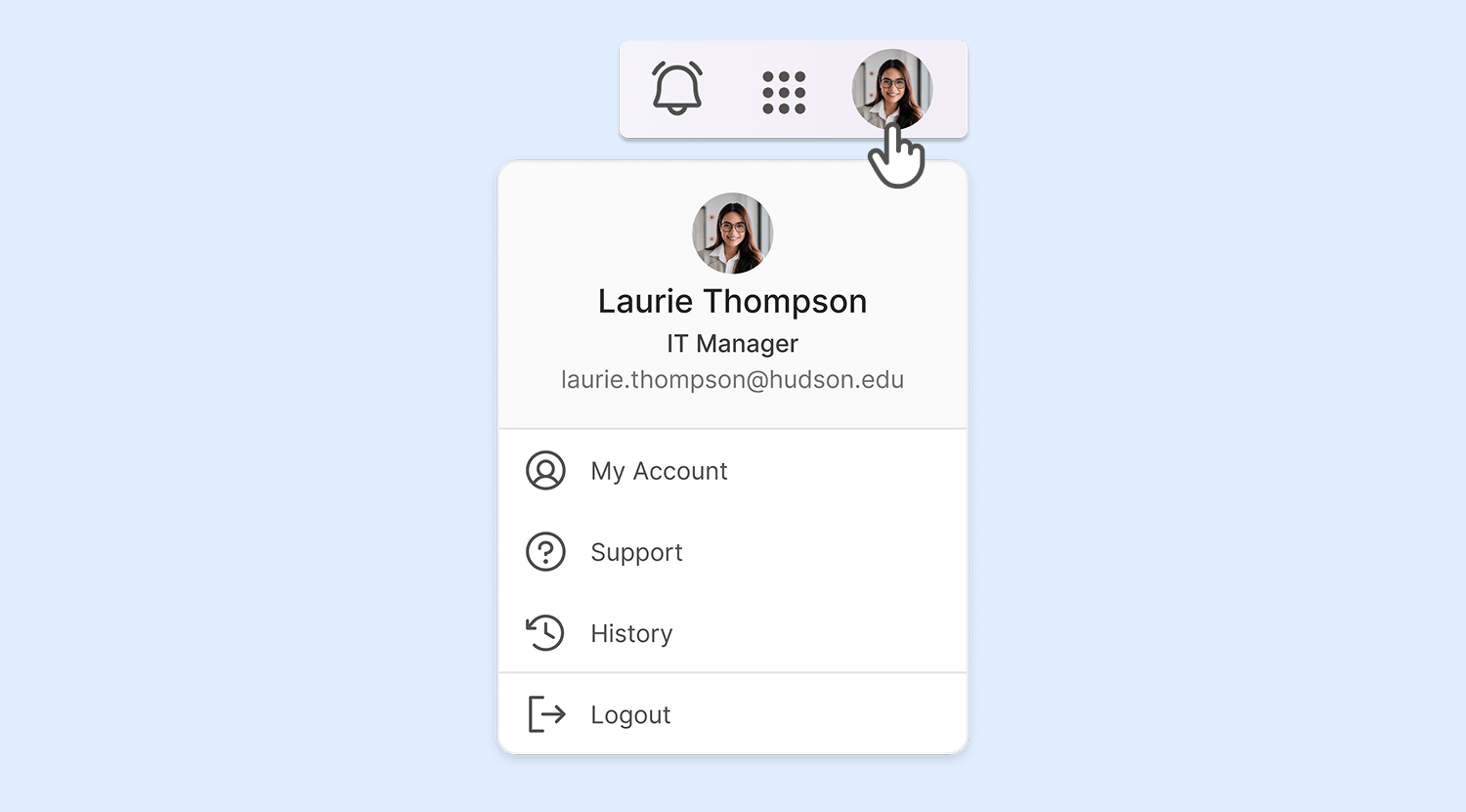
My Account menu: The My Account menu design has been modernized with a new look, introducing a more streamlined design for users accessing their configurations.
Over the next few weeks, the YuJa Lumina Video Platform will be adding features such as direct caption editing in the Video Player, a redesigned integrations menu, the ability to toggle auto-scrolling when editing EAD, and additional enhancements to the Video Player that improve user workflows for faculty and students alike.
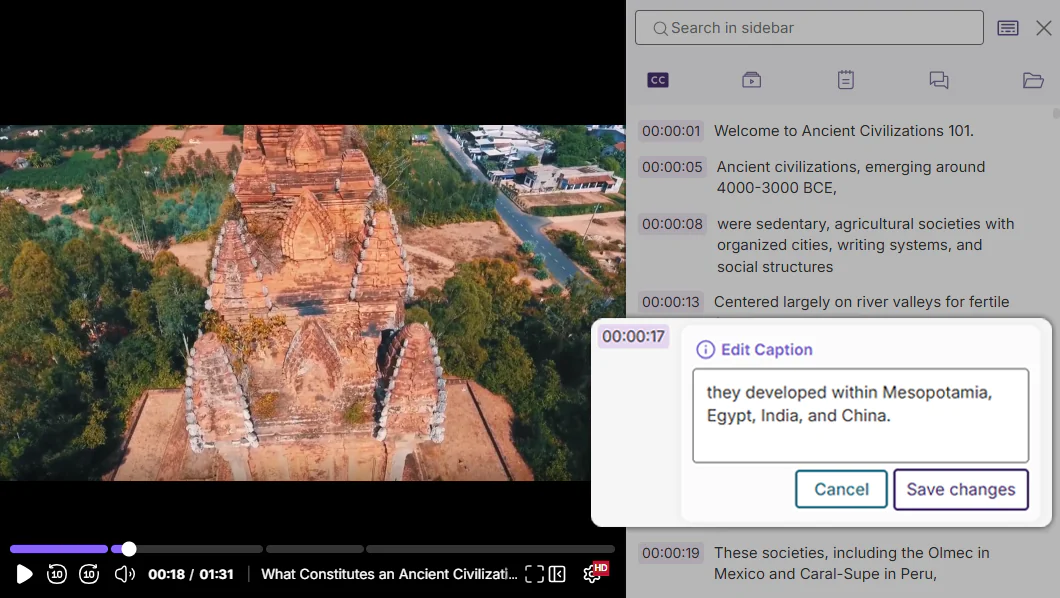
Effortlessly Edit Captions Directly from the Video Player Sidebar
Content creators will now be able to edit captions directly from the Video Player sidebar, enhancing the caption-editing workflow and providing more options for how they edit their captions. This optimized workflow removes the need to open the Lumina Video Editor, while still allowing captions to be edited inline.
Viewers Can Now Propose Corrections for Captions
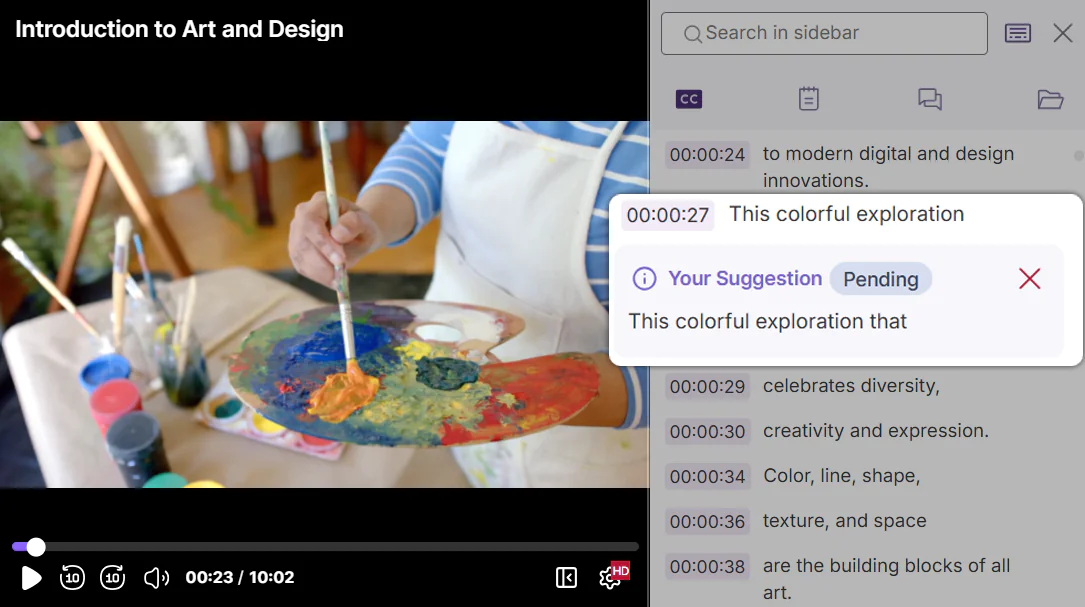
While watching videos, viewers can now use the Video Player sidebar to suggest clarifying corrections for captions. By using the Suggest Correction feature, a viewer can propose a fix for typos or timing errors in closed captions, which will then be relayed to the video owner to review and accept, allowing the wider community of viewers to help institutions ensure their content is high quality and error-free.
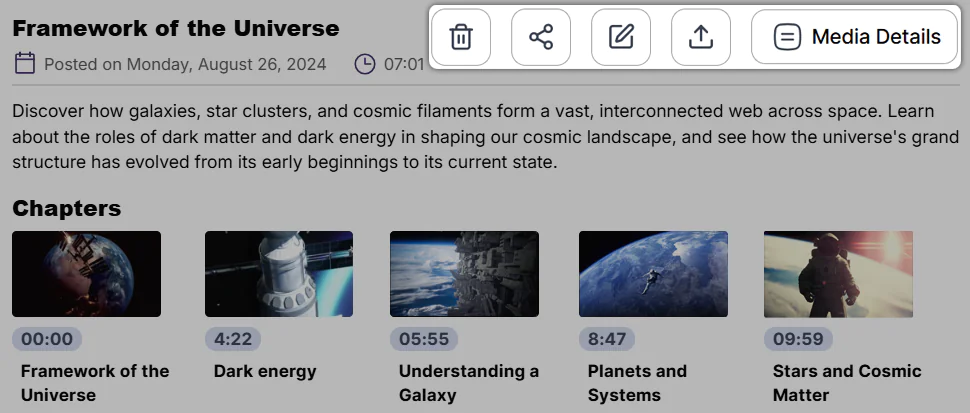
Delete, Share, Edit, and Publish Directly From the Video Player Page
The Video Player’s description box has been updated with new buttons that allow users to move content to the recycling bin, share resources, publish videos to channels, launch the video editor, and view media details, all from directly within the page. By providing users with a shortcut to these functions, the need to navigate multiple pages to perform key actions has been reduced, introducing a more seamless workflow that enables quicker video management.
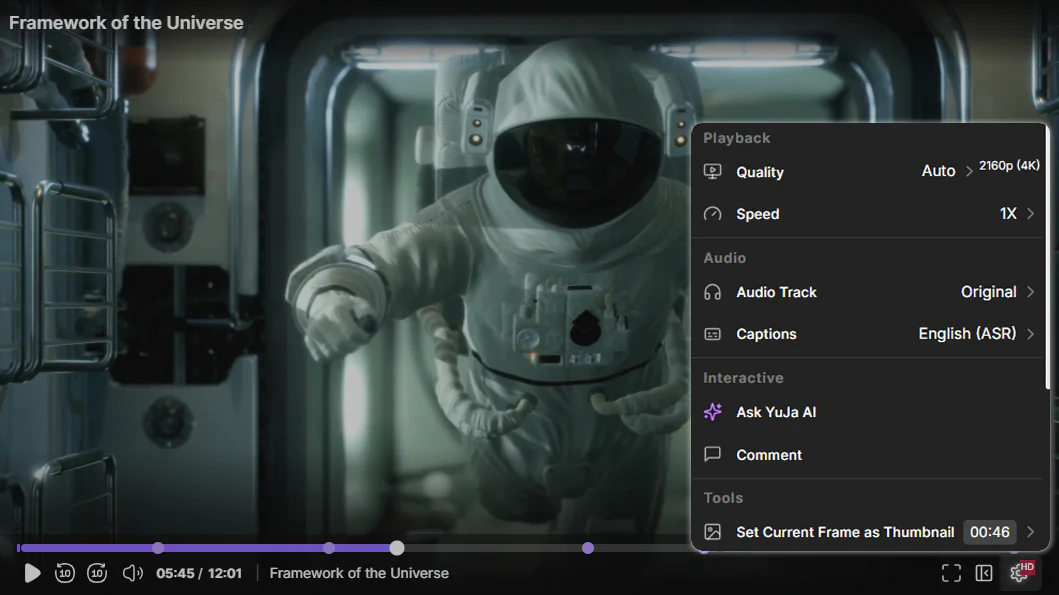
Redesigned Video Settings Menu for Faster Playback Customization
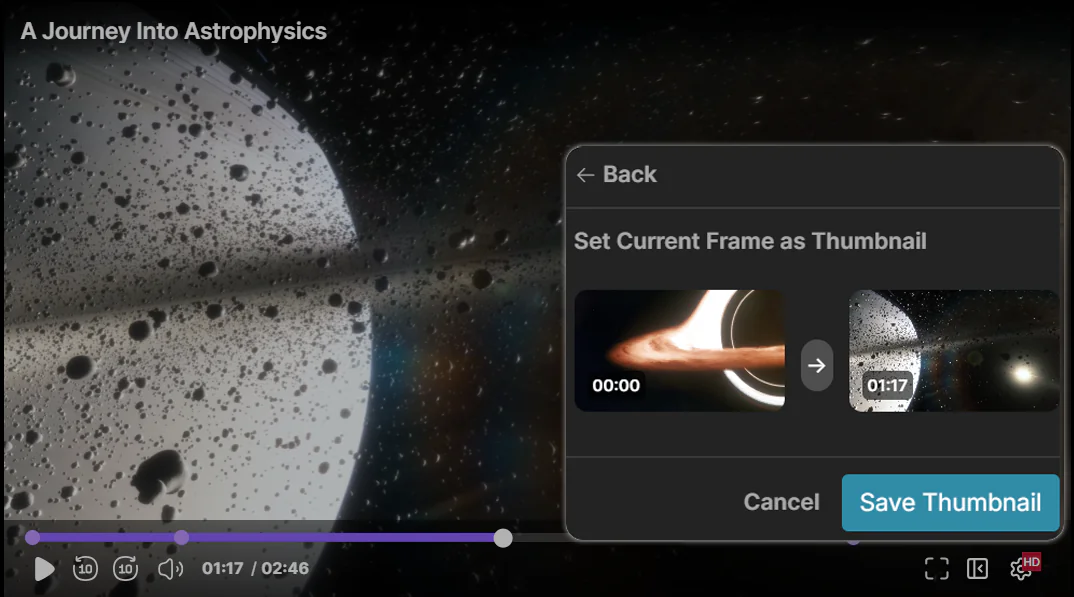
The Video Player’s Settings menu has been refreshed with a sleeker and more organized array of functions. In the new Settings menu, users will find menu items sorted into logical sections for easier navigation, relocated functions like Show Transcript, and new functions such as the Set Current Frame as Thumbnail tool. Users will be able to configure video settings to customize their playback experience more quickly than ever.
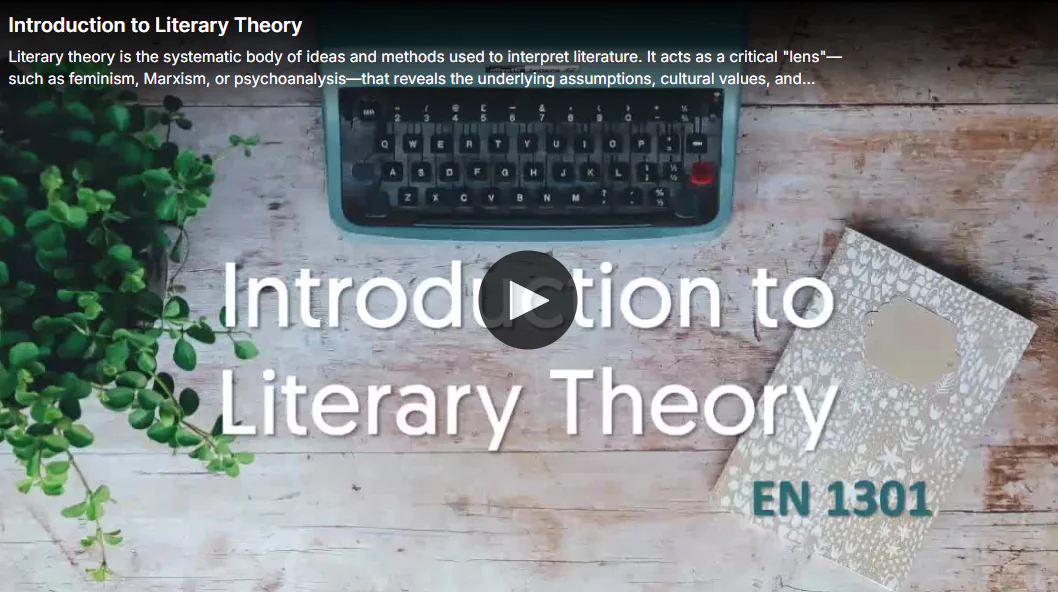
Provide Viewers with Key Information Before They Press Play
Viewers will now be able to view key media information, such as titles and descriptions, directly atop the Video Player before they hit play. Providing viewers with key contextual information before they begin a video helps transform playback into a more meaningful learning experience as it helps establish relevance and aids comprehension. Additionally, when viewers hover over the Video Player during playback, the video title now also appears to create a consistent viewing experience.
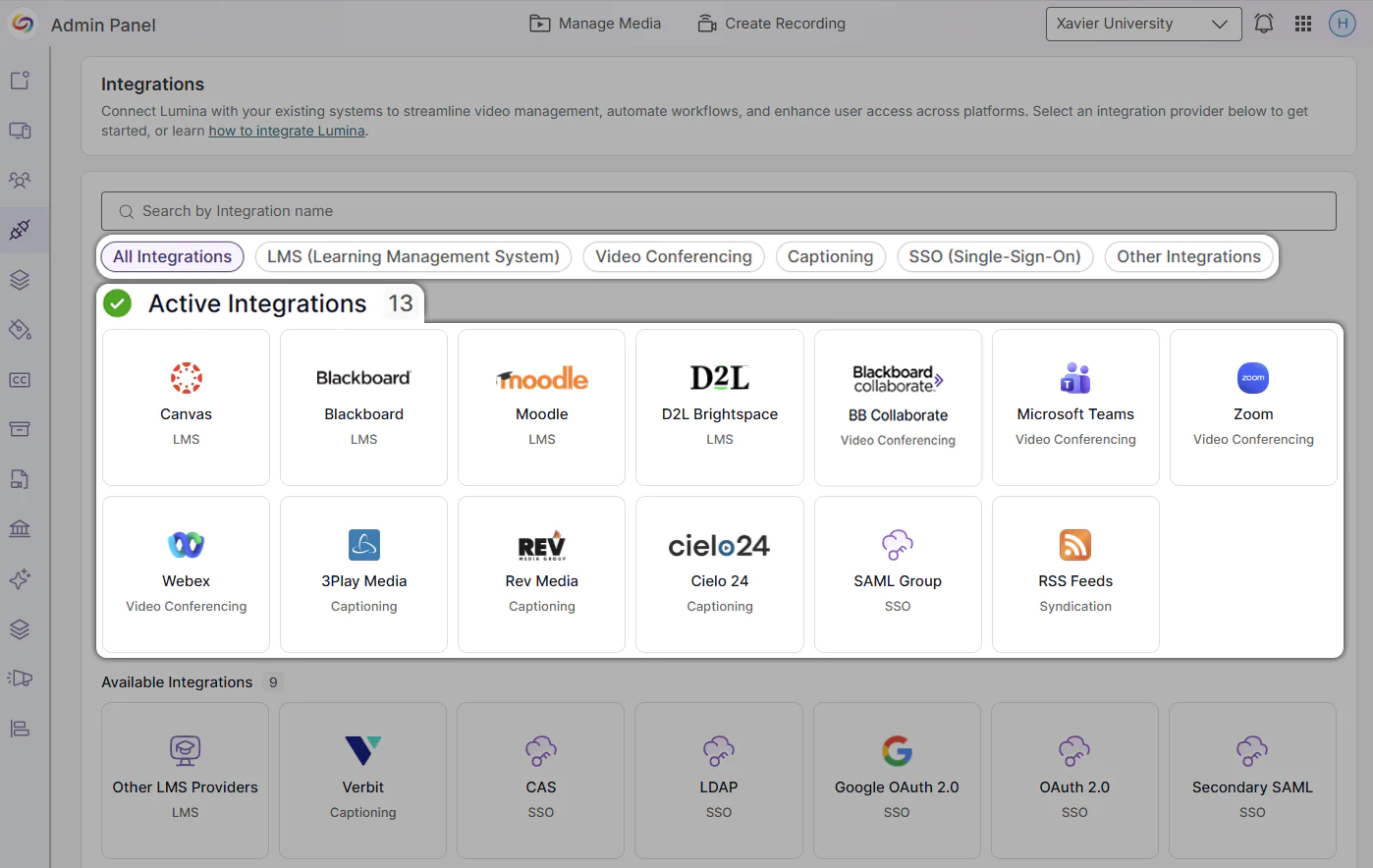
Streamlined Integration Management with the Redesigned Integrations Page
The Admin Panel’s Integrations page has been updated with a more intuitive layout that simplifies the user flow. When opening the Integrations page, admins will now see all their active integrations first, making it easier to get to the integrations that matter most. Admins will also be able to filter integrations by LMS, Video Conferencing, Captioning, SSO, and Other Integrations, reducing the need to sort and scroll through information.
Set a New Video Thumbnail Directly from the Video Player
Content creators can now scrub through videos in the Video Player and set their current video frame as the video thumbnail by using the Set Current Frame as Thumbnail tool in the settings panel. By offering multiple workflows for setting thumbnails, content creators have more flexibility in how and when they select their videos’ thumbnails, creating a more seamless video management experience.
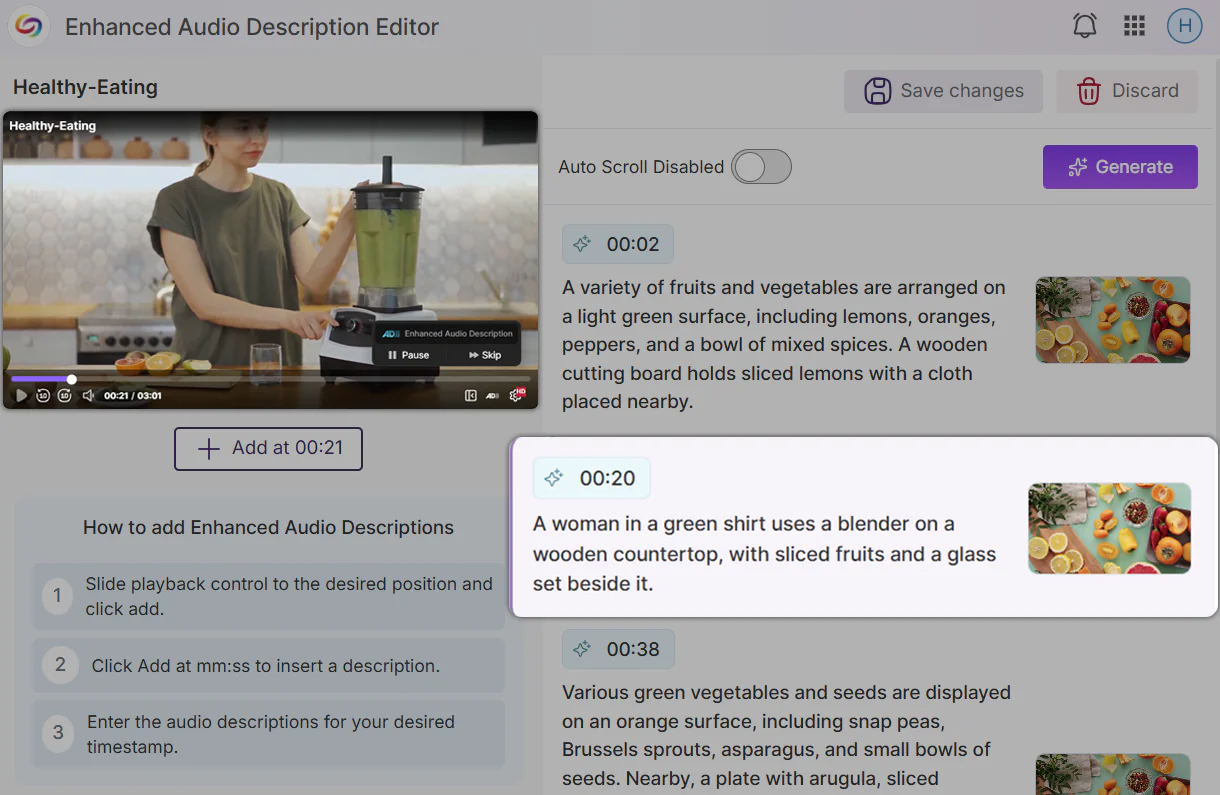
Toggle Auto-Scrolling When Playing Videos in the Enhanced Audio Description Editor for a Synchronized Experience
Users will now be able to toggle auto-scrolling when playing videos in the Enhanced Audio Description Editor. For a synchronized experience while editing, users can enable auto-scrolling to ensure that the timeline editor for the enhanced audio description moves in time with the video.
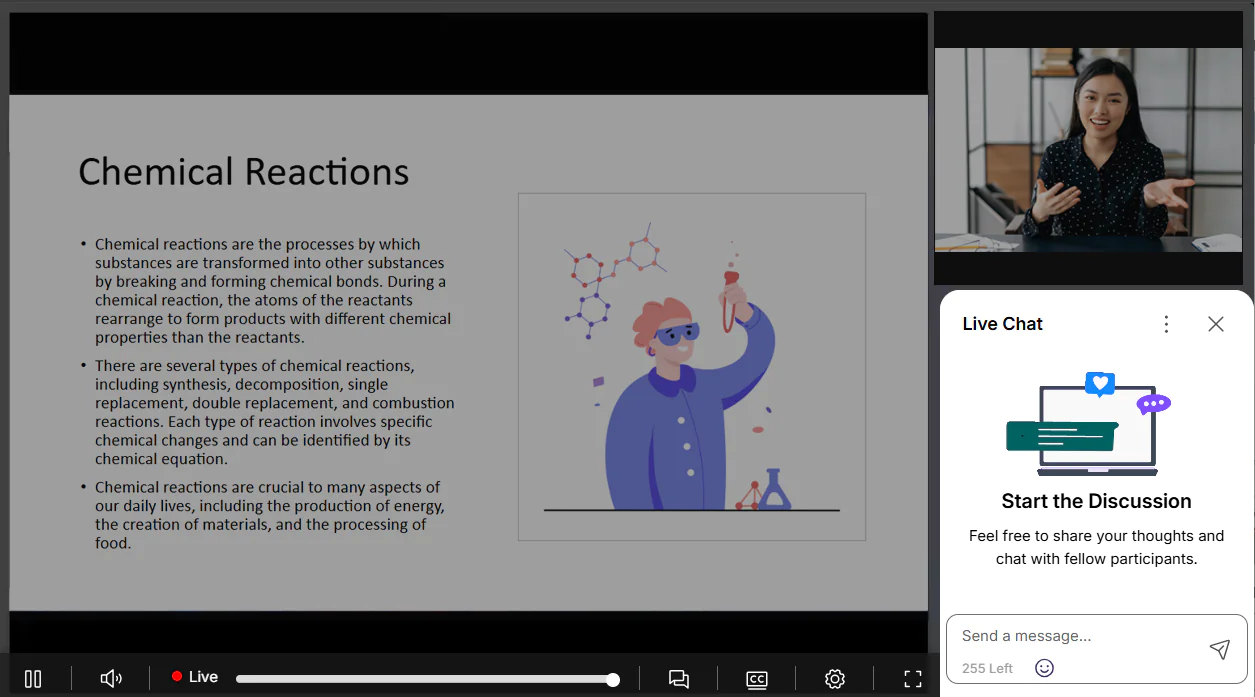
Making the Synchronized Multi-Stream Livestream Playback Experience More Seamless
The Synchronized Multi-Stream Livestream Playback beta feature will introduce new improvements to create a more seamless experience when switching view modes. When switching between view modes, the previous video layout will continue playing in the background while the new layout loads, to ensure that viewers don’t miss moments of their livestream. The live chat window has also been relocated when viewing a livestream in gallery mode to optimize the visual layout of multiple video streams.
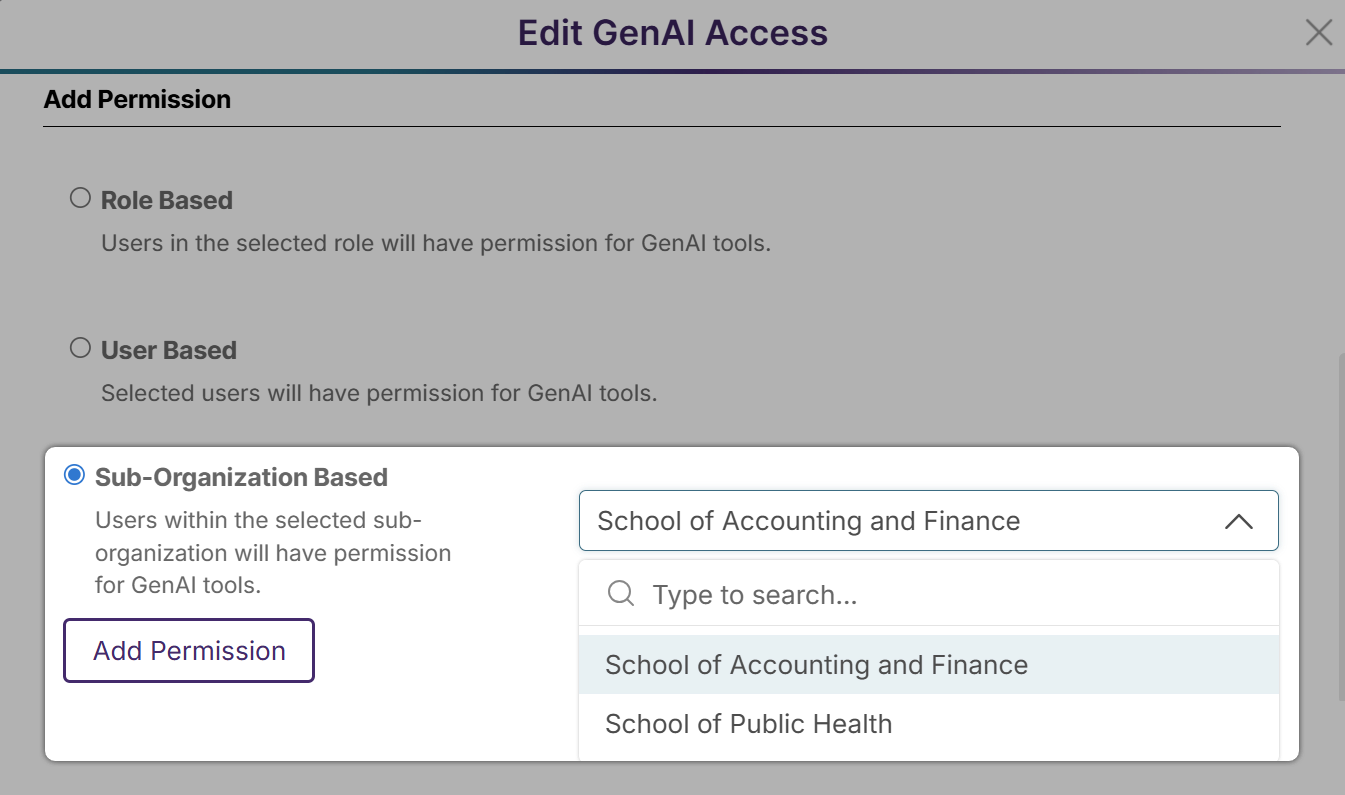
Manage GenAI PowerPack Usage on a Sub-Organization Level
Institutions can now enable GenAI PowerPack access on a Sub-Organization level. With this new permission scope, institutions will have more flexibility in how they grant access to GenAI tools across roles, users, and sub-organizations.
Over the next few weeks, the YuJa Lumina Video Platform will be adding features such as a Video Compliance Report, improved auto-caption accuracy, manual video chapter creation, and much more.
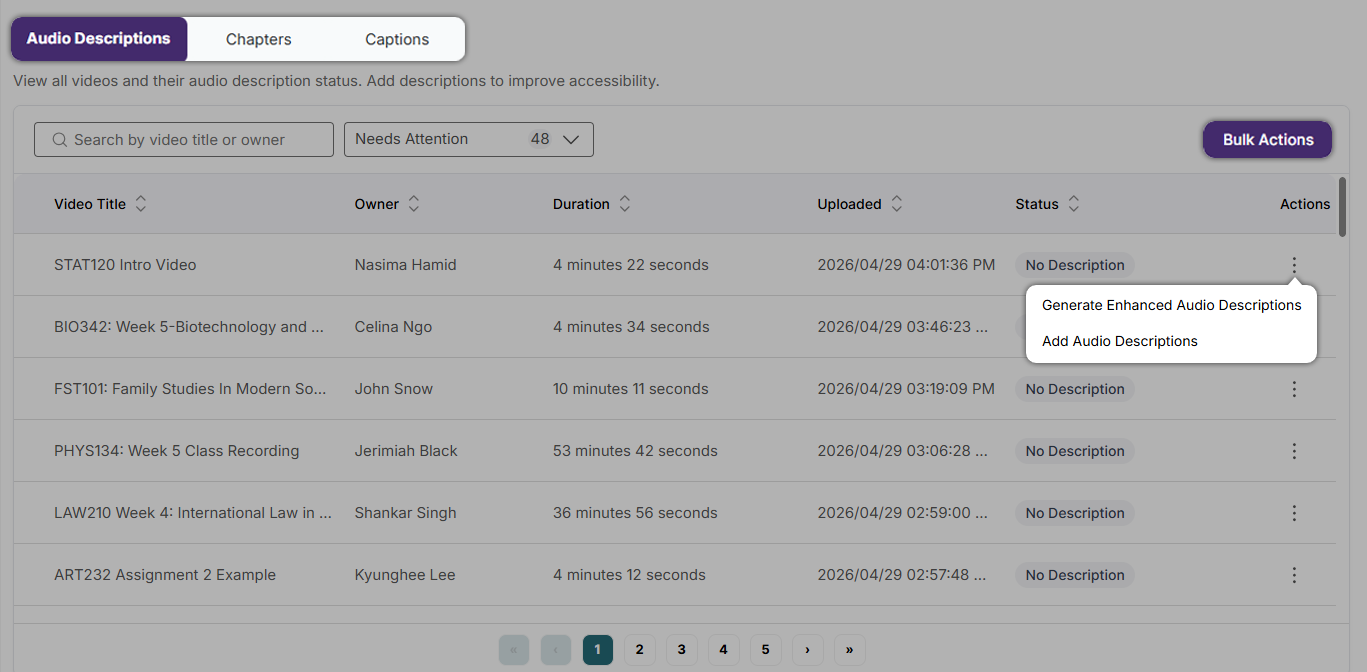
Stay Ahead of Accessibility Risk with New Video Compliance Reporting
Admins can now access a comprehensive Video Compliance Report that consolidates key accessibility elements – including captions (and their quality scores), audio descriptions, and chapters – along with quality indicators to deliver a clear, audit-ready view of overall video compliance. With configurable institutional scopes, instant compliance summaries, and built-in remediation workflows, this feature transforms Lumina into a centralized hub for managing and improving video accessibility at scale.
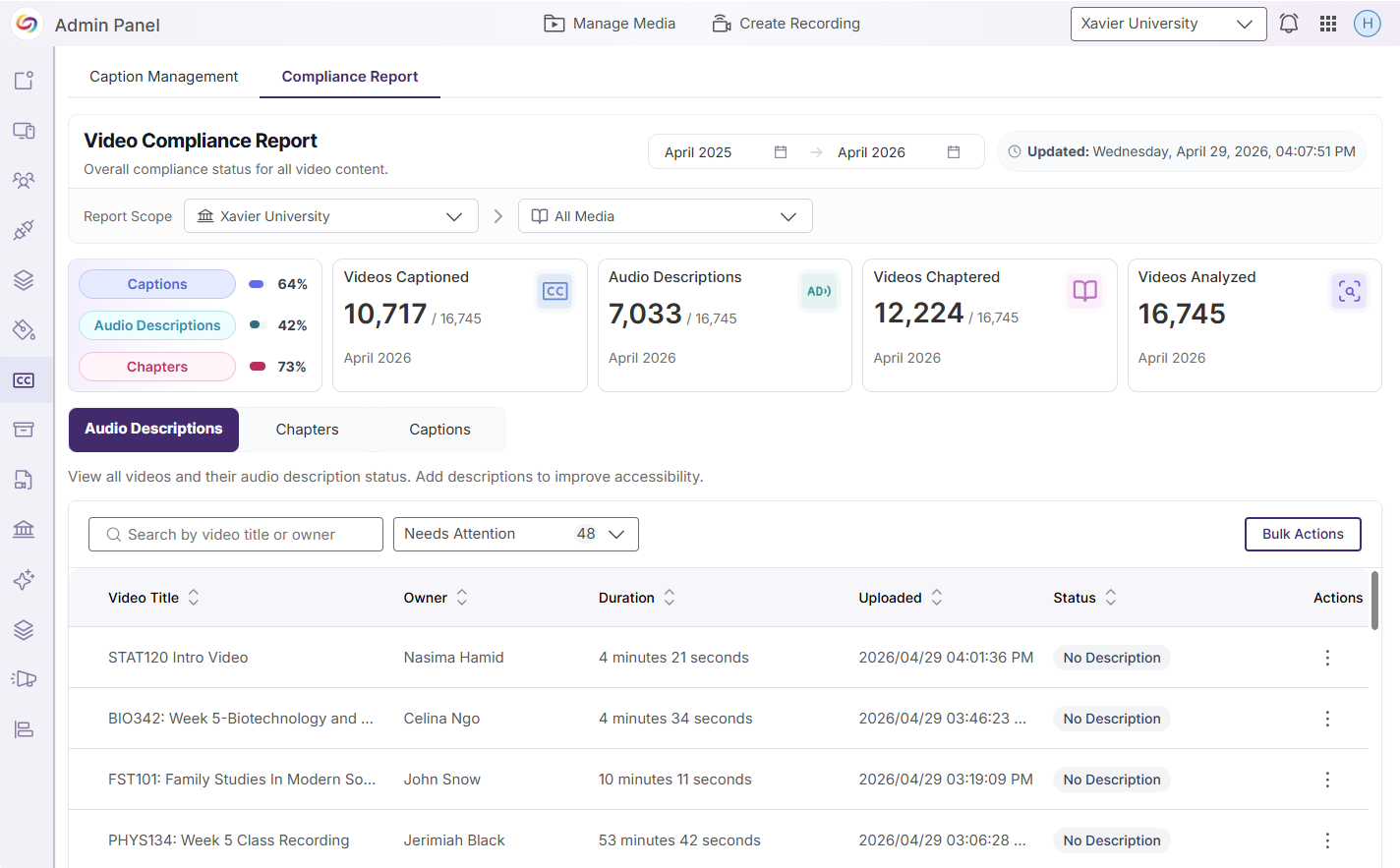
Key features include:
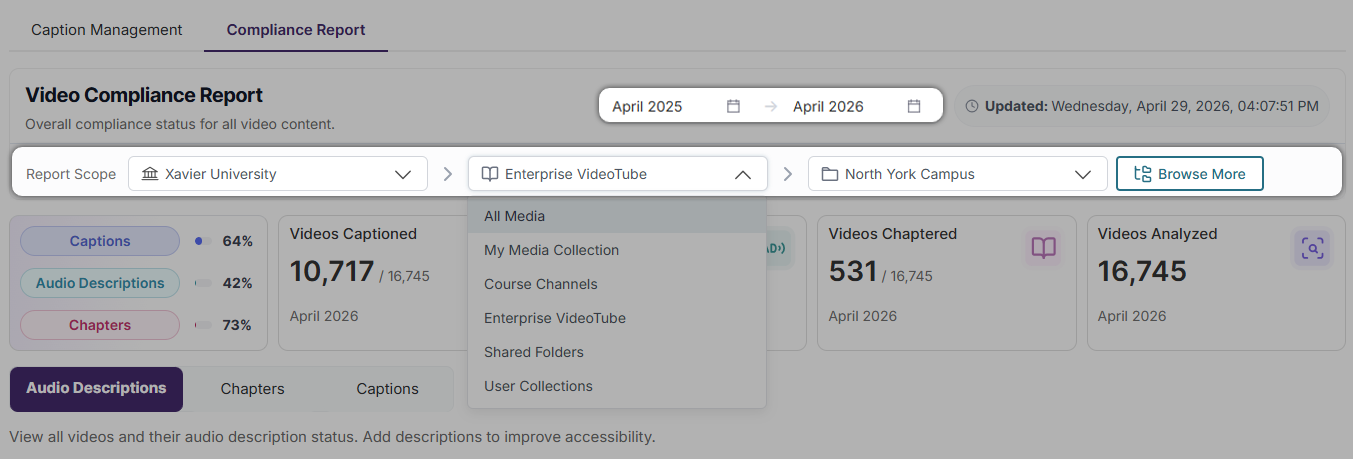
Tracking accessibility concerns by department: Filter your report by date, institution, collection, channel, Enterprise VideoTube, folder, and subfolder to ensure only the most relevant information is included in your report.
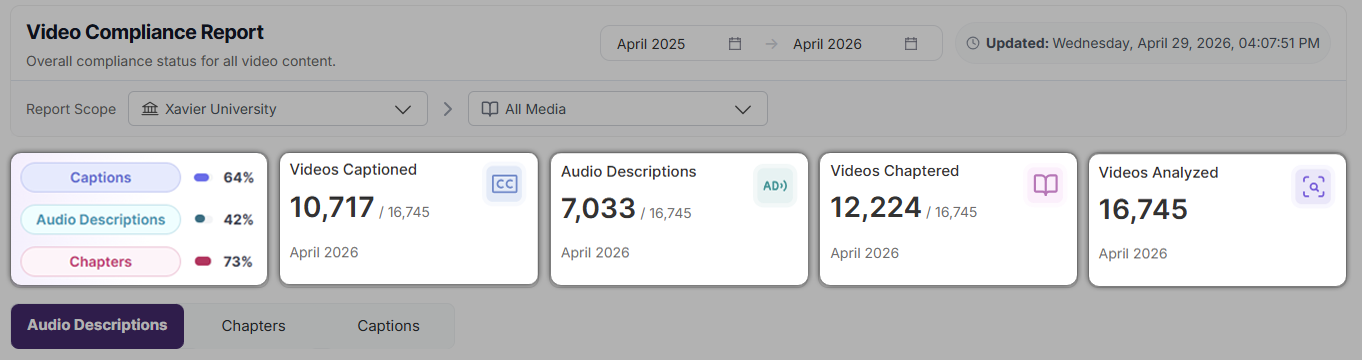
Accessibility scorecards: Gain instant insight into the status of captions, audio descriptions, chapters, and total videos analyzed for your defined scope.
Actions for remediation: View videos based on their captions, audio description, or chapters status. Use the Actions menu to see possible remediation actions for a specific video, or use Bulk Actions to perform remediation activities across multiple videos. Remediation actions can be performed manually, requested, or generated using GenAI PowerPack credits.
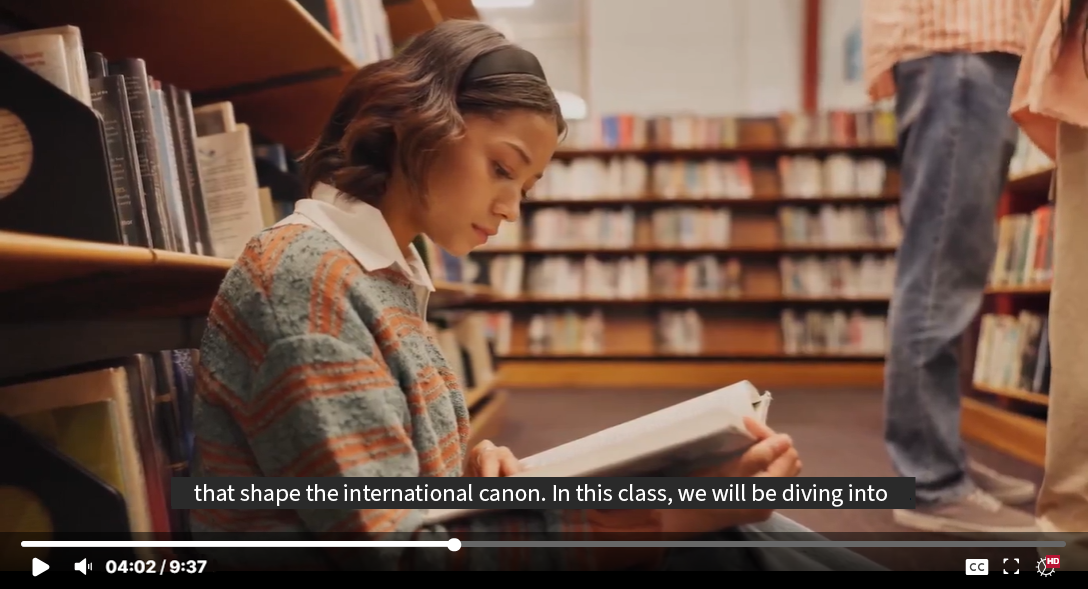
Improved Auto-Captioning Accuracy Through Upgraded AI Models
We have enhanced the underlying AI models powering the Media Player’s auto-captioning engine to deliver significantly improved caption accuracy. These model upgrades produce more reliable and context-aware captions that more faithfully reflect spoken content, reducing the need for manual edits and streamlining the captioning workflow for content creators while strengthening accessibility compliance across video content.
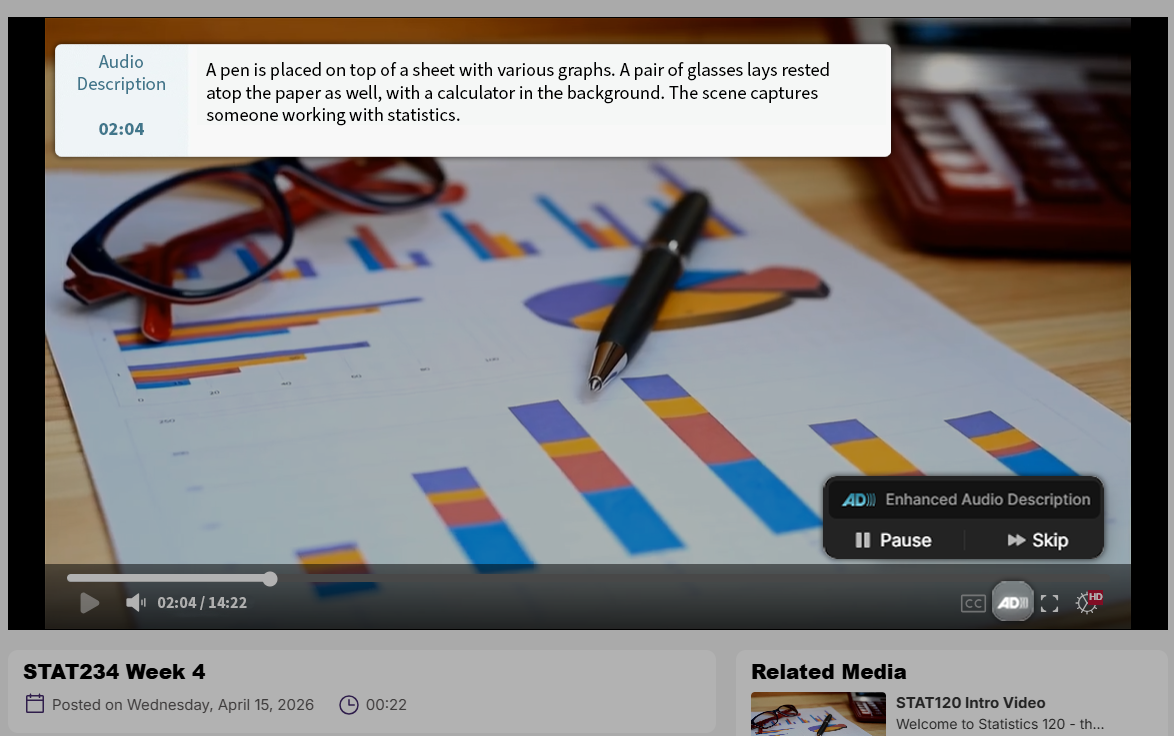
Enhanced Audio Description (EAD) Playback Controls
Users can now seamlessly toggle Enhanced Audio Description (EAD) directly within the media player using a keyboard shortcut or toolbar control, enabling a smoother and more intuitive playback experience. With the added ability to pause EAD independently to maintain synchronization with video content, this update enhances accessibility for viewers with visual or cognitive disabilities.
Turn Multi-Stream Livestreams Into A Single Synchronized Video That Offers Custom View Layouts
Users can change the playback experience for multi-stream livestreams by using a beta feature that combines multiple livestream video sources into one synchronized media asset with customizable layout options. By stitching multi-stream livestreams together into one video, issues with synchronization will be eliminated, and content will be downloaded as one cohesive video. This beta feature is off by default and can be enabled by going to Platform Settings within the Admin Panel.
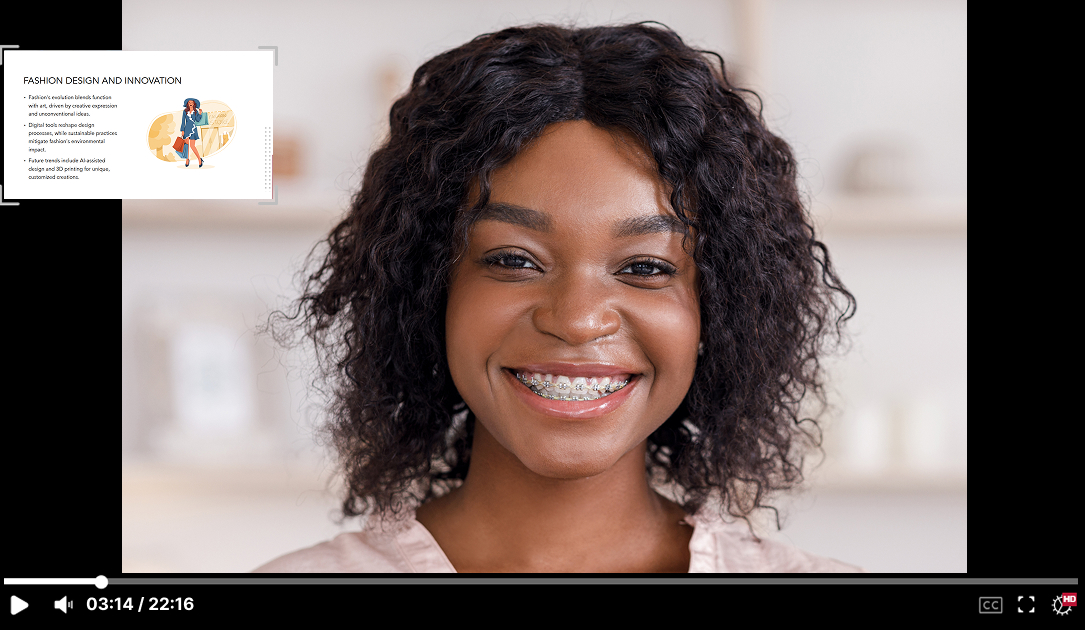
End users will be able to select the following layout options for the video streams:
Gallery
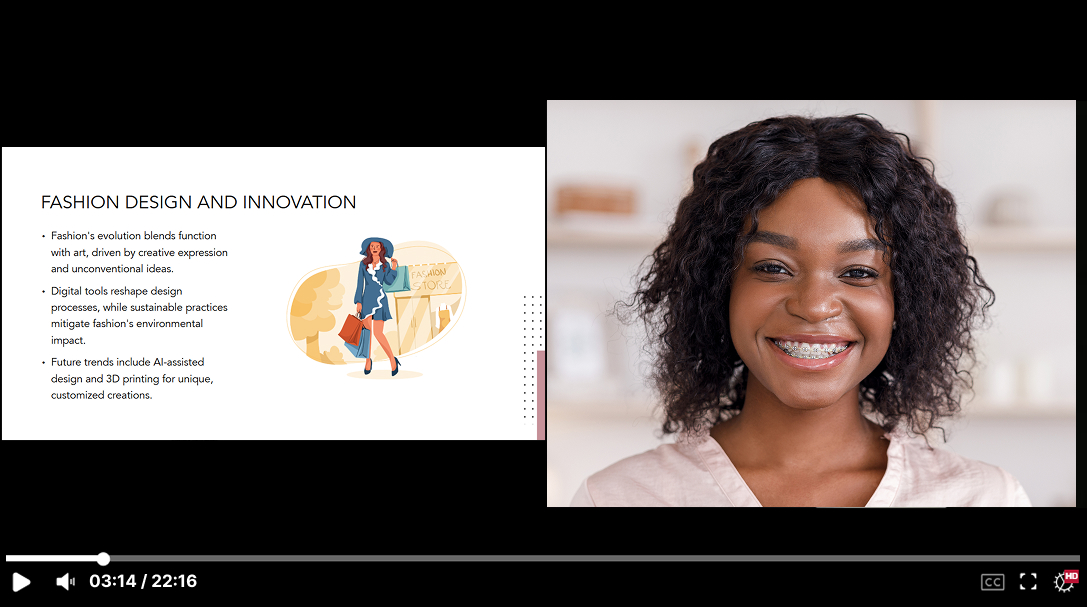
Presenter
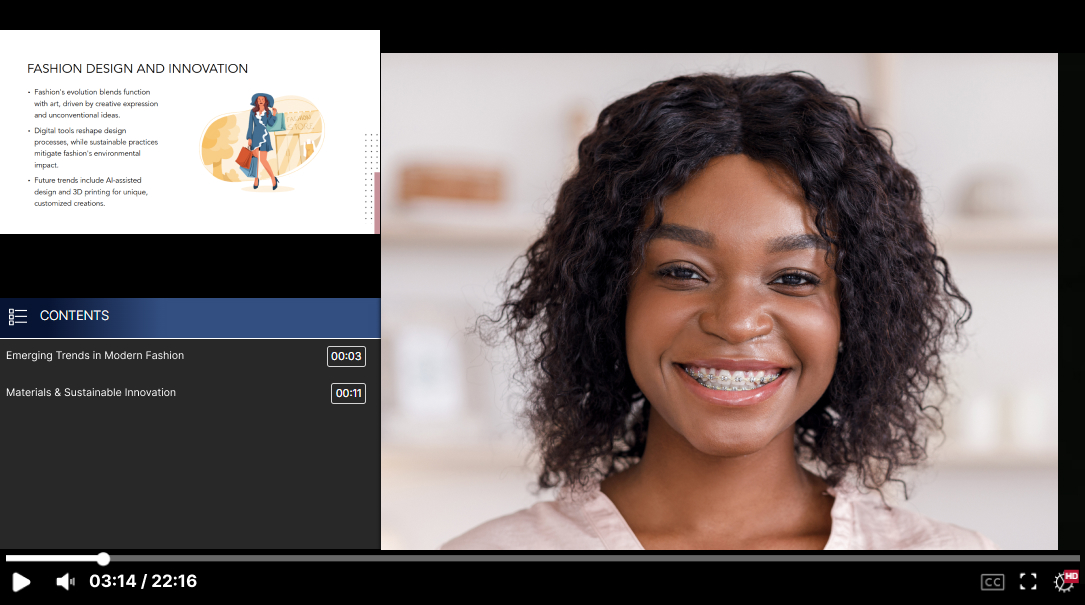
Single stream
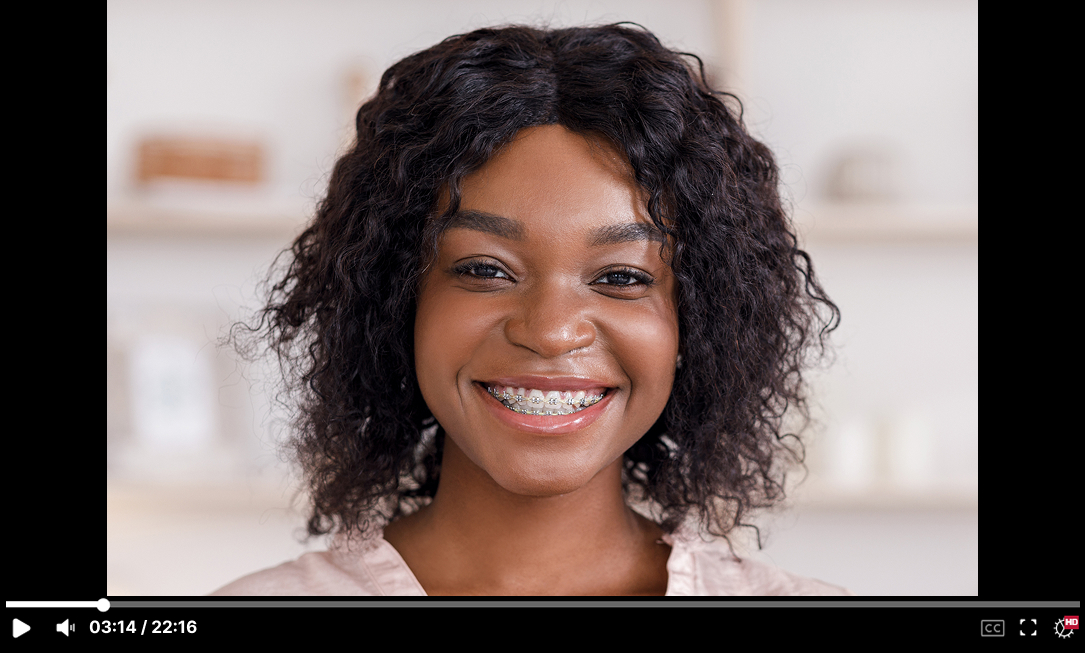
Picture-in-Picture
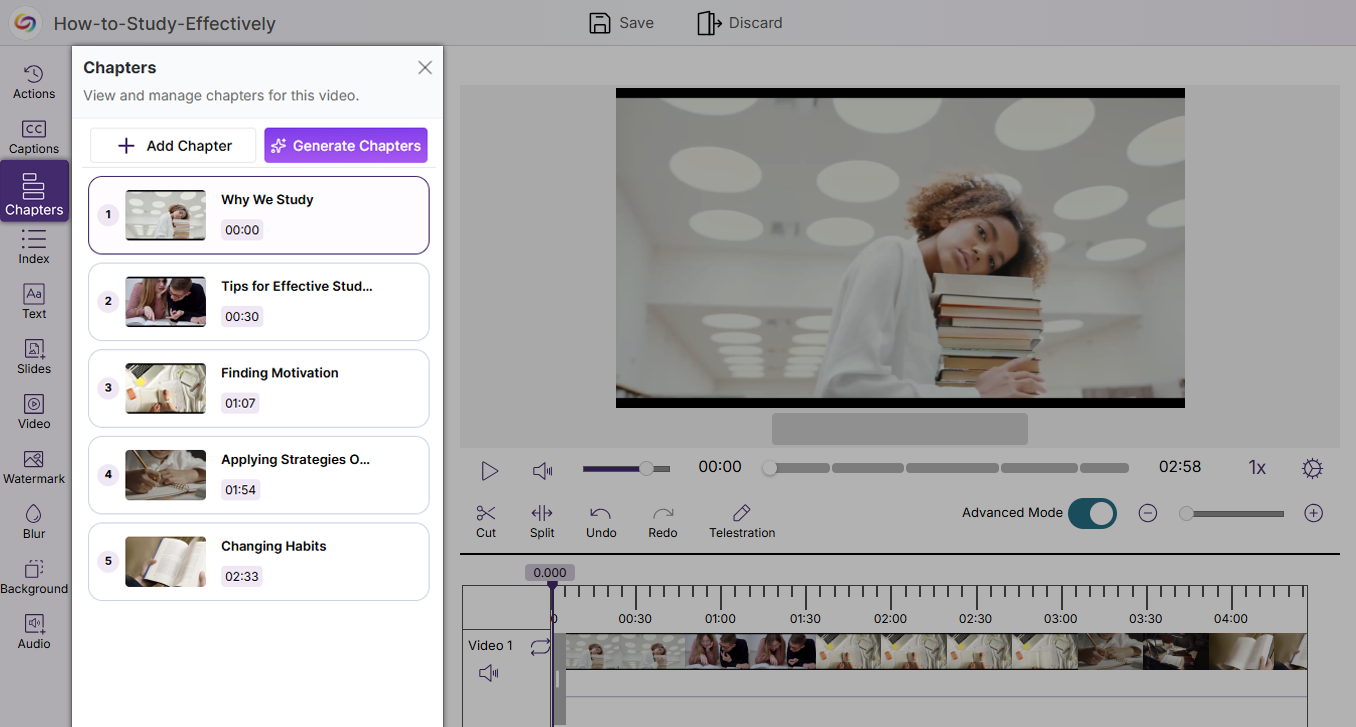
Ability to Manually Add Video Chapters to Improve Video Usability and Accessibility
The YuJa Video Editor now includes a new Chapters tab that enables users to manually add and manage chapters within videos. This enhancement allows long-form content to be broken into clear, navigable segments, improving both usability and searchability while also supporting stronger accessibility compliance across video content.
Improved Performance for Browser Capture Recording When Multitasking
Browser Capture has been optimized to ensure it operates without performance issues when multiple activities are being performed on a device. These system improvements increase the reliability and usability of Browser Capture by reducing the platform’s CPU usage, creating an overall smoother experience when recording.
Faster Video Processing with Instant Thumbnails and Background Playback
Video uploads to the Lumina Media Library now generate thumbnails instantly, while enabling users to play the raw video file in the background during processing. These improvements streamline media handling by allowing immediate interaction with uploaded content, creating a faster, more seamless, and more productive upload workflow.
Join the 1,000+ Organizations Deploying High-Impact Solutions



