Product Updates
Get the latest platform updates, features, and announcements—all in one place.
Boost Video Accessibility with the GenAI Video PowerPack!
Try Now
Supercharge Your Compliance Efforts with AutoPilot Remediation Max!
Try Now
Strengthen Your PDF Accessibility Efforts with Structural Remediation Max!
Try Now
Don't Miss Any of Our Upcoming Webinars—Save Your Spot!
Register
The YuJa Community is here! Connect, get updates, and access exclusive content.
Join Now

Get the latest platform updates, features, and announcements—all in one place.
Over the next few weeks, YuJa Verity will begin rolling out exciting new features such as AI quiz generation based on LMS content, brand-new question types for YuJa Verity assessments, and AI-powered automatic grading.
Test-takers now have access to YuJa Verity’s new assessment resources in our upgraded toolbar
Test-takers now have easier access to administrator-granted tools with YuJa Verity’s upgraded, draggable toolbar so they can move it around according to where they are working on the screen. The toolbar also displays important notifications such as voice chat and live chat pings.
Alongside the Calculator, Whiteboard, Live Chat, and Raise Hand buttons, test-takers can now access:
References: View instructor-approved references in a convenient on-screen pop-up.
Password Bank: Auto-fill passwords in the Assessment Page instantly.
Permitted Websites: Navigate to instructor-approved websites in a new tab.

Increase assessment security using YuJa Verity’s new Screen Activity Not Detected flag
YuJa Verity will now automatically flag an event in the post-assessment report if a test-taker has not moved their cursor or their recording has been inactive, allowing instructors to pinpoint potential cheating during assessments that may require human review. Similarly, this new flag signals if a test-taker has shared the wrong screen or if their camera froze during the assessment, providing more insight into test-taker activity and a more precise post-assessment review process.

Identify installed desktop tools with YuJa Verity’s app and extension monitoring for increased transparency
Proctors and instructors can now see a complete list of desktop applications and extensions test-takers have installed for more transparency before, during, and after assessments. With this tool, instructors can now ensure that test-takers have the required extensions installed for their assessment or spot unapproved tools.

Allow test-takers to access YuJa Verity assessments instantly in their browser with a new zero-install workflow
Test-takers can now complete YuJa Verity-proctored assessments directly within their browser without requiring a browser extension or the YuJa Verity Lockdown App. This allows them to start proctored assessments immediately without downloading anything. Test-takers can simply open their browser and begin their assessment, reducing workflow friction and eliminating any device compatibility issues that may arise with app downloads.

Streamline post-assessment review with AI-powered automatic grading for Verity assessments
YuJa Verity now supports AI-powered automatic grading for all question types in the YuJa Verity Assessment Builder, including essay questions. Instructors can provide grading guidelines and review the AI-generated justification to ensure that they approve of the grade assigned, helping them grade test-takers at scale while applying consistent standards. They can also adjust the grade and provide written feedback all within the same streamlined workflow.

Accelerate assessment creation in the YuJa Verity Assessment Builder by generating quiz questions directly from course content
Instructors can now streamline assessment creation with automatic quiz generation based on course content in the Verity Assessment Builder. YuJa Verity will complete a course scan, then automatically generate quiz questions that are context-specific, helping save time and reduce manual effort for instructors while ensuring that questions are related to course materials.

Create more flexible assessments with new question types in the YuJa Verity Assessment Builder
The YuJa Verity Assessment Builder now features four brand-new question types for instructors to choose from: Drag-and-Drop, Dropdown, Audio Recording, Coding, Spreadsheet and File Upload.
Drag-and-Drop: Interact with the question by clicking on instructor-provided options and dragging them into their correct spot within a sentence to fill in the blanks.
Dropdown: Use the dropdown menu to select the correct response from a list of possible answers.
Audio Recording: Create a voice recording to answer a prompt or question.
Coding: Complete a coding assignment in a designated visual editor.
Spreadsheet: Fill out spreadsheet cells according to instructor-provided cell values.
File Upload: Upload one or more files to respond to a question.

New YuJa Lumina integration for a secure proctored video-quizzing experience
Institutions that have both YuJa Lumina and YuJa Verity can now enable proctoring for video quizzes inside YuJa Lumina. This integration combines an engaging and active learning strategy with secure proctoring, allowing institutions to protect academic integrity without leaving YuJa Lumina. This feature is credit-based and available at no extra cost to YuJa Verity users.
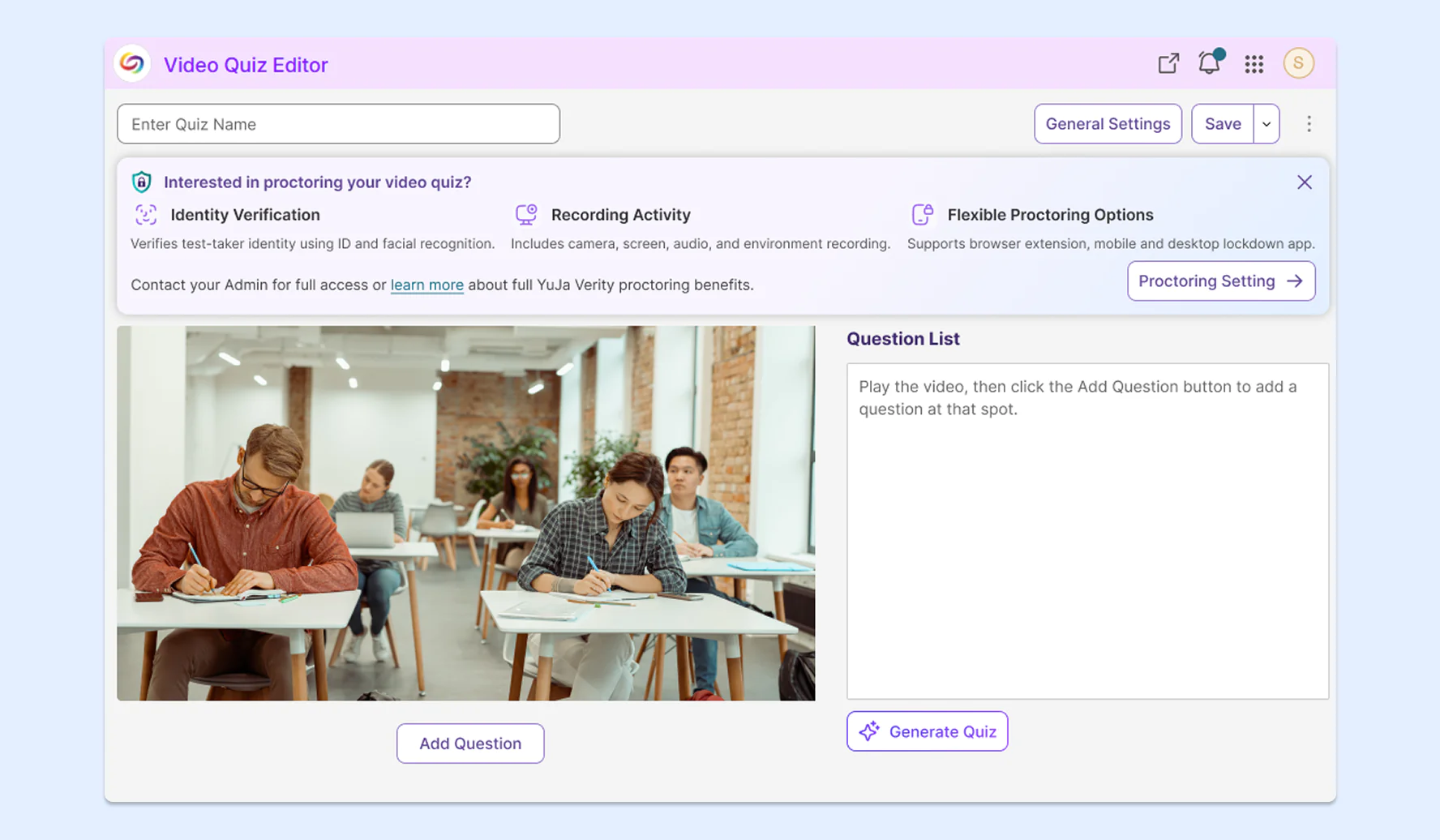
Delete previous assessment attempts for enhanced privacy and security
Furthering our efforts to ensure that test-taker data remains private and secure, we’re giving instructors and administrators more control over the retention of assessment recordings by allowing them to delete individual attempts directly from the post-assessment report. This allows instructors to remove individual recordings rather than requesting bulk removal across all test-takers in an entire course or institution.

Over the next few weeks, we’ll be introducing new features in YuJa Verity version 26.6.0 to improve assessment integrity using AI-infused detection, gain clearer insights using upgraded analytics, manage configurations and roster settings, streamline existing workflows, and so much more.
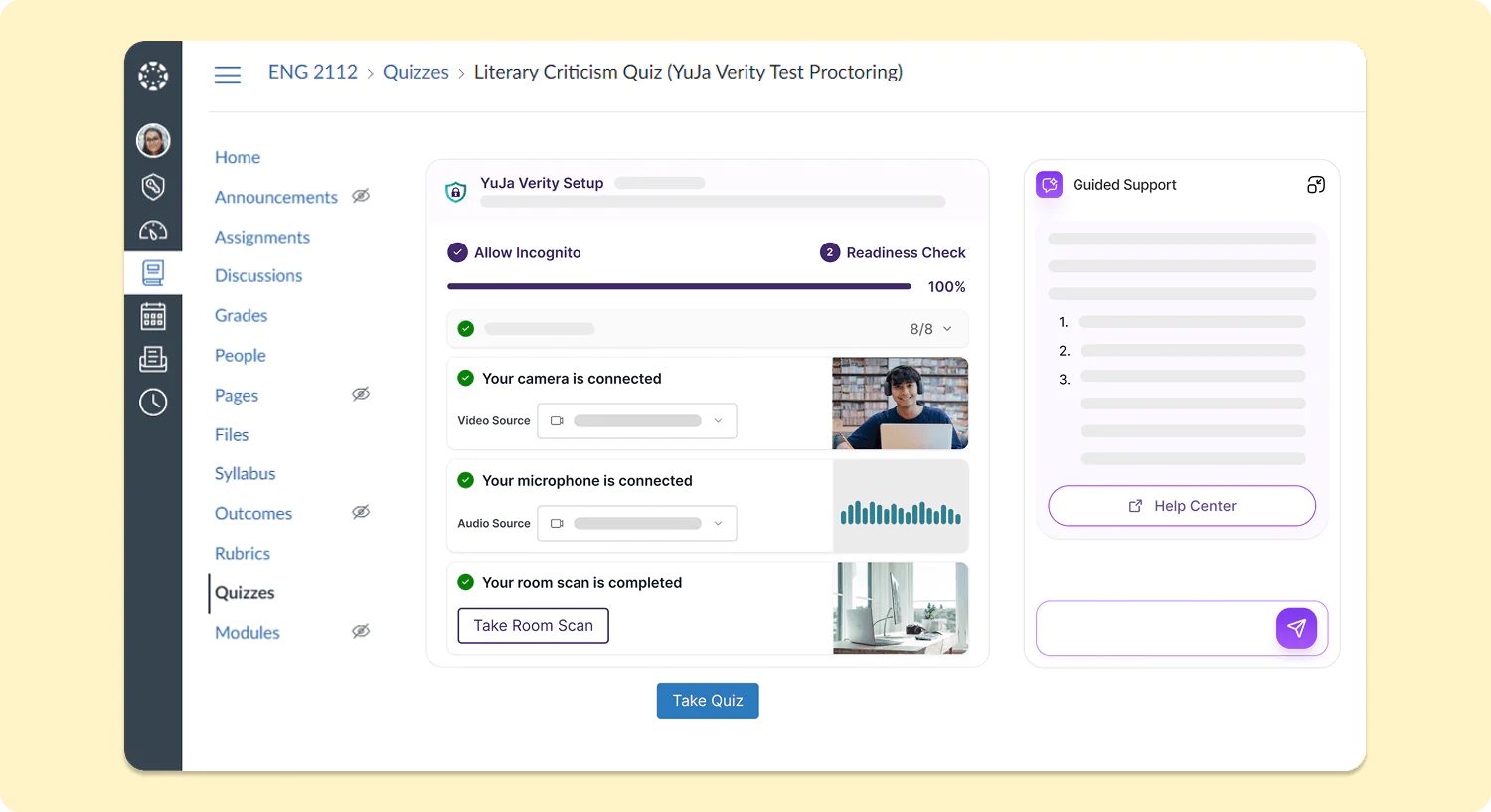
New Assessment Launch Experience for Students Simplifies Pre-Assessment Setup
The workflow for test-takers starting a proctored assessment in all major LMSs will be upgraded to significantly reduce the number of steps required before starting their assessments. With the new inline assessment launch experience embedded within the existing LMS workflow, test-takers will be able to access their assessments with greater ease across every LMS, both for the YuJa Verity browser extension and the YuJa Verity Lockdown App.
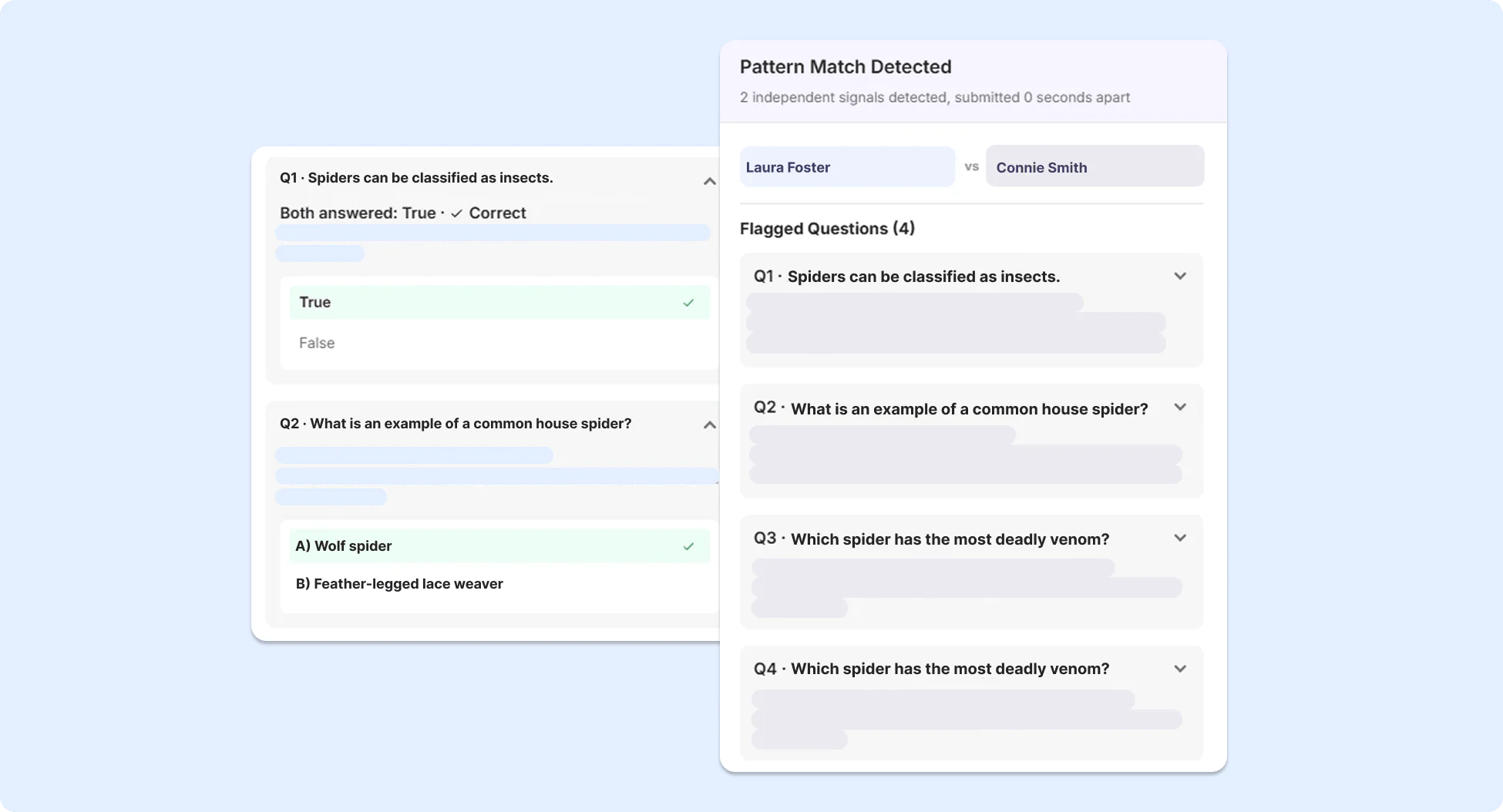
Recognize Academic Integrity Violations with AI-Based Pattern Analysis for YuJa Verity Assessments
To detect potential unauthorized collaboration between students for proctored assessments, advanced AI-based pattern analysis has been added to YuJa Verity to identify patterns indicative of potential academic misconduct, using information such as submission timing, IP address, location data, and response similarity across participants.
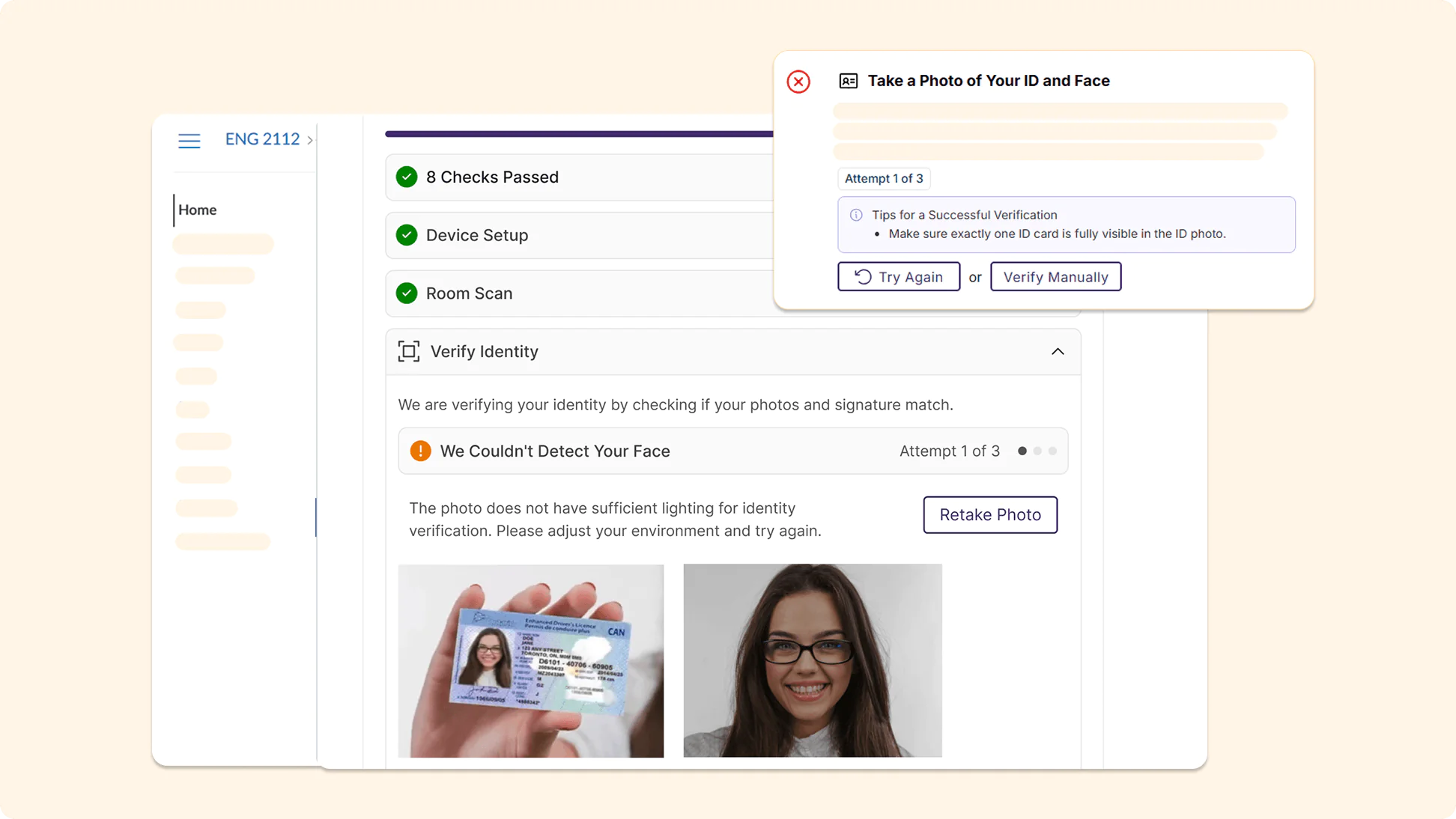
Prevent Unauthorized Access to Assessments with Smarter, More Accurate AI ID Verification
AI ID verification in YuJa Verity has been significantly upgraded, providing more accurate identity checks to prevent unauthorized individuals from accessing assessments. More guidance is provided to test-takers when verification fails, helping them resolve any potential issues during their Pre-Assessment Check.
Measure Institutional Academic Integrity Performance with the New AI-Infused Integrity Report
Reports in YuJa Verity have been refreshed as a new, modernized Integrity Report that helps instructors understand the performance of test-takers across both courses and their institution at a glance. The Post-Assessment Results page in YuJa Verity has been upgraded with a new modernized look to help instructors better understand and interpret test-taker performance.
Integrity Score: Users can track the overall performance of the institution over time, helping them quickly distinguish any areas of concern.
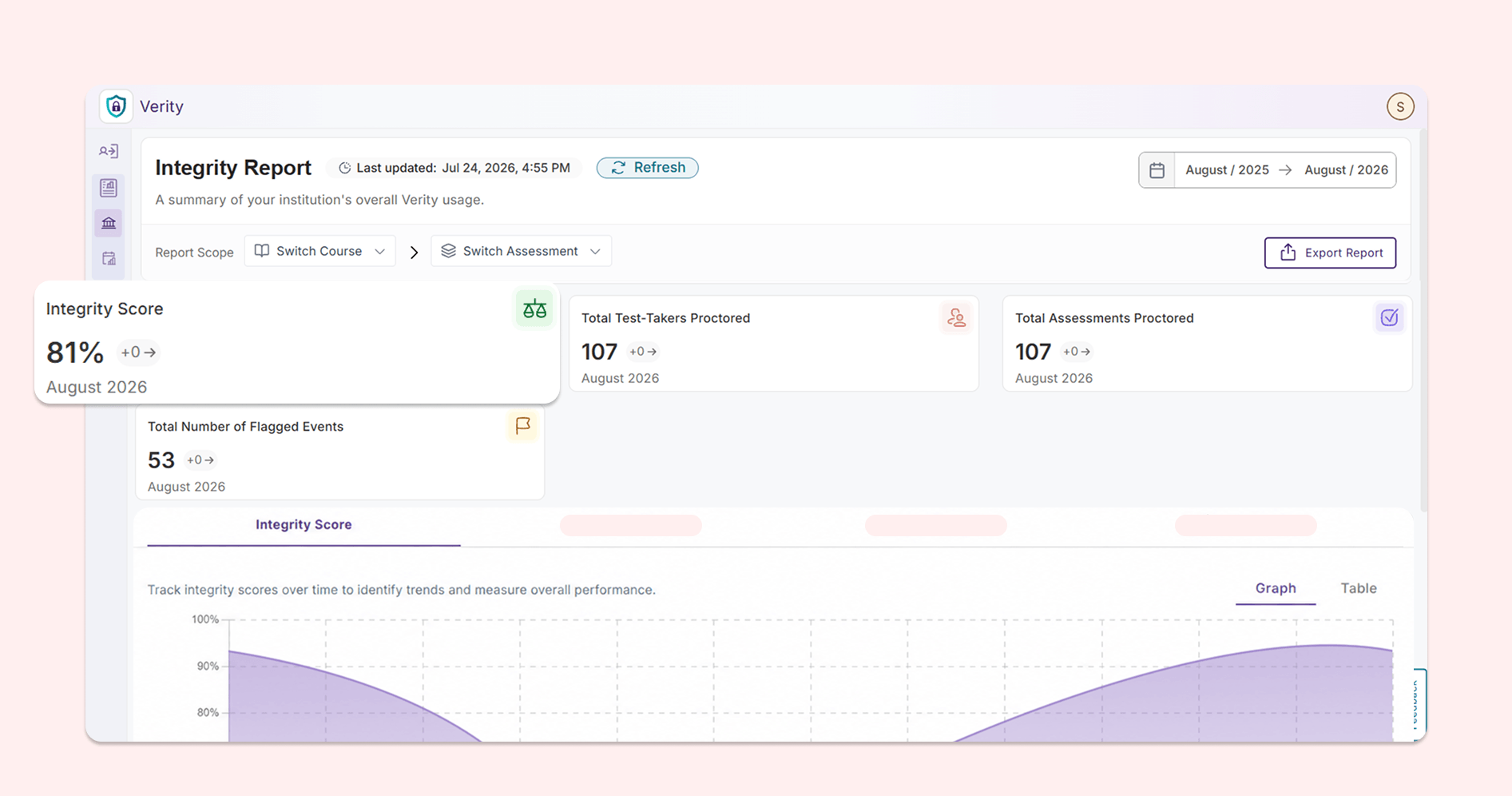
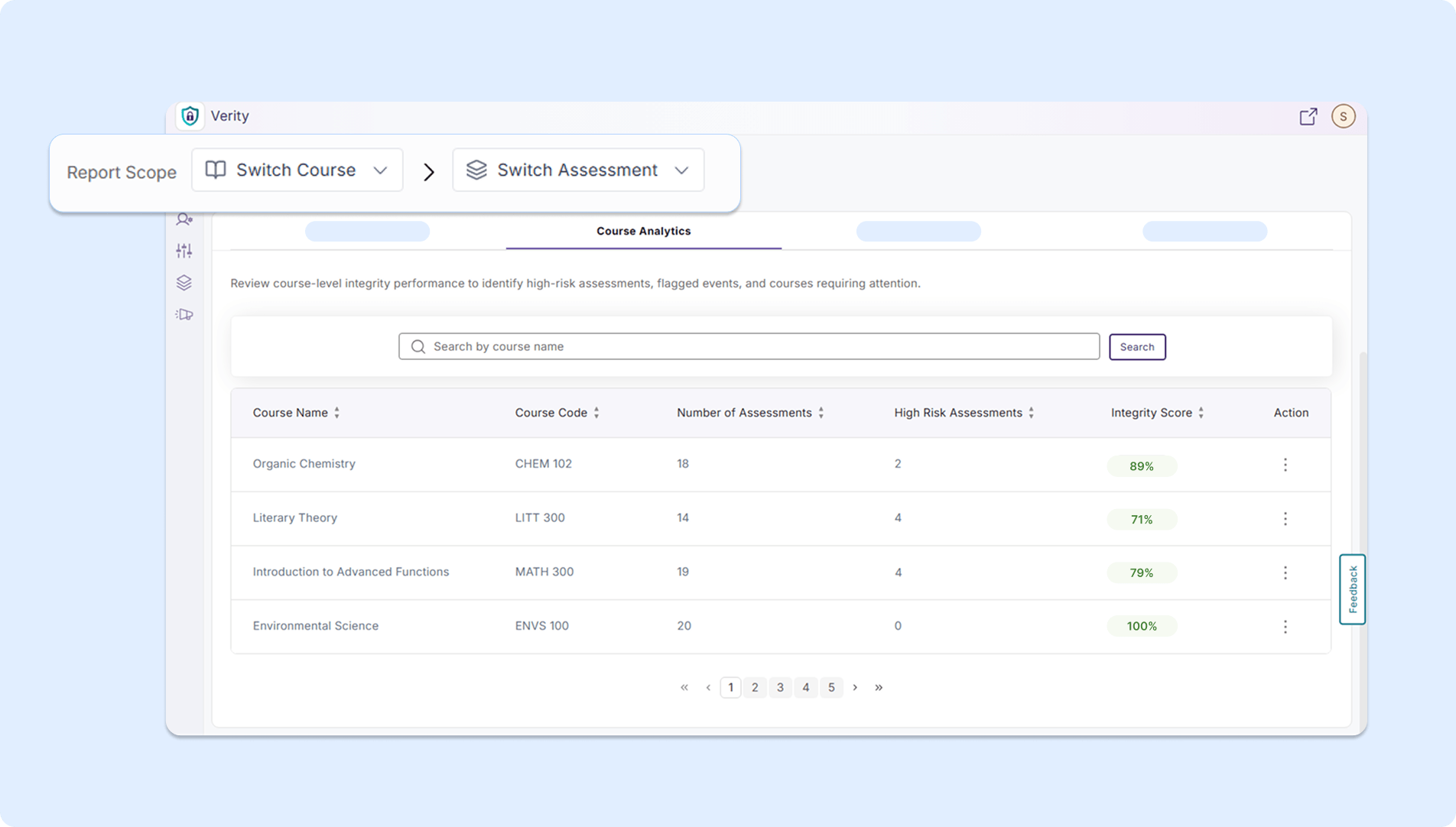
Course Analytics: Users can review integrity scores at the course level and identify any high-risk assessments.
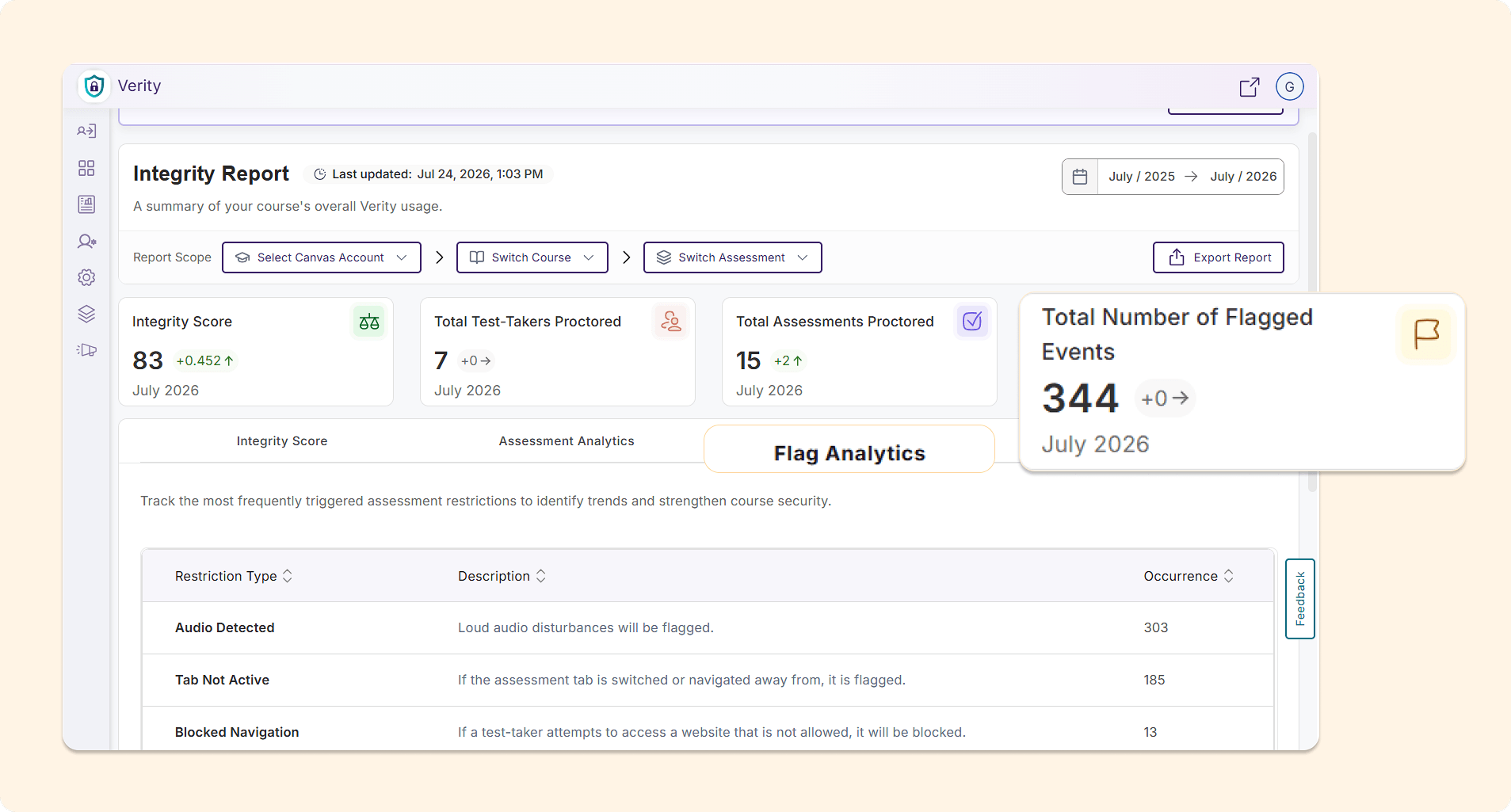
Flag Analytics: Users can track the proctoring restrictions that are most frequently violated in their institution to develop strategies to strengthen the security of their assessments.
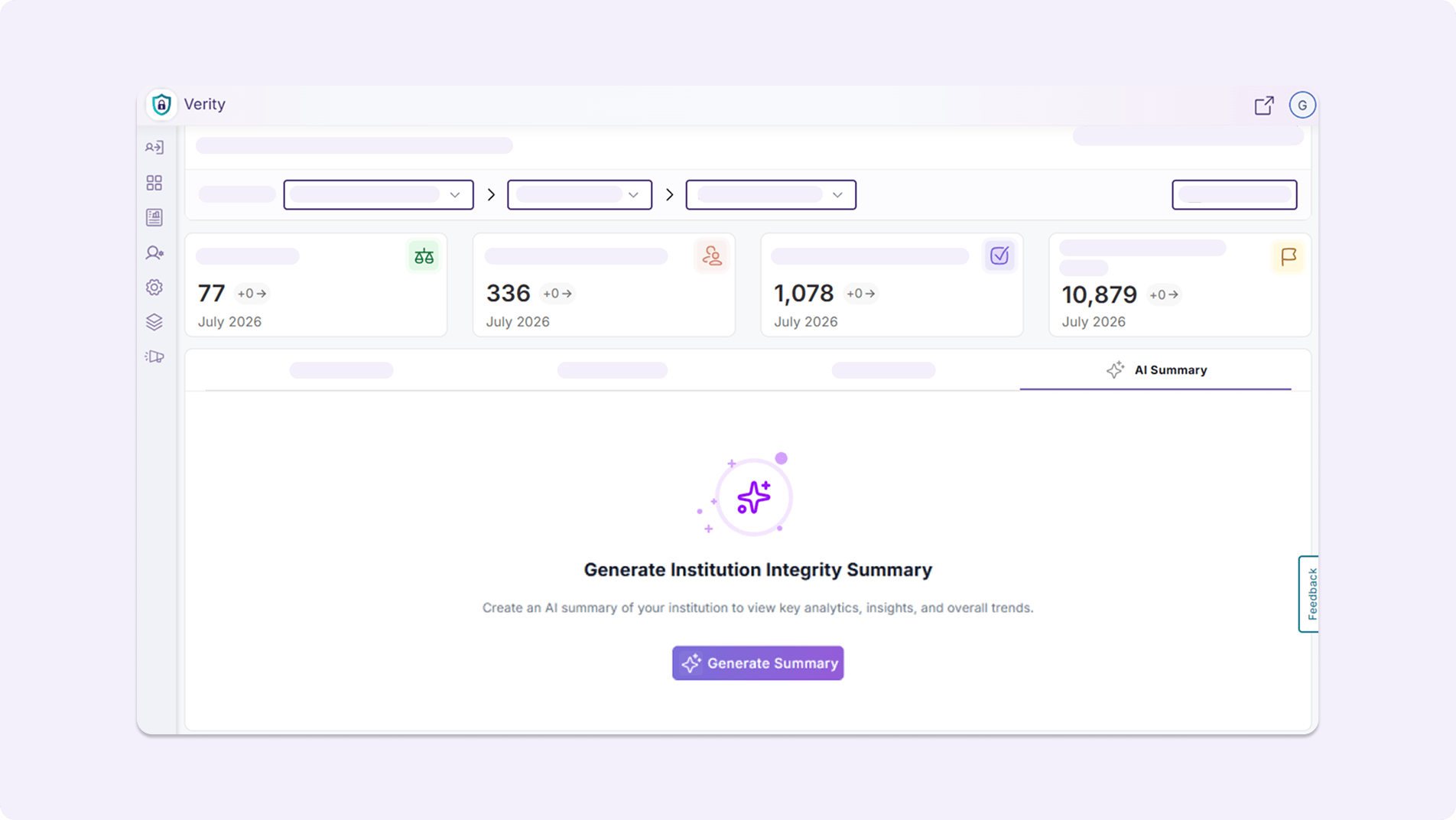
AI Summary: Users can generate AI-powered summary analytics, helping them quickly identify courses for improvement, key trends and integrity observations, and possible next steps.
Assessment Results Page: The Assessment Results Page now has a fresh look and improved usability.
Manage Proctoring Profiles Directly From Settings Menu
Administrators can now manage proctoring profiles at the institution, sub-account, course, and individual levels, all from the Settings menu.
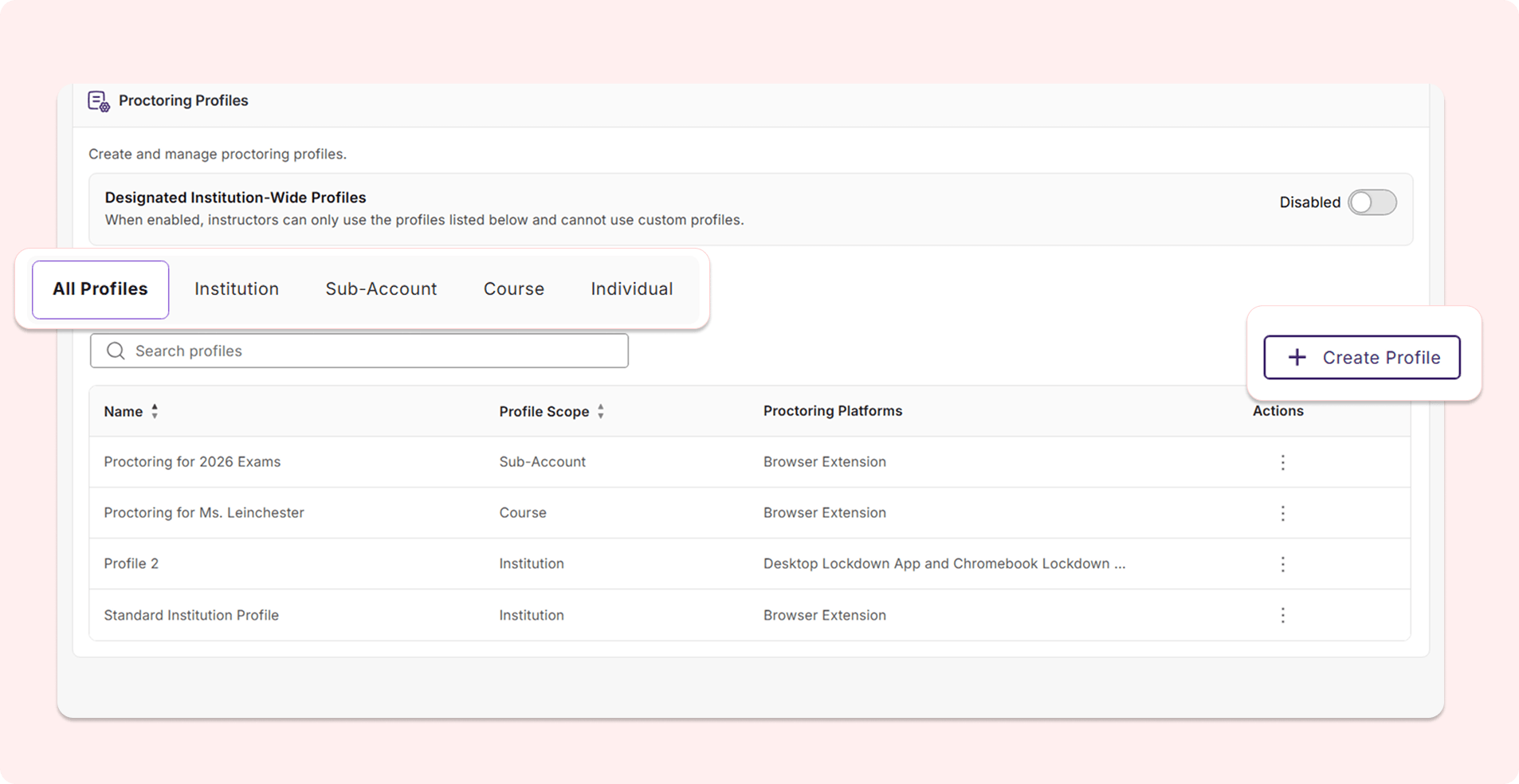
Users can:
View existing profiles: Users can see which proctoring profiles have been created at each level and review the specific proctoring configurations that have been selected.
Create new profiles: Users can directly create a new proctoring profile for each level from the interface without needing to open a new assessment workflow. Users can also now create proctoring profiles for sub-accounts associated with their LMS role, offering additional granular role-based controls that match their existing workflows.
Designate institution-wide profiles: Users can enable institution-wide profiles using a toggle to ensure that instructors are only permitted to use the proctoring profiles listed on this page instead of their own custom profiles. This new toggle eliminates the need for users to navigate to the general Settings page to choose an institution-wide profile.
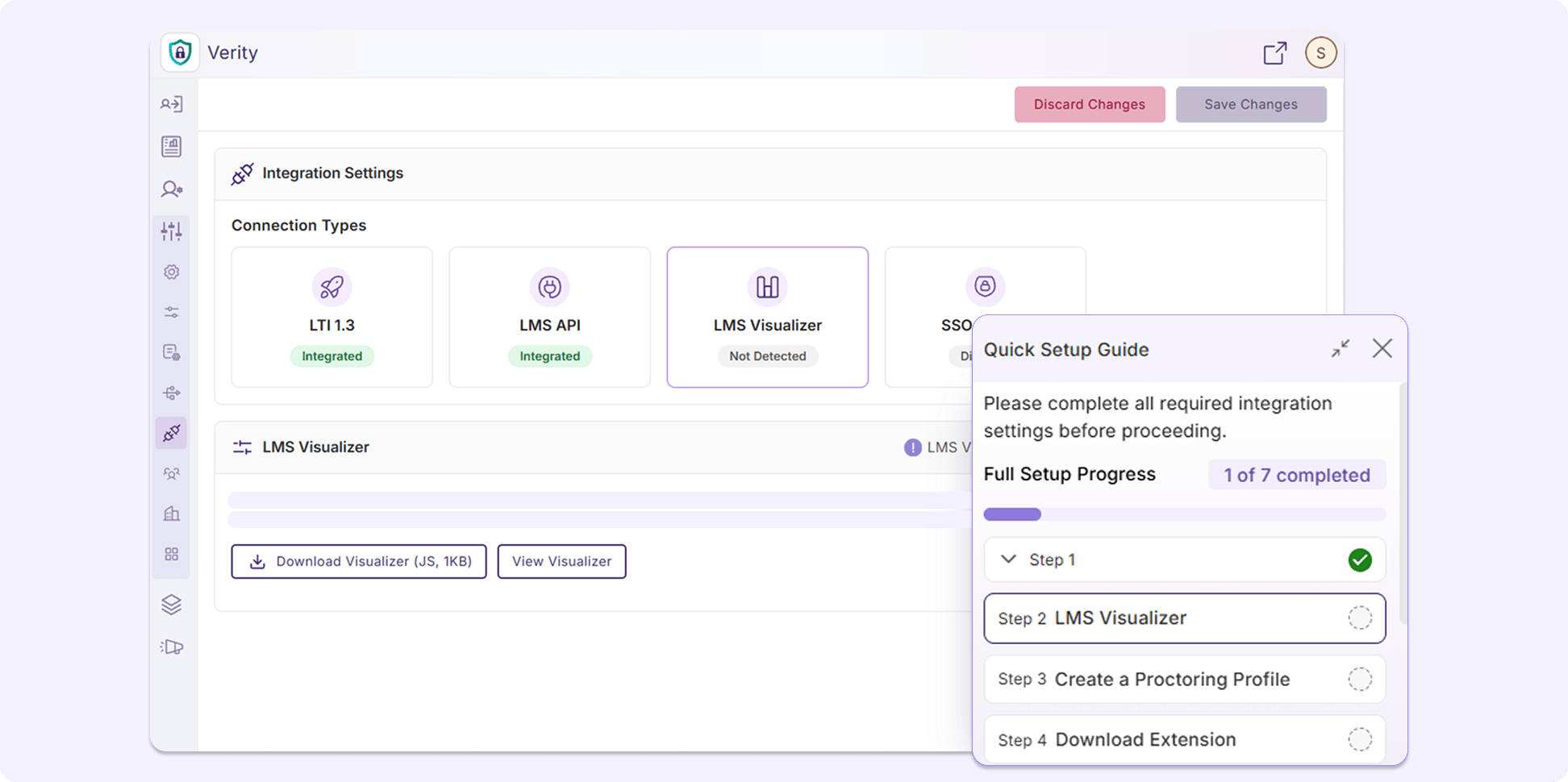
New Interactive Setup Guide Introduces Administrators to YuJa Verity
YuJa Verity now provides an interactive Setup Guide that takes administrators through setting up their integration via LTI 1.3 and API, setting up the LMS Visualizer, and taking and reviewing quizzes, allowing first-time institutions to gain a better understanding of YuJa Verity’s features and workflows prior to their first assessment.
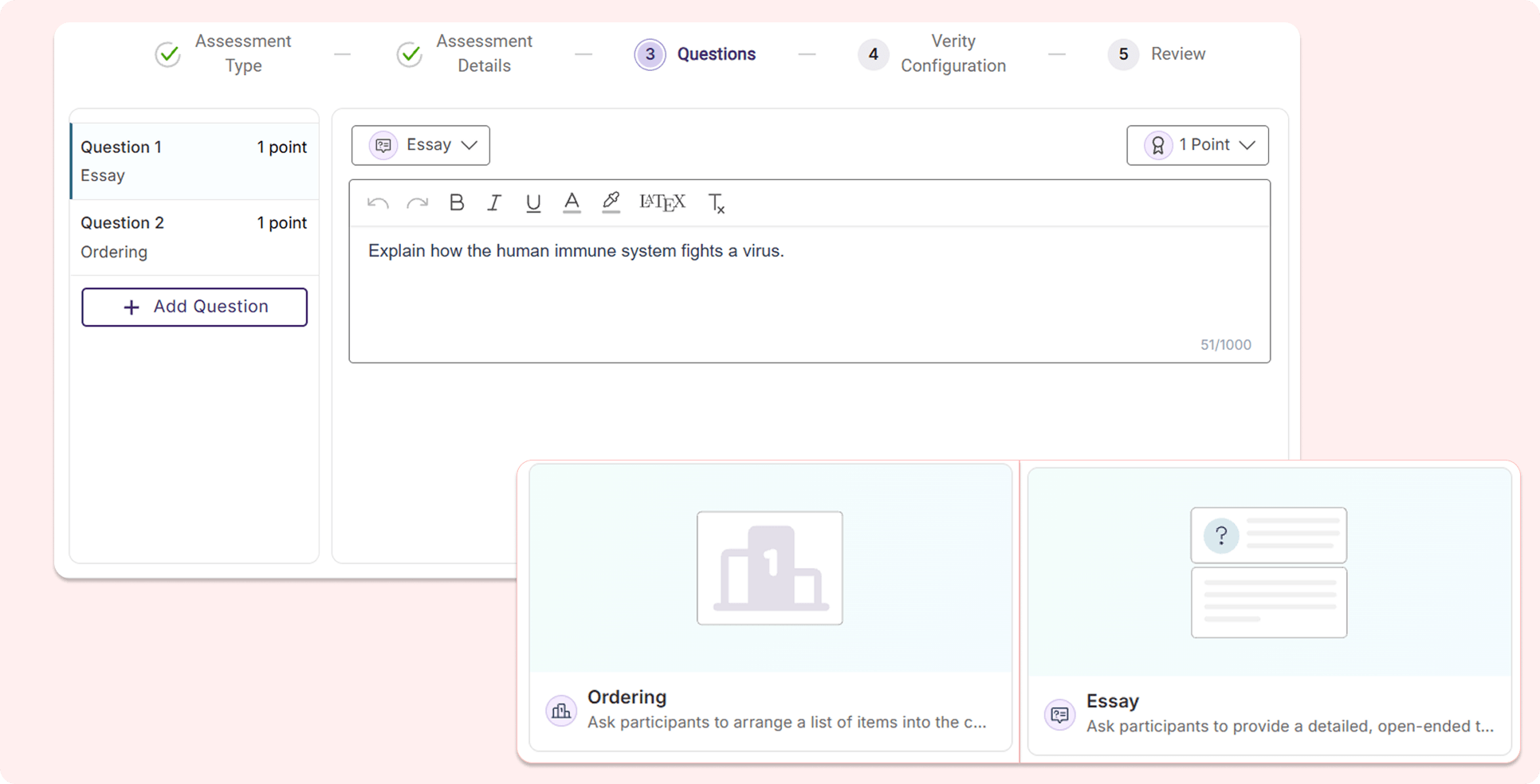
New Question Types Added to the YuJa Verity Assessment Builder For Expanded Flexibility
The YuJa Verity Assessment Builder is introducing two new question types: Ordering and Essay, allowing instructors to have more flexibility when building their assessments.
Ordering: Test-takers will be required to order the answer options in the correct sequence.
Essay: Instructors can add essay questions to assessments, prompting test-takers to respond with open-ended written answers.
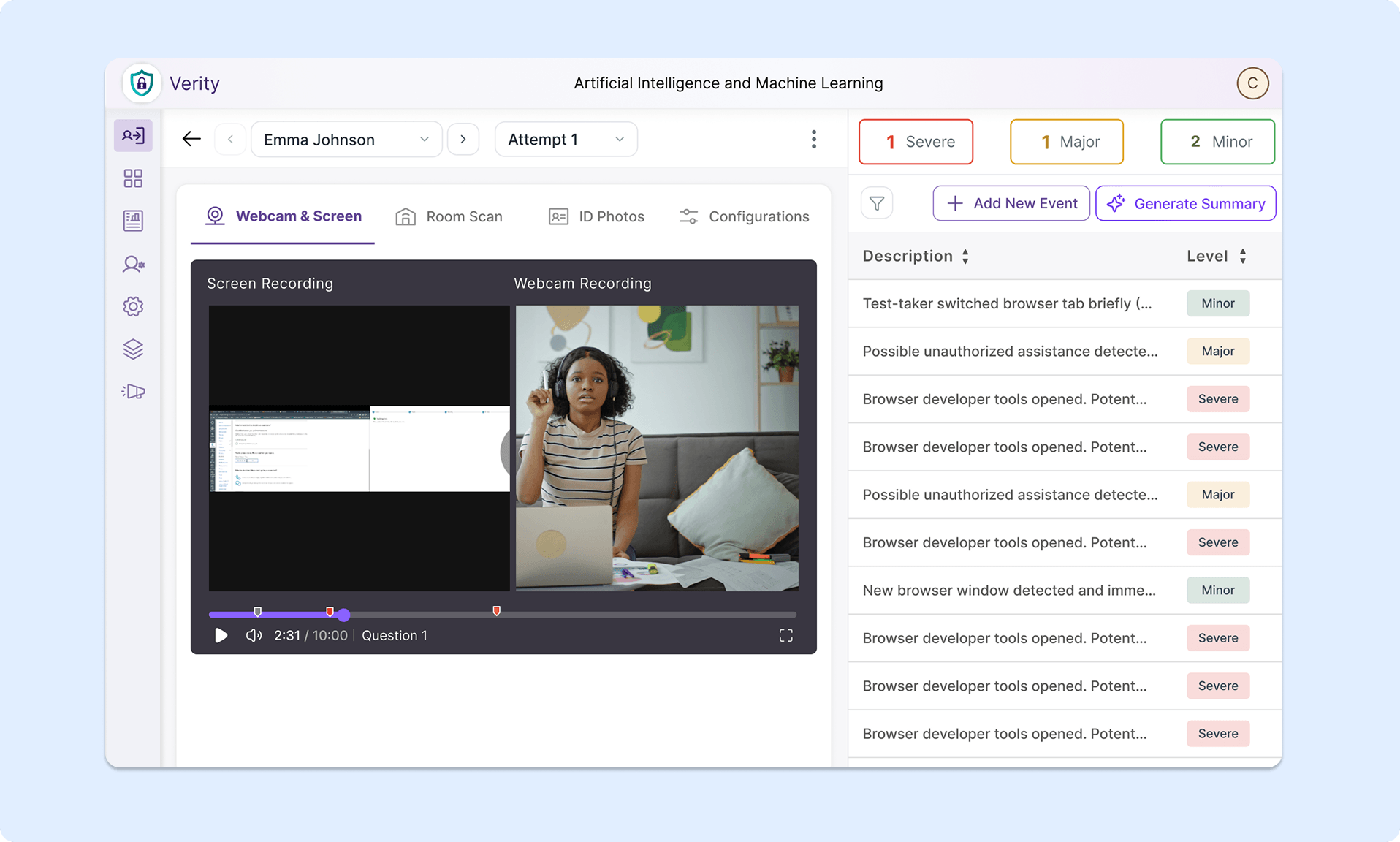
Chaptered Playback Recording By Question Number to Accelerate Evaluation Processes
The YuJa Verity Assessment Builder now tracks when each question is answered in the playback recording using visual timestamps with the question number. The playback progress bar will automatically divide into sections based on when a test-taker attempts to answer a new question, helping instructors quickly navigate through the recording to evaluate test-taker performance for specific questions.
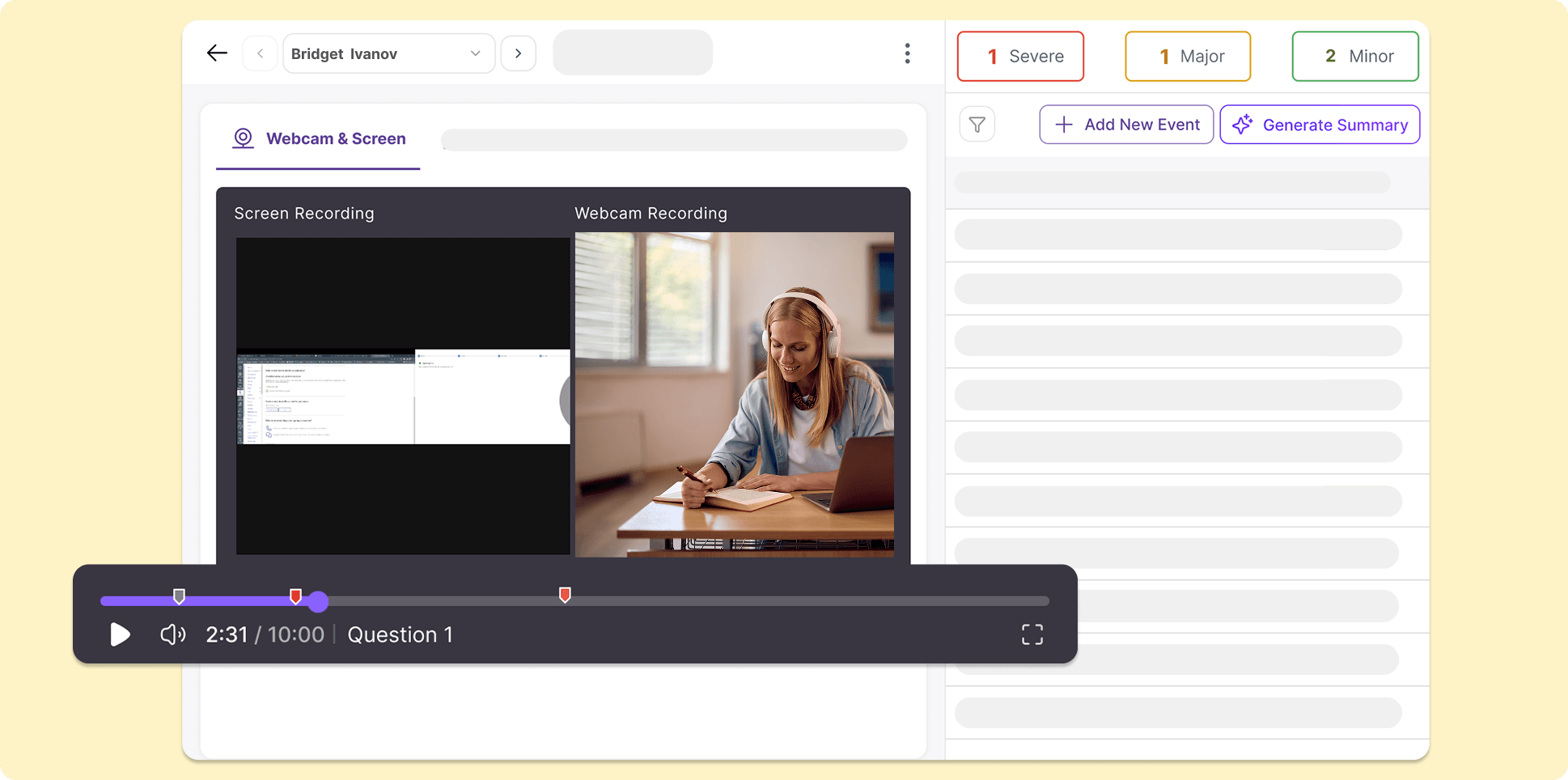
Streamline the Post-Assessment Review Process with Improved Reference Material Workflow
The workflow for test-takers to use reference material during a proctored assessment has been improved to provide more transparency and efficiency for both test-takers and instructors evaluating the assessment.
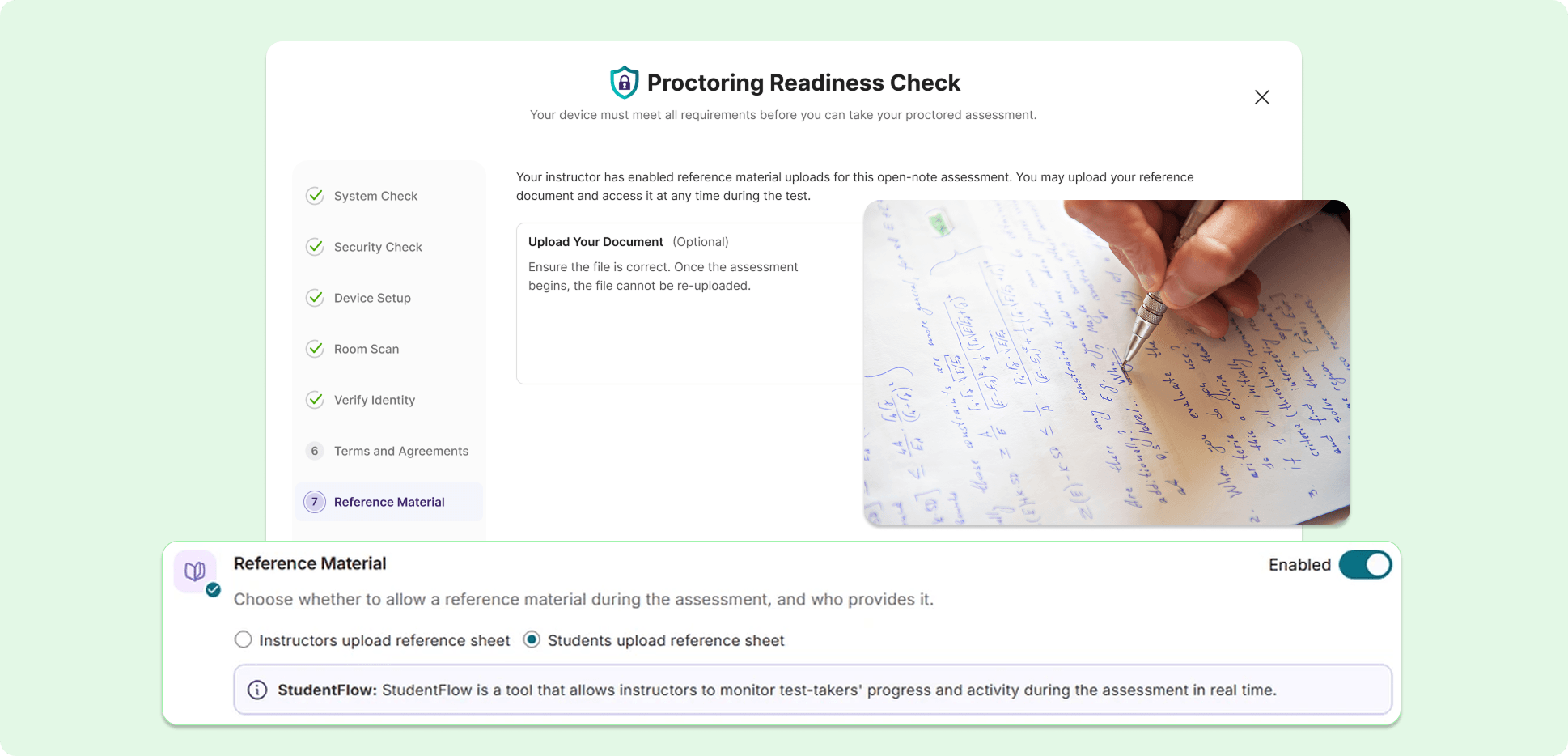
Key features include:
Permit reference material uploads: From the Proctoring Setup page, instructors can choose to upload reference material or allow test-takers to upload their own.
New submission process for test-takers: Test-takers can now submit their reference material during their Pre-Assessment Check for instructors to review, helping establish more transparency and security for proctored assessments.
Review submitted reference material: Reference material submitted and used by test-takers during an assessment will be displayed in their Post-Assessment Report page, helping instructors quickly cross-reference information to streamline their evaluation process.
Introducing a New, Organized Audit Log for Administrators
We’re introducing an administrator-specific audit log for tracking institution-wide actions and events in the platform. User activities are placed in a clean table with symbols for each event type detected, reducing visual clutter. Administrators can also use the advanced filter to search for specific events.
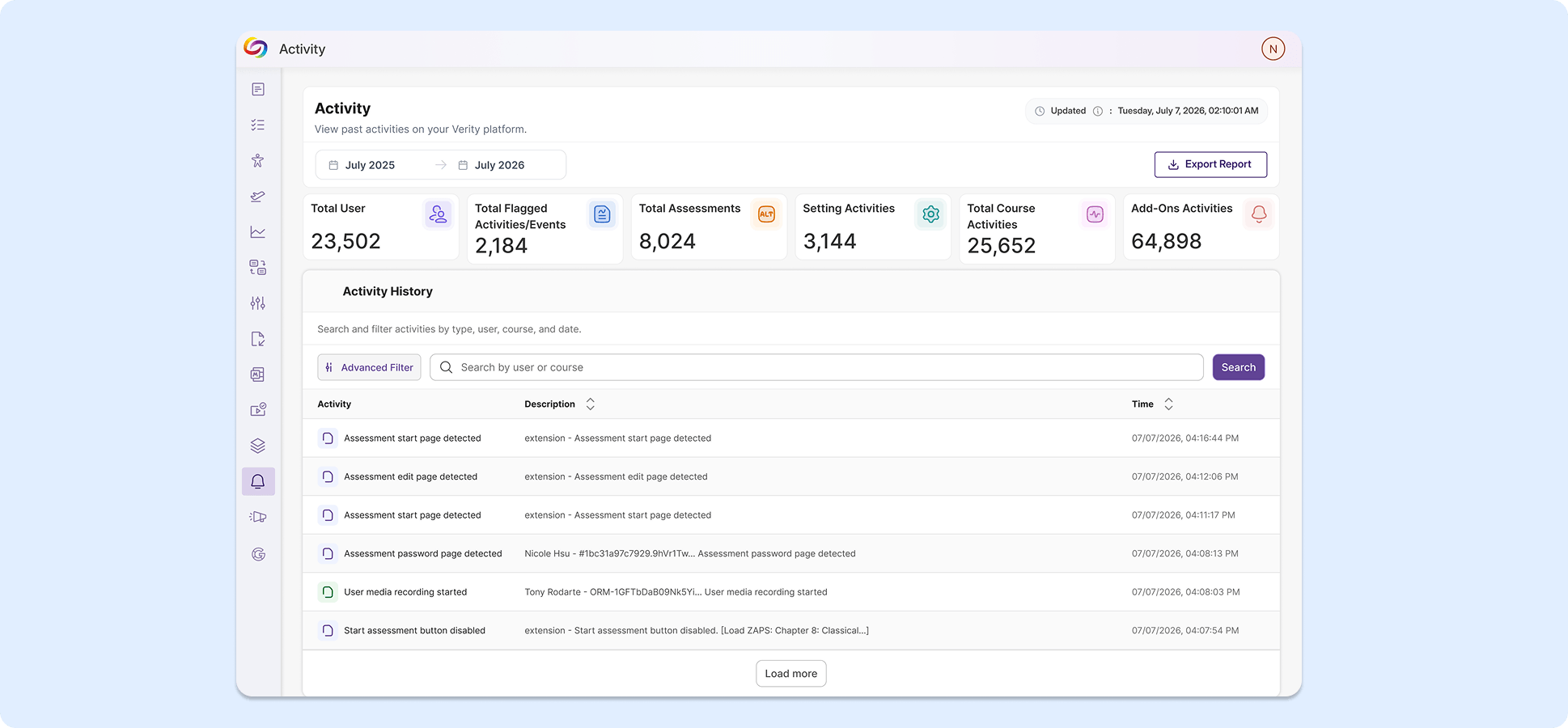
Administrative Settings Pages Now Have a New Look for Smoother Navigation and Improved Consistency
Multiple administration pages now have modernized designs to introduce more succinct descriptions, simplified layouts, and better consistency across the overall user experience. Pages with refreshed UI include the Admin Panel, Configurations, Course Settings, and Institution Settings.
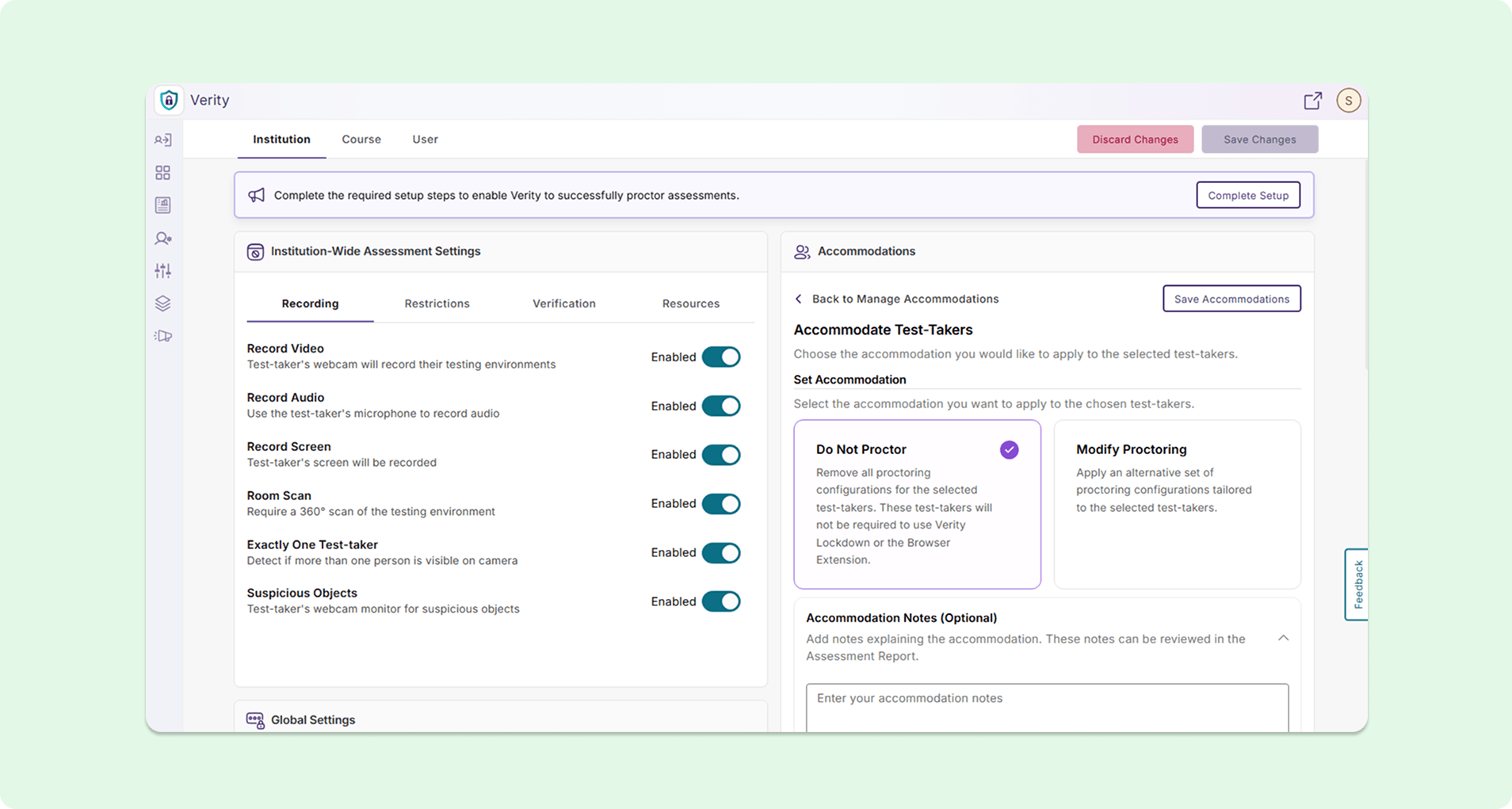
Start Recording After Assessments Begin to Limit Unnecessary Footage During Post-Assessment Review
Administrators can now enable a “Start Recording After Assessment Begins” option in the Institution Settings page, effectively disabling recording of any kind during the System Check process. Instructors can review recordings and evaluate test-takers faster without needing to watch through the system setup process prior to the assessment.
Assign Students to LMS Courses Directly in YuJa Verity
Instructors can now assign students to LMS courses directly using Roster Management on the Settings page without needing to configure course settings in their LMS, eliminating the need to navigate between different platforms.
Over the next few weeks, we’ll be introducing new features to strengthen the integrity of online assessments, such as the ability to add exam aids for students, multiple usability updates to the YuJa Verity Lockdown App, and extended proctoring support to the YuJa Verity Proctoring Platform for improved user flexibility.
Multi-Day Live Sessions and Clearer Registration Details Improve the Live Proctoring Student Experience
Instructors and students now have more practical features when using live proctoring in YuJa Verity.
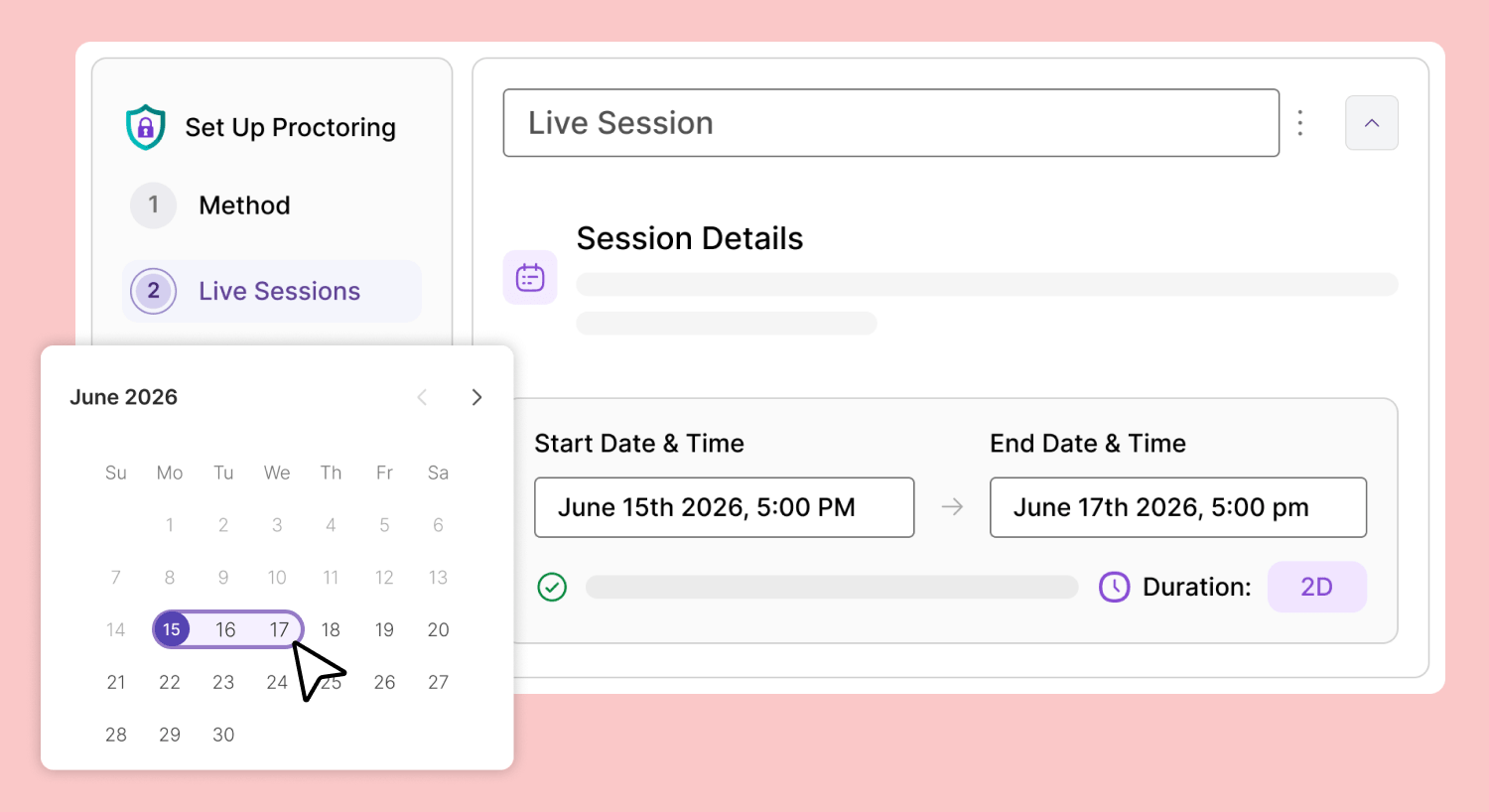
Key features include:
Increased flexibility for instructors: Instructors will now be able to host a single live session across multiple days instead of only 24 hours. The length of live sessions will also now populate into YuJa Verity depending on the LMS quiz settings.
Informative student emails and post-registration messages prior to assessments: Students who register for any live proctoring assessments will receive detailed session information on the post-registration confirmation page and the automated follow-up email, allowing them to take assessments with peace of mind knowing that they are not missing crucial details right before a test.
View upcoming live sessions for multiple-day assessments: Students can see the upcoming live-proctoring sessions for an assessment in one space on their Live Registration page.
Live Proctor Standalone Assessments Outside of Your LMS
All proctoring methods are now supported for standalone assessments in YuJa Verity, giving instructors more freedom and customization for their assessment needs without relying on an LMS environment.
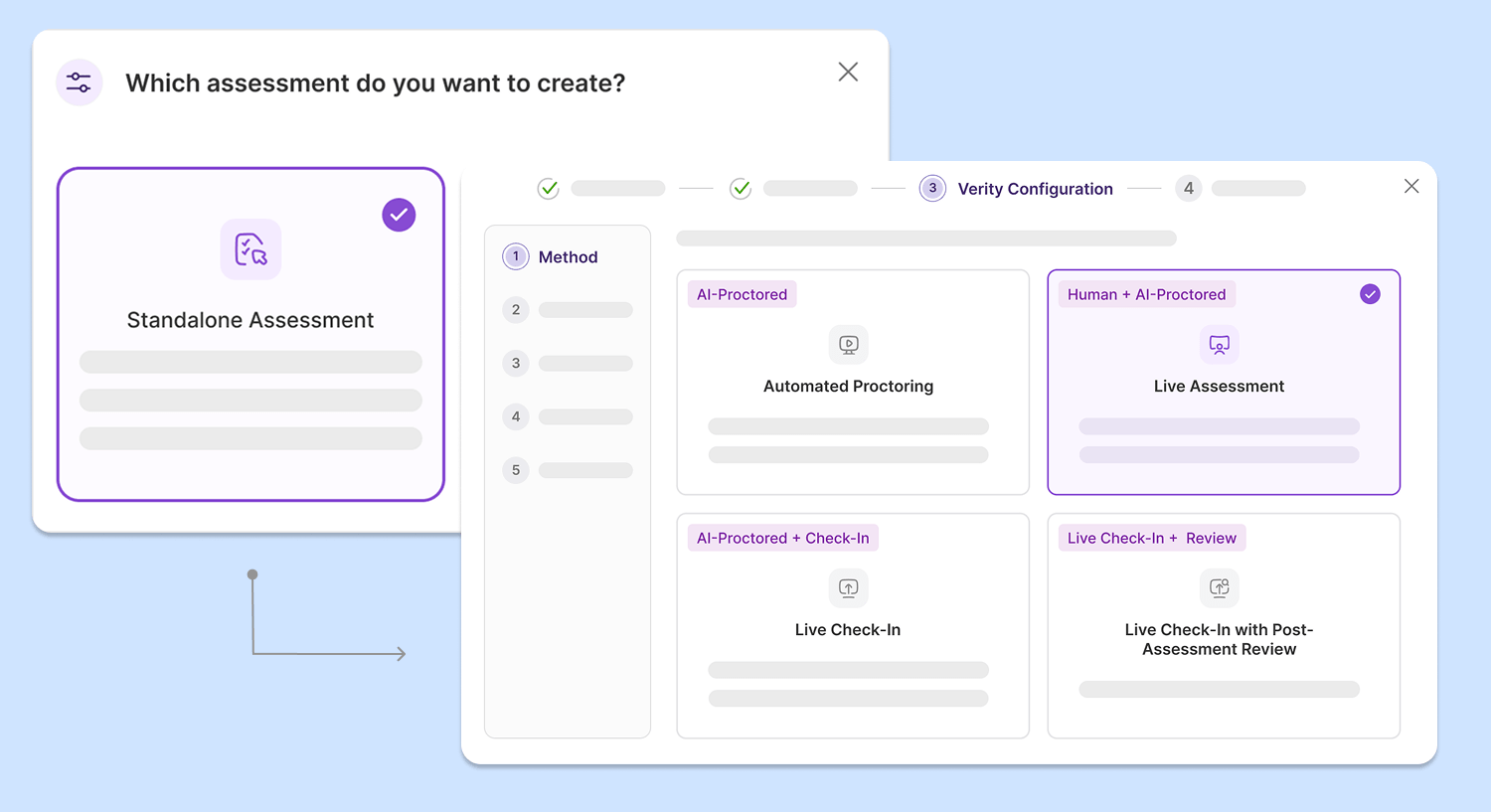
In addition to Automated Proctoring, instructors can now:
Assign proctors for live sessions: With Live Proctoring, instructors can designate their own staff or YuJa’s official proctors to monitor assessments in real-time.
Enter the session only when suspicious activity is detected: Instructors can intervene and resolve questions and potential academic misconduct in the assessment session only when alerted by Verity’s automatic proctoring system.
Review test-taker performance after intervention: Instructors can choose to manually review each test-taker’s performance after the live session ends to add or remove any flagged events.
Refreshed Lockdown App Launch Workflow Helps Students Start Assessments Faster
The YuJa Verity Lockdown App has been refreshed with a new and upgraded launch workflow that allows students to set up and take assessments in the lockdown browser faster.
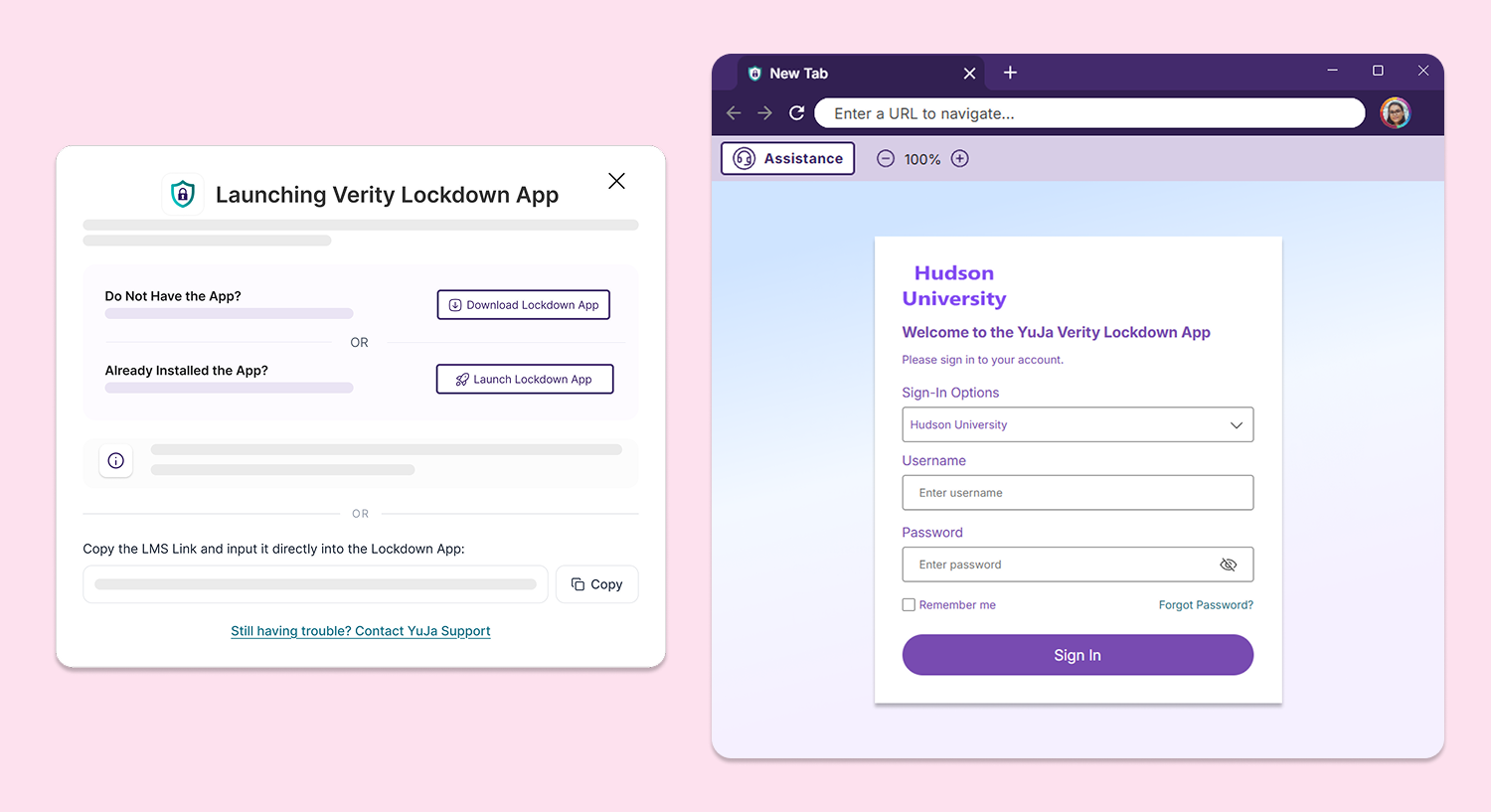
Key features include:
Launch modal redesign:Additional clarity is now provided to students when they are prompted to launch the Verity Lockdown App to complete their assessment, allowing them to easily identify whether they already have the app installed.
Intuitive loading indication: A splash screen will automatically appear when the Verity Lockdown App is launched to provide visual indication of background progresses, providing students with an ease of mind.
Automatically authenticate students: Upon installation, students will be directed to log in through their institution and will be automatically authenticated, eliminating manual authentication processes and allowing students to start their assessments immediately.
Start Assessments Faster in Moodle With Automatic Student Authentication
Students are now automatically authenticated when they open a Verity proctored assessment in Moodle, allowing them to start the assessment or install the browser extension directly in the assessment workflow without locating and navigating to the Verity portal link first in their LMS environment.
Updated Confirmation Page Shows All Proctoring Configurations for a Convenient Review Process
The Confirmation page has been updated to provide a comprehensive overview of the configurations applied to a proctored assessment. Instructors can now:
Review configurations using a clear table overview: Instructors can now see an overview of their chosen configurations in a clear and succinct table. All restrictions are now displayed at-a-glance without needing to scroll through the page, or return to previous tabs in the workflow.
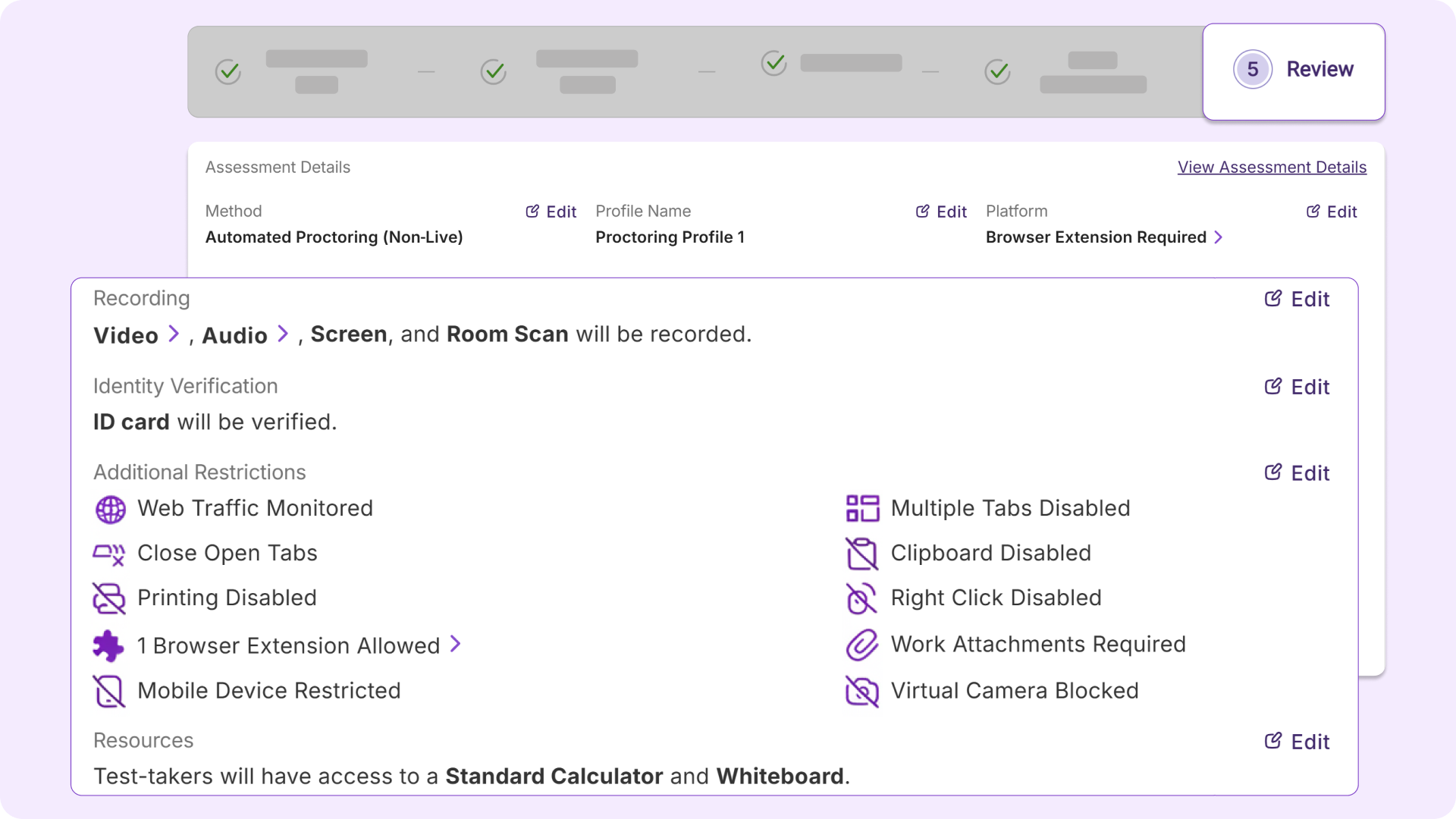
Navigate through the workflow quickly using buttons: New buttons have been added to the Confirmation page which allows instructors to return to the specific tab to edit their configurations directly without needing to repeatedly use the back button.
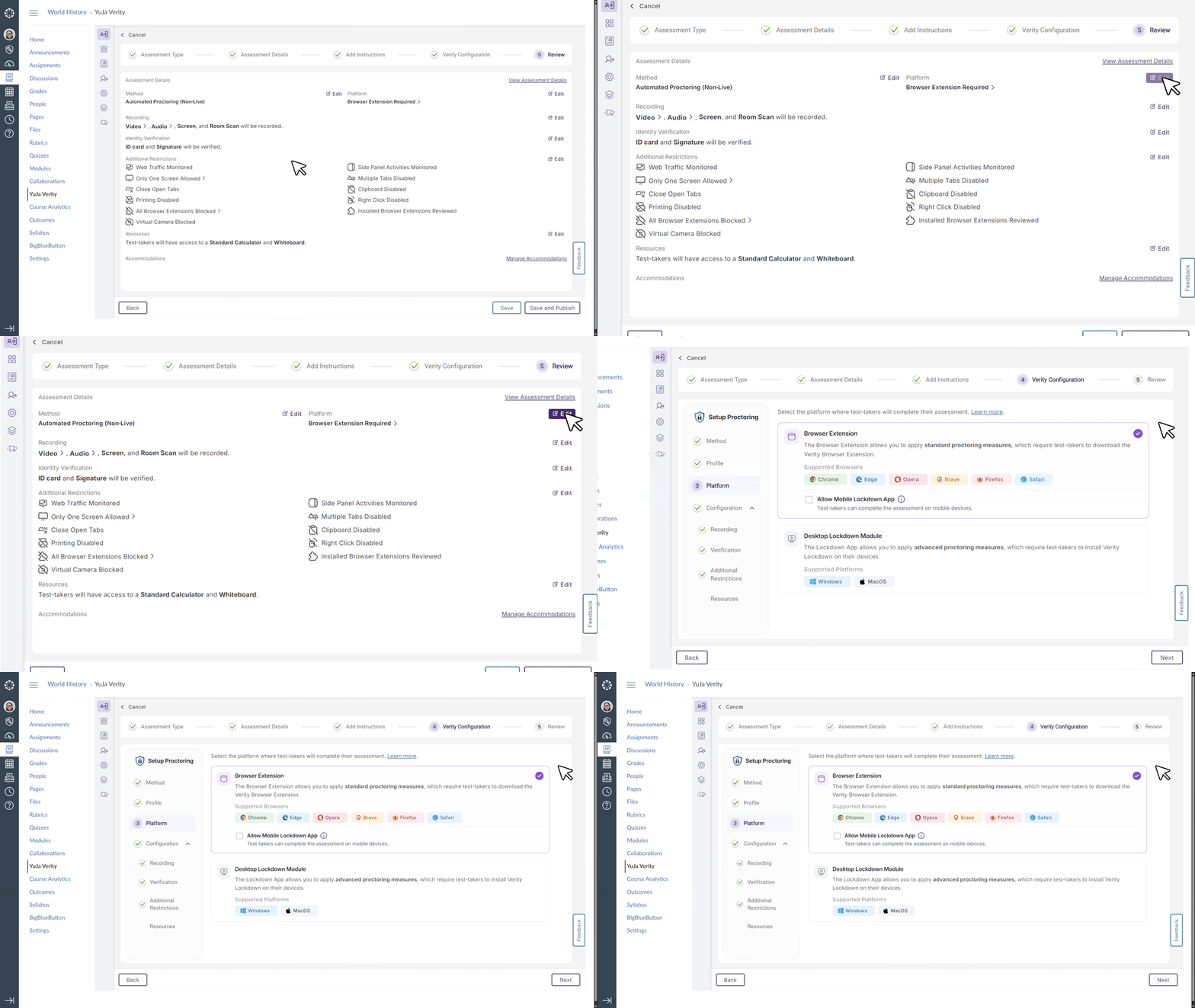
Hide “End Proctoring” Button to Prevent Accidental Session Ending
Instructors can choose to hide the End Proctoring button from students taking assessments in their institutions’ learning management system. This feature safeguards against unintentional clicks during assessments.
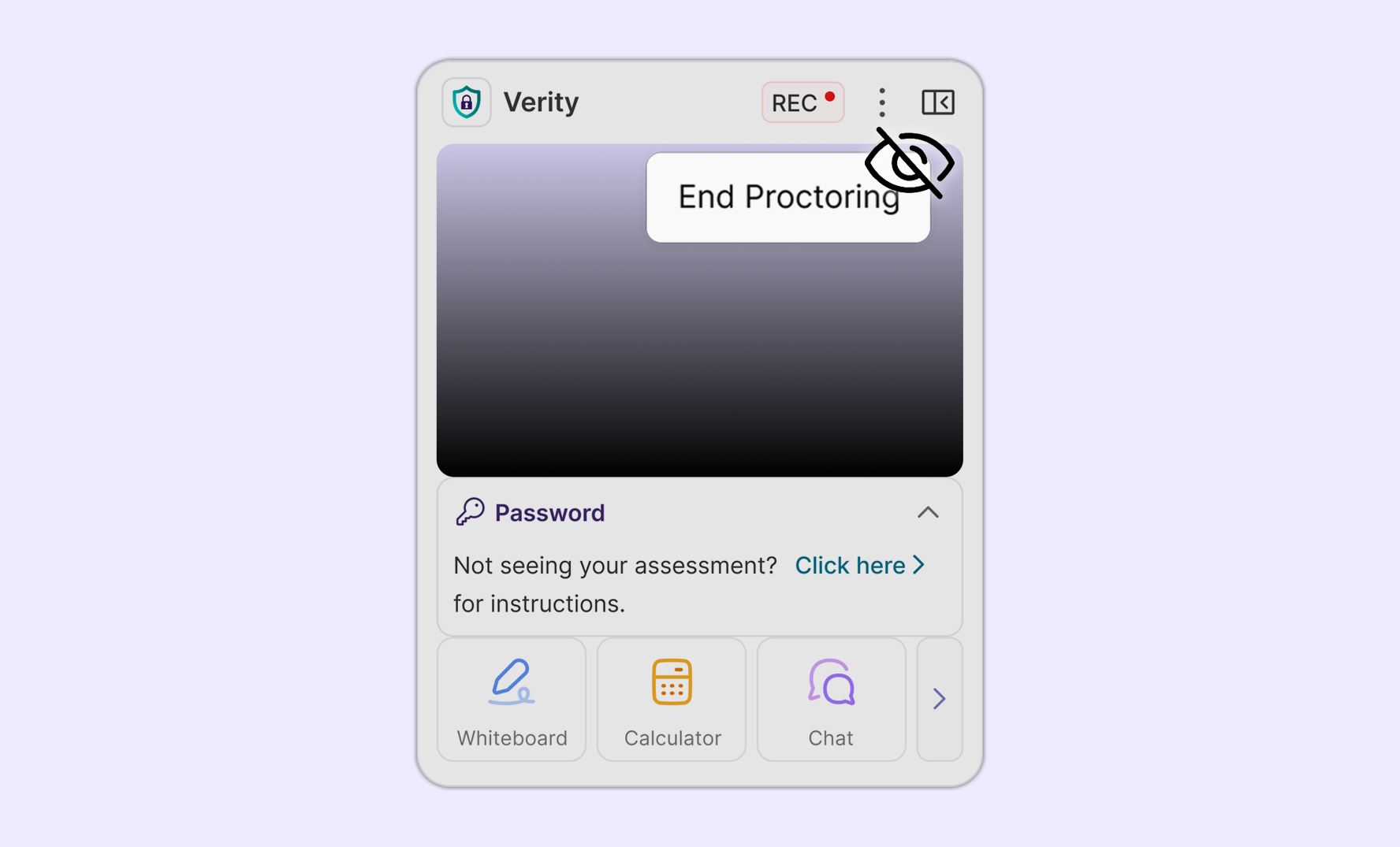
Provide Reference Material During Assessments to Simulate Traditional Exam Environment
Instructors can now provide reference material to students during proctored assessments to facilitate a more traditional exam environment, simplifying the assessment set up process while providing additional assessment flexibility.
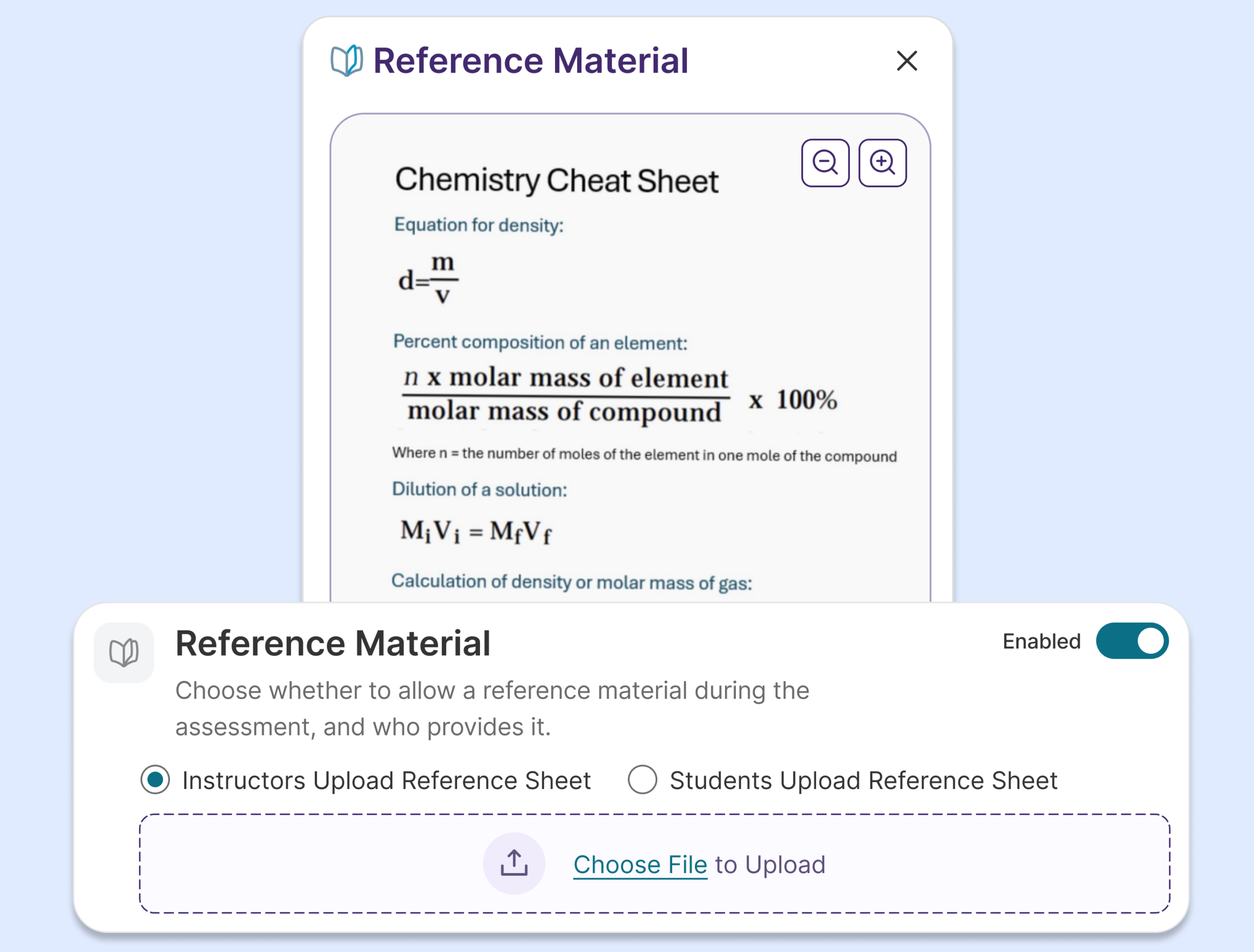
New Third-Party Integration with Willolabs Expands Assessment Flexibility
Verity is introducing a new third-party integration with Willolabs, allowing instructors and students to create and take assessments on Willolabs using Verity’s proctoring configurations. Verity will also automatically inject assessment passwords for students, shaping a seamless and efficient assessment workflow without any new interruptions.
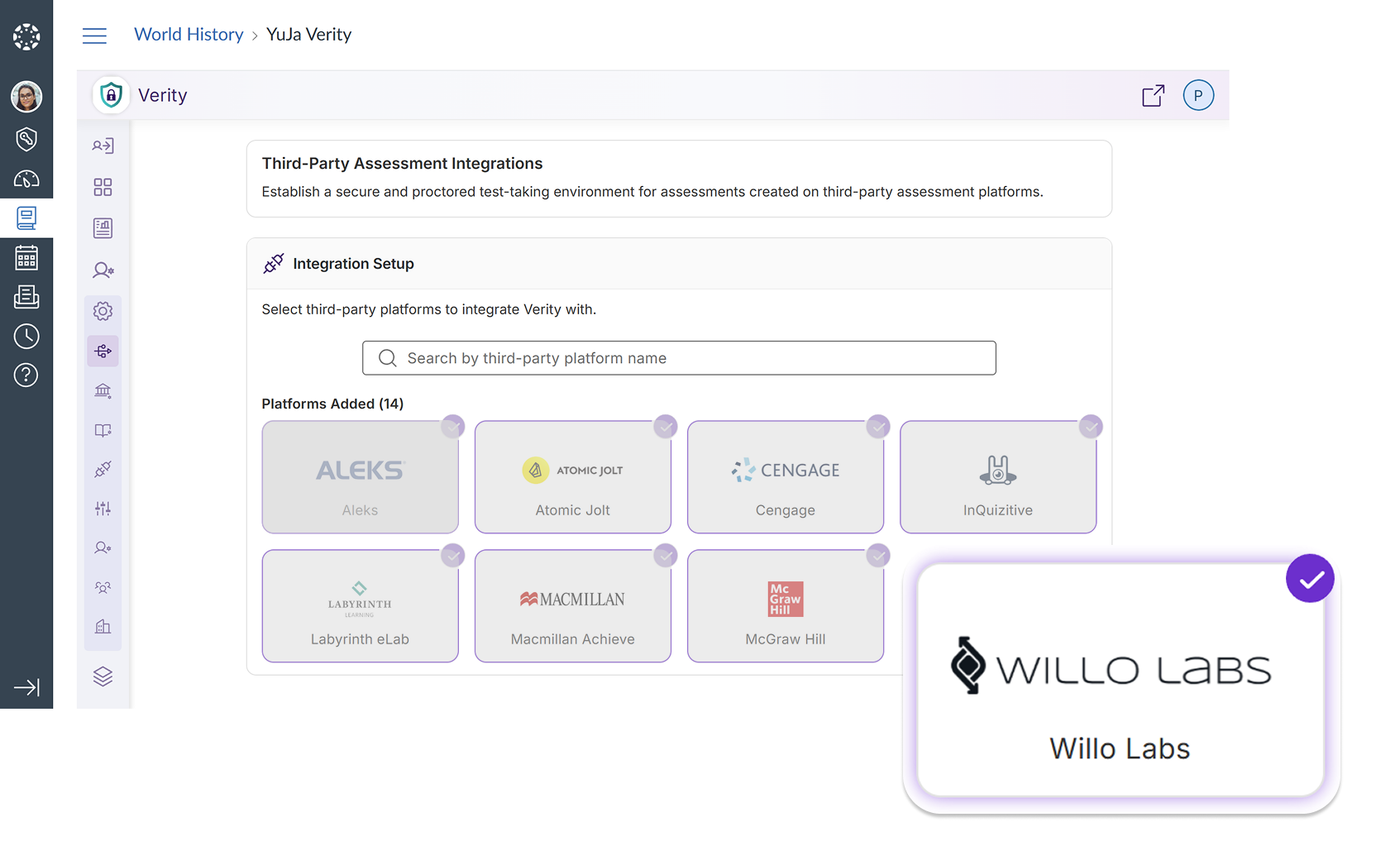
Verity Extends Proctoring Support to D2L’s New Learner Experience
The YuJa Verity proctoring experience is now available in D2L Brightspace’s New Learner Experience, allowing existing and future users of the new interface to use all of Verity’s proctoring features for their assessment needs.
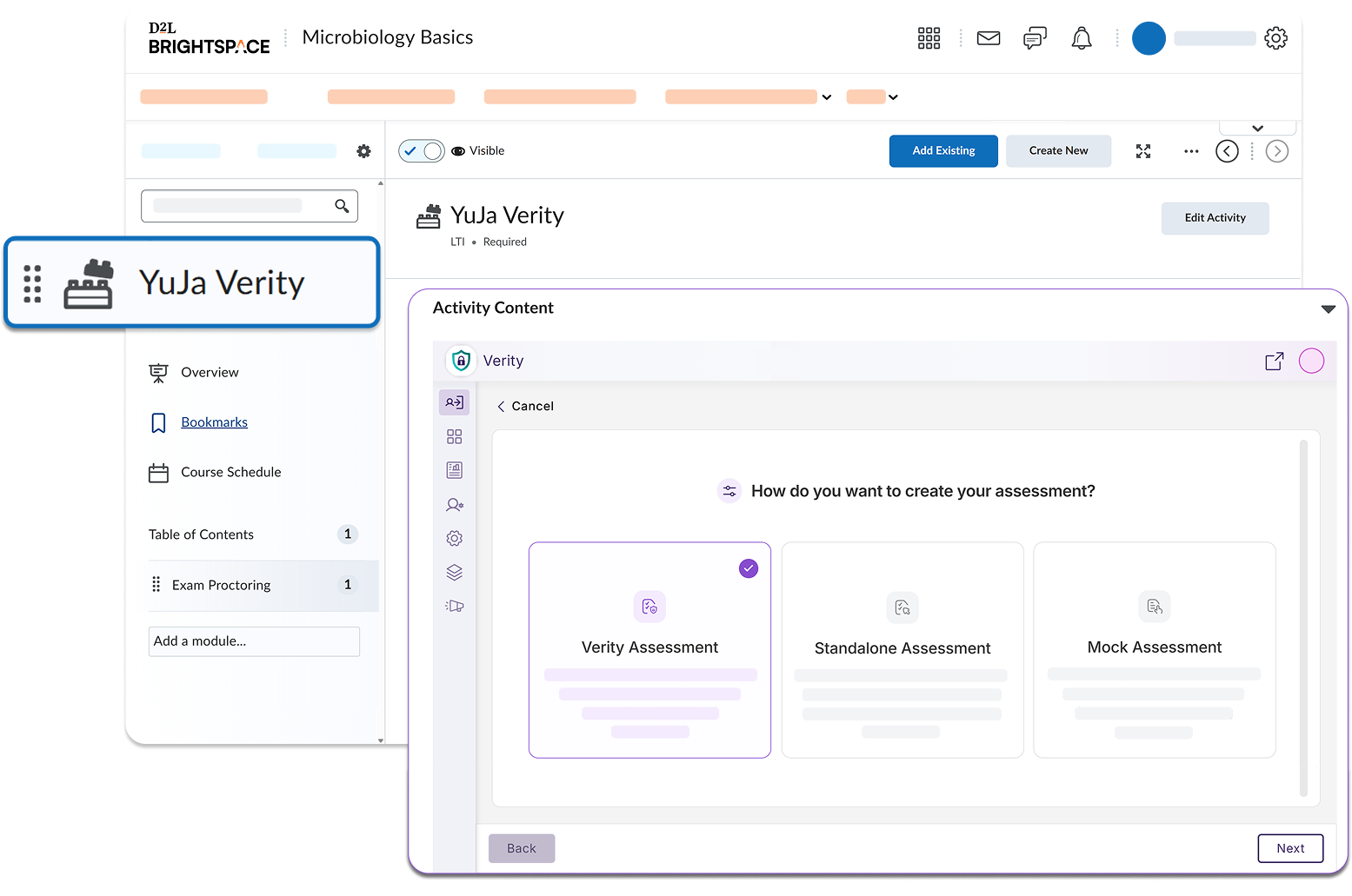
This includes:
Enabling proctoring for assessments: Instructors can configure proctoring settings on all types of assessments, including LMS assessments, standalone assessments, and assessments created using the Verity Assessment Builder.
Choosing from different proctoring methods: Instructors can choose from automated, live, and hybrid proctoring options for different assessments according to their course goals and institutional standards.
Reviewing test-taker performance using comprehensive reports: Each test-taker can be carefully evaluated for potential academic integrity violations using Verity’s timestamped post-assessment report.
Gaining clearer insight into institution-wide performance: Administrators and instructors can see institution and course-wide reports to evaluate behavior trends on a larger scale.
Over the next few weeks, exciting features such as added proctoring flags, new response submission formats, and real-time guided support will be introduced to the YuJa Verity Test Proctoring Platform to provide more flexibility, security, and simplicity to online assessments.
New Capability to Create Assessments Directly Using the Verity Interface
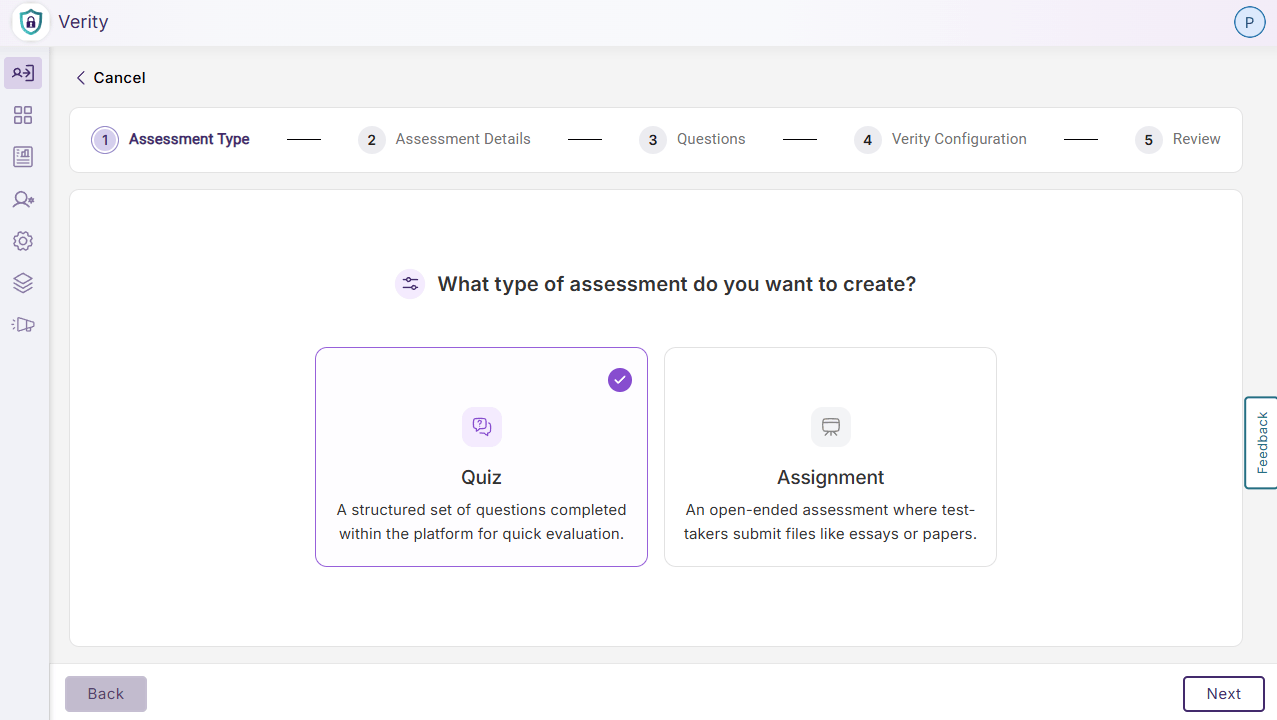
YuJa Verity now supports assessment creation directly from the platform interface, allowing faculty to build and configure proctoring settings for quizzes and assignments in a singular flow directly in Verity without needing to first create the assessment in their LMS.
Key features include:
Consolidated Quiz or Assignment Set Up: Instructors can choose to create a new quiz or a new assignment, mimicking the assignment set up flow in their LMS, while configuring Verity proctoring settings in one continuous workflow without leaving Verity.
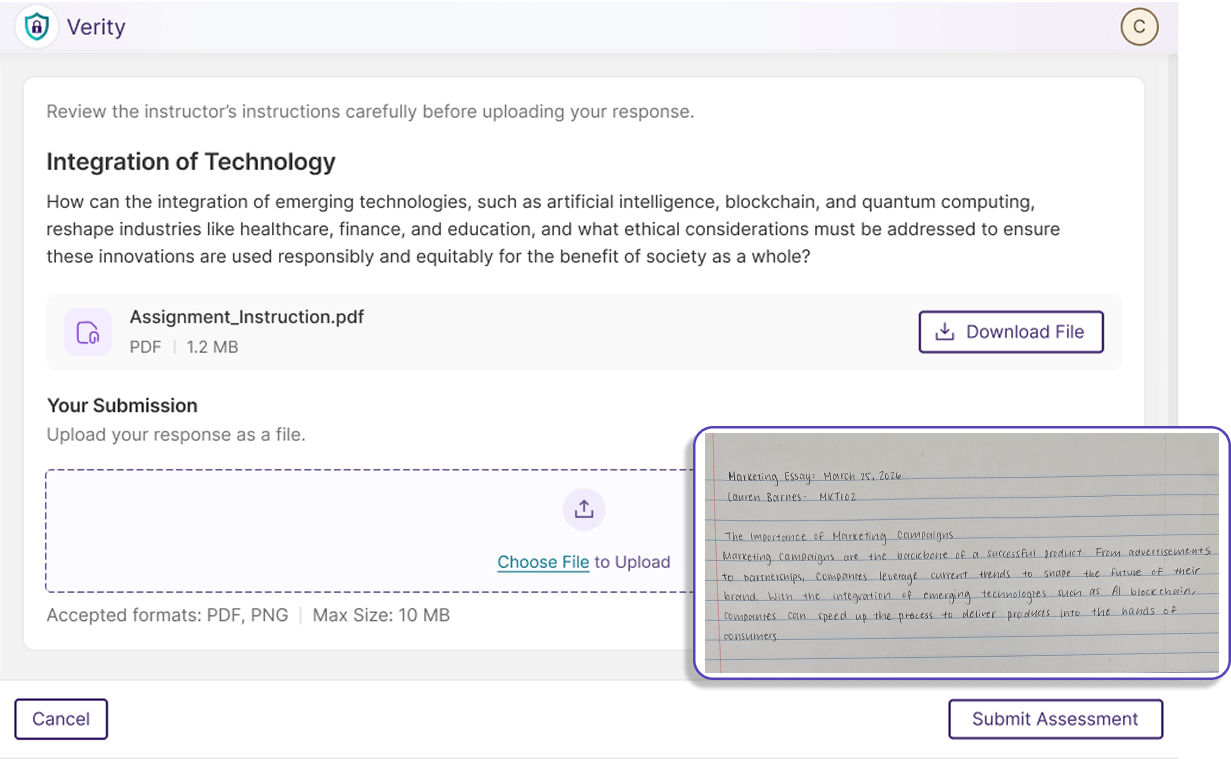
Choose Upload Formats: Instructors can select the type of file formats accepted for assessment responses, expanding the flexibility of online assessments by accepting both digital and traditional paper submission formats.
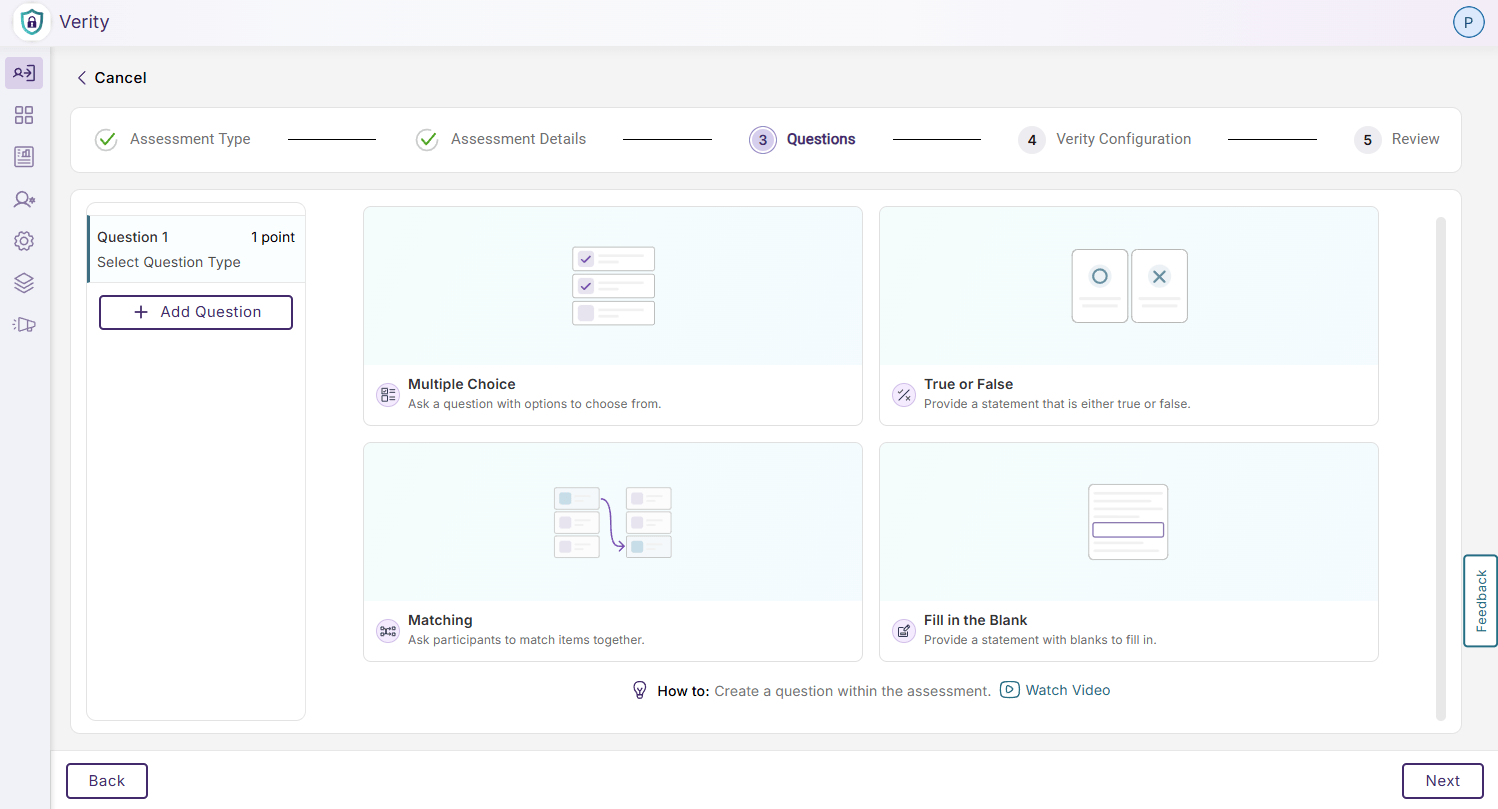
Multiple Quiz Types: Instructors can choose from multiple choice, true or false, matching, and fill-in-the-blank for a Verity quiz, providing flexibility and matching native LMS capabilities.
Automatic LMS Publishing: Assessments configured in Verity will be automatically published to Canvas, eliminating the need to configure an assessment in two different interfaces.
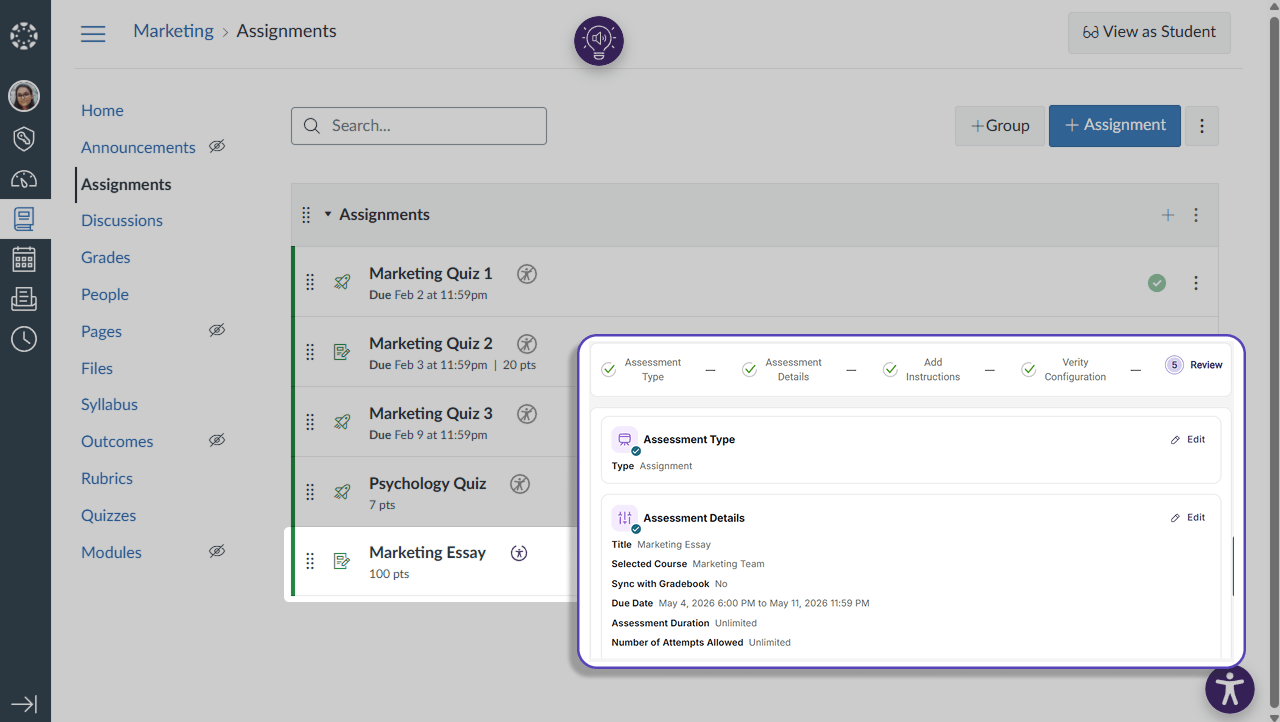
LMS Gradebook Sync: Instructors can enable gradebook sync during assessment set up, allowing grades to be automatically imported into their LMS without additional configurations. Instructors will also be directed to flagged events from this interface to easily verify academic integrity.
Increased Security for Mobile Assessments with Continuous AI-Proctoring Support
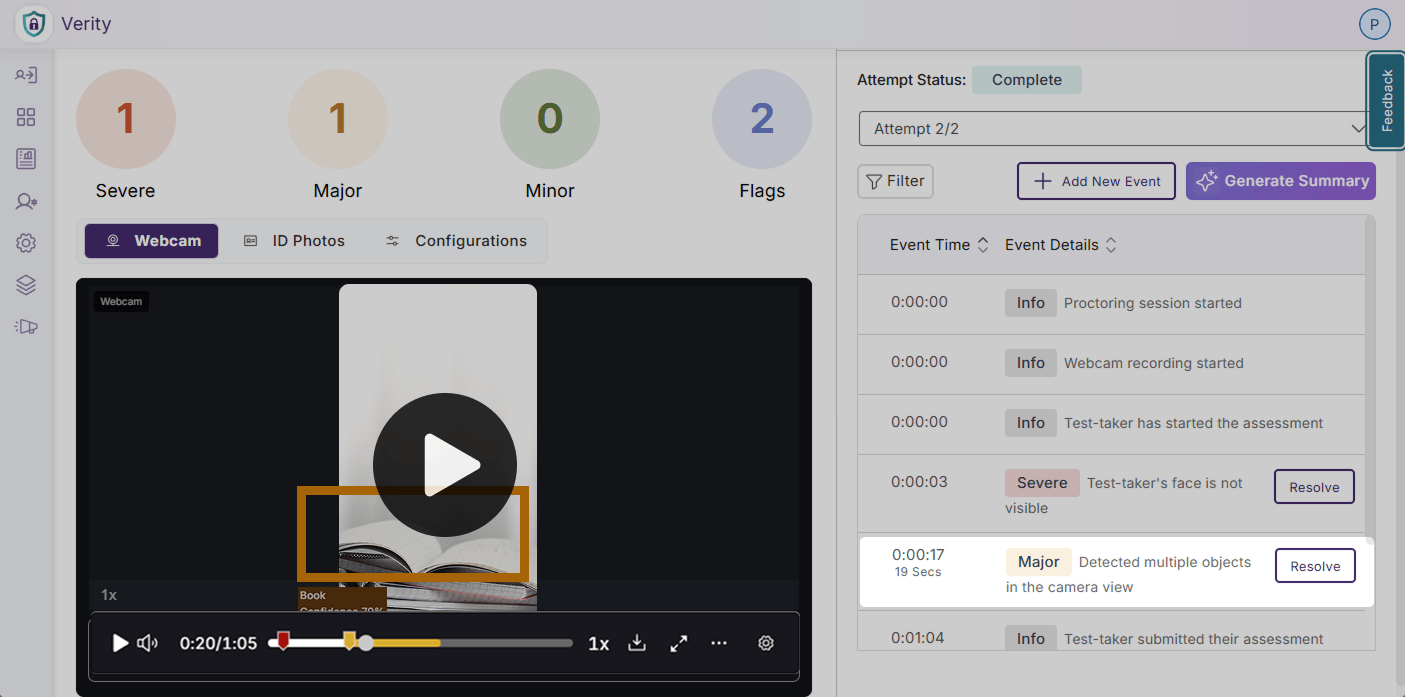
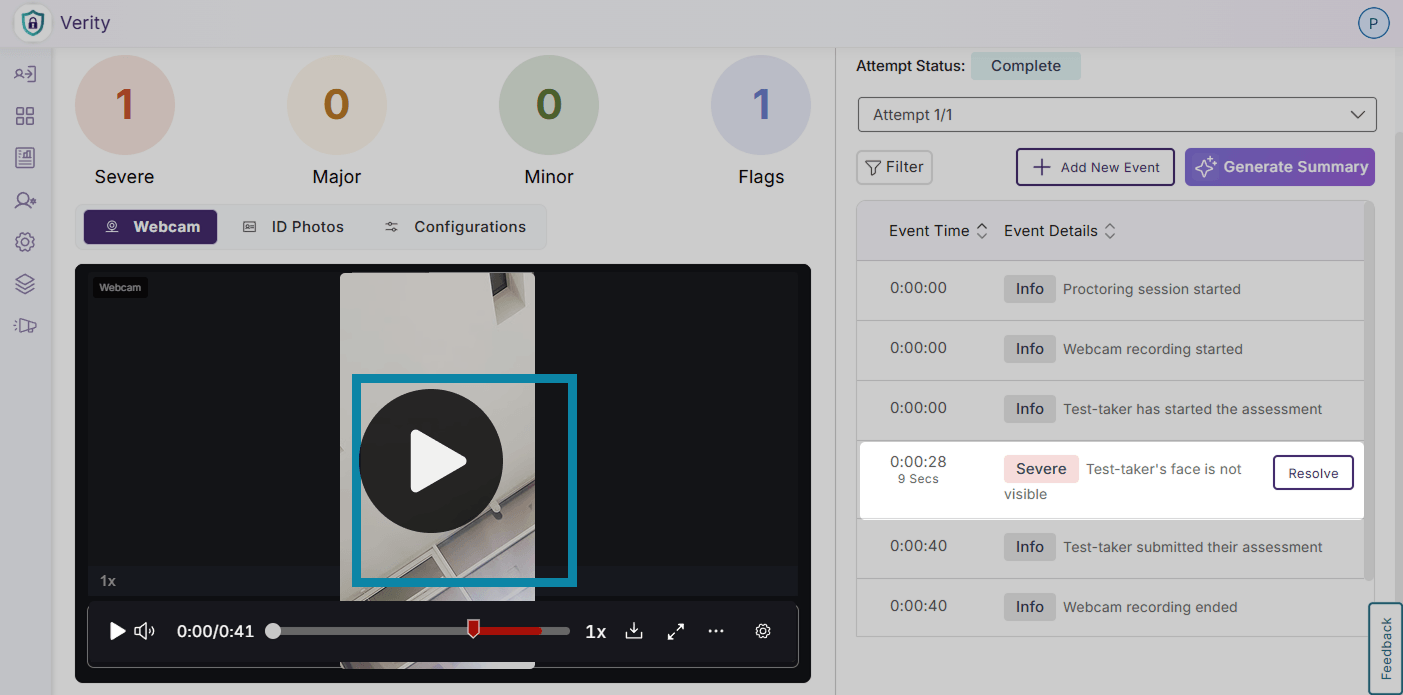
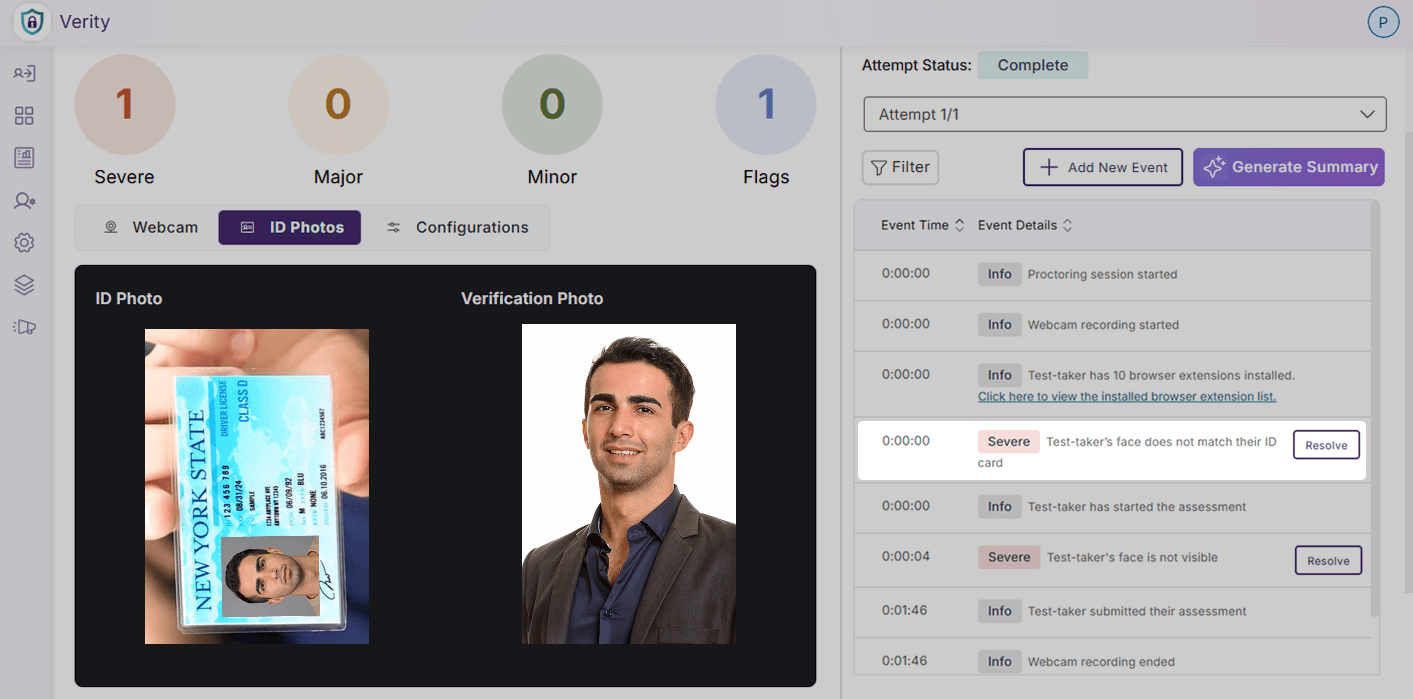
AI-powered face and object detection has been added to Verity assessments for mobile devices, drastically improving the security for mobile assessments by flagging suspicious activity detected using the front camera.
Key features include:
Detect Suspicious Objects: Verity will flag suspicious items such as phones, devices, monitors, and books in view of the test-taker’s webcam.
Detect Multiple Faces: Verity will monitor the test-taker’s face to verify that it is detectable, and will flag additional faces or when the test-taker’s face is not observable from the webcam.
AI ID Verification: Verity will verify the test-taker’s identity by matching their face to a provided piece of valid identification automatically.
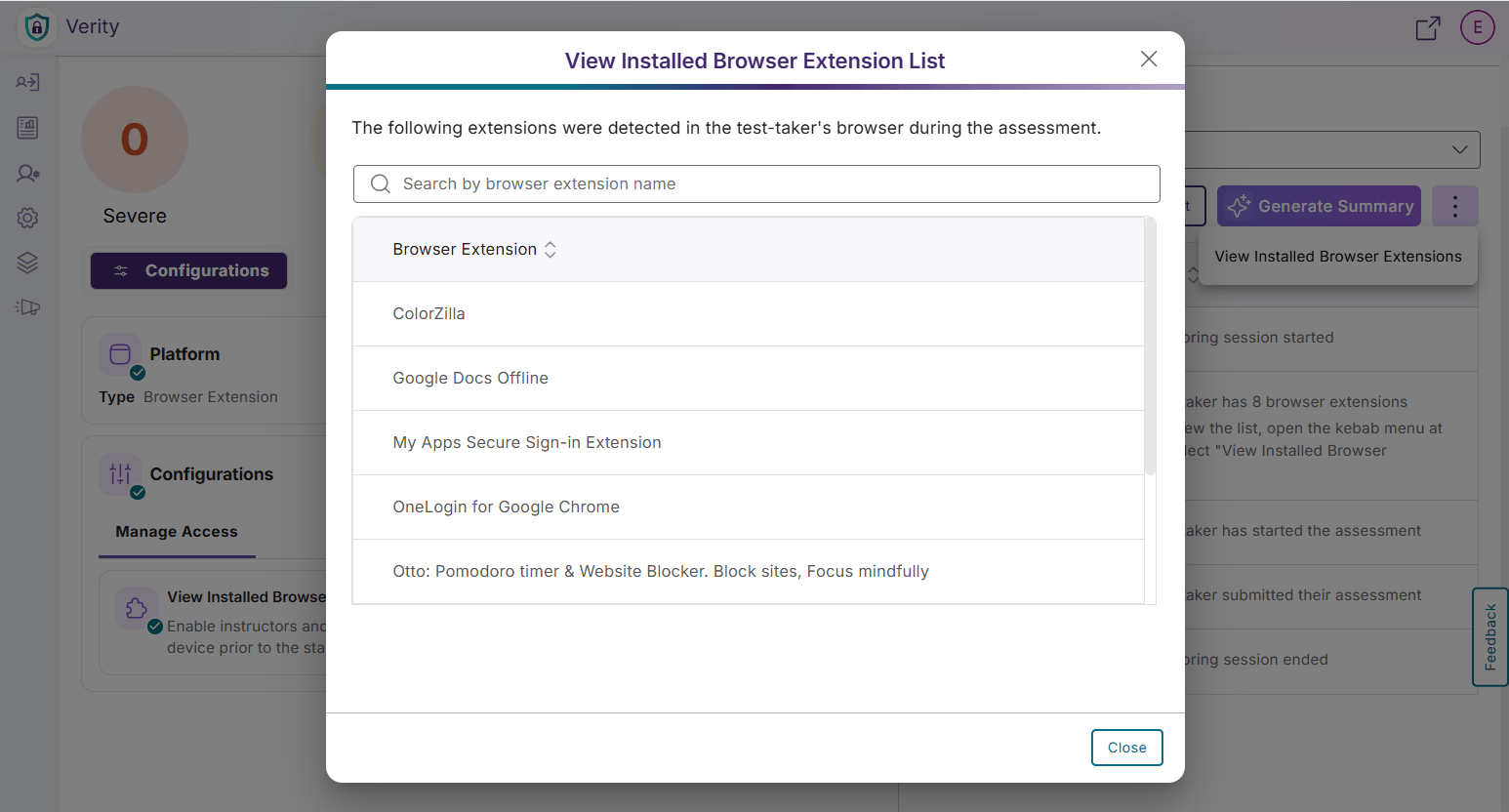
New Post-Assessment Report Item Tracks All Browser Extensions to Protect Assessment Transparency
In addition to restricting and whitelisting browser extensions, a flag has been added for faculty to view all installed browser extensions on a test-taker’s device before a proctored assessment, preventing instructors from needing to whitelist previously installed browser extensions that do not impact the security of an assessment.
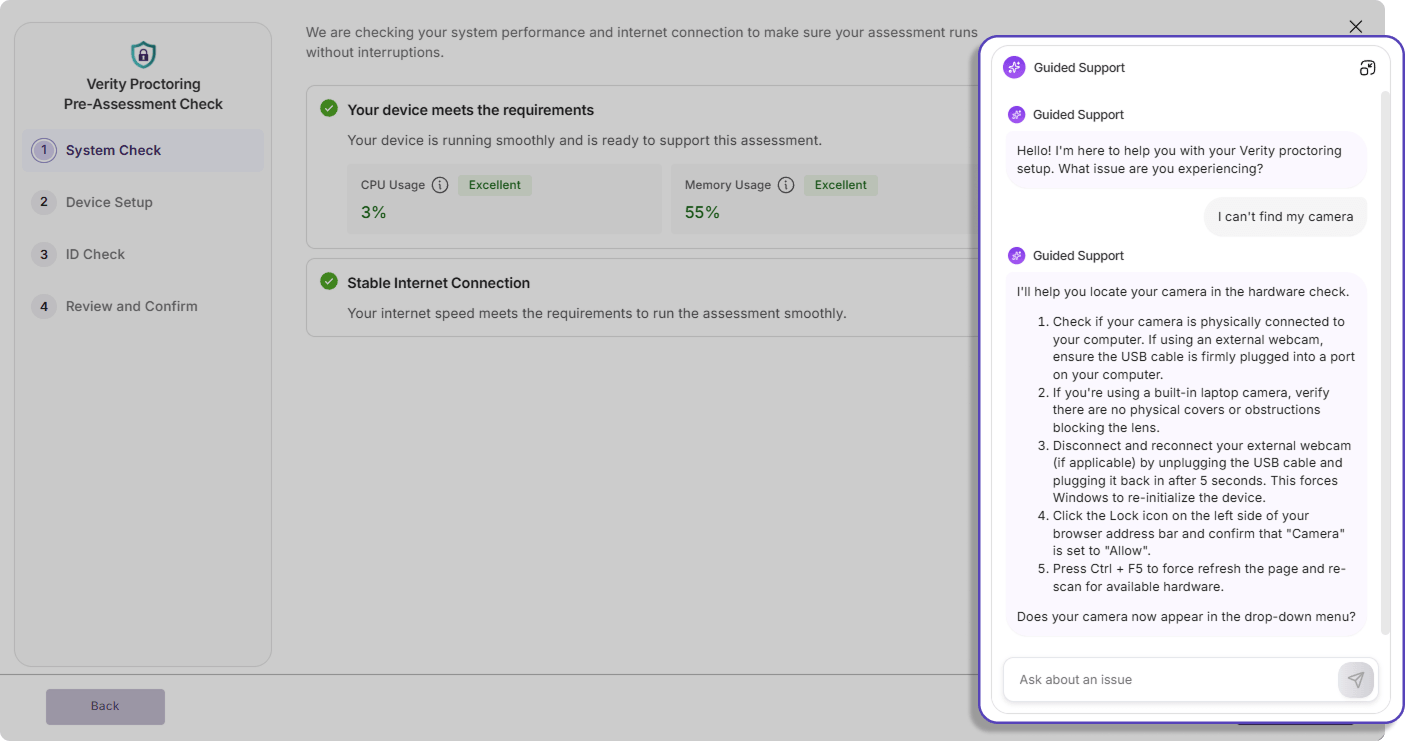
Real-Time Guided Chat Support Clarifies Confusion During System Check and Pre-Assessment Set Up
Additional chat support is now available in Verity to provide real-time guidance for common system setup issues such as camera and microphone access issues, browser compatibility, and network checks to help facilitate a smoother, uninterrupted system check process for test-takers.
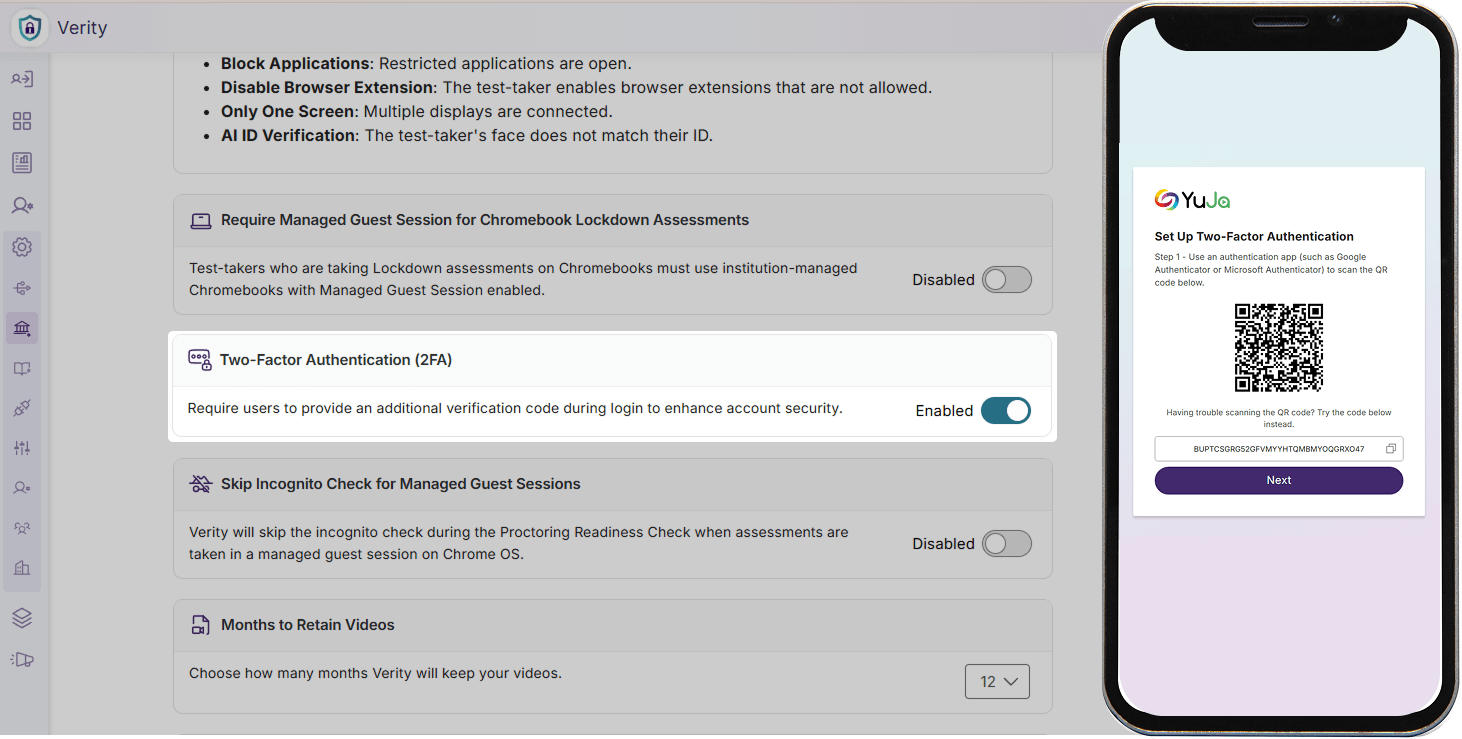
Multi-Factor Authentication Support for Manual Logins Strengthens User Security and Privacy
Administrators can now enable multi-factor authentication for all manual logins for their institution to prevent unauthorized access, protect private data, and enhance the overall security of their platform.
Over the next few weeks, the YuJa Verity Test Proctoring Platform will be releasing a new browser extension for Safari, an integrated workflow for proctored assessments in Blackboard, and other updates to advance the security and usability of the platform.
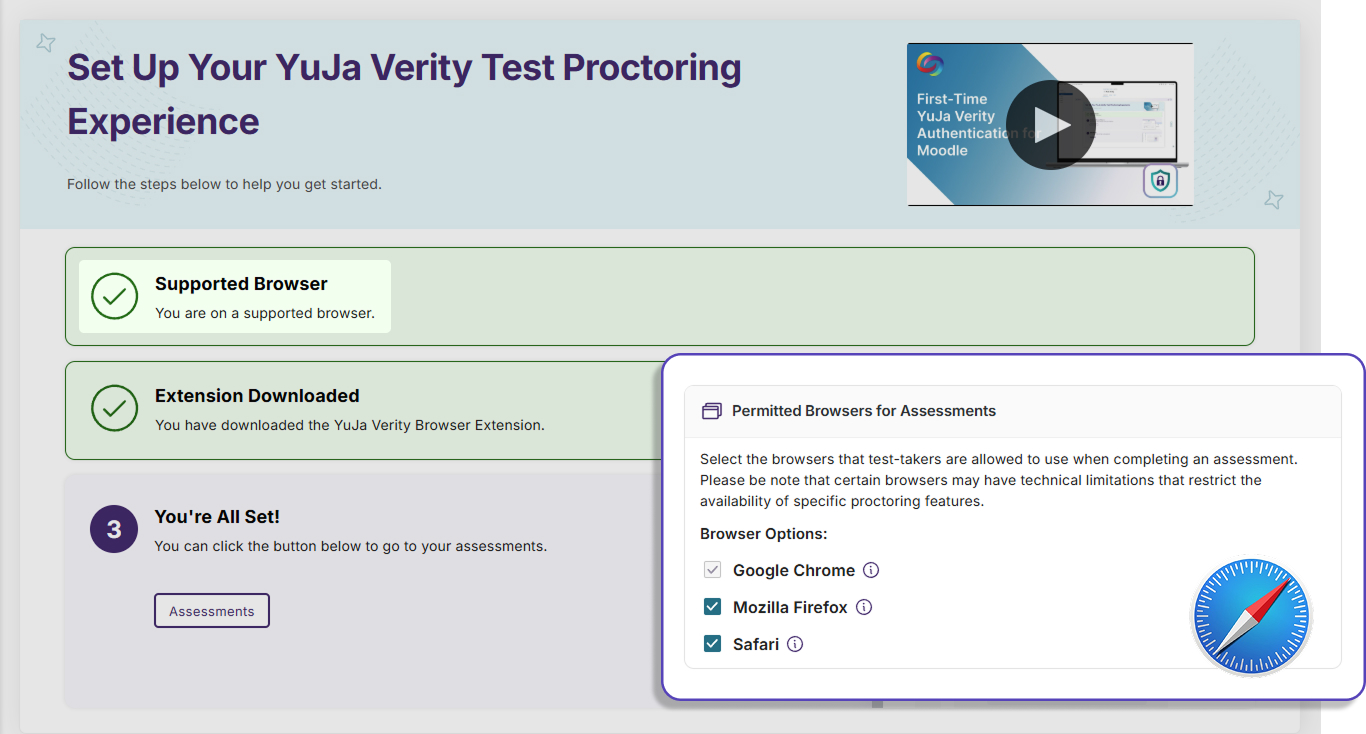
Protect Academic Integrity with Proctored Assessments on Safari
The YuJa Verity browser extension is now available on Safari, allowing instructors to provide test-takers with more browser options to take secure assessments while enabling Verity’s wide range of proctoring capabilities to help ensure academic integrity.
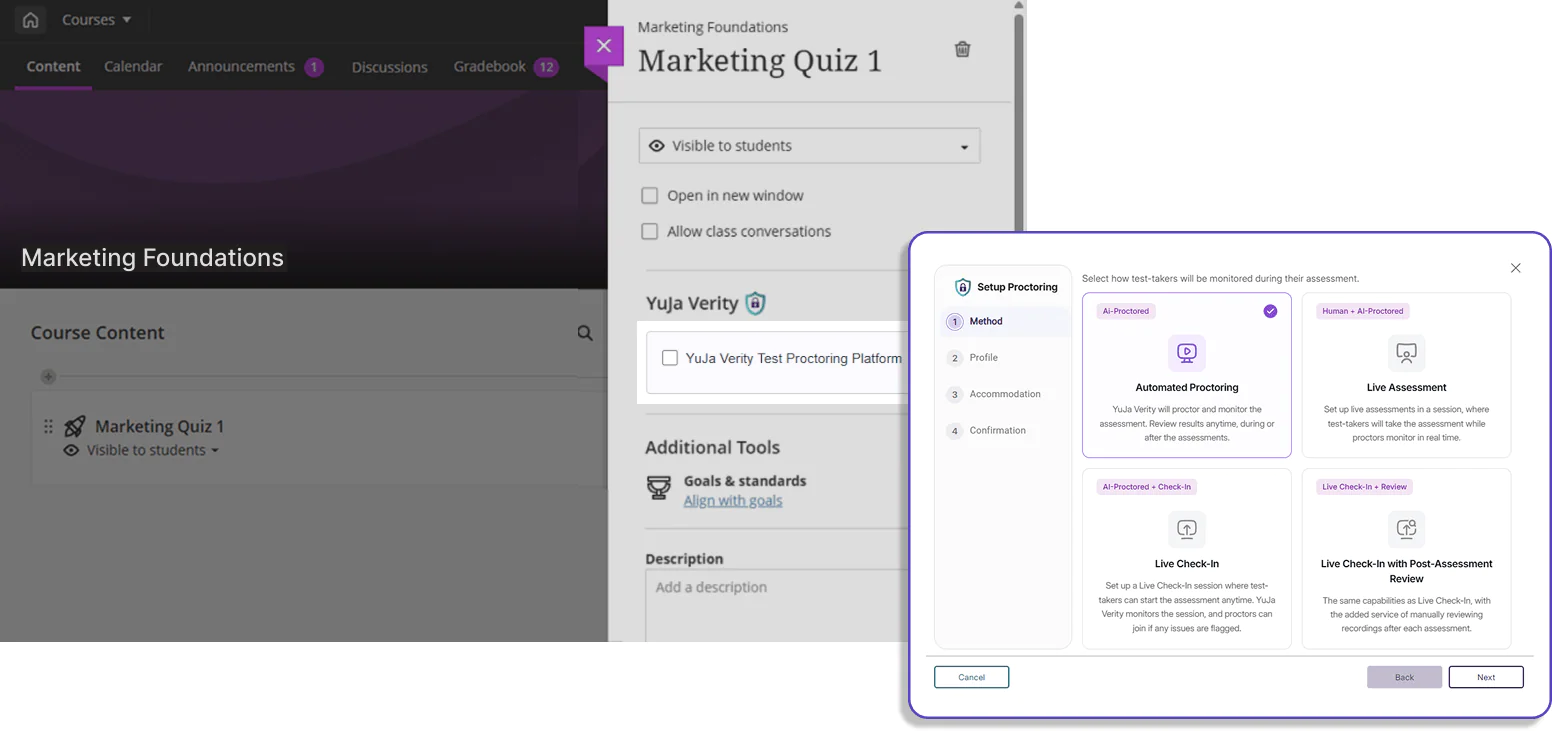
Create Proctored Assessments Directly Within Blackboard Courses
Instructors are now able to create Verity proctored assessments straight within the Blackboard LMS without needing to navigate to the Verity platform separately. This updated integration streamlines and eliminates confusion in the assessment setup process for instructors using Blackboard.
Manage Your Data With Time-Based Retention Policies
Users can now configure Verity to delete or archive data before it is automatically deleted after 1 year. This allows instructors to better manage the lifecycle of their data, meet security compliance standards of their organization, and reduce security risks.
Secure Verity Plugin Updates In OpenLMS
The YuJa Verity plugin update workflow for OpenLMS clients has been upgraded to eliminate manual handoffs and reduce crashes. OpenLMS clients can now install Verity updates automatically through a private GitHub repository, improving overall data security and workflow efficiency.
Join the 1,000+ Organizations Deploying High-Impact Solutions