Product Updates
Get the latest platform updates, features, and announcements—all in one place.
Boost Video Accessibility with the GenAI Video PowerPack!
Try Now
Supercharge Your Compliance Efforts with AutoPilot Remediation Max!
Try Now
Strengthen Your PDF Accessibility Efforts with Structural Remediation Max!
Try Now
Don't Miss Any of Our Upcoming Webinars—Save Your Spot!
Register
The YuJa Community is here! Connect, get updates, and access exclusive content.
Join Now

Get the latest platform updates, features, and announcements—all in one place.
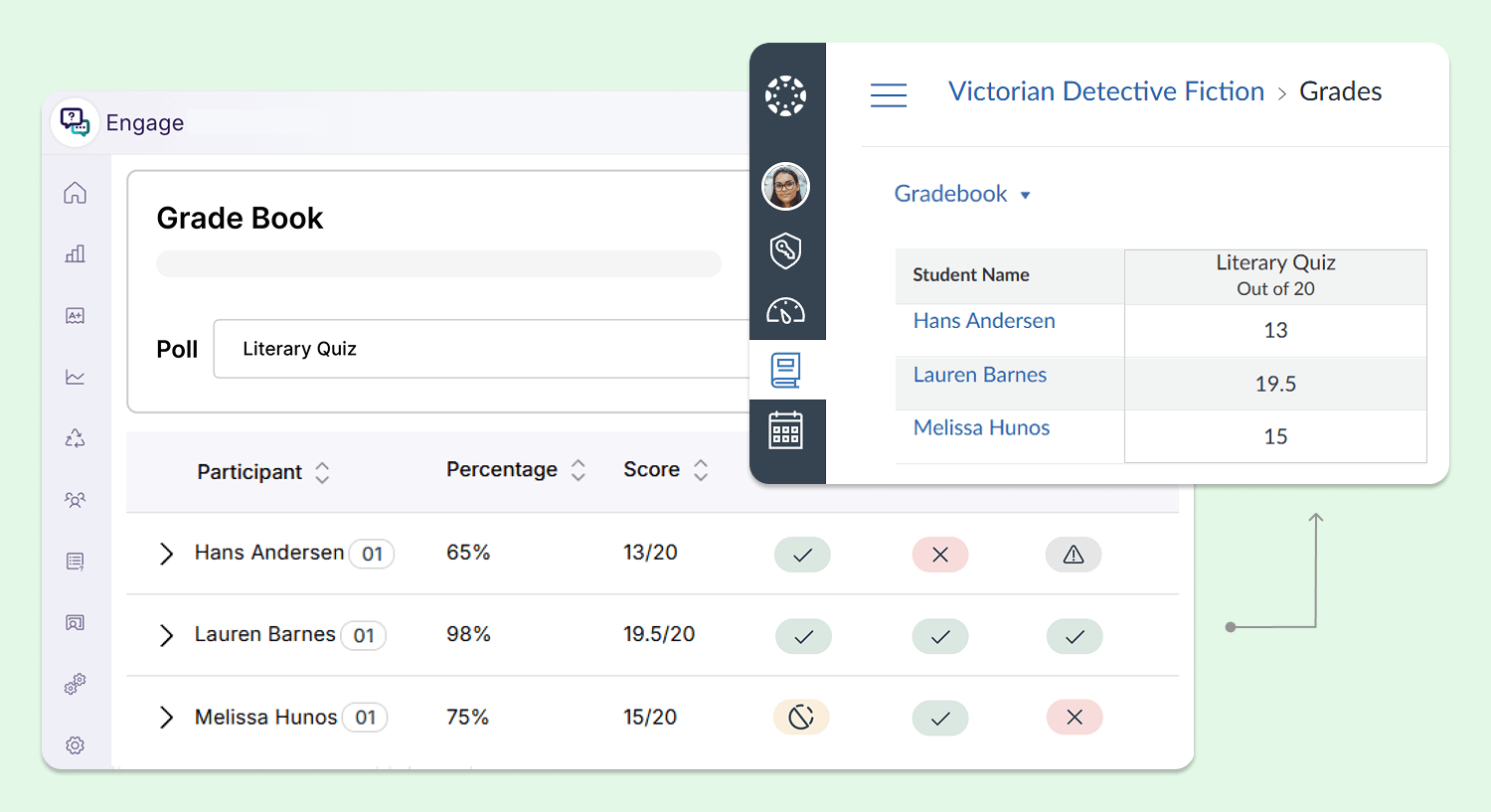
In the coming weeks, the YuJa Engage Student Response System will introduce automatic synchronization with the Canvas gradebook to eliminate manual grade inputting for instructors.
Automatic Canvas Gradebook Sync Reduces Manual Grade Input for Instructors
YuJa Engage will now automatically import attendance and assignment poll results into the Canvas gradebook in real-time as polls close, eliminating manual efforts required for instructors to duplicate student attendance and poll results into Canvas.
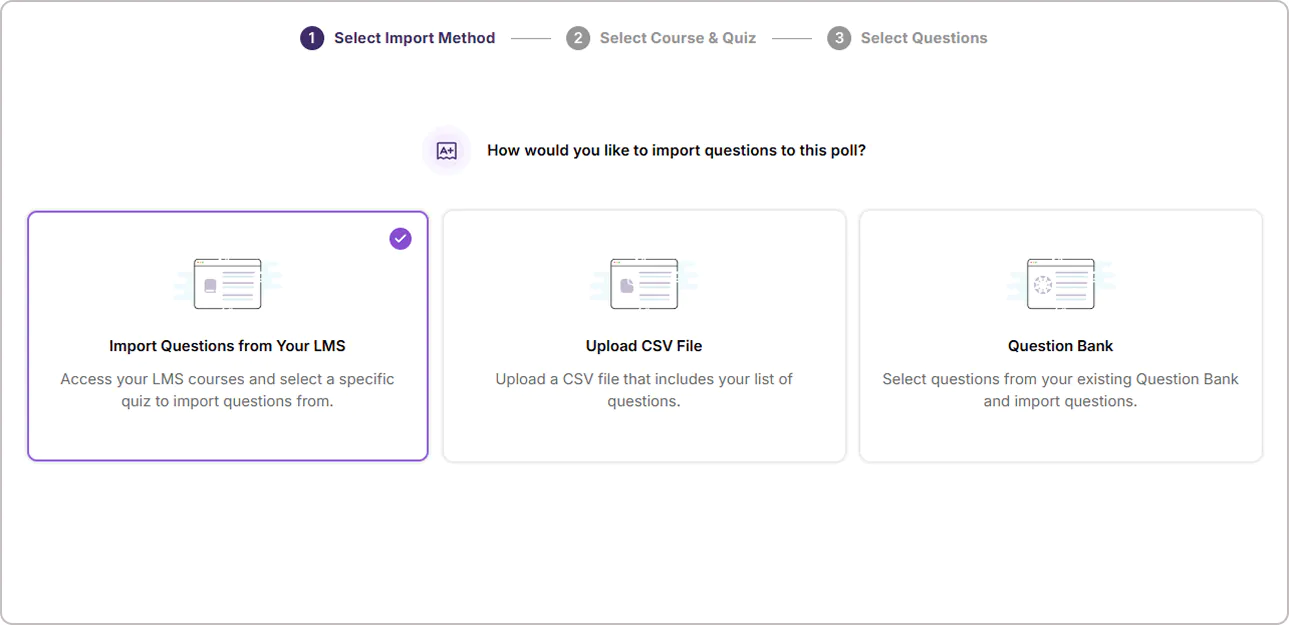
In the coming weeks, the YuJa Engage Student Response System will introduce the ability to integrate questions and quizzes from all major learning management systems and a new support modal.
Create Interactive Learning Experiences Using LMS Quiz Questions in Engage
Quizzes for all 4 major LMS: Canvas, Moodle, D2L Brightspace, and Blackboard, can now be imported into YuJa Engage in addition to CSV and question bank import options, allowing instructors to reuse questions they previously created in their LMS without needing to recreate them in Engage.
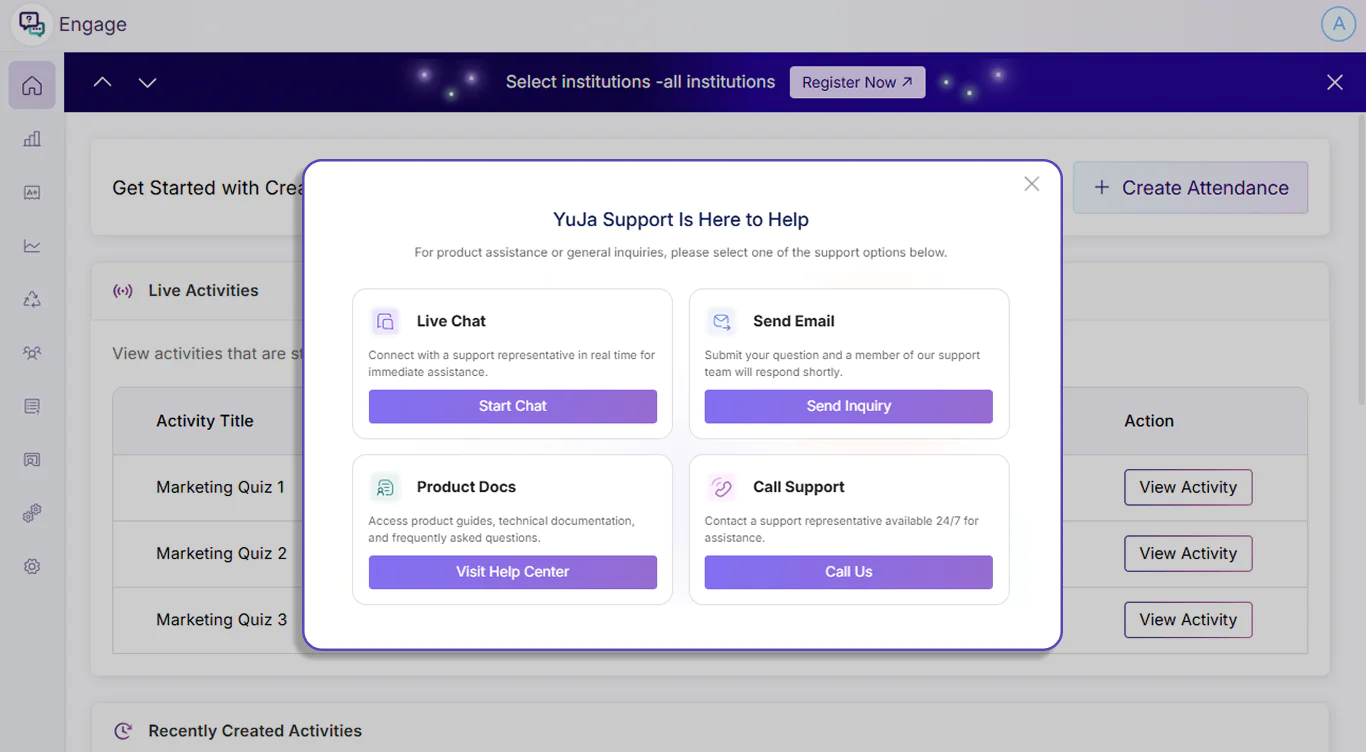
Get Help Faster With Live Chat Support Options
The support modal in YuJa Engage has been updated to introduce more support options to help instructors without navigating away from the Engage platform. Instructors can now start a live chat with YuJa’s support team to get assistance with their concerns and questions in real-time.
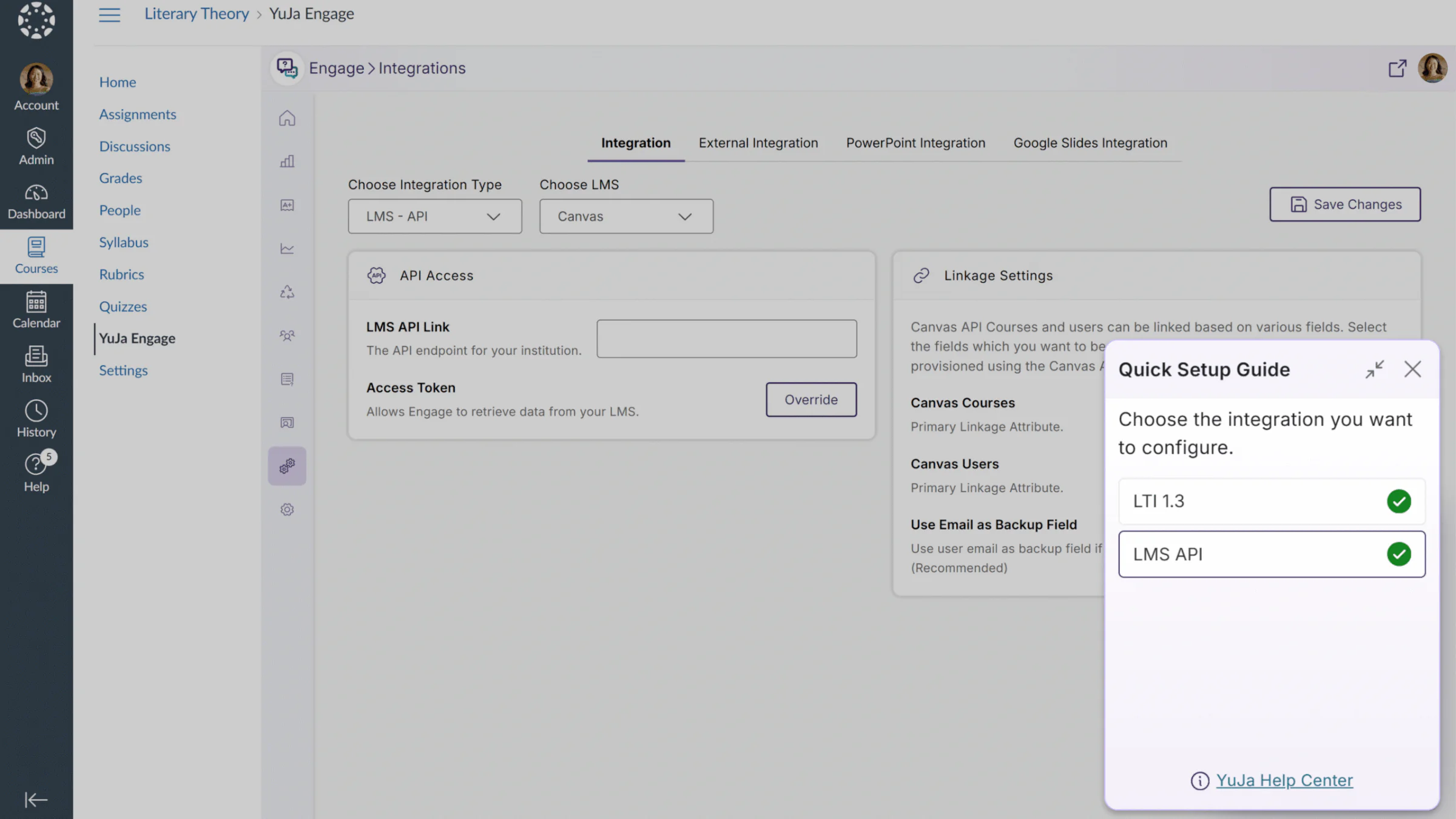
In the coming weeks, the YuJa Engage Student Response system will roll out exciting new features, including new Quick Setup Guides and event banners.
Use New Quick Setup Guides to Effortlessly Set Up LMS Integrations
Users will now be able to view Quick Setup Guides that quickly enable users to configure LMS integrations. This feature can be accessed from the user’s profile card or from a modal at the bottom of the page. With full LMS support across all major learning management systems, including Canvas, D2L Brightspace, Moodle, and Blackboard, this new feature provides YuJa Engage users with a shortcut to easily configure their LMS integrations.
In Quick Setup Guides, users will find shortcuts for:
LTI 1.3 integrations: Step-by-step instructions to connect Engage to your LMS, enabling polls to be created, published, and graded directly within courses. Poll results can be viewed by administrators, instructors, and students.
LMS API integrations: Guided instructions to connect the Engage LMS API, sync LMS courses and users with Engage, and access Engage features directly within LMS courses.
Stay Informed About Upcoming Webinars and Product Announcements With New Event Banners
Administrators can now see event banners about important announcements and new webinars directly within the Engage platform. These banners are made to help you get insights from product experts, discover new features, find helpful shortcuts, and stay ahead of the curve on industry trends. With a non-intrusive and minimal design, our banners don’t disrupt your workflows, and whenever desired, administrators can easily dismiss any banners for their current session.
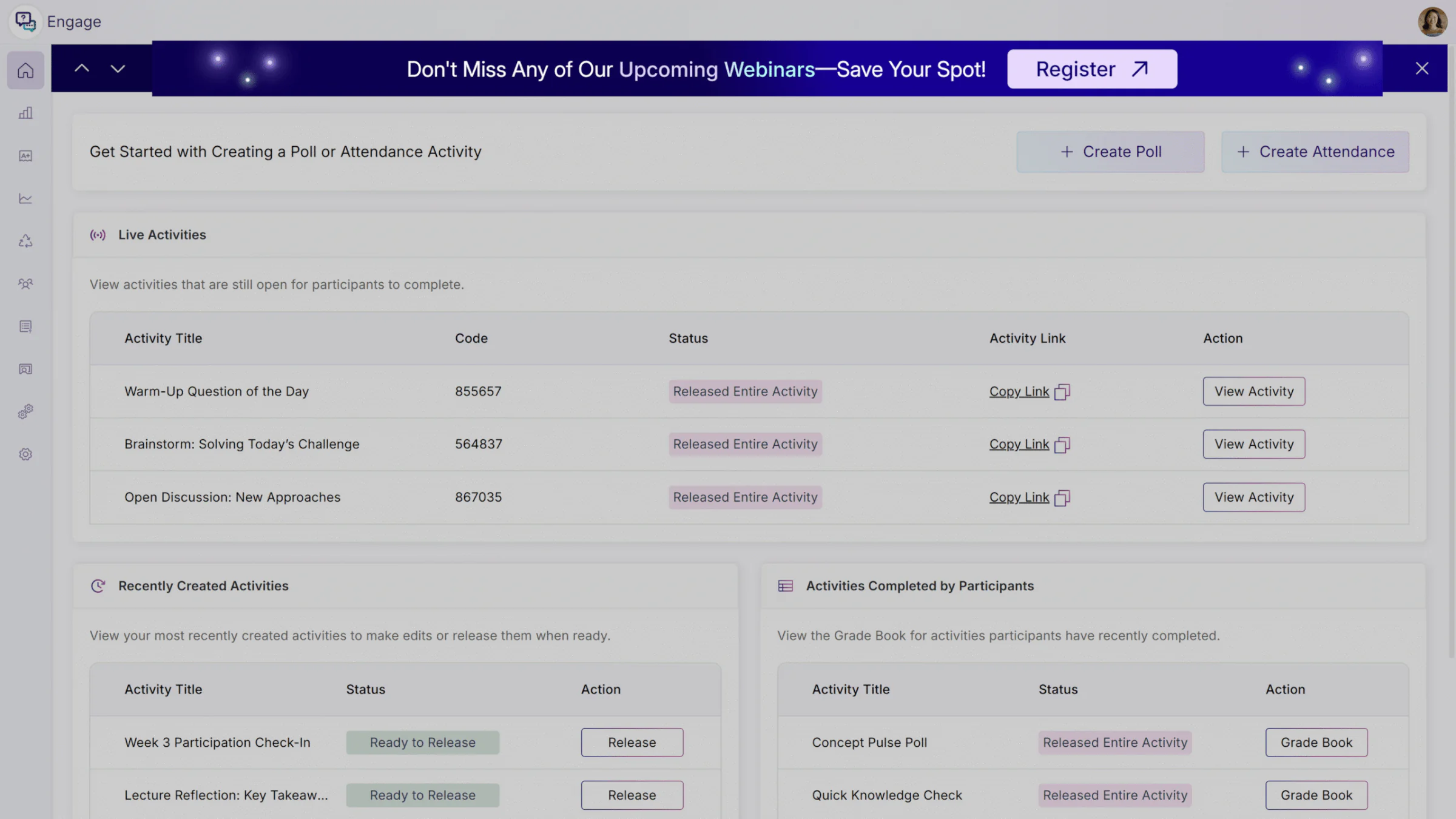
Over the next few weeks, the YuJa Engage Student Response System will be rolling out a new feature to support split scoring, allowing instructors to divide a poll question’s points between participation and correctness.
Flexible Poll Scoring with Participation and Correctness Points
YuJa Engage polls now support split scoring, allowing instructors to divide a question’s points between participation credits, for attempting the question, and correctness points, for answering correctly. Instructors can configure and view this breakdown to better reflect engagement and understanding, while students only see the total points. This added flexibility encourages participation without penalizing learning in progress, and gives instructors clearer insight into student performance.
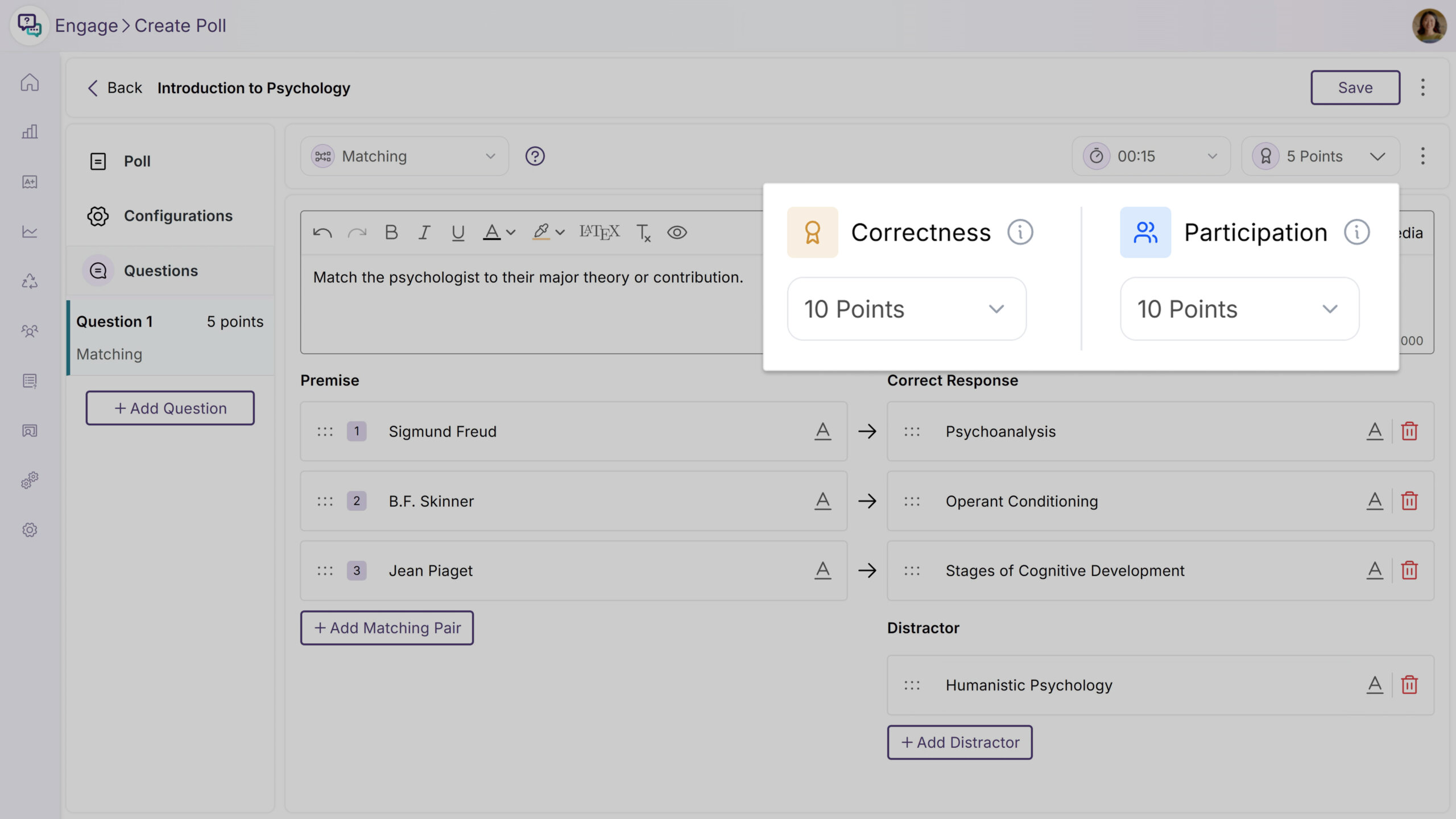
Over the next few weeks, we’ll be rolling out new features and enhancements, including a new Google Slides integration, a Moodle plugin for automated grade syncing, and access to historical Monthly Usage Reports.
New Google Slides Integration Brings Interactive Polling to Your Google Workspace
YuJa Engage now integrates seamlessly with Google Slides to simplify your workflow. This new capability allows you to create, manage, and insert interactive polls directly into your presentations, enabling you to collect immediate student responses, gauge understanding, and foster active participation without ever leaving your Google Workspace.
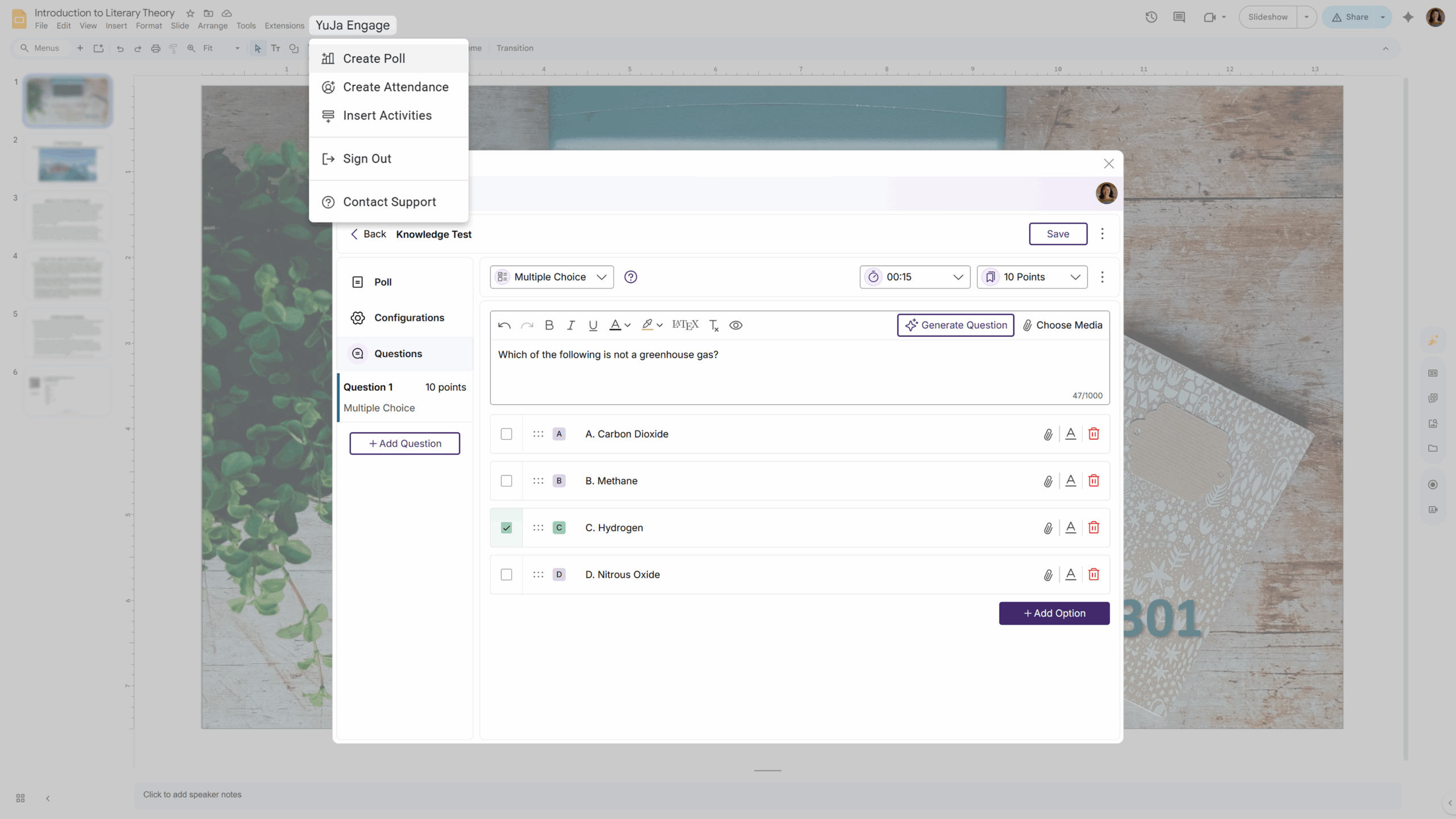
A New Moodle Plugin for Automated Grade-Syncing
We’re introducing a new Moodle plugin to eliminate the need for manual grade entry. You can now automatically sync poll scores from YuJa Engage to the Moodle Gradebook to reduce workload, save time, and remove error-prone processes. This enhanced workflow will help give you a clearer picture of student comprehension and engagement while ensuring that grades remain accurate across YuJa Engage and Moodle.
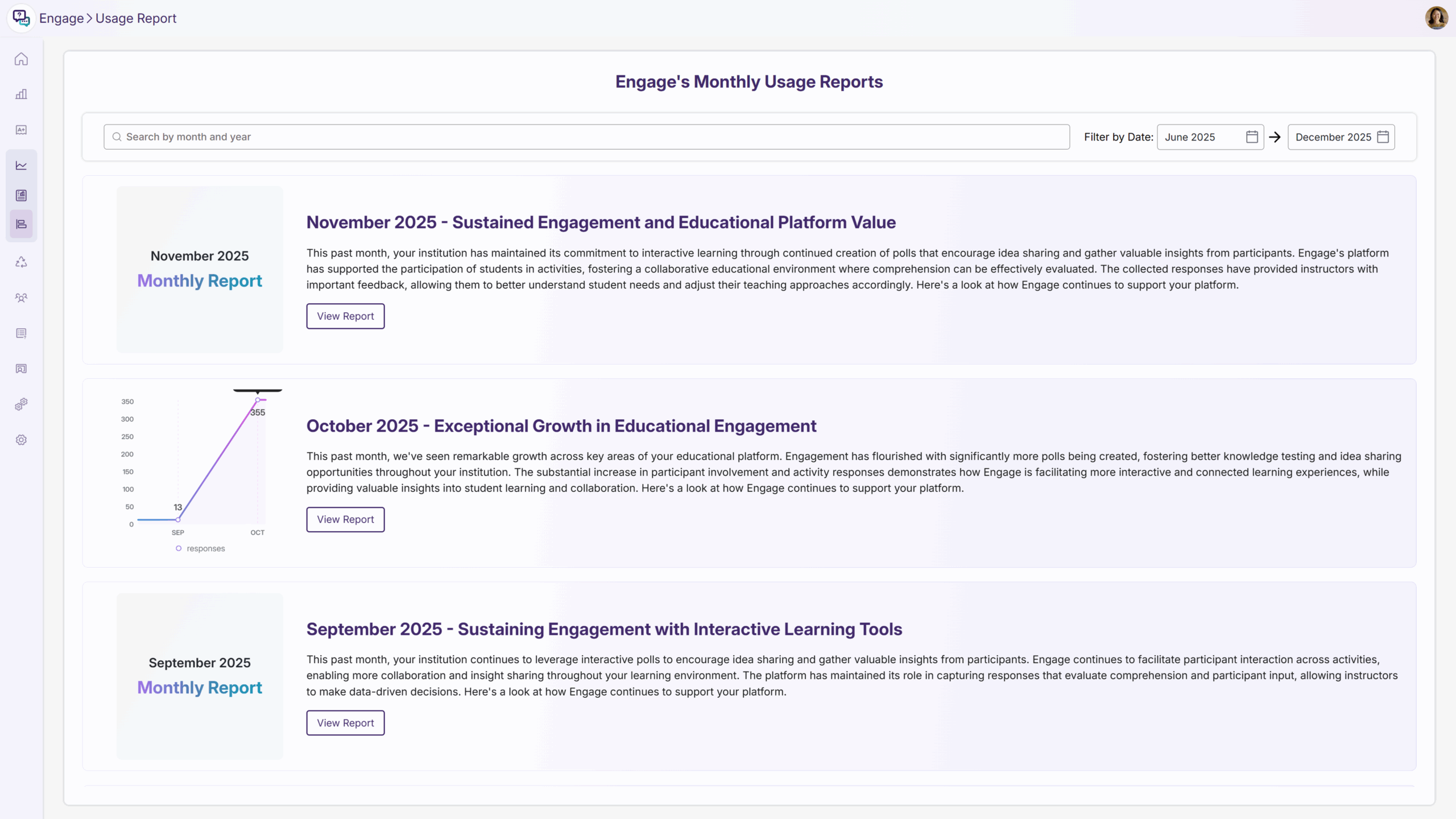
Easily Access Historical Monthly Usage Reports Directly Within the YuJa Engage Portal
You can now view Monthly Reports directly within YuJa Engage. This allows you to make data-driven decisions and keeps you aware of key metrics immediately upon login. You can also easily reference past Monthly Usage Reports to help you track adoption, growth, and engagement over time to measure trends.
Join the 1,000+ Organizations Deploying High-Impact Solutions