Product Updates
Get the latest platform updates, features, and announcements—all in one place.
Boost Video Accessibility with the GenAI Video PowerPack!
Try Now
Supercharge Your Compliance Efforts with AutoPilot Remediation Max!
Try Now
Strengthen Your PDF Accessibility Efforts with Structural Remediation Max!
Try Now
Don't Miss Any of Our Upcoming Webinars—Save Your Spot!
Register
The YuJa Community is here! Connect, get updates, and access exclusive content.
Join Now

Get the latest platform updates, features, and announcements—all in one place.
Over the next few weeks, YuJa EqualGround will be adding several new features to refine existing remediation workflows, enhance user-friendliness with plain language configurations, and more.
Automatically apply accessibility fixes in real time as users visit your website using YuJa EqualGround’s AutoFix Instant Remediation Module
YuJa EqualGround is introducing AutoFix, an AI-powered tool that automatically remediates accessibility issues directly on your website, without needing to make any changes to your CMS. This automated workflow will save users time and effort needed for manual remediation, and allow users to fully customize how they want to leverage automation to help them reach accessibility compliance.
Users can:
Enable AutoFix for the entire website: YuJa EqualGround will immediately identify and remediate certain accessibility issues detected on the user’s website without needing to configure any manual remediations.
Enable AutoFix for specific web pages: YuJa EqualGround will only fix accessibility issues for priority web pages indicated by the user.
Select specific issues to be remediated: YuJa EqualGround will only apply fixes to specific issues identified by the user.
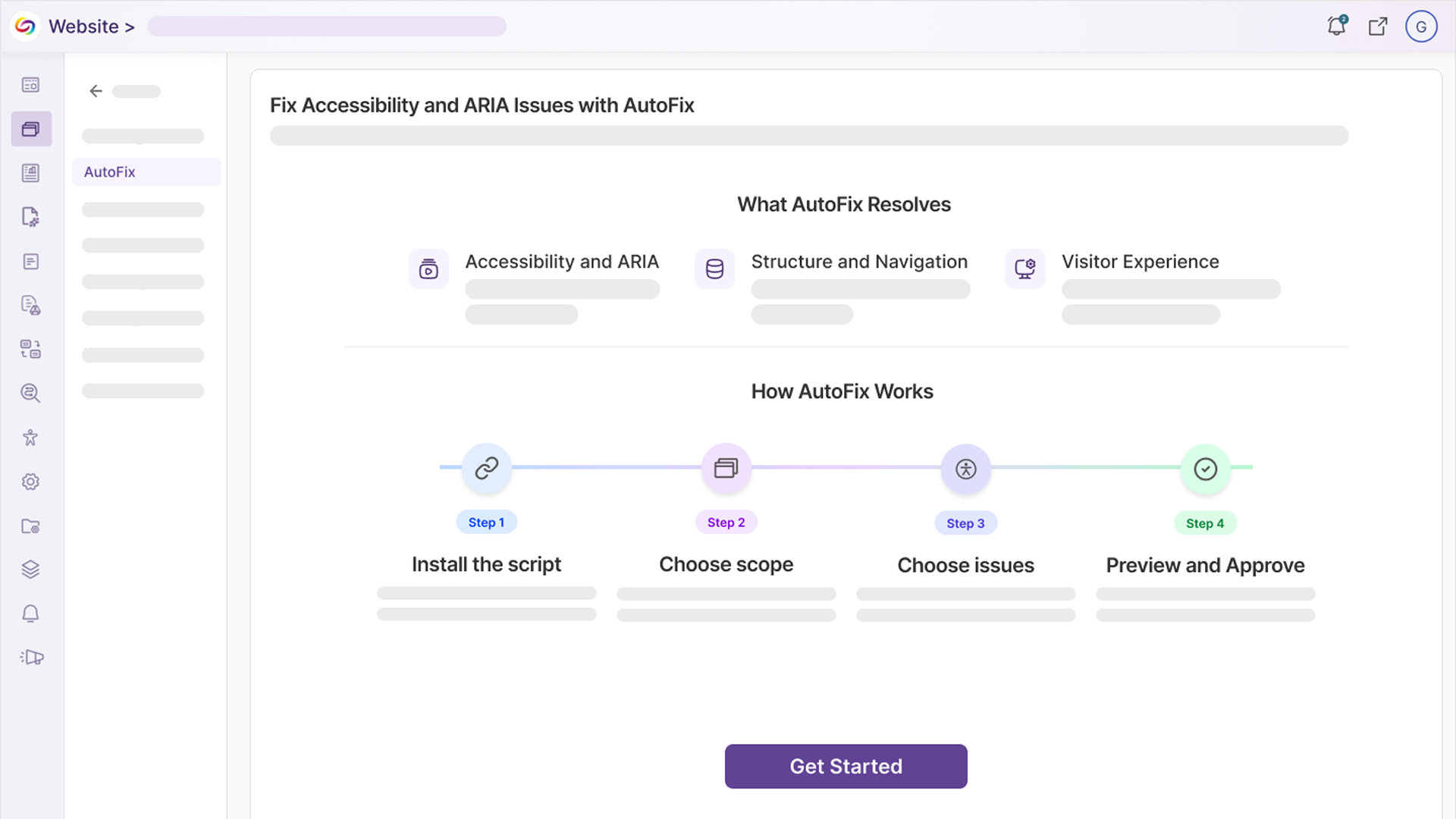
These are just a few of the issues YuJa EqualGround’s AutoFix can remediate, with more issues coming in future releases:
The web page’s table is not using headers correctly: YuJa AutoFix will automatically correct header attributes in tables, allowing screen readers to navigate through tables properly.
The web page does not inform users about new tabs: YuJa AutoFix will automatically adjust website code to let users know when new tabs have automatically opened, preventing visual disorientation.
The web pages’s focus order is incorrect: YuJa AutoFix will adjust focus order so that screen readers can navigate the site in a logical order.
Visualize accessibility issues at a glance on the refreshed Website Overview page
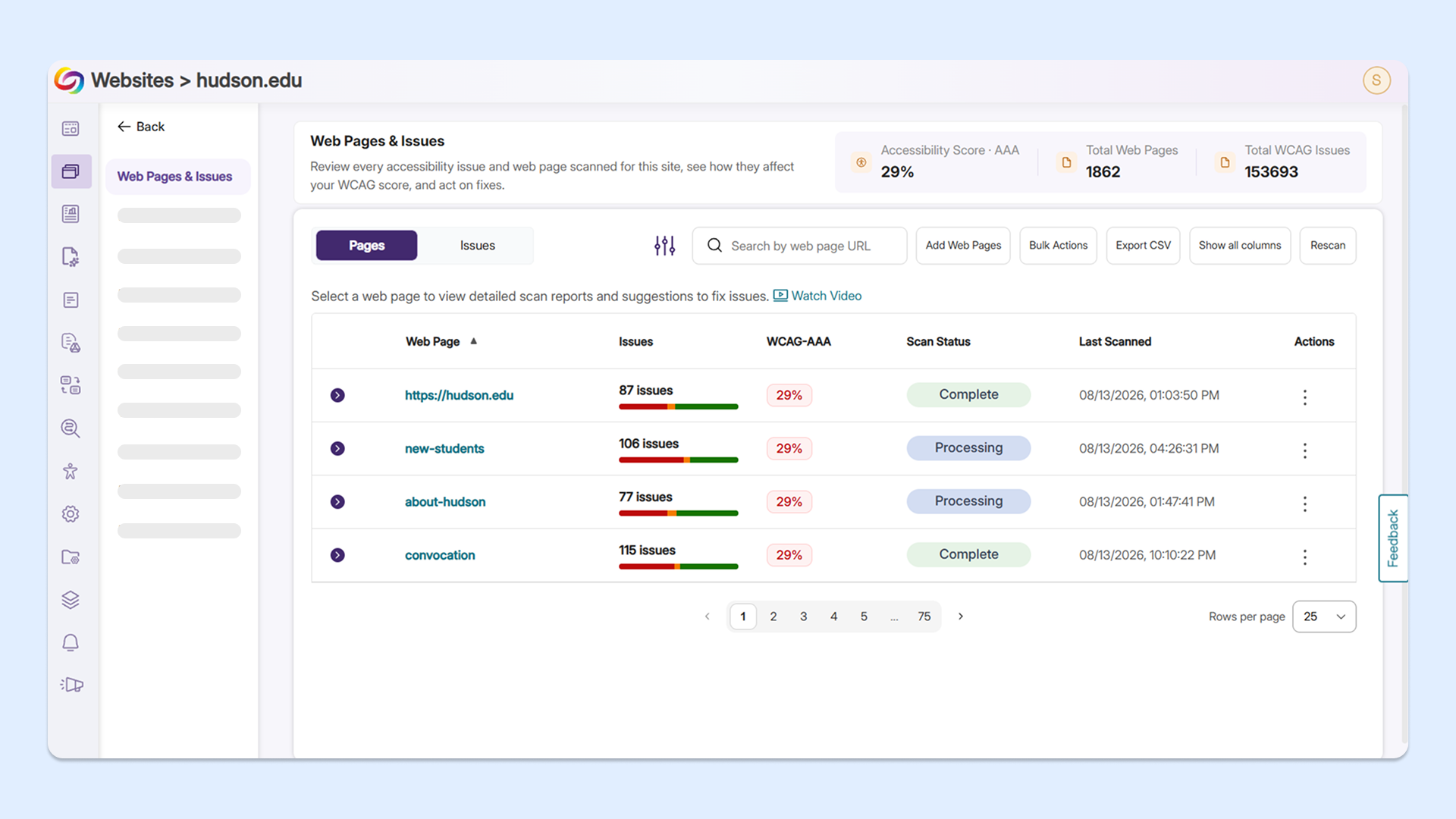
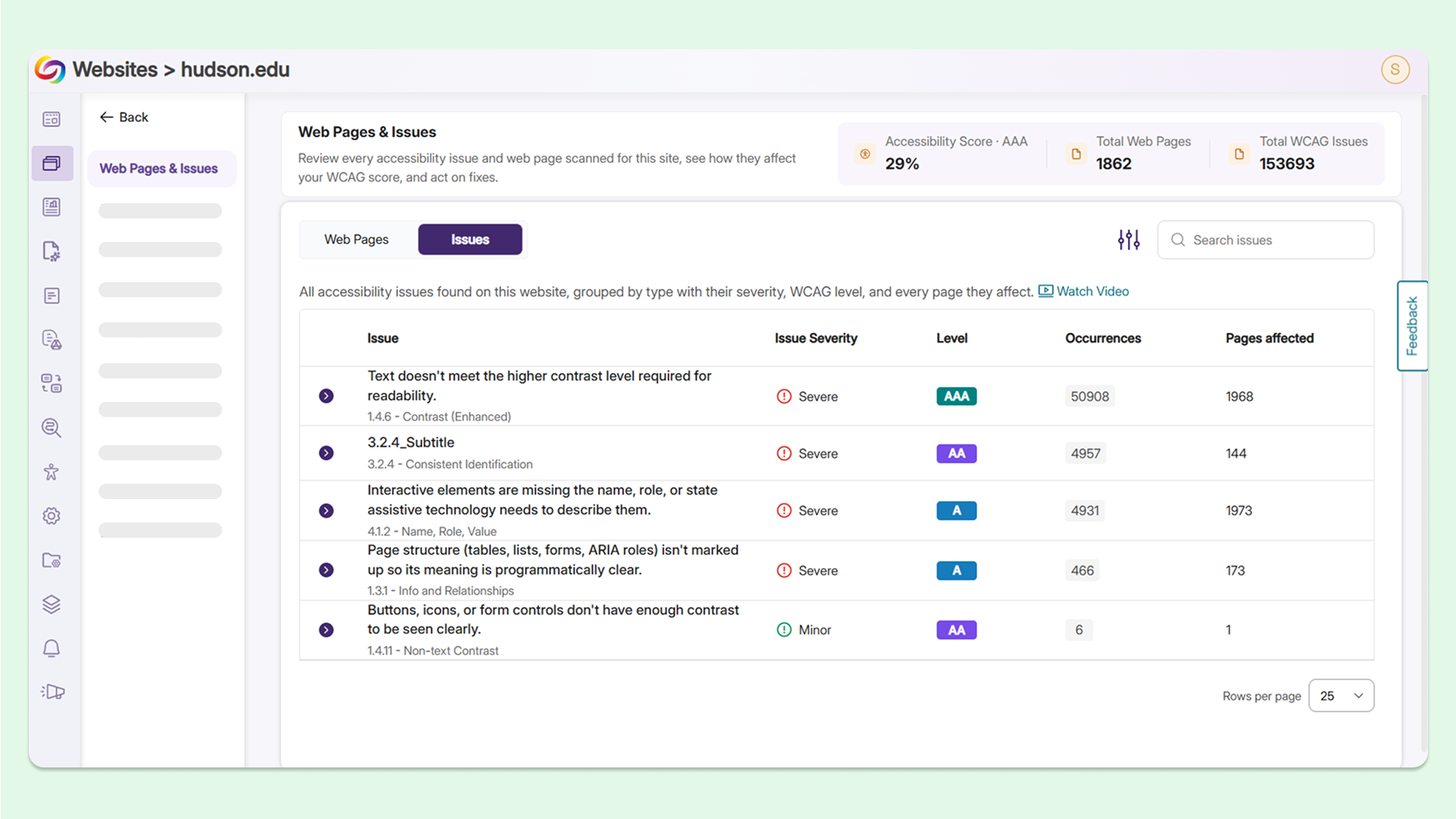
YuJa EqualGround’s new Website Overview page now displays and breaks down the number of issues a single web page has, along with the severity of each issue. Users can immediately see every page impacted by the issue, select an individual web page, and apply fixes, all in the same continuous workflow.
New features include:
A revamped Pages panel: Users can now see all detected accessibility issues for each of their web pages without opening the Issues panel.
A new Issues panel: Users can view all WCAG issues identified on a chosen website and group web pages that have at least 1 instance of a specific issue together.
Linked guides for remediation support: Users can now click on an issue and immediately view the YuJa EqualGround guide on how to fix it without leaving their workflow.
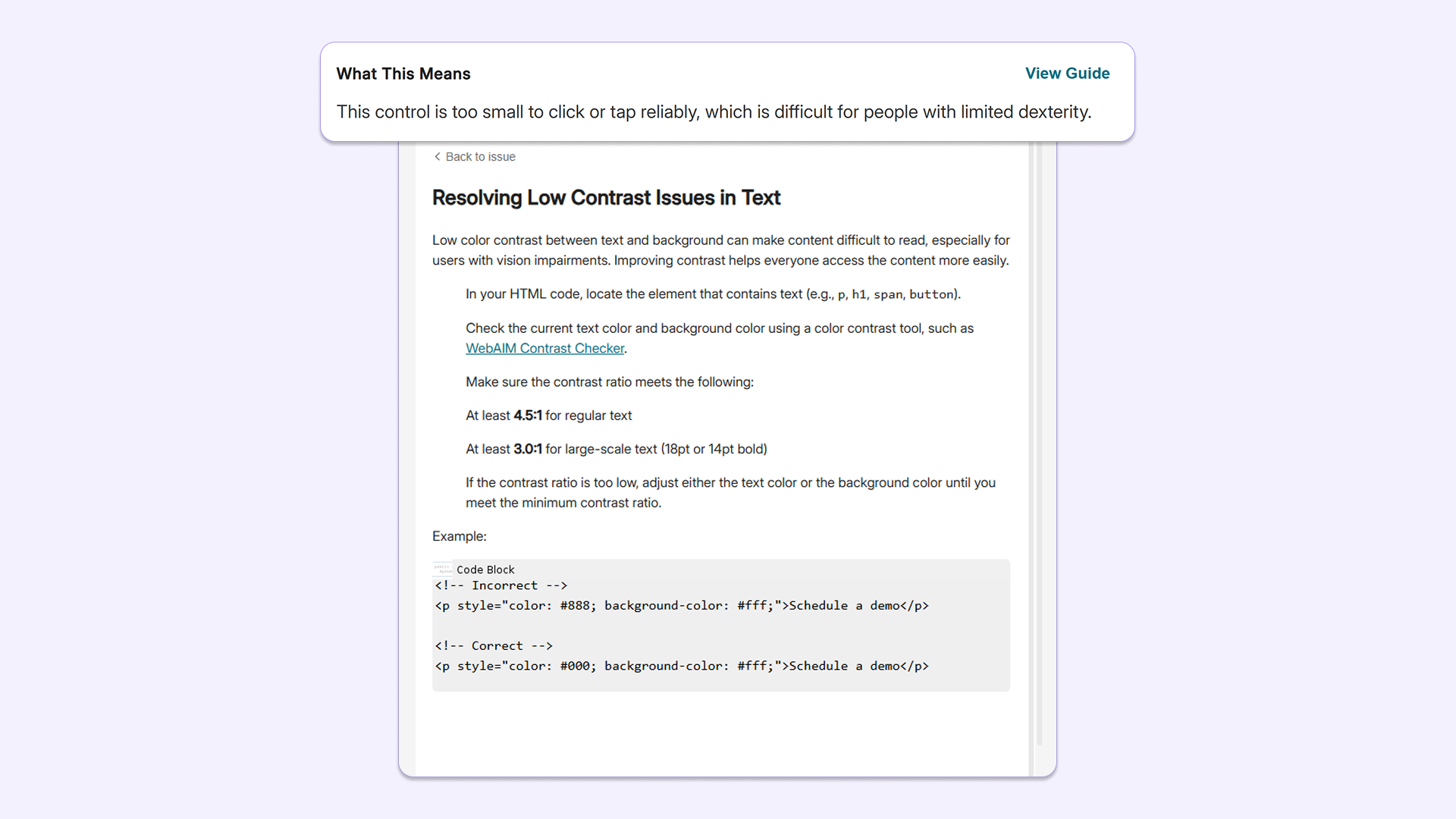
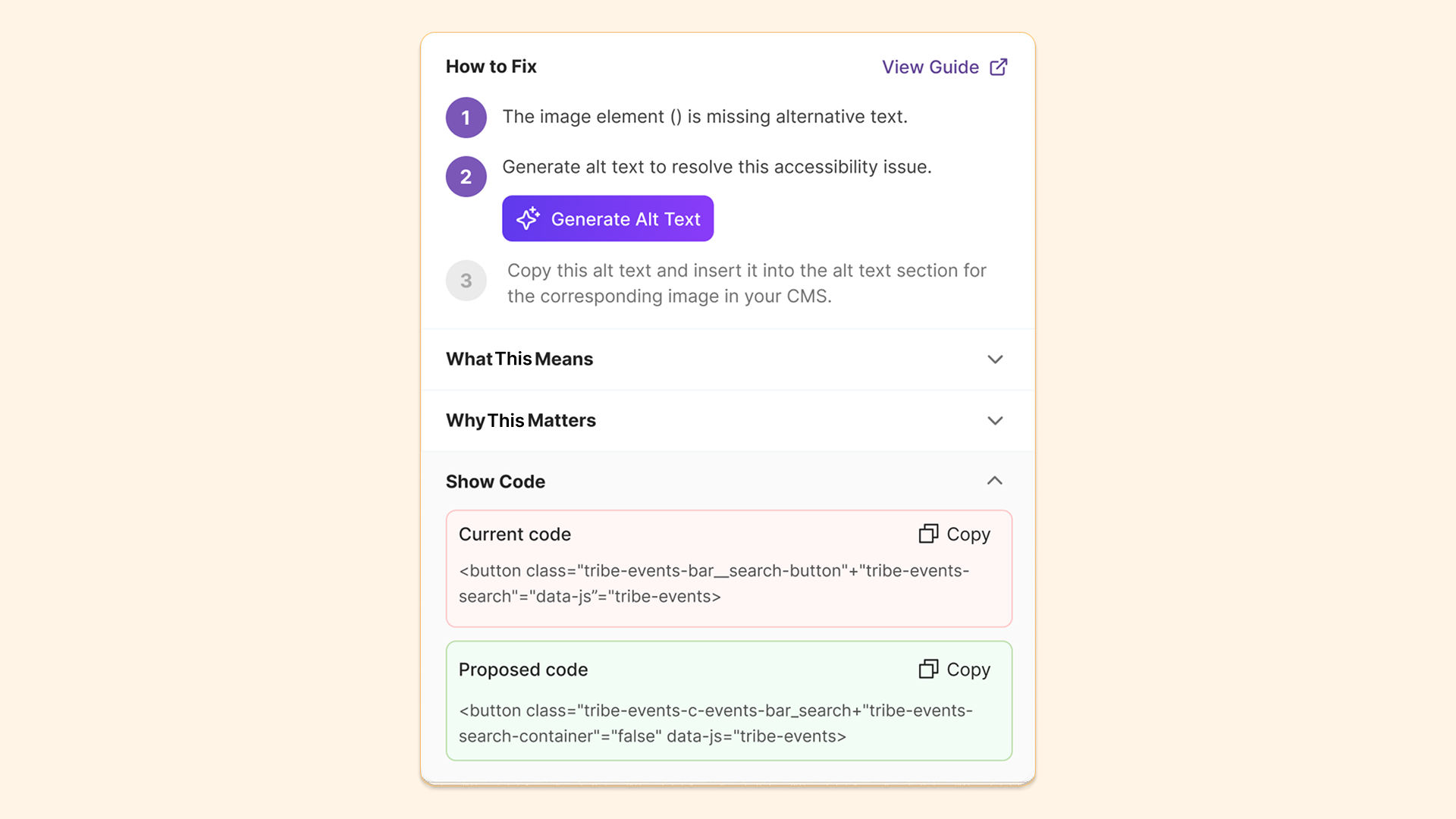
Fix compliance issues with new simplified remediation descriptions for any technical background
Suggested fixes for certain accessibility issues in YuJa EqualGround, such as poor color contrast, have been upgraded to use plain, easy-to-understand language in addition to raw-code snippets. This feature will help users with different technical backgrounds better understand the steps for resolving accessibility issues without deciphering complex code.
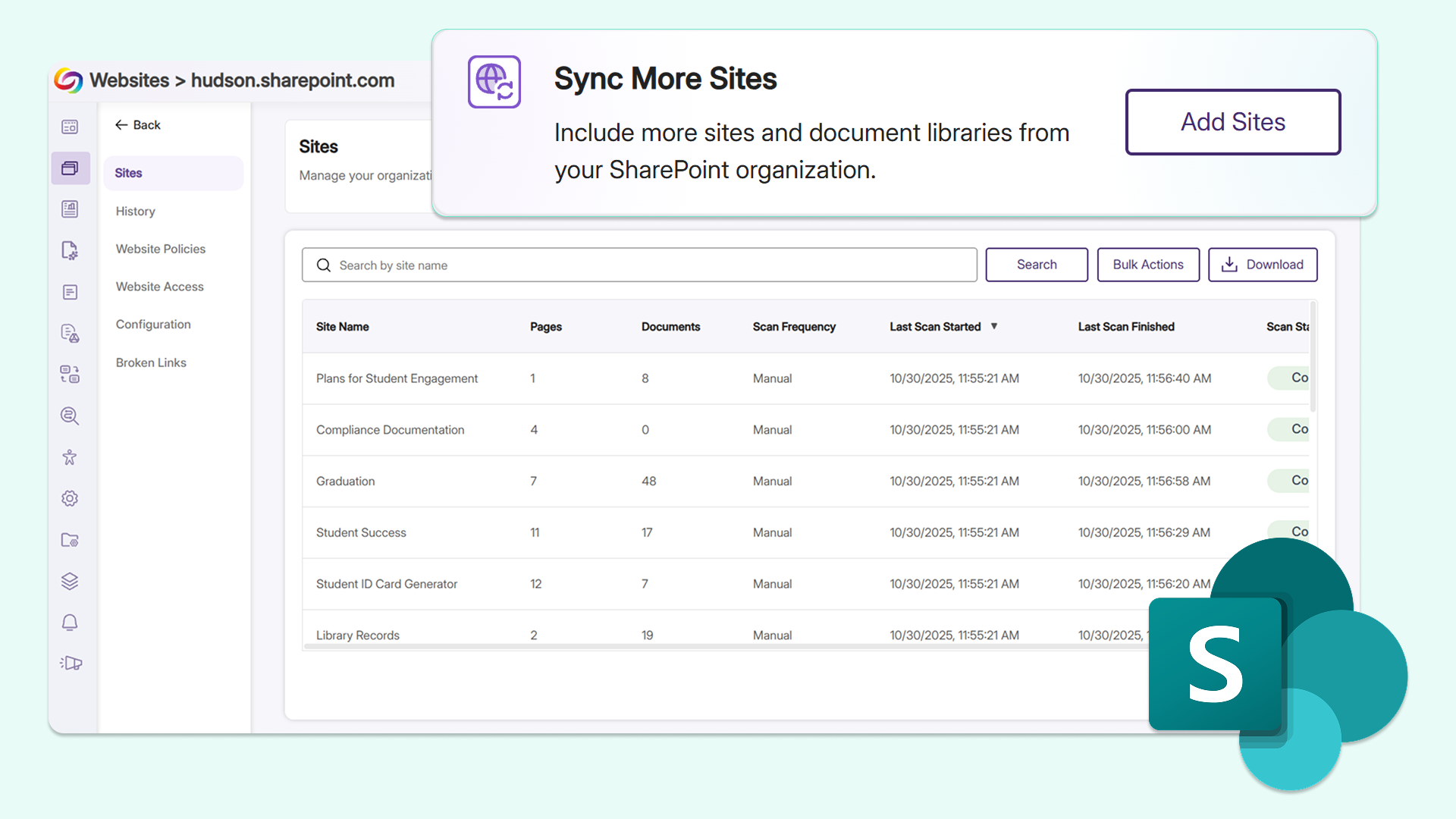
Add and synchronize document libraries to SharePoint sites without rescanning
Users can now directly add and sync document libraries to SharePoint sites that have already been scanned within YuJa EqualGround. This allows users to seamlessly update their sync settings and expand their scanning scope to include any documents without having to delete and re-add the entire SharePoint site, eliminating repetitive workflows.
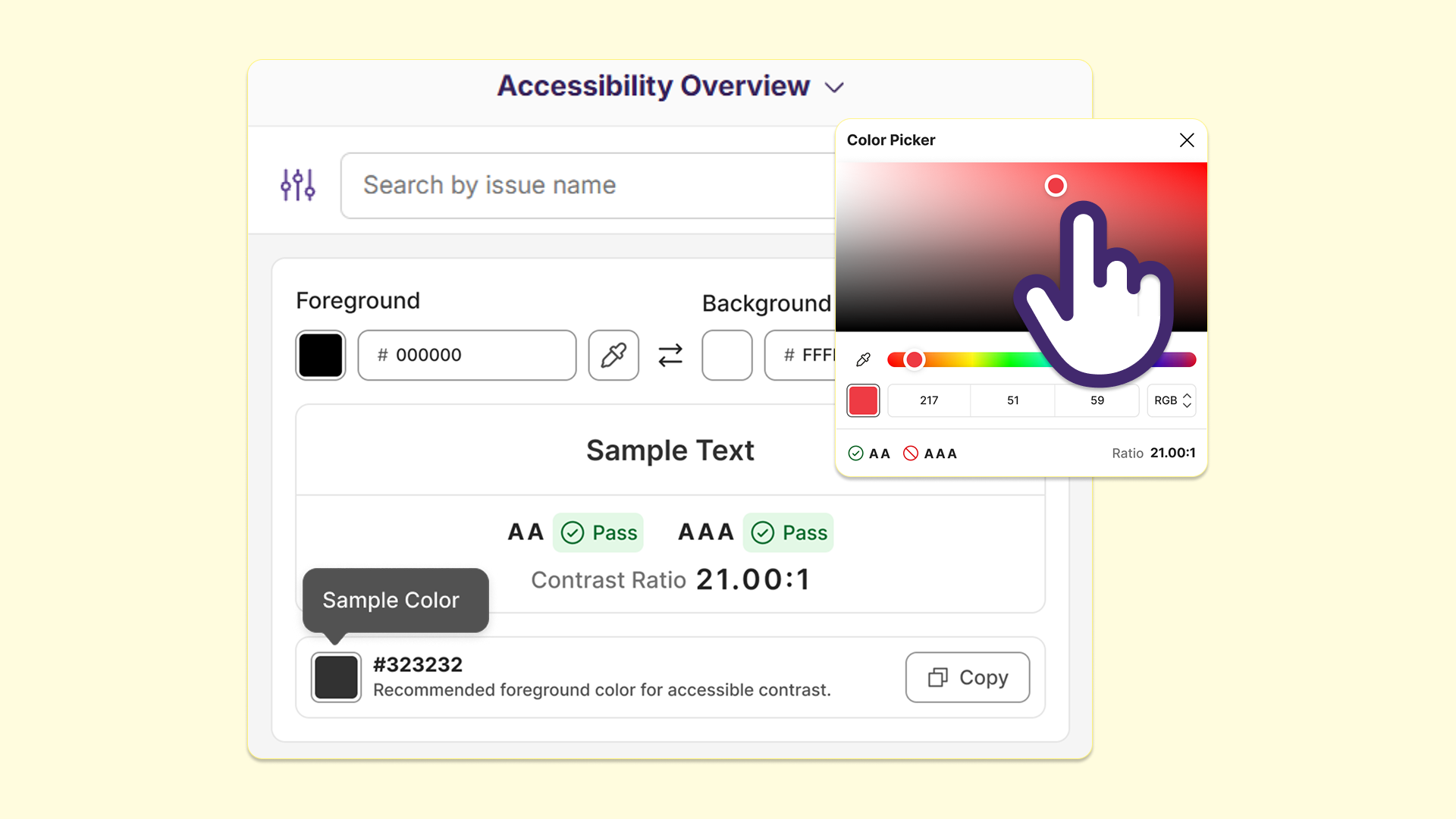
Assess WCAG color contrast compliance for websites in real time with the new Color Contrast panel
YuJa EqualGround is introducing a Color Contrast panel to the browser extension, helping users check whether the foreground and background colors on their website pass WCAG’s minimum contrast ratios. With options to select a specific conformance level, users can validate color choices and make informed changes on any page to align with their institutional accessibility standards, all without installing a separate third-party contrast tool.
Streamline remediation for SharePoint sites with new SharePoint template identification badge
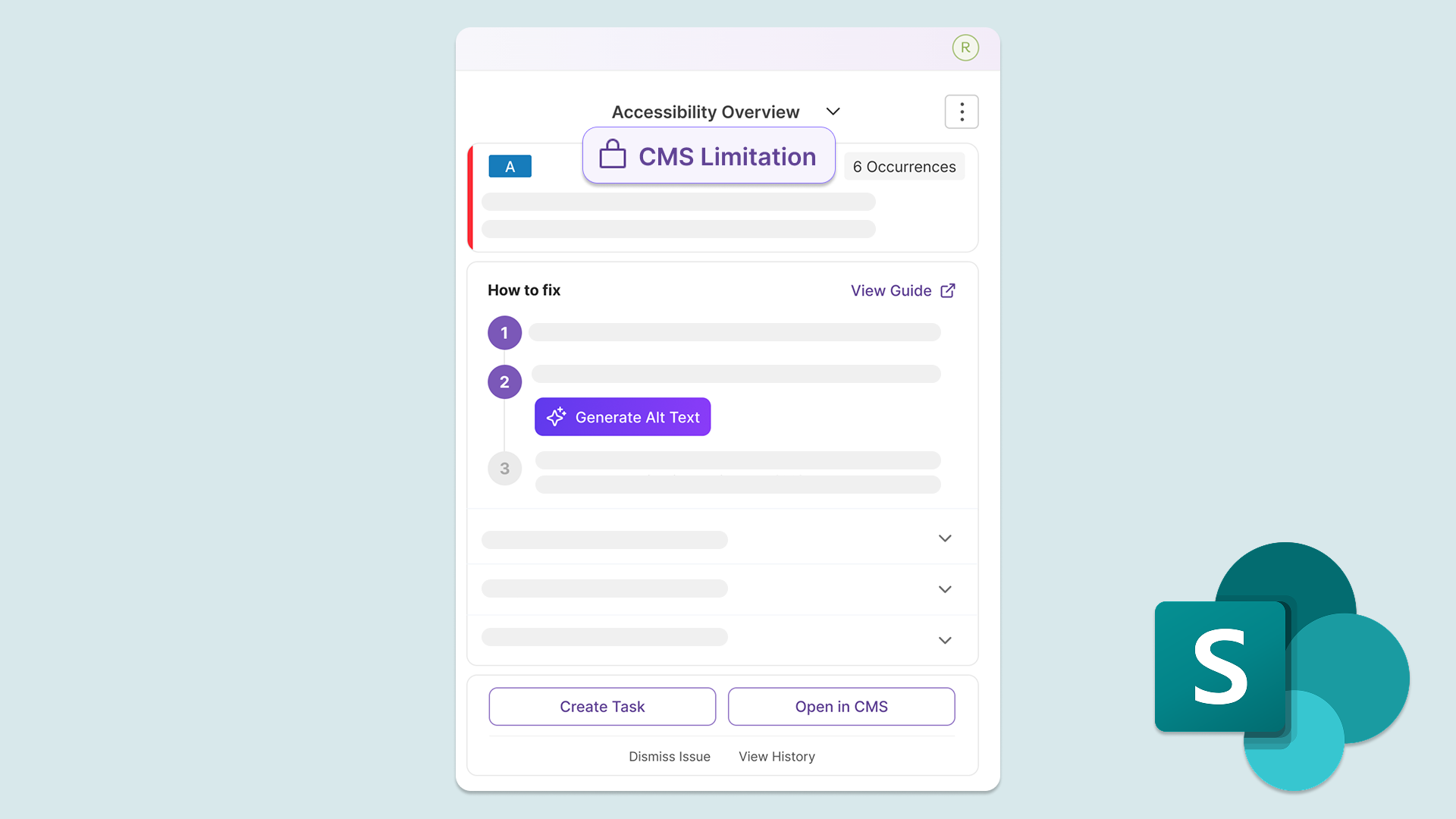
YuJa EqualGround now provides a CMS Limitation label in the Accessibility Overview for SharePoint sites, helping users easily identify whether the accessibility issue flagged is due to a SharePoint template used on the website. This eliminates confusion for users and allows them to dismiss issues related to SharePoint templates that cannot be fixed in YuJa EqualGround, helping them have a better understanding of their accessibility compliance.
Stay in sync with Drupal and SharePoint CMSs through automatic rescans after content updates
YuJa EqualGround will now automatically rescan documents and web pages when an update is detected in Drupal and SharePoint, eliminating the need for users to click Rescan.
YuJa EqualGround will:
Automatically activate document scan: When an already-scanned document is replaced in the CMS, the document is automatically rescanned, and the updated accessibility score and issues will appear in the Documents tab without needing to click Rescan.
Automatically activate page scan: When an already-published page is updated, the page is automatically rescanned, and its accessibility score and issues will be updated to reflect the changes.
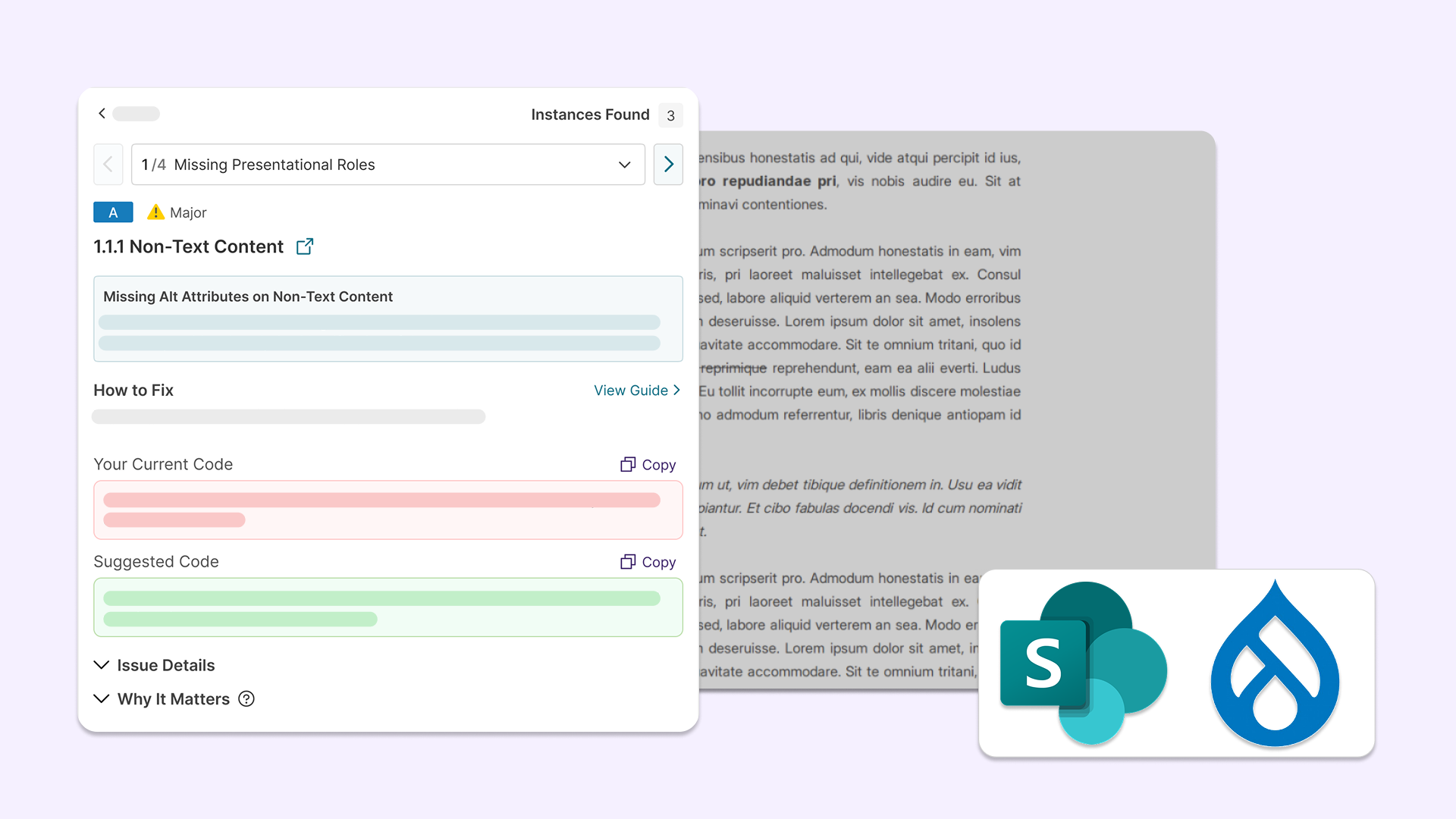
Streamline remediation with automatic writeback for documents and pages in TYPO3
Using the updated API integration with TYPO3, users can now remediate accessibility issues identified by YuJa EqualGround with automatic writeback for their documents and web pages directly in the CMS. This eliminates the need for users to switch between different platforms to validate their changes.
Users can:
Remediate documents: Users can apply remediation fixes to their documents directly in TYPO3, which will automatically be written back in the CMS. If they need to create an alternative format, they can do so through the Alternative Formats menu.
Remediate web pages: Users can apply remediation fixes to their web pages directly in TYPO3, which will automatically be written back in the CMS. Clicking Rescan will confirm that the fix has been applied to the page.
Locate issues easily with syntax highlighting in HTML View
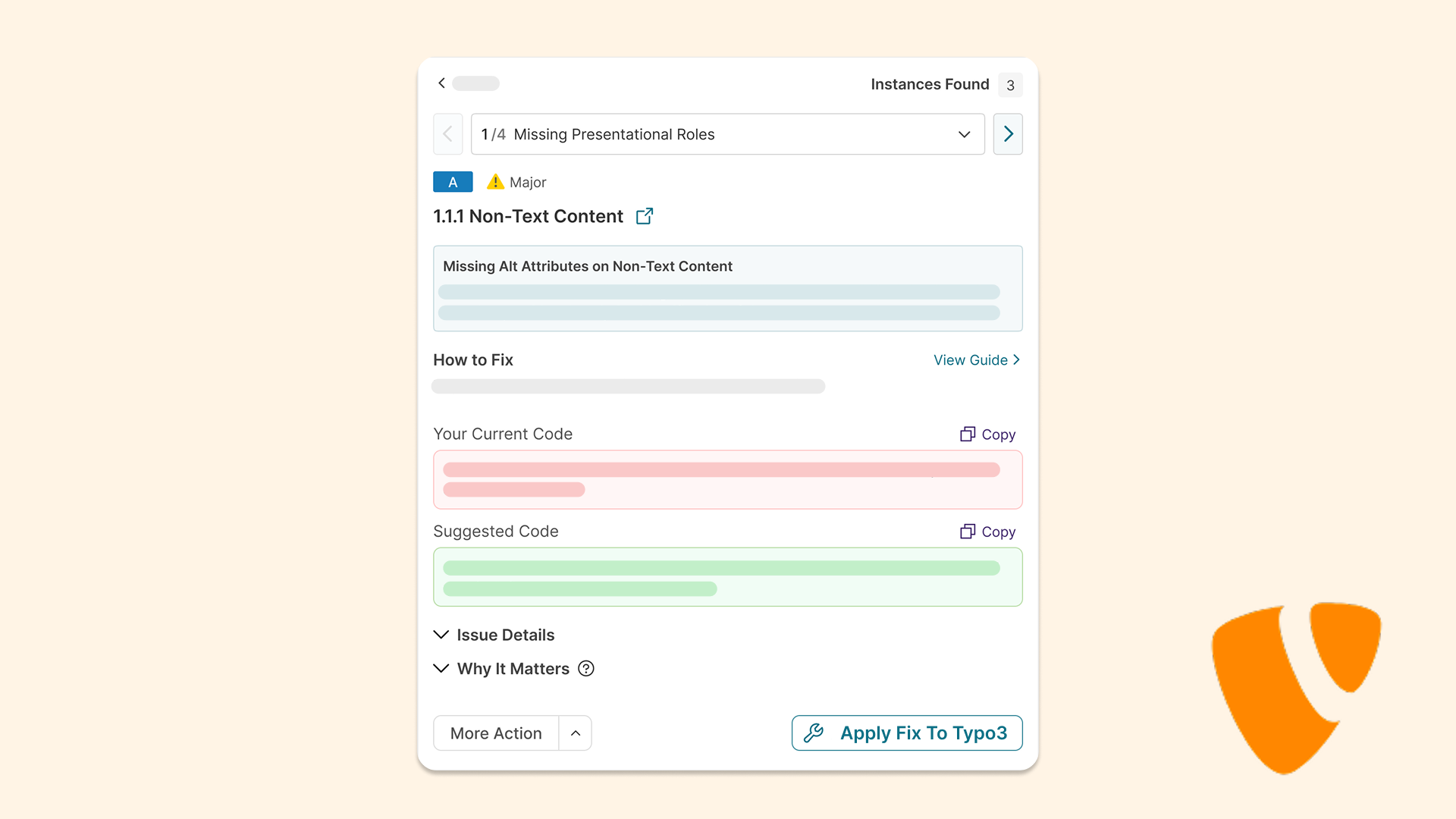
HTML View in YuJa EqualGround’s Accessibility Overview for each web page has been upgraded with several features to enhance code readability and efficiency when remediating code-related issues.
Key features include:
Syntax-highlighted code: Source code is now displayed in different colors based on its term category.
Proper indentation: Code is now indented for cleaner HTML formatting, helping users easily identify and differentiate between different sections.
Line numbers: Code lines are now numbered, helping users instantly identify the line where there may be an error.
Collapsible sections: Entire code sections can now be collapsed, reducing visual clutter.
Findbox: A findbox is added for users to search for a specific line of code to remediate.
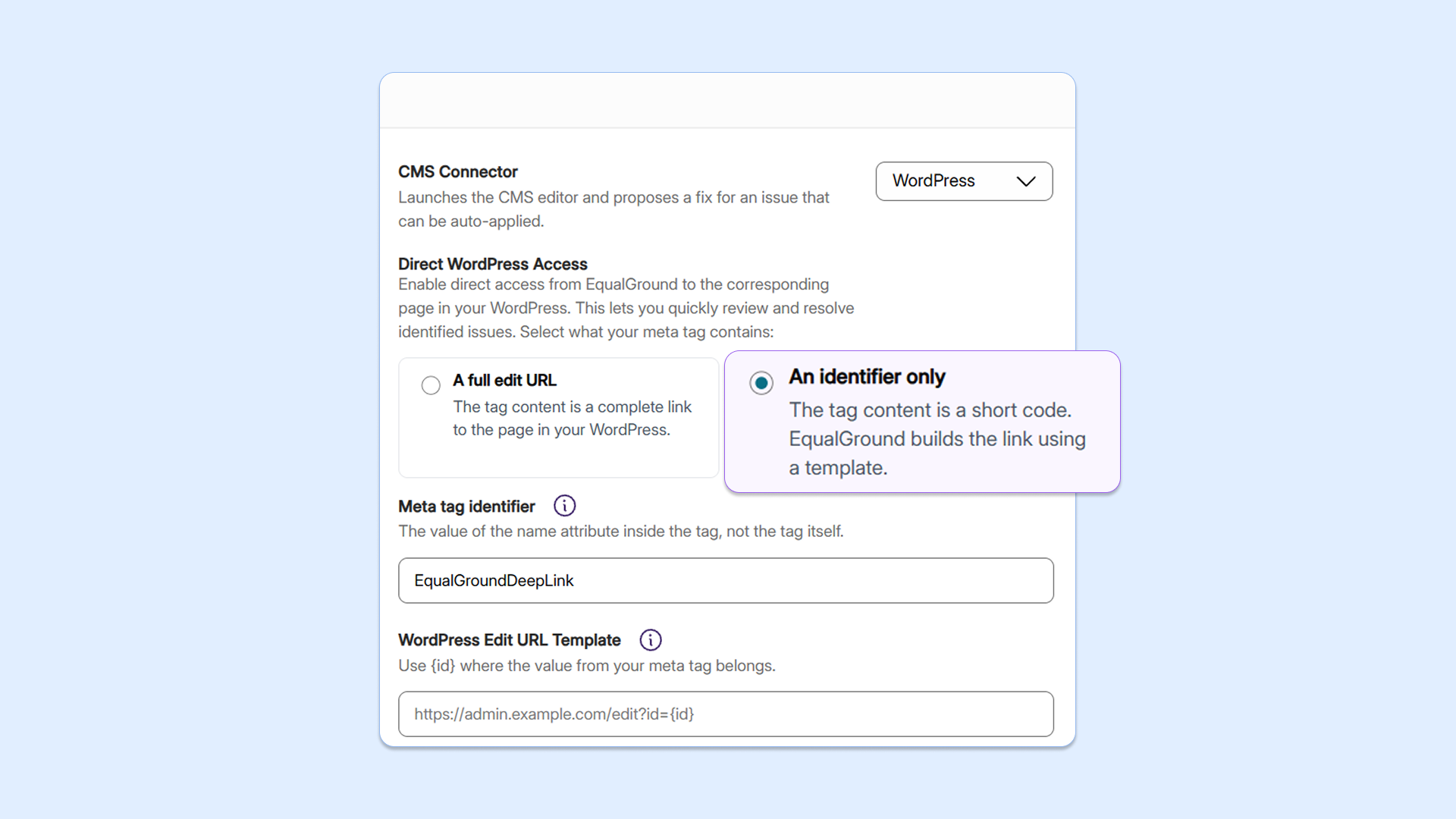
Protect sensitive information with URL reconstruction for CMS-related remediation
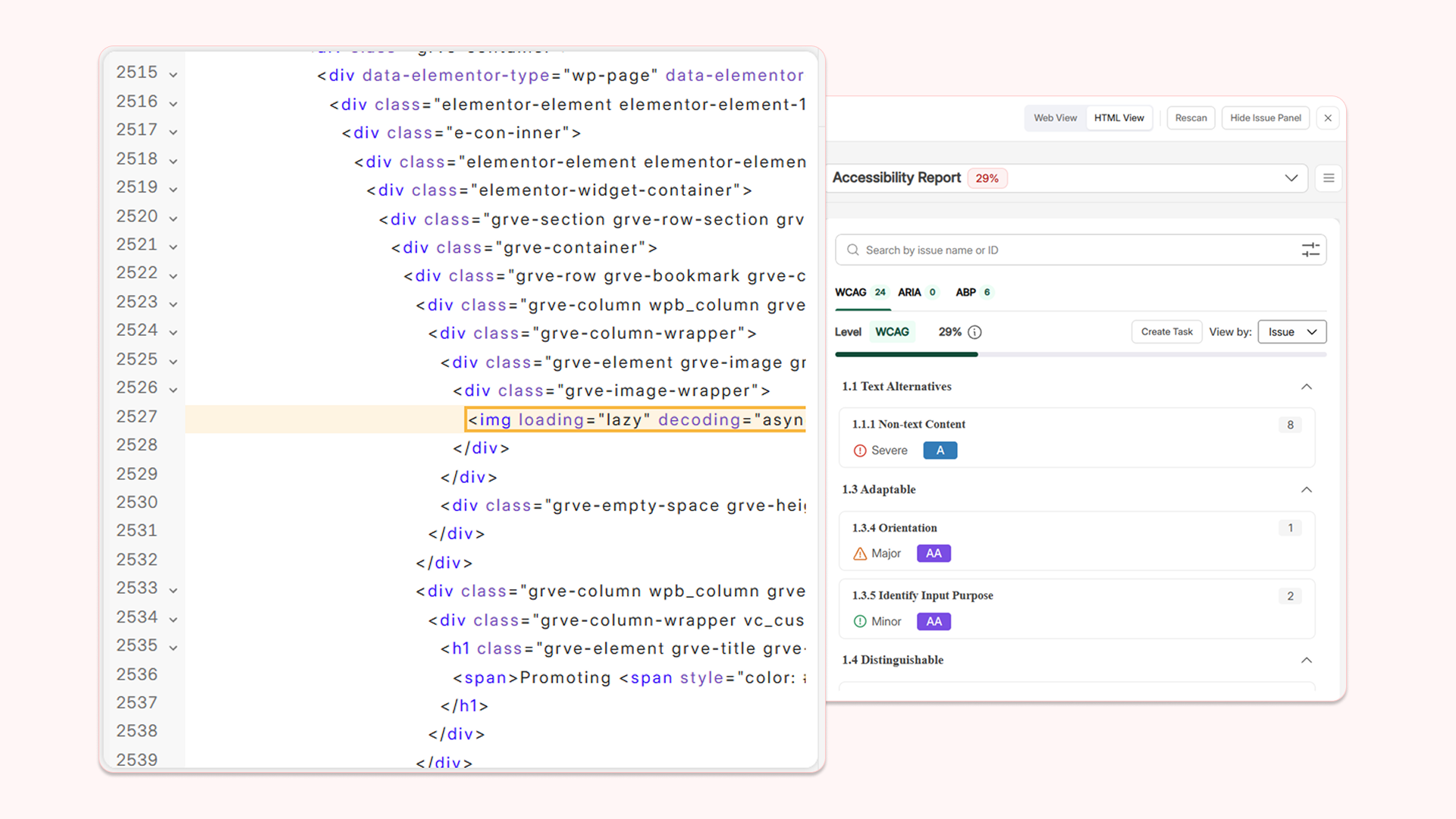
Users can now configure YuJa EqualGround to accept an edited CMS link or unique identifier to avoid exposing confidential information related to their web assets. Users are able to configure a URL template describing the shape of their CMS link. The platform will then hold the full URL as hidden information and reconstruct it internally, giving users the same one-click deep-link experience without exposing sensitive admin URLs on public web pages.
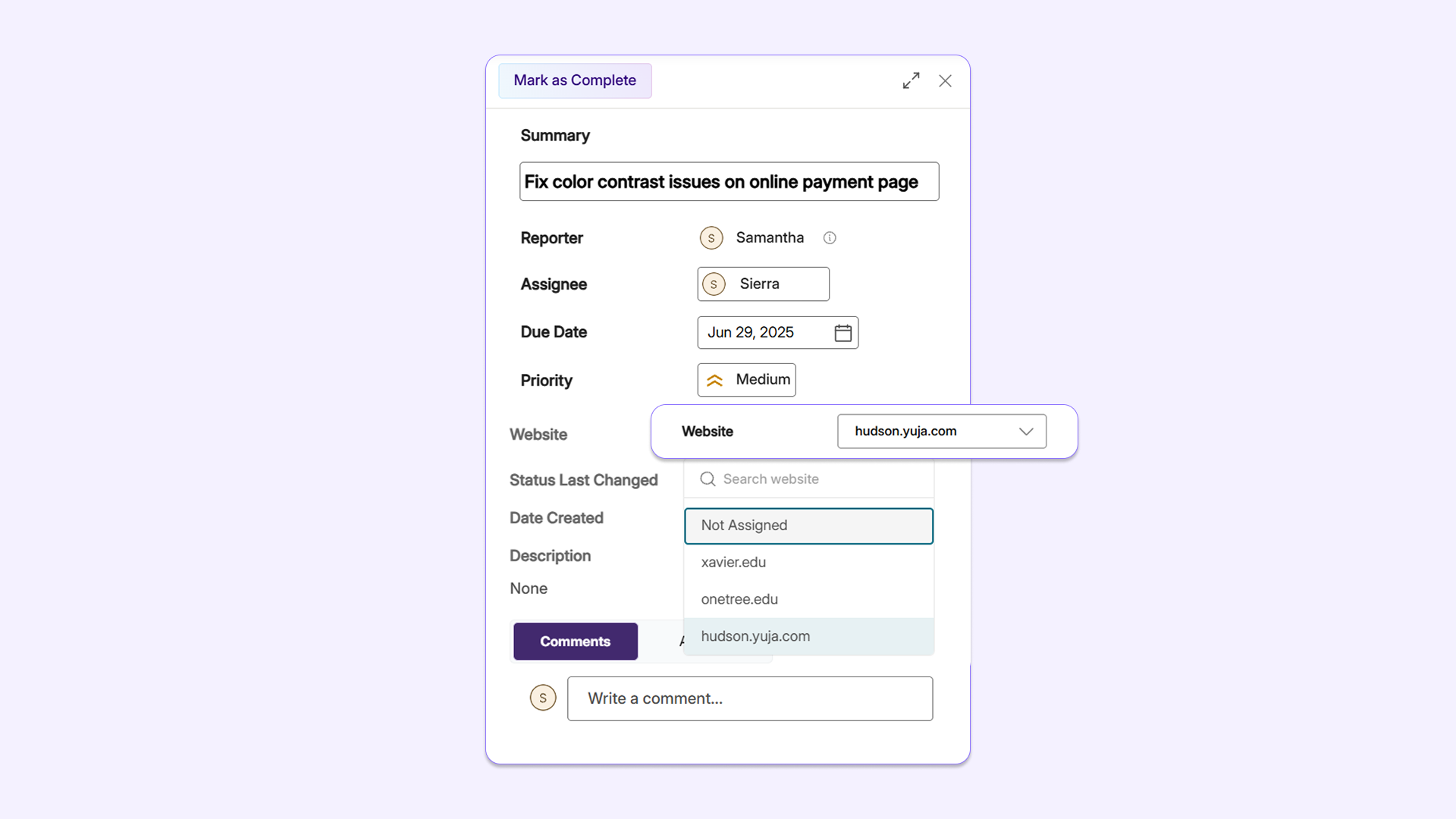
Tie workflow tasks to specific websites for helpful context with the new Website Picker
With YuJa EqualGround Workflow Orchestration’s new Website Picker, users can now assign a website to any task in the platform, providing assignees with more context about the issues that are identified and where they were discovered.
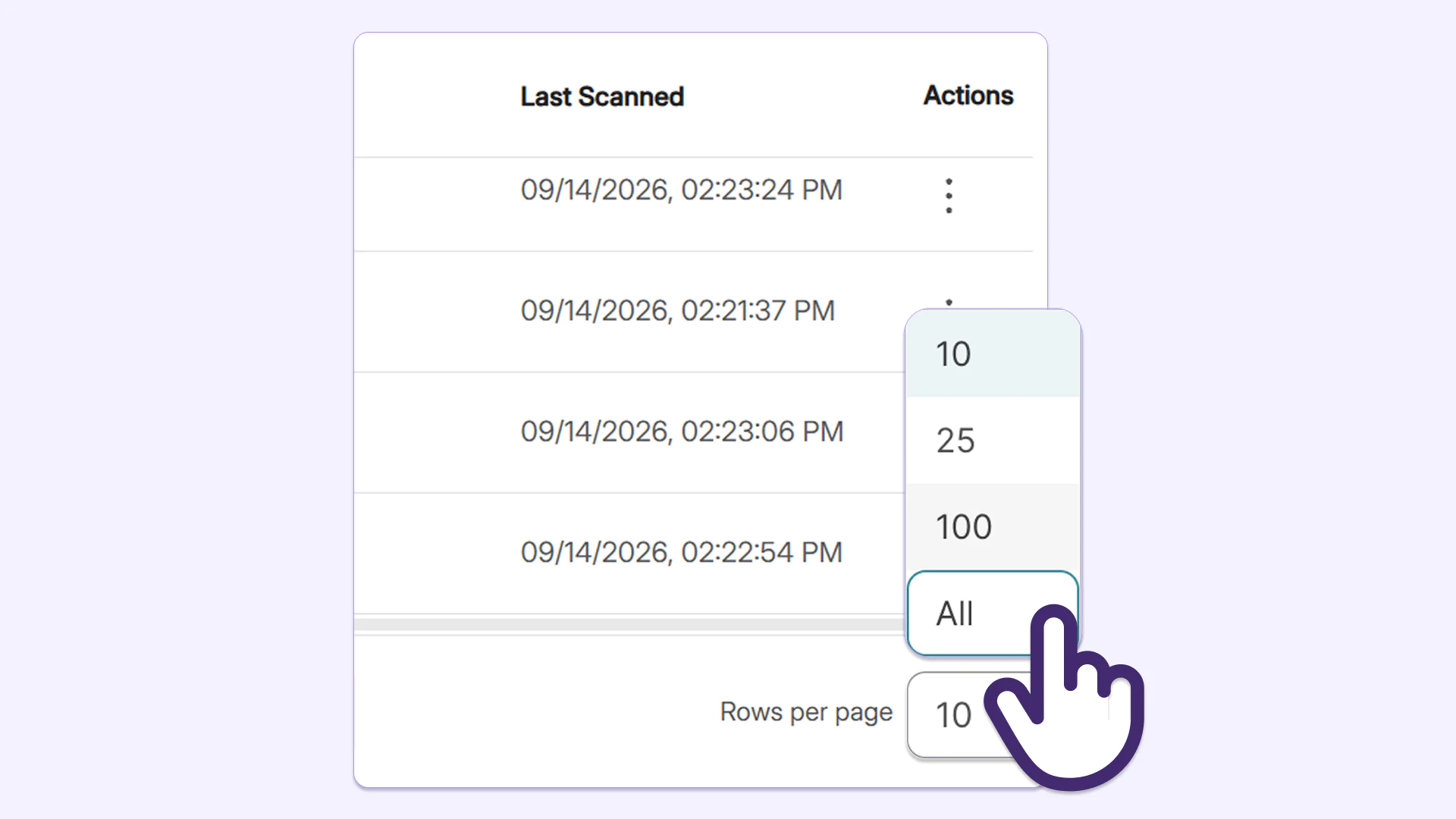
Customize display scope with pagination options across all tables in YuJa EqualGround
Users can now adjust page size to see all of a website’s issues with the new page-size configuration options. Users can choose to view up to 10, 25, 100, or all rows within issues tables according to their size adjustment, reducing the amount of clicks needed to review the entire list.
Easily update user information in Roster Management without recreating accounts
YuJa EqualGround now allows administrators to update a user’s first name, last name, and email address from Roster Management without manually deleting and recreating the user. This preserves all existing data, including roles, reports, and accessibility settings associated with the account, offering an intuitive and simple way to manage user information.
YuJa EqualGround v26.6.0 Release
Over the next few weeks, YuJa EqualGround will be adding several features to improve user experience, including new AI content generation for ARIA compliance, Quick Wins emails to help users stay on top of accessibility issues, and more.
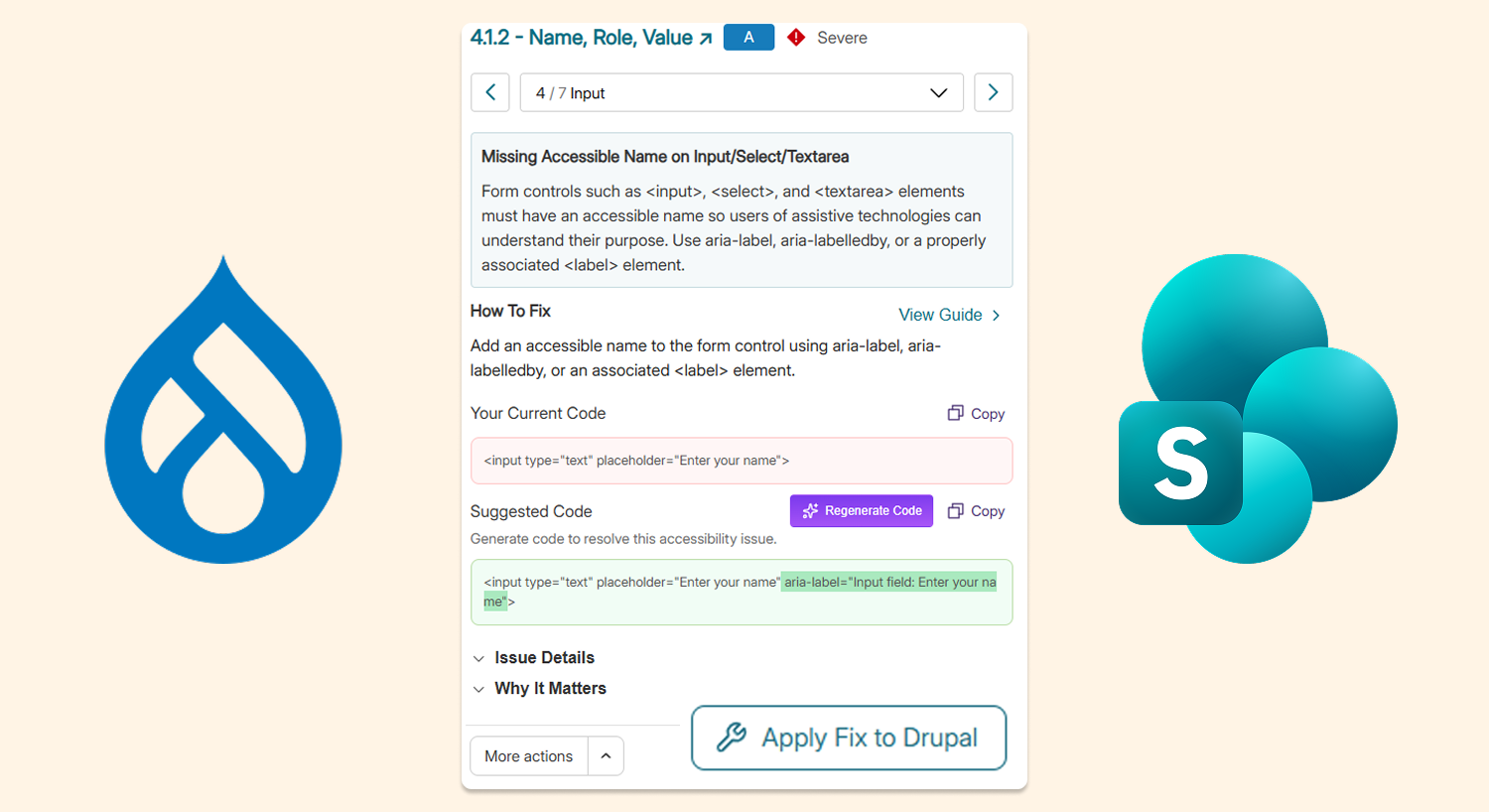
Streamline Remediation Process With Automatic Writeback for Documents and Pages in Drupal and SharePoint CMS
Using the updated API integration with Drupal and SharePoint, users can now remediate accessibility issues that YuJa EqualGround identifies, with automatic writeback directly in their documents and web pages in the CMS. This eliminates the need for users to switch between different platforms to validate their changes.
Users can:
Remediate documents: Users can open the Accessibility Issues panel and click the Fix Issue button in SharePoint, or the Apply Fix to Drupal button in Drupal, to directly apply their remediation fixes, which will automatically be written back in the CMS. If they need to create an alternative format, they can do so through the Alternative Formats menu.
Remediate web pages: Users can open the Accessibility Issues panel and click the Fix Issue button in SharePoint, or the Apply Fix to Drupal button in Drupal, to automatically apply the fix in the CMS. Clicking Rescan will confirm that the fix has been applied to the page.
Stay in Sync With WordPress CMS Through Automatic Rescans After Content Updates
YuJa EqualGround will now automatically rescan documents and web pages when an update is detected in WordPress, eliminating the need for users to click Rescan.
Here’s how it works:
Automatically activate document scan: When an already-scanned document is replaced using the Enable Media Replace plugin, the document is automatically rescanned, and the updated accessibility score and issues will appear in the Documents tab without needing to click Rescan.
Automatically activate page scan: When an already-published page is updated, the page is automatically rescanned, and its accessibility score and issues will be updated to reflect the changes.
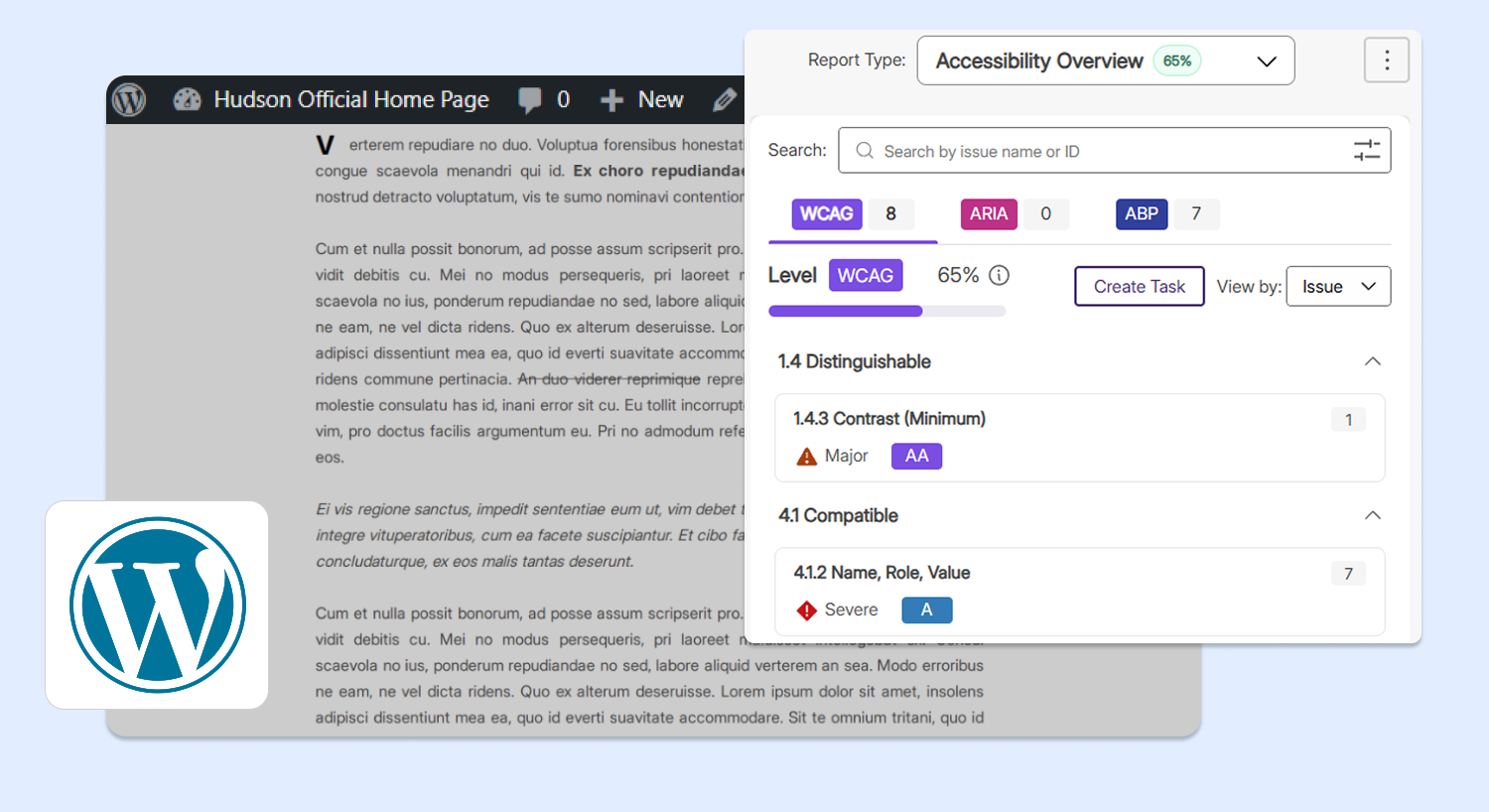
AI Assistance for Readability and Spell Check, Bulk Dictionary Upload for Organization-Defined Terms
Users can now leverage AI-powered engines to improve readability and spelling throughout their web pages and documents:
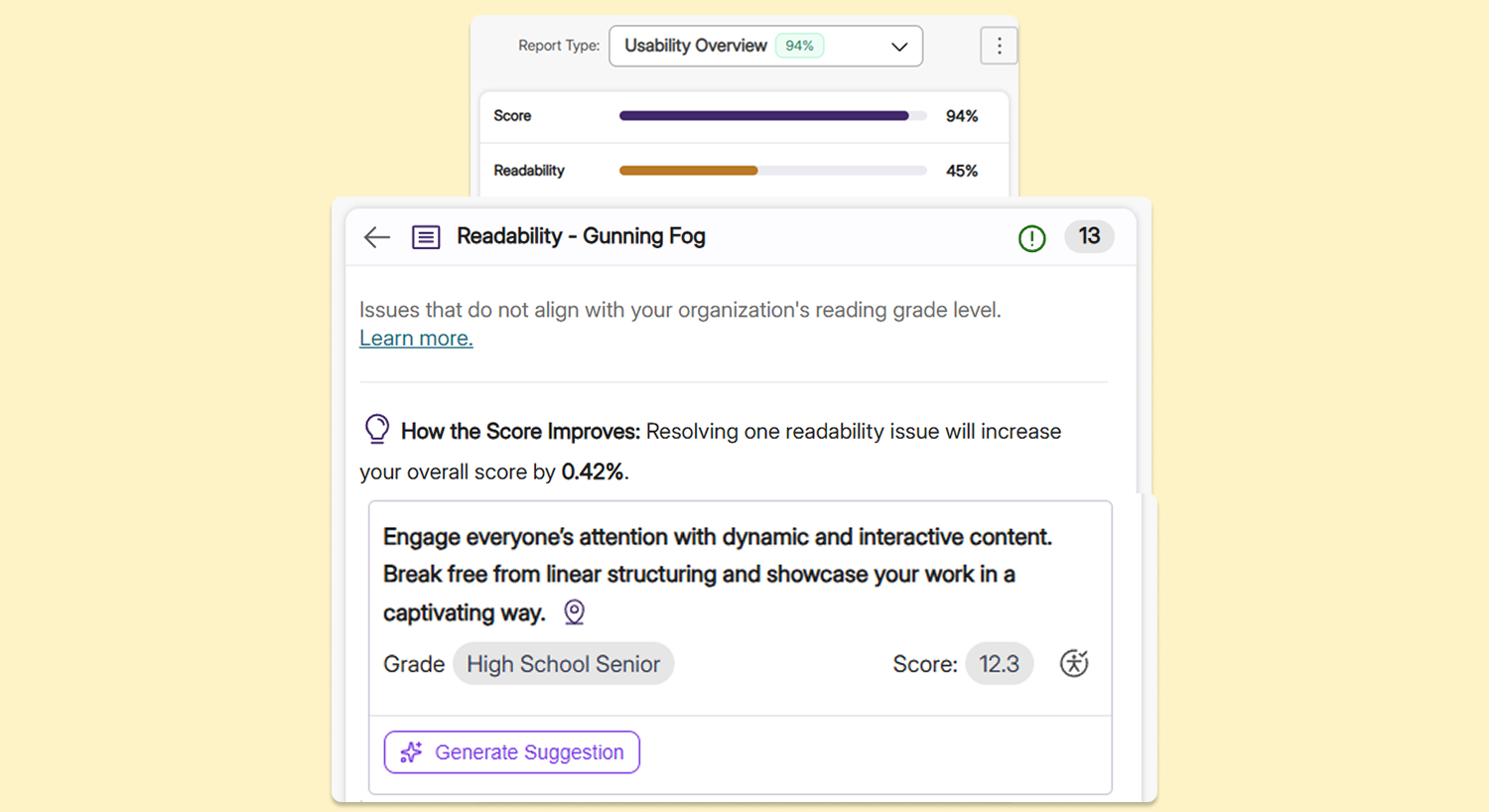
Readability check: For readability issues, AI will generate a clearer rewrite of flagged sentences, quickly making content more digestible and reducing the amount of manual work for administrators.
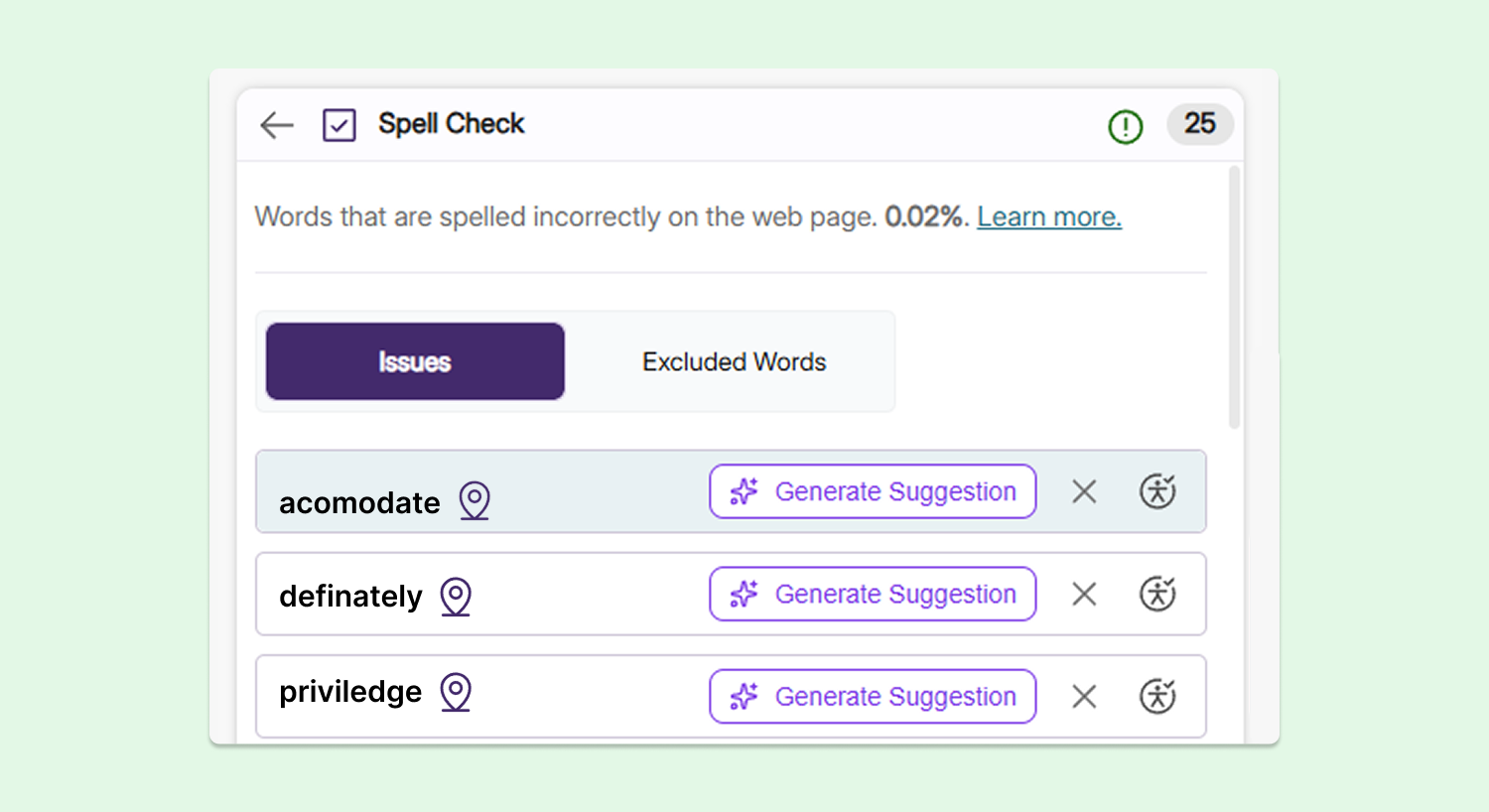
Spell check: Clicking the Generate Suggestion button will correct the spelling of a flagged word.
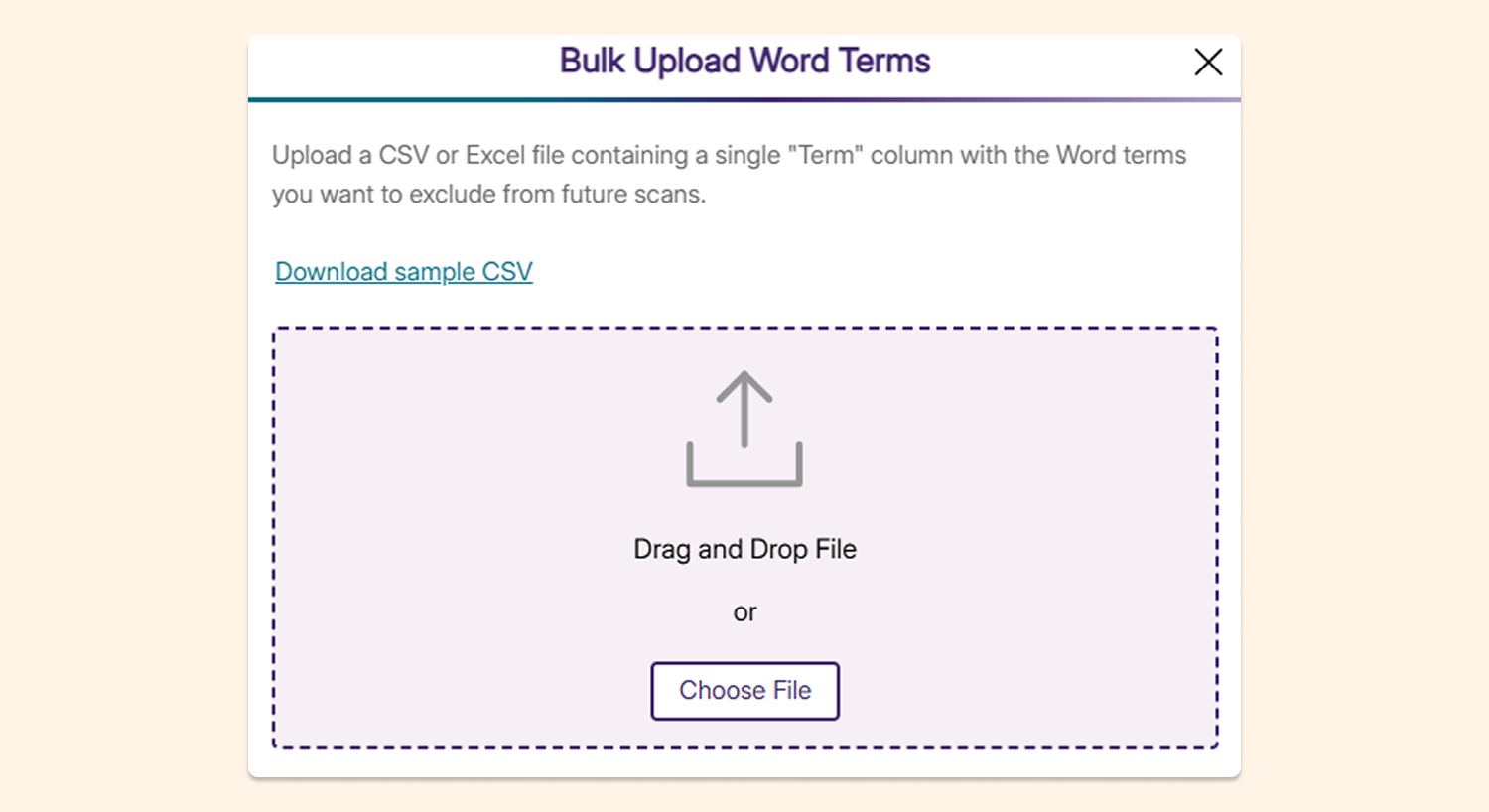
Bulk dictionary upload: Administrators can now upload a list of terms to be exempt from spell check to the YuJa EqualGround dictionary in bulk, directly from a spreadsheet or XML file. With this feature, organizations can continue using their own defined terms without having them flagged each time.
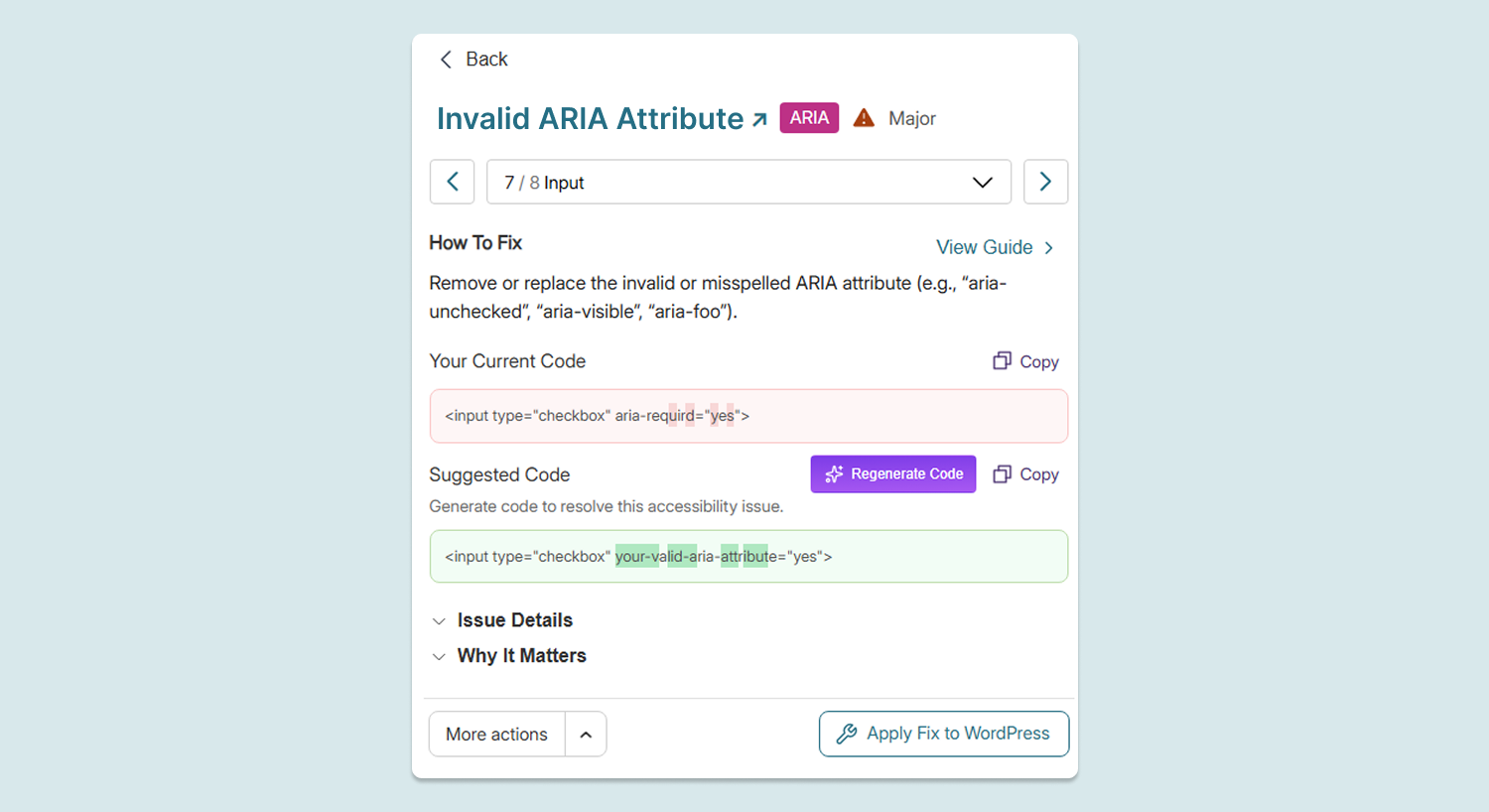
Expanded AI Remediation Coverage and AI Generation for ARIA Compliance
YuJa EqualGround is expanding its AI remediation and generation capabilities to enhance accessibility compliance. This update ensures that features across each institution’s web pages and documents are fully accessible and will be properly interpreted by screen readers and braille displays.
Our latest model now supports key ARIA accessibility features such as:
AI generation to add ARIA roles for UI components
Adding descriptive labels for alert dialogs
Correcting any invalid ARIA attribute names
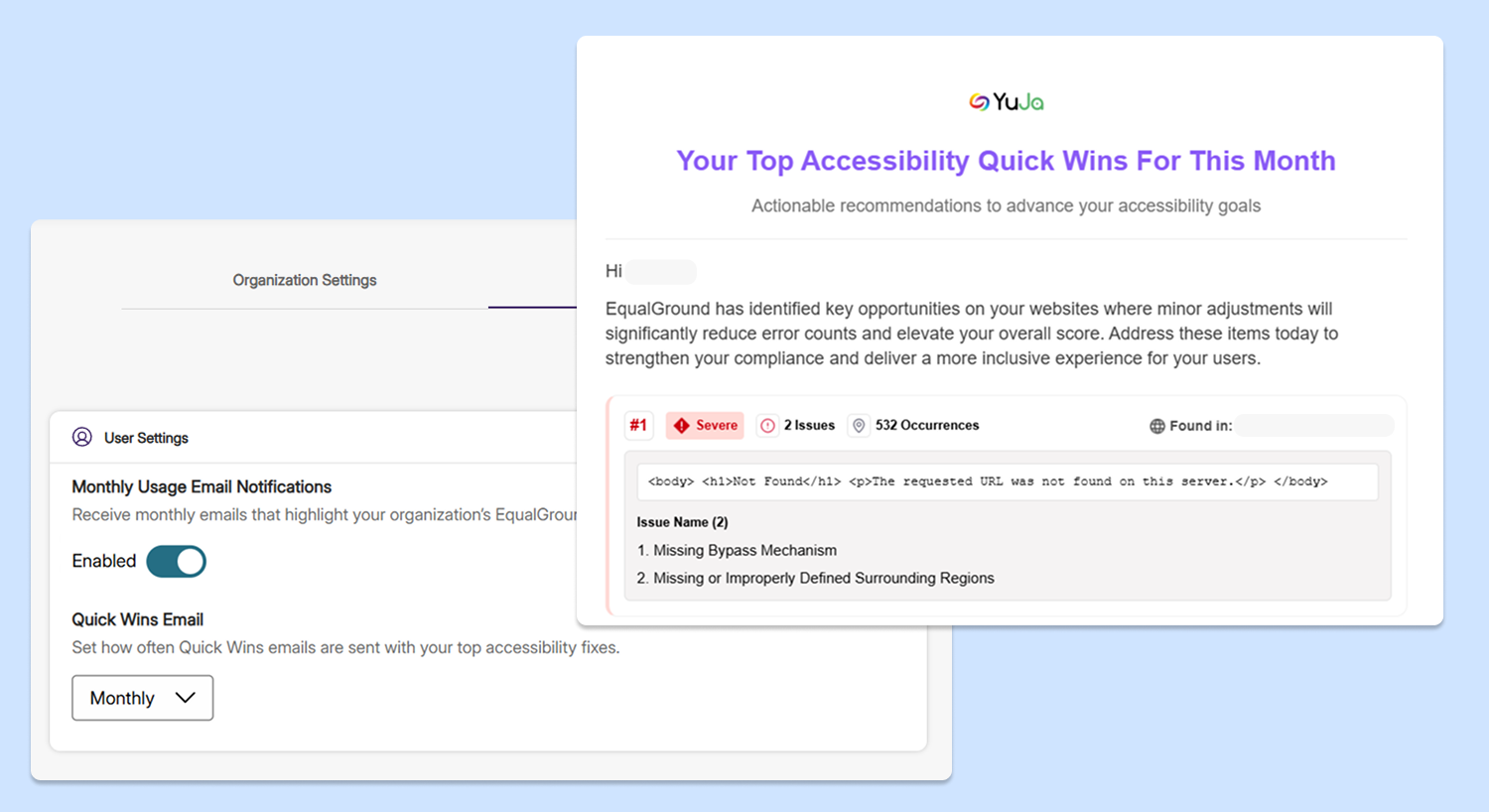
Stay on Top of Accessibility Needs with Monthly or Quarterly Quick Wins Emails
Users can now choose to receive Quick Wins emails that inform them of their top accessibility fixes on a monthly or quarterly basis. These emails contain data about key fixes that can significantly reduce issues and elevate the overall accessibility score of web assets.
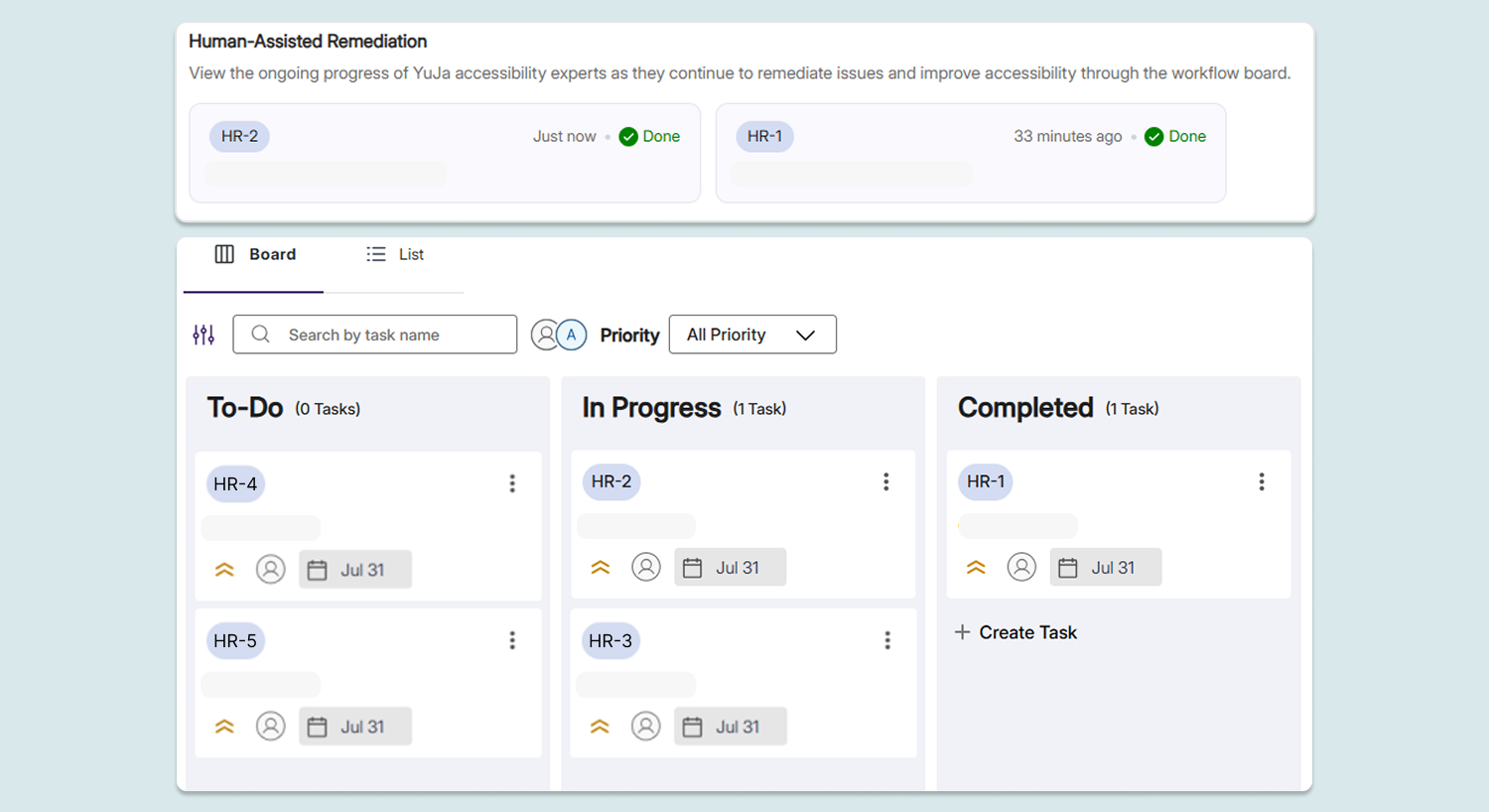
Monitor Progress on Human-Assisted Remediation Projects Done by YuJa’s Accessibility Experts
Administrators can now track the progress of Human-Assisted Remediation Projects assigned to YuJa’s Accessibility Experts using an intuitive ticketing system. They will be notified via email once the project has been completed, helping them track all manual remediation assistance received from YuJa’s experts.
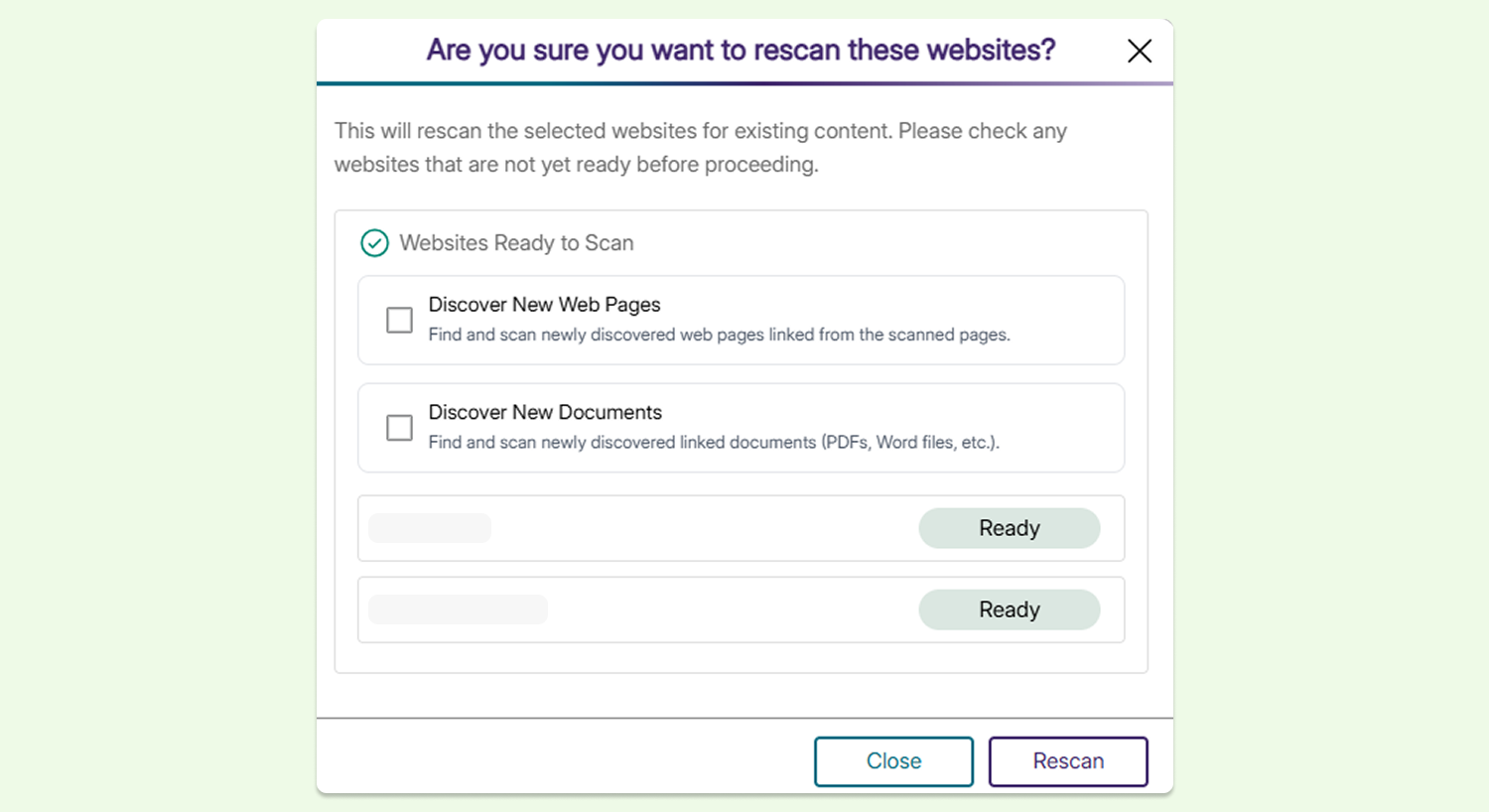
Ensure Documents Are Found During Web Page Scan By Selecting Options to Automatically Discover New Items
Options for Discover New Web Pages and Discover New Documents have been added to the workflow for adding, scanning, and rescanning a web page or website to speed up the scanning process. When users scan or rescan a web page, checking these boxes will ensure that all documents and web pages linked to the site are immediately found and scanned. This enables users to find and scan all new documents and relevant linked pages immediately, without any extra steps.
Easier Navigation Between Site Pages with New Redesigned Workflow
The workflow to remediate accessibility issues for web pages has been redesigned to introduce a smoother, more convenient navigation experience. When users navigate to the Accessibility Issues panel to access a web page, the sidebar remains up, allowing them to easily navigate between site pages without having to return to the homepage.
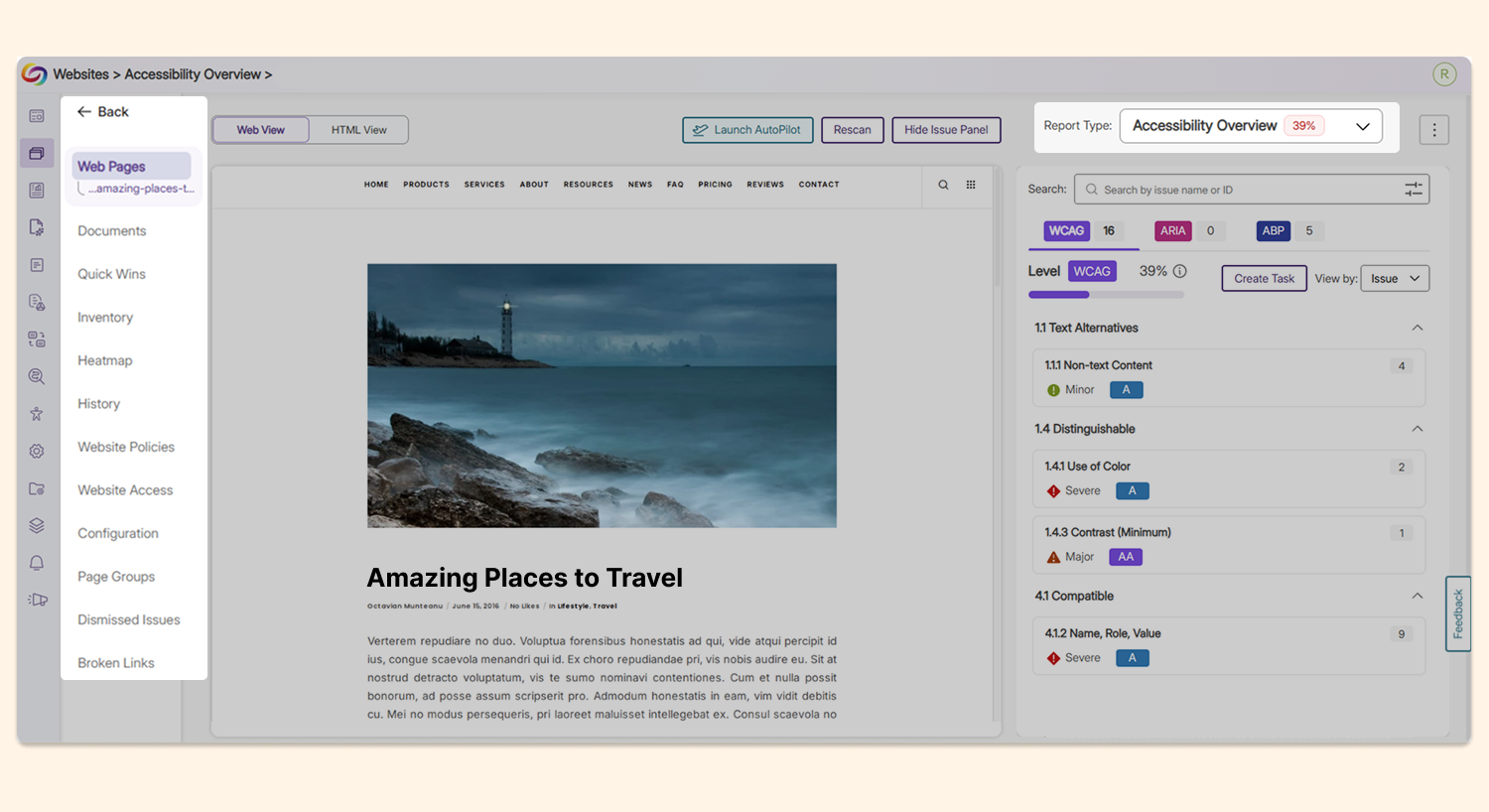
Use Website Sitemaps as Entry Points for Web Page Discovery
In addition to using a starting URL, administrators can now select a website sitemap for YuJa EqualGround to crawl and cover web pages that may not be easily discoverable through navigation from the website’s homepage. All pages listed in an organization’s sitemap will be captured by YuJa EqualGround, ensuring complete coverage of their assets.
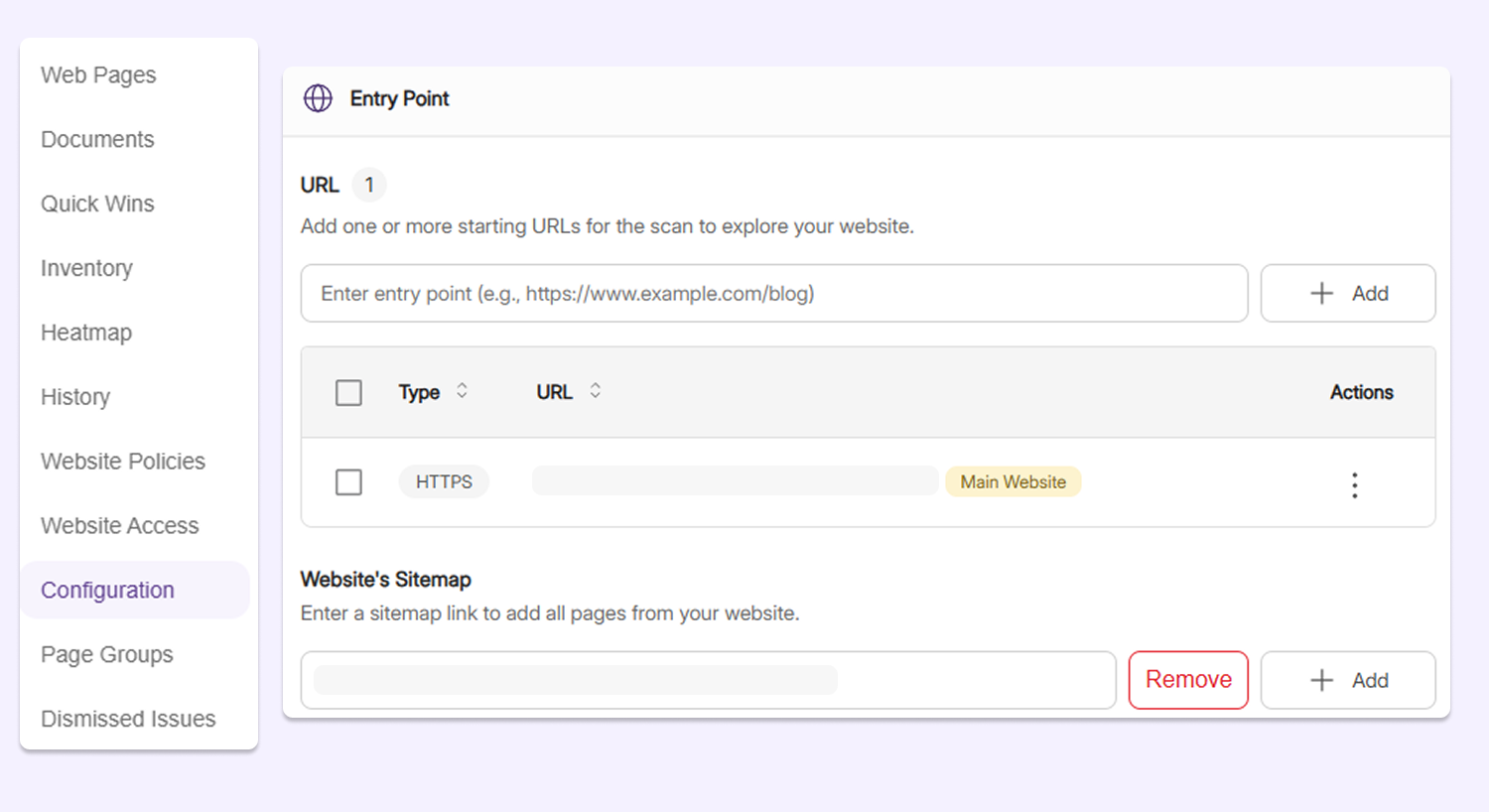
Open the Accessibility Report in an External Tab for Easier Viewing
The Accessibility Report now provides an Open in External Tab button, allowing users to view the entire report in a separate window. This provides more room for users to review and remediate accessibility issues, particularly for larger pages that contain several issues.
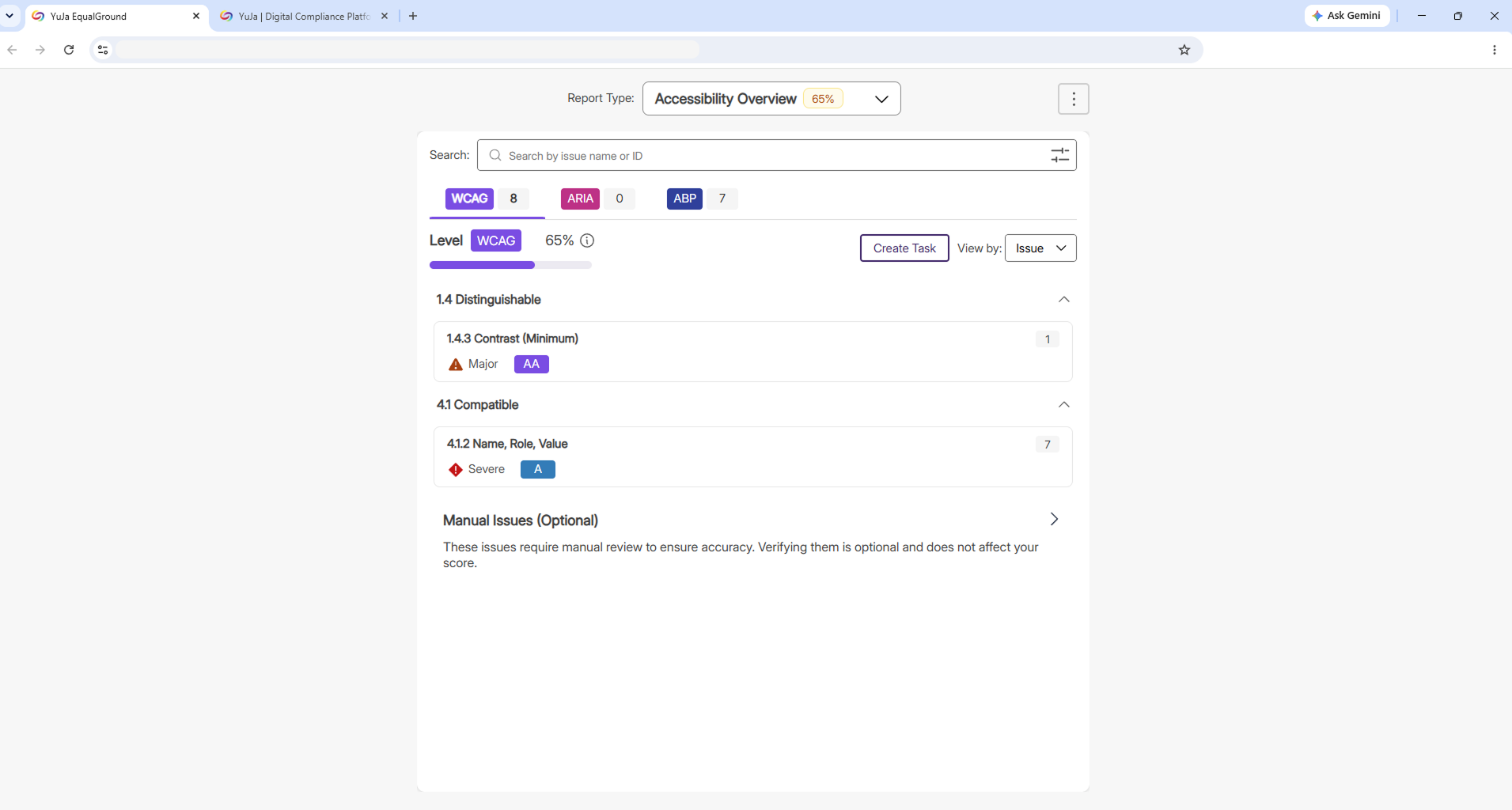
Dismiss Issues in Quick Wins Tab When Manual Verification Is Completed
To streamline prioritization of Quick Win issues, users can now easily dismiss all instances of an issue using the Dismiss All button, helping remove issues related to external tools that are unresolvable and require manual verification. Users can also provide a reason for dismissal to help them and other users understand why the issue was dismissed.
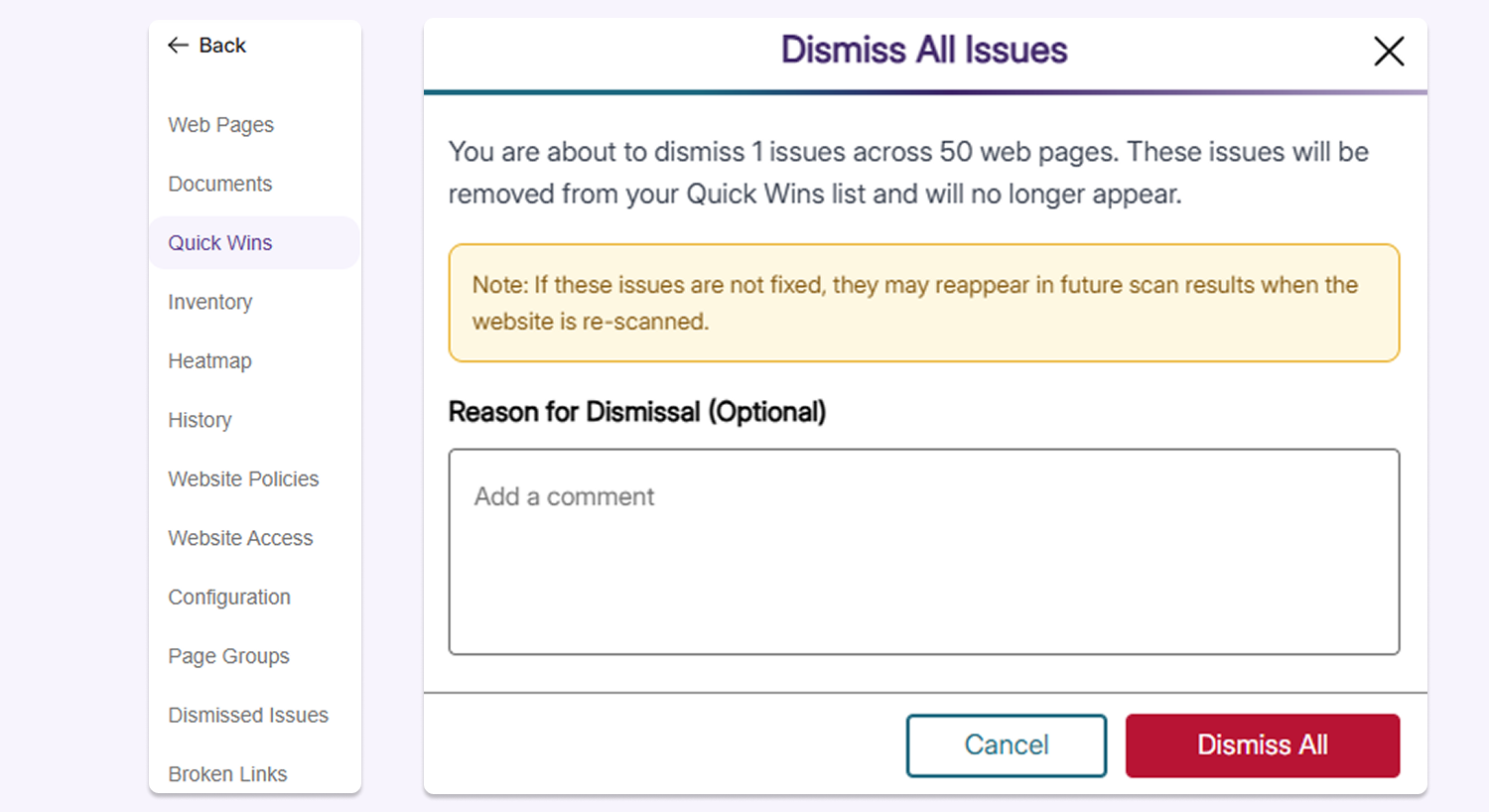
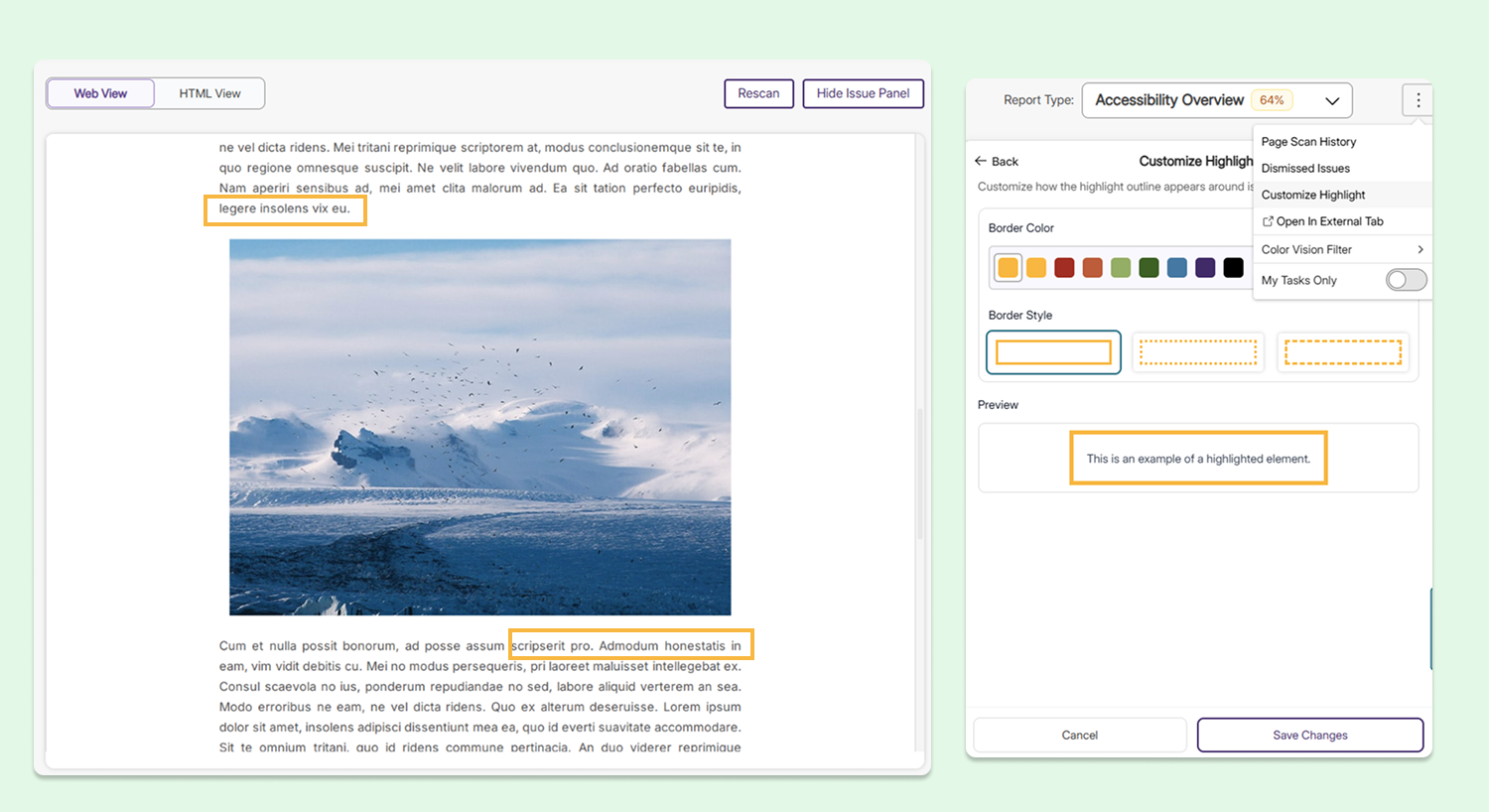
Make Flagged Elements Stand Out with Customizable Issue-Highlight Indicator
The highlight style, including the border color and border style, around a flagged element can now be customized, helping ensure that the accessibility issue indicator will be easily noticeable, regardless of the website’s native background colors.
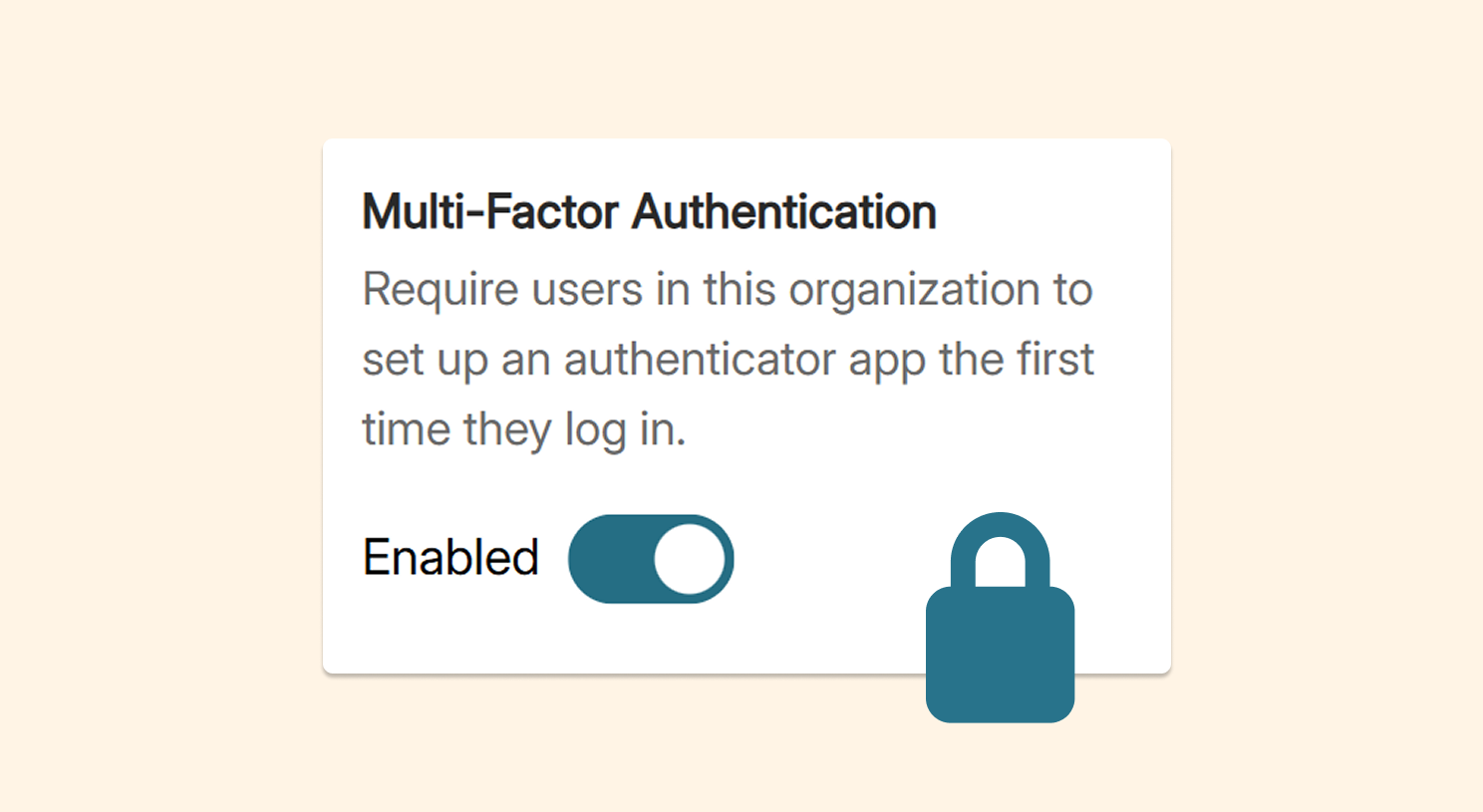
Enable Multi-Factor Authentication Options to Improve the Security of Web and User Assets
Multi-factor authentication has been added to YuJa EqualGround to enhance the security of the platform and its users.
Users can now:
Set up mandatory MFA: Administrators can now require all users in their organization to set up MFA the first time they log in, improving the security of all user accounts.
Receive MFA codes via email: Administrators can require all MFA login codes to be sent by email instead of an authenticator app in case of an emergency, ensuring your organization remains flexible.
Bypass MFA for administrators: Credentialed accounts can receive a QR code in YuJa EqualGround to store a multi-factor authentication token, allowing them to bypass MFA. This will make signing in faster and easier for credentialed users.
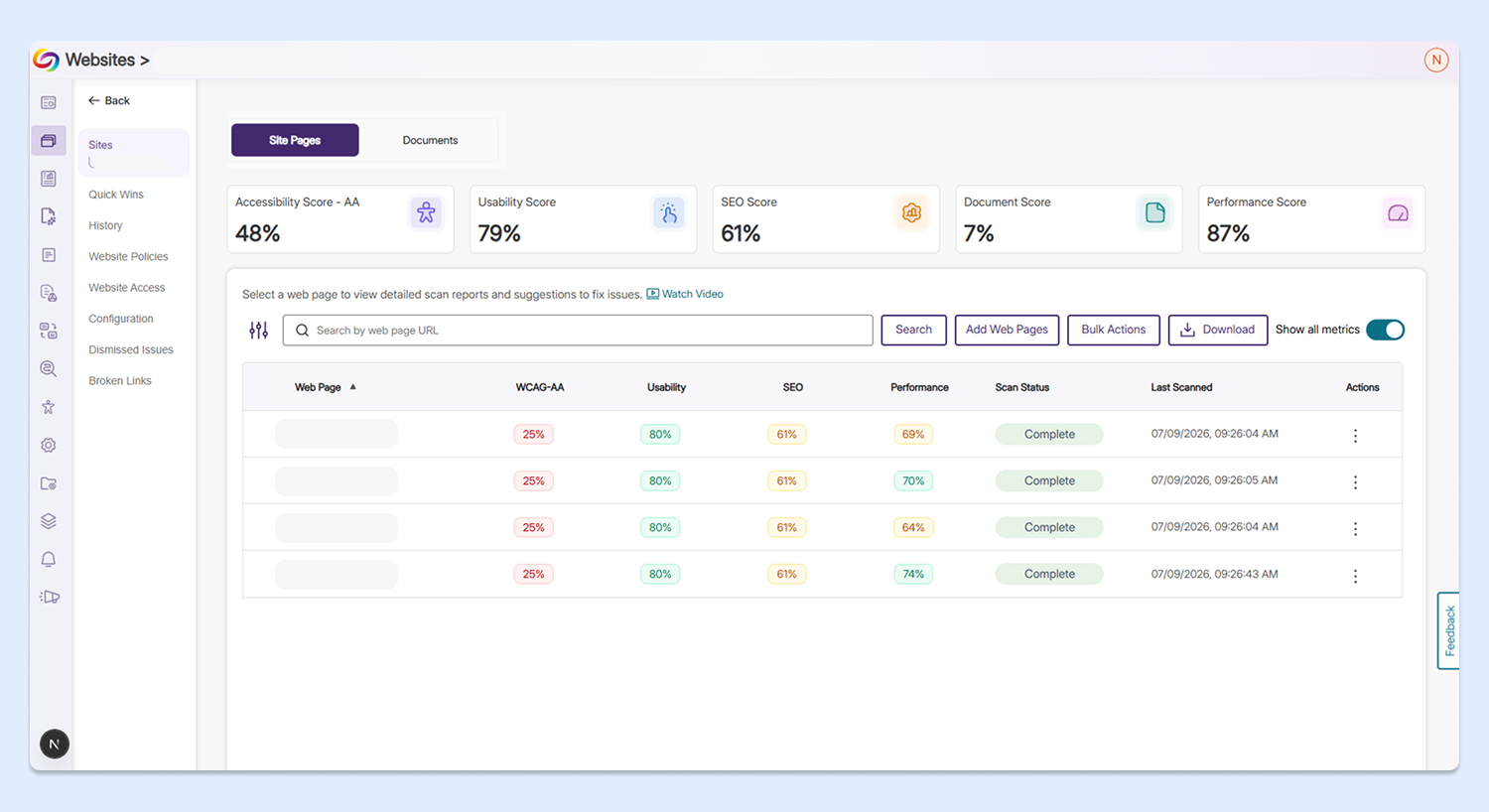
Site Pages Are Displayed Hierarchically for SharePoint Websites to Improve Organization and Usability
Site pages are now displayed hierarchically beneath their corresponding SharePoint site to improve organization and usability. Administrators can seamlessly navigate between pages on their respective websites, making the user experience much more organized and intuitive. Additionally, document libraries have been condensed into one table, allowing users to easily locate their documents in the appropriate places.
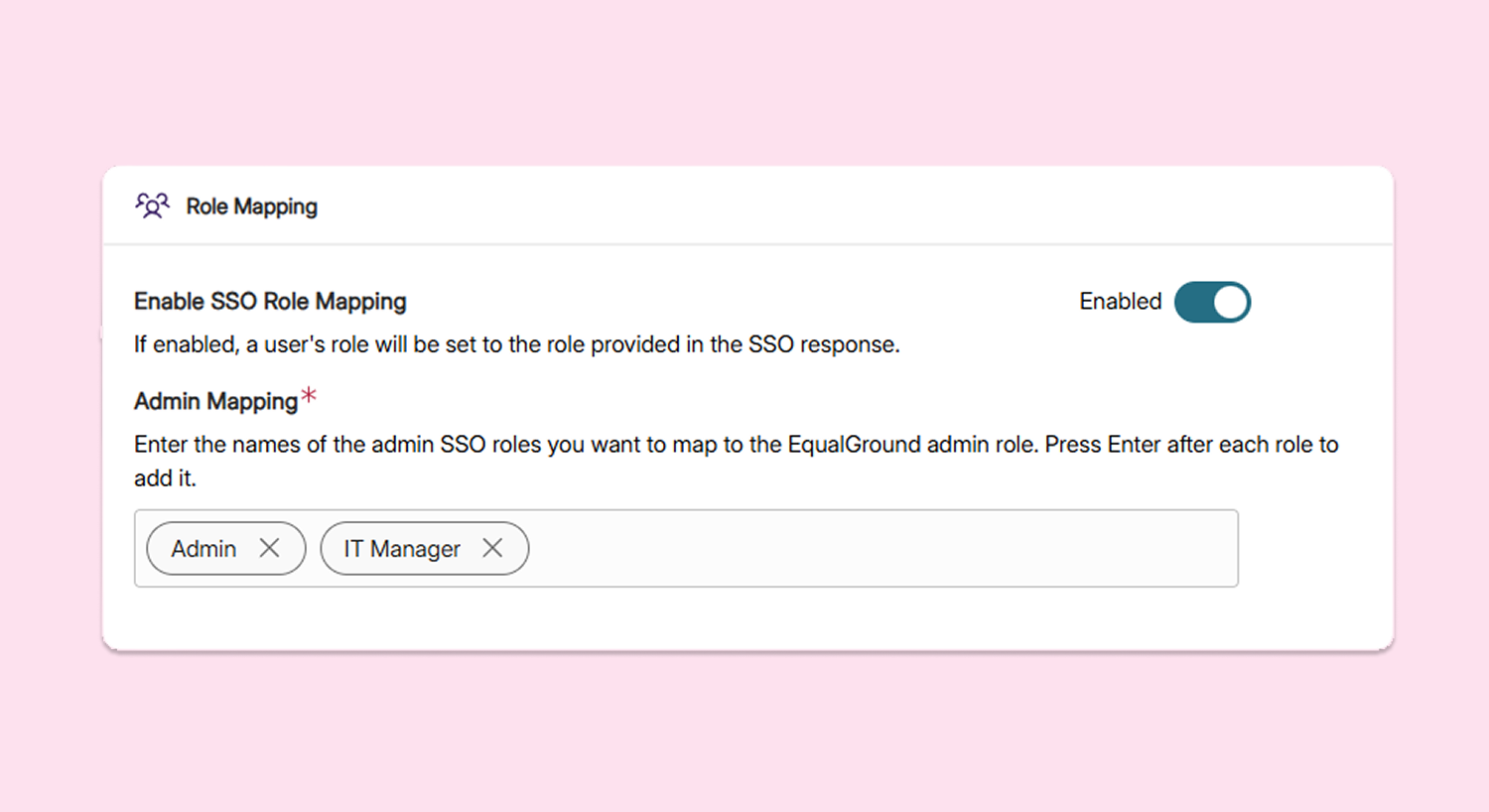
Fully Capture Administrator Duties By Mapping Multiple SSO Roles to YuJa EqualGround Admins
YuJa EqualGround now allows users to map multiple SSO roles to an administrator, helping them better align their user setup to their existing roles.
Ensure Profiles Are Up to Date By Automatically Syncing Profile Images From SSO
Profile images from SSO logins in YuJa EqualGround will now save as default user profile images across the site, including the navbar, roster management, and website access. Users will be identified with an existing image that they use from other services, rather than needing to upload an image again.
Over the next few weeks, the YuJa EqualGround Accessibility Governance Platform is rolling out a major wave of updates, including a reimagined reporting experience, a brand new Quick Wins dashboard, expanded CMS remediation support, bulk AutoPilot remediation, and much more.
Automatic Write Back Functionality Eliminates Repetitive Manual Workflows for Your CMS and Google Workspace Integrations
You can now fix a range of accessibility issues in the pages and documents hosted in Cascade CMS, Google Workspace, SharePoint, and WordPress, all without leaving the YuJa EqualGround interface.
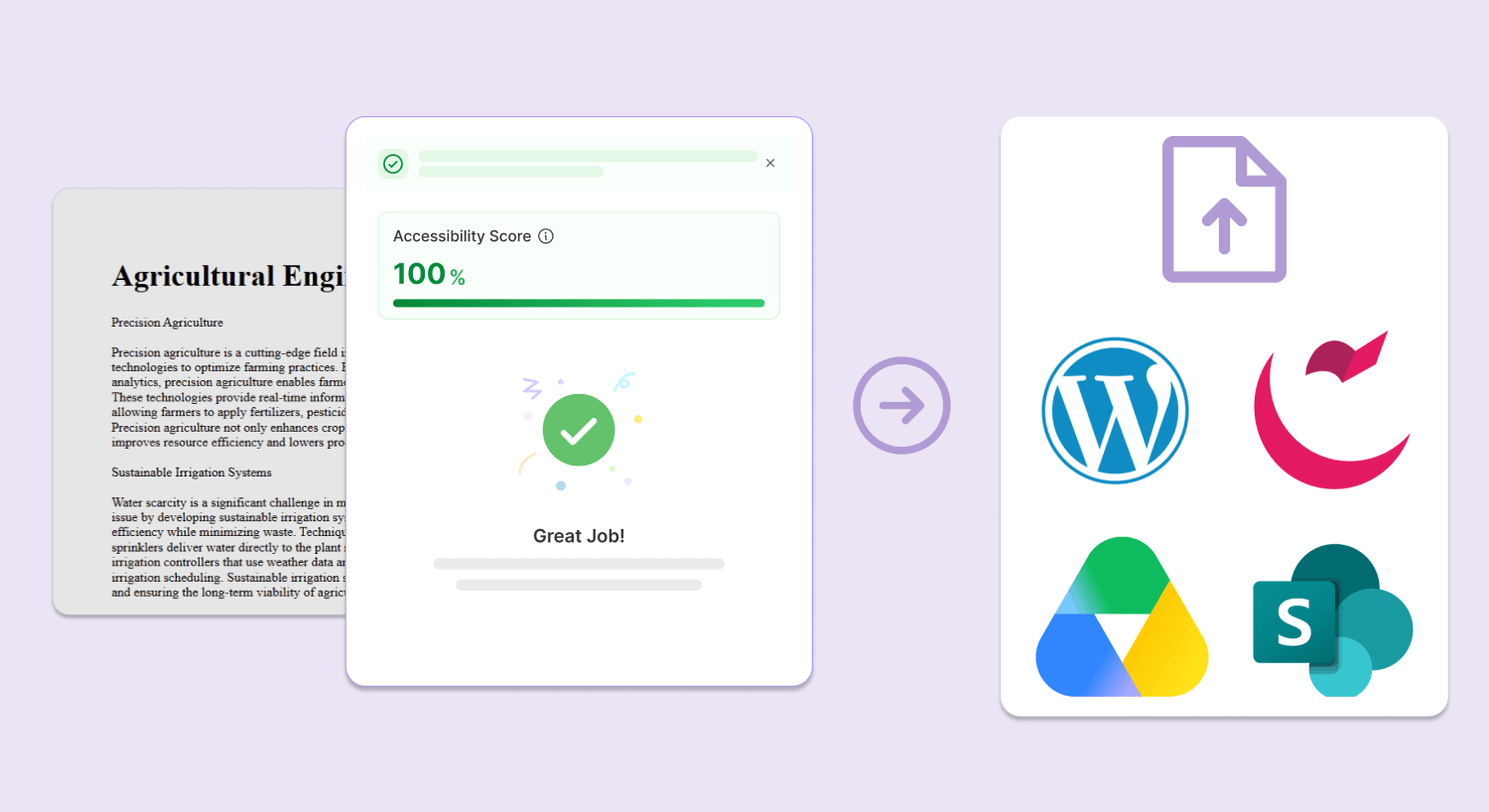
Key features include:
Automatic CMS write back for your documents: Any changes made to documents embedded in your CMS or Google Workspace using the Accessibility Report in YuJa EqualGround will be automatically applied to your original source file, eliminating the need for any manual reuploads.
Automatically apply changes to your CMS pages: Any structural and HTML changes made to your page in YuJa EqualGround will be automatically reflected in your CMS so you don’t have to copy and paste any code changes. You can also see how your changes affect the accessibility score of the page in real time using the Rescan button.
Instantly Improve Site-Wide Accessibility Using Targeted Quick Wins
YuJa EqualGround is introducing the Quick Wins Dashboard, which allows users to immediately identify the biggest accessibility barriers on their websites and fix issues across their web assets.
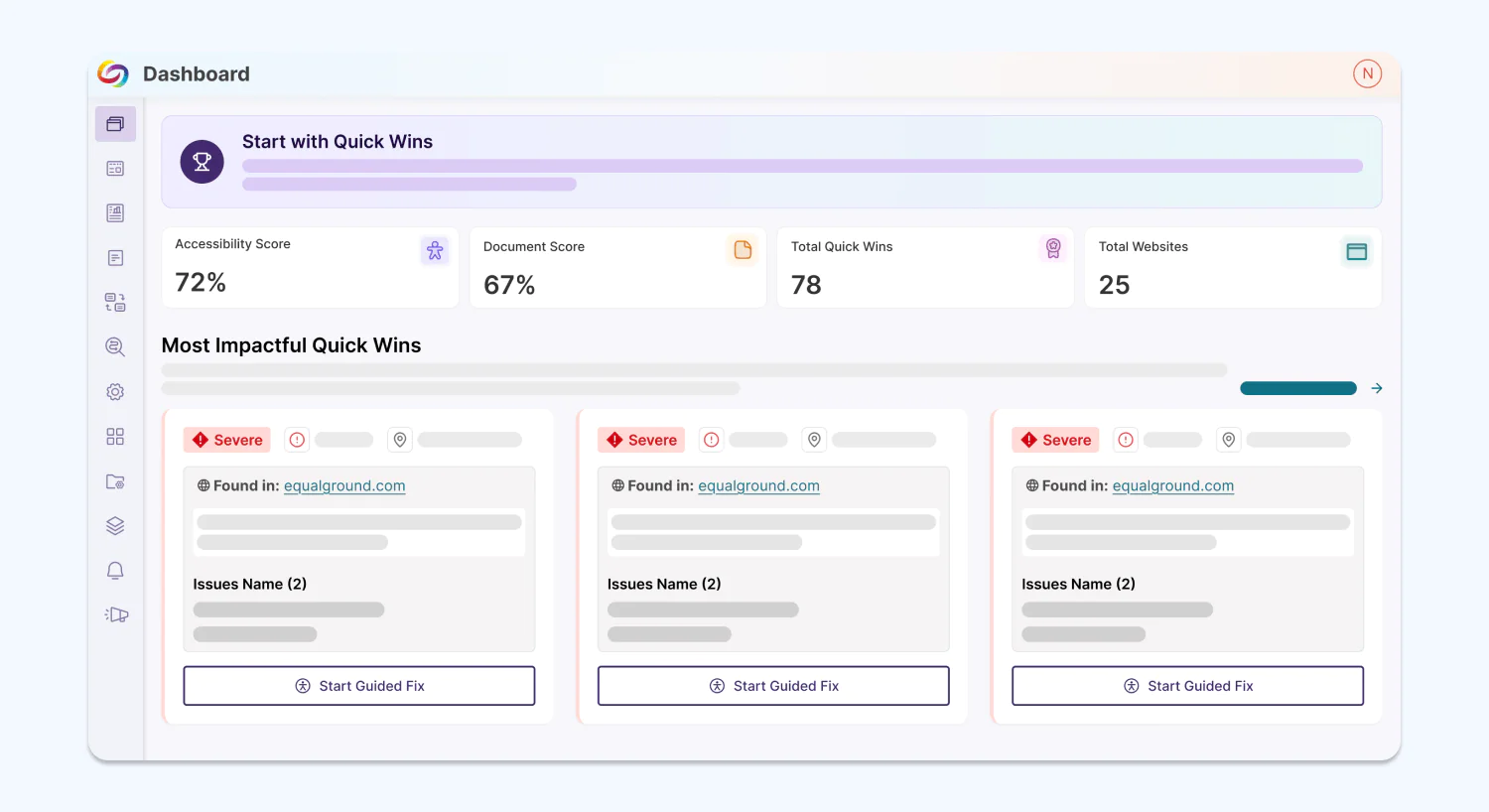
From the dashboard, users can:
Start remediating with Guided Fixes: Users can copy and paste YuJa EqualGround’s suggested fixes for each issue and see details like the total number of affected pages and the violated WCAG criteria.
Verify that changes are live: The dashboard allows users to quickly rescan all pages affected by the issue to see if the change has been applied.
See all Quick Wins: The dashboard will show up to the top 100 most impactful Quick Wins. To see more, users can click a button to be directed to all Quick Wins.
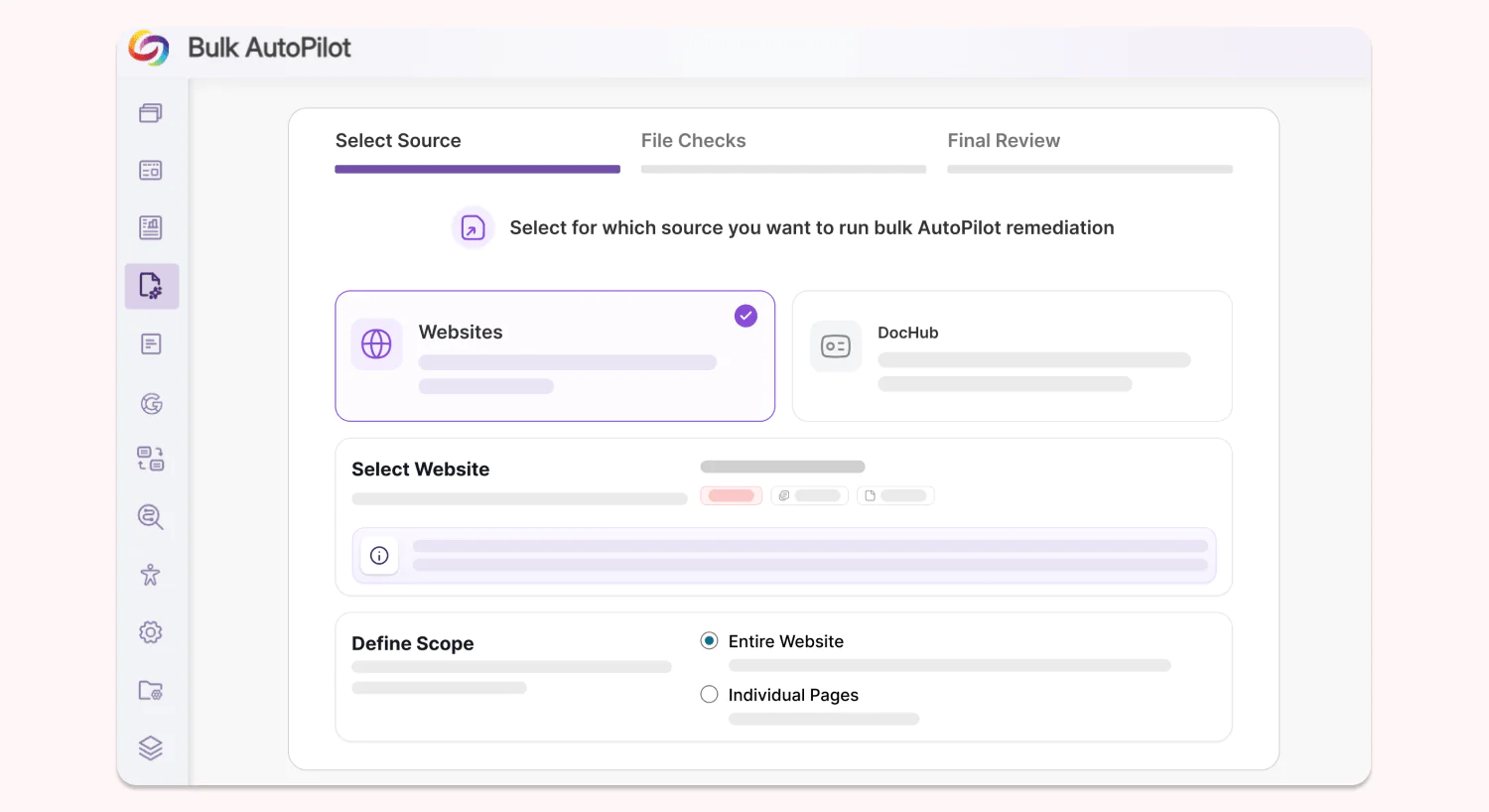
Automatically Remediate Documents at Once with Bulk AutoPilot
Institutions can now automate multiple document remediations across websites, SharePoint sites, and DocHub libraries in a single batch using Bulk AutoPilot. Users can remediate the whole site/library, individual pages/folders, and choose the type of issue that they want to target, having full control over their AutoPilot remediation workflows.
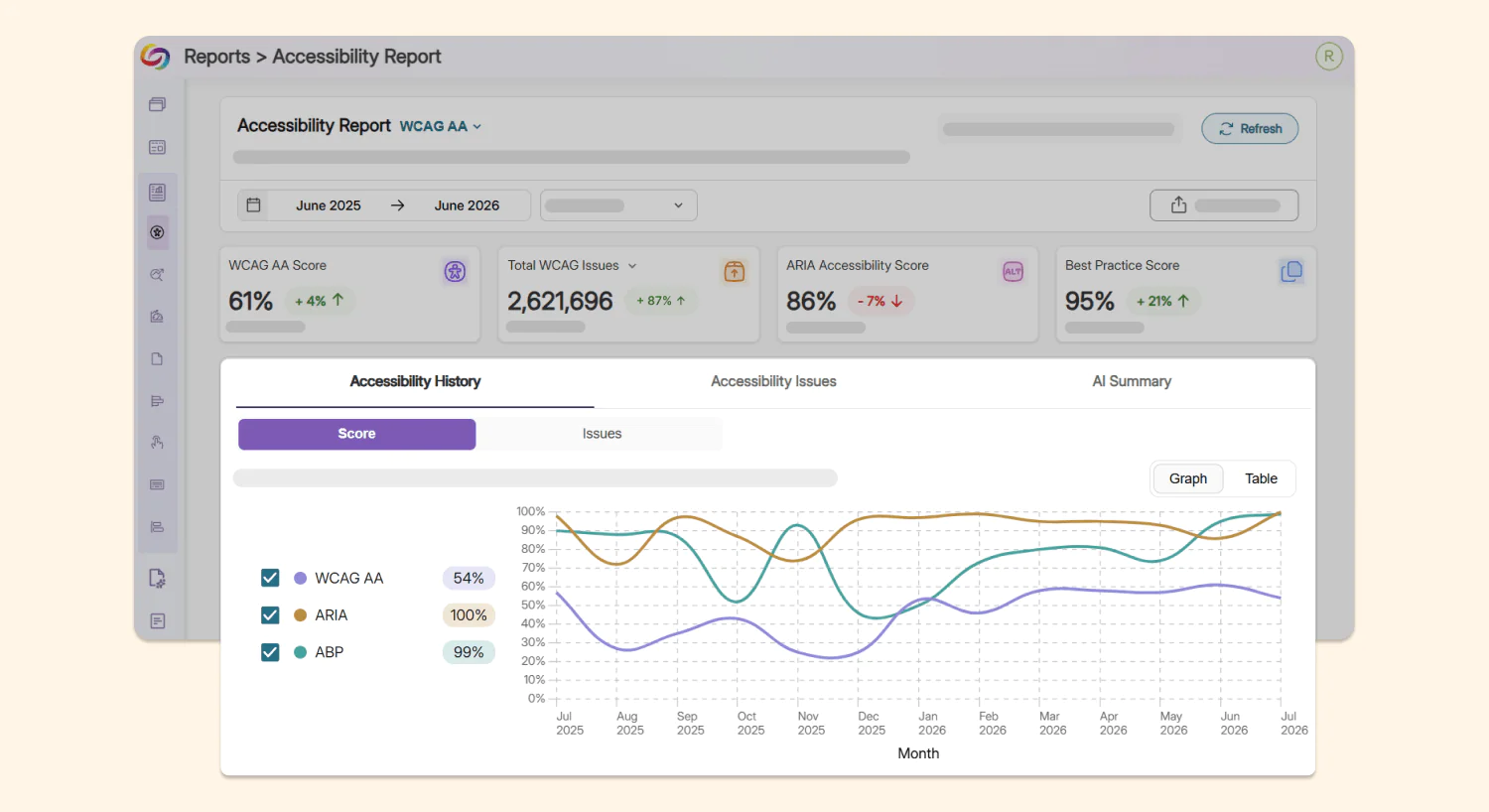
Get Better Insights from an Upgraded Reporting Interface, Now with AI-Powered Analysis
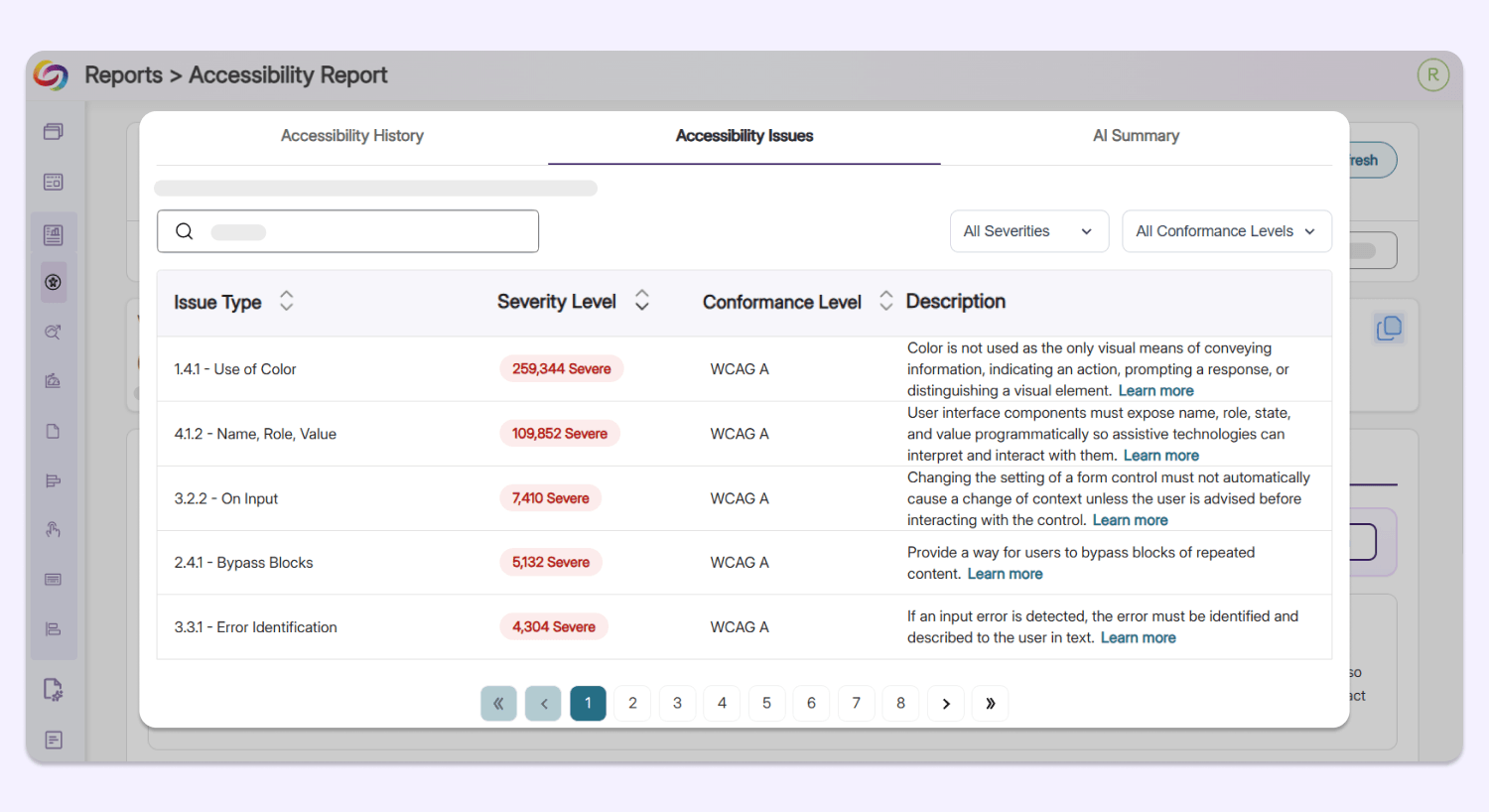
YuJa EqualGround’s reports have been redesigned across all five report types: Accessibility, SEO, Performance, Usability, and Document for a cleaner, more consistent and practical user experience. Each report now contains:
Historical trends: Users can see the historical trends of their compliance level via score and via issues in visual graphs, allowing them to easily curate their compliance strategy.
Issues breakdown: Organized in a neat table view, YuJa EqualGround shows the issue type, the severity level, the conformance level, and a short description of each issue identified on the user’s web assets, allowing users to identify major barriers instantly.
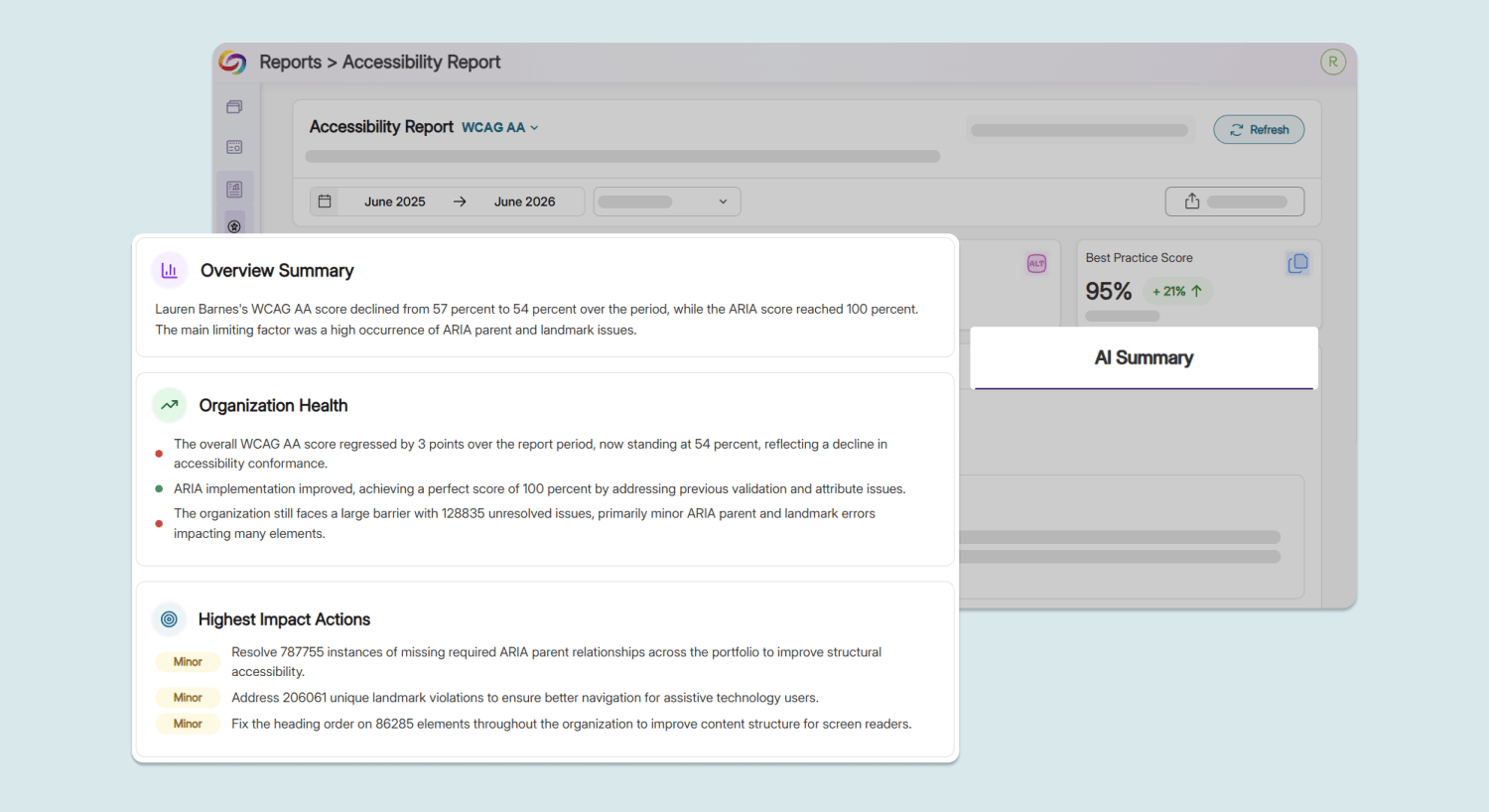
AI-powered summary: A brand new AI Summary tab will automatically analyze and explain the overall accessibility health of the user’s website, highlighting the higher priority issues to address so users spend less time interpreting data and more time acting on it.
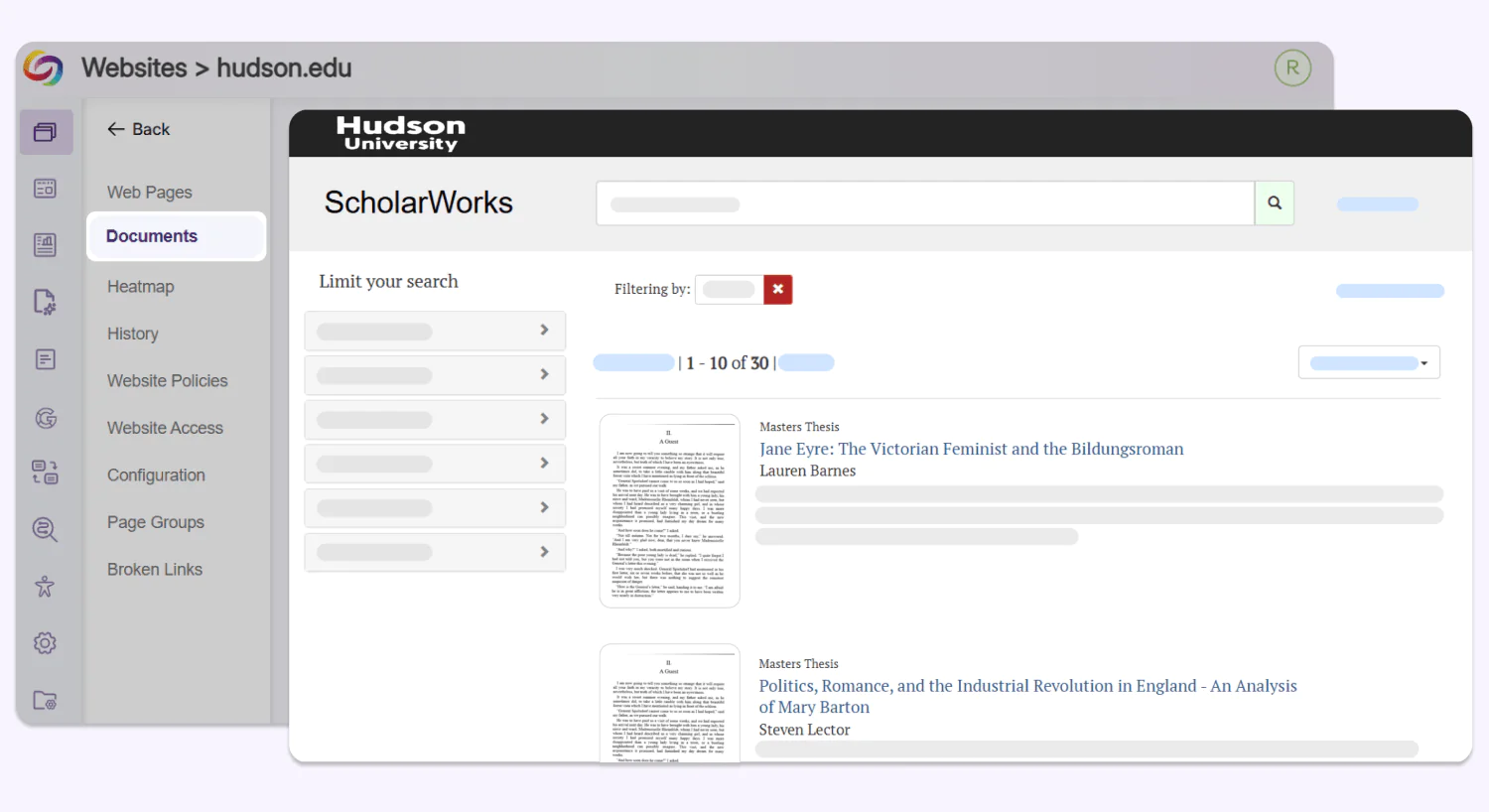
New Integration with ScholarWorks Empowers Accessibility Remediation for Academic Documents
Institutions can now connect YuJa EqualGround with ScholarWorks via API to scan academic papers, theses, and other scholarly content in their academic repository. Setup takes minutes, and newly found documents show up right in the Documents tab, ready for remediation.
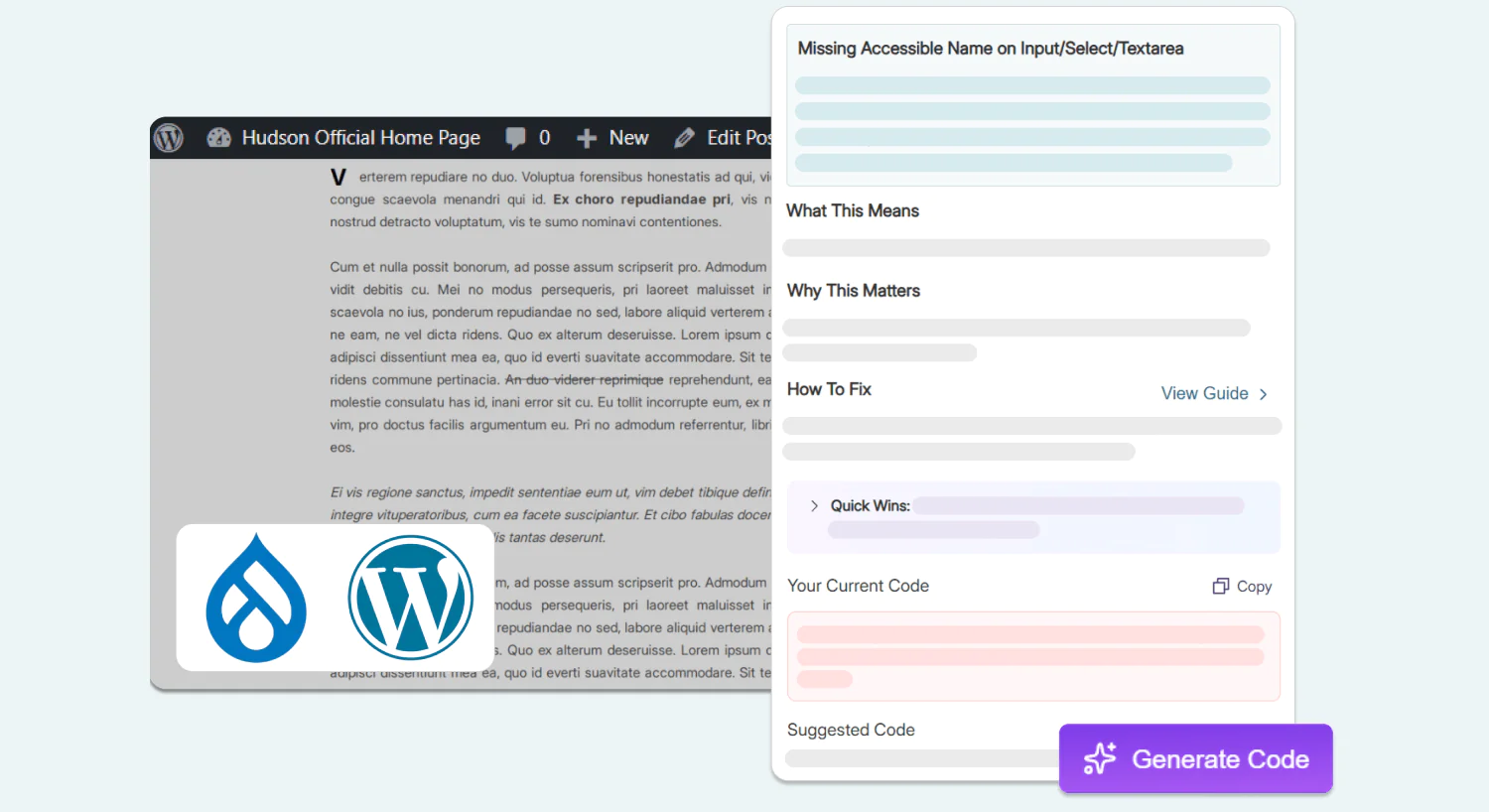
Remediate Assets Faster with AI Content Generation, Now in the Browser Extension, WordPress, and Drupal
AI-powered content-generation support has been extended to the YuJa EqualGround browser extension, WordPress, and Drupal, helping users improve the accessibility of their site by automatically adding descriptions like alt text and ARIA labels on the spot.
Upgraded Performance Report Facilitates a Painless and Transparent User Experience For All Audiences
The Performance Report in YuJa EqualGround has been expanded to provide more context, usability, and guidance for users to improve their website. The report now includes:
New support for mobile performance: Users can now see advanced performance metric scores and diagnostic statistics for both desktop and mobile experiences. With this addition, users can ensure that their website can be easily accessed by a broader selection of audiences using diverse platforms.
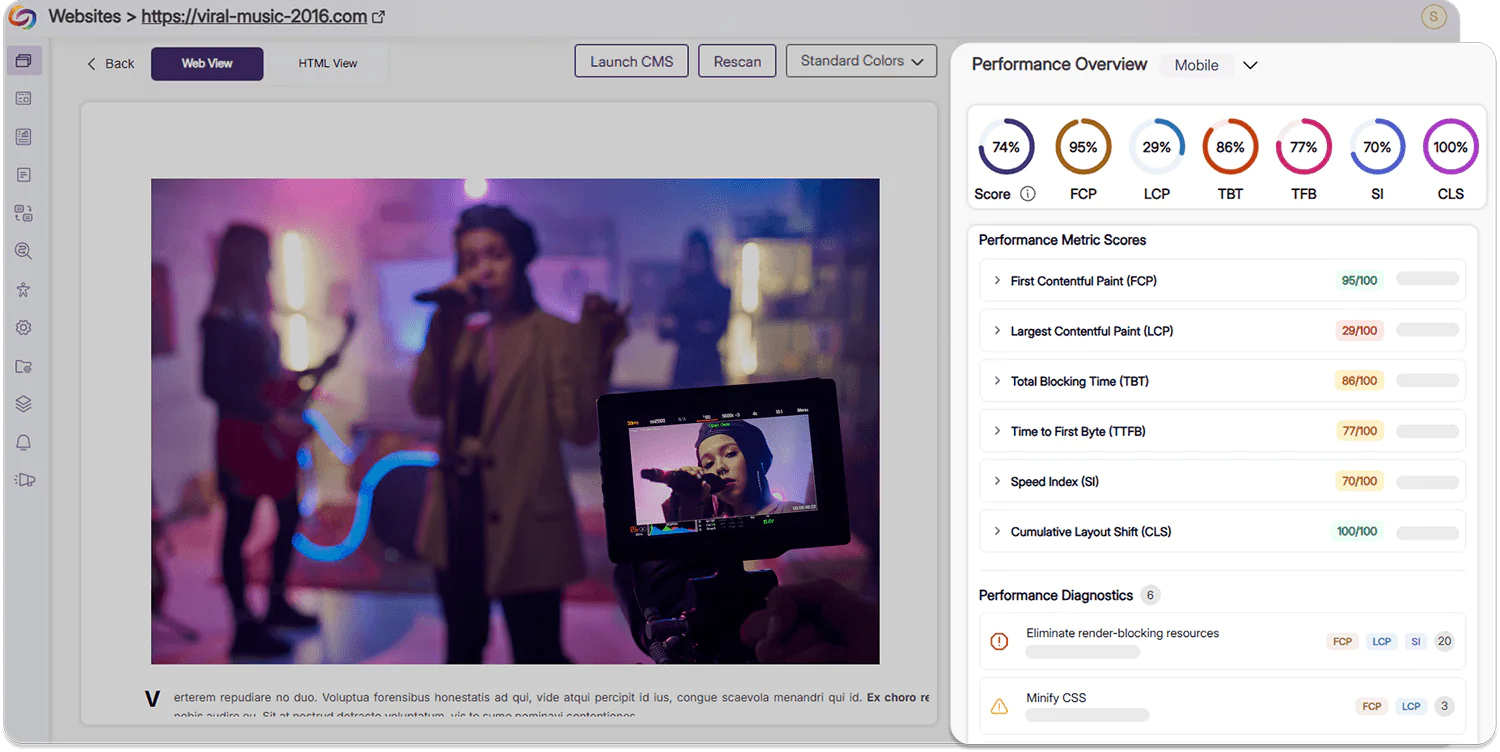
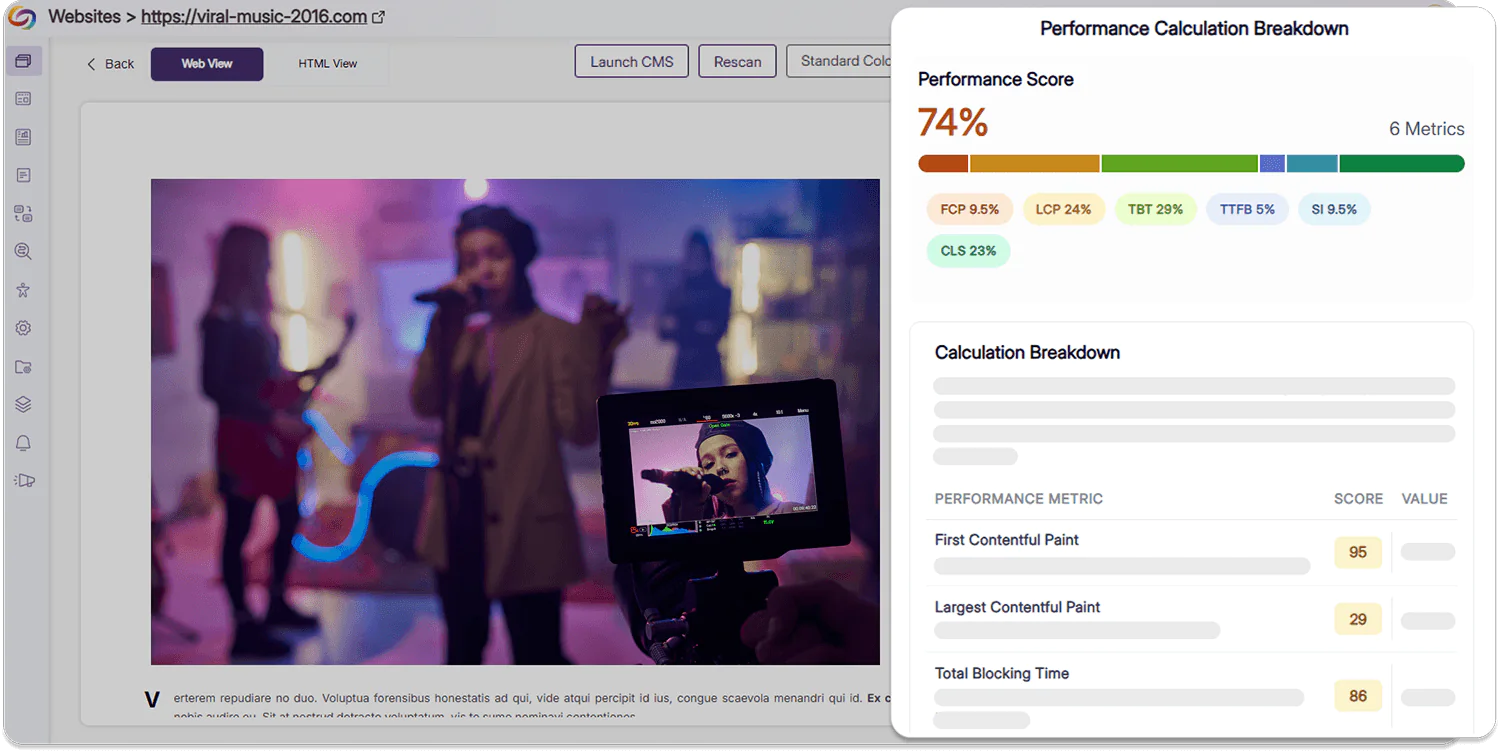
Clear breakdowns of your performance score: Users can now view a color-coded visualization of their performance score and an exact breakdown of how their score is calculated using various metrics in order to make targeted improvements.
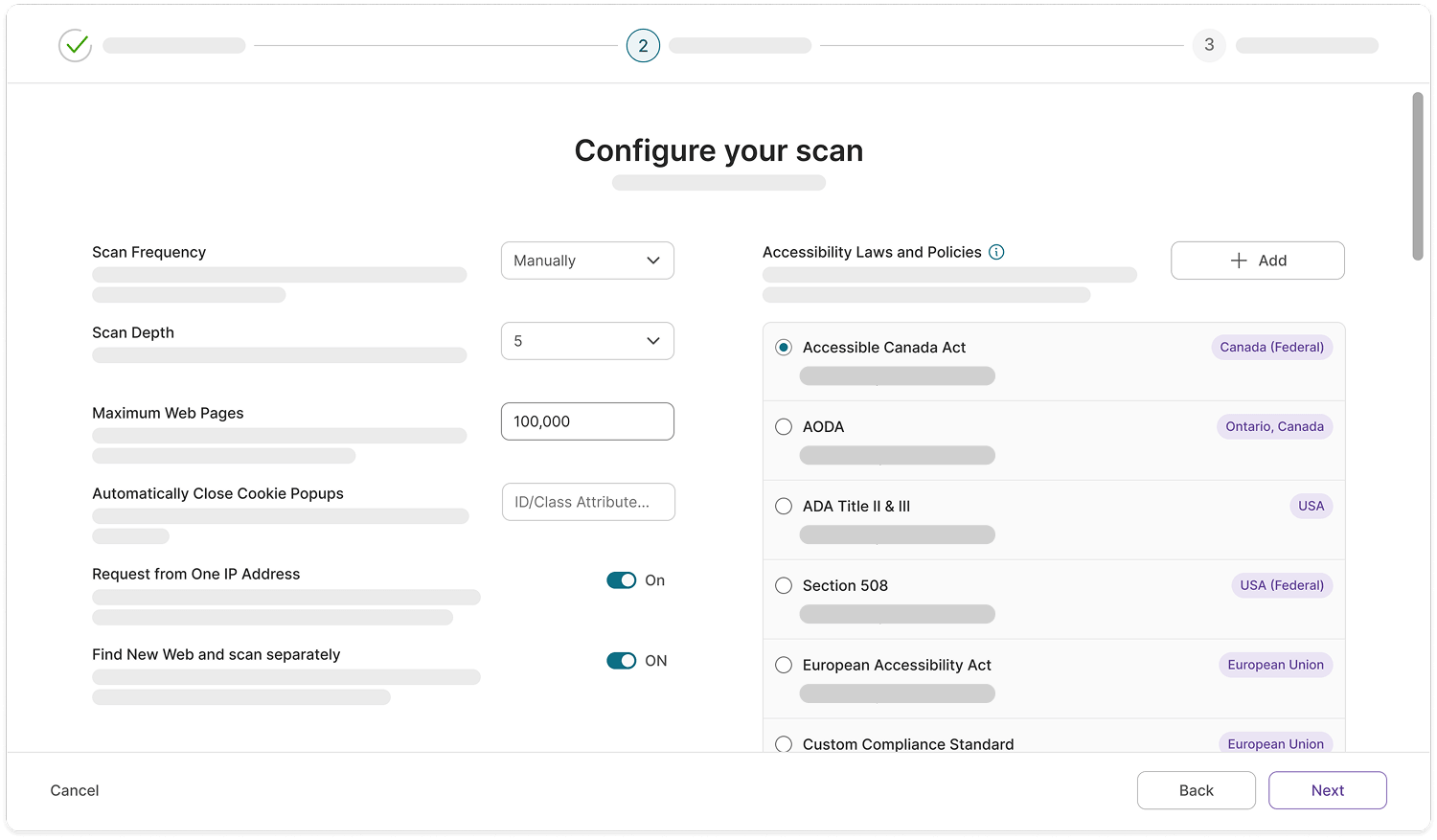
A Smoother, Easier Workflow to Add and Configure Your Web Assets
A redesigned layout will be added to the Configuration tab, making website settings easier to locate, navigate, and adjust. The workflow for adding new websites in YuJa EqualGround has also been upgraded to introduce additional clarity into setting up configurations such as required log in credentials, accessibility conformance levels, and IP address requests.
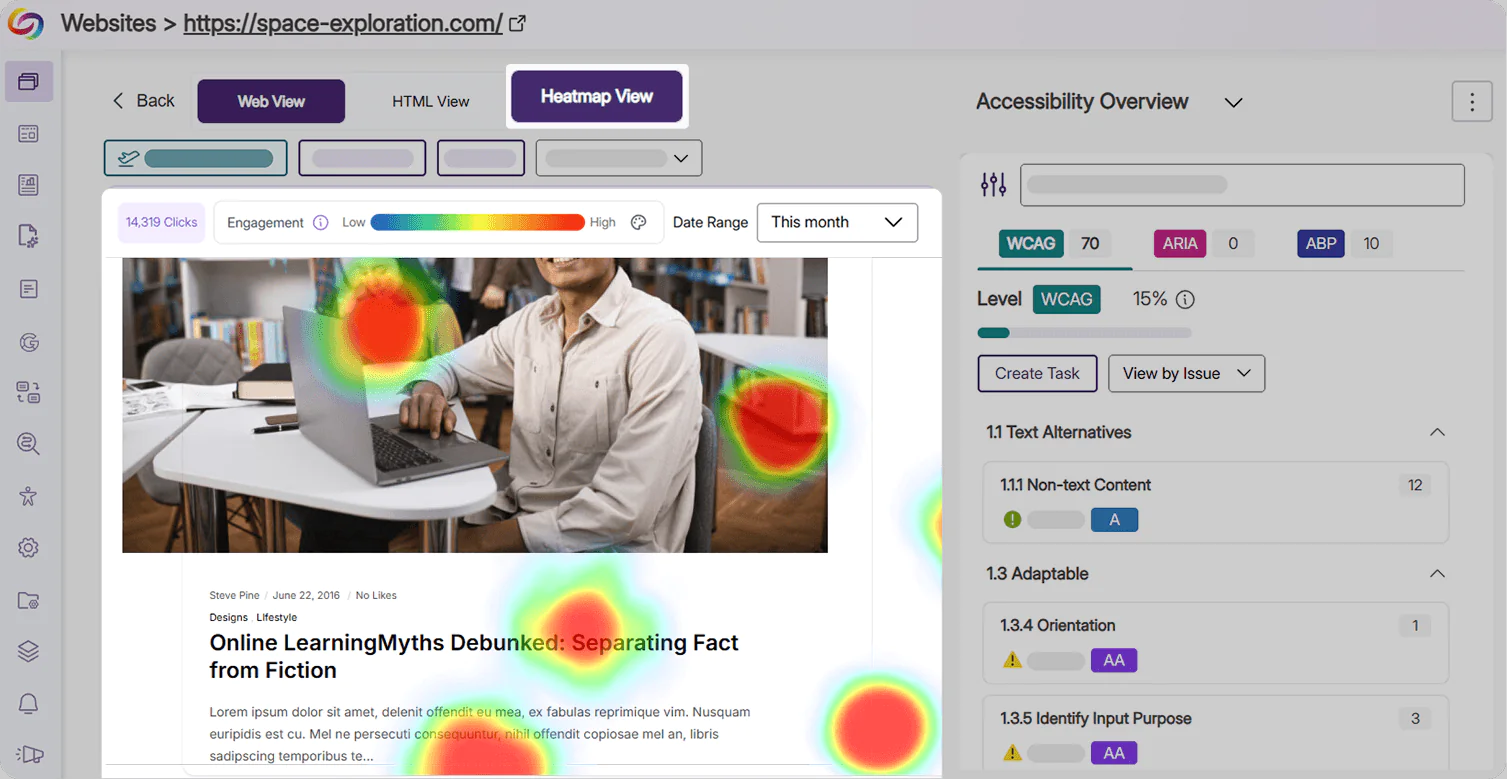
Track Both Accessibility Compliance and Engagement in One Centralized Location While Remediating Your Page
Users can now easily track heatmap statistics and review how external users are engaging with their website directly in the Issues Panel. Users can now also add heatmap tracking to their page from this workflow, eliminating the need to configure any scripts.
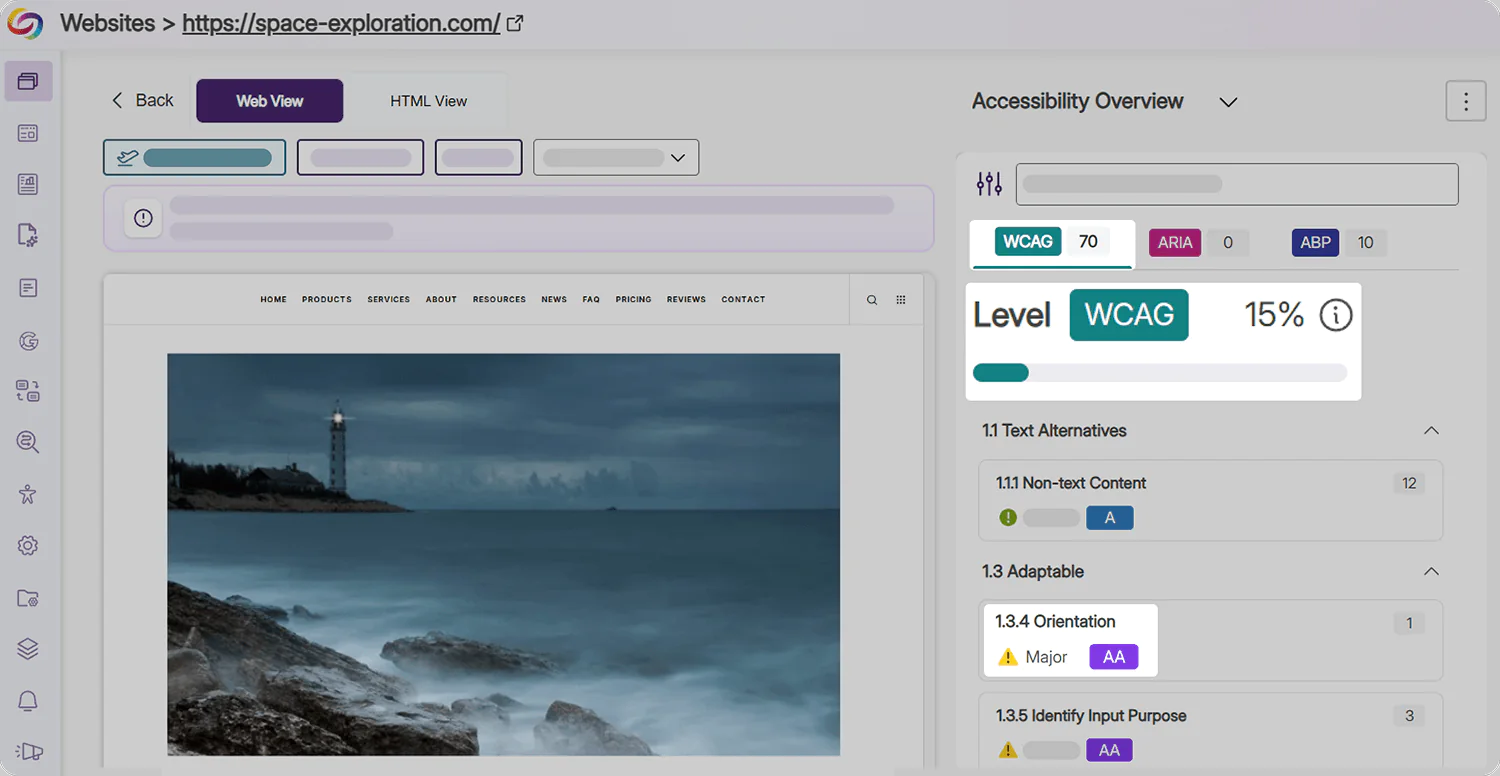
A Simplified View for All WCAG Accessibility Standards
All WCAG issues (Levels A, AA, and AAA) are now displayed together in a single view in the Issues Panel with badges for each issue type to indicate the severity level. With a single percentage denoting their accessibility compliance, users have a clearer understanding of where their website stands, and barriers that they should target first.
Export Accessibility Reports in Excel Format for Cross-Platform Analysis
Accessibility Reports can now be exported directly to a spreadsheet in Microsoft Excel or Google Sheets, making it easy to share clear, readable findings with colleagues who have both technical and non-technical skills. Exports are available at the organization and website level, and provide quick summaries, issue, and score breakdowns for your assets.
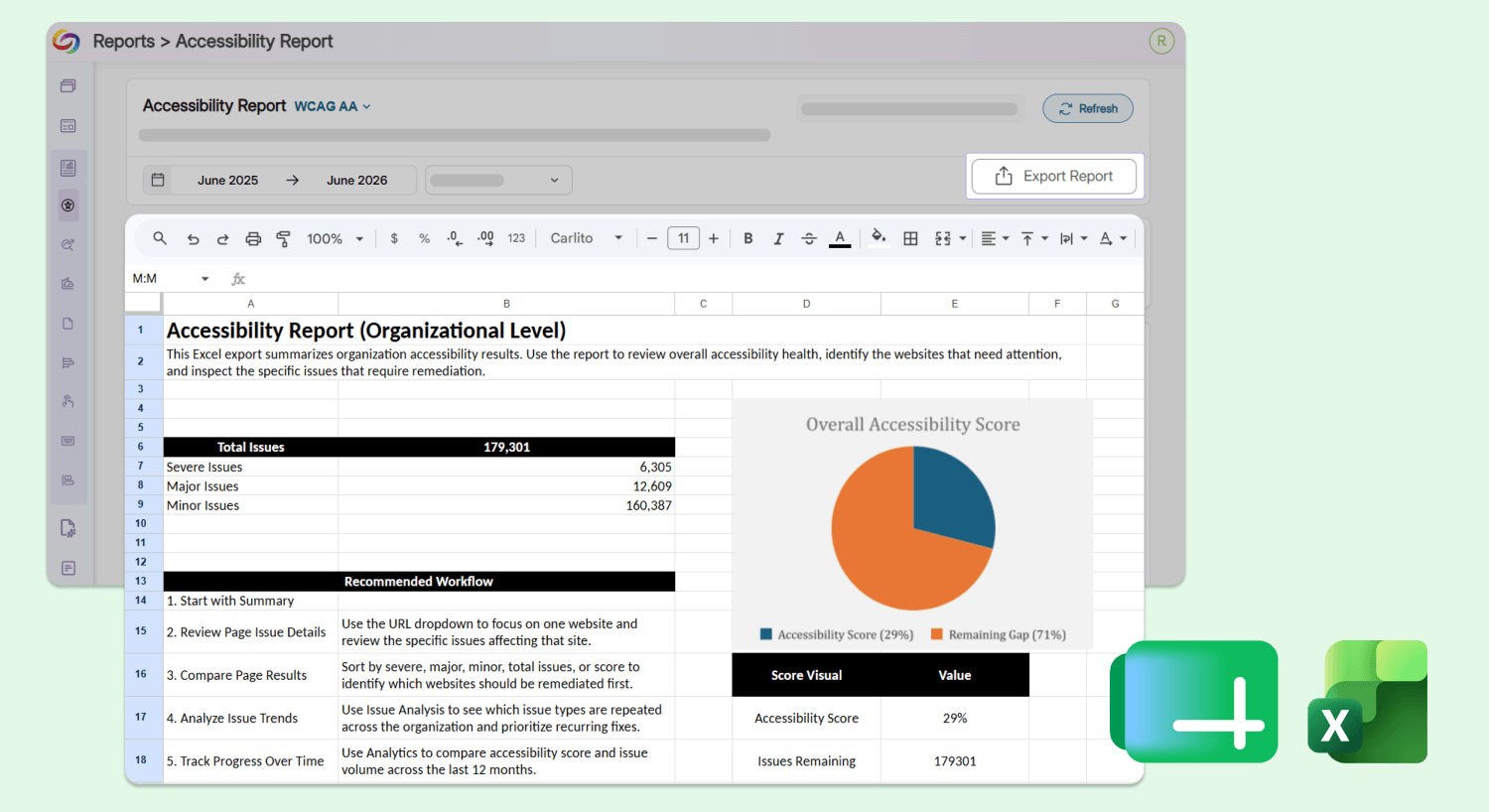
The report contains the following tabs:
Accessibility report summary: Users can view their organization’s accessibility statistics, including the total number of issues ranked by severity and a suggested workflow for remediation.
Issue breakdown: Users can view a breakdown of all issues found on a website that require remediation, including their severity level, type, description, associated WCAG principle, and the number of occurrences.
Score breakdown: Users can track the historical trend of their website’s accessibility score over the specified number of previous months.
Issues count: Users can track the total number of accessibility issues identified each month over the last few months.
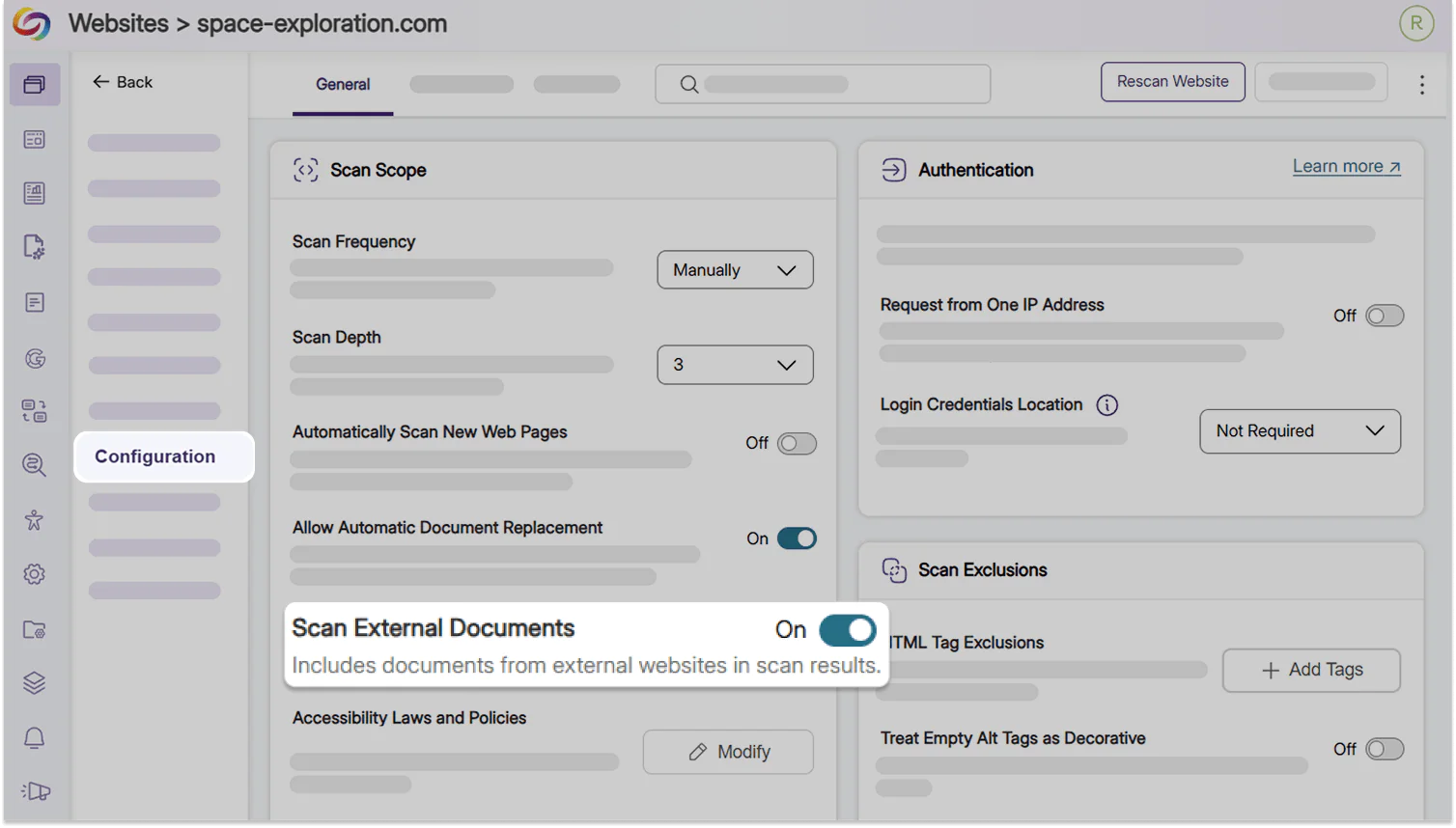
Scan and Remediate Documents from External Subdomains Using an Improved Document Discovery Workflow
YuJa EqualGround can now discover and scan documents hosted on related subdomains and entry points when documents are hosted outside of the primary website, so institutions get a complete, accurate picture of their accessibility progress and ensure that all of their documents are remediated.
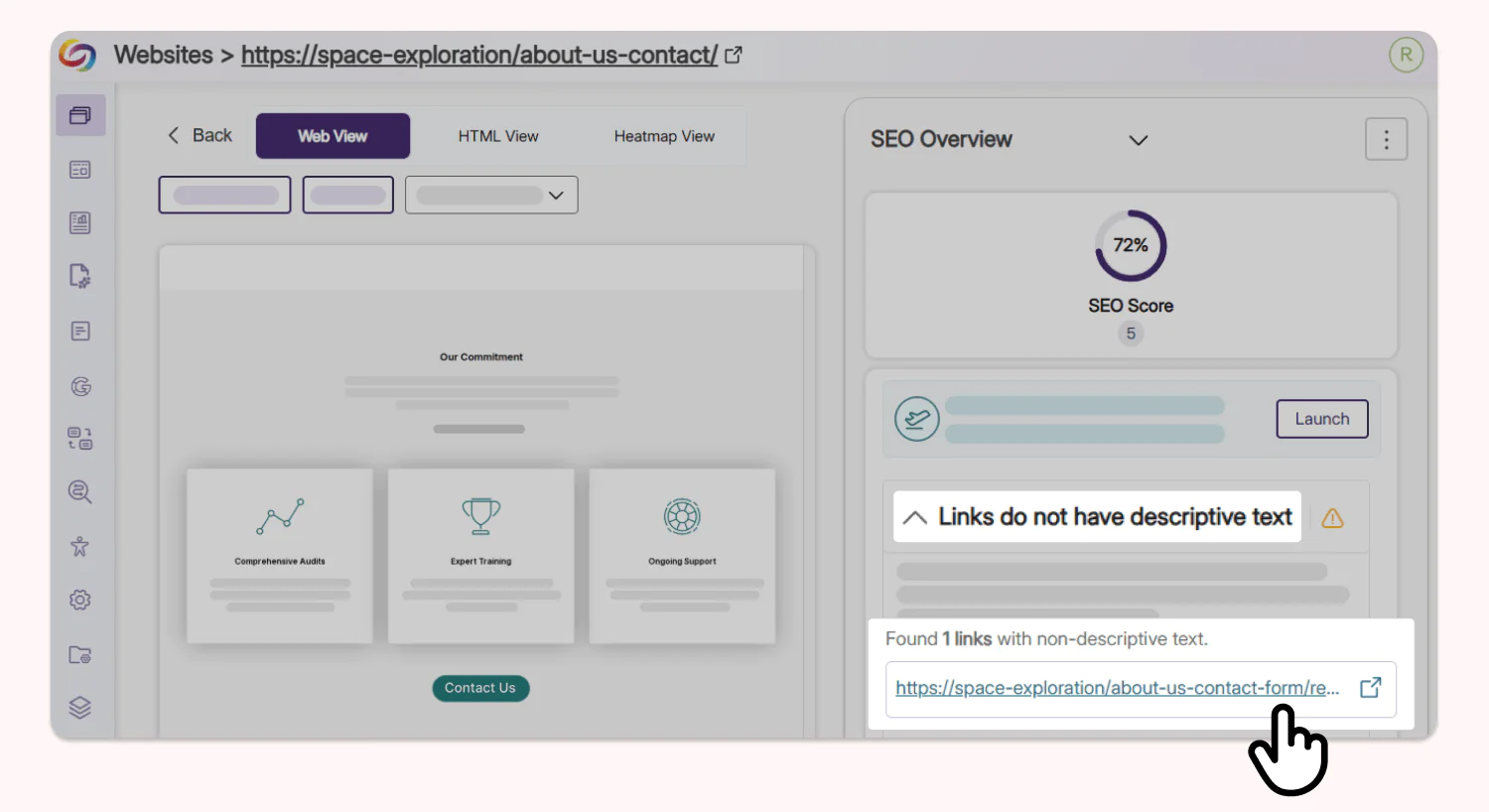
Find and Fix Unclear Link Text in One Click
Undescriptive links flagged by the YuJa EqualGround SEO Report are now clickable, directing users to the target landing page immediately so users can quickly add an effective description to remediate the issue without needing to search their codebase.
Over the next few weeks, the YuJa EqualGround Accessibility Governance Platform is adding new accessibility checkers, customizable scanning success criteria, and upgrades to remediation workflows such as bulk dismissal, automatic document write back, broken links report, and much more.
Minimize Manual Uploads with Automatic Document Replacement in SharePoint
Documents remediated in the YuJa EqualGround interface can now automatically replace the existing document in the user’s SharePoint repository if the user chooses to activate the toggle on the Configurations page. This eliminates the need for users to manually save the remediated document and re-upload it to their CMS site. In upcoming releases, this functionality will be supported in other CMSs including Drupal, Cascade, and TYPO3, and TerminalFour.
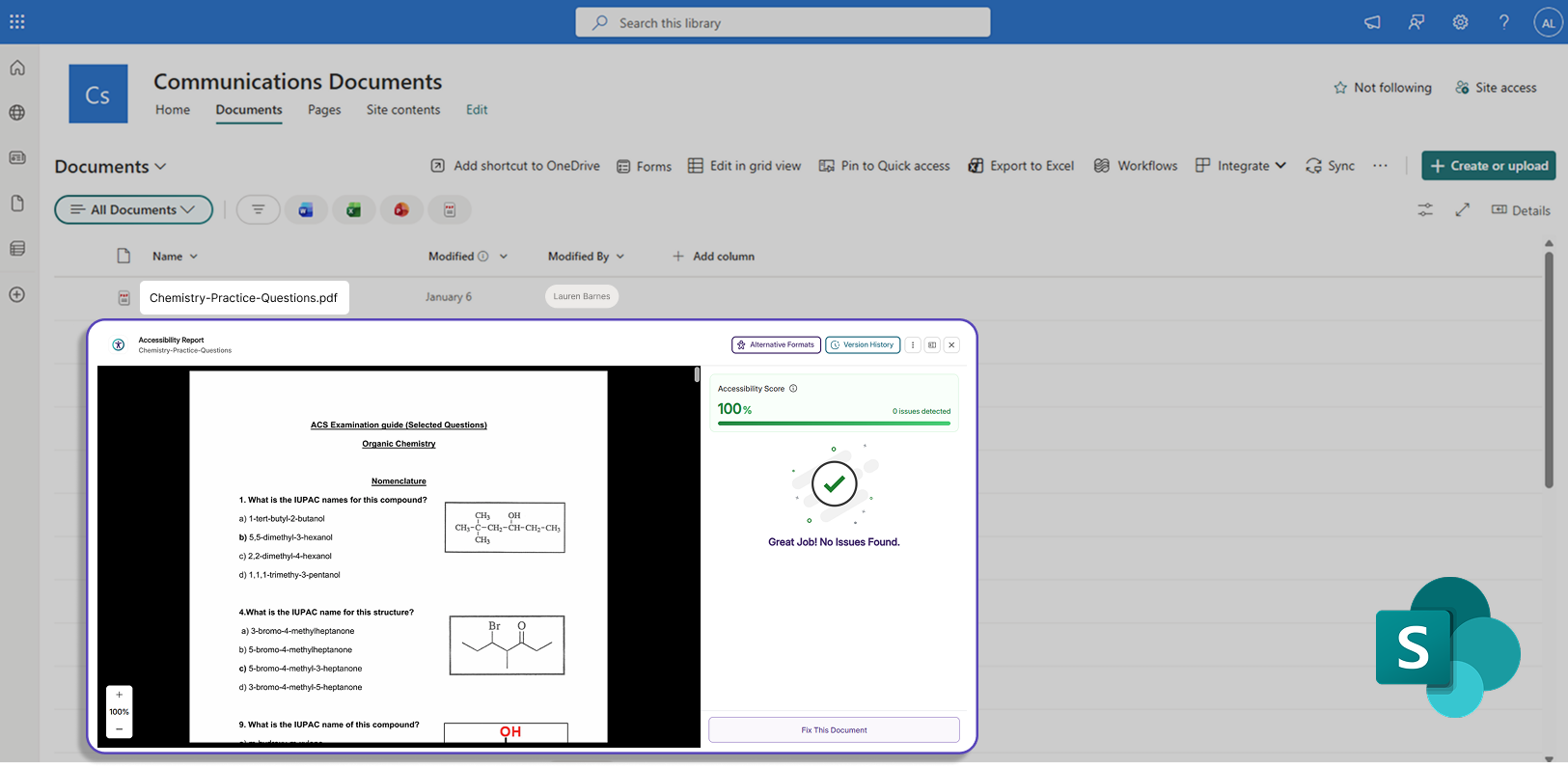
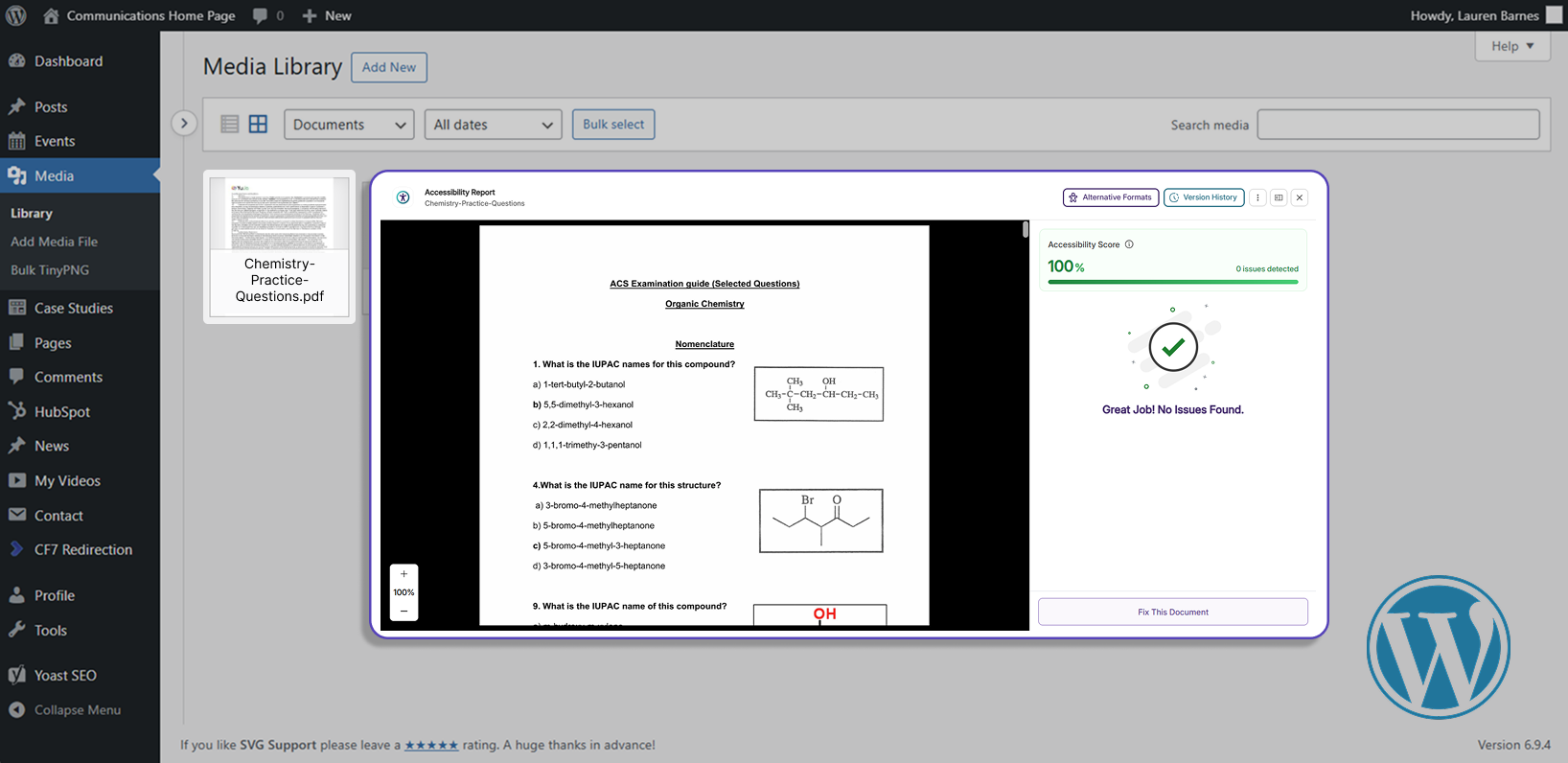
Automatic Document Replacement for WordPress Repositories Streamlines Document Remediation Workflows
Automatic document replacement has been added to WordPress, saving users time and effort otherwise needed to replace the document in their WordPress repository with a remediated version after using YuJa EqualGround’s accessibility report. In upcoming releases, this functionality will be supported in other CMSs including Drupal, Cascade, and TYPO3, and TerminalFour.
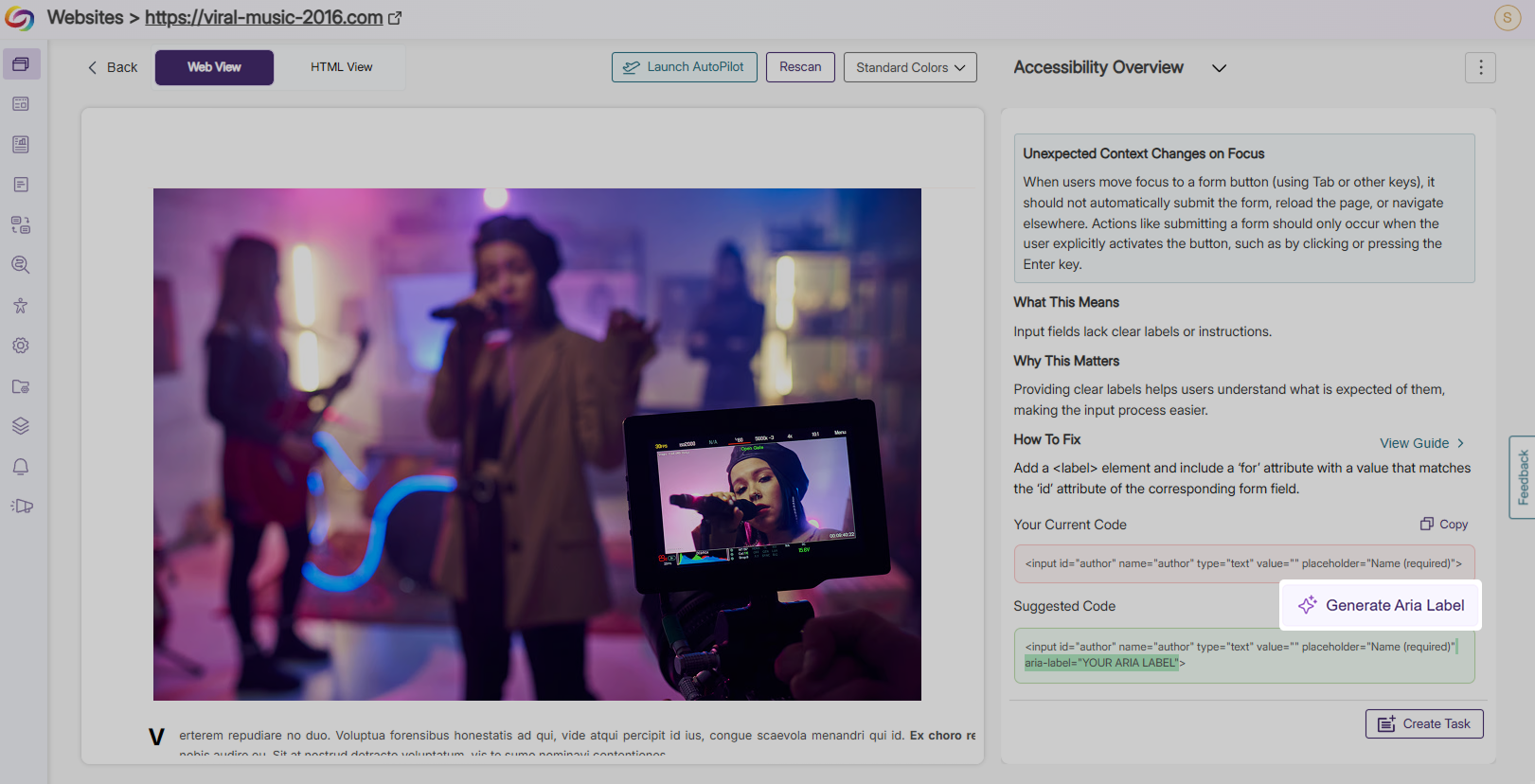
Reach Compliance Faster with AI-Powered Content Generation
YuJa EqualGround now provides the option to automatically generate accessible and descriptive attribute content to help users reach compliance, eliminating the need for manual remediation and any technical HTML knowledge.
Key features include:
Alt Text: Users can generate proper alt text for images and image buttons that do not have alt text, or have been flagged for non-descriptive and duplicate alt text.
ARIA Label: Users can generate ARIA labels for elements that have inaccessible, placeholder, or no ARIA labels. Elements supported include interactive elements, form inputs, text inputs, and buttons.
Link Purpose: Users can generate descriptive text for links with no specified purpose or ambiguous descriptions.
Title Attribute: Users can generate a title attribute for any input element that does not have a title.
iframe Title: Users can generate an iframe title for iframes without a title or ARIA label.
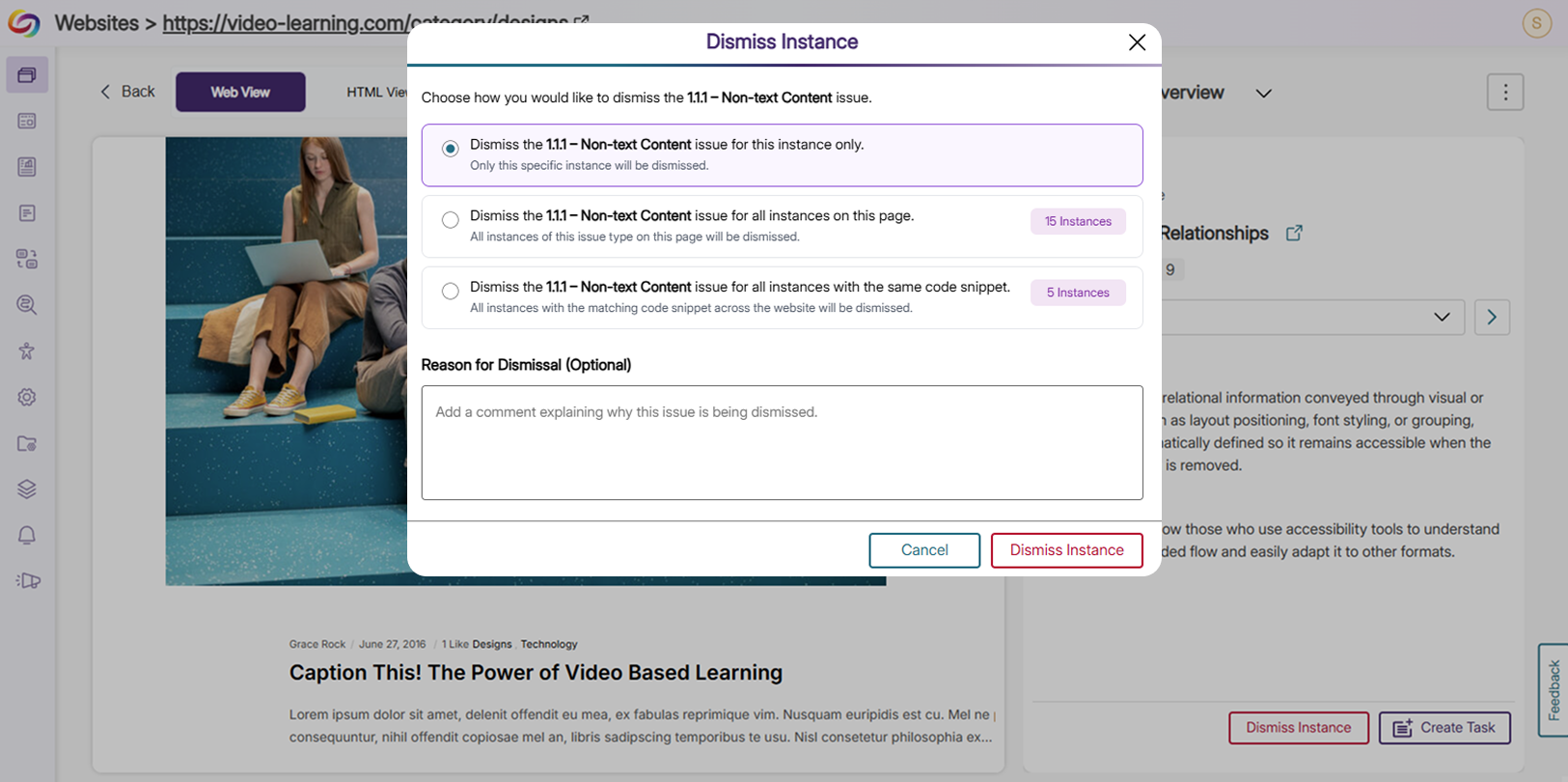
Improved Remediation Workflow with New Bulk Dismissal Functionality
The Accessibility Issues Report now allows users to bulk dismiss issues flagged by the Accessibility Engine instead of manually dismissing each issue. Users can:
Dismiss for this instance only: Only the selected issue will be dismissed.
Dismiss for all instances on this page: All instances of the same issue type on the current page will be dismissed.
Dismiss for all instances with the same code snippet: All instances of the same issue type across the website will be dismissed.
The following new features are also available:
Dismiss with comments: When users dismiss an issue, they can leave a comment explaining the reason for the dismissal for future or inter-team reference.
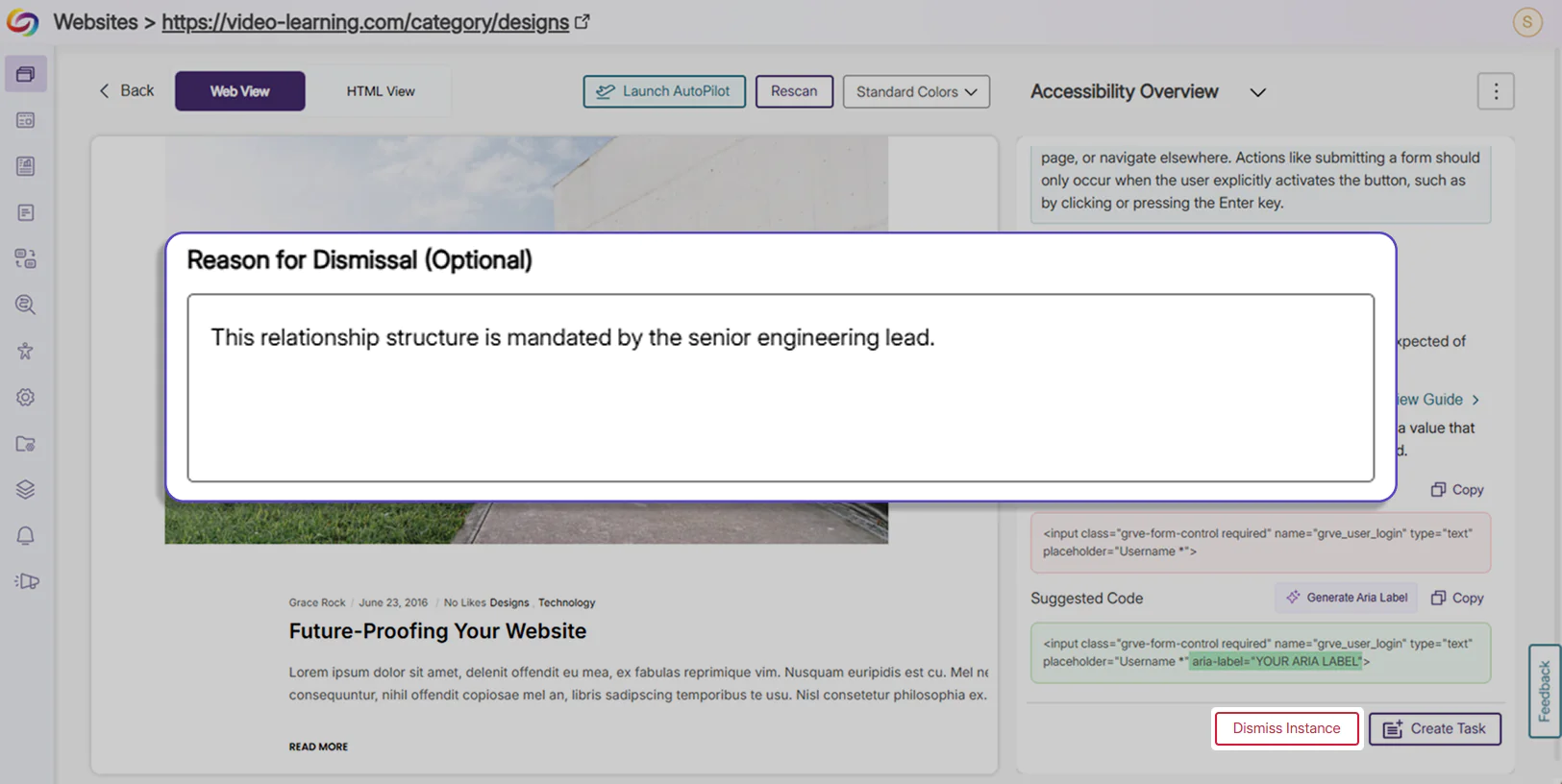
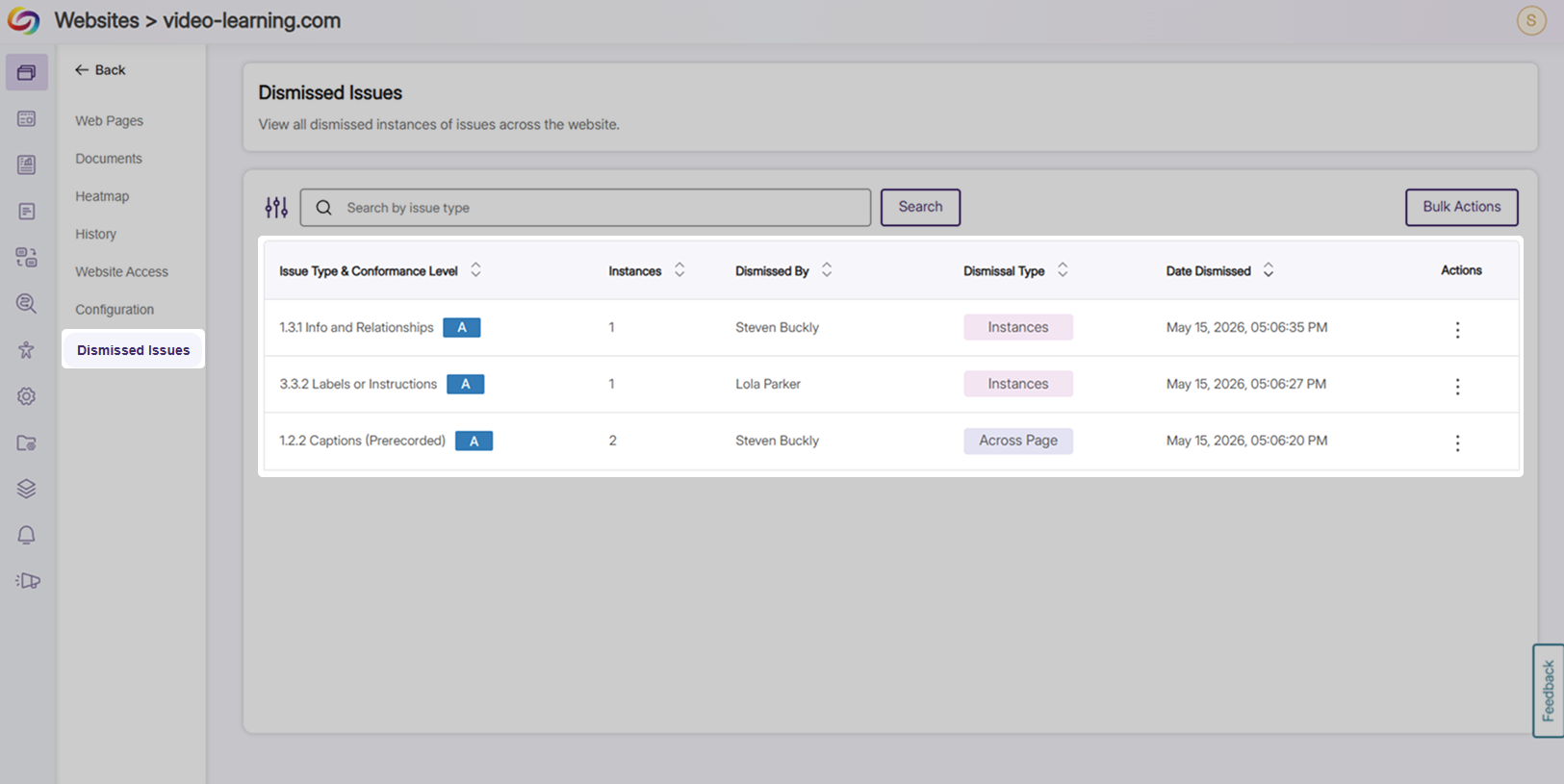
View all dismissed issues: A tab has been added under websites for users to view the entire history of all previous dismissals, tracking remediation actions performed by users on the platform.
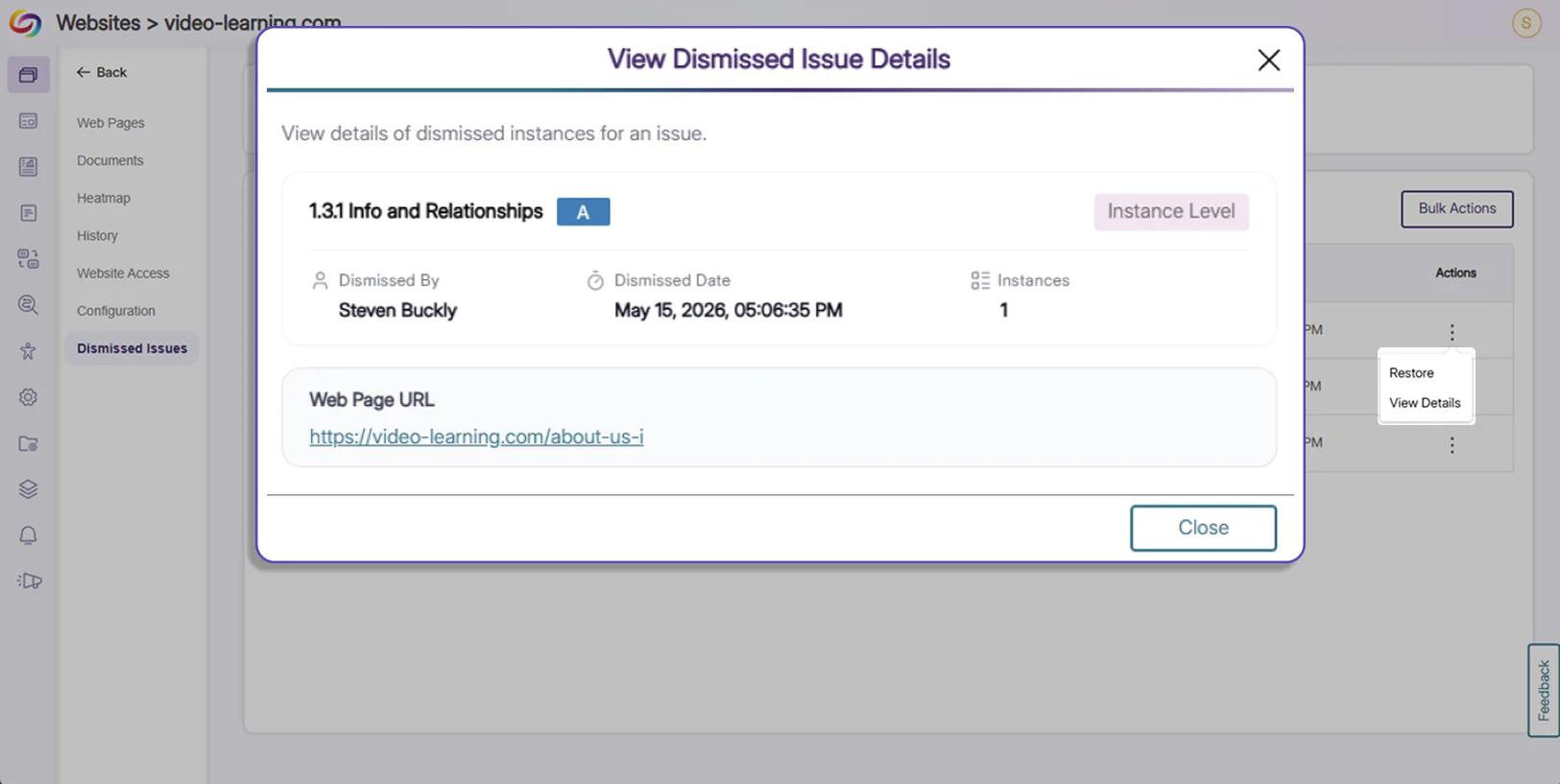
View dismissed issue details: For each dismissal action, users with the correct permissions can view the type of issue that was dismissed, the number of instances dismissed, the user who performed the action, the date of the dismissal, the affected web page URL, and any available comments.
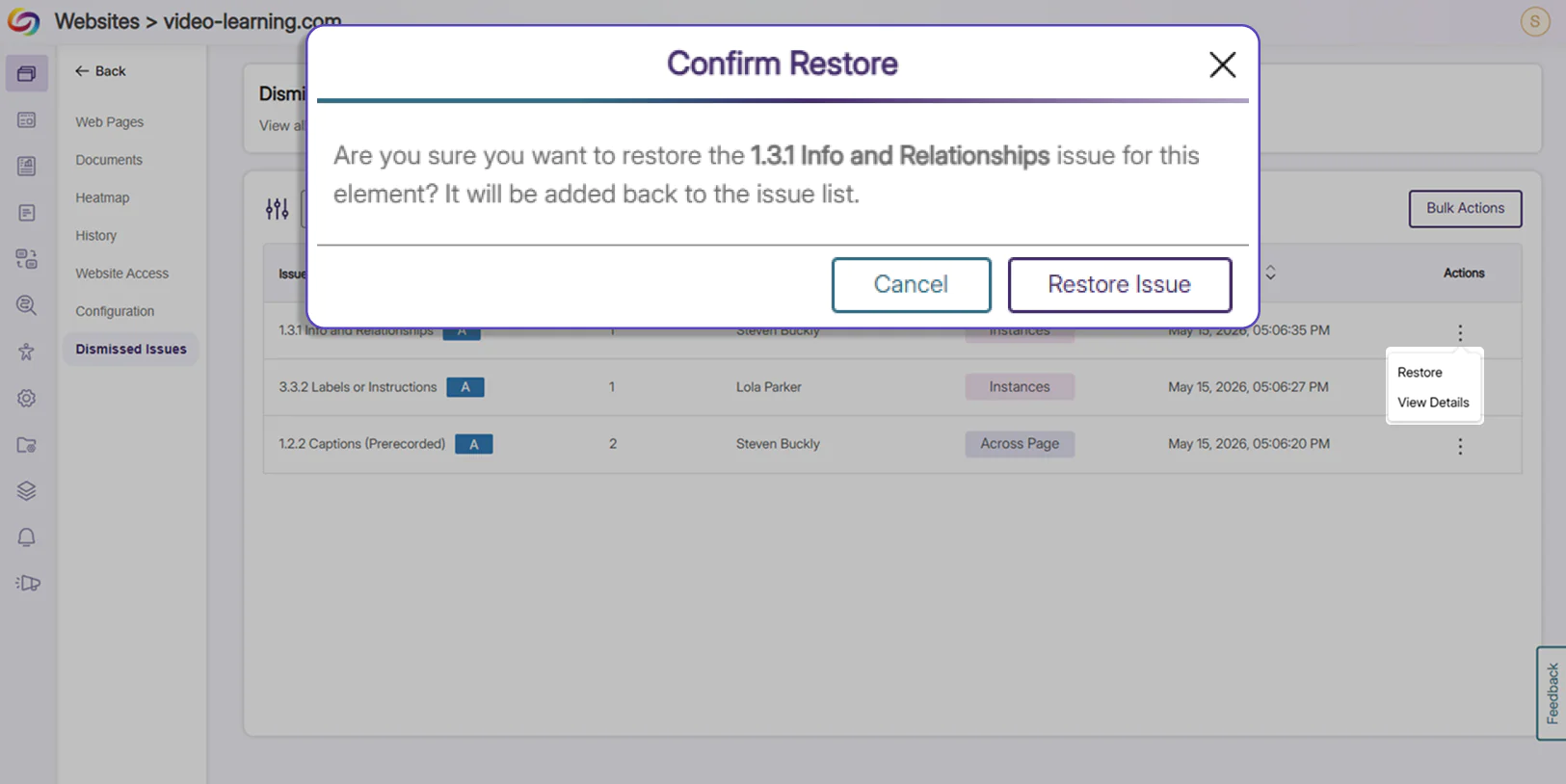
Restore changes: Version control capabilities have been added to allow users to restore any dismissals at any time, ensuring that all changes are reversible.
Upgraded Usability Report Provides Transparency into All Broken Links
Improved usability has been added to YuJa EqualGround for users to remediate broken links faster and more efficiently across their web assets. The following features were added:
Broken Links Report: The Usability Report now includes a separate Broken Links Report that displays all broken link URLs, all webpages that contain the selected broken link, and instant navigation capabilities that direct the user to the affected pages for remediation.
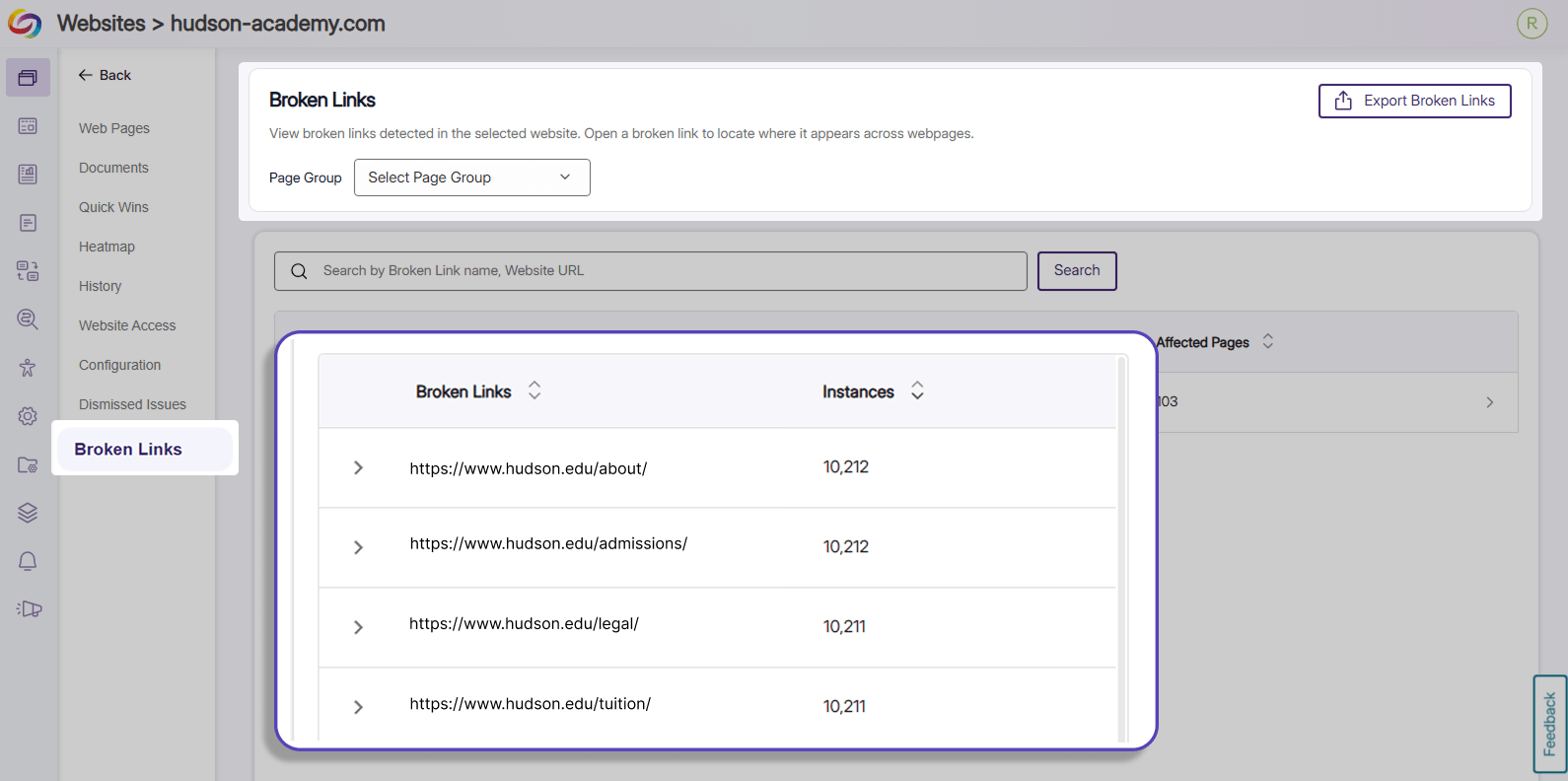
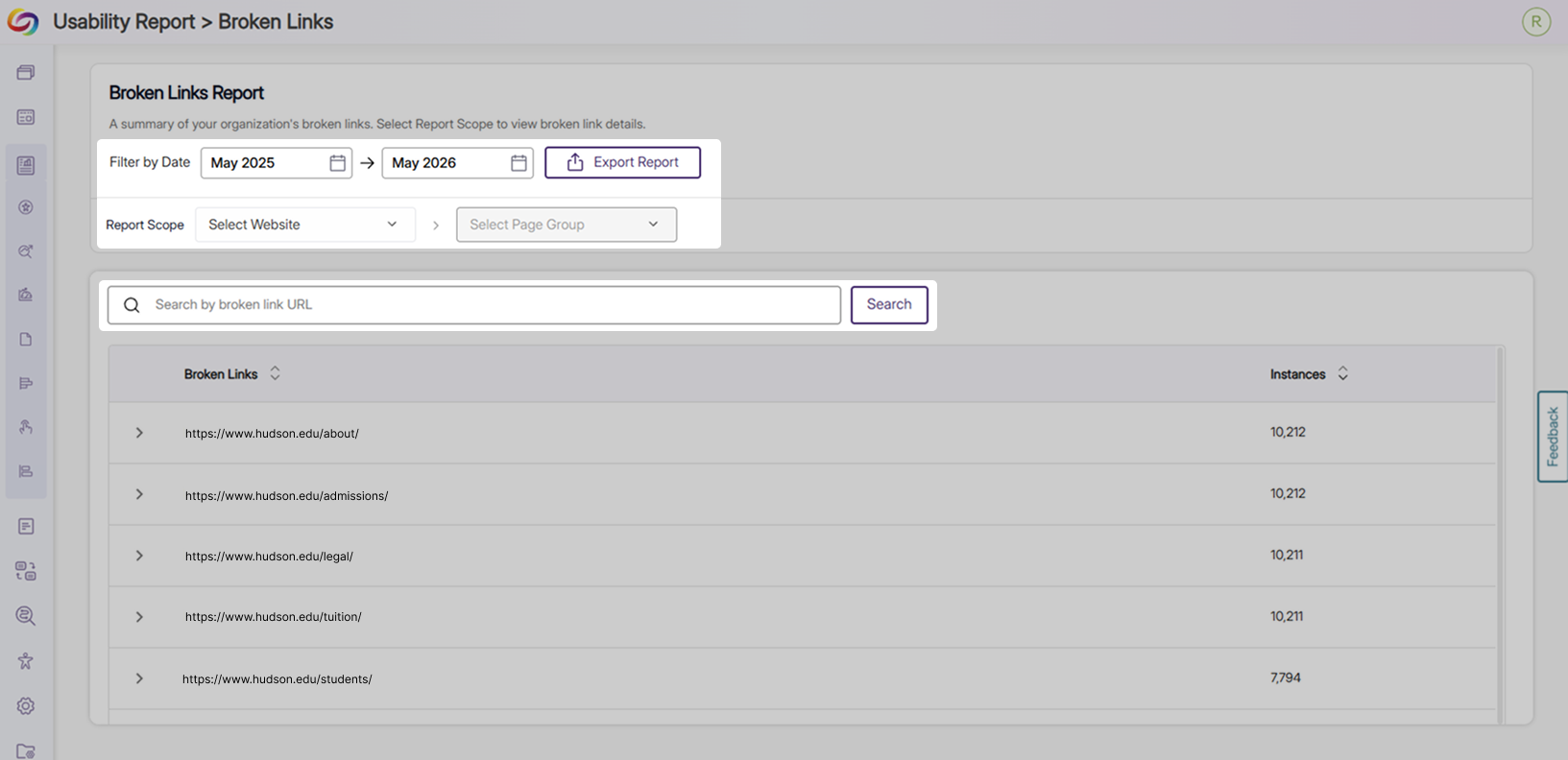
Data Filtering: The Broken Links Report includes data filters, scope dropdowns, a search bar, and a table displaying all broken links for the user to analyze and locate broken links they wish to prioritize.
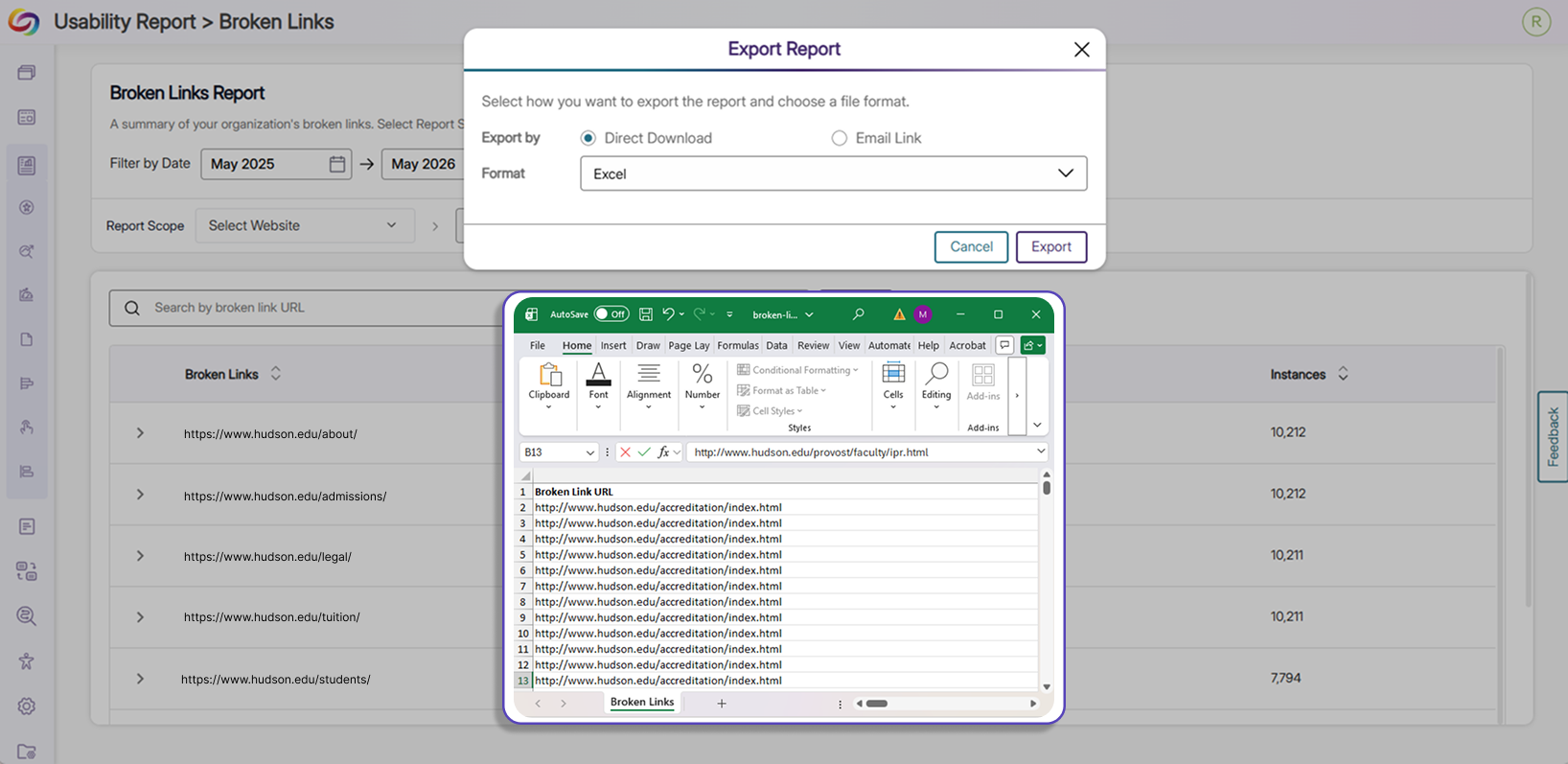
Data Exporting: The Broken Links Report can be exported in Excel, CSV, and JSON file formats, and contain columns for the broken link URL, the web page URL in which the link can be found, and the number of instances of the broken link.
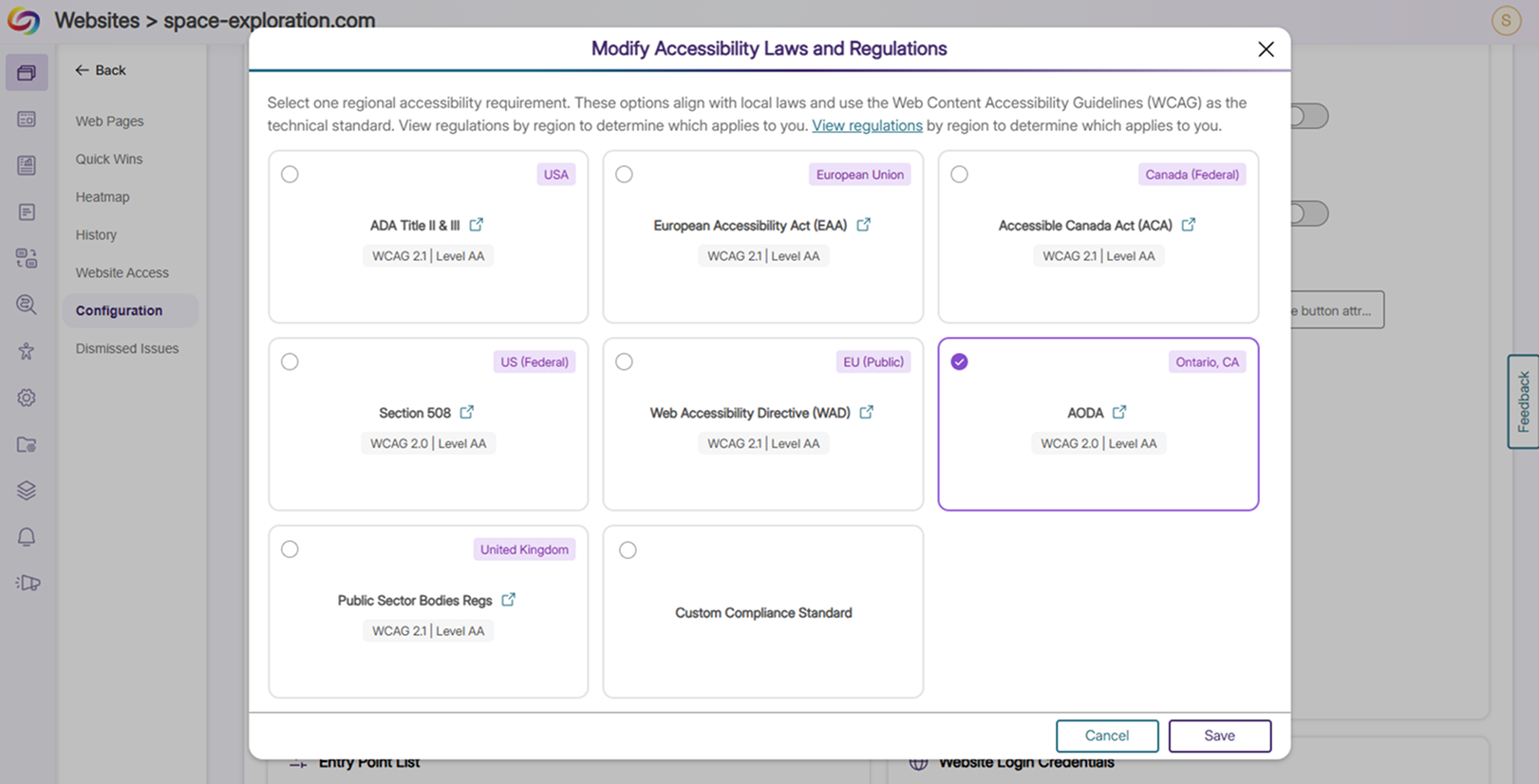
Align with Specific Organizational Needs With Customizable Accessibility Conformance Standards
In addition to WCAG success criteria, YuJa EqualGround now supports conformance with other regulatory and policy frameworks such as Section 508, ADA, AODA, and other regional, global, or industry standards. Users can also set up their own custom compliance standard, effectively aligning their website to their own organizational needs.
Easily Copy URLs to Embedded Documents for Faster Navigation
Full URLs to embedded documents are now automatically copied to the user’s clipboard with the click of a button. This allows the users to quickly navigate to the document for review from the documents table without manually investigating its location.
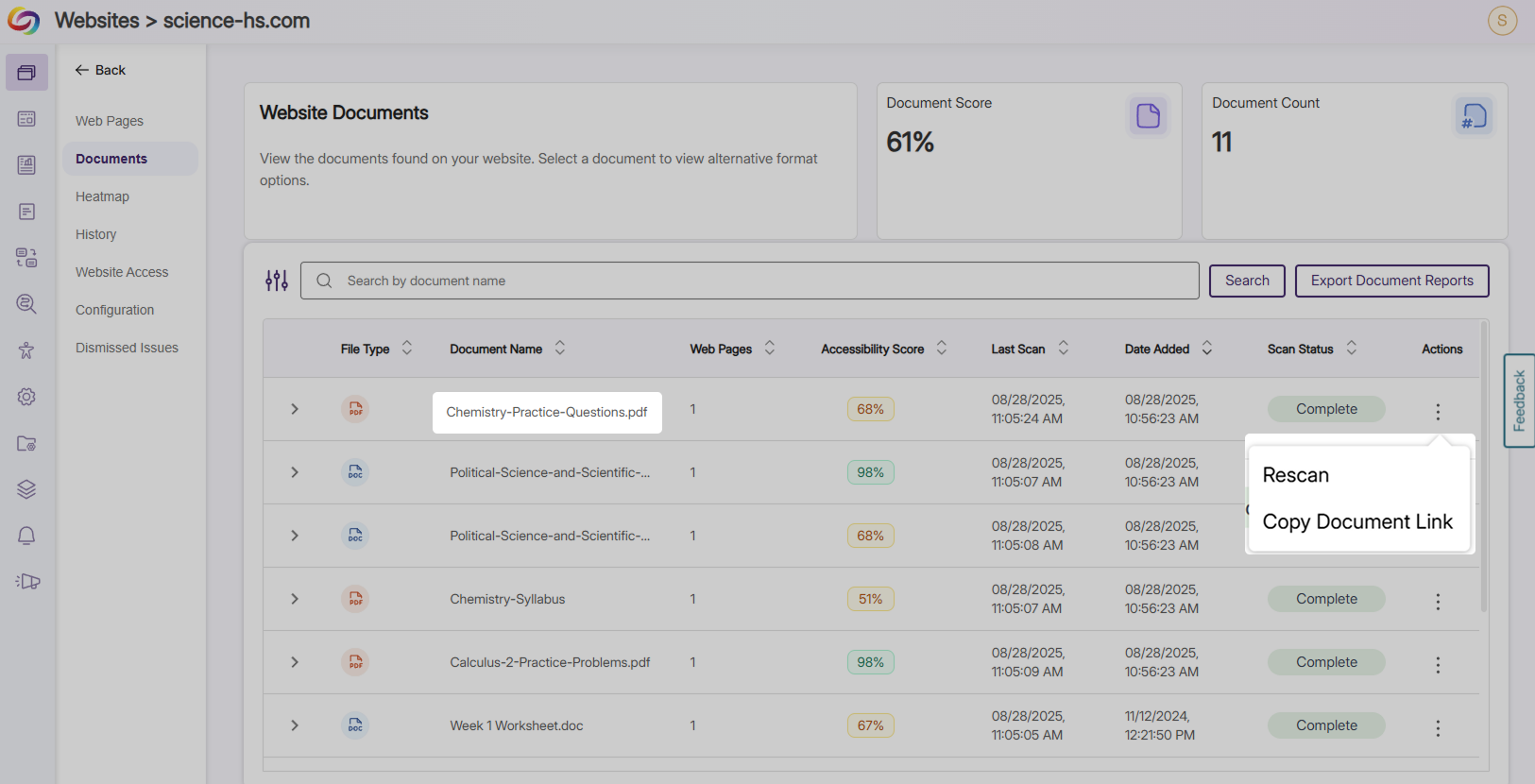
New Accessibility Checkers Track and Help Remediate Site-Wide Issues
New accessibility checkers and suggested fixes have been added to YuJa EqualGround to improve website accessibility conformance. The following checkers were added:
Missing Accessible Name for <textarea>: <textarea> elements must include a descriptive and accessible name using “aria-label”, “title”, or “aria-labelledby” for assistive technologies to understand the content.
Missing Submit Button: Forms without any submit buttons will be flagged to ensure that form content is sent back to the server and processed.
Missing Language Attribute: Elements using a “lang” or “xml:lang” attribute must have a specified language subtag such as “en”, “eng”, or “fr” to help assistive technologies interpret, pronounce, and translate content correctly.
Insufficient Color Contrast for Links: Links that appear in a block of text need to have a color contrast ratio of at least 3:1 compared to its surrounding text to help users with visual and color impairments identify the link. If contrast is not reached, users will be prompted to add an underline to better distinguish the link.
Missing Attribute <autocomplete>: Form fields collecting personal information such as name, address, and birthday should include <autocomplete> to automatically populate the field with the user’s information.
Improper ARIA Grouping: All radio or checkbox inputs in a group with more than 1 item must be wrapped in a container element with proper attributes and naming conventions.
Improper <title> Attribute for Decorative Images: Decorative images with empty alt-text attributes should not have a <title> attribute as they should be ignored by screen readers.
Insufficient Space Around Interactive Elements: Interactive elements such as buttons, links, icons, and checkboxes need to be wrapped in an element that is at least 24px by 24px to prevent accidental overlapping with surrounding and other clickable elements.
Over the next few weeks, the YuJa EqualGround Accessibility Governance Platform will be expanding capabilities to include heatmap analytics, new integration with Cascade CMS, additional support for SharePoint, and much more.
CMS Plugin Support Extended to Cascade CMS
EqualGround’s CMS integration is expanding to Cascade CMS, allowing users to detect, assess, and remediate issues directly in the Cascade interface as pages are edited. Key features include:
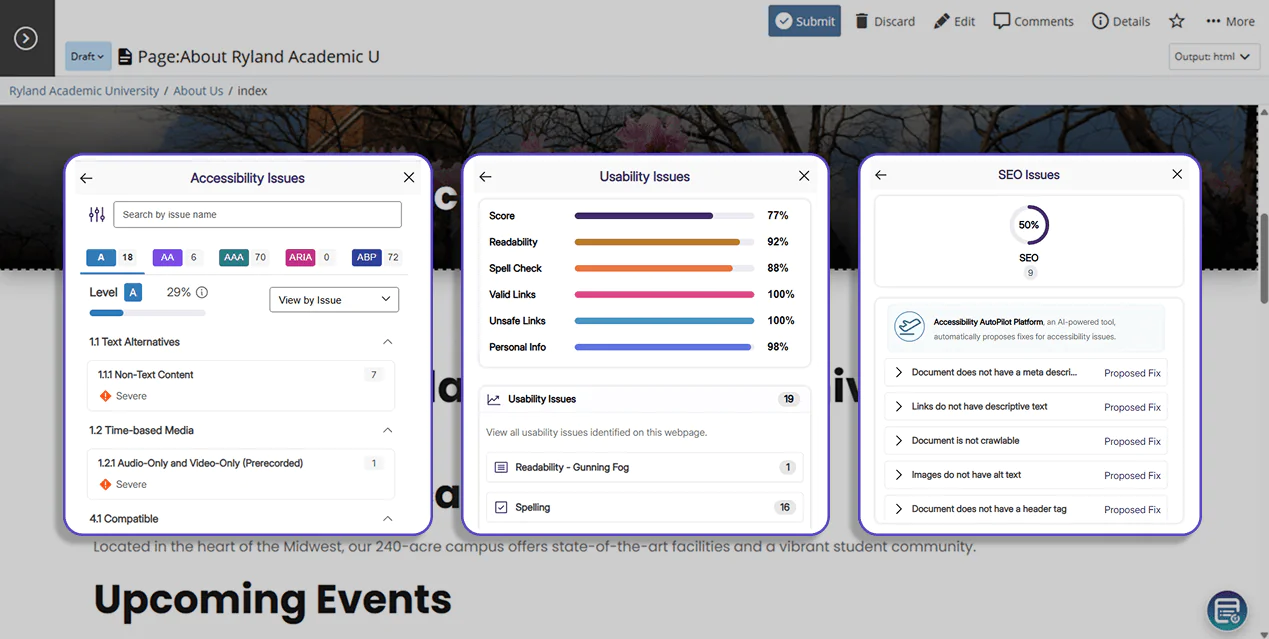
Track Conformance Using Comprehensive Scores: A set of scores are displayed on pages based on analysis from the Accessibility, SEO, and Usability engine.
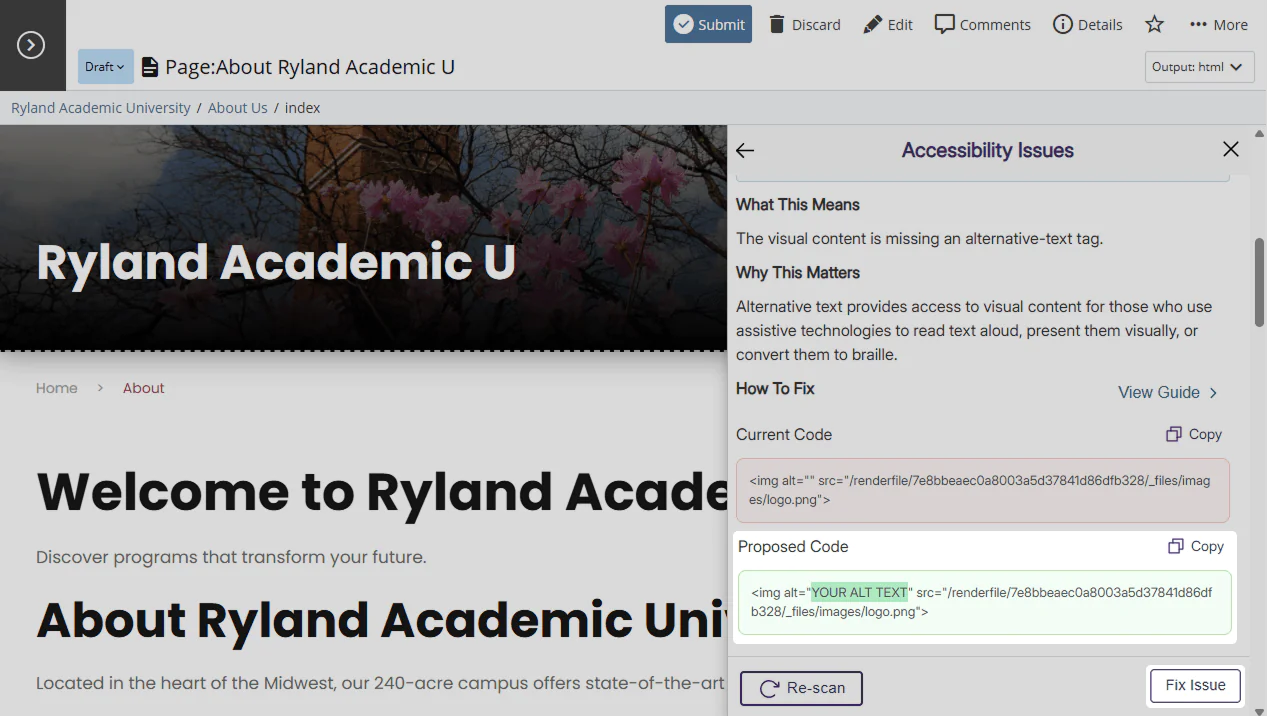
Automatically Apply Proposed Fixes: Users can click “Fix Issue” in the Issues Panel to automatically apply EqualGround’s proposed changes directly to the page. Changes will be reflected in the live page and the code base, saving time needed for manual remediation.
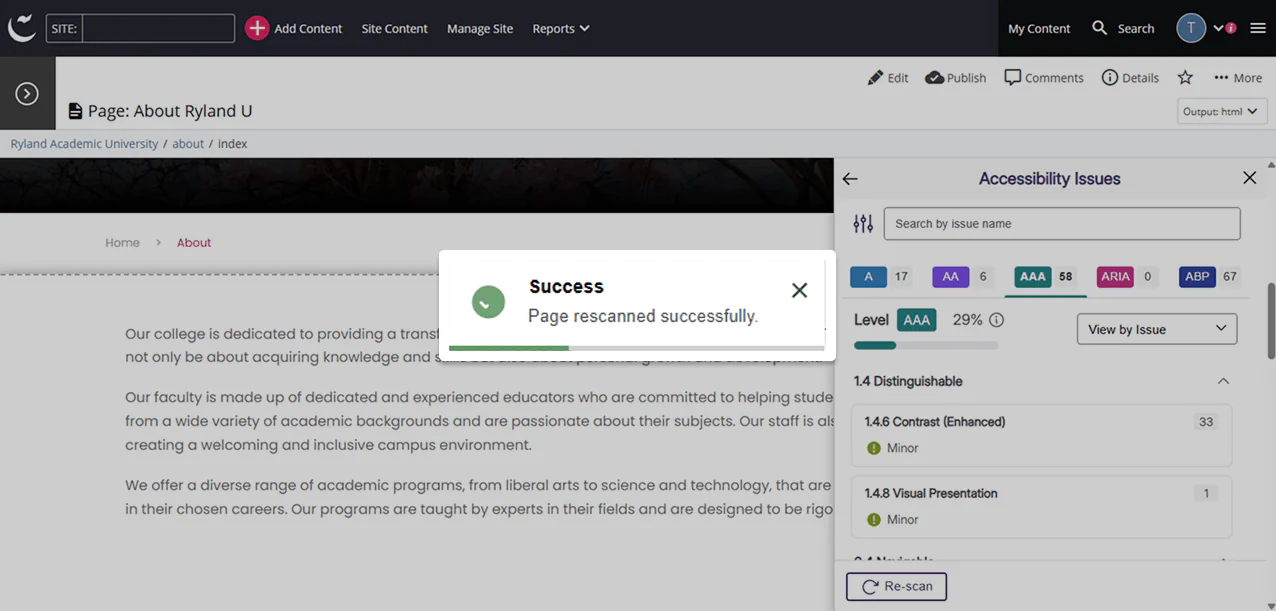
Review Dynamic Changes in Real-Time: Users can activate a re-scan at any time to review how their changes impact the overall score of their page.
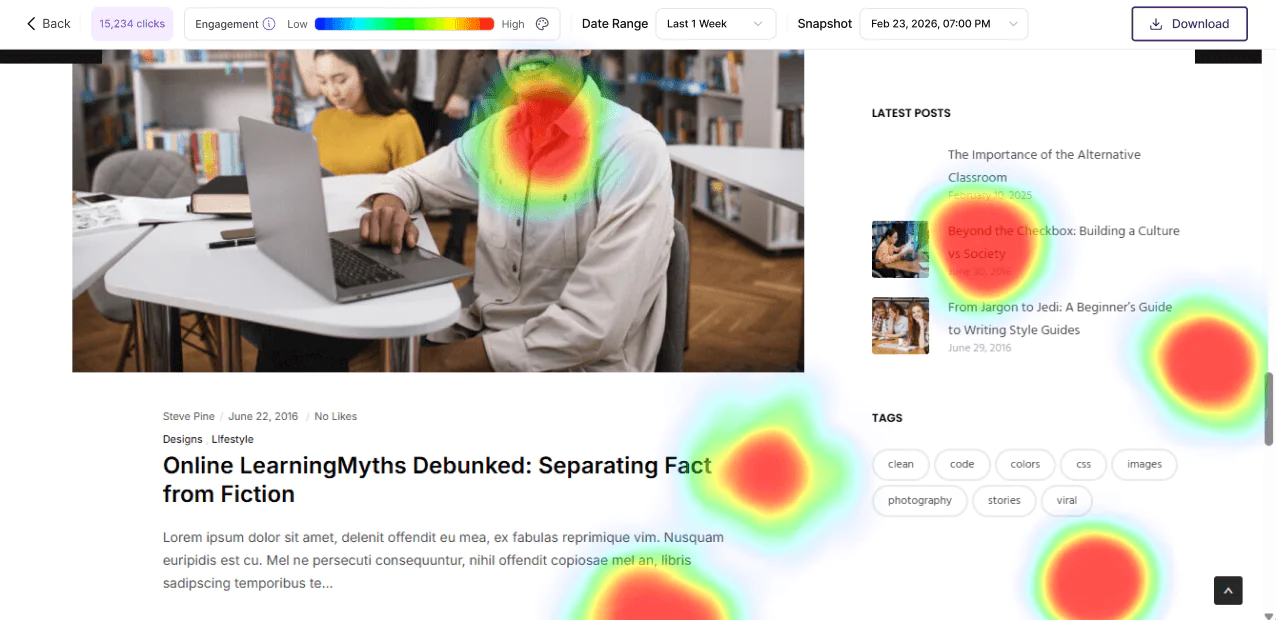
Boost Website Engagement Using Visual Heatmaps
Analytics and reporting in YuJa EqualGround now include heatmap tracking, offering users insights and visualizations of user interaction on their webpage. Heatmap statistics will help you monitor user traffic, optimize the user experience, and drive growth over time.
Expanded Accessibility Checkers Increase Site-Wide Conformance
New accessibility checkers and suggested fixes have been added to EqualGround to improve website accessibility conformance. The following checkers were added:
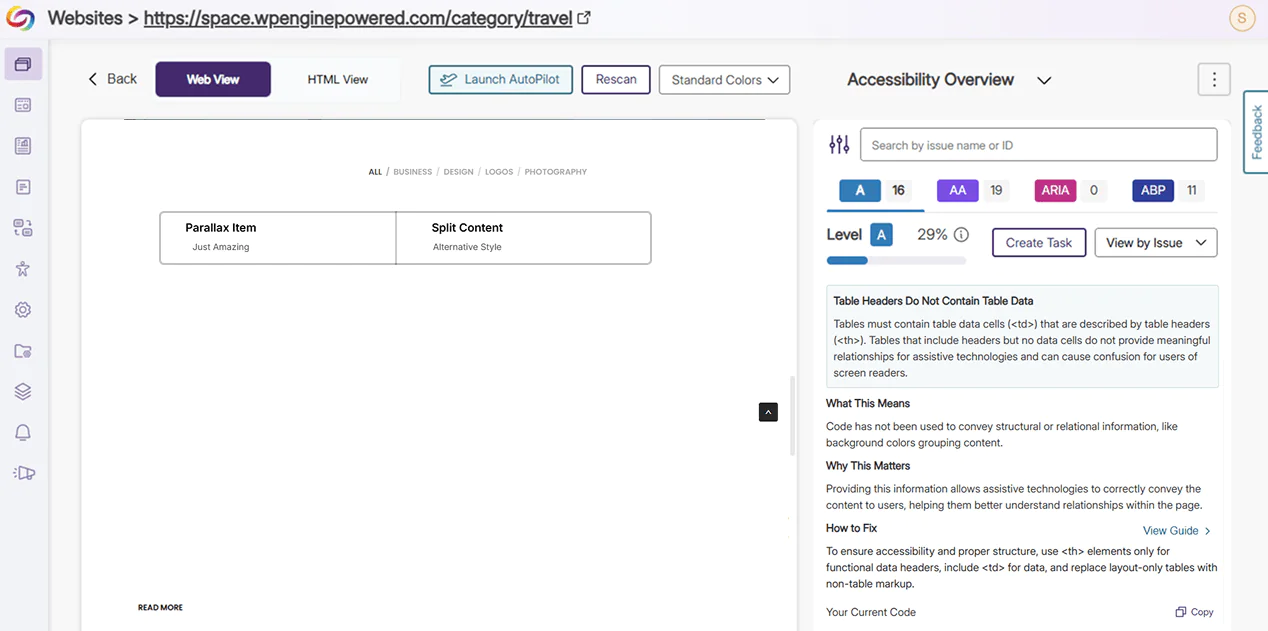
Table Headers Do Not Contain Table Data: Tables that do not contain table data cells (<td>) do not provide meaningful information or relationships for assistive technologies. Users will be prompted to fill tables with data using the <td> tag, and to replace layout-only tables with non-table HTML markup.
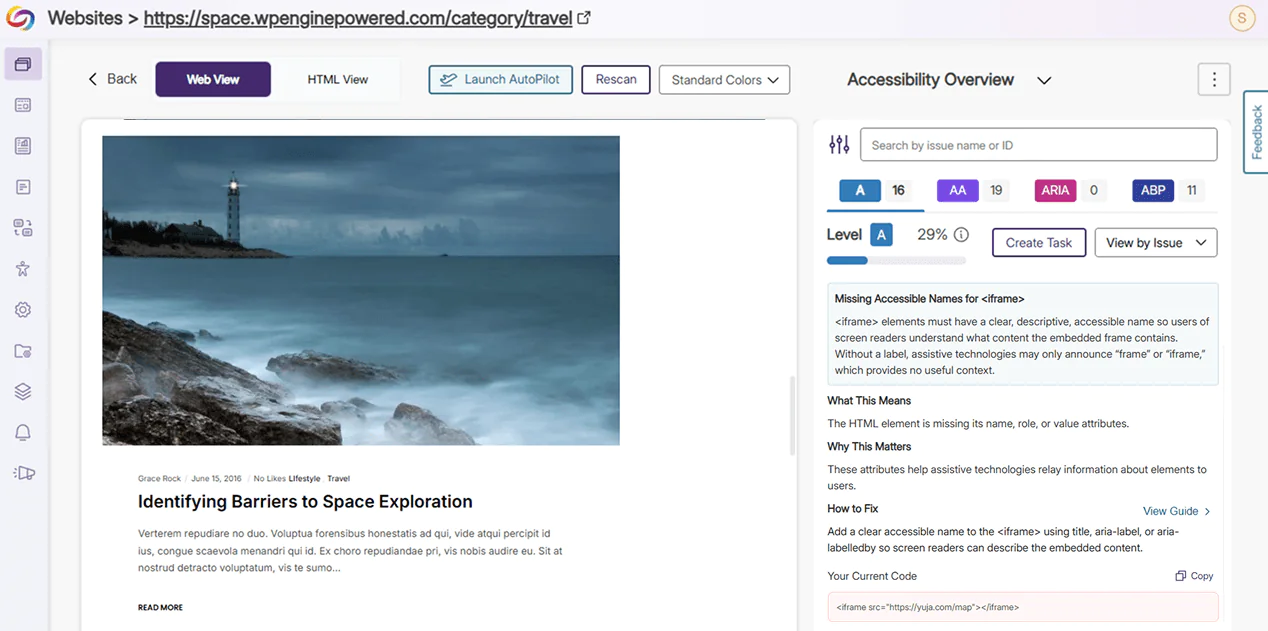
Missing Accessible Names for <iframe>: <iframe> elements must include a descriptive and accessible name using “aria-label”, “title”, or “aria-labelledby” for assistive technologies to understand the embedded frame content.
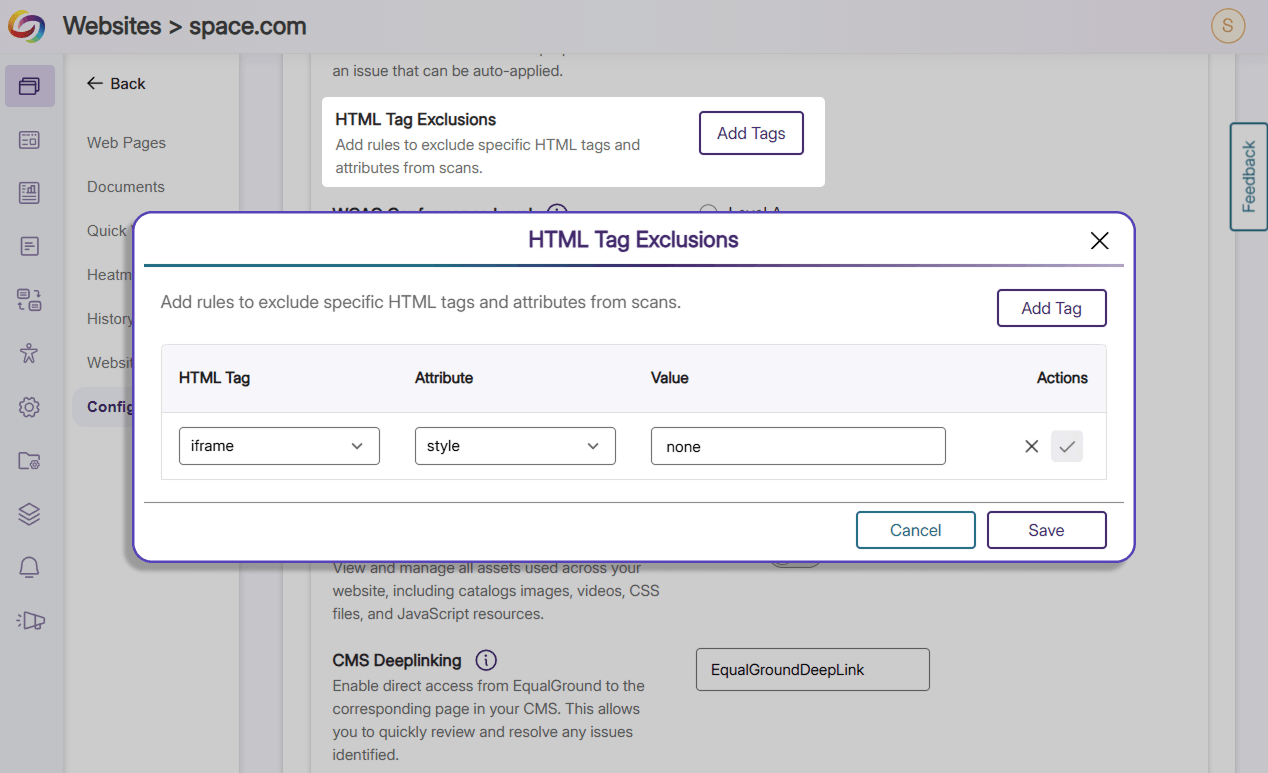
Custom Decorative Tag: Users can enter a list of HTML tags to be whitelisted and excluded from future scans.
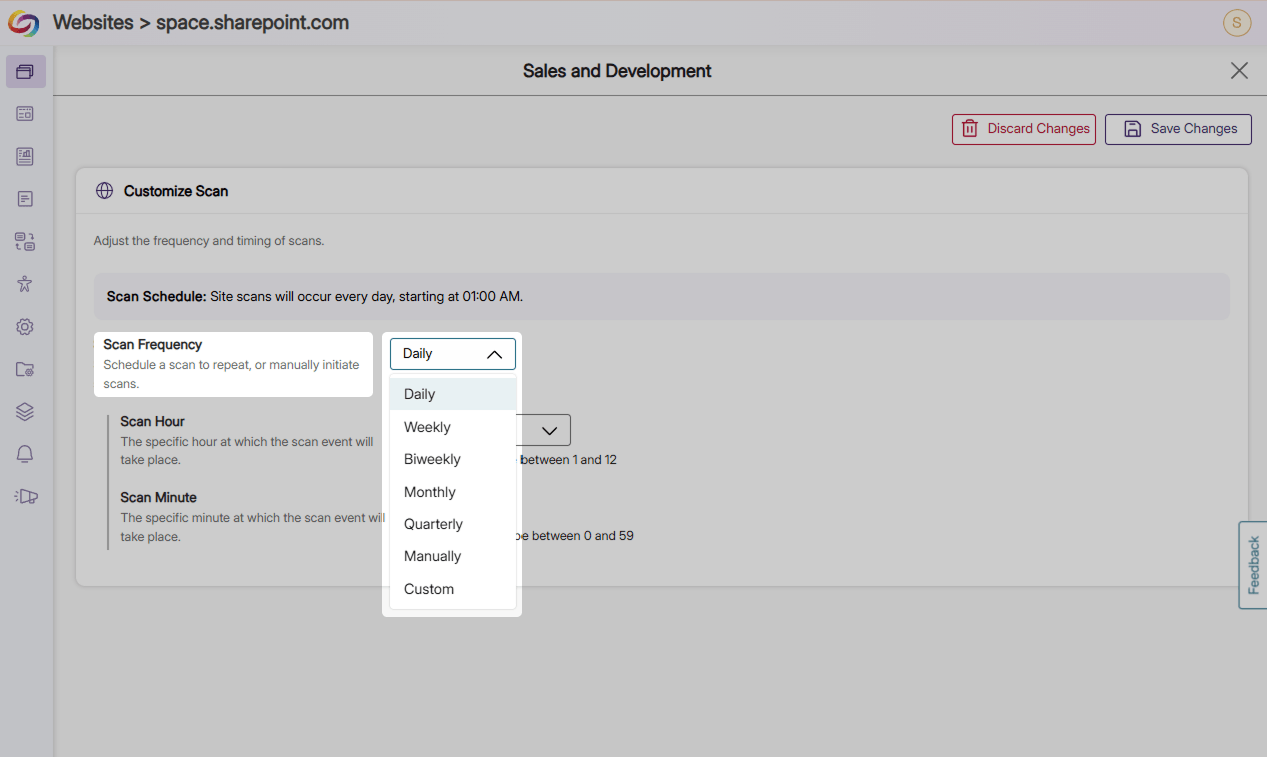
Optimize SharePoint Scanning Frequencies With Customizable Configurations
Users can now directly configure scan frequencies for newly added SharePoint sites, effectively having granular control over individual sites without additional, retroactive steps or overwriting settings for their page groups.
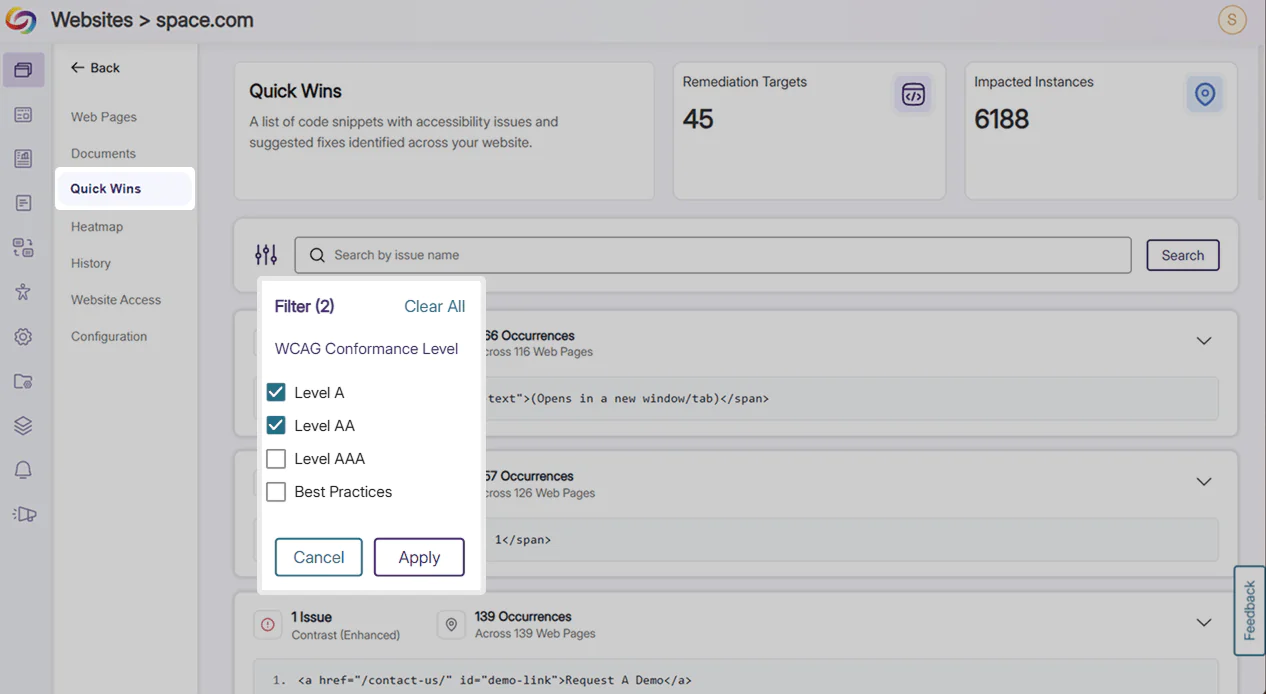
Improve Accessibility Conformance Instantaneously With Filterable Quick Wins
Users can now filter Quick Wins by conformance level and be redirected to the location of the issues to leverage automated Best Practices to improve site-wide accessibility. This grants users more granular control and allows them to remediate multiple issues in a few simple clicks.
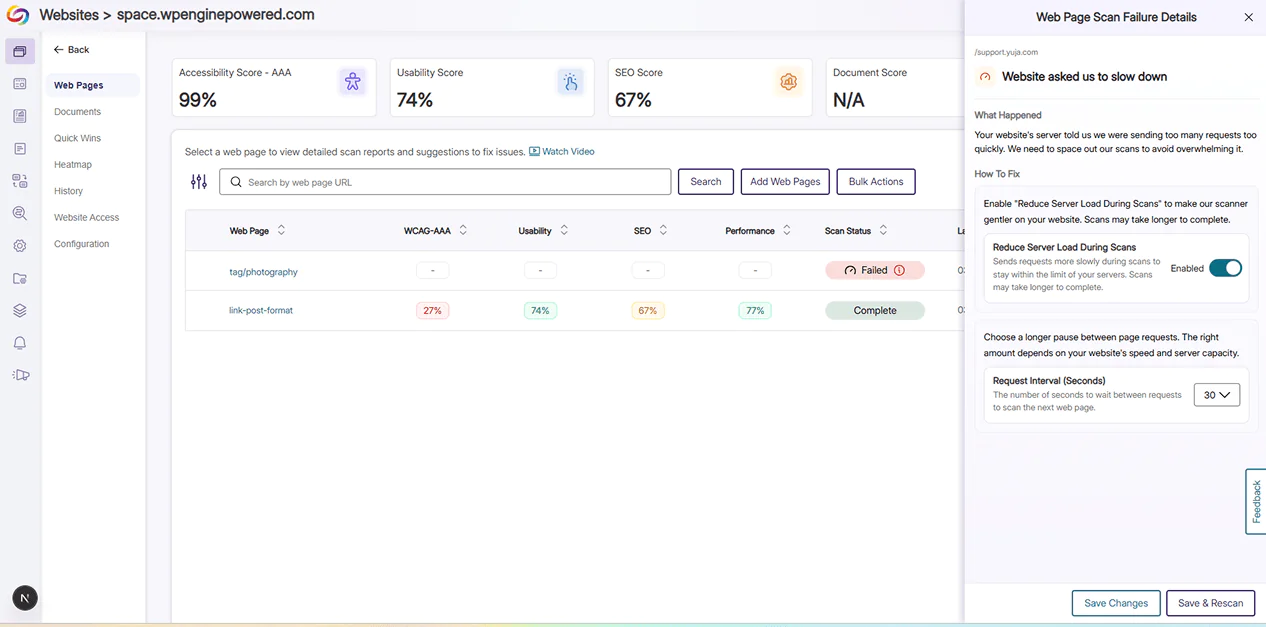
Identify and Implement Web Scan Configuration Changes with Immediate Guidance
A new status badge and details panel providing users with comprehensive insights of their web page scan and quick options to optimize scanning performance has been added. This offers continuous guidance for users should they change configuration settings for website scans in the future.
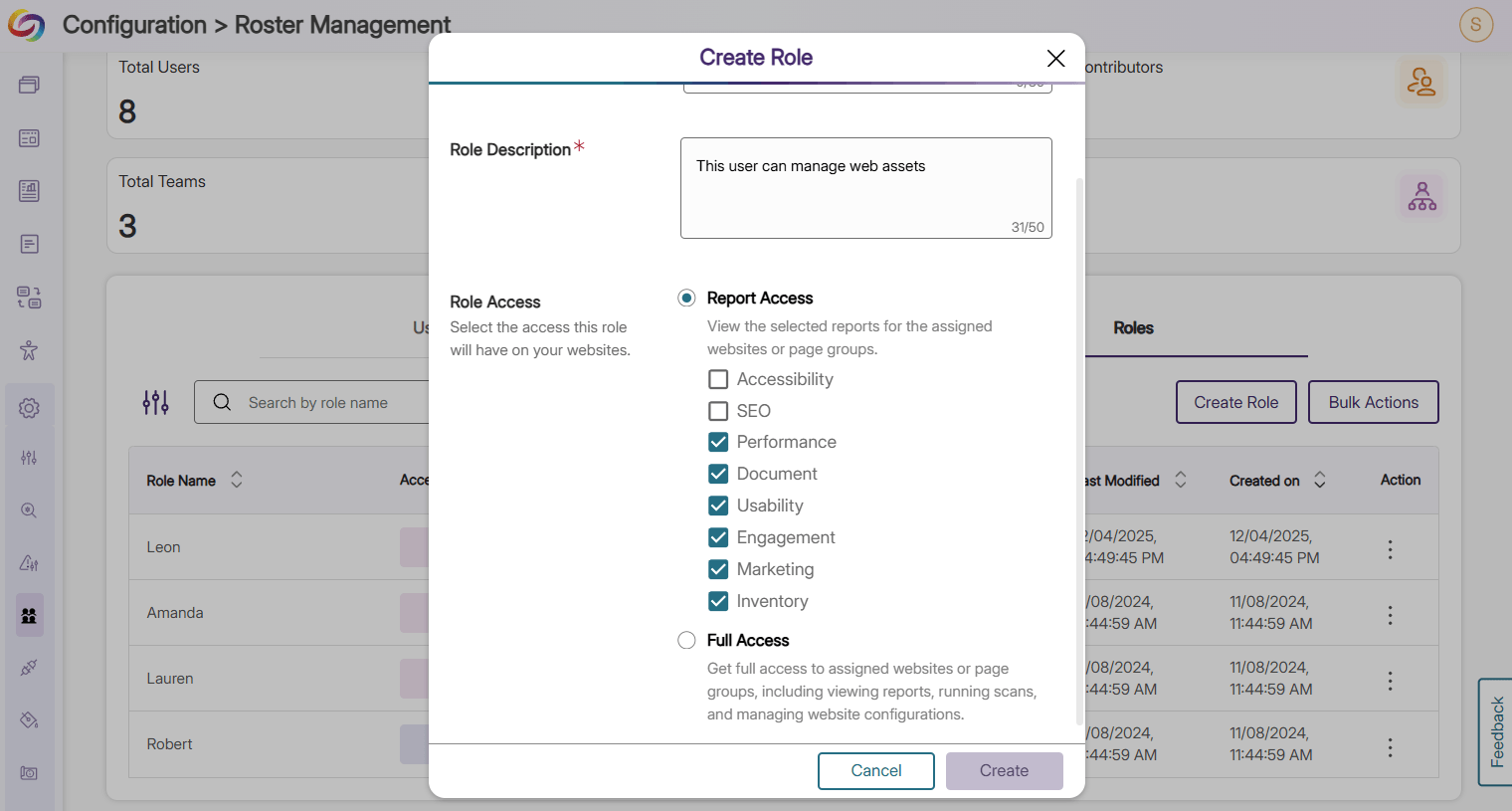
Manage Web Assets Effectively with Role-Based Access
Administrators can now assign Inventory roles to specific users to grant access to website assets including images, videos, CSS files, and more, and streamline asset management operations.
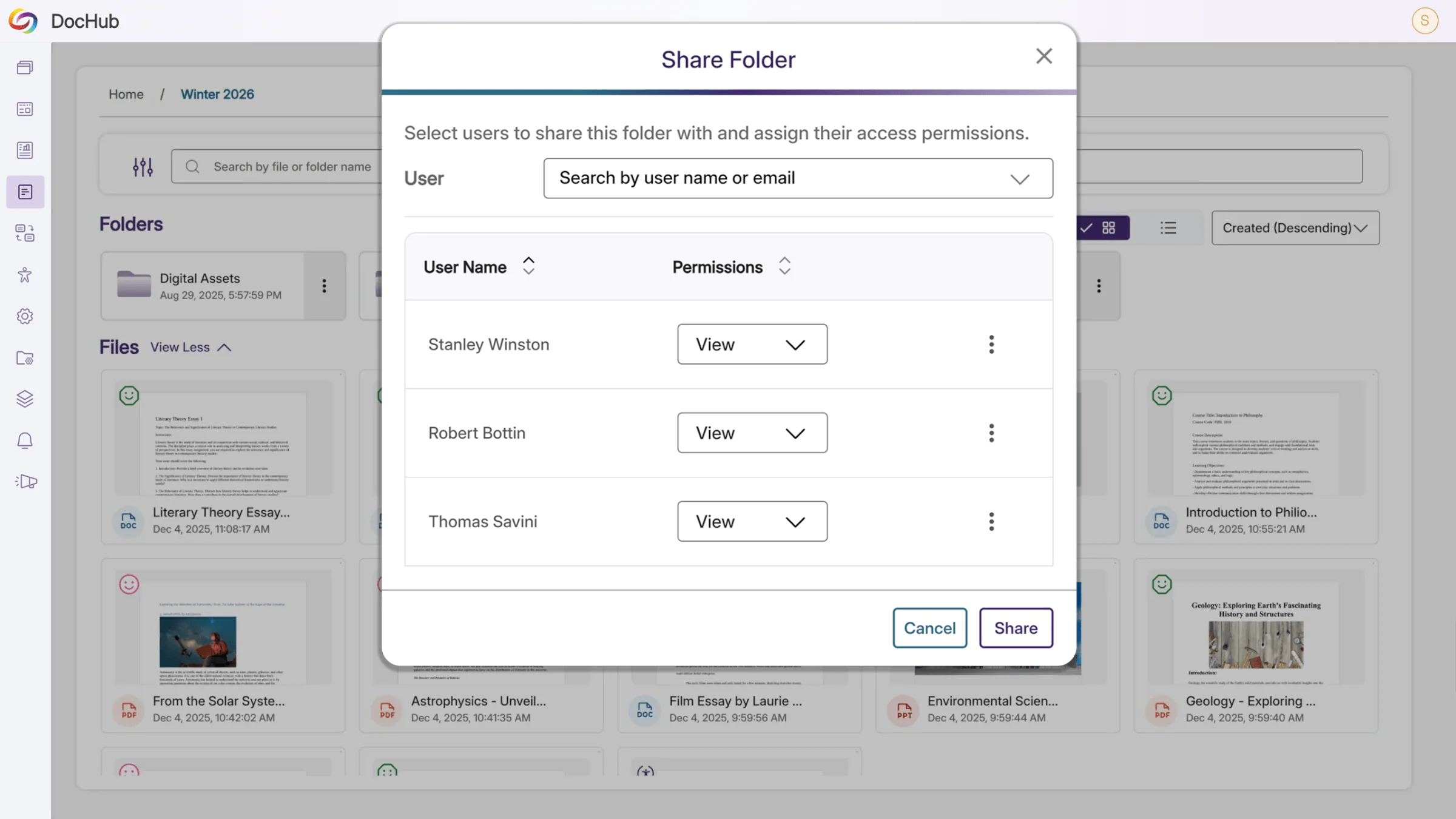
Enhance Collaboration with Shared DocHub Folders
Users can now collaborate on documents in DocHub using shared folders, effectively improving inter- and cross-team communication, efficiency, and productivity.
Expanded Support for Core Features
New guides have been added for core features, integrations, and modules in EqualGround, providing users with comprehensive support for new and existing capabilities.
Join the 1,000+ Organizations Deploying High-Impact Solutions