Product Updates
Get the latest platform updates, features, and announcements—all in one place.
Boost Video Accessibility with the GenAI Video PowerPack!
Try Now
Supercharge Your Compliance Efforts with AutoPilot Remediation Max!
Try Now
Strengthen Your PDF Accessibility Efforts with Structural Remediation Max!
Try Now
Don't Miss Any of Our Upcoming Webinars—Save Your Spot!
Register
The YuJa Community is here! Connect, get updates, and access exclusive content.
Join Now

Get the latest platform updates, features, and announcements—all in one place.
Over the next few weeks, the YuJa EqualGround Workflow Orchestration Module will be introducing new capabilities to streamline project management, including notifications, a centralized task view, and the ability to track individual issues across all web assets.
Streamline Project Management Workflow with Centralized Task View
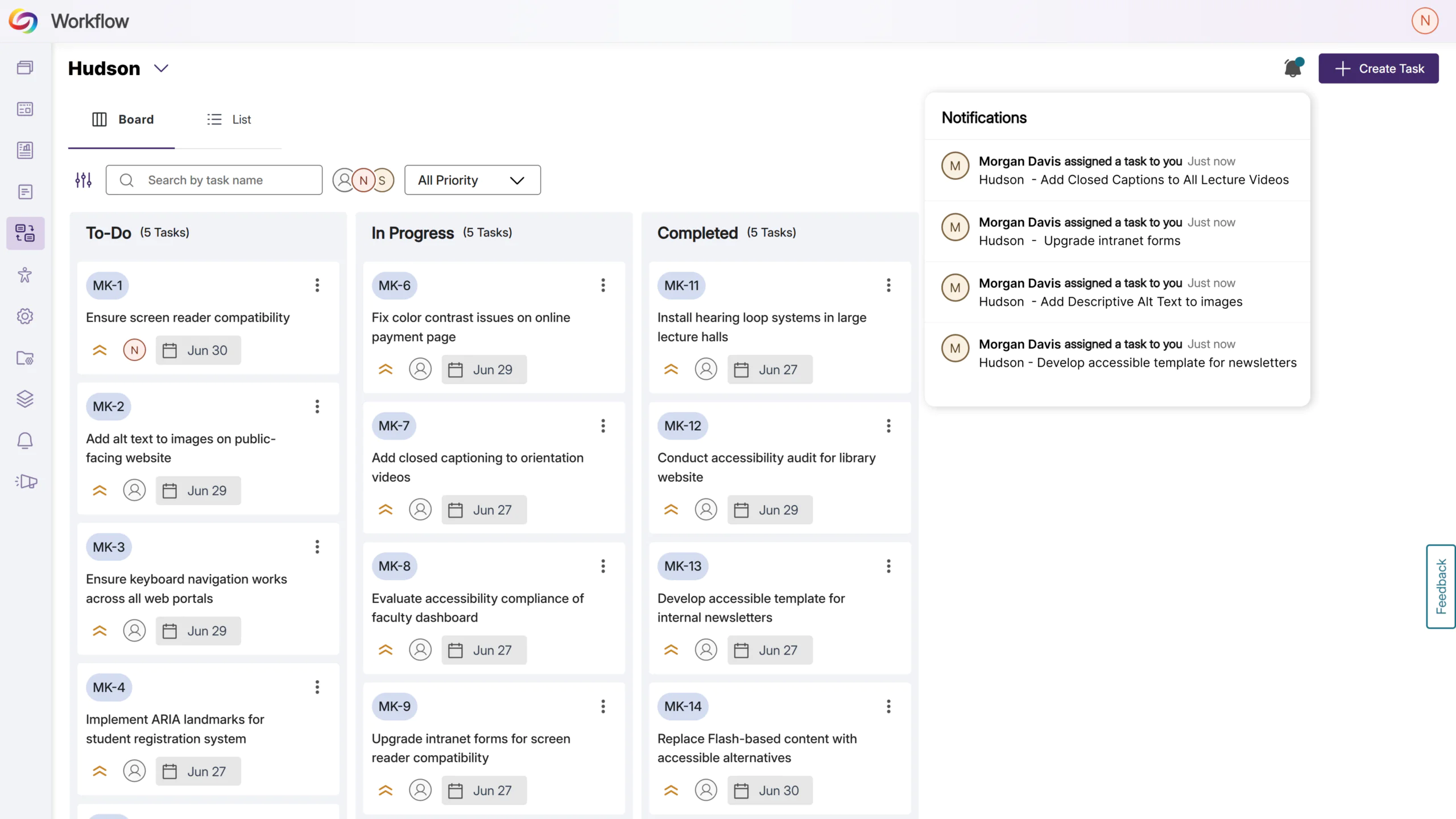
Tasks in workflow orchestration are now filterable by user, allowing users to organize and prioritize their own tasks, as well as track completion and progress of tasks assigned to other team members.
Get Notified Instantly for New Tasks
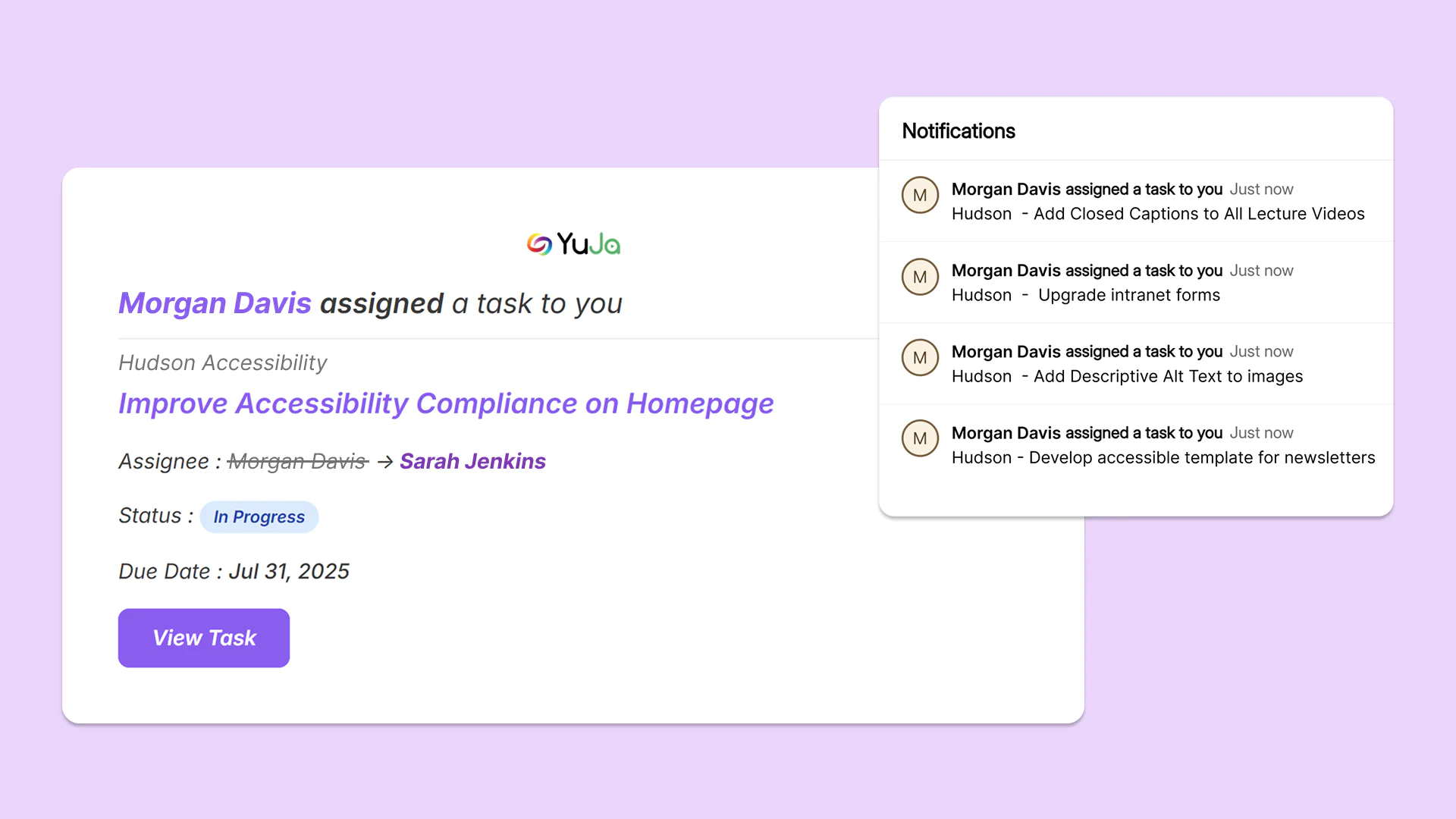
Users are now notified via email and a pop-up modal when a new workflow task is assigned to them in workflow orchestration, allowing users to proactively tackle outstanding tasks.
Track Site-Wide Issues in One Workflow Task
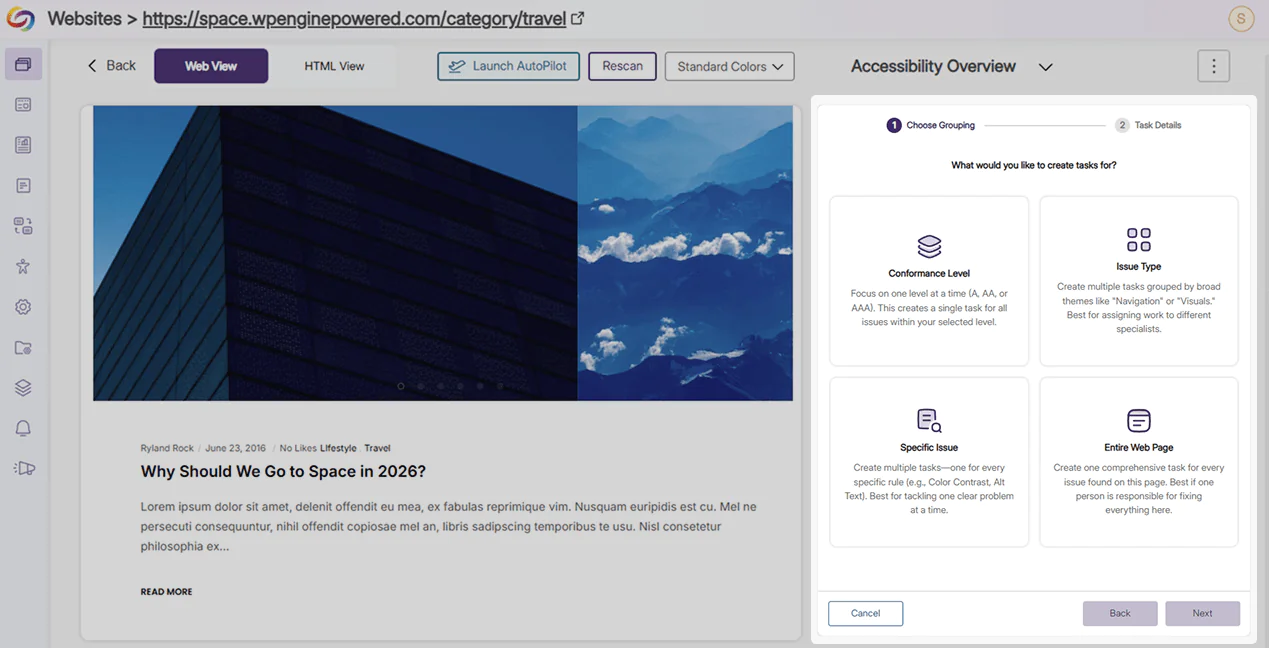
Workflow orchestration now allows users to make a singular task to track a specific issue, conformance level, or web page across all pages of a website in EqualGround. Remediation efforts, task assignment, and project management become streamlined with a decluttered workflow interface.
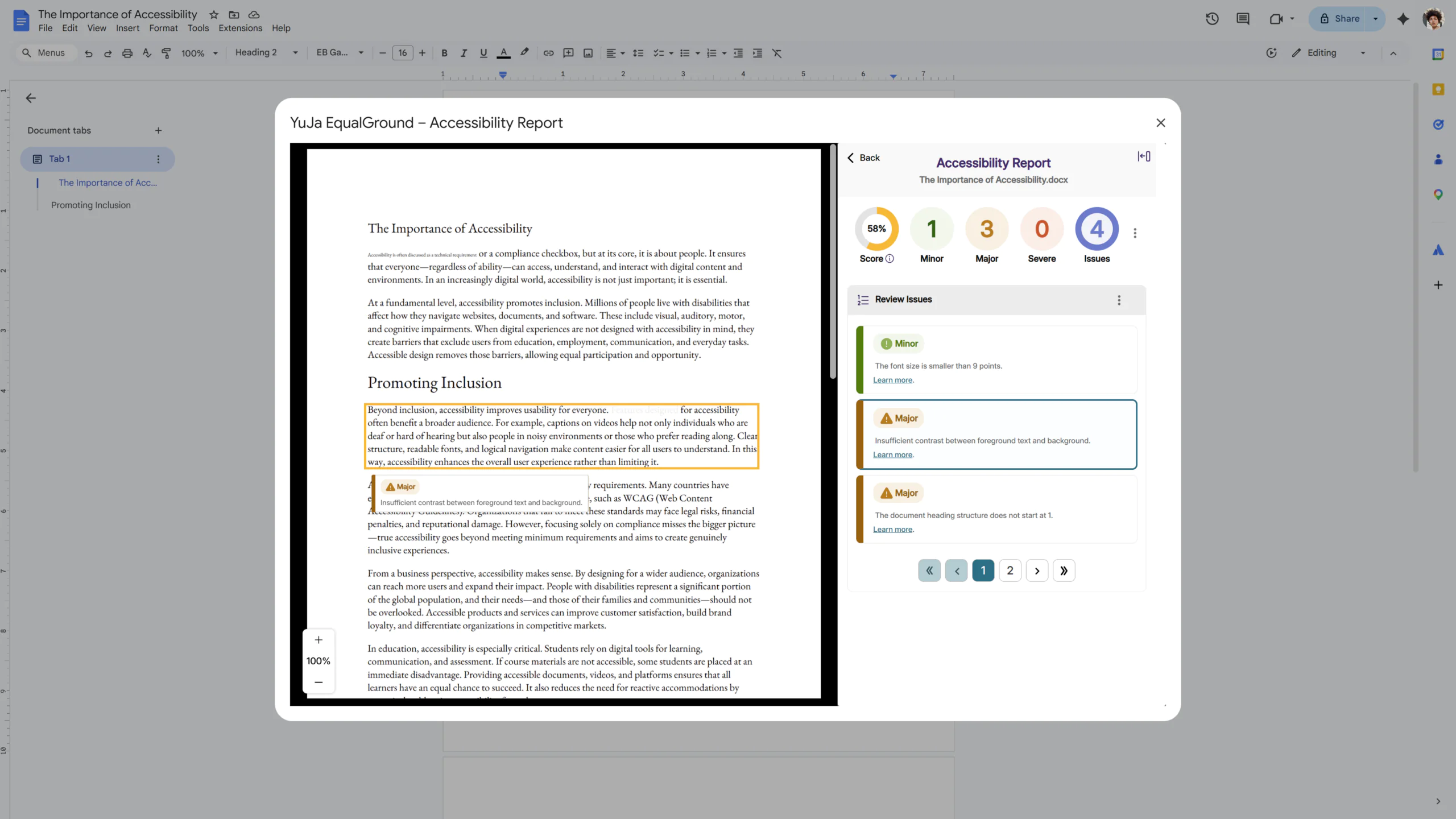
YuJa EqualGround is introducing the Google Workspace Accessibility Module, allowing users to scan for accessibility issues and remediate content using automated feedback from any document in their Google workspace directly.
Create Accessible Documents Directly in Google Workspace
The YuJa EqualGround Google Workspace module integrates seamlessly with any document type interface in Google Drive, such as Docs, Slides, and Sheets, and provides real-time scanning against different accessibility conformance levels to help ensure all documents adhere to accessibility standards from the start.
Over the next few weeks, the YuJa EqualGround Accessibility Governance Platform will be adding new features that alert users of accessibility issues as they are developing the website, allow users to exclude certain webpages from being scanned, and so much more. This release will also feature several interface updates and consolidations that simplify the user experience and provide better readability and usability for users.
Implement Code Best Practices Using Proposed Fixes
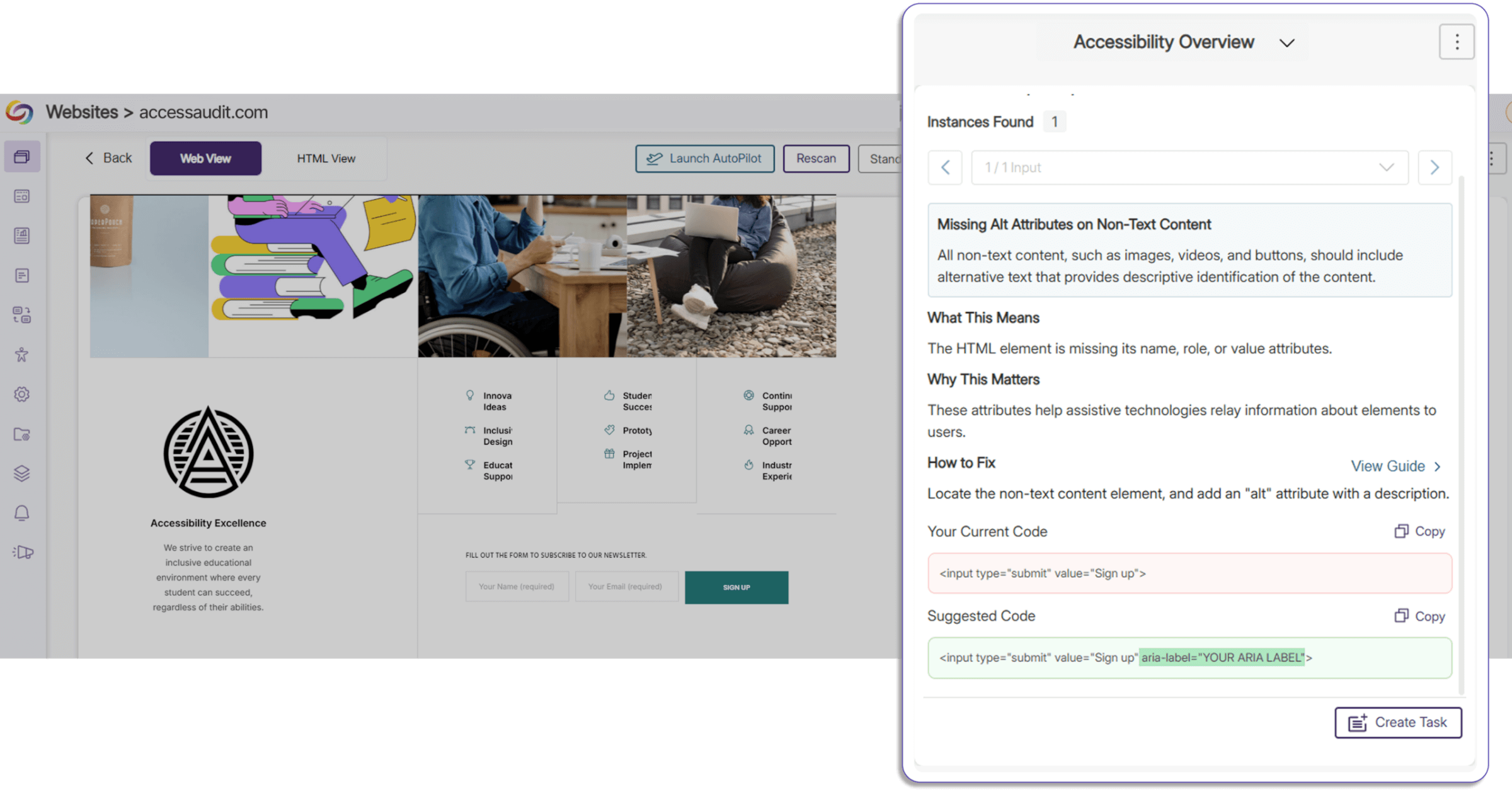
Proposed fixes for improper code structure, incorrect code elements, and accessibility issues have been added to the Accessibility Report. Users now have a clear overview of improper code segments and the option to directly copy and paste proposed fixes, saving time on manual remediation while ensuring that your website has correct semantic structure and best practices.
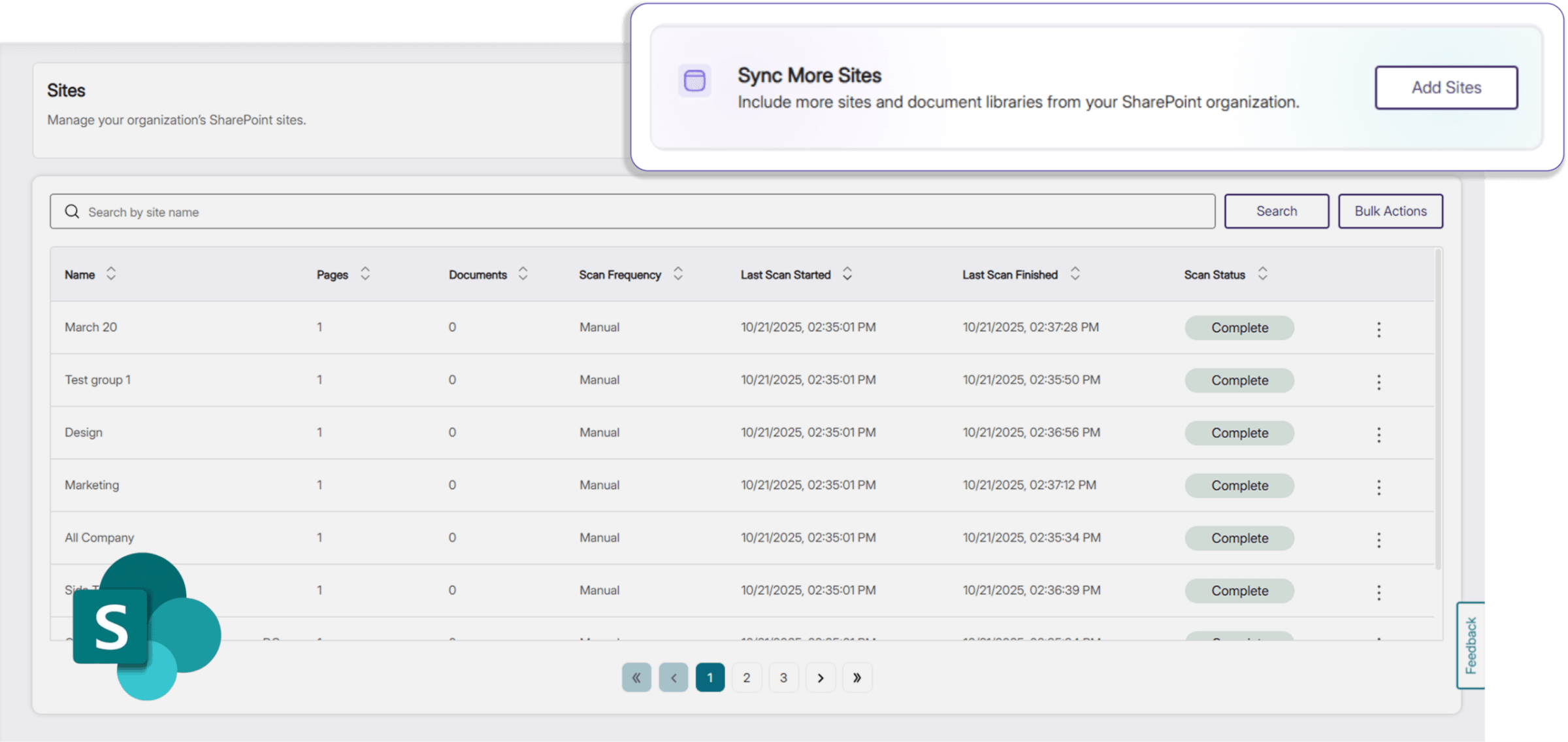
Add Sites in Bulk from SharePoint Directly in YuJa EqualGround
Users can now add and sync additional sites and documents from their SharePoint organization in EqualGround. In addition to a simplified workflow, SharePoint sites are now differentiated from the rest of the user’s sites in their website overview, introducing better visibility and management of their integrations.
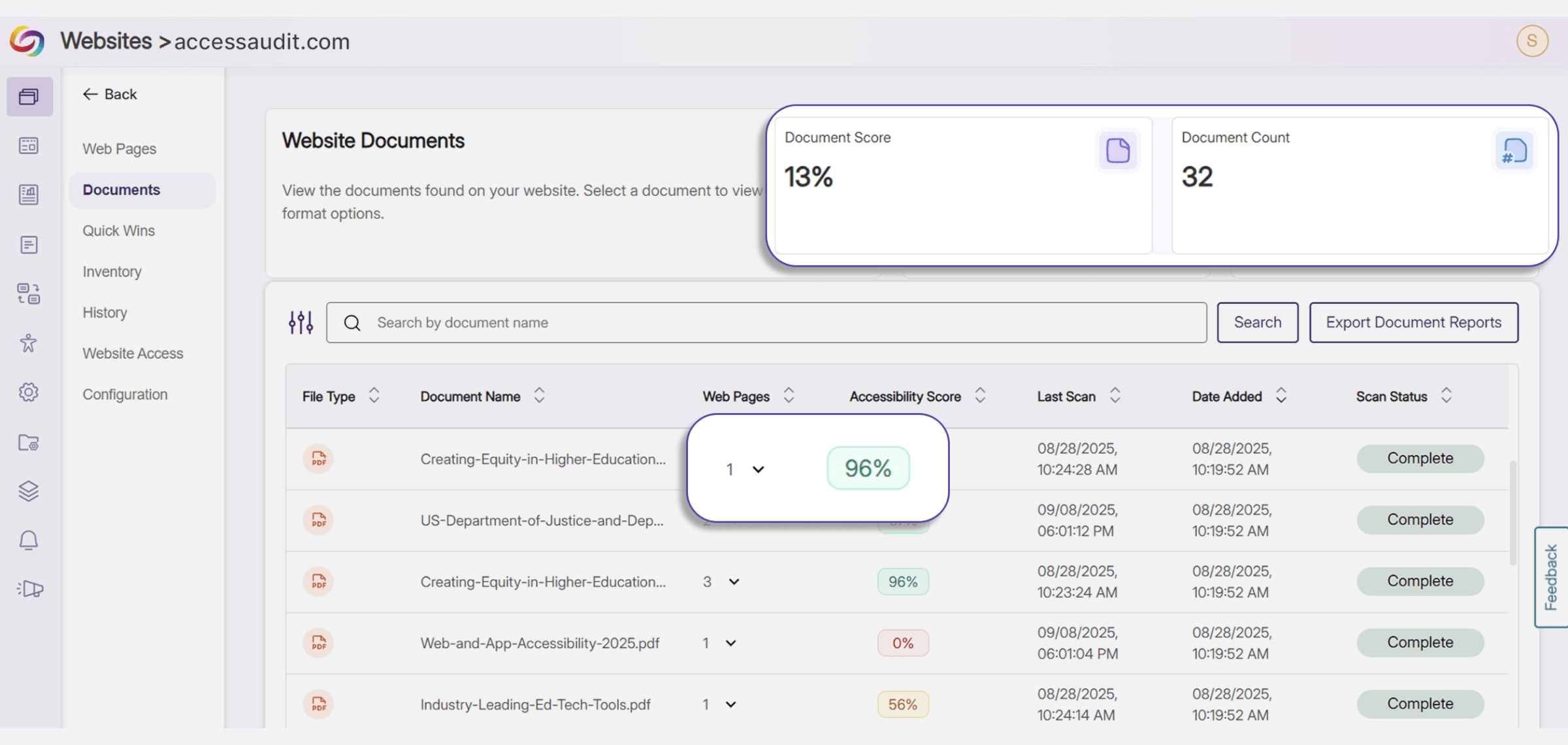
Track Document Deployment Across Web Pages
In the Document Tab, users can now see the total number of instances that a certain document is embedded in all their websites, and the particular website URLs that currently display the document. This provides more visibility for users to better manage and keep track of their documents, and allows them to have a reference of how the accessibility of their documents impacts the overall accessibility score of the webpage that they are embedded on.
Improved Accessibility Report Experience Across EqualGround Portal and Web Extension
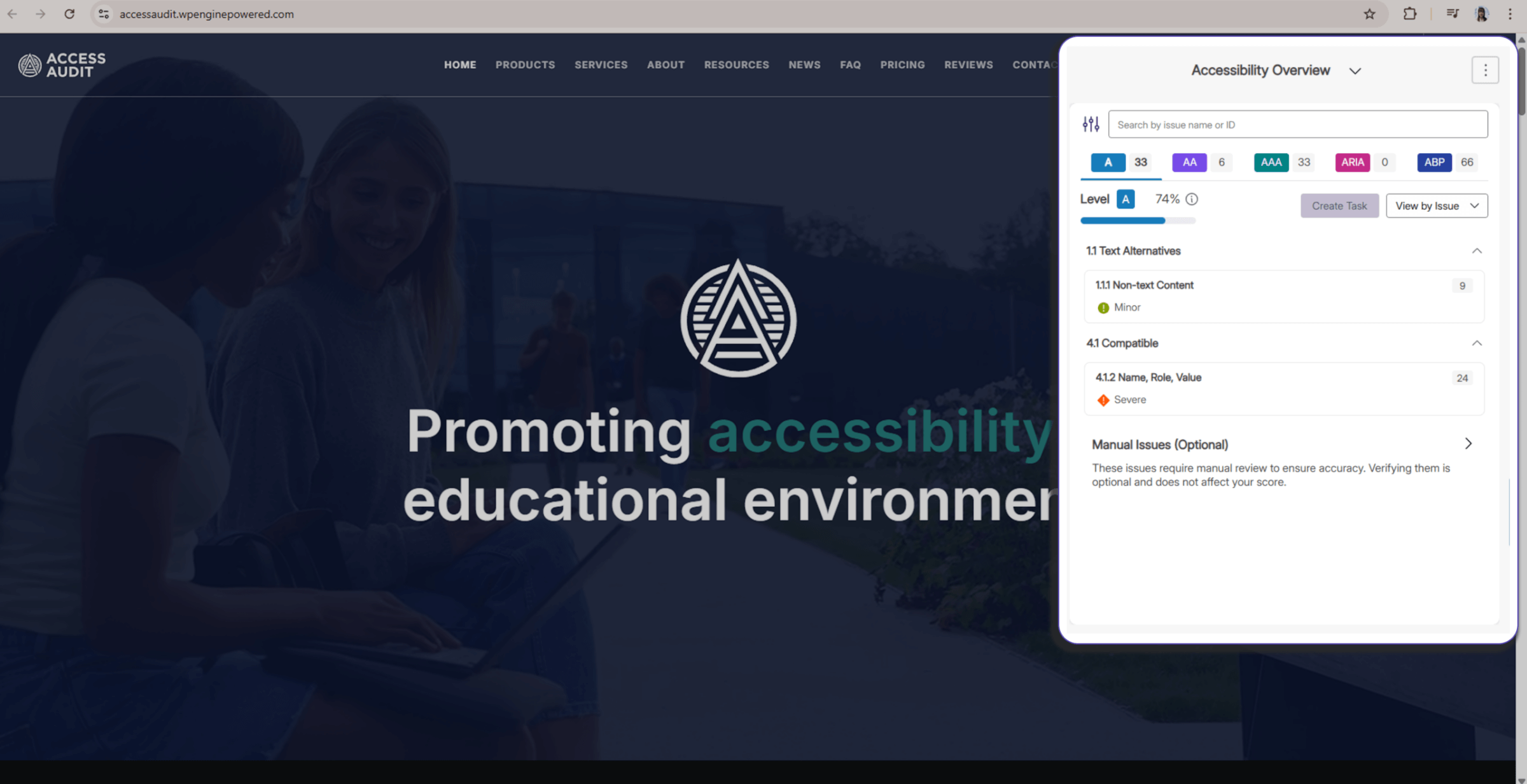
The EqualGround Accessibility Report UI is now consistent between the YuJa EqualGround portal and the YuJa EqualGround browser extension, providing users with a uniform workflow, better readability, and improved usability across web interfaces. The browser extension widget is also collapsible, allowing users to see highlighted elements on their page to make any adjustments with ease.
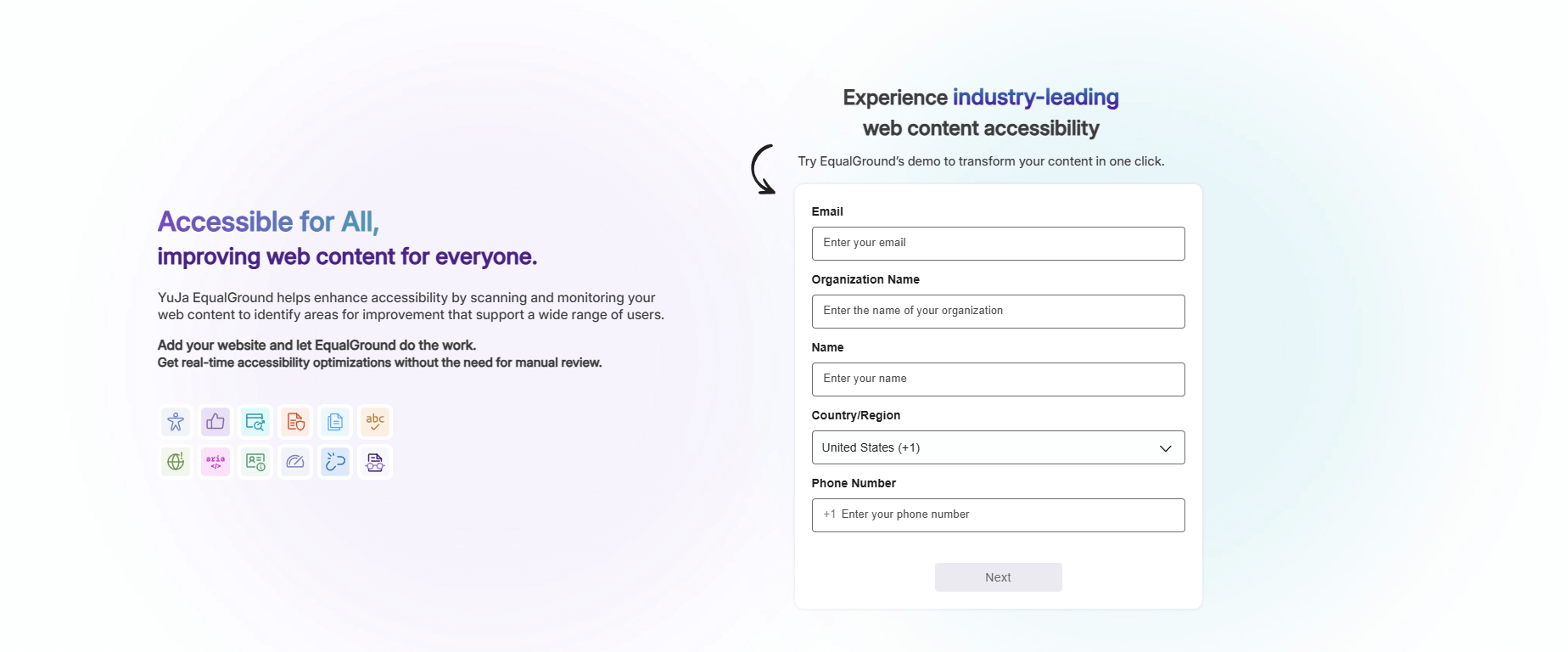
Experiment with EqualGround Capabilities for Free
A free trial of YuJa EqualGround is now available on the YuJa website. Users can test EqualGround’s wide range of scanning and remediation capabilities on their website, helping them select the right YuJa product for their own organizational needs and policies.
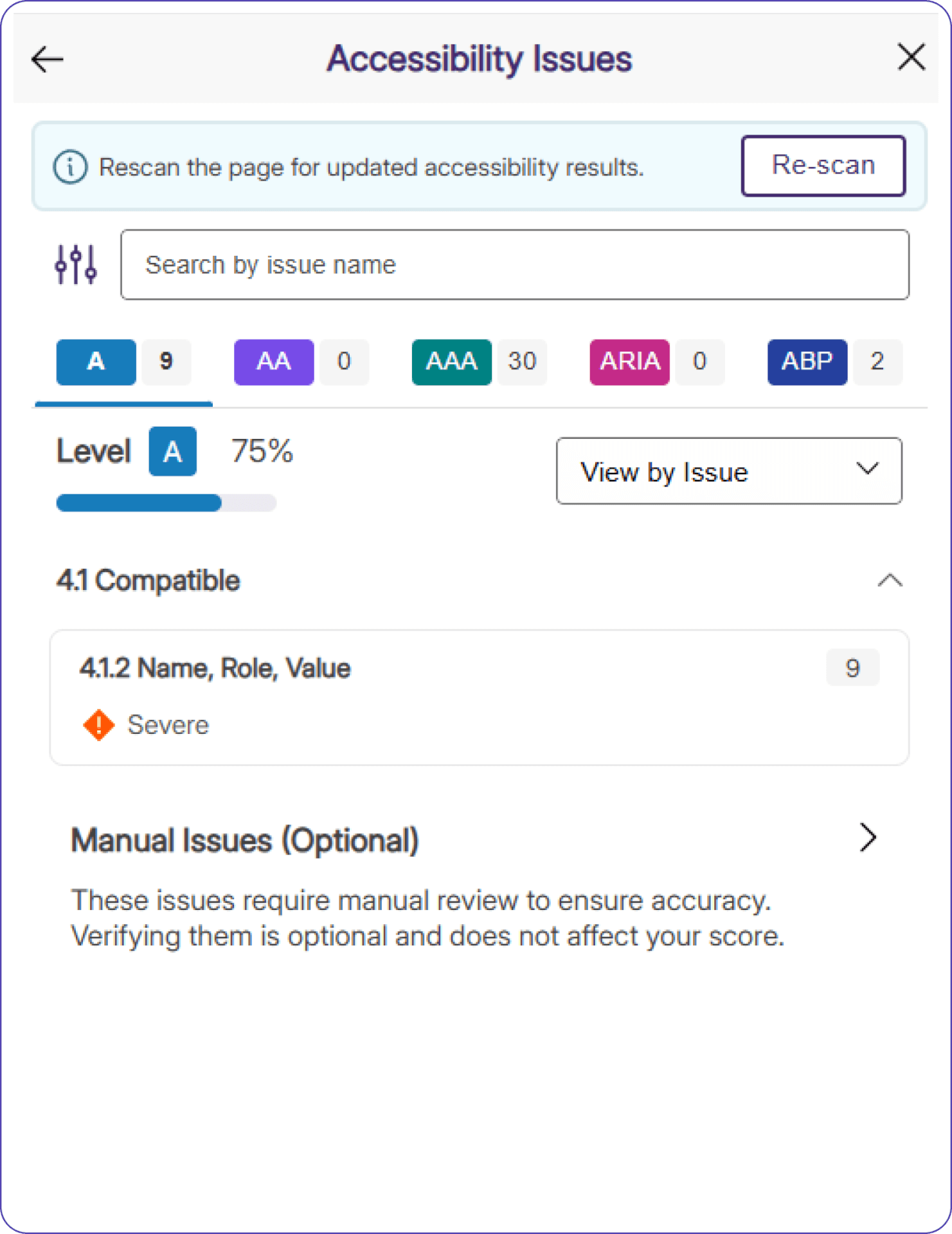
Assess Real-Time Accessibility Improvements Using the YuJa EqualGround Accessibility Widget
A Re-Scan button has been added to the YuJa EqualGround Accessibility Widget, allowing users to see updated results immediately after they make changes to their website using Element Inspector. Users no longer need to refresh the page to see updated accessibility scores, and can directly assess how their changes impact the accessibility of their webpage in real-time.
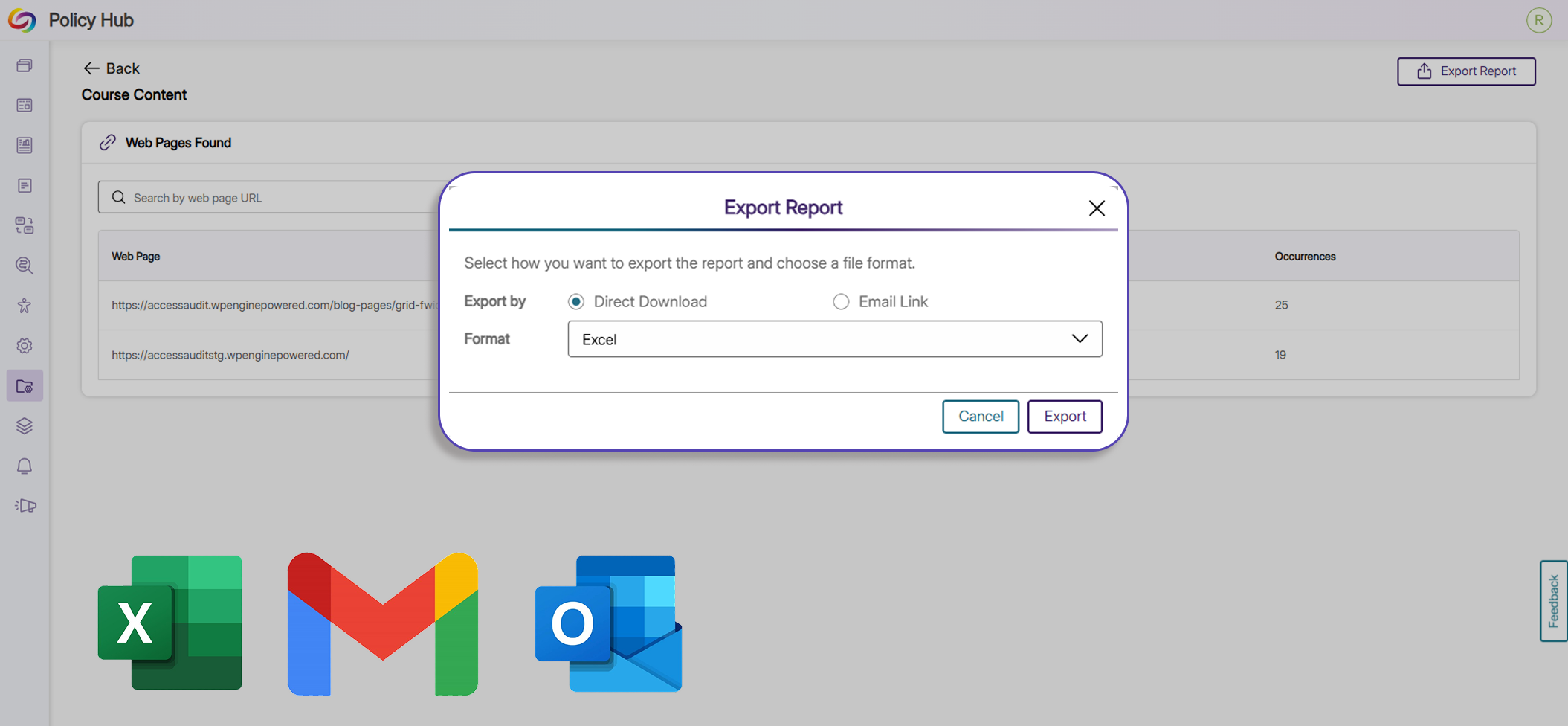
Export Policy Matches to Excel and Email
Users can now export reports for policy matches to XLSX and email for data analysis, future reporting, and record keeping. With this added functionality, users have more flexibility, governance, and control over their data and policies.
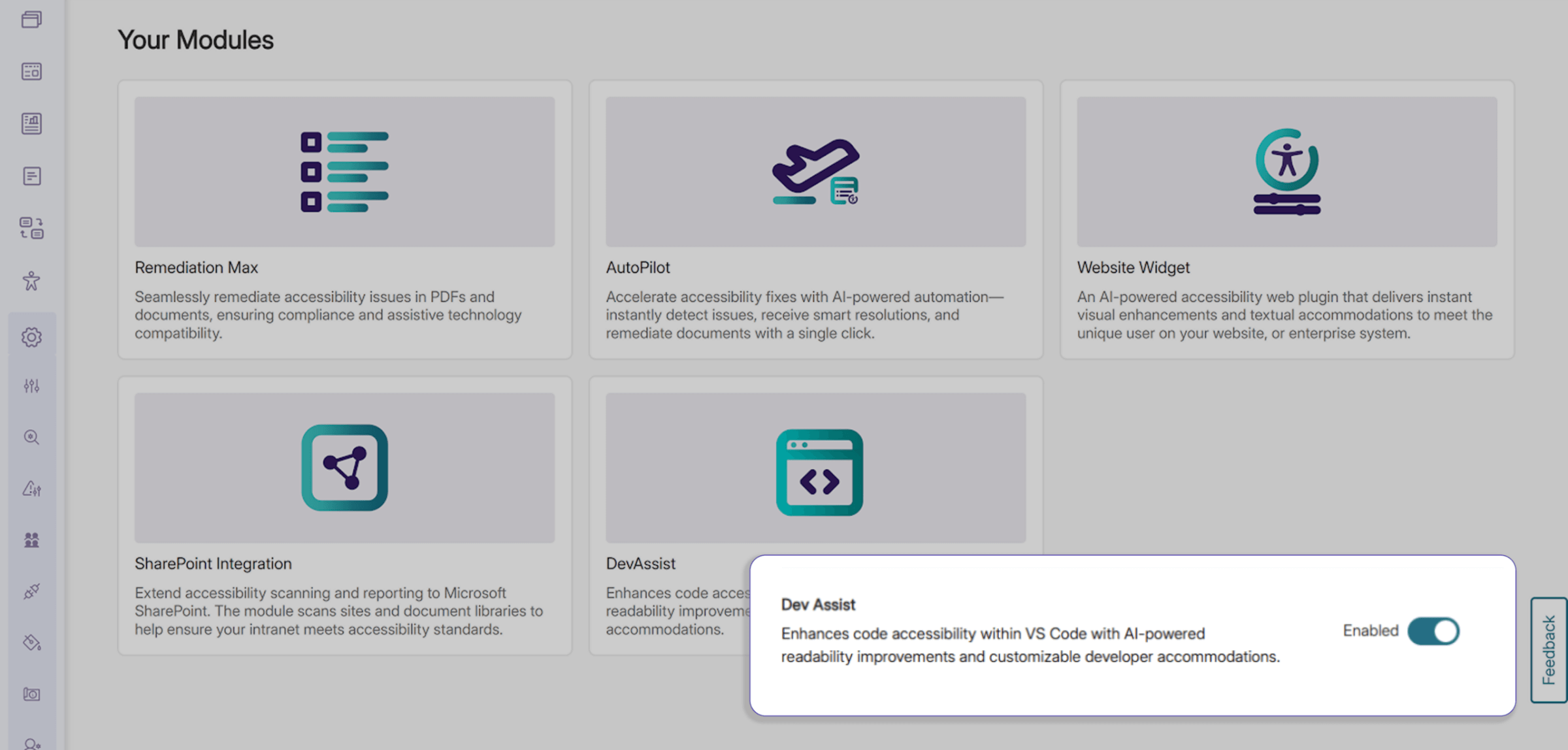
Browse All Modules In a Consolidated Marketplace Menu
Explore available and enabled add-on modules in EqualGround using a new consolidated menu in the Modules tab. Users can browse a wide range of optional features directly from this upgraded Marketplace without extra navigation away from or within the platform.
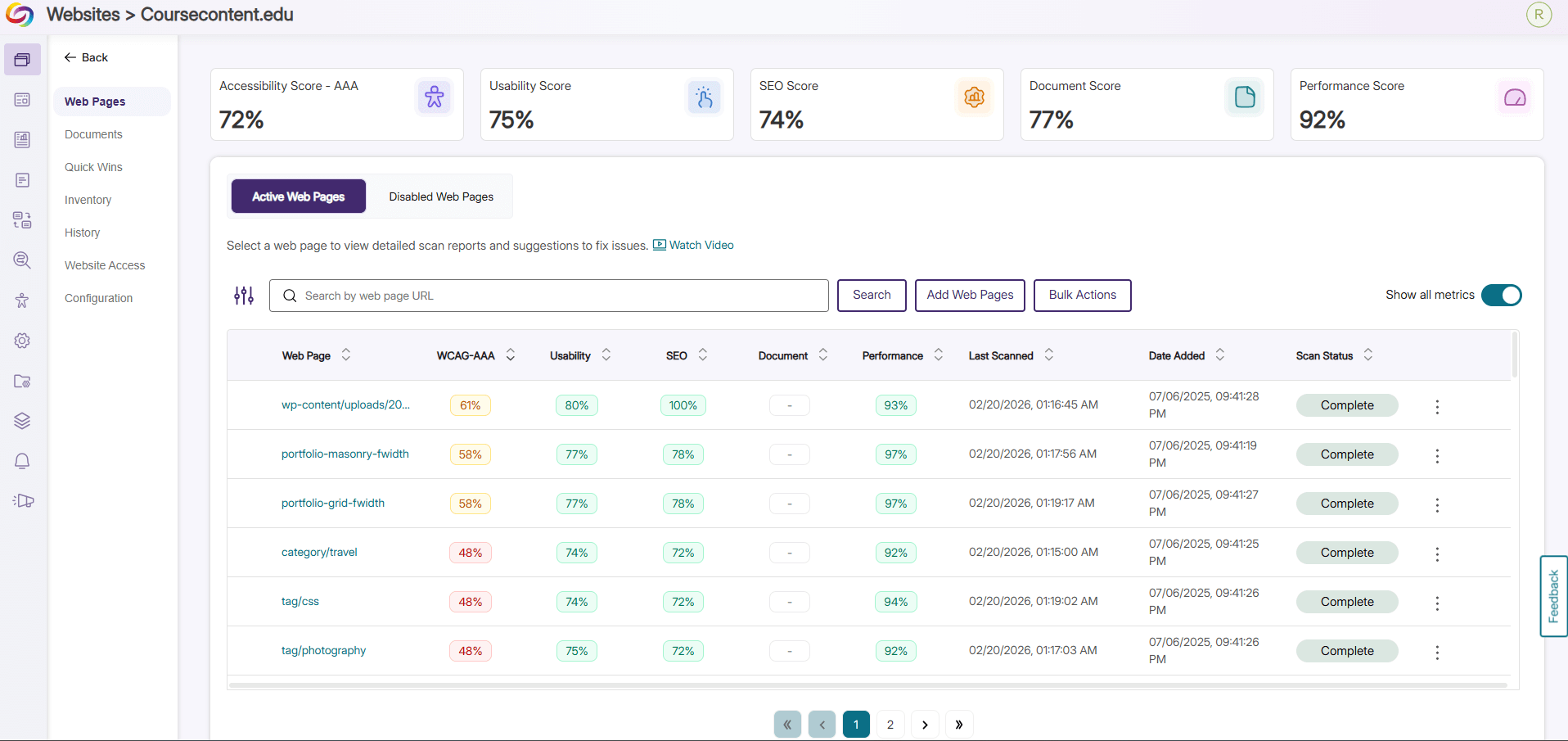
Get Instant Insight on Website Performance with New Color-Coded Percentage Analytics
The Web Pages tab has been revamped with a fresh, consolidated look, letting users see percentages of the accessibility compliance, SEO optimization, usability, and general performance of all their websites. Websites requiring attention are visually communicated to the user with color coded statistics so issues can be addressed directly and promptly.
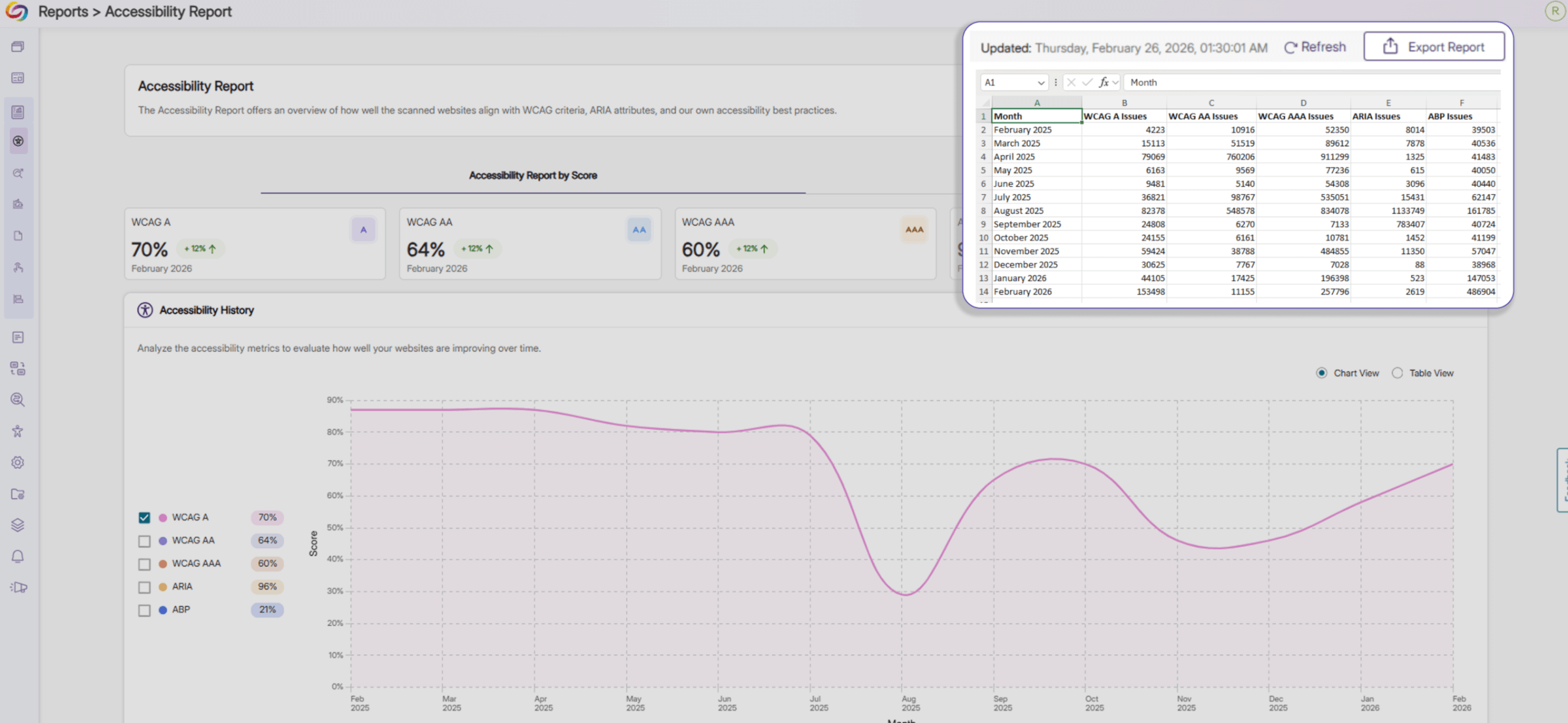
Analyze Your Webpage Using Expanded Insights in Exported Reports
Exported Accessibility Reports now include additional insights into the overall accessibility of your webpages. On top of providing an accessibility score for each accessibility compliance standard, the report now shows the total number of issues associated with each standard across your webpages in Excel, JSON, and CSV formats, helping you prioritize remediation efforts.
Over the next few weeks, the YuJa EqualGround Accessibility Governance Platform will roll out new features that enhance the Accessibility Engine for smarter, more accurate remediation, allow users to highlight and track code snippets for faster site-wide remediation, jump directly from accessibility issues to CMS edit pages, and so much more.
Enhanced Accessibility Engine for Smarter, Faster, and More Accurate Remediation
We’ve enhanced the Accessibility Engine by adding new checkers and optimizing existing ones, taking issue detection and remediation to the next level. Issues are now flagged with greater precision and accuracy, and suggested fixes are clearer and more actionable, helping users understand exactly what needs attention. These updates make it faster and easier to identify, evaluate, and resolve accessibility issues, streamlining compliance workflows and improving overall content accessibility. Key benefits include more accurate detection with fewer false positives, expanded coverage across more elements and scenarios, and improved remediation guidance, enabling teams to resolve problems quickly and confidently.
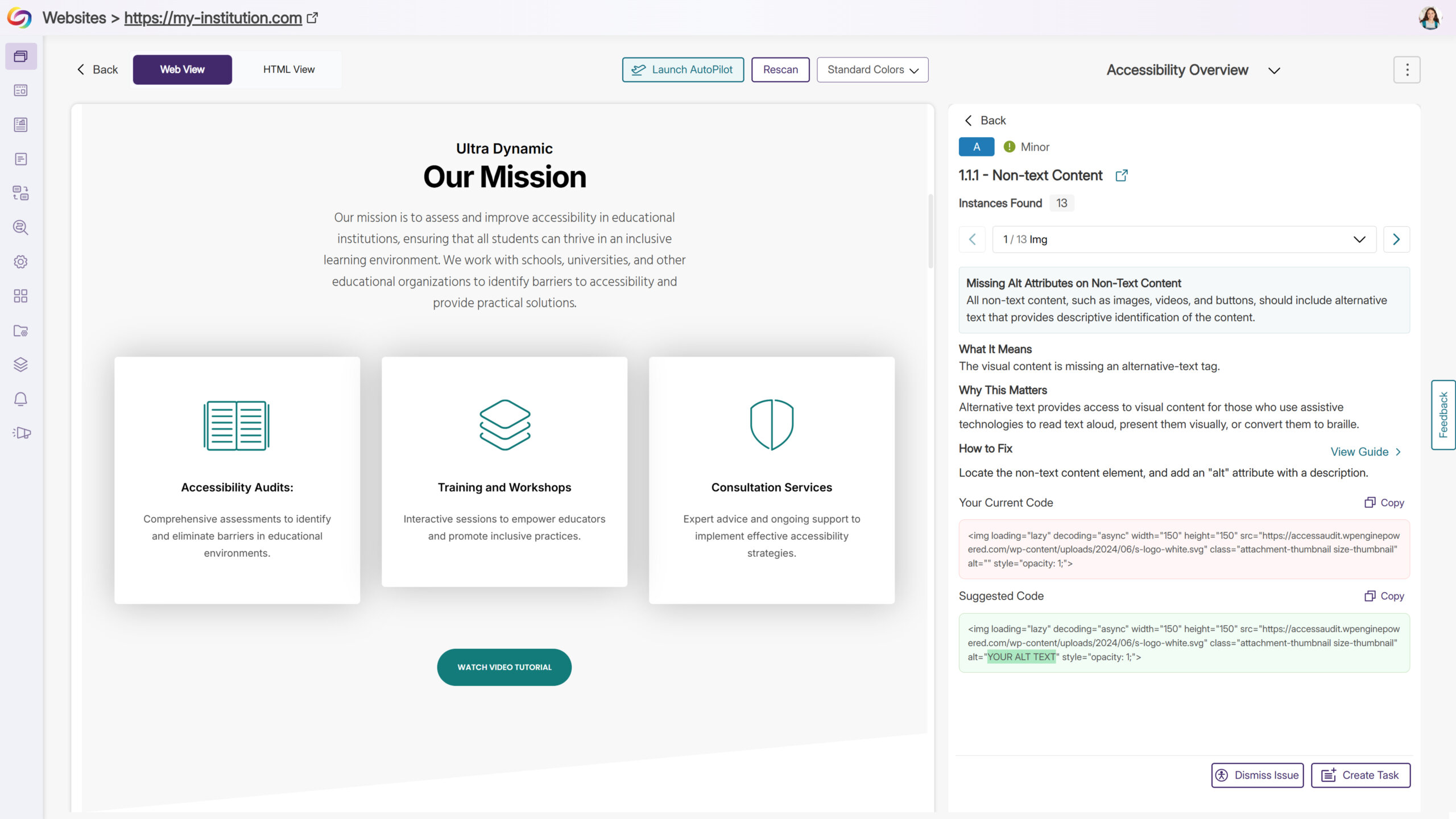
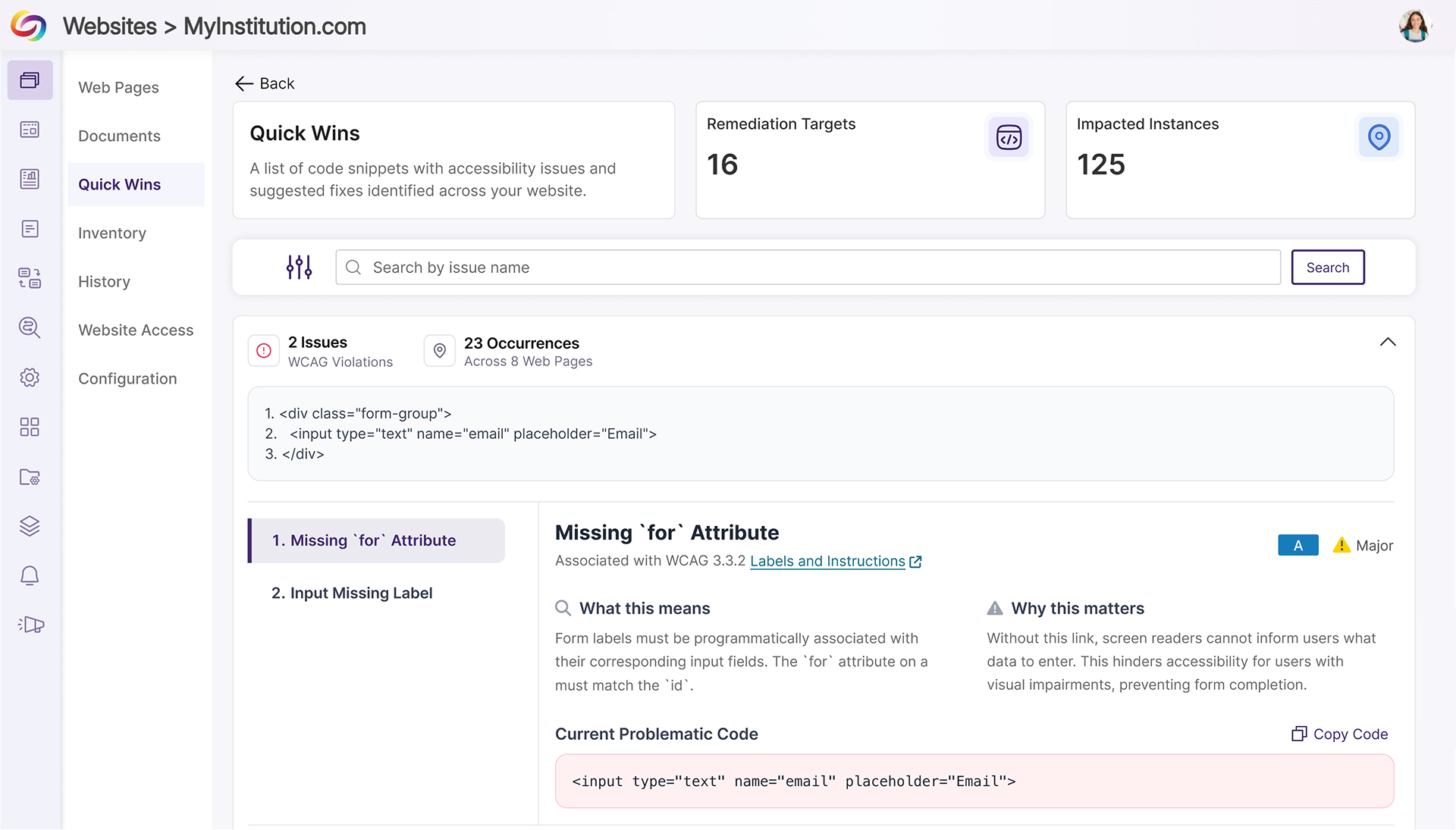
Quick Wins: Highlight and Track Code Snippets for Faster Site-Wide Remediation
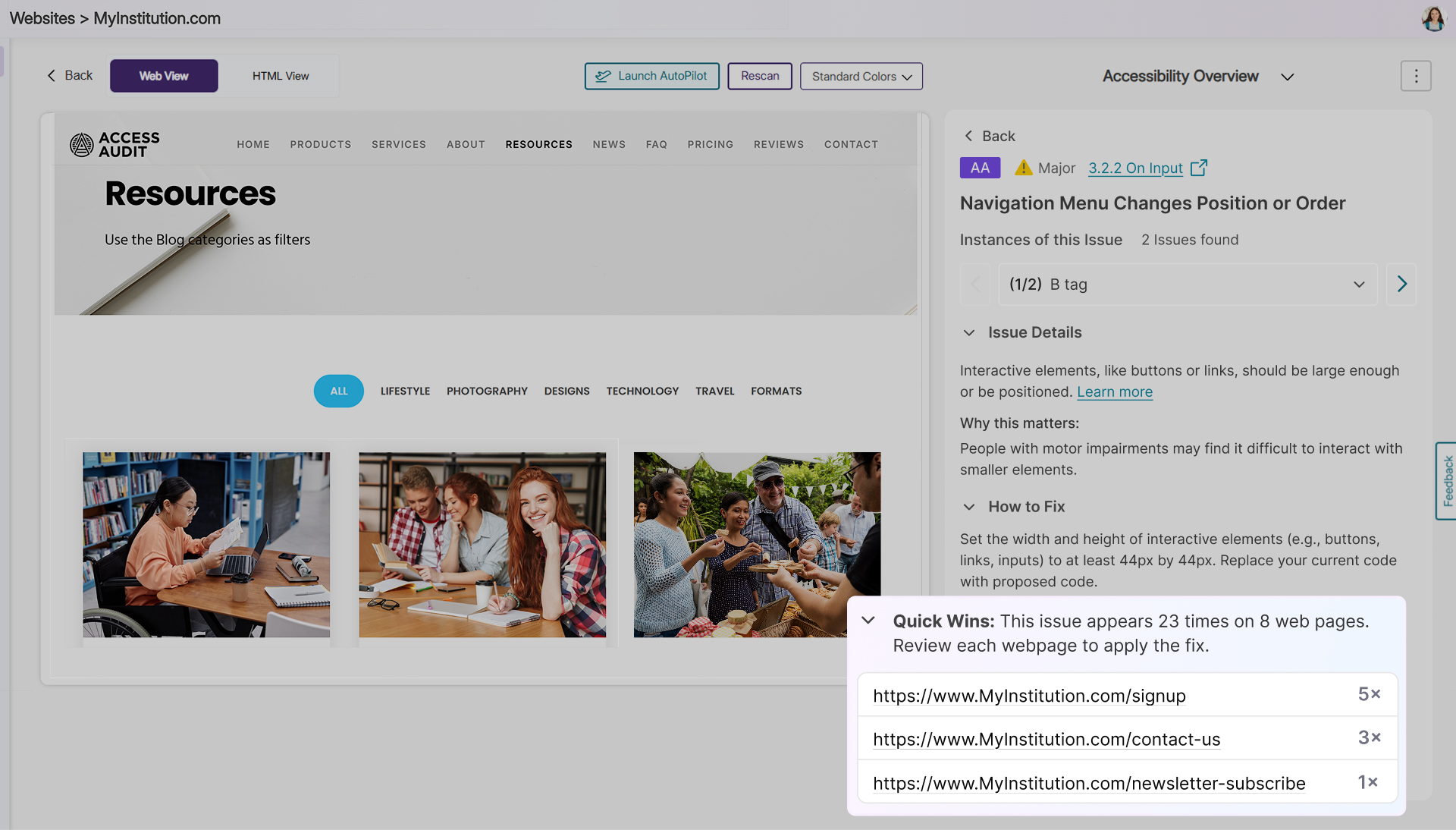
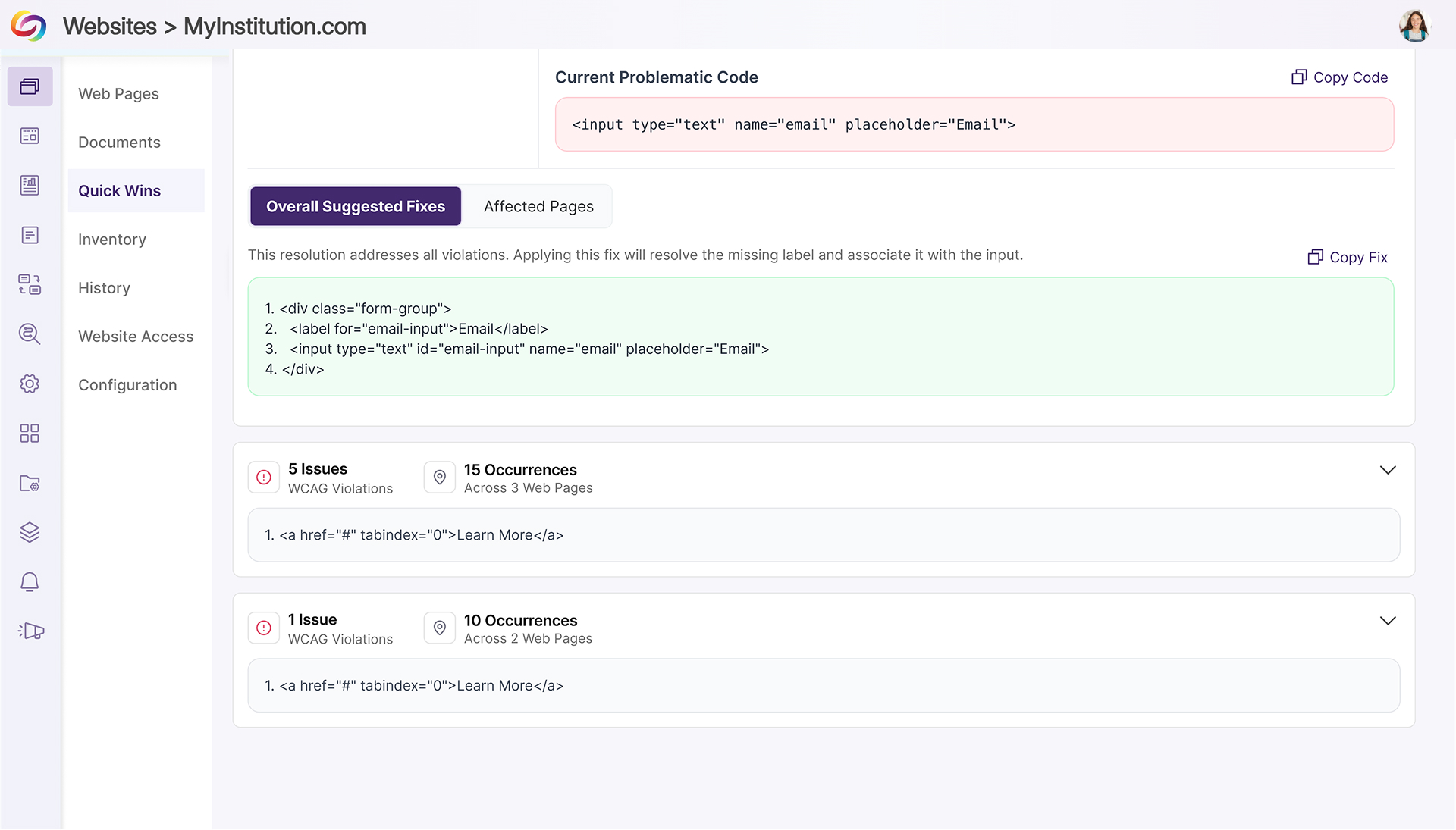
YuJa EqualGround now gives users deep visibility into code snippets that trigger accessibility issues, not just on individual pages but across an entire website. By identifying, highlighting, and tracking the presence of problematic code, users can quickly understand both the scope and impact of recurring issues. This insight allows teams to prioritize fixes, evaluate patterns, and remediate issues efficiently, reducing manual effort and improving overall site accessibility.
Key highlights include:
Highlight Problematic Code: Code snippets that cause accessibility issues are detected and highlighted on individual pages, making problem areas immediately visible.
Track Impact Across the Site: Users can see all pages where a flagged snippet appears, sorted from most to least impacted, providing a comprehensive view of the snippet’s reach.
Streamline Remediation Workflows: Combining detection and site-wide impact tracking allows teams to quickly evaluate and resolve recurring issues without manually inspecting each page, saving time and increasing remediation efficiency.
Jump Directly from Accessibility Issues to CMS Edit Pages
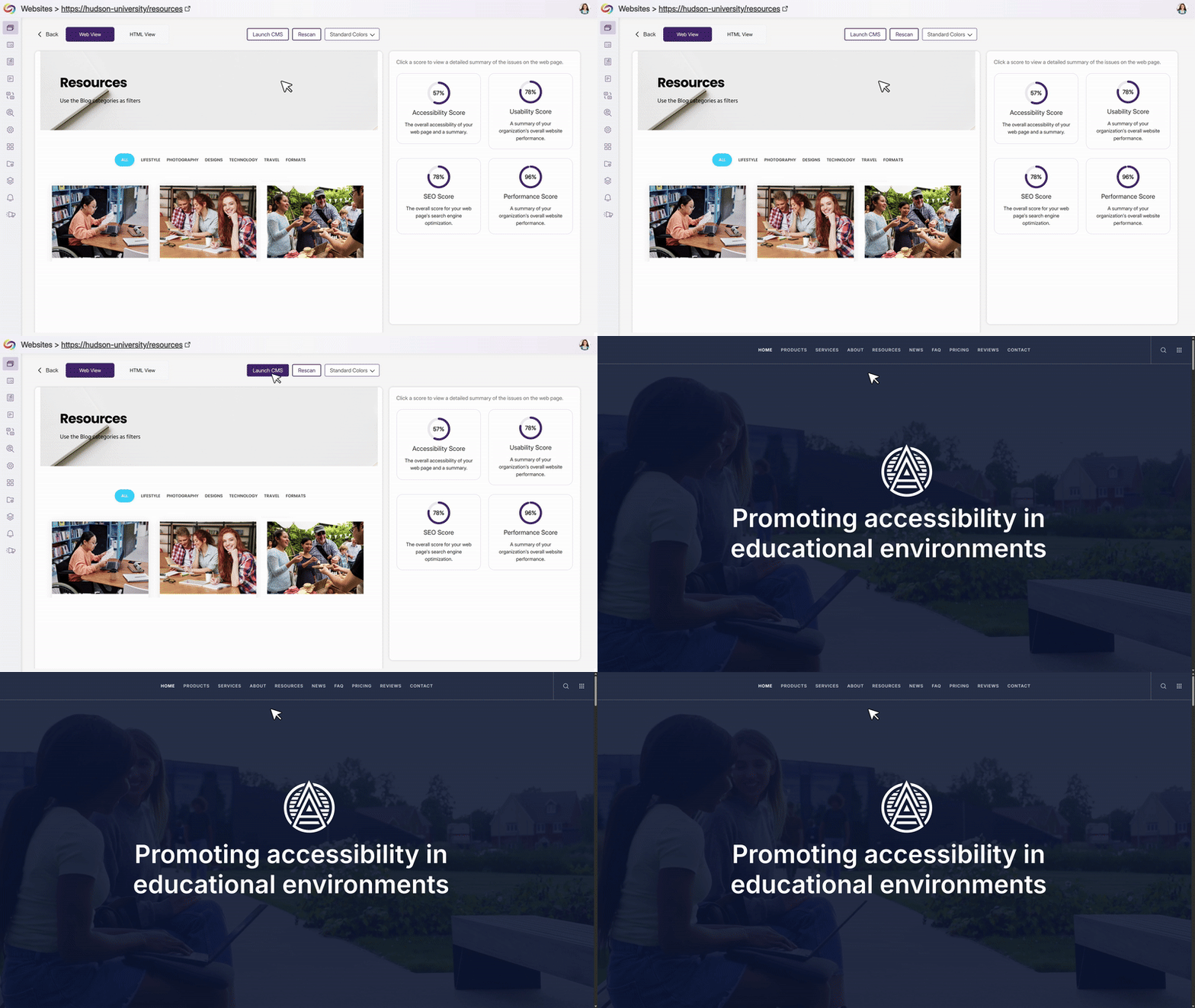
Admins can now define a CMS edit-page property on their website, enabling EqualGround to generate deep links directly to the corresponding edit pages in the CMS. When this property is detected, contributors see a “Go to Edit Page” button that takes them straight to where fixes can be made without searching, copying URLs, or navigating CMS menus. This reduces friction between issue detection and remediation, helping teams make faster updates while keeping the EqualGround interface clean by only showing the option when a valid edit link is available.
Prevent Repeated Misspelling Flags by Adding Words to the Custom Dictionary
Users can now add terms to the custom dictionary directly from the Usability Report, ensuring that approved words are no longer flagged as misspellings in future scans. This feature is specifically designed to help manage spelling checks, reduce repetitive alerts, and keep reports focused on new and relevant issues, allowing users to spend less time on false positives and more time addressing meaningful accessibility barriers.
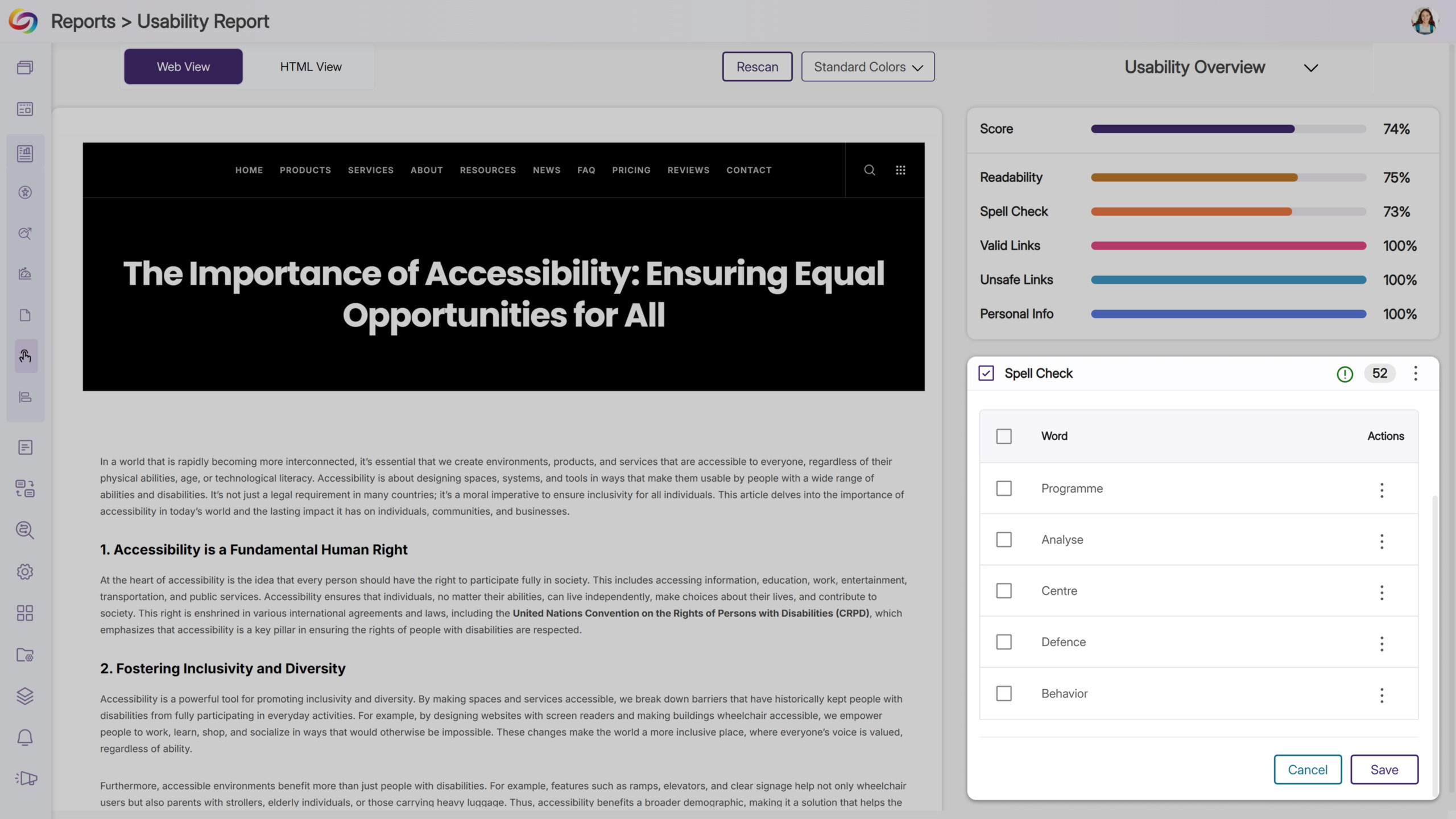
Get Help Instantly with the New Support Options
The support experience has been redesigned to make it faster and easier for users to get assistance. Clicking Support now opens a modal with tailored options: Live Chat, Call Support, Contact Form, and Product Docs. This streamlined modal centralizes support actions, giving users faster, more intuitive access to help when they need it.
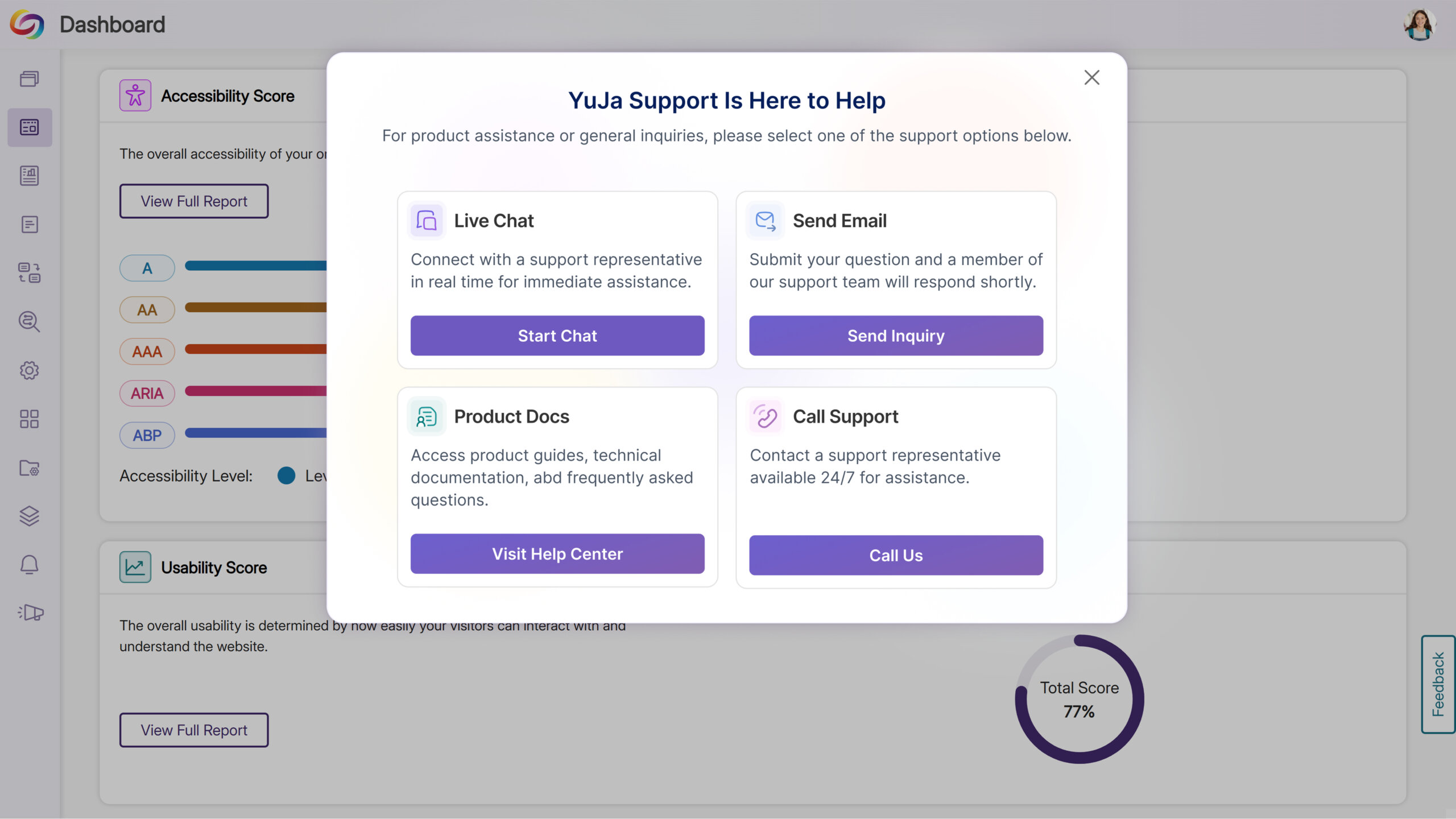
Link Issues to Workflow Tasks for Faster Resolution
YuJa EqualGround now displays when an issue, page, or issue type is tied to a workflow orchestration task and provides a direct link to the task. Clicking the badge takes users straight to the workflow page with the relevant ticket opened, streamlining issue tracking and improving and speeding up remediation.
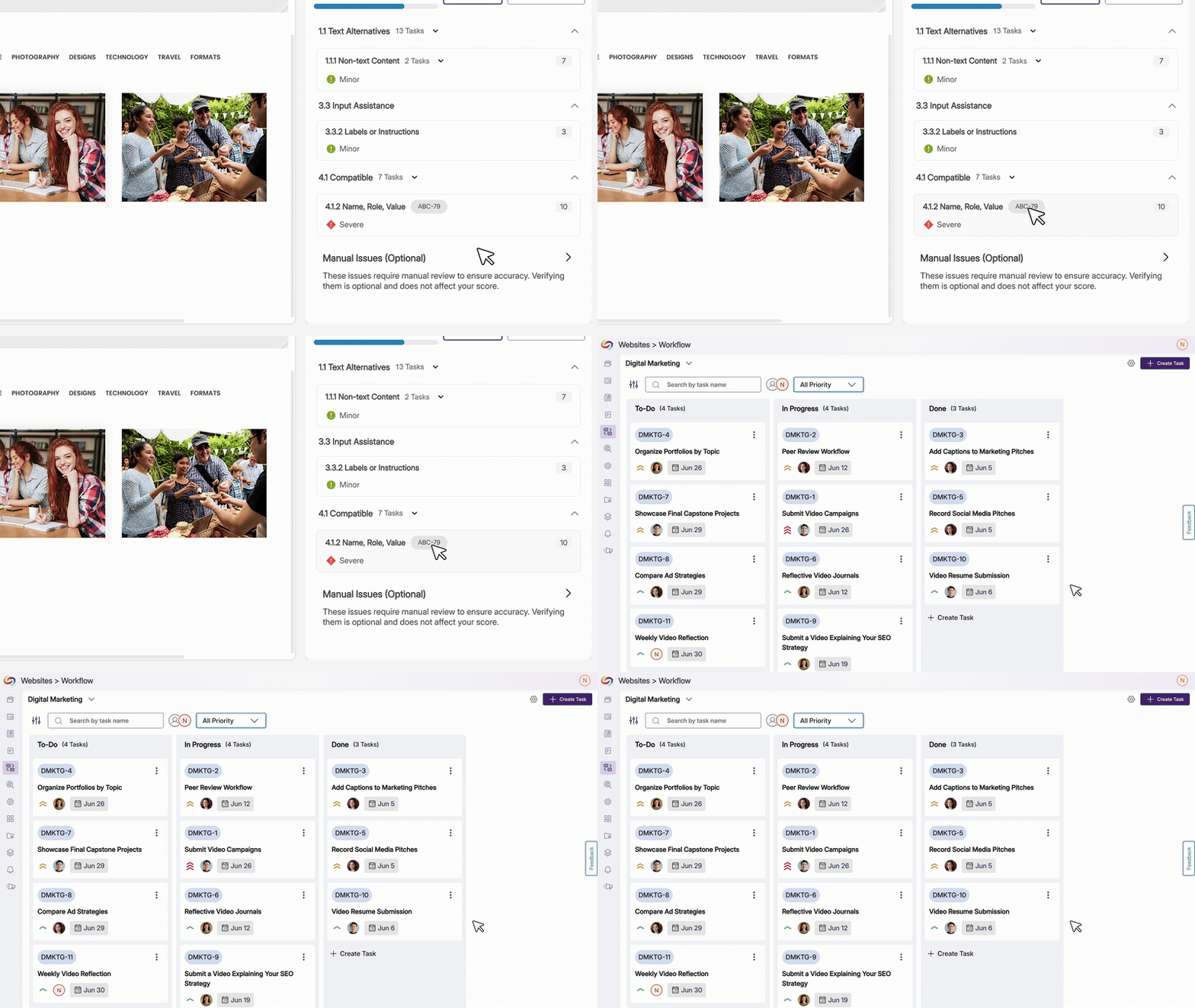
Streamline Workflow Task Creation Across Pages and Issues
Users can now assign entire pages or specific accessibility issues—by level, category, subcategory, or individual instance—directly to workflow tasks. From the accessibility panel, users can scope task creation, set project details, and generate tasks efficiently, improving visibility, coordination, and management across multiple pages and issues.
Over the next few weeks, we’ll update YuJa EqualGround with new features and capabilities. Key updates include the launch of our brand-new YuJa EqualGround SharePoint Integration Module, the ability to upload sitemaps or CSV files to organize and scan specific web pages, automatically assign users to groups using Azure Entra ID and SSO, and so much more.
Introducing the YuJa EqualGround SharePoint Integration Module!
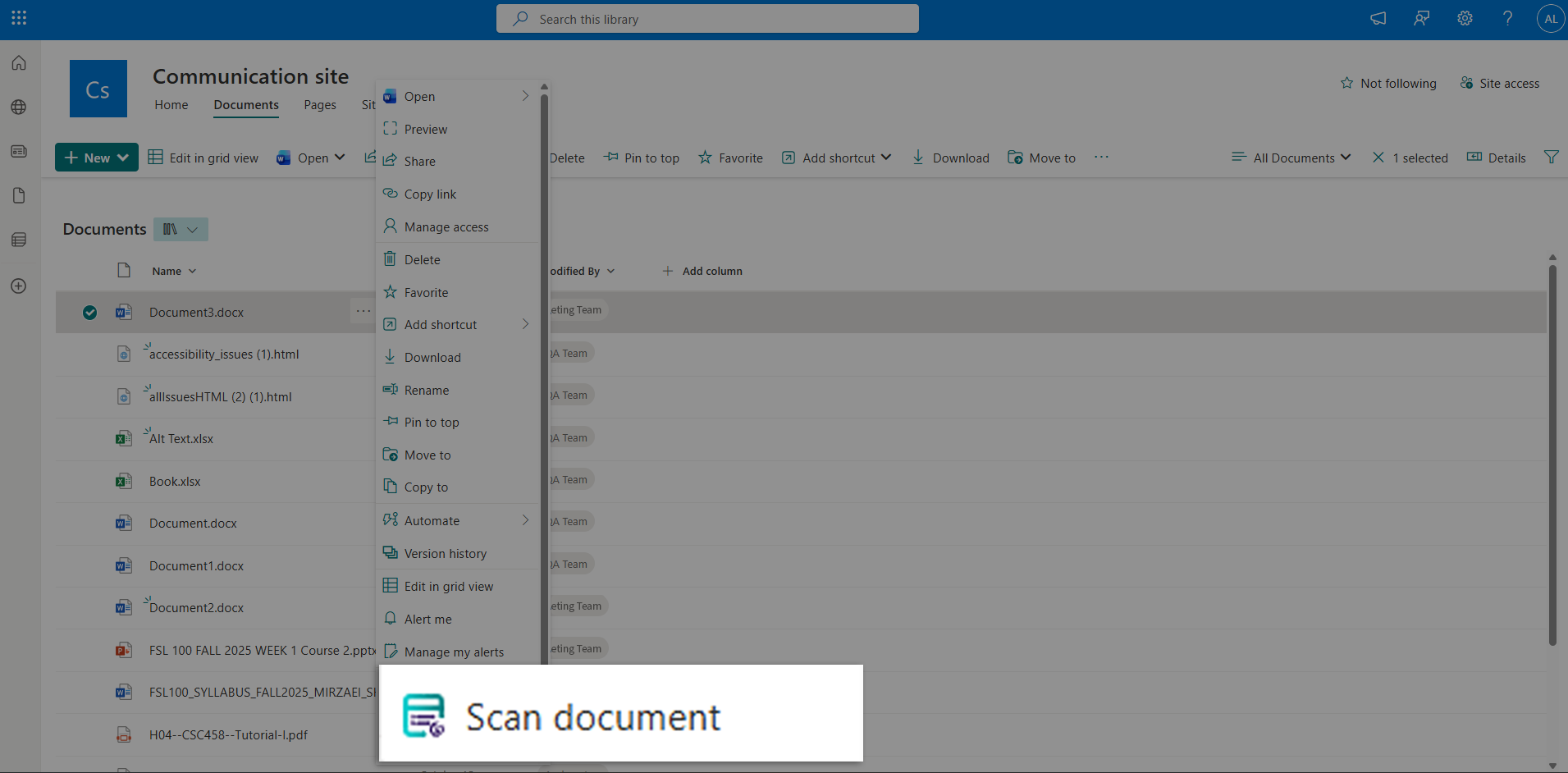
Accessibility is now built directly into your SharePoint workflow. With YuJa EqualGround’s new SharePoint Integration Module, you can now bring accessibility scanning to where your content already lives, without the need to switch platforms. This module gives you the power to scan your sites and document libraries directly from within SharePoint. With on-demand and Bulk Sync support for full library scanning, and Accessibility Reports to track remediation, you’ll now have full control over your sites and content, helping you ensure compliance while saving time.
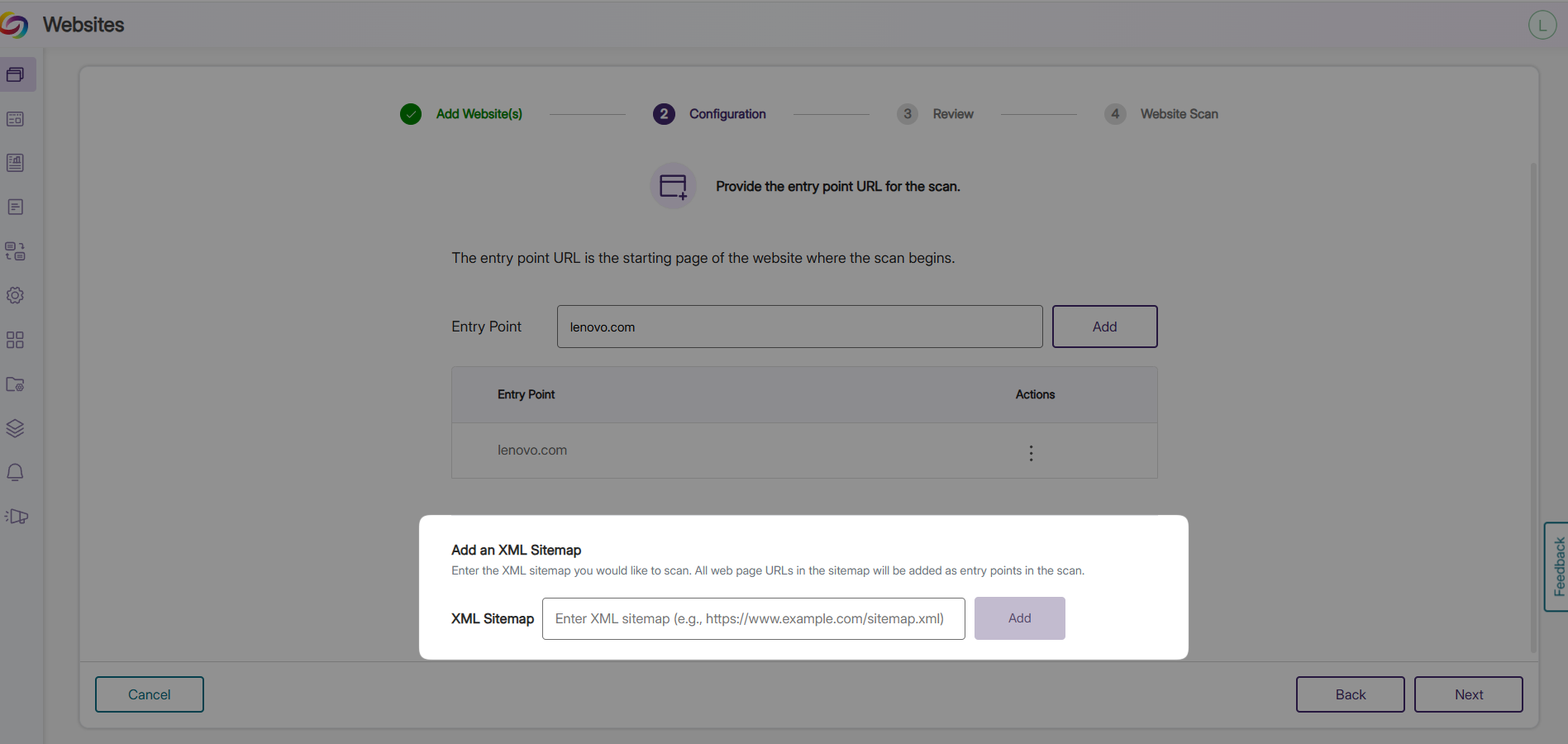
Upload Sitemaps or CSV Files to Organize and Scan Specific Web Pages
You can now upload an XML sitemap or CSV file, and EqualGround will use it to find and scan the specified web pages. Instead of adding a website and automatically scanning all the pages, you can now organize and define exactly which pages to include. This makes it easy to organize the web pages you want scanned, focus on the important content, and keep track of your scans more efficiently.
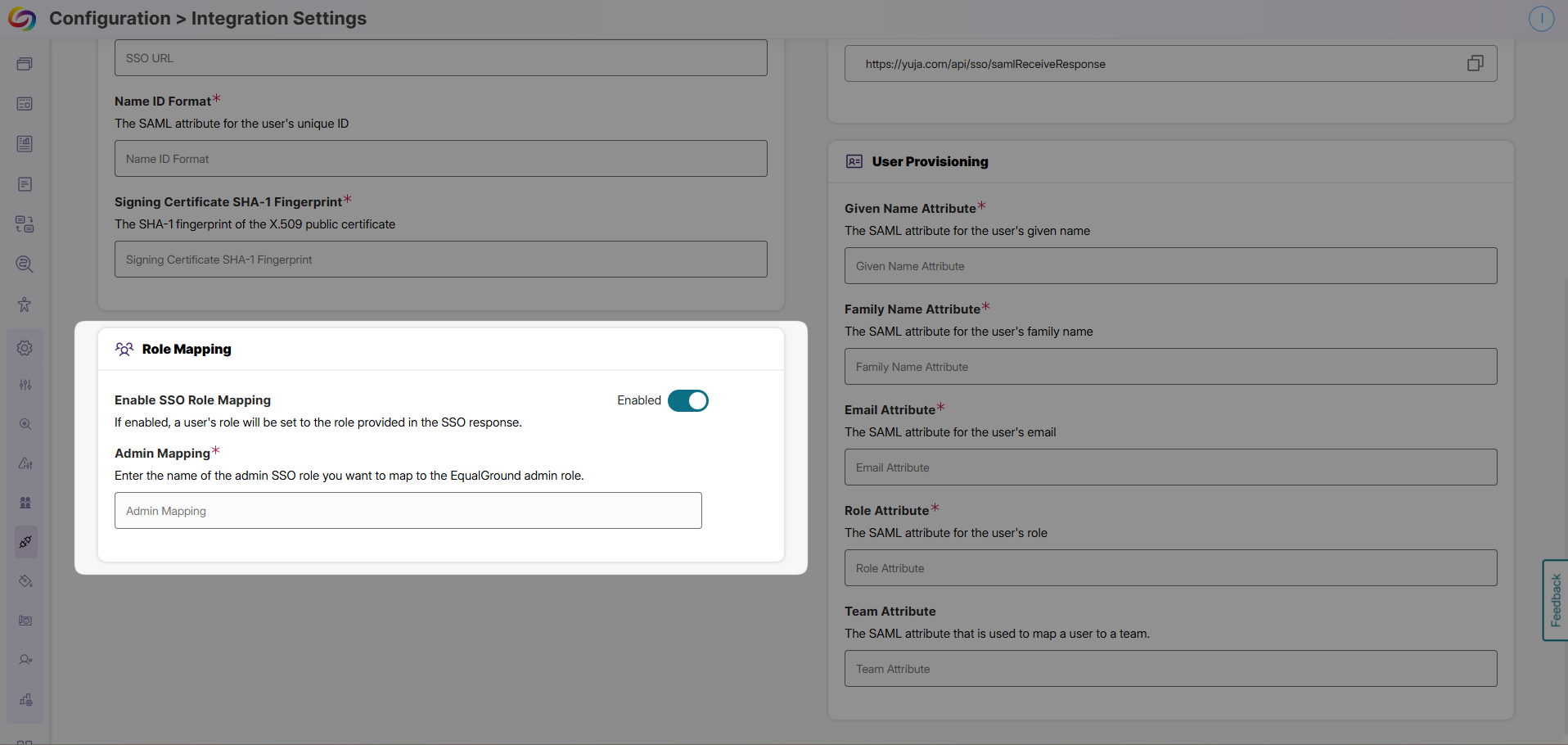
Automatically Assign Users to Groups using Azure Entra ID and SSO
New users can now be automatically placed into the right groups based on their roles or department when they log in through your single sign-on (SSO) system with Azure Entra ID and SCIM integration. For example, all new marketing team members from your organization can be instantly added to the EqualGround Marketing group, while the instructors join the EqualGround Instructors group. This feature gets new users organized into EqualGround right away, speeds up onboarding, and frees administrators from time-consuming manual tasks.
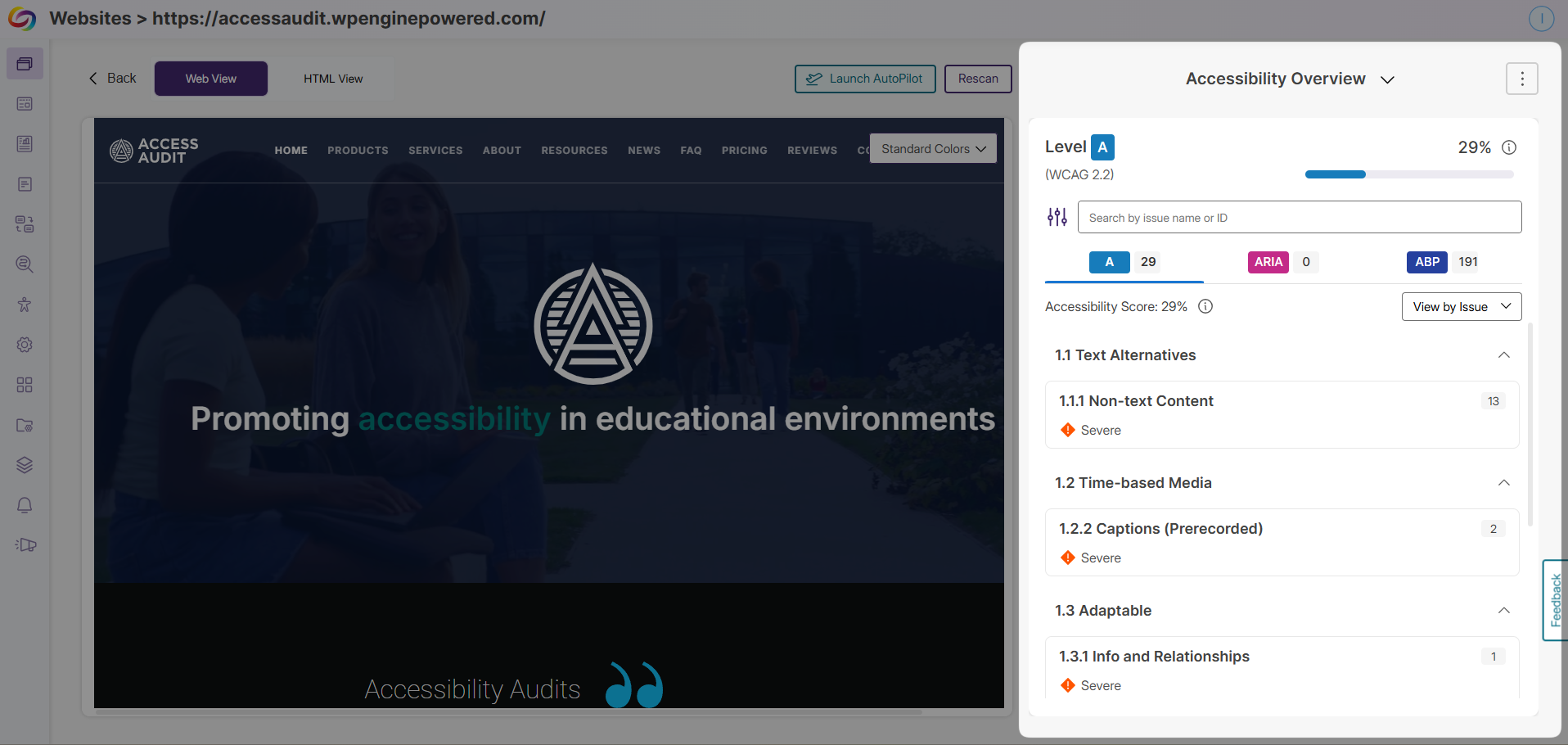
Redesigned Issues Panel for Faster Accessibility Reviews
The EqualGround Issues Panel has been redesigned to help you review and solve accessibility issues more quickly and efficiently. You can now move through issue instances using simple arrow buttons while still viewing each issue directly on the web page, so you never lose context. All key information is presented in one place, including Issue Details, Why This Matters, and How to Fix, helping you understand your issues and take action faster. You also have a direct link to the YuJa Accessibility Guide, jumping directly to the section that explains each issue.
Improved Role and Team Management Experience
EqualGround now offers an improved Role Management experience designed to make organizing your users and teams more intuitive. The enhanced workflow lets you easily create roles, build teams, add users, and assign the right access to each group. This new workflow gives you clear control over who can access specific websites and creates a faster, more efficient onboarding experience. We have also refreshed the team invitation email, making it more user-friendly so new users can join your EqualGround teams more effortlessly.
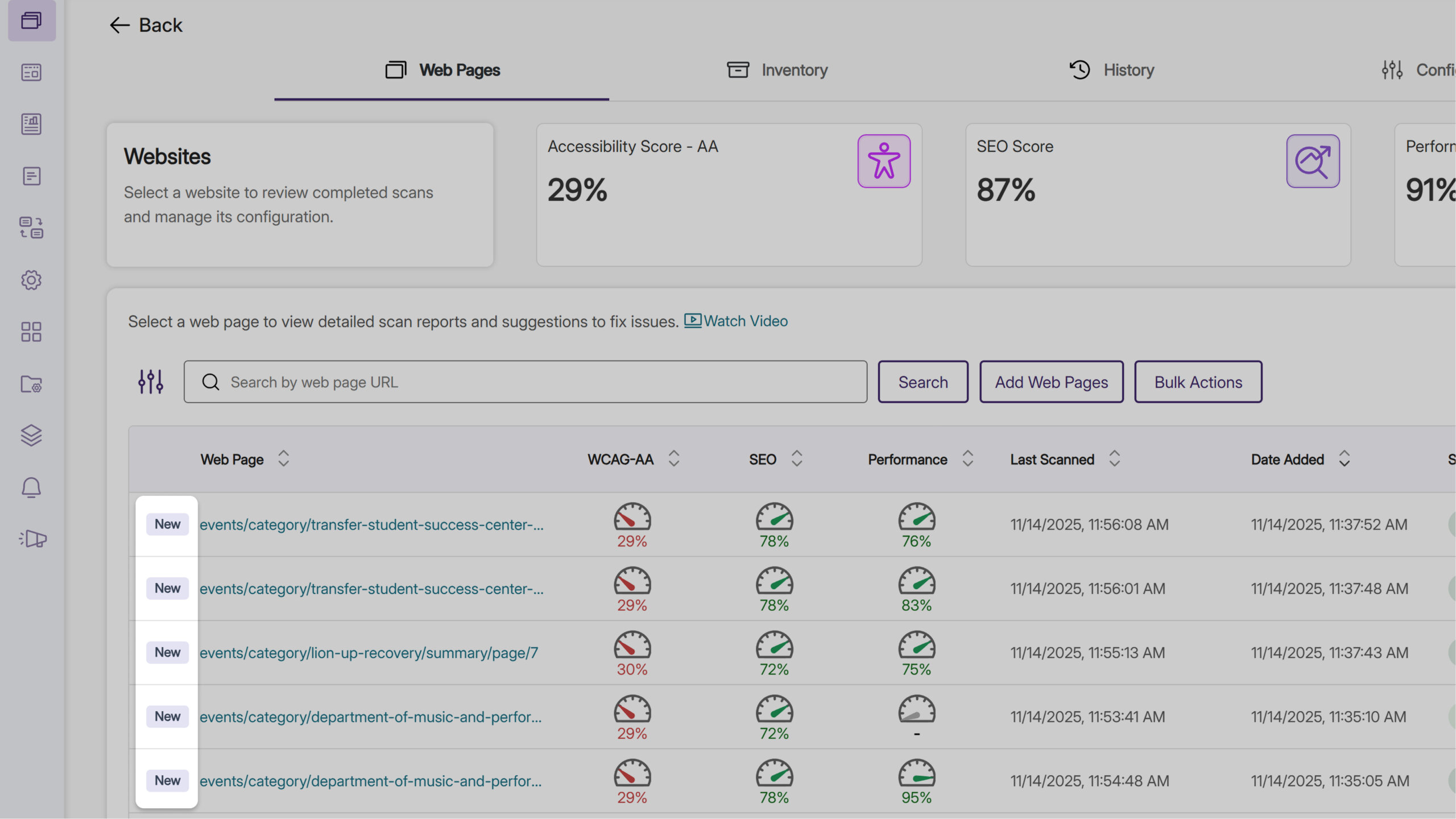
“New” Badge Highlights Recently Added Web Pages
When reviewing web pages in EqualGround, you can now quickly spot the most recently added web pages highlighted with a “New” badge. The badge appears for three days after a new web page is added to EqualGround, or whenever newer pages are added, helping you easily identify newly added content so you can prioritize what to scan next.
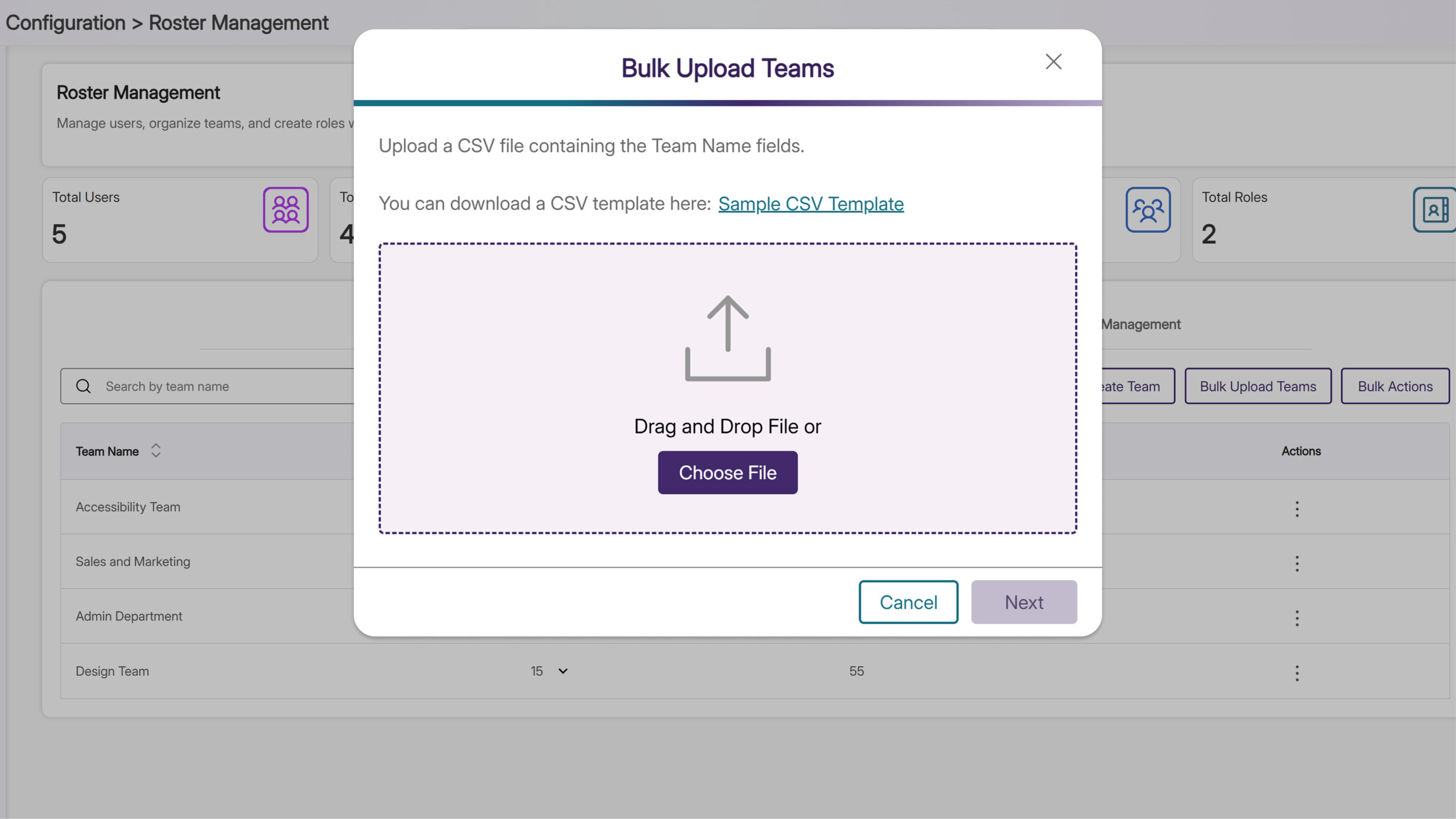
Quickly Add Multiple Team Members with CSV Upload
You can now add multiple team members at once through CSV file upload. When adding a new group of users, you can quickly add everyone to the right EqualGround team without entering each user manually. Once the team is set up, you can immediately assign website access and roles to all or selected team members, saving time and ensuring your teams are fully organized and ready to start.
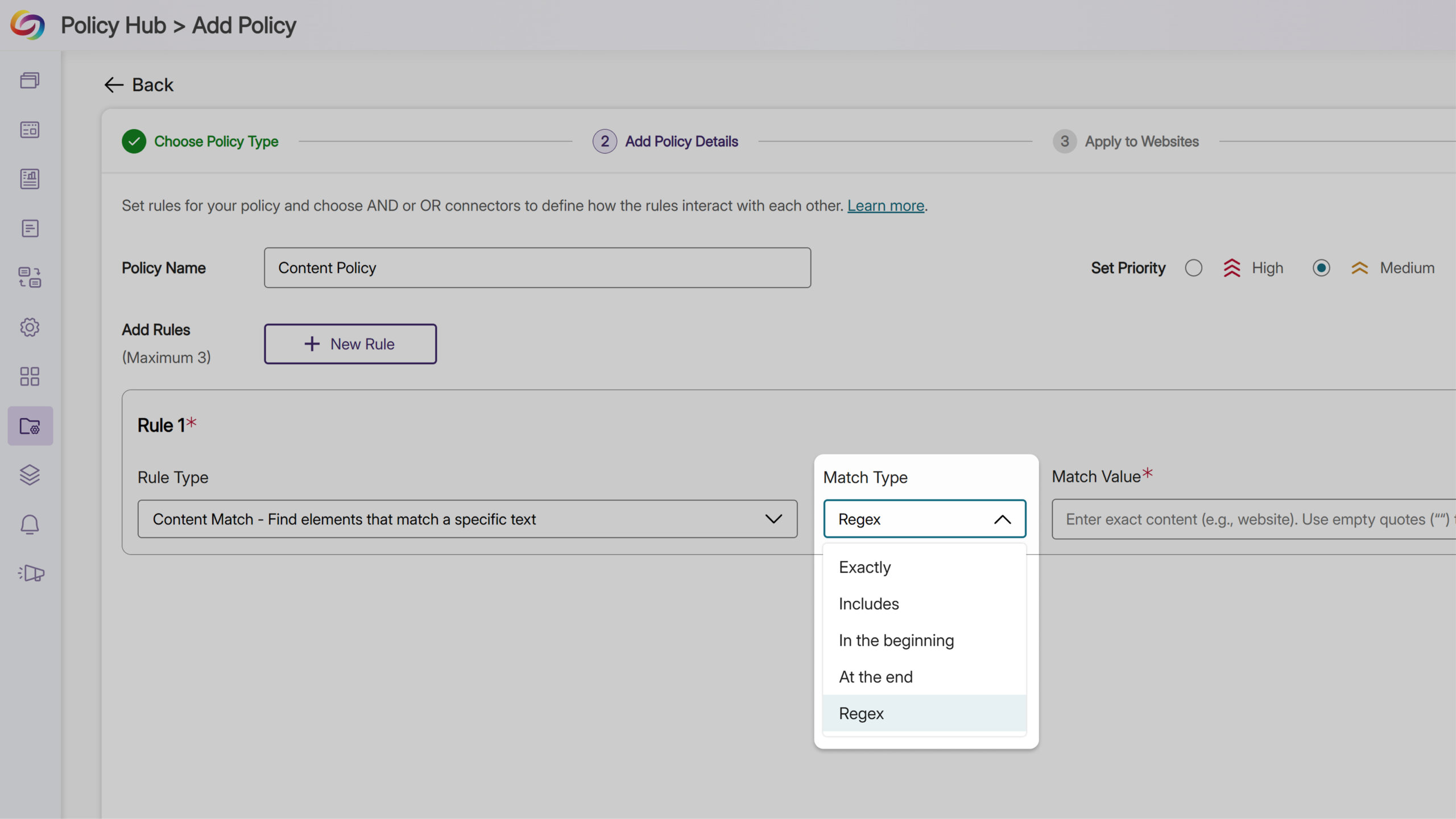
Enhanced Text Search with Regex
You can use regex options when creating a policy rule. Previously, EqualGround could find specific content, media, or documents based on elements, file type, and other criteria for websites. With the new regex capability, the EqualGround search engine can now find specific sequences of letters and symbols when making text related policies, giving you more flexibility and precision in your website searches.
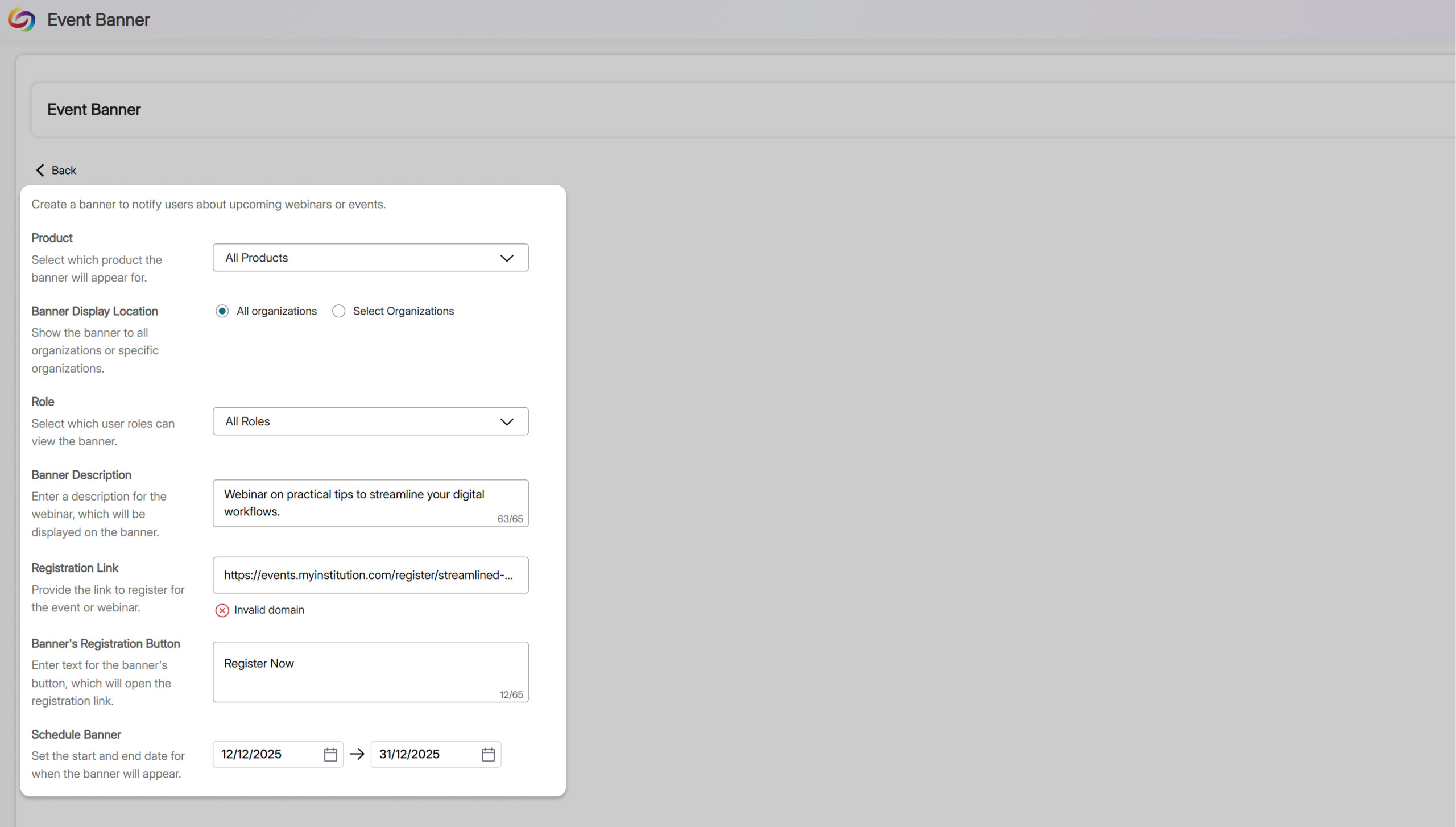
Discover Important Announcements and Insights With New Event Banners
Administrators can now view event banners directly within EqualGround, keeping your team informed about important announcements and upcoming webinar opportunities. Designed with your workflow in mind, these banners help you discover new features, learn shortcuts to boost efficiency, and stay ahead of industry trends. You can navigate between banners using the arrow buttons or dismiss them for the current session. All of this can be done without leaving the page, giving you useful updates without interrupting your work.
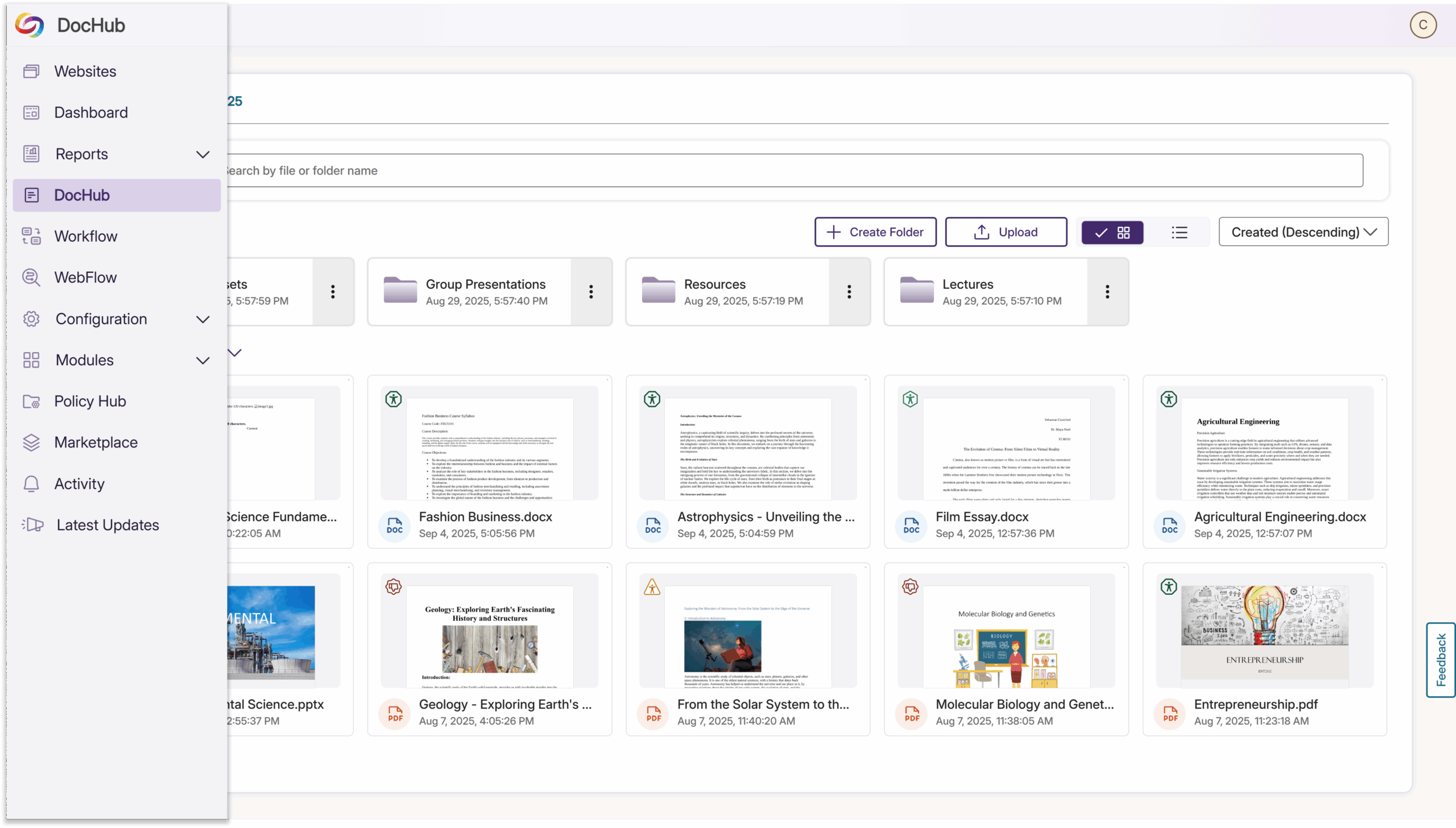
Personalize Your DocHub Experience
EqualGround has upgraded DocHub to make managing your files and accessibility reports easier than ever. You can now customize the DocHub name in the sidebar to match your branding or make it clearer for your team. This simple change makes a big difference, helping you quickly find and access DocHub while keeping your workspace aligned with your organization’s needs.
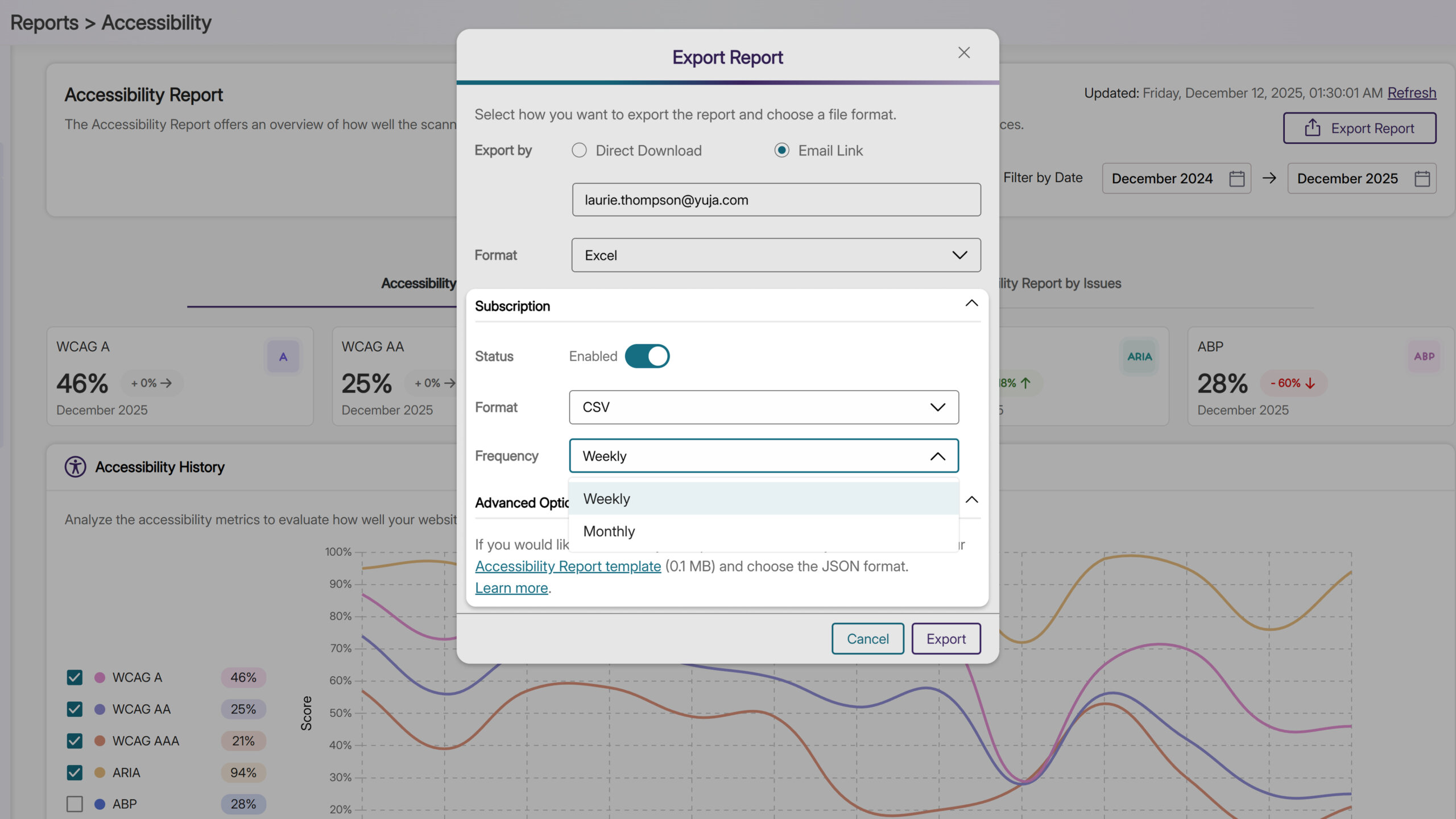
Subscribe to Scheduled Scan Reports to Stay on Top of Key Insights
You can now subscribe to receive daily, weekly, or monthly reports for accessibility, SEO, documents, performance, or usability. Once subscribed, the reports are delivered straight to your inbox on your chosen schedule, without having to manually check each report page. This way, you can save time while staying on top of important insights and trends in your scans.
Join the 1,000+ Organizations Deploying High-Impact Solutions