Product Updates

Get the latest platform updates, features, and announcements—all in one place.

  • March 31, 2023

    YuJa Panorama Digital Accessibility Platform – “Francs Peak” Version Released to US, CAN, AUS, and EU Zones

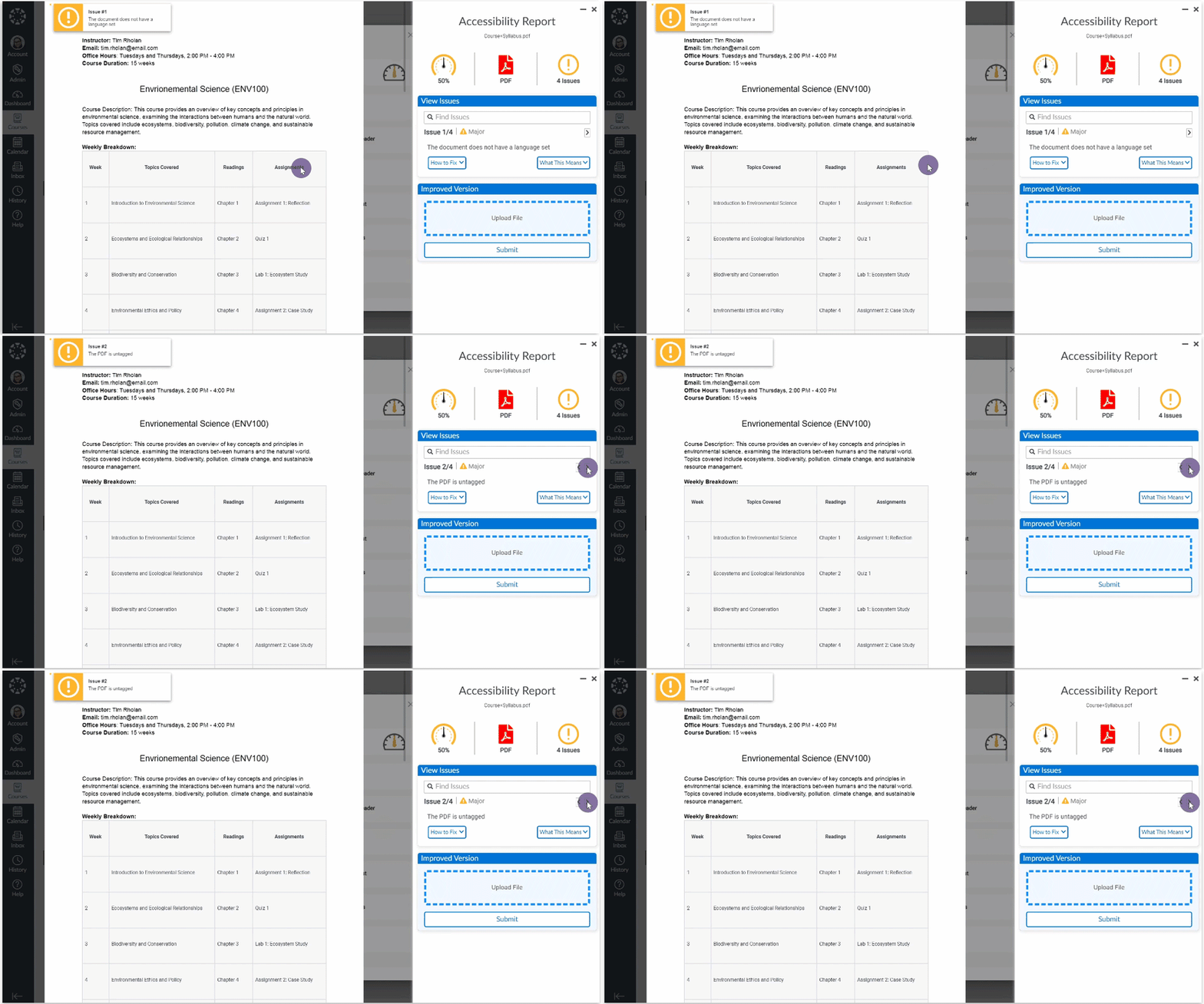
    We have successfully pushed an update to all YuJa Panorama Digital Accessibility Platform instances residing in the United States, Canada, and the European Union. This release provides our users with a gradient reader and optical character recognition for alternative formats, new “silent courses” for Panorama, accessibility scores for GIFs, support for OpenOffice, options to filter institution reports by sub-accounts and terms, view a breakdown of all courses in the institution report, choose to enable the WYSIWYG editor, and improved text formatting and report generation.
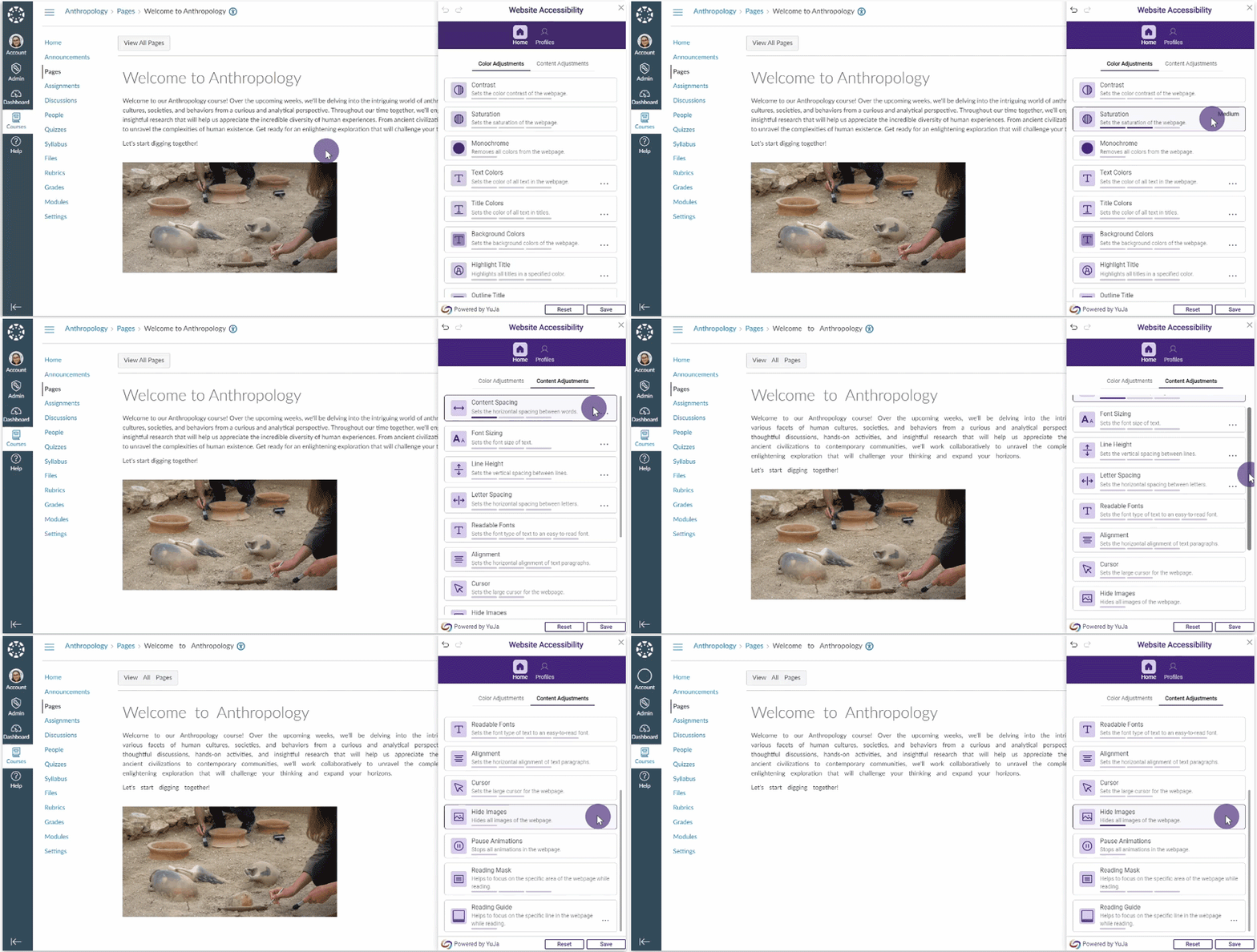
    1. New Gradient Reader to Provide Focused Reading by Eliminating Unnecessary Eye Movements To enhance visual word recognition, the new Gradient reader is designed to reduce distractions and increase the reader’s focus by providing a guiding color gradient. The gradient facilitates a smooth shift between lines of text, eliminating unnecessary eye movements when reading. An example of the gradient reader.
    2. AI-Powered Text Recognition for Scanned Documents and Images That Contain Handwritten or Digital Text Any documents containing images and GIFs with text can now be converted into a digital format that can be processed by screen readers and searched electronically. Whether it’s handwritten or digital text, Panorama’s optical character recognition (OCR) engine can provide fast conversions for entire documents. New capabilities with this engine include: OCR Alternative Formats
      • PDF from Scanned Documents – Creates a PDF document that allows text in images and GIFs to be searched and read aloud by screen readers. OCR Conversion to PDF.
      • Plain Text from Scanned Content – Recommended for those who’d like plain text, Panorama will extract and display text within images and GIFs as a plain text (TXT) file. OCR for Text File.
      • Audio Podcast from Scanned Content – Auditory learners can use the OCR tool to extract text within images and GIFs into an MP3 text-to-speech audio player. OCR Audio Format.
    3. Support of Departments and Sub-Accounts for Reporting and Analytics Panorama now offers admins comprehensive insights into the accessibility of their institution. We now offer the option to filter analytics through sub-accounts, organizations sharing an LMS across multiple schools can select specific institutions from which to access and download reports. Moreover, sub-accounts can be used by organizations with multiple branches and be filtered by term to narrow analytic reports for key areas of interest, providing institutions with accessibility data points over a specified period of time. [dropshadowbox align=”none” effect=”raised” width=”auto” height=”” background_color=”#ececec” border_width=”0″ border_color=”#ececec” rounded_corners=”false” inside_shadow=”false” ] [/dropshadowbox]
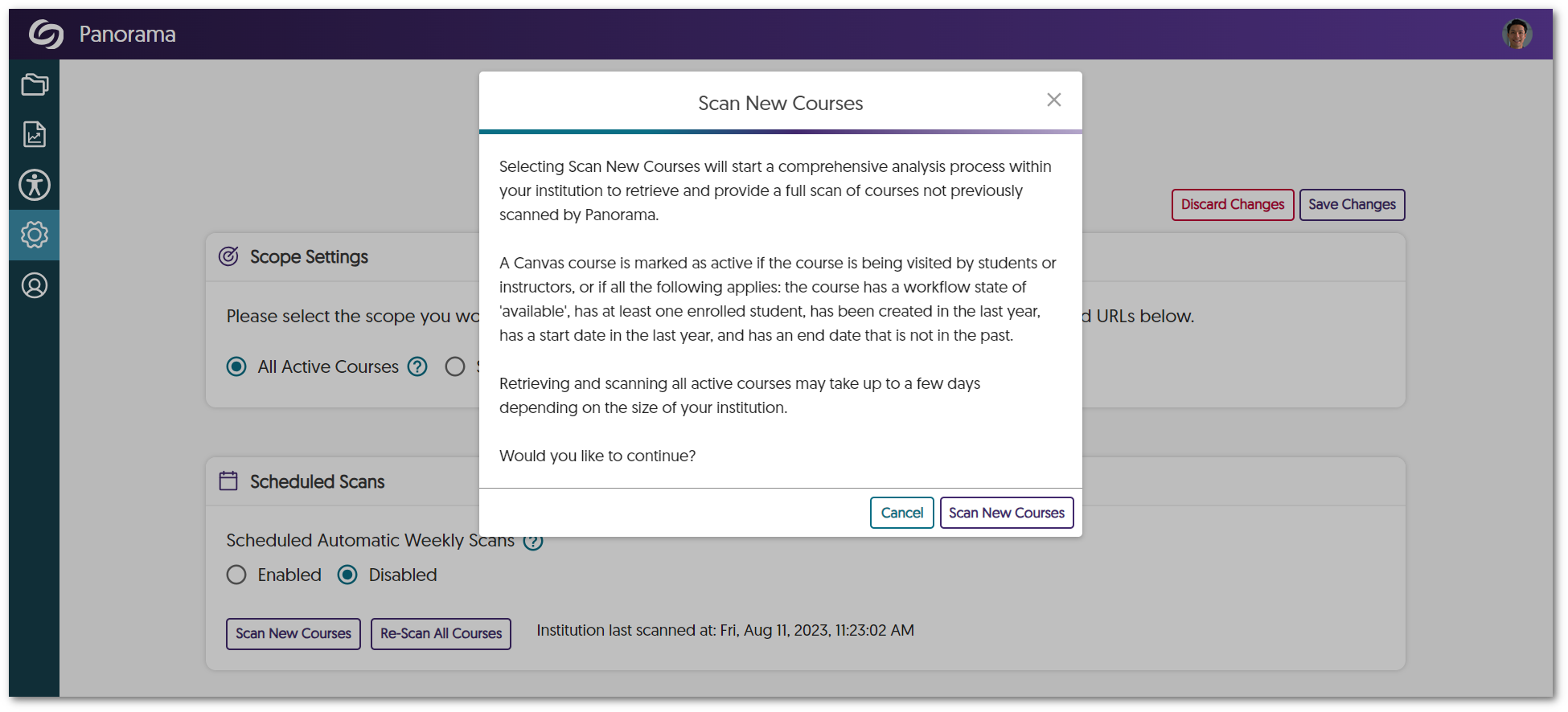
    4. Add Silent Courses to Conceal Panorama from Students While Instructional Staff Review Accessibility Concerns Admins can now add a Silent course to allow instructors to view all analytic reports and adjust the accessibility of their documents while ensuring that Panorama is not visible to enrolled students. The Scope Setting panel features a tab to add Silent courses.
    5. Ability to Identify Potentially Harmful GIFs Using New Accessibility Engine Built to Analyze Color Intensity and Transitions To foster a more inclusive digital experience that extends beyond traditional documents, Panorama will now produce Accessibility Reports for GIFs. By analyzing the intensity of color transitions between frames, Panorama can flag GIFs that have the potential to pose a risk to the well-being of individuals. Accessibility Report for a GIF that may induce a seizure.
    6. Support for OpenOffice Documents Including ODT, ODP, ODS, RTF, XLSX, and XLS Our OpenOffice users will be pleased to know that we now support ODT, ODP, ODS, RTF, XLSX, and XLS documents for Alternative Formats and Accessibility Reports. OpenOffice Icons.
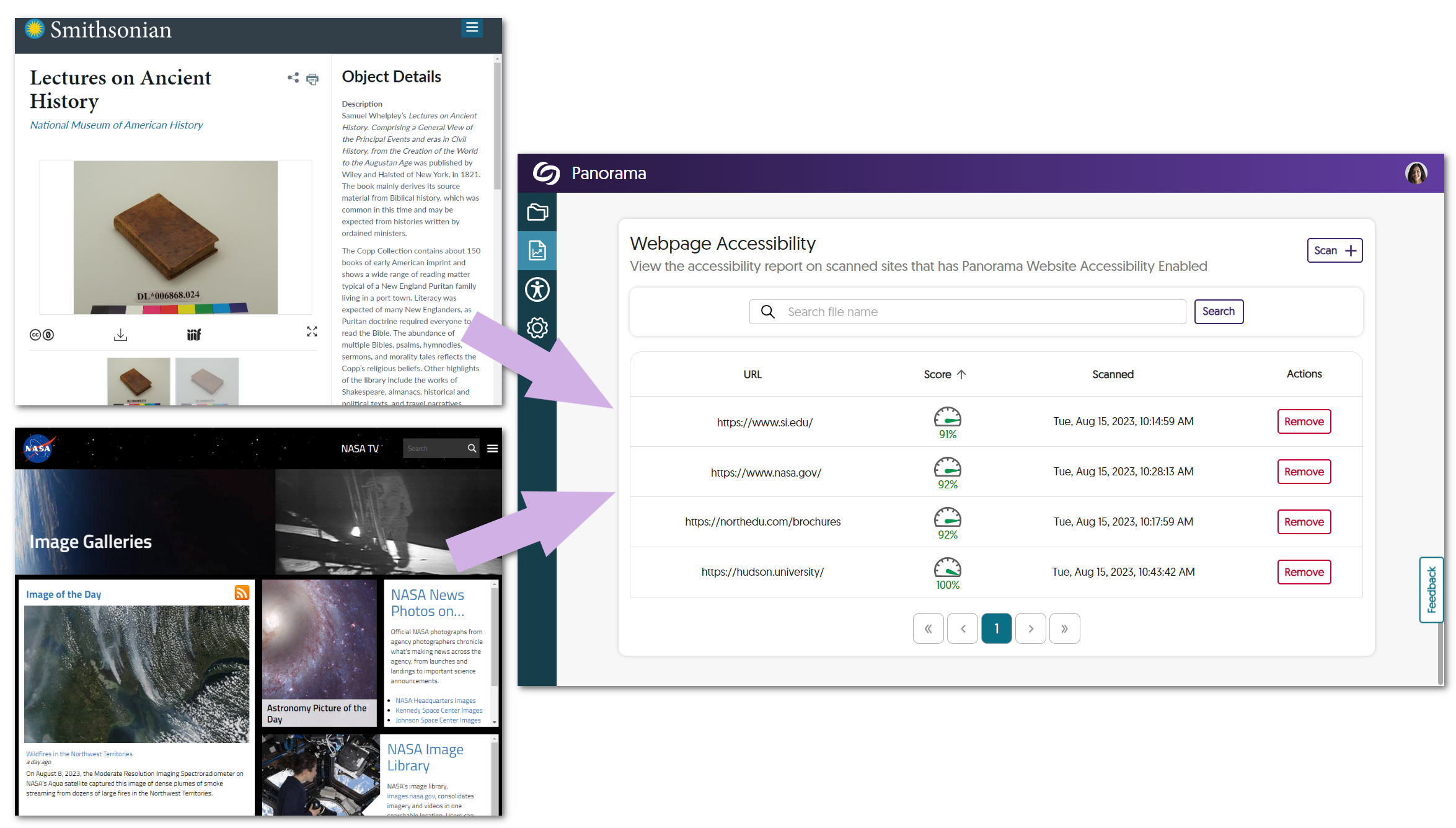
    7. Downloadable Institution Report Offers Breakdown by Course Downloading the Institution Report now allows administrators to view monthly accessibility scores, the least and most accessible courses, and a breakdown of files processed for each course. An institution report featuring the number of files processed and the overall accessibility of the courses.
    8. Connect to the Browser Extension with a Click of a Button For institutions using the Browser Extension, connecting Panorama to the Browser Extension has now become even easier. Previously, first-time users would have had to launch Panorama within a new tab, but we’ve simplified the process with a one-click connection. Now, all you have to do is download the browser extension, click Connect, and let Panorama enhance documents and improve website accessibility. The three step process to install the browser extension. download the extension, click the connect button, and then wait for panorama to start scanning your environment.
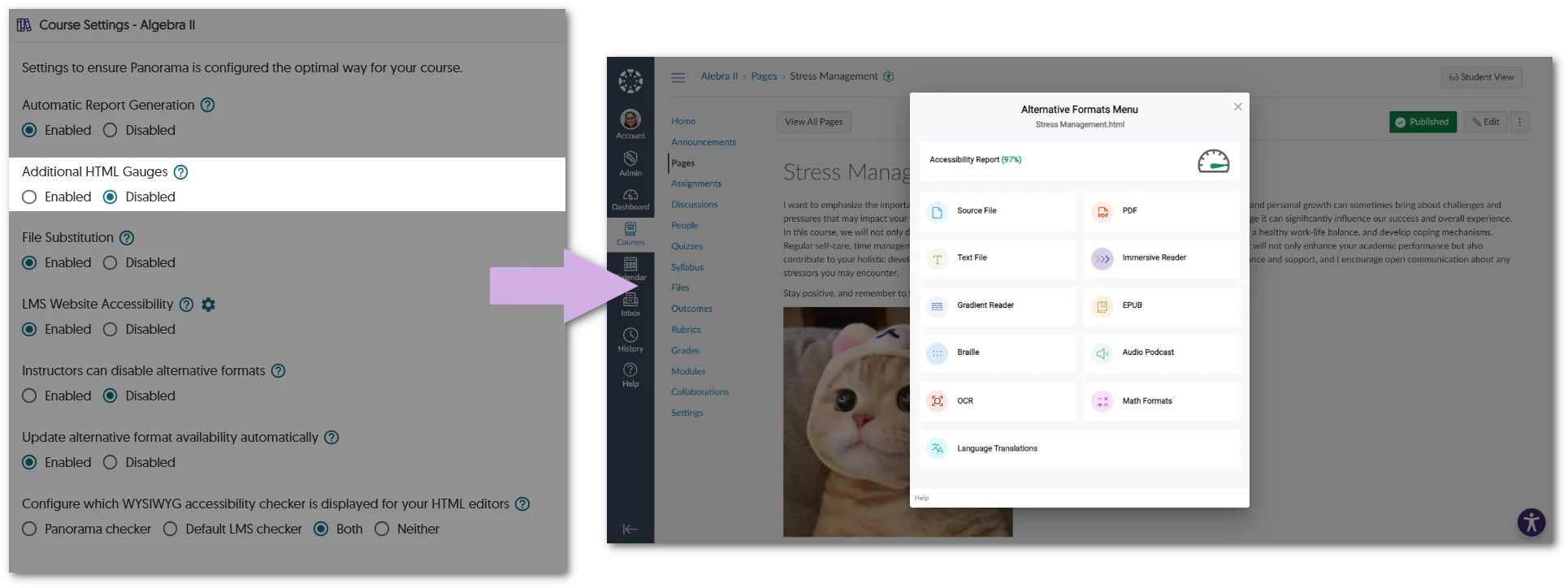
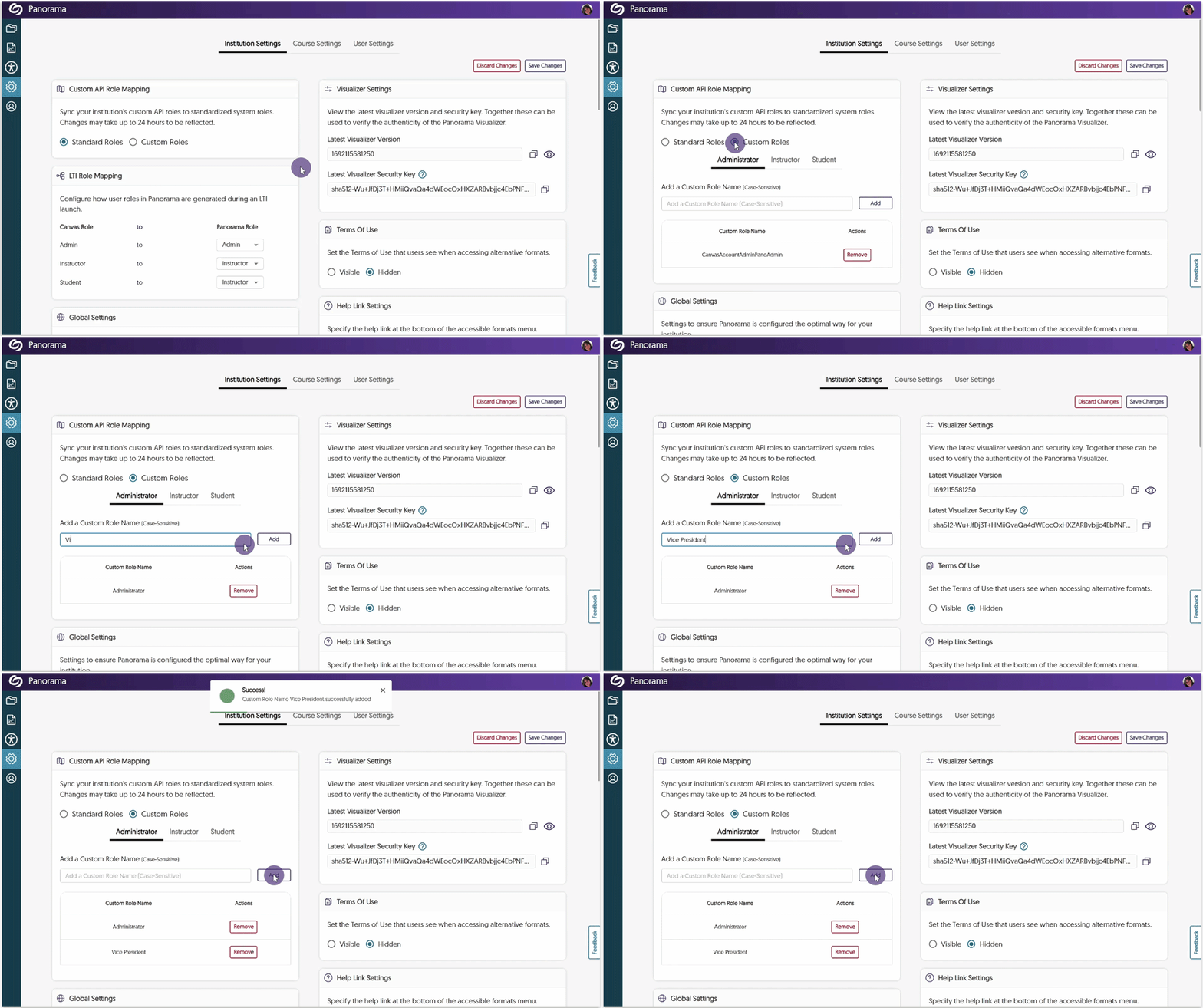
    9. Enable the Prefered WYSIWYG Editor Admins can now customize which WYSIWYG editor they wish to use in their LMS. Choose to enable the Panorama checker, the default LMS checker, or enable/disable both. WYSIWYG Options.
    10. Optimized Delivery Time for Alternative Formats We have optimized our conversions for Alternative Formats to provide up to 60% faster delivery times.
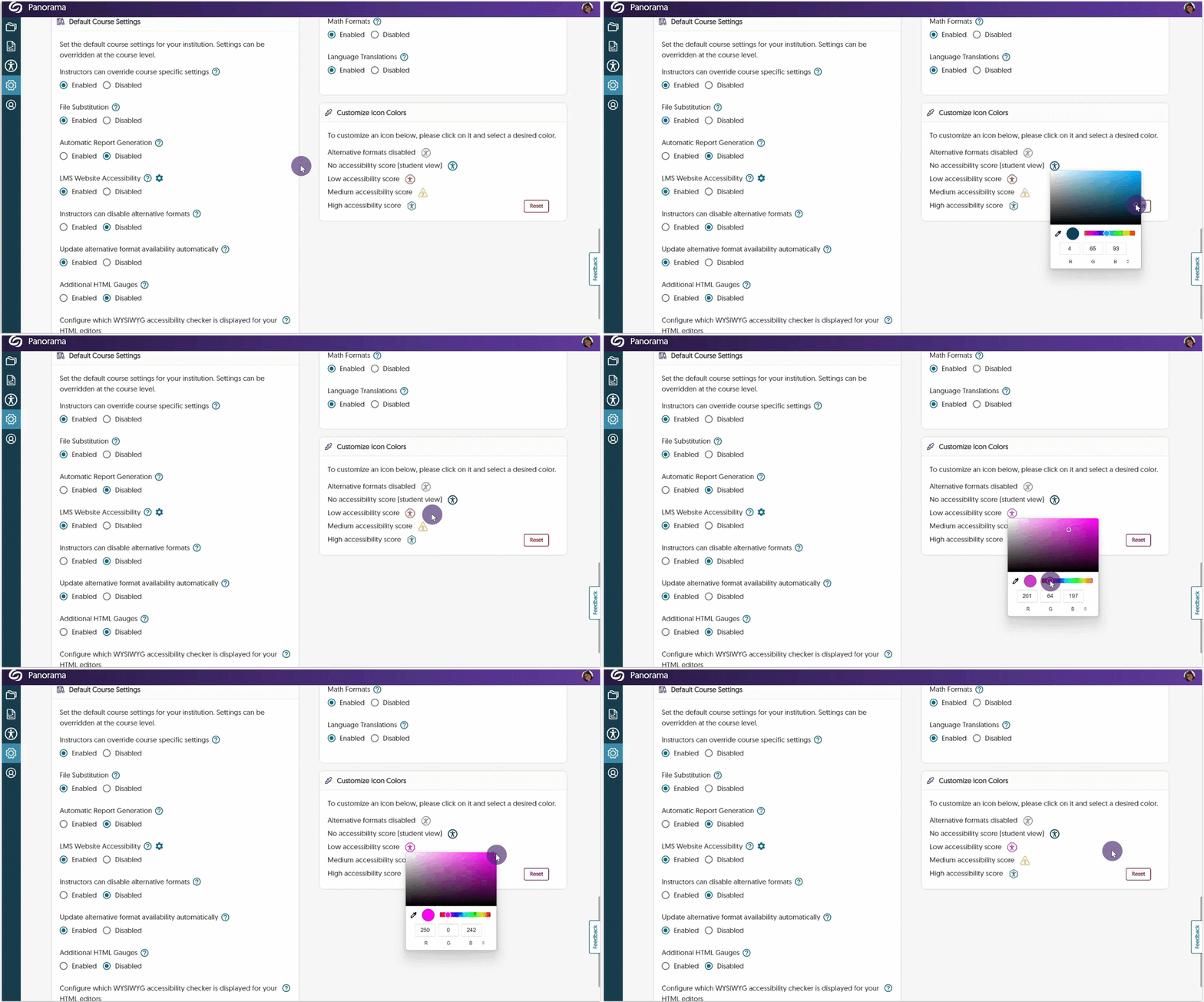
    11. Improved Text Formatting Institutions with large data points for graphs will notice a more optimized UI when information is displayed. Issues Report featuring a large data set for the number of issues detected.
    12. Optimized Pre-Generated Reports We have enhanced pre-generated reports to run more efficiently for institutions.
  • March 22, 2023

    YuJa Engage Student Response System – Update RC20230315 to US, CAN, AUS, and EU Zones

    We have successfully pushed an update to all YuJa Engage Student Response System instances residing in the United States, Canada, Australia, and the European Union. This release provides our users with a new mobile app for Engage, a dashboard for students, a redesigned Instructor View for sharing Polls, and overall improvements to the platform.  
    1. D2L Brightspace and Moodle LTI 1.3 Integration for Student Response System D2L and Moodle admins may integrate YuJa Engage for their institution to allow polls and surveys to be created and published directly to desired courses. Students may then access YuJa Engage, participate in polls and surveys, and have their grades synced to the LMS Gradebook. To learn more about the integrations, please visit our support guide on integrating the YuJa Engage platform for D2L Brightspace or Moodle. The YuJa Engage platform is shown inside the D2L Brightspace and Moodle LMS.
    2. Mobile IOS App for Students To provide students with on-the-go access to Polls and results, we have released the highly anticipated iOS app for YuJa Engage. Download the app through the App Store to join polls and view results directly from your smartphone. Future updates will provide an Android app for students to download and access Polls. Mobile view of a student taking an Engage Poll.
    3. New Dashboard Homepage for Students Students can stay up to date with recent Polls and results through the new dashboard for their homepage. By offering instant viewing of active and past Polls in real-time and the ability to join Polls using codes, students can access everything they need from a single, easy-to-use location. The Student Home Dashboard features separate panels; organizing content into Join Polls, Enrolled Courses, Join using code, Recent Results, and Support Center.
    4. New Poll Activation Dashboard for Instructors We have updated the UI to provide a fresh new look for instructors to view the results of their live Polls. Instructors can see responses to questions as they are completed, a breakdown of attempts, and an Activity Feed of participants in the Poll. Sharing a Poll features five panels for instructors to view. The questions panel, Responses, Poll Code, Participants, and Activity Feed are available.
    5. Bug Fixes and Optimizations We have optimized the performance of YuJa Engage and made several bug fixes to improve the user experience. Highlighting some of these optimizations and fixes are:

      • Joining a Poll after it has ended will direct the participant to the results page.
      • More responsive UI when participating in Polls from a smartphone.
      • Faster response time when viewing past Poll results.
  • March 22, 2023

    YuJa Verity Test Proctoring Platform – Update RC20230317 Released to US, CAN, AUS, and EU Zones

    We have successfully pushed a release to all instances residing in the United States, Canada, Australia, and the European Union. This update enhances the live-proctoring dashboard for instructors to create human-proctored tests. 
    1. Live-Proctoring Dashboard for Instructors The Live-Proctoring dashboard provides instructors with tools to manage online tests in real time. Keep track of Past, Upcoming, and Active sessions with a user-friendly interface that allows instructors to see when tests are scheduled and plan accordingly. Verity Instructor dashboard for human proctoring. Features panels for active, upcoming and past sessions along with a monthly calendar view of sessions.
    2. Create Human-Proctored Sessions in Three Simple Steps Creating a human-proctored session is easy with our simple three-step process:

      • Create Sessions
      • Assign Proctors
      • Confirm details
      By following these steps, instructors can create reliable and secure human-proctored test sessions. To learn more about creating a human-proctored session, please visit our guide on Creating a YuJa Verity Live-Proctoring Test.
  • March 8, 2023

    Software Capture for PC – Update v12.1.0.0 Released to US, CAN, AU, and EU Zones

    We have successfully pushed an update to all Software Capture for PC instances residing in the US, Canada, Australia, and the European Union. This update includes migrating to a 64-bit architecture to improve performance, the ability to customize additional default configurations when installing and registering the Software Capture application, and improvements to the overall application based on field data.
    1. Upgrade to a 64-Bit Architecture and 50%+ Improvement in Memory Footprint

      Migrating to the 64-bit architecture has significantly improved the performance of the Software Capture application by allowing it to take advantage of the larger memory space available in compatible systems. As a result, the Software Capture application will be able to allocate the appropriate memory resources for the workload and, as a result, will use memory resources approximately 50-60% more efficiently, as well as complete tasks much faster than previous versions.

      In practical terms, the Software Capture application can now address bottleneck issues that resulted in devices such as webcams disconnecting, or crashes due to a lack of memory resources. With the improved architecture, the application can take full advantage of any allocated memory, allowing for better scaling when handling high-intensity scenarios (such as multiple 4k cameras at high framerates). YuJa Software Capture Confidence Monitor

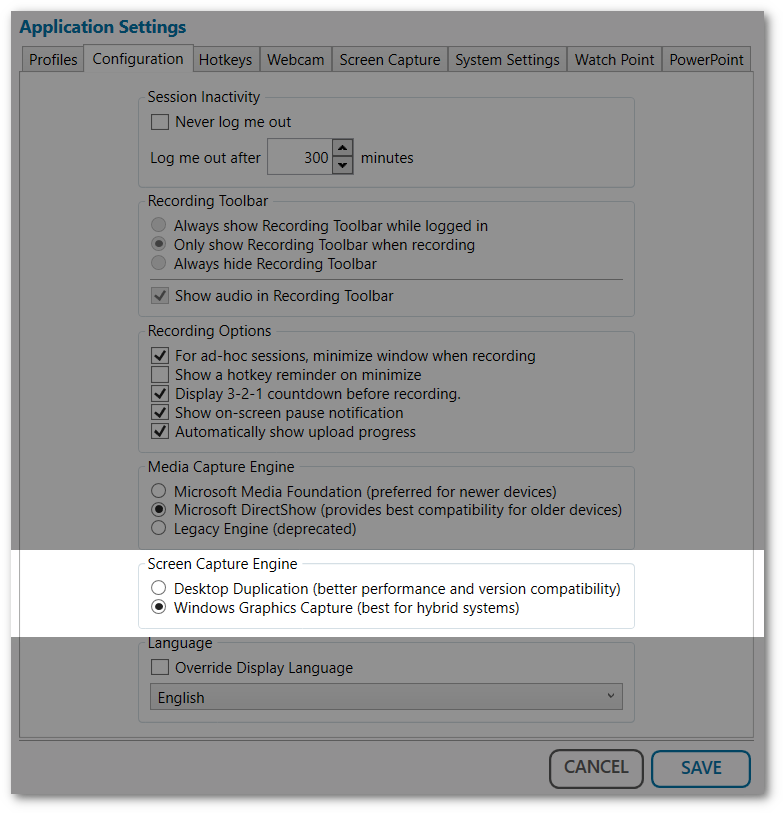
    2. Improved Fleet Management Capabilities Related to Improved Remote Configuration Deployment Deploy Capabilities As part of our strategic plan to enhance large-scale remote deployments of the Software Capture application, Administrators can remotely set and override many configurations and settings. By deploying a configuration file to devices, admins can simultaneously set standard customized settings across hundreds of devices. Some of these adjustments include the following:
      • Default Media Capture Engine
      • Language Override settings
      • Webcam and Screen Capture settings
      • System settings, including the use of alternate rendering modes
      To learn how to download, edit, and deploy the configuration file for your institution, please refer to our guide on Auto-Registering and Configuring the Software Capture Application for PC. The configuration settings for YuJa Software Capture.
    3. Resolved Stability and Field Issues We have resolved the a number of smaller issues to enable an enhanced user experience:
      • Resolved an issue that prevented users from utilizing Watchpoint folders to publish recordings to their selected channels.
      • Resolved an issue that only allowed users to select channels from the Internal Library. With this resolved, users will be able to select any channel to publish recordings in.
       
  • March 5, 2023

    YuJa Verity Test Proctoring Platform – Update RC20230302 Released to US, CAN, AUS, and EU Zones

    We have successfully pushed an update to all YuJa Verity Test Proctoring Platform instances residing in the US, Canada, Australia, and the European Union. This update includes a look into our new Live Proctoring feature, integration support for D2L Brightspace, new placements for Reports, and a Student Exemption list for all Learning Management Systems.
    1. Verity Live Proctoring (Beta) YuJa Verity now offers additional protection to the integrity of online tests by providing human-controlled live-proctoring sessions in conjunction with our established AI-based reports. Instructors can enable the feature within their quiz settings and set specific time slots for tests to be monitored. Students then have the flexibility to register for slots that best suit their needs. Proctor view of students taking a test. A list of Events including student names are seen to the left.
    2. Support for D2L Brightspace Now Available To ensure exam integrity with test proctoring, YuJa Verity is now available for D2L Brightspace. Instructors can set specific restrictions on individual quizzes, view recordings of testing sessions, detailed reports of suspicious activities, as well as their courses. To learn how to integrate YuJa Verity with your D2L Brightspace instance, please visit our guide on Integrating YuJa Verity for Test Proctoring into D2L Brightspace. D2l view of a Proctored Test which includes the Verity Recording Panel.
    3. Additional Placement for Reports To provide admins and instructors with a convenient location to view their reports, Institution Reports and Course Reports can now be accessed directly from the YuJa Verity LTI link (in addition to their existing placements). YuJa Verity LTI link page features access to Institution reports and Proctoring reports in the navigation menu.
    4. Student Exemption List for all Learning Management Systems Similar to our previous update for Canvas and Moodle, instructors can now disable YuJa Verity for individual students who are already within a physically proctored environment. Simply access the quiz settings and add students to the exempted students list. For more information on how to access and use this feature, please visit our support guide on Creating an Exempted Student List. The Student Exemption list features a list of all students and exempted students.
    5. Sort Verity Results Alphanumerically When reviewing the Verity Results table, instructors can organize the list of students alphanumerically.
    6. Enable Stop Session Recording at the Institution and Course Level Our previous update disabled the Stop Session Recording feature for Moodle and Canvas and allowed instructors to enable the feature for individual quizzes. This update enhances the feature and allows instructors to use any LMS to enable Stop Session Recording from our new Settings options, accessed through the Verity LTI link. By accessing the link, admins can choose to enable the feature for their institution, and instructors can configure the setting for their courses.

Join the 1,000+ Organizations Deploying High-Impact Solutions

A collection of logos representing various organizations and institutions that use YuJa’s platform.