Product Updates

Get the latest platform updates, features, and announcements—all in one place.

  • May 2, 2023

    Software Capture for PC – Minor Update v12.1.5.0 Released to US, CAN, AU, and EU Zones

    We have successfully pushed a minor update for Software Capture for PC to all instances residing in the US, Canada, Australia, and the European Union. This update provides enhancements to the fleet management configuration file, improved previewing for live sessions, resolved profile selection issues, and resolved concerns related to monitors without default displays.
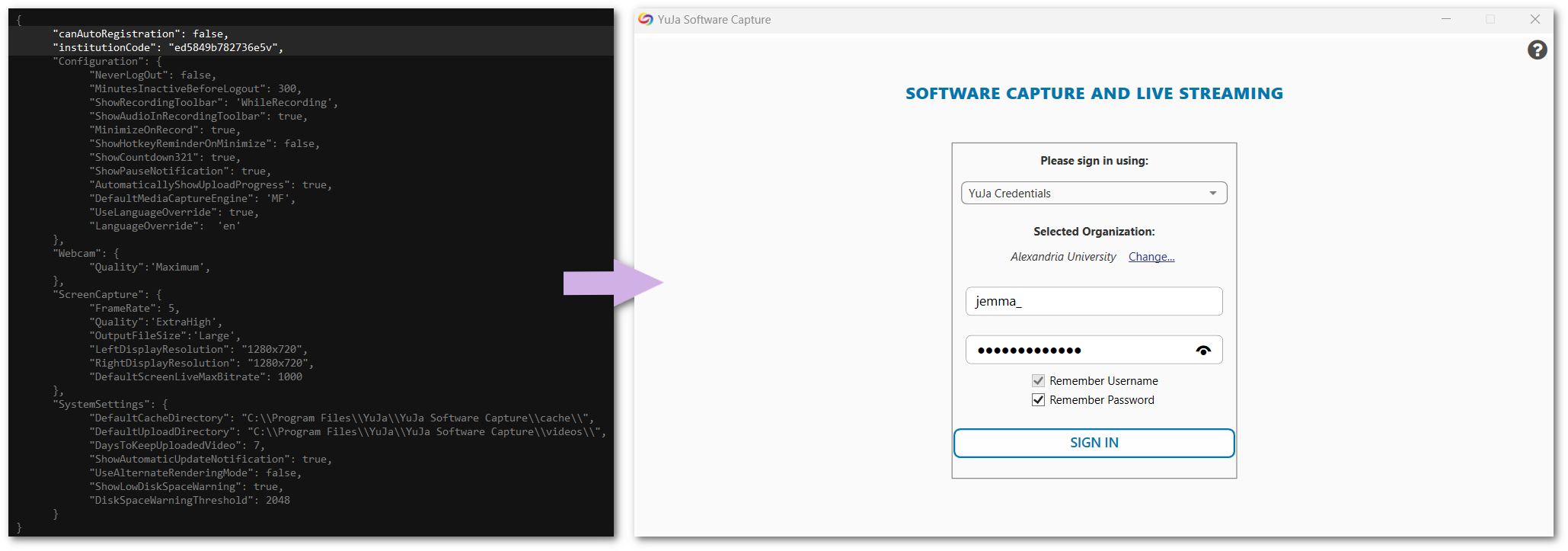
    1. Enhanced Fleet Management Capabilities to Allow Remote Software Capture Setup for Non-Classroom Deployments Building upon our large-scale remote deployments, institutions can now pre-configure their Software Capture using configuration files without the need to auto-register the Software Capture application to the Video Platform’s Devices tab (previously remote configuration with the config sidecar file required registration). To learn how to download, edit, and deploy the configuration file for your institution, please refer to our guide on Auto-Registering and Configuring the Software Capture Application for PC. Software Capture configuration file.
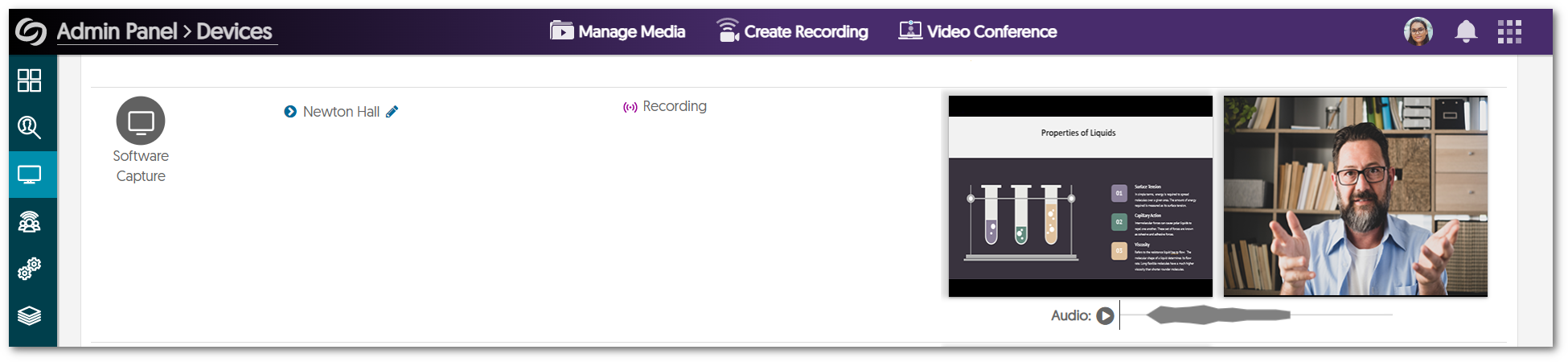
    2. Improved Performance for Remote Preview Monitoring We’ve fixed an issue that was causing previews to not appear in the Admin Panel for some institutions. Devices tab showing a preview of a live session.
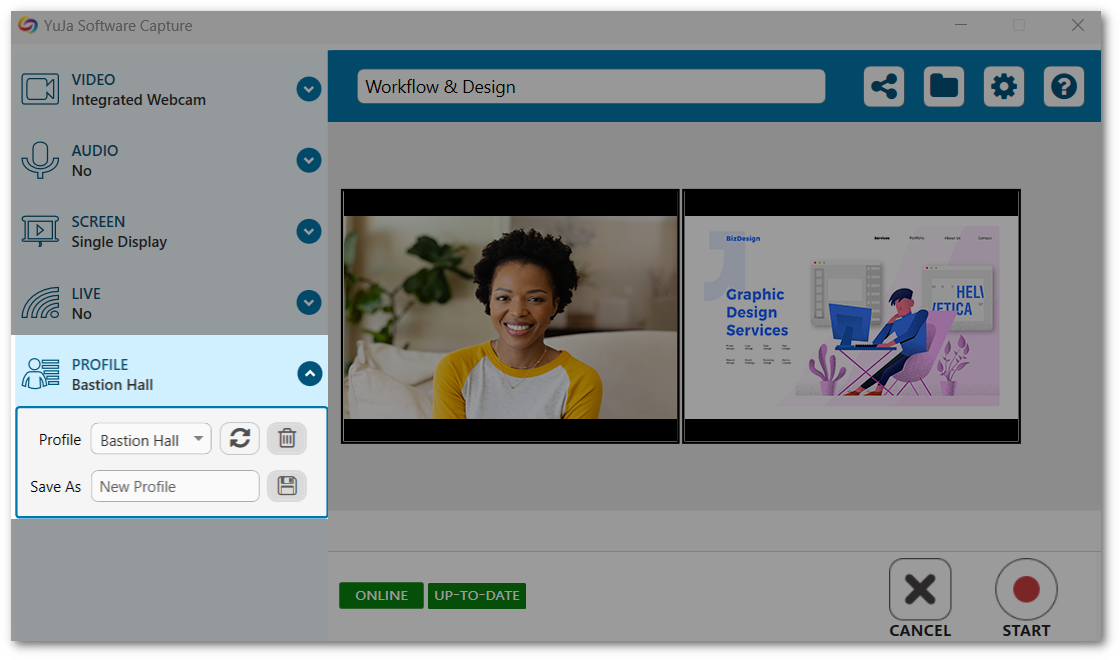
    3. Resolved Profile Selection Issues for Remote and Manual Sessions We have identified instances where automated sessions were not applying user profiles, and some users encountered difficulties when selecting their default profile. We have resolved these issues to ensure users can transition seamlessly between their profiles for remote and manual sessions. Software Capture confidence monitor highlighting profile selection.
    4. Automated Sessions Will Now Detect Monitors With No Recommended Resolutions In some cases, automated sessions would fail if the primary monitor did not have a recommended resolution. We have resolved this issue to allow the Software Capture application to identify such monitors and begin the automated session.
  • April 28, 2023

    YuJa Verity Test Proctoring Platform – “Kainite” Version Released to US, CAN, AUS, and EU Zones

    We have successfully pushed an update to all instances residing in the United States, Canada, Australia, and the European Union. This update includes the beta version for Verity Lockdown, monitoring external tools with Verity, the option to create practice tests, and a new Assessment tab to view all tests.
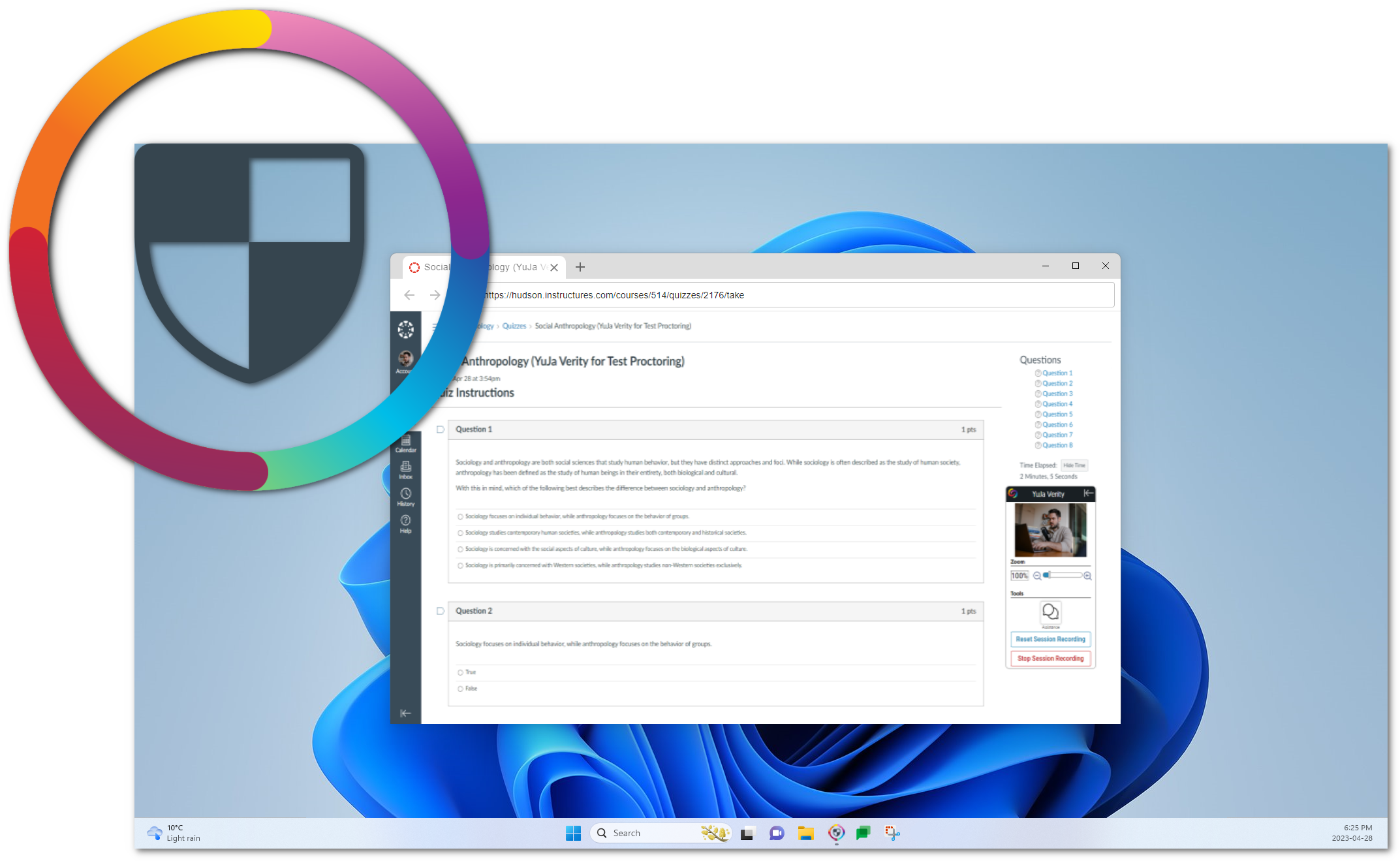
    1. New Verity Lockdown App (Beta) Available as Part of Standard Offering Building on the capability of our Verity Chrome extension, the Verity Lockdown Browser sets a new standard in secure testing for remote proctoring. By using an application-based testing environment grants us the freedom and flexibility to surpass the limitations of third-party browser extensions, allowing us to more deeply monitor the activity of students.

      The browser will prevent students from viewing other applications on their device and enforce strict measures to prevent common methods of bypassing proctor settings. This feature can easily be accessed and enabled for each test, allowing the instructor to decide the level of security they wish to apply on a per-test basis. The beta launch will only be supported for Canvas, with the full launch being available to Blackboard SaaS, D2L Brightspace, and Moodle users. Verity Lockdown Browser

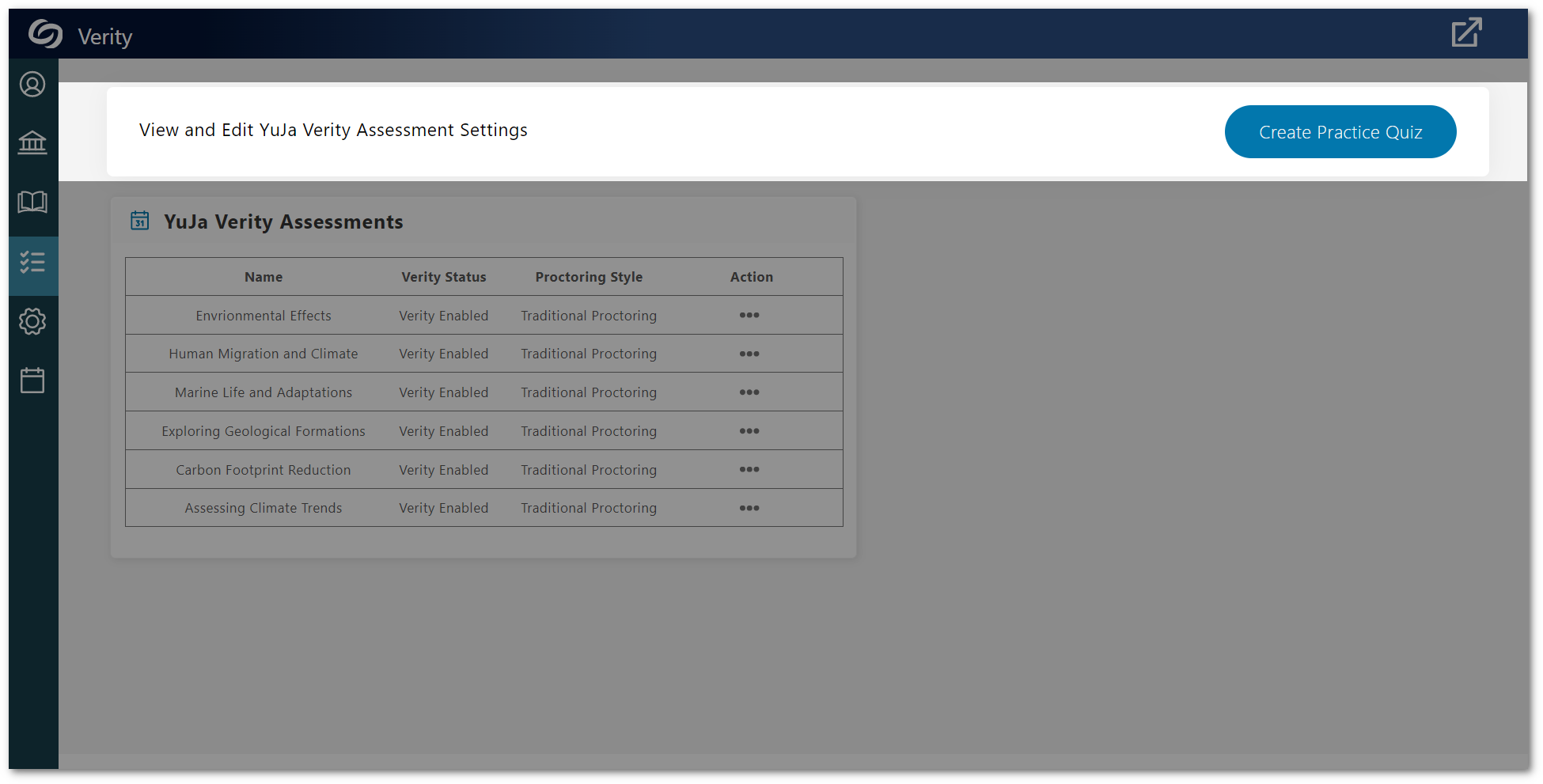
    2. Dedicated Workflow to Create Practice Verity Tests in Canvas and D2L Brightspace Verity now offers an improved workflow to launch practice tests for instructors seeking to familiarize themselves with our Platform’s proctored test functionality. With a click of a button, Verity automatically generates a test complete with predefined Proctor Settings and curated questions. To learn how to create a practice test, please visit our support guide for Canvas or D2L Brightspace. Our next release will provide Blackboard SaaS and Moodle users with practice tests. The practice quiz button located within the Assessment tab of the Verity LTI app.
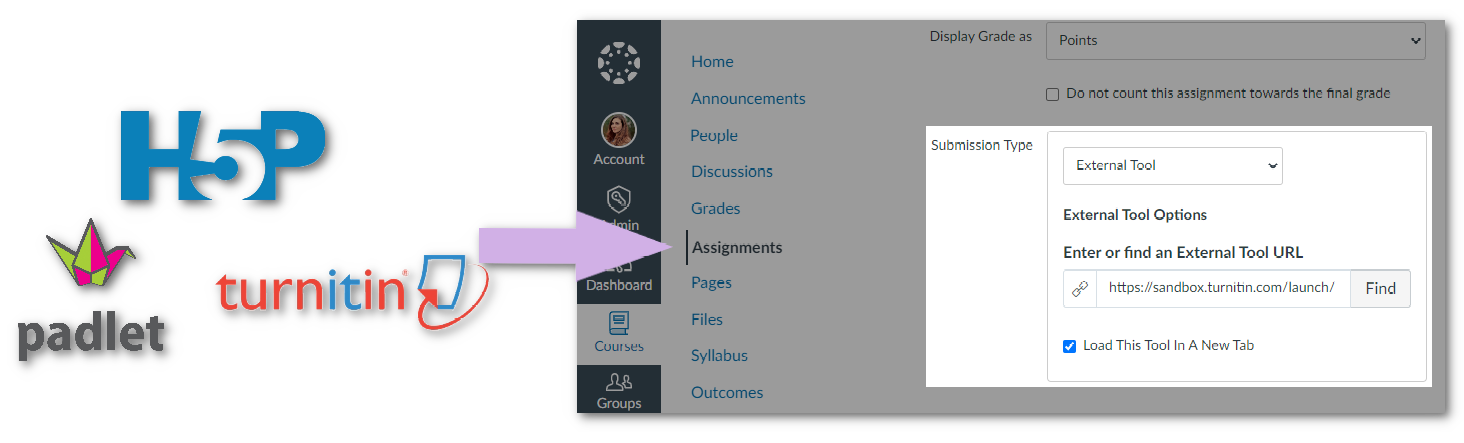
    3. Monitor External Tool Assessments with Verity Verity can be enabled for assessments embedded as external tools within Canvas. This significant enhancement enables instructors to seamlessly create quizzes and assignments outside their Learning Management System while taking advantage of Verity’s monitoring capabilities to record students as they complete their assessments. To learn how to incorporate External Tools with Verity, please visit our guide on How to Use Verity to Proctor a Third-Party Exam in Canvas. Icons of external tools and the Canvas assignment setup page.
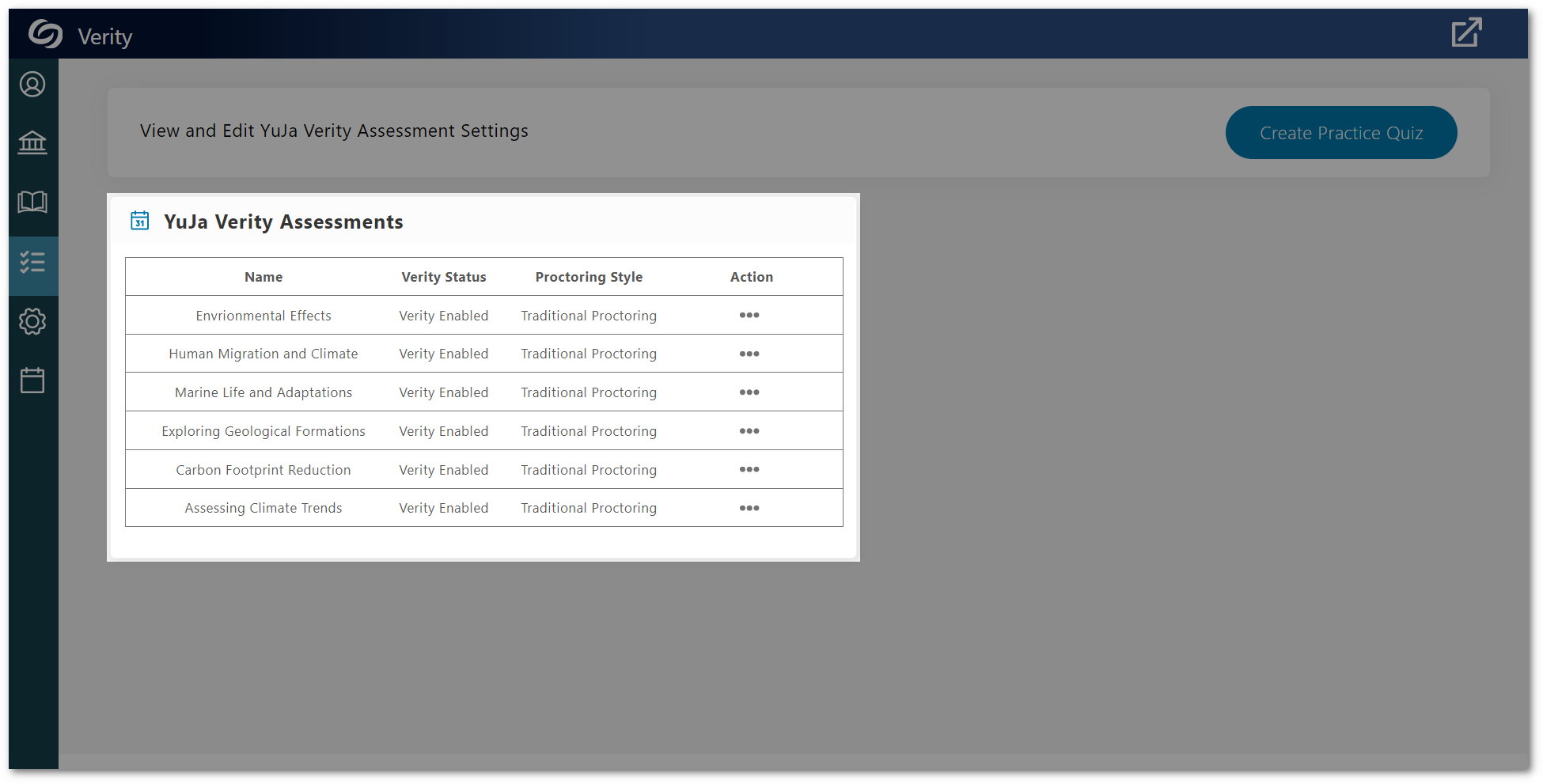
    4. New Assessment Tab to View All Verity Tests Instructors can access a comprehensive list of all Verity-proctored tests associated with a course by navigating to the Assessment tab within the Verity LTI app. From there, instructors can access test results and navigate to test settings to make adjustments. The Assessment page for the Verity LTI app.
  • April 24, 2023

    Software Capture for Apple – Update v7.0.2 Released to US, CAN, AU, and EU Zones

    We have successfully pushed an update for Software Capture for Apple to all instances residing in the US, Canada, Australia, and the European Union. This update provides our users with improved viewing of recording devices, the option to enable live streaming during profile creation, improved backend servers for live sessions, improvements in monitoring crash reports, and several bug fixes and optimizations.
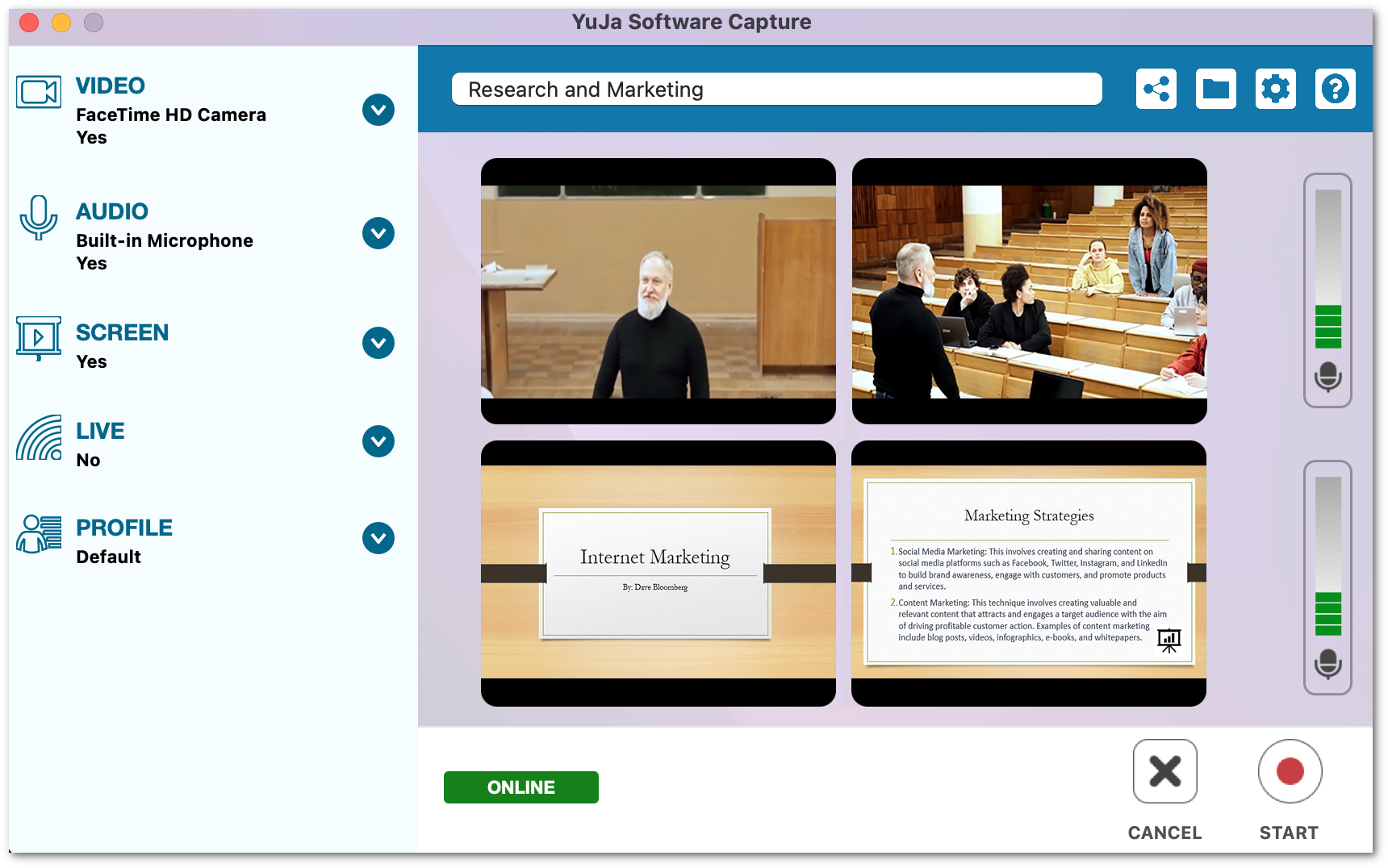
    1. Refreshed Confidence Monitor UI for Multi-Stream Profiles The Software Capture for Apple’s Confidence Monitor has been upgraded to offer an improved multi-source viewing experience, allowing for seamless monitoring of up to four connected video or screen devices, as well as two audio sources, all within a single view. YuJa Software Capture Confidence Monitor with the new four-panel layout.
    2. Improved Internal Monitoring and Issue Analysis CapabilitiesWe have implemented updates that allow for efficient Product team analysis of issues that may occur in the fields. The Software Capture application now offers comprehensive monitoring capabilities, enabling our Support and Product teams to accurately identify and provide effective solutions to issues that may arise.
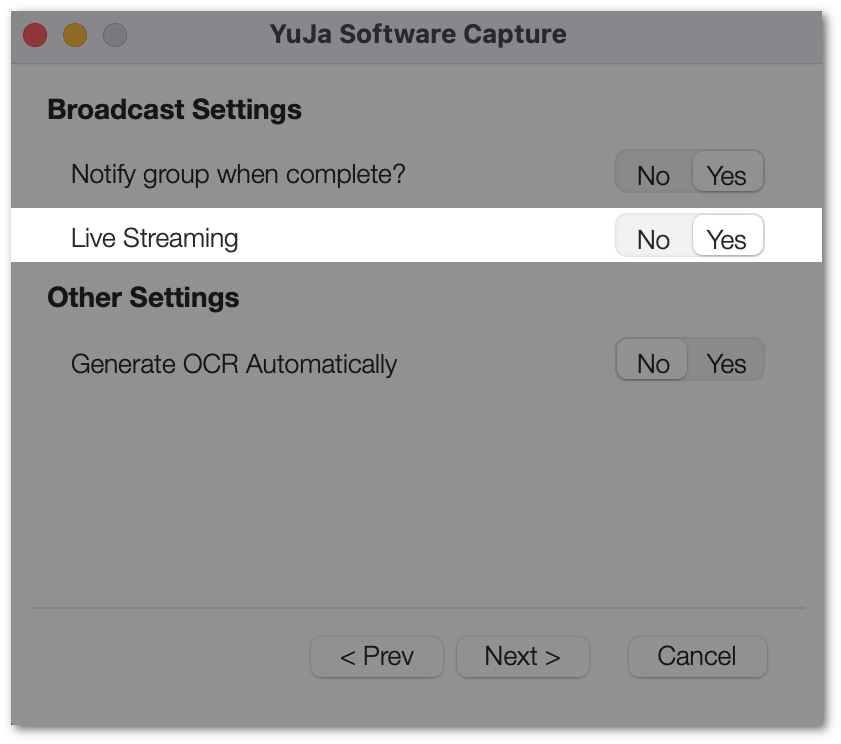
    3. Create Live Stream Profiles from Software Capture Settings Mirroring our Software Capture for PC profile settings, we now offer a more streamlined approach to configuring profiles for live streaming. With this update, users can seamlessly configure their preferred capture settings and enable live streaming for their selected profile. The Live Recording Setting when creating a profile.
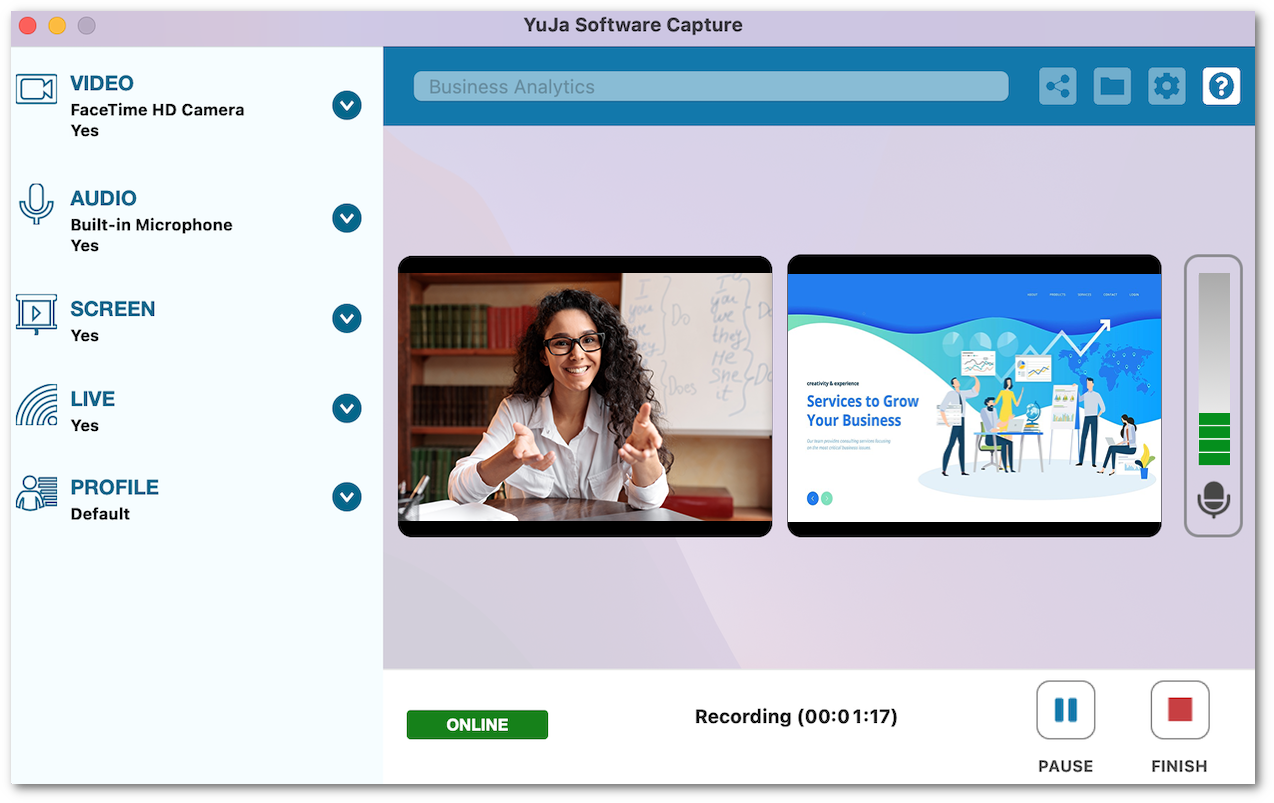
    4. Upgraded the Backend Library for Stability and Fault Tolerance We have upgraded our internal structure for live streaming to provide a smoother and more reliable experience. Confidence Monitor of a live Session.
    5. Optimization and Bug Fixes We have optimized the performance of the YuJa Software Capture application and made 25+ bug fixes to improve the user experience.
  • April 17, 2023

    YuJa Engage Student Response System Update – “Jasper” Released to US, CAN, AUS, and EU Zones

    We have successfully pushed an update to all YuJa Engage Student Response System instances residing in the United States, Canada, Australia, and the European Union. This release provides our users with a new poll activation workflow, SSO and LMS dual integration, LMS gradebook sync when sharing questions individually, download poll results, removed time limit for Surveys, and overall improvements to the platform.
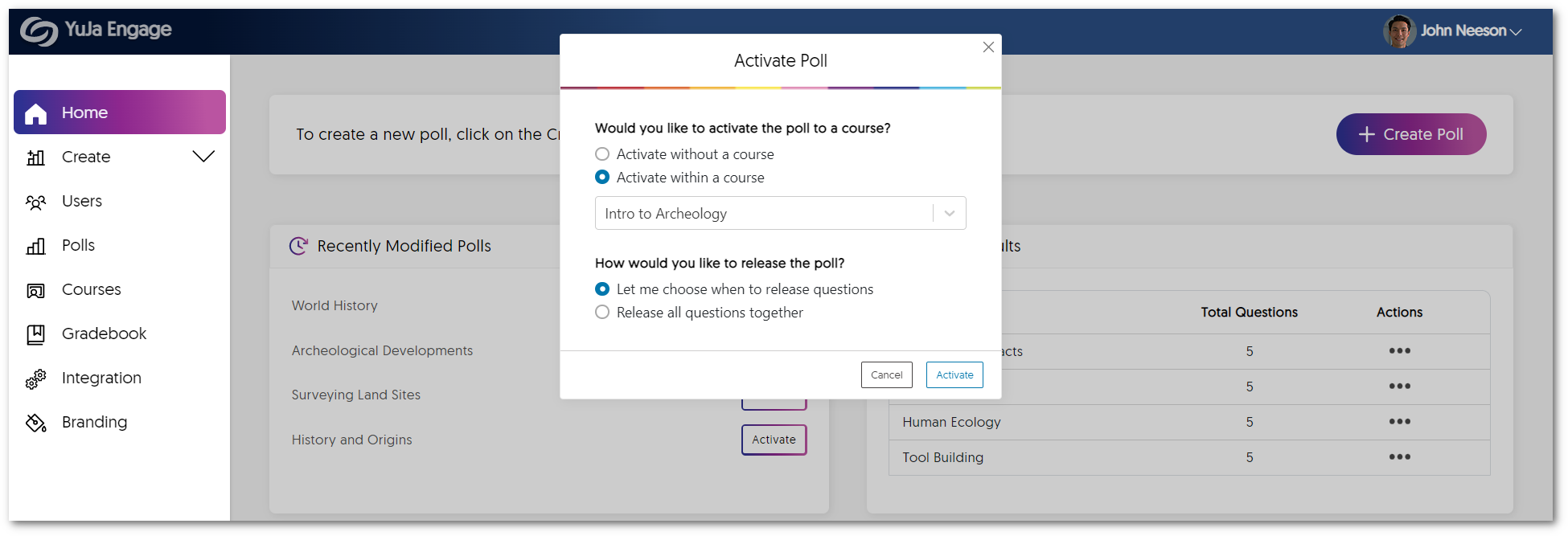
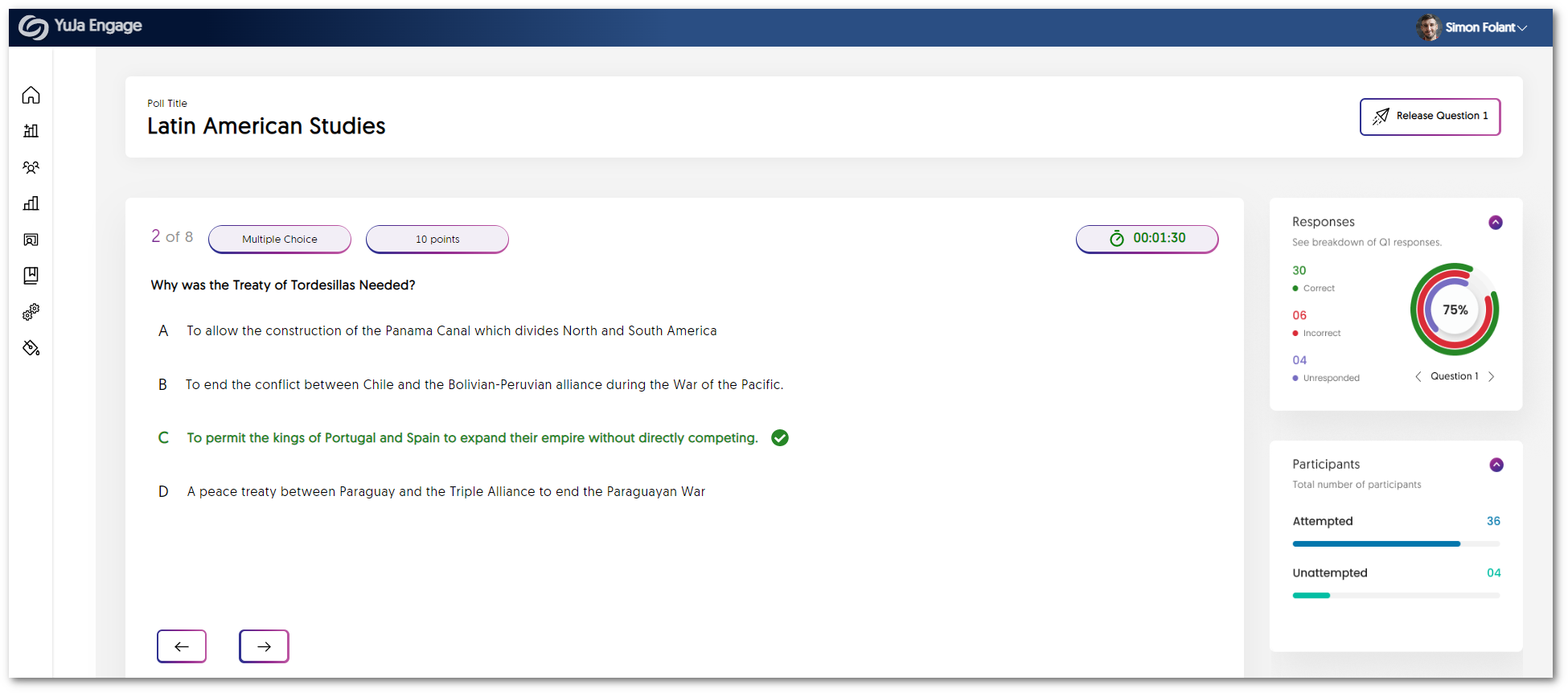
    1. Improved Poll Activation Workflow We have implemented a revised workflow that offers a complete list of Polls within the Engage dashboard. This enables instructors to access their saved Polls easily, decide if they would like to activate them in a course, and select how they would like to release the Poll (i.e. choose to release individual questions or release all questions together). Instructor Dashboard
    2. Enhanced Panel Layout for the Poll Activation Dashboard As part of our ongoing efforts to enhance the user interface and improve the overall experience for instructors, we have made adjustments to the panel sizes on the Poll activation dashboard. This update aims to prioritize Poll questions and ensure their clear visibility while displaying essential information, including responses, attempt breakdowns, and participant activity feed. The new dashboard for sharing Polls
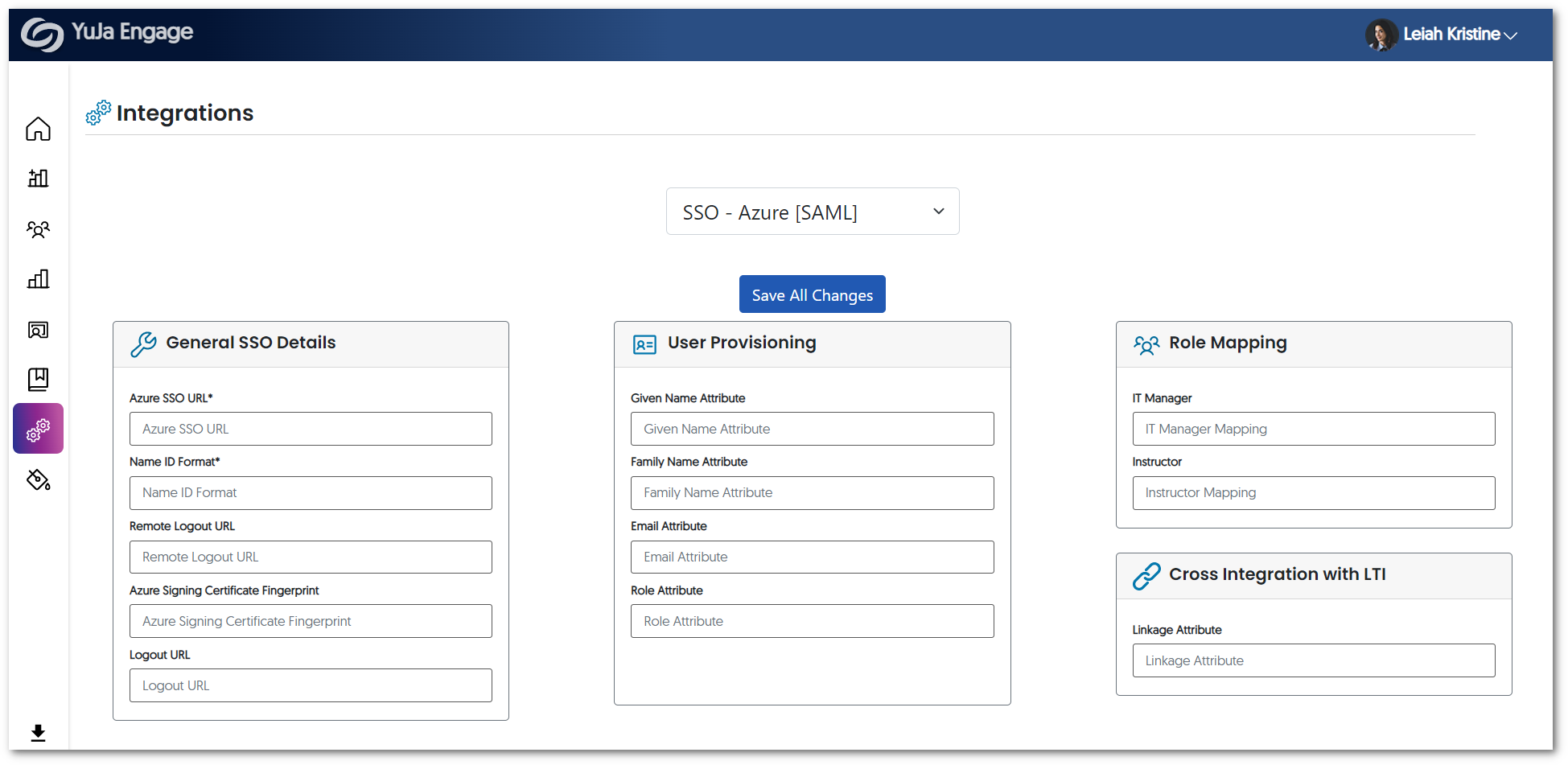
    3. Support for SAML-Based Single Sign-On Integration  We are pleased to announce that our YuJa Engage integration has been enhanced to support SAML-based single-sign-on integration. The integration will link the usernames and emails to a Single Sign-On (SSO) and Learning Management System (LMS). As a result, the Engage platform can now identify individual users regardless of whether they access the system using their SSO or LMS login credentials. YuJa Engage integration page.
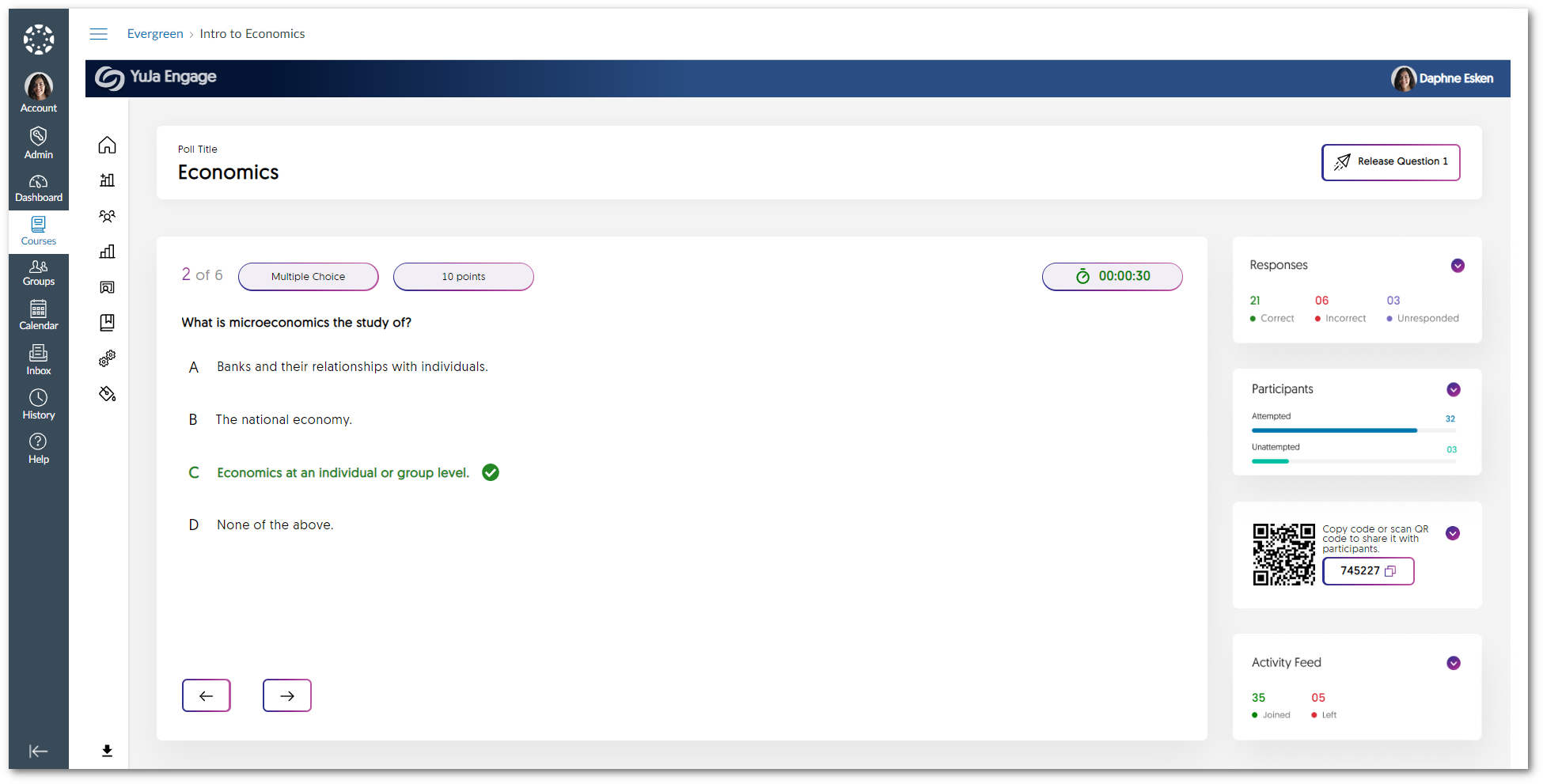
    4. LMS Gradebook Sync for Each Question Building upon our gradebook sync integration for Polls, instructors can now seamlessly share individual questions with their students and receive real-time updates on the LMS gradebook. Results automatically sync to the gradebook as students complete each individual question, safeguarding their responses against any network errors that may arise during usage on mobile devices. Individual Poll question being shared within the Canvas LMS.
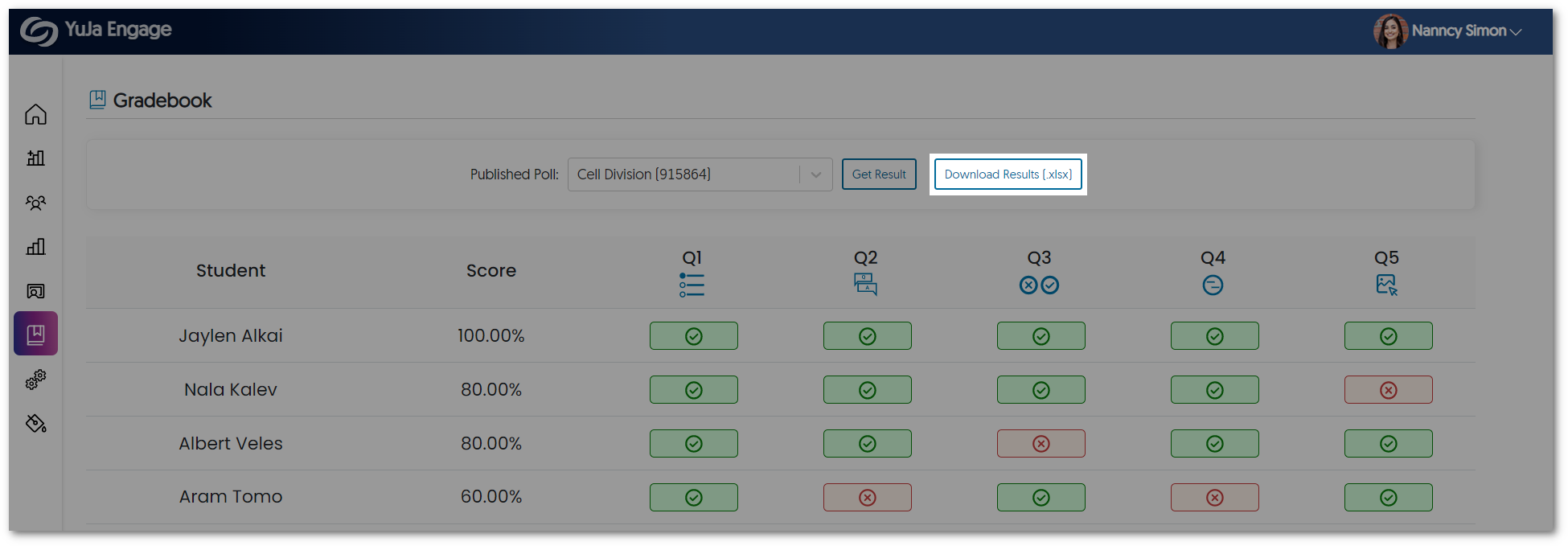
    5. Downloadable Results for Polls In providing a comprehensive offline viewing of Poll results, instructors can download an XLSX file containing a list of students, the overall result for each student, the IP address for the student’s device, and individual responses to questions. Gradebook page featuring the option to download results for a published Poll.
    6. Removed Time Limit from Surveys  We have removed the option to add a time limit when creating a survey. Instead, instructors can end the survey and view the results whenever they choose. The survey page features options to add various question types.
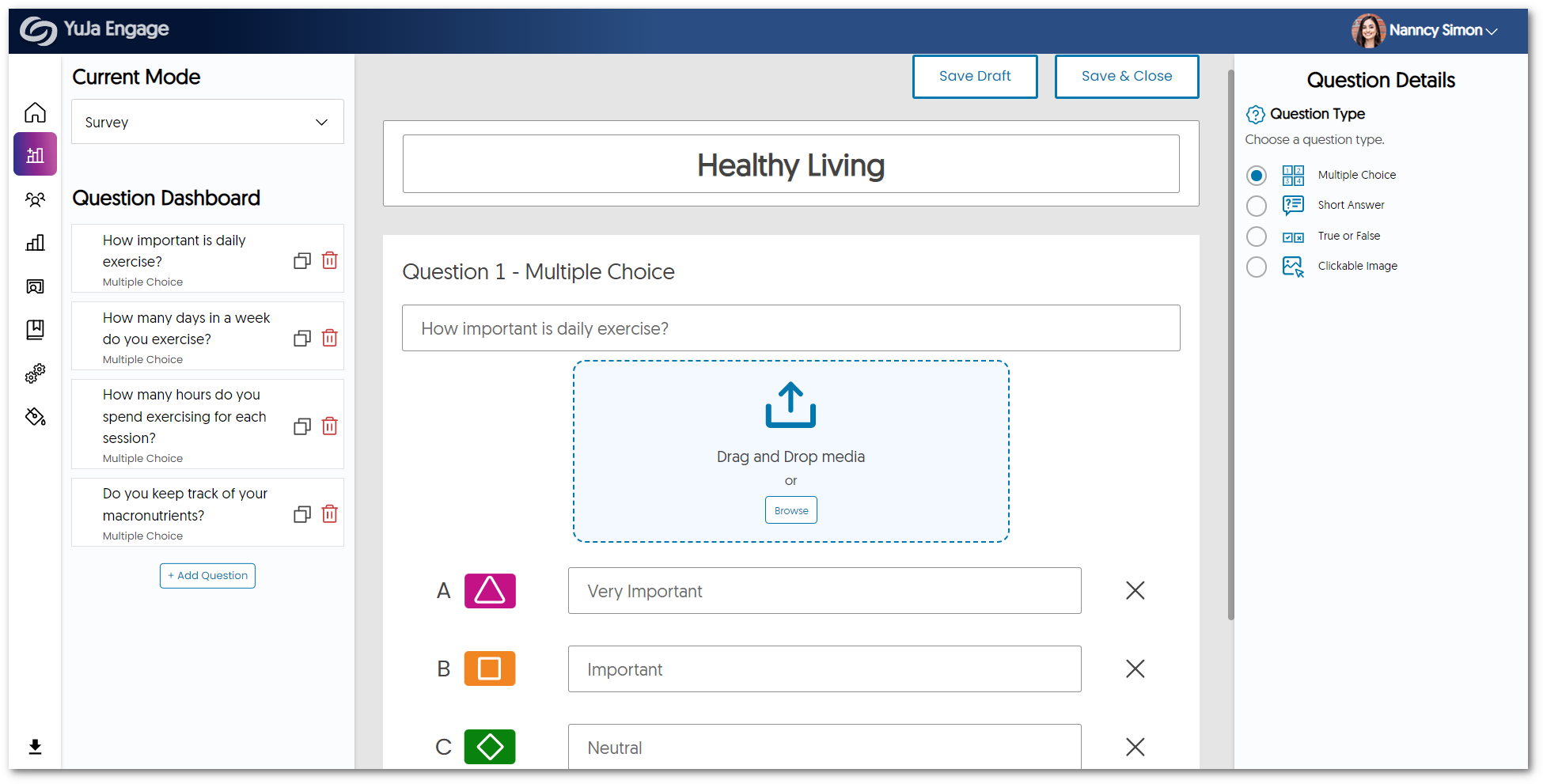
    7. Bug Fixes and Optimizations We have optimized the performance of YuJa Engage and made several bug fixes to improve the user experience. Highlighting some of these optimizations and fixes are:

      • Enhanced responsiveness of the student dashboard across multiple screen sizes.
      • Fixed an issue that prevented Poll responses from updating dynamically.
      • Refined layout for certain UI items across the platform. 
  • April 7, 2023

    YuJa Enterprise Video Platform Update – “Vitex Tree” Released to CAN, AU and EU Zones

    We have successfully pushed an update to all Enterprise Video Platform instances residing in Canada, Australia, and the European Union. This release provides our users with over 200+ updates. Highlights include: the ability for institutions to customize their EnterpriseTube menu tabs and carousels, a brand new Image Editor, direct live stream integration with the internal CampusTube, QR Code-based media consent forms, and much more. This update will be released to US zones next Friday.
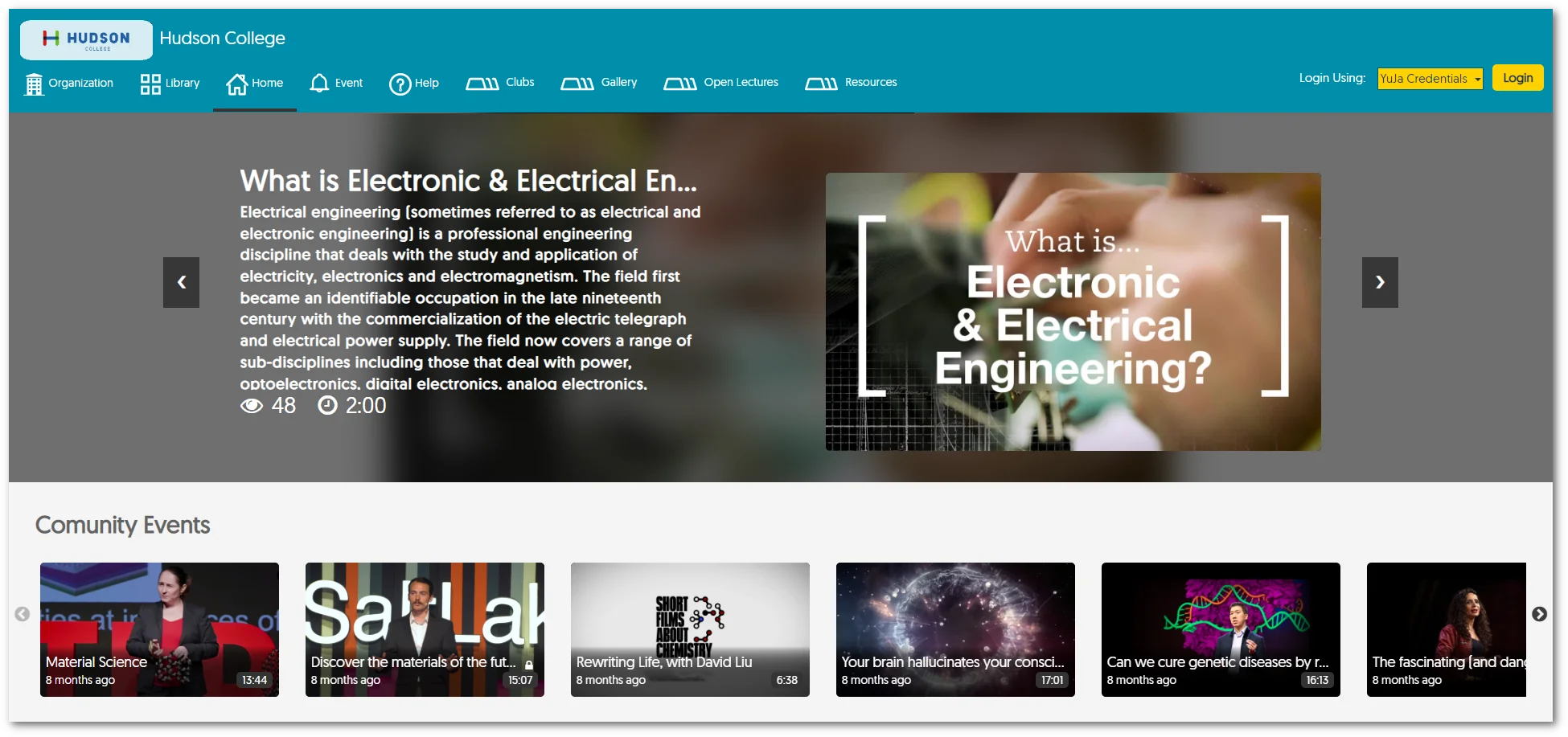
    1. Deep EnterpriseTube Customizability Including Adding Custom Menu Tabs to Video Channels and Adding Video Carousels Institutions can now more deeply customize their EnterpriseTube with the ability to create a more tailored viewing experience. New capabilities include the ability to create Custom Tabs to Video Channels, as well as add additional video carousels to a given EnterpriseTube page. EnterpriseTube featuring new tabs and custom carousels.

        • Custom Menu Tabs – Custom-created tabs for Video Channels will be displayed in the navigation bar for users to access easily. Tabs within the nav bar of the EnterpriseTube.
       
        • Add Additional Carousels – Multiple video carousels of custom playlists can now be placed on a given EnterpriseTube page. View of a custom carousel.
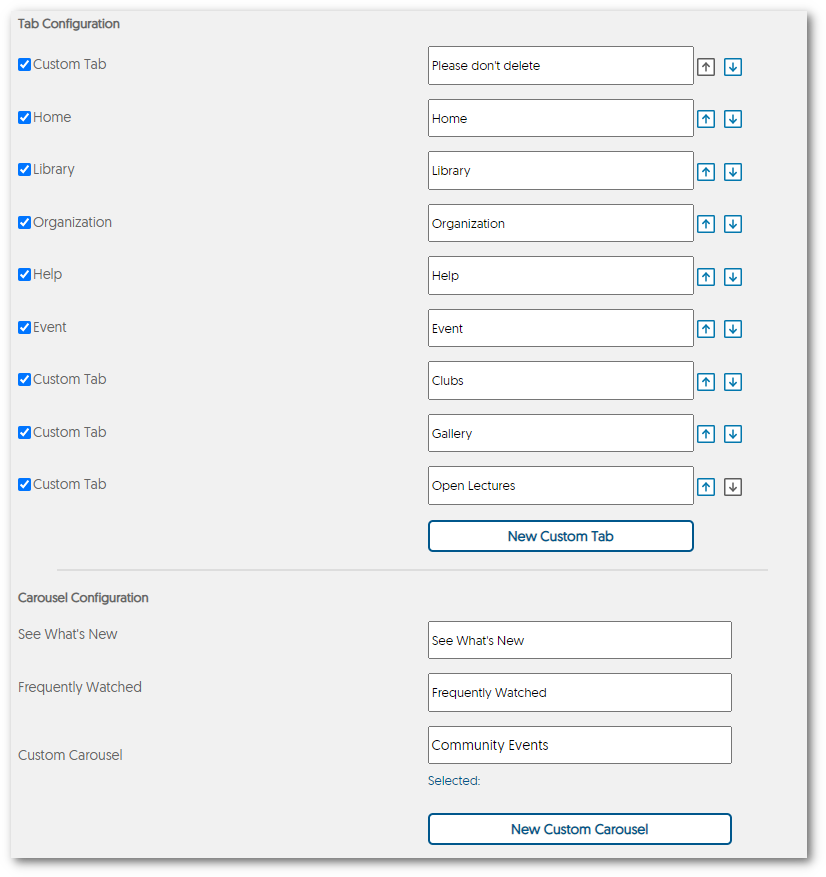
        • Customized Ordering – EnterpriseTube Configuration settings allow administrators to set up customized tabs and carousels, adjust the order of the tabs, and link tabs and carousels to the EnterpriseTube. EnterpriseTube Configuration Settings.
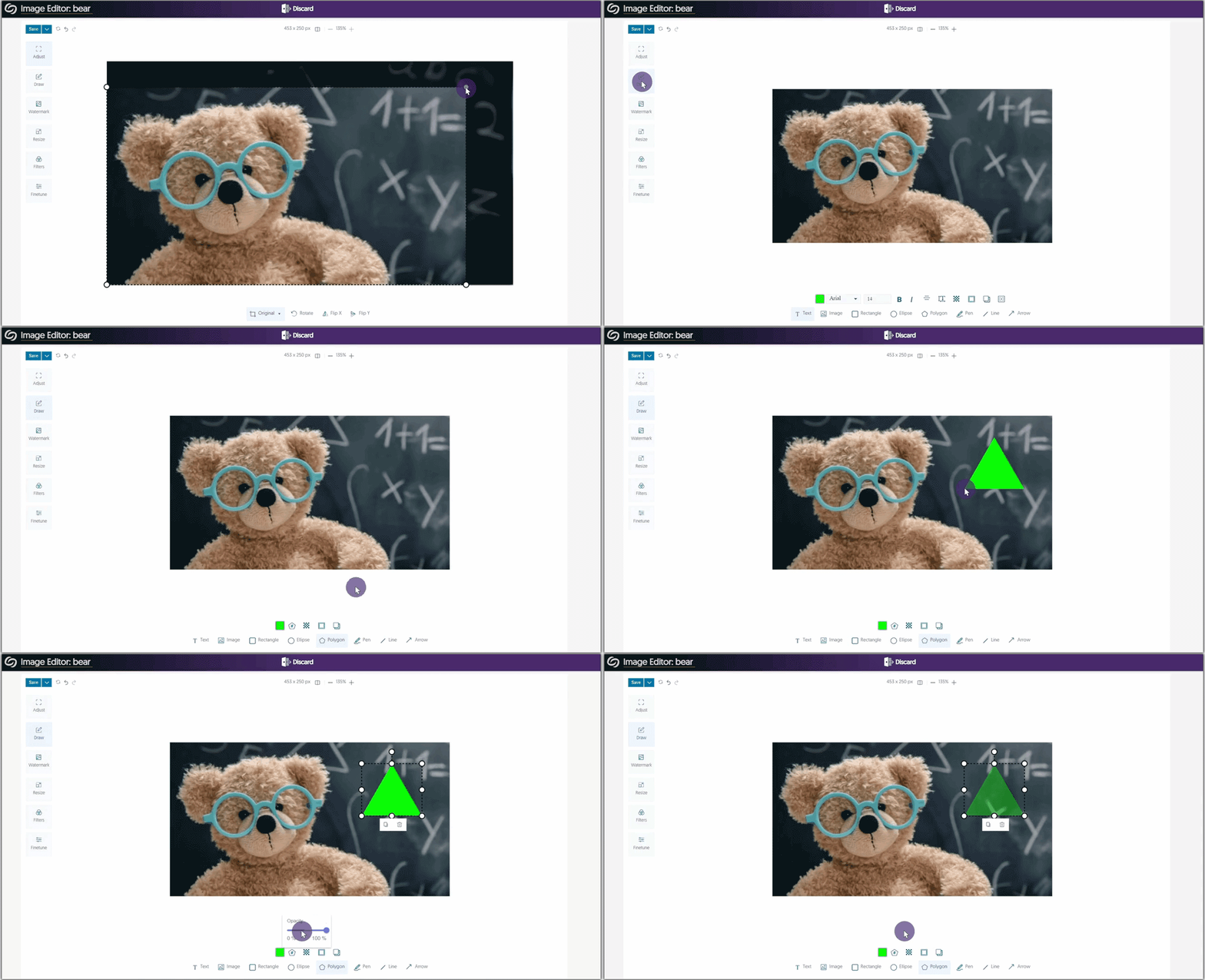
    2. New Image Editor to View and Edit Photo Resources Complementing our Video Editor, we are now extending our media editing to include images. Here are a few key features of our new Image Editor:

      • Crop, rotate, and flip images.
      • Add shapes, texts, and shadows.
      • Adjust the size of the image to any resolution.
      • Choose from a range of filter styles to transform images.
      • Fine tune images by adjusting the brightness and contrast.
      • Add custom watermarks.
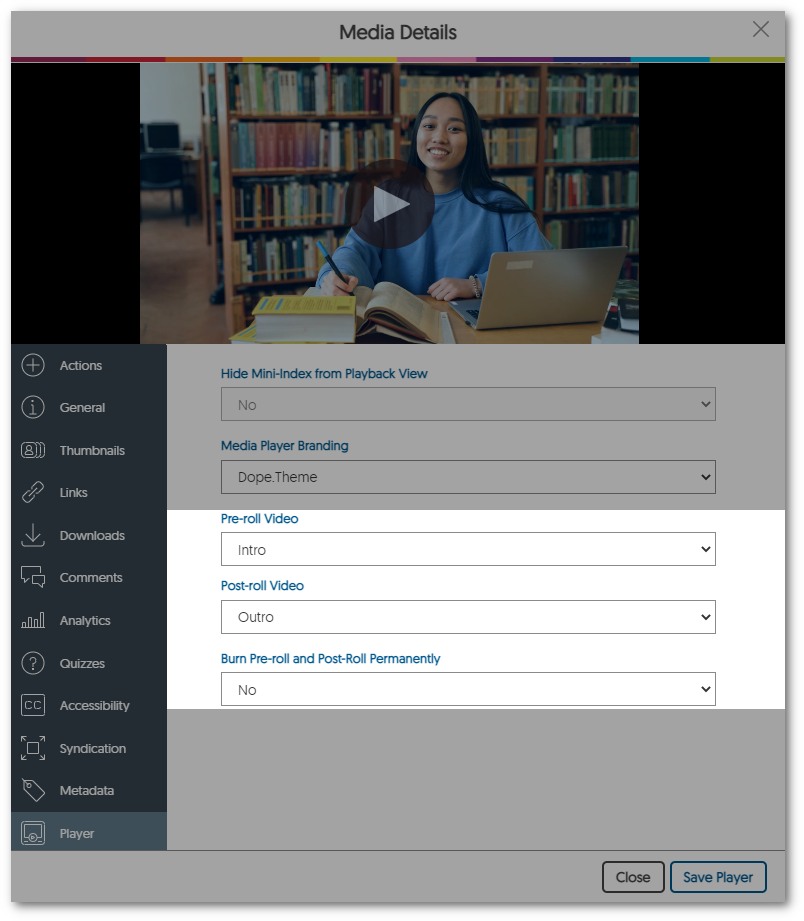
    3. Interchangeable Pre-Rolls and Post-Rolls to Align with Updated Institutional Branding Guidelines Complementing our ability to add fixed pre-rolls and post-rolls to videos, we now have the option to create interchangeable rolls by preserving the original video. This capability allows Content Creators to define branding guidelines for an institution, yet modify these guidelines without having to reprocess large amounts of video content. New option for the PLayer tab within media details to Burn Pre-roll and Post-roll permanently.
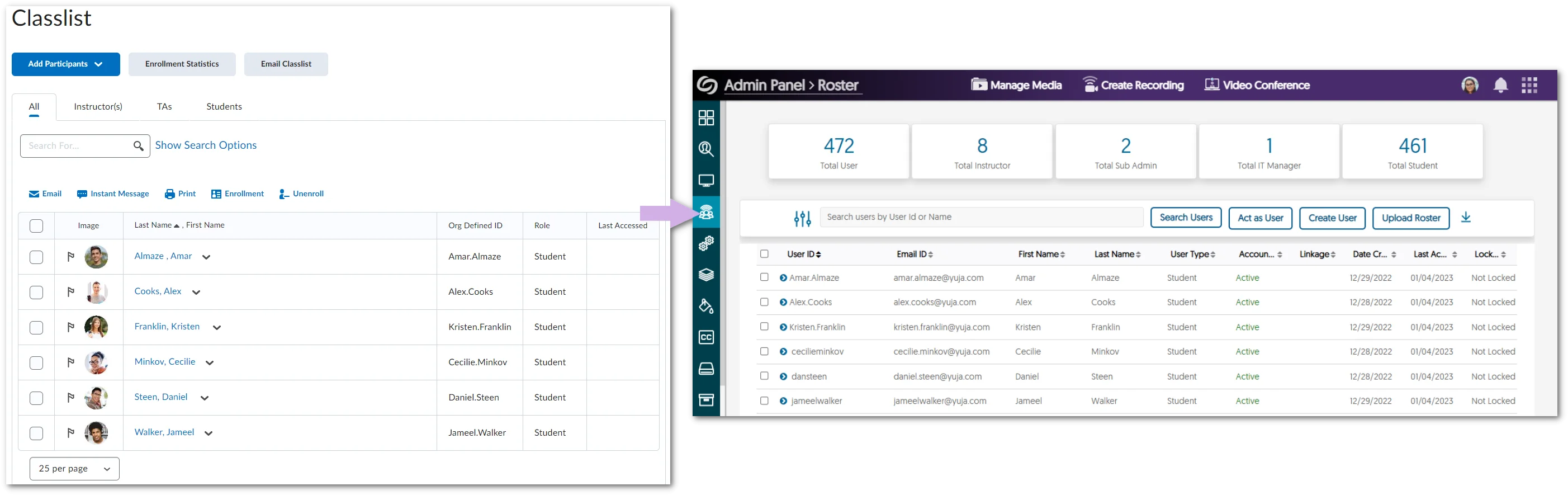
    4. YuJa User IDs Can Now Match Your Single-Sign-On or LMS Username To provide a consistent and streamlined process when identifying users on the Video Platform, we now can match the auto-generated YuJa User ID with your Single-Sign-On or LMS system usernames. Additionally, we’ve given administrators more control and flexibility by allowing them to rename existing user IDs within the Roster Panel. The Video Platform roster User IDs are shown to be the same as the LMS user ID.
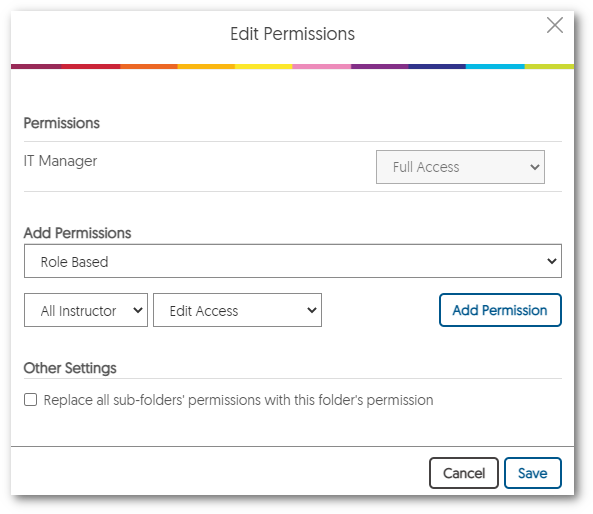
    5. Delegate EnterpriseTube Folder Management to Non-Admin Users As part of our initiative to further the capabilities of EnterpriseTube, administrators can now delegate folders for non-admins to manage media content within. By editing the permissions of a folder, administrators can allow edit access to specific users, groups, or roles (i.e., all students or instructors). This enables non-admins to efficiently manage EnterpriseTube within a designated location. Edit Permissions for folder window.
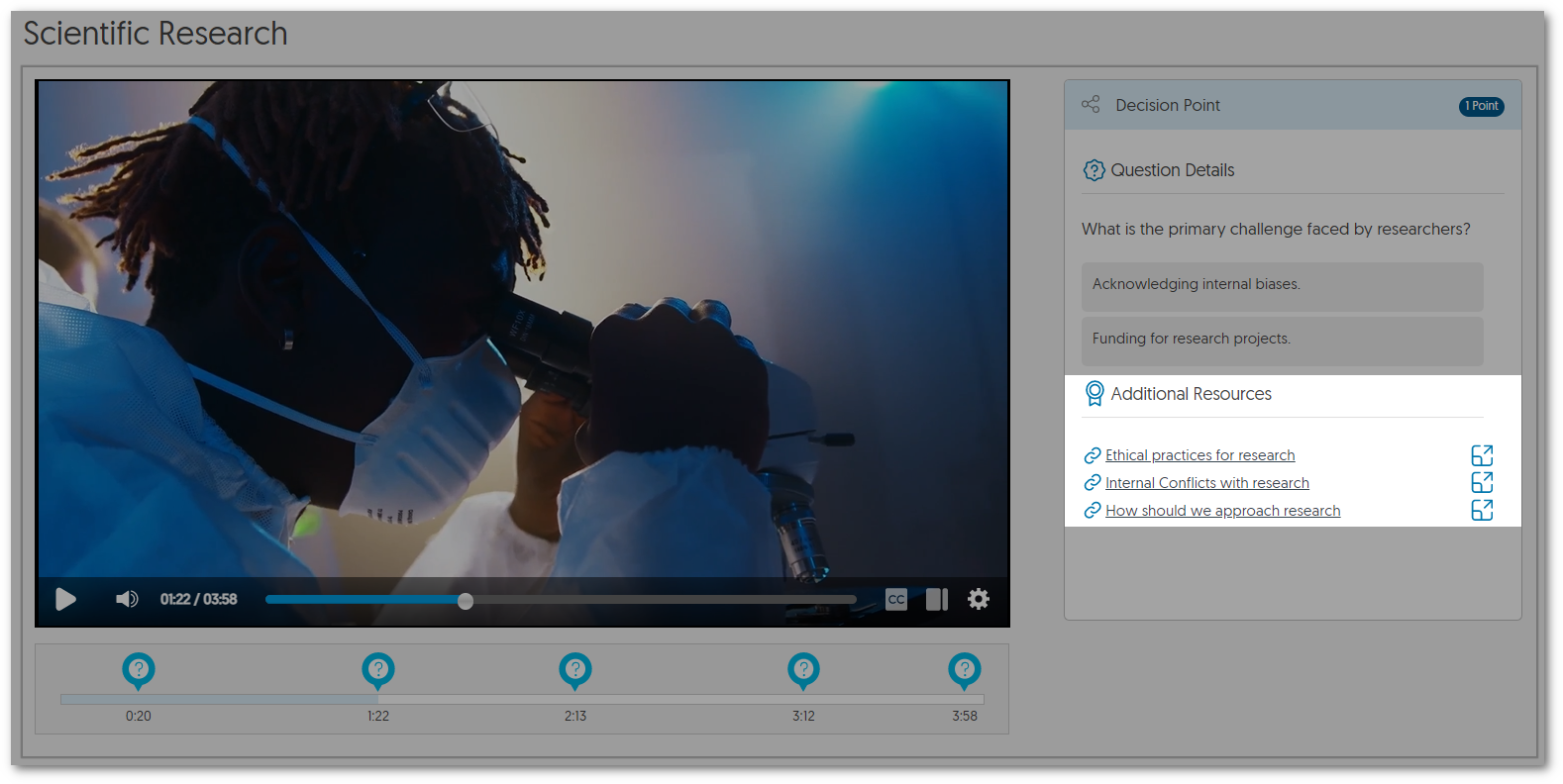
    6. Link External Resources to Video Quiz Decision-Point Questions Quiz creators can now seamlessly add videos, documents, and links to decision-point questions, providing students access to relevant resources when selecting a decision. Video Quiz decision point question featuring Additional Resources.
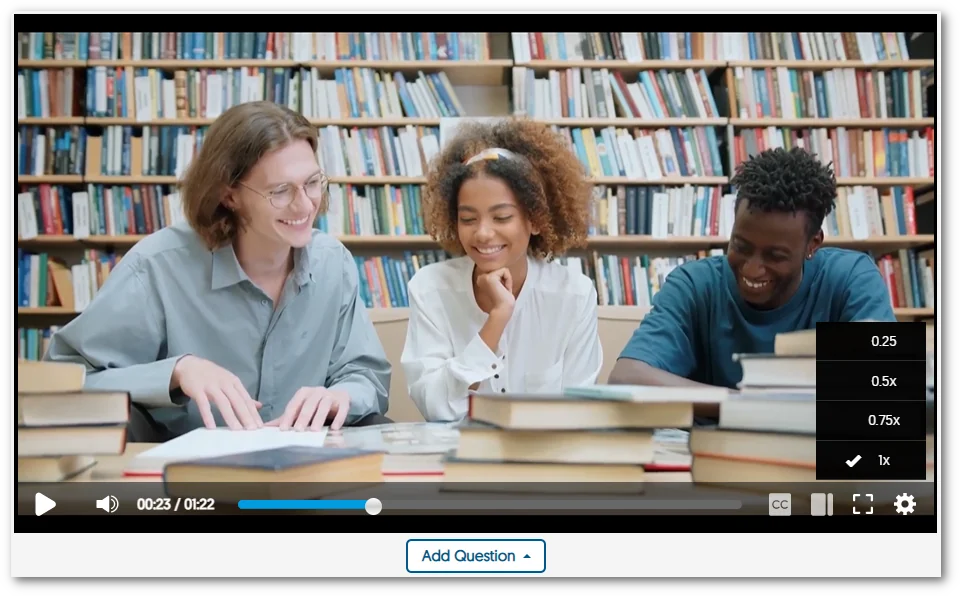
    7. Video Quiz Slow-Down Controls Available In our previous release, we provided instructors with the option to disable speed controls for their video quizzes to prevent students from playing videos at increased speeds. This release enhances the feature by enabling slow-down controls when speed controls are disabled (but not speed-up controls). Video Speed Controls featuring only slowdown controls.
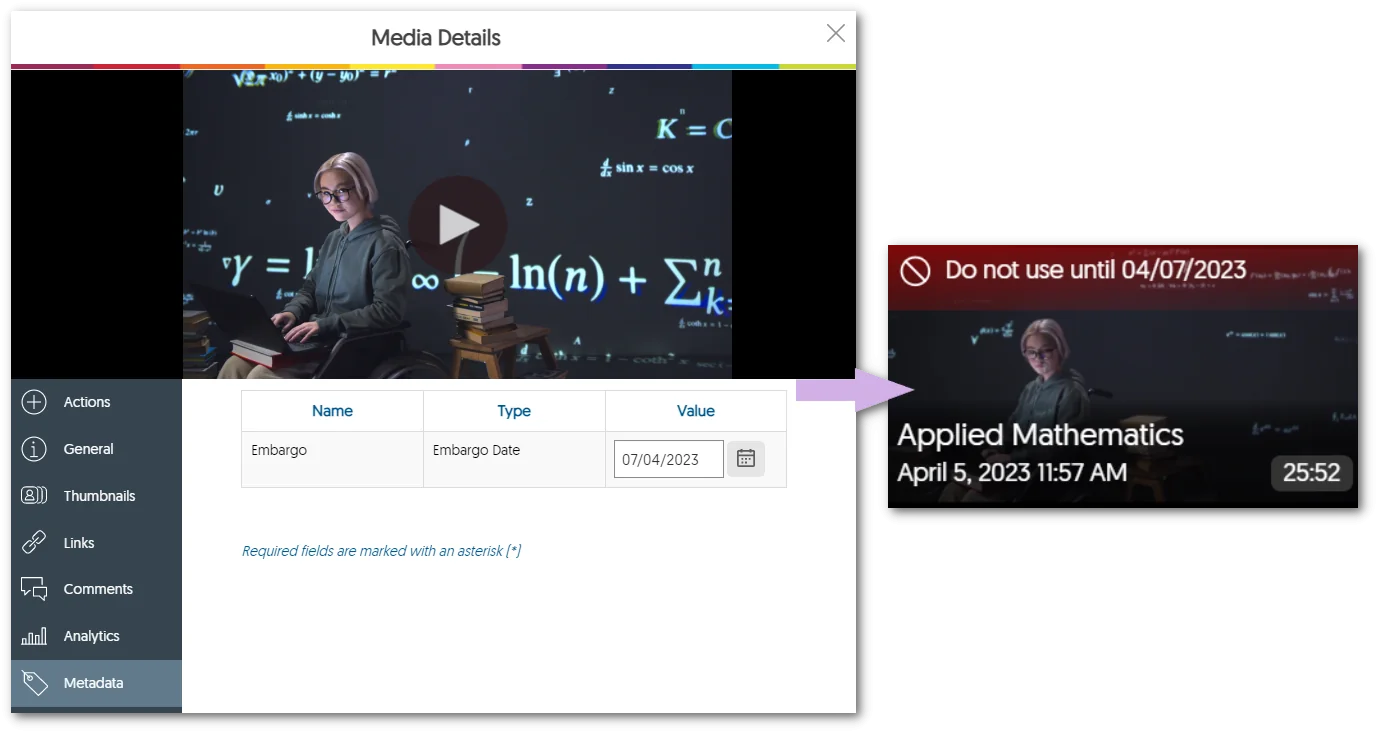
    8. Set Embargo Dates for Digital Assets Through Metadata Schema To ensure digital assets are only shared with the intended audience at the appropriate time, all media can now be tagged with an Embargo Date using a defined metadata schema. Embargoed media will be uploaded and labeled as such until the intended release date. Media Details panel showcasing the Embargo metadata.
    9. CampusTube now Supports Viewing Live Streams Building upon our initiative to broadcast and publish RTMP live streams across the Video Platform, Content Creators can now live stream to an internal audience using the the internal-facing CampusTube. RTMP Session being created and then shown inside CampusTube.
    10. RTMP Streams Now Support Fixed Stream Keys To provide a consistent integration point for third-party RTMP encoders, RTMP streams can now be integrated into the video platform with fixed stream keys. This enhancement ensures a consistent integration experience and allows administrators to maintain the same stream key for each session, enhancing the efficiency of their workflows. Further, to provide an added layer of security, the stream key token can be regenerated.
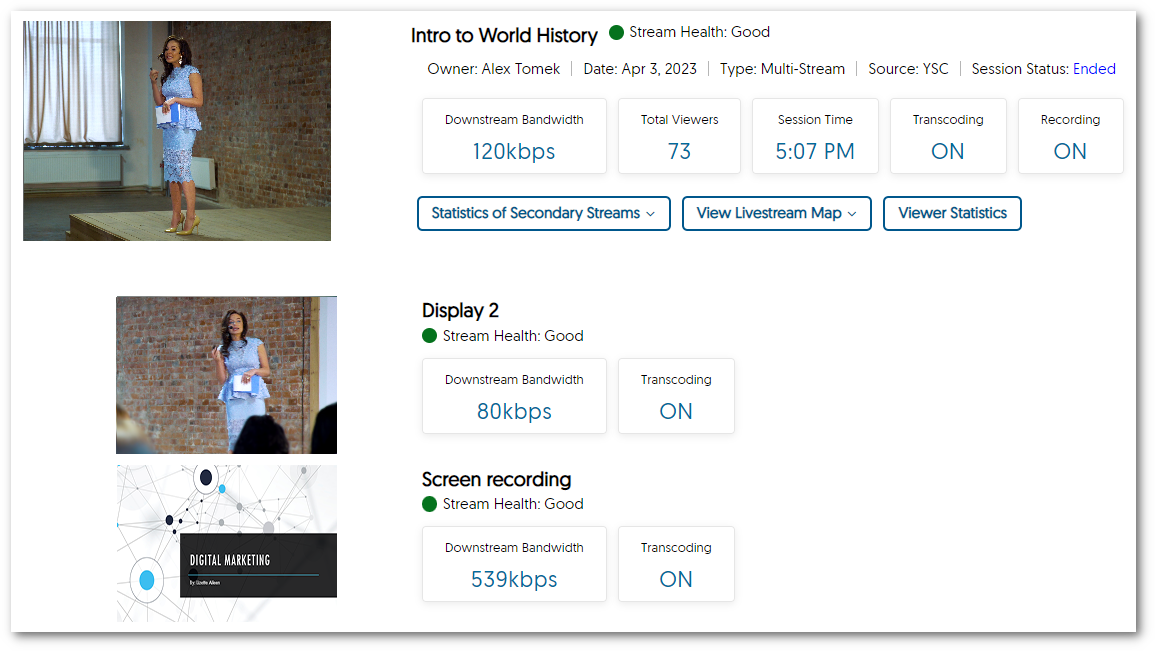
    11. View Real-Time Analytics for Individual Stream in Multi-Live Stream Live stream real-time analytics now provide more granular reporting for multi-stream sessions with details regarding Stream Health, Download Bandwidth, and Transcoding Status for each stream within the session. Live Stream Analytics.
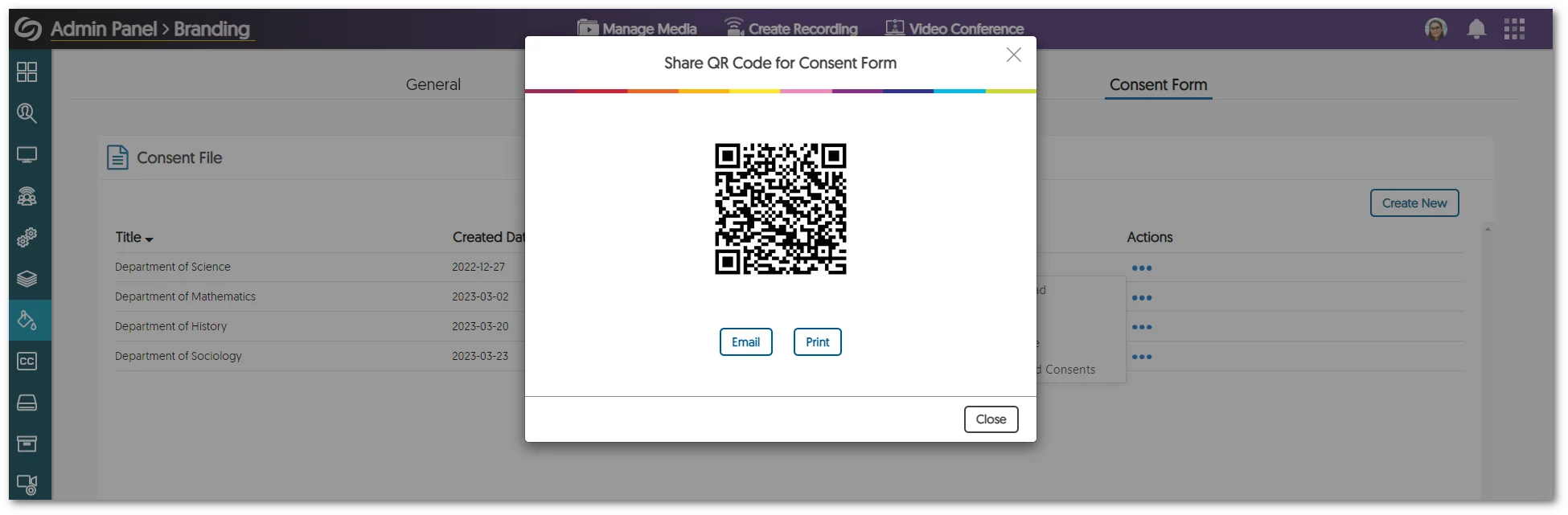
    12. QR Code-Based Consent Form Distribution Institutions can now easily distribute consent forms using a simple and convenient QR code system. This simplifies the consent process and ensures that all necessary forms are obtained efficiently. QR Code for consent forms.

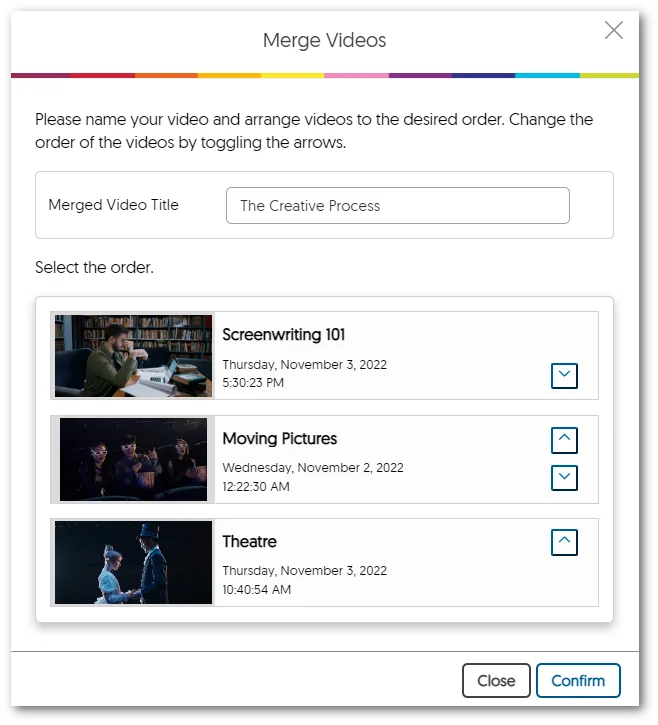
    13. Bulk-Merge Videos into a New Video Using Shared Folders We have expanded our Bulk Merge feature to allow users to merge media content within a shared folder. With this new functionality, the owner of the folder can merge multiple videos into a single video without having to launch the Video Editor. Merge Videos Window featuring three videos having been selected.
    14. Automatically Add the YuJa LTI Link to New Moodle Courses Administrators can now set up their LTI configuration within Moodle to automatically enable YuJa for newly created Moodle courses. Moodle Logo.
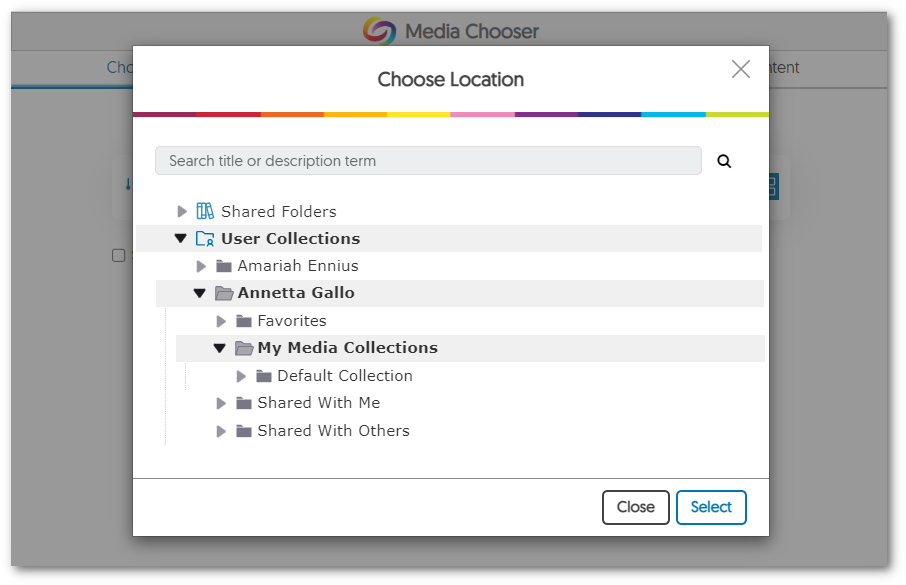
    15. Improved Folder Navigation Capabilities for Media Chooser Our previous breadcrumb-based navigation system has been replaced with a more intuitive tree-navigation system that allows Content Creators to view and transition between hierarchical folders more easily. The Media Chooser featuring a tree-like structure to folder navigation.
    16. Optimized Media Transcode File Size We have made several backend improvements to handle media transcode size and quality while retaining the quality of their content.
    17. New APIs for Managing Content and Folders We have added new APIs to manage video content. To learn how to use these and any of our other APIs, please visit our API Support guide.

      • Publish/Unpublish Content: Allow users to publish or unpublish content from both the EnterpriseTube and CampusTube libraries.
      • Group Folder Assignment: Assign groups of users to a given shared folder within the CampusTube.
      • Enable RSS: Folders with public permission on the EnterpriseTube can have an RSS feed enabled.
      • Edit Folder Permissions: Edit sharing permission of a CampusTube or EnterpriseTube Folder.

Join the 1,000+ Organizations Deploying High-Impact Solutions

A collection of logos representing various organizations and institutions that use YuJa’s platform.