

Product Updates
Get the latest platform updates, features, and announcements—all in one place.
Attending EDUCAUSE? Join us for FREE food, drinks, and prizes!
RSVP Now

Get the latest platform updates, features, and announcements—all in one place.
Over the next few weeks, YuJa Panorama LMS Accessibility Platform will be adding new features that allow users to make compliant video content, gain clear visibility into credit usage, easily apply settings across courses, and more.
Make LMS Videos Accessible Using the New Video Compliance Player
Panorama’s new Video Compliance Player allows users to embed videos into their LMSs with an extensive toolset of accessibility features such as captioning, enhanced audio descriptions, and video chaptering. This appears in a dedicated Video Compliance tab in the sidebar, seamlessly integrating into Panorama workflows. Users can embed third-party content effortlessly without sacrificing captions or compliance features, providing an accessible and inclusive viewing experience for all learners. The Video Compliance Player comes with 5 hours of free credits every month, with additional credits available for purchase.
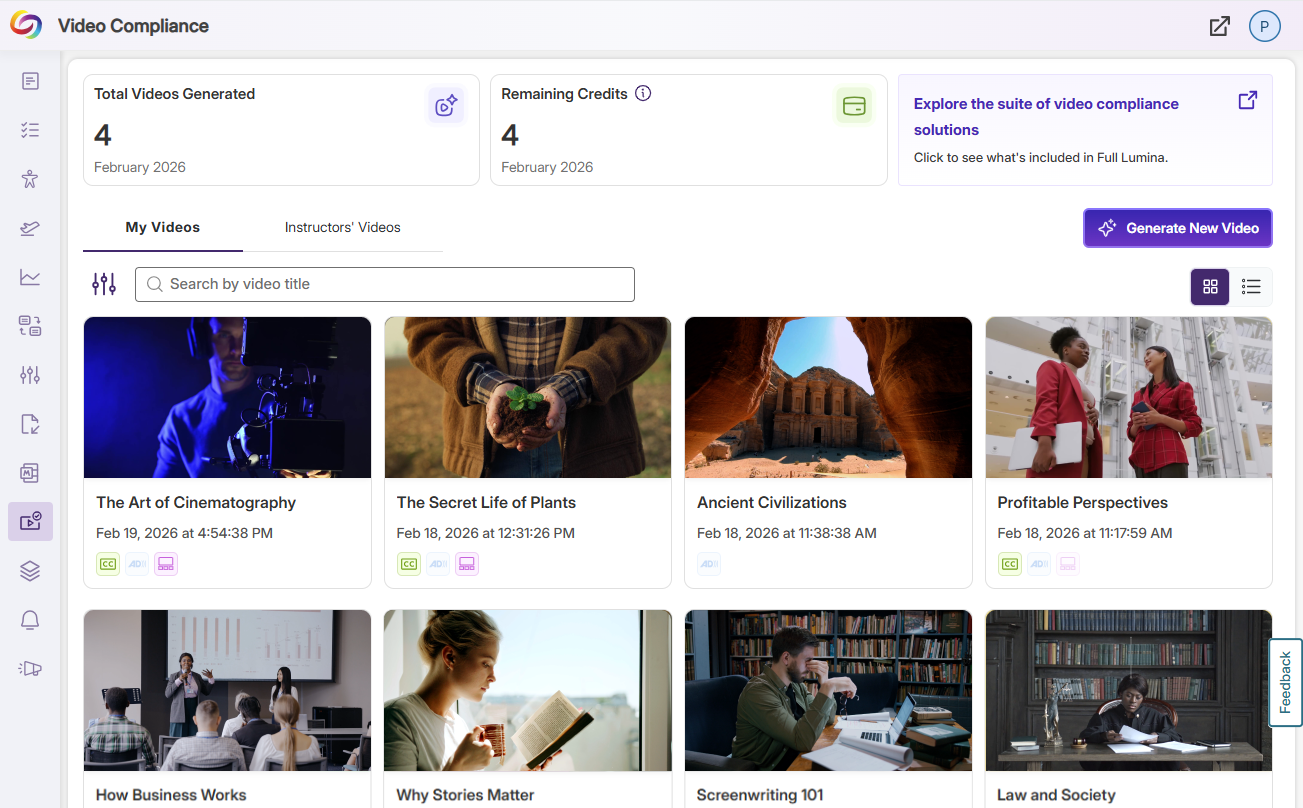
Key features include:
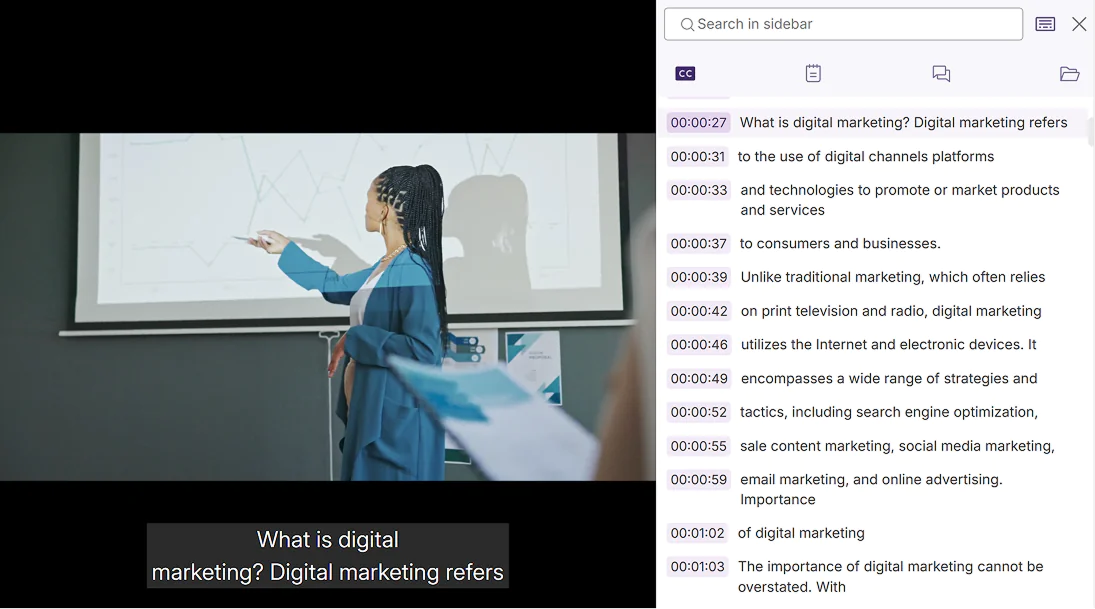
Automatic Captioning: Effortlessly add captions to video content, ensuring that videos are easily understood by users, regardless of auditory ability.
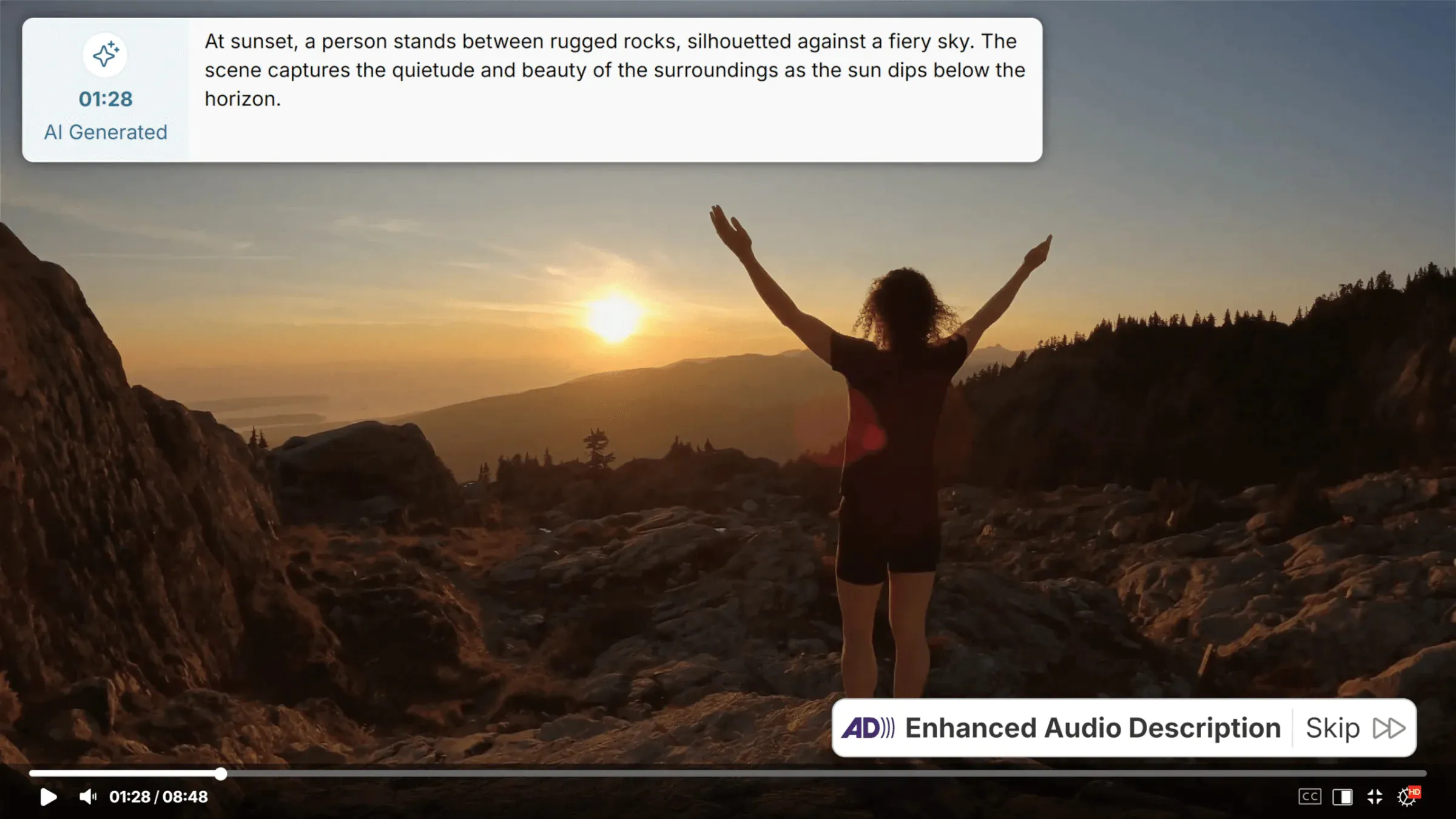
Enhanced Audio Description: Make your institution compliant with Title II accessibility standards by using the Video Compliance Player’s detailed pause-and-play audio descriptions that foster an inclusive viewing experience.
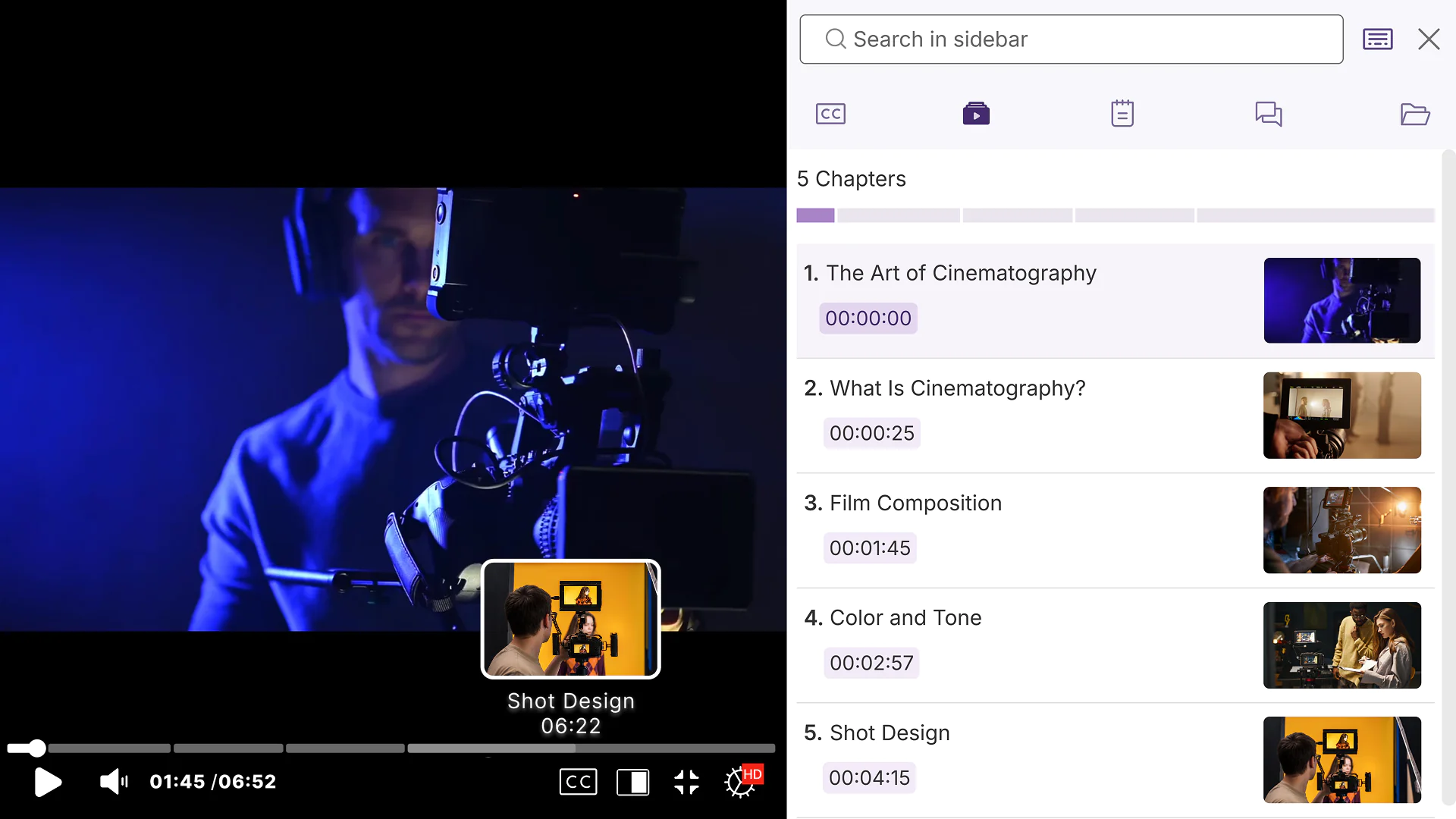
Video Chaptering: Automatically break up long videos into smaller sections to make dense, information-packed videos easier to navigate, review, and understand.
Apply Settings Across Multiple Courses or Sub Accounts With One Click
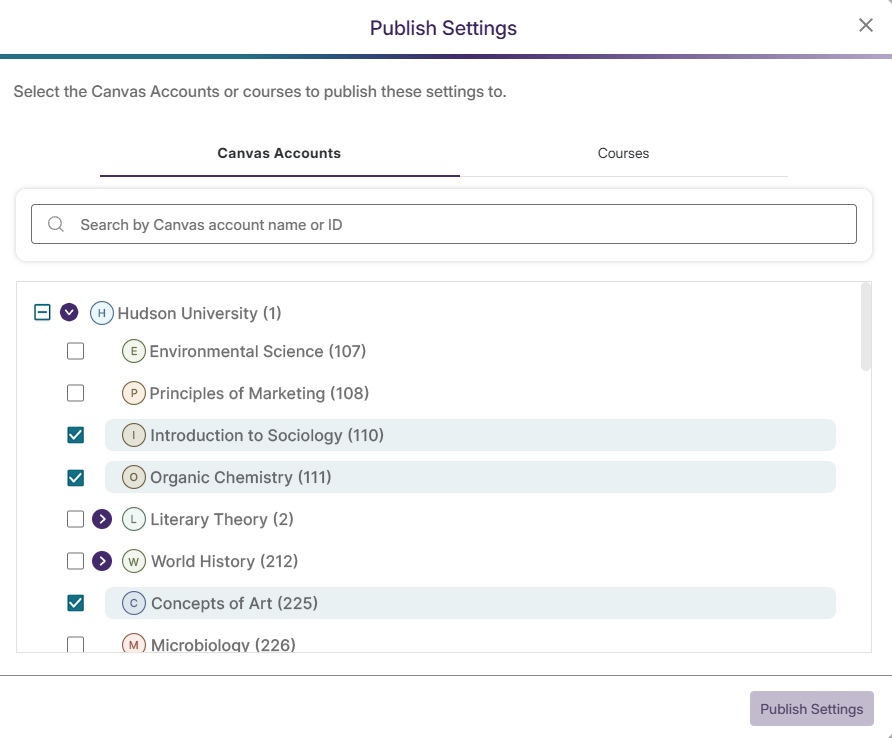
Admins, sub‑admins, and instructors can now apply the same Course Settings to multiple courses or sub-accounts at once. This eliminates the need to update courses or sub accounts individually, allowing users to save time and avoid duplications, inaccuracies, and inconsistencies.
Effortlessly Manage Panorama Add-On Credit Usage
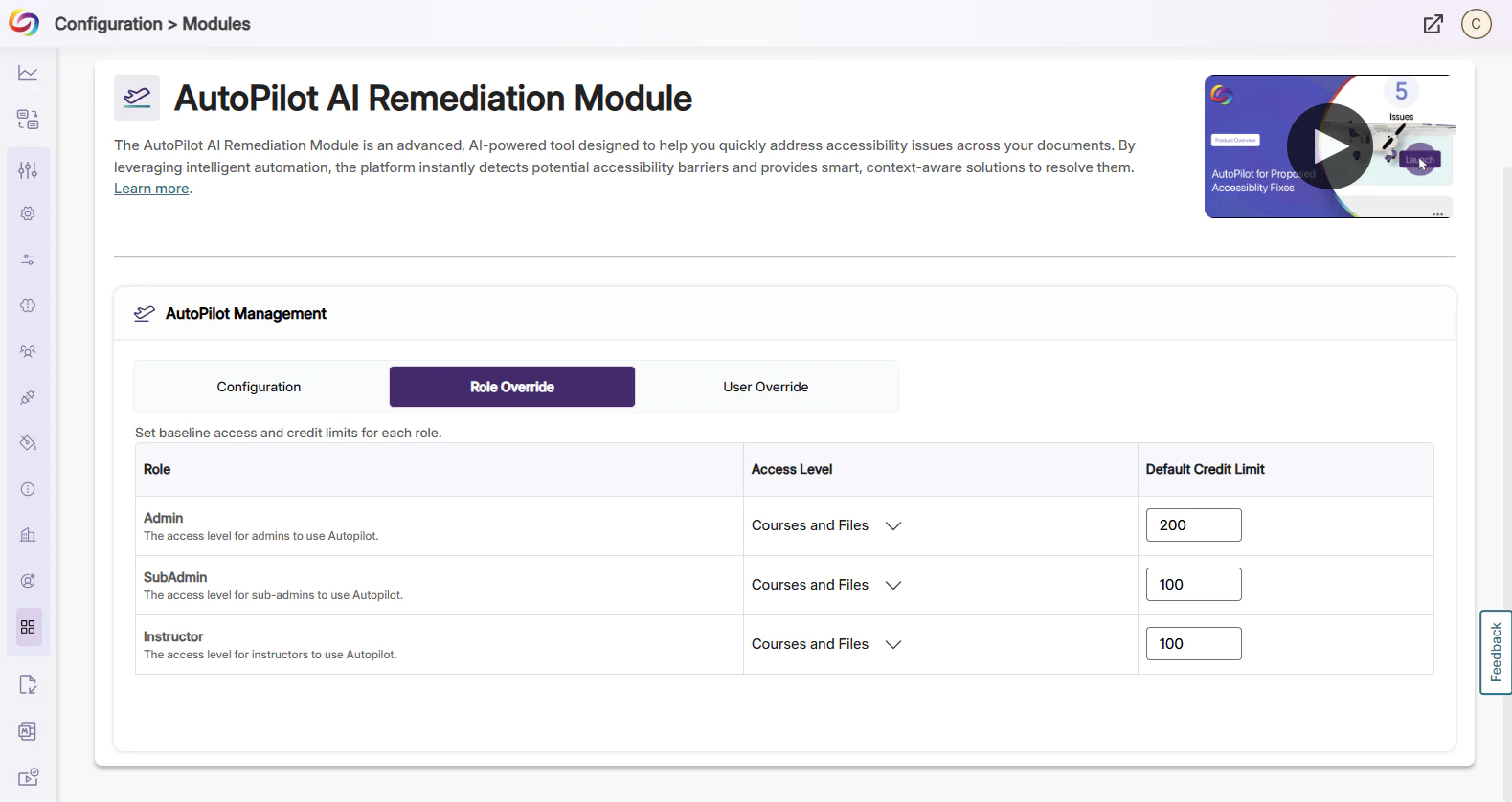
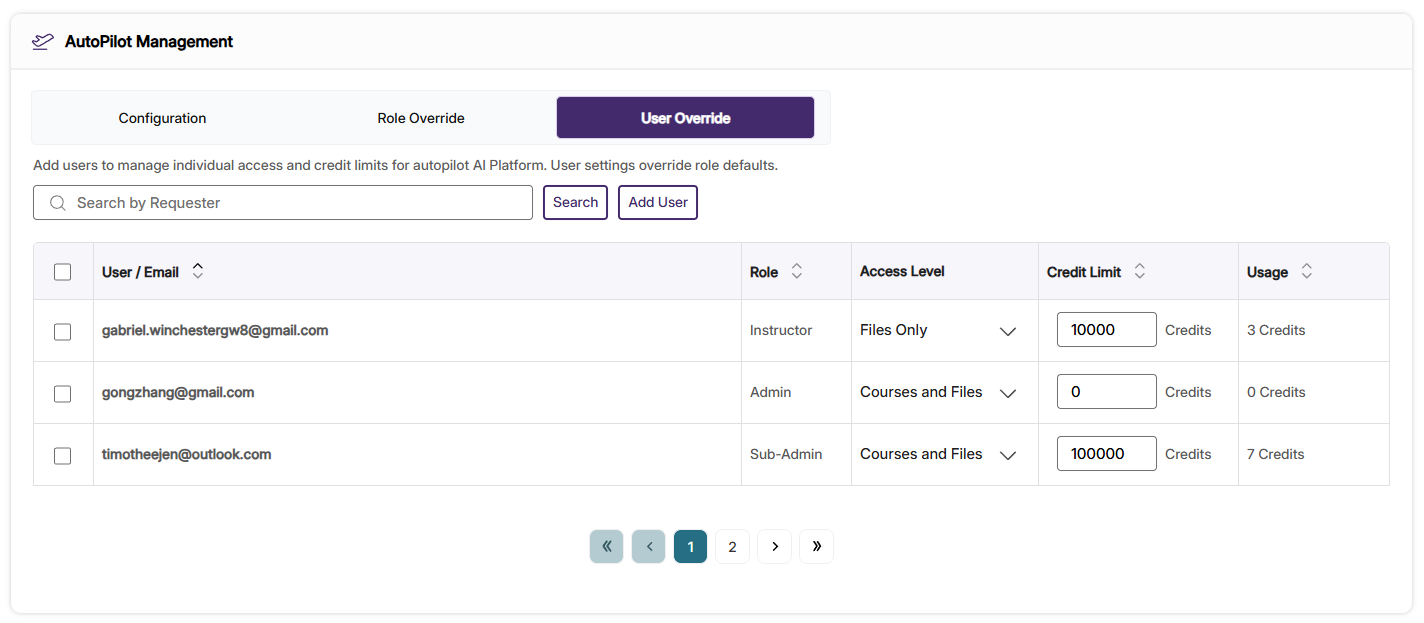
Panorama now provides admins with a data table clearly detailing add-on credit usage for AutoPilot and Structural Remediation. With this feature update, users will be able to manage add-on credit usage across the institution, assign credit limits for roles, and assign individual credit limits for users. With filtering, sorting, and export options, this consolidated data table simplifies credit management and helps ensure Panorama add-on products are being used in accordance with your institution’s specific needs.
In AutoPilot and Structural Remediation Management, users will be able to:
Monitor credit usage across roles and users: Admins can see how many credits are assigned to and spent by users, along with the total credits for each role.
Assign role credit limits: Admins can change or set credit usage limits for roles. Each user with that role permission receives the set credit limit.
Assign user credit limits: Alternatively, admins can change or set credit usage limits for individual users. User credit limits override role credit limits.
Use the New User Simulation Feature to Monitor DocHub Libraries
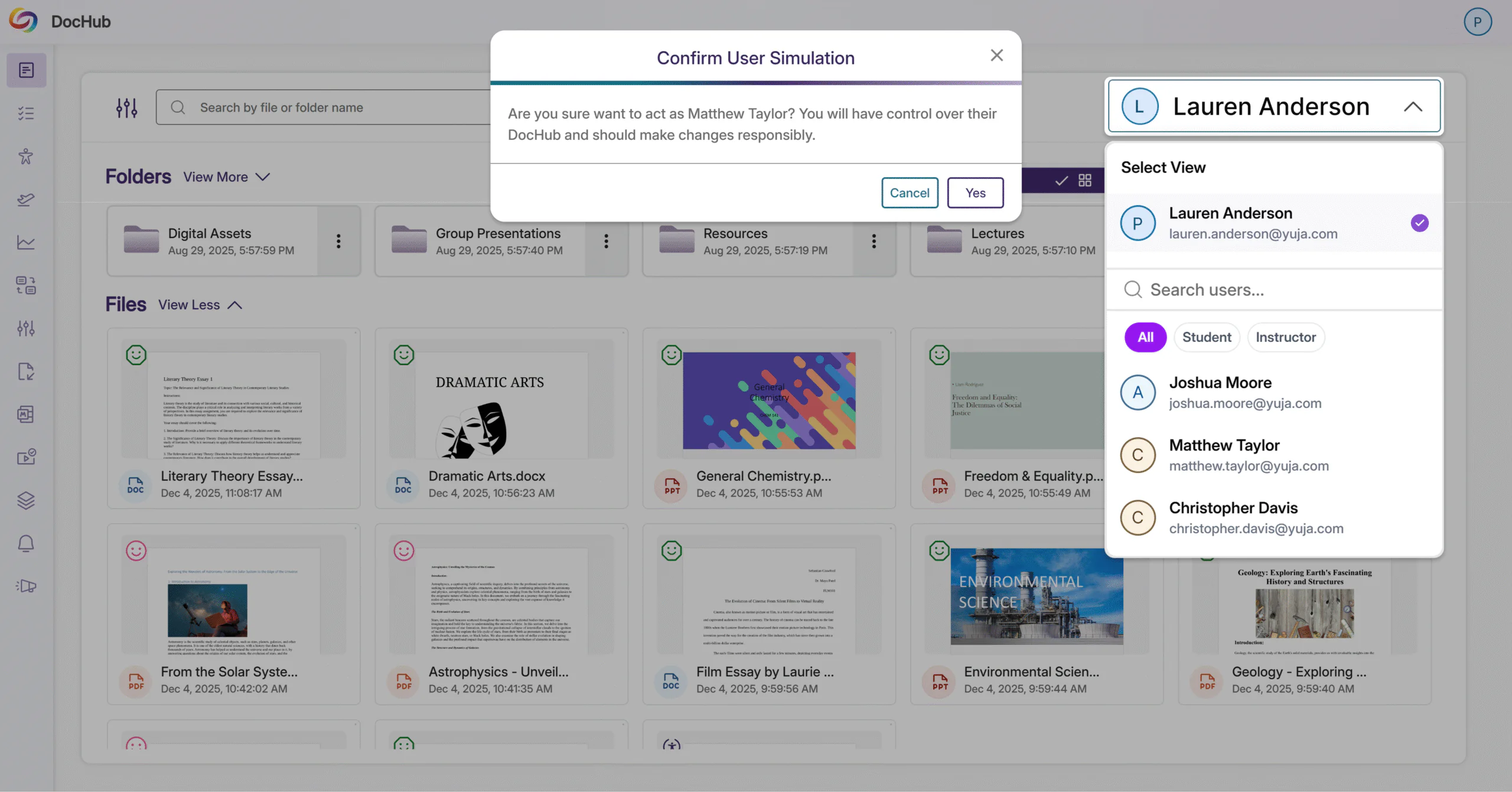
Admins can now view and manage the DocHub libraries of other users through the new User Simulation option. This grants admins the ability to monitor the accessibility and compliance levels of other users’ libraries, and permits them to work within other users’ environments. This new organizational governance improvement ensures that the integrity of a user’s library is preserved during the simulation process and unauthorized access into private folders is prevented.
Marking Images as Decorative now Supported in Word, PowerPoint, and PDF Documents
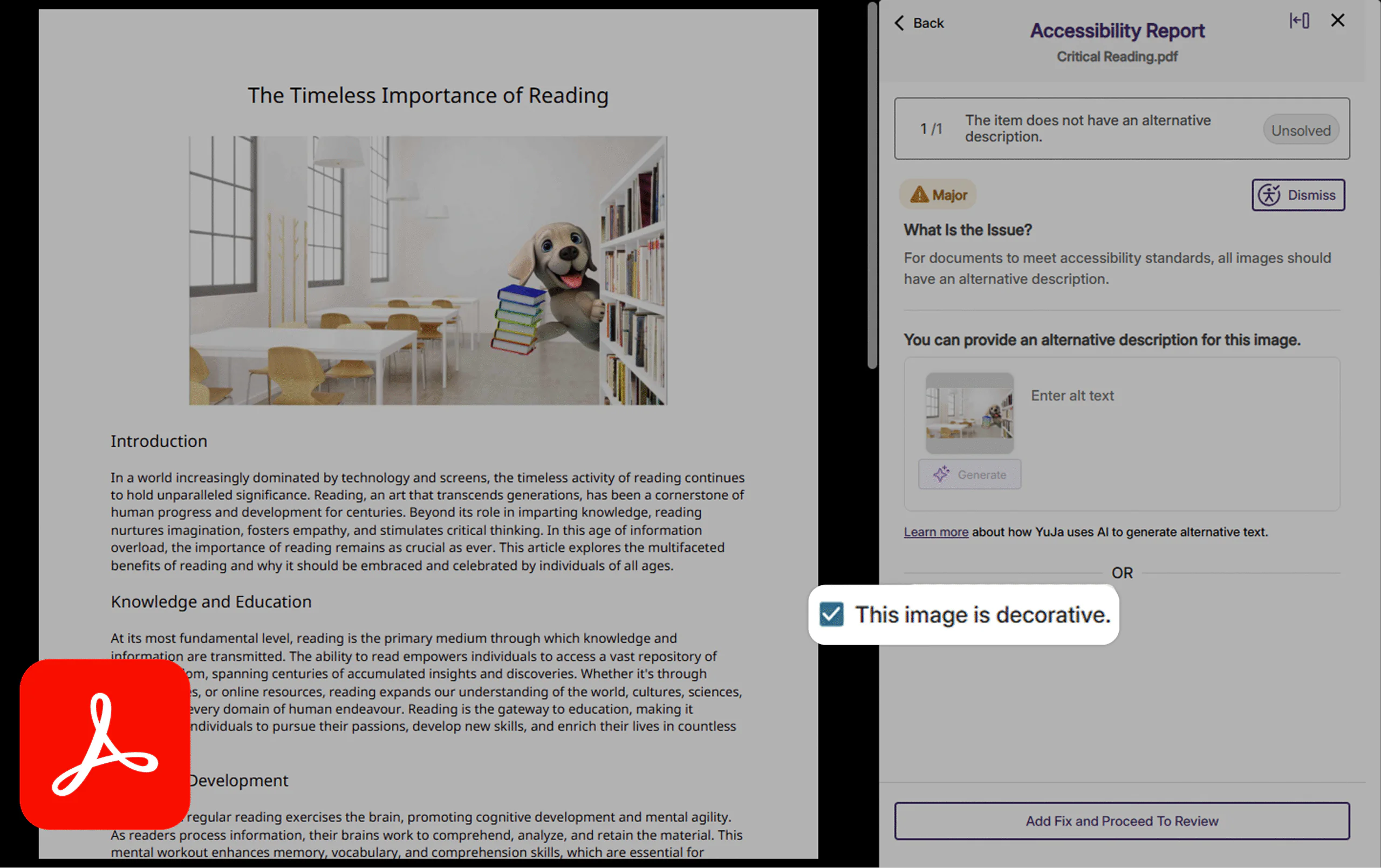
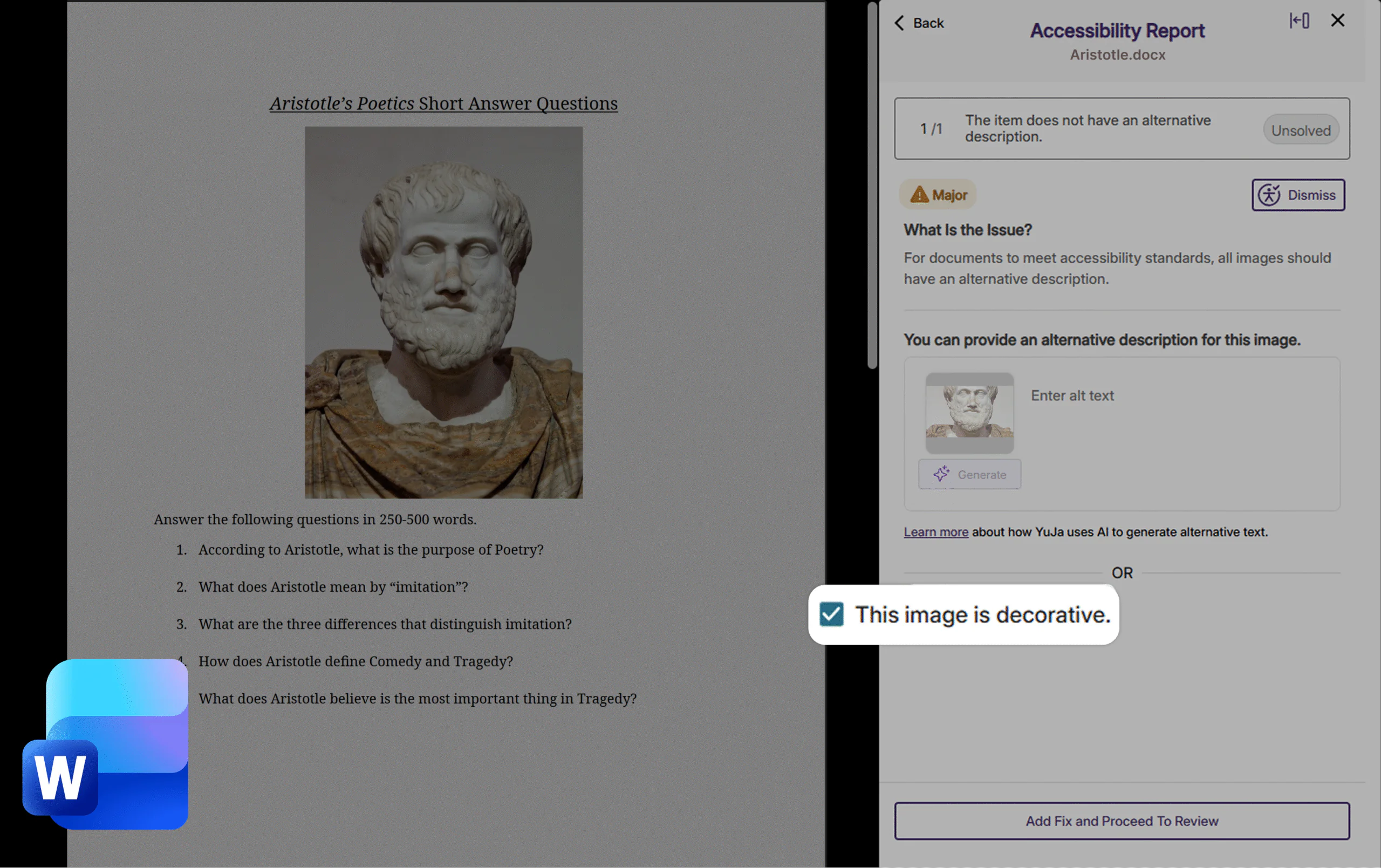
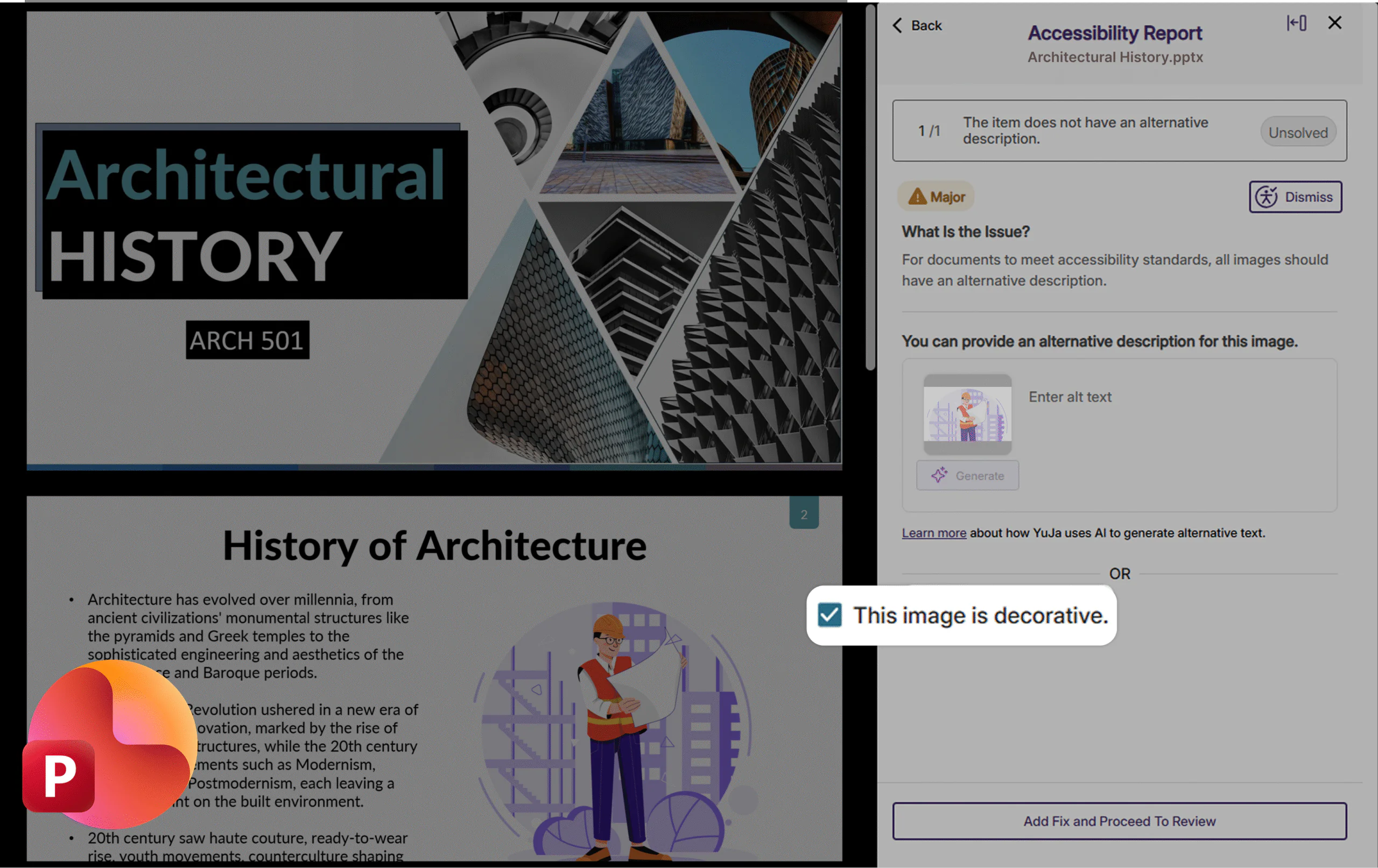
Panorama’s inline remediation now lets users mark images as decorative with one click to resolve alt text issues when appropriate. The update is applied directly to the underlying file, so screen readers correctly ignore non-informative images, effectively reducing audible clutter while ensuring that documents are remediated according to compliance standards.
Users can mark images as decorative in:
PDF documents
Microsoft Word documents
Microsoft PowerPoint documents
Easily Update User Emails Without Data Duplication or Loss
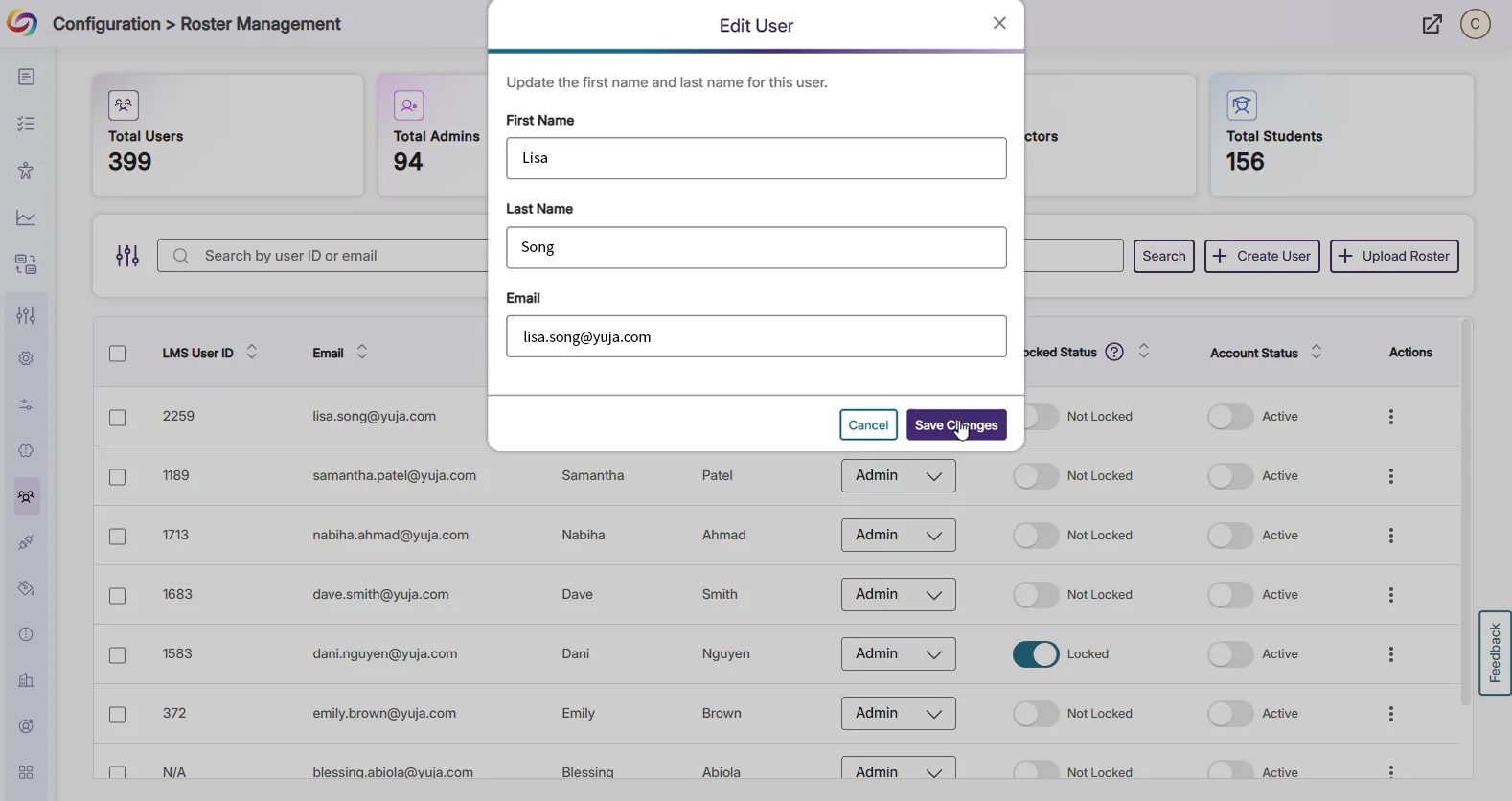
Panorama now allows admins to easily update a user’s email address without manually recreating the user. Admins can quickly make changes to a user’s email field in addition to their first and last name directly within the Roster Management interface, or programmatically through the updateUserInfo API. This preserves all existing data, including roles, reports, and accessibility settings associated with the account, offering an intuitive and simple way to manage user information while eliminating the risk of data duplication or loss.
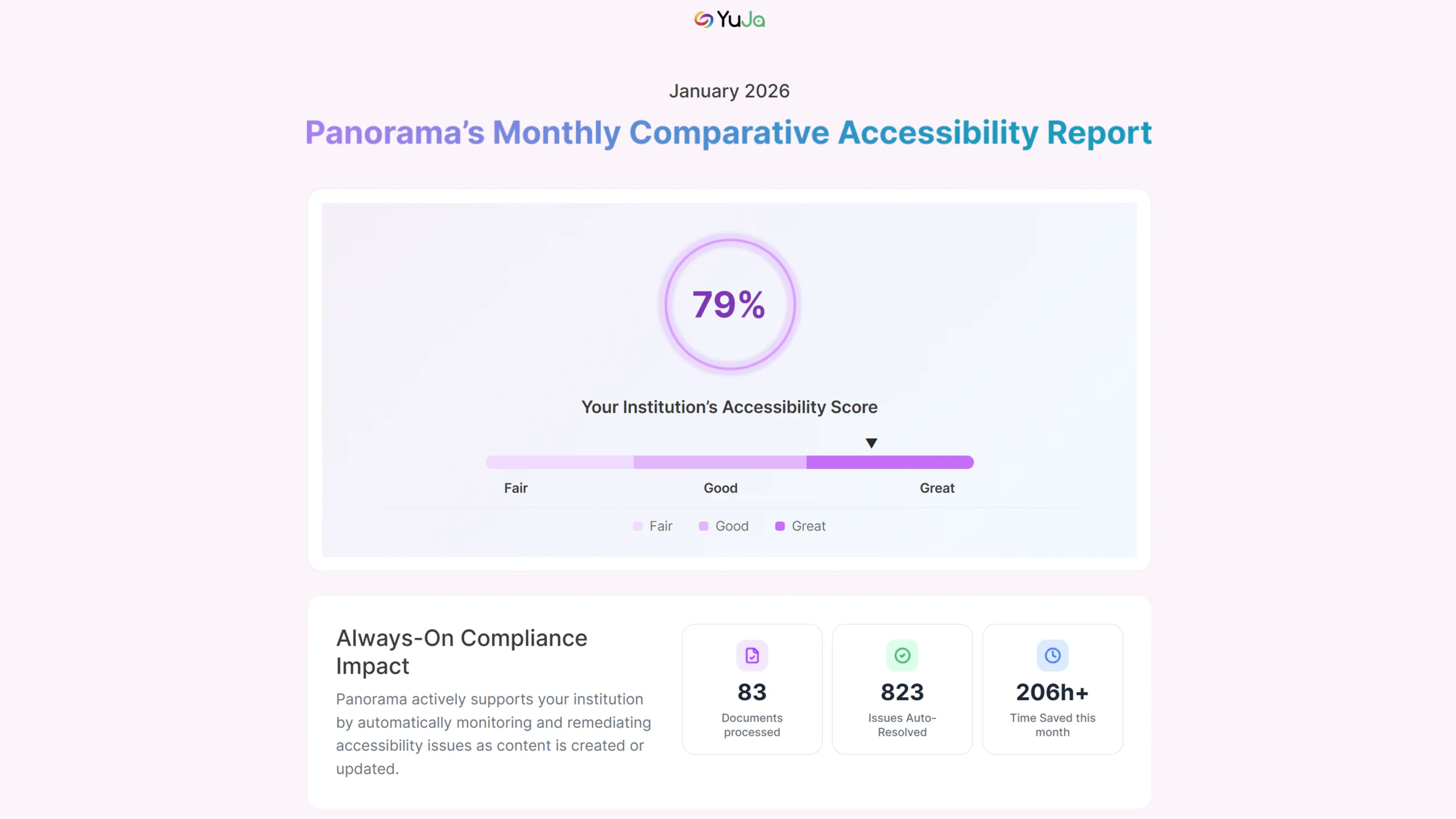
Get Insight on Your Institution’s Accessibility Performance Using Comparison Reports
Admins can now see how their institution measures up against peers with the new Comparison Report feature. The report benchmarks your average accessibility score for the past year against fully anonymized data from other institutions, providing valuable insights on institutional compliance without compromising privacy. Users can also view the average accessibility score of different file formats, the number of issues auto-resolved by AlwaysOn Compliance, and Accessibility Insights. This makes it easier for admins to identify strengths, spot improvement opportunities, and make data-driven decisions to enhance their institution’s performance.
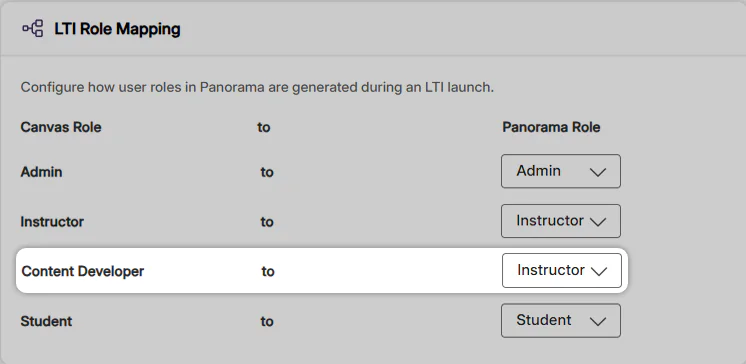
Manage Permissions Securely with the “ Content Developer” Role
Institutions can now map the Content Developer role to the Panorama Instructor role. This lets designers improve course accessibility just like instructors, without granting access to admin reports or institution-level settings, and eliminates the need to enroll them as teachers in hundreds of courses. The result is a streamlined workflow, secure role management, and faster accessibility improvements across courses.
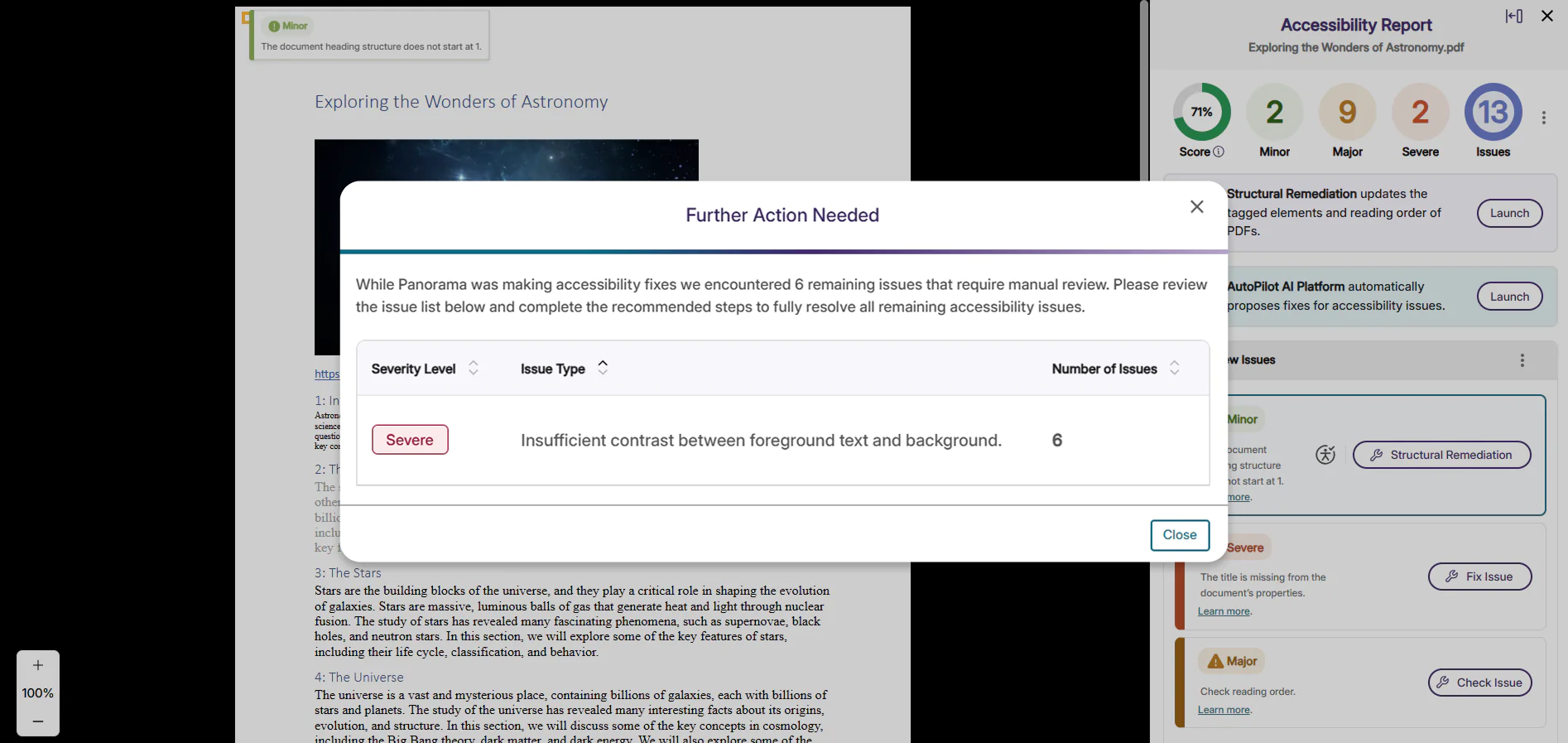
Improved Workflows for Human-Assisted Accessibility Issues
Panorama now alerts users on edge case accessibility issues that could not be automatically remediated by the Remediation Engine. When an issue like difficult color-contrast requires manual remediation, it will be flagged by the Accessibility Report and identified to users through a pop-up modal. Users will also be provided with contextual guidance, tooltips, and remediation assistance to resolve them. With this new flagging system, users will be able to quickly identify difficult accessibility issues and take prompt action to fix them, in addition to reducing persistent flagging.
Faster Response Time for Large PDFs
We’ve optimized the Accessibility Report, Alternative Formats, and Report Viewer functionalities in Panorama to handle large PDF files more efficiently. These performance improvements enhance responsiveness when viewing reports or generating alternative formats for dense course material such as textbooks. With improved responsiveness, large PDFs become easier to review and remediate at scale using Panorama’s accessibility tools.
Over the next few weeks, YuJa Intellio AI will be adding a new feature that allows users to generate transcripts in different languages.
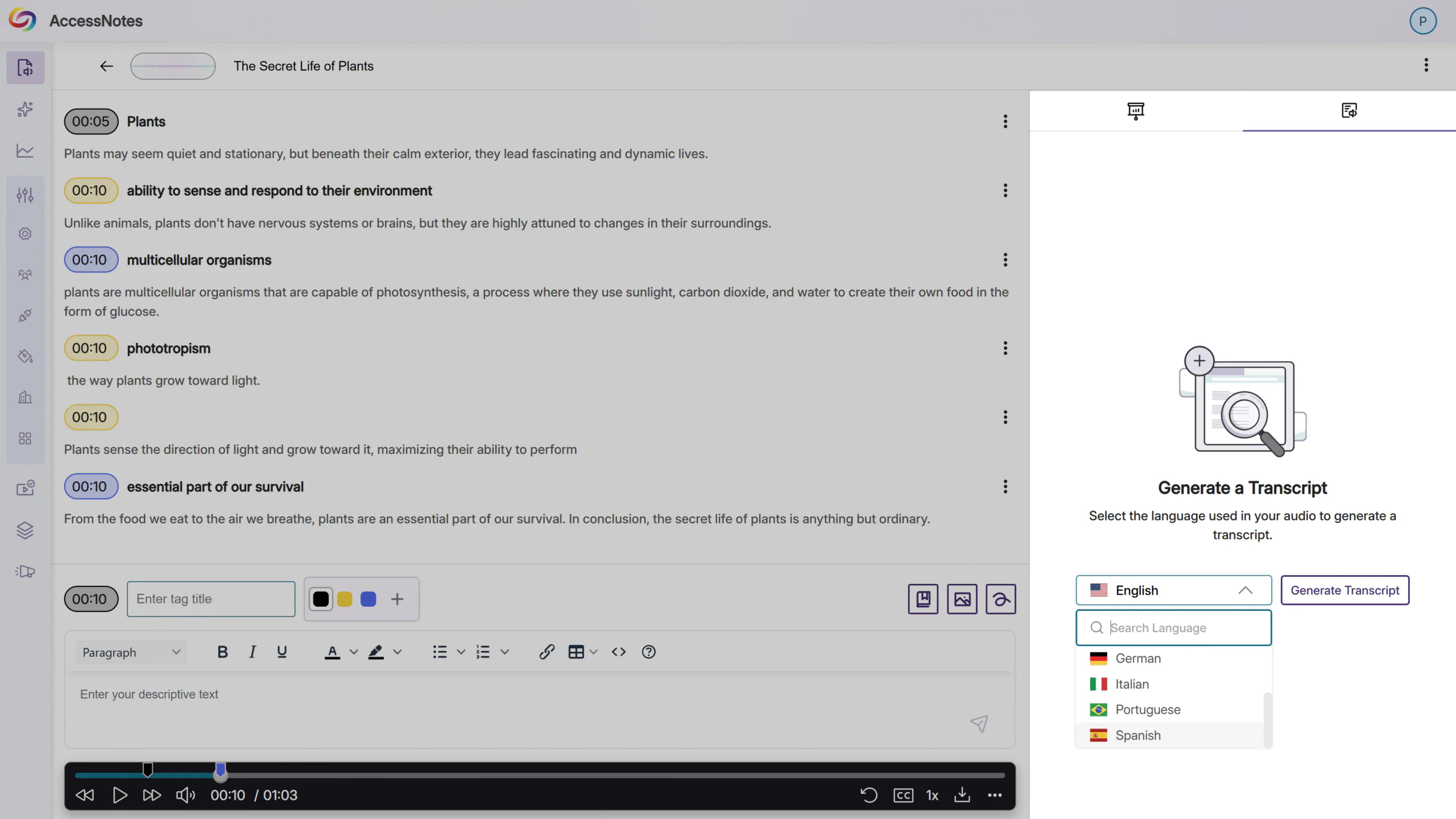
Generate Multilingual Transcripts with Intellio AI
Intellio AI now lets users choose the language of their recordings and generate transcripts in that same language. With seven common languages to choose from, users can break down language barriers and enhance learning by leveraging AccessNotes to create accurate transcripts, creating an overall more accessible experience for users learning from audio content.
Over the next few weeks, YuJa Structural Remediation will be adding new features that allow users to use Structural Remediation in Microsoft Word and PowerPoint, reprocess low-quality OCR PDF’s, and run OCR when using Add Elements.
New Structural Remediation Support for Microsoft Word Documents
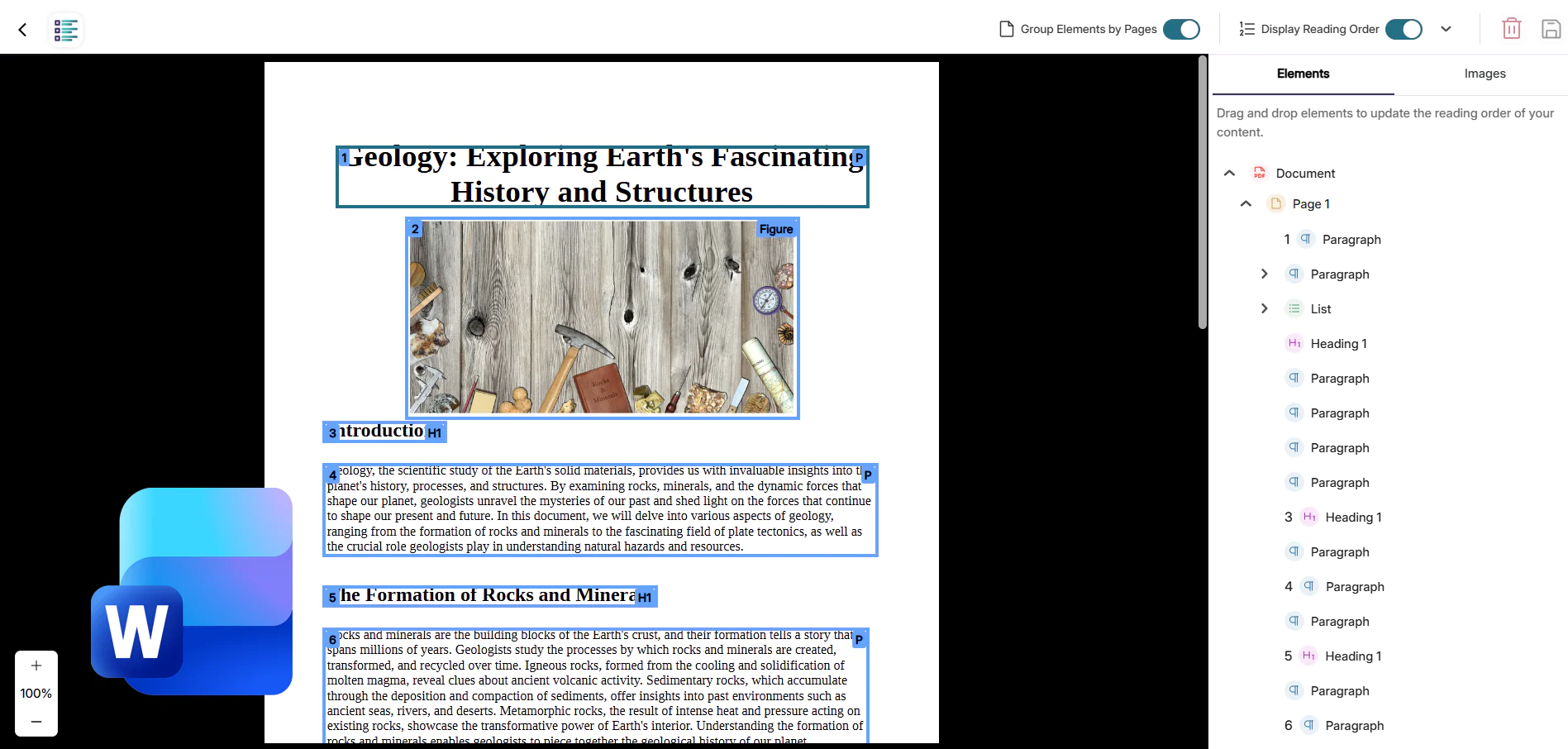
Structural Remediation is expanding its capabilities to support Microsoft Word, allowing all existing users to transform page elements directly in the LMS. Users will now be able to effortlessly adjust and add properties to elements on a page using the YuJa Structural Remediation Max Engine, improving overall usability for anyone using assistive technologies and saving valuable time for instructors.
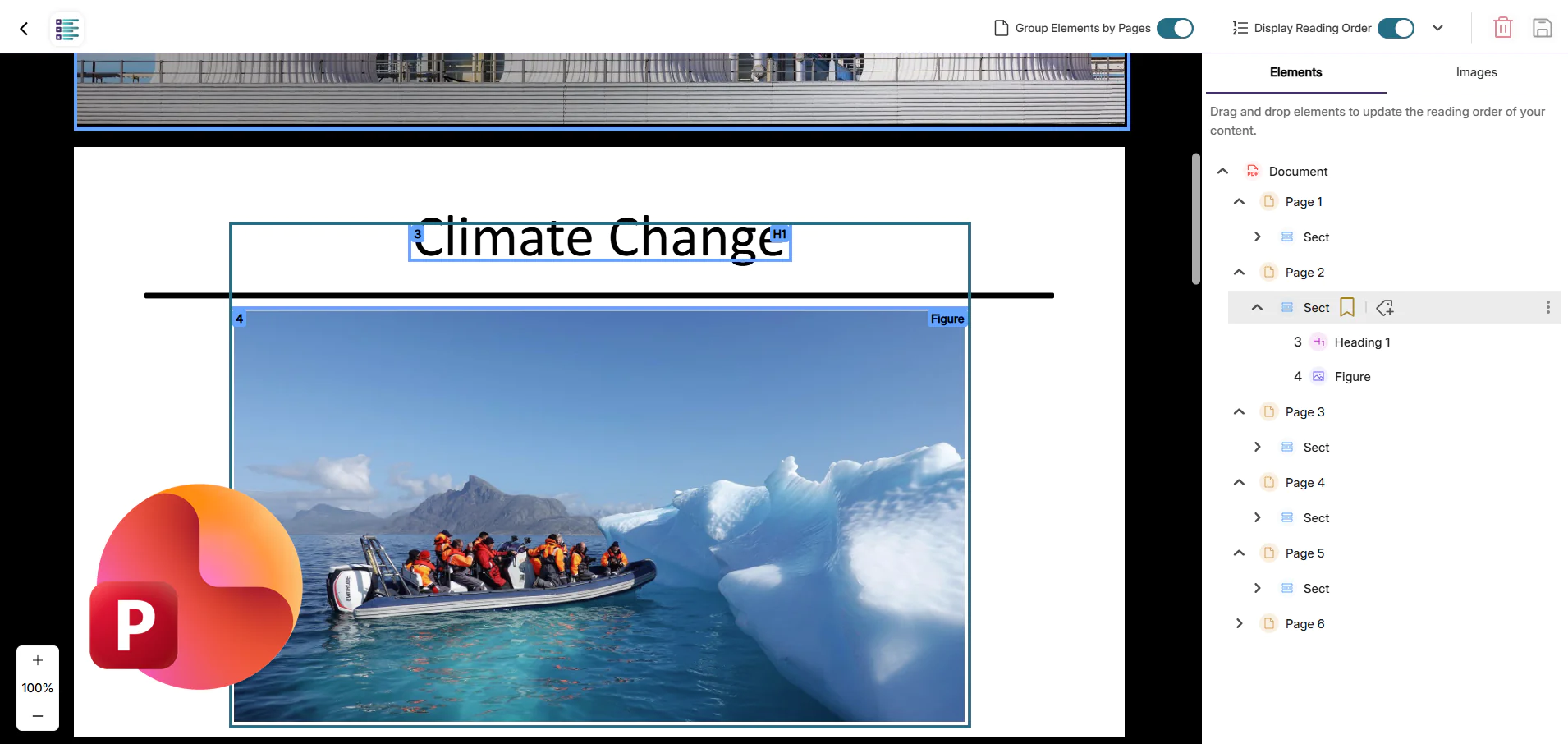
New Structural Remediation Capabilities in Microsoft PowerPoint
Structural Remediation now allows existing users to select elements in Microsoft PowerPoint documents to make changes such as adding alt text, altering structure, changing colors, and more, all without leaving the interface. Changes made by the user will be directly saved within the file, ensuring the file has proper semantic structure, reading order, and accessible elements. This update will help instructors assemble presentations that are both visually appealing and structurally accurate, allowing students who rely on assistive technology to have a seamless learning experience as well.
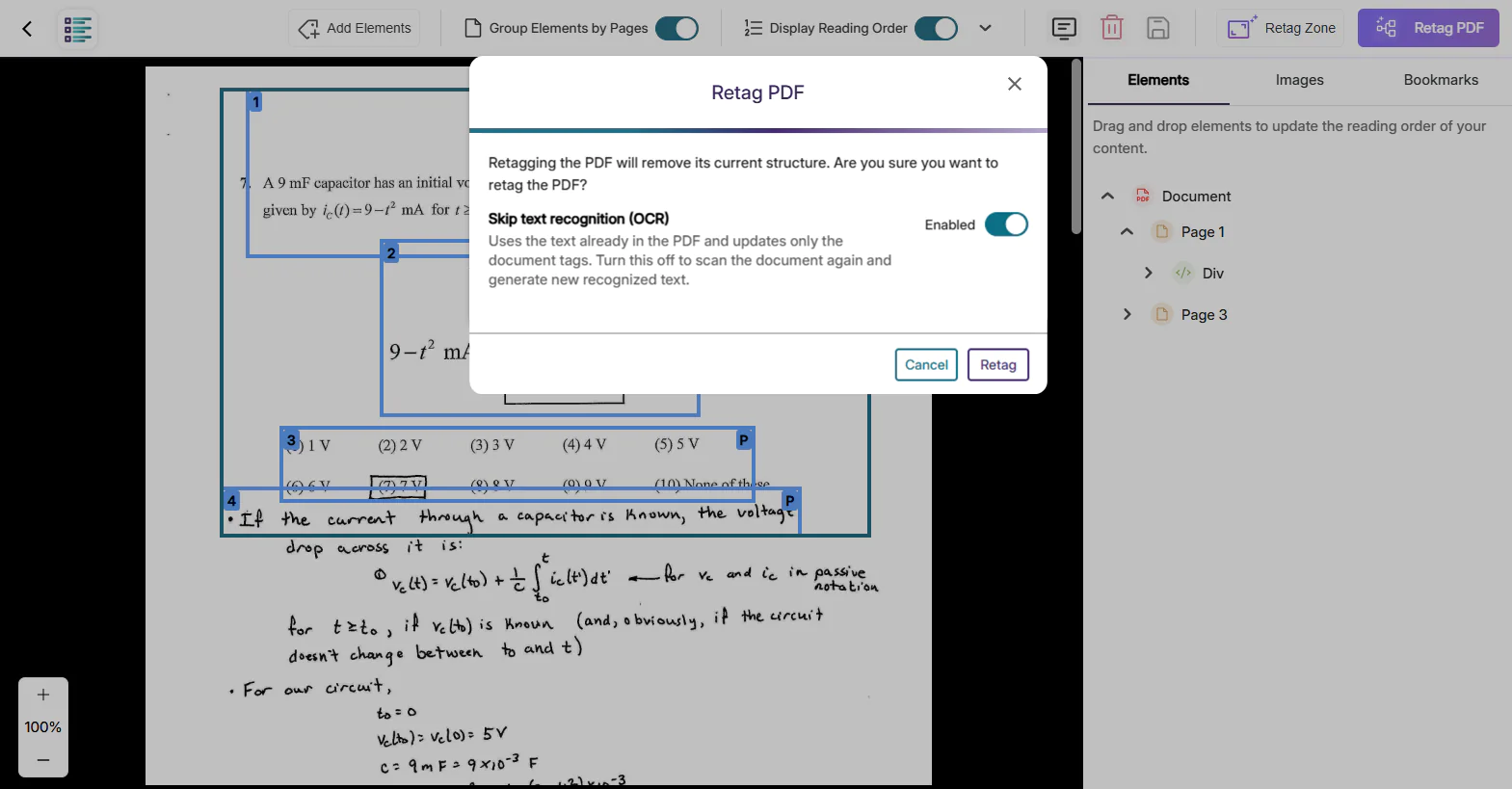
Enhanced OCR Reprocessing for Previously Tagged PDFs
Panorama now enables users to re-run optical character recognition on PDFs that were previously processed with lower-quality OCR by other vendors. When retagging a document, users can choose to perform a fresh OCR pass using Panorama’s advanced engine, ensuring that image-based and handwritten content is accurately captured. After reprocessing the text layer, Structural Remediation can quickly analyze and correct complex accessibility issues. This streamlined workflow transforms poorly recognized PDFs into highly accessible, standards-compliant documents while reducing manual effort for faculty and improving usability for all users.
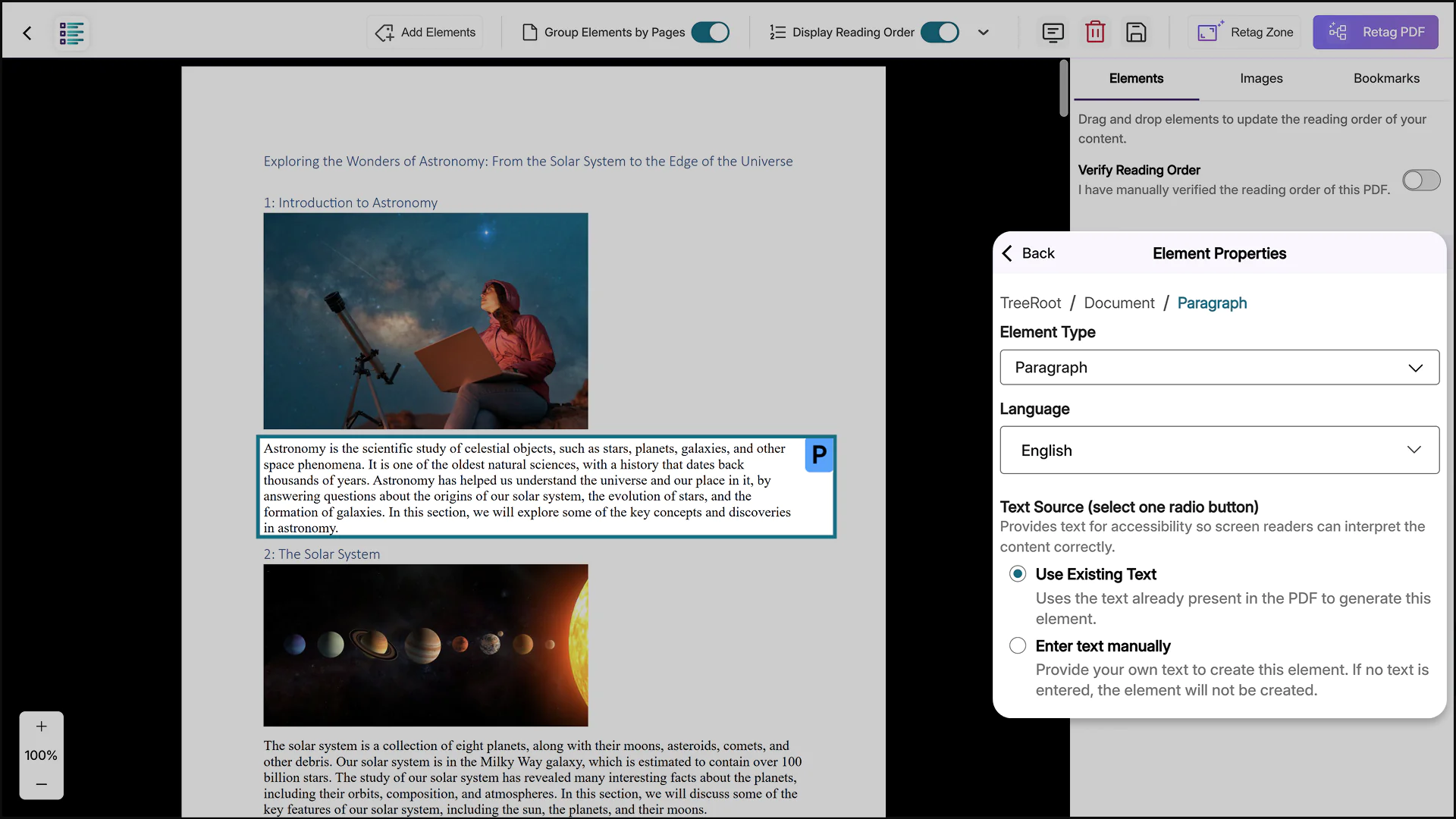
Run OCR when Adding Elements for Precise Document Remediation
Structural Remediation now runs OCR when using the Add Elements feature. When selecting a target section for Add Elements, users will be given the option to use OCR on the existing text layer or manually enter text as the text source. By applying OCR where it’s needed, this update speeds up PDF remediation, reduces unnecessary processing, and gives users precise control over document accessibility improvements.
In the coming weeks, the YuJa Engage Student Response system will roll out exciting new features, including new Quick Setup Guides and event banners.
Use New Quick Setup Guides to Effortlessly Set Up LMS Integrations
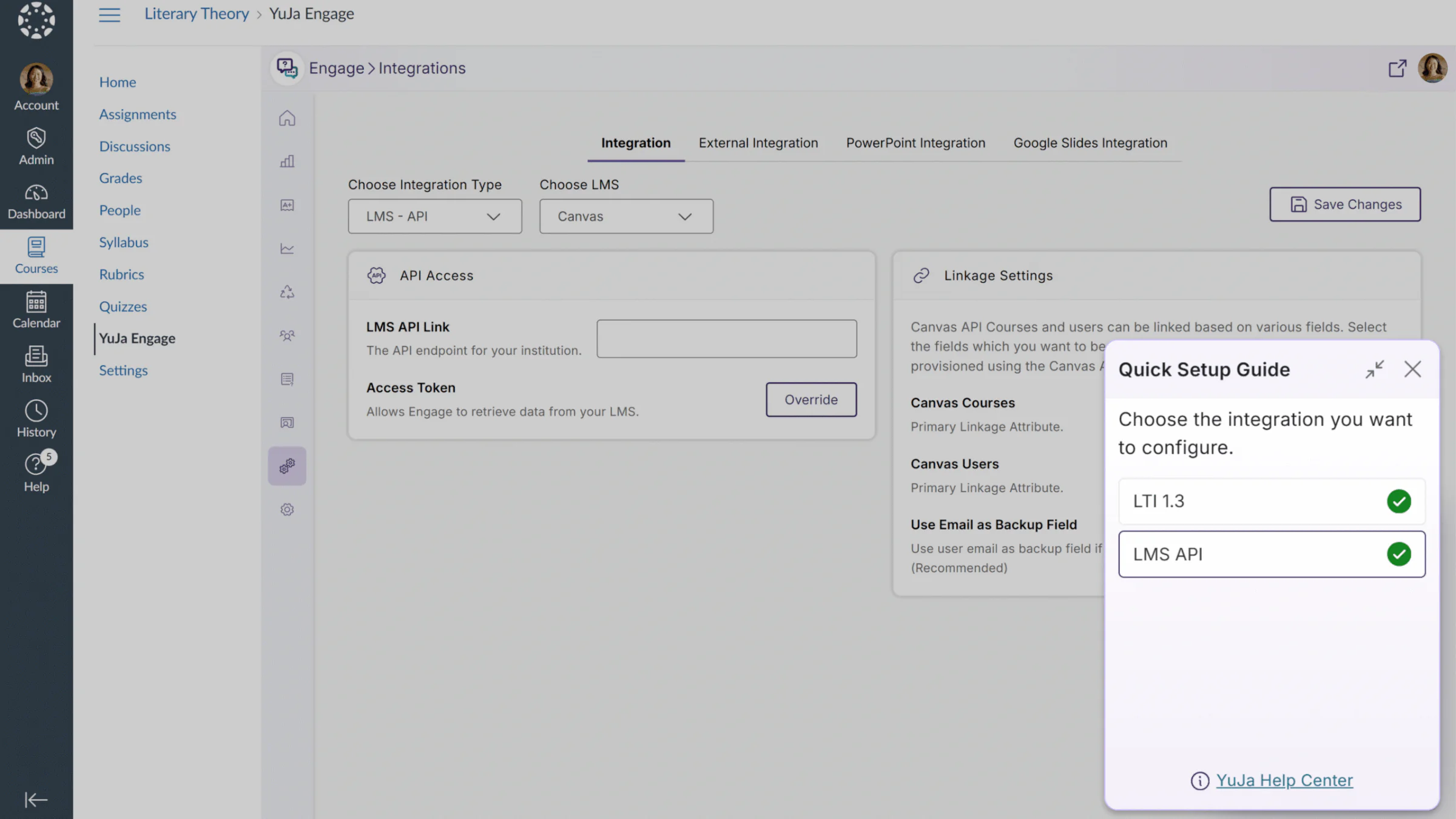
Users will now be able to view Quick Setup Guides that quickly enable users to configure LMS integrations. This feature can be accessed from the user’s profile card or from a modal at the bottom of the page. With full LMS support across all major learning management systems, including Canvas, D2L Brightspace, Moodle, and Blackboard, this new feature provides YuJa Engage users with a shortcut to easily configure their LMS integrations.
In Quick Setup Guides, users will find shortcuts for:
LTI 1.3 integrations: Step-by-step instructions to connect Engage to your LMS, enabling polls to be created, published, and graded directly within courses. Poll results can be viewed by administrators, instructors, and students.
LMS API integrations: Guided instructions to connect the Engage LMS API, sync LMS courses and users with Engage, and access Engage features directly within LMS courses.
Stay Informed About Upcoming Webinars and Product Announcements With New Event Banners
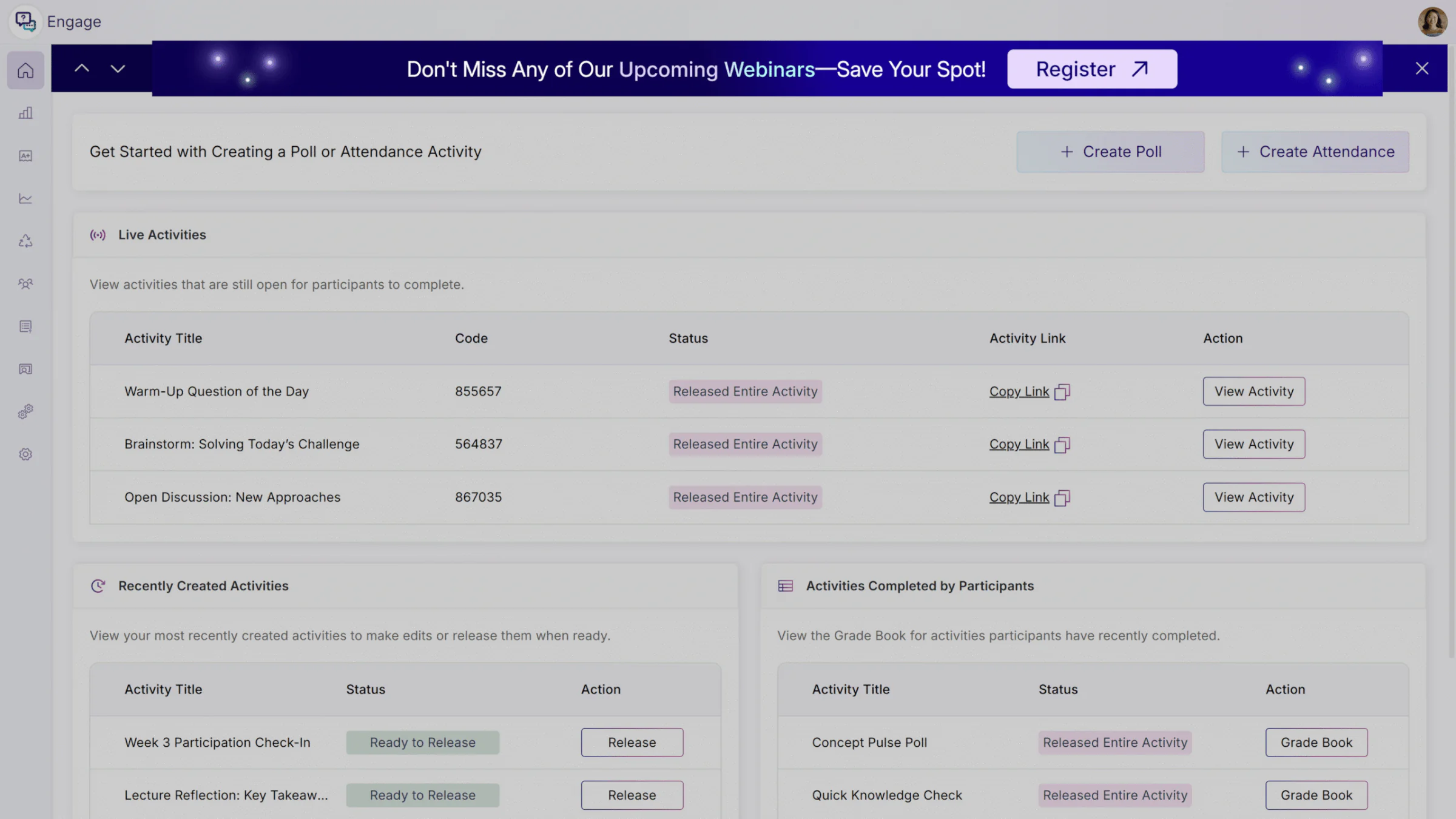
Administrators can now see event banners about important announcements and new webinars directly within the Engage platform. These banners are made to help you get insights from product experts, discover new features, find helpful shortcuts, and stay ahead of the curve on industry trends. With a non-intrusive and minimal design, our banners don’t disrupt your workflows, and whenever desired, administrators can easily dismiss any banners for their current session.
In the coming weeks, the YuJa Verity Test Proctoring Platform will roll out exciting new features, including Firefox support, multi-camera assessments, a streamlined setup interface, proctoring profiles for a faster setup experience, and so much more.
Use YuJa Verity on Firefox to Protect Academic Integrity
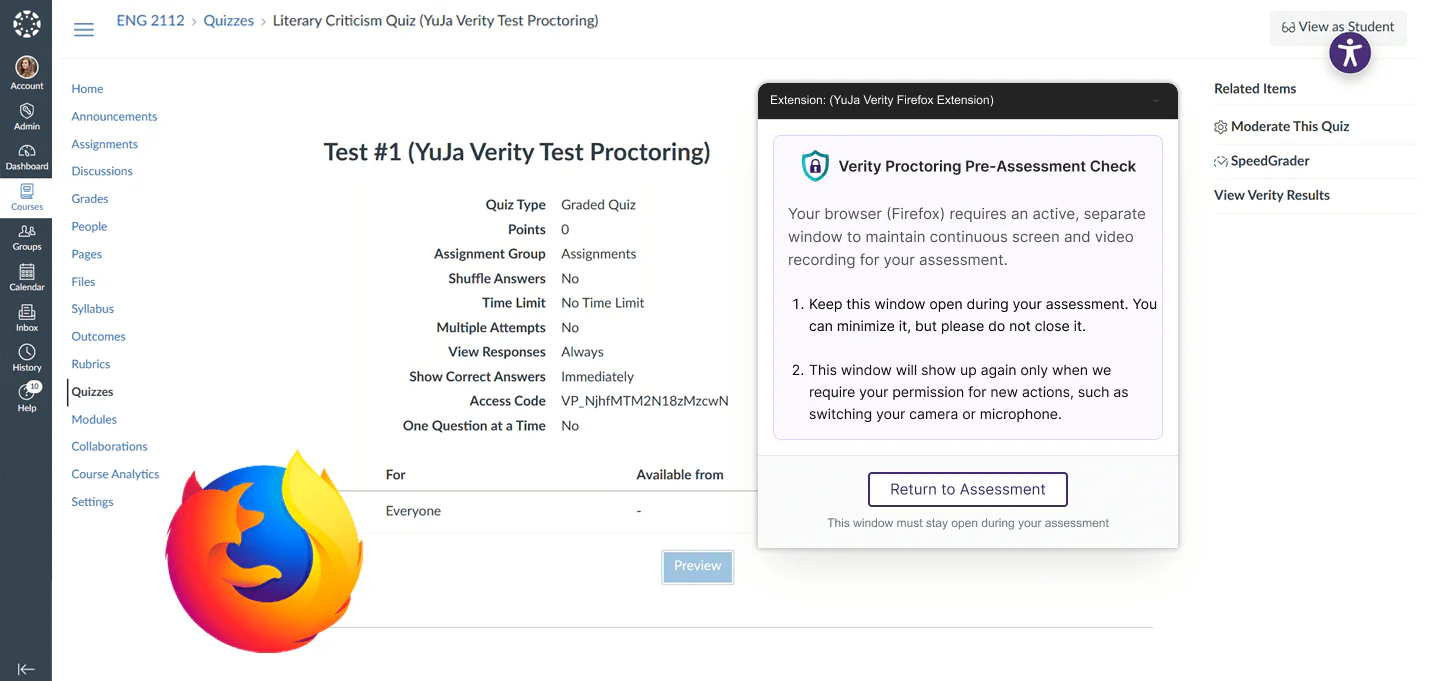
YuJa Verity is now available on Firefox through a dedicated browser extension. Instructors and students can now access secure, proctored assessments across all major browsers, leveraging additional flexibility while ensuring consistent performance, exam integrity, and a seamless testing experience on the browser of their choice.
Accelerated Proctoring Setup through Guided Profiles
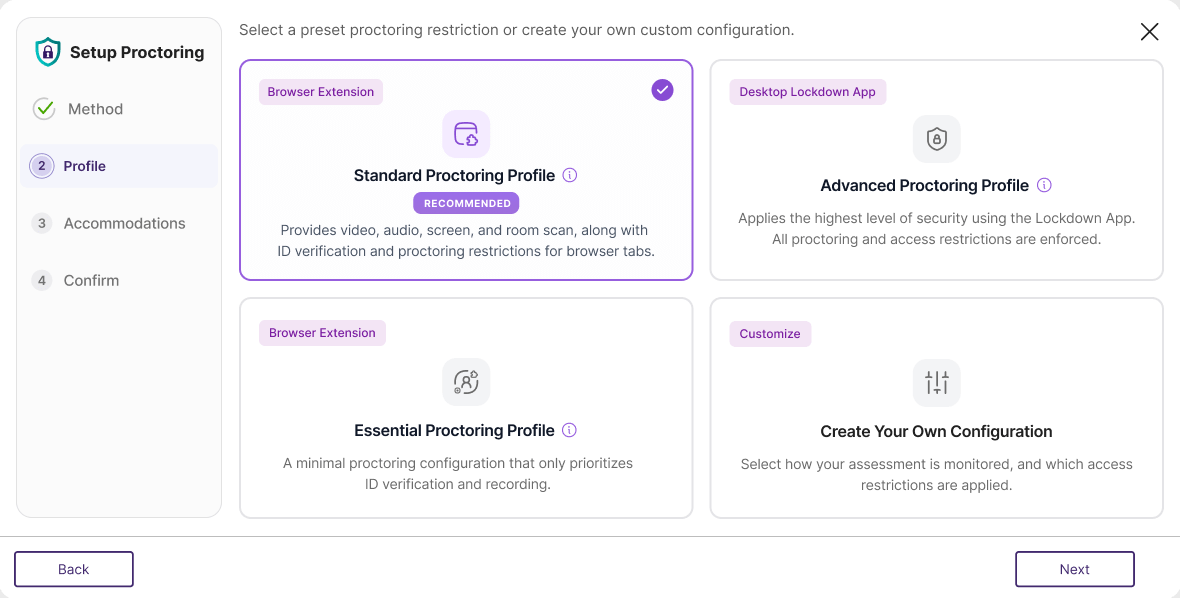
YuJa Verity is introducing preset Proctoring Profiles to make secure assessment setup faster and easier for instructors. Rather than configuring every setting manually, instructors can now choose from predefined profiles that align with their assessment needs. Instructors can also create custom configurations to have full control over how assessments are monitored. Instructors can choose from the following profiles:
Standard: Provides video, audio, screen, room scan, ID verification, and proctoring restrictions for browser tabs.
Advanced: Applies the highest level of security using the Lockdown App. All proctoring and access restrictions are enforced.
Essential: Provides a minimal proctoring configuration that prioritizes ID verification and recording.
Custom: Allows instructors to select how assessments are monitored and which access restrictions are applied.
Streamlined Proctoring Setup Experience
The YuJa Verity Proctoring Setup experience now features a cleaner, more intuitive user interface, additional contextual tooltips, and consolidated menus, allowing instructors to configure and reuse proctoring settings across multiple sessions with ease. This consolidation helps instructors set up their preferred proctoring settings without navigating multiple screens, effectively reducing the margin of error while setting up and dedicating more time to coordinating lesson plans and course materials. This streamlined workflow also simplifies the management of multiple courses as instructors no longer have to repeat the set up process for every assessment, saving time while preserving preference settings in a custom profile across multiple assessments.
In the new Proctoring Setup, users will find:
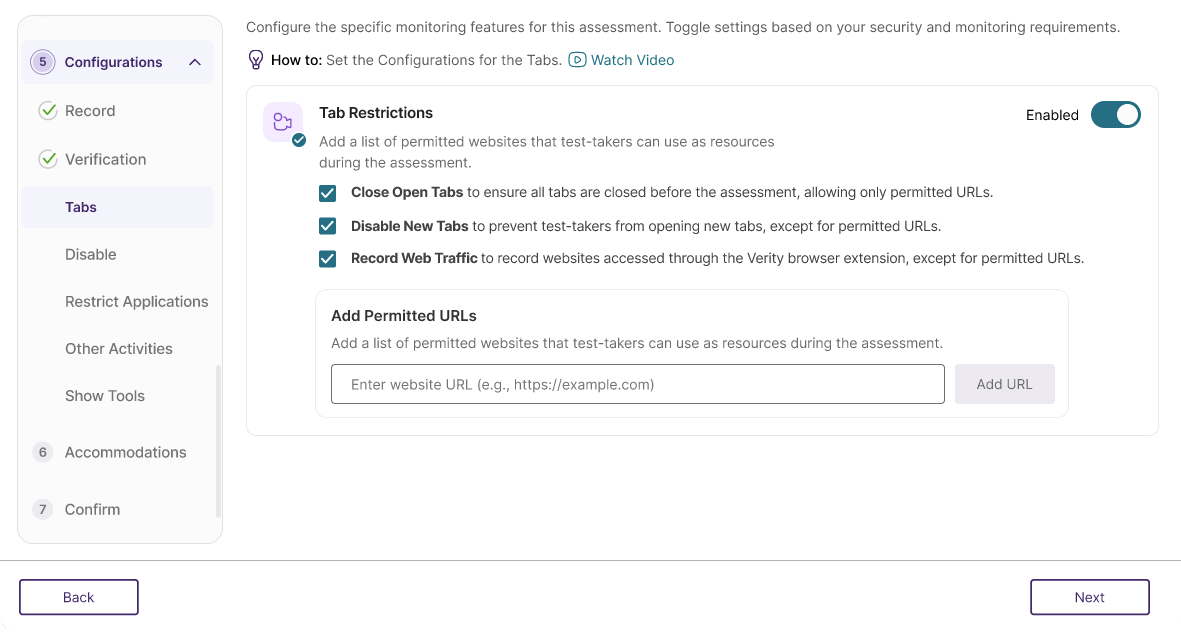
A Consolidated Interface: Configuration settings have been regrouped to be more intuitive, making the Proctoring Set Up workflow smoother and faster.
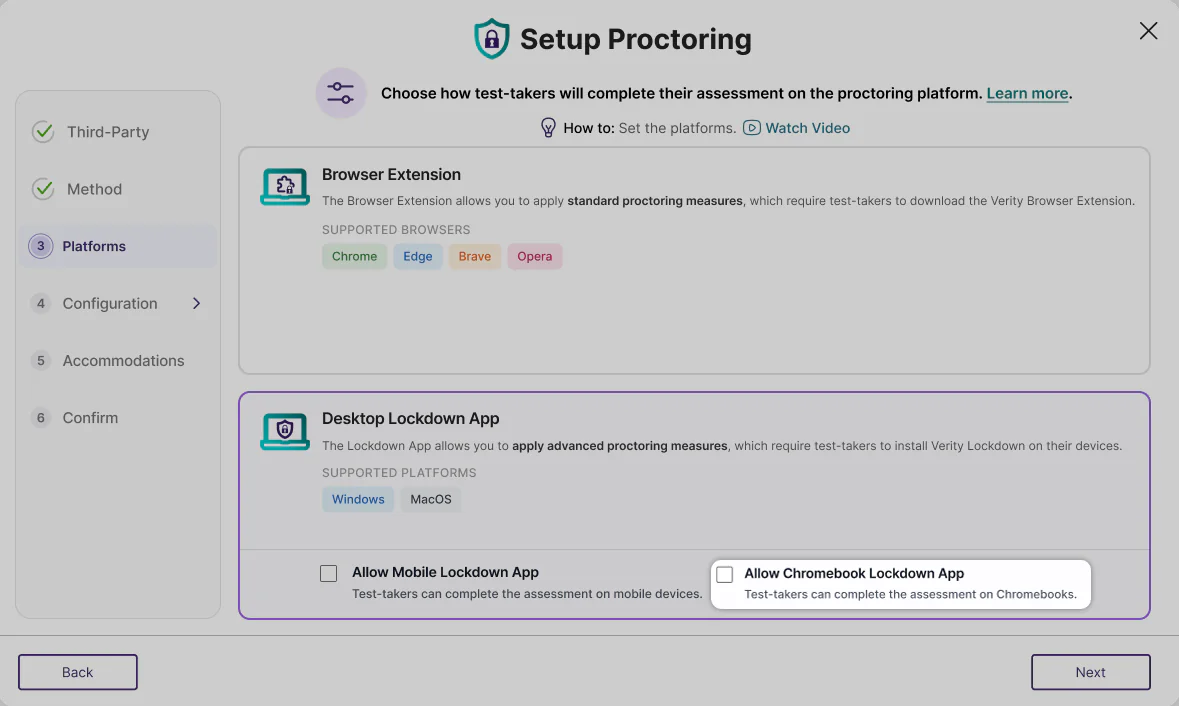
The Chromebook Lockdown App: Test administrators can now select if they want to allow test-takers to complete their assessment on Chromebooks, increasing the accessibility of proctoring assessments across platforms.
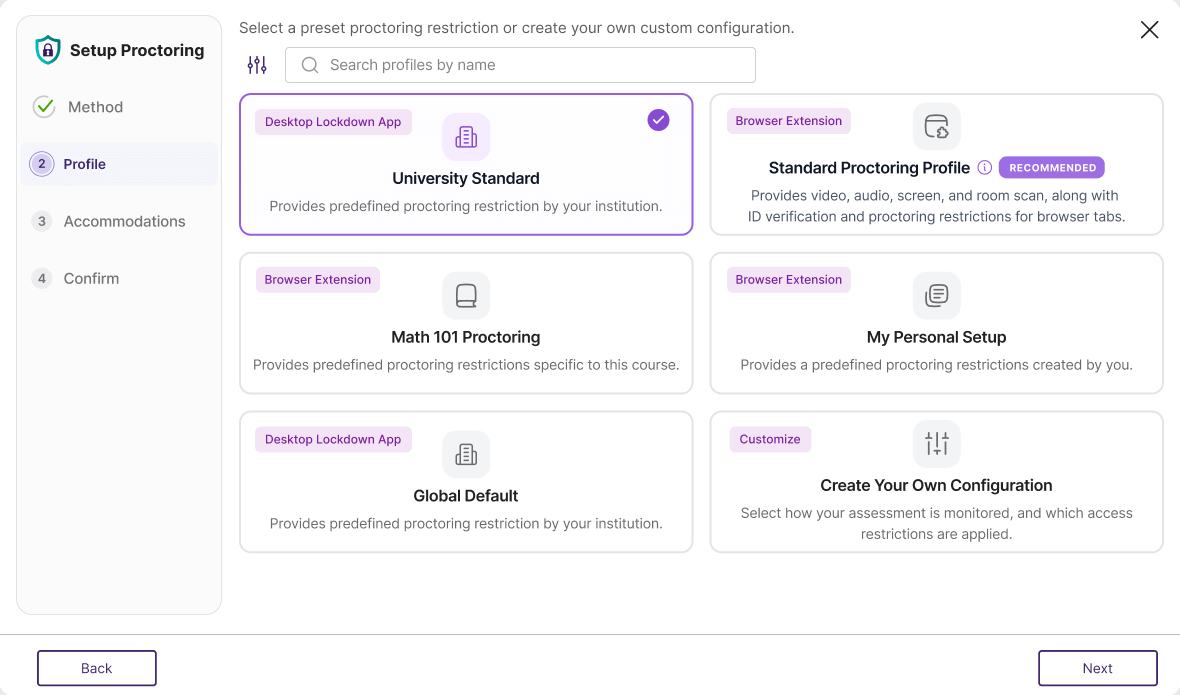
Custom Profiles For Reuse: Once an institution has created custom proctoring profiles, test admins will be able to easily select them from the Profile tab. When selecting a custom profile, instructors do not have to reconfigure individual settings, making the set-up process significantly faster.
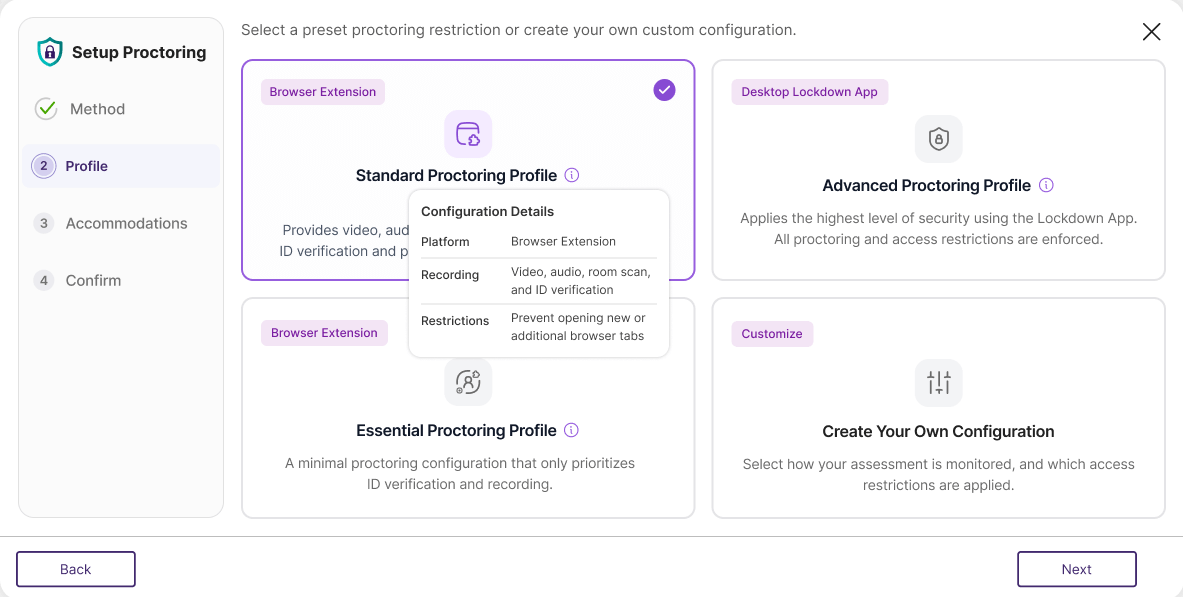
Detailed Tooltips: When selecting proctoring profiles, users can hover over the tooltip icon to receive detailed information about configuration details to make sure they select the best profile for their needs.
Enhance Your View of Testing Environments by Using a Multi-Camera Setup
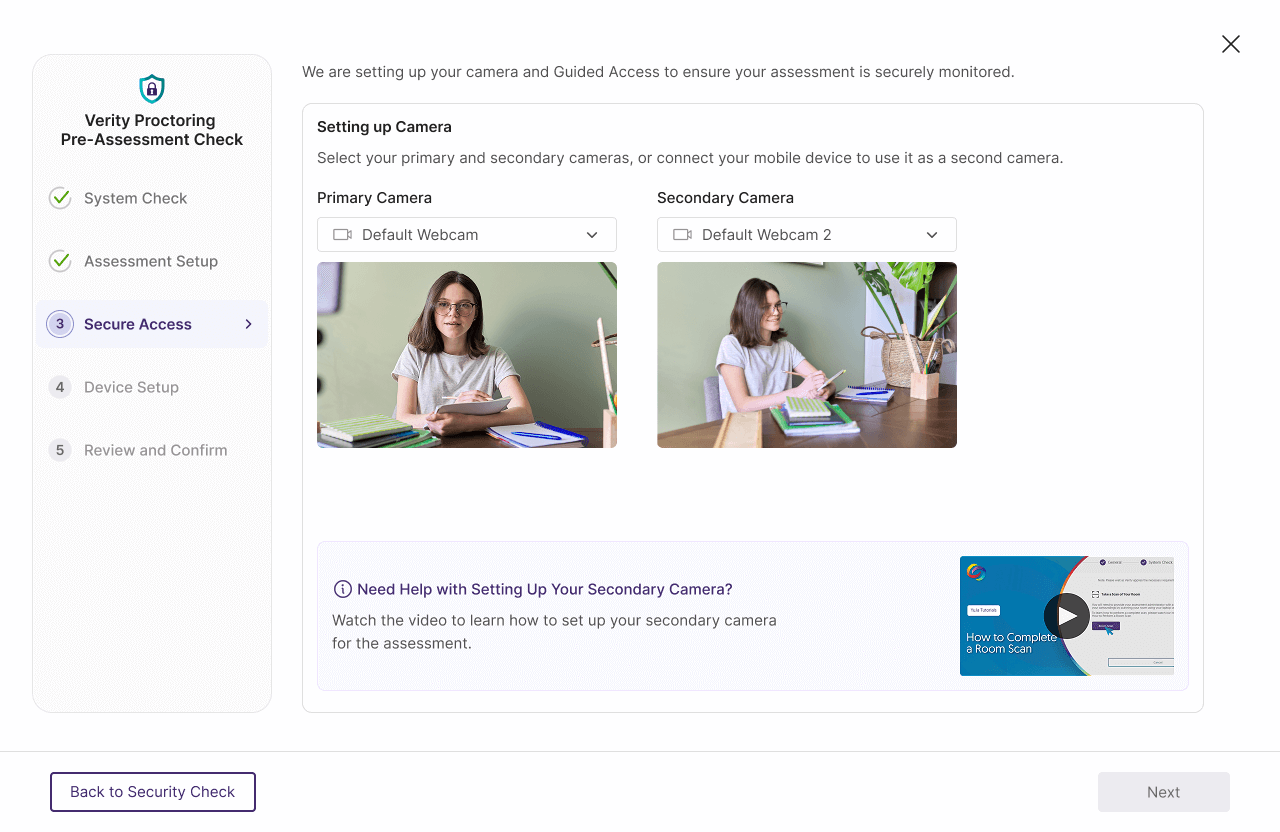
Previously, instructors and students could use one camera source to record proctored assessments. We’ve now added a feature that allows instructors to require test-takers to record their test-taking environment from two separate cameras to capture a wider view of the testing environment during assessments. Test-takers can now choose multiple cameras during the Proctoring Setup step, and users with the Mobile Lockdown App can seamlessly use their phone as a second camera. This addition provides a more secure proctoring experience for both students and instructors, and offers more options over how exams are monitored.
Get Faster Help with Integrated Live Chat and Support
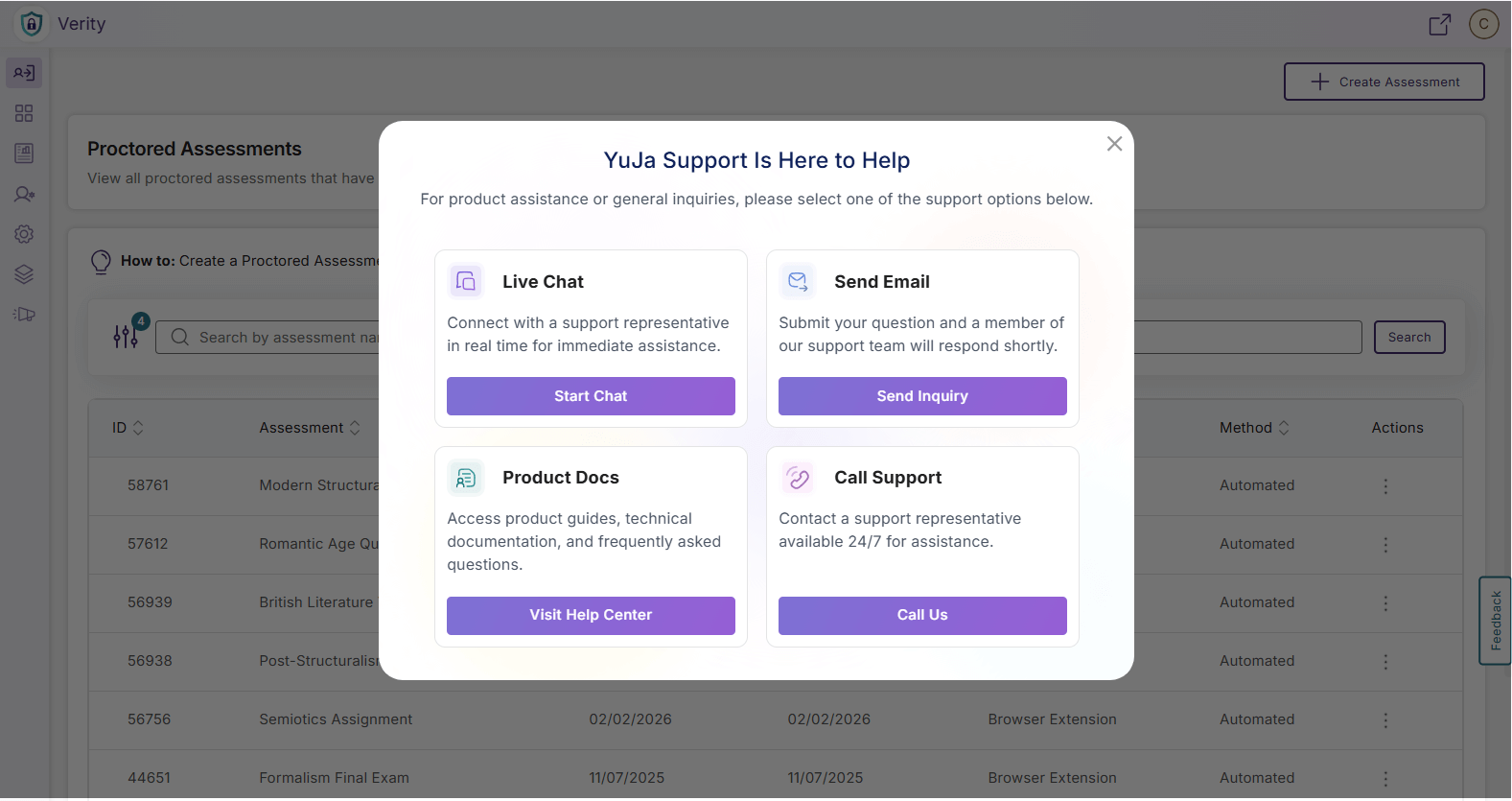
The support experience has been fully redesigned to reduce the amount of time and steps required for instructors to request help from our experts. Live Chat functionality is now integrated into the Support modal, opening instantly with one click to provide real-time assistance without navigating away from the YuJa Verity platform. By centralizing all support options in one modal, instructors and admins can quickly find the help they need and resolve issues more efficiently.
Comprehensive Video Tutorials for First-Time Users With LMS-Specific Instructions
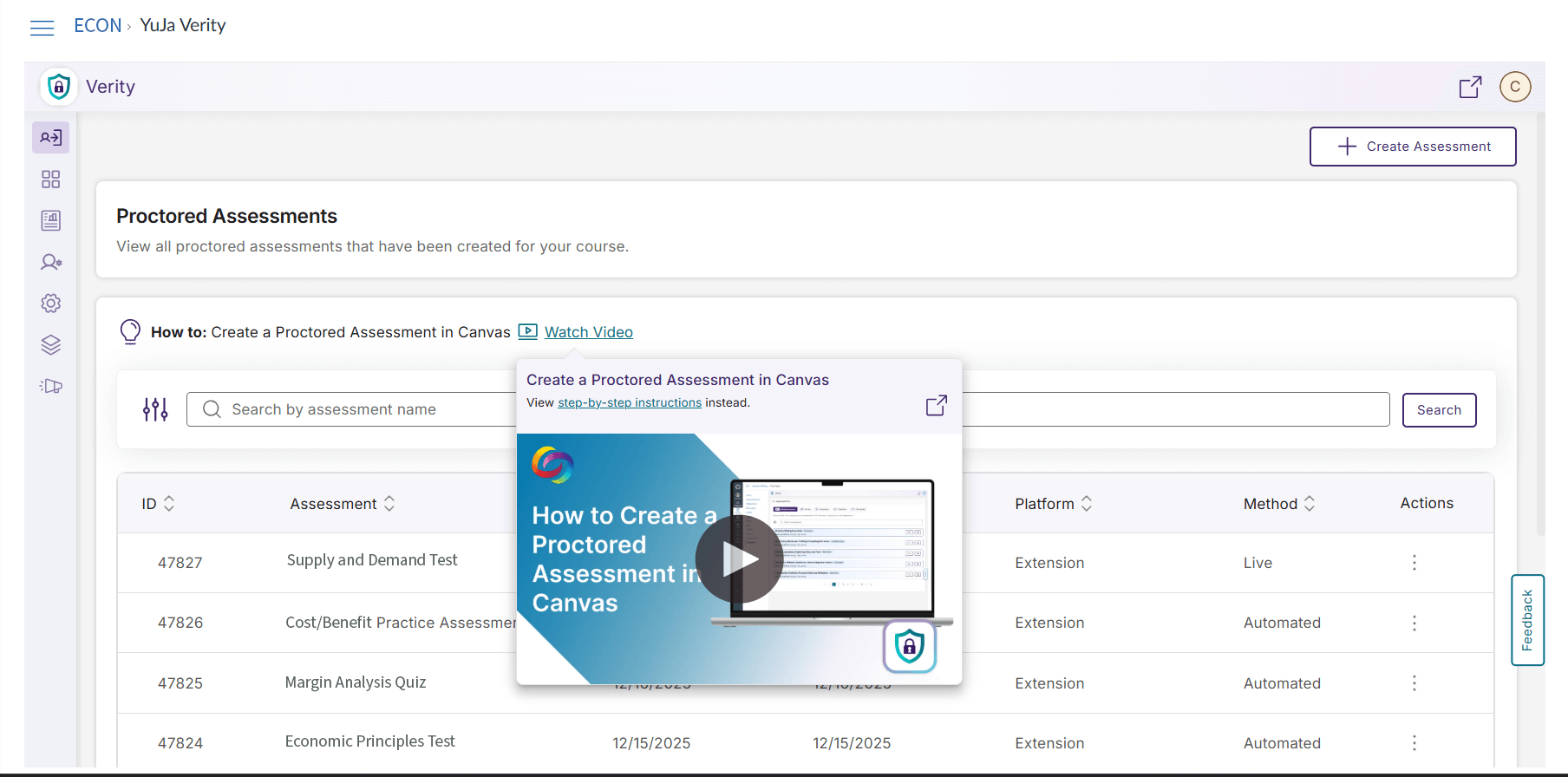
Instructors and students can now view introductory tutorial videos the first time they launch YuJa Verity, giving them a guided introduction to the platform and how it integrates with their LMS. These videos remain accessible after the first session and can be accessed at any time via a How to link. With full LMS support across all major learning management systems, including Canvas, D2L Brightspace, Moodle, and Blackboard, YuJa Verity provides an extensive onboarding and support experience that helps users get up to speed quickly in multiple languages.
Join the 1,000+ Organizations Deploying High-Impact Solutions
