Video has become one of the most widely used formats in education and training, offering a flexible and engaging way to deliver information. From lecture recordings to onboarding materials and instructional content, video plays a central role in how organizations communicate today.
However, without accessibility features, video can unintentionally exclude users who rely on assistive technologies or alternative formats to engage with content. For learners who are deaf or hard of hearing, blind or low vision, or processing information in non-traditional ways, accessible video is essential for equal access.
As accessibility standards like WCAG 2.2 continue to evolve, organizations are increasingly expected to ensure that video content is usable by all audiences.
What Video Accessibility Includes
Video accessibility ensures that both audio and visual information is available in alternative formats. Because video combines multiple types of media, accessibility must address each layer of content.
When video is not accessible, users may encounter:
- Missing or inaccurate captions
- Lack of transcripts for review or search
- Visual information that is not described in audio
- Limited ability to navigate or control playback
- Barriers to understanding key instructional content
These issues can significantly impact comprehension and engagement.
Core Elements of Accessible Video
Captions
Captions provide a text version of spoken dialogue and relevant audio cues. They support users who are deaf or hard of hearing, but also benefit users in environments where audio cannot be played. Accurate captions ensure that users can follow video content in real time without missing important information.
Transcripts
Transcripts provide a full text version of video content, allowing users to read and review material at their own pace. They are especially useful for studying, reviewing long-form content, or searching for specific information within a video.
Audio Descriptions
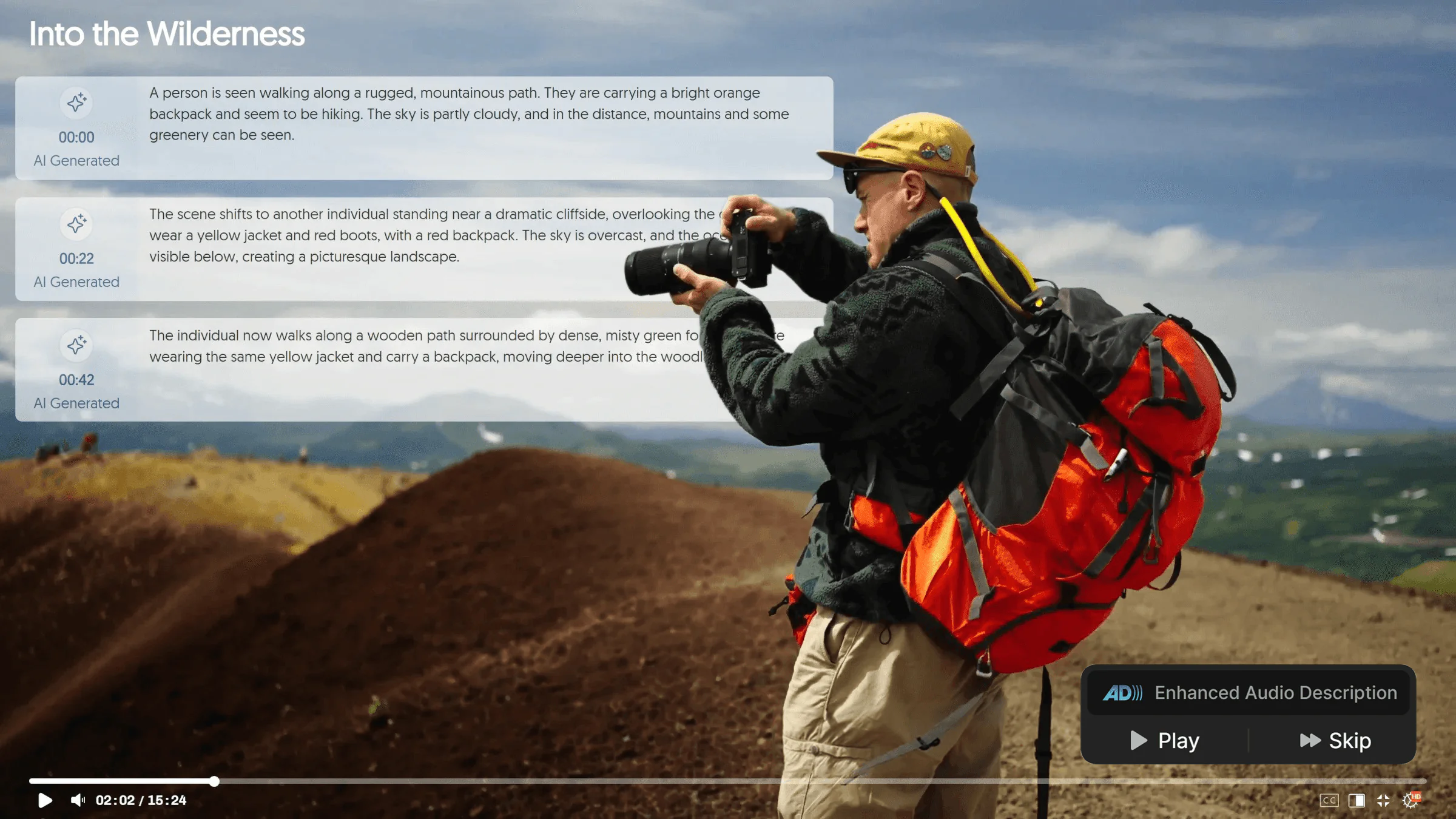
Audio descriptions explain important visual information that is not conveyed through speech. This includes on-screen actions, demonstrations, and contextual visual cues. Without audio descriptions, blind or low-vision users may miss essential parts of the content.
Accessible Navigation
Navigation tools such as chaptering, playback controls, and keyboard accessibility help users move through video content more efficiently. This is particularly important for longer videos, where users may need to revisit specific sections.
Why Video Accessibility Is Important
Video accessibility improves learning outcomes and ensures equal access to information for all users. It benefits a wide range of audiences, including:
- Users who are deaf or hard of hearing
- Blind or low vision users
- Non-native language speakers
- Users in low-noise or no-audio environments
- Learners who prefer reading alongside video content
Without accessibility features, users may experience:
- Missed instructional details
- Reduced comprehension
- Lower engagement
- Difficulty completing required learning tasks
The Challenge of Scaling Video Accessibility
As organizations produce more video content, maintaining accessibility becomes increasingly difficult. Common challenges include:
- Generating and maintaining accurate captions
- Providing transcripts across large video libraries
- Ensuring consistent accessibility across departments
- Managing updates and revisions at scale
Without centralized tools, video accessibility efforts can become inconsistent and time-consuming.
How YuJa Lumina Supports Video Accessibility
The YuJa Lumina Video Platform helps organizations create and manage accessible video content at scale, ensuring that accessibility is built into the video experience from the start.
Captioning and Editing Tools
YuJa Lumina supports automated caption generation with editing capabilities to ensure accuracy and alignment with accessibility standards.
Transcripts for Flexible Access
Transcripts allow users to engage with video content in a text-based format, improving accessibility and searchability.
Chaptering and Navigation
Chaptering tools help break videos into structured sections, making it easier for users to navigate long-form content and locate key information quickly.
Accessible Playback Experience
The platform supports accessible video playback with keyboard navigation and compatibility with assistive technologies, ensuring a more inclusive user experience.
Building More Inclusive Video Experiences
Video accessibility is essential for ensuring that all learners can engage with digital content effectively. Captions, transcripts, audio descriptions, and accessible navigation all play a critical role in making video usable for diverse audiences.
With the YuJa Lumina Video Platform, organizations can streamline the creation and delivery of accessible video content while supporting compliance with modern accessibility standards.
Accessible video is not just about compliance—it is about ensuring that every learner has equal access to information.