

April 2, 2026
Boost Video Accessibility with the GenAI Video PowerPack!
Try Now
Supercharge Your Compliance Efforts with AutoPilot Remediation Max!
Try Now
Strengthen Your PDF Accessibility Efforts with Structural Remediation Max!
Try Now
Don't Miss Any of Our Upcoming Webinars—Save Your Spot!
Register
The YuJa Community is here! Connect, get updates, and access exclusive content.
Join Now

Designed for use in the Moodle Learning Management System, YuJa Engage will transform any Moodle course into a more active learning experience with interactive quizzes and polls.
YuJa Engage offers direct LTI integration between Engage and Moodle, enabling instructors and course designers to create and publish polls and surveys directly from their Moodle dashboard. Instructors can add or adjust poll questions based on received responses and export grades to their gradebook, all from one location.
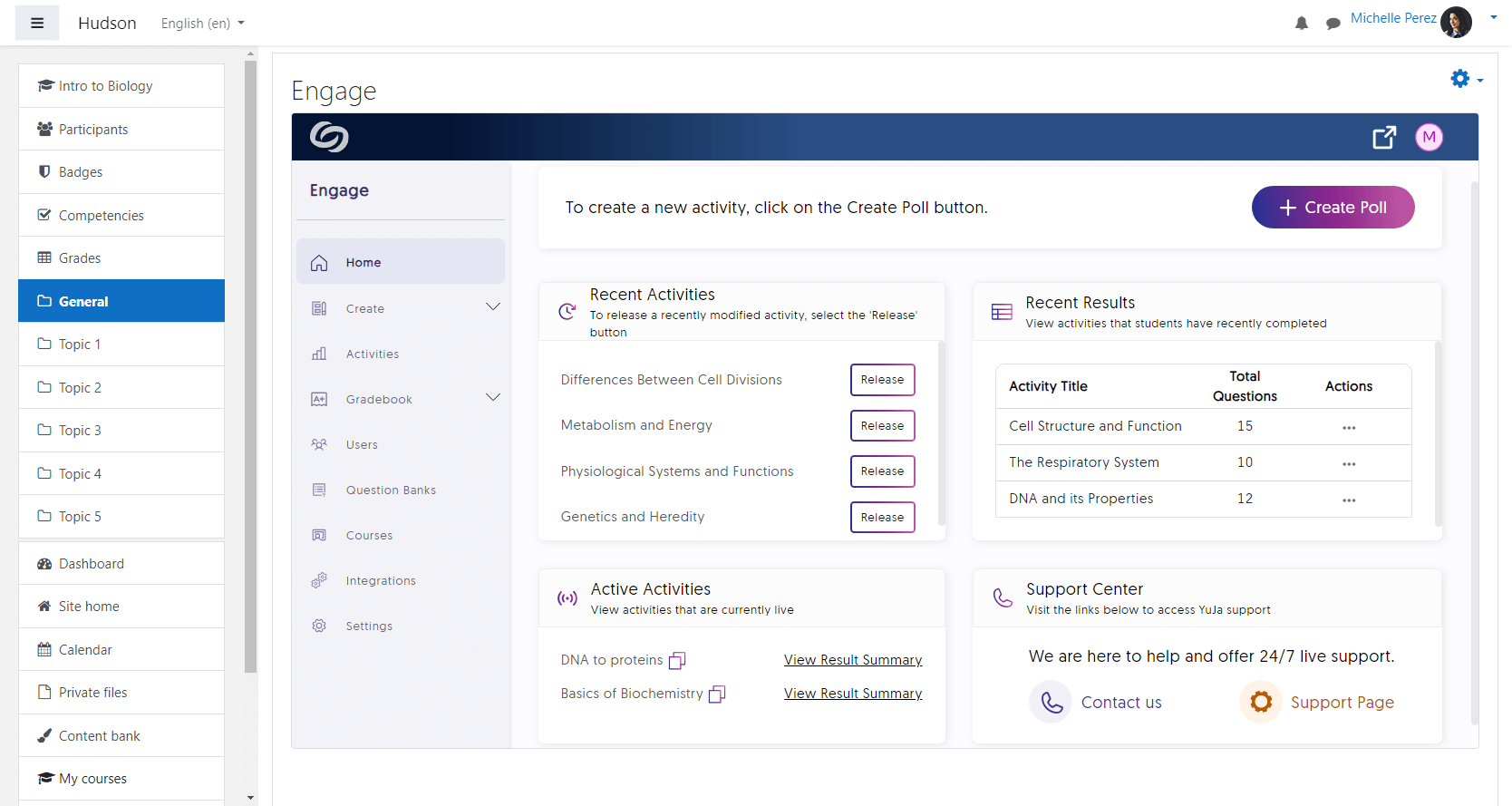
Whether students are logged into their Moodle course from a phone, tablet, or laptop, YuJa Engage will deliver a seamless poll experience. Instructors can break up lectures, spur discussion, increase class participation, and see knowledge gaps without worrying whether students can access their polls and surveys.


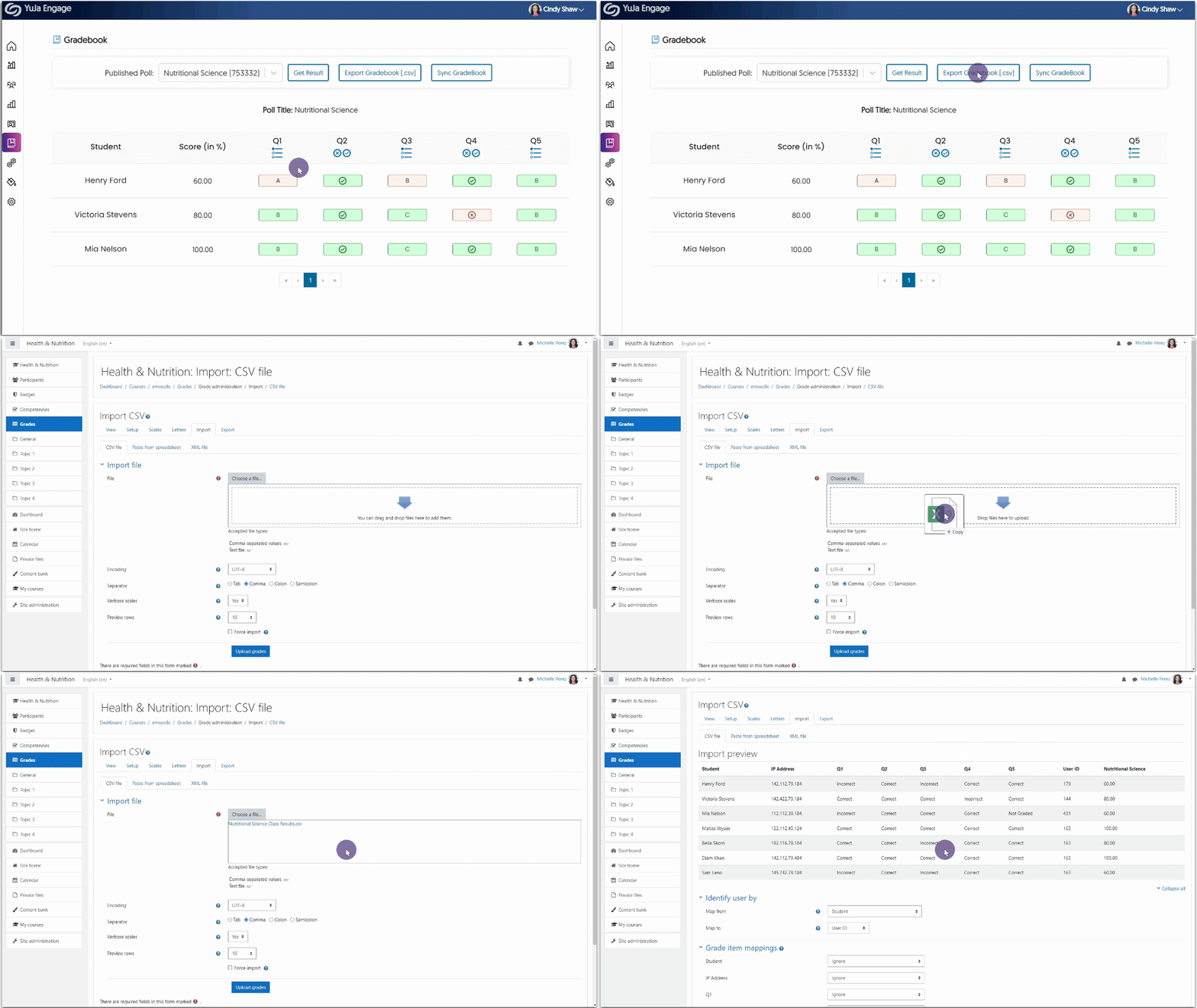
Instructors can share individual poll and survey questions with students and see real-time updates in their Moodle gradebook with gradebook sync. Answers are automatically recorded and safeguarded against network errors. Instructors can give students extra attempts on their polls and choose to record all attempts, the most recent attempt, or the attempt with the highest score to the gradebook.
Embed interactive learning experiences into your Moodle courses with YuJa Engage’s Activity Chooser. Graded polls, ungraded surveys, and attendance checks can be added directly to courses to help foster active student engagement.
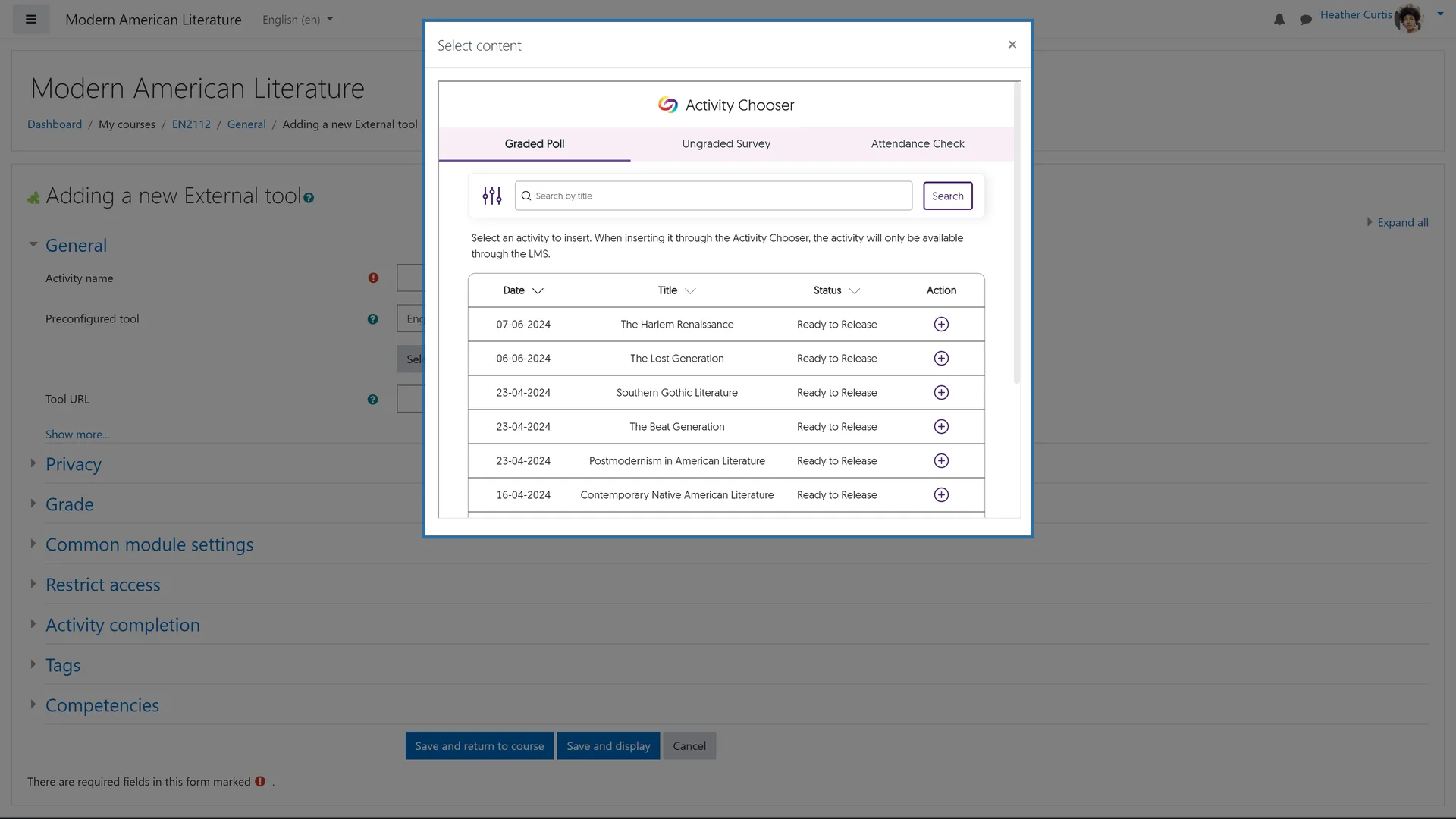

Embed YuJa Engage Attendance Tracking polls into Moodle and assign points for attendance. A multiple choice, fill-in-the-blank, or short answer poll can be deployed at the beginning of class, and once the poll concludes, results automatically sync with your gradebook.
April 1, 2026


Join the 1,000+ Organizations Deploying High-Impact Solutions