Product Updates
Get the latest platform updates, features, and announcements—all in one place.
Boost Video Accessibility with the GenAI Video PowerPack!
Try Now
Supercharge Your Compliance Efforts with AutoPilot Remediation Max!
Try Now
Strengthen Your PDF Accessibility Efforts with Structural Remediation Max!
Try Now
Don't Miss Any of Our Upcoming Webinars—Save Your Spot!
Register
The YuJa Community is here! Connect, get updates, and access exclusive content.
Join Now

Get the latest platform updates, features, and announcements—all in one place.
We have successfully pushed an update to all instances residing in the United States, Canada, Australia, and the European Union. This update includes integrated live proctoring sessions within the proctoring setup wizard, an updated YuJa Verity results page allowing you to switch between test-takers, a redesigned institution report and course report to provide more in-depth insights, centralized proctoring analytics in the new assessment report, and more.
Integration of Live Proctoring Session Within Proctoring Setup Wizard
YuJa Verity now offers a unified workflow for live and non-live proctoring setup. Previously, as an instructor, you could only create a live assessment after setting up a proctored assessment within YuJa Verity. Now, we’ve simplified the process by integrating steps for creating a live assessment within our Setup Proctoring wizard.

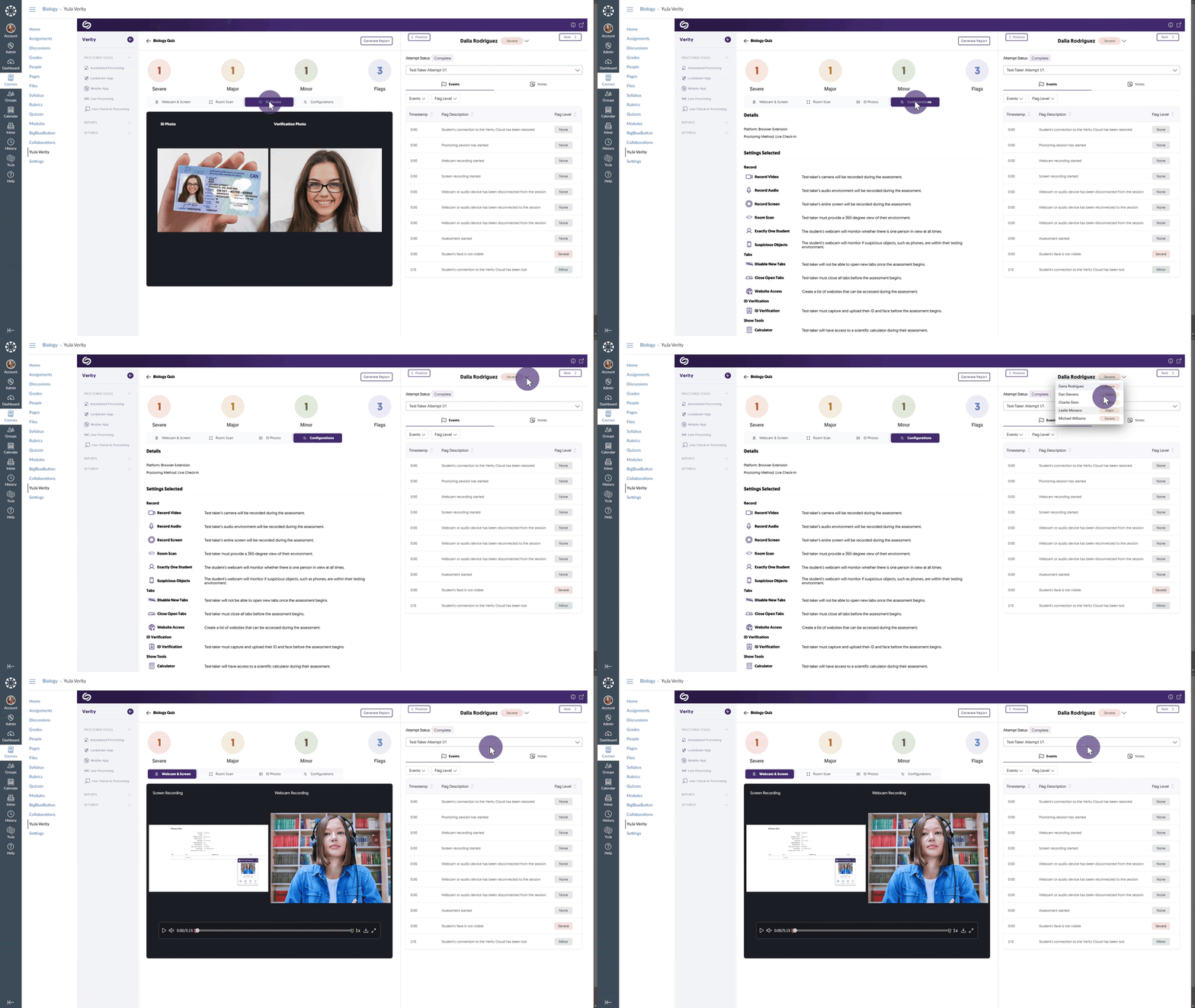
New “Speed-Grader” Results Page Features Ability to Flip Through All Test-Takers in a Single View
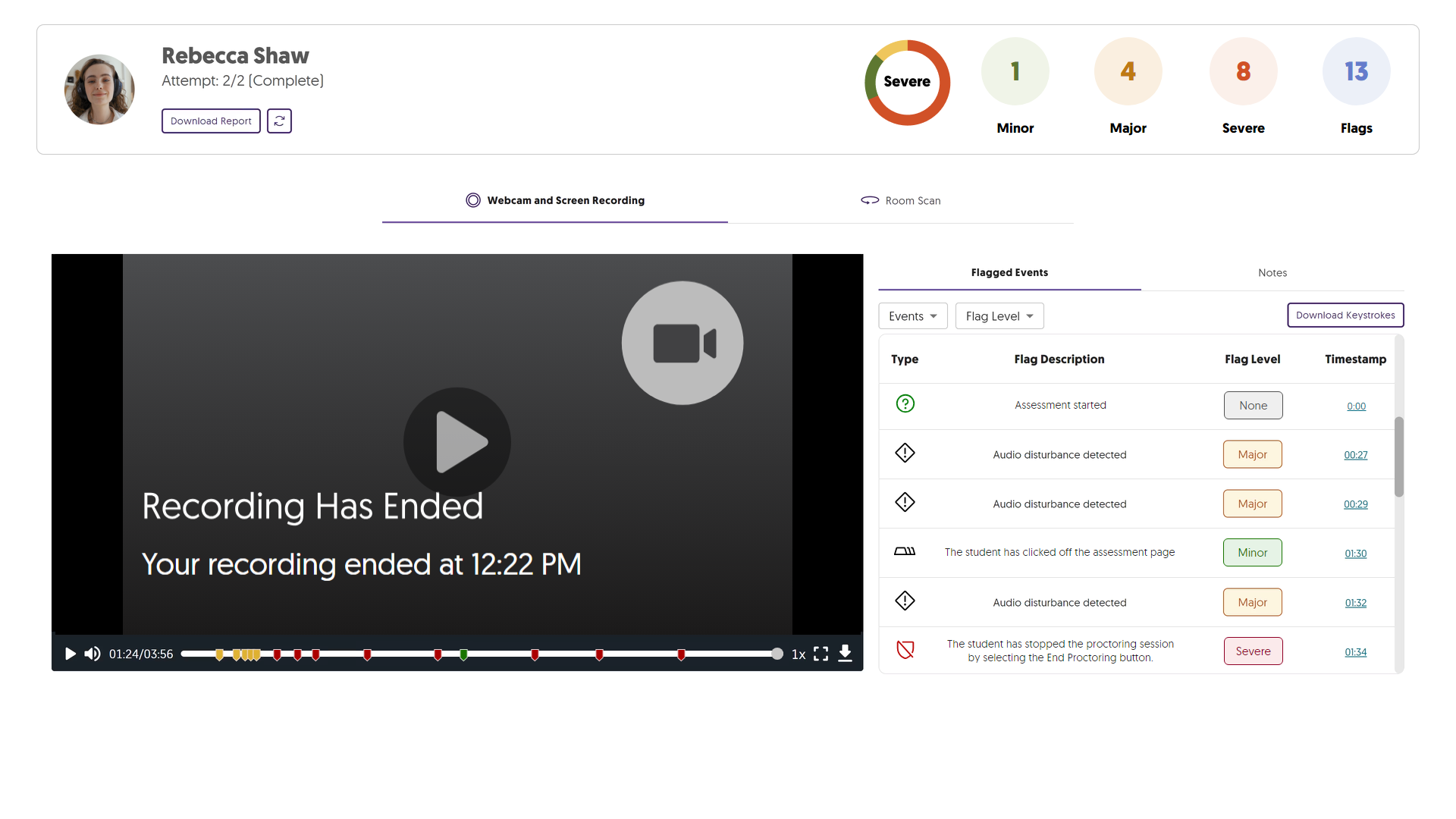
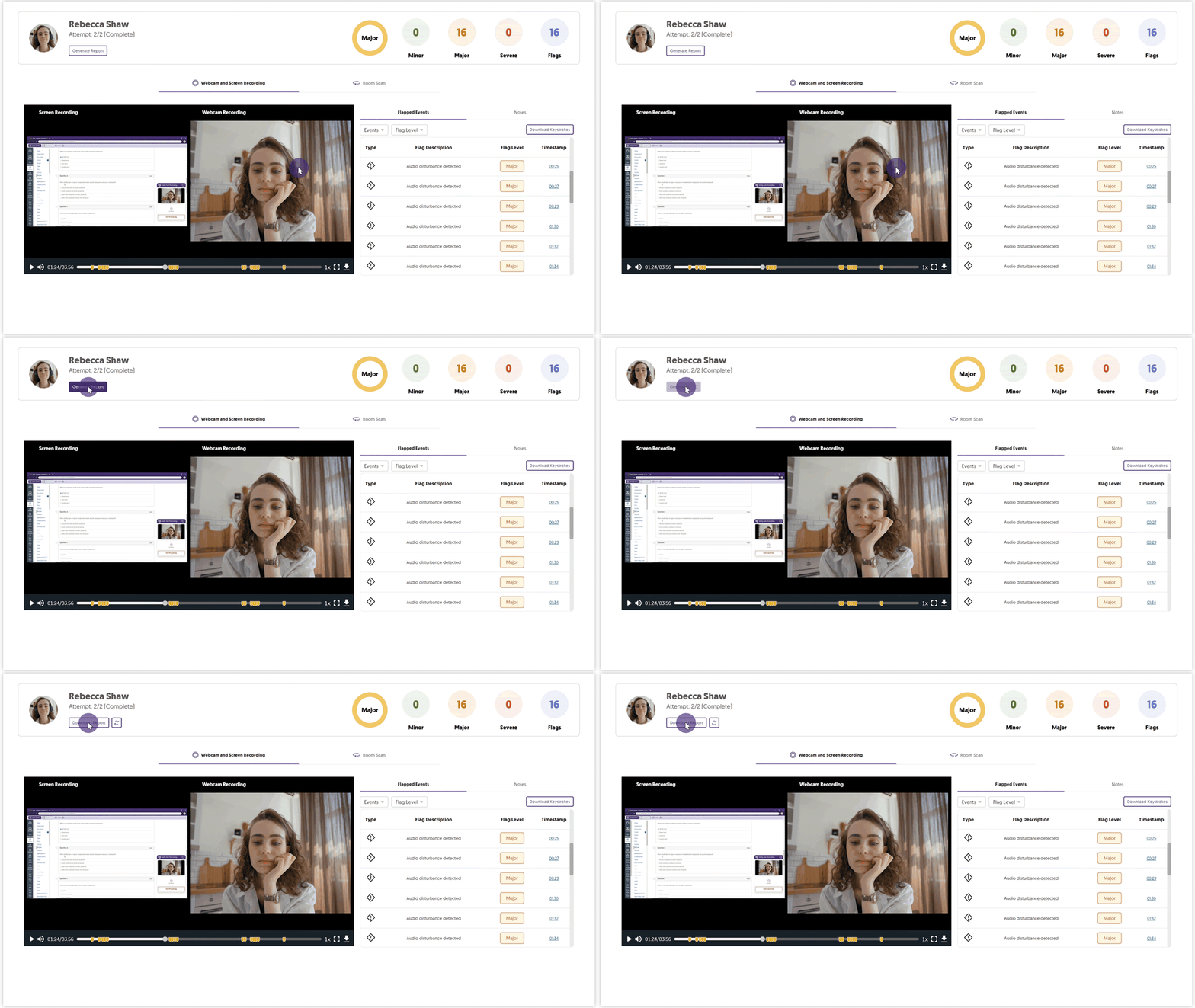
When reviewing proctored assessments, you can now quickly switch between a test-taker’s attempts and those of others all within the same view. Simply select a test-taker from the drop-down list and their attempts to begin reviewing recordings and relevant information, including room scans, ID photos, and configuration details. Additionally, you can also filter test-taker events by flag level, allowing you to analyze the most concerning issues.
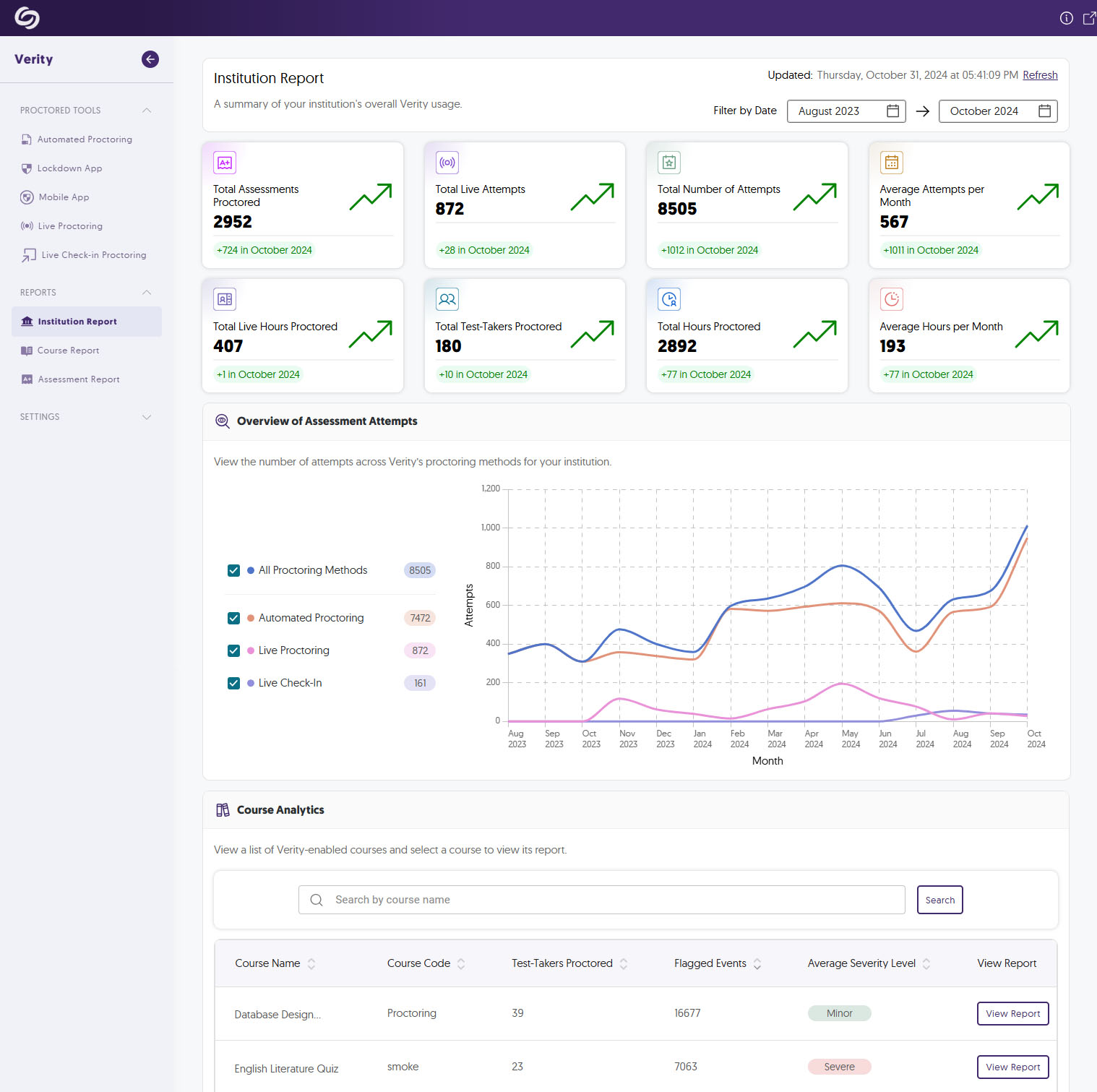
The Institution Report Offers More In-Depth Analytics to Track YuJa Verity’s Usage
We’ve improved our institution report to offer more key metrics that administrators can utilize to track YuJa Verity’s usage over time, along with Course Analytics showcasing an overview of YuJa Verity’s usage in particular courses. Some of the analytics include:
Improved Course Report Provides New Data Representations to Assess Test-Taker Performance
The new course report offers insights into flag levels within your course, helping you assess the frequency of severe, major, and minor events flagged in assessments. Additionally, Assessment Analytics provides an overview of each assessment, showing the total number of test-takers, the number of flagged events, and the highest flag level recorded.

Centralized Proctoring Analytics in the New Assessment Report
The new Assessment Report offers proctoring analytics for any assessment you wish to review. It summarizes the status of completed assessments, the number of test-takers marked with Severe, Major, or Minor events, and access detailed analytics for individual test-takers.

Modernized Video Player Interface with Redesigned Progress Bar and Icons
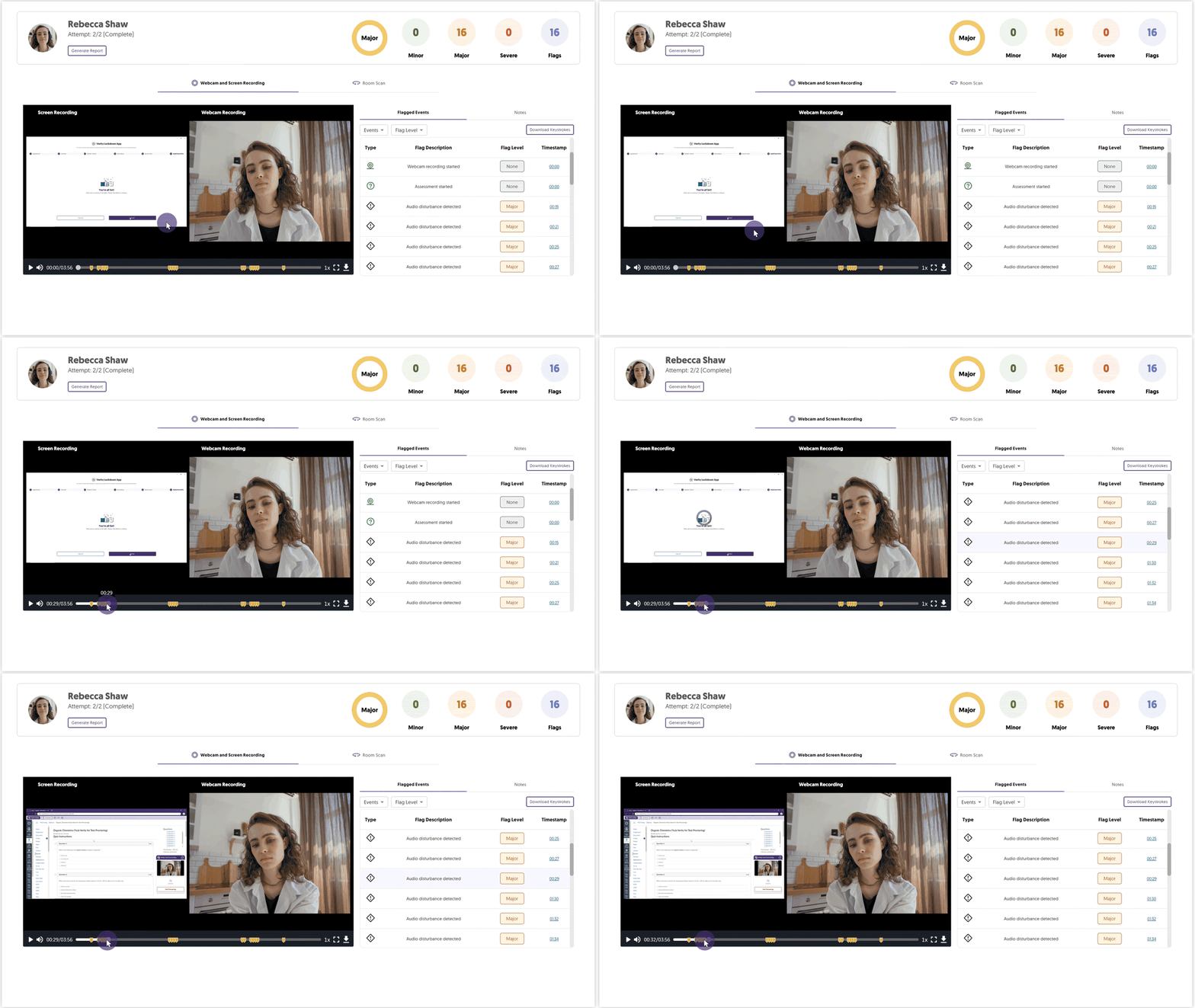
With the modernized video player, you can now view test-takers’ recordings with a redesigned progress bar and icons, making it easier to navigate through the content and quickly access key moments in the recordings.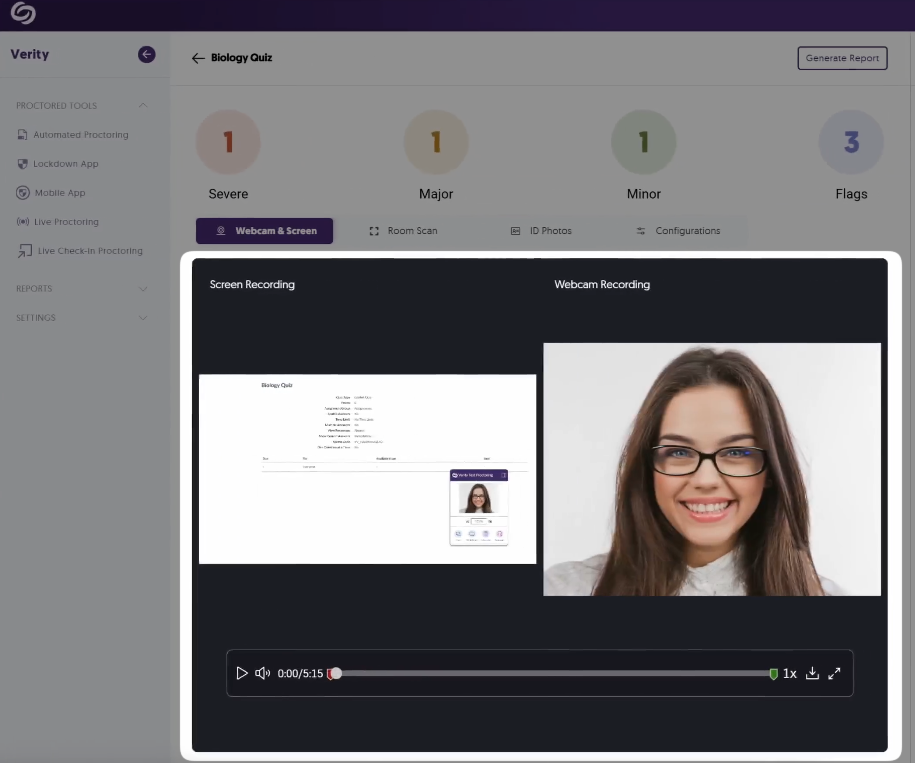
YuJa Verity Mobile Lockdown App Support for Blackboard
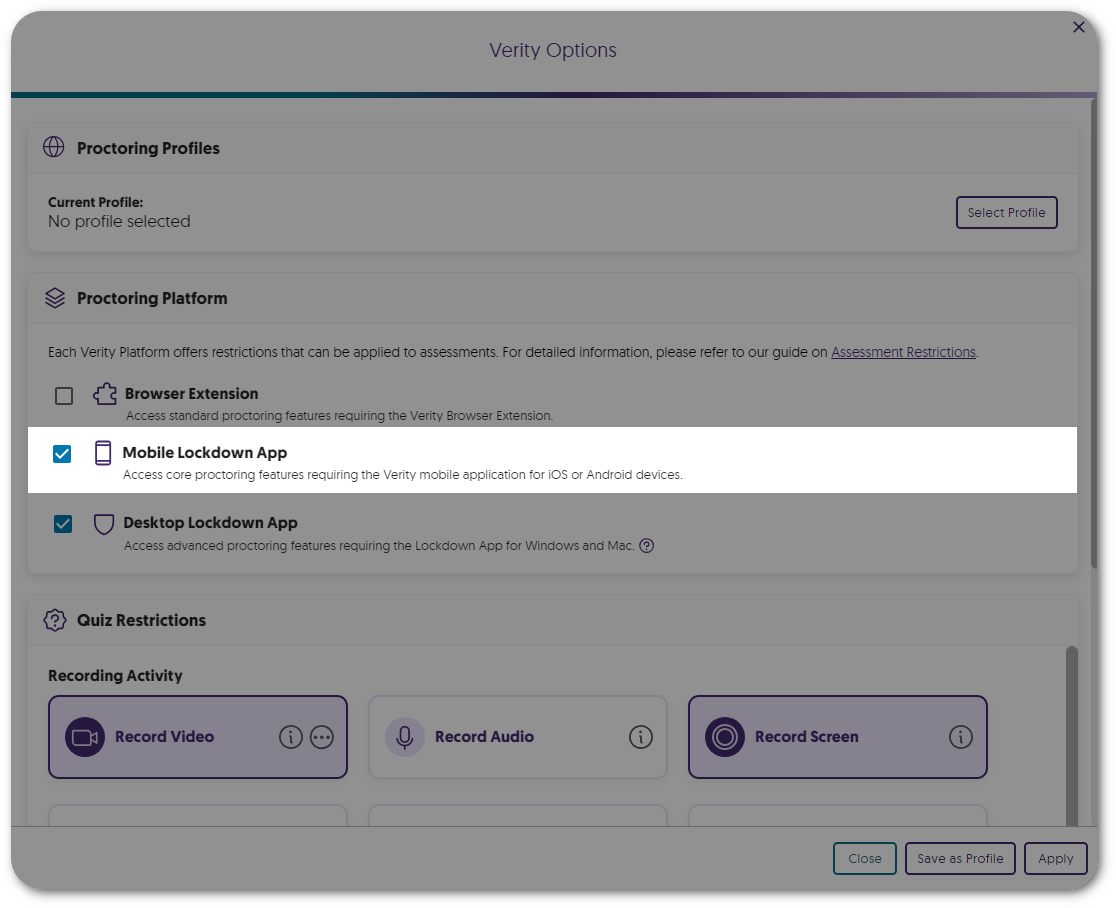
Building on our support for proctored assessments on mobile devices in D2L Brightspace and Moodle, test-takers can now take proctored assessments in Blackboard on their mobile devices.

Enhanced Guidance for Screen Sharing in the YuJa Verity Lockdown App
We’ve added a how-to video in the YuJa Verity Lockdown app setup process to help test-takers resolve issues related to screen setup for assessments.

Resolved Session Time-Outs During Assessments in Blackboard
Previously, test-takers experienced session time-outs when accessing assessments on Blackboard. Now, we’ve resolved this issue, and test-takers can expect questions to appear within a few seconds.
System Check No longer Required for Exempted Test-Takers
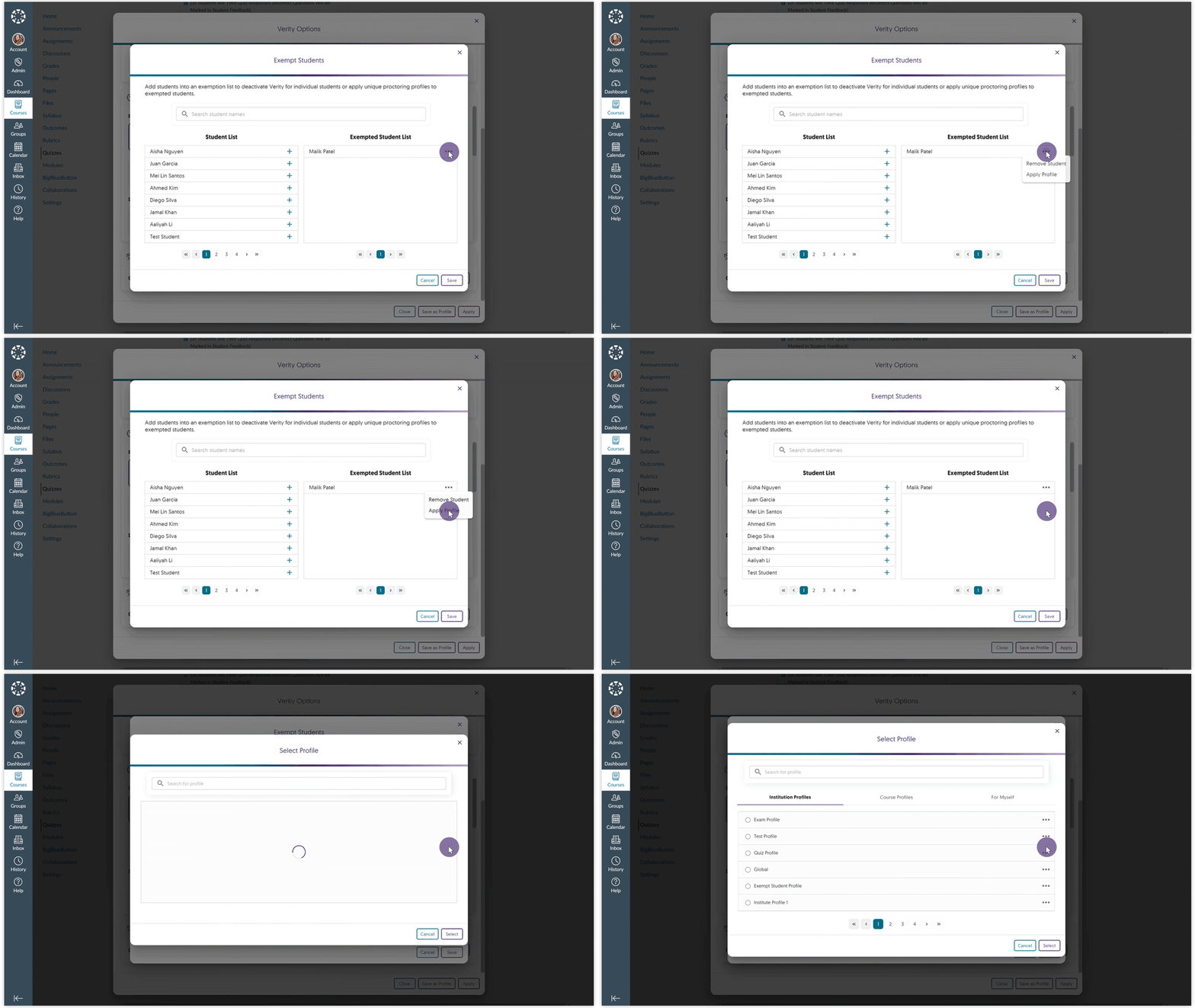
Previously, exempted test-takers were required to undergo a system check before taking an assessment in the Lockdown app. Now, we’ve resolved this issue, and they can proceed to an assessment without any restriction.

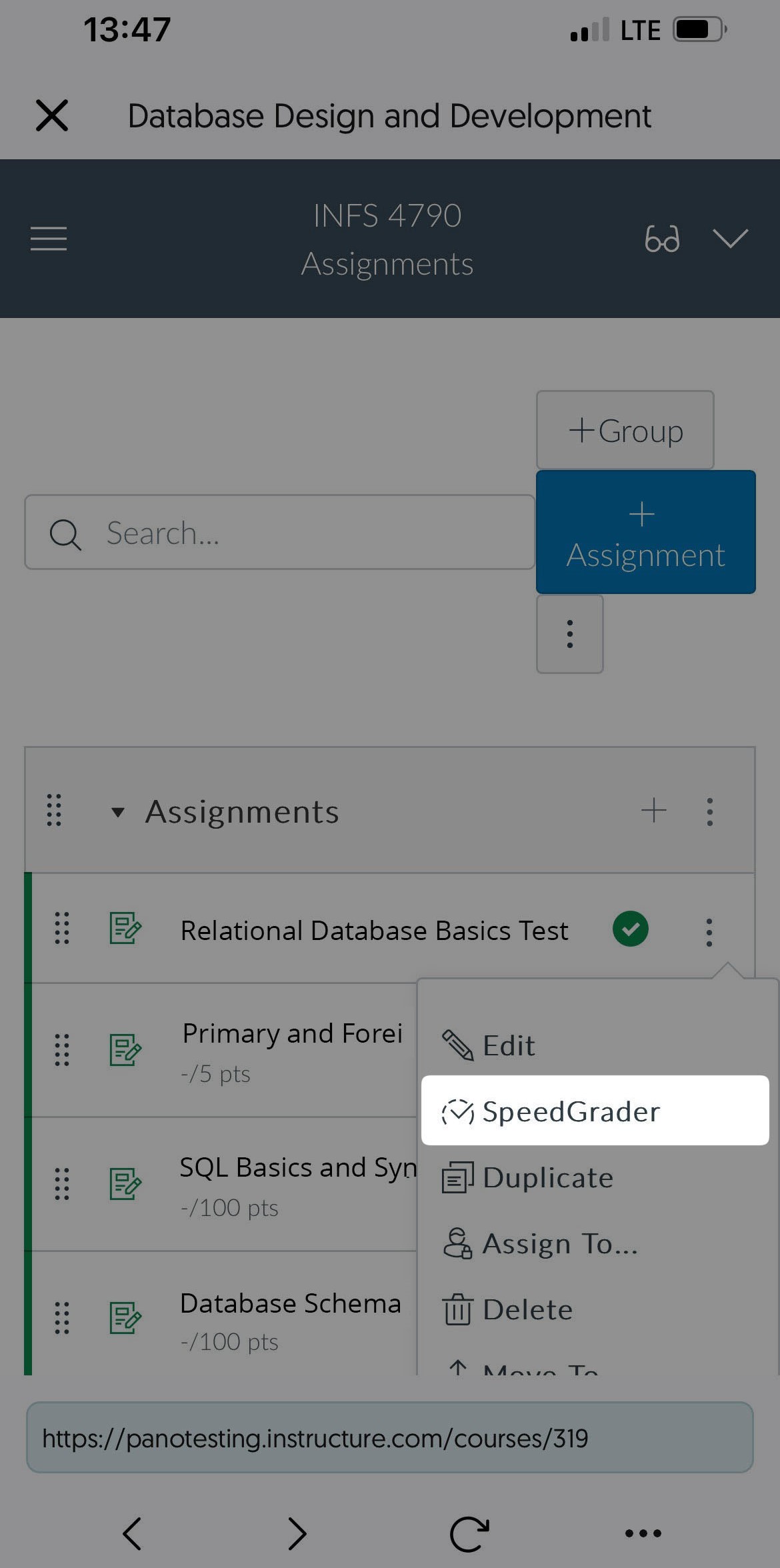
Canvas Instructors Can Grade Proctored Assessments Without Requiring the YuJa Verity Browser Extension
Canvas instructors no longer need to download the YuJa Verity Browser Extension to grade proctored assessments. They can directly click on their assessment within the YuJa Verity Platform, allowing them to grade results on a wider range of browsers and devices, including Safari and iPads.
We have successfully pushed an update to all instances residing in the United States, Canada, Australia, and the European Union. This update includes integrated guided assistance to help new students access assessments, review live session notes, Verity Mobile Lockdown App support for D2L Brightspace and Moodle, security ID PINs, faster processing speeds for reports, auto-sync LMS sub-accounts, and more.
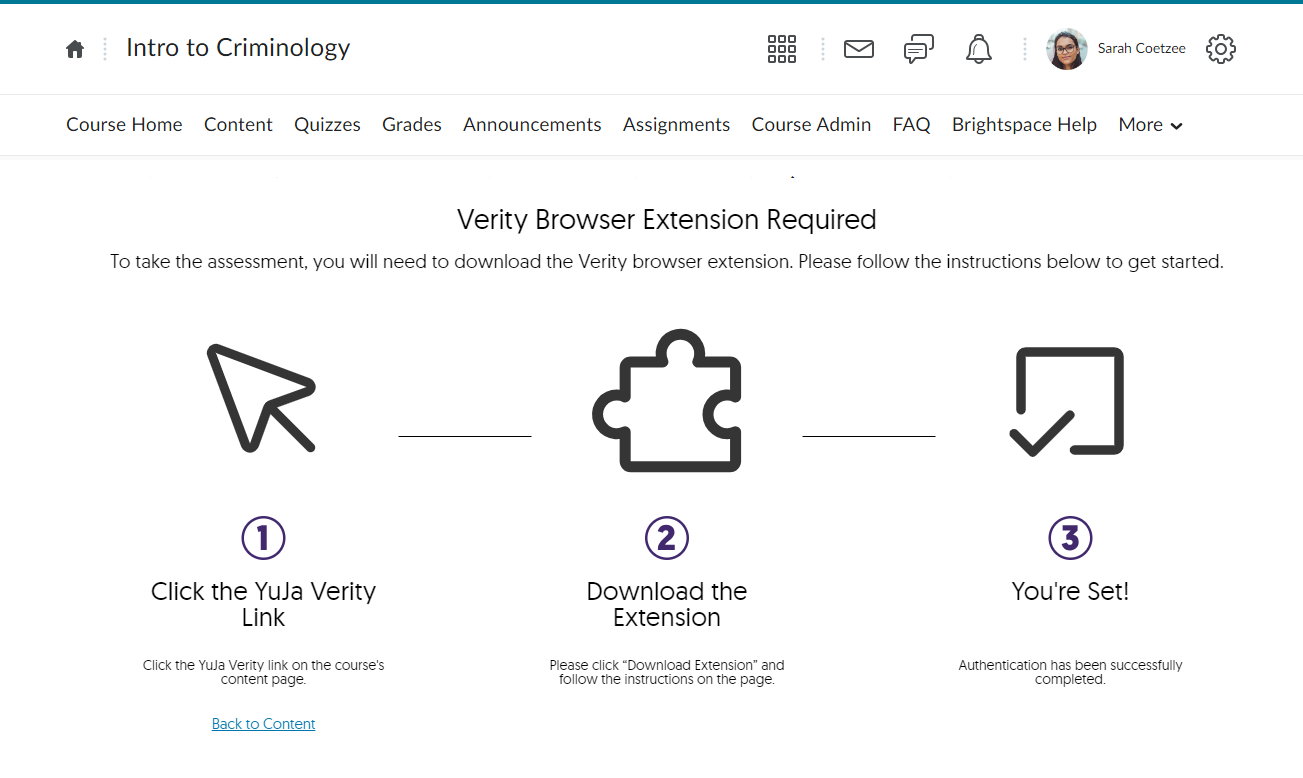
Integrated Guided Assistance to Help New Students Navigate Verity Assessments for the First Time
Similar to our existing support for Canvas and Moodle, D2L Brightspace administrators can now implement custom Verity UI across D2L, helping students access assessments. For example, if students attempt to access an assessment without authentication, they will be automatically guided through the necessary steps to resolve the issue. Future releases will provide this feature to Blackboard. To enable this capability, please contact your Client Success Manager.
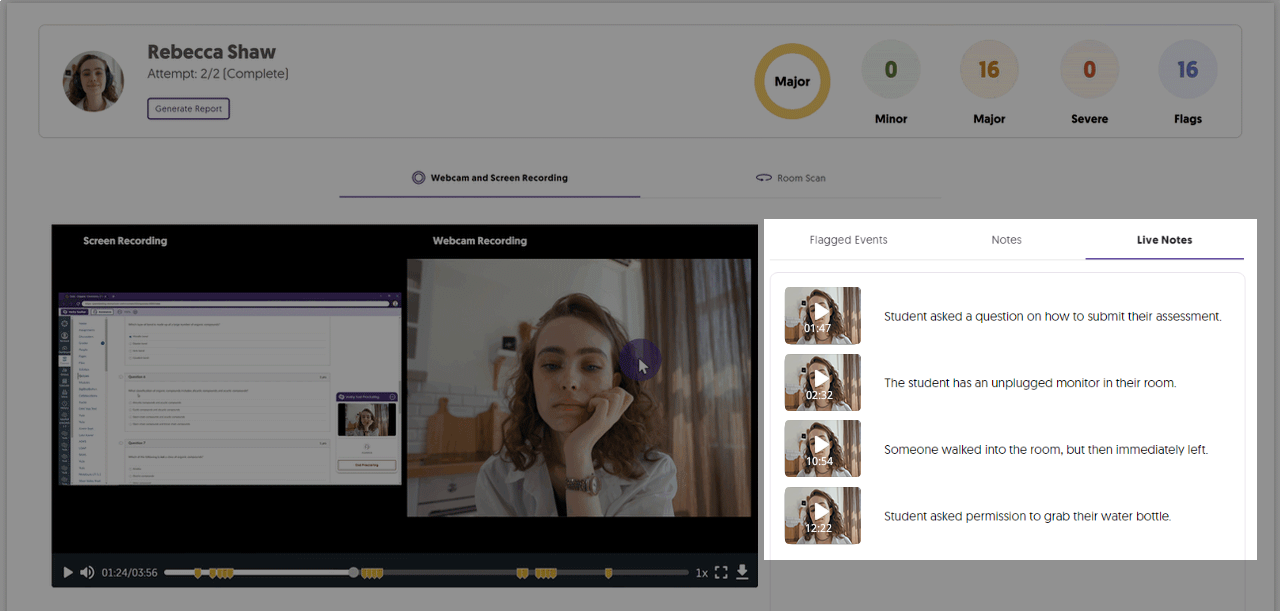
Review Live Session Notes on the Results Page
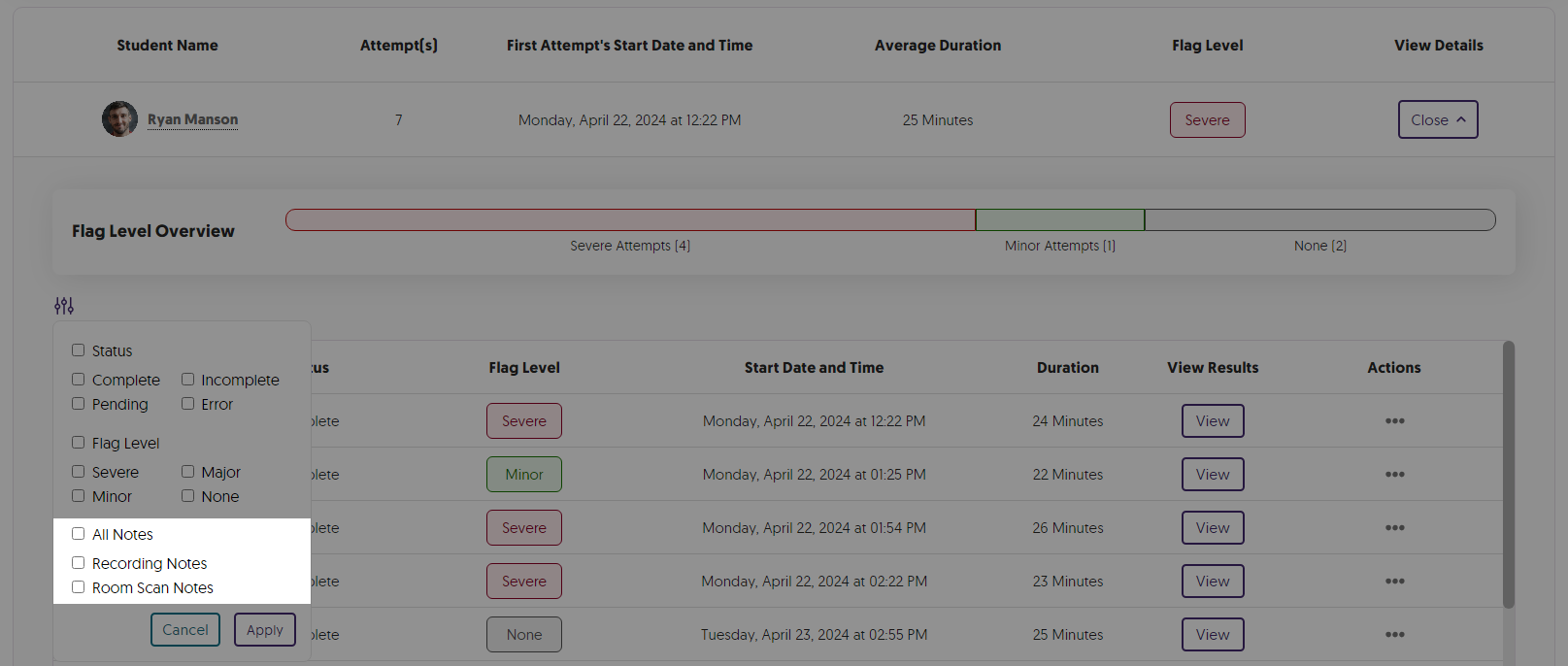
We’ve added a dedicated Live Notes tab that consolidates all notes made by proctors during live sessions. Proctors reviewing the session can then navigate to the video’s relevant part by selecting any note.
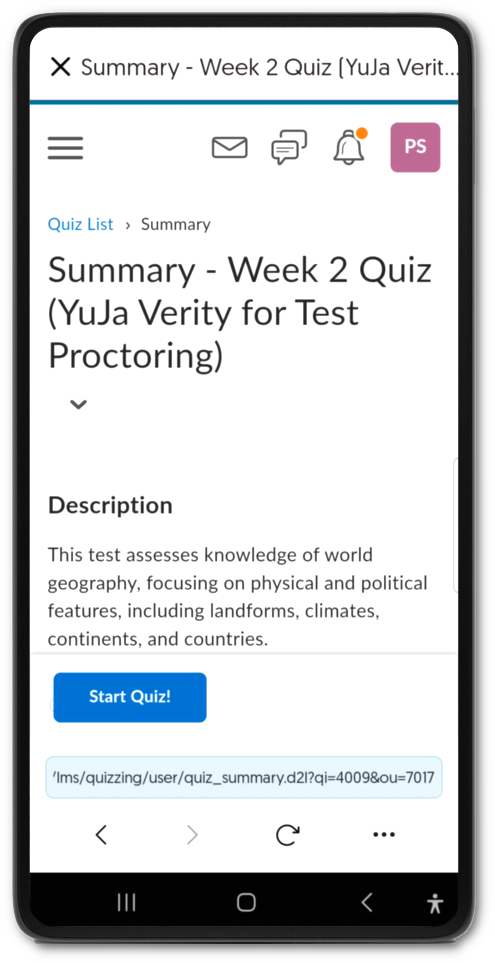
Verity Mobile Lockdown App Support for D2L Brightspace and Moodle
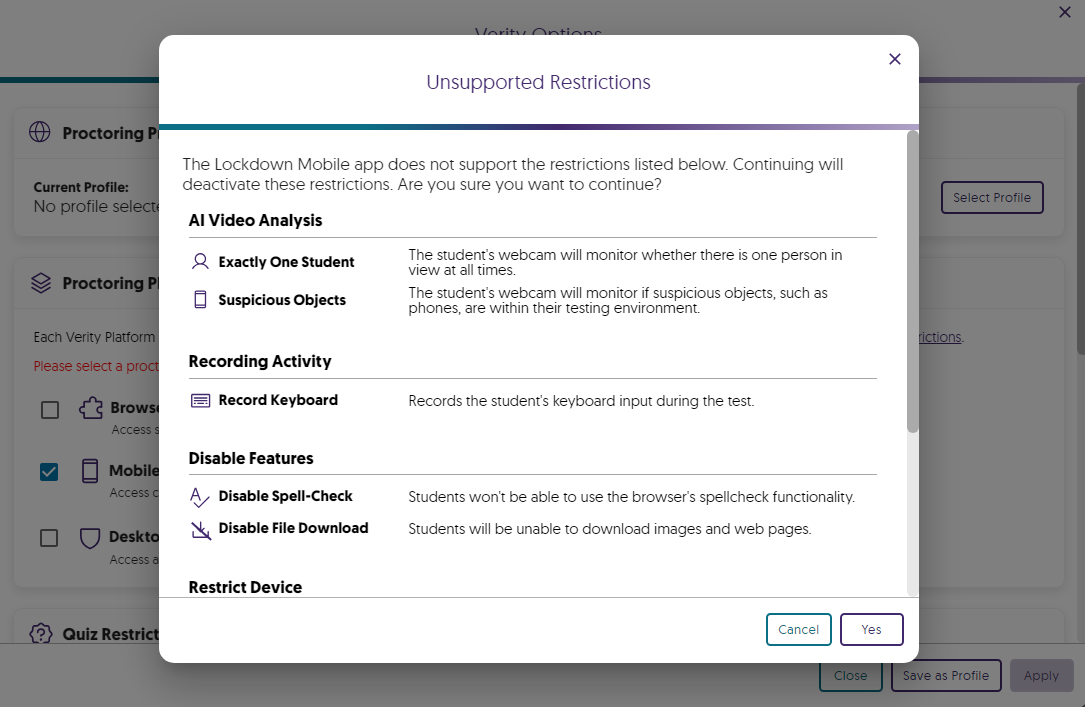
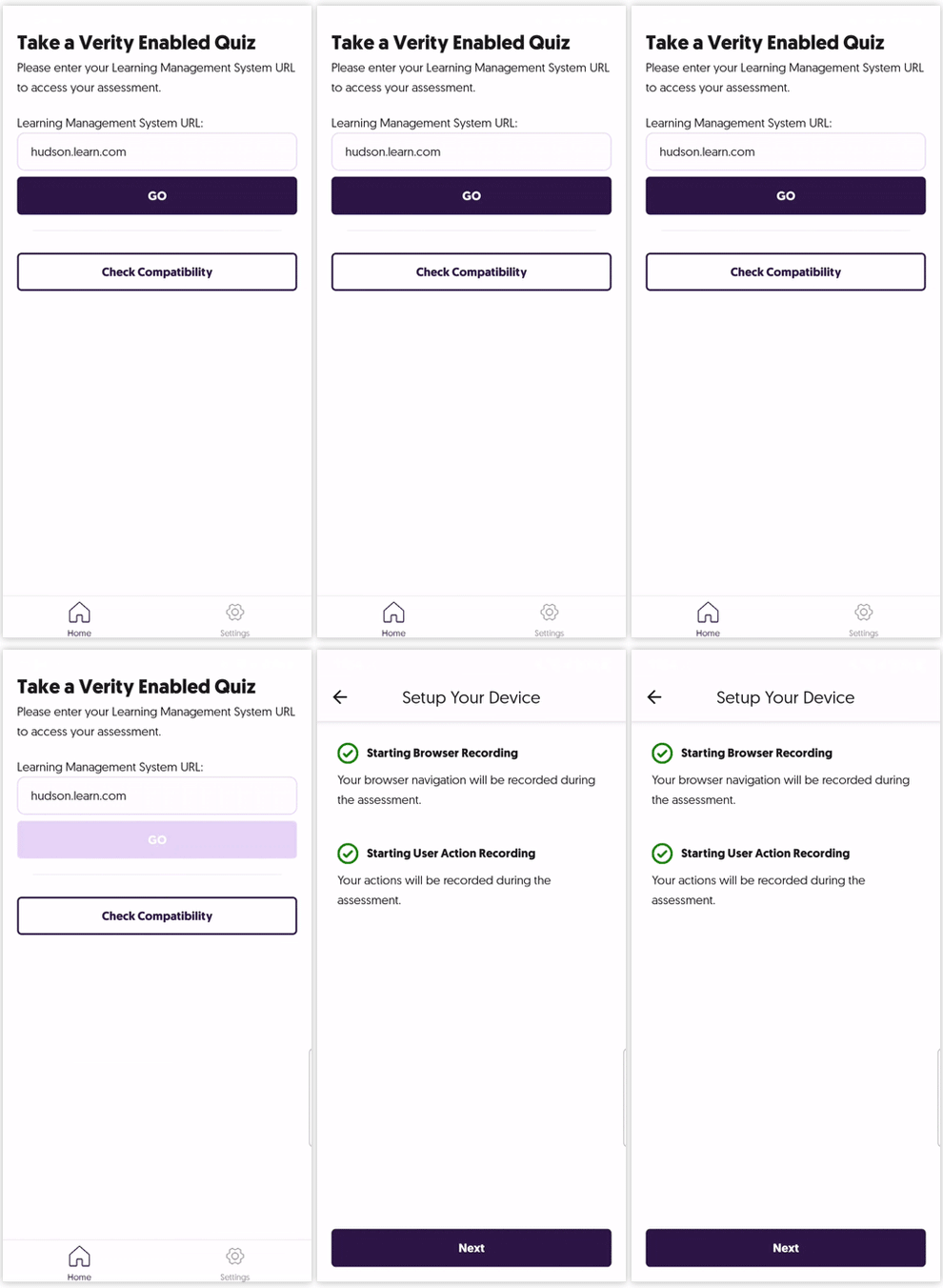
With the successful release of our Mobile Lockdown App for iOS and Android, which initially supported proctored assessments on Canvas, we have extended compatibility to allow D2L Brightspace and Moodle proctored assessments to be taken on mobile devices. Future updates will provide support to Blackboard proctored assessments.
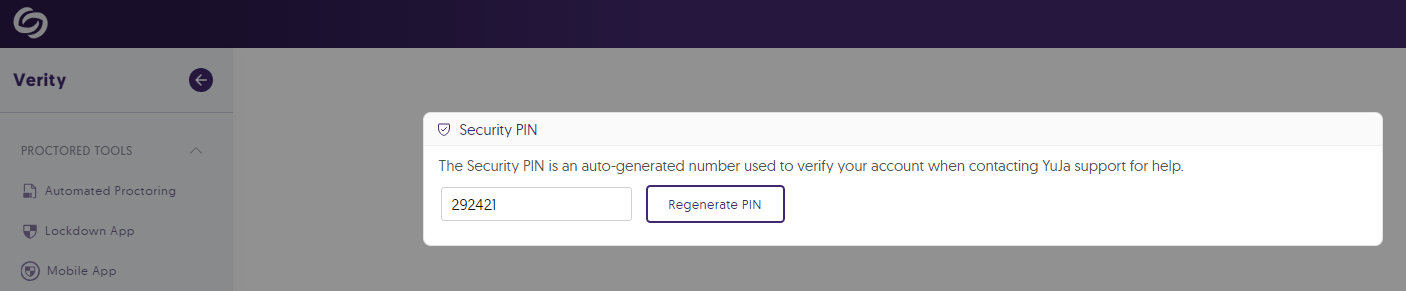
Security ID PINs to Help Verify Account Access
We’ve introduced unique ID pins for each account that users can relay to our support staff to confirm they have access to the account they need help on.
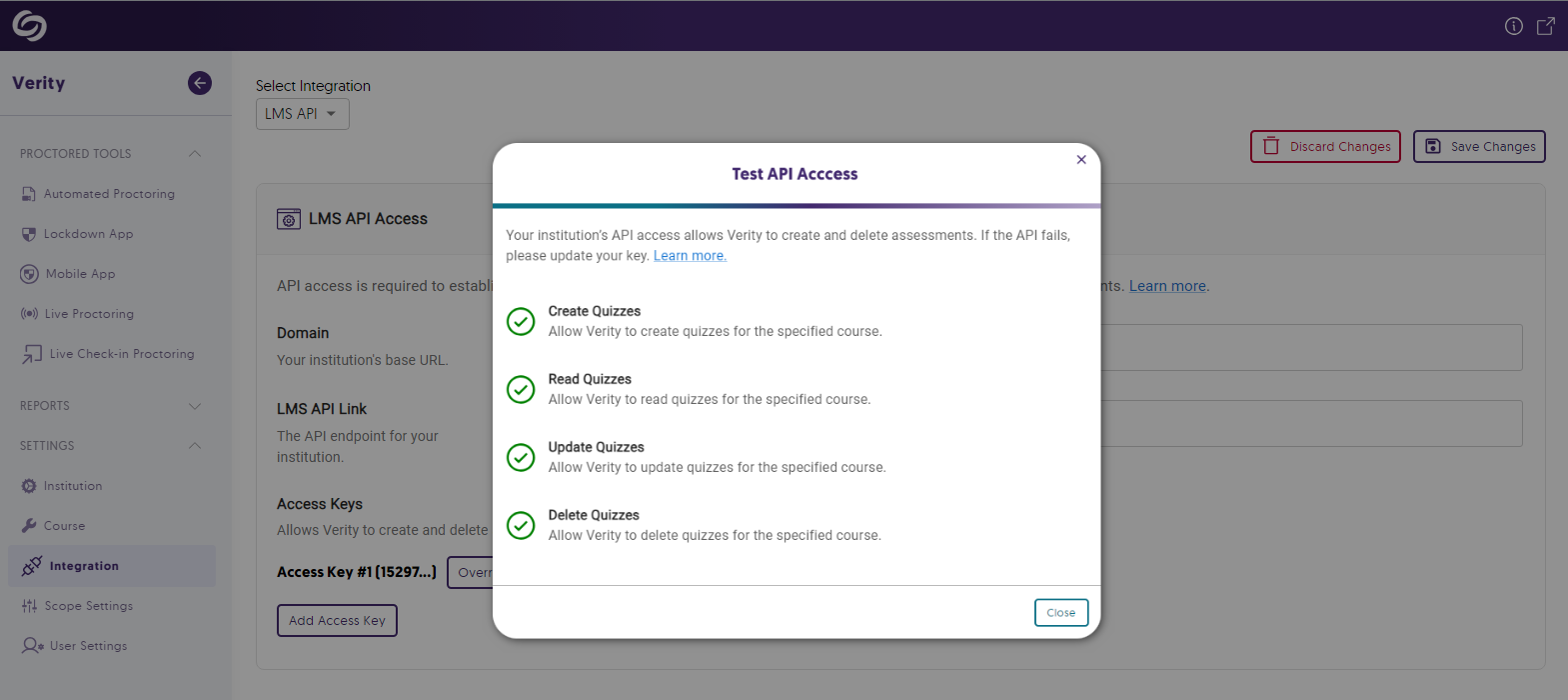
Test the API Access on the Institution and Course Level
Administrators can test Verity’s LMS API access to ensure APIs can successfully create, delete, and update assessments.
Faster Processing Speeds for Report Generation
Large institutions will notice significantly faster processing speeds when accessing their Verity reports.

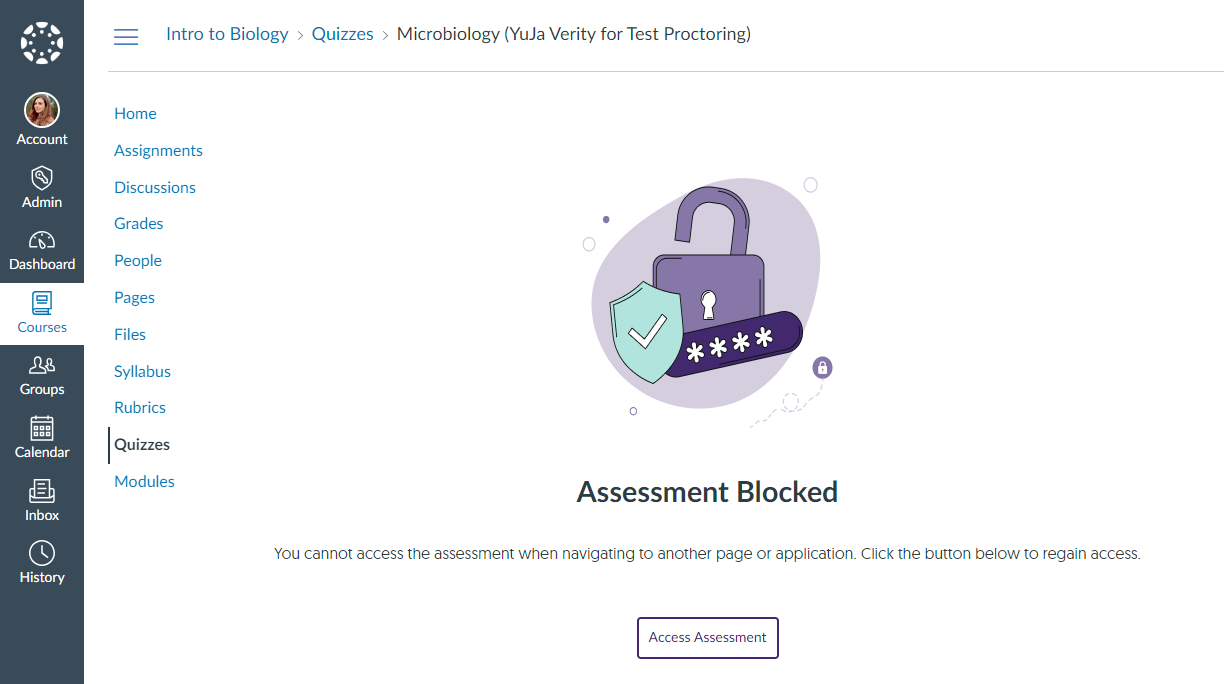
Access to Assessments Will be Blocked if Test Takers Navigate to Another Page or Application
If a test taker attempts to access another web page or application, Verity will automatically block access to the assessment, preventing third-party applications, such as capture tools, from interfering with the assessment.
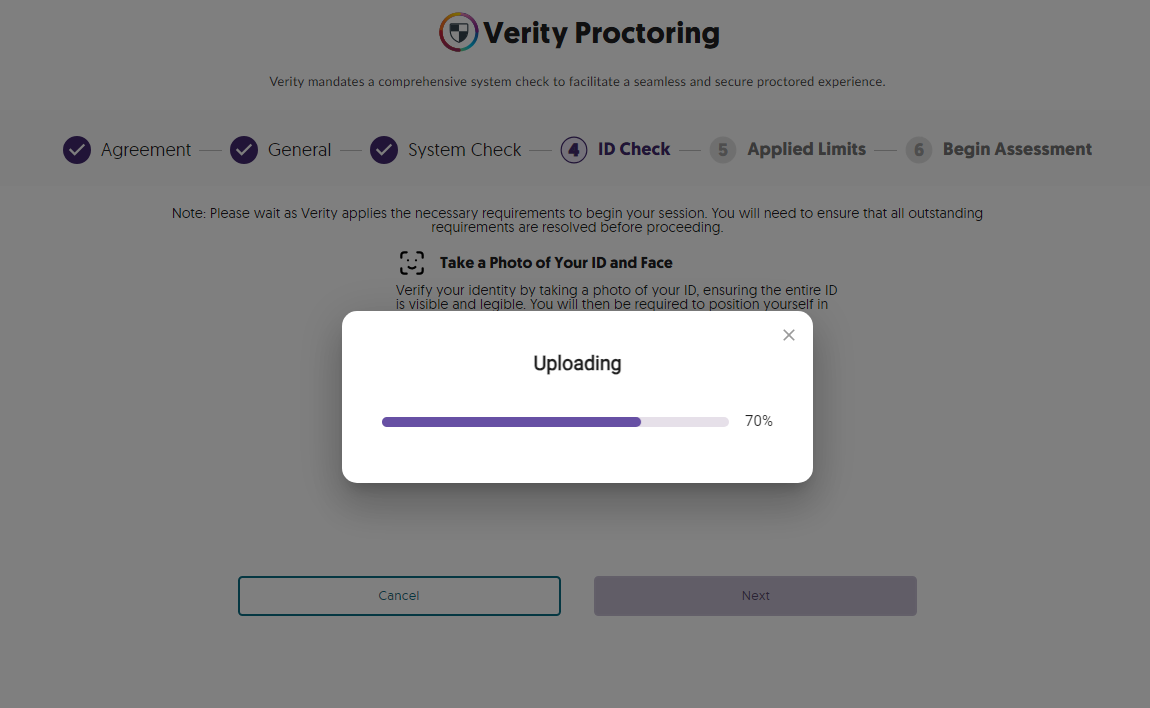
New Progress Bar UI to Track the Status of ID Verification and Room Scan Uploads
We’ve introduced a real-time progress bar to track the upload status for larger files that may take longer to upload.
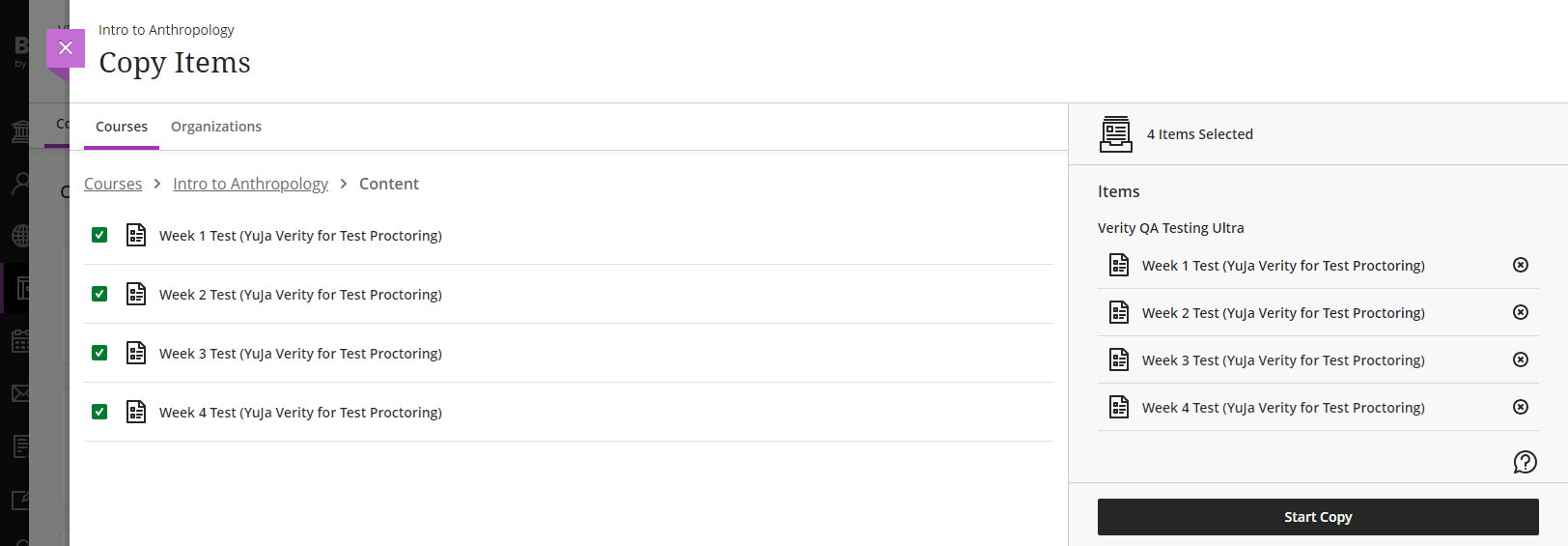
Retain Proctoring Settings for Assessments Course-Copied Between Courses in Blackboard
Blackboard instructors who copy proctored assessments between courses will now have their proctoring settings automatically applied to the assessment when it is added to a different course. This feature will be provided to other LMS in future releases.
Auto-Sync LMS Hierarchy for Sub-Accounts, Nodes, and Sub-Orgs
In our previous update, we introduced a scope setting that allows administrators to enable Verity for specific LMS sub-accounts, sub-organizations, or nodes. With this release, Verity will now automatically detect new courses within the hierarchy every 24 hours, ensuring admins no longer need to manually update their scope settings.

We have successfully pushed an update to all instances residing in the United States, Canada, Australia, and the European Union. This update includes a streamlined wizard to create proctored assessments, LMS hierarchy support, email confirmations for registered live assessments, custom suffix settings, guided steps for test-takers, video tutorials for adding applications to a blocked list, improved integration with Aleks, and a new add-on: Live Check-In.
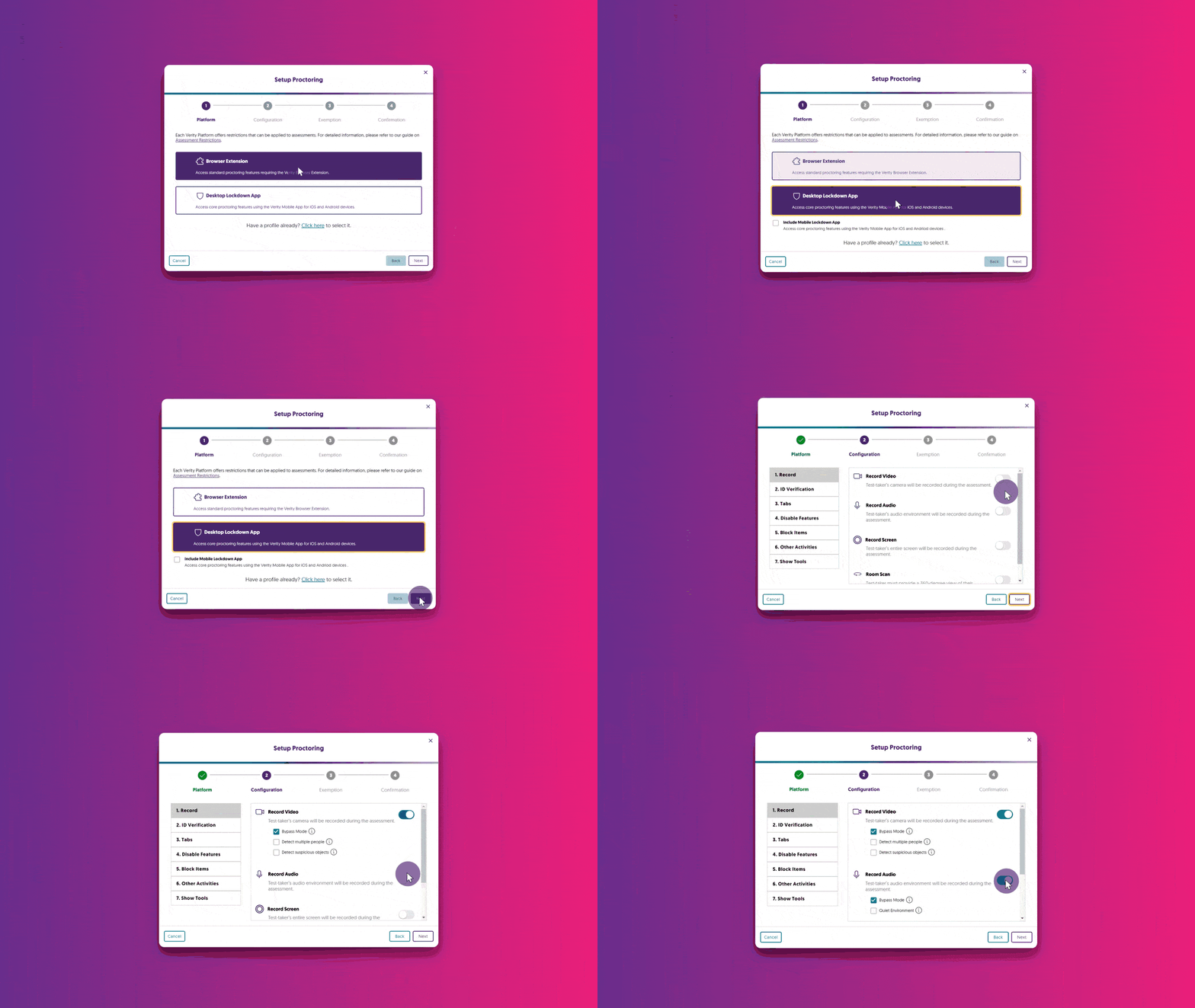
Streamlined Wizard to Quickly Create Proctored Assessments
We now provide a step-by-step walkthrough for setting up Verity when creating a proctored assessment on an LMS or with a third-party proctoring tool. Assessment creators will be guided through each step of the process, from platform and configuration selection to live session setup, ensuring assessments are ready for test-takers.
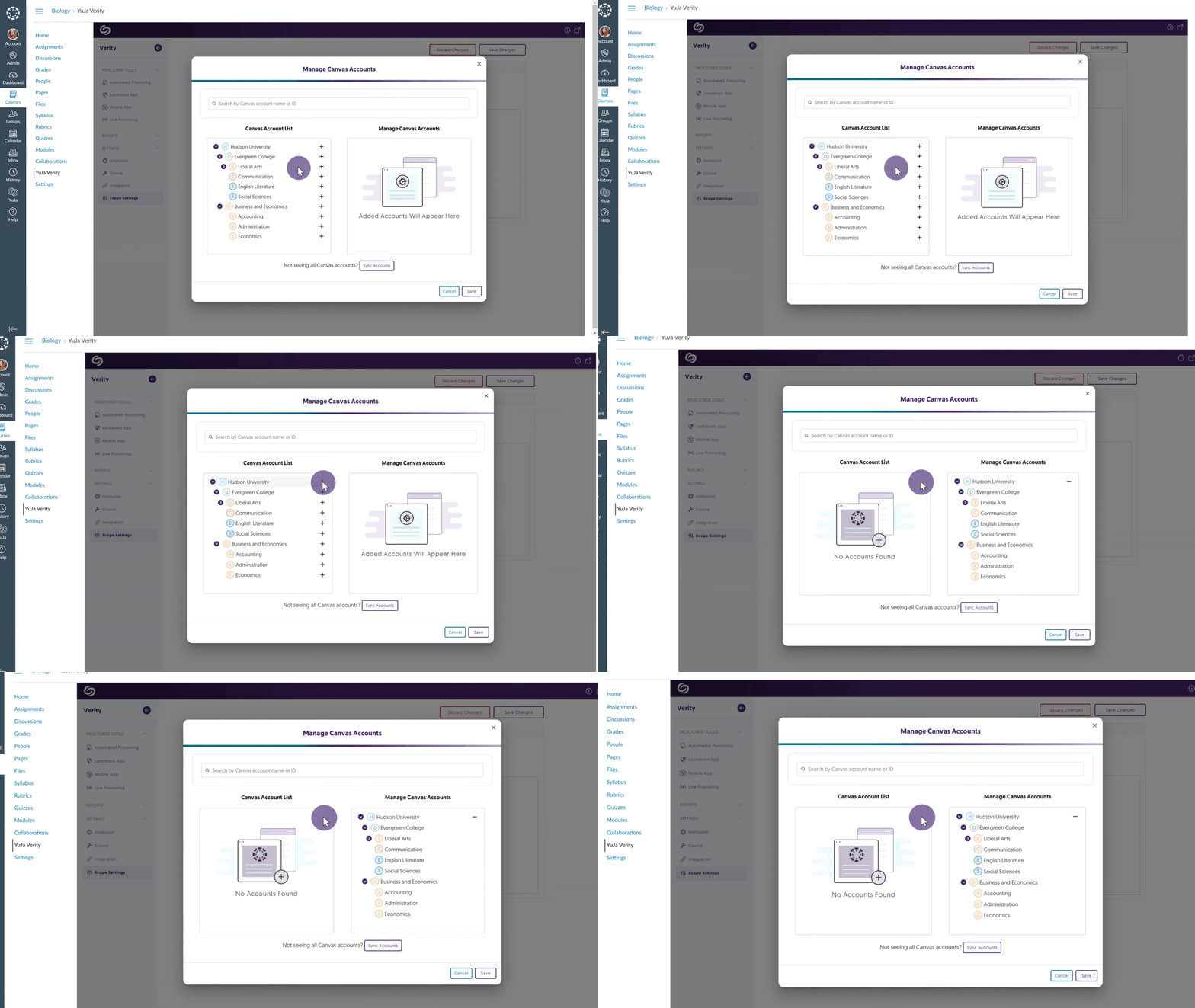
LMS Hierarchy Support for Sub-Accounts, Nodes, and Sub-Orgs: Enable Verity for Specific LMS Hierarchies or Courses
We’ve implemented a scope setting that allows administrators to enable Verity-only specific LMS sub-accounts / sub-org / BB Node.
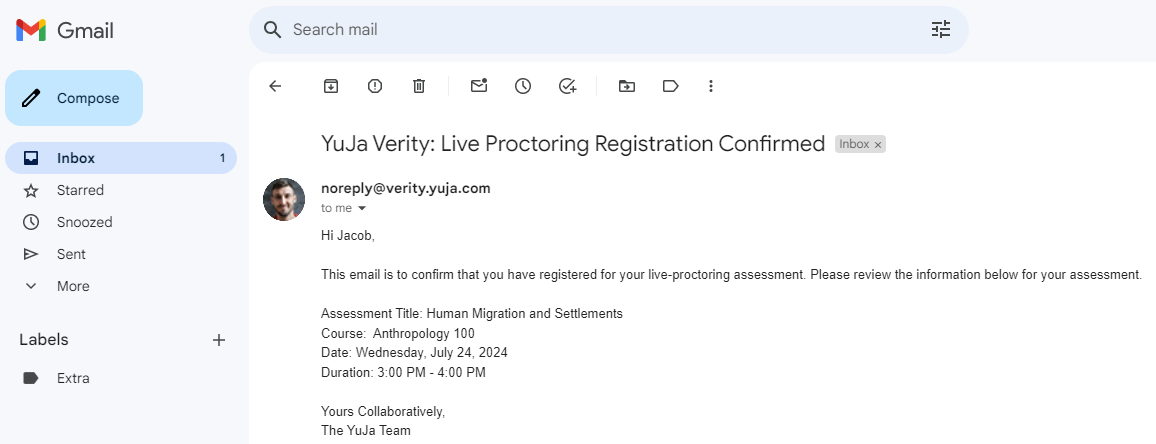
Email Confirmations for Registered Live Proctoring Session
Test-takers who register for a live proctoring session will receive a confirmation email detailing their registration.
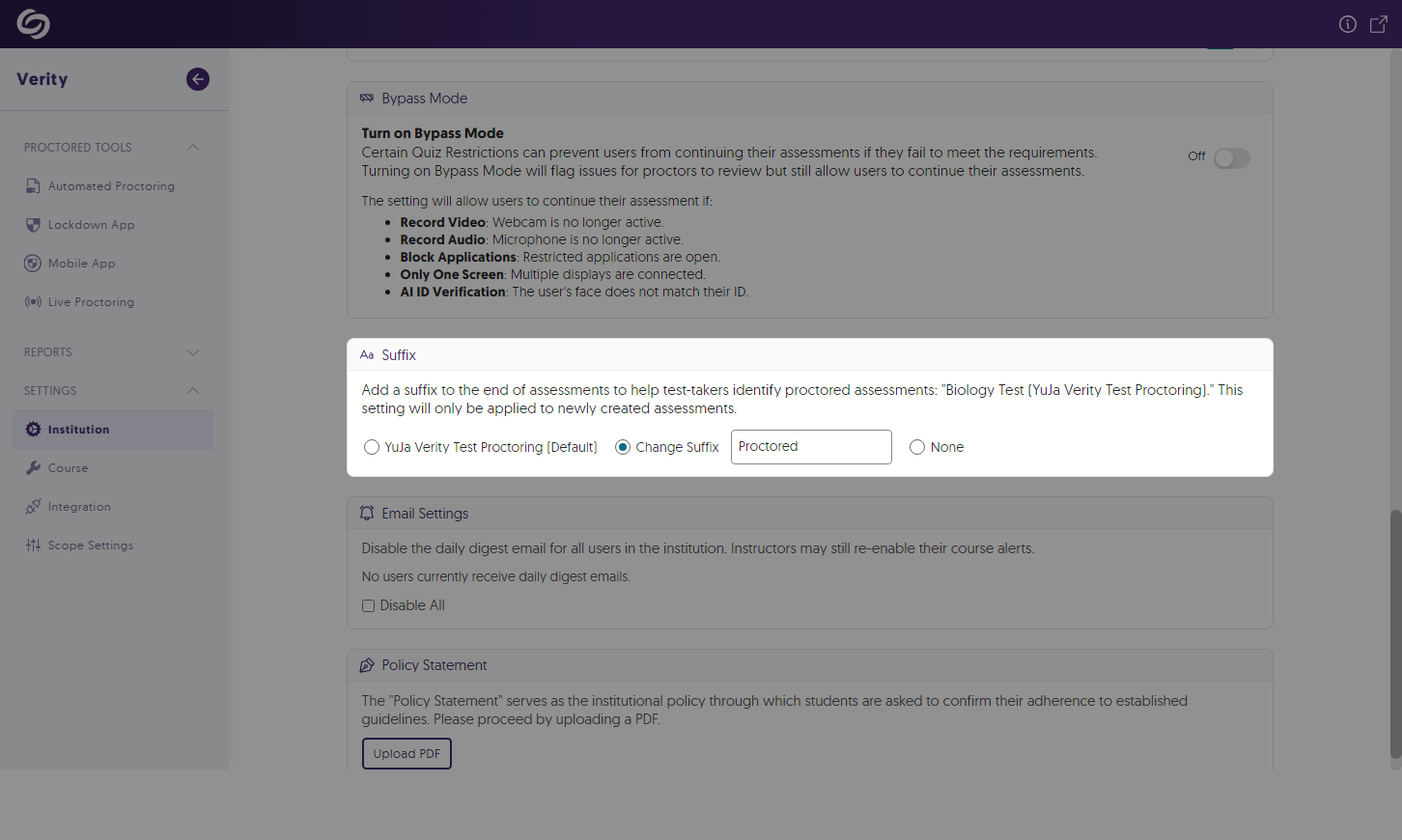
Customize the Suffix to Distinguish Proctored Assessments
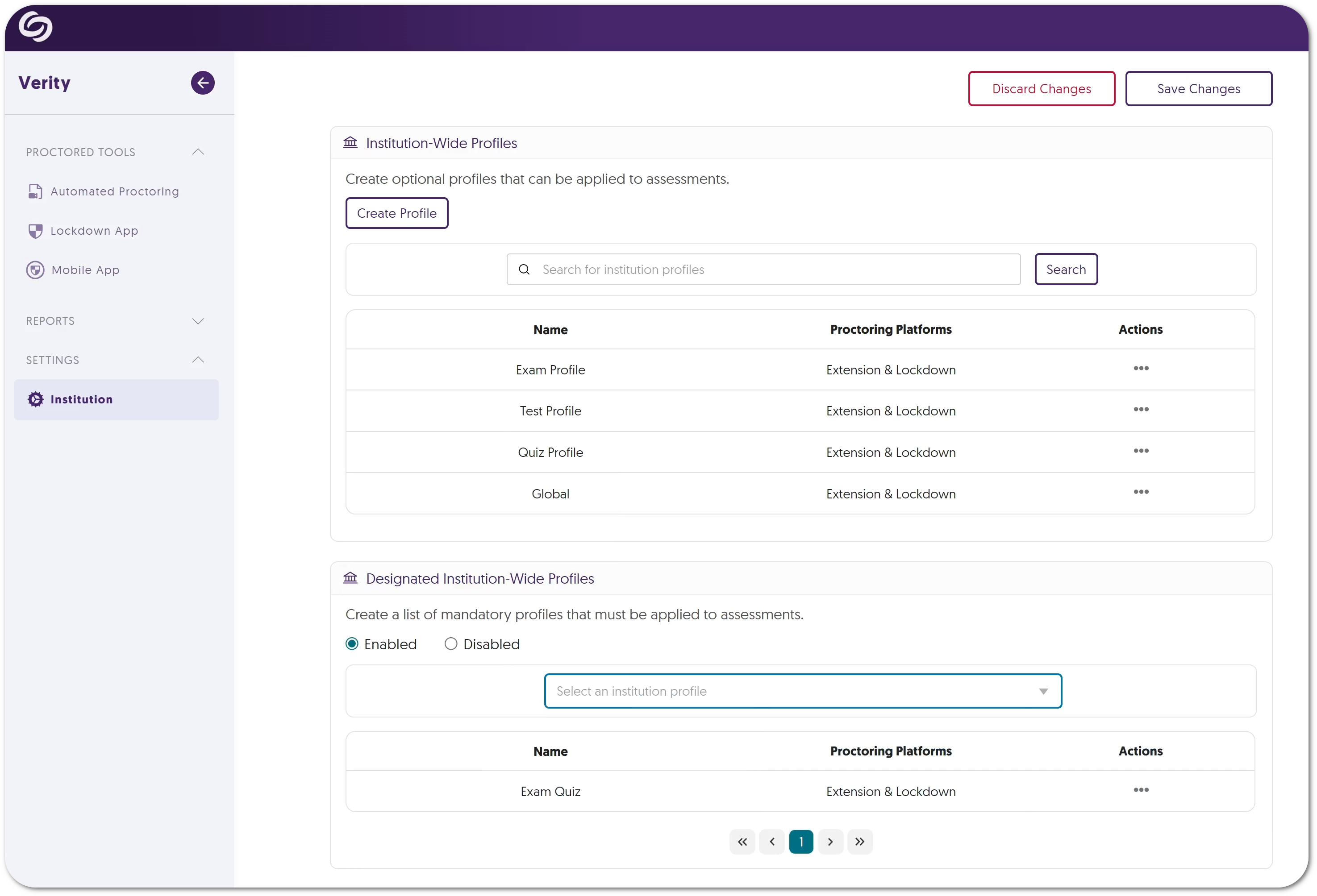
Verity has always provided a suffix at the end of a proctored assessment name to distinguish it from other assessments. Administrators can now customize or remove their suffixes to suit their institution’s preference.
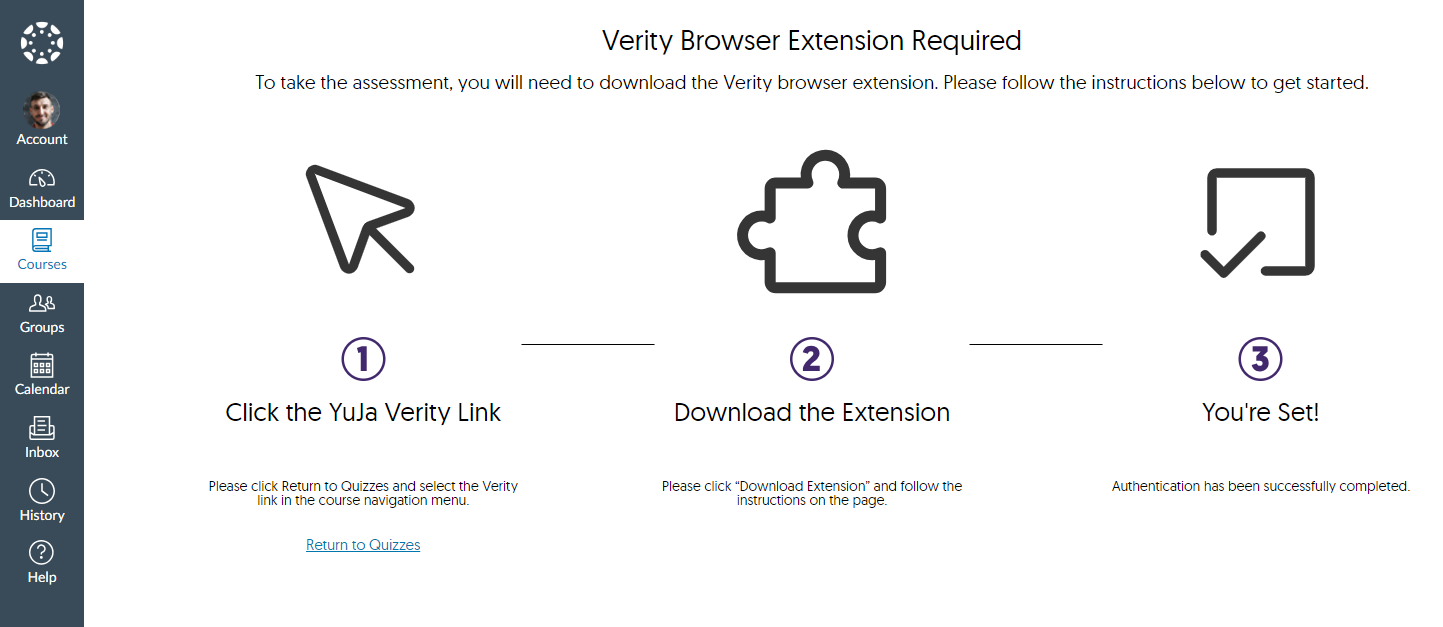
Canvas Now Supports Auto-Detection and Student Walkthrough of Student Setup
Test-takers attempting to access a proctored assessment without the Verity Browser Extension will automatically receive step-by-step guidance on how to download the extension and access their assessment. We expect to roll out this same capability for D2L and Moodle in the next release cycle. To enable this capability, please contact your Client Success Manager.
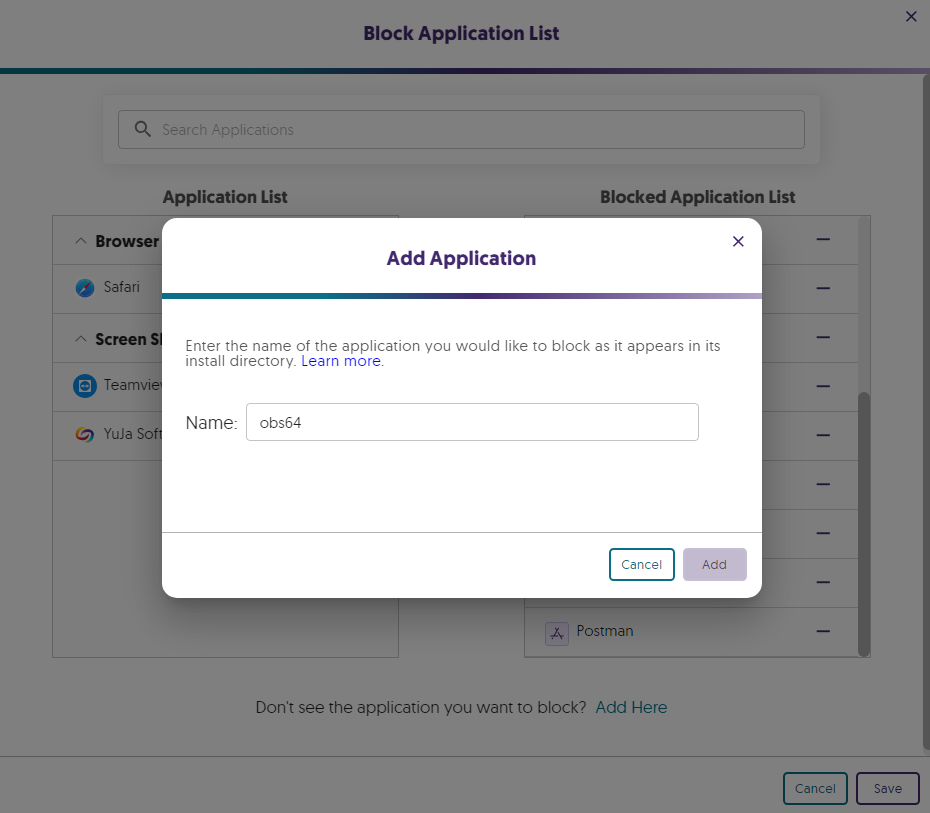
On-Demand Video Tutorials to Help Add Blocked Applications for Windows and Mac
In an effort to provide on-demand support, we’ve included tutorial videos for both Windows and Mac devices on how to manually add programs to Verity’s blocked application list. This will ensure that test-takers cannot access specific programs during their proctored assessments.
Improved Third-Party Integration With Aleks
When creating a third-party assessment with Aleks, Verity will now automatically enter the password for test-takers to access the assessment.

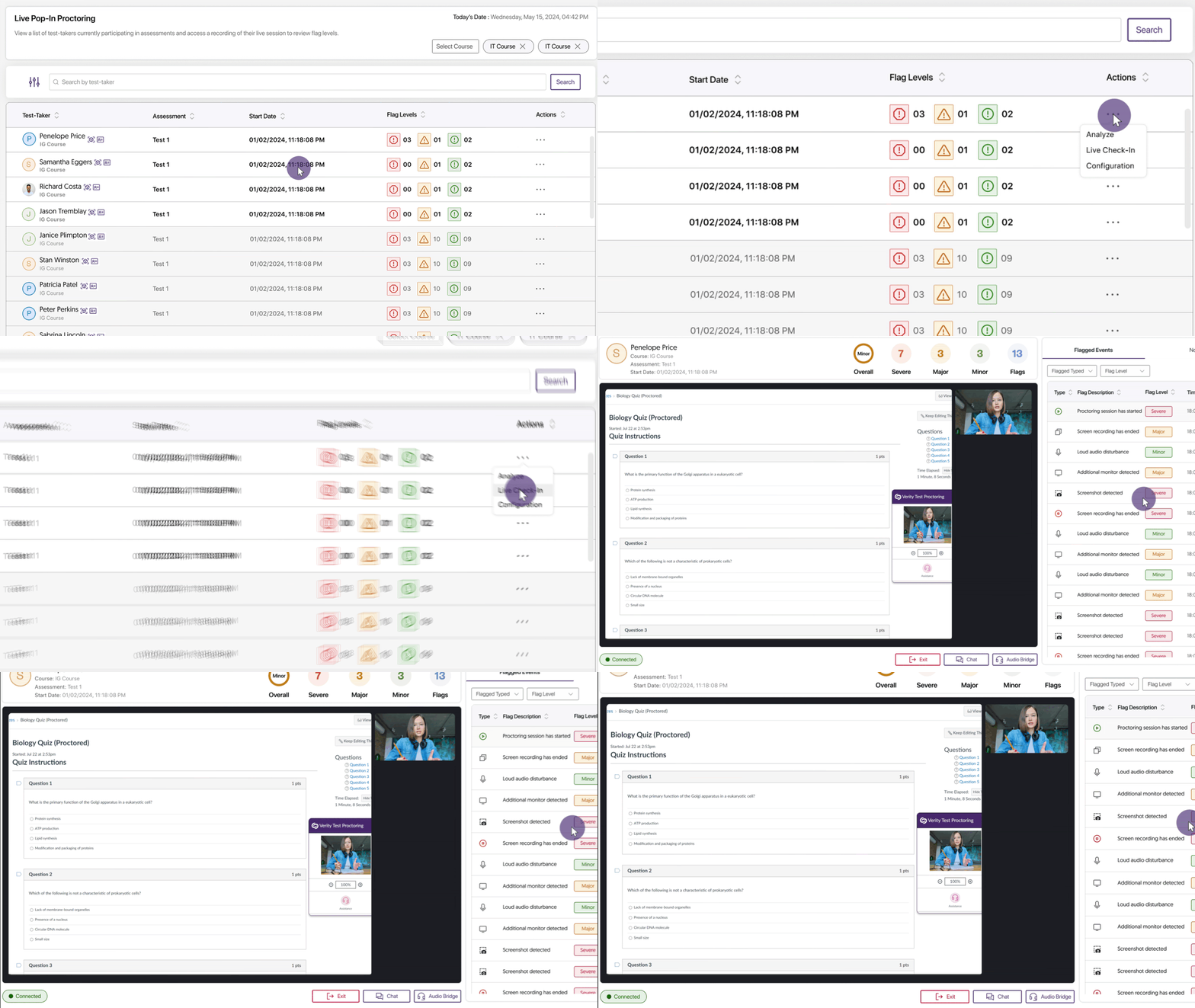
New Proctoring Add-On: “Live Check-In” to Remotely Monitor Assessments Upon Misconduct
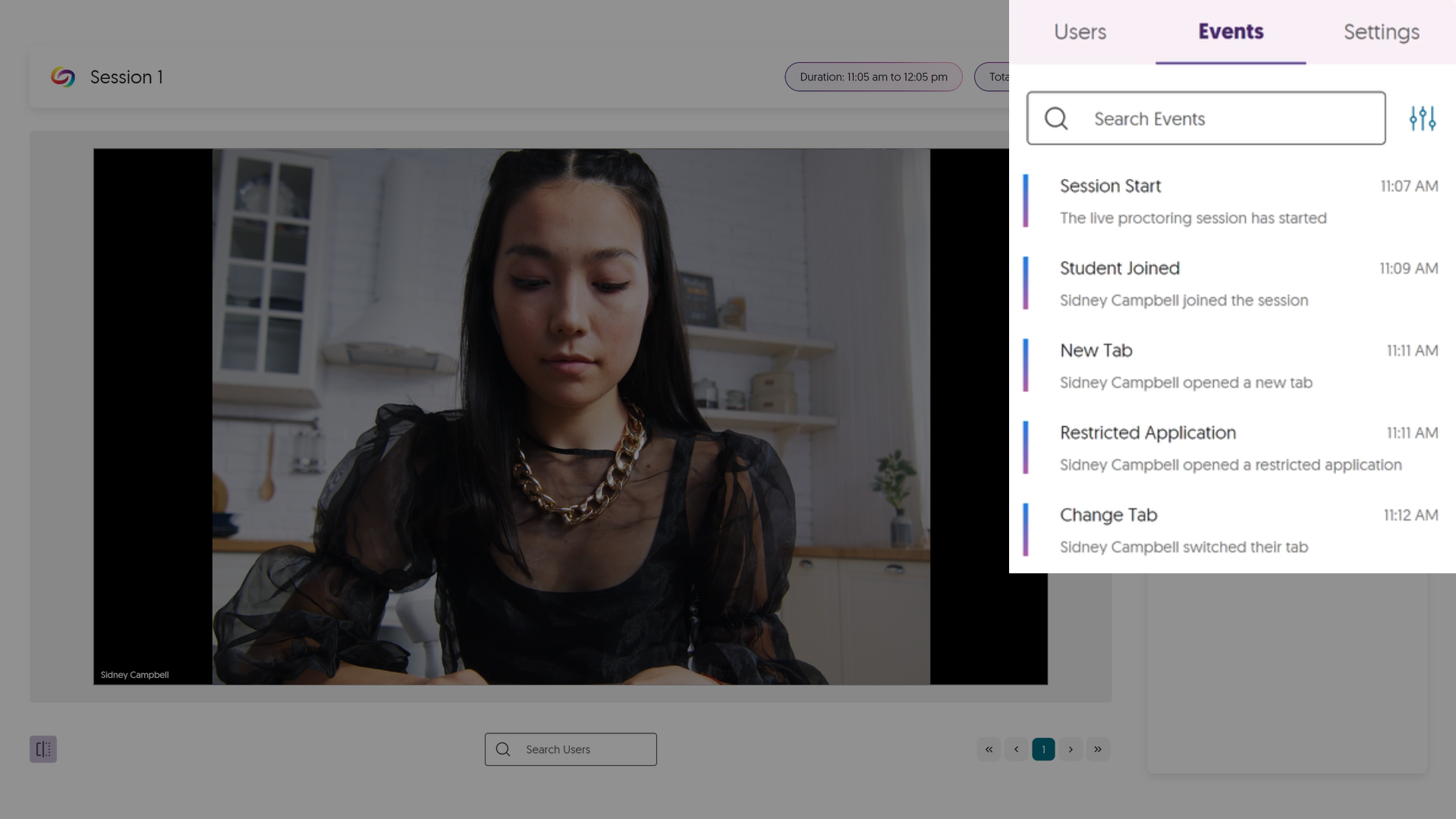
Complementing our existing Live Proctoring options, Live Check-In (similar to Live Pop-In) leverages Verity’s live monitoring infrastructure to flag and, in real time, notify human proctors of potential misconduct. Proctors can then remotely enter a test-taker’s environment to address the issue. This new offering provides institutions with choices when selecting their preferred proctoring options, as we aim to act as a one-stop shop for all proctoring needs.
Join the 1,000+ Organizations Deploying High-Impact Solutions