Product Updates

Get the latest platform updates, features, and announcements—all in one place.

  • June 23, 2023

    YuJa Engage Student Response System Update – “Melbourne” Released to US, CAN, AUS, and EU Zones

    We have successfully pushed an update to all YuJa Engage Student Response System instances residing in the United States, Canada, Australia, and the European Union. This release provides our users with Fill in the Blank questions for Surveys, access to review surveys from the Gradebook, support for stand-alone login credentials for Engage, Single Sign-On support for the instructor mobile app, the option to show correct answers during a Poll, a customizable countdown timer, manual grading for Short Answers, the ability to export the Gradebook as a CSV file for Moodle, customized branding for the login selection, and custom duration for toast messages.
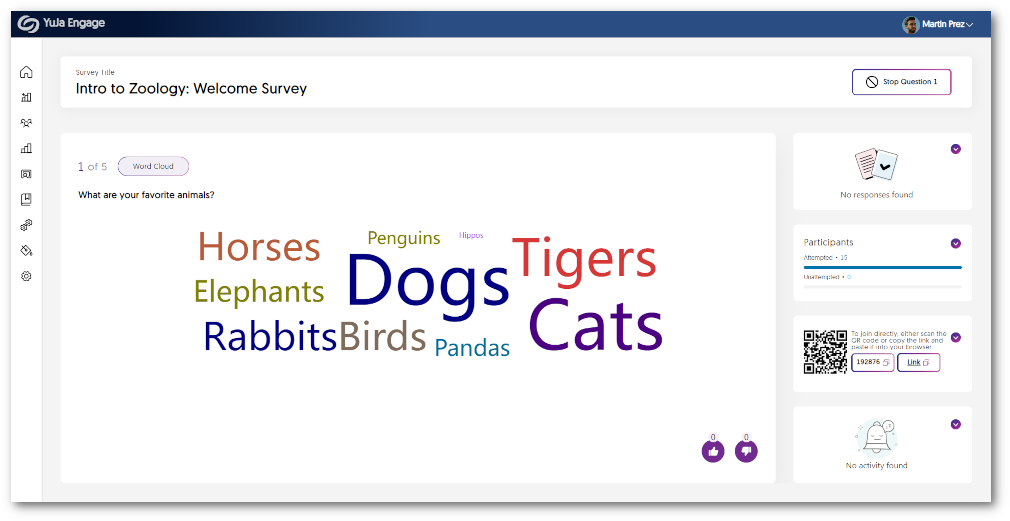
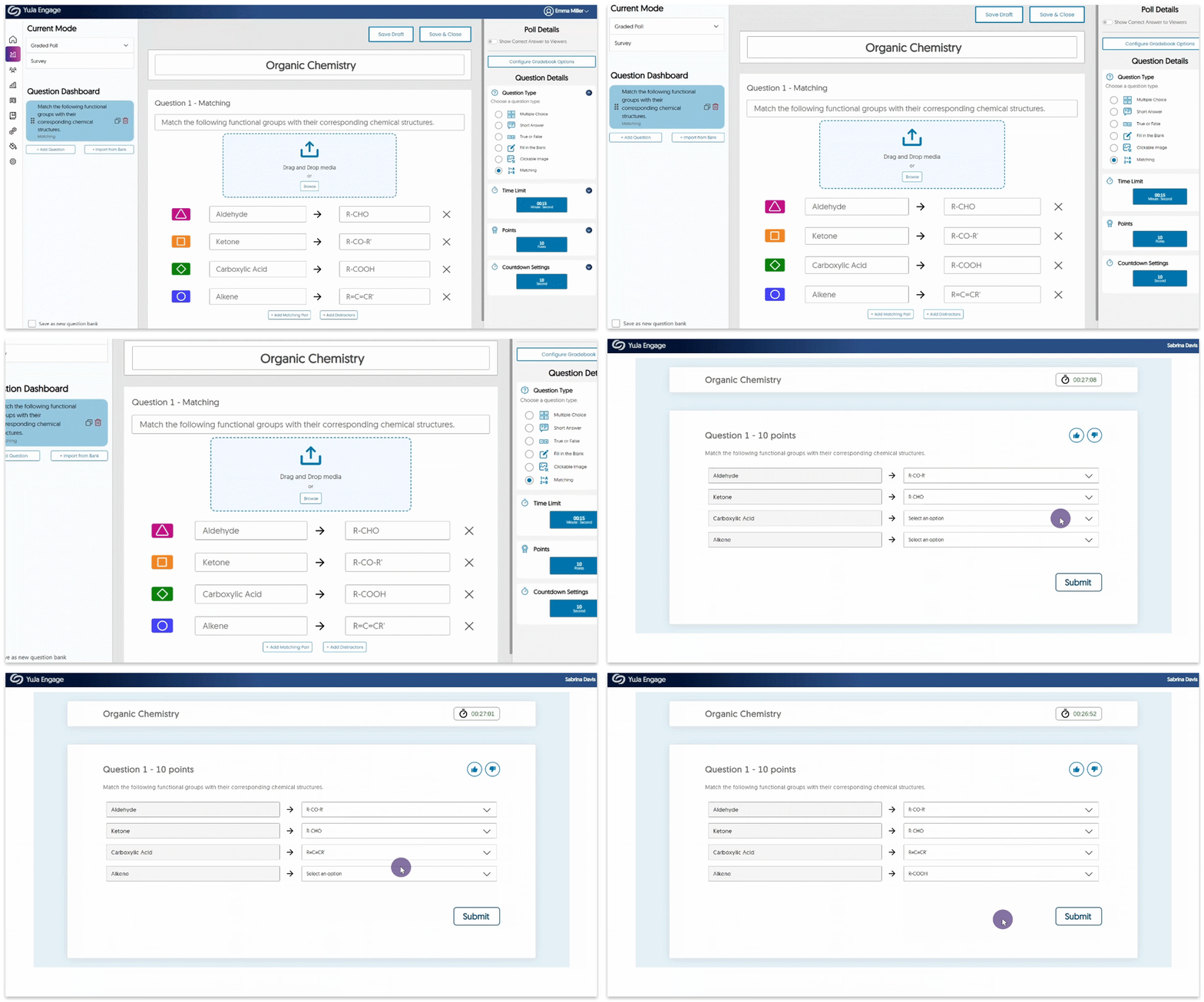
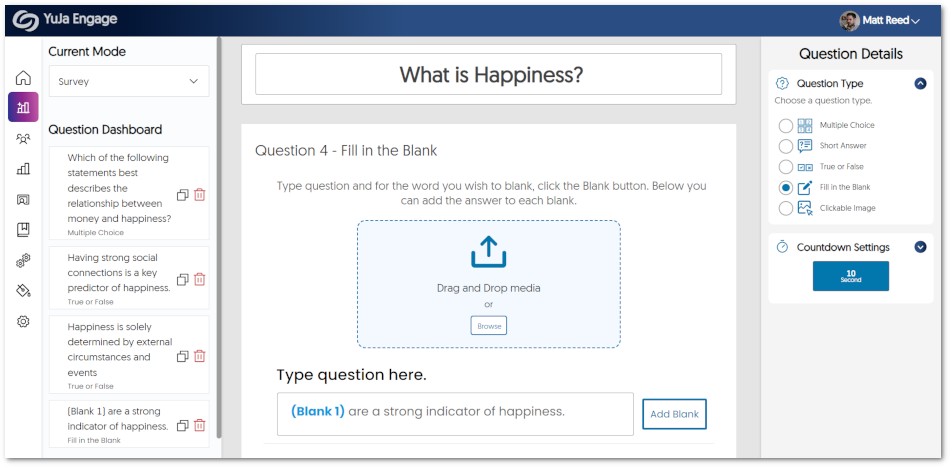
    1. Fill in the Blank Question Types Are Now Supported for Surveys Similar to how Polls support Fill in the Blank questions, we have implemented the same functionality to our non-graded Surveys. Creators will be able to input questions with blanks for participants to fill in. Engage fill in the blank survey.
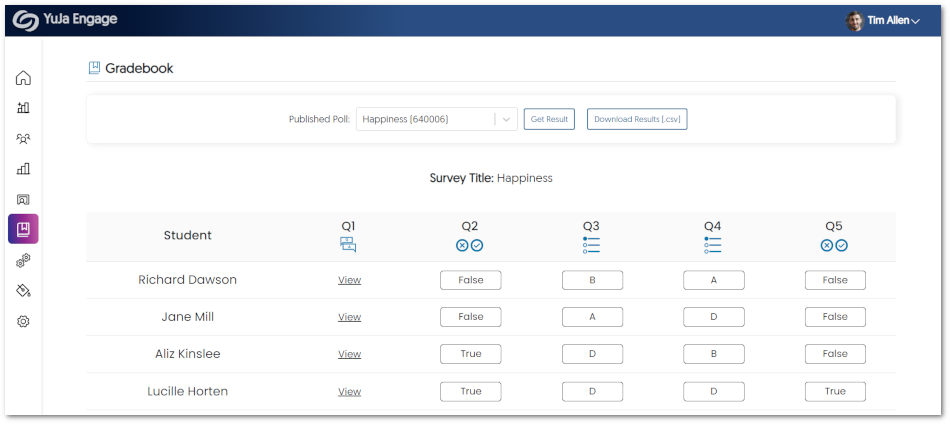
    2. Surveys Now Supported in the Engage Gradebook Previously, Survey results were exclusively accessible within the Polls tab for review. We have now enhanced this process to enable Surveys to be seamlessly integrated with the gradebook. This allows Creators to effortlessly evaluate Surveys and review individual responses from Poll Participants. Survey shown within the Engage Gradebook.
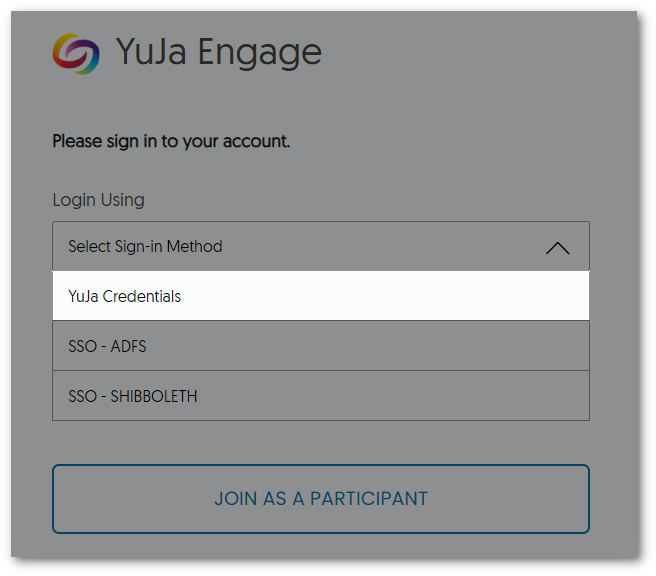
    3. Stand-Alone Login Credentials for YuJa Engage Acknowledging the requirement of certain users to access YuJa Engage without relying on their Learning Management System or Single Sign-On credentials, we have introduced dedicated login credentials. When registering for YuJa Engage, users will receive a unique username and a secure link via their registered email to create a password. From there, users can effortlessly log in using their newly created credentials. Login Window for YuJa Engage.
    4. Instructor SSO Login for the Mobile App Similar to our student Single Sign-On (SSO) for the mobile app, we are introducing the option for instructors to conveniently access their accounts by utilizing their SSO credentials. This will offer a seamless and streamlined login process while protecting the user’s data and upholding authentication protocols. Instructor SSO Login
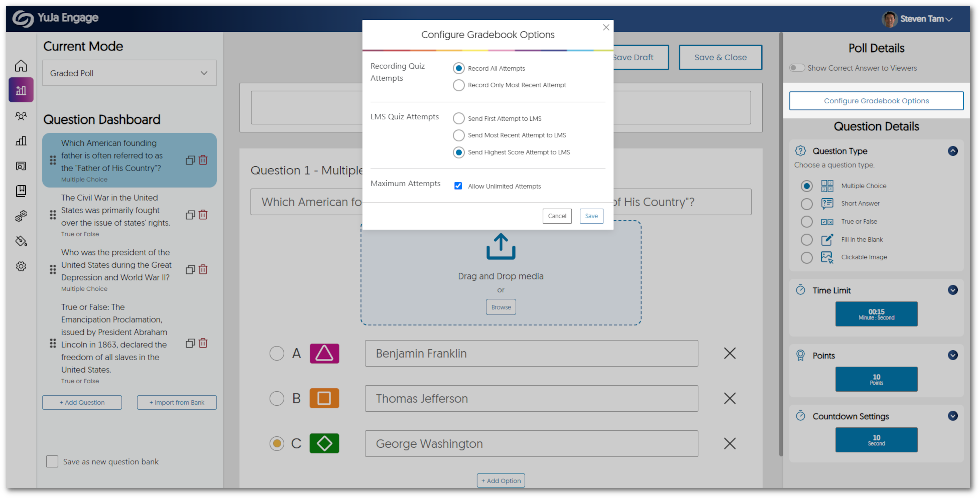
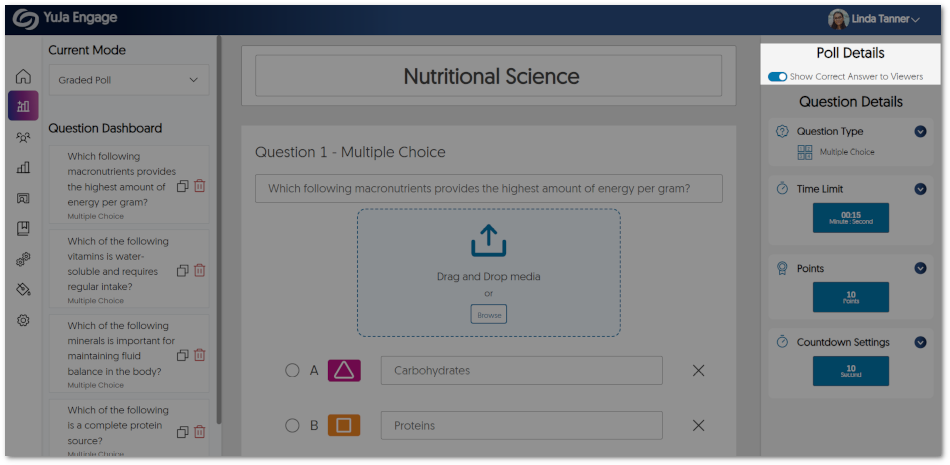
    5. Option to Show Poll-Takers the Correct Answers As part of the Poll creation process, Creators now have the option to choose whether they wish to reveal correct answers to Poll Participants when questions are shared individually. By enabling this feature, participants will have the opportunity to view the correct responses on the Class Results page after each attempt at a question, eliminating the need to wait for the Poll to end. Show correct answer setting for a Poll.
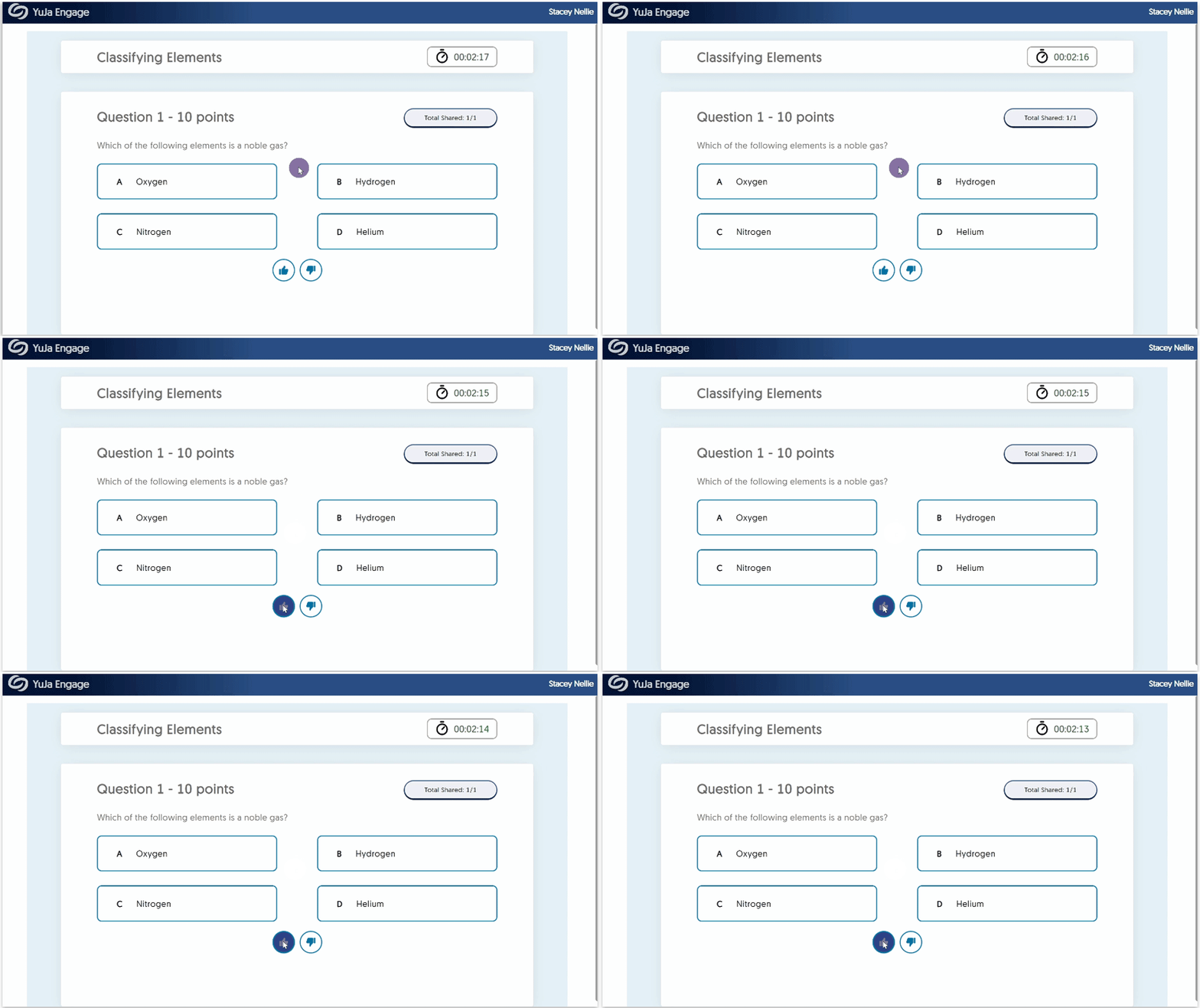
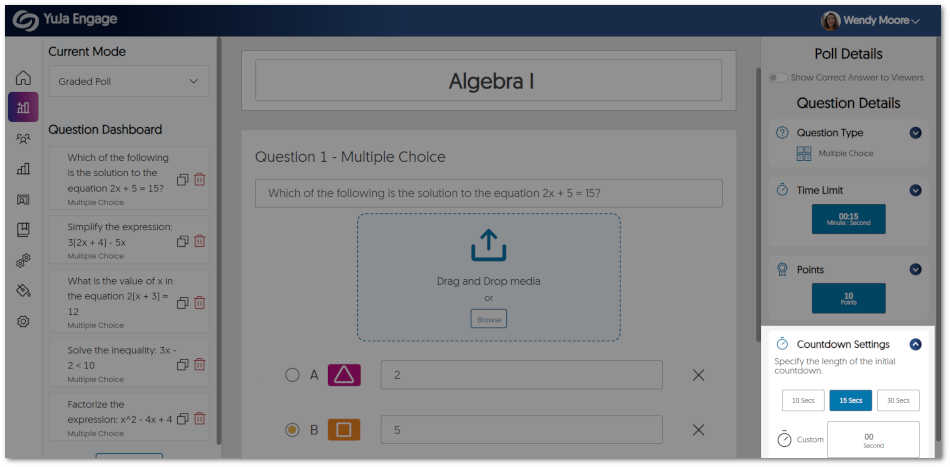
    6. Customize the Countdown Timer We now offer Poll Creators the capability to tailor the initial countdown timer. Choose from a range of predefined durations or create a personalized timer that will be displayed before the start of a poll. Countdown Setting for a Poll.
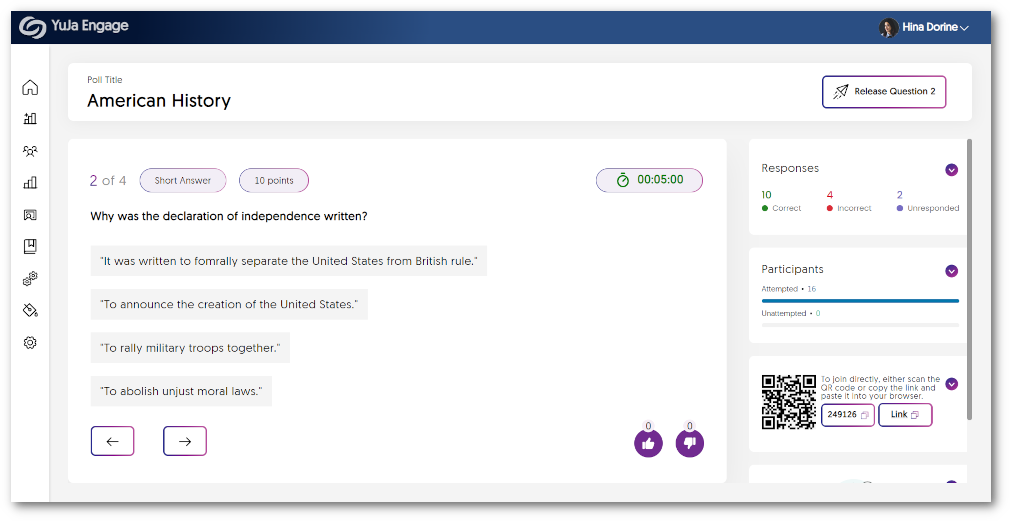
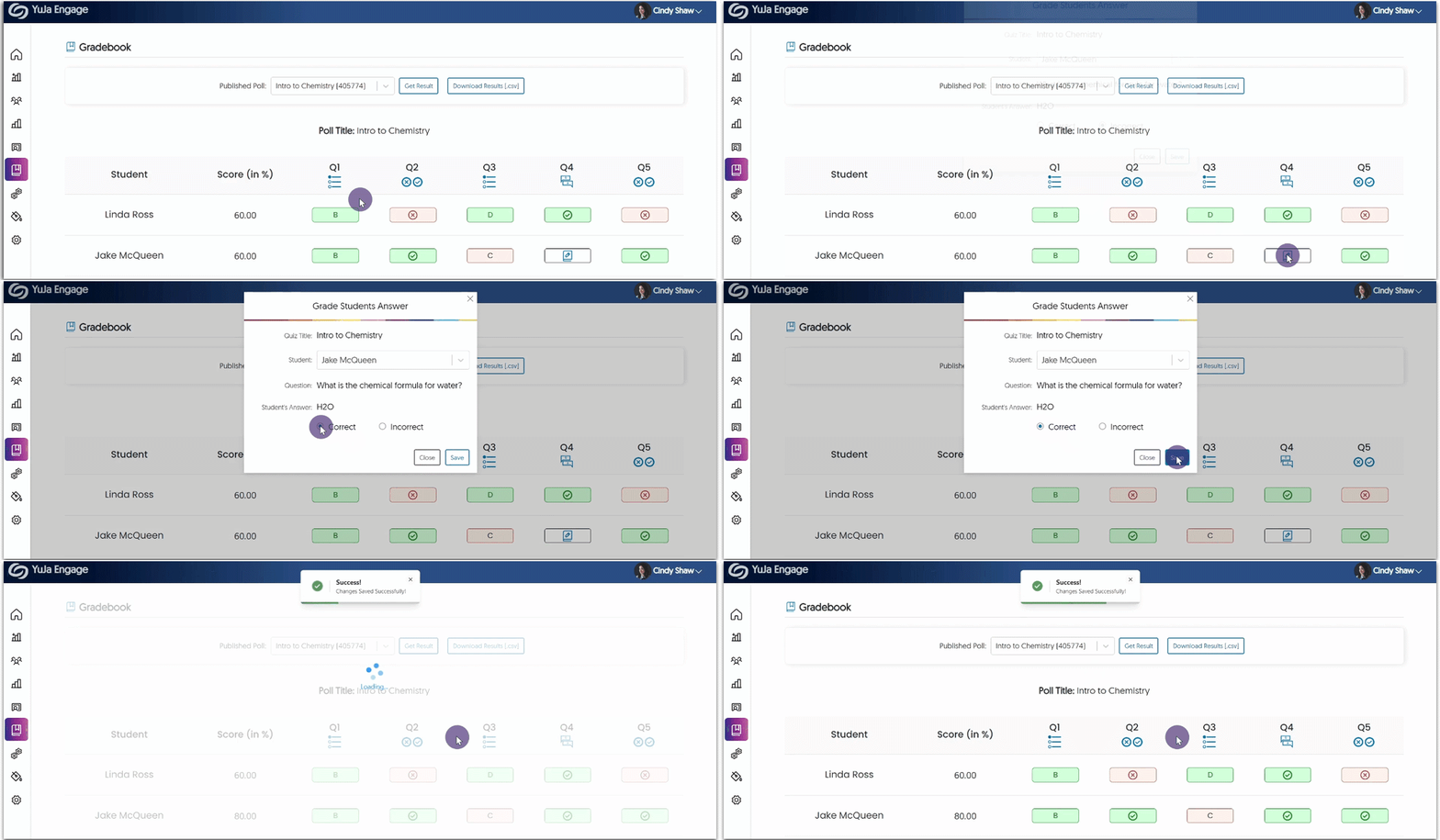
    7. Manual Grading for Short Answer Questions To ensure accurate grading of Polls, Poll Creators must now grade short answer questions before results are synced to the gradebook.
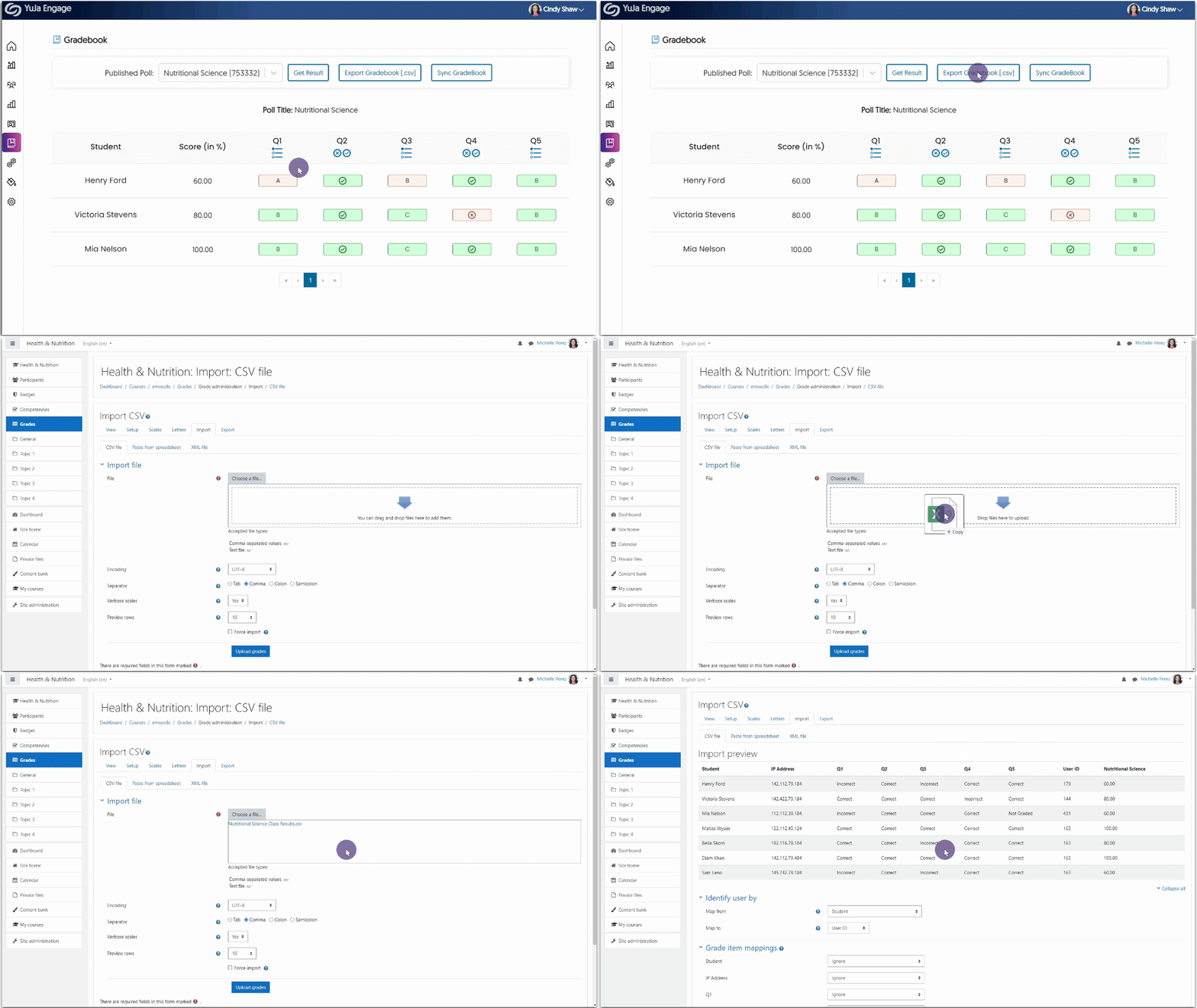
    8. Export, Edit, and Import Grades to the Moodle Gradebook In specific instances, Creators may find it beneficial to have digital copies of Poll results for the purpose of editing and uploading revised grades to their Moodle Gradebook. To accommodate such use cases, we have introduced the ability to export the results of a Poll as a CSV file. This enables Creators to conveniently edit the CSV file and seamlessly upload it to the Moodle Gradebook. For detailed instructions on how to use this feature, please visit our guide on Importing YuJa Engage Poll Results to the Moodle Gradebook.
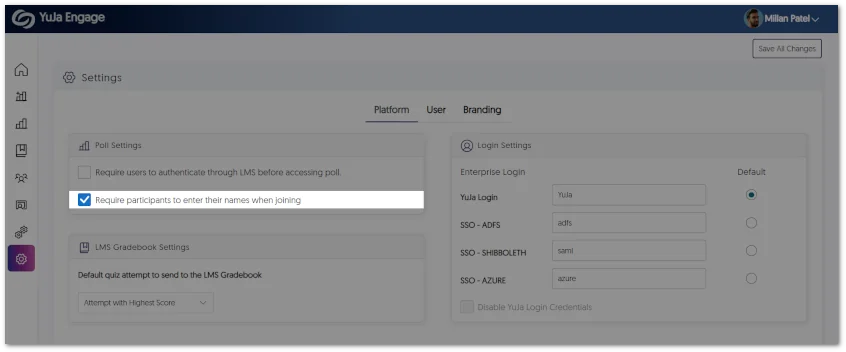
    9. Customize Branding for Login Selection IT Managers can now name their login methods and select a default login to be displayed. Additionally, if IT Managers prefer, they can disable signing in through YuJa Login credentials. This will provide security measures to ensure access is only granted through the Single Sign-On integration. Custom Login Settings featured in Platform Settings.
    10. Customize the Duration of our Redesigned Toast Messages Toast messages play a vital role in helping deliver simple feedback to users as they navigate through the YuJa Engage platform. To enhance their visibility, we have not only redesigned the appearance of toast messages but also introduced the option for users to customize the duration of their display. Users can now easily adjust the Toast Message Settings to either 5 or 10 seconds, or select to manually dismiss toast messages according to their personal preference and comfort. New toast message UI.
  • May 30, 2023

    YuJa Engage Student Response System Update – “Lakewood” Released to US, CAN, AUS, and EU Zones

    We have successfully pushed an update to all YuJa Engage Student Response System instances residing in the United States, Canada, Australia, and the European Union. This release provides our users with a new mobile app for instructors, Single Sign-On support for the student mobile app, the ability to adjust Gradebook results, navigate through Poll questions, and enhanced security for the PowerPoint plugin.
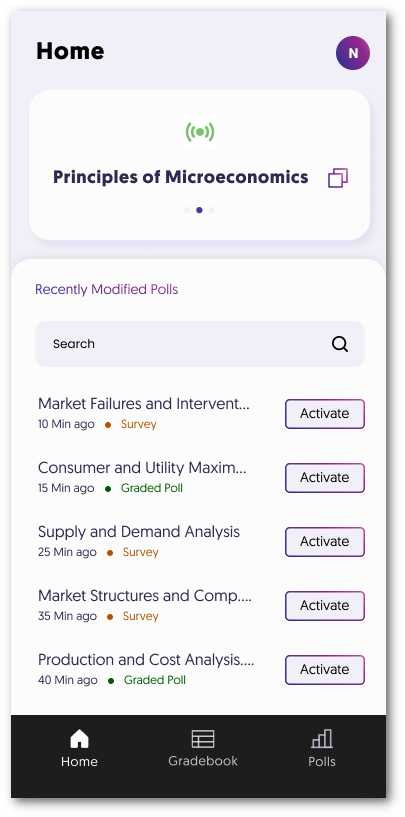
    1. Mobile App for Instructors We are pleased to announce the launch of our iOS and Android apps designed for instructors seeking convenient and seamless access to our Poll activation feature. The app allows instructors to activate Polls directly from their smartphones, ensuring they can engage with students and gather valuable insights anytime. Instructor mobile app Home dashboard.
    2. Student SSO Login for the Mobile App We are introducing the option for students to conveniently access their accounts by utilizing their Single Sign-On (SSO) credentials. This new feature offers a seamless and streamlined login process while protecting the user’s data and upholding authentication protocols. Student SSO Log in
    3. Join Active Polls Instantly Students can now conveniently choose and participate in Polls by accessing the Active Polls panel directly from their Home Dashboard. Student Home dashboard featuring the Active Polls panel.
    4. Manually Adjust Gradebook Results Instructors now have the ability to manually modify students’ grades through the Gradebook within YuJa Engage. This will allow instructors to seamlessly tailor the grading process to better align with individual student progress and ensure accurate evaluation of their academic performance. Within the Gradebook a student's grade is adjusted under the Score column.
    5. Manually Override Results for Short Answer Questions Similar to our override for Gradebooks, instructors can now manually access the Gradebook to override results for short-answer questions. Grade Student Answer module for short answer questions.
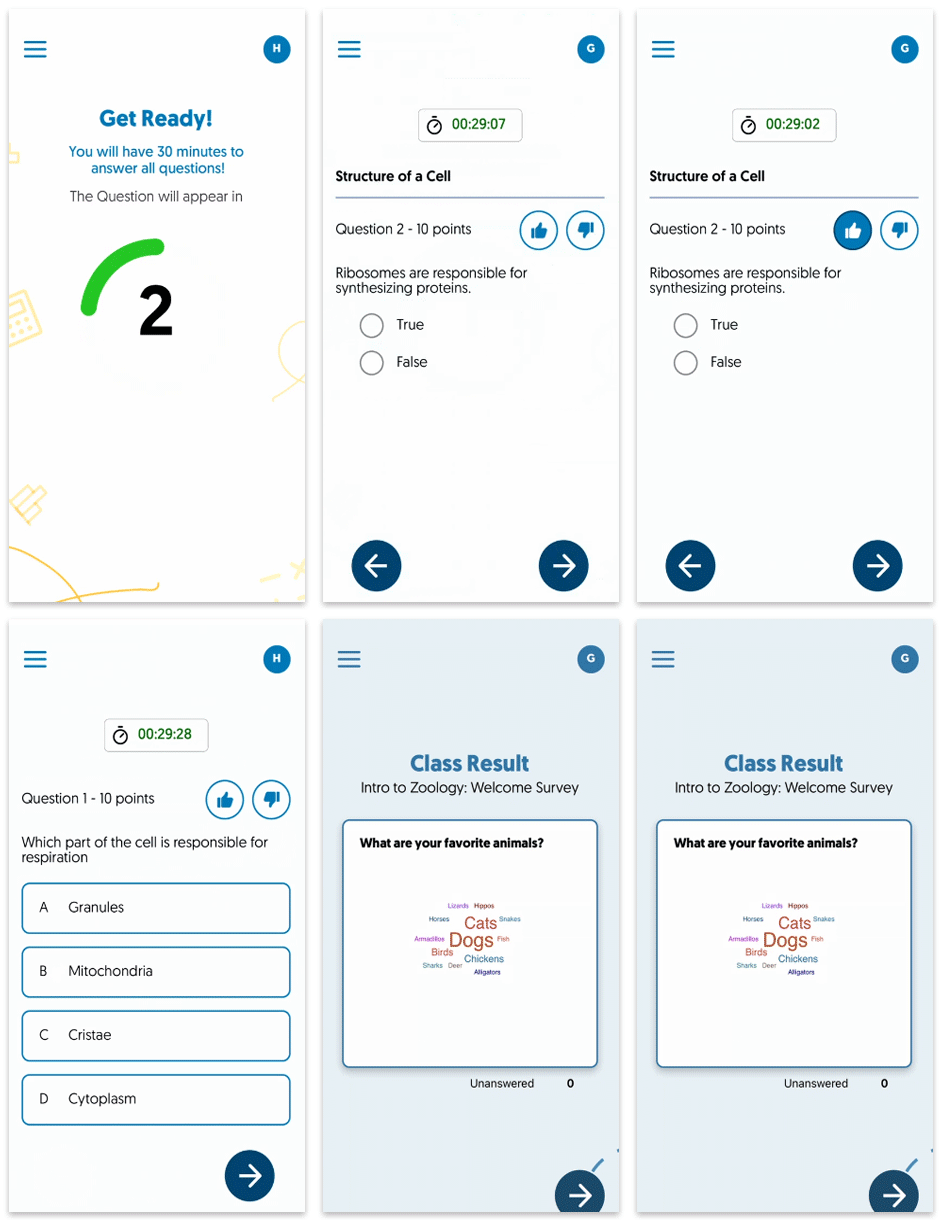
    6. Students Can Navigate Through Poll Questions To provide greater flexibility to students during Polls, we now allow them to navigate through questions and offer an automatic check to ensure all questions have been answered before they submit their Poll. Student Participating in a live Poll.
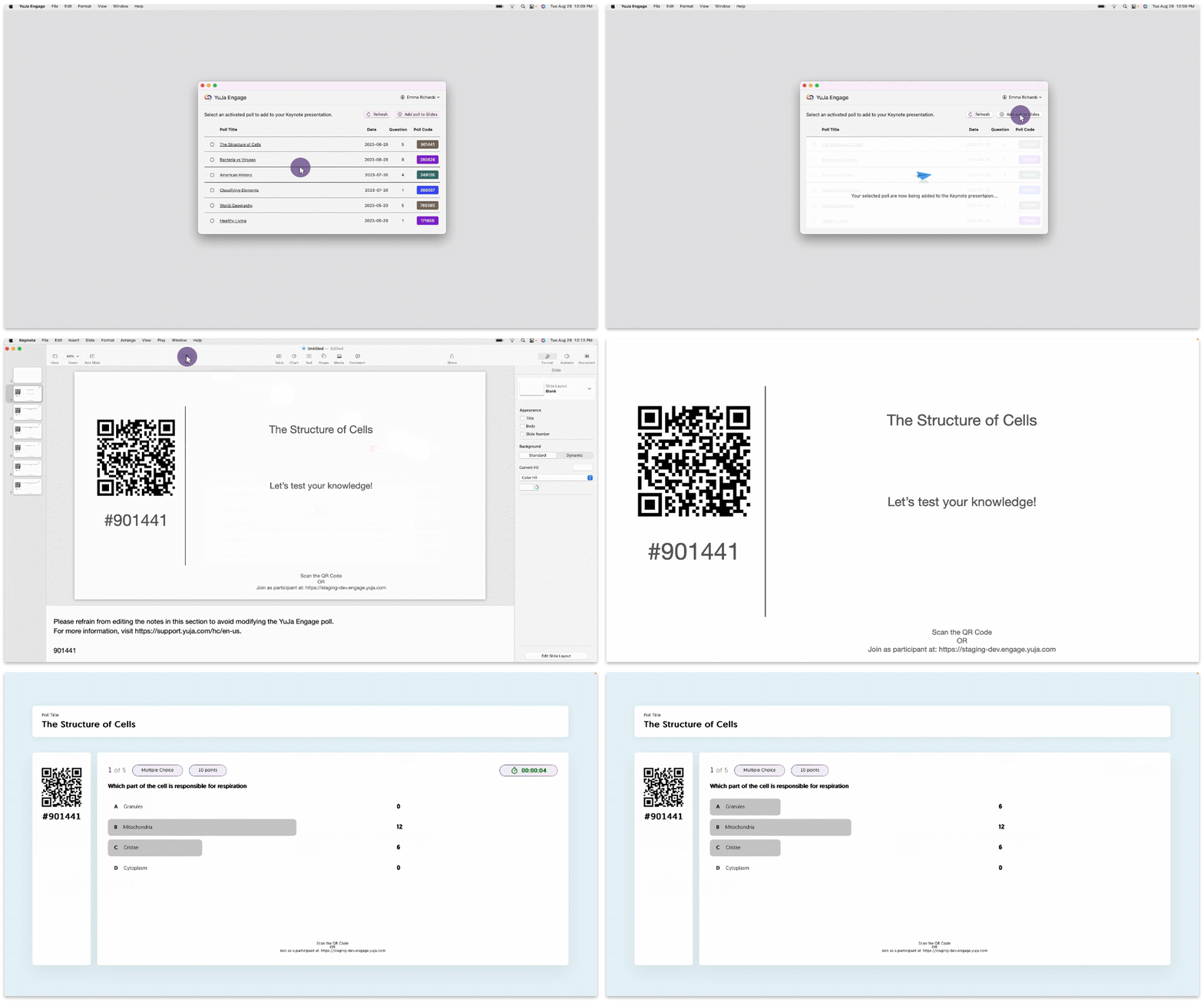
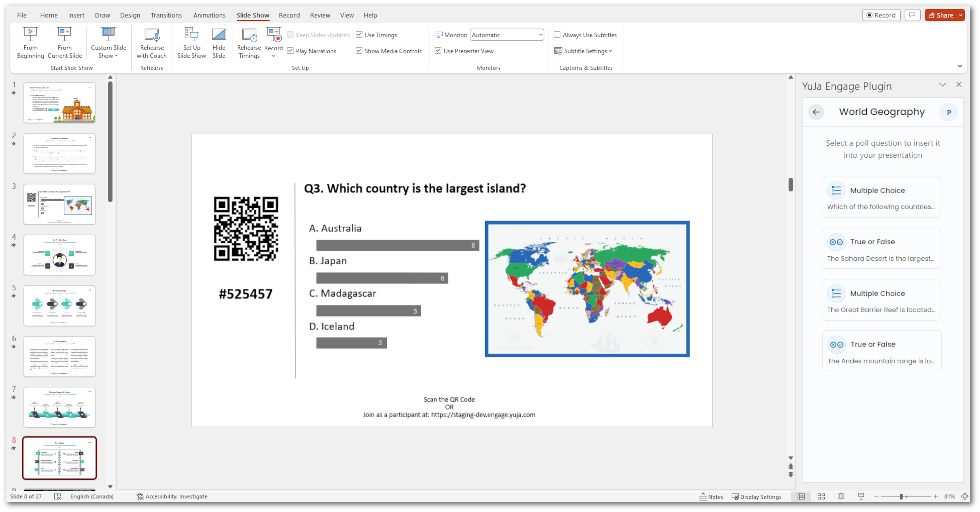
    7. Add Clickable Image Questions to PowerPoint Presentations We have added support to allow Clickable Image question types to be added to PowerPoint presentations. Clickable image question inserted into a PowerPoint.
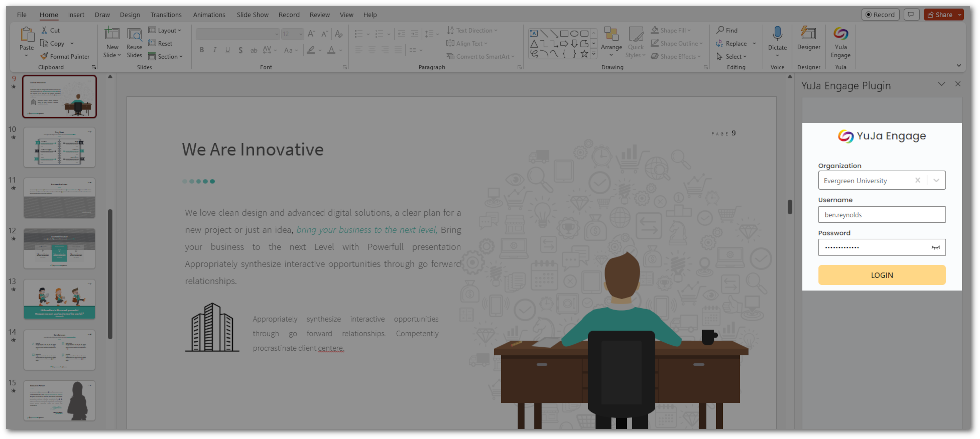
    8. PowerPoint Plugin Security Enhancements The Poll Creator will be required to authenticate themselves by signing in to the YuJa Engage platform before questions can be shared. This enhanced security measure guarantees that only authorized Poll Creators are granted the ability to share Poll questions during presentations. YuJa Engage login for PowerPoint.
  • May 8, 2023

    YuJa Engage Student Response System Update – “Kingston” Released to US, CAN, AUS, and EU Zones

    We have successfully pushed an update to all YuJa Engage Student Response System instances residing in the United States, Canada, Australia, and the European Union. This release provides our users with a new mobile app for Android, Single Sign-On support for the PowerPoint add-in, the option to republish Polls to courses and share the content of Polls with other users, direct links to Polls, and an improved Poll response experience for students.
    1. Mobile Android App for Students Similar to our IOS app release, YuJa Engage is now available for download through the Google Play store. Students will have on-the-go access to join Polls and view results directly from their smartphones. A poll is taken using the YuJa Engage mobile app for Android.
    2. Single Sign-On Support for the YuJa Engage PowerPoint Ribbon Add-In To provide users with ease of access in signing into the YuJa Engage add-in for PowerPoint, we now allow users to log in with their Single Sign-On integration. YuJa Engage SSO login options within PowerPoint.
    3. Republish Polls to Courses Poll Creators can now republish polls to courses allowing for greater flexibility and efficiency when managing their Polls. Reactivate a Poll module is shown within the Polls tab.
    4. Share the Contents of a Poll with Other Users To facilitate collaboration between Poll Creators, we have introduced a new feature that enables quick and efficient sharing of Polls with other users in their institution. This feature allows Poll Creators to easily send a copy of their Polls, which can be activated by other users for their own use. The Share Polls module is shown within the Polls tab.
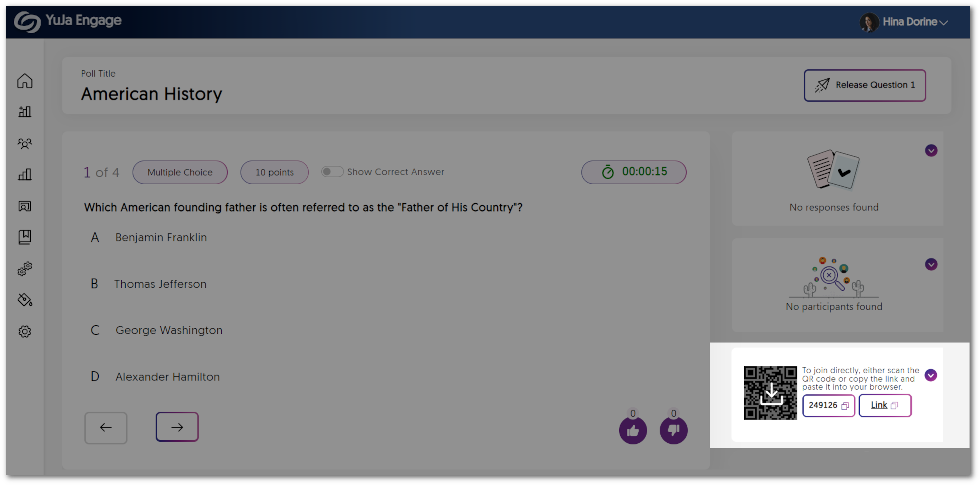
    5. Direct Links for Polls To provide a more streamlined and efficient experience for Poll Creators to share their active Polls, we have implemented a new feature that provides direct links to Polls. Simply copy the direct link, and share the Poll with users instantly. Within an active Poll, the direct link is shown alongside the Poll code and QR code.
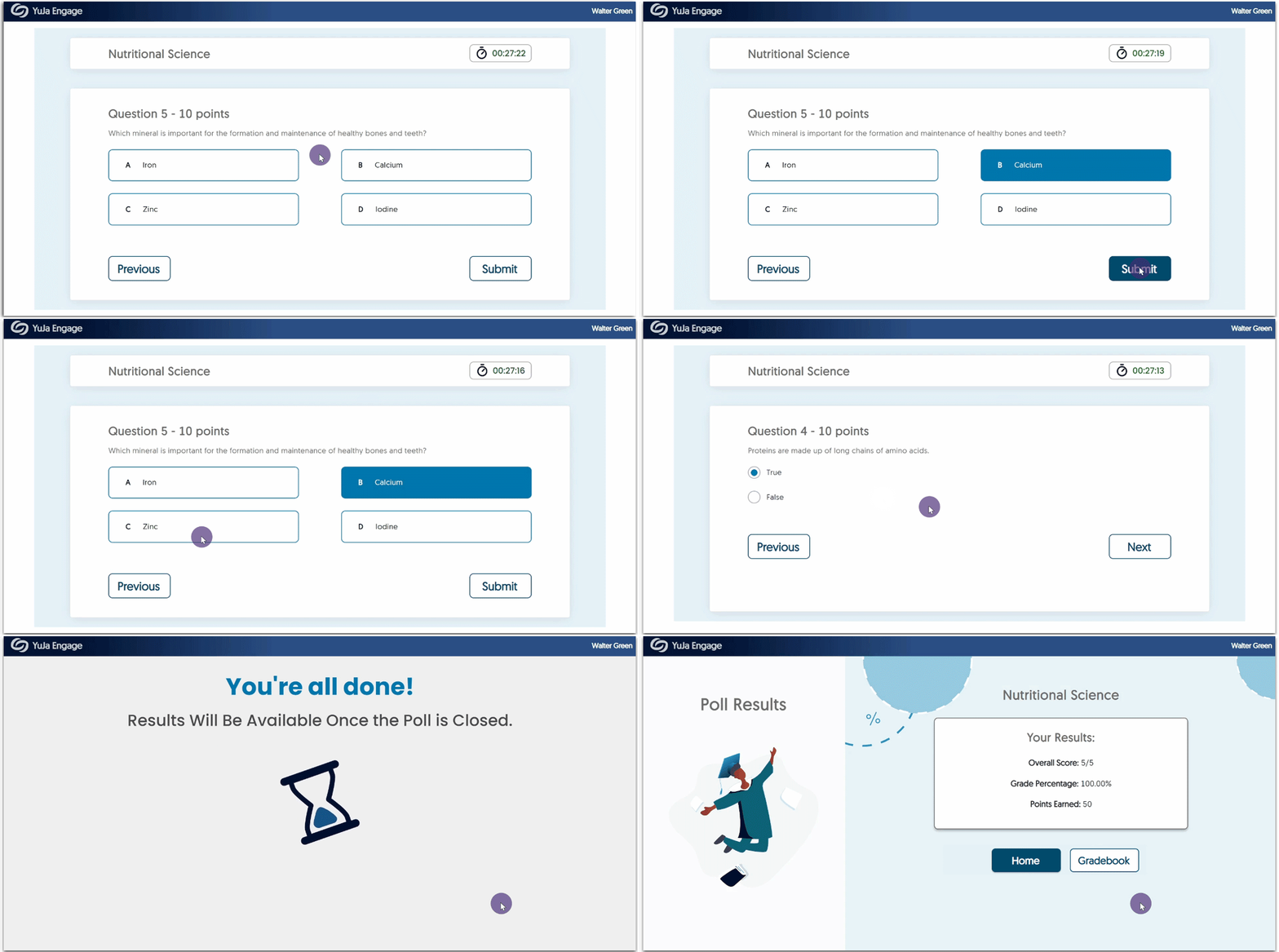
    6. Improved Student Experience with Poll Response In an effort to create an intuitive and user-friendly experience, we have introduced an improved UI that provides students with more detailed information about their Polls. Students will now be able to easily track their progress by seeing how many questions they have answered and how many are remaining. Additionally, Engage will now notify students when a Poll has ended, ensuring that they are aware of the Poll status at all times. The student waiting screen for the next question shows 7/10 questions are left.
  • April 17, 2023

    YuJa Engage Student Response System Update – “Jasper” Released to US, CAN, AUS, and EU Zones

    We have successfully pushed an update to all YuJa Engage Student Response System instances residing in the United States, Canada, Australia, and the European Union. This release provides our users with a new poll activation workflow, SSO and LMS dual integration, LMS gradebook sync when sharing questions individually, download poll results, removed time limit for Surveys, and overall improvements to the platform.
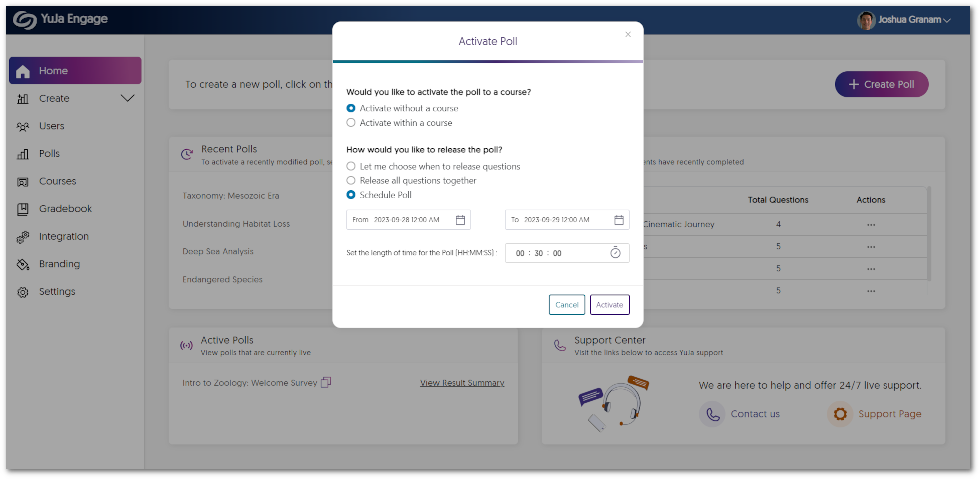
    1. Improved Poll Activation Workflow We have implemented a revised workflow that offers a complete list of Polls within the Engage dashboard. This enables instructors to access their saved Polls easily, decide if they would like to activate them in a course, and select how they would like to release the Poll (i.e. choose to release individual questions or release all questions together). Instructor Dashboard
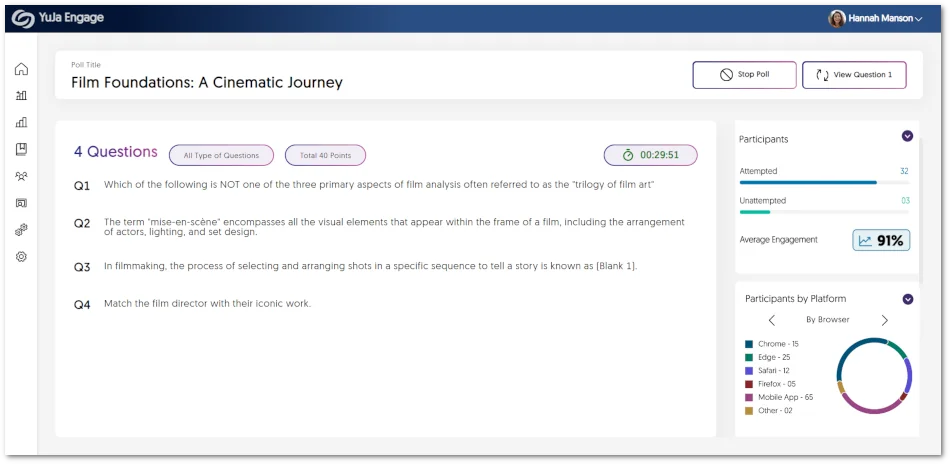
    2. Enhanced Panel Layout for the Poll Activation Dashboard As part of our ongoing efforts to enhance the user interface and improve the overall experience for instructors, we have made adjustments to the panel sizes on the Poll activation dashboard. This update aims to prioritize Poll questions and ensure their clear visibility while displaying essential information, including responses, attempt breakdowns, and participant activity feed. The new dashboard for sharing Polls
    3. Support for SAML-Based Single Sign-On Integration  We are pleased to announce that our YuJa Engage integration has been enhanced to support SAML-based single-sign-on integration. The integration will link the usernames and emails to a Single Sign-On (SSO) and Learning Management System (LMS). As a result, the Engage platform can now identify individual users regardless of whether they access the system using their SSO or LMS login credentials. YuJa Engage integration page.
    4. LMS Gradebook Sync for Each Question Building upon our gradebook sync integration for Polls, instructors can now seamlessly share individual questions with their students and receive real-time updates on the LMS gradebook. Results automatically sync to the gradebook as students complete each individual question, safeguarding their responses against any network errors that may arise during usage on mobile devices. Individual Poll question being shared within the Canvas LMS.
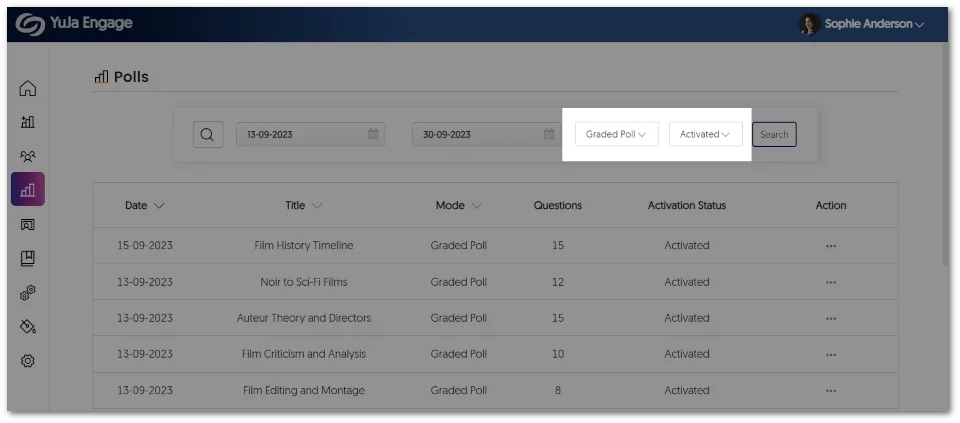
    5. Downloadable Results for Polls In providing a comprehensive offline viewing of Poll results, instructors can download an XLSX file containing a list of students, the overall result for each student, the IP address for the student’s device, and individual responses to questions. Gradebook page featuring the option to download results for a published Poll.
    6. Removed Time Limit from Surveys  We have removed the option to add a time limit when creating a survey. Instead, instructors can end the survey and view the results whenever they choose. The survey page features options to add various question types.
    7. Bug Fixes and Optimizations We have optimized the performance of YuJa Engage and made several bug fixes to improve the user experience. Highlighting some of these optimizations and fixes are:

      • Enhanced responsiveness of the student dashboard across multiple screen sizes.
      • Fixed an issue that prevented Poll responses from updating dynamically.
      • Refined layout for certain UI items across the platform. 
  • March 22, 2023

    YuJa Engage Student Response System – Update RC20230315 to US, CAN, AUS, and EU Zones

    We have successfully pushed an update to all YuJa Engage Student Response System instances residing in the United States, Canada, Australia, and the European Union. This release provides our users with a new mobile app for Engage, a dashboard for students, a redesigned Instructor View for sharing Polls, and overall improvements to the platform.  
    1. D2L Brightspace and Moodle LTI 1.3 Integration for Student Response System D2L and Moodle admins may integrate YuJa Engage for their institution to allow polls and surveys to be created and published directly to desired courses. Students may then access YuJa Engage, participate in polls and surveys, and have their grades synced to the LMS Gradebook. To learn more about the integrations, please visit our support guide on integrating the YuJa Engage platform for D2L Brightspace or Moodle. The YuJa Engage platform is shown inside the D2L Brightspace and Moodle LMS.
    2. Mobile IOS App for Students To provide students with on-the-go access to Polls and results, we have released the highly anticipated iOS app for YuJa Engage. Download the app through the App Store to join polls and view results directly from your smartphone. Future updates will provide an Android app for students to download and access Polls. Mobile view of a student taking an Engage Poll.
    3. New Dashboard Homepage for Students Students can stay up to date with recent Polls and results through the new dashboard for their homepage. By offering instant viewing of active and past Polls in real-time and the ability to join Polls using codes, students can access everything they need from a single, easy-to-use location. The Student Home Dashboard features separate panels; organizing content into Join Polls, Enrolled Courses, Join using code, Recent Results, and Support Center.
    4. New Poll Activation Dashboard for Instructors We have updated the UI to provide a fresh new look for instructors to view the results of their live Polls. Instructors can see responses to questions as they are completed, a breakdown of attempts, and an Activity Feed of participants in the Poll. Sharing a Poll features five panels for instructors to view. The questions panel, Responses, Poll Code, Participants, and Activity Feed are available.
    5. Bug Fixes and Optimizations We have optimized the performance of YuJa Engage and made several bug fixes to improve the user experience. Highlighting some of these optimizations and fixes are:

      • Joining a Poll after it has ended will direct the participant to the results page.
      • More responsive UI when participating in Polls from a smartphone.
      • Faster response time when viewing past Poll results.

Join the 1,000+ Organizations Deploying High-Impact Solutions

A collection of logos representing various organizations and institutions that use YuJa’s platform.