Product Updates
Get the latest platform updates, features, and announcements—all in one place.
Boost Video Accessibility with the GenAI Video PowerPack!
Try Now
Supercharge Your Compliance Efforts with AutoPilot Remediation Max!
Try Now
Strengthen Your PDF Accessibility Efforts with Structural Remediation Max!
Try Now
Don't Miss Any of Our Upcoming Webinars—Save Your Spot!
Register
The YuJa Community is here! Connect, get updates, and access exclusive content.
Join Now

Get the latest platform updates, features, and announcements—all in one place.
Over the next few weeks, the YuJa Panorama LMS Accessibility Platform will roll out new features to ensure caption compliance for Canvas-embedded videos, provide a guided experience across accessibility tools, offer a redesigned support experience that makes it faster and easier for instructors and admins to get assistance, and so much more.
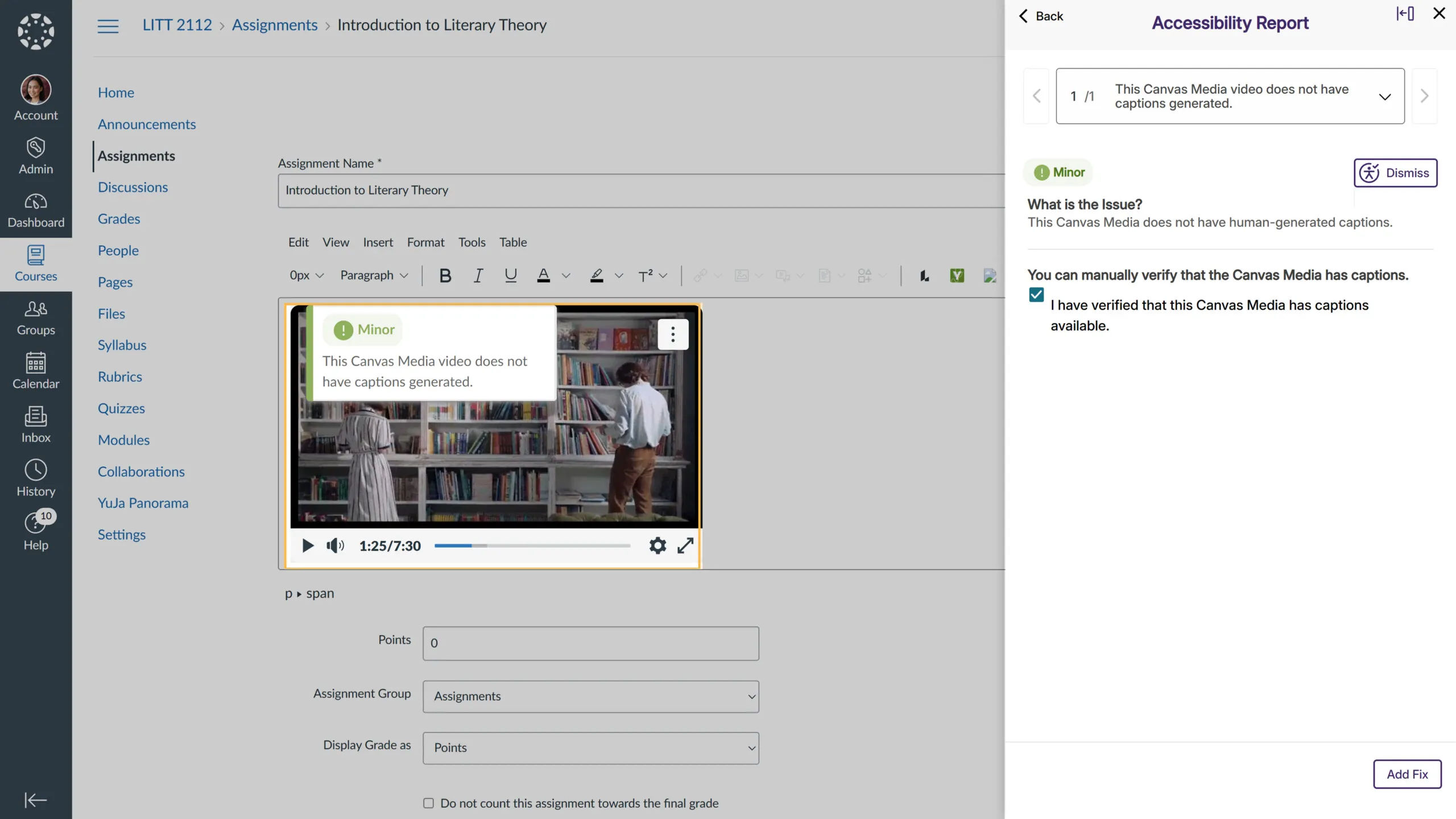
Ensure Caption Compliance for Canvas-Embedded Videos
Videos uploaded to Canvas and embedded via the Canvas Media Player in the WYSIWYG editor are now automatically checked for captions. Any video without captions will be flagged, helping instructors maintain accessibility standards and ensuring all students have equal access to course content.
Guided Experience Across Accessibility Tools
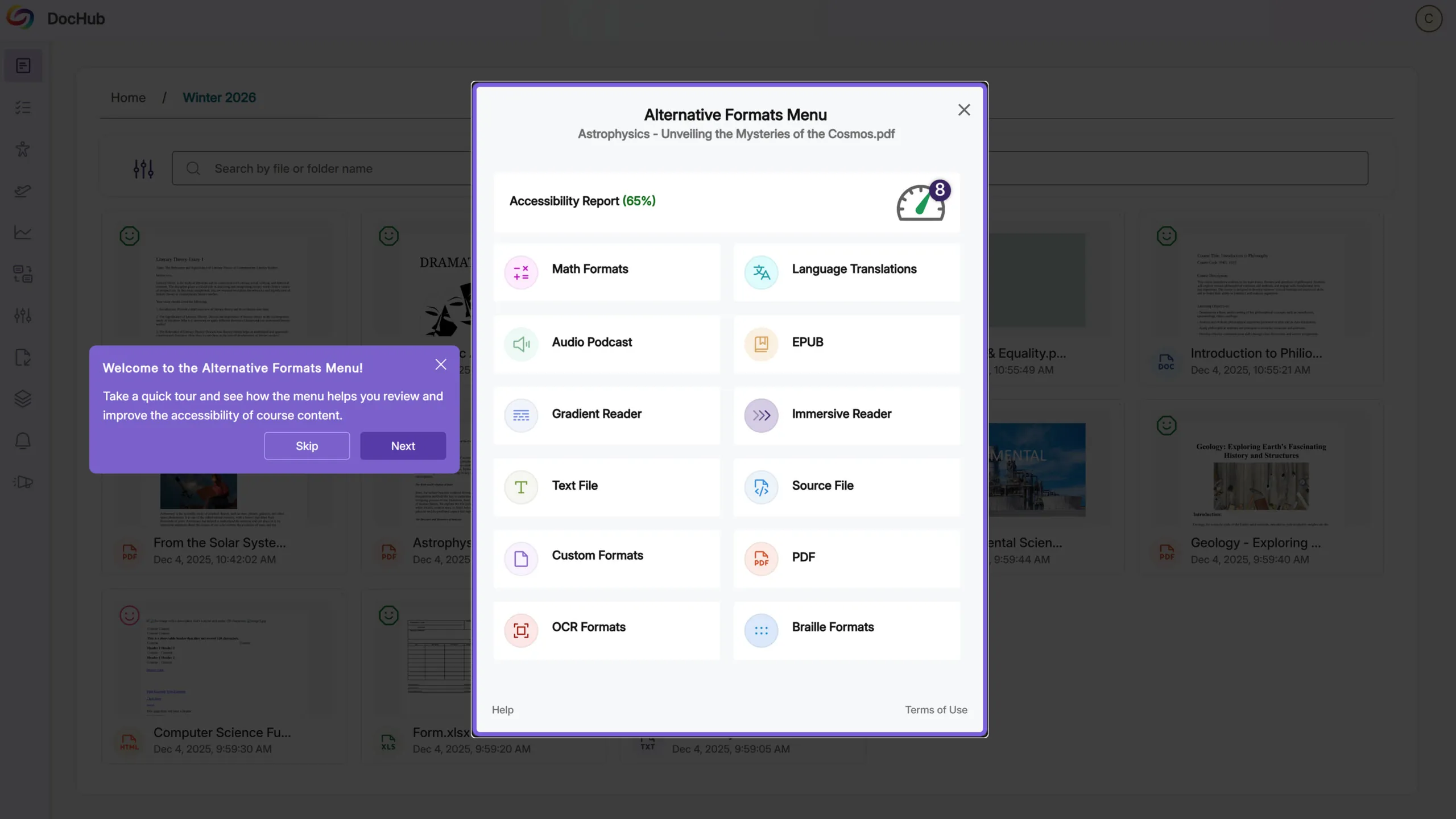
First-time users now get a guided walkthrough across Alternative Formats, the Accessibility Report, and Structural Remediation Max, helping them quickly familiarize themselves with each interface. Banners, overlays, and prompts highlight key actions and navigation points, while admins can enable default settings to display guidance after course scanning. This update improves usability, accelerates onboarding, and boosts adoption and confidence with our accessibility tools.
Get Help Instantly with the New Support Modal
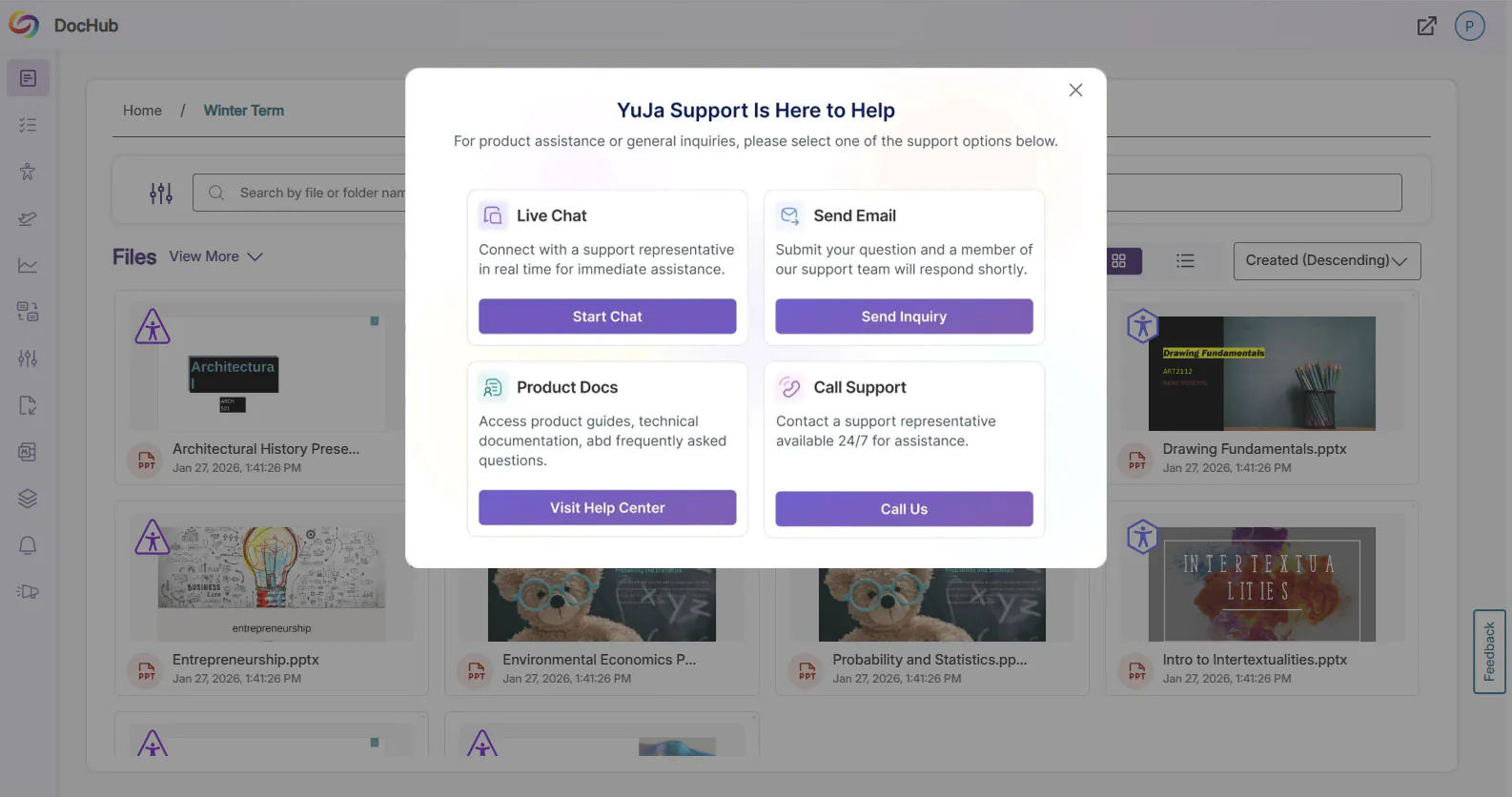
The support experience has been redesigned to make it faster and easier for instructors and admins to get assistance. Clicking Support now opens a modal with tailored options: Live Chat, Call Support, Contact Form, and Product Docs. This streamlined modal centralizes support actions, giving users faster, more intuitive access to help when they need it.
Expanded Accessibility Coverage for Moodle Lesson Pages
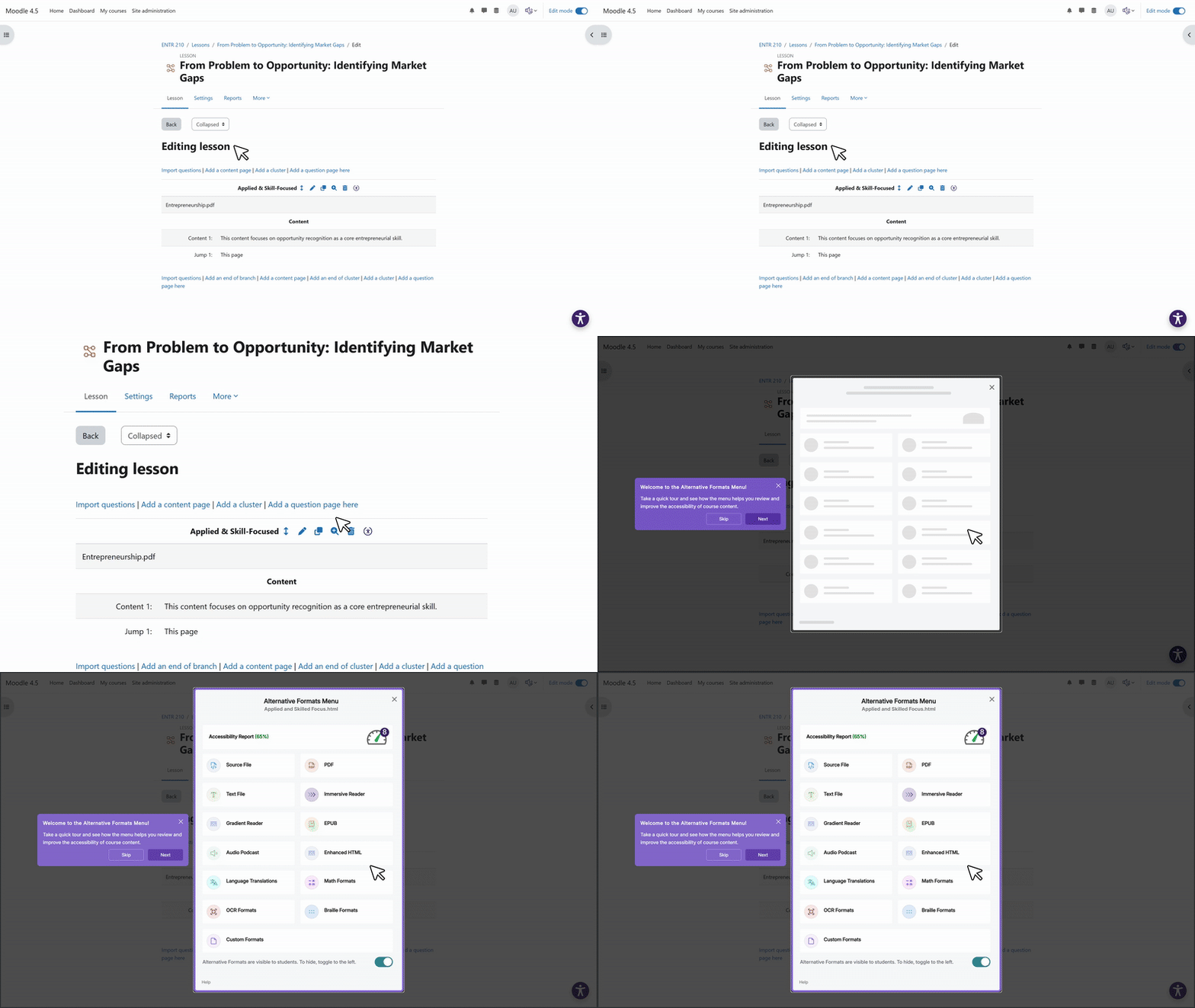
YuJa Panorama now scans additional Moodle lesson content pages, generating full accessibility reports and providing alternative formats. When lesson content is remediated through Panorama, the updated, accessible version can now replace the original content, ensuring fixes are reflected directly in the course without manual rework.
Share Accessible DocHub Folders Instantly for Seamless Collaboration
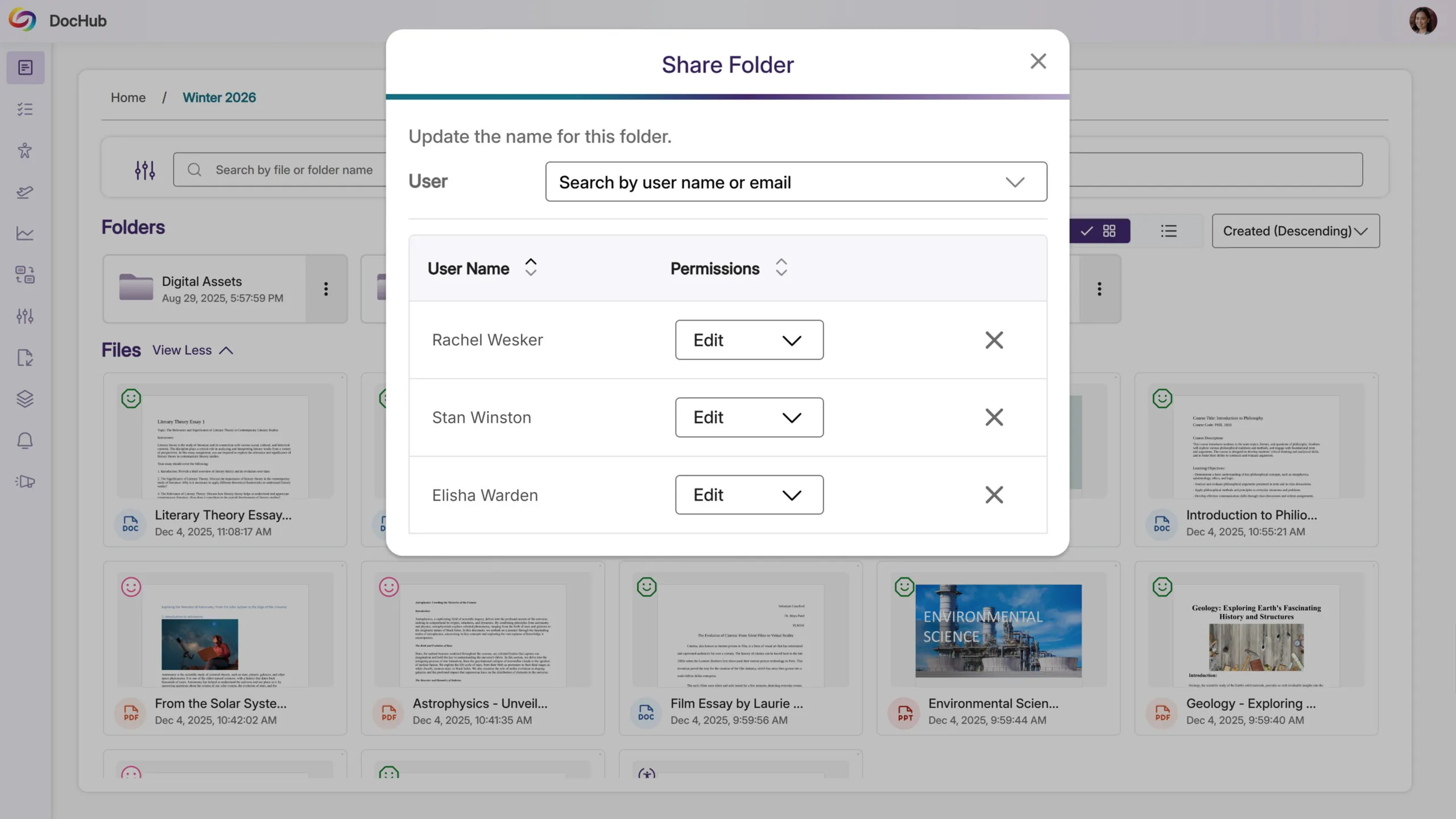
Instructors can now share Accessible DocHub folders, making it simple to distribute multiple documents at once. This streamlines workflows, saves time, and ensures course materials are easily accessible wherever they’re needed, helping teams collaborate more efficiently and maintain accessibility compliance.
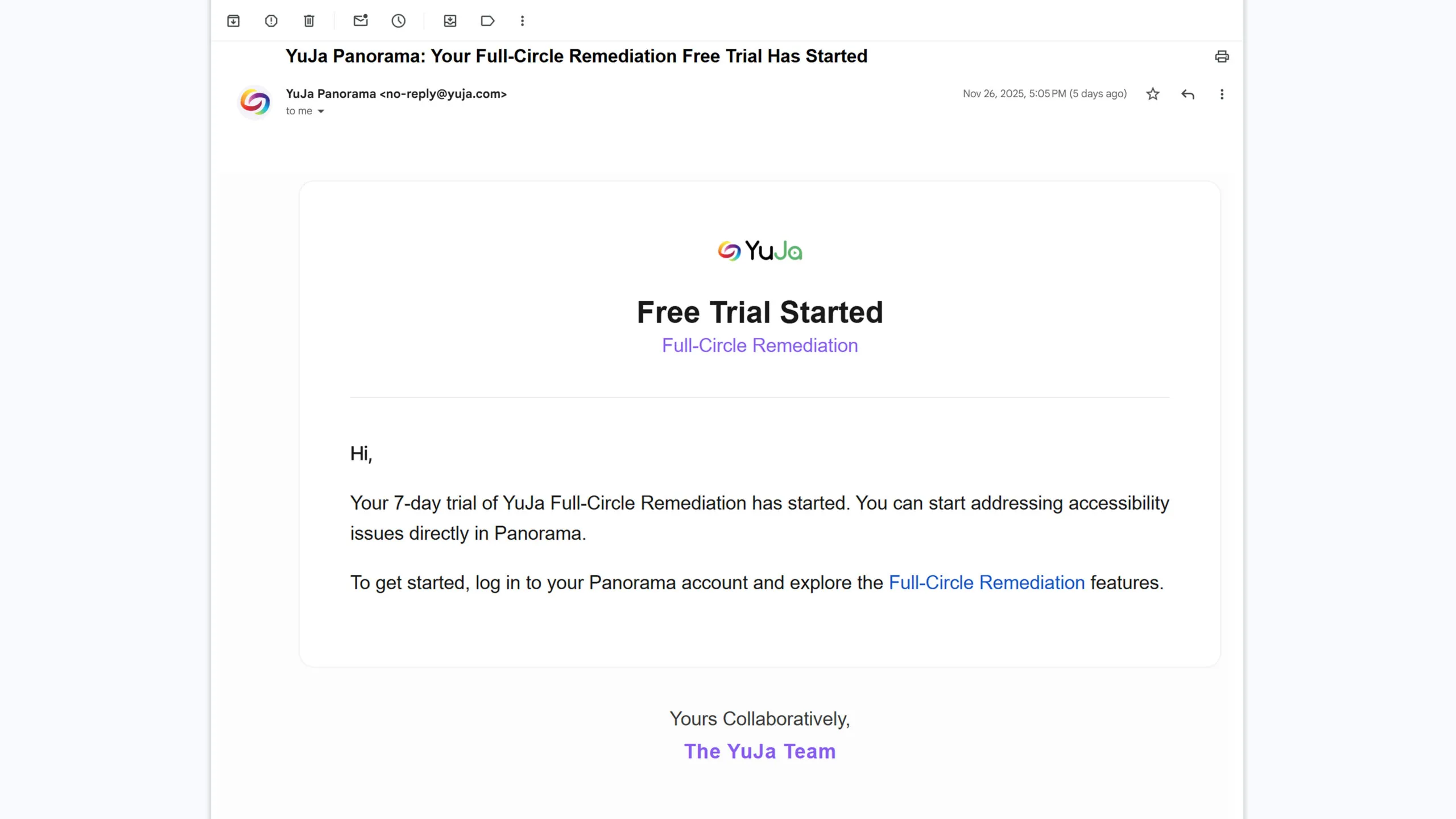
Free Trial: See How the YuJa Full-Circle Inline Remediation Module Speeds Up Accessibility Compliance
Users can now start a free trial of the YuJa Full-Circle Inline Remediation Module to experience how inline fixes and guided remediation workflows reduce content remediation time by 95%+. By resolving accessibility issues directly within documents, institutions can eliminate manual rework, accelerate compliance efforts, and scale remediation across large volumes of content with far less effort before committing.
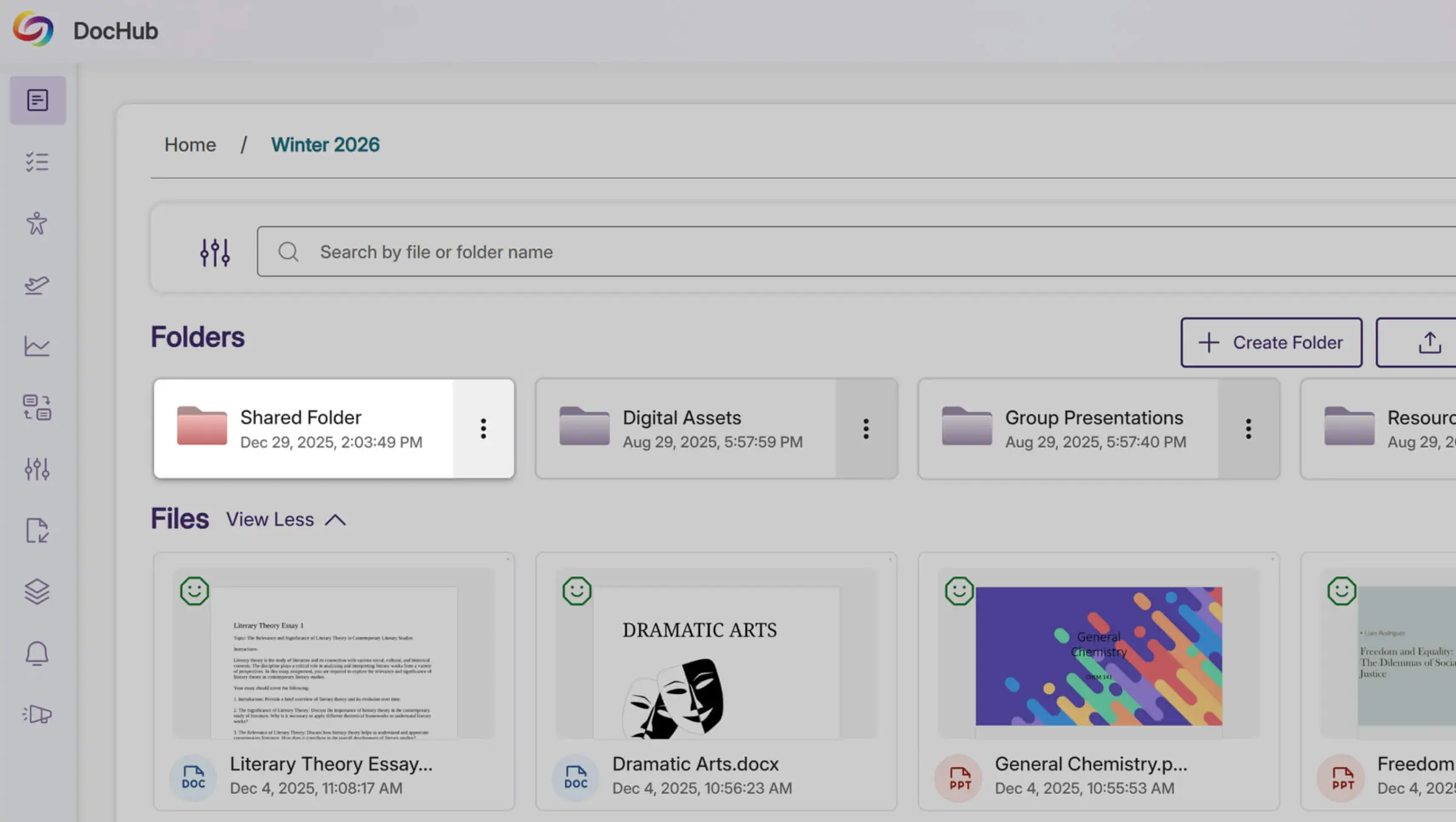
Centralize Course Materials with a Default DocHub Folder
Admins can now upload content into a default DocHub folder accessible to all instructors. This creates a centralized, organized location for important documents, reducing reliance on external tools like Google Drive and making it easier for instructors to find and use shared course materials efficiently.
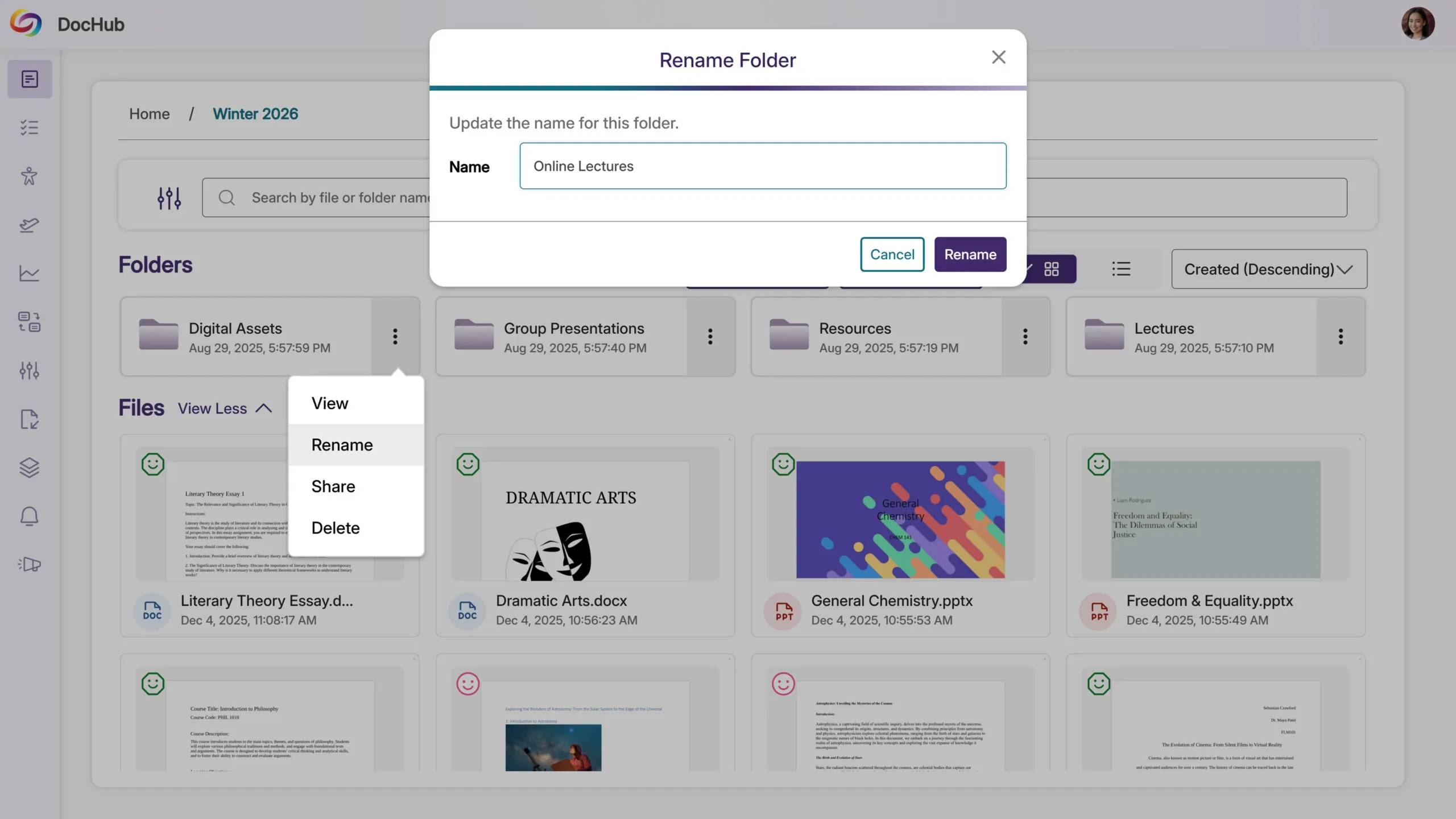
Added Support to Rename DocHub Folders for Better Organization
Users can now change DocHub folder names after they’ve been created. This allows instructors and admins to keep folders organized, update naming conventions, and ensure content is easy to find as courses and materials evolve over time.
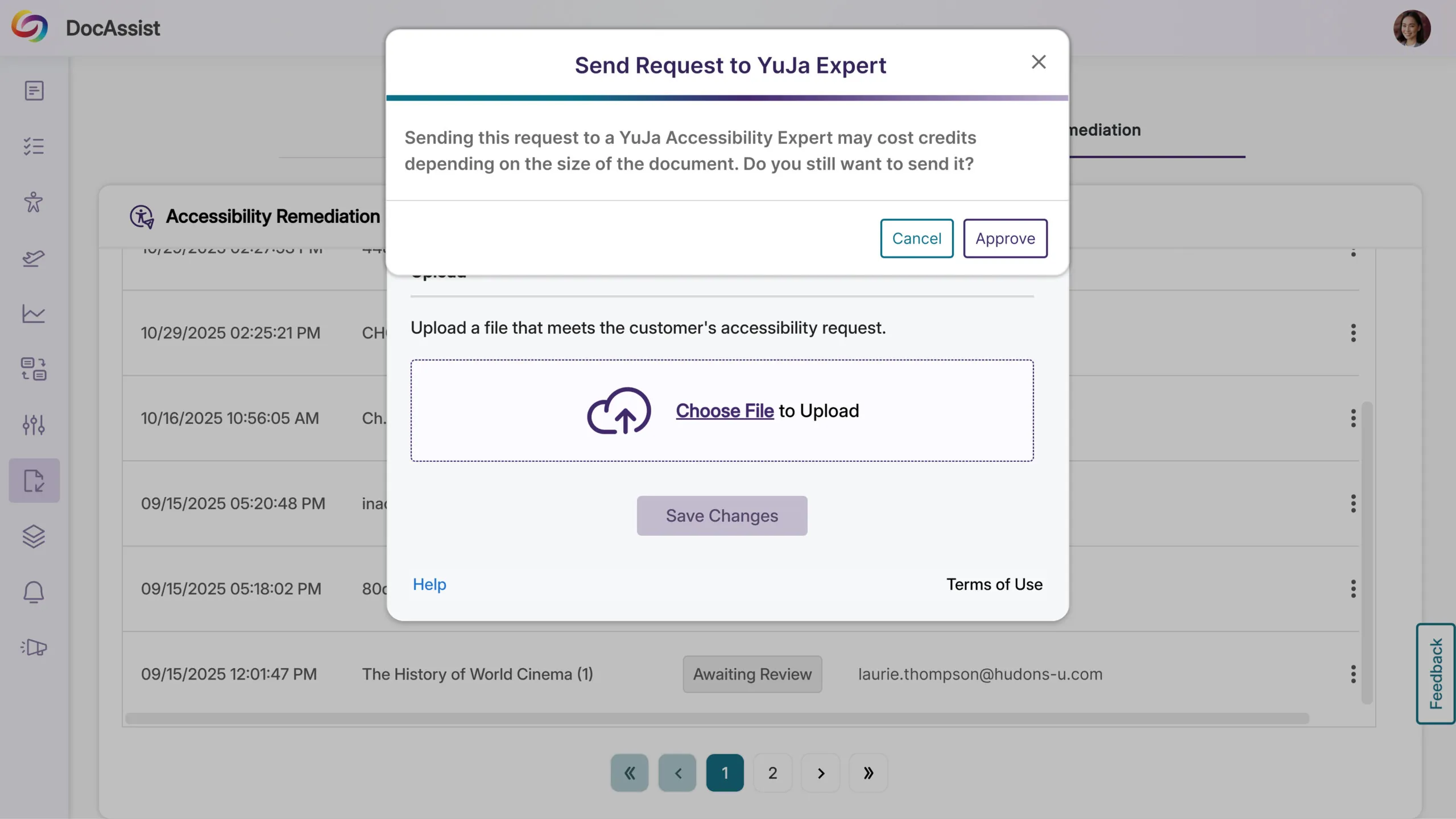
Rolling out over the next few weeks, new updates to the YuJa DocAssist Accessibility Module allow admins to review and approve instructor requests, helping institutions maintain workflow oversight, prevent misuse, and better manage accessibility remediation spending.
Approve DocAssist Requests to Optimize Spending and Workflow
Administrators can now review and approve instructor requests for the YuJa DocAssist Accessibility Module before they are sent to YuJa. This ensures requests are intentional, prevents misuse, and helps optimize spending, especially for page-based remediation, while keeping workflows efficient and under institutional control.
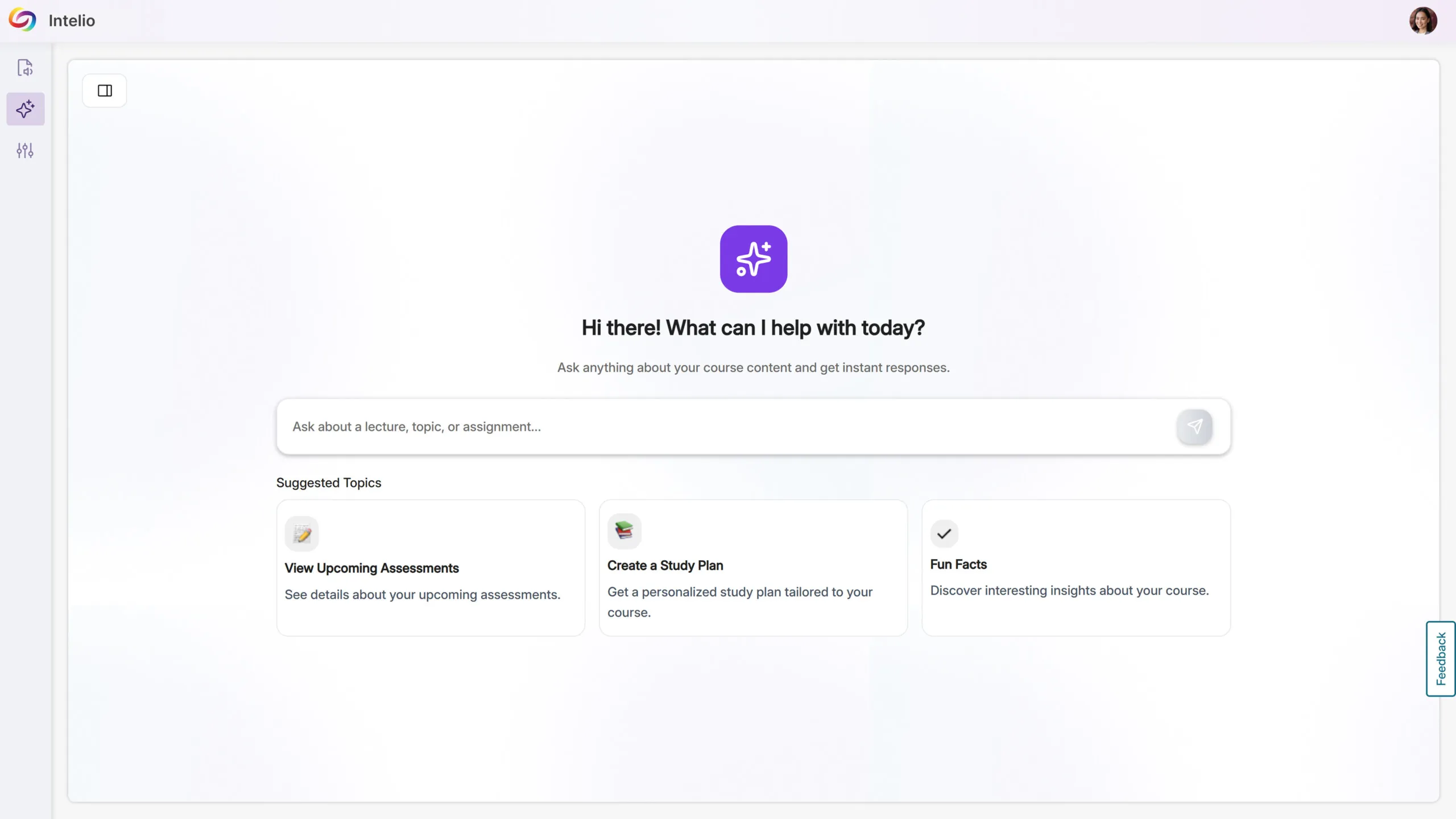
The YuJa AccessNotes Note-Taking Platform is now the YuJa Intellio AI Knowledge Assistant, reflecting an expanded focus beyond note-taking to a personal, AI-powered student assistant that delivers instant, course-specific guidance, supports ongoing conversations, and centralizes course content for a more seamless learning experience.
YuJa Intellio AI: Your Personal Knowledge Assistant
Intellio AI transforms course content into an interactive, AI-powered study assistant, helping students stay organized, informed, and supported throughout their courses. Accessible from the sidebar, students can ask course-specific or general questions and revisit previous conversations for continuous guidance.
Key benefits include:
Instant, Personalized Support: Students get immediate answers about assignments, quizzes, deadlines, and announcements, keeping them on track without searching through course materials.
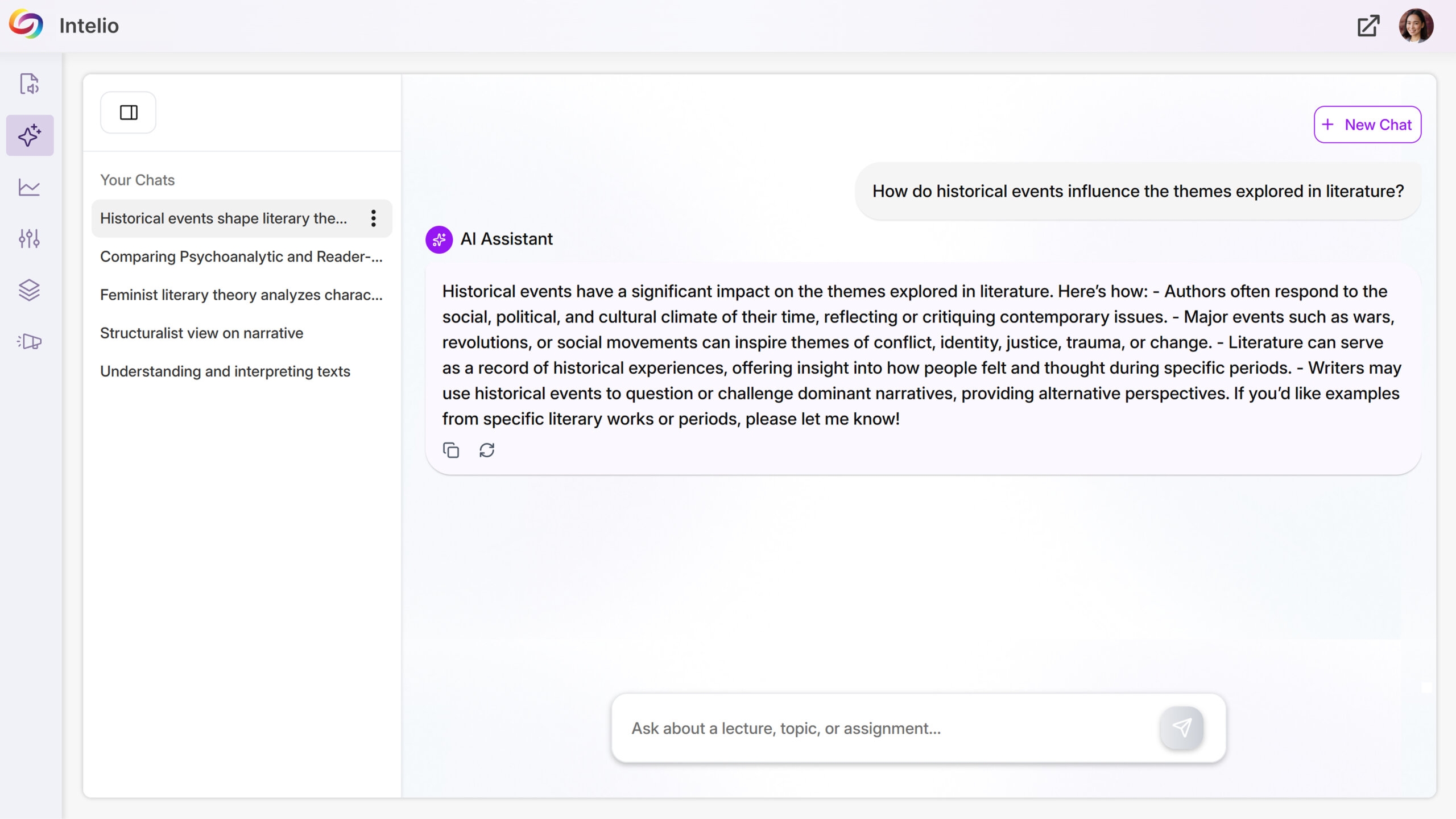
Seamless Study Experience: New chats can be created while older conversations remain accessible, allowing students to manage multiple questions and study sessions efficiently.
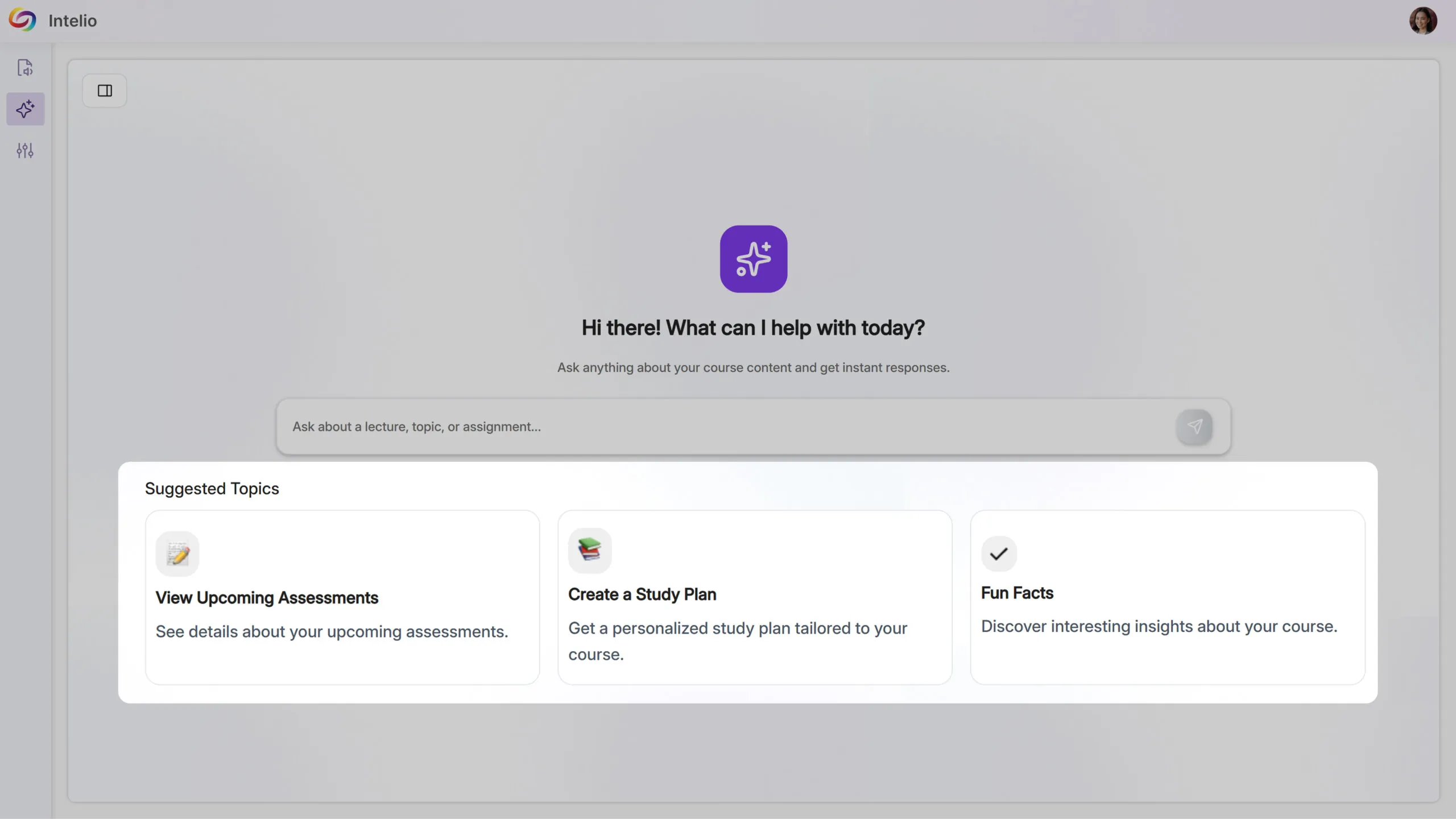
Centralized Course Guidance: Intellio AI provides one place for students to explore course content, reducing confusion and making learning more intuitive and efficient.
Over the next several weeks, we’re rolling out updates across all YuJa Panorama LMS Accessibility Platform instances. This release will introduce AI-powered alternative text suggestions for documents, enhanced PDF remediation, expanded accessibility checks for PDFs, automatic course scanning for Blackboard, and more.
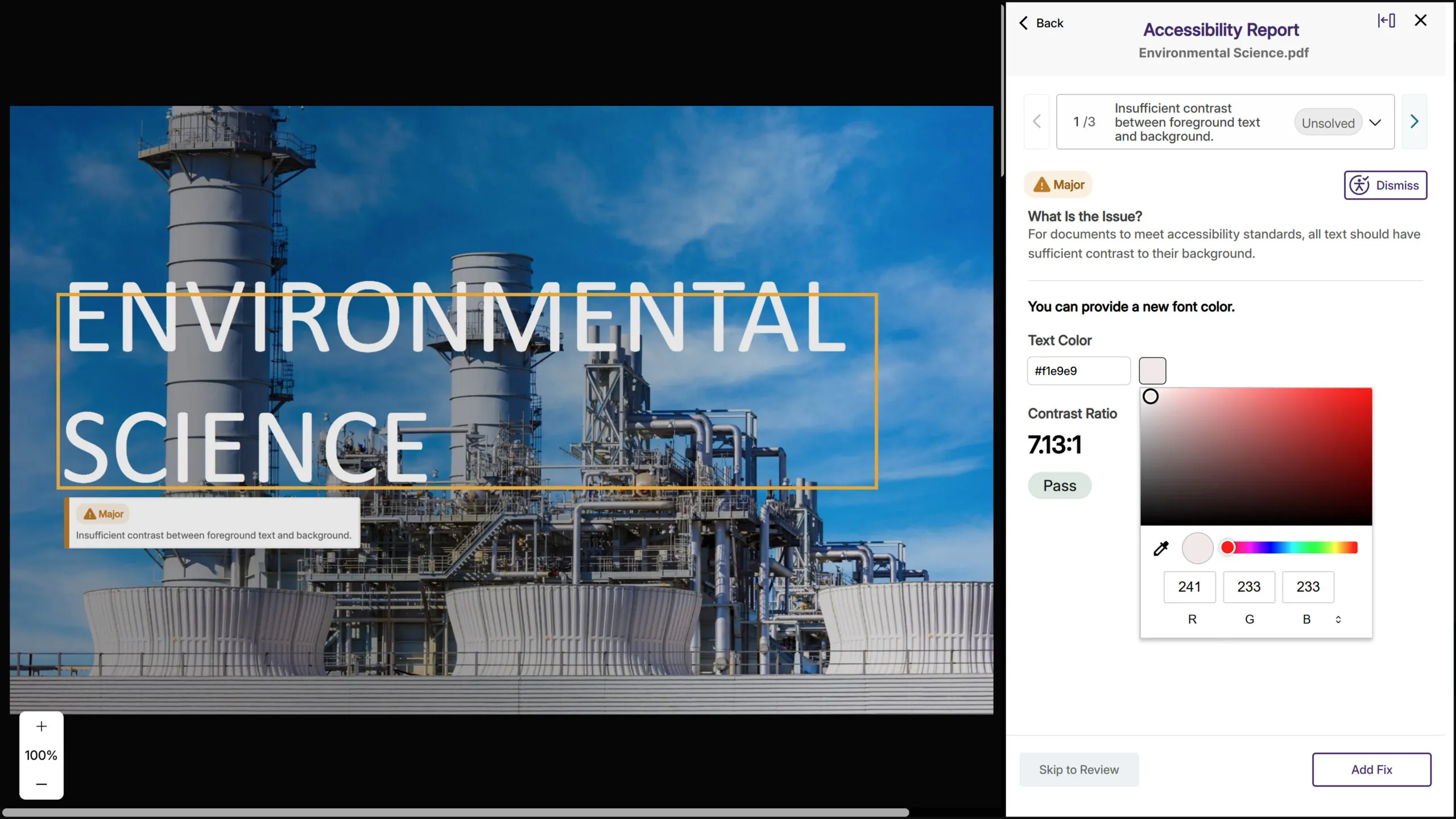
AI-Based Color Contract Issue Remediation for PDFs While Maintaining Layout and Structural Fidelity
Following significant advancements during its beta period, YuJa Panorama now provides fully supported and highly reliable color contrast remediation directly inside PDF files. The upgraded engine can intelligently adjust colors within the PDF content itself, while maintaining layout, typography, and structural fidelity. This allows YuJa Panorama to correct contrast issues at the source without disrupting formatting or requiring any external editing tools. The result is a smoother, more automated, and consistently accurate remediation experience across nearly every PDF scenario.
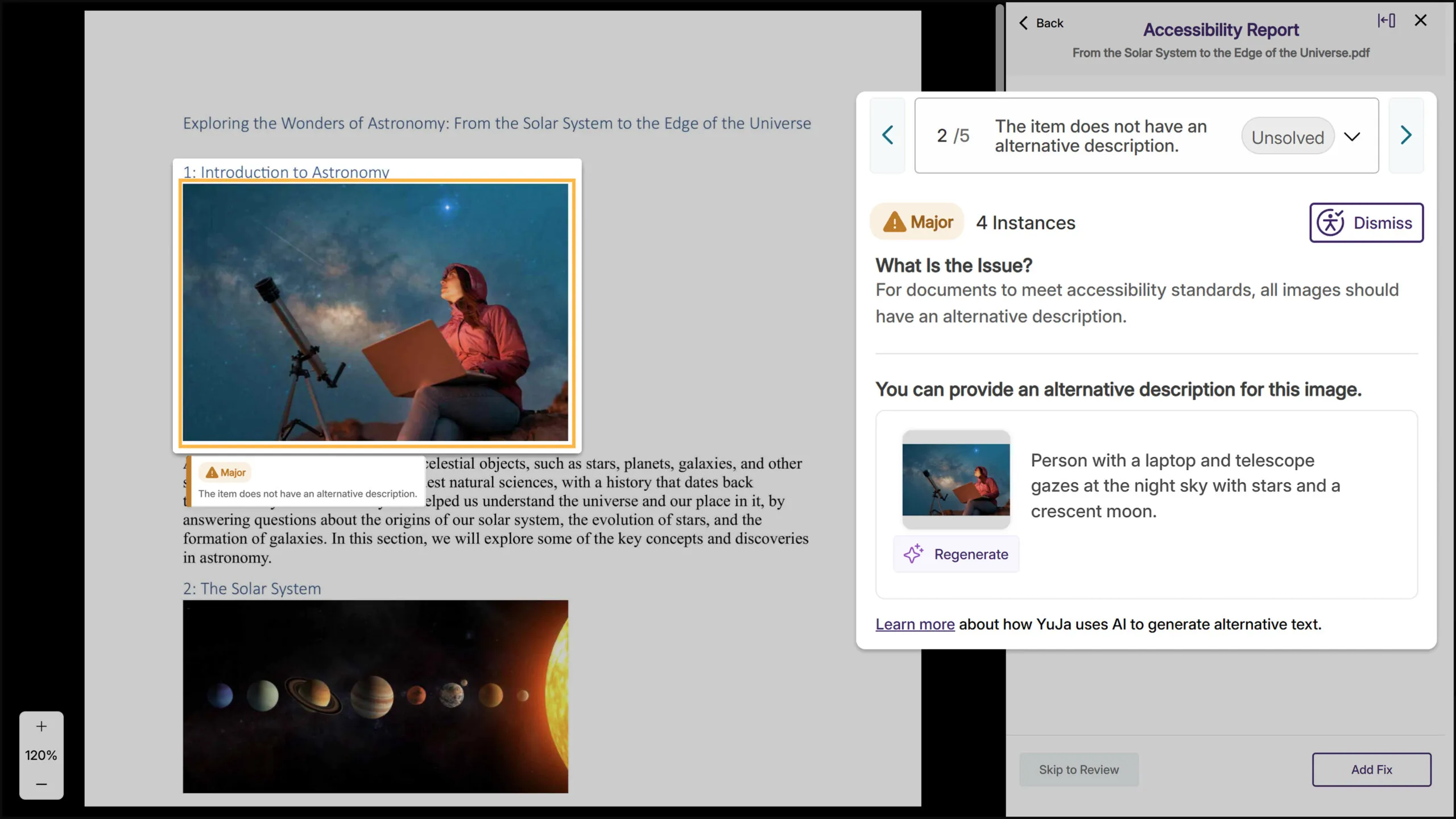
AI-Generated Alt Text Suggestions Speed Up Image Remediation Across All Major Document Formats
YuJa Panorama will now generate alternative text suggestions for images across all document types, including PDF, Word, PowerPoint, Excel, and HTML. When you encounter a missing image description, click “Suggest Alternative Text” to get an AI-powered starting point, then refine it as needed. This reduces the time spent writing alt text from scratch while keeping instructors in control of the final description.
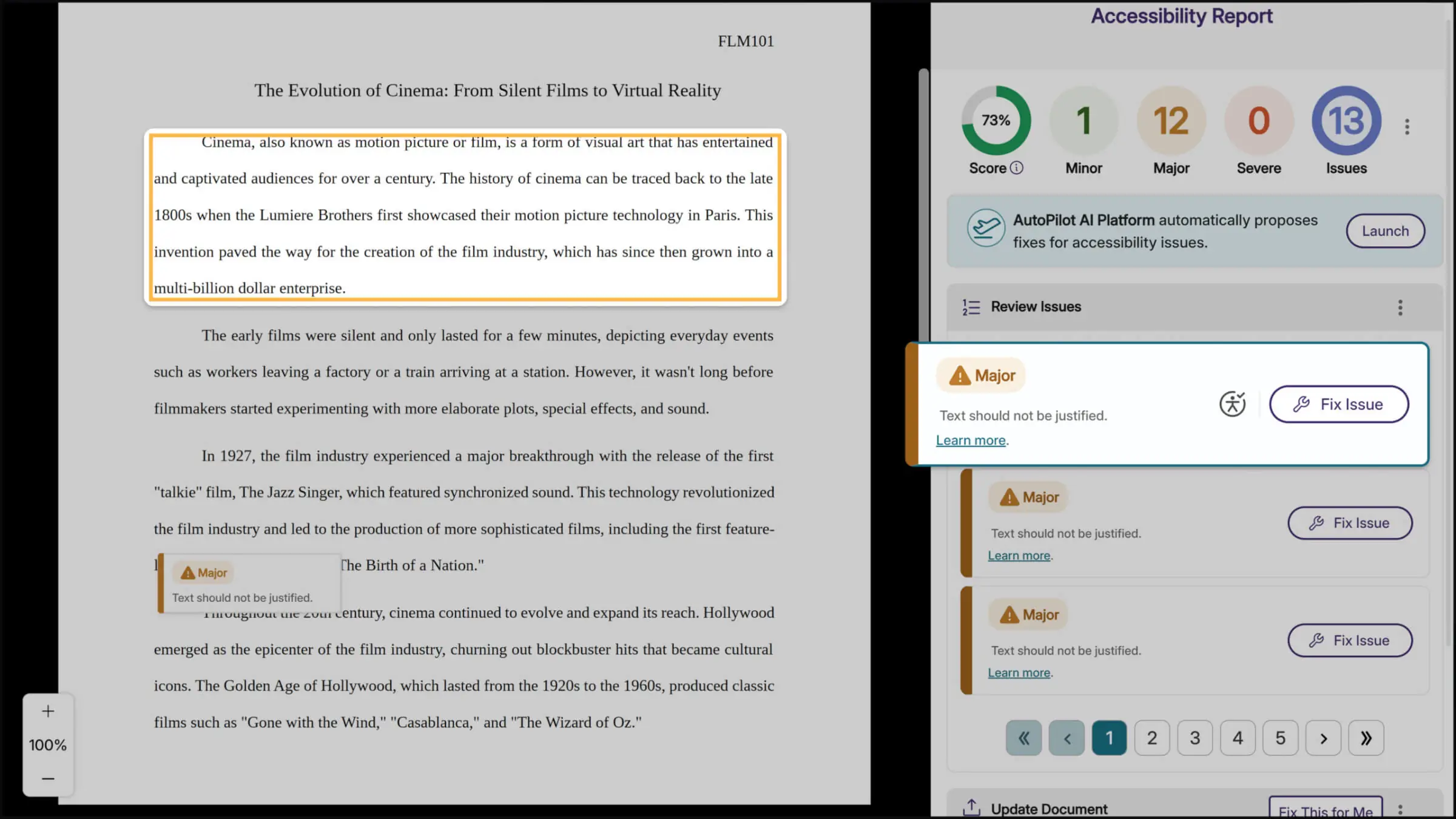
Improved, Context-Aware Highlighting of Accessibility Issues Directly on the Document
Accessibility previews now benefit from a more advanced matching approach that interprets document structure with greater resilience to format changes. The upgraded system aligns visual regions in a more context-aware way, producing bounding boxes that track the true location of issues far more reliably. As a result, accessibility problems are easier to pinpoint even in documents that undergo heavy format transformations.
Faster Accessibility Report Loading for Large PDFs
Large PDF files will load significantly faster in the accessibility report, reducing wait times when reviewing documents with extensive content or numerous accessibility issues. This performance improvement will help you work more efficiently without affecting alternative format generation or issue remediation.
Expanded Dismissal Options for Accessibility Issues
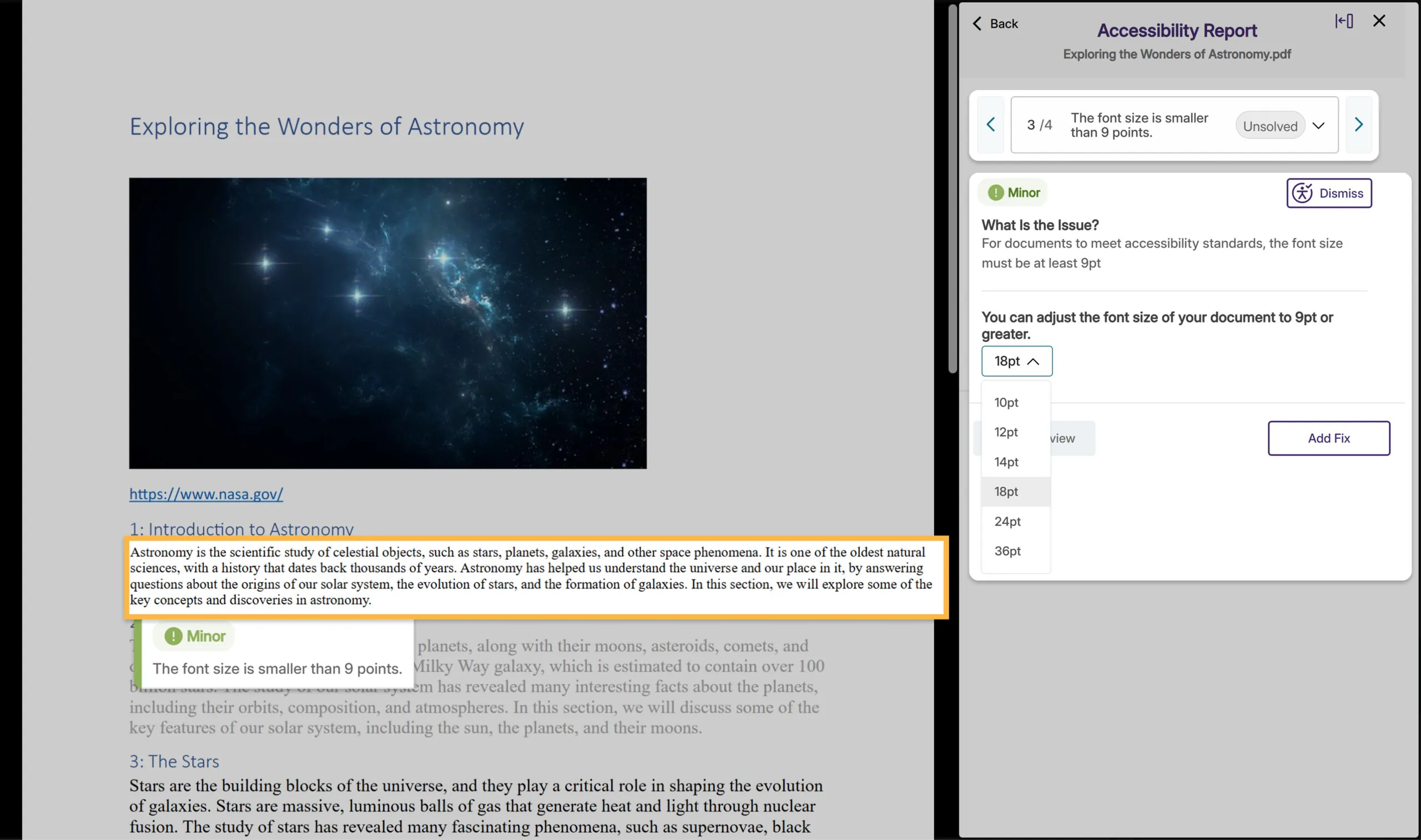
Instructors will now be able to dismiss a broader range of accessibility issues directly from the report for greater control over the remediation process. Previously, only certain issues could be dismissed, whereas now, nearly all issues will include the dismissal option, making it easier to skip remediation when an issue doesn’t apply to specific content.

Automatic Course Scanning for Blackboard
Blackboard administrators can now enable automatic scanning for new courses, eliminating the previous requirement for users to manually visit each course with the browser extension before YuJa Panorama could analyze it. This configurable feature will ensure comprehensive accessibility coverage across your institution by automatically detecting and scanning new courses, so you won’t miss courses that instructors or students haven’t yet accessed.
AutoPilot Metrics Added to Monthly Reports
Monthly usage reports will now include dedicated metrics for AutoPilot and Structural Remediation when these features are enabled at your institution. These new sections will help administrators track adoption and measure the impact of these remediation tools, while providing clearer visibility into how automated accessibility improvements support your compliance goals.

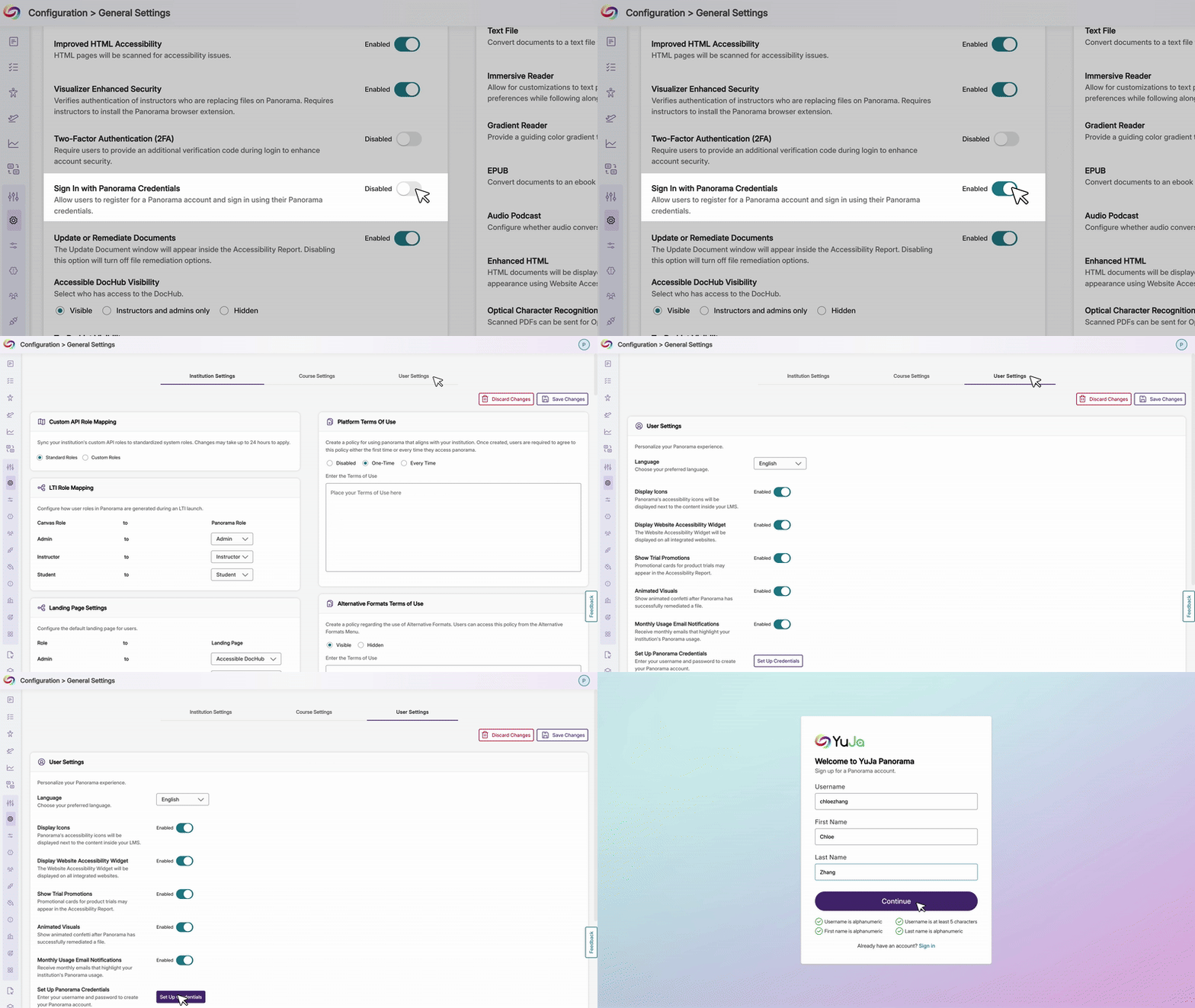
Enable Manual Login Credentials for LTI and SSO Users
Users who originally joined through LTI or SSO can now add manual YuJa Panorama credentials to their existing accounts when administrators allow it. Previously, manual credentials were limited to new account creation. With this enhancement, users gain greater flexibility to sign in directly through the Panorama portal outside the LMS or SSO flow, while administrators retain full control through the option to enable or disable manual credential setup.
New PDF Accessibility Checks Detect Table and List Structure Issues
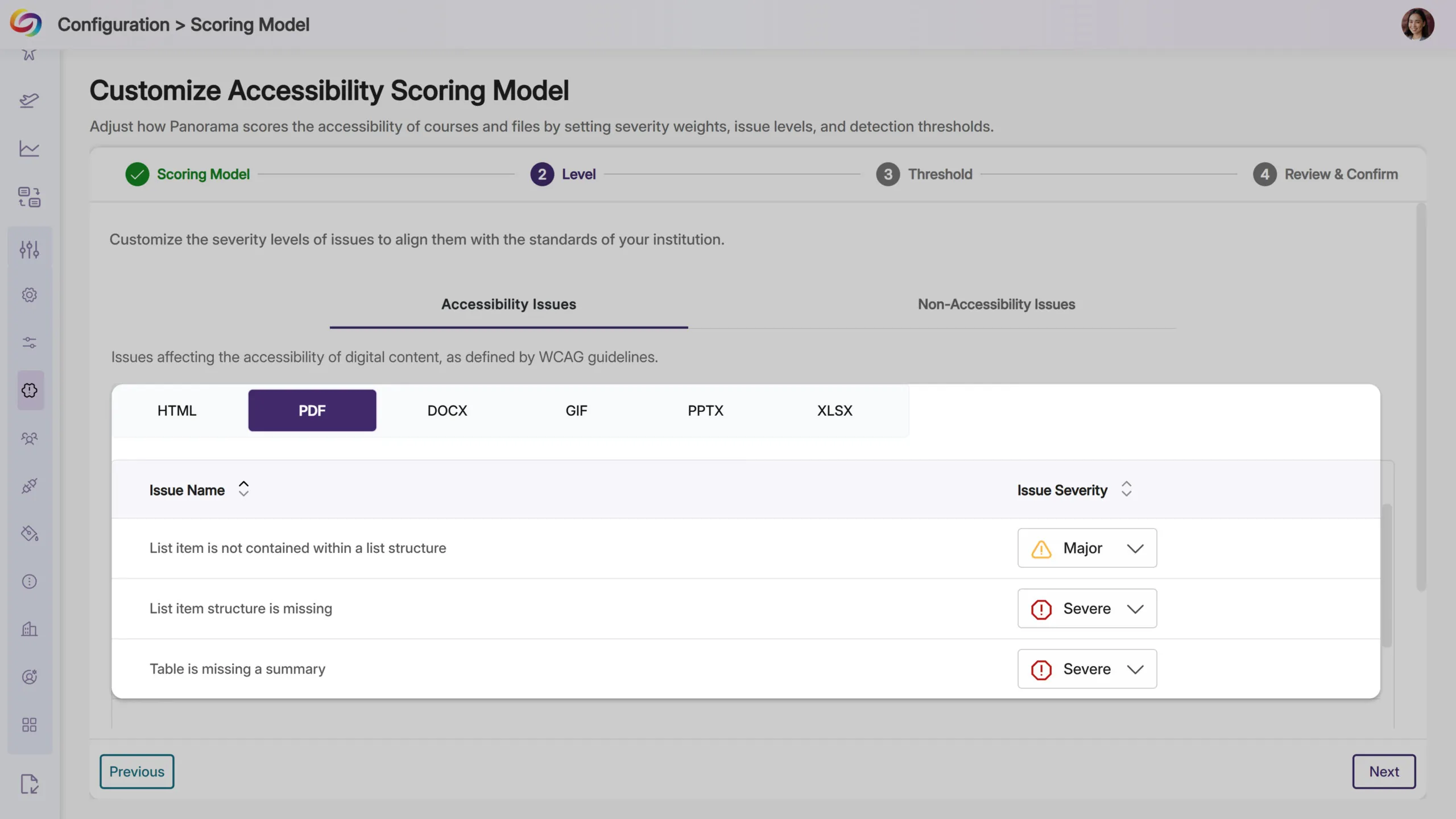
YuJa Panorama will now identify additional accessibility issues in PDF documents, including missing table summaries, list items outside proper list structures, and missing list item structure. These checks will help ensure PDF content meets accessibility standards for data tables and lists, making documents more navigable for screen reader users.
Link Text Accessibility Checks Will Be Expanded to PDF Files
YuJa Panorama will now detect link text issues in PDF documents, including empty links and non-descriptive hyperlink text, such as “click here” or “read more.” These checks help ensure all links provide meaningful context for screen reader users, extending accessibility coverage that was previously available only for other document types.

Refreshed Email Design Provides a Modernized Experience
All emails from Panorama, including registration, monthly usage reports, trial notifications, and course remediation updates, will now feature a modernized design that’s easier to read and navigate.

NPS Survey Timing Improved
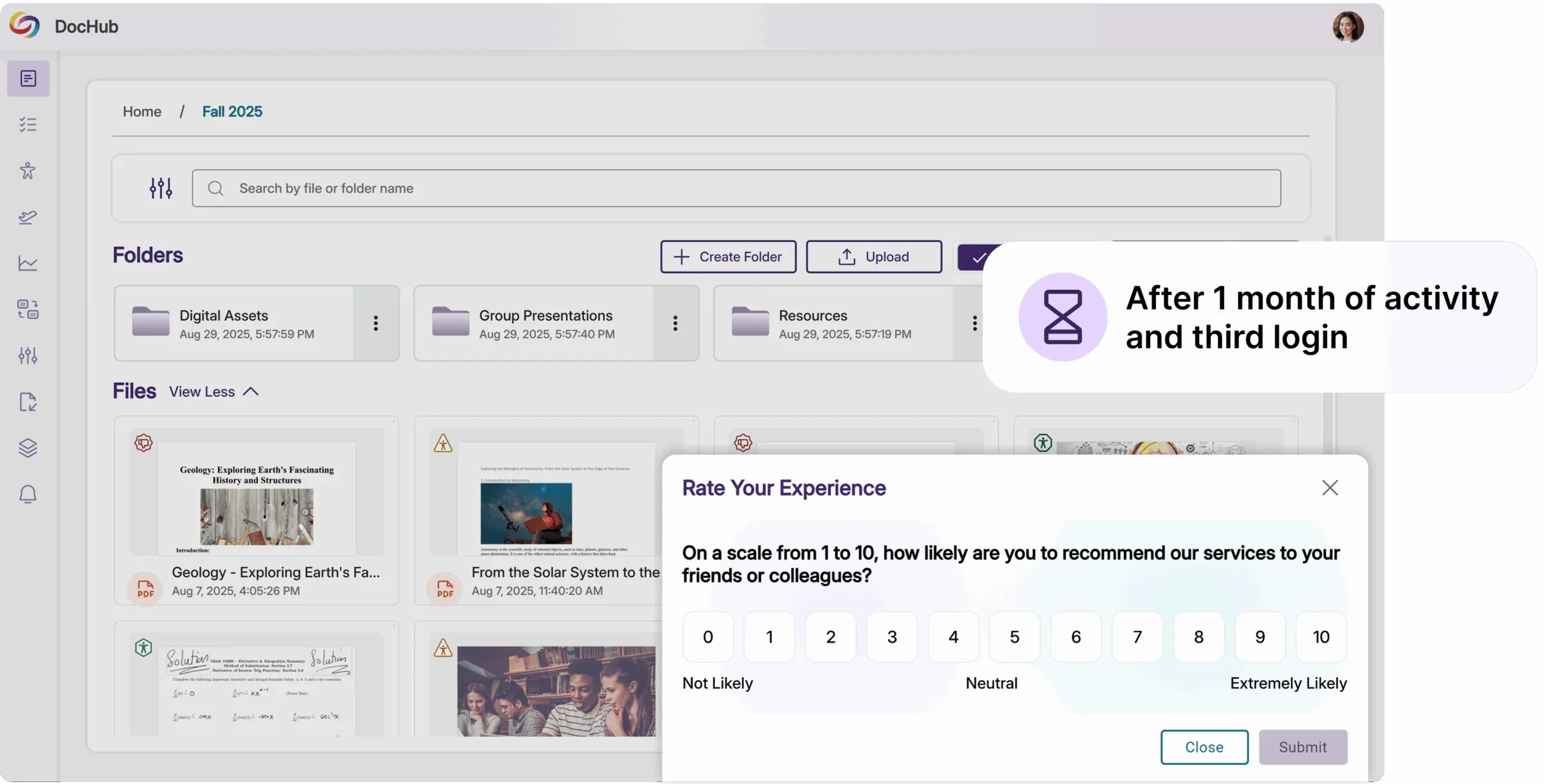
NPS surveys now appear after a user’s third login and one month of activity, ensuring feedback is based on meaningful platform experience rather than first impressions.
Join the 1,000+ Organizations Deploying High-Impact Solutions