Product Updates
Get the latest platform updates, features, and announcements—all in one place.
Attending EDUCAUSE? Join us for FREE food, drinks, and prizes!
RSVP Now

Get the latest platform updates, features, and announcements—all in one place.
YuJa Panorama AutoPilot v26.7.0 Release
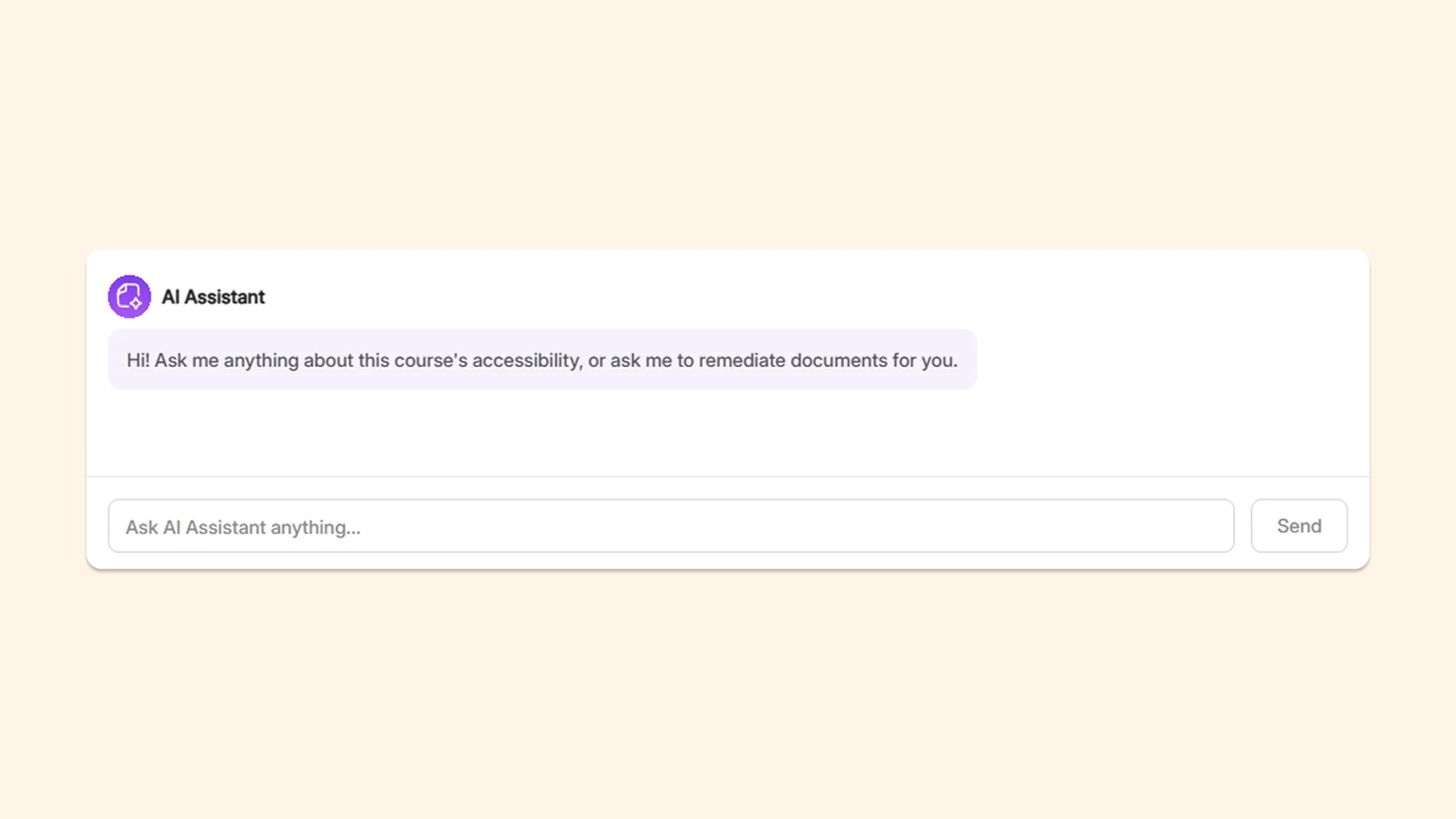
Over the next few weeks, YuJa AutoPilot is adding an AI assistant for automated course accessibility remediation and an AI assistant to help students better understand course materials.
Summarize reports, identify common issues, and automate course remediation with YuJa Panorama’s new YuJa AutoPilot AI Assistant
YuJa Panorama is introducing a brand new YuJa AutoPilot AI Assistant in the YuJa AutoPilot tab that helps administrators quickly identify and resolve accessibility issues automatically across course content using a conversational interface. Instead of manually navigating courses, folders, and documents to find and fix issues, users can simply ask the AI Assistant questions and request remediation directly.
The assistant automates time-consuming tasks for instructors and administrators with four primary functionalities:
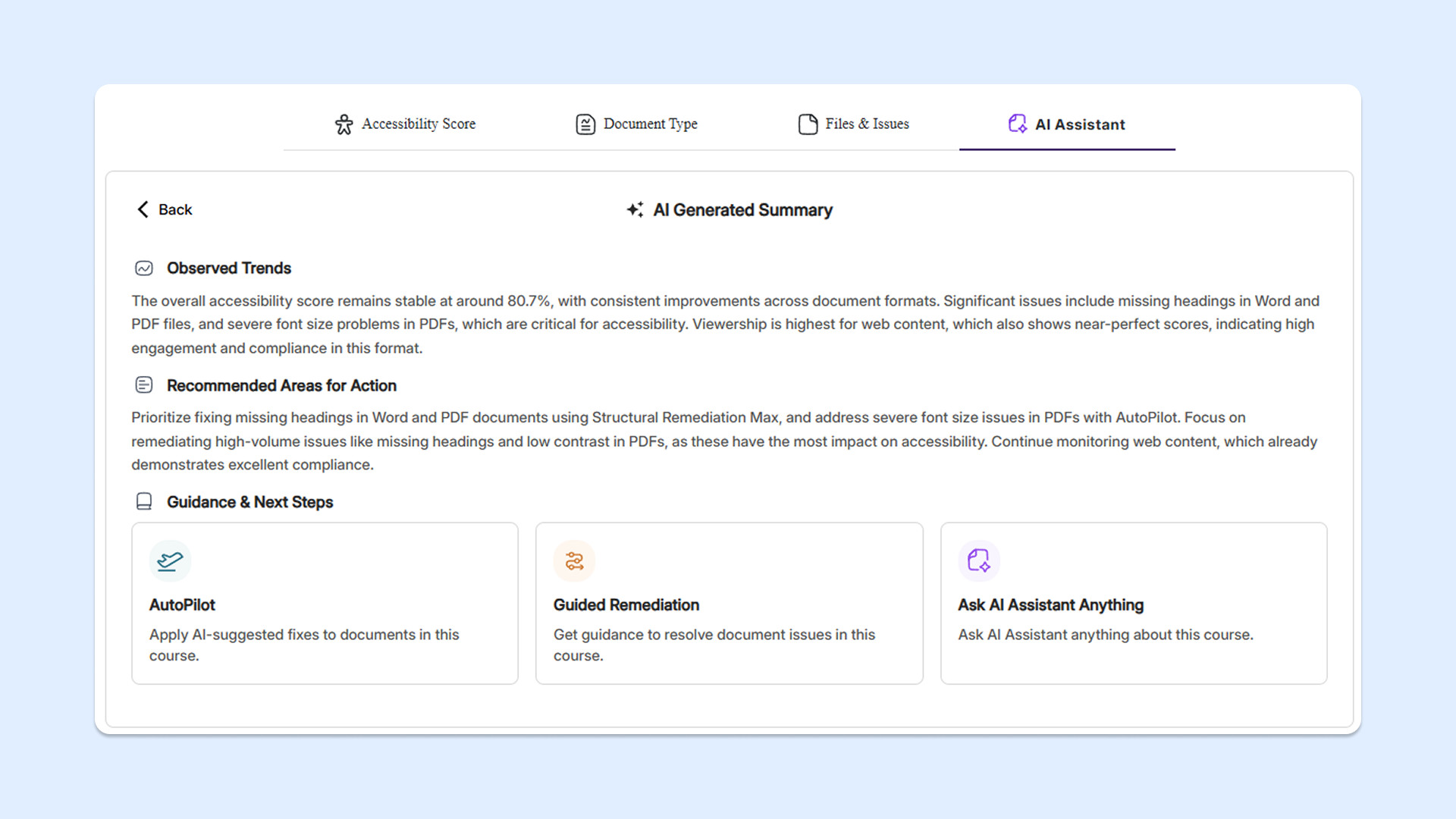
Summarize course report: The assistant will highlight trends in the course report, flag top issues, and provide recommended remediation steps for faculty to take.
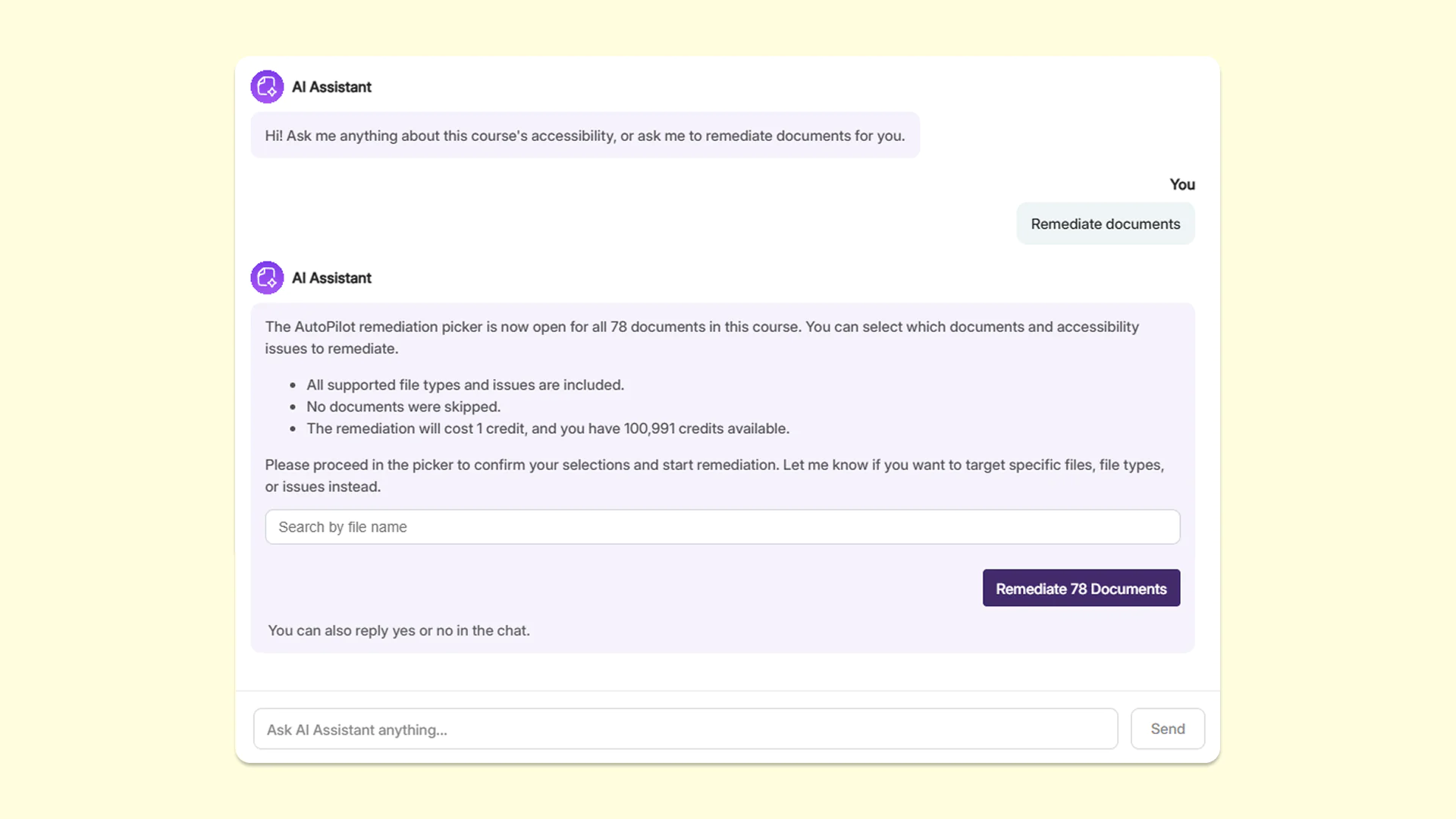
Remediate documents: The assistant will activate YuJa AutoPilot to automatically remediate accessibility issues across documents in the course.
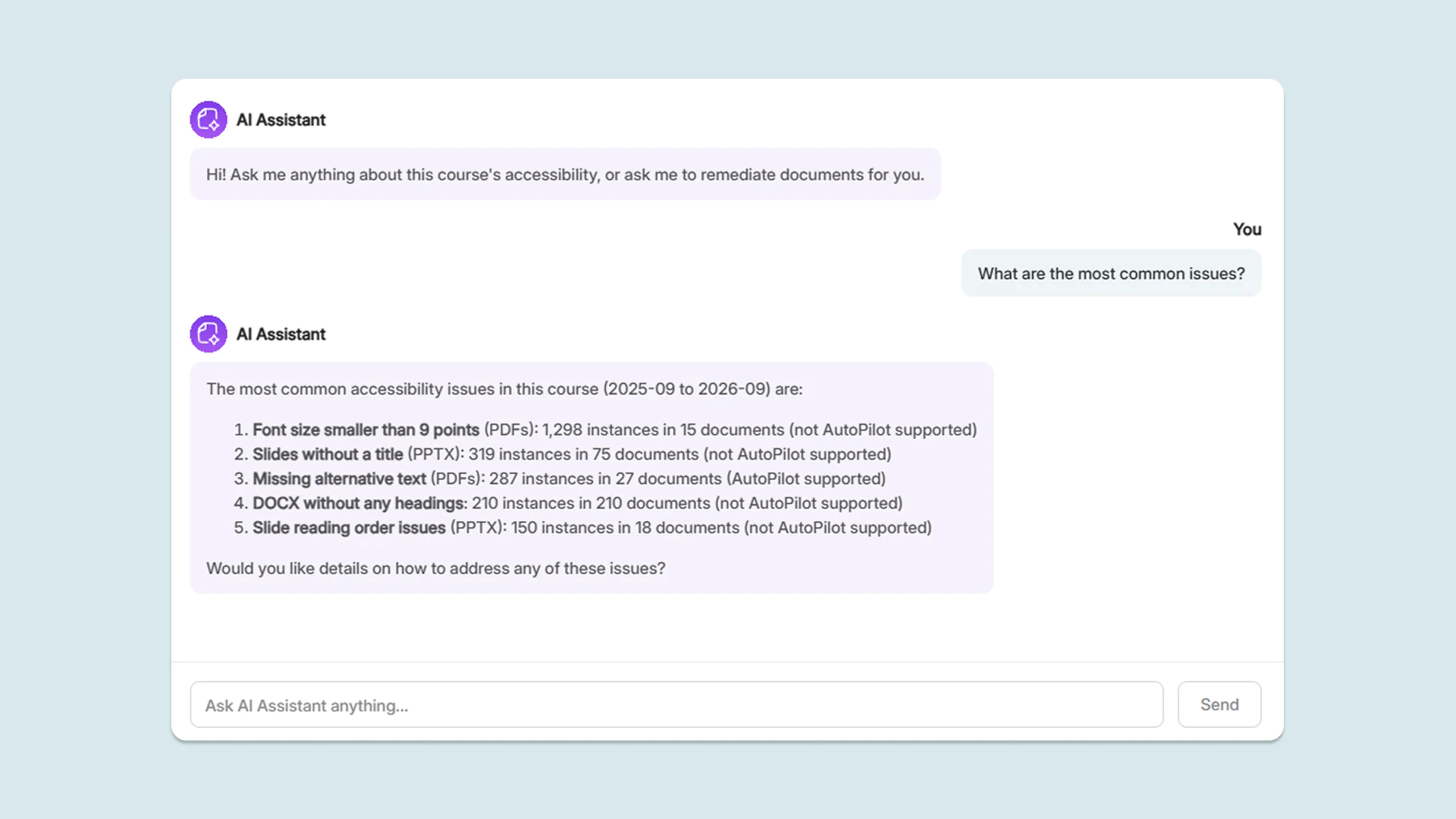
Identify most common issues: The assistant will find the most common accessibility issues in the course for faculty to resolve, helping them make high-impact remediation decisions.
Ask AI Assistant: The assistant will answer any other inquiries related to the course and its accessibility issues posed by the user in a conversational interface.
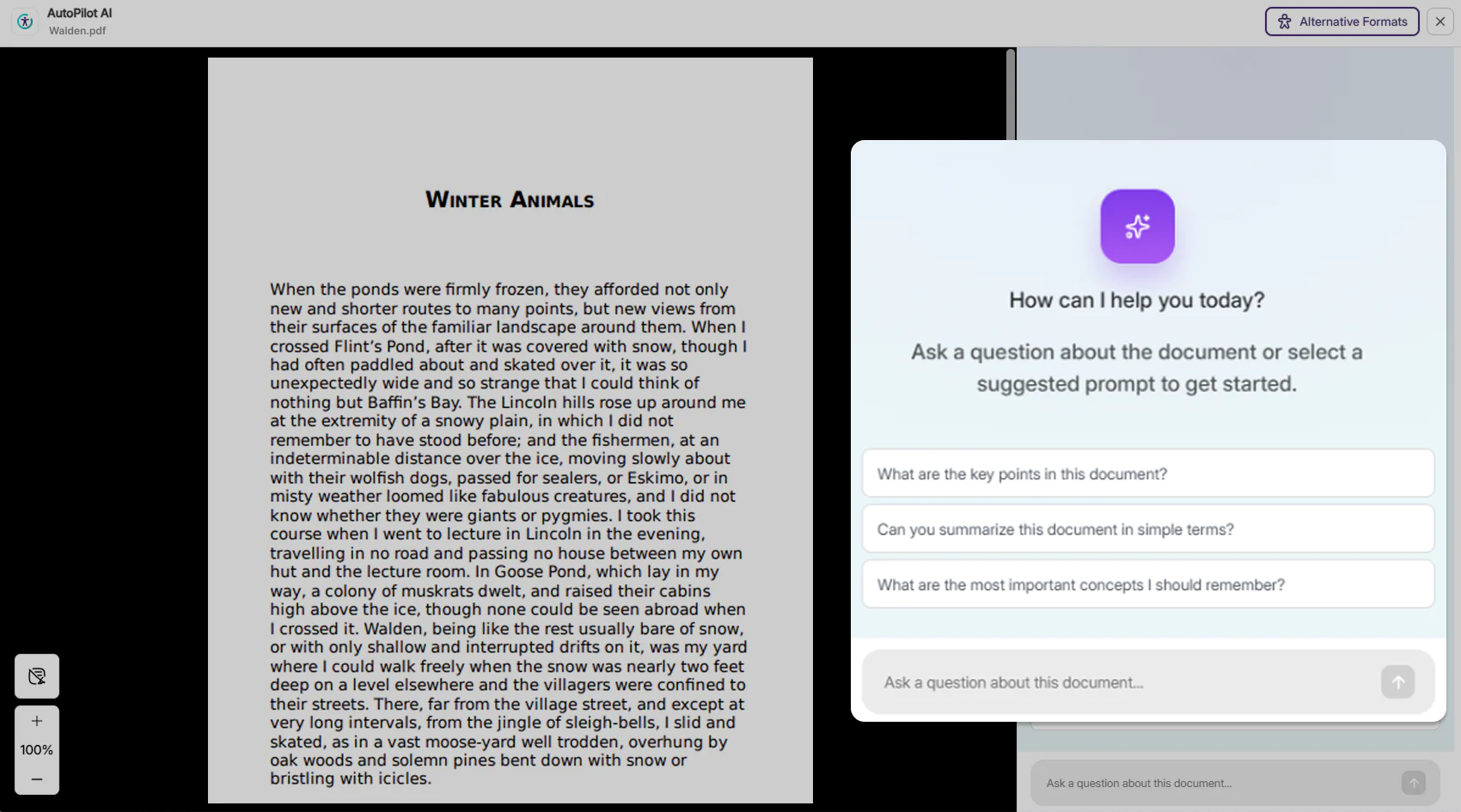
Get context-aware answers immediately with the new AI Assistant for students
Students can now ask questions about their course documents through a conversational AI-powered interaction assistant in YuJa Panorama. Embedded directly in the Alternative Formats menu, students can instantaneously receive context-aware answers grounded in the source material without needing to ask their instructors.
YuJa AutoPilot v26.6.0
Over the next few weeks, YuJa AutoPilot will be enhanced to allow users to run Bulk AutoPilot on their DocHub library and courses, helping them remediate specific issues across multiple documents and folders.
Automatically Remediate Documents At Once with Bulk AutoPilot for DocHub and Courses
Institutions can now automate multiple document remediations across selected documents or folders in their YuJa Panorama DocHub library, as well as across a selected course in a single batch using Bulk AutoPilot. Users can:
Remediate files from LMS courses or from DocHub: Users can run Bulk Remediation on documents across their LMS courses, or on specific files and folders in their DocHub library.
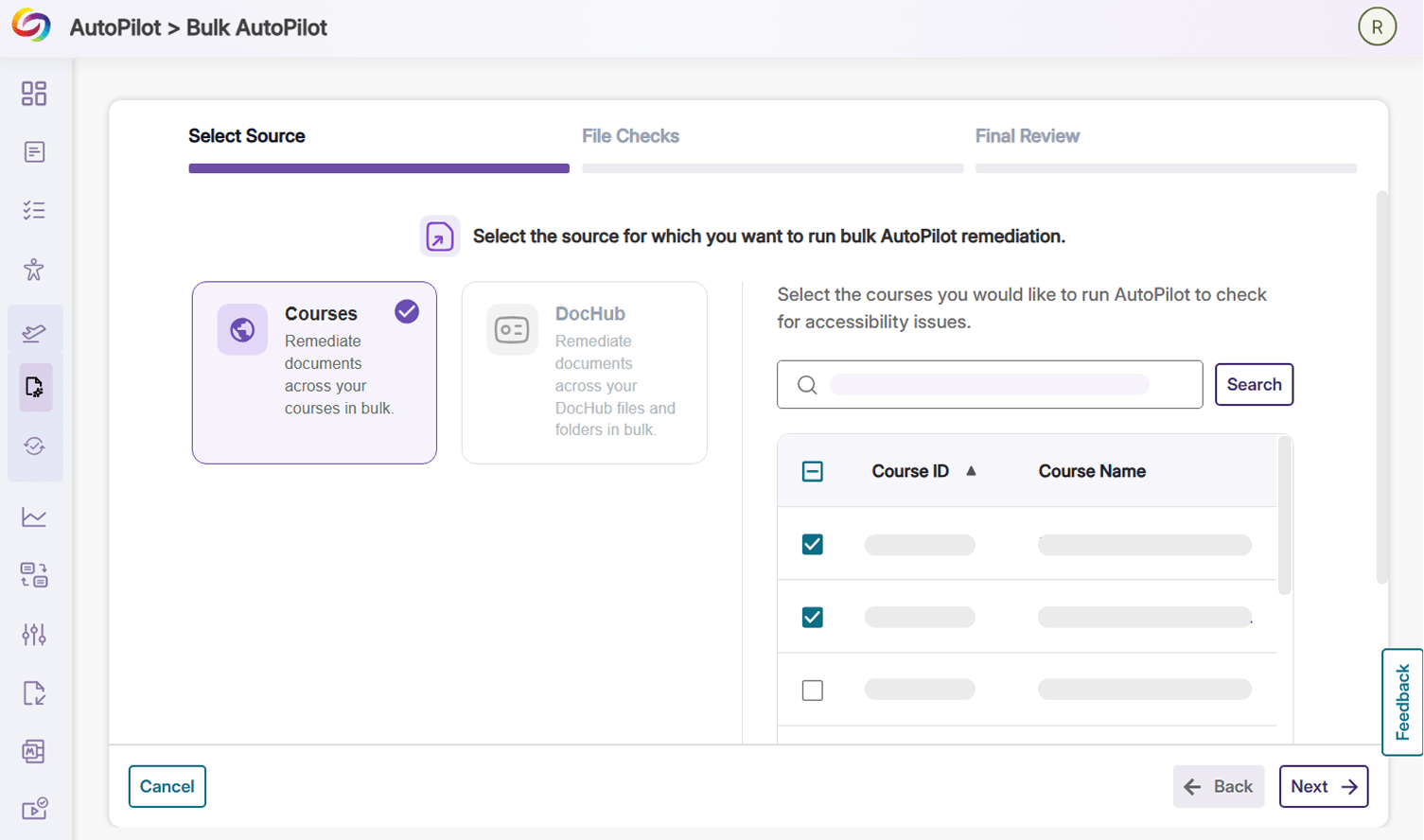
Choose targeted issues: Users can choose the type of issue that they want to target and remediate in bulk.
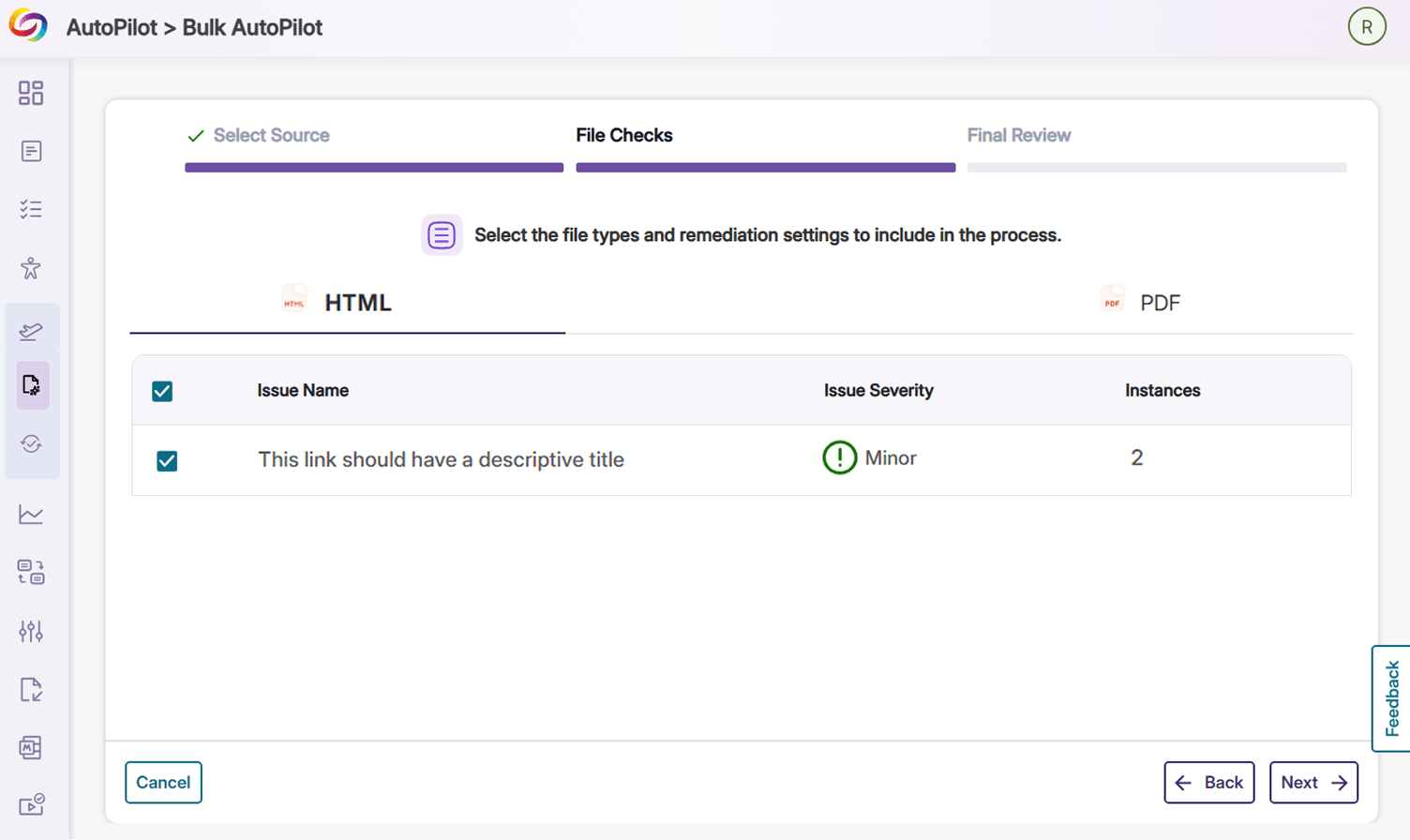
Review their choices: Users can review the total number of files that will be remediated, the course/DocHub folders that the documents will be fetched from, and their available credit balance that can be used.
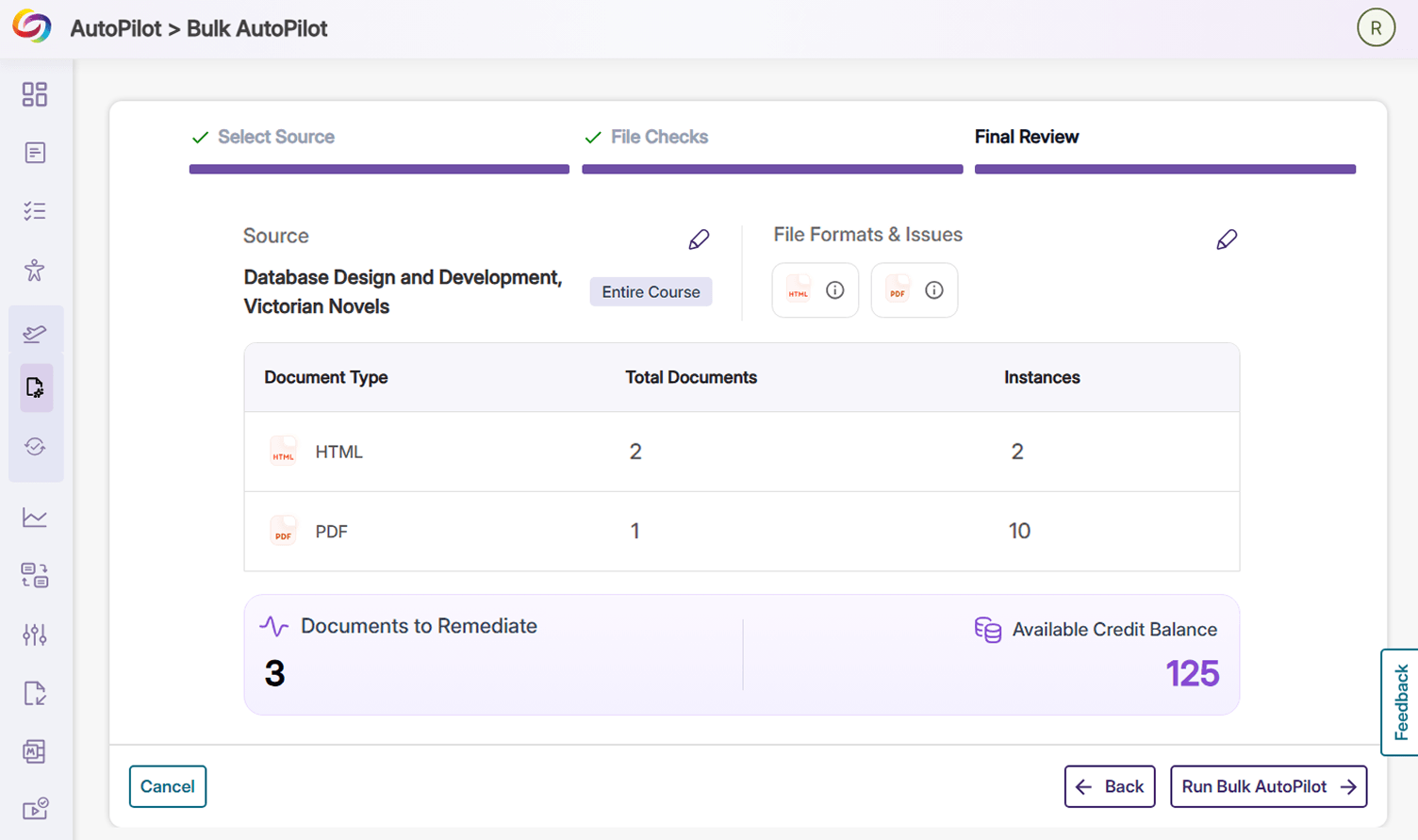
Over the next few weeks, YuJa AutoPilot will be improving its accessibility engine to increase the number of issues it can remediate and simplify the process of repairing scanned PDFs.
YuJa AutoPilot Now Provides Support for 20 New Accessibility Issues
YuJa AutoPilot now provides automated remediation for new accessibility issues in DOCX, PPTX, PDF, HTML, and XLSX documents. New issues that AutoPilot can resolve in these document types include: missing document titles, incorrectly set document language, undescriptive hyperlink text, and missing table captions. For a full list of accessibility issues that can be addressed with YuJa AutoPilot, please refer to Panorama’s Accessibility Checklist, which will be updated as new support is released.
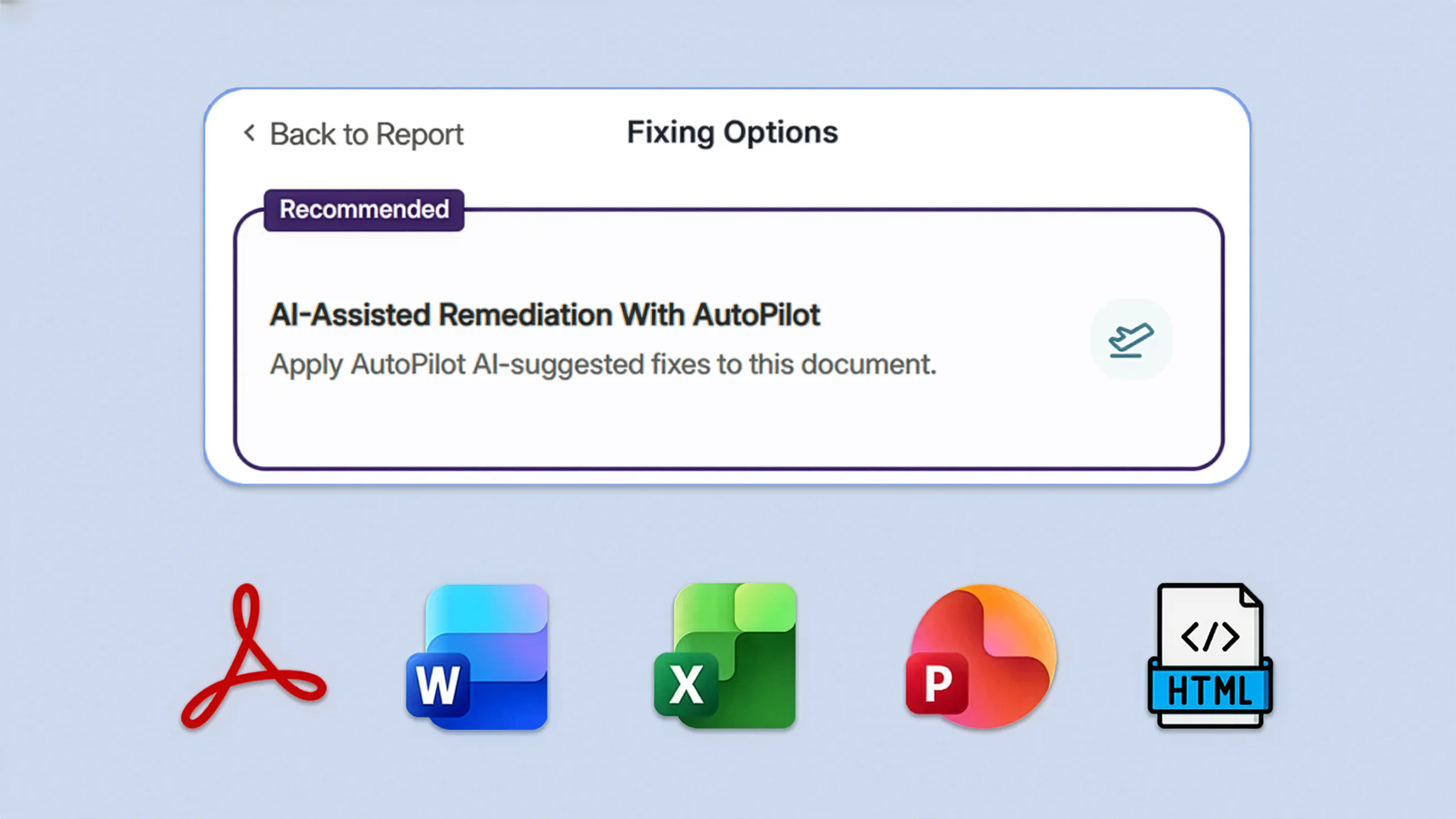
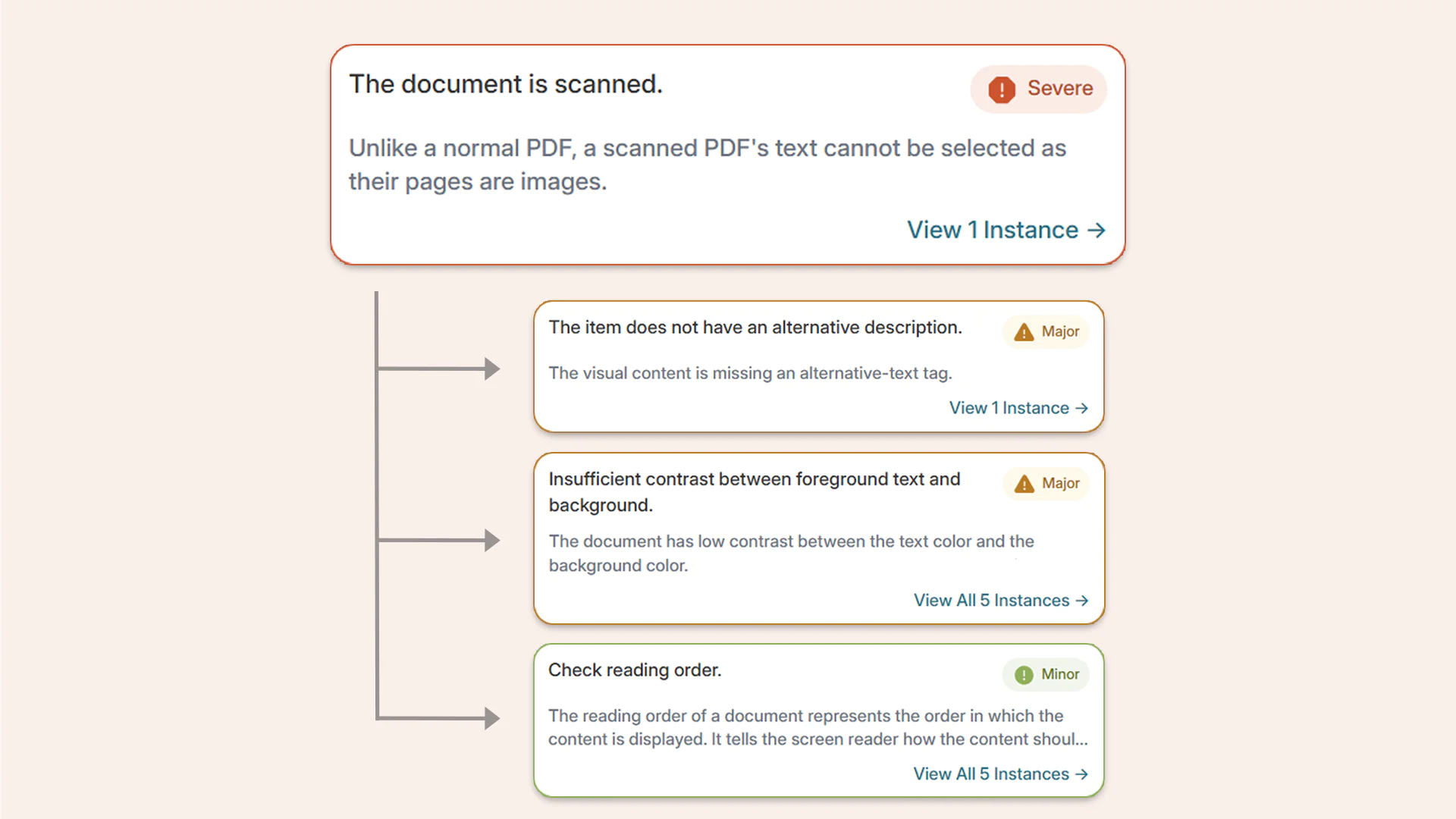
Simultaneously Resolve Multiple Accessibility Issues in Scanned PDFs with One Click
The process for remediating accessibility issues in scanned documents is now streamlined so users can resolve multiple issues with just one click. While the platform is repairing a scanned, untagged, or malformed PDF, it will also simultaneously resolve any other YuJa AutoPilot-supported accessibility issues that are found after the document has been repaired. This streamlined process reduces the effort required to make documents fully accessible while saving valuable time for users.
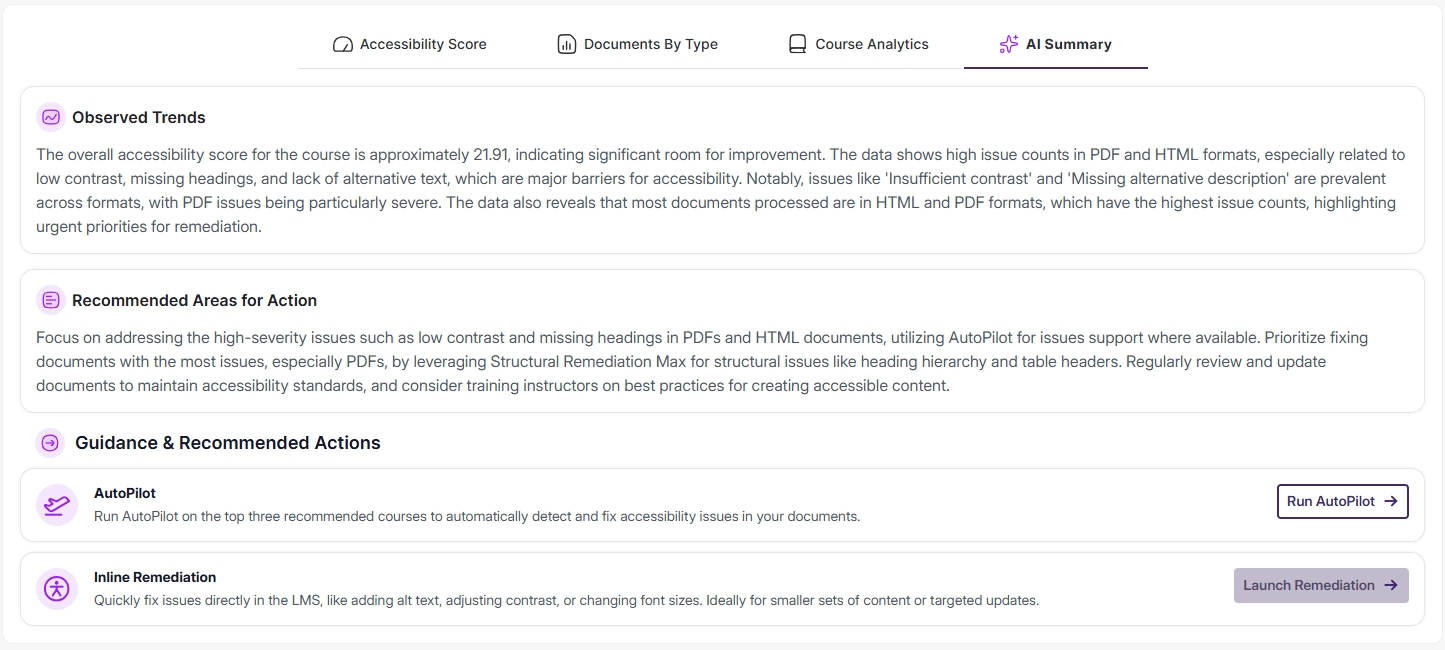
Over the next few weeks, YuJa AutoPilot will be adding a new feature that provides AI summaries of Panorama’s Reports.
New AutoPilot AI Summaries Can Instantly Parse Report Data for Historical Trends and Possible Recommendations
All users of YuJa AutoPilot will now find an AI Summary tab in all of Panorama’s Reports. AutoPilot’s AI Summary translates historical data into an outline of Observed Trends and possible Recommended Areas for Action. For users who find themselves spending longer than desired trying to understand the graphs and tables in Reports, these new AI Summaries will simplify the process of analyzing historical data by providing a clear and succinct description of Observed Trends. Using the report data, the AI Summary tab will also generate Recommended Areas for Action, and Guidance & Recommended Actions where possible, to help instantly improve course and institution accessibility.
We’re rolling out new updates across YuJa AutoPilot AI Remediation Max, including the ability to request a trial, run the module across multiple courses at once, and to customize user roles.
Request a Trial of YuJa AutoPilot AI Remediation
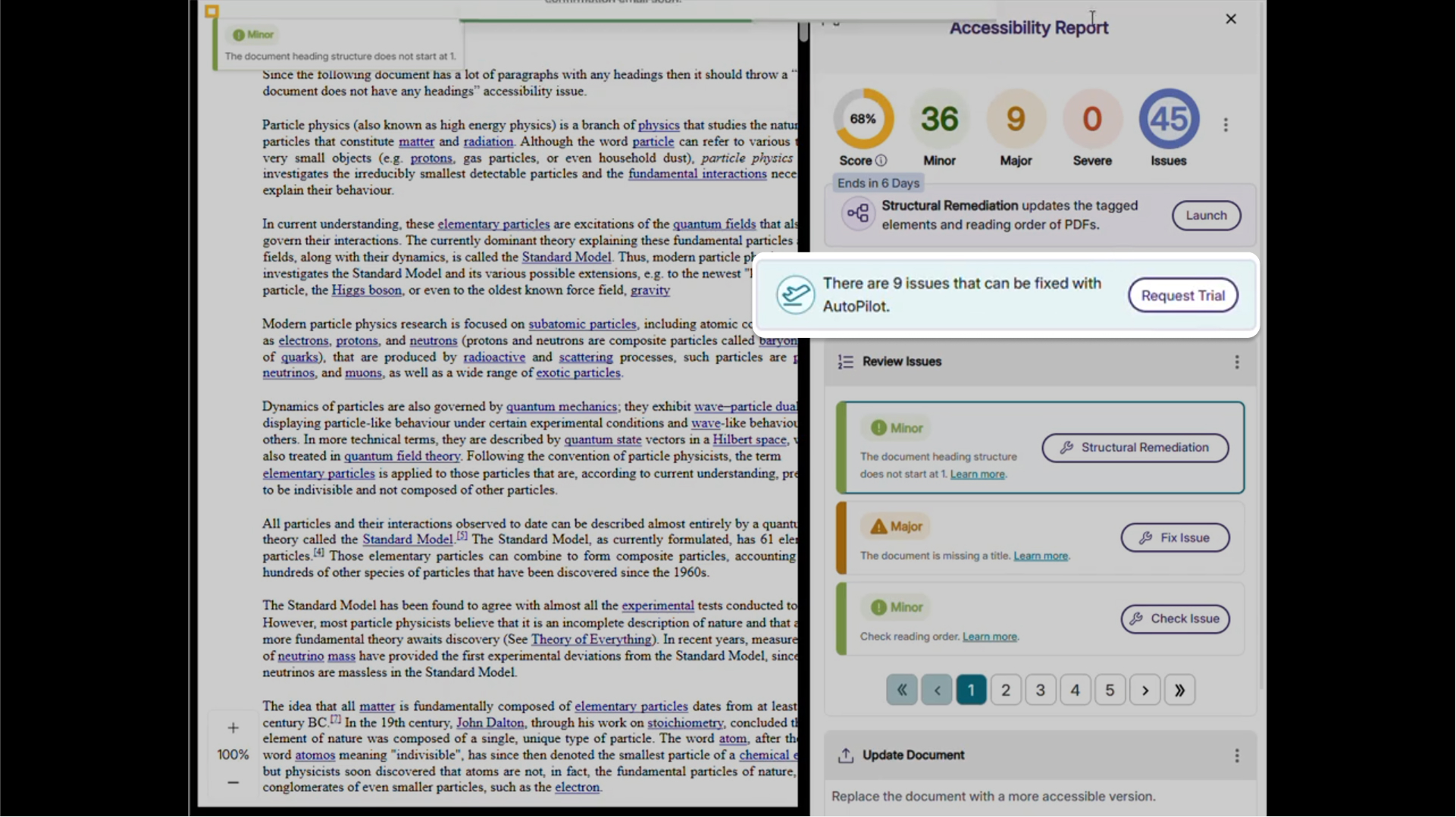
Administrators can now request a trial of YuJa AutoPilot AI Remediation in the Accessibility Products Marketplace. Explore how to reduce document remediation time by up to 95 percent and remediate documents in bulk to optimize your remediation efforts.
Run YuJa AutoPilot Across Multiple Courses at Once
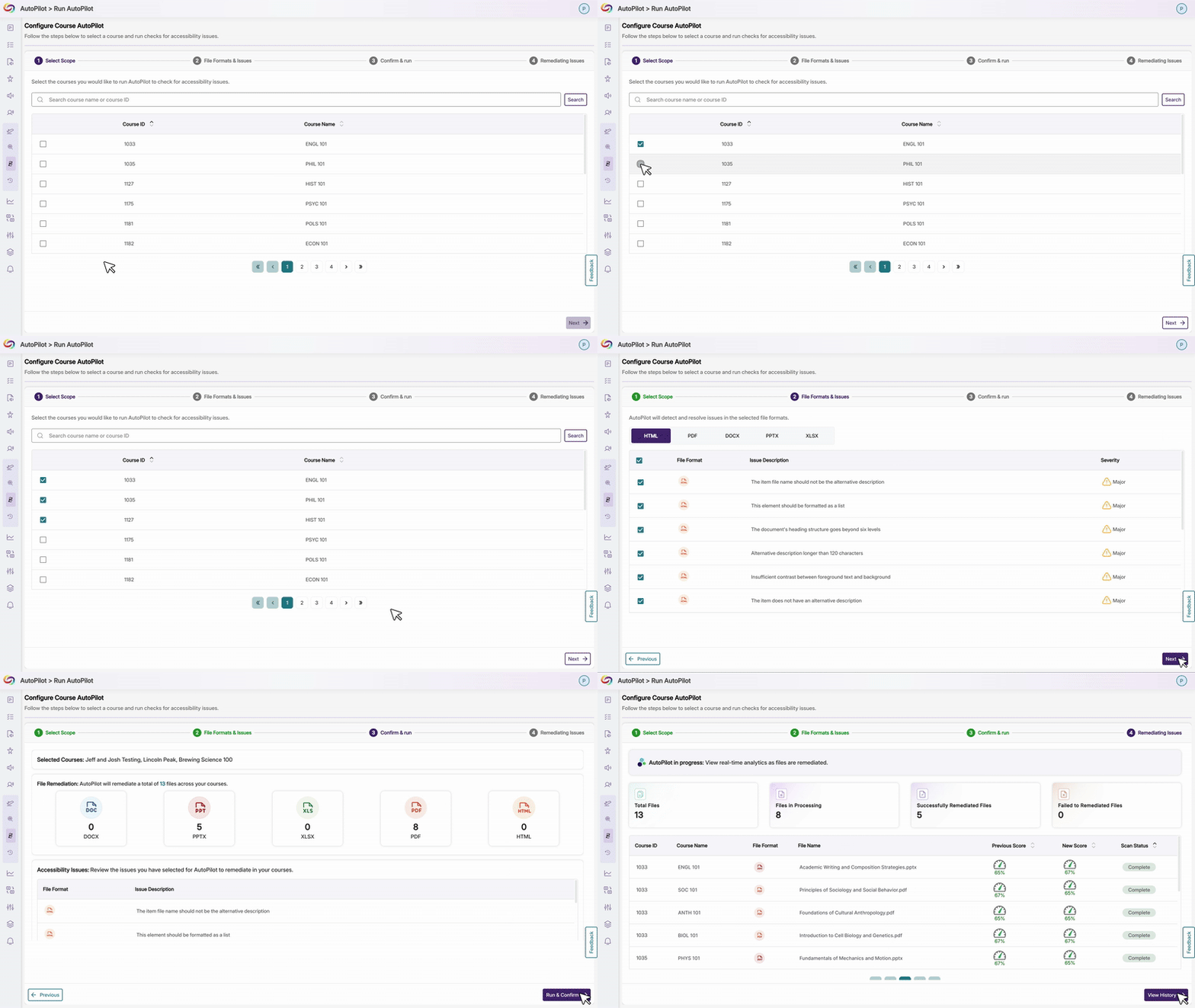
Users will be able to run the YuJa AutoPilot AI Remediation Module across multiple courses at once, with full filtering capabilities to target specific document types or issues. This streamlined approach enables institutions to efficiently remediate large volumes of content while maintaining precise control over what gets processed.
Ability to Restrict AutoPilot by User Role
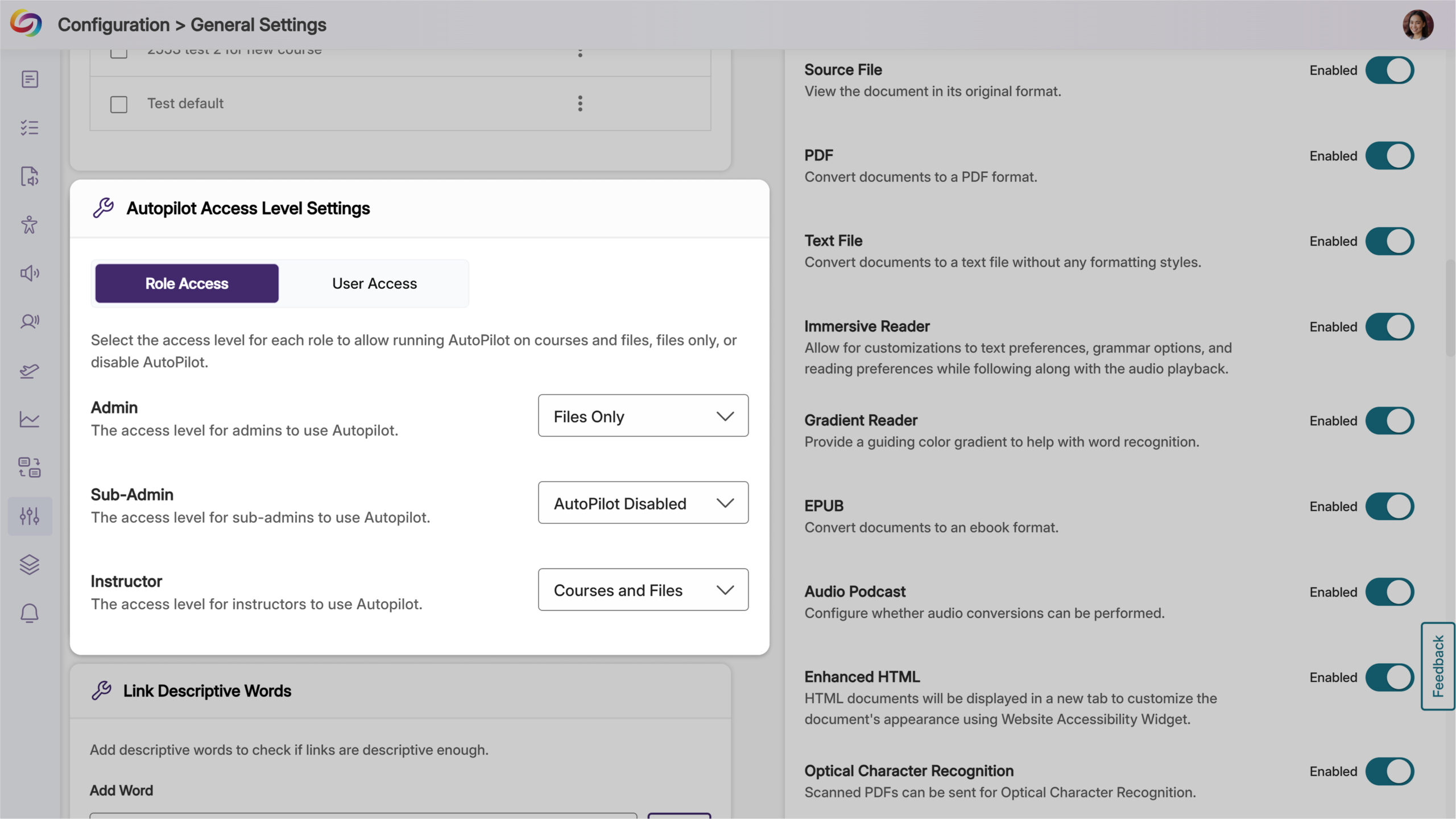
Administrators will now have control over access, allowing them to limit usage to specific users or roles, such as instructional designers, giving them the ability to optimize credit use while maintaining oversight of automated remediation. Administrators can also set permissions at the role level and create user-level overrides for more flexible access management.
Join the 1,000+ Organizations Deploying High-Impact Solutions