Product Updates
Get the latest platform updates, features, and announcements—all in one place.
Attending EDUCAUSE? Join us for FREE food, drinks, and prizes!
RSVP Now

Get the latest platform updates, features, and announcements—all in one place.
YuJa Structural Remediation v26.7.0 Release
Over the next few weeks, YuJa Structural Remediation is adding custom selection boxes and automatic table of contents detection to make tagging PDFs more convenient for users.
Create custom selection boxes for more granular tagging of content
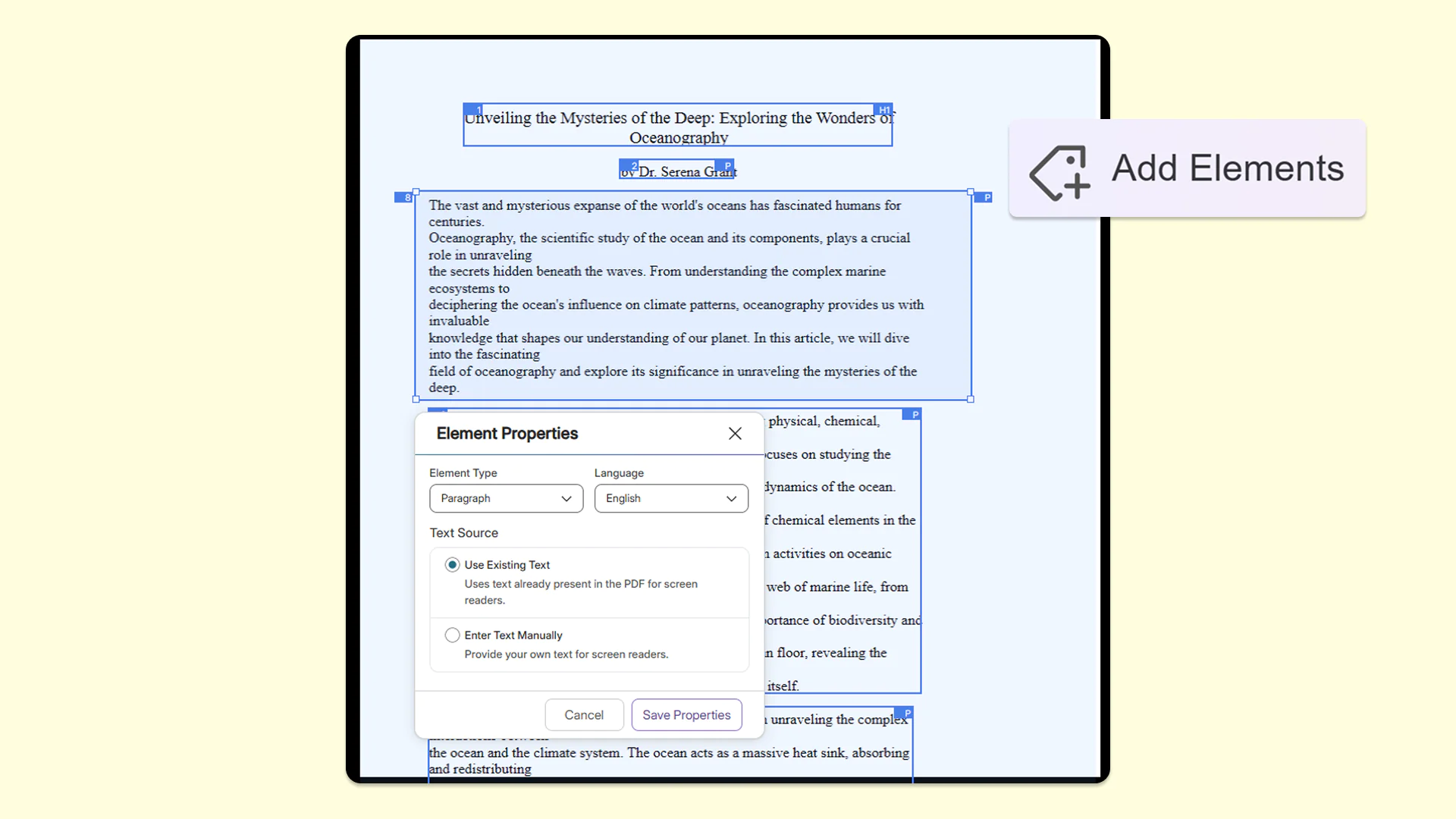
To ensure documents are fully tagged, users can now create custom, free-form zones on the page by simply drawing their own box, resizing it, and moving it to capture the appropriate area. This ensures that every piece of content gets properly captured and tagged for accessibility.
Automatically detect and tag table of contents in PDFs for seamless screen-reader navigation
YuJa Structural Remediation now automatically recognizes table of contents items in PDFs so users no longer need to manually tag each item. With this addition, users only need to validate the proposed reading order while helping those who rely on assistive technologies to have a smoother, more navigable reading experience.
Add Elements tool now stays active to accelerate the element-tagging workflow for your PDFs
The Add Elements tool now stays active after the user tags an item in the Accessibility Report. This makes tagging multiple items faster and more efficient by eliminating the need to repeatedly click on the tool to tag every new element in the document.
New Zone Source setting for better control over how text properties are updated in the Accessibility Report
PDF documents now feature a Zone Source setting in the Accessibility Report, which defines the origin of the text processed within a specific selected area of a PDF. This gives users precise control over how text properties are updated, ensuring screen readers accurately announce content for users. Users can choose between two options:
PDF: This relies directly on the original text code within the PDF file structure.
Actual Text: This allows users to provide custom, readable alternative text for the structure tree.
YuJa Structural Remediation v26.6.0
Over the next few weeks, YuJa Structural Remediation is rolling out new remediation options and enhanced text remediation to help users refine their documents after using the OCR engine.
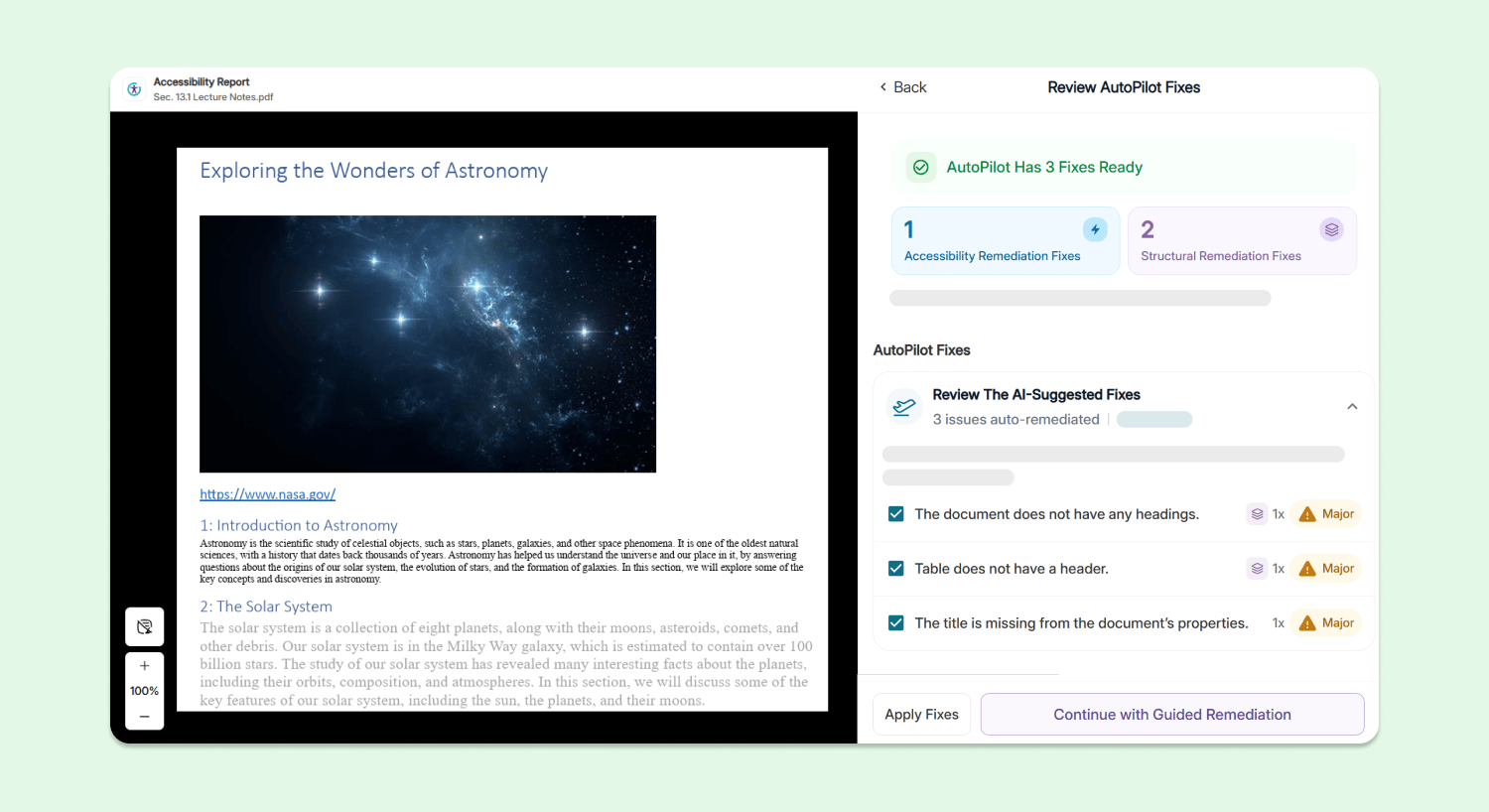
Automated and Guided Structural Remediation Support Added for New PDF Issues
YuJa Structural Remediation is introducing checkers and both automated and guided remediation support for the following new PDF issues:
The document does not have any headings: Users can use YuJa AutoPilot to automatically add any missing headings to their document.
The document’s heading structure is not properly nested: Users can use YuJa AutoPilot to automatically fix heading hierarchy issues so no headings are skipped.
The document’s heading structure goes beyond six levels: Users can use both YuJa AutoPilot and guided inline remediation to help ensure that they only have heading levels 1 – 6 in their document.
The document heading structure does not start at one: Users can use both YuJa AutoPilot and guided inline remediation to help ensure heading levels in their document start at 1.
Table does not have a header: Users can use both YuJa AutoPilot and guided inline remediation to add headers to all tables in their document.
The form field does not have a tooltip description: Users can use YuJa AutoPilot and guided inline remediation to add tooltips or explicit labels to form fields.
Table does not contain content: Tables without any body content or have the wrong structure will be flagged. Users can use YuJa AutoPilot and guided inline remediation to add content to their tables, and fix any invalid table structures.
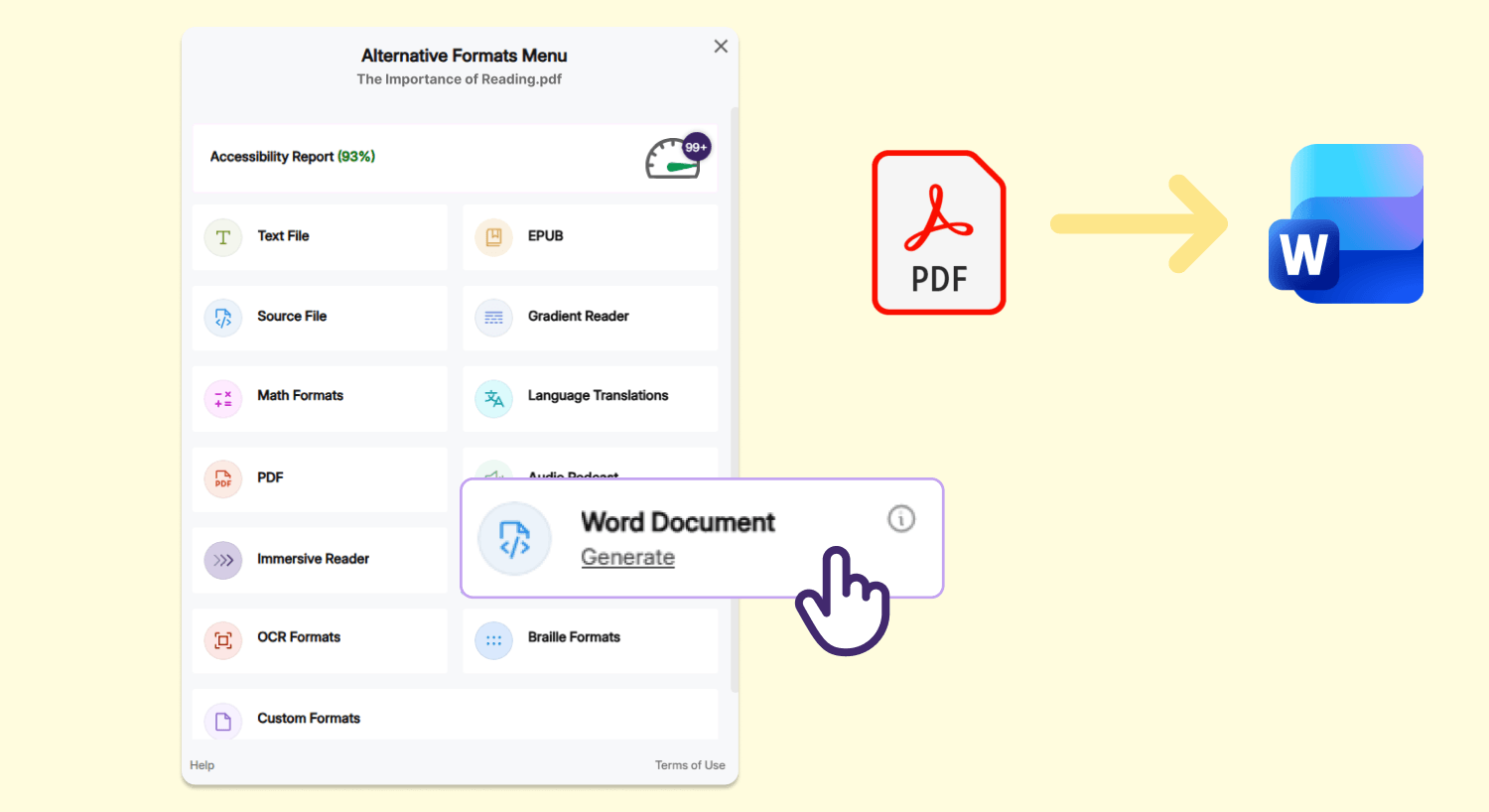
Convert Scanned and Untagged PDFs into Accessible Microsoft Word Documents Using YuJa Panorama’s Advanced OCR and Document Construction Engines
Users can now convert their scanned and untagged PDF documents into accessible Microsoft Word DOCX documents using YuJa Panorama’s Alternative Formats menu, allowing them to start making edits immediately to their file that was previously in an uneditable format.
Enhanced Remediation Flexibility Using Editable OCR Text
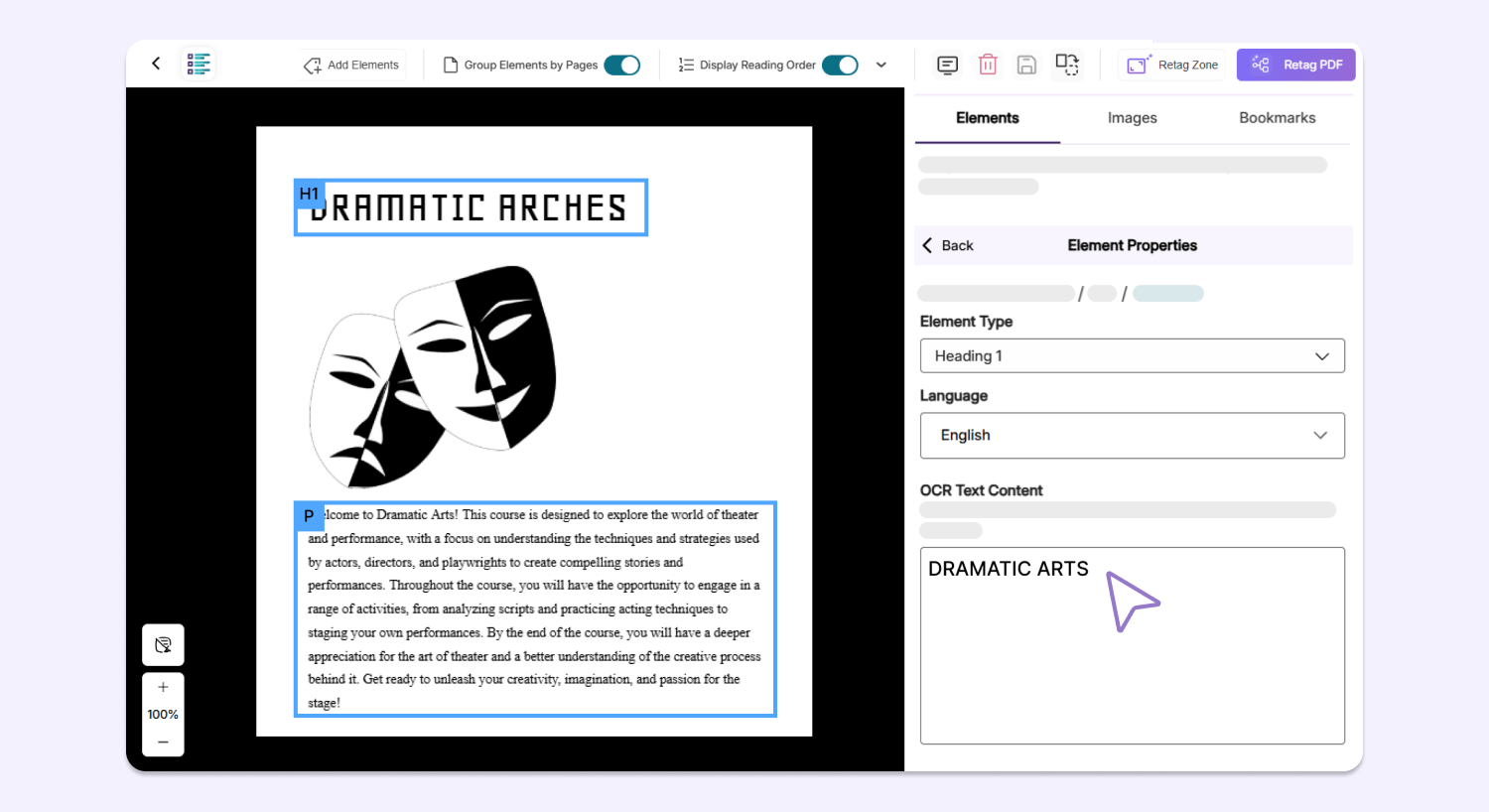
After scanning a document using YuJa Structural Remediation, users can now manually edit plain text produced by the OCR engine on any overlaid PDF, allowing them to fix any potential typos or incorrect text on the spot to improve the accuracy and readability of their document.
In the next few weeks, YuJa Structural Remediation will be adding a new enhancement that streamlines document remediation by verifying the accuracy of alternative text.
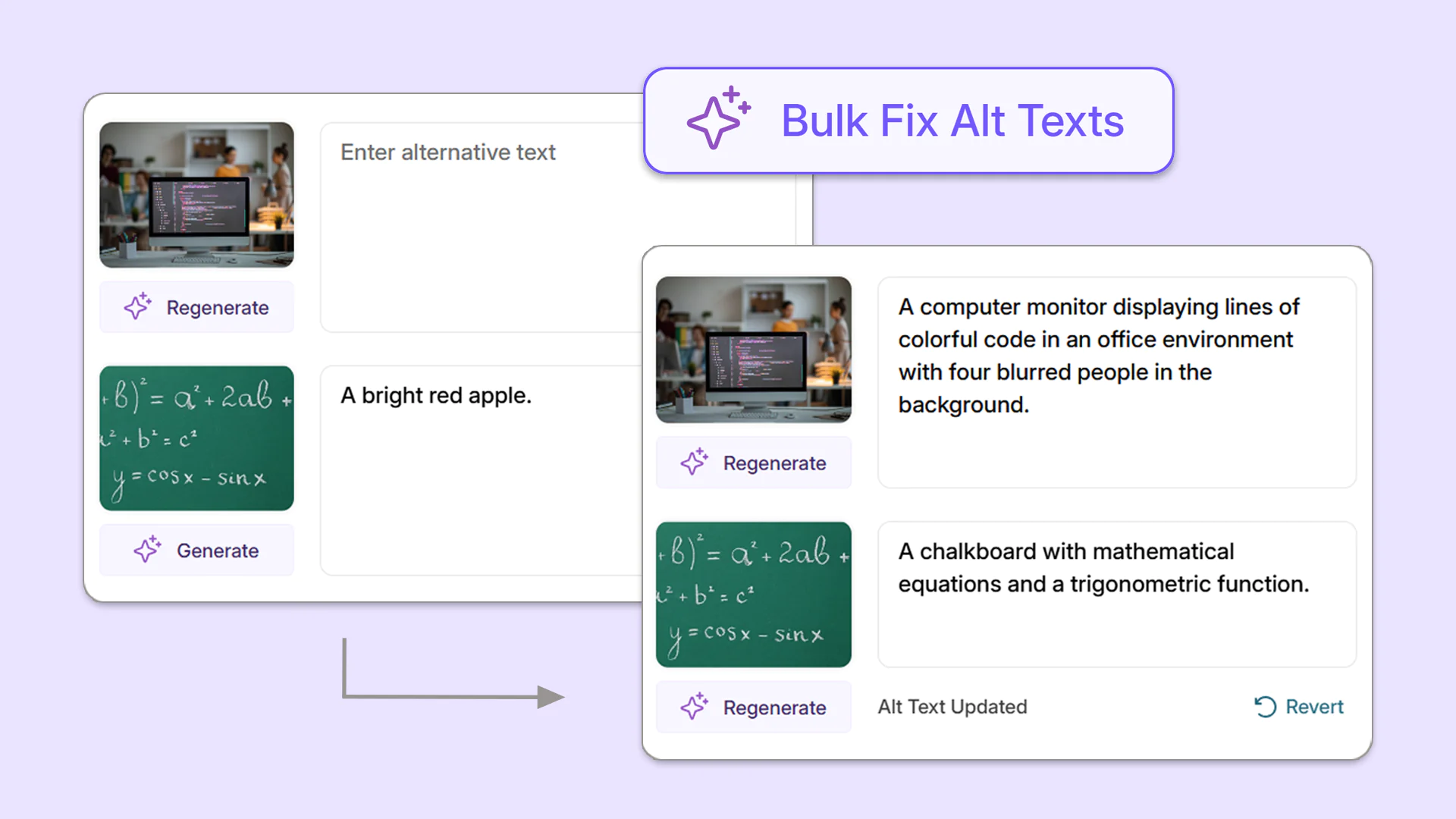
Check, Generate, and Automatically Remediate Alternative Text with Bulk Automated Description Checks
Maintain accuracy across alternative descriptions for images with YuJa Structural Remediation’s new bulk alternative text checks. Any images flagged for incorrect alternative text will be automatically remediated with an accurate, newly generated description, and images with missing alternative text will have descriptions automatically generated. This new feature will help ensure that screen readers relay faithful descriptions of images and graphics, so all students have a well-rounded understanding of course materials.
Over the next few weeks, YuJa Structural Remediation will be adding a new feature that allows you to reorder elements in PPTX to ensure correct reading order.
Ensure Correct Reading Order in PPTX Documents By Reordering Elements
The Structural Remediation Max Module has been updated to support the reorganization of PPTX elements to ensure that reading order issues can be properly addressed. By utilizing the new drag-and-drop interface, creators can confirm that their presentations maintain a logical flow, allowing assistive technologies like screen readers to relay content accurately.
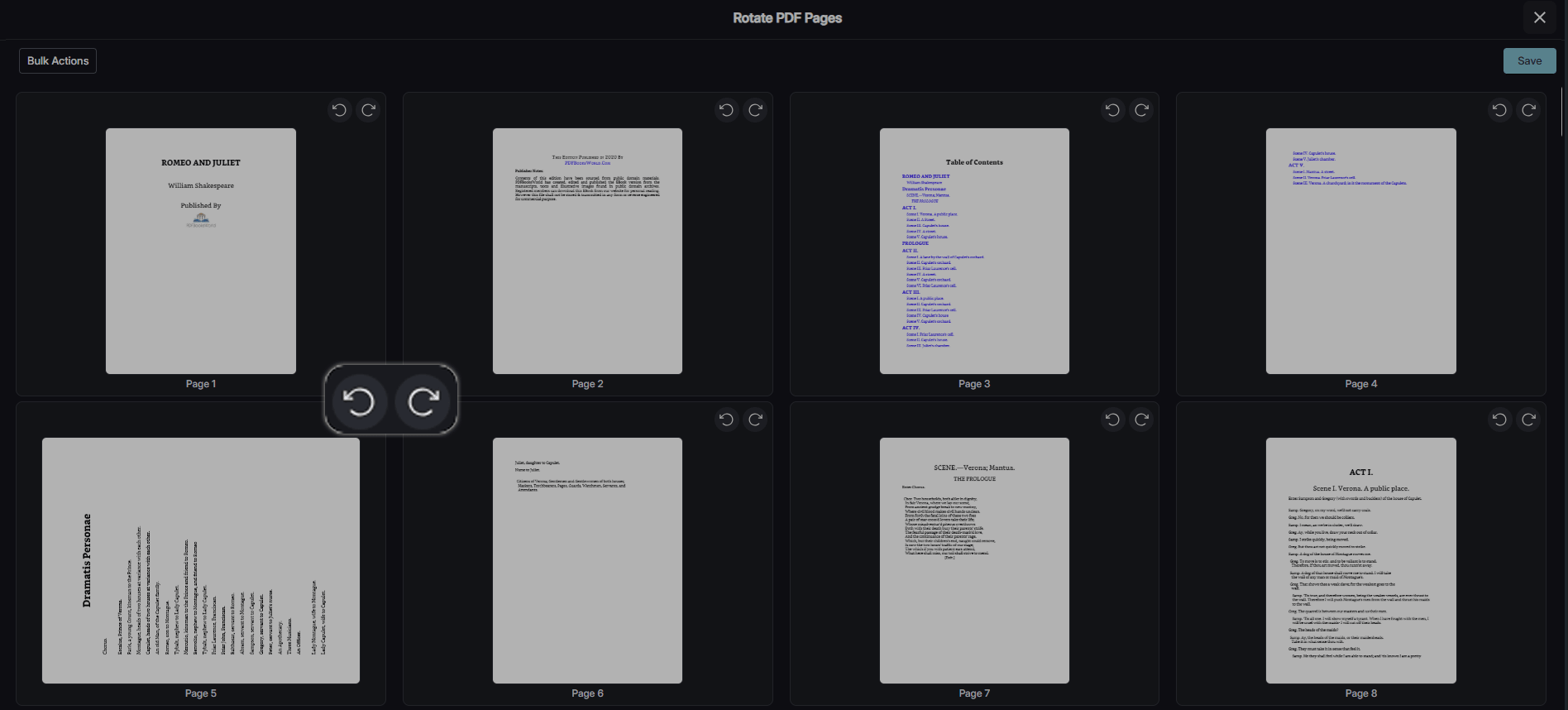
Over the next few weeks, YuJa Structural Remediation will be adding a new feature that allows you to rotate PDFs.
YuJa Structural Remediation Now Allows You to Rotate PDFs
Users in Structural Remediation can now rotate PDFs within the tool as needed. Users can choose to rotate specific pages or to rotate all pages in a document, giving users complete control over the process.
Join the 1,000+ Organizations Deploying High-Impact Solutions