Product Updates
Get the latest platform updates, features, and announcements—all in one place.
Boost Video Accessibility with the GenAI Video PowerPack!
Try Now
Supercharge Your Compliance Efforts with AutoPilot Remediation Max!
Try Now
Strengthen Your PDF Accessibility Efforts with Structural Remediation Max!
Try Now
Don't Miss Any of Our Upcoming Webinars—Save Your Spot!
Register
The YuJa Community is here! Connect, get updates, and access exclusive content.
Join Now

Get the latest platform updates, features, and announcements—all in one place.
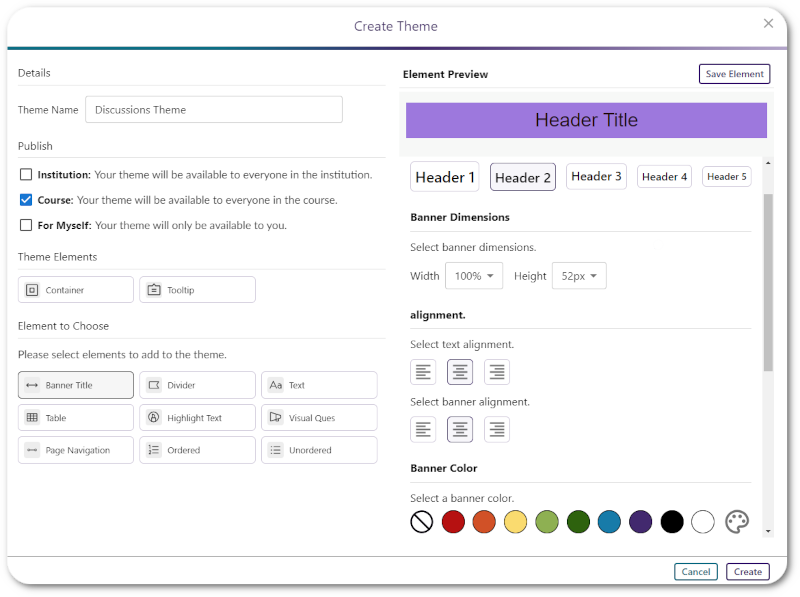
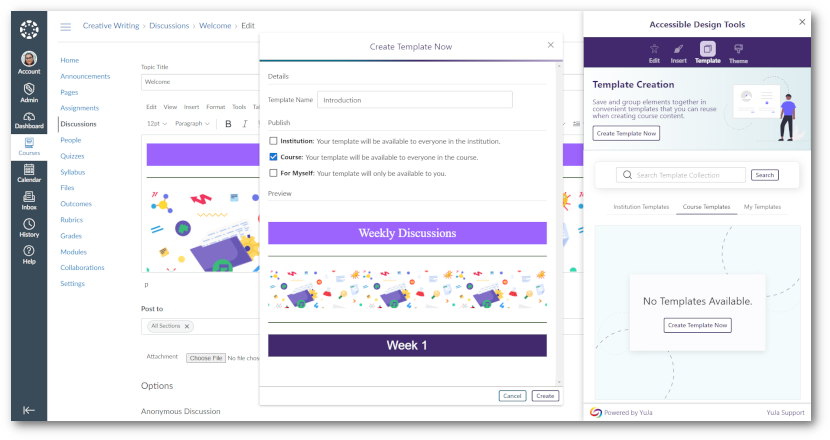
We have successfully pushed an update to all YuJa LMS Accessible Content Designer instances residing in the United States, Canada, European Union, and Australia. This update includes a redesigned theme management workflow for enhanced user experience.
Redesigned Theme Management Workflow Improves User Experience
We’ve redesigned the theme management workflow in LMS Accessibility Designer to provide a more intuitive experience for managing institution and personal themes. Key improvements include enhanced permission controls for institution-level themes, improved search and filtering capabilities, visual feedback for newly added themes, and better page navigation with proper modal interaction handling.

We have successfully pushed an update to all YuJa LMS Accessible Design Add-On Platform instances residing in the United States, Canada, European Union, and Australia. This release provides new option to enable necessary designer elements, specify your preferred image padding, and save your recently selected colors.
New Administrator Option to Enable Necessary Designer Elements
If you’re an administrator, you can customize which LMS Designer elements are available to faculty. Simply access your General Settings and enable the elements your institution requires to structure content more efficiently.

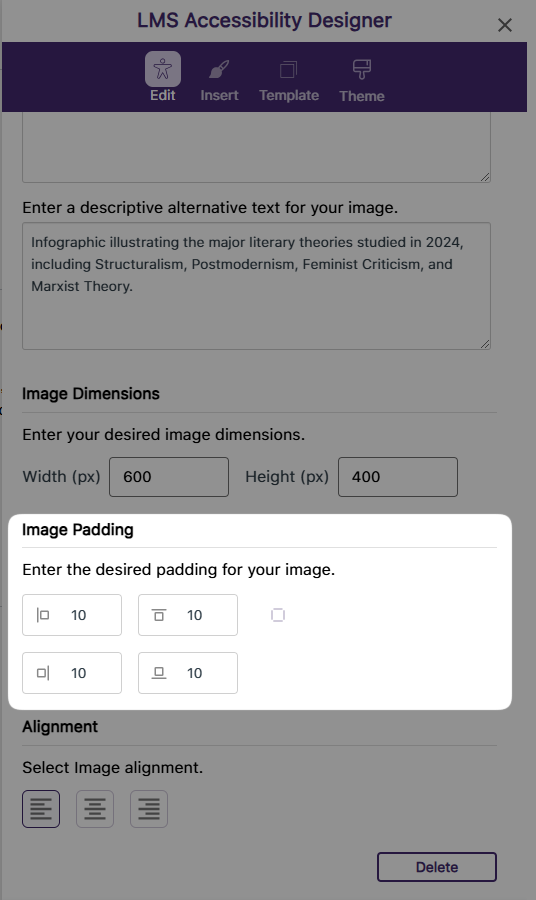
Specify Your Preferred Image Padding Within the LMS Designer
Previously, you had to adjust image padding in the HTML code editor after embedding the image. Now, you can simply enter your desired padding during the image embedding Process in the LMS Designer.
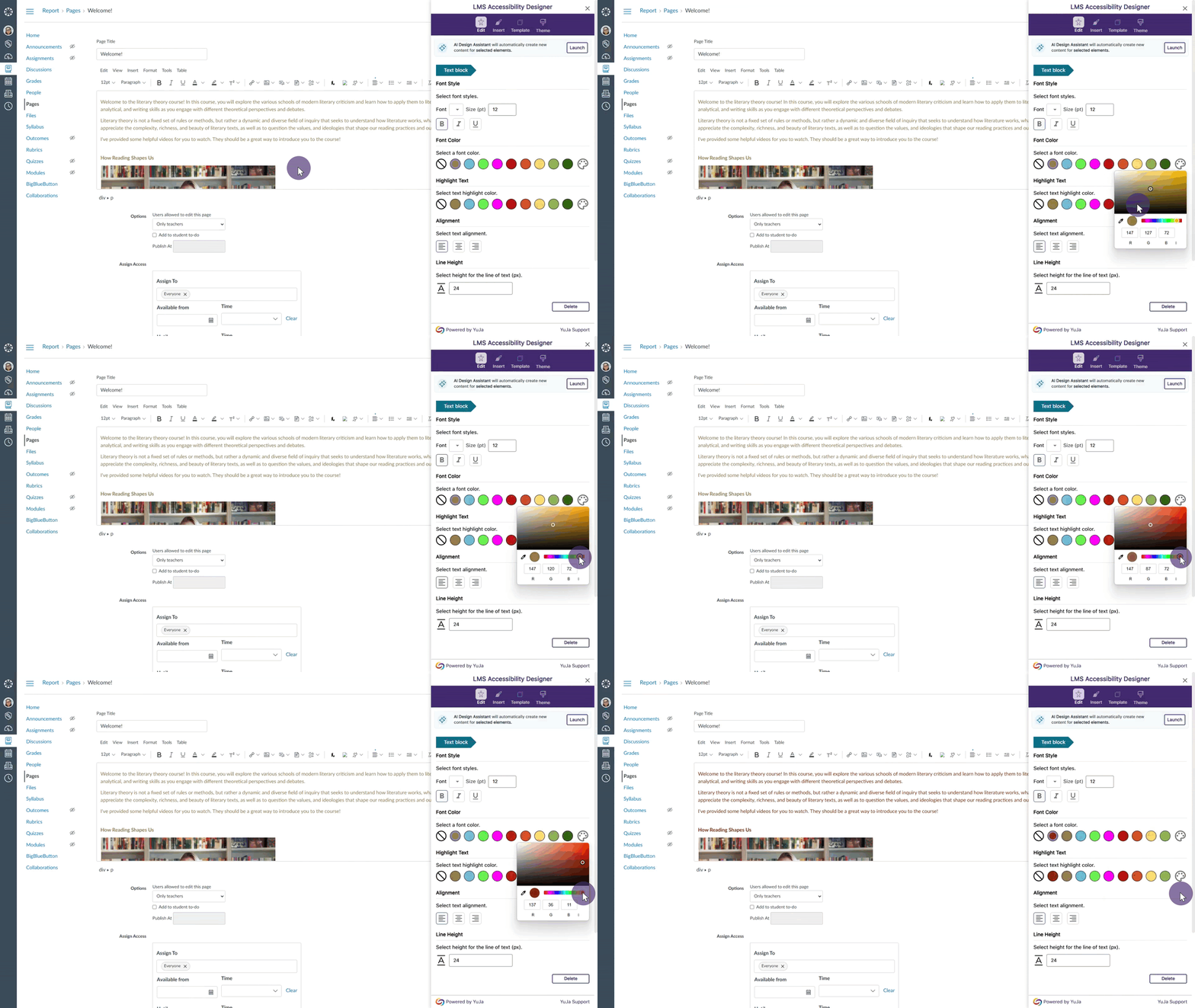
Recently Selected Colors Are Saved in the LMS Designer
Previously, you had to manually select the color for each design element. Now, you can easily choose from your recent selections in the LMS Designer, allowing you to quickly apply your frequently used colors to different content elements.
Join the 1,000+ Organizations Deploying High-Impact Solutions