Product Updates

Get the latest platform updates, features, and announcements—all in one place.

Help Shape What's Next

Join discussions, request features, and vote on ideas.

Join Community

Built With Passion

Learn about the people behind YuJa.

About Us

Trial Program

We offer an opportunity to try our products.

Request a Demo
  • March 7, 2024

    YuJa Verity Test Proctoring Platform – “Ruby” – Post Release Update to US, CAN, AUS, and EU Zones

    We have successfully pushed a hotfix to all instances residing in the United States, Canada, Australia, and the European Union. This hotfix allows administrators to establish default institution-wide profiles, the option for assessment administrators to organize profiles, and more frequent AI monitoring for suspicious objects.
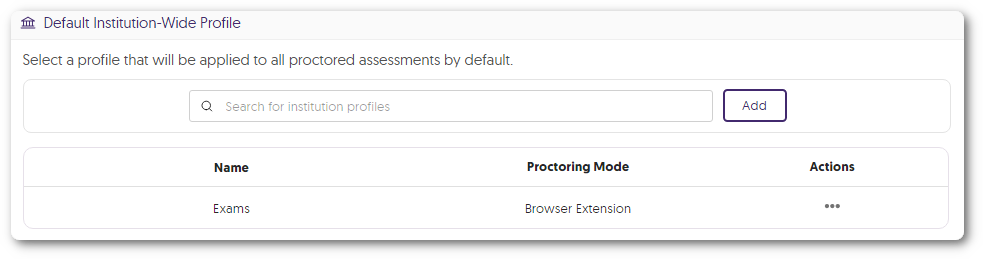
    1. Establish a Default Institution-Wide Proctoring Profile Institution administrators can set a default proctoring profile, which is automatically applied to all proctored assessments. This guarantees that, in accordance with the institution’s policy, the necessary proctoring tools will be preselected for every proctored assessment. A default profile is selected in the Default Institution-Wide Profile modal.
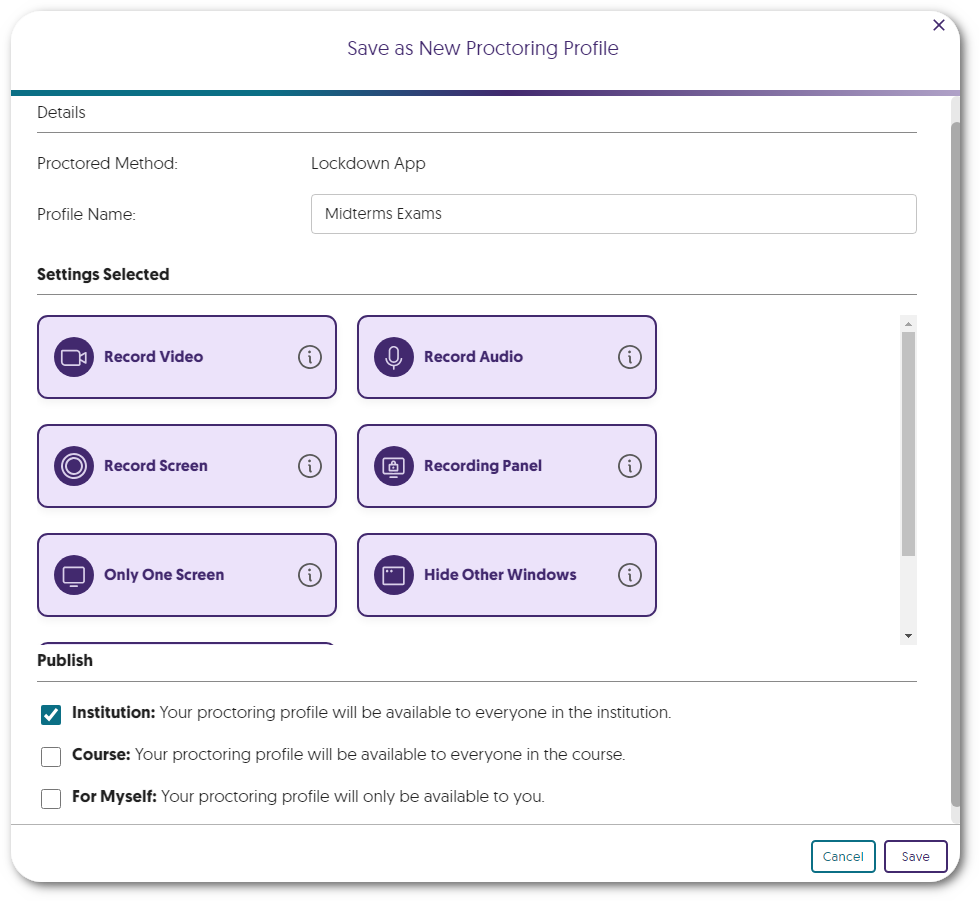
    2. Create and Organize Profiles for Institutional, Course, and Personal Use Proctoring profiles can now be created and organized into one of several categories:
      • Institution Profiles: Profiles available for all assessment administrators in the institution.
      • Course Profiles: Profiles accessible only within the course in which they were created.
      • For Myself: Personal profiles you have created for yourself.
      Option to save a proctoring profile and publish it to the institution, course, or for myself.
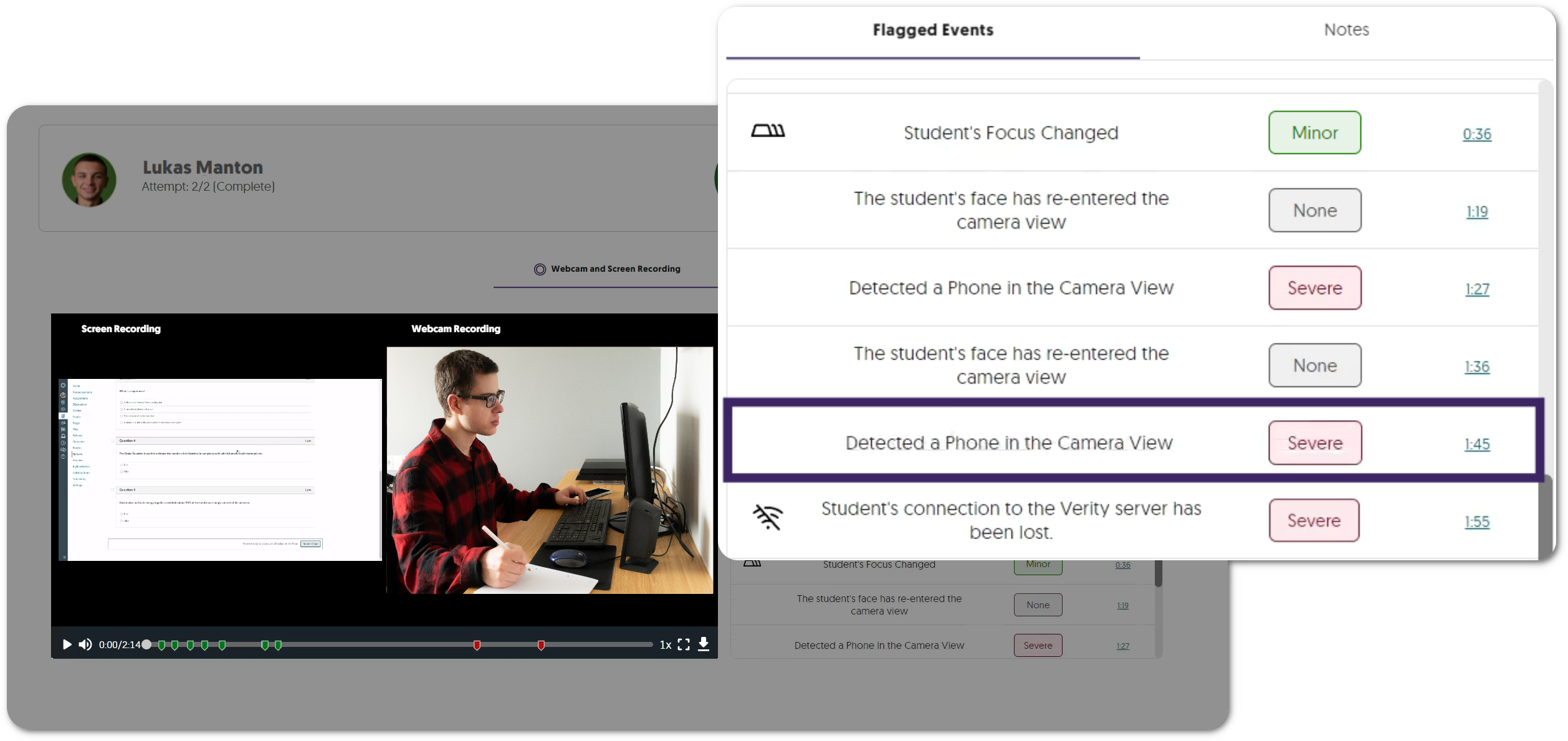
    3. More Frequent AI Monitoring for Suspicious Objects In our previous update, we introduced an AI analysis tool designed to detect suspicious objects like phones, books, and monitors within the student’s environment at the start of an assessment. We have now enhanced this feature to monitor objects more frequently through the student’s assessment. A webcam recording of a student's testing environment shows a phone. The event is flagged in the results table.  
  • February 23, 2024

    YuJa Verity Test Proctoring Platform – “Ruby” Released to US, CAN, AUS, and EU Zones

    We have successfully pushed an update to all instances residing in the United States, Canada, Australia, and the European Union. This update includes AI Video Analysis and Room Scan proctor settings, a redesign for the student proctoring report, new whiteboard and scientific calculator tools for the Recording Panel, a visual list of applications for the Block Applications feature, and a new privacy policy check for students.

    1. New Proctor Setting: AI Video Analysis for Both Browser Extension and Lockdown App Proctoring Utilizing the student’s webcam, the AI Video Analysis module will monitor the testing environment to flag suspicious activities and detect faces.
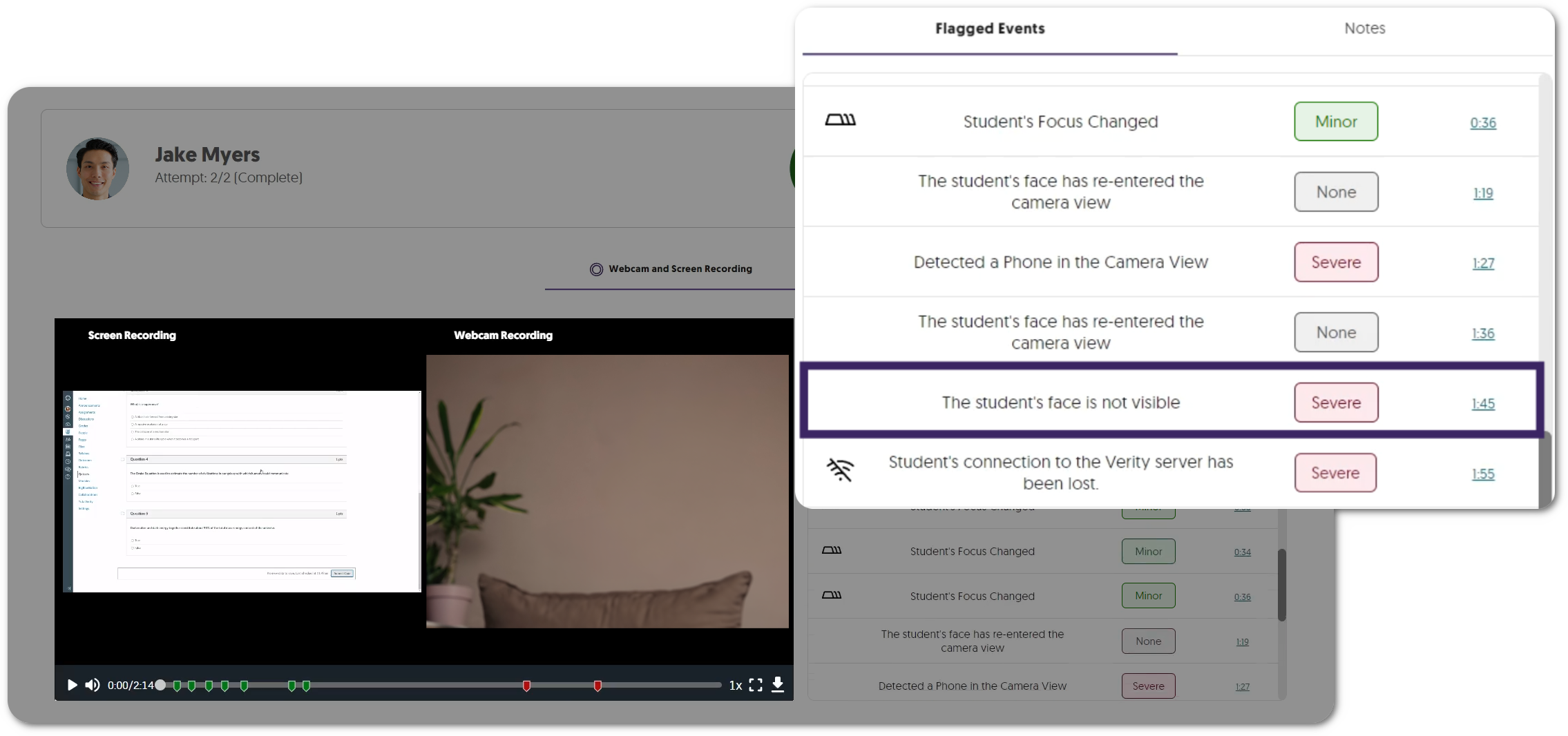
      • Exactly One Person: The student’s webcam will monitor whether there is one person in view at all times. A student is not visible in the camera view and the issue is fagged under Flagged Events.
      • Suspicious Objects: The student’s webcam will monitor if suspicious objects, such as phones, are within their testing environment. A student's phone is visible in the camera view and the issue is fagged under Flagged Events.

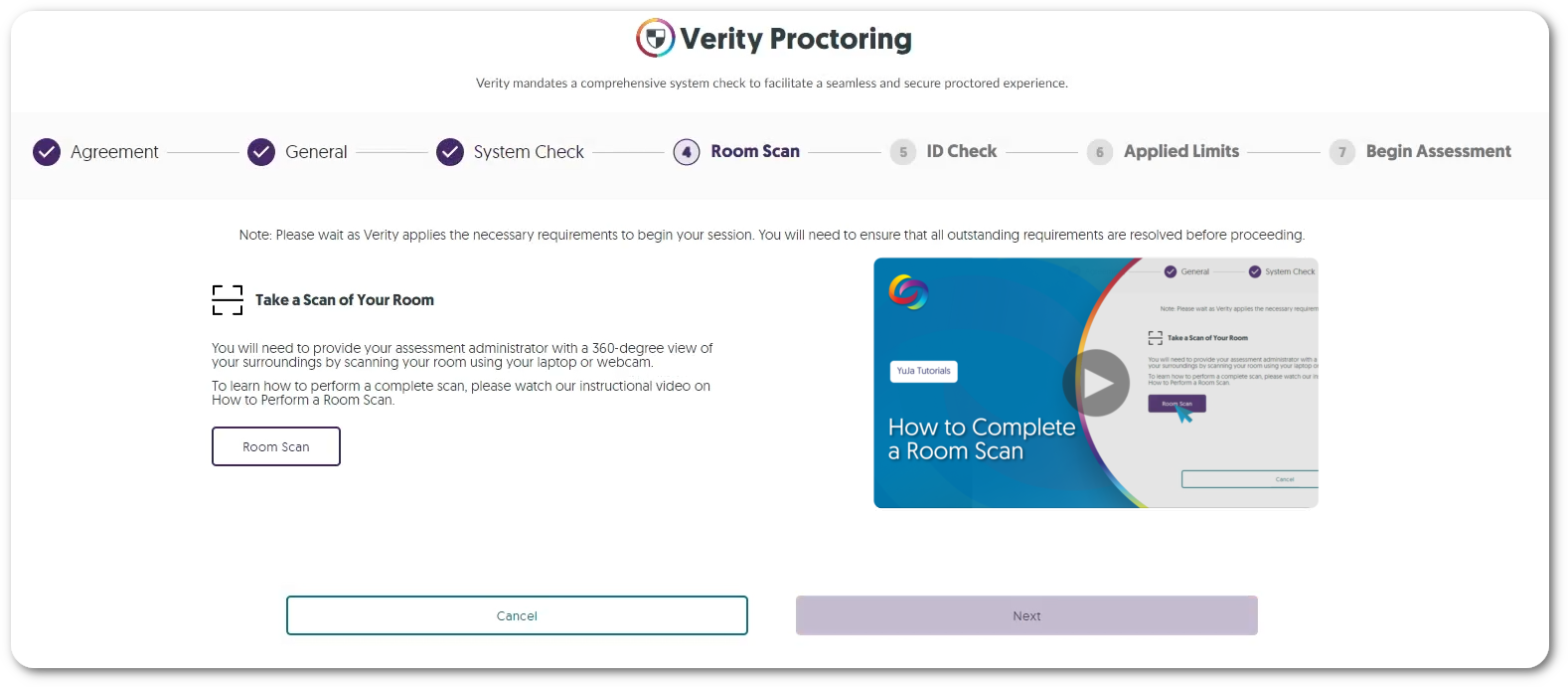
    2. New Proctor Setting: Enhanced Room Scan for Both Browser Extension and Lockdown App Proctoring To ensure testing environments are free of any prohibited material, assessment administrators can now require students to provide an enhanced 360-degree view of their surroundings by scanning their rooms using their laptops or webcams. Verity's Room Scan check shows the option to take a Room Scan.
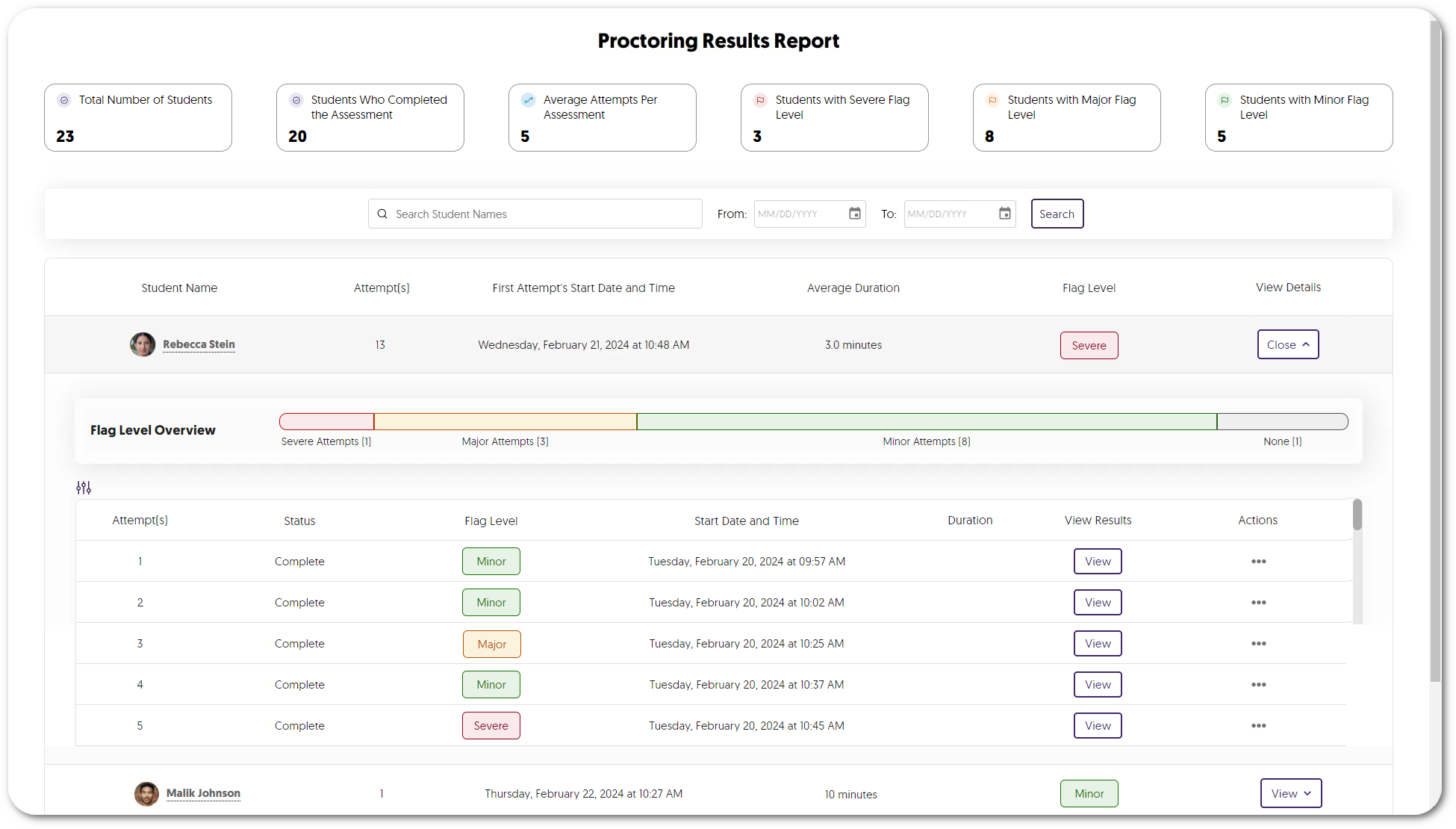
    3. New User Experience for Student Proctoring Report We’ve modernized Verity’s proctoring report with improved summary analytics and flag-level insights, as well as introduced a new color palette and refined button designs in alignment with our branding goals. Those reviewing the assessments will gain access to comprehensive analytics, presenting insights into student attempts and the total number of students with severe, major, and minor flag levels. A view of a student's attempts in the proctoring report showing various flag levels for each attempt.
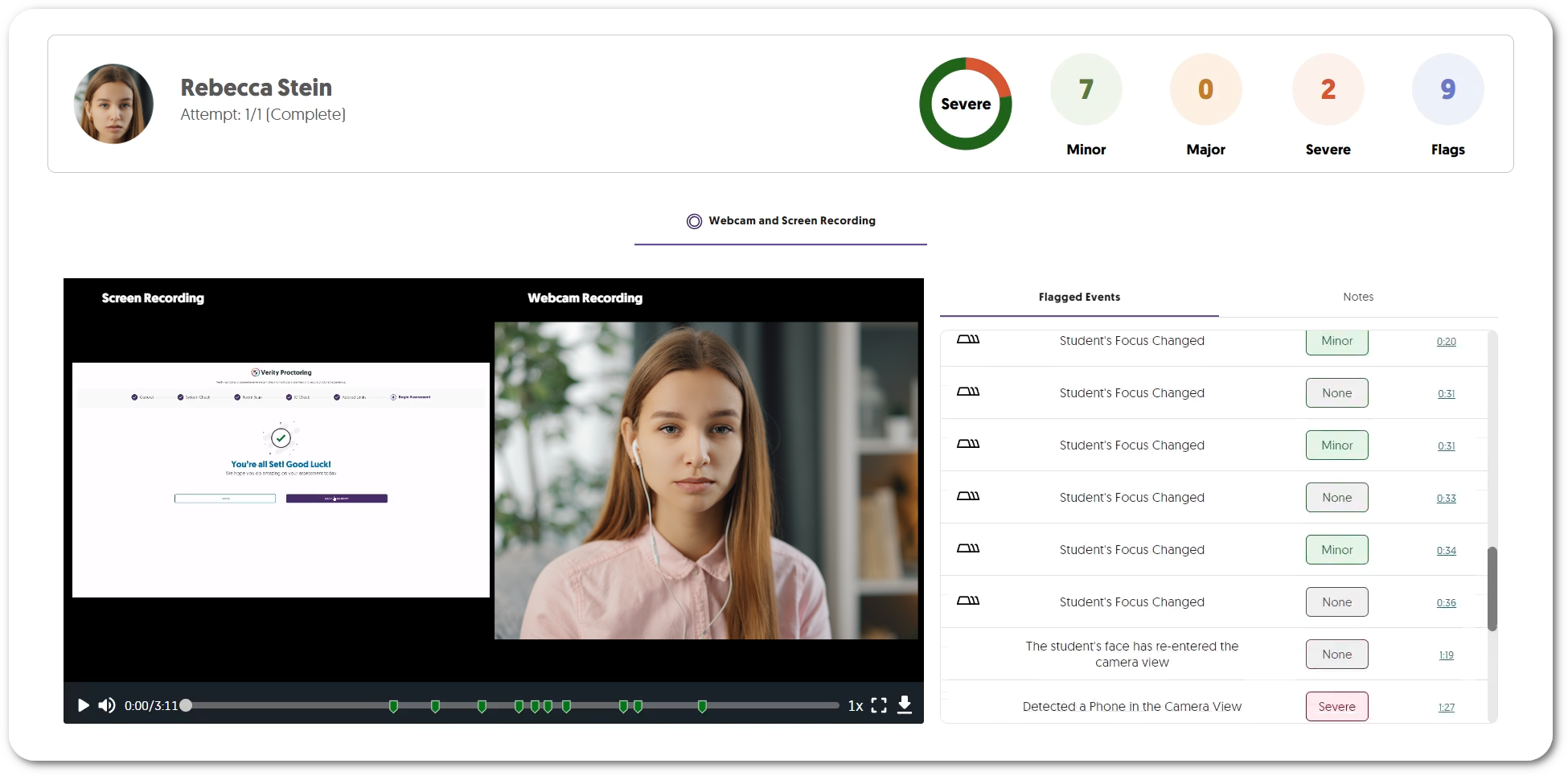
    4. Enhanced Media Player for Reviewing Proctored Assessments Verity’s Media Player has been updated to provide redesigned icons and now offers integrated multi-stream recordings, combining webcam and screen captures into one recording. Those reviewing the assessment can then filter flagged events within a dedicated tab to quickly navigate to the most concerning issues within the recording. New media player is shown with a screen recording and webcam view.
    5. New Whiteboard and Scientific Calculator Tools for the Recording Panel for Both Browser Extension and Lockdown App Proctoring The Verity Recording Panel now offers more tools to help students during their assessments.
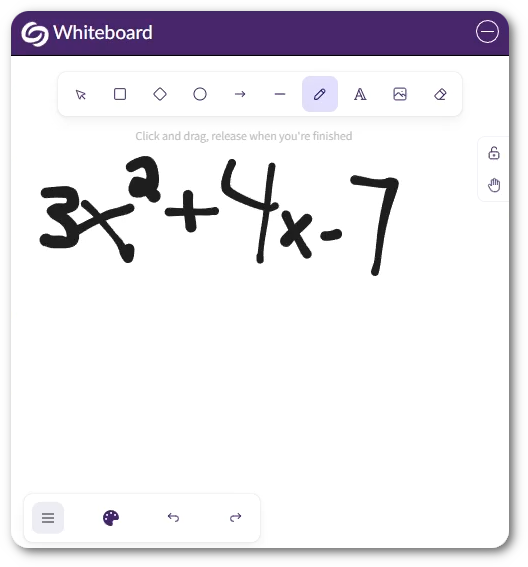
      • Whiteboard: Students can use the whiteboard to take notes during their assessment by drawing, typing, and creating images with various shapes. Verity's whiteboard showing various drawing tools.
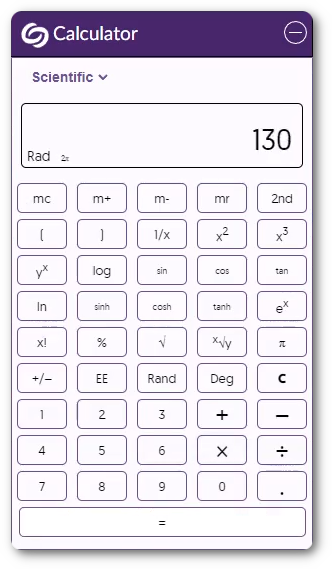
      • Scientific Calculator: Students can use the Verity built-in scientific calculator to ensure they do not need extra material on their desks or additional programs on their computers. a scientific calculator.
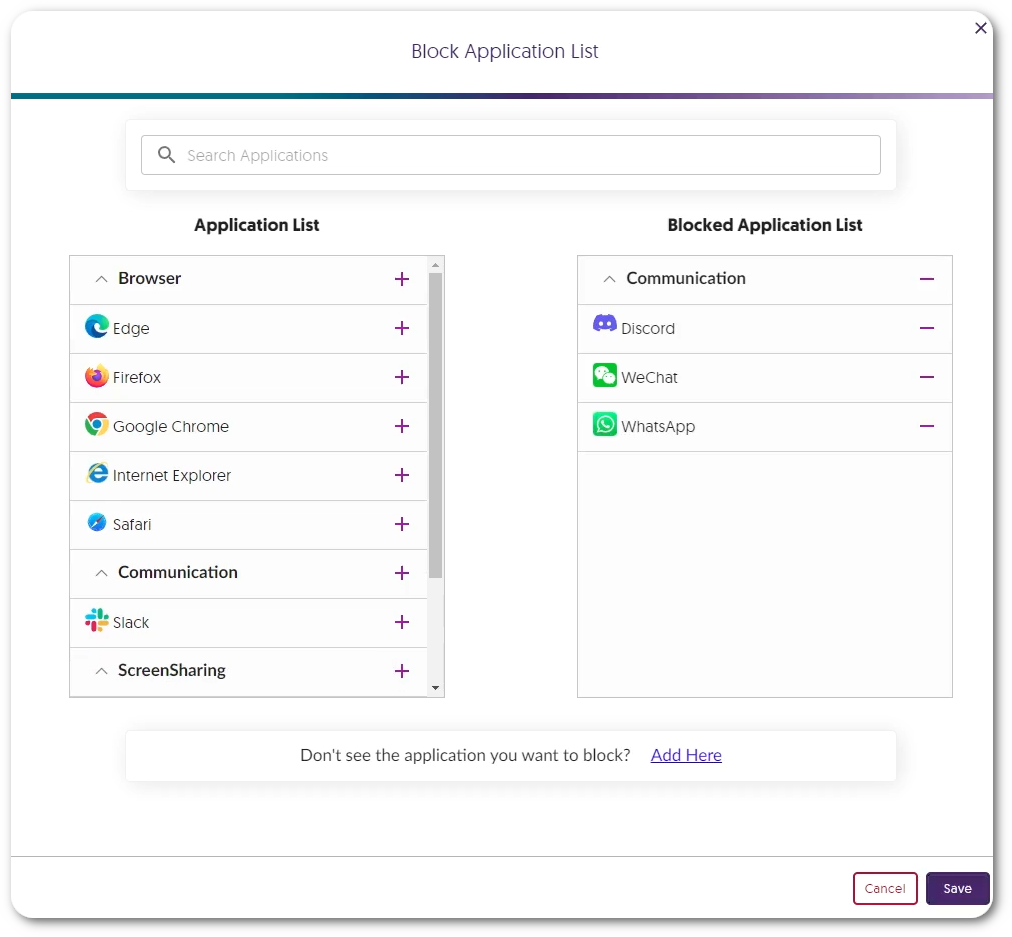
    6. Improved Block Applications with a Visual Selection List of Common Applications We have enhanced Verity’s Block Applications feature, now offering assessment administrators a pre-populated selection of applications, allowing them to easily choose which programs to block on a student’s device. A list of applications on the left and selected blocked applications on the right.
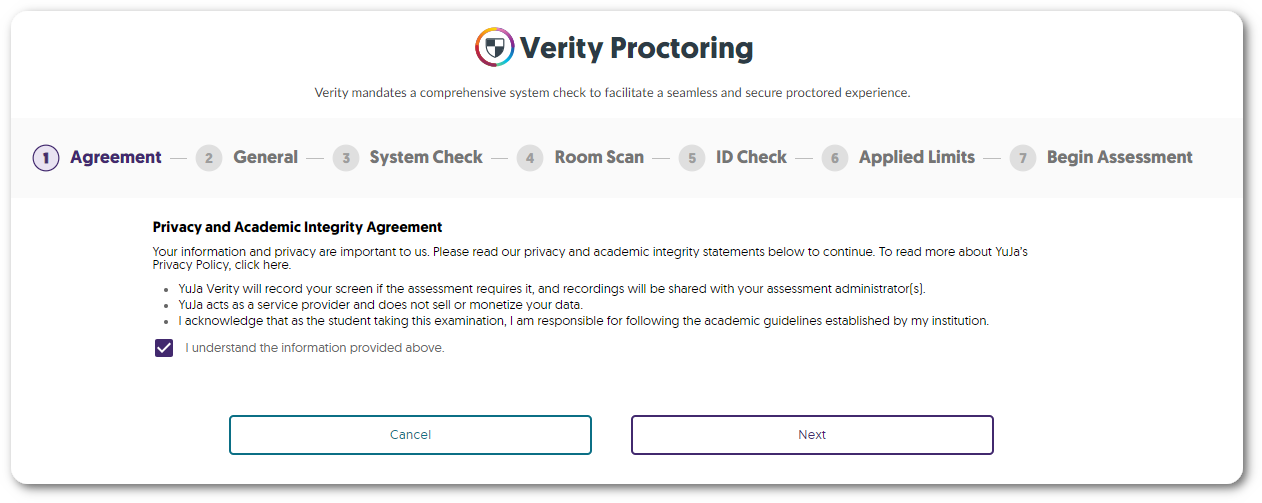
    7. Privacy and Academic Integrity Agreement Check With the advancement in our remote monitoring capabilities, YuJa Verity is committed to being transparent with how data is collected and stored. That is why we have added a privacy and academic agreement check at the beginning of every assessment to ensure students are informed about who has access to their data. Verity's agreement check before starting an assessment.
  • January 12, 2024

    YuJa Verity Test Proctoring Platform – “Quartz” Released to US, CAN, AUS, and EU Zones

    We have successfully pushed an update to all instances residing in the United States, Canada, Australia, and the European Union. This update includes text and audio chat for the Live Proctoring, a new accessible design for Verity’s proctor settings, new restrictions to disable right-clicking and printing, the option to enforce screen recording, view website links visited by students, a redesign of the Verity Browser Extension, updated list view of Profiles, and overall usability enhancements.
     
    1. Verity Live: Integrated Text Chat for Automated Browser Extension and Lockdown App Proctoring For live proctoring sessions, proctors and students can communicate with each other through our built-in chat feature. Chat messages between a proctor and a student.
    2. Verity Live: Audio Chat for Automated and Lockdown App Proctoring Proctors and students can communicate with each other during a live assessment by establishing a two-way audio connection. Icon of two people talking with headsets.
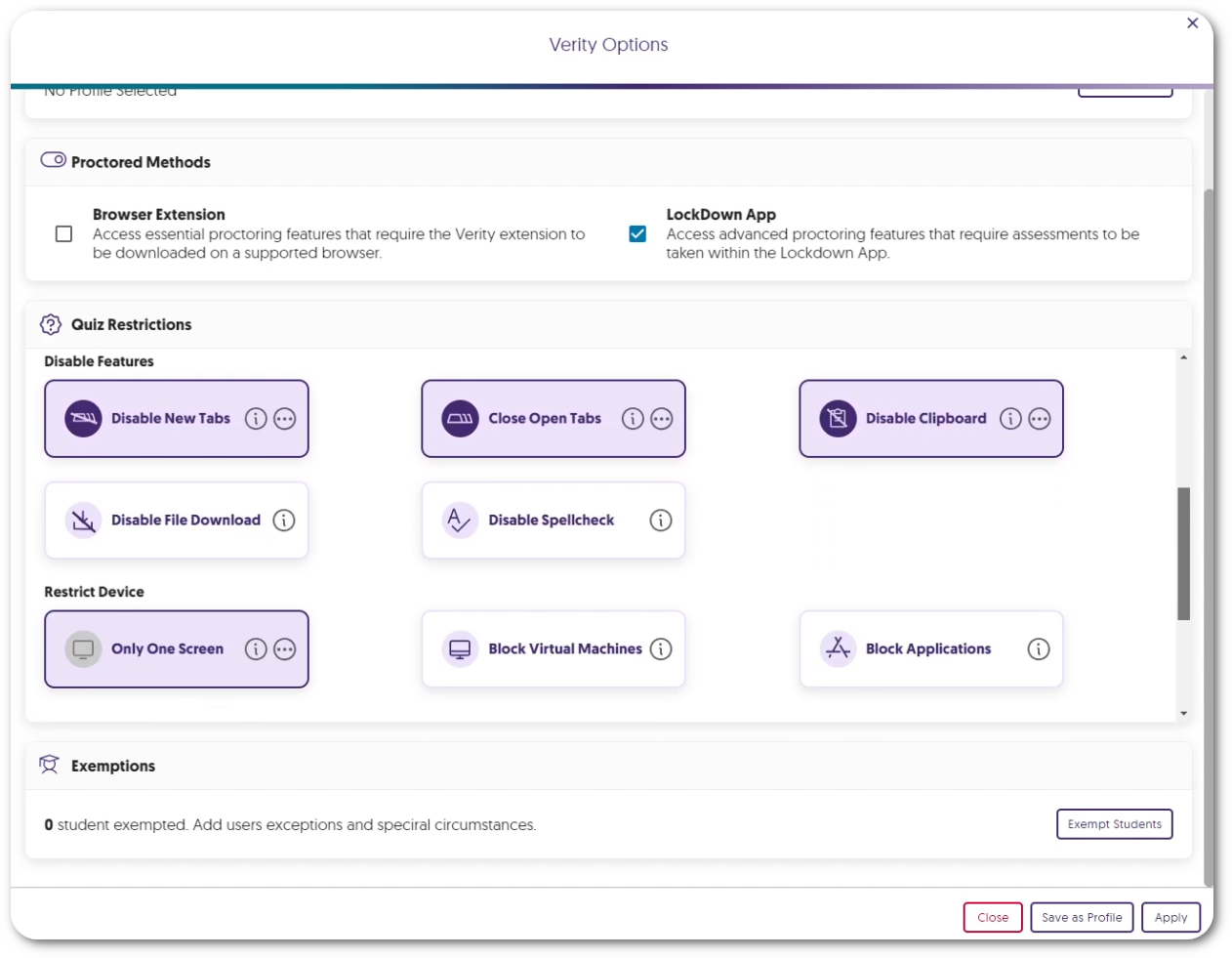
    3. New Accessible Design for Verity’s Proctor Settings We have redesigned the Verity proctor settings to better suit smaller screens. By designing smaller UI elements and reorganizing each proctor setting, instructors can easily view and navigate to their desired settings on any screen size. Verity Options menu.
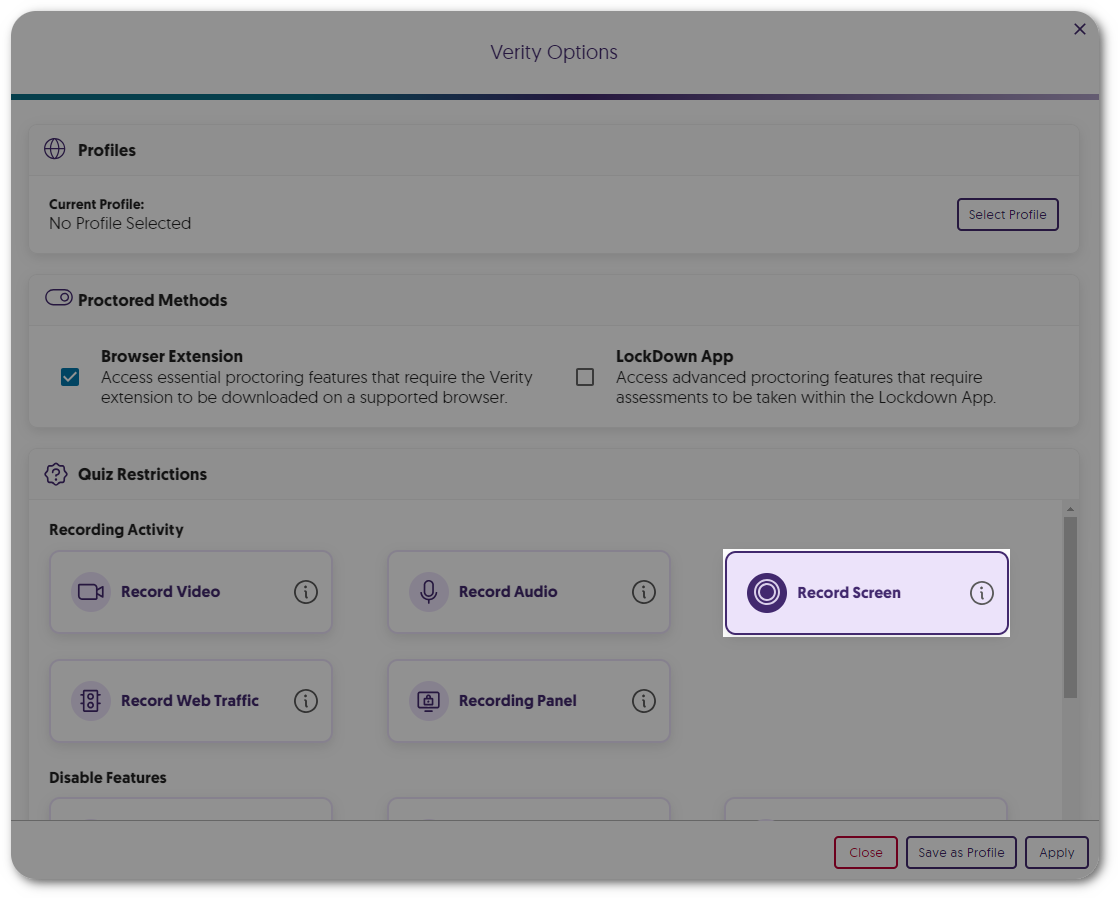
    4. Screen Recording Is Now an Optional Proctor Setting Instructors can enable our screen recording feature on a per-assessment basis to provide proctoring features that are only necessary for paper-based assessments within a remote environment. Record Screen option within Quiz Restrictions.
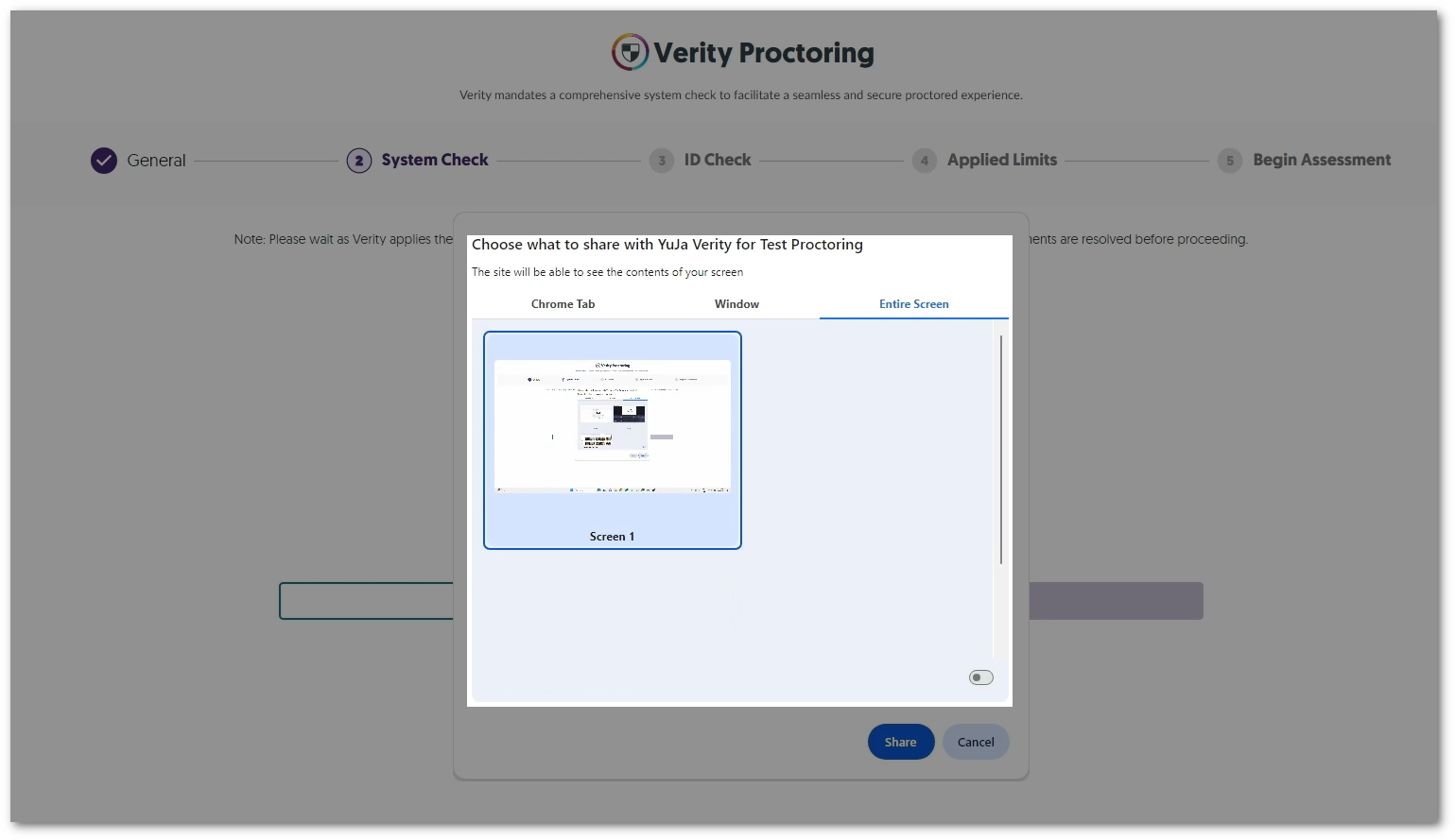
    5. Enhanced System Check to Enforce Screen Recording To increase security measures, the Verity System Check will now require students to share their entire screen instead of having the option to share a tab or window for recording. The Windows option to select the screen to record.
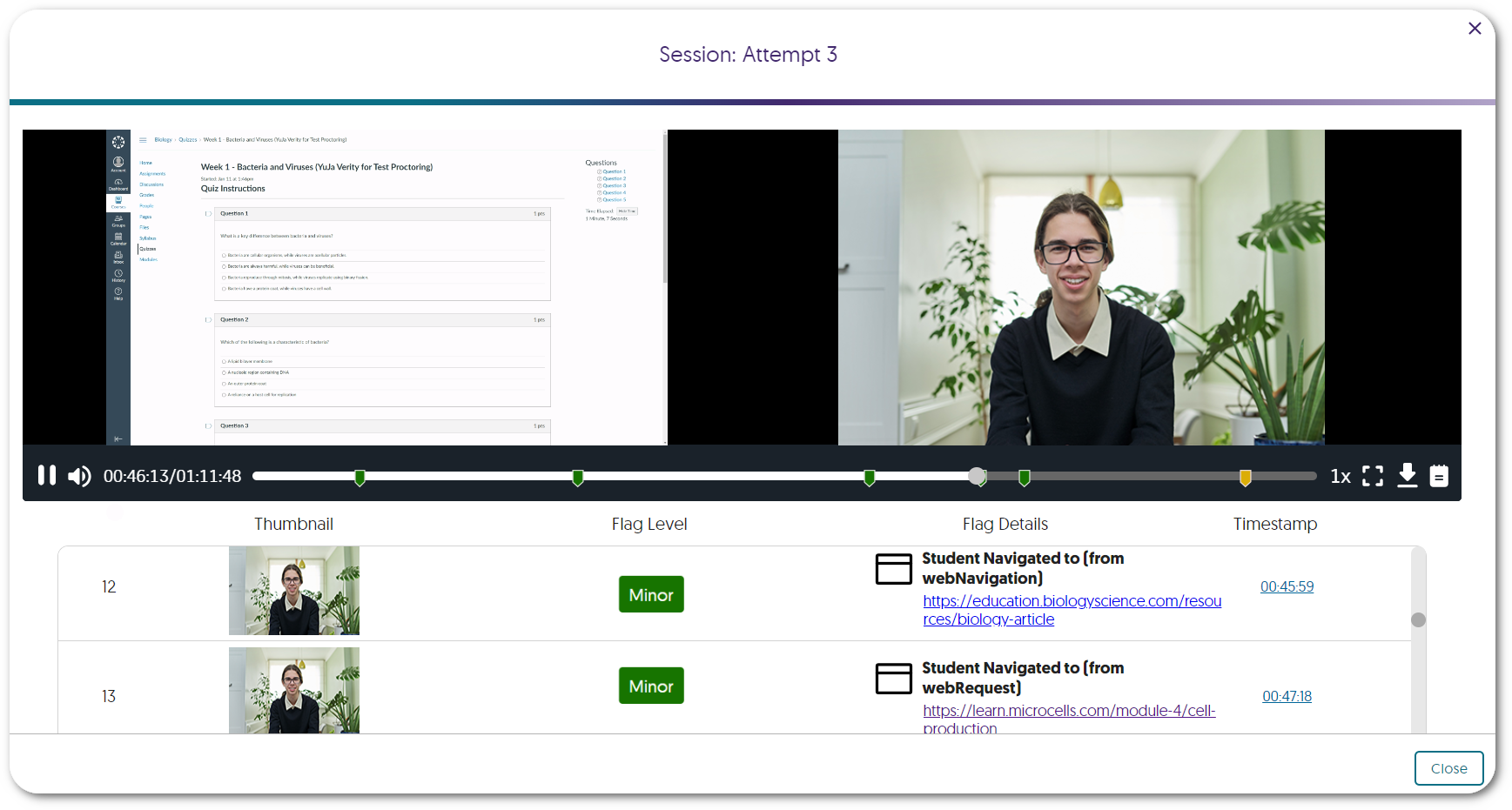
    6. Review a List of Websites Visited by Students Instructors can enable Record Web Traffic to track and review specific websites visited by each student during an assessment. Websites a student has visited can be seen in the Verity Results table.
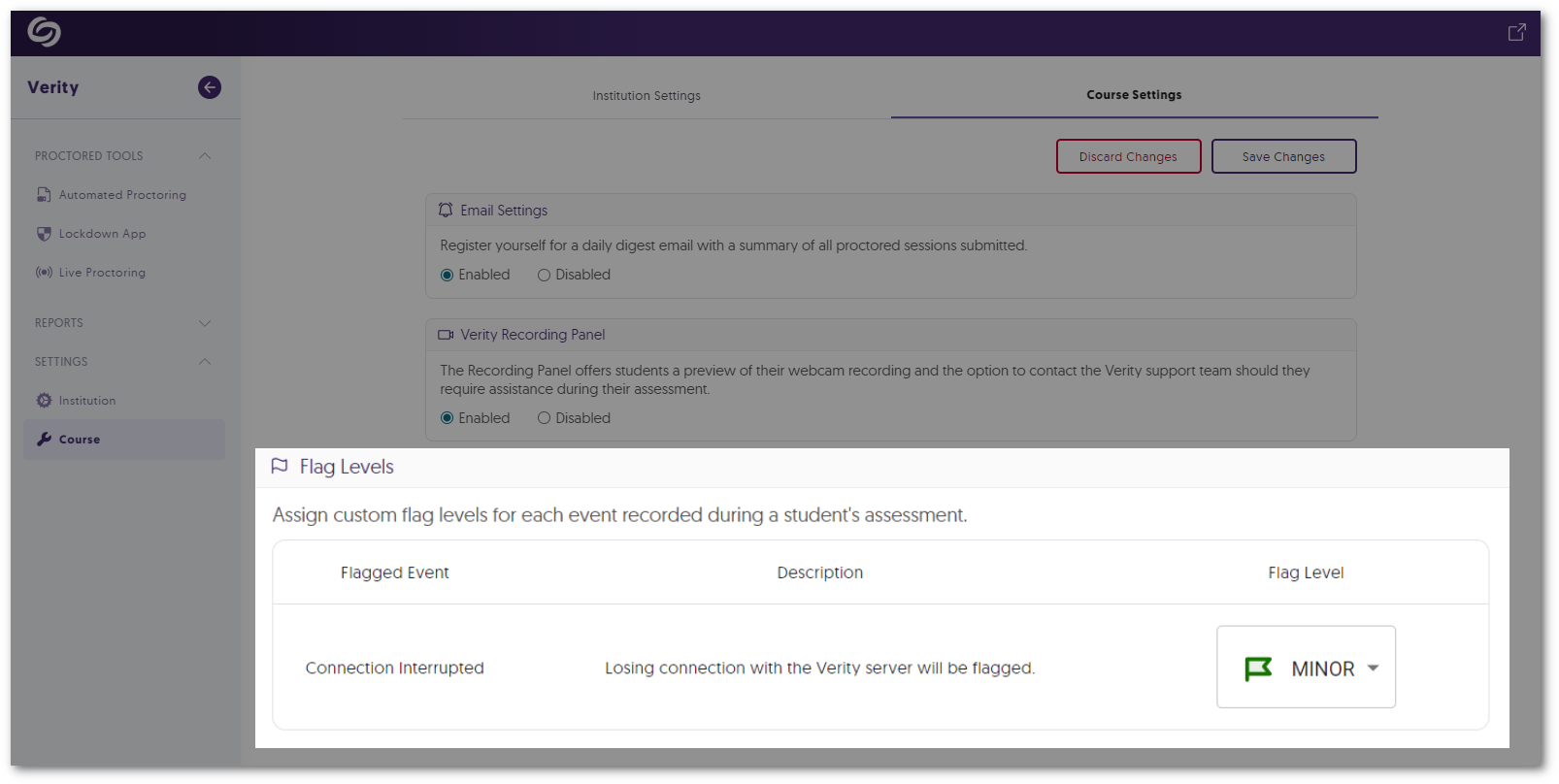
    7. Flagged Event for Server Disconnections In cases where a student’s device may become disconnected from Verity’s servers, such as losing internet connection, Verity will flag the issue for instructors to review. Verity's Course Settings option to adjust the flag level of Connection Interrupted.
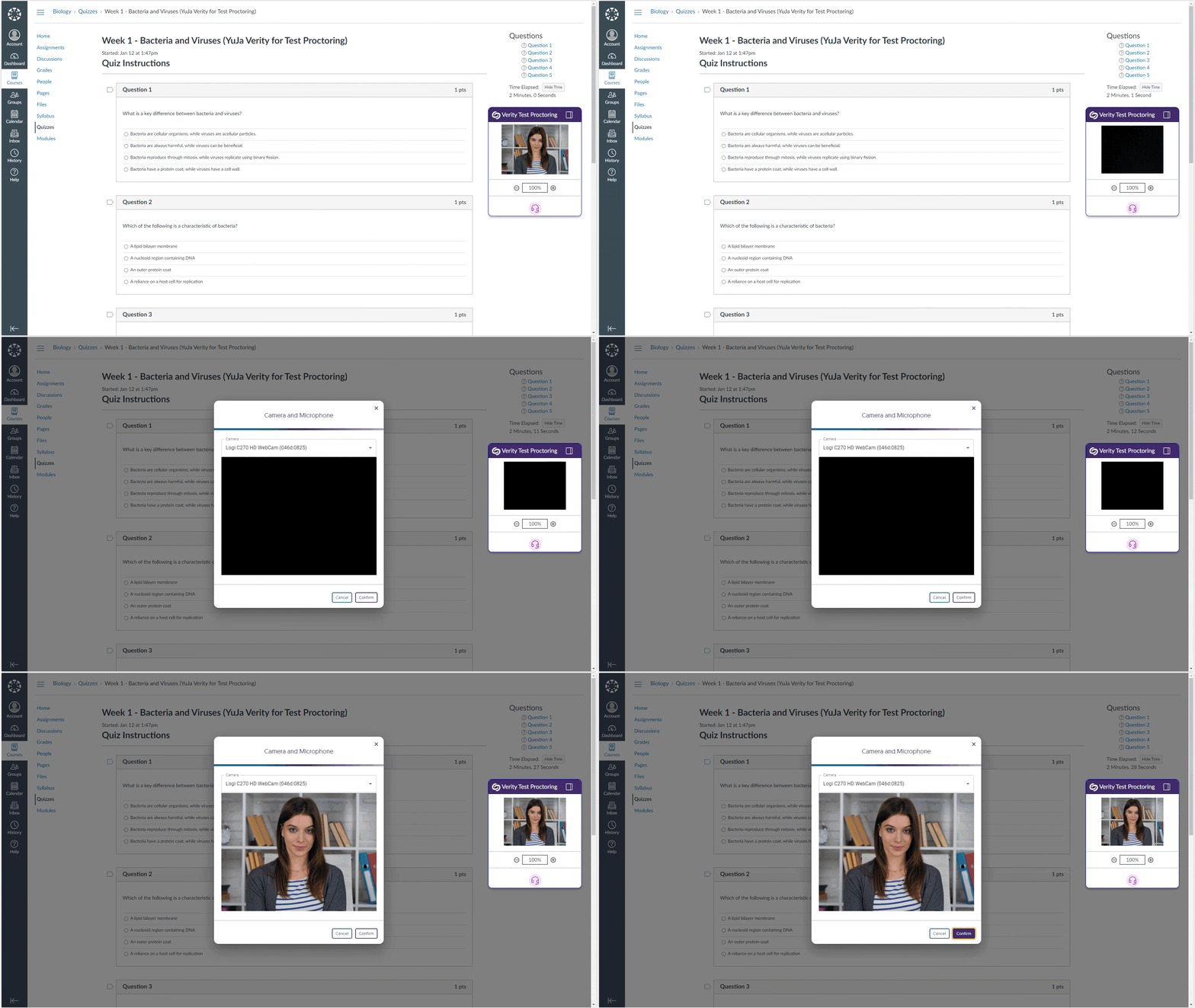
    8. Automated Proctoring: Flagged Event for When Webcam Feed Goes Dark If Verity cannot detect a student’s environment for reasons such as a covered webcam, the event will be flagged for instructors to review. Video feed for an assessment goes black. The option to re-enable their camera appears.
    9. New Automated Proctor Setting: Disable Right-Click Similar to our built-in feature to disable right-click in the Lockdown App, instructors can now prevent students from using the right-click function during their Automated assessments. Verity Quiz Restriction to disable right-click.
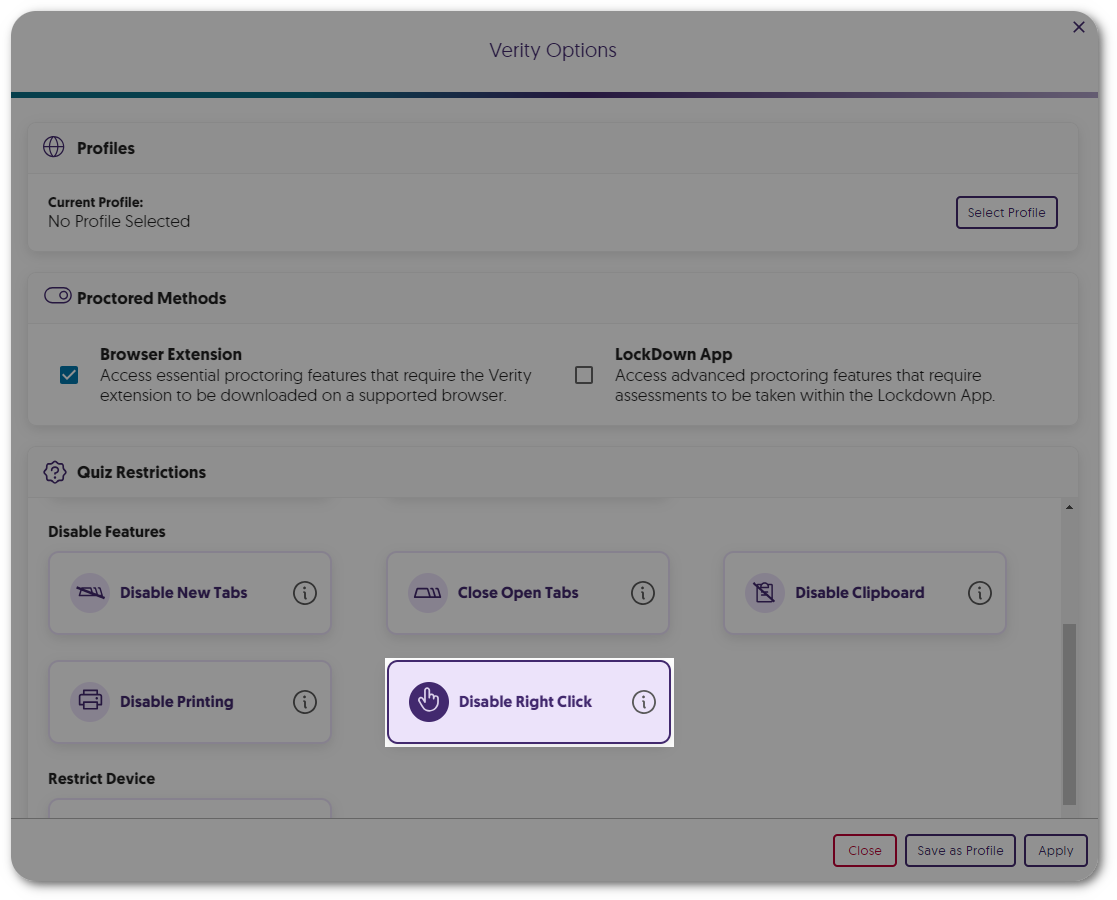
    10. New Automated Proctor Setting: Disable Printing Instructors can now prevent students from using the print function during their Automated assessments. Verity Quiz Restriction to disable print.
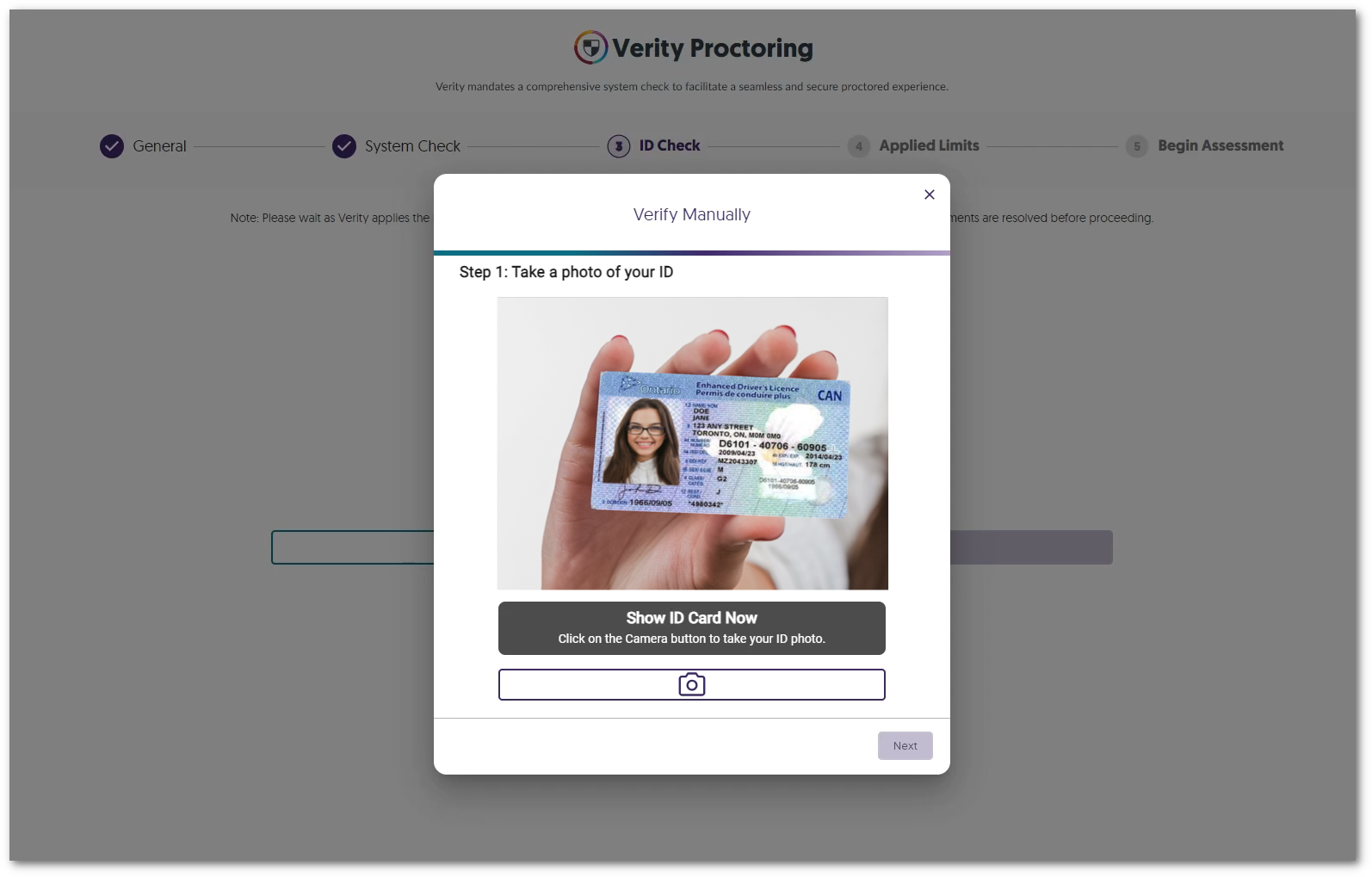
    11. Choose to Enable Manual ID Verification Instructors can select manual ID verification in favor of AI-enhanced verification when reviewing student IDs. A student is holding their card up to the camera to manually take a picture.
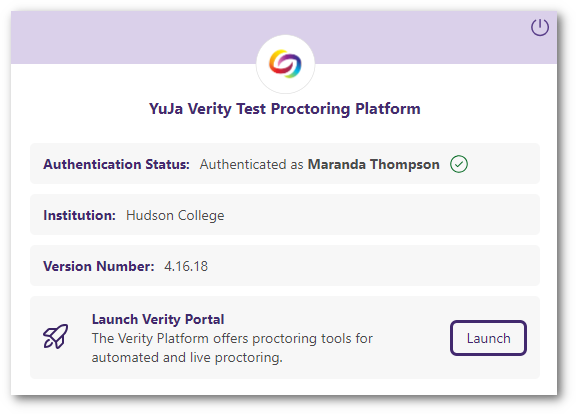
    12. Launch the Verity Portal from the Redesigned Browser Extension We have provided a more modern look to the Verity Browser Extension and have included direct access to the Verity Portal through the new Launch Portal button. Verity's new browser extension UI features a button to launch the Verity portal.
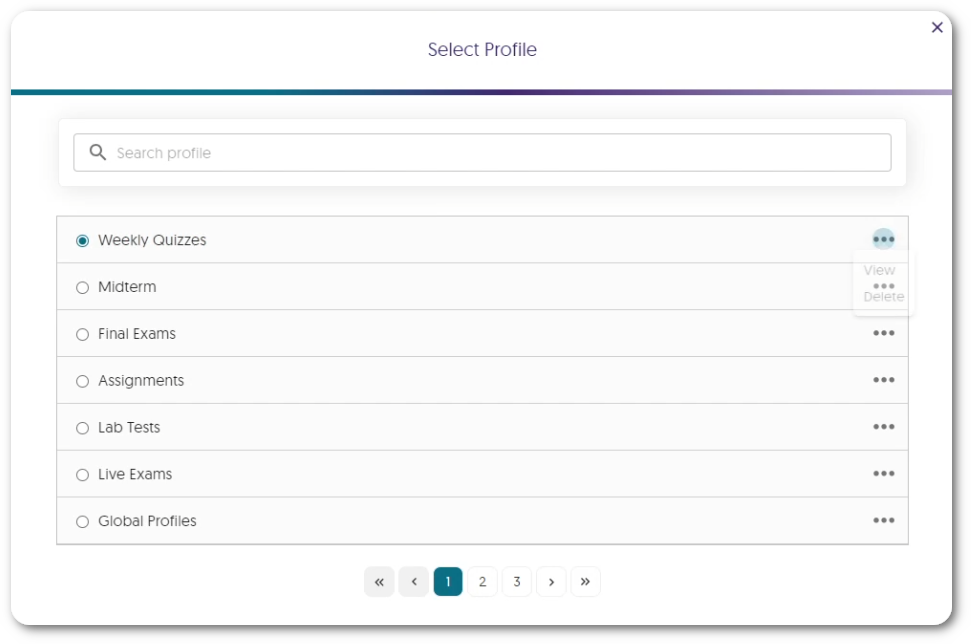
    13. Search for Profiles Within the New List View Instructors can access a dedicated window to view and select profiles, which includes a searchable list to quickly find their desired profile. A list view of profiles created.
    14. Overall Usability Enhancements Verity is committed to providing the best experience for instructors and students, which is why we’ve been hard at work providing some usability enhancements, such as:
      • The new Exemptions UI provides an at-a-glance view of the number of students who have been exempted from Verity.
      • The System Check will automatically skip steps that are not required.
  • November 21, 2023

    YuJa Verity Test Proctoring Platform – “Pearl” Released to US, CAN, AUS, and EU Zones

    We have successfully pushed an update to all instances residing in the United States, Canada, Australia, and the European Union. This update includes a new redesign for the Live Proctoring Dashboard, the option to assign custom flag levels for events, ability to take private proctoring notes within the Proctoring Video Player when reviewing results, new proctor settings – such as Audio Detection, Block Virtual Machines, and Block Applications – ability to create institution-wide Proctoring Global Profiles, a pre-assessment compatibility check, and a new UI redesign for blocking embedded content.
     
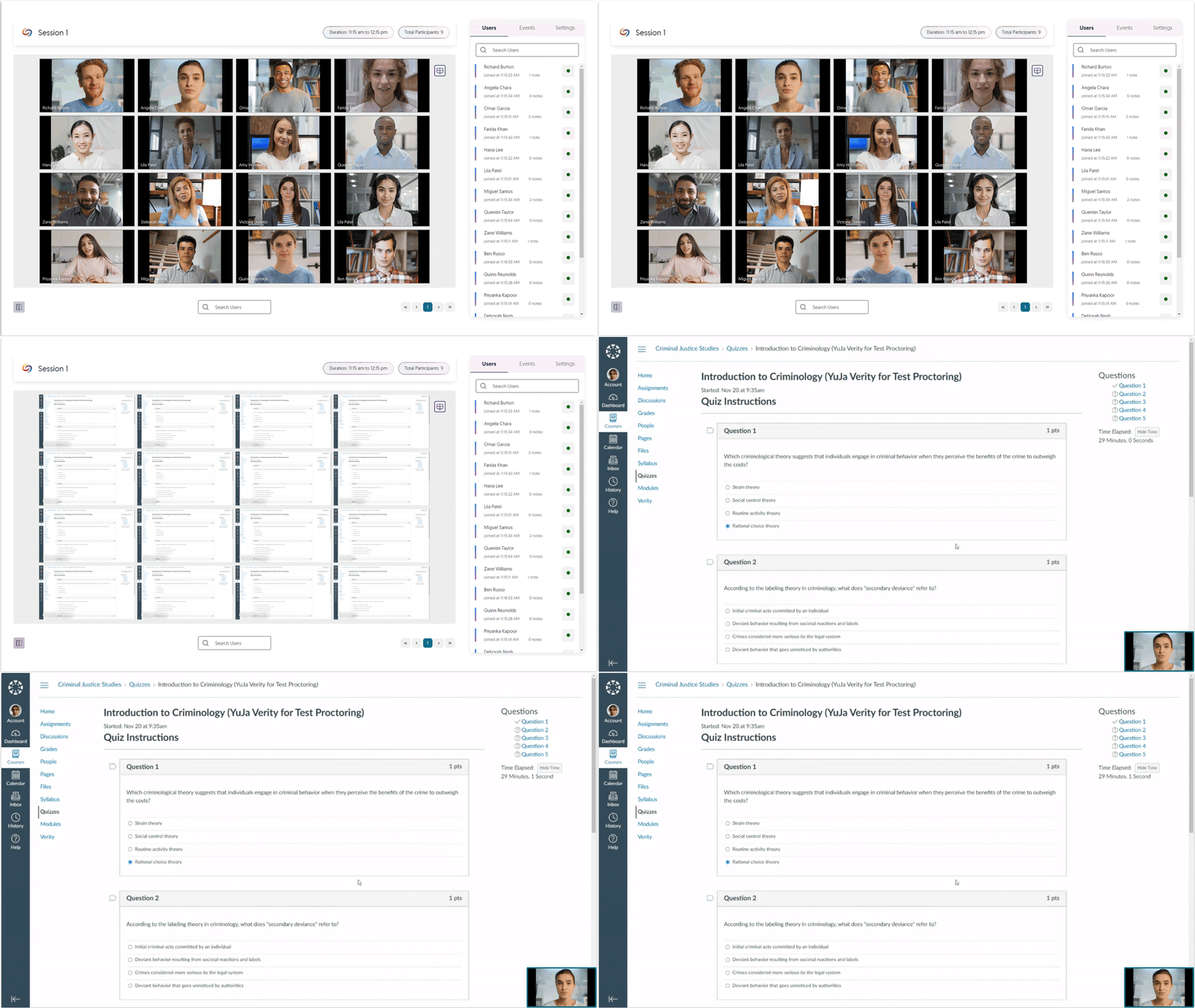
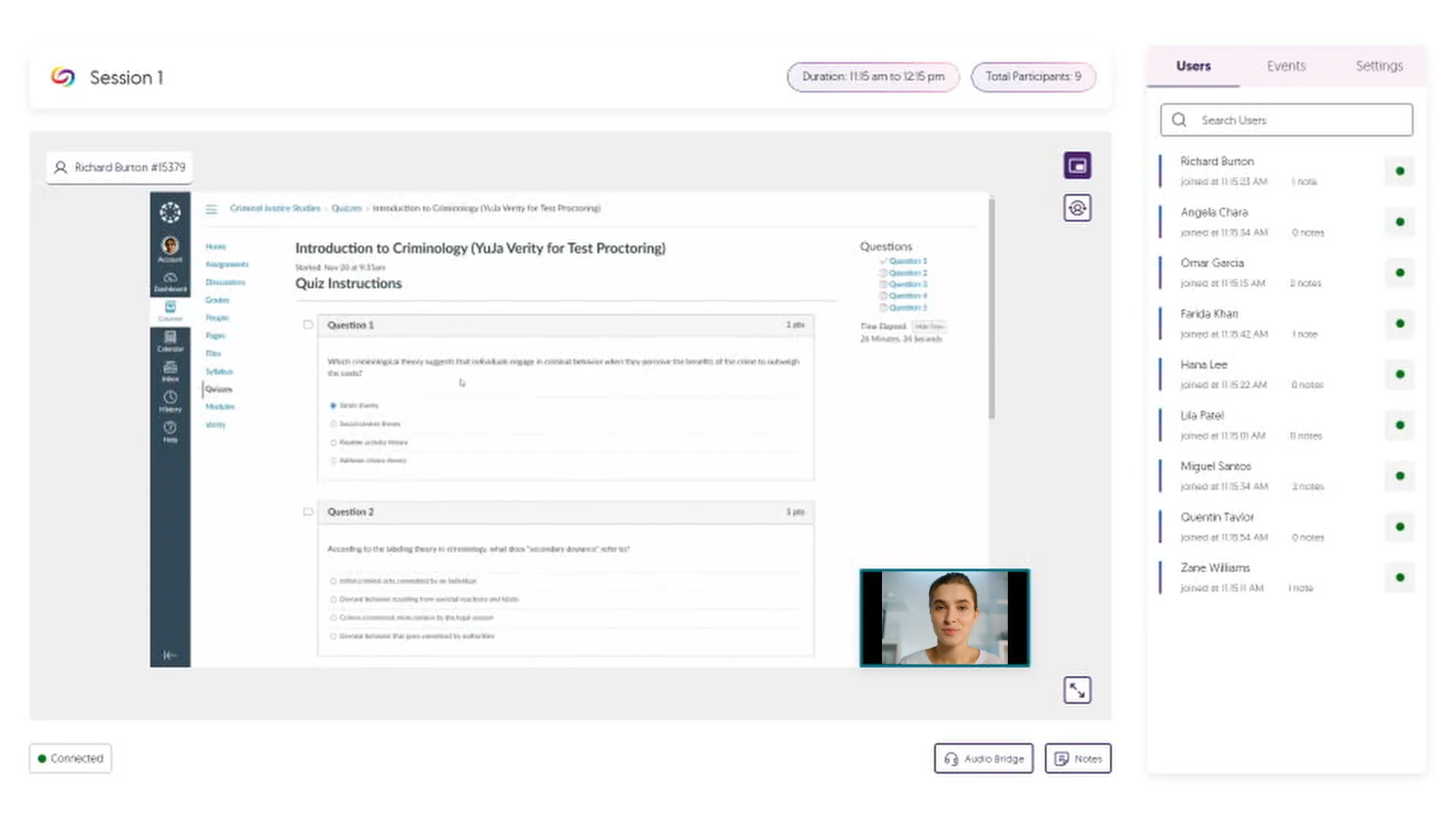
    1. Verity Live: New Dashboard for Live Proctoring Verity Live, a module within the YuJa Verity Test Proctoring Platform, has undergone a significant update to its dashboard, with an emphasis on adding new capabilities and user experience improvements. These changes provide a more intuitive and seamless navigation experience for proctors. Now, proctors can effortlessly explore various views, including:
      • Gallery: Conveniently view multiple live cameras within an improved dashboard panel
      • Screen View: Single-click to flip to view all proctored student’s screens
      • Student-Specific View: Select and focus on a single student’s view with a specialized full-screen view.

      A live proctoring view of Gallery, Scree, and Student view.
    2. Verity Live: Student-Specific View Expanding upon our Student-Specific View, this feature will allow proctors to direct their attention to a specific student during an assessment by simply selecting a student and accessing a full-screen view of the live recording to oversee a detailed perspective of the student’s testing environment. The proctor is viewing the environment of a students screen and webcam recording.
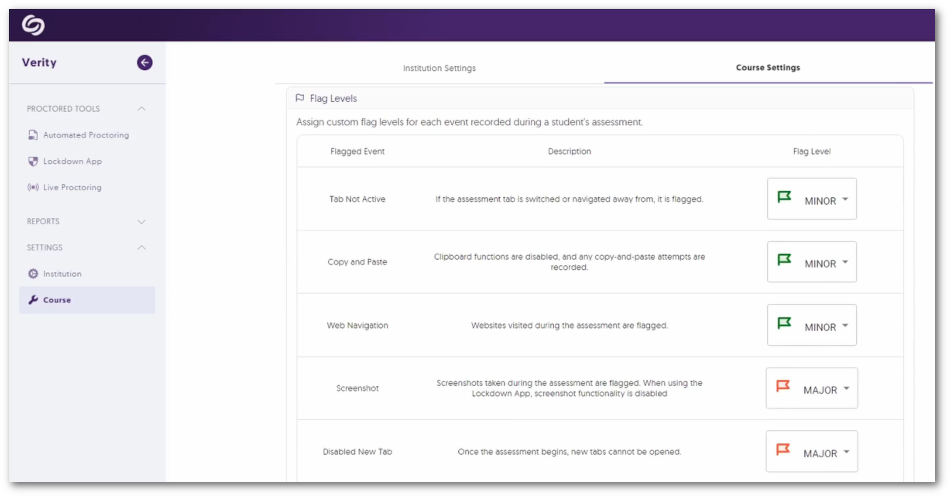
    3. Assign Custom Flag Levels for Events Instructors have the flexibility to tailor event flagging to meet their standards by assigning custom flag levels—Minor, Major, or Severe—for events recorded during proctored sessions. Additionally, instructors can choose to have certain events ignored by Verity by simply choosing not to flag an event.
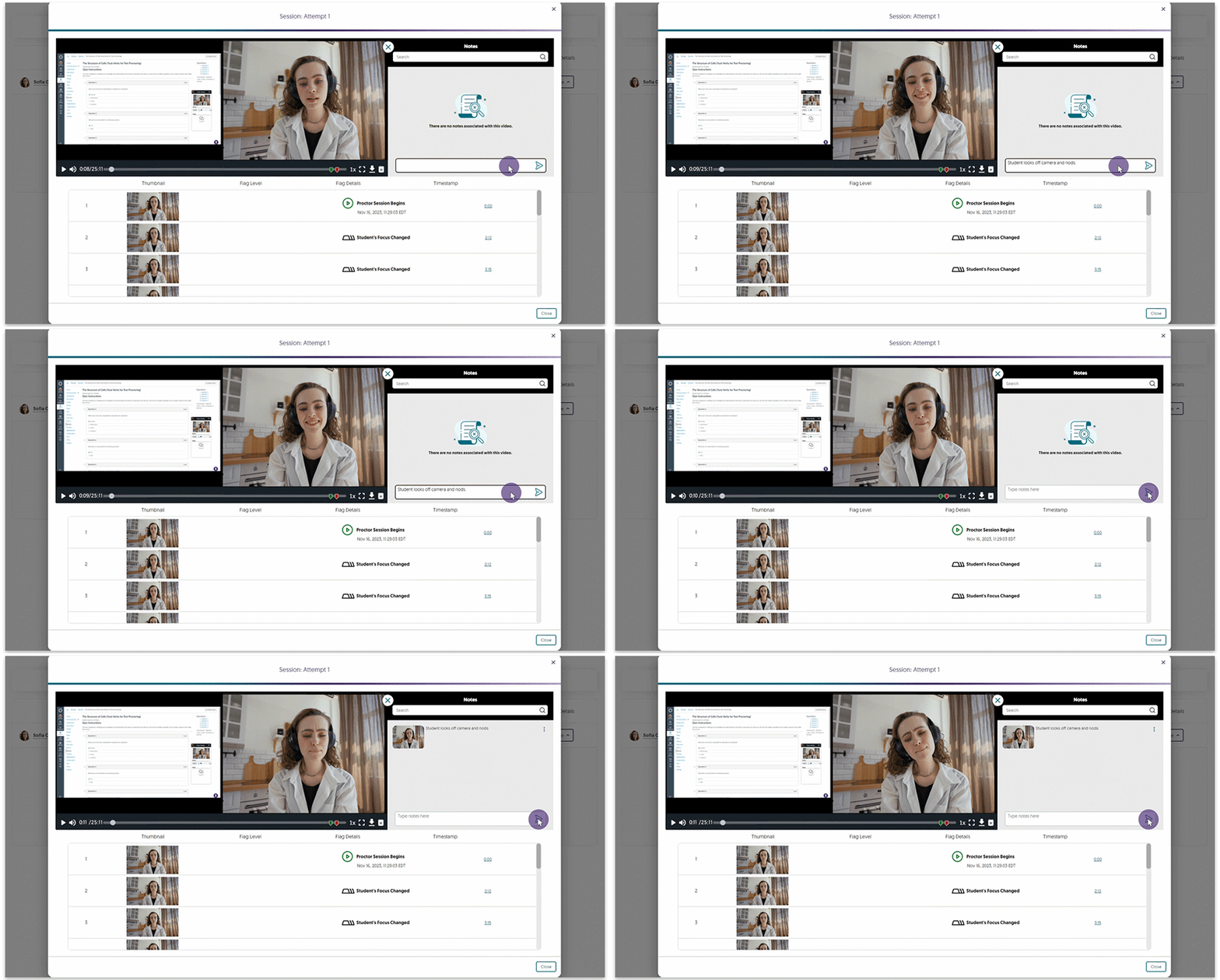
    4. Proctoring Video Player Notetaking When Reviewing Sessions Complementing Verity’s automated event tracking and logging, when reviewing proctored assessments, instructors can now take notes directly within the Proctoring Video Player to manually keep track of important details in recorded sessions. An instructor writing a note for an assessment recording they are reviewing.
    5. New Event to Flag Audio Detection To ensure the integrity of a student’s testing environment, any loud audio occurrences during the assessment are automatically flagged if the Record Audio setting is enabled. This will allow assessment reviewers to focus on areas of concern, aiding in the detection of potential unauthorized assistance. A dog barking triggers an audio warning letting the student know they need to be in a quiet environment.
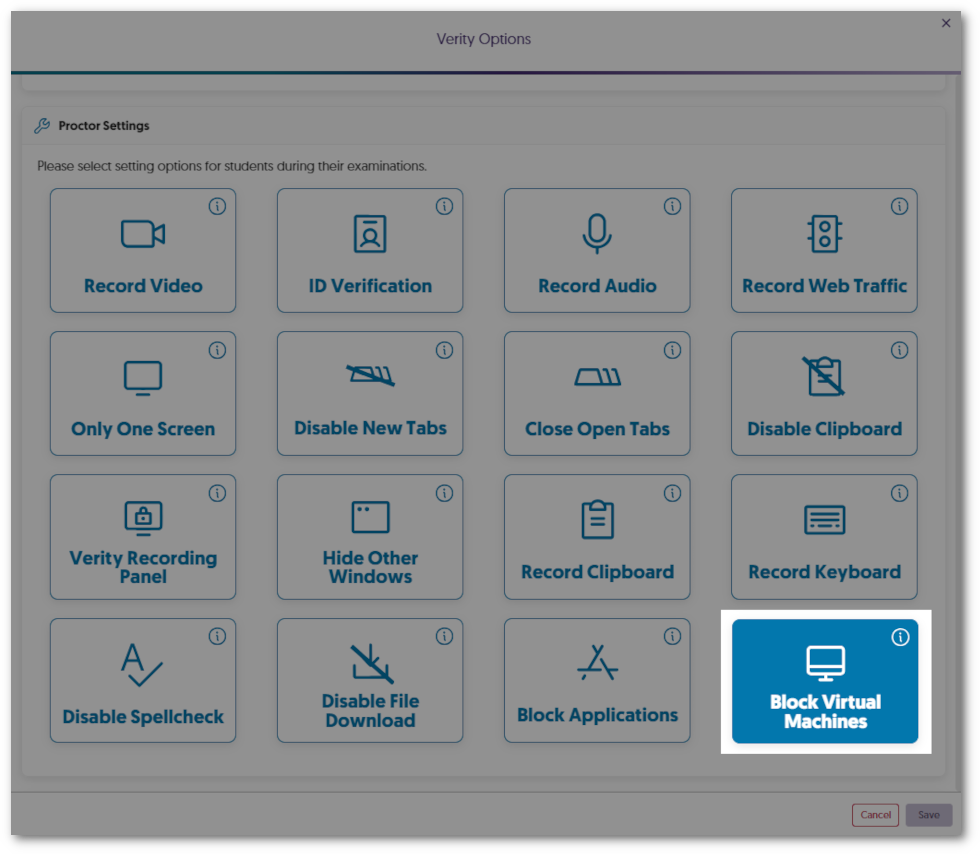
    6. New Lockdown App Setting: Block Virtual Machines Virtual machines provide students access to multiple operating systems on a single device, which can be used to bypass proctor settings. The Lockdown App will allow instructors to enable virtual machine detection to provide online integrity during proctored assessments. If a virtual machine is detected, this will prevent students from starting or continuing their assessment. Verity Proctor Settings showing the option to enable Block Virtual Machines.
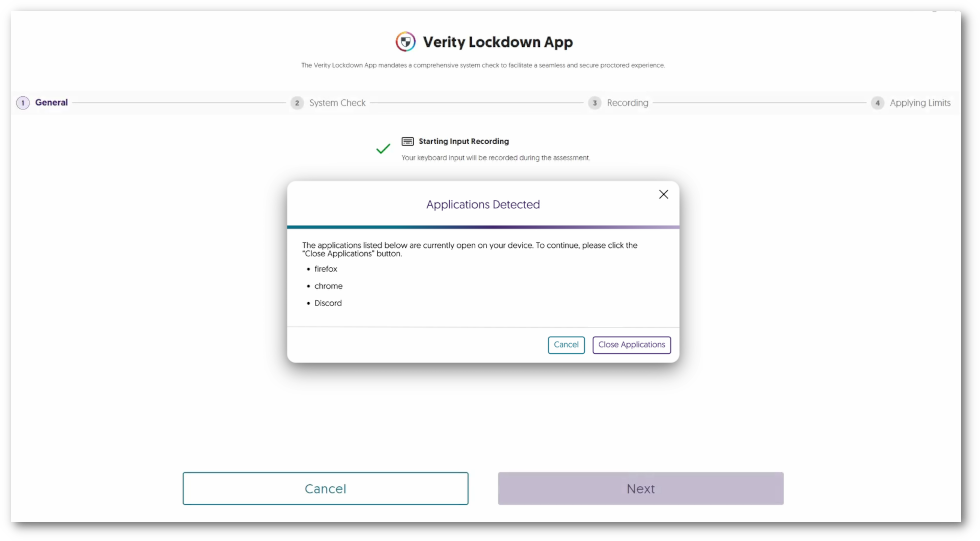
    7. New Lockdown App Setting: Block Applications from Running Instructors now have more control during online proctored assessments with the new Block Application feature for the Lockdown App. By listing as many applications as desired, instructors can prevent students from using tools, such as social media and Microsoft apps, to provide distraction-free assessment. Restricted applications are shown that the Block Applications feature has detected.
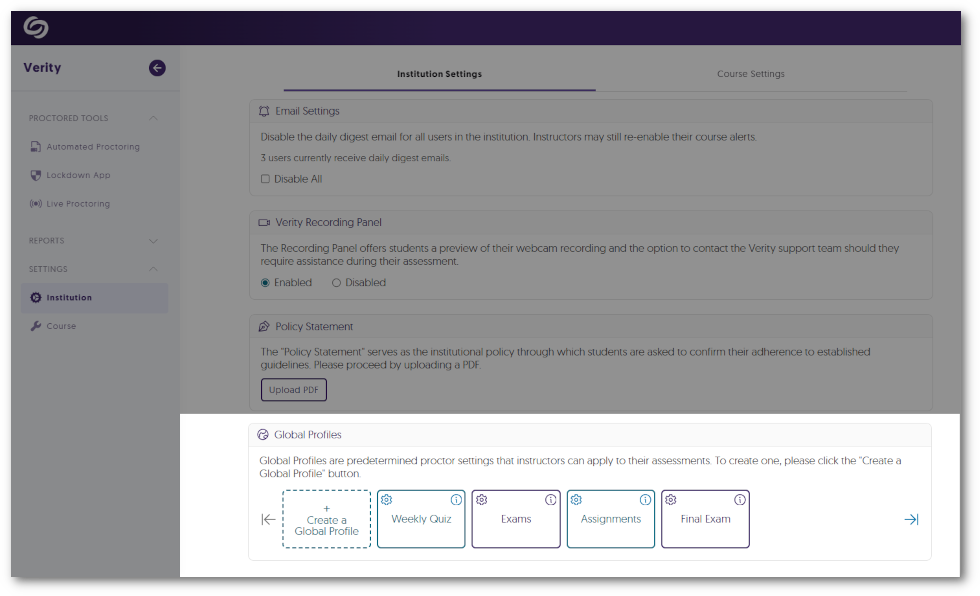
    8. Create Global Profiles for Institution-Wide Proctor Settings To streamline access to proctor settings on a per-assessment basis that consistently meets requirements for a standardized online environment, administrators can now establish Global Profiles for their institution. Instructors will then have access to select these profiles to apply the required proctor settings to their assessments. The Global profiles feature within the Institution Settings in the Verity LTI app shows custom created profiles.
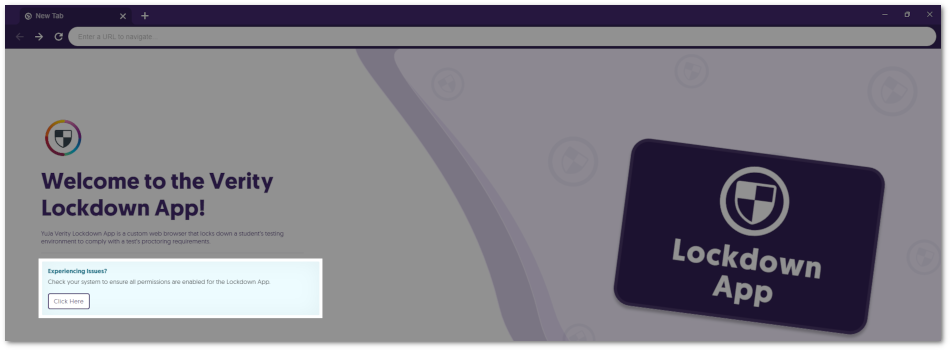
    9. Lockdown App: Pre-Assessment Compatibility Check Students requiring the use of the Lockdown App for their assessments will now have the opportunity to conduct a comprehensive pre-assessment compatibility check. This will provide students with information regarding the upcoming proctored assessment, including details on monitored actions, assessment restrictions, and verification of external devices, such as audio and video. This proactive step ensures students are well-prepared and their devices meet all necessary requirements before starting the assessment. The compatibility check is featured as a button on the main page of the Lockdown App when opened.
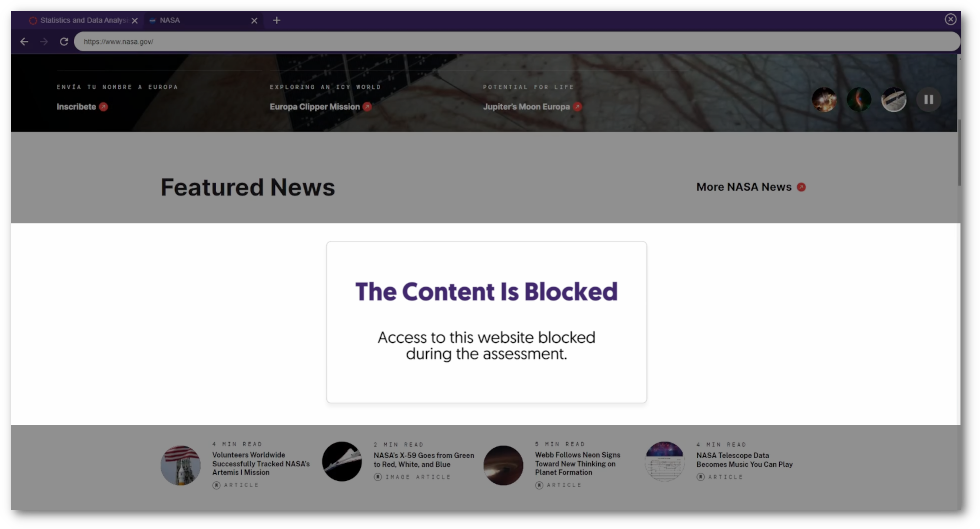
    10. Refreshed UI to Block Embedded Content Assessment administrators can allow students to access specific web pages during their assessment; however, some pages may incorporate embedded content from external sources. To provide students with a clear indication that they do not have access to this content, we’ve provided a refreshed UI that will only block the embedded areas, ensuring the rest of the web page is visible. Embedded content within a website is blocked letting the user know they don't have access to the content.
  • October 6, 2023

    YuJa Verity Test Proctoring Platform – “Opal” Version Released to US, CAN, AUS, and EU Zones

    We have successfully pushed an update to all instances residing in the United States, Canada, Australia, and the European Union. This update includes the option to enable the Lockdown App for Canvas New Quizzes, improved processing times for recordings, the option to adjust email settings at the institution level, and enhanced design and text elements across the platform. 

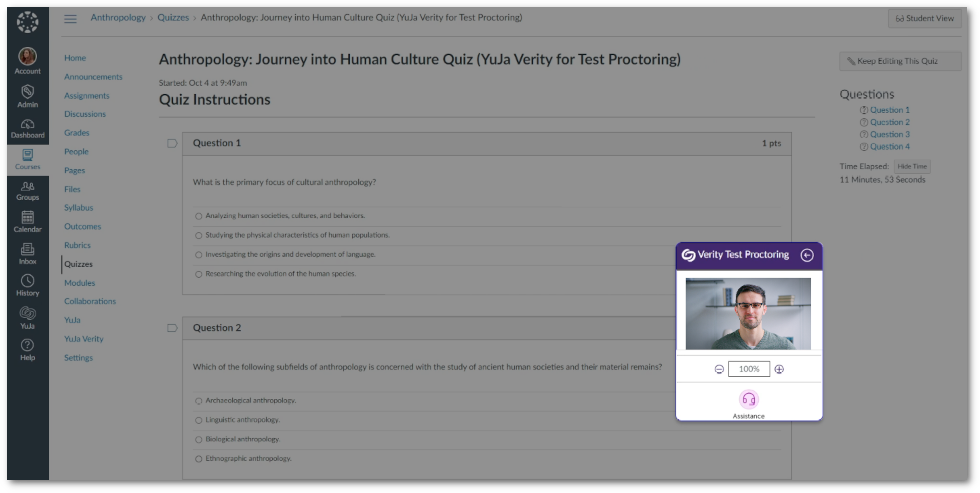
    1. Improved Design for the Verity Recording Panel The Verity Recording Panel now provides a new look and feel that seamlessly aligns with our brand development goals. Our intuitively refined design enhances the user experience, particularly when utilizing the Zoom feature. The Verity Recording Panel.
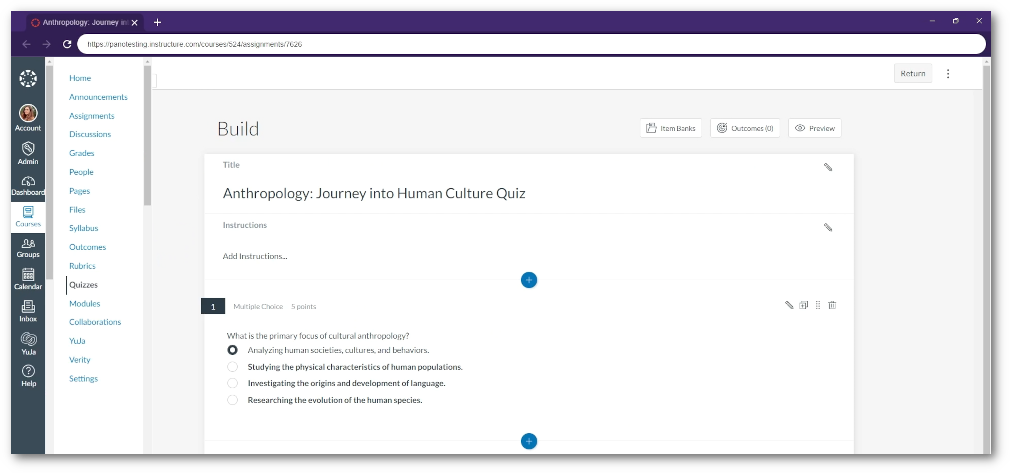
    2. Lockdown App now Supports Canvas New Quizzes Instructors who prefer to use “New Quizzes” in Canvas can now utilize the Lockdown App and its available settings to create the most reliable proctoring environment for online assessments. A new Quiz assessment being viewed inside the Lockdown App.
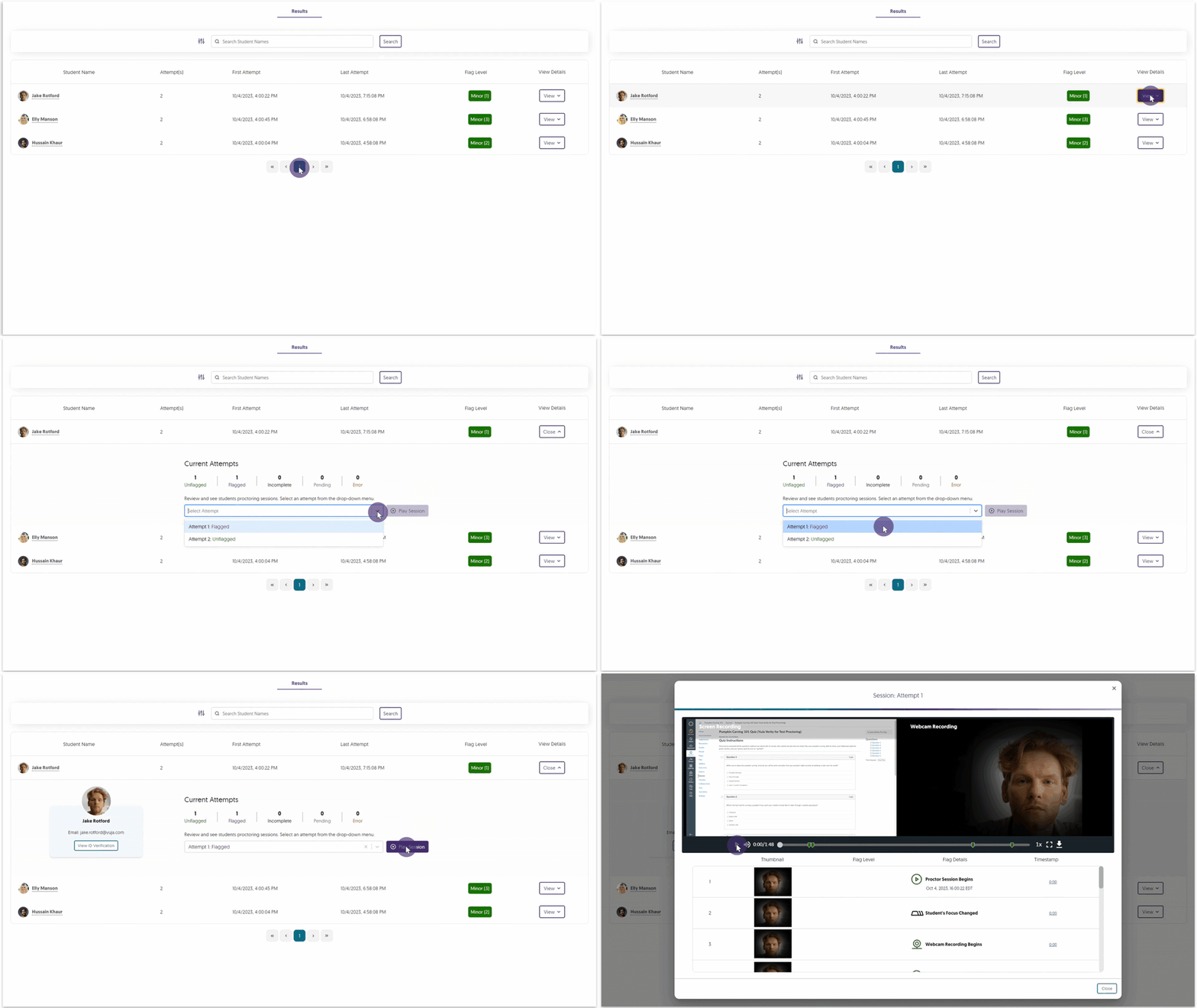
    3. Improved Processing Time for Recorded Assessments We’ve enhanced our processing efficiency to ensure that recorded assessments are available within the Results table in as little as a few minutes, whereas previously, instructors could have to wait up to three hours. A recording is selected from the Verity Results table.
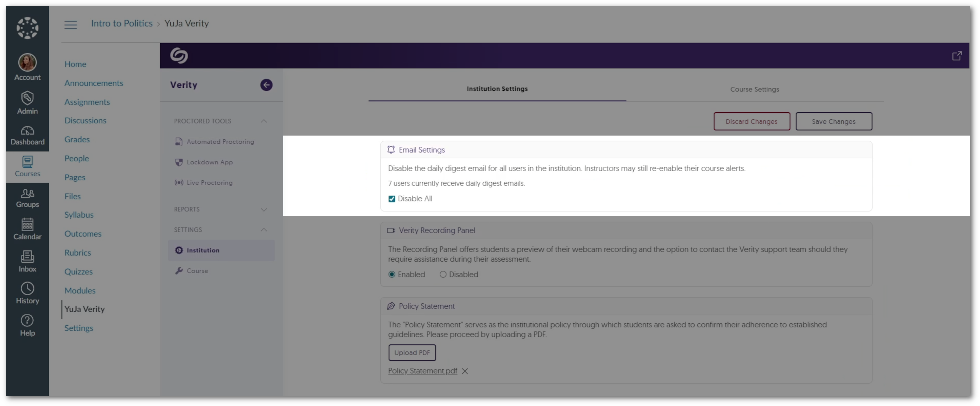
    4. Adjust Email Settings at the Institution Level Verity provides daily emails detailing a summary of all proctored sessions submitted. This setting can now be disabled on an institutional level and available on a per-course basis. Option to disable emails in the Institution Settings.
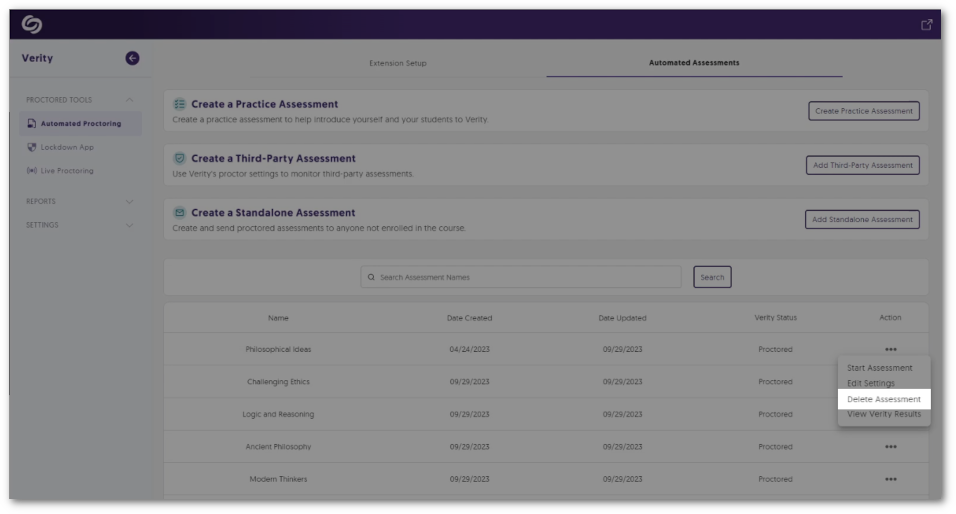
    5. Delete Assessments from the Assessment Tab The Verity Portal offers a dedicated tab on the Automated Proctoring, Lockdown App, and Live Proctoring pages, presenting a convenient list of assessments. Instructors can access this Assessment tab for each proctoring tool, allowing them to delete assessments without the need to locate them within the LMS. Option to delete an assessment from the Assessment tab.
    6. Enhanced Design Elements and Text Across the Lockdown App To enhance the user experience, we have taken a step toward updating areas of improvement for the Lockdown App through incremental design elements and text adjustments. The refreshed UI and text have been curated to guide students through the essential proctor checks, ensuring a seamless transition into their assessments.
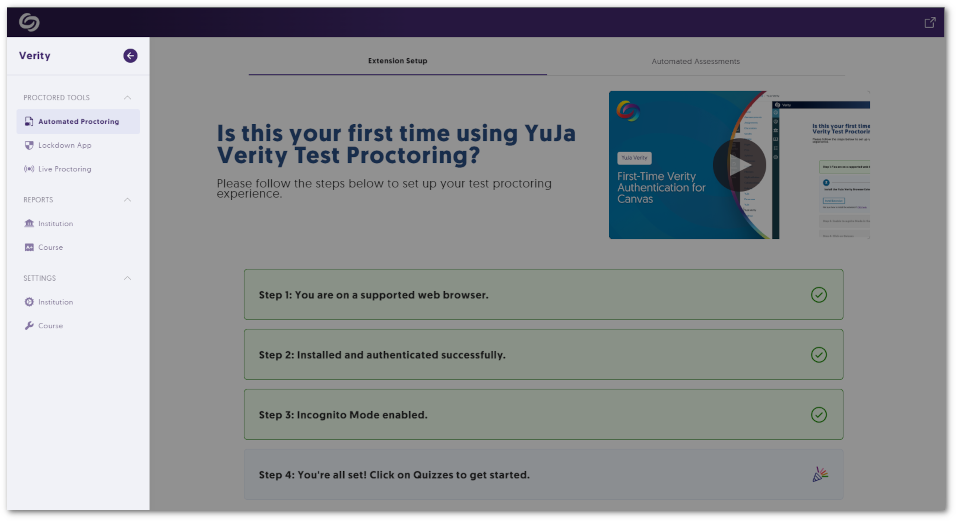
    7. Visual Refresh for the Verity Portal We have provided a new look and feel to the Verity Portal, providing a structured approach to the various Proctored Tools accessible from the left-side navigation menu. Instructors and students will be able to select their preferred tool, view setup steps, and have access to view and edit associated assessments. Highlight of the Verity navigation panel.
    8. Streamlined User-Friendly Updates As we continue to expand upon Verity, we’ve taken a close look at providing minor updates to existing features to help elevate the experience for instructors, proctors, and students. Below are some of these enhancements.
      • Microphone and Camera permissions will automatically be enabled on the Chrome browser.
      • When students register for a time slot, if only one option is available, it will be automatically selected.
      • Proctors will receive a notification if students leave a live proctoring session. 

Join the 1,000+ Organizations Deploying High-Impact Solutions

A collection of logos representing various organizations and institutions that use YuJa’s platform.