









How to Create a User-Friendly Online Test Proctoring Experience
Read the article >
Boost Video Accessibility with the GenAI Video PowerPack!
Try Now
Supercharge Your Compliance Efforts with AutoPilot Remediation Max!
Try Now
Strengthen Your PDF Accessibility Efforts with Structural Remediation Max!
Try Now
Don't Miss Any of Our Upcoming Webinars—Save Your Spot!
Register
The YuJa Community is here! Connect, get updates, and access exclusive content.
Join Now

Create, configure, and publish a proctored assignment or quiz in one consolidated workflow and let the YuJa Verity Assessment Builder automatically publish the assessment in your LMS.
Scrolling logos of YuJa’s clients such as SUNY Corning, University of Cambridge and University of Calgary, etc.
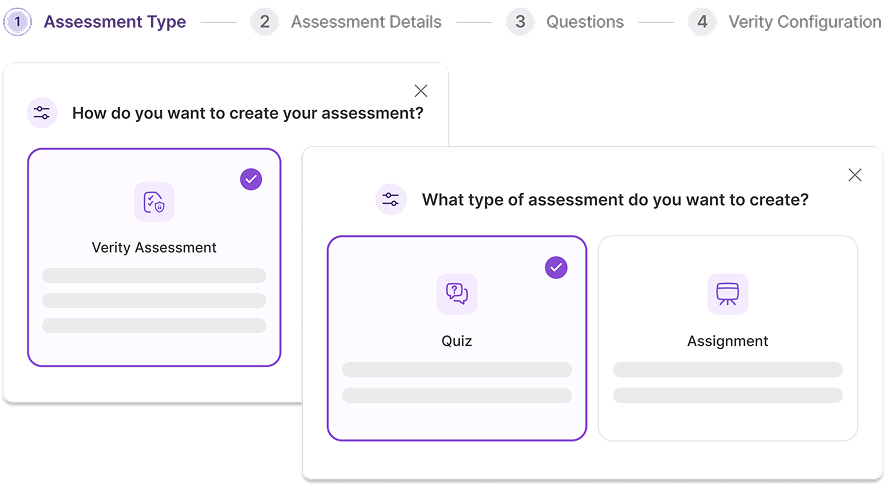
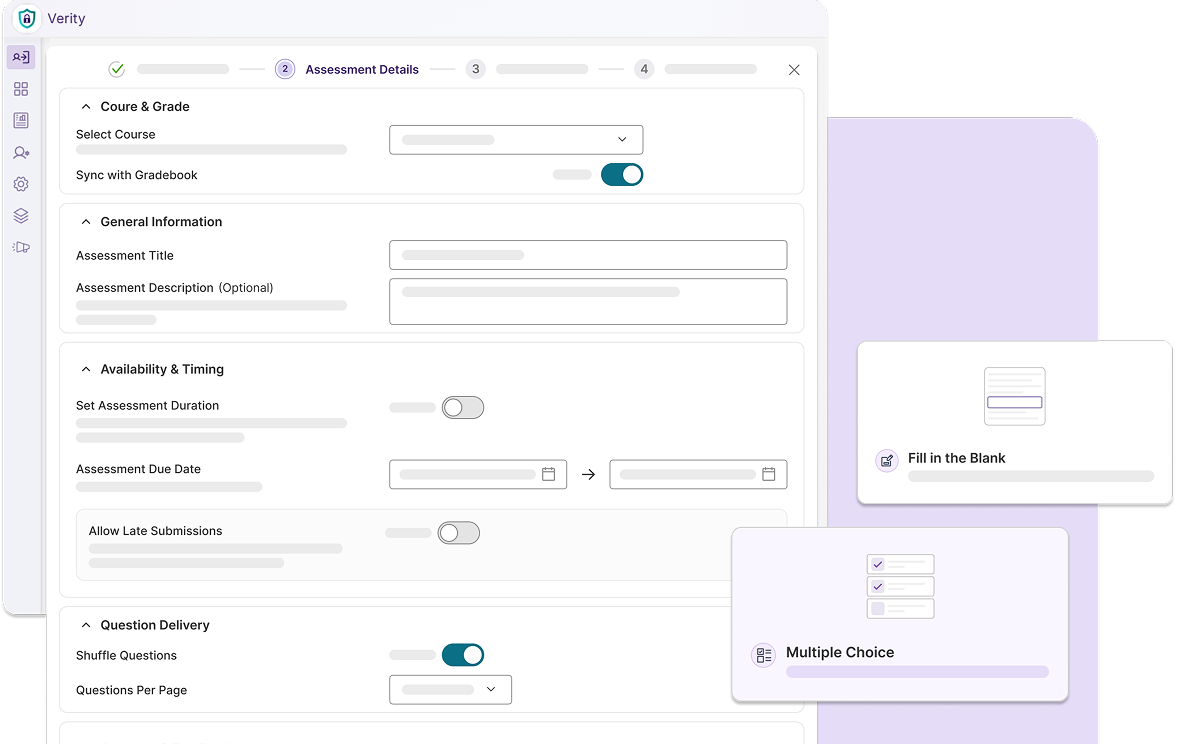
With an assessment creation process that mimics the existing LMS assignment workflow, you can create assessment questions, select your proctoring method, and enable YuJa Verity to automatically publish and synchronize your assessment settings to your LMS, all without leaving Verity.
Test your students’ knowledge on basic fundamental concepts with objectively correct answers using quizzes and review results at a glance with a visual gradebook.
Request students to submit longer, thoughtful responses on larger course topics in the form of essays, reports, and multi-media projects by creating an assignment.
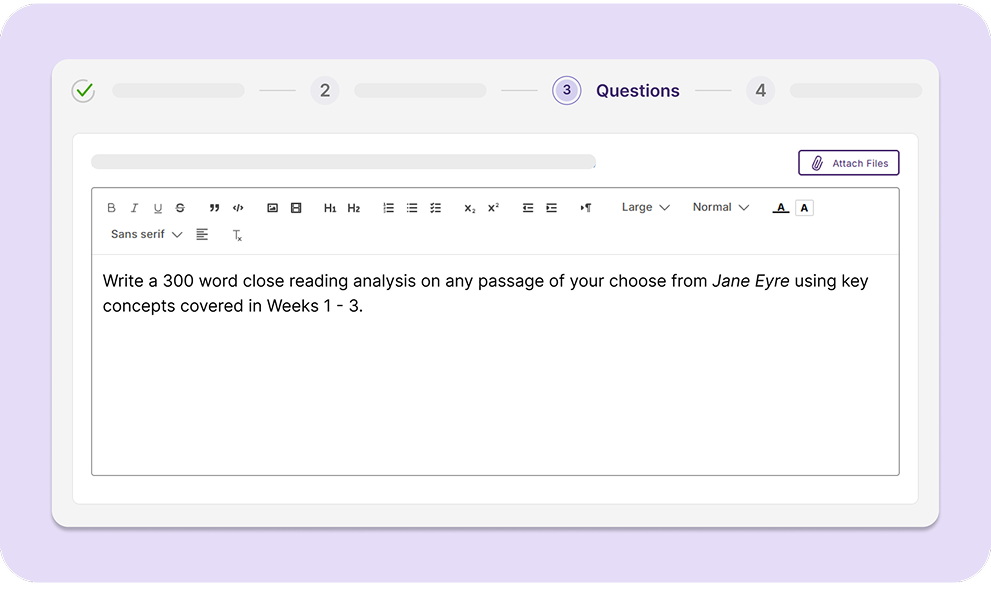
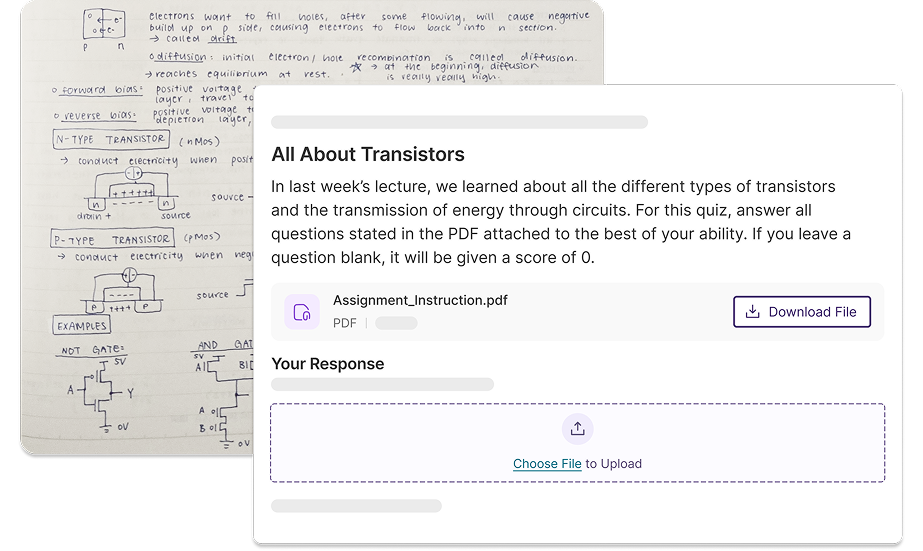
Allow students to submit traditional hand-written responses by restricting upload formats to PNG, JPEG, and JPG, while maintaining academic integrity in a virtual environment using YuJa Verity’s proctoring methods.
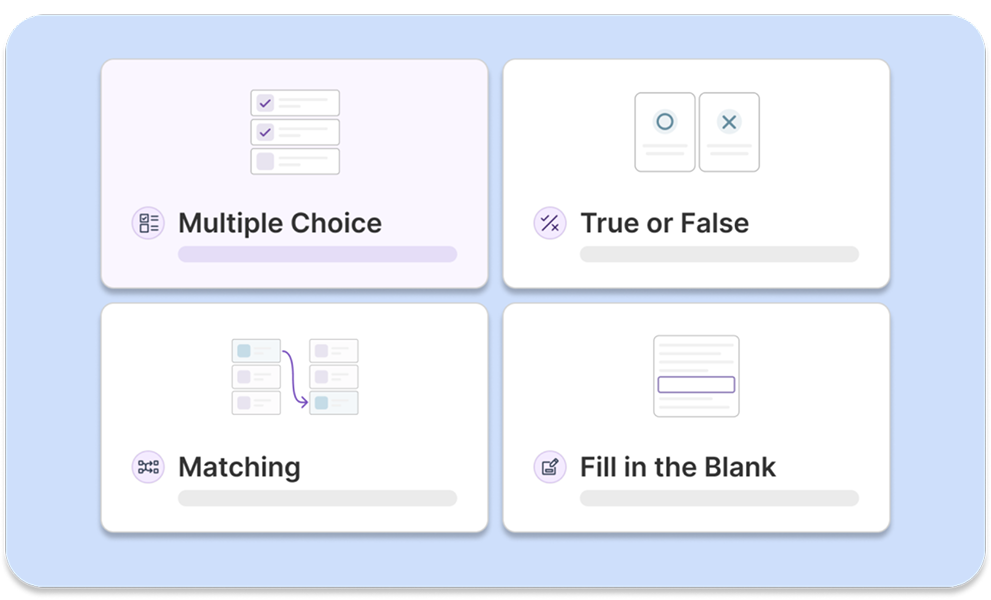
The YuJa Verity Assessment Builder offers a range of built-in question types that you can add to your quiz, effectively providing flexibility while matching native LMS capabilities.

Choose from several options with one or multiple correct answers.

Determine whether the statement provided is objectively true or false.

Input missing information to connect the sentence or phrase contextually.

Link corresponding concepts or sentences together from multiple options.
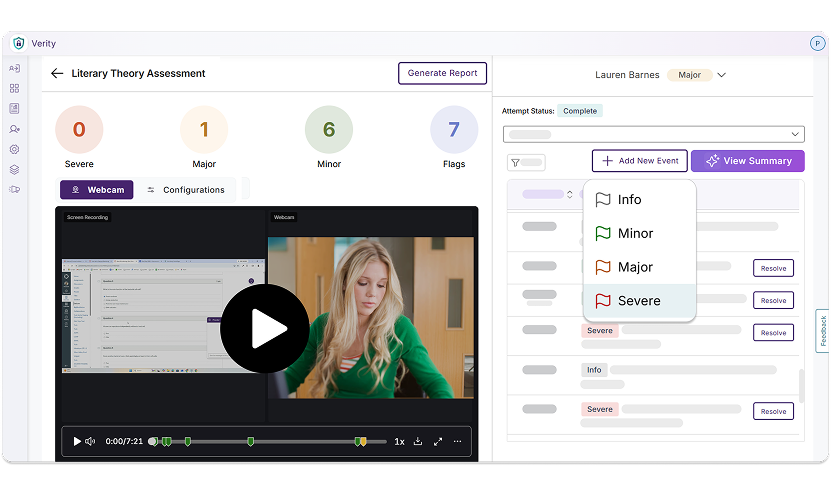
Available with all proctoring methods, leverage YuJa Verity’s post-assessment reports to evaluate potential academic misconduct for assessments created by the Assessment Builder. Review student recordings, suspicious flags, and resolve any conflicts in one consolidated workflow.
With a secure LTI 1.3 connection, the YuJa Verity Assessment Builder seamlessly integrates with Blackboard, Canvas, D2L Brightspace, and Moodle with automatic assessment publishing and gradebook sync, eliminating the need to manually update course content and student records on both platforms.


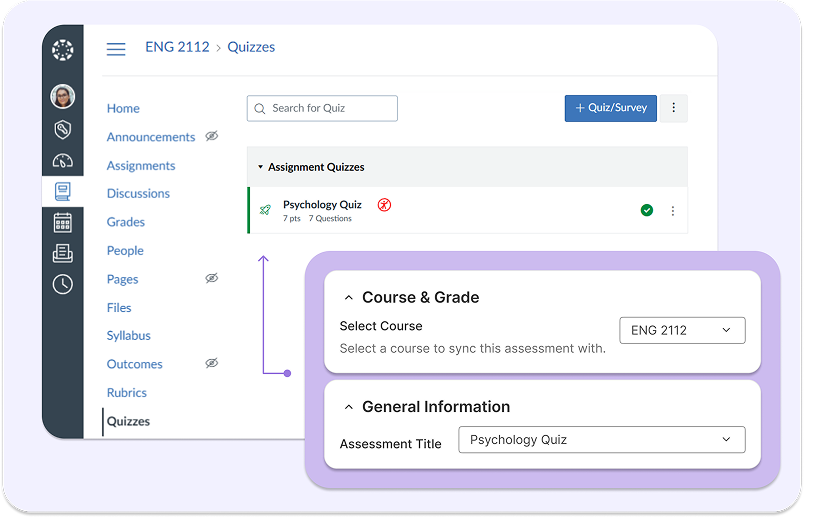
The YuJa Verity Assessment Builder will automatically publish your quiz or assignment in the LMS for students to access without needing to navigate between both platforms.
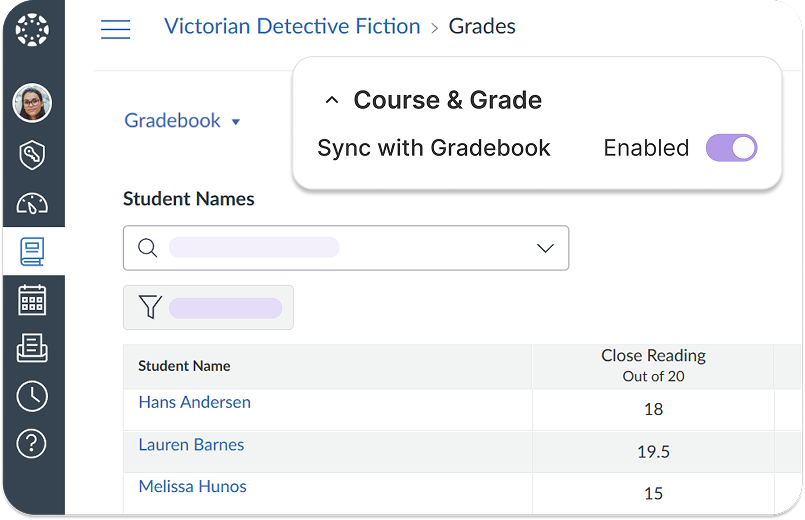
Easily toggle a switch for the YuJa Verity Assessment Builder to automatically sync with your LMS gradebook, eliminating the need for manual grading input in the LMS.

Using YuJa Verity’s comprehensive automated and live proctoring solutions, California’s Columbia College is empowered to schedule, deliver, and monitor assessments in a unified interface that prevents cheating and deters academic dishonesty.
Learn More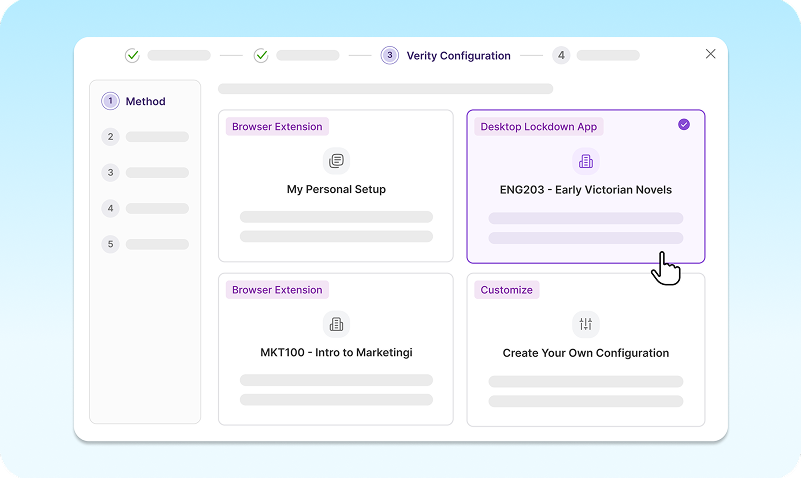
Customize your own proctoring configurations or use predefined profiles in the YuJa Verity Assessment Builder to apply consistent proctoring settings aligned with your institutional needs across different assessments.
Join the 1,000+ Organizations Deploying High-Impact Solutions