









How to Create a User-Friendly Online Test Proctoring Experience
Read the article >
Boost Video Accessibility with the GenAI Video PowerPack!
Try Now
Supercharge Your Compliance Efforts with AutoPilot Remediation Max!
Try Now
Strengthen Your PDF Accessibility Efforts with Structural Remediation Max!
Try Now
Don't Miss Any of Our Upcoming Webinars—Save Your Spot!
Register
The YuJa Community is here! Connect, get updates, and access exclusive content.
Join Now

YuJa Verity provides detailed analytics and reports ranging from system statistics and usage to proctoring results, helping ensure compliance and academic integrity in the virtual assessment process.
Scrolling logos of YuJa’s clients such as SUNY Corning, University of Cambridge and University of Calgary, etc.
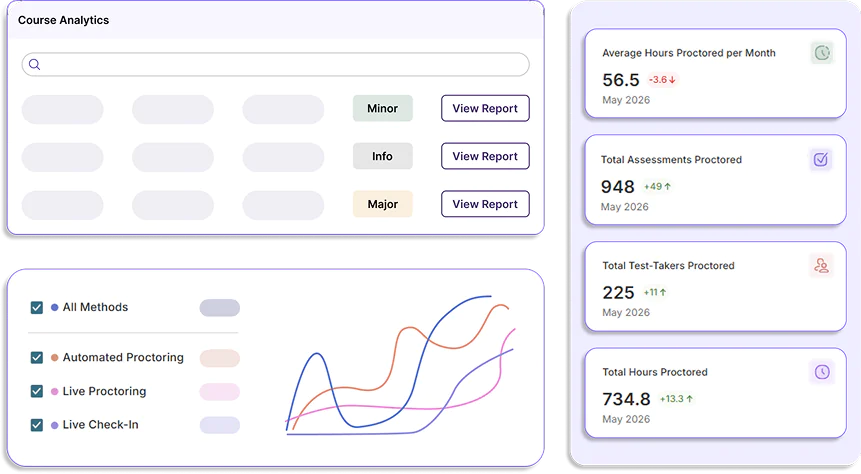
Understand how your institution is performing and engaging with YuJa Verity using your institution report. Easily access per-course reports from this interface and gain insight into both comprehensive and granular analytics on the progress of assessment completion, the total number of attempts, and the total number of flagged test-takers.
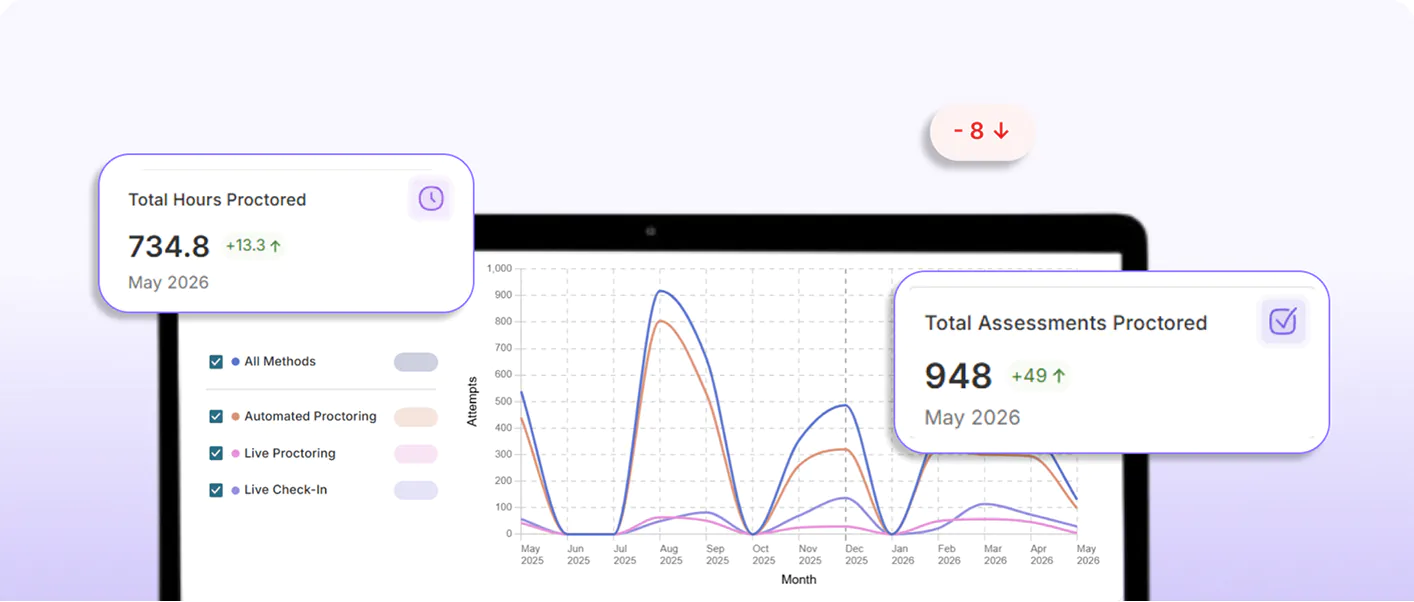
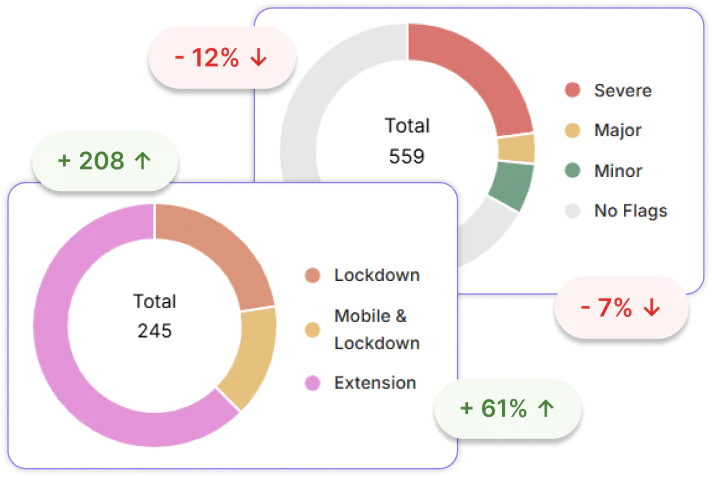
Quickly identify repeated key statistics and trends across your institution, course, and students to pinpoint assessment pain points, elevate your proctoring strategy, and protect academic integrity across your organization.
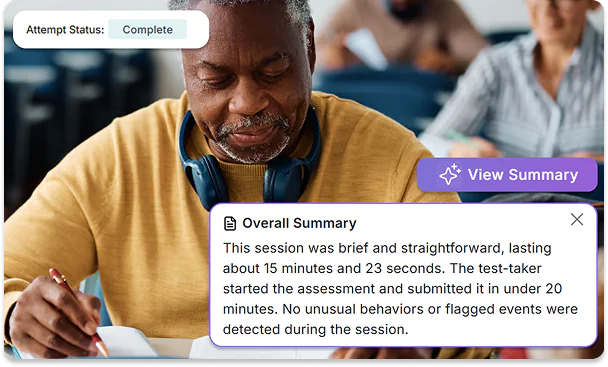
Leverage YuJa Verity AI to generate a concise summary of a test-taker’s performance for a proctored assessment, capturing important statistics and suspicious activity such as completion times and key flagged events at a glance.
Instructors can review a detailed post-assessment report as soon as test-takers complete a proctored assignment. With an integrated multi-source video media player and time-stamped events, instructors can analyze test-taker behavior, identify patterns, and review engagement.
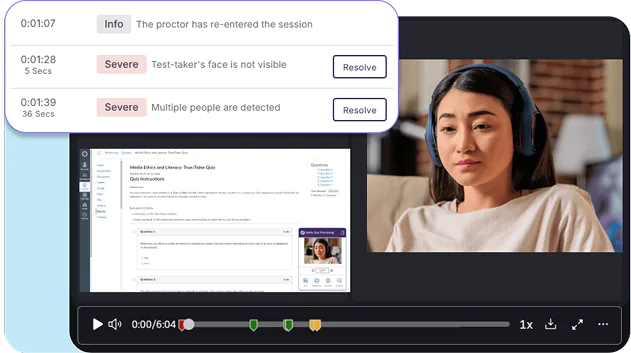
YuJa Verity offers insight reporting into individual courses, helping you identify gaps in knowledge and student pain-points on a larger but specific level. Course reports include data on overall platform usage as well as summary assessment analytics over multiple assessments.
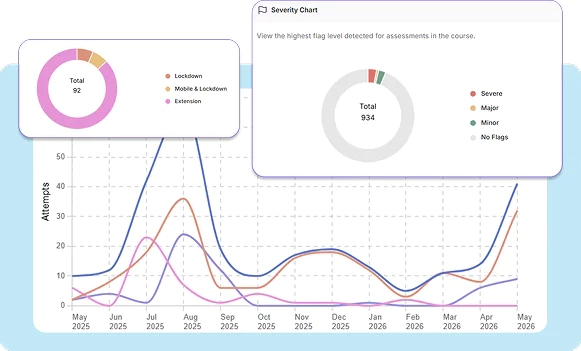
All reports in YuJa Verity can be exported in JSON, CSV, and Excel formats for offline viewing, documentation, and data analysis purposes. You can export by a direct download or a link via email. You can also apply a filter to narrow results based on a specified date range.
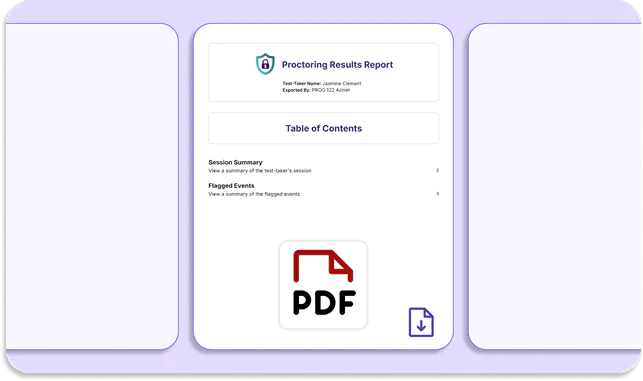
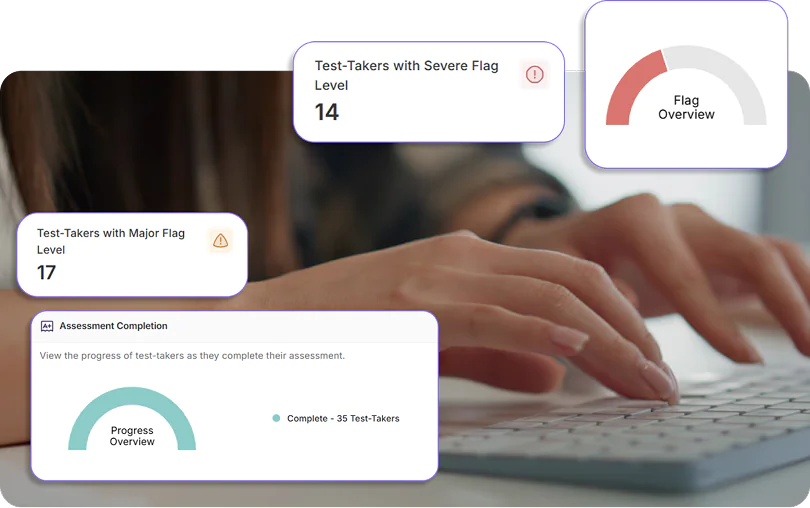
Evaluate summary analytics and flag-level insights immediately after an assessment is completed. Review flagged incidents, recorded footage, room scans, and ID verification in one interface to ensure the security of your assessments.

As instructors and students continue to discover and use YuJa Panorama, Pellissippi State will continue expanding its accessibility initiatives, Dr. Markowitz said, adding that there are plans to implement YuJa’s PDF Remediation tool, PDF Remediation Max Platform. This addition will help address one of the most common accessibility challenges faced by faculty.
Read the case studyJoin the 1,000+ Organizations Deploying High-Impact Solutions