PC Software Capture
Over the next few weeks, we’ll roll out updates to Software Capture for PC. This update focuses on enhanced user experience and system reliability with automatic updates enabled by default, improved session monitoring through toolbar timer displays, and streamlined administrator tools.
-
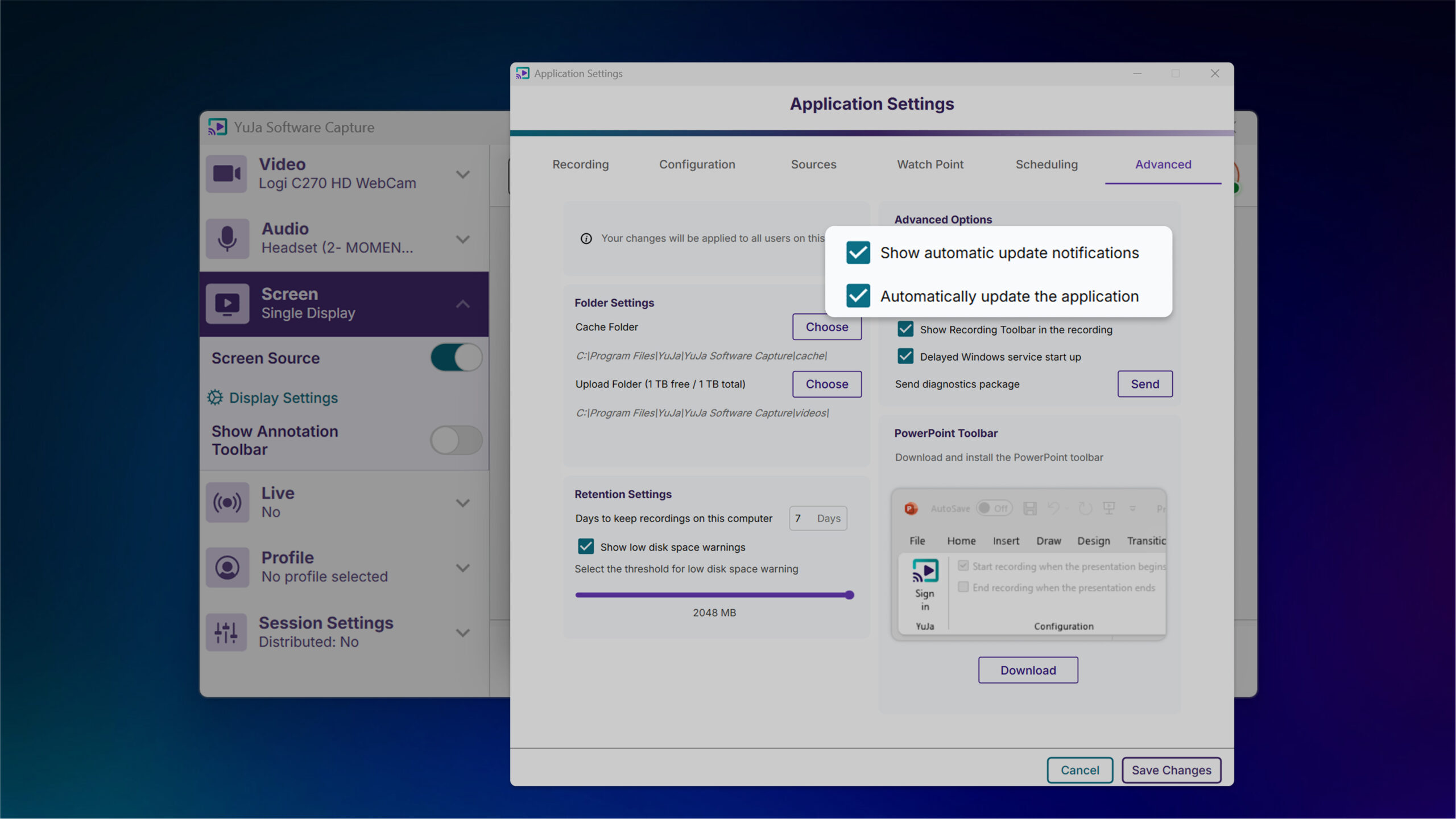
Automatic Updates Ensure Latest Features and Updates
YuJa Software Capture for PC will now automatically update by default, ensuring users always have the latest improvements and security fixes without manual intervention. Users who prefer to control update timing can opt out through application settings, providing flexibility while maintaining optimal software performance for most installations.
-
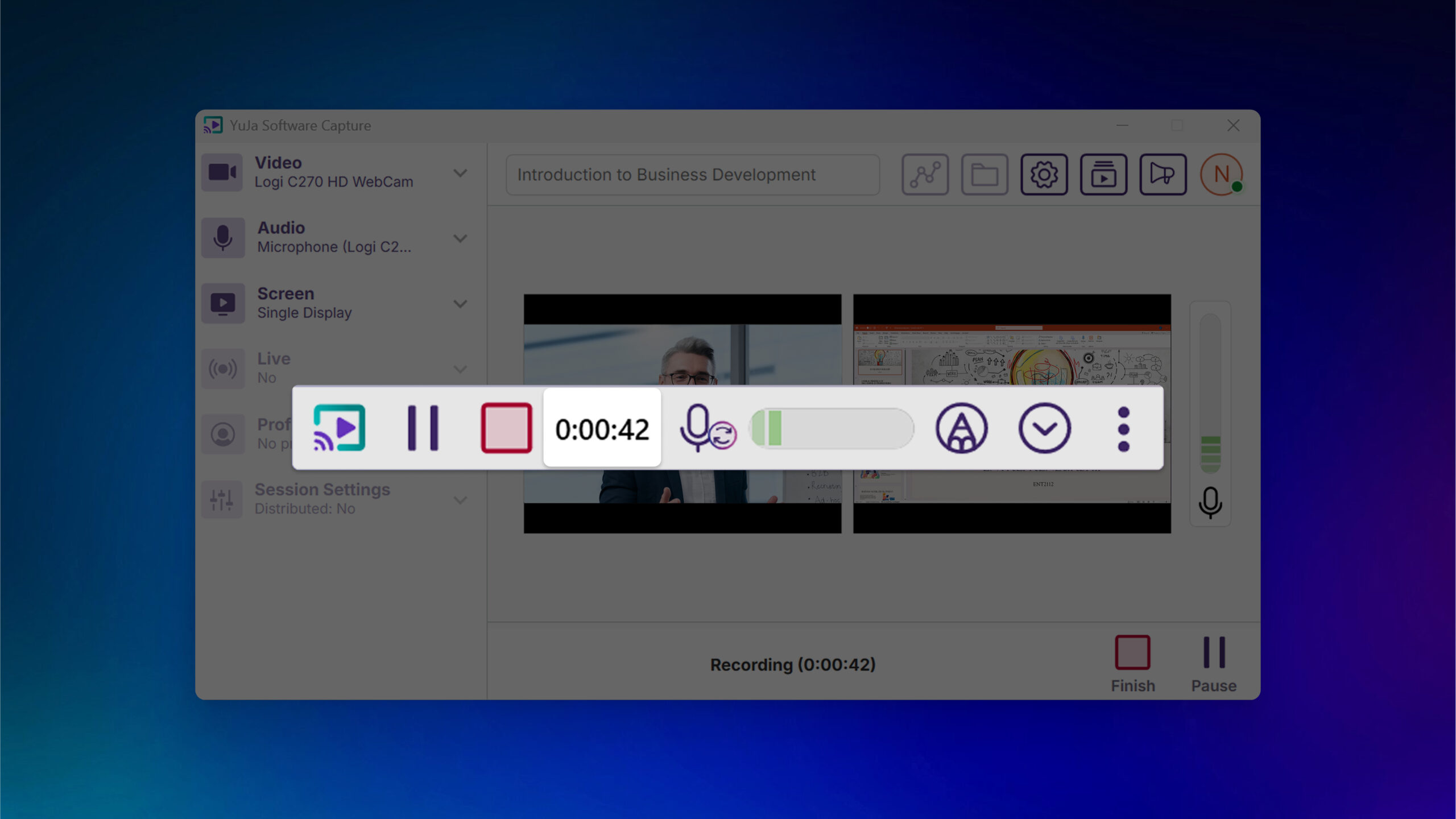
Recording Timer Added to Toolbar for Improved Session Monitoring
The recording toolbar will now display a timer showing elapsed recording time to provide visibility into session duration without accessing the confidence monitor.
-
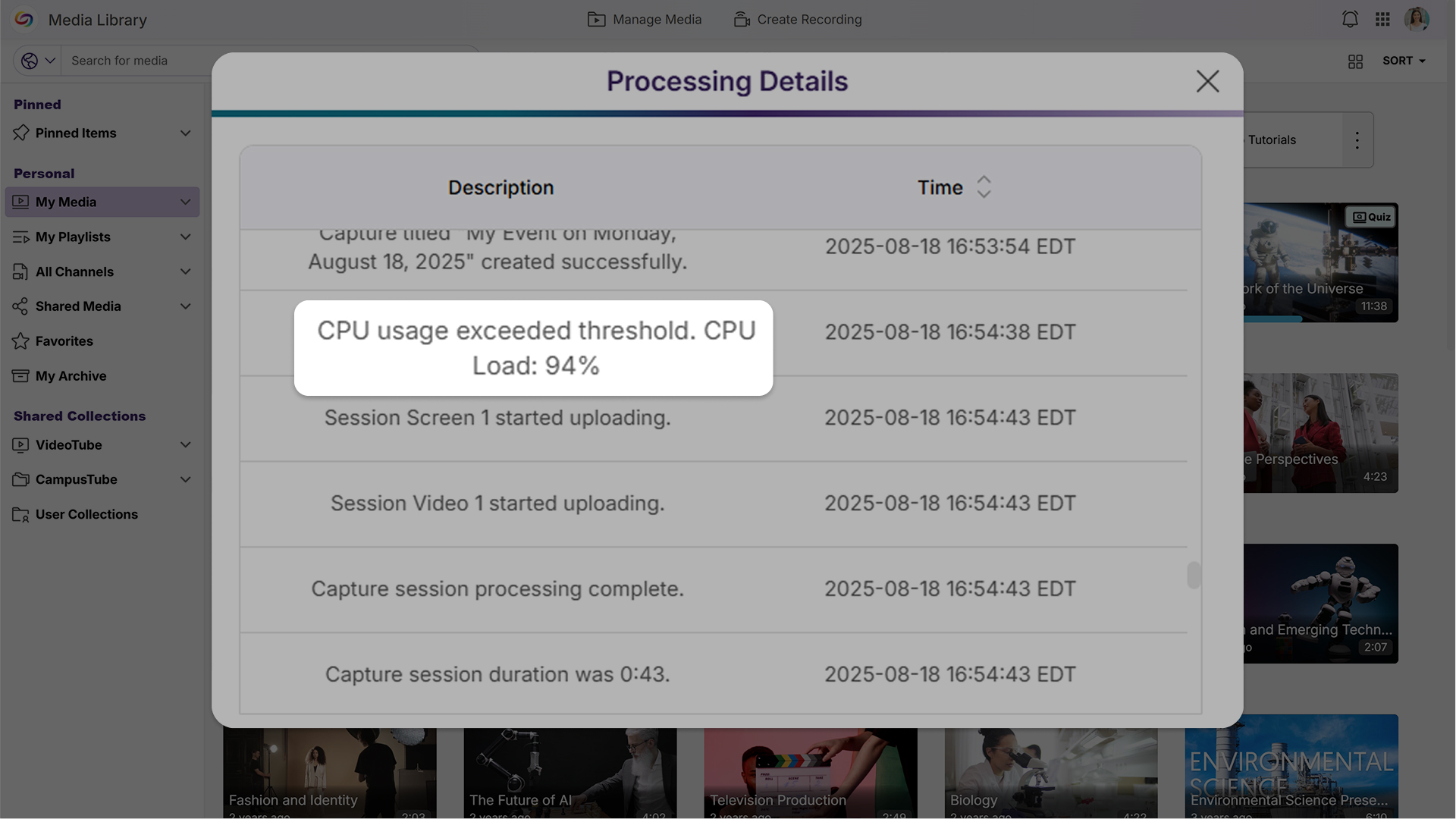
Enhanced System Monitoring Helps Prevent Recording Disruptions
When CPU resources reach critical levels, PC Capture will log events to the audit trail for administrator review, helping prevent crashes and frozen screens by alerting IT staff to potential hardware issues.
-
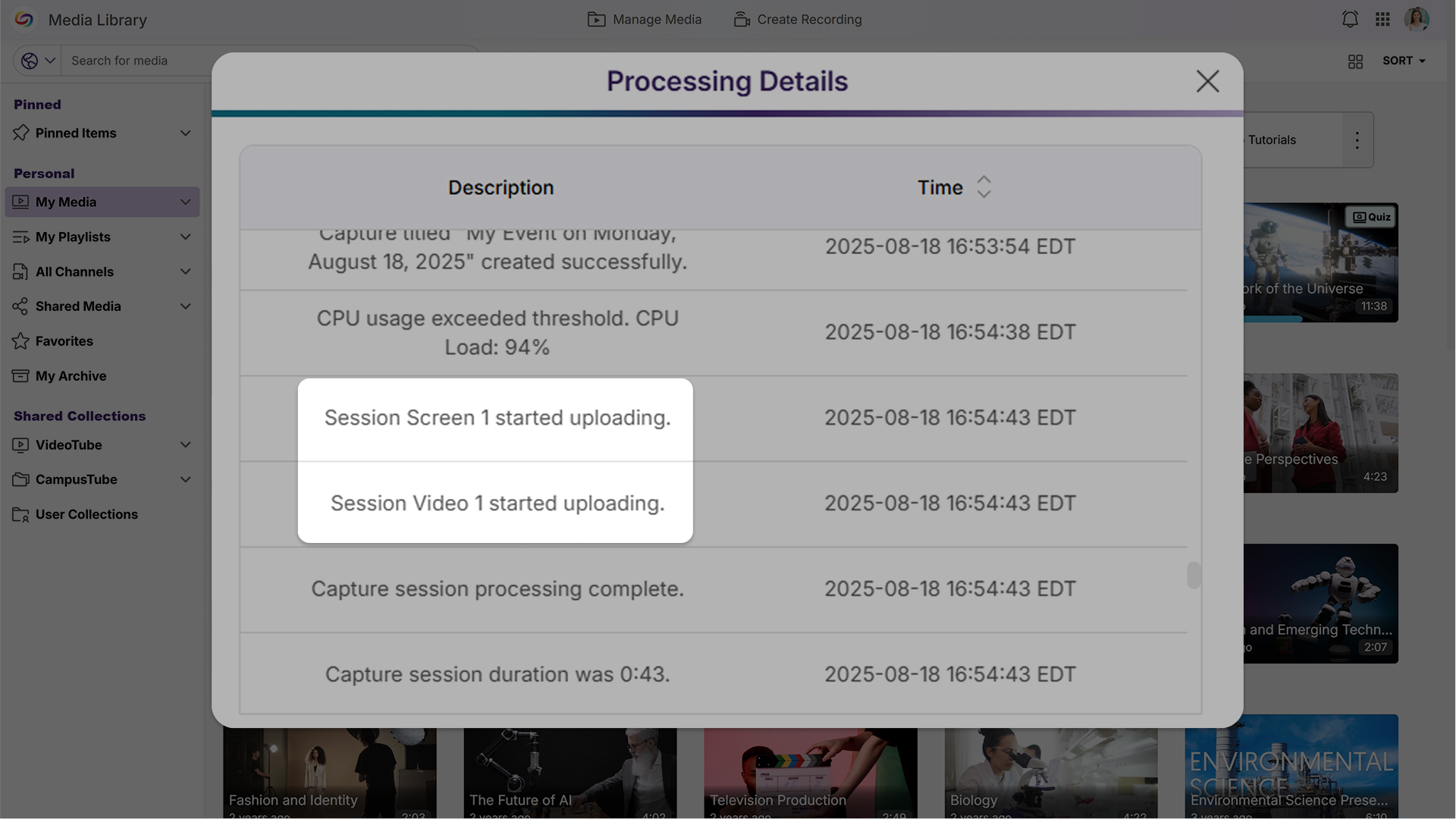
Streamlined Audit Logs Improve Readability
Audit logs will now display simplified device names like “Screen 1” and “Camera 2” instead of technical file IDs, while reducing technical details that are primarily useful for support troubleshooting to create a cleaner, more user-friendly experience for administrators.
-
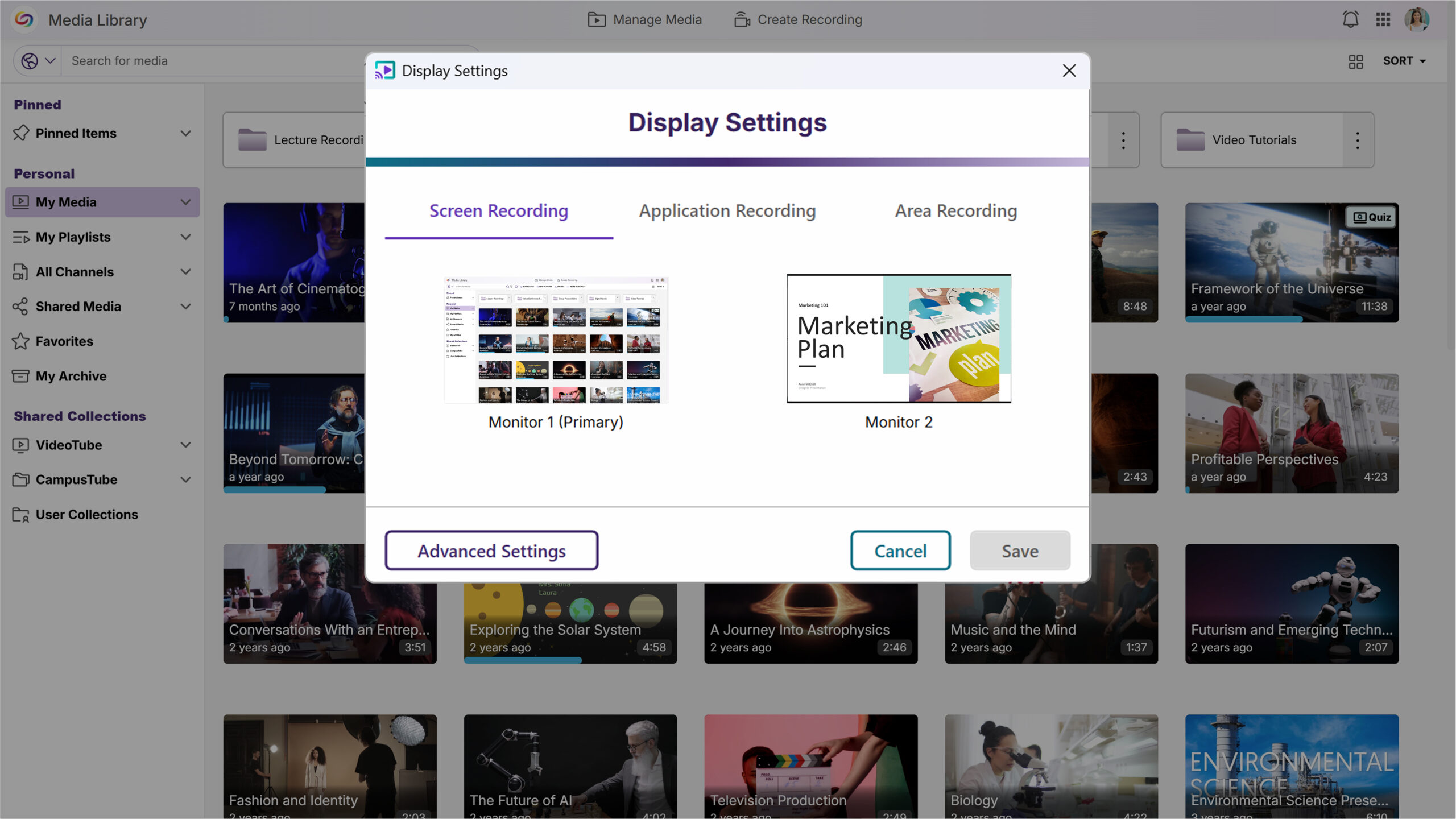
Screen Selection Previews Simplify Display Configuration
A new screen selection preview will allow users to quickly verify which display they’ve chosen, eliminating guesswork when configuring multi-monitor recording setups.
Mac Software Capture
For YuJa Software for Apple, this update will deliver enhanced workflow efficiency and recording precision with automatic updates enabled by default, direct one-click access to My Media in the Lumina Video Platform, and new application window recording capabilities.
-
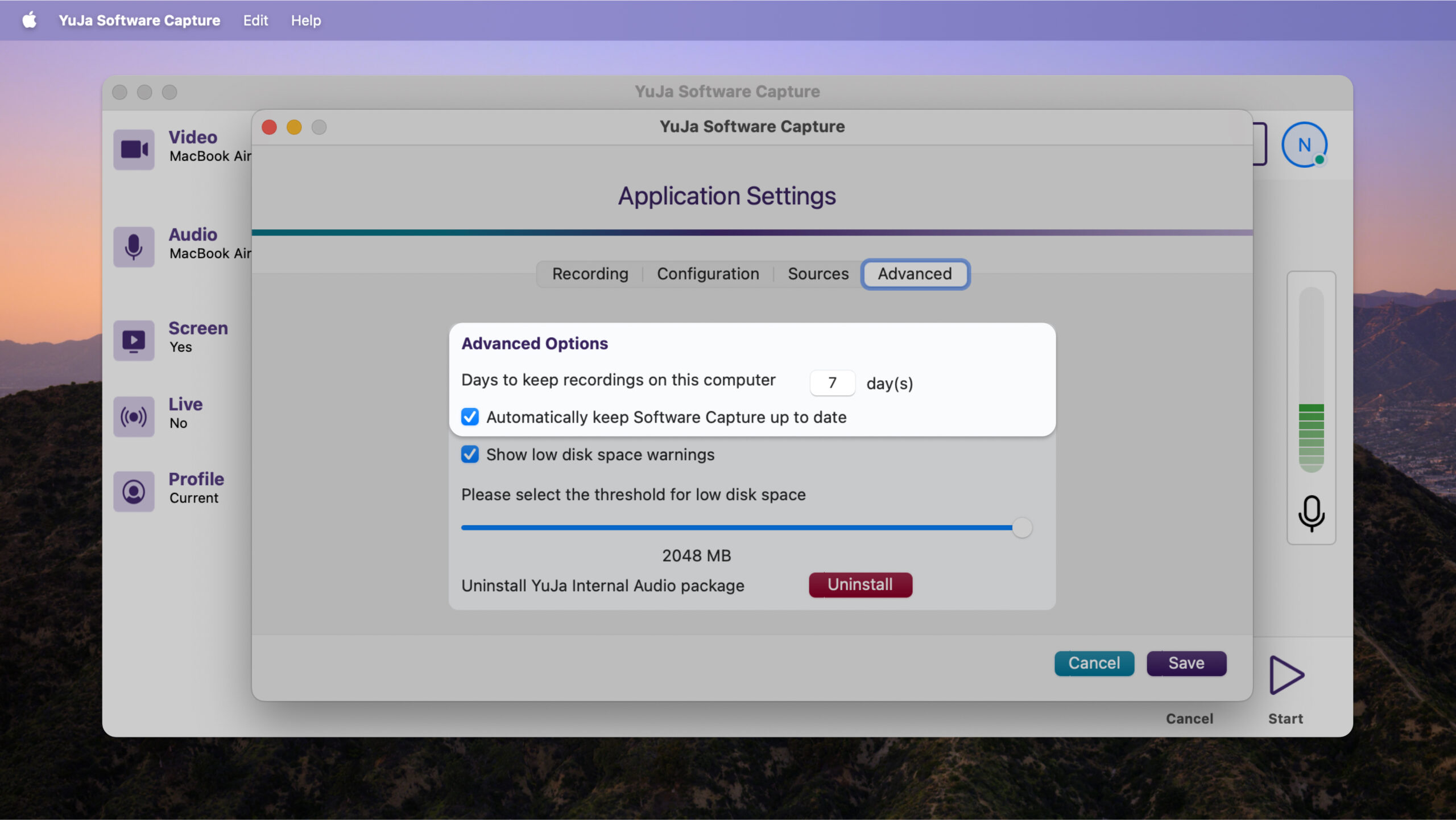
Enable Automatic Updates by Default for Optimized Performance
Updates will now be automatically installed to help ensure users benefit from the latest bug fixes and feature improvements. An opt-out setting will be available for users who prefer manual update control.
-
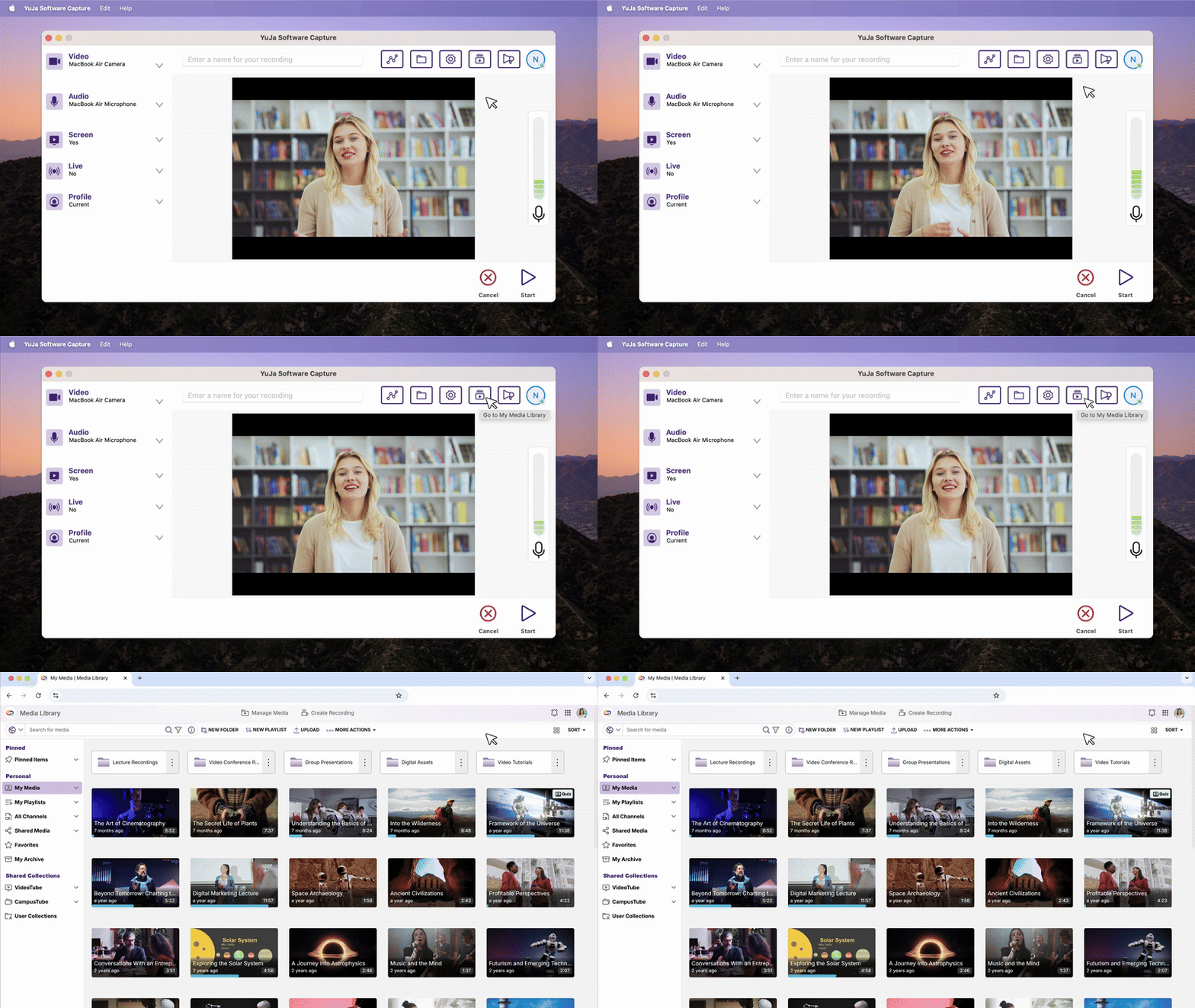
Direct ‘My Media’ Access Streamlines Content Management
A new button will provide one-click access to My Media in the Lumina Video Platform, automatically logging users in and eliminating the need to navigate separately between applications for content management.
-
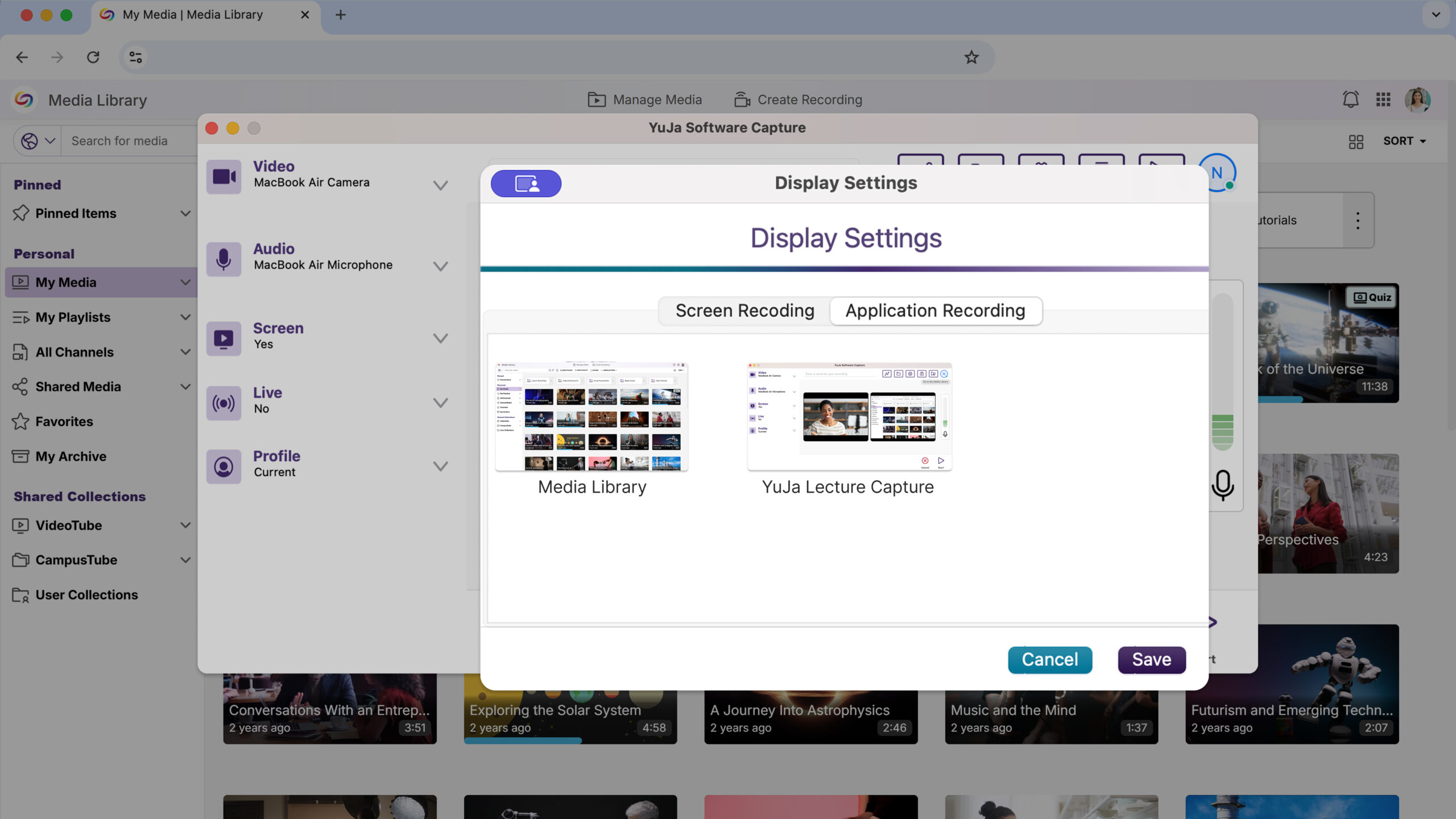
Application Window Recording Provides Focused Content Capture
Users can now record specific application windows instead of the entire screen, offering more precise content capture and reducing distractions from other desktop activities during recording sessions.
Hardware Hub
This Hardware Hub update will significantly expand device compatibility and management capabilities with support for NDI sources in Hub Profiles and unlimited device connections.
-
Flexible Device Management Expands Recording Capabilities
The YuJa Hardware Hub will now support adding any connected device, including NDI cameras and USB peripherals, replacing the previous limitation to just three PCI devices. Users will be able to see and manage all connected hardware through an updated interface for more versatile recording setups.