Product Updates

Get the latest platform updates, features, and announcements—all in one place.

Help Shape What's Next

Join discussions, request features, and vote on ideas.

Join Community

Built With Passion

Learn about the people behind YuJa.

About Us

Trial Program

We offer an opportunity to try our products.

Request a Demo
  • January 19, 2024

    YuJa Enterprise Video Platform Update – “Banyan” Released to CAN, AU and EU Zones

    We have successfully pushed an update to all Enterprise Video Platform instances residing in Canada, Australia, and the European Union. The highlights for this update include the option to update Software Capture remotely, rewind live streams, establish custom transcoding profiles, new thumbnails for file types, preview slides and watermarks in the Video Editor, new IMS Caliper Analytics support, live stream placeholders, publish Software Capture recordings to EnterpriseTube and CampusTube folders, and so much more.
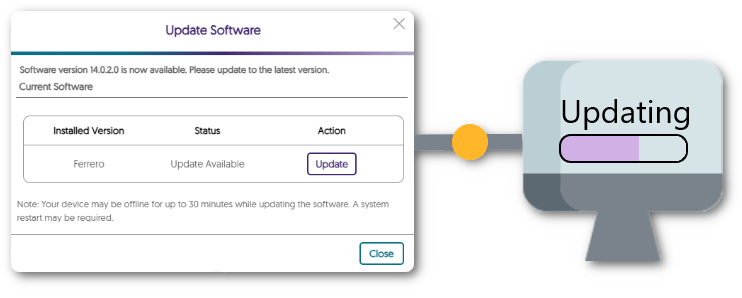
    1. New Fleet Management Capability – Update Software Capture Versions Remotely Adding to our fleet management capabilities, Administrators can click a button on the Admin Panel’s Devices tab to remotely deploy the latest Software Capture version to a classroom computer (requires upcoming Software Capture Version 14.1). Update modal for software capture showing an update is available for download.
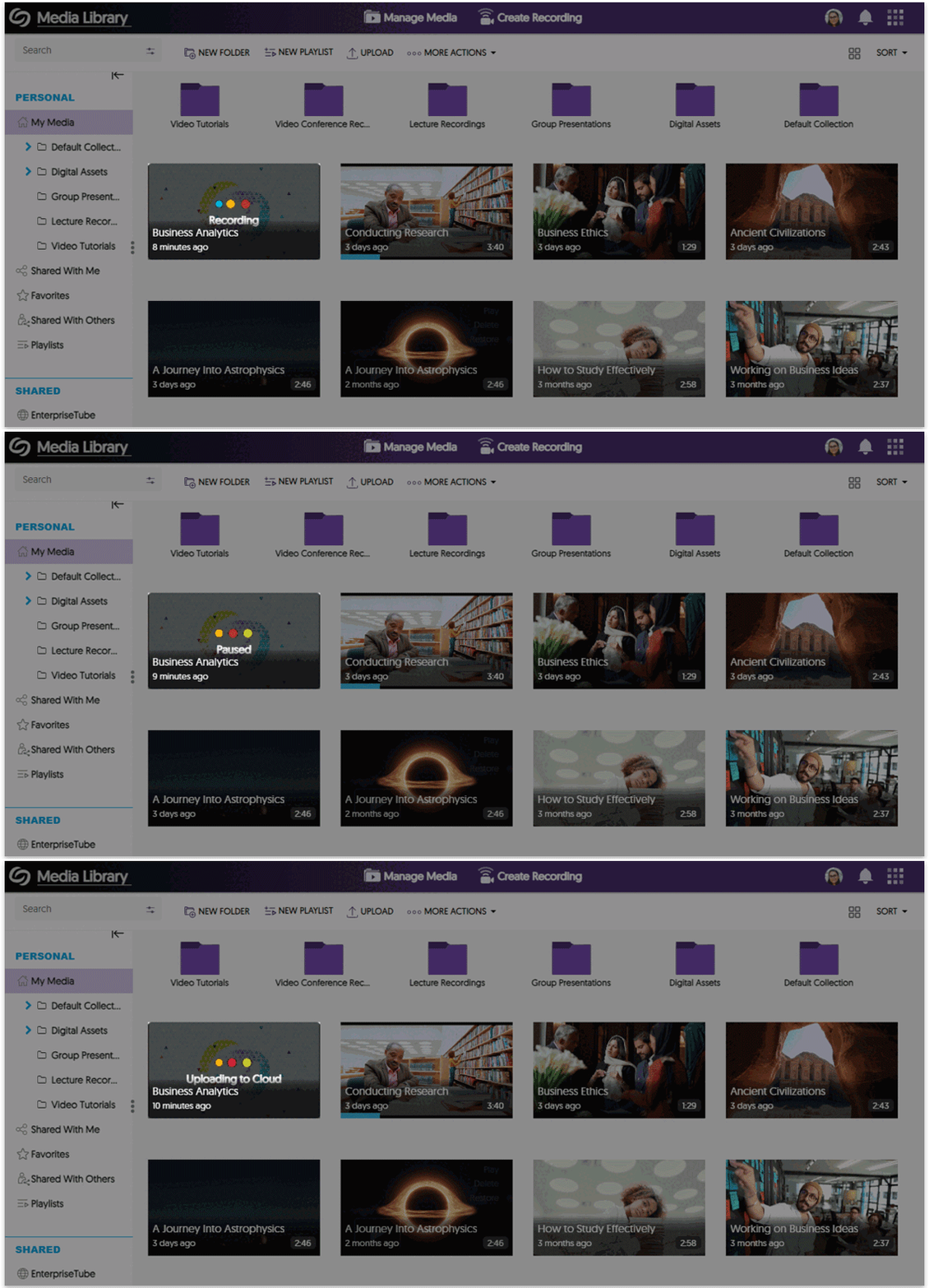
    2. My Media Now Shows Real-Time Recording Status Updates for Active Software Captures To accurately reflect the status of a Software Capture session in real-time, we have introduced new placeholder states, such as Recording, Paused, and Uploading to Cloud. We have a few more state to add in an upcoming release such as Upload Failed and Upload Stalled when the classroom or user’s computer is switched off.Thumbnail for Software Capture session updates from recording, paused, to then uploading.
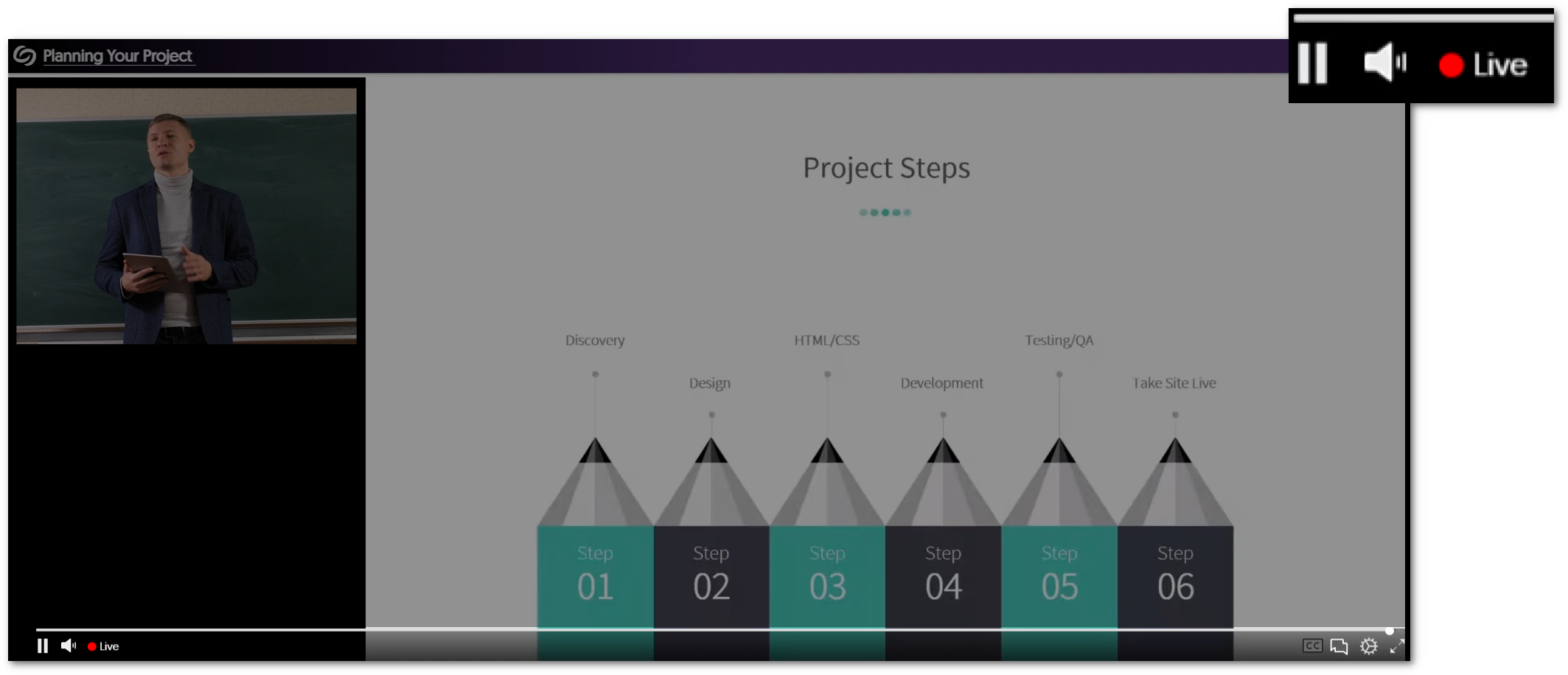
    3. Rewind a Live Stream with a Refreshed Live-Stream Media Player with Integrated DVR-Style Rewind Controls We are introducing a refreshed Live Stream Media Player interface with new capabilities to rewind live streams and then jump to live at the click of a button. We also refreshed the iconography, scrubber bar, and player controls, with more to come in upcoming releases. A view of the new icons for the live stream player.
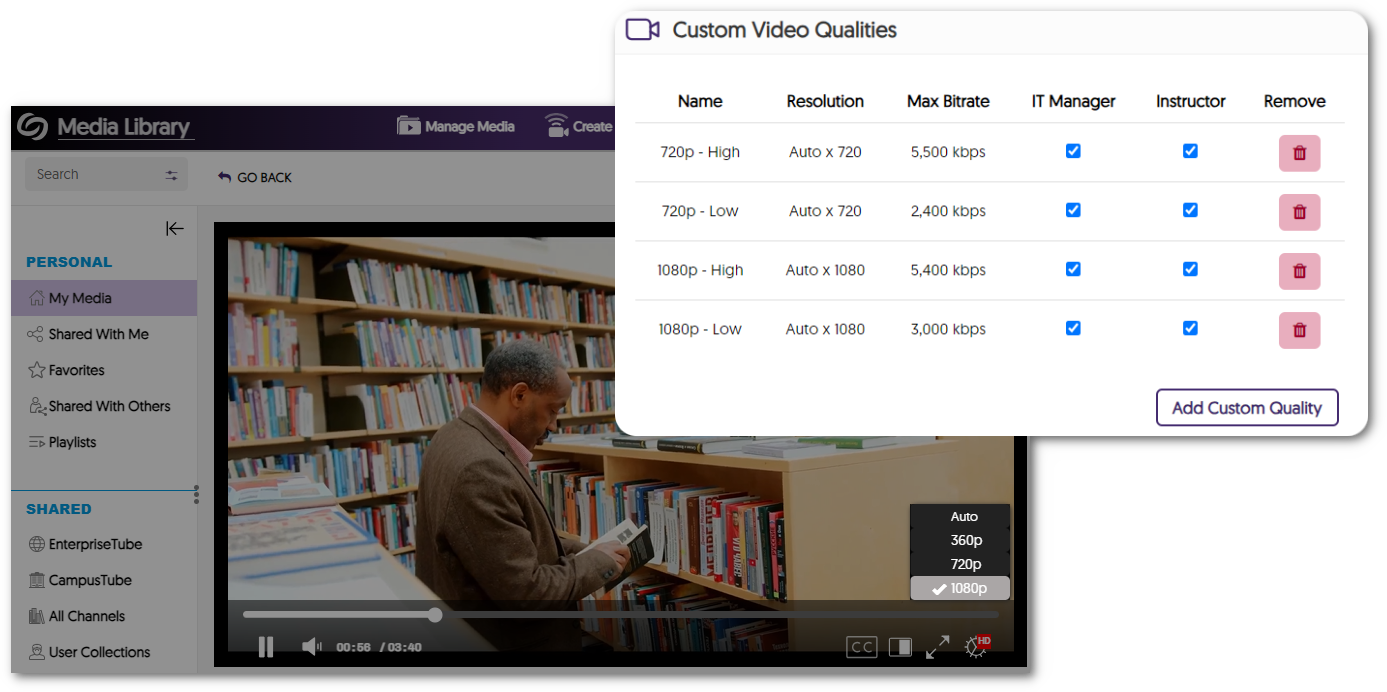
    4. Establish Custom Transcoding Profiles to Encode a Video with a Specific Resolution and Bitrate Administrators can create a customized Transcoding Profile that Content Creators can subsequently apply to their videos. a table showcasing custom video qualities that have been added.
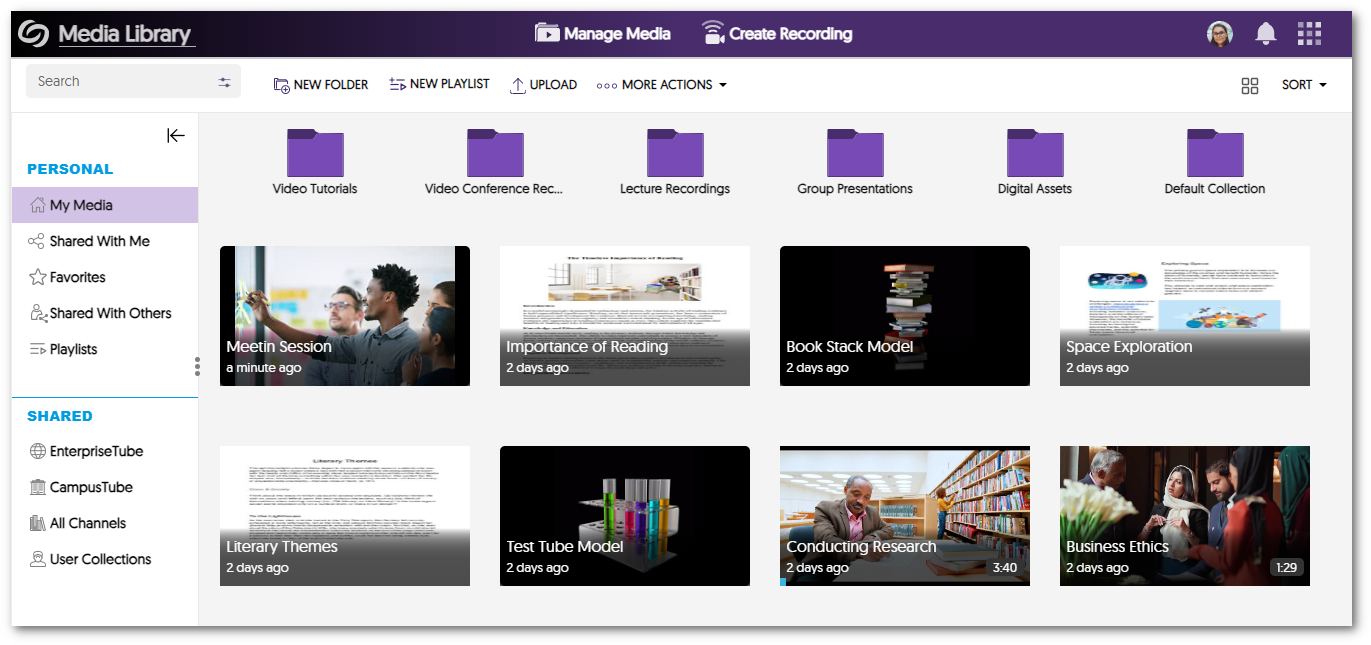
    5. New Digital Asset Management Capabilities with Auto-Generated Thumbnails for a Variety of File Types We now support auto-generating preview thumbnails for various new file types, such as TIFF, NEF, RAW, EPS, SVG, PDF, and PSD. Media gallery view of various file formats with their thumbnail.
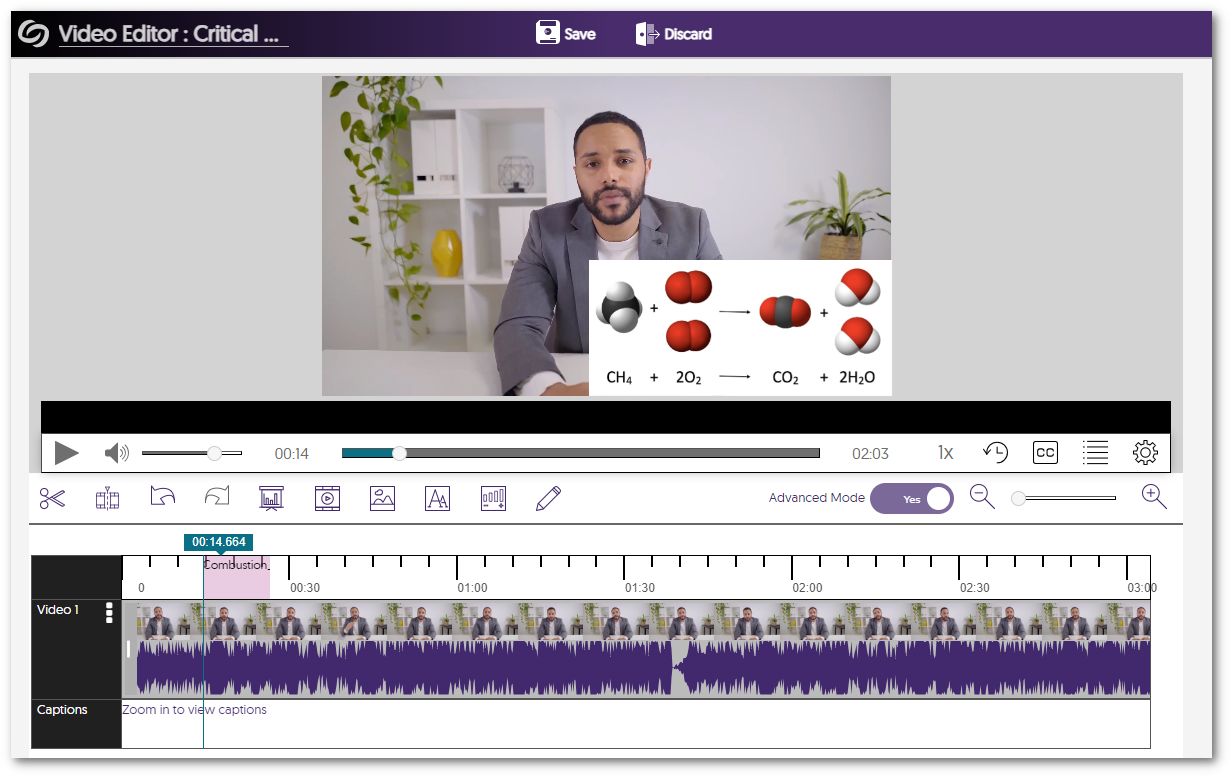
    6. Video Editor Now Offers the Ability to Preview Slides, Watermarks, and Overlay Changes Content Creators can now preview their watermarks, slides, and overlay edits within the Video Editor without having to save their videos. The Video Editor shows a preview of an image inserted.
    7. New IMS Caliper Analytics Support – In-Depth Integration of Video Viewership Data We have integrated additional data with our third-party Caliper Analytics integration that enables administrators to make more informed decisions about their content. Our analytics now provide information on whether videos were restarted, the points to which the videos were forwarded, and whether captions were enabled. Caliper analytics logo.

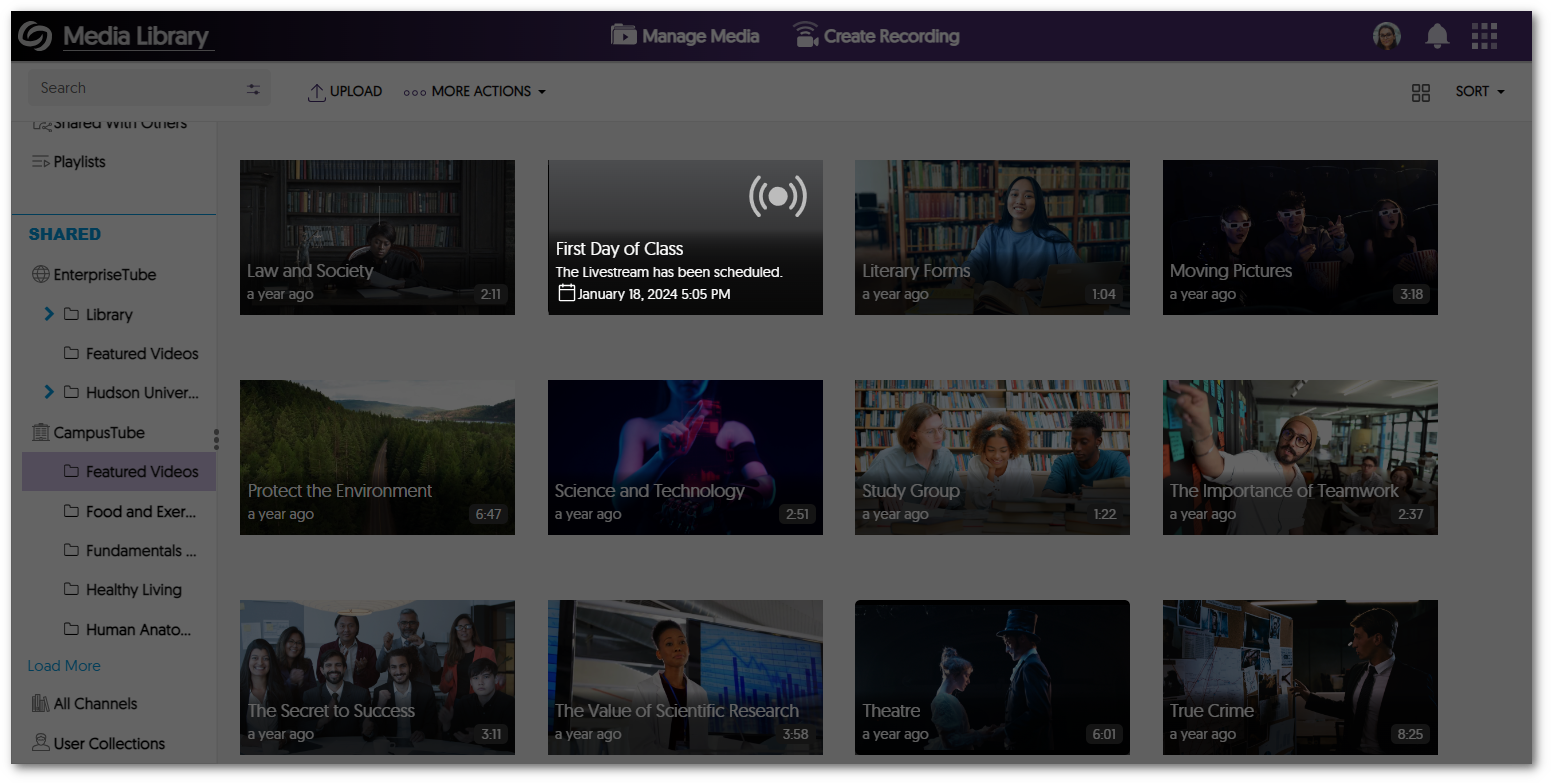
    8. New Live Stream Placeholder for Upcoming Live Streams in Both CampusTube (Shared Folders) and Course Channels Scheduled live streams within the CampusTube (Shared Folders) and Course Channels will have an improved live stream placeholder thumbnail detailing the start date and time of the event. A thumbnail for a scheduled live stream letting the user know when the live stream will occur.
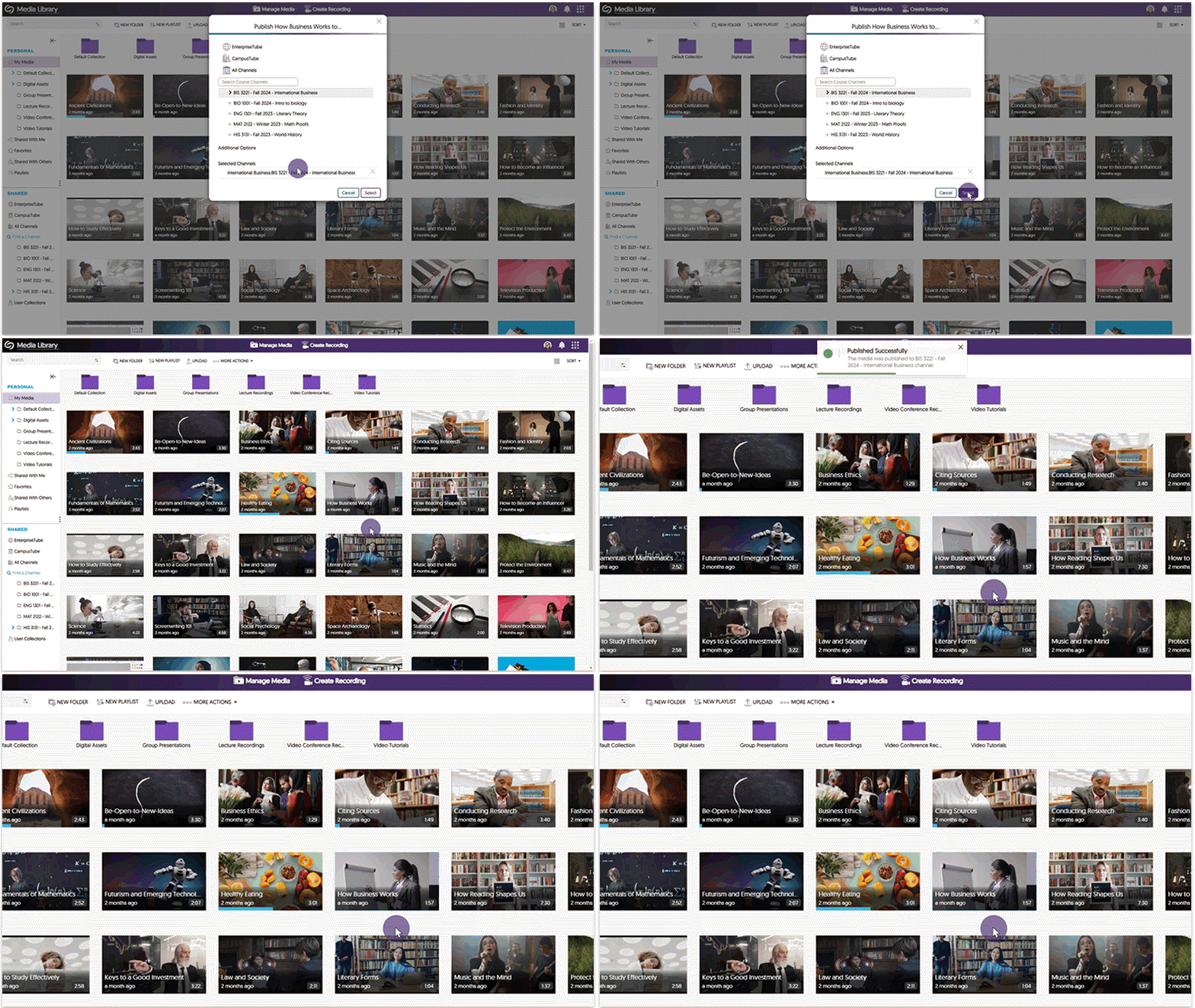
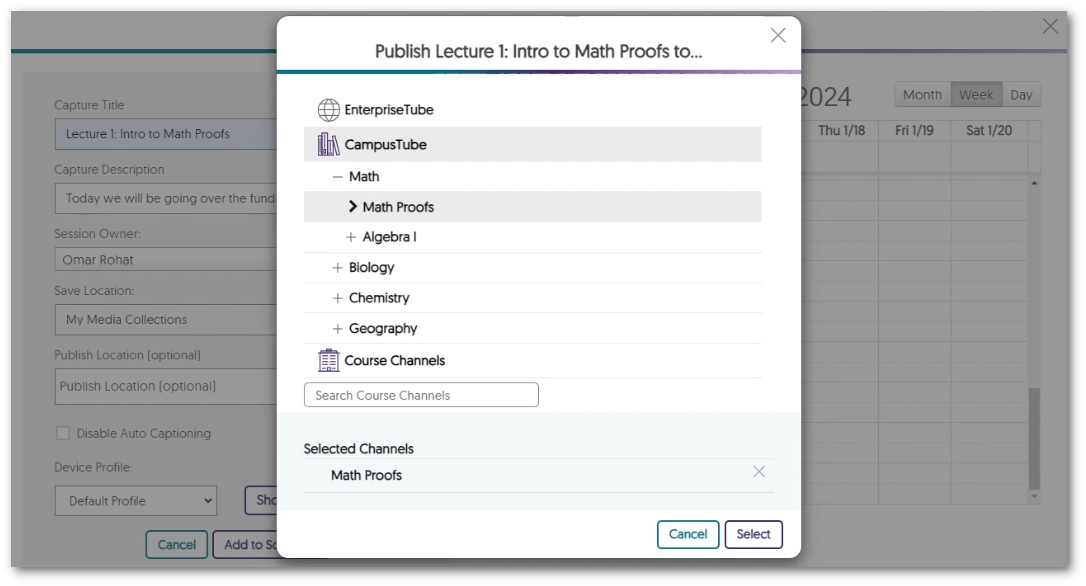
    9. Publish Auto-Scheduled Software Capture Recordings to EnterpriseTube and CampusTube Folders When scheduling Software Capture sessions through the Devices panel, Administrators can publish auto-scheduled recordings directly to EnterpriseTube and CampusTube folders. Option to select a folder from the EnterpriseTube for a software capture recording.
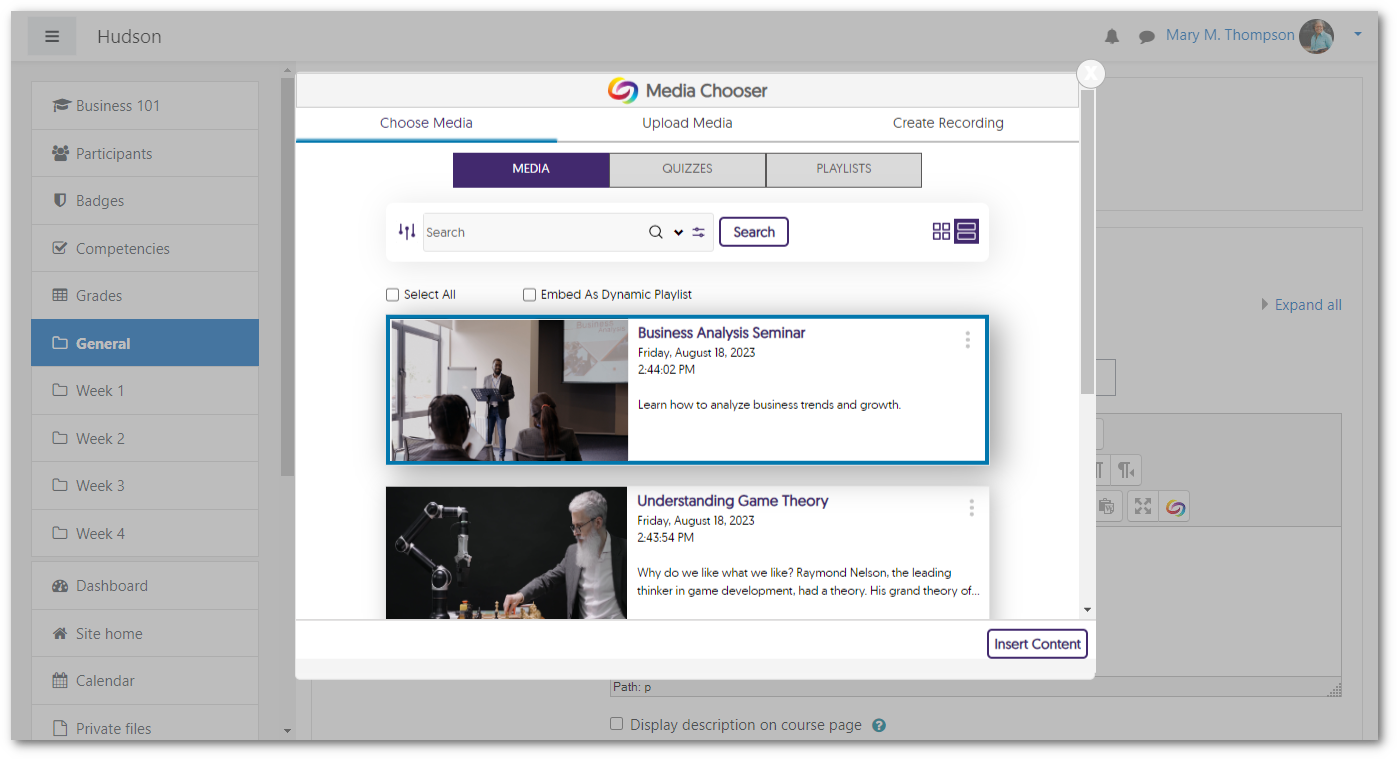
    10. Media Chooser LTI 1.3 Support for Moodle Plugins Our previous release provided an update to support the Media Chooser in the new TinyMCE plugin for Moodle version 4.1 and up, using LTI 1.1. In this release, for Moodle 4.1 and up, we have added LTI 1.3 support for the Media Chooser in the new TinyMCE plugin and the Atto and Legacy TinyMCE plugins. We highly recommend upgrading your Moodle plugins to take advantage of the new capabilities. The Media Chooser is shown inside of Moodle.
    11. Use JavaScript to Control the YuJa Media Player For web designers looking to create enhanced video experiences, we have introduced a new API that enables the creation of custom JavaScript to control various functions, including starting, pausing, resuming, showing/hiding captions, adjusting volume, and skipping to a specified time. Additionally, certain events can be tracked with custom JavaScript to provide information on how viewers interact with the media player.
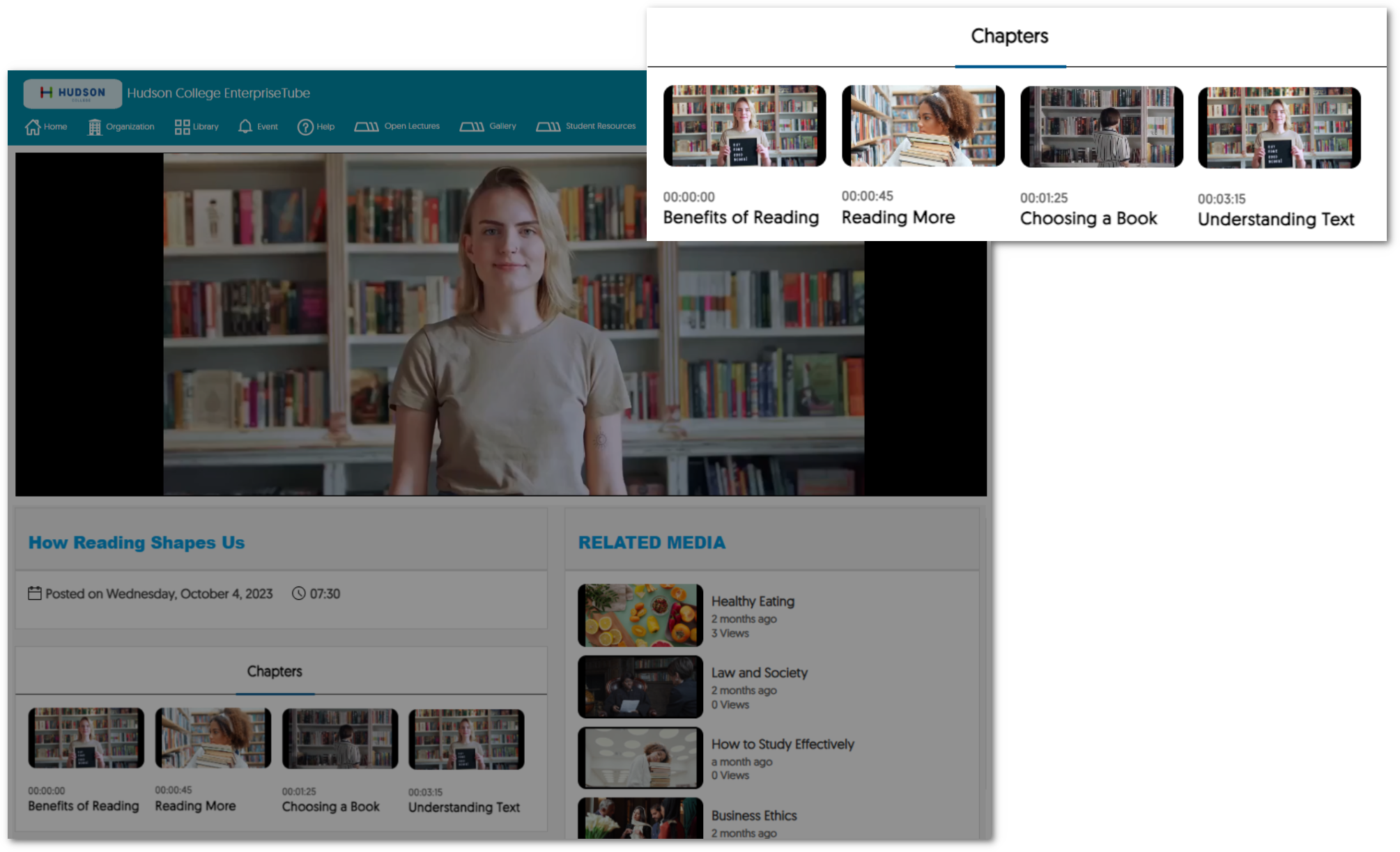
    12. AI-Generated Video Chapters Are Now Available to Unauthenticated Viewers Viewers watching content within an institution’s EnterpriseTube can now view AI-generated Video Chapters, allowing them to select key moments of impact within the recording. Previously this was only available to authenticated users. Video Chapters are shown within an institution's EnterpriseTube channel.
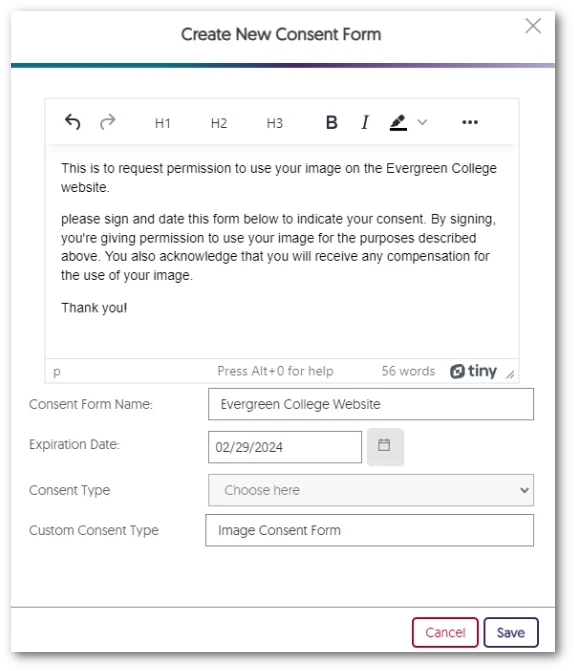
    13. Admins Can Create Digital Consent Forms Within the New Text Editor Administrators now have the option to create consent forms directly within the Video Platform instead of uploading a PDF form. A text editor that allow users to write create their consent forms.
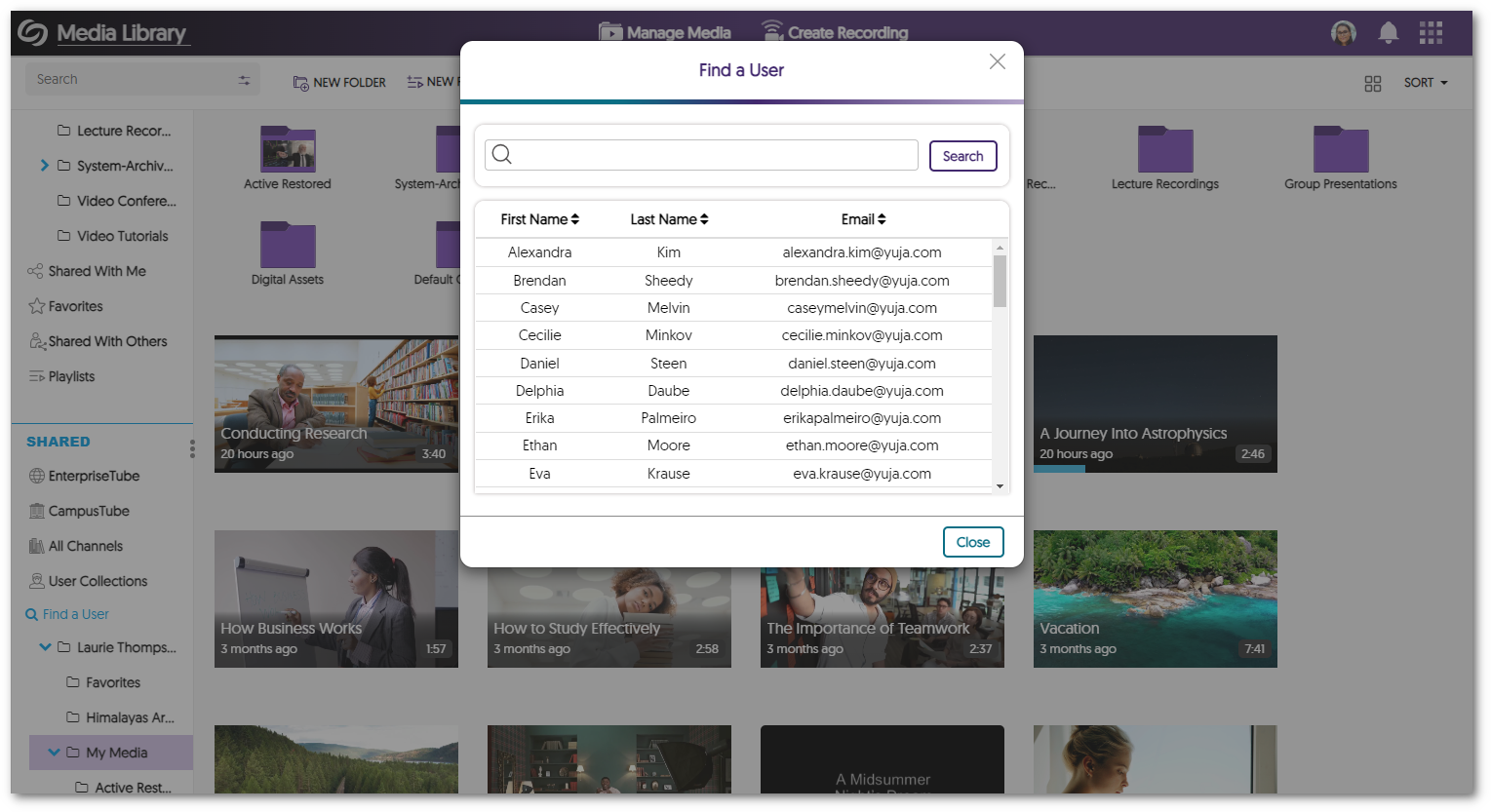
    14. Enhanced Search Modal for Find a User We have enhanced the search modal for Find a User by providing a searchable table list view of users and their associated email addresses. A user search modal within the Video Platform.
    15. New APIs for Scheduling and Content Management We have added new APIs to schedule and manage content. To learn how to use these and any of our other APIs, please visit our API Support guide.
      • Hub Live Streaming: Schedule a live-stream session through the Hardware Hub.
      • EnterpriseTube and CampusTube Content Management: Publish and unpublish content within EnterpriseTube and CampusTube folders. 
      • Manual Start for the Hardware Hub: Hardware Hub sessions can now be scheduled with a manual start option.
  • December 29, 2023

    YuJa Enterprise Video Platform Mobile App – “Archer” Released to iOS and Android App Store

    We have successfully pushed a new YuJa Enterprise Video Platform Mobile App to the iOS and Android App Stores. This brand-new mobile app, for both iOS and Android, features a new My Media tab for users to access their content, a redesigned Media Player with added functionality, a refreshed Course Channels view, and so much more. We are just getting started with adding new capabilities to our new mobile app. Please note that our old Mobile App will no longer be available by the end of January.

    1. A Brand-New Mobile App for iOS and Android We have fully redesigned the Mobile App from the ground-up to be faster, more modern, and compatible with new devices. Available for both iOS and Android, our new Mobile App features a modernized UI and performance enhancements to greatly improve the user experience. YuJa Video Media Channels page, featuring 9 media files.
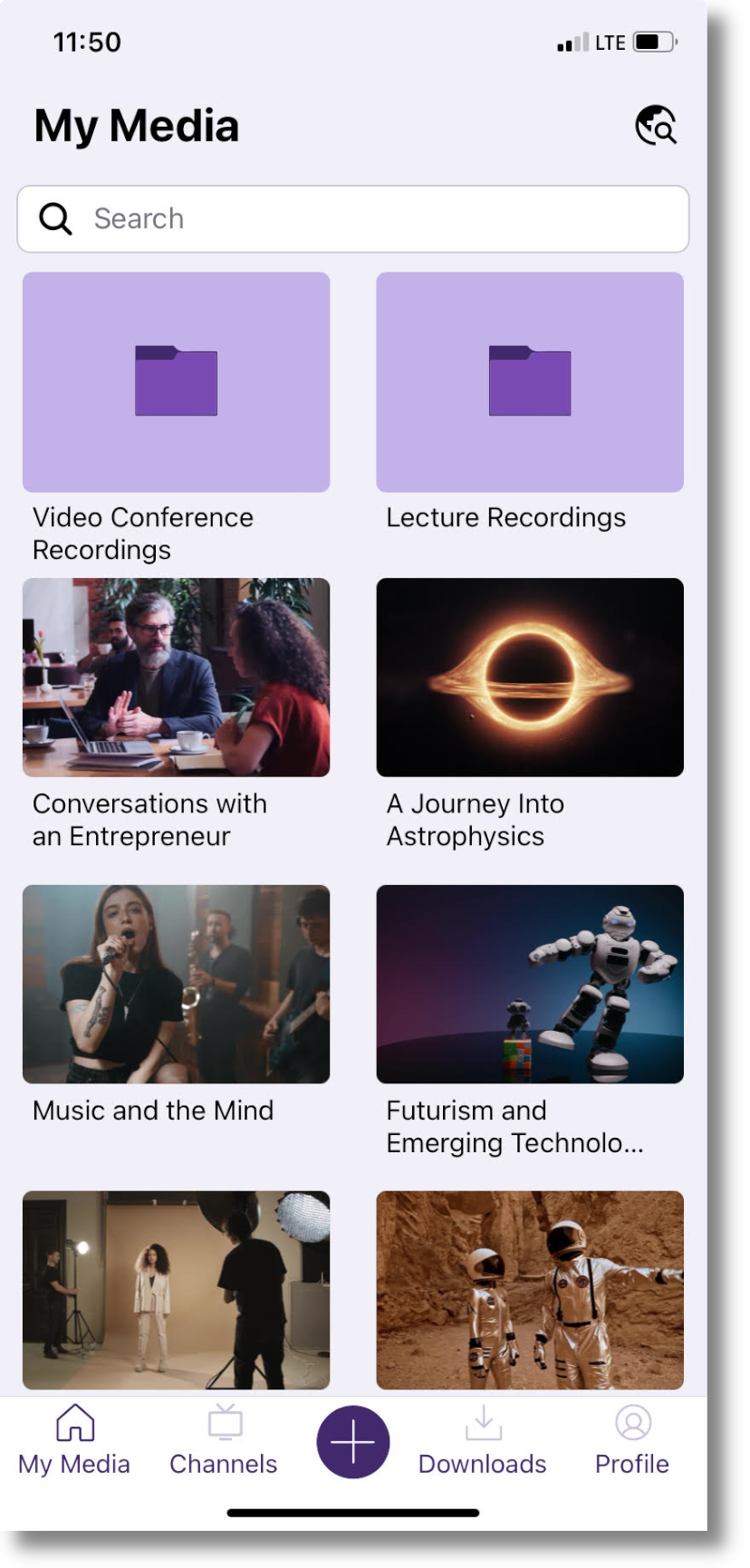
    2. Access Your My Media Library On the Go Access a My Media tab that provides users with the ability to view all content in their collection as well as upload new media. The new YuJa Video My Media page, featuring folders and videos.
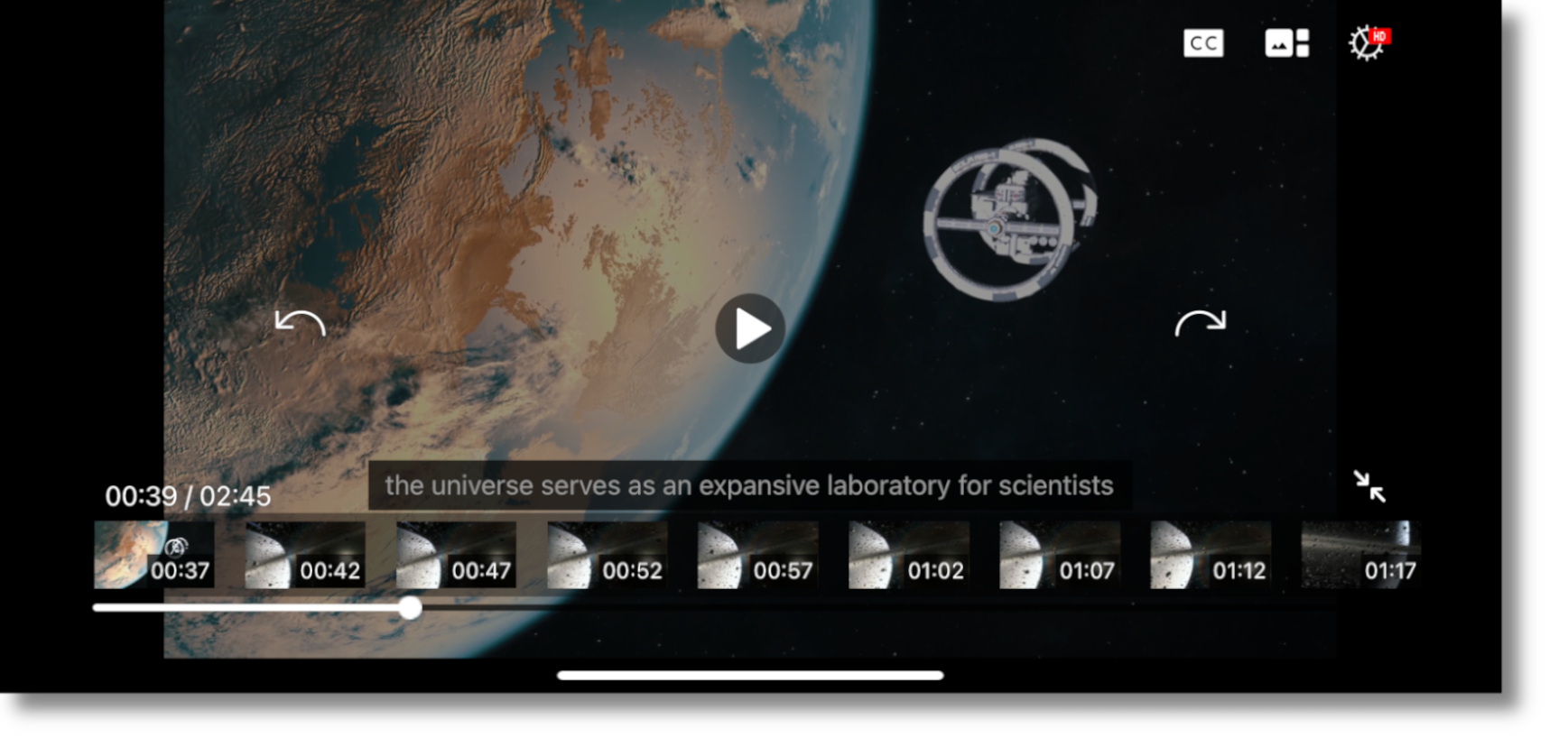
    3. New Video Player Features Added Functionality and a Fresh UI Our new Video Player includes added functionality to take full advantage of the features already available to users in the HTML5-based web app. This includes the ability to view multi-stream videos, toggle on captions and subtitles, move 10 seconds forward or backwards, and more. Additionally, the UI has been fully redesigned and features a sleek look with modernized icons. The new YuJa Video Player, featuring a video about space, with captions and thumbnails turned on.
    4. A New Way to View Course Channels We are introducing a new Channels view, where all videos within a Channel will be visible to ensure that users can easily access all content published to their courses. The new YuJa Video Channels page.
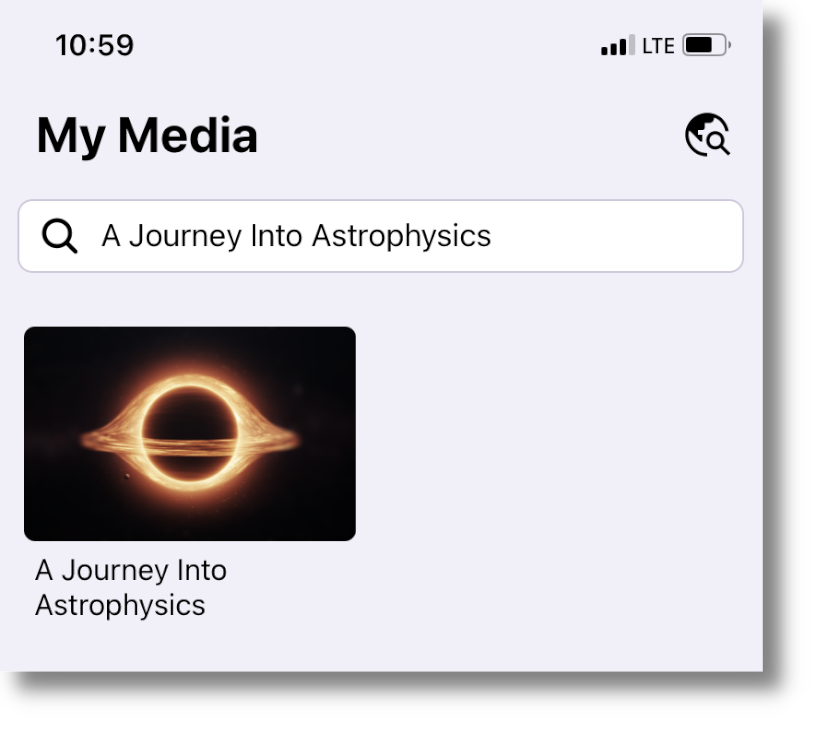
    5. My Media Now Supports Robust Global Search A new global search functionality on the My Media page enables users to search and access all of their media content. The YuJa Video global search feature. "A Journey Into Astrophysics" is typed into the search field, and the video has been located.
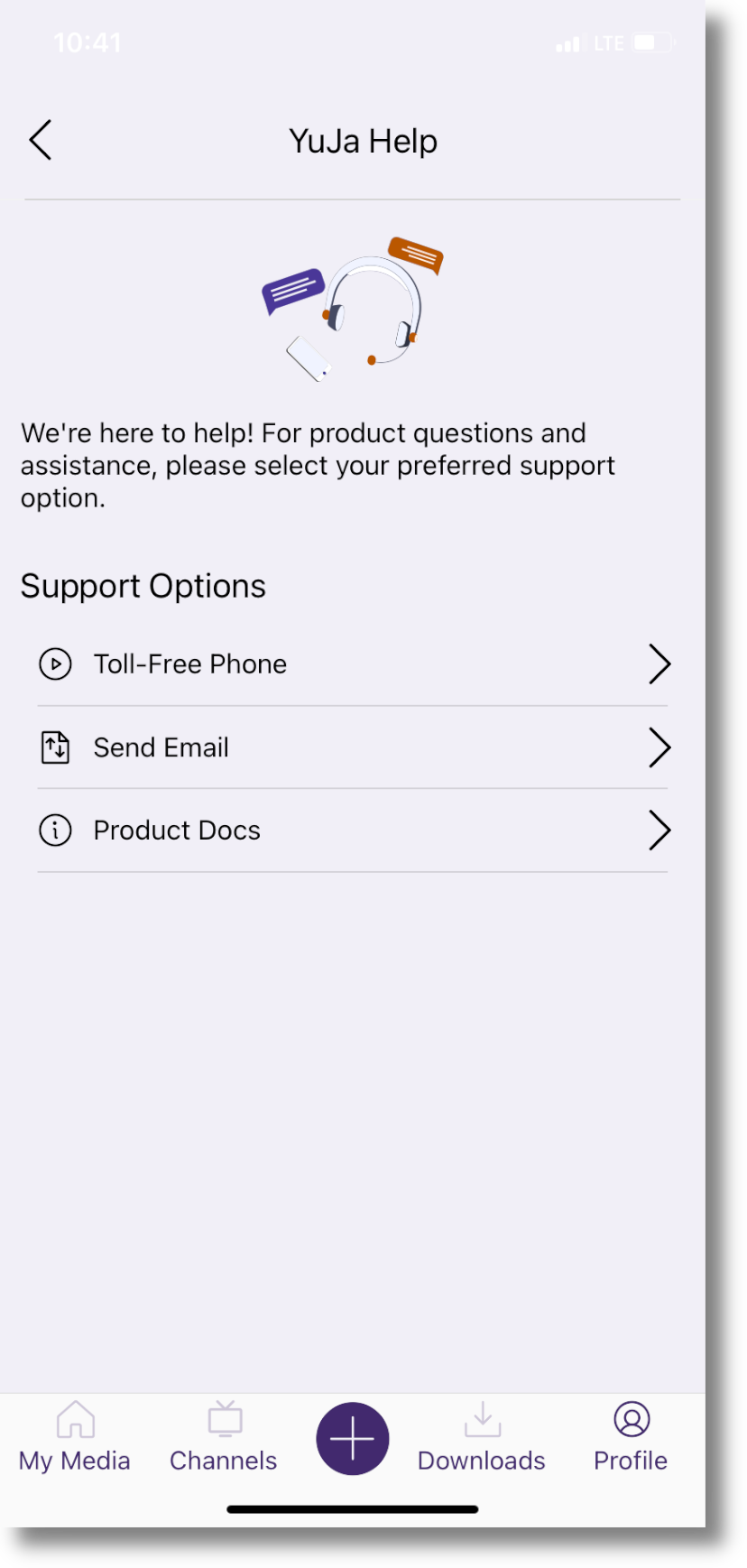
    6. New In-App Support Page to Address User Queries and Concerns We have introduced an in-app support page to address all user queries and concerns regarding our products and services. YuJa Help will allow users to call our toll-free support line, send us an email, and access product documentation, all in one place. The new YuJa Help support page, which allows users to call us toll-free, send us an email, or review our product docs.
    7. Users Can Now Open Links and Access Various Document Types In our previous app, users were only able to access and watch videos. We have now added functionality so users can open hyperlinks, as well as access PDFs, Excel spreadsheets, Word documents, PowerPoint presentations, and more. A PowerPoint presentation titled Fashion Studies open in the YuJa Video app.
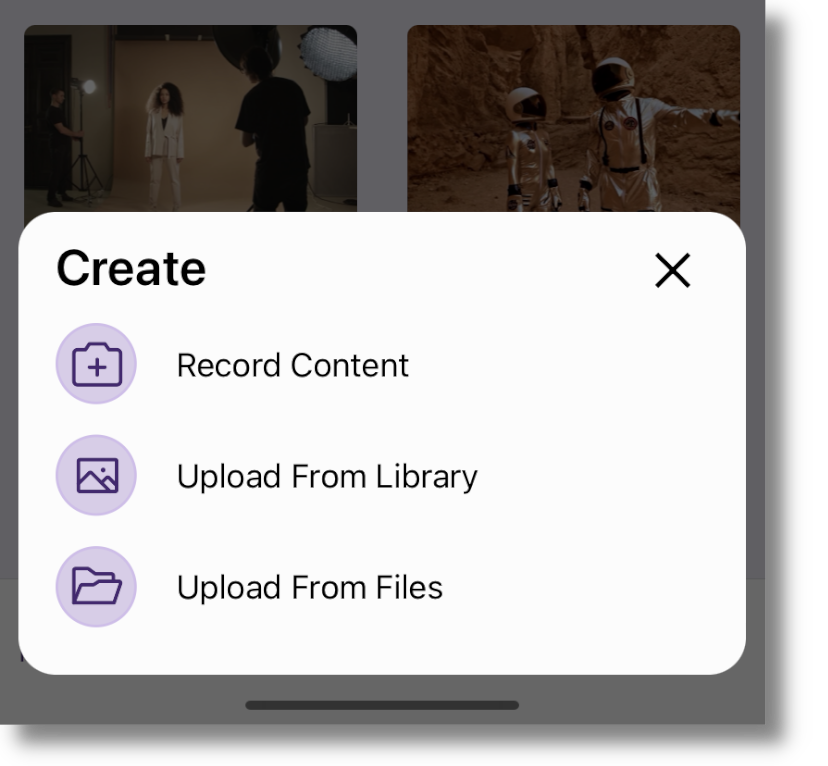
    8. New Recording Workflow for Increased Efficiency with Support for Files App We created a new recording workflow that allows users to easily navigate to their camera and create audio and video recordings, which can then be uploaded directly to their My Media Library or posted on Course Channels. The new YuJa Video recording workflow, featuring the ability to Record Content, Upload From Library, and Upload From Files.
    9. Track App Issues in Real-Time for Quick Resolutions To provide our users with faster device compatibility, YuJa Engineers now receive action logs to help us track and diagnose app issues, which we aim to resolve within 30 days.
    10. Improved Mobile Download Flow for Added Convenience Our improved mobile download flow makes it easier than ever to download content. This includes a dedicated Downloads page, which allows users to conveniently track and manage their downloaded content. The new Downloads tab, where users can track and manage their downloaded content.
  • November 24, 2023

    YuJa Enterprise Video Platform Update – “Alpine” Released to CAN, AU and EU Zones

    We have successfully pushed an update to all Enterprise Video Platform instances residing in Canada, Australia, and the European Union.

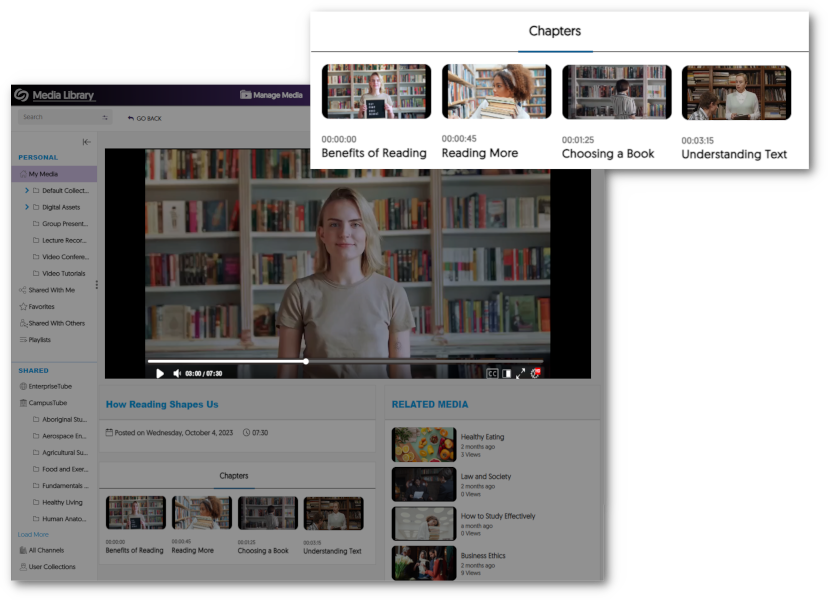
    1. New Generative AI to Detect Video Chapters (Moments of Impact) With the use of new Generative AI capabilities, Video Chapters allow viewers to automatically select key moments of impact within a video or audio recording. A Chapters tab is shown under the Video Player with thumbnails for each chapter within the video.
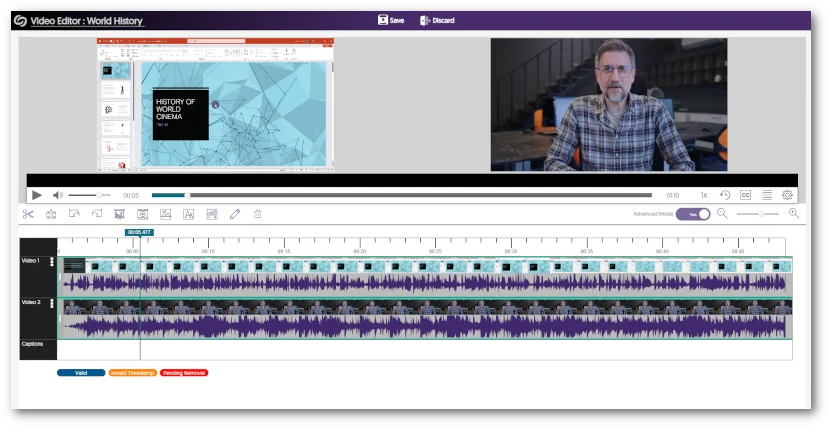
    2. Video Editor Introduces New Audio Waveform Engine to View Multi-Track Audio The Video Editor features an updated audio waveform processing engine that allows you to view independent audio streams on separate tracks instead of the previous single track that displayed all audio waveforms. Two audio waveforms are shown within the Video Editor on separate tracks.
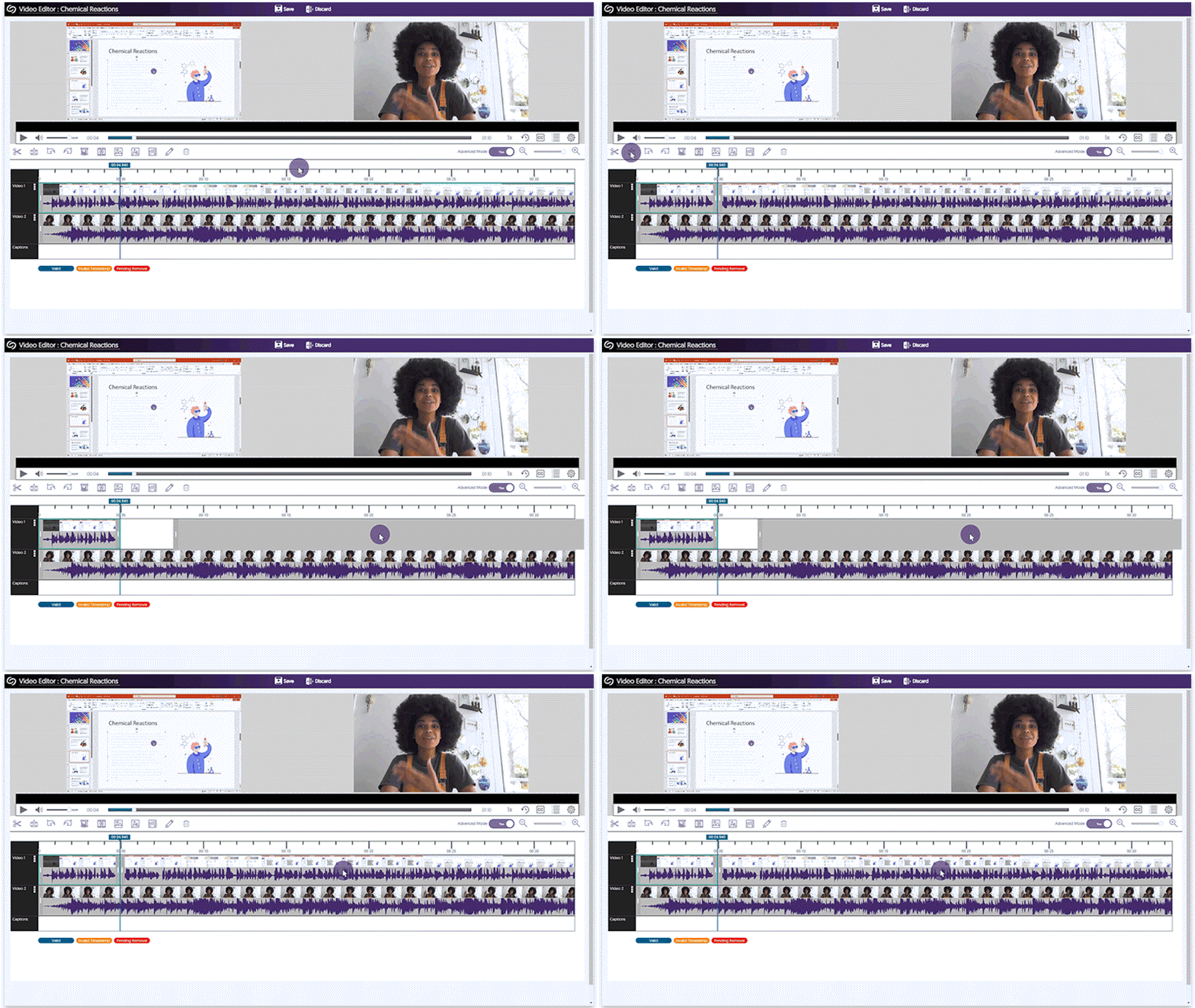
    3. Video Editor Adds Synchronized Splits for Video and Audio Streams Our updated Audio Waveform engine allows Content Creators to split a video and its associated audio track simultaneously, enabling synchronized splitting and movement of tracks. A video track with its audio is split and both move in synch with each other when dragged.
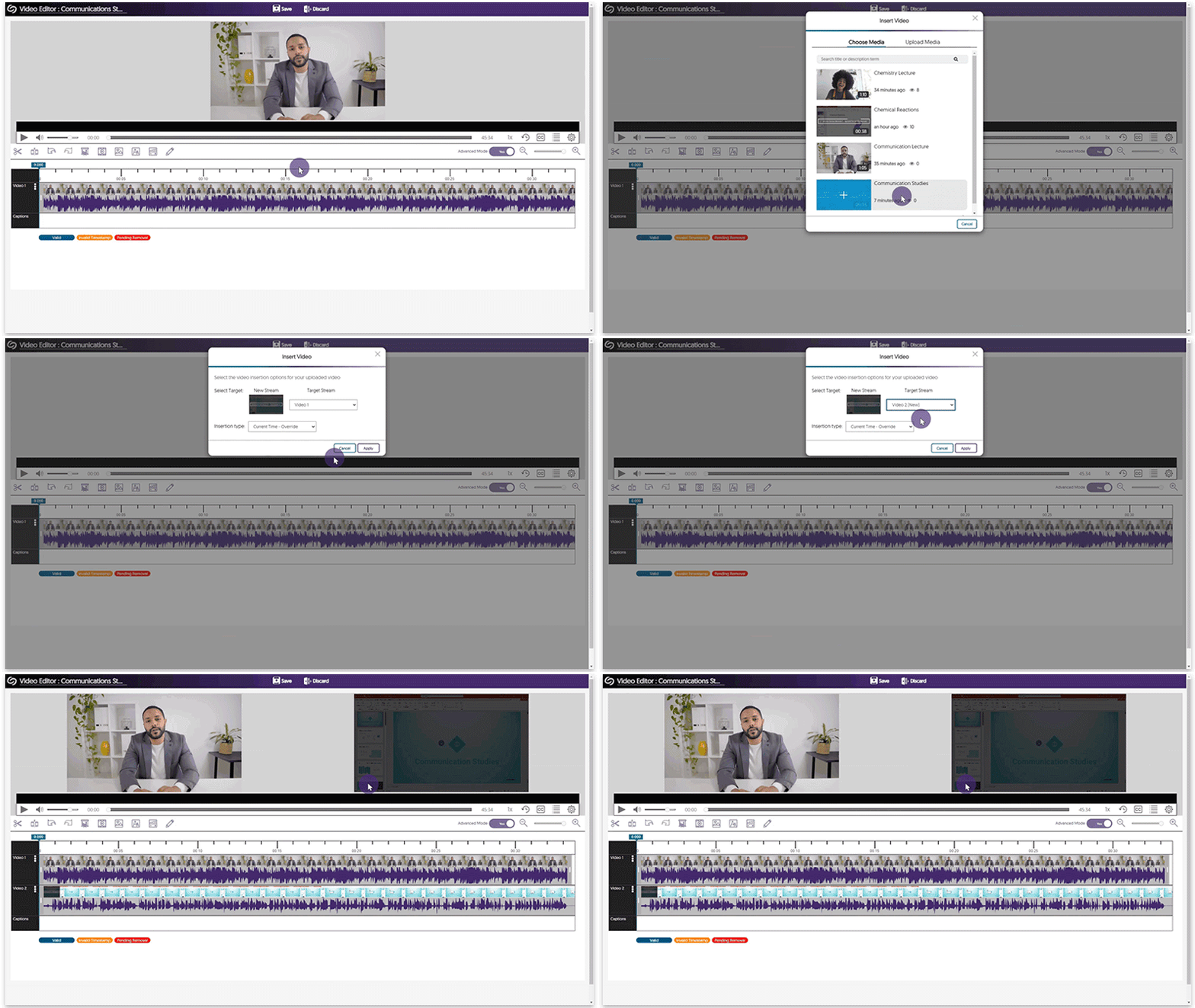
    4. Video Editor Can “Build a Multi-Stream Video” By Adding Full-Length, Independent Streams Content Creators can import video clips as new, independent streams, allowing them to create multi-stream videos with up to four streams within a single video. A video is added as a separate stream in the Video Editor.
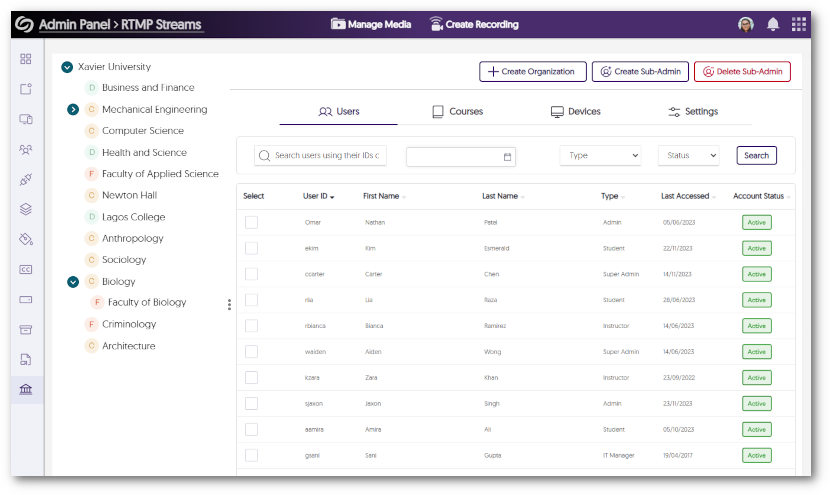
    5. Umbrella System Now Supports the Canvas LMS Quick recap, the Umbrella System enables better support of multi-campus systems with both central administration alongside distributed sub-administration of individual campus nodes. Umbrella System now supports the Canvas LMS complementing our existing support of Blackboard and D2L Brightspace. A view of the organization tab with a list of organizations and enrolled users.
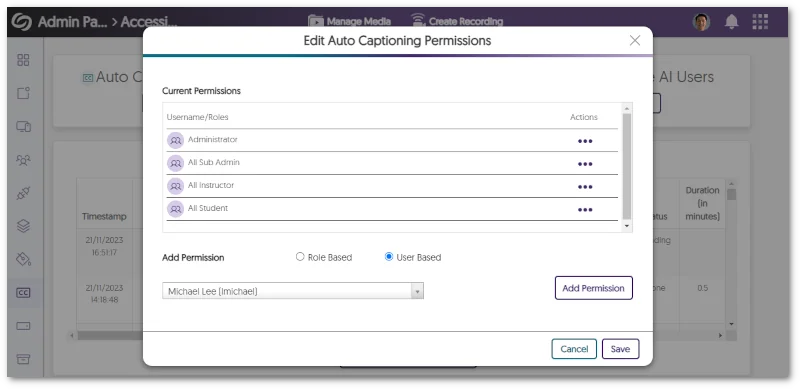
    6. More Granular Live Captioning Permission Management Administrators can set specific permissions on a per-user or role basis to administer the use of live captions for Software Capture, Hardware Hub, and RTMP live streams. Radial options for editing auto captioning permissions for specific users or roles.
    7. Updated Sidebar Iconography with Subtle Animation Element The Video Platform’s Sidebar within the Admin Panel, My Account, and Himalayas has been enhanced with a new color palette and the introduction of new icons featuring animated elements. a view of the Admin Panel navigation menu with its new icons and animations.
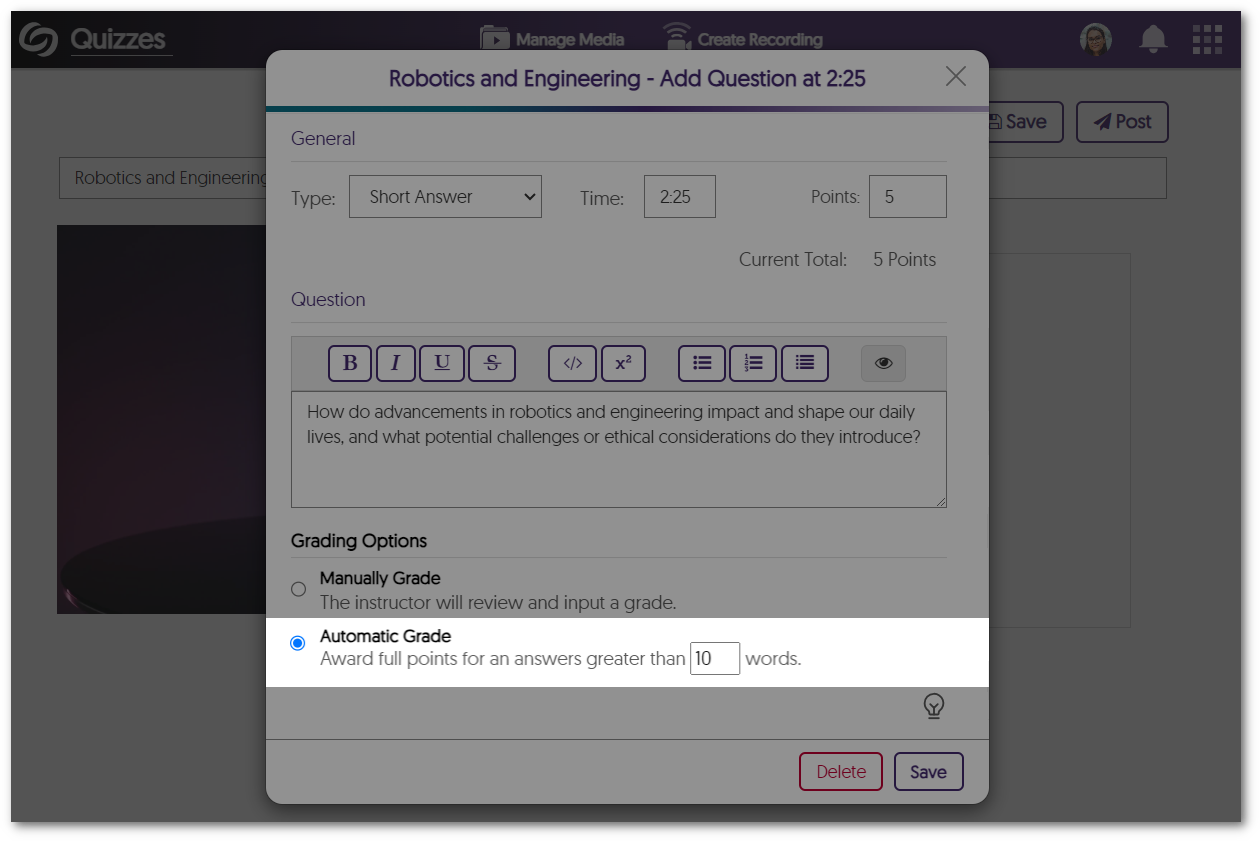
    8. Video Quizzes Support Automatic Grading for Short Answer Video Quizzes will allow instructors to set grading options for Short Answer question types. Instructors can manually review the answer and enter a grade or automatically assign full points for answers greater than a specified word count. Automatic Grade option within the Short Answer question type.
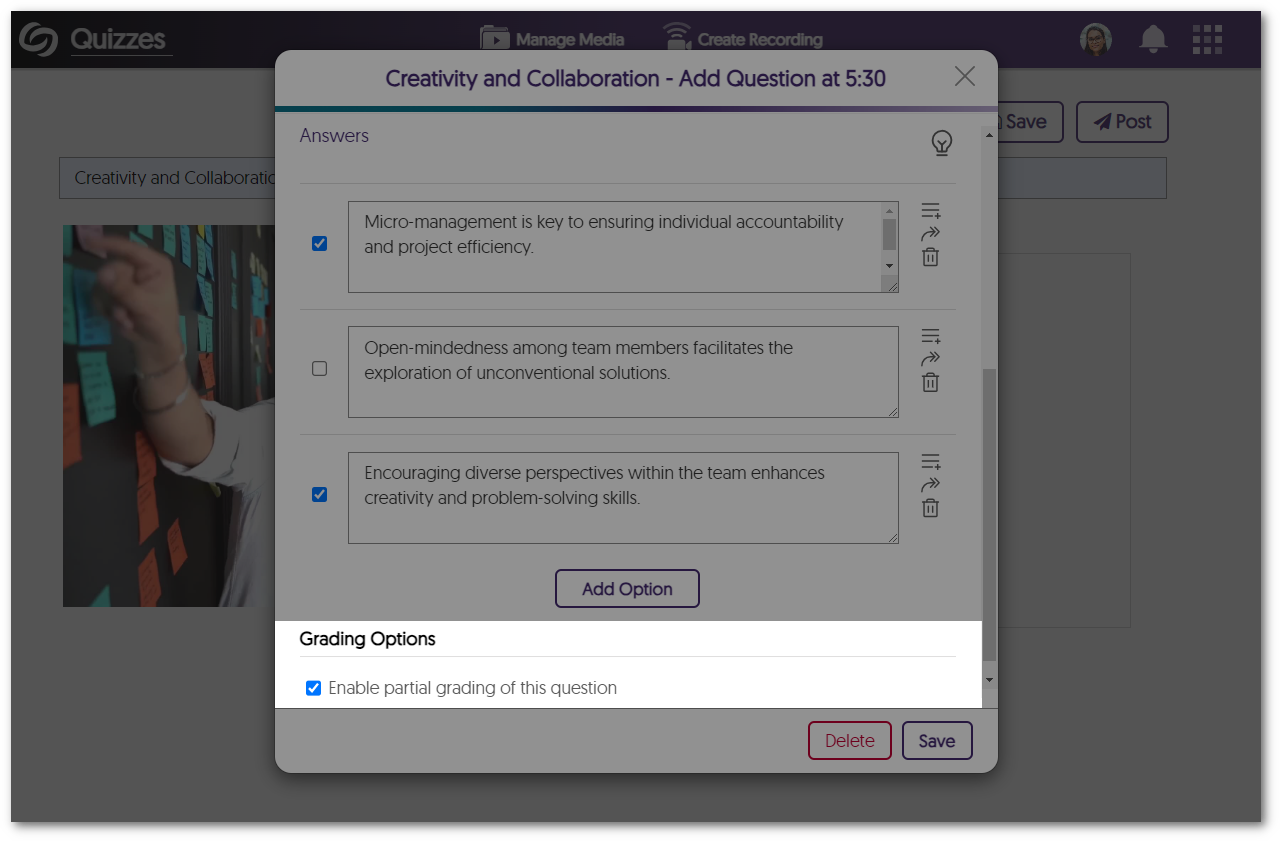
    9. Video Quizzes Support Partial Points for Select Multiple  Content Creators can now award partial points for the Select Multiple question type when students select some of the correct options instead of requiring them to select all the right answers. Grading option to enable partial grading in the Select Multiple question type.
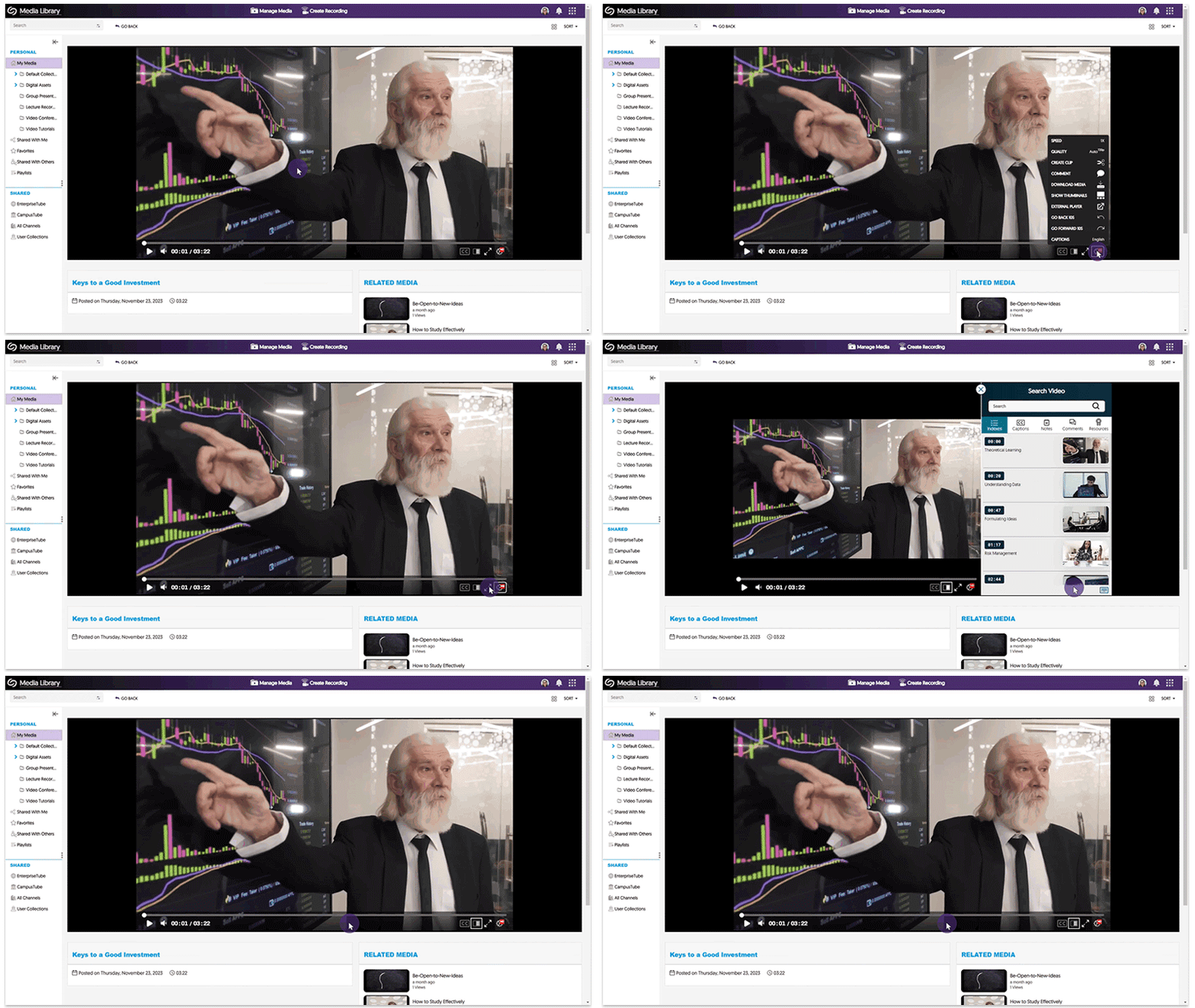
    10. New Micro-Interactive Elements Within the Video Player To enhance the viewing experience when utilizing the Video Player, we have added subtle fade and slide transitions when navigating through various features. The sidebar in the video player slides out and the settings menu fades in.
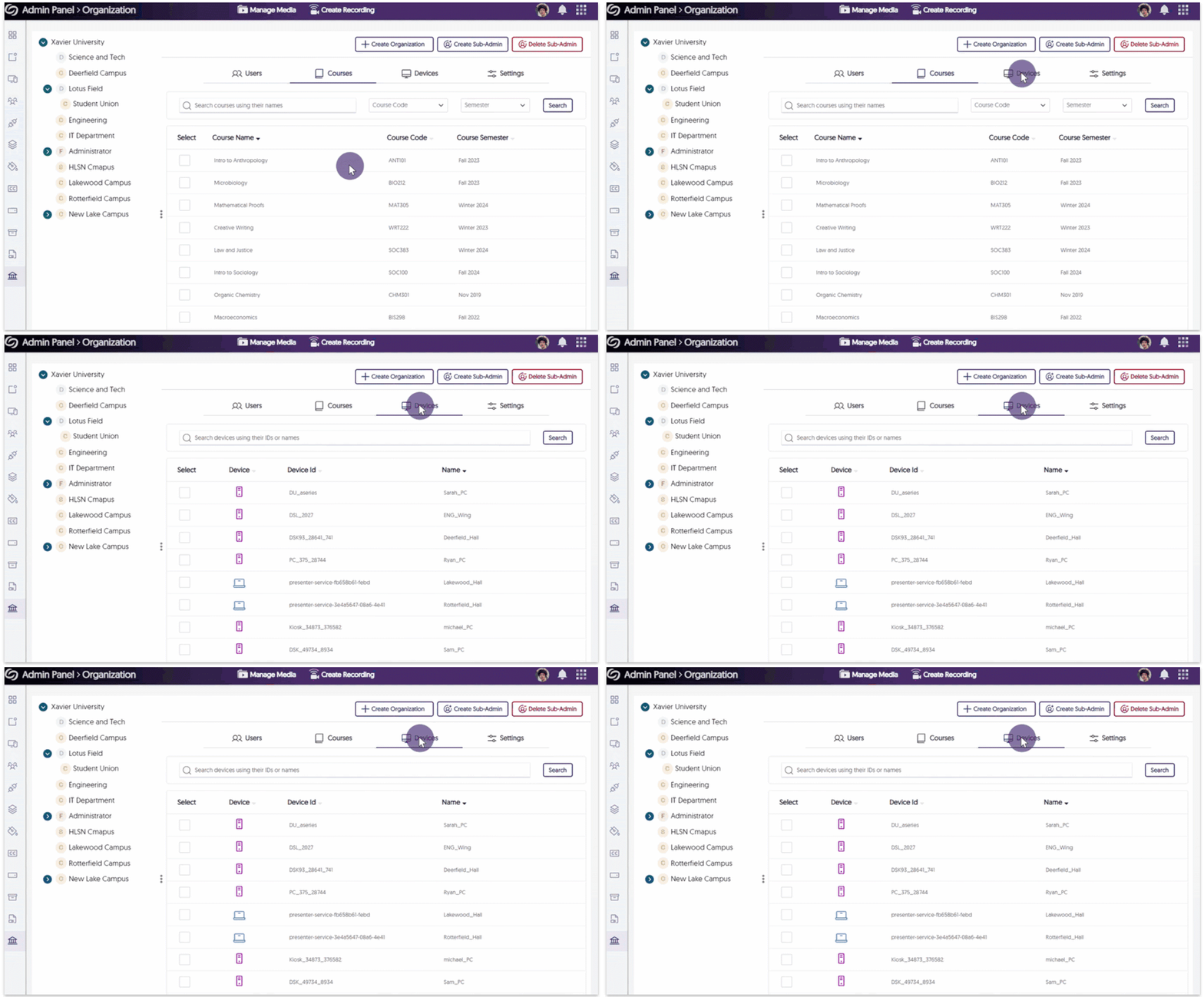
    11. Visual Refresh for the Organization Tab Within the Admin Panel Building on our recent enhancements to the Organization tab’s UI elements, we’ve extended our improvements to other key sections, including the Courses and Devices pages, to provide new icons and a refined color palette. The organization tab shows the devices tab and the course tab.
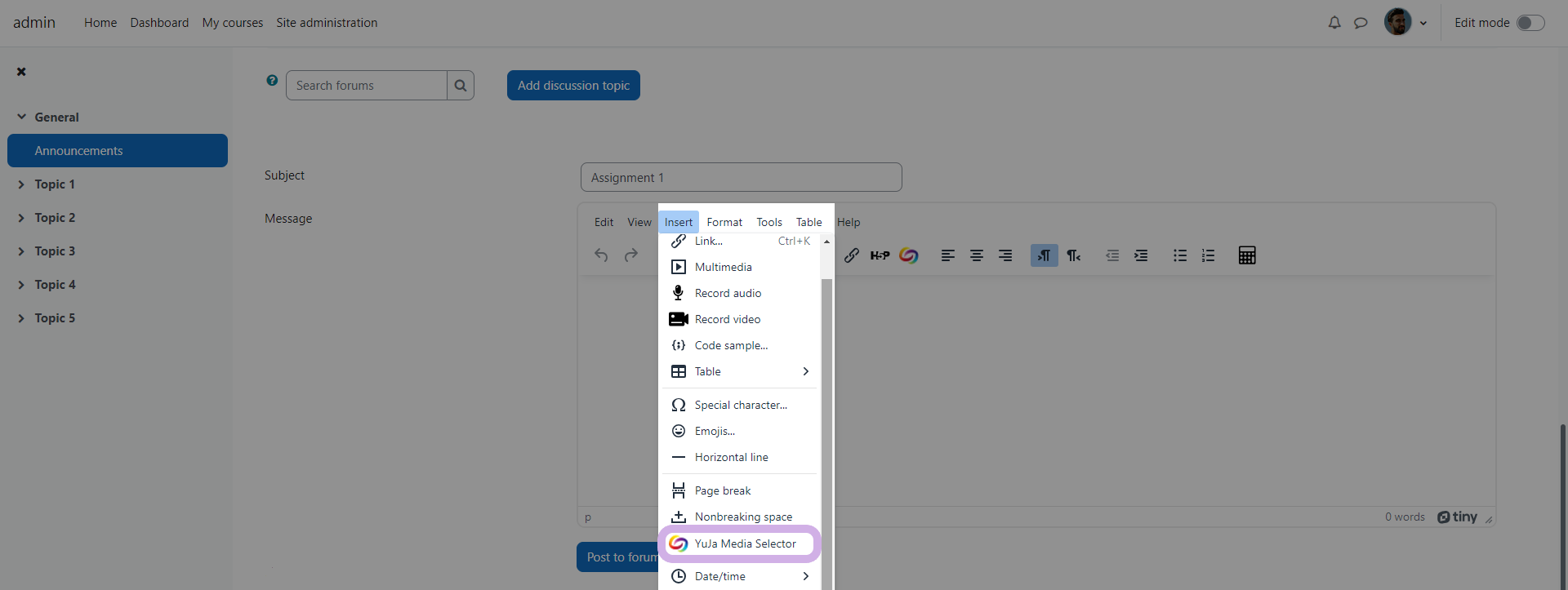
    12. Moodle 4.1: TinyMCE Support for the Media Chooser Directly Within Insert Menu Content Creators using the newest TinyMCE plugin for their Moodle 4.1 instance will now be able to access the Media Chooser directly from the Insert menu. The option within Moodle's text editor to insert the Media Chooser through the insert menu.
    13. Prioritized Human-Captioning Over Auto-Captions Video content will now prioritize human-generated captions, automatically replacing any auto-generated captions. These human-generated captions will then be utilized for transcript generation, ensuring content is accurately transcribed.
    14. Visual Refresh of Toast Messages We have improved our toast messages by adding new animations, colors, and icons. animation of the new toast message appearing.
  • November 7, 2023

    YuJa GenAI Video Power Pack Update – November 2023

    We have successfully pushed an update to all Enterprise Video Platform instances residing in Canada, Australia, and the European Union.
    1. New Generative AI to Detect Video Chapters (Moments of Impact) With the use of new Generative AI capabilities, Video Chapters allow viewers to automatically select key moments of impact within a video or audio recording. A Chapters tab is shown under the Video Player with thumbnails for each chapter within the video.
  • October 6, 2023

    YuJa Enterprise Video Platform Update – “Zelkova” Released to CAN, AU and EU Zones

    We have successfully pushed an update to all Enterprise Video Platform instances residing in Canada, Australia, and the European Union. Release highlights include: a refreshed Media Player theme, option to edit Platform emails, publish playlists across the Video Platform, transform folders into Playlists, dynamically select layout preferences, custom embed sizes for the Media Chooser, enhancements to the Video Editor, manage Rosters for individual campuses within the Umbrella System, and so much more.

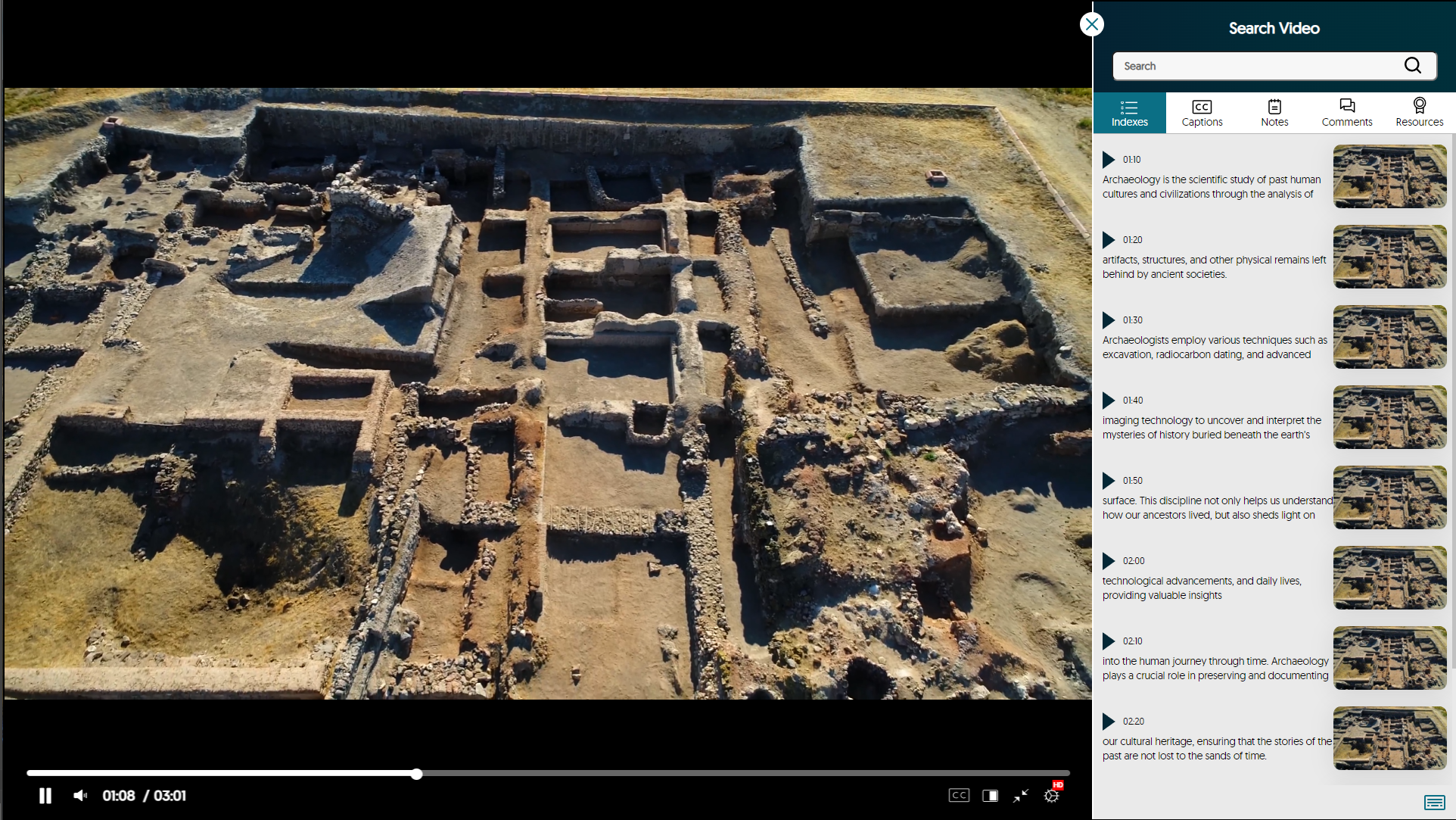
    1. Refreshed Media Player with Enhanced Search Video Sidebar As part of our multi-release commitment to refining the Media Player, we’re introducing a new interface with redesigned icons and color adjustments. You can now view labeled timestamps for the Index, Captions, and Notes to ensure seamless navigation. Redesigned Media Player.
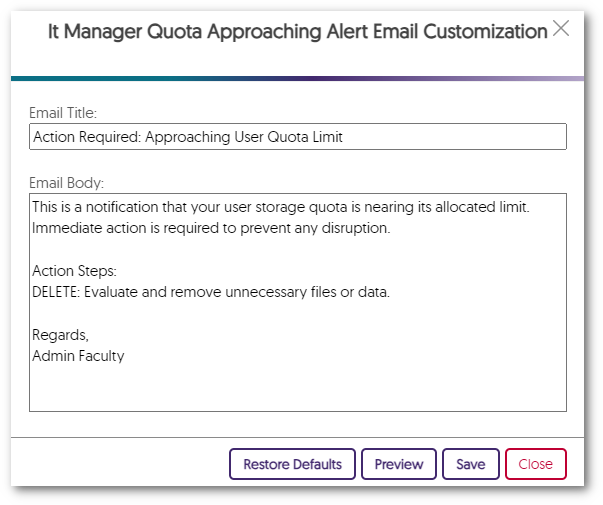
    2. Edit All Platform Emails to Align with Brand and Communication Preferences Administrators can tailor their email notifications to meet their specific preferences. Simply choose the Edit option next to any email notification in the Platform tab to customize the email’s content to align with school-specific branding. A customized email in the Email Editor.
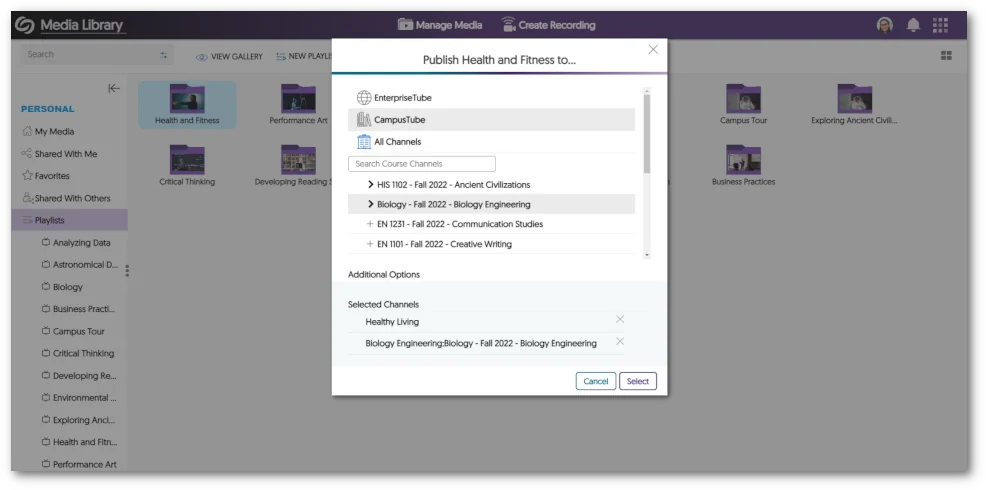
    3. Publish Playlists to the EnterpriseTube, CampusTube, and Course Channels with Real-Time Updating Playlists now offer the flexibility to be published across EnterpriseTube, CampusTube, and Course Channels. After publication, Content Creators can continue to modify Playlists, with the changes instantly reflected across all published locations. A Playlist being published into multiple areas.
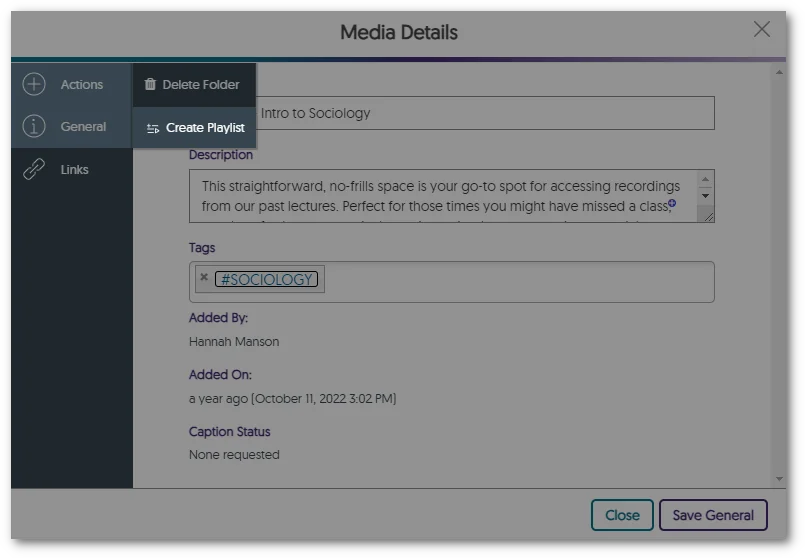
    4. Transform Folders into Playlists Users with curated content within folders can seamlessly transform folders of video content into sharable Playlists, enabling them to share and dynamically update their content across the Video Platform. To recap, Playlists will eventually be the preferred way to distribute lists of videos, and Folders will remain the preferred way to organize content. Option to turn folder into Playlist in the Media Details panel.
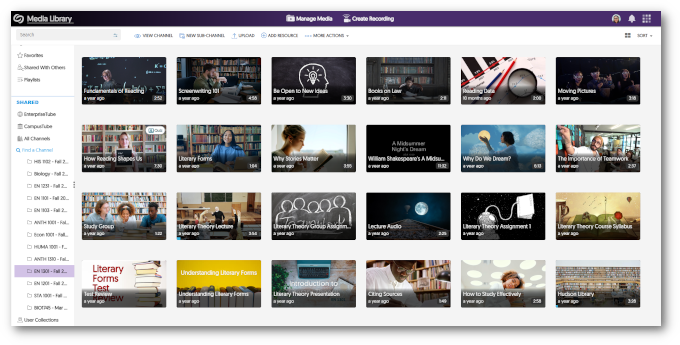
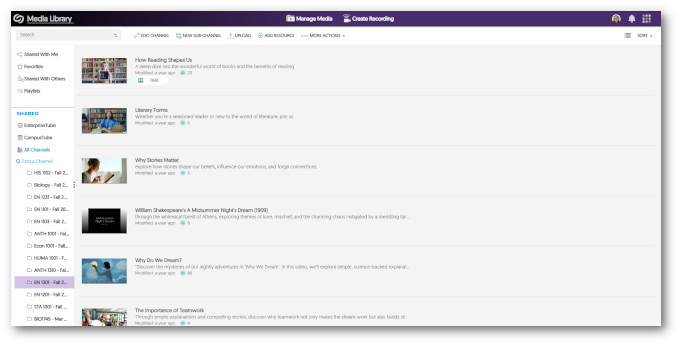
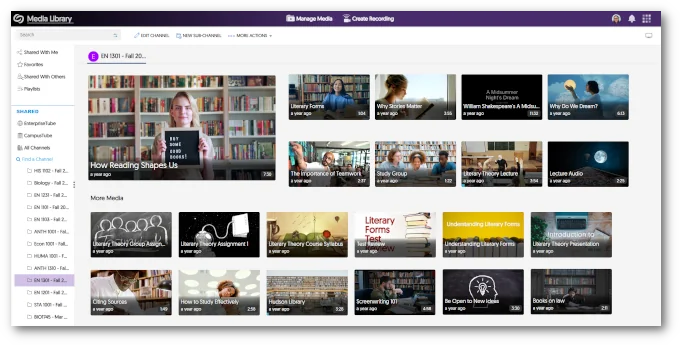
    5. Viewers Can Dynamically Select Layout Preference Between Grid, List, and Gallery with Default View Options To establish a default viewing experience for each Channel on the Video Platform, administrators and Channel Owners have the option to configure the default view for a given Course Channel.
      • Grid Grid view of a course channel.
      • List List view of a course channel.
      • Gallery Gallery view of a course channel.
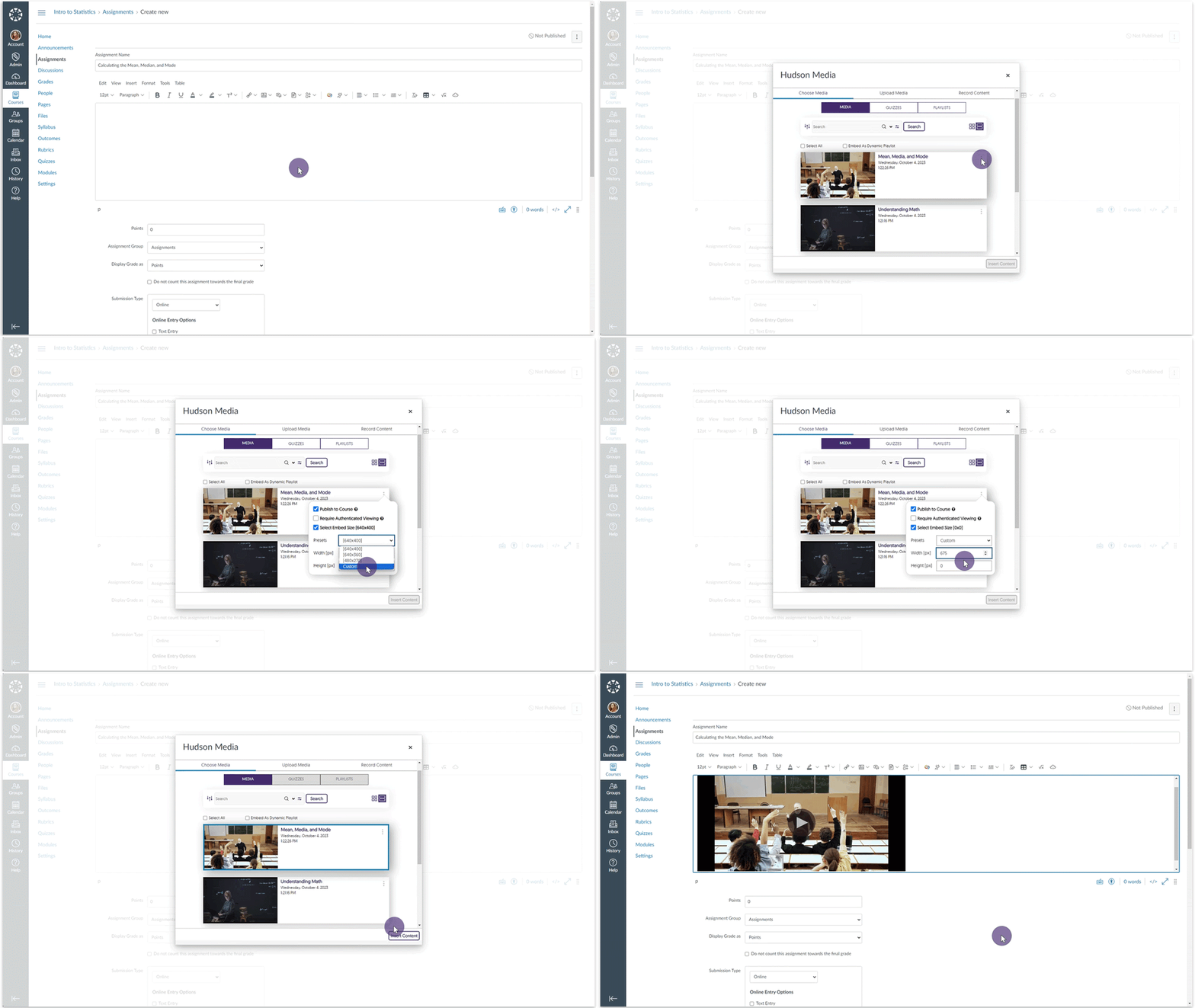
    6. Set Custom Embed Sizes for the Media Chooser Content Creators can select a default standardized embed size for their media content when selecting to embed videos through the Media Chooser. Furthermore, Creators can customize the embed sizes.
    7. Video Editor – “Undo” Function Now Works with Recently Introduced Split Tool In the previous release, we introduced a Split tool to complement the existing Cut tool. We have now added compatibility with the Video Editor’s “Undo” capability and the Split tool. Undoing a split in the Video Editor.
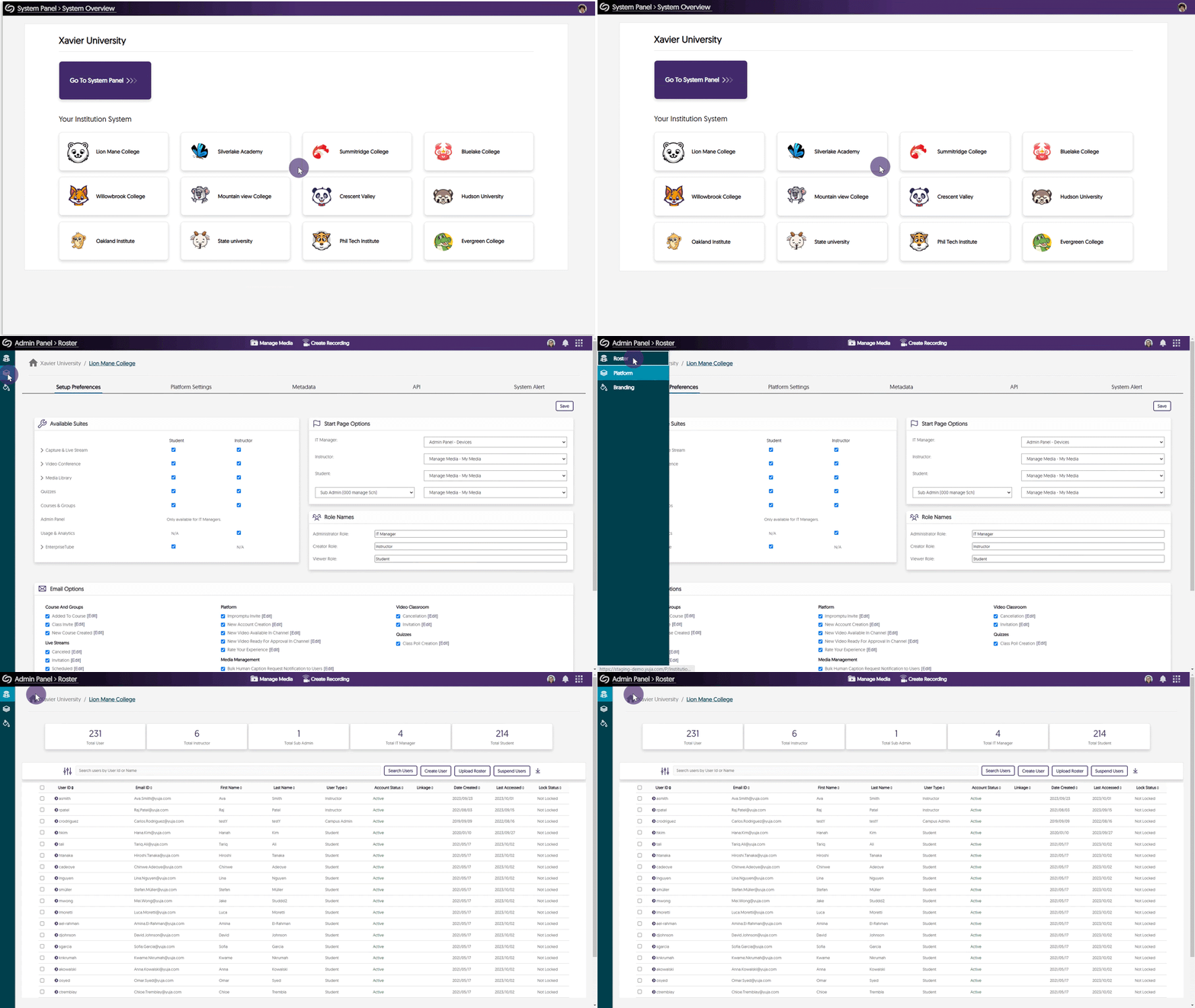
    8. Umbrella System – Manage Dedicated Rosters for Campuses With the introduction of our Umbrella System Panel designed for Super Admins overseeing multi-campus institutions, our attention now turns to the distribution of Admin Panel settings to the System Panel, commencing with the Roster panel. Super Admins and Campus Admins will be able to oversee lists of provisioned users within each campus, enabling precise user role adjustments that exclusively impact individuals within their designated campus. In addition, we’re actively exploring how aspects of the Umbrella System could help large organizations, such as research institutions, to provide hierarchical distribution of administration and permission management for Campus and Sub-Admin roles to better support single-campus entities. Accessing the Roster tab from the System Panel.
    9. Mirror Single Sign-on ID Names in the Video Platform With Existing YuJa IDs In our previous update, we allowed Single Sign-on (SSO) ID names to be mirrored on the Video Platform when creating a new user. We have updated this feature to allow the YuJa IDs of existing users to be mirrored based on their SSO ID names.
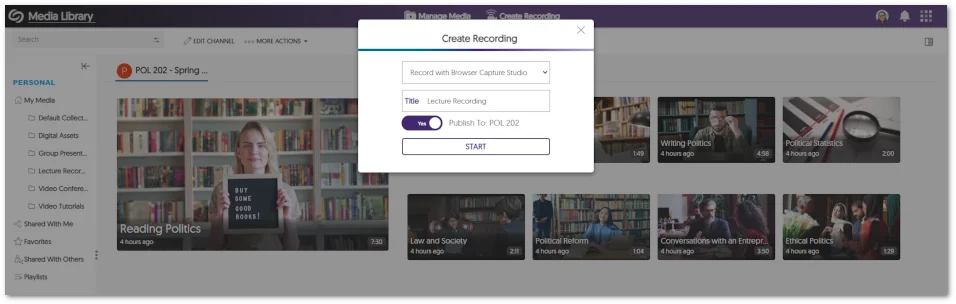
    10. Pre-Select the Course Channel for Browser Capture Publication When launching the Browser Capture Studio from within a course channel, Content Creators now have the option to publish recordings to the course. The option to publish recording into the Course Channel from the Create Recording panel.
    11. Copied LMS Courses Will Have Their Published Videos and Quizzes Migrated to Pre-Existing Courses In our last update, while we allowed LMS-copied courses to be connected with pre-existing courses on the Video Platform, the migration of published videos and Video Quizzes associated with these courses needed to be supported. We’ve now updated this functionality to allow associated videos and quizzes to migrate into courses previously established on the Video Platform.
    12. API to Schedule Events and Publish Them to CampusTube We’ve introduced an API (4.2.8) that enables administrators to schedule live streams and media for direct publication to their CampusTube folder. To learn how to use this and any of our other APIs, please visit our API Support guide.

Join the 1,000+ Organizations Deploying High-Impact Solutions

A collection of logos representing various organizations and institutions that use YuJa’s platform.