

Product Updates
Get the latest platform updates, features, and announcements—all in one place.
Boost Video Accessibility with the GenAI Video PowerPack!
Try Now
Supercharge Your Compliance Efforts with AutoPilot Remediation Max!
Try Now
Strengthen Your PDF Accessibility Efforts with Structural Remediation Max!
Try Now
Don't Miss Any of Our Upcoming Webinars—Save Your Spot!
Register
The YuJa Community is here! Connect, get updates, and access exclusive content.
Join Now

Get the latest platform updates, features, and announcements—all in one place.
Over the next few days, we’ll be updating the YuJa FeedbackFlow Assessment Platform. New enhancements include redesigned assessments for easier use, including List View for all questions, improved responsiveness, a more intuitive and visually improved interface for the Discussion/Chat section, and more.
FeedbackFlow Assessment Redesigned for Easier Use
The FeedbackFlow assessment has been redesigned to be more intuitive and easier to use. As you review an assessment, your changes are now saved automatically, so you can move between questions or step away and return without losing your work. You can also collapse and expand individual questions, making it easier to focus on one response at a time and work comfortably on smaller screens.
The overall user experience has been enhanced for better usability and navigation.
All questions are now presented in a clean List View, allowing users to easily expand or collapse individual questions.

Improved responsiveness ensures a smoother experience on smaller screens.
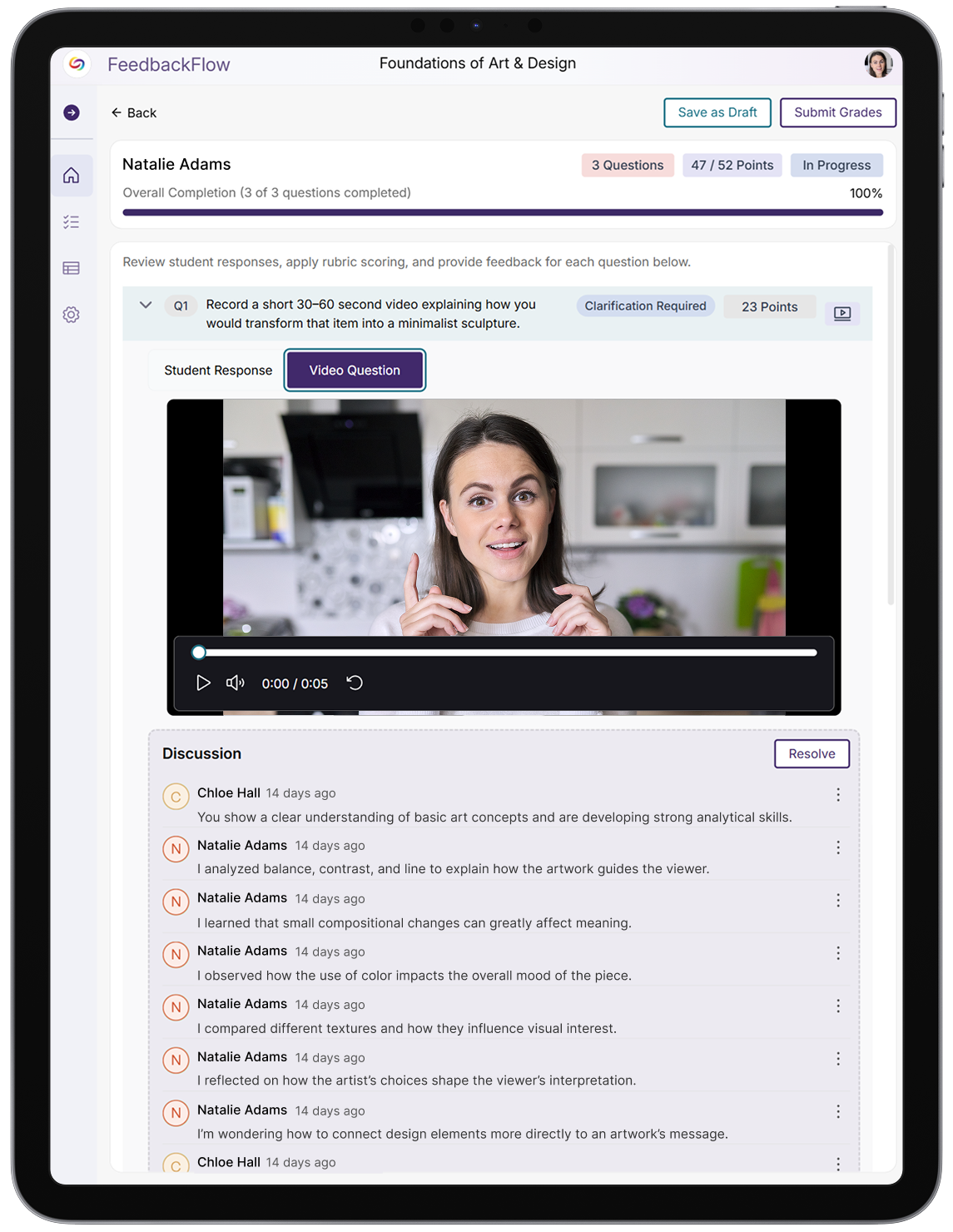
The Discussion/Chat section features a more intuitive and visually improved interface.

The Evaluation section has been redesigned with a clearer and more user-friendly UI.

This YuJa FeedbackFlow Assessment Platform release will feature improved grouped assessment capabilities and student submission options. Key updates will include complete collaborative learning workflows with automatic LTI integration, in-assessment rubric access for improved student understanding, and expanded media file upload support for diverse assignment types.
Grouped Assessments Enable Comprehensive Collaborative Learning Workflows
FeedbackFlow will now support grouped assessments with complete instructor management tools, streamlined student collaboration features, and automatic LTI integration. This comprehensive update transforms collaborative learning by providing seamless group creation, intelligent workflow management, and synchronized grading across all participants.
Key enhancements include:
Automatic LTI Course Member Mapping: When launching grouped assessments, LTI course members will be automatically mapped to YuJa to ensure complete roster synchronization with expandable group member lists and automatic grade distribution across all group members.

Streamlined Student Experience: Students will be able to join or create groups directly within assessments, with intelligent workflow direction and seamless submission sharing that preserves previously submitted responses for collaborative editing.
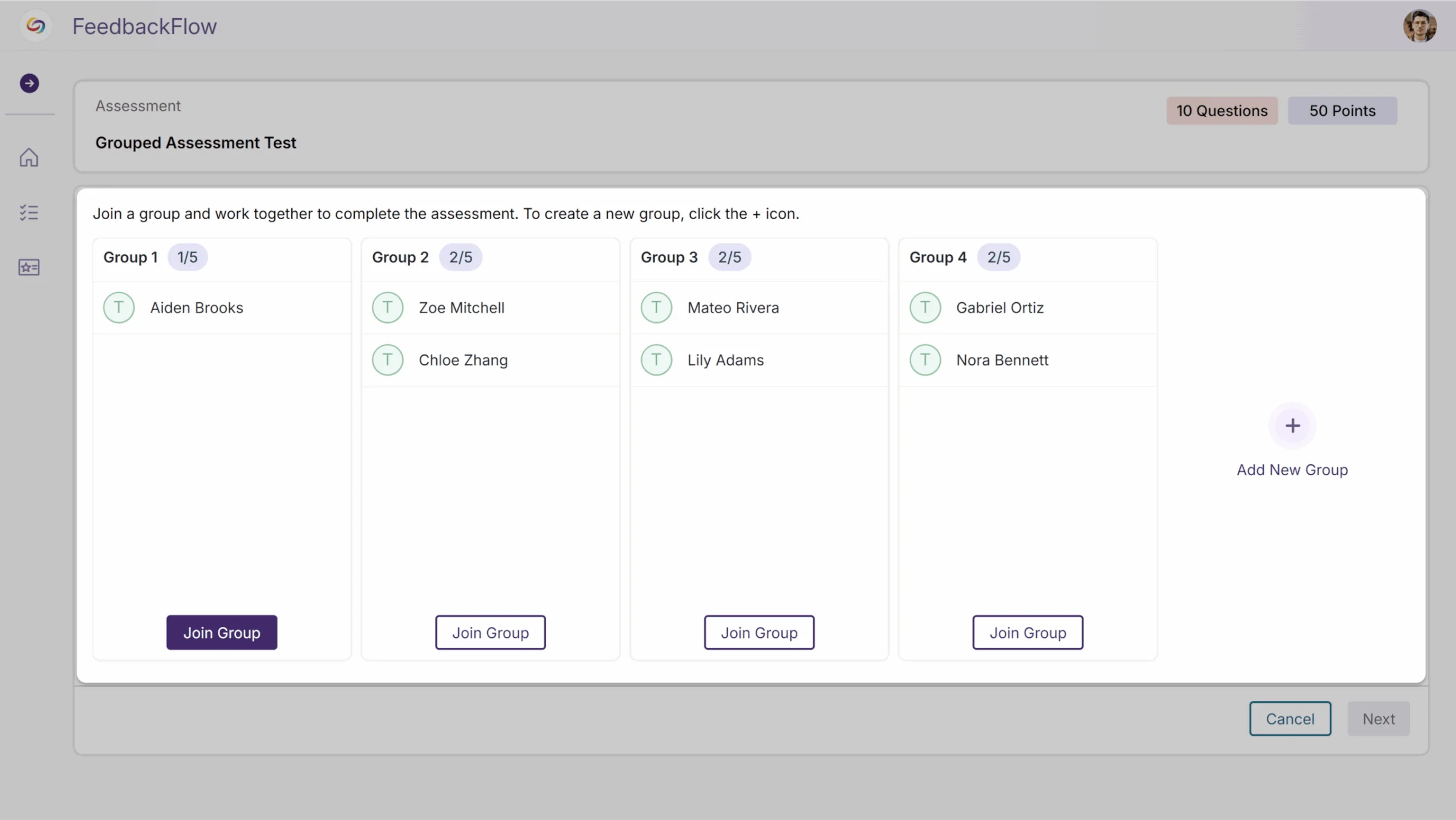
Comprehensive Instructor Management: Enhanced group management capabilities will now include manual student assignment or automatic random grouping, with streamlined publishing workflows and easy access to view and edit groups across multiple courses.

Rubric Access During Assessments Enhances Student Understanding
Students will now be able to view rubrics while taking assessments through a button displayed beside each question. Clicking the button will open a read-only modal that displays the complete rubric for that specific question, allowing students to better understand grading criteria and expectations during the assessment process.

Media File Upload Support Enhances Assignment Response Options
Students will be able to upload media files, including PDFs, Word documents, and PowerPoint presentations, as assignment responses in FeedbackFlow, which will provide greater flexibility for assignment types and richer student submissions beyond traditional text-based responses.

Rolling out over the next few weeks, this update introduces group-based assessments with collaborative workflows and group feedback. This includes a streamlined setup, intuitive collaboration, enhanced instructor oversight, and flexible team dynamics.
FeedbackFlow Group Assessments Enable Collaborative Student Evaluation
FeedbackFlow will now support group-based assessments where students collaborate on responses and submit feedback as a team. Key features will include:
Automatically connects course rosters and allows flexible group creation through manual assignment or random distribution for a streamlined setup.

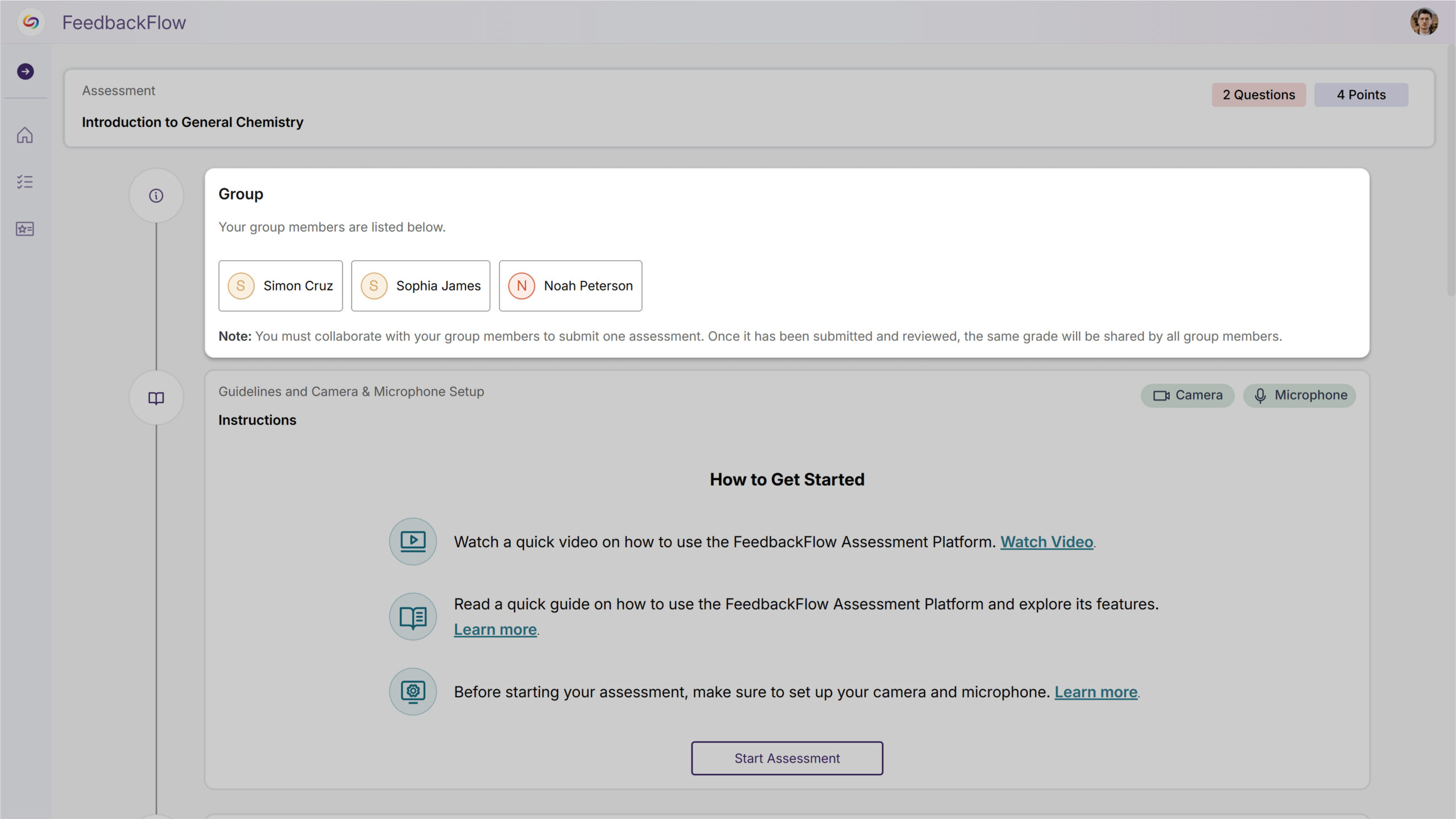
Students seamlessly join or create groups and work together on shared responses without workflow friction for more intuitive collaboration.
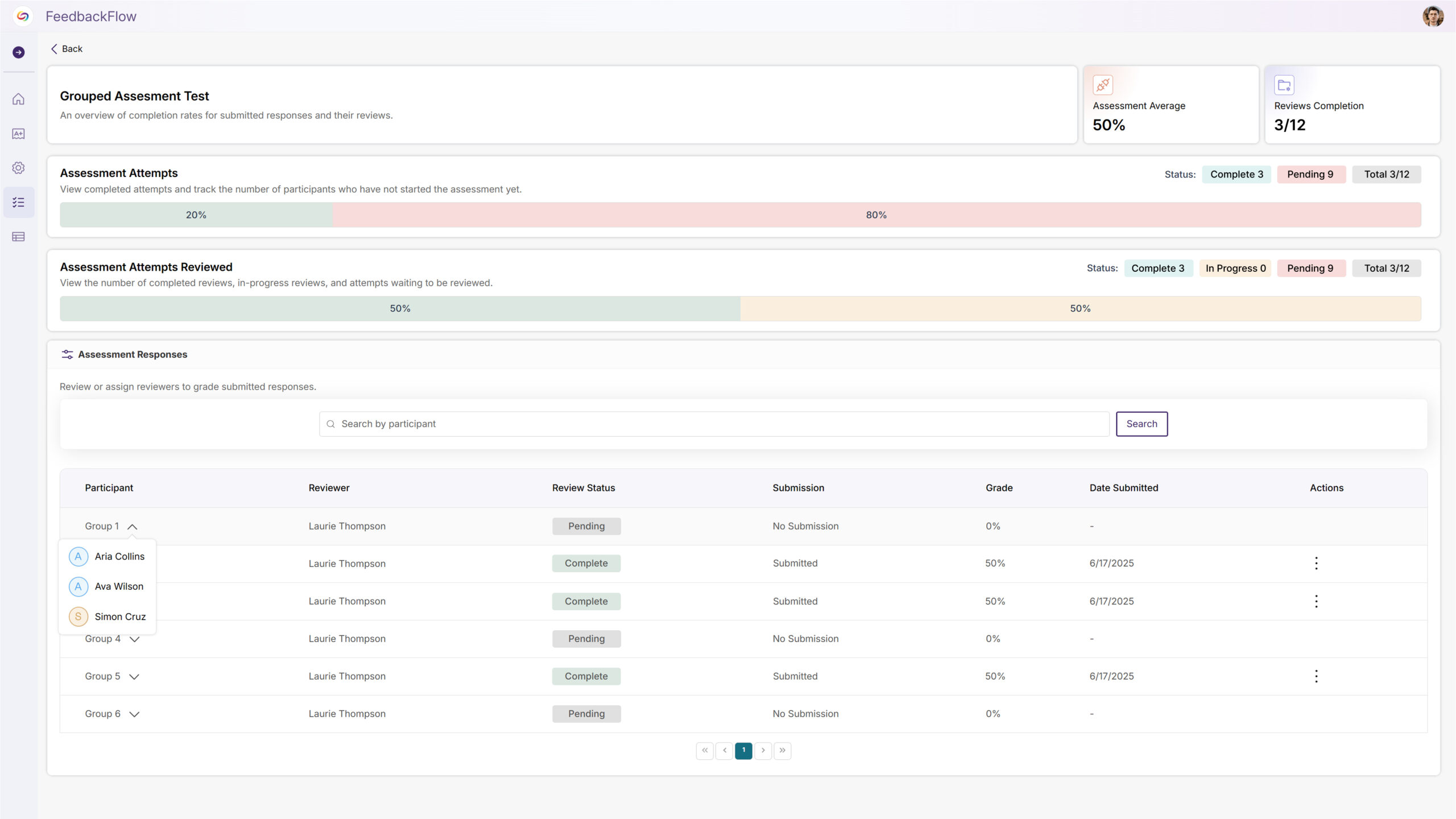
Complete visibility and control over group formation, assessment management, and collaborative progress across multiple courses for enhanced instructor oversight.
Groups can build on each other’s work with collaborative editing and submission updates that preserve the team-based process to create flexible team dynamics.
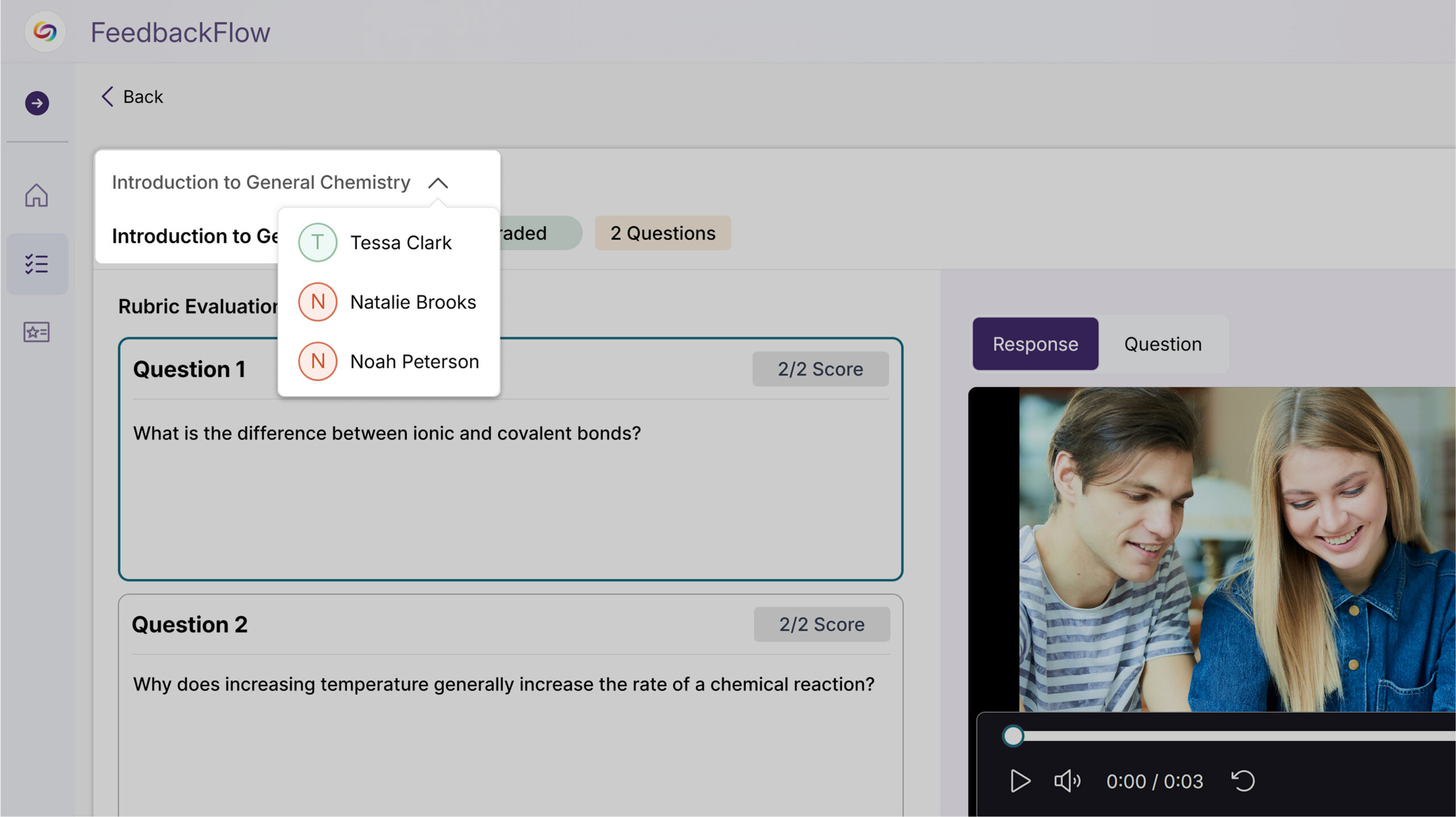
Rolling out over the next few weeks, this update will enhance collaborative learning with new peer review and self-assessment capabilities, while introducing interactive chat for instructor-student dialogue during grading. Additional improvements will include a centralized Rubrics Management page, assessment analytics for tracking student progress, and a new Question-and-Answer feedback type supporting multimedia responses.
Students Will Be Able to Complete Self-Assessments Using Course Rubrics
Students will be able to assess their own submissions against provided rubrics through a new self-assessment feature. Instructors can assign self-reviews to students, who will receive email notifications and access a grading interface to evaluate their own work, promoting self-reflection and learning accountability.
A New Peer Review System Will Enable Student-to-Student Assessment and Feedback
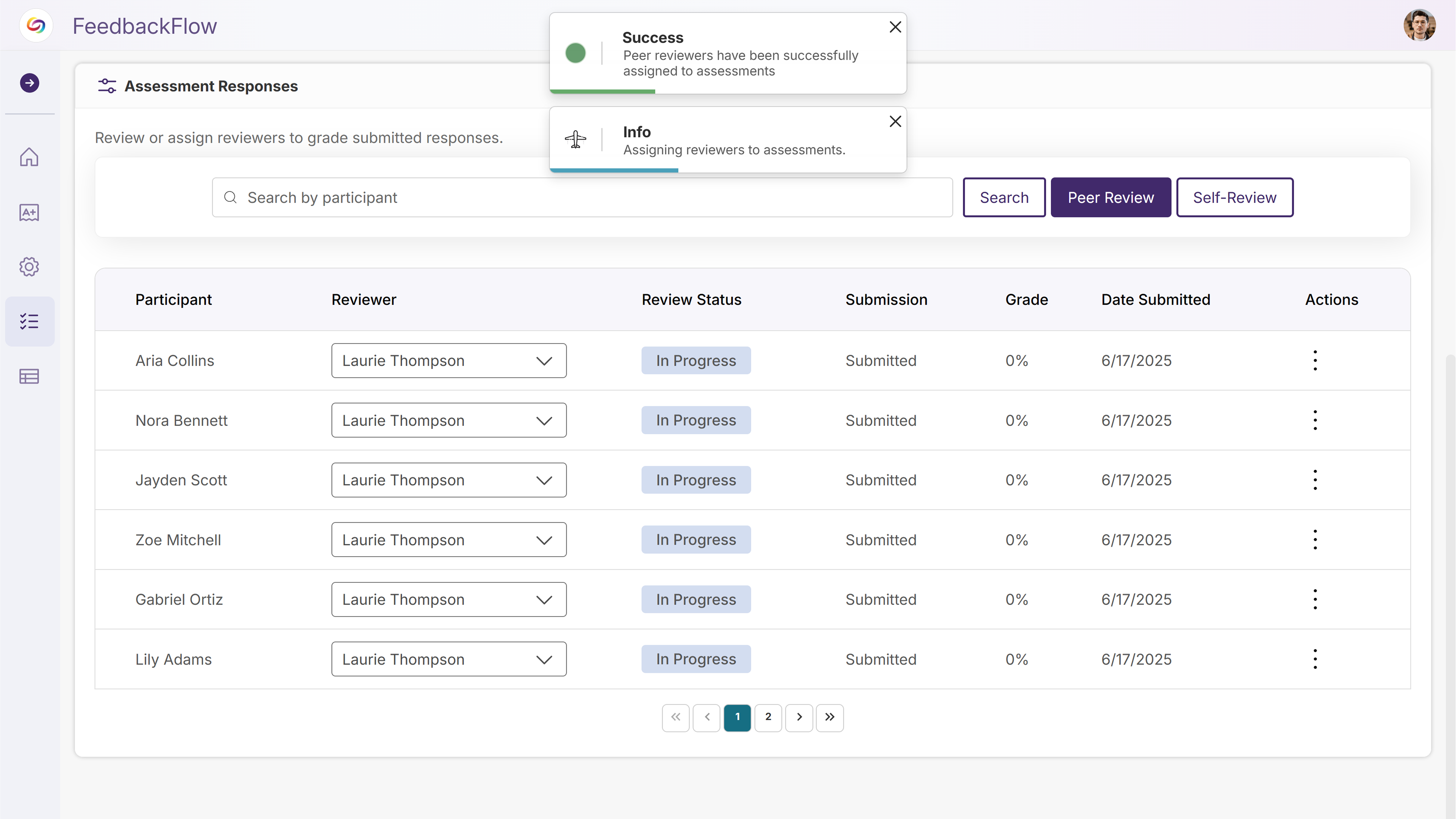
A new peer review system will allow instructors to assign students to evaluate and provide feedback on fellow students’ submissions using course rubrics. The system will automatically assign peer reviewers while maintaining the option for instructors to provide final grading.
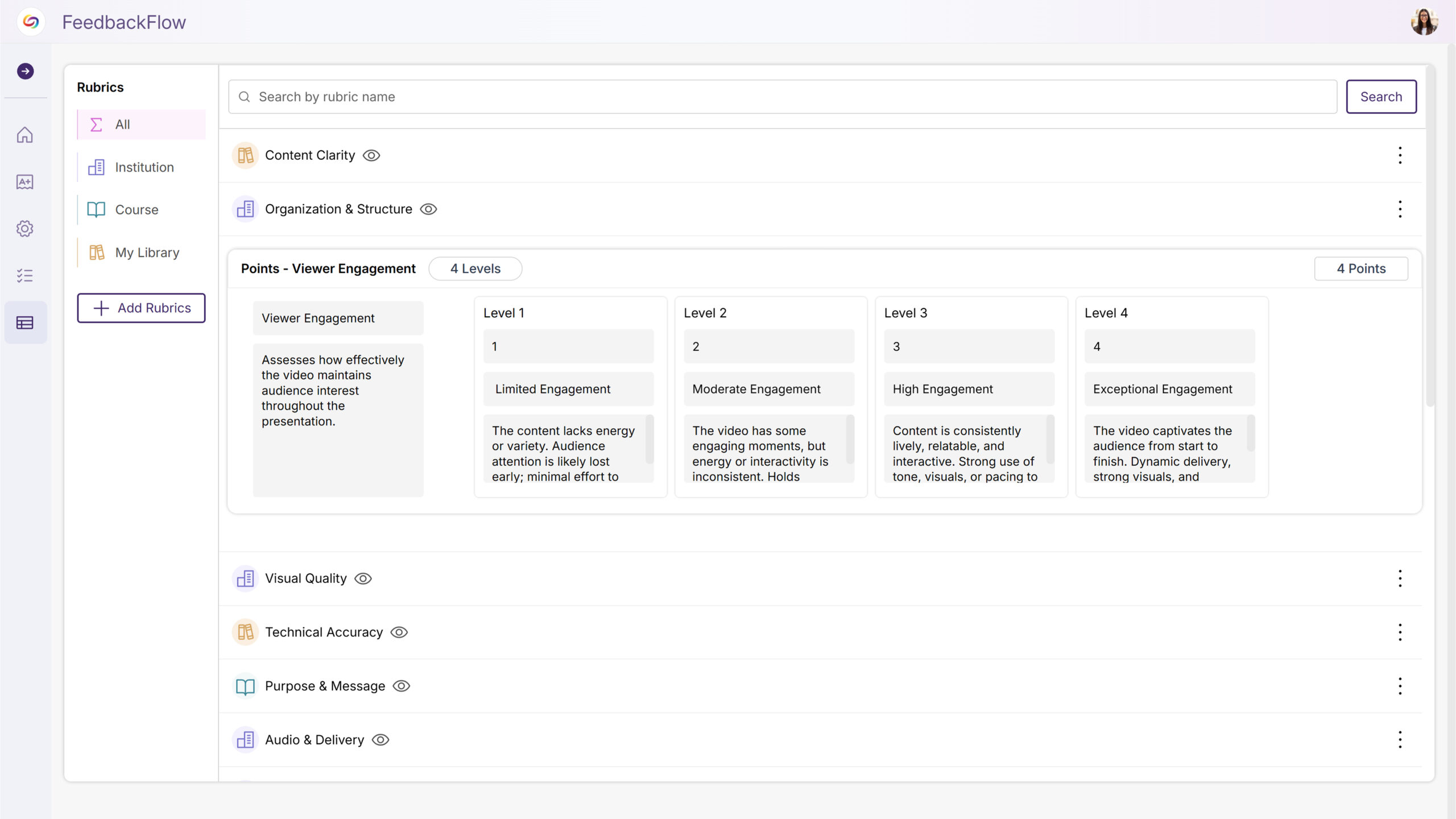
A New Rubrics Management Page Will Centralize Rubric Creation and Organization
A new Rubrics Management page will provide instructors, IT managers, and admins with centralized access to view, edit, and organize all rubrics they have permissions to access. Users can create new rubrics, search existing ones, rename and preview rubric structures, and duplicate rubrics when edit permissions are not available, streamlining rubric workflows outside of the assessment creation process.
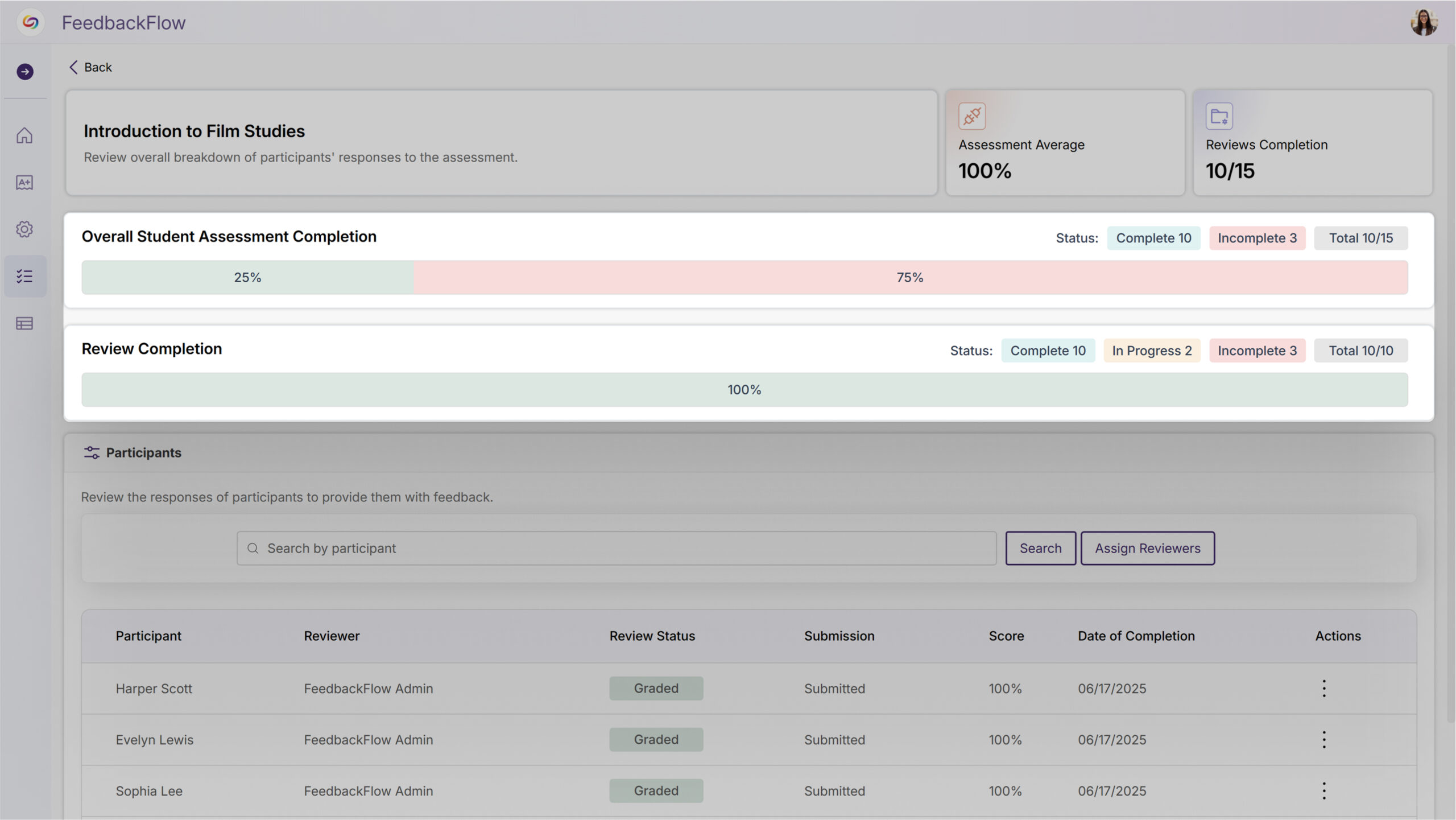
Assessment Analytics Will Now Display Student Progress and Grading Statistics
The assessment overview page will feature analytics showing the number and percentage of students who have completed assessments versus those who haven’t submitted. Additional statistics will track grading progress, displaying how many assessments are in progress, not graded, and graded, giving instructors clear visibility into class engagement and grading workflow status.
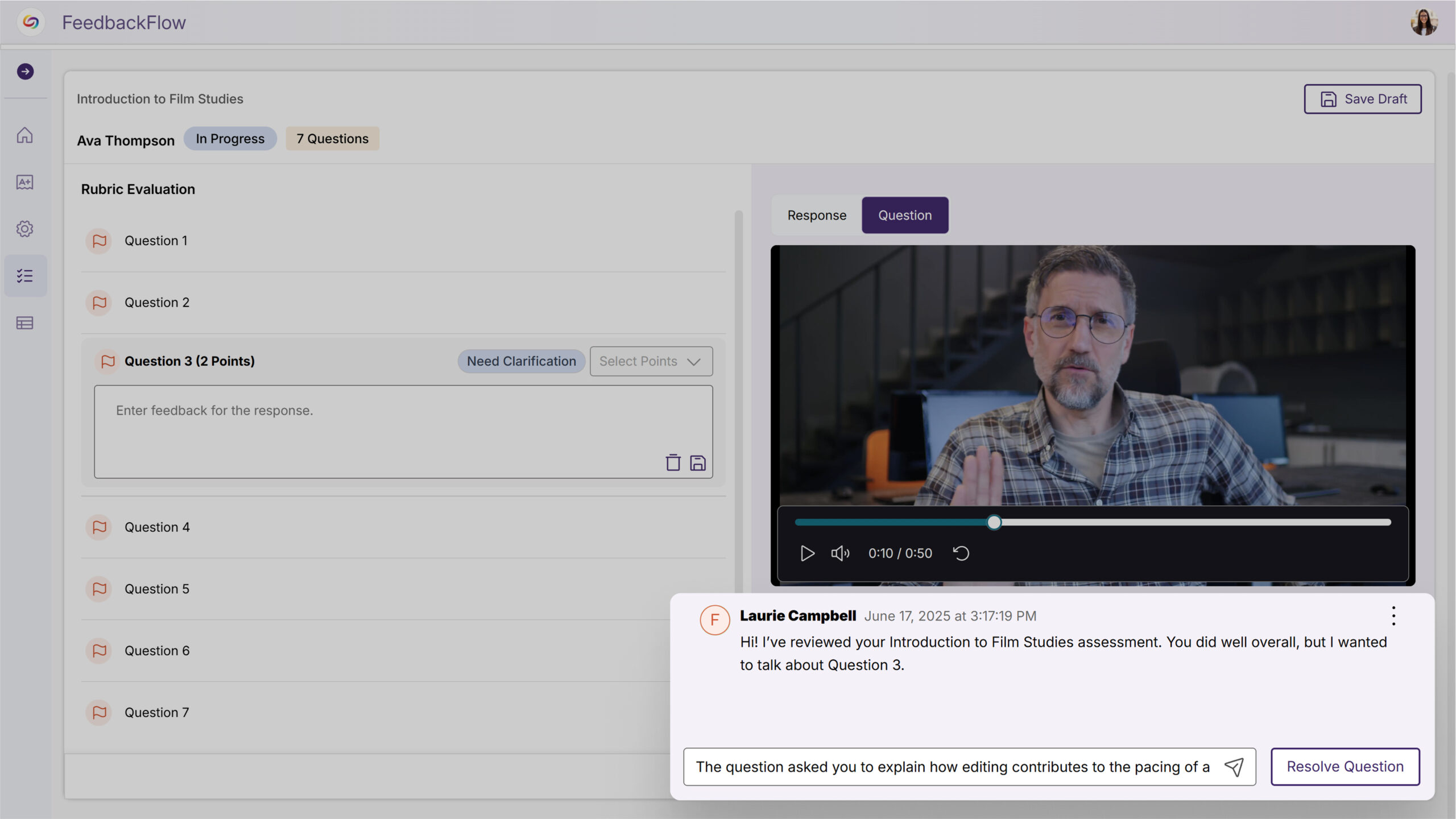
New Interactive Chat Will Enable Discussion Between Instructors and Students During Grading
Instructors will be able to start discussions with students during the grading process, allowing for clarifying questions and back-and-forth conversation before final grades are assigned. Students can respond to instructor comments through their dashboard, and grading for discussed questions will be disabled until the instructor marks the discussion as resolved to help ensure thorough communication before assessment completion.
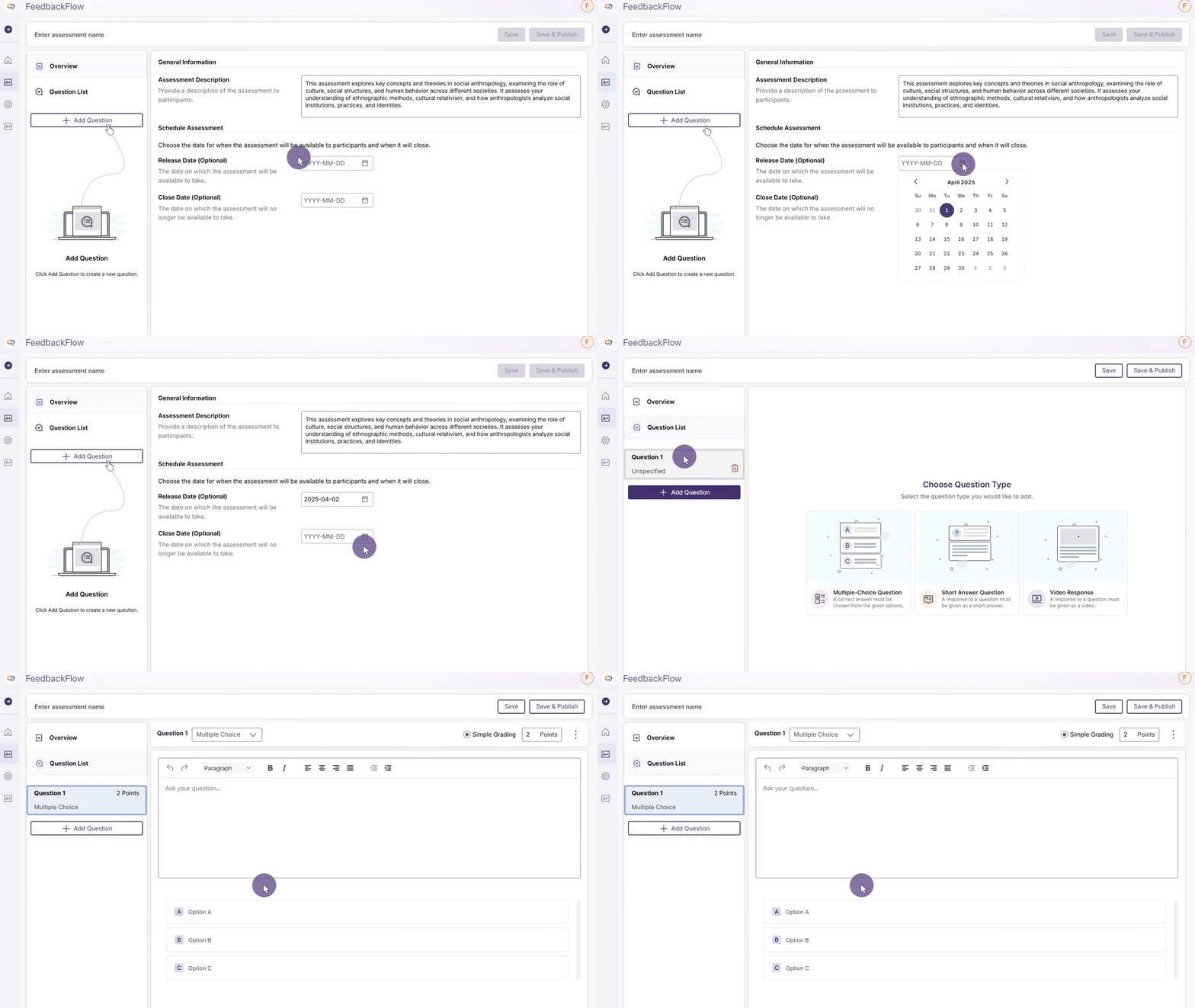
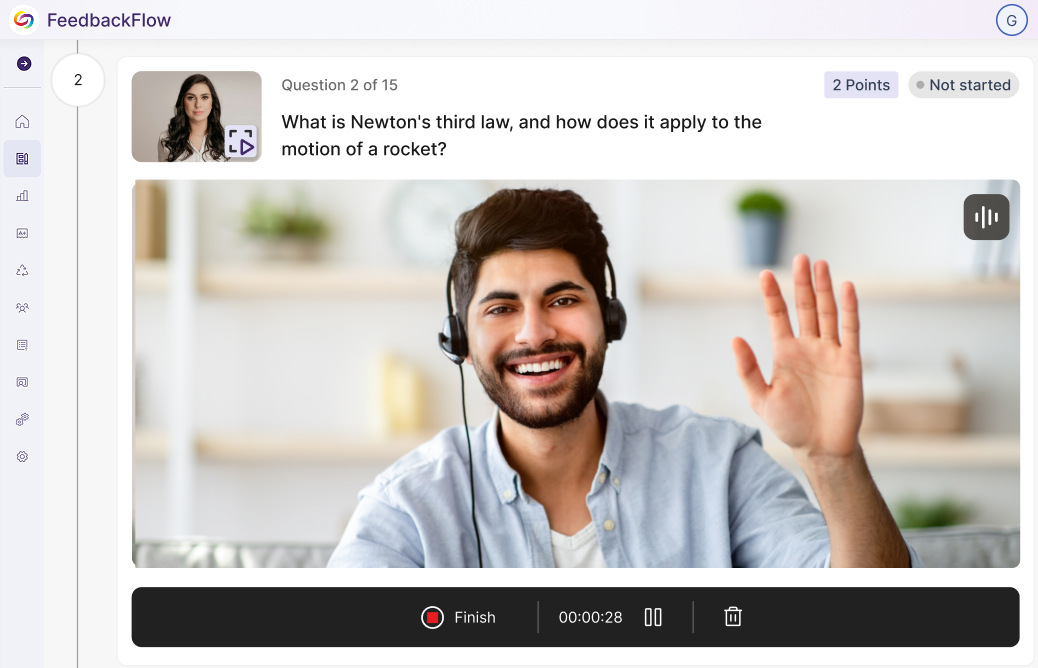
We have successfully pushed an update to all YuJa FeedbackFlow Assessment Platform instances residing in the US, Canada, Australia, and the European Union. This update includes simplified assessment creation to streamline navigation, improved grading-method creation, and a new split-screen assessment interface.

Join the 1,000+ Organizations Deploying High-Impact Solutions



